In today's competitive landscape, understanding and nurturing customer relationships is paramount for business success. Customer Relationship Management (CRM) platforms are no longer just a luxury but a fundamental necessity for companies of all sizes. They serve as the central nervous system for all customer interactions, from initial contact to post-purchase support. This guide aims to demystify the world of CRM by exploring various CRM platform examples, highlighting their unique strengths, and offering a practical framework to help you navigate the myriad options. My goal is to empower you with the insights needed to select a CRM solution that aligns perfectly with your business goals and drives unparalleled customer success. Below I list 5 best CRM software platform examples for you to have a quick view:
1. Lark: Unified collaboration for enhanced CRM
2. Salesforce CRM: Market leader & ecosystem
3. HubSpot CRM: Inbound growth platform
4. Zoho CRM: Affordable & integrated suite
5. Pipedrive: Visual sales pipeline management
What exactly is a CRM platform, and why does it matter?
At its core, a is a technology system designed to manage all your company's relationships and interactions with customers and potential customers. The objective is simple: improve business relationships to grow your business. When we discuss "CRM platforms meaning," we're referring to software solutions that centralize customer data, , and provide tools for sales, marketing, and customer service teams. These systems ensure that every customer interaction, every piece of information, and every touchpoint is meticulously recorded, organized, and accessible.
Far from being merely a database, a CRM platform is a strategic asset. It integrates data from various touchpoints—such as website visits, phone calls, emails, social media, and more—to create a comprehensive, 360-degree view of each customer. This unified perspective allows businesses to understand customer behavior, predict needs, and deliver personalized experiences. For example, a sales team can instantly access a customer's purchase history and communication logs before making a call, or a marketing team can segment customers based on their engagement patterns to launch more targeted campaigns. These are quintessential customer relationship management examples of how a CRM brings order and intelligence to customer interactions.
Types of CRM systems
Not all CRM platforms operate identically. While many modern solutions offer integrated functionalities, CRMs are traditionally categorized into three primary types based on their main focus. Understanding these distinctions is crucial for identifying which kind of platform examples might best suit your operational needs.
Operational CRM
Operational CRMs are designed to automate and streamline customer-facing business processes. This includes three key areas:
- : Managing leads, contacts, opportunities, and sales forecasting. It guides sales representatives through the sales cycle, ensuring no step is missed.
- Marketing automation: Executing and tracking marketing campaigns, lead generation, and customer segmentation. This helps personalize marketing efforts and improve conversion rates.
- Service automation: Handling customer inquiries, support tickets, and providing self-service options. This ensures consistent and efficient customer support.
An operational CRM example would be a small e-commerce business using a system to automatically create a lead when a potential customer signs up for their newsletter. The CRM then triggers a series of personalized welcome emails and assigns the lead to a sales associate for follow-up, ensuring timely engagement and efficient lead nurturing.
Analytical CRM
focus on collecting, processing, and presenting customer data to help businesses gain insights into customer behavior, preferences, and trends. They leverage advanced reporting, data mining, and business intelligence tools to extract actionable information from vast amounts of data. The goal is to inform strategic decisions in sales, marketing, and customer service. For instance, an analytical CRM can help a retail company identify its most profitable customer segments, predict churn risk, or optimize product recommendations based on past purchases and browsing history.
Collaborative CRM
emphasize enhancing communication and information sharing both between different departments within a company (e.g., sales, marketing, customer service) and with customers themselves. They break down internal silos, ensuring that all customer-facing teams have a unified, up-to-date view of every customer interaction, regardless of who handled it last. This type of CRM fosters a cohesive approach to customer service, allowing different teams to work together more effectively to serve customer needs and improve overall satisfaction.
How CRM platforms benefit your business
Implementing the right CRM platform examples can be a transformative step for any business. The benefits extend far beyond simply organizing customer data, impacting sales, marketing, customer service, and overall strategic decision-making.
- : CRM systems automate tedious tasks, provide insights into lead quality, and manage sales pipelines, allowing sales teams to focus more on selling. They help in prioritizing leads, tracking deals, and forecasting sales accurately, leading to higher conversion rates and increased revenue.
- Enhanced customer satisfaction & retention: By providing a 360-degree view of each customer, CRM enables personalized interactions and proactive support. Customer service teams can access complete customer history, leading to faster issue resolution and a more consistent experience. This directly translates to higher customer loyalty and reduced churn.
- More effective : With rich customer data at their fingertips, marketing teams can segment audiences with precision and tailor campaigns to specific groups. CRM tools allow for personalized messaging, targeted promotions, and the tracking of campaign effectiveness, optimizing marketing spend and driving better engagement.
- Streamlined business processes: CRM systems integrate various departments, ensuring a smooth flow of information and reducing manual data entry. This streamlines workflows, reduces errors, and boosts overall operational efficiency, freeing up valuable employee time for more strategic tasks.
Discover how Lark can transform your customer relationships
Top 10 CRM Platforms in 2026: A Detailed Look
The CRM market is constantly evolving, with new innovations and specialized solutions emerging to meet diverse business needs. In 2026, the leading platforms continue to push boundaries, offering more intelligent automation, deeper integrations, and improved user experiences. Let's dive into a detailed look at some of the top CRM platforms, including how innovative collaboration tools like Lark can complement them.
1. Lark: Unified collaboration for enhanced CRM
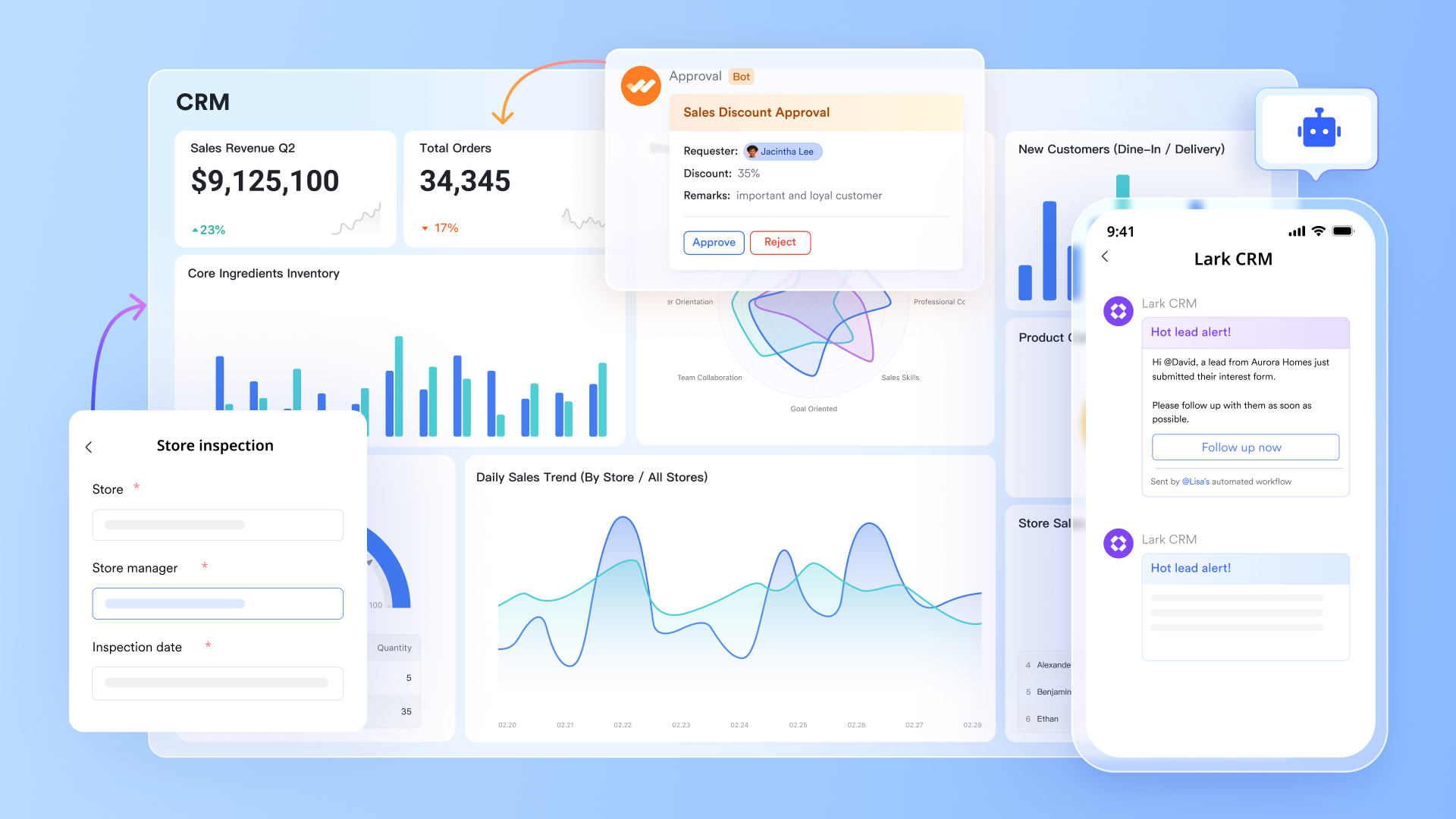
is an all-in-one platform that helps teams of every size work smarter together. In many organizations, even with a robust CRM, internal collaboration around customer data often remains fragmented, leading to context switching, information silos, and delayed responses that impact customer experience. Lark addresses this by providing a unified digital workspace that seamlessly combines internal communication and workflows, ensuring critical customer information is shared instantly and transparently across sales, support, and marketing teams. This approach allows teams to act on CRM insights more efficiently, making internal processes surrounding much smoother and more effective.
Pros:
Extract insights from fragmented information with AI-powered fields
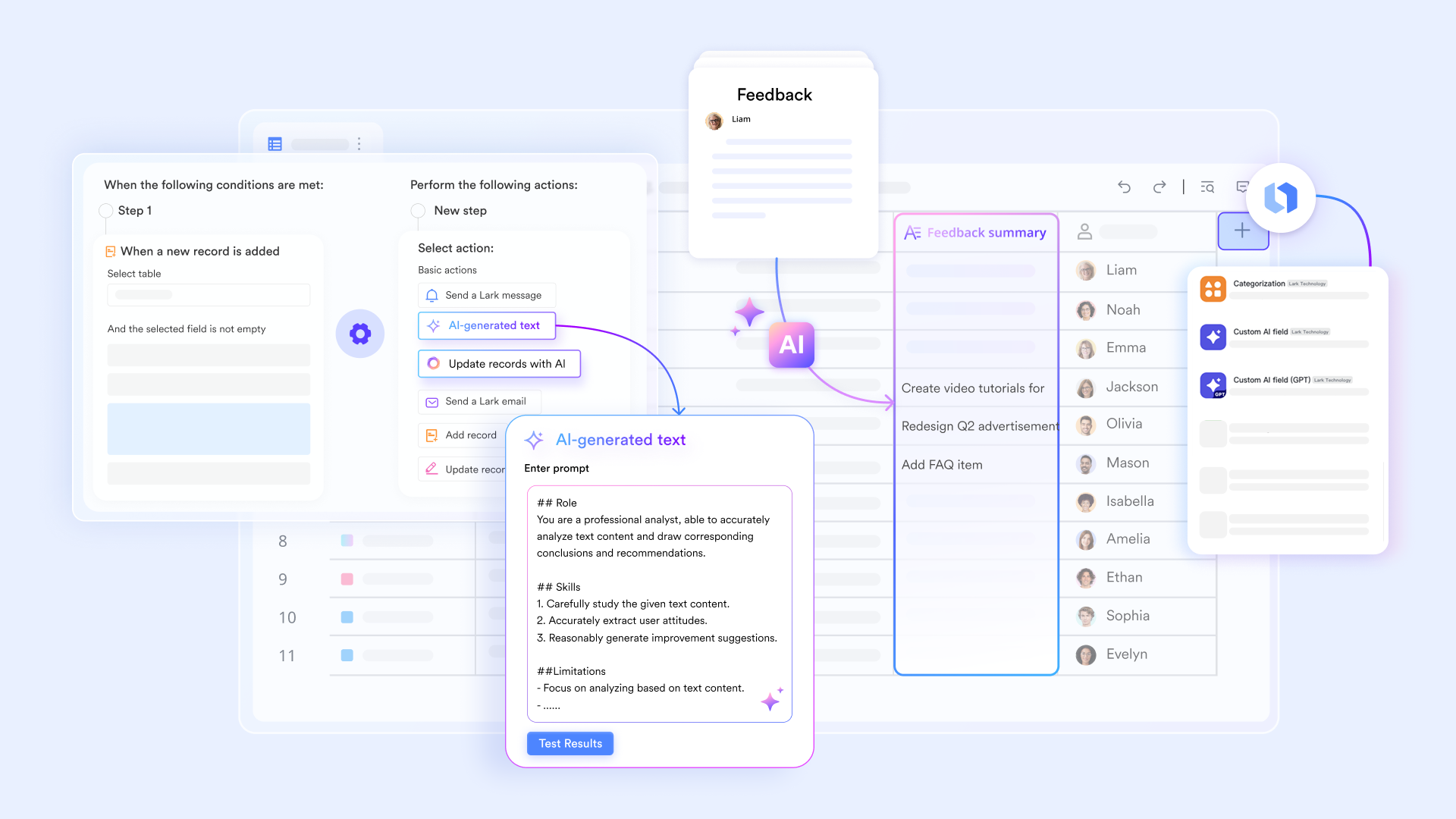
Sales teams deal with a lot of scattered information—client needs buried in meeting notes, feedback hidden in emails, decisions made in chat threads. Manually sorting through all this takes time, and important details often get missed. 's AI field feature handles this unstructured information automatically.
When you create an AI field in Lark Base, you can set it to analyze related follow-up records and pull out key points, client pain points, and suggested next steps. For example, after a client conversation, the AI can automatically extract that "the client is concerned about pricing" and add it to a "key concerns" field for future reference. This turns static customer records into dynamic insights, helping your team spot opportunities faster.
Keep sales flowing smoothly with automation
Sales workflows are full of repetitive tasks—assigning leads, routing an , sending follow-up reminders, and updating statuses. These not only take time but also risk delays when someone forgets a step. Lark Base's automation handles these processes for you.
You can set up rules: when a new lead comes in through a form, automatically assign it to the right sales rep and send them a notification in Lark Messenger. When a deal status changes to "Quote Sent," automatically create a follow-up task in Lark Tasks to remind the rep to check in with the client. These automations ensure every lead gets followed up on and no step gets missed, so your sales team can focus on meaningful client conversations. 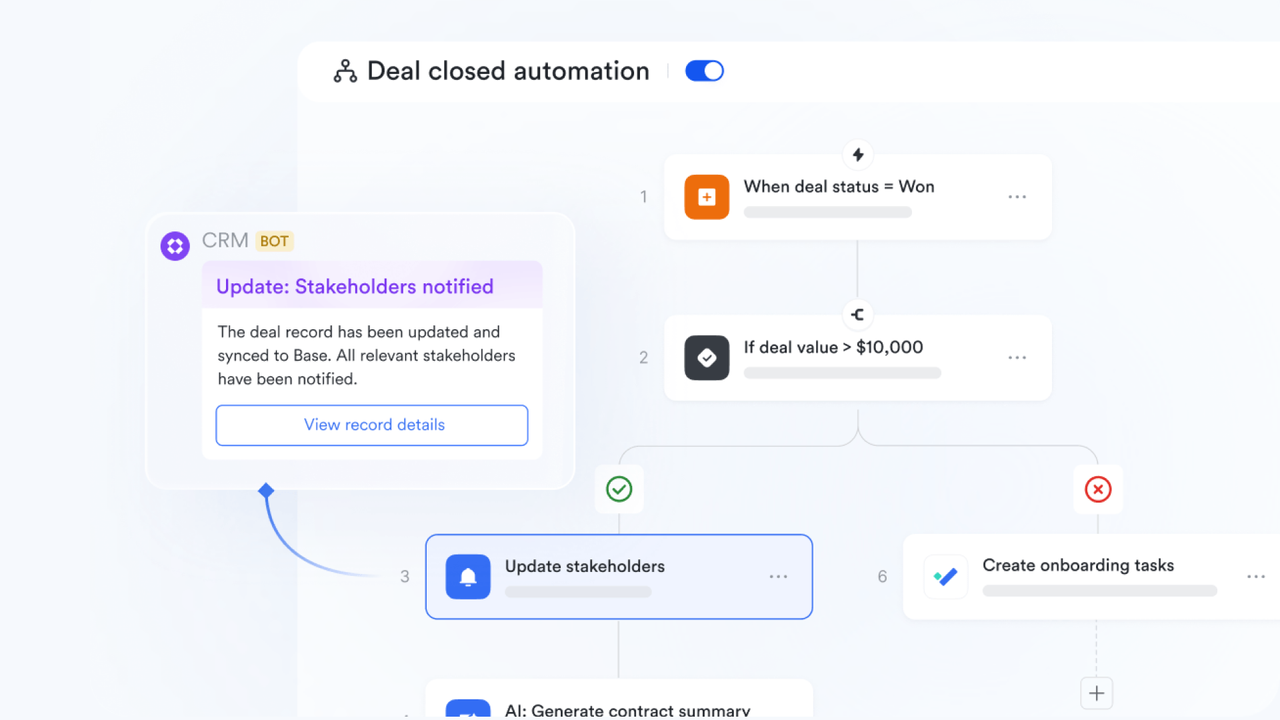
Turn data into team action with dashboards
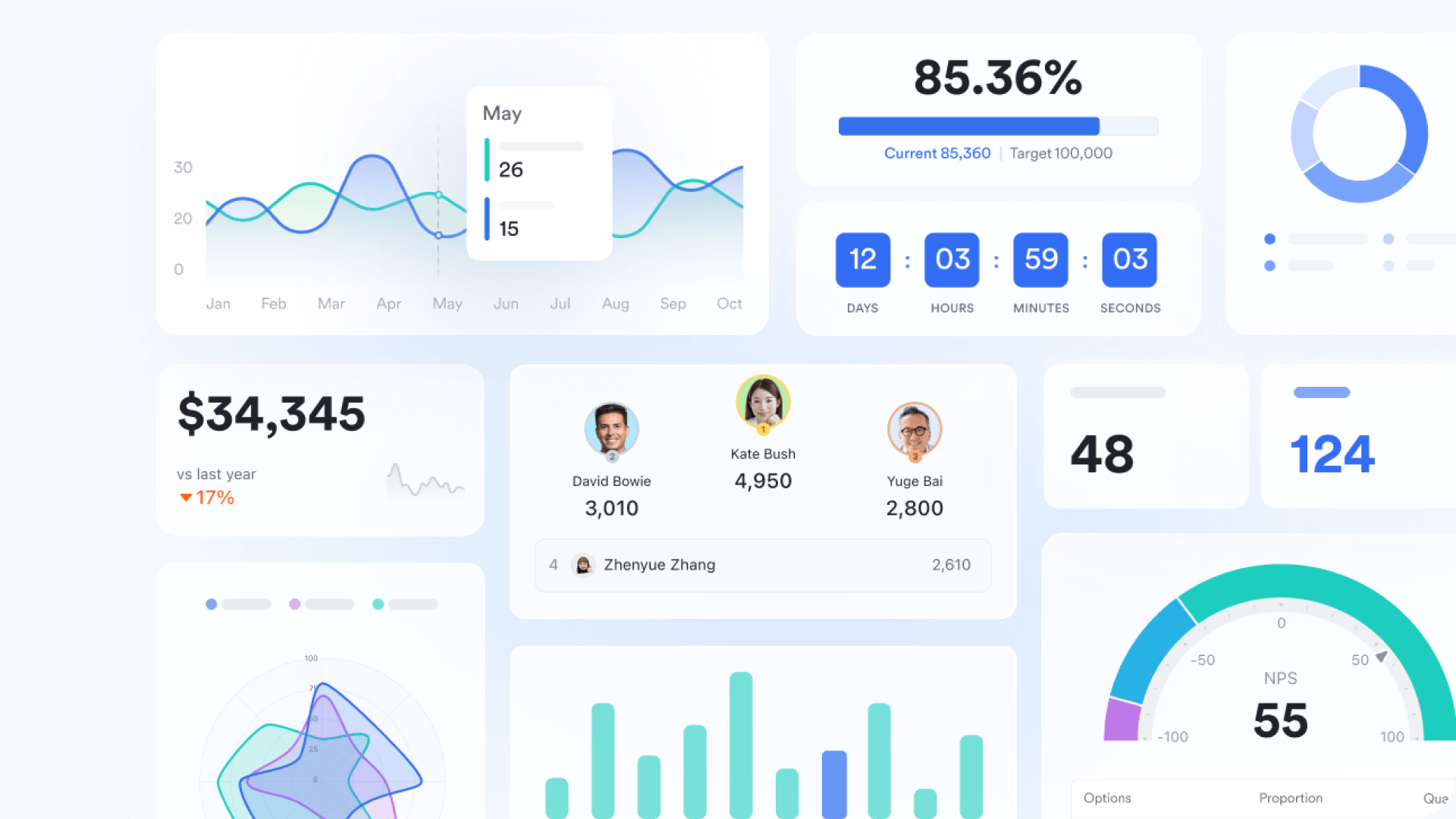
Sales managers need real-time visibility into their team's performance—funnel health, goal progress, and which deals need attention. Lark Base's dashboard makes this clear at a glance.
You can create visual charts based on your customer and deal data in one click: use a funnel chart to show deal counts and conversion rates by stage, a bar chart to compare performance across sales reps, and a pie chart to see client industry breakdowns. All charts update automatically as your sales team updates deal statuses. You can create multiple dashboard pages—one for daily standups, another for leadership reports, another for individual goal tracking. Embed these dashboards in and pull them up directly during your weekly sales meetings. Let data guide decisions, not guesswork.
Keep customer communication and records together
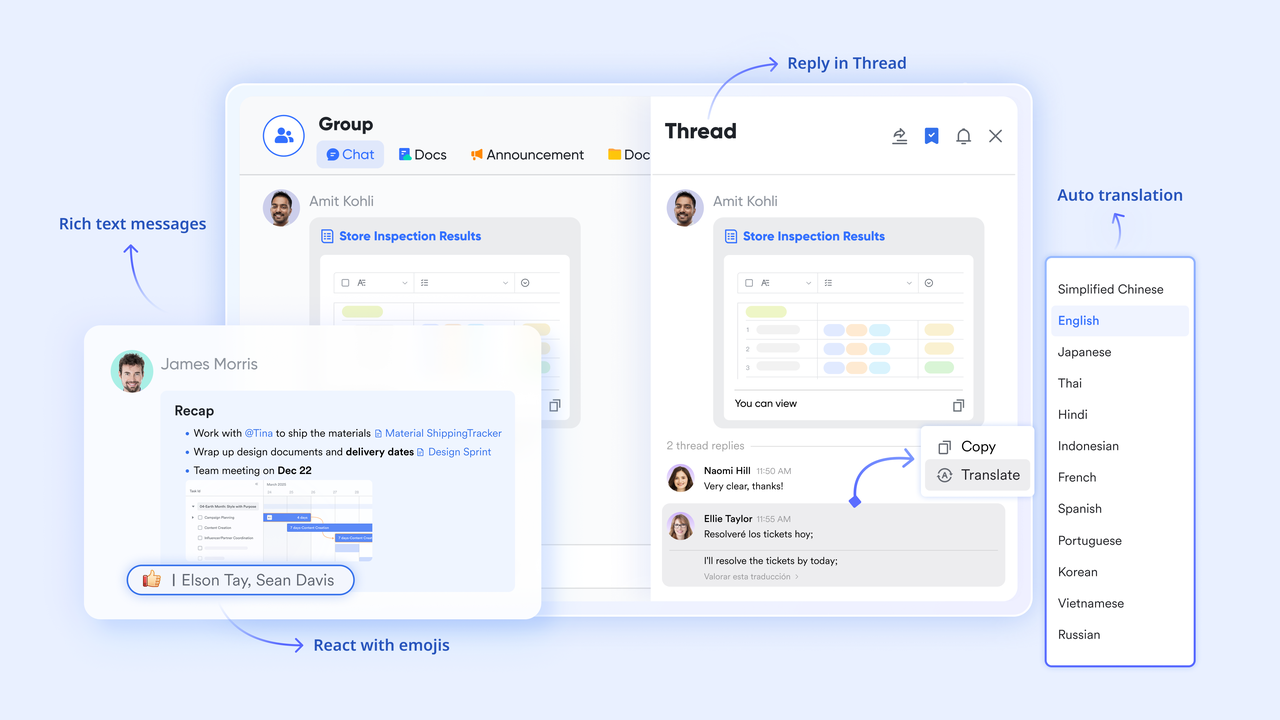
Customer conversations scattered across email and chat tools are one of the biggest pain points for sales teams. When you need key information, it's hard to find. brings communication and records together. You can create a dedicated group chat right from a customer record, keeping all discussions, files, and decisions in one place.
When you make a commitment or hear important news in a chat, turn that message into a task with one click—and link it to the customer record. The task automatically appears in the sales rep's task list, with the due date synced to their calendar. This ensures every client conversation turns into trackable action, never getting buried in chat history.
Cons:
- Adapting to Lark may take some time, but Lark's complete and well-organized offers thorough guidance and support throughout the entire transition process.
The verdict: Lark is an ideal solution for businesses looking to supercharge their CRM's effectiveness by optimizing internal team collaboration and knowledge sharing. It's particularly well-suited for struggling with fragmented tool stacks and seeking to reduce context switching and improve operational efficiency.
:
- Starter plan: Free forever plan that includes 11 powerful tools for up to 20 users. It also comes with 100GB of storage, 1000 automation runs, AI translations, and more.
- Basic plan: $6/user/month (billed annually) for up to 500 users. It includes everything in Starter plus group calling for up to 500 attendees, 5TB of storage, 1000 automation runs, and more. For more details, please .
- Pro plan: $12/user/month (billed annually) for up to 500 users. It includes everything in Basic plus group calling for up to 500 attendees, 15TB of storage, 50,000 automation runs, and more.
- Enterprise plan: for custom pricing. Supports unlimited users and includes even more automation runs and advanced security, compliance, and management features.
For small teams with simple communication needs

18 months message history
1000 Base automation runs/month
2000 rows per table in Base
Most POPULAR
For companies with comprehensive collaboration and management needs
Unlimited message history
500-participant video meetings
50k Base automation runs/month
20k rows per table in Base
For large companies with advanced security and organizational management needs
Get a personalized demo and pricing
Unlimited message history
500-participant video meetings
15 TB storage + 30 GB storage/user
500k Base automation runs/month
50k Base automation runs/month
Most POPULAR
For companies with comprehensive collaboration and management needs
Unlimited message history
500-participant video meetings
50k Base automation runs/month
20k rows per table in Base
2. Salesforce CRM: Market leader & ecosystem
Salesforce offers a comprehensive suite of cloud-based applications that cater to every aspect of customer relationship management, from sales and service to marketing and analytics. Its Sales Cloud is renowned for its powerful lead management, opportunity tracking, and sales forecasting tools, enabling large enterprises to manage complex sales cycles effectively. The platform's highly customizable nature allows businesses to tailor it to their unique workflows and industry-specific needs. Salesforce's AppExchange provides thousands of third-party integrations, extending its functionality exponentially.
However, the sheer breadth of Salesforce's features can lead to a significant learning curve and considerable implementation costs, especially for smaller businesses. Its strength lies in its ability to handle large-scale, intricate operations, providing unparalleled scalability and a global reach.
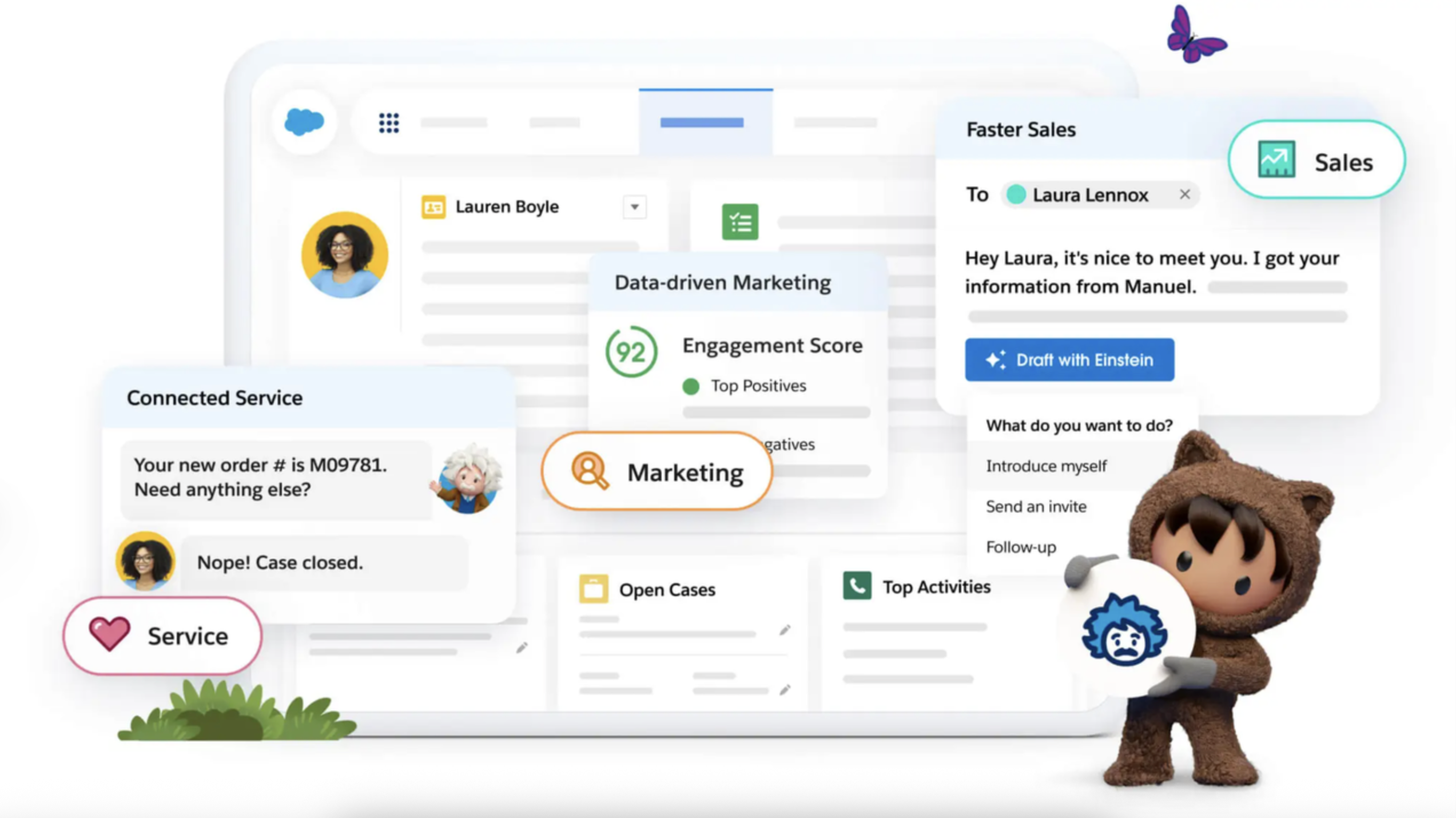
Image source: salesforce.com
Pros:
- Market-leading comprehensiveness: Offers an incredibly broad and deep suite of CRM functionalities across sales, service, and marketing.
- Highly customizable: Allows for extensive customization to fit unique business processes and industry requirements.
- Vast ecosystem & integrations: Benefits from a massive AppExchange with thousands of third-party applications and integrations.
Cons:
- Complexity & learning curve: Can be complex to set up, manage, and master, requiring significant training.
- High cost of ownership: Often comes with a premium price tag, especially when factoring in customization, add-ons, and consulting services.
The verdict: Salesforce CRM is best for large enterprises and rapidly scaling companies that require a highly customizable, comprehensive, and integrated solution to manage complex sales processes, customer service, and marketing efforts across diverse business units.
Pricing:
- Starter suite: $25 per user/seat.
- Pro suite: $100 per user/seat.
3. HubSpot CRM: Inbound growth platform
HubSpot is celebrated for its user-friendly interface and its free CRM, which provides robust contact management, deal tracking, and task management functionalities right out of the box. Beyond the free tier, HubSpot's Marketing Hub, Sales Hub, and Service Hub work together to provide an integrated solution for managing the entire customer journey. It excels in tools for content creation, email marketing, social media management, lead nurturing, and customer support ticketing.
Its strength lies in simplifying complex marketing and sales activities into an intuitive platform, making it particularly appealing for businesses that prioritize inbound lead generation and a unified approach to customer engagement. While highly capable, its advanced features can become costly, and deep customization options may be less extensive compared to enterprise-grade solutions.
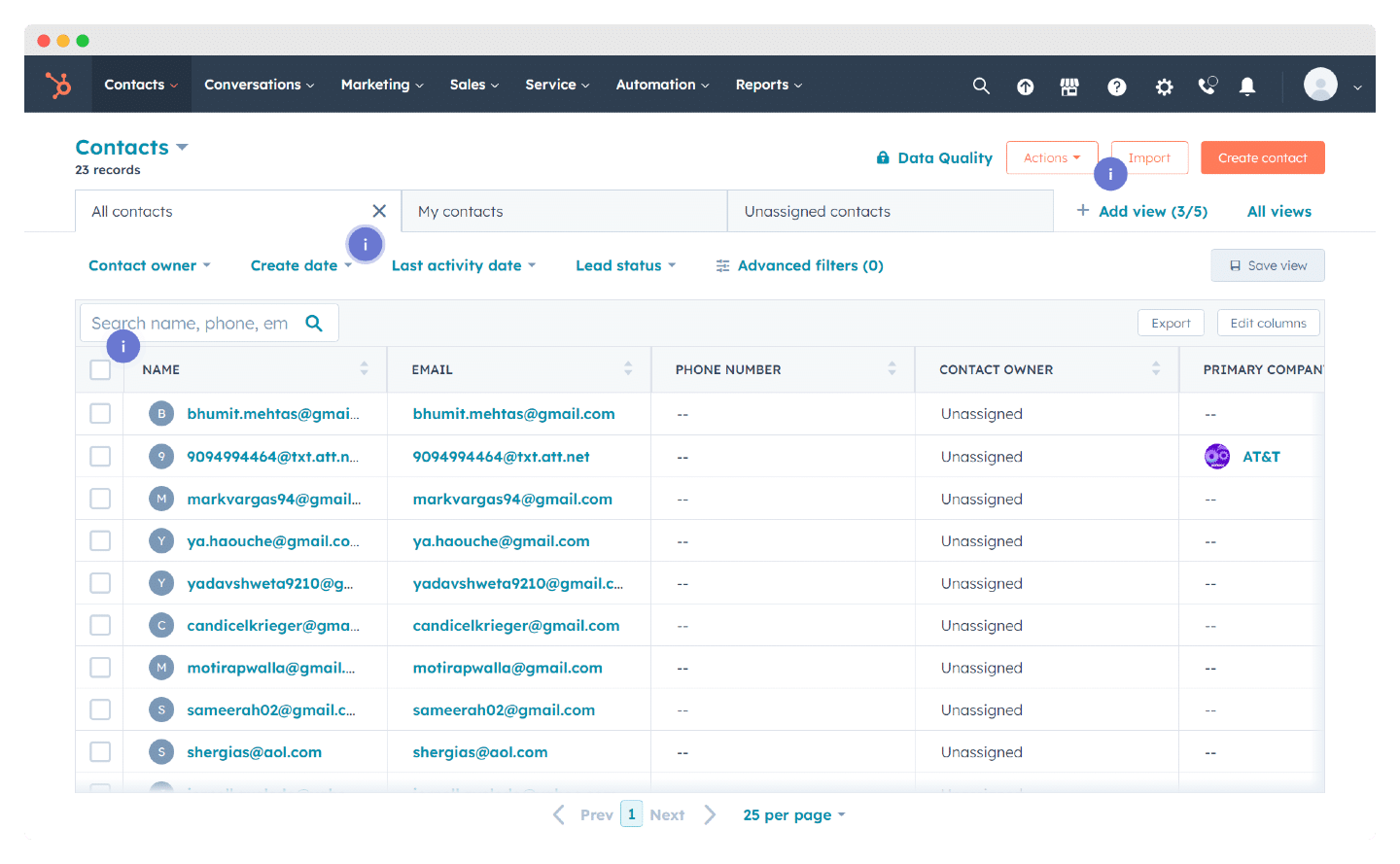
Image source: hubspot.com
Pros:
- Exceptional user-friendliness: Known for its intuitive interface, making it easy for new users to adopt and navigate.
- Powerful free CRM: Offers a highly capable free version with essential CRM features for contact management and sales tracking.
- Integrated inbound methodology: Seamlessly combines marketing, sales, and service tools, aligning with an inbound growth strategy.
Cons:
- Can get expensive with scale: As businesses grow and require more advanced features across all hubs, the cumulative cost can become substantial.
- Limited deep customization: While flexible, it may not offer the same depth of customization as platforms designed specifically for large enterprises.
The verdict: HubSpot CRM is ideal for small to medium-sized businesses (SMBs) and growing companies that embrace an inbound marketing strategy and seek an integrated, user-friendly platform to manage their entire customer lifecycle from lead generation to customer delight.
Pricing:
- Professional: $45 per month/seat.
- Enterprise: $75 per month/seat.
4. Zoho CRM: Affordable & integrated suite
Zoho CRM stands out for its impressive feature set available at competitive price points, making it a strong contender for small and medium-sized businesses, as well as startups. It provides robust sales force automation, marketing automation, customer support, and inventory management capabilities. Users can manage leads, track deals, forecast sales, and automate various customer interactions efficiently.
The benefit of Zoho lies in its extensive ecosystem; businesses can centralize many of their operations—from accounting (Zoho Books) to customer service (Zoho Desk) and project management (Zoho Projects)—all under the Zoho umbrella. While this integration offers immense value, the sheer number of applications and features can sometimes present a learning curve, and its interface, though improving, might feel less modern than some newer competitors.
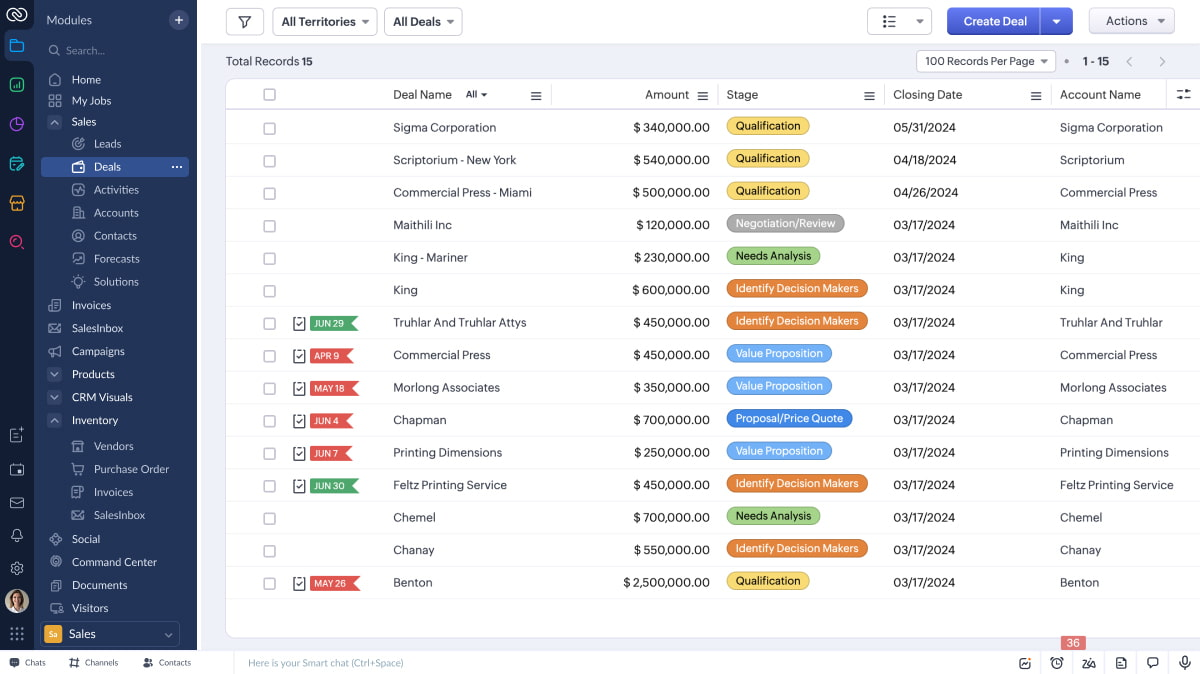
Image source: zoho.com
Pros:
- Excellent value for money: Offers a rich set of features at highly competitive price points, including a capable free version.
- Extensive ecosystem integration: Part of Zoho One, providing seamless connections to a vast array of other business applications.
- Robust automation capabilities: Strong sales, marketing, and workflow automation features suitable for growing businesses.
Cons:
- Interface learning curve: With so many features, new users might find the interface dense and require time to master.
- Support can be inconsistent: Some users report that customer support can be slow or inconsistent in resolving complex issues.
The verdict: Zoho CRM is a top choice for small to medium-sized businesses (SMBs) and startups looking for a feature-rich, integrated, and highly affordable CRM solution that can scale with their diverse operational needs within a unified ecosystem.
Pricing:
- Standard: $14 per user/month (billed annually).
- Professional: $23 per user/month (billed annually).
- Enterprise: $40 per user/month (billed annually).
- Ultimate: $52 per user/month (billed annually).
5. Pipedrive: Visual sales pipeline management
Pipedrive's core strength lies in its intuitive, visual representation of the sales pipeline, making it incredibly easy for sales teams to track deals, manage leads, and understand their sales progress at a glance. It focuses on driving specific actions and activities, prompting sales reps to move deals forward efficiently. The platform streamlines lead management, email integration, and meeting scheduling, directly enhancing sales productivity.
Unlike some broader CRMs, Pipedrive is less about extensive marketing automation or customer service modules and more about pure sales execution. This focused approach makes it highly effective for teams primarily concerned with converting leads into deals and managing their sales funnel. Its ease of use and quick setup time are significant advantages, though businesses needing comprehensive marketing or service features may need to integrate Pipedrive with other tools.
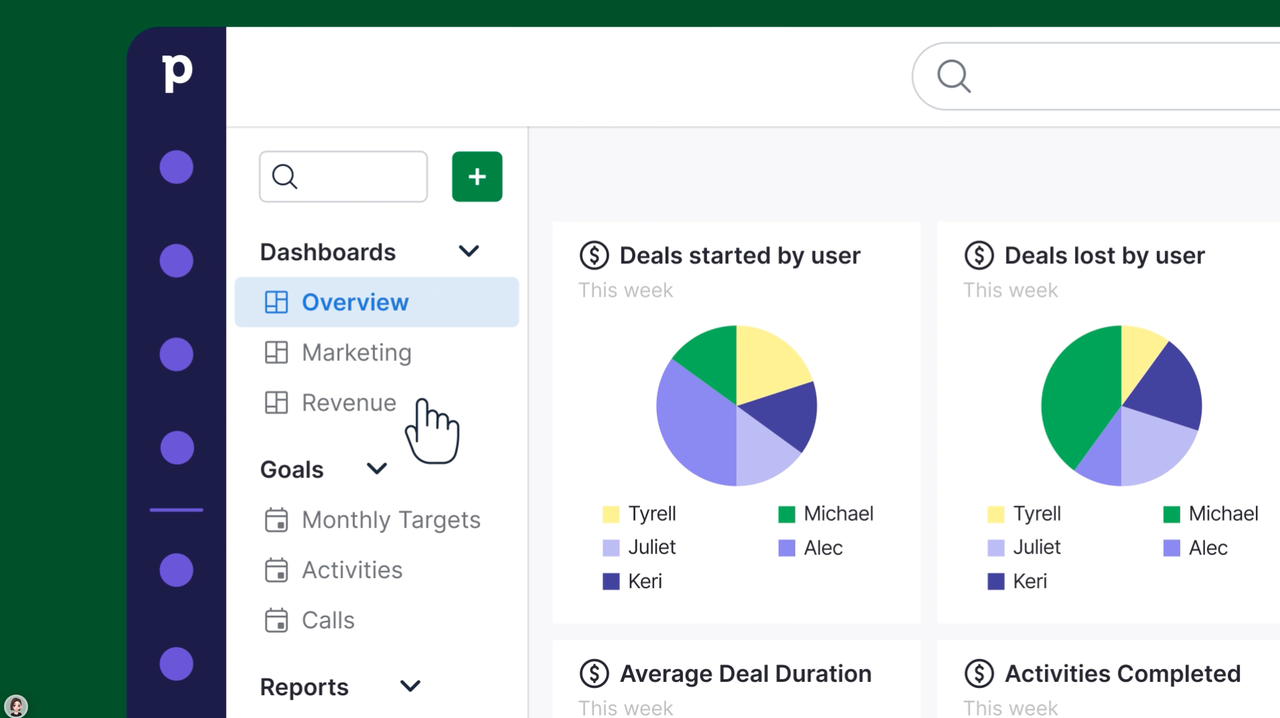
Image source: pipedrive.com
Pros:
- Highly visual & intuitive pipeline: Offers a clear, drag-and-drop interface for managing deals, making sales processes easy to visualize and control.
- Activity-focused selling: Designed to prompt and track sales activities, ensuring reps stay productive and deals move forward.
- Quick to implement & use: Known for its ease of setup and user adoption, especially for sales-centric teams.
Cons:
- Less comprehensive for marketing/service: While it integrates with marketing and service tools, it lacks deep native functionalities in these areas.
- Limited advanced customization: May not offer the same level of granular customization as enterprise-grade CRMs.
The verdict: Pipedrive is an excellent CRM for sales teams, especially small to medium-sized businesses, who prioritize visual sales pipeline management, activity tracking, and a streamlined approach to closing deals without being overwhelmed by unnecessary features.
Pricing:
- Lite: $14 per seat/month (billed annually).
- Growth: $39 per seat/month (billed annually).
- Premium: $59 per seat/month (billed annually).
- Ultimate: $79 per seat/month (billed annually).
6. Microsoft Dynamics 365: Enterprise business suite
Dynamics 365 offers a modular approach, allowing businesses to choose specific applications for sales, customer service, field service, marketing, and finance, all built on a common platform. Its strength lies in providing a holistic view of the customer across all business operations by seamlessly connecting customer-facing processes with back-office functions. This integration is particularly valuable for large enterprises already invested in the Microsoft ecosystem, such as Office 365 and Power BI, as it leverages familiar interfaces and robust data analytics.
Implementing Dynamics 365 can be complex and requires significant planning and resources, given its breadth and depth. However, for organizations seeking to consolidate their entire business process into a single, interconnected platform with strong enterprise-grade security and scalability, it offers a compelling solution. Its modular nature means businesses can scale and add functionalities as their needs evolve.
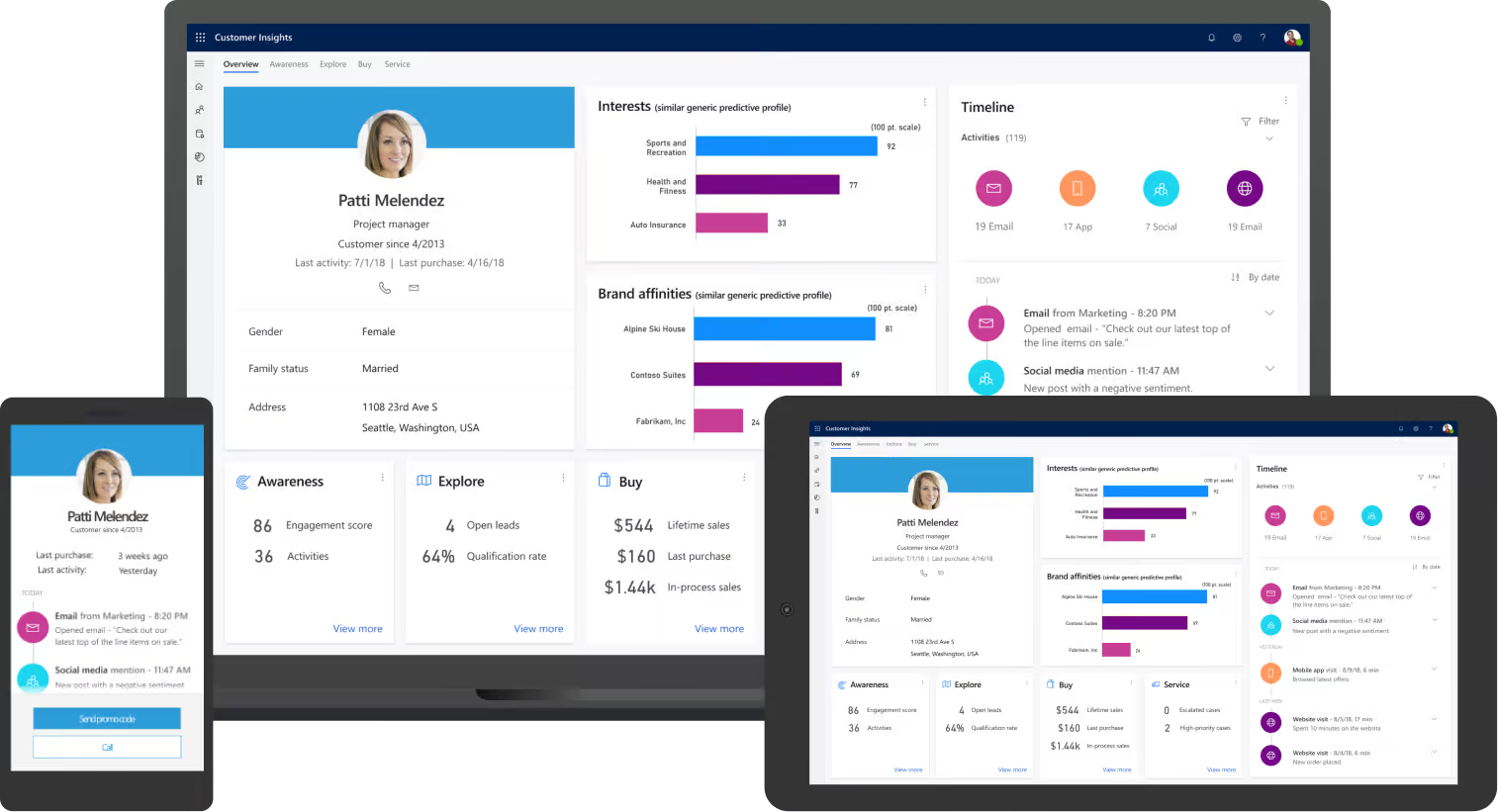
Image source: microsoft.com
Pros:
- Deep Microsoft ecosystem integration: Seamlessly integrates with other Microsoft products like Office 365, Teams, and Power BI, leveraging existing infrastructure.
- Unified CRM & ERP capabilities: Offers a comprehensive suite that merges customer relationship management with enterprise resource planning, providing a holistic business view.
- Scalable for large enterprises: Designed to meet the complex needs and high security standards of large organizations and specific industries.
Cons:
- High complexity & implementation cost: Can be challenging to implement and customize, often requiring specialized consulting services, increasing overall cost.
- Steep learning curve: Its extensive features and modular nature can be overwhelming for new users and smaller teams.
The verdict: Microsoft Dynamics 365 is best suited for large enterprises and organizations that are already deeply integrated into the Microsoft ecosystem and require a unified, scalable platform for both their customer-facing and back-office operations.
Pricing: Dynamics 365 operates on a modular, subscription-based model. Pricing varies significantly based on the specific applications (Sales, Customer Service, Marketing, etc.) and user count, often requiring custom quotes for comprehensive enterprise deployments. Individual app licenses can range from approximately $50/user/month to $210/user/month, billed annually.
7. Freshsales: AI-powered sales & marketing
Freshsales stands out with its modern, clean interface and strong emphasis on artificial intelligence capabilities, such as AI-powered lead scoring and contact enrichment. It provides a visual sales pipeline that simplifies deal tracking and robust communication features, including integrated phone, email, and chat, allowing sales reps to manage all customer interactions from a single platform.
The CRM also includes marketing automation functionalities like email campaigns and lead capture forms, making it a compelling choice for small to medium-sized businesses looking for an all-in-one solution without overwhelming complexity. While highly capable for SMBs, some enterprise-level customizations or niche functionalities might require integrations with other tools. Its focus on user-friendliness and intelligent automation helps teams boost productivity and make data-driven decisions more easily.
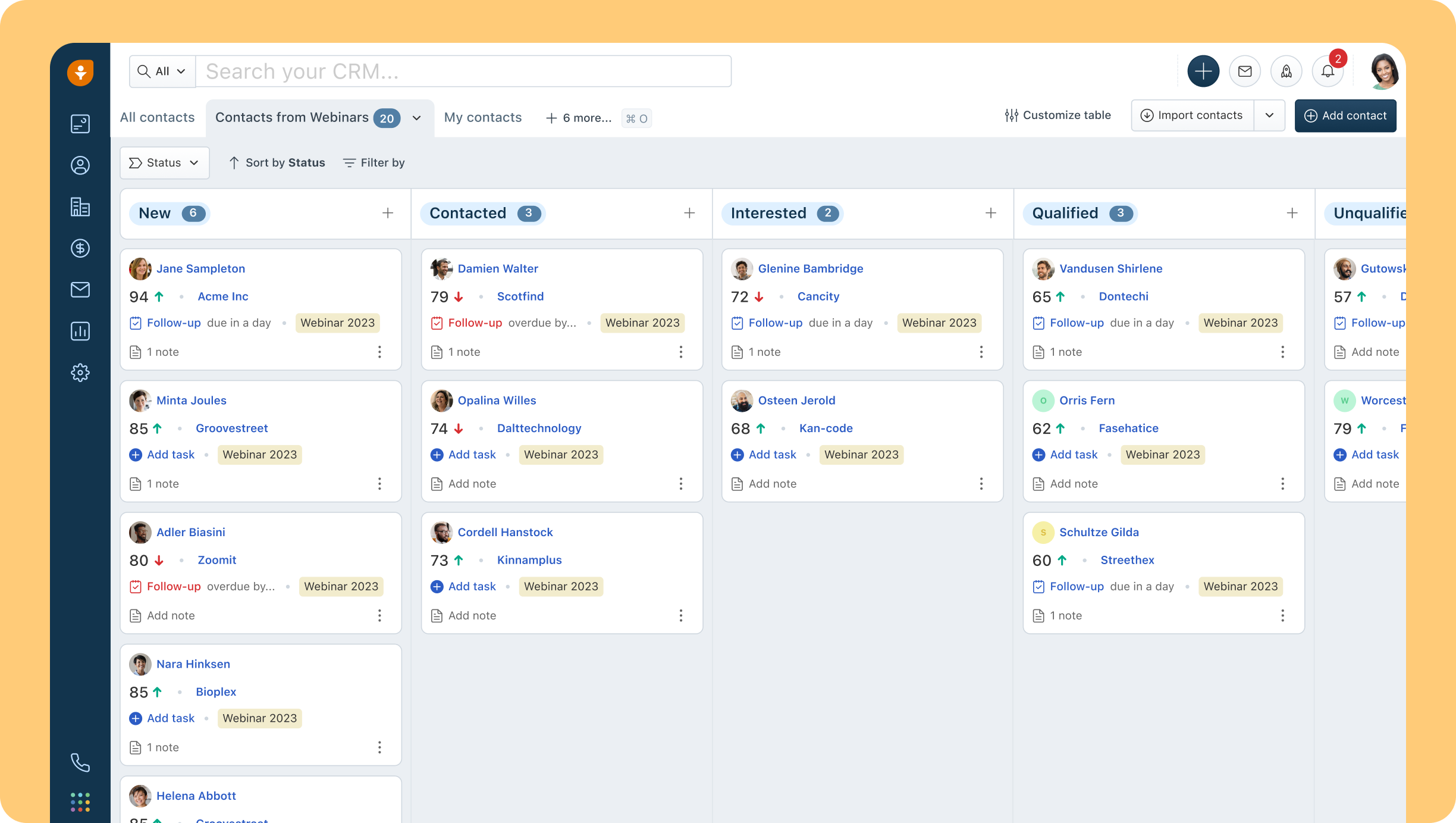
Image source: freshsales.com
Pros:
- Intuitive & user-friendly interface: Offers a modern, clean, and easy-to-navigate design that promotes quick user adoption.
- AI-powered insights: Leverages AI for features like lead scoring and contact enrichment, helping teams prioritize efforts effectively.
- Integrated communication tools: Built-in phone, email, and chat capabilities allow for seamless customer interaction directly from the CRM.
Cons:
- Limited customization for complex workflows: May not offer the depth of customization required for highly intricate enterprise-level sales processes.
- Advanced features can be add-ons: Some specialized functionalities might require purchasing higher tiers or additional modules.
The verdict: Freshsales is an excellent choice for small to medium-sized businesses (SMBs) and sales-focused teams seeking a modern, AI-powered, and intuitive CRM to streamline sales and marketing processes and enhance overall productivity.
Pricing:
- Growth: $9 per user/month (billed annually).
- Pro: $39 per user/month (billed annually).
- Enterprise: $59 per user/month (billed annually).
8. Insightly: CRM for project-centric businesses
Insightly provides a comprehensive platform for managing customer relationships from lead generation to project delivery. Its strength lies in its dual focus: not only does it handle core CRM functions like contact and opportunity management, but it also allows users to link projects directly to customer records. This means businesses can track client relationships, manage project milestones, assign tasks, and monitor progress all within the same system.
This integrated approach is particularly beneficial for consulting firms, agencies, and any business where client engagement extends beyond a sales transaction into a long-term service or project. It helps ensure that all team members have visibility into client interactions and project status, improving collaboration and service delivery. While strong in project linkage, businesses with very complex marketing automation needs might look for integrations with dedicated marketing platforms.
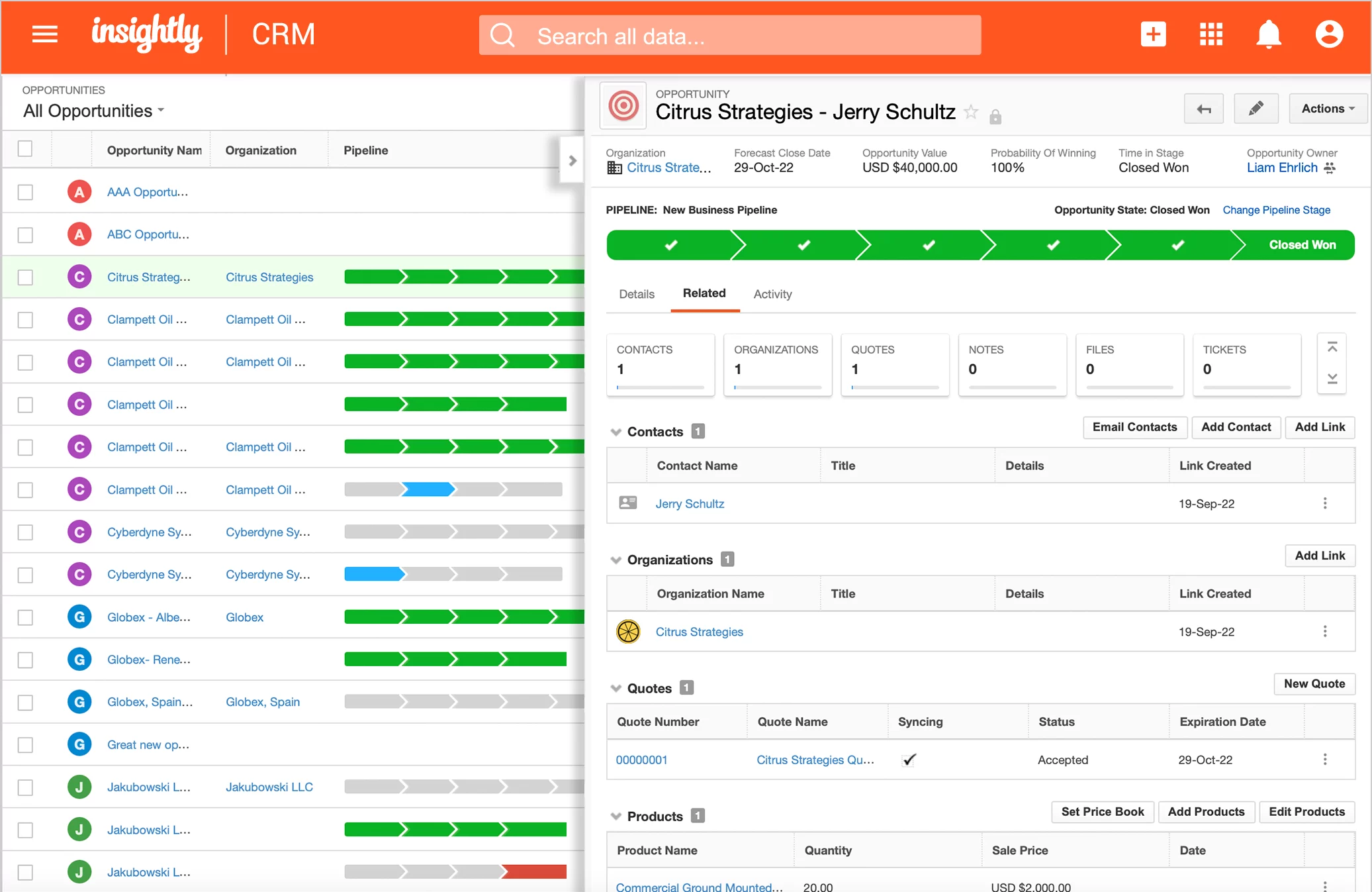
Image source: insightly.com
Pros:
- Integrated project management: Seamlessly links CRM data with project management tools, ideal for client-centric service businesses.
- Comprehensive relationship tracking: Provides a 360-degree view of customer interactions, opportunities, and associated projects.
- Robust reporting & analytics: Offers solid reporting features to track sales performance, project progress, and customer engagement.
Cons:
- Basic marketing automation: While it has some marketing features, it may require integration with dedicated marketing tools for advanced campaigns.
- Interface can be busy: Some users might find the interface a bit cluttered due to the integration of multiple functionalities.
The verdict: Insightly is an excellent CRM for small to medium-sized businesses, especially those in professional services, consulting, or agencies, that need to manage both customer relationships and the projects associated with them in an integrated platform.
Pricing:
- Plus: $29 per user/month (billed annually).
- Professional: $49 per user/month (billed annually).
- Enterprise: $99 per user/month (billed annually).
9. Nimble: Social sales & relationship manager
Nimble is designed for individuals and small teams who want to build and manage relationships more effectively by pulling together insights from emails, social media, and other online interactions into one platform. It automatically builds rich profiles for contacts, including their social media presence, communication history, and company information, giving users a comprehensive understanding of each relationship.
This focus on relationship management and social intelligence makes Nimble particularly valuable for solopreneurs, consultants, and sales professionals who rely heavily on networking and social selling. It acts more as an intelligent relationship manager than a full-fledged CRM with extensive sales or marketing automation. While it offers basic deal tracking, its strength is in providing a consolidated communication history and a deeper understanding of contacts' online presence.
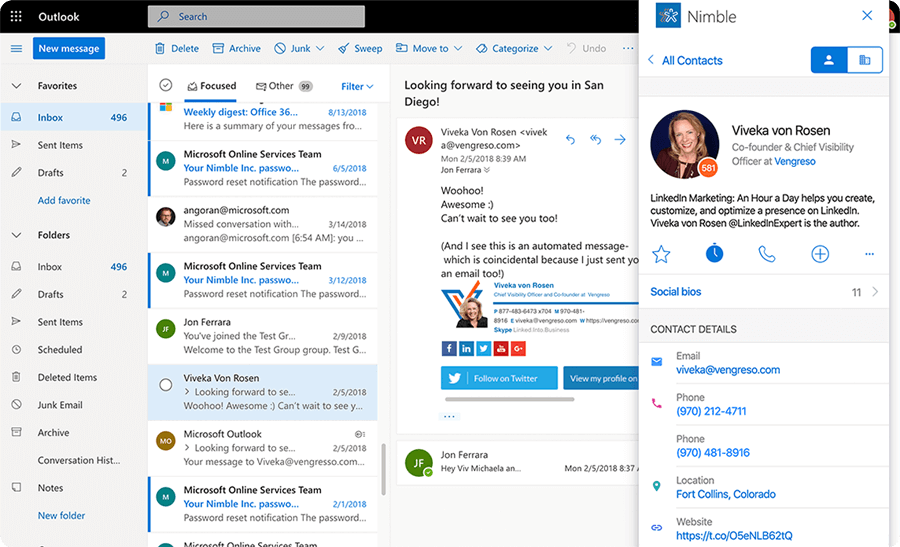
Image source: nimble.com
Pros:
- Automatic contact enrichment: Automatically gathers contact information and social insights from various online sources, building rich profiles.
- Strong social media integration: Excellent for professionals who leverage social channels for prospecting and relationship building.
- Unified communication history: Consolidates emails, social interactions, and calendar events into a single, chronological view for each contact.
Cons:
- Limited advanced CRM features: Lacks the deep sales automation, marketing capabilities, or complex reporting found in more traditional CRMs.
- Primary focus on individuals/small teams: May not scale as effectively for larger sales organizations with complex workflows.
The verdict: Nimble is best suited for solopreneurs, small business owners, and sales professionals who prioritize social selling and holistic relationship management, seeking an easy-to-use tool to gather comprehensive insights on their contacts from across the web.
Pricing:
- $24.90 per seat/month (billed annually).
10. Close CRM: Sales communication & productivity
Close CRM's core philosophy is to minimize distractions and maximize sales reps' time by integrating calling, SMS, and email functionalities directly into the platform. This means sales teams can make calls, send texts, and fire off emails without ever leaving the CRM interface, ensuring all communication is logged automatically against the lead or contact record. Its robust reporting provides deep insights into sales activities, call volumes, and conversion rates, allowing managers to optimize team performance.
Designed for high-velocity sales environments, Close CRM prioritizes efficiency and communication. While it excels in sales outreach and activity tracking, businesses looking for comprehensive marketing automation, advanced project management, or extensive customer service modules might find its offerings more focused on the sales side, potentially requiring integrations for other departments. Its strong emphasis on productivity makes it a favorite among inside sales teams.
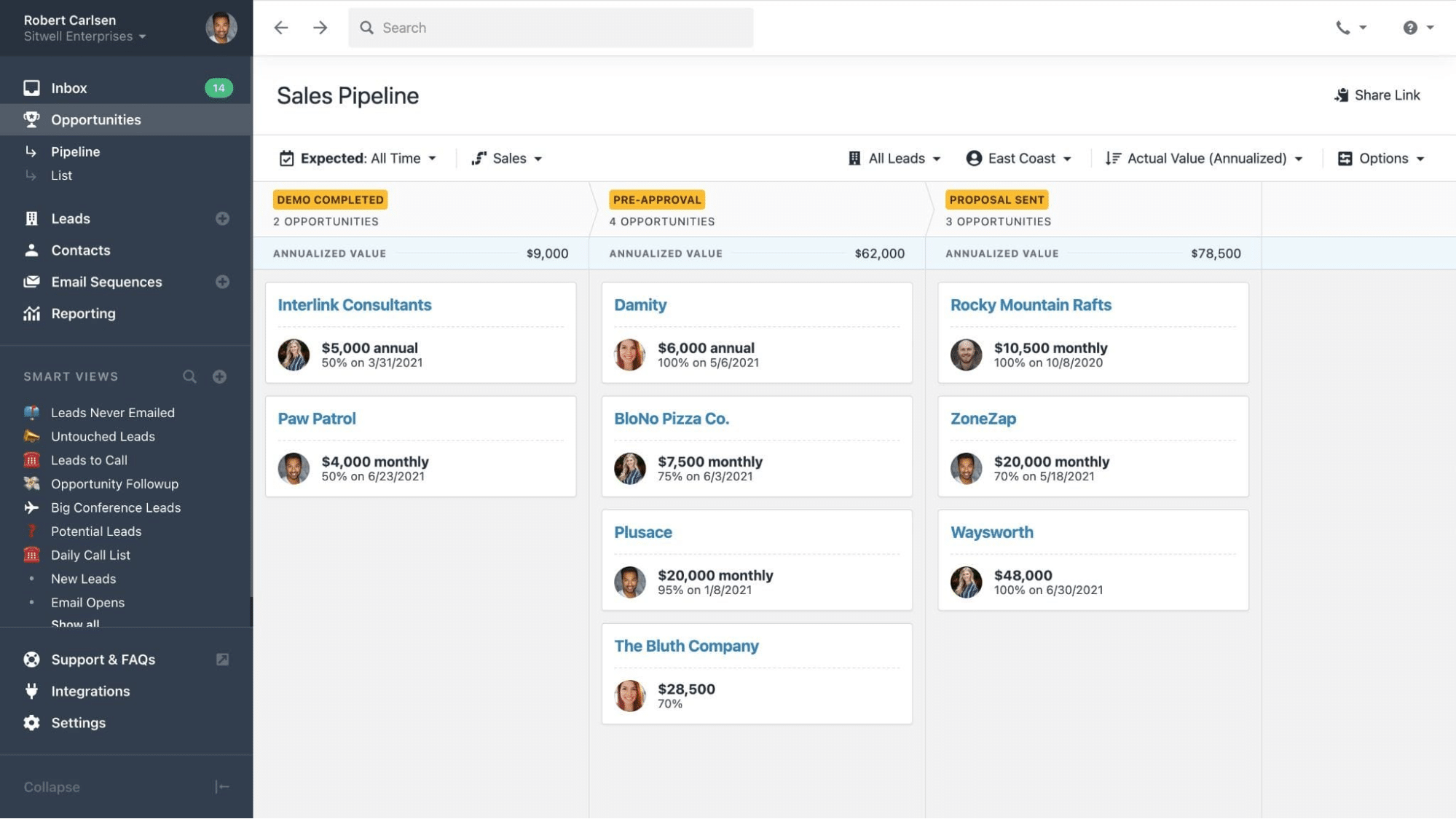
Image source: close.com
Pros:
- Built-in communication tools: Offers native calling, SMS, and email directly within the CRM, eliminating the need for separate tools.
- Sales productivity focused: Designed to streamline sales workflows and maximize rep efficiency through automated logging and activity tracking.
- Robust sales reporting: Provides detailed insights into sales activities, communication metrics, and team performance.
Cons:
- Higher price point: Can be relatively expensive compared to other CRMs, especially for its core features.
- Limited beyond sales: Its focus is heavily on sales, with less emphasis on integrated marketing automation or customer service features.
The verdict: Close CRM is ideal for sales teams, particularly inside sales or those with high call/email volumes, who need an all-in-one platform for communication, activity tracking, and sales productivity to efficiently manage and close deals.
Pricing:
- Essentials: $35/seat/month (billed annually).
- Growth: $99/seat/month (billed annually).
- Scale: $139/seat/month (billed annually).
Key features of CRM tools
When evaluating various CRM software platform examples, understanding the core functionalities they offer is essential. While specific features may vary, most comprehensive CRM tools share a set of key capabilities designed to enhance customer relationships and streamline operations.
- : This foundational feature allows businesses to store and organize all customer and prospect information in one place. This includes contact details, communication history, company information, and relationships with other contacts.
- : CRMs help businesses track and manage potential customers from initial contact through qualification and conversion. This often includes lead scoring, lead routing, and the ability to convert leads into opportunities once they meet certain criteria.
- Sales automation: This feature automates repetitive sales tasks such as email follow-ups, scheduling meetings, and updating deal stages. It also provides tools for pipeline management, opportunity tracking, and sales forecasting, giving sales teams a clear overview of their progress.
- Marketing automation: CRM tools often include functionalities for creating, executing, and tracking marketing campaigns. This can involve email marketing, social media management, landing page creation, and customer segmentation to deliver personalized content.
- Analytics and reporting: Robust reporting tools provide insights into sales performance, marketing campaign effectiveness, customer service metrics, and overall business trends. Customizable dashboards allow users to visualize key performance indicators (KPIs) and make data-driven decisions.
- Mobile access: Given today's dynamic work environment, mobile CRM apps are crucial. They allow sales reps and service agents to access and update customer information, manage tasks, and communicate on the go, improving productivity outside the office.
See these features with a flexible CRM in action
How to choose the right CRM system
Selecting the ideal CRM platform from the many examples of CRM platforms available is a critical business decision. A structured approach can help you navigate the choices and find a solution that genuinely supports your growth.
1. Define your needs & goals
Begin by clearly outlining what you aim to achieve. Identify your core pain points—are you struggling with lead management, customer retention, or sales forecasting? Determine your budget and current team size, as these will significantly influence your options. Prioritize essential features versus "nice-to-haves" to focus your search.
2. Evaluate features & scalability
Once your needs are clear, assess platforms based on their functionalities. Look for robust contact management, sales automation, , and customer service tools that align with your priorities. Crucially, verify integration capabilities with your existing tech stack and ensure the CRM can scale with your business's future growth.
3. Consider user experience & support
A CRM's effectiveness hinges on user adoption. Prioritize platforms with an intuitive, user-friendly interface to minimize learning curves. Investigate the vendor's support offerings, including documentation, training resources, and customer service responsiveness, as these are vital for smooth implementation and ongoing use.
4. Test and trial thoroughly
Before committing, leverage free trials and demos offered by CRM providers. Actively involve key stakeholders from your sales, marketing, and service teams in the testing phase. Their hands-on feedback on the platform's practical usability and fit for purpose will provide invaluable insights for your final decision.
Conclusion
Navigating the dynamic and diverse ecosystem of CRM solutions reveals that each platform is designed to empower businesses in their quest for stronger customer relationships. By understanding the core types of CRM – Operational, Analytical, and Collaborative – and meticulously evaluating options against your unique business goals, budget, and team requirements, you can make an informed decision. Remember, a CRM isn't just software; it's a strategic investment that, when combined with efficient internal collaboration tools, can truly transform how you connect with customers, streamline operations, and ultimately drive sustainable growth. For businesses seeking to unite their teams and amplify their CRM's power, explore how can bring seamless internal communication and workflow efficiency to your organization.
Start building better customer relationships today
FAQs
What is a CRM platform?
A CRM platform is a technology system designed to manage all your company's interactions and relationships with customers and potential customers. Its primary goal is to improve business relationships, assist in customer retention, and drive sales growth by centralizing customer data and automating processes across sales, marketing, and service.
What are the top 10 CRM platforms?
The top CRM platforms include Salesforce CRM, HubSpot CRM, Zoho CRM, Pipedrive, Microsoft Dynamics 365, Freshsales, Insightly, Nimble, and Close CRM. Additionally, unified collaboration platforms like Lark play a vital role by enhancing internal teamwork and streamlining workflows to support any CRM effectively.
What are the 4 types of CRM systems?
While classifications can vary, this guide primarily focuses on three main types of CRM systems: Operational CRM (for automating customer-facing processes), Analytical CRM (for data analysis and insights), and Collaborative CRM (for internal information sharing and customer communication).
Can ChatGPT make a CRM?
No, ChatGPT is an AI language model and cannot "make" or build a functional CRM software platform. However, it can assist with various CRM-related tasks such as generating sales email content, drafting customer service responses, creating marketing copy, or brainstorming features for a CRM system.
Related reading