














What is a Customer Relationship Management System (CRM)?

Owyn Thomas Kerr
Lark Content Manager
Sep 18, 2026
Owyn Thomas Kerr
Sep 18, 2026

12 min read


Customers are the heart of any business, and managing those relationships is key to growth. A customer relationship management (CRM) system helps you stay connected, improve processes, and hit sales goals.
With AI now transforming how we work, adopting a CRM system is more crucial than ever. By applying AI to customer data, businesses can make smarter decisions, strengthen relationships, and boost team productivity.
In this article, we'll explain what CRM is, its core benefits and features, and how AI-powered platforms like Lark elevate customer relationships.
What is customer relationship management (CRM)?
CRM is short for customer relationship management, which is a strategic process that businesses use to manage, analyze, and improve their interactions with customers. When you hear people talk about CRM, they're usually referring to a CRM system.
What is a customer relationship management system?
A customer relationship management system is a piece of software that helps you track the interactions you have with current and potential customers. This includes door-to-door interactions, marketing emails, sales calls, customer support interactions, and more.
Managing customer data across different channels and points of contact can become messy. A CRM system solves this by compiling and analyzing all this information. This makes it easy for your marketing, sales, and customer service teams to access a complete view of each customer, which helps them better understand and serve them.
Here’s what a typical CRM system tracks and manages:
- Contact information: Names, email addresses, phone numbers, company details, and demographic data
- Purchase history: Previous transactions, order values, product preferences, and buying patterns
- Communication logs: Email exchanges, phone call notes, meeting summaries, and support ticket details
- Engagement data: Website visits, email opens, social media interactions, and content downloads
- Support tickets: Customer service requests, resolution status, and satisfaction scores
- Sales activities: Proposal status, contract negotiations, and deal progression through sales pipelines
How CRM systems transform businesses
You can keep a close eye on how prospects progress through the sales cycle, and get valuable data on how customers interact with your business through a CRM system. Here are a few ways CRM software transforms customer relationships:
- Centralized data: With all customer information in one place, your teams can stay on the same page, avoid siloed data, and get data-driven insights to improve customer relationships.
- Personalized interaction: Customer preferences are easier to decipher through CRM tools, which makes it easier to personalize emails, pitches, promotions, and product recommendations.
- Targeted marketing campaigns: Marketing teams can create more targeted campaigns by segmenting customers and gathering behavior-based data, both of which are possible through a CRM platform.
- Better customer support: With customer data easily accessible through a CRM system, your customer support team can tailor their solutions, which means tickets get closed faster and customers stay happy.
- Enhanced efficiency: CRMs eliminate duplicate data entry and streamline business processes across departments. Marketing automation reduces manual campaign management tasks, while contact management tables ensure accurate customer information across all teams.
- Improved communication: All-in-one CRMs keep multichannel communication in one place. Whether you're interacting via chat groups, email, chatbots, or phone, you can track everything, so no interaction gets lost.
- Boosted sales performance: CRM systems drive revenue growth through improved sales pipeline management and higher lead conversion rates.
Key features of CRM systems
Teams prioritize certain features over others. A sales team may need generative AI tools for creating sales pitches, while a customer service team will likely want ticket management tools.
Here are key features to look for so that you can choose the best CRM for your business.
Contact and customer information
A CRM system's main goal is to give you a single, unified view of all your prospects and customers. Having all information in a centralized workspace helps your sales reps find and target the right prospects at the right time and helps your marketing team craft the perfect message depending on which stage of the buying journey they are on.
AI and automation
Must-have features for any modern CRM are AI and advanced automation capability. Automation makes it easier for your teams to spend more time focusing on sales or marketing instead of manual tasks that don't require human effort. Features like AI agents, generative AI, and AI analysis also help your team work smarter, become more productive, and better interact with customers.
Data and analytics
Advanced data analytics makes it simple for your team to generate reports and gather insights about things like your sales strategy, which can influence important sales decisions in a good way. Besides reports, additional tools like predictive analytics and forecasting help give you a better view of your customers as well as current and future sales performance. This is something that AI-powered CRMs excel in.
Geolocation
Mobile capabilities need to go beyond simple data access for teams on the road. Geolocation features are vital for managers to visualize where their sales reps are in real-time while reps can also use it to plan the most efficient daily routes between client visits. Geolocation also enables more targeted marketing campaigns based on location, as well as location-based contact management.
Pipeline management
Contact information identifies who a customer is, but pipeline management reveals where they sit in your sales process. A top-tier CRM offers a visual board to help you drag and drop deals from one stage to the next, so you can easily move a prospect from "Qualified" to "Proposal Sent" without leaving the main screen. Visualizing these stages helps managers spot bottlenecks in the sales funnel so that no deals and opportunities are lost in the process.
Lead management
Lead management serves a different purpose than simply storing contact details. Robust tools capture potential customers from various sources like web forms or social media, which can then be scored based on behavior, such as how often they visited your pricing page. Sales teams can use these scores to prioritize the best leads first. Conversion efficiency is higher this way because those who are not ready to buy are filtered out.
Tool integration
Most businesses use a variety of tools to handle their work. Luckily, top CRM software acts as the central hub to which all data flows, with seamless integrations with the tools you need. In some cases, consolidating your tools in an all-in-one platform that combines CRM with other tools like chat, video calling, email, project management, and more means you can say goodbye to these expensive third-party tools and handle all your business's work in one superapp.
6 CRM system use cases
These customer relationship management system examples show how organizations are maximizing their growth potential in the real-world.
Capture and route web leads
Capturing and tracking every prospect so no opportunity gets lost is what lead management is all about. A CRM system makes it easy to qualify leads and assign them to the right sales rep. If your CRM has AI tools, scoring leads, routing them to the right rep, and more can be done automatically.
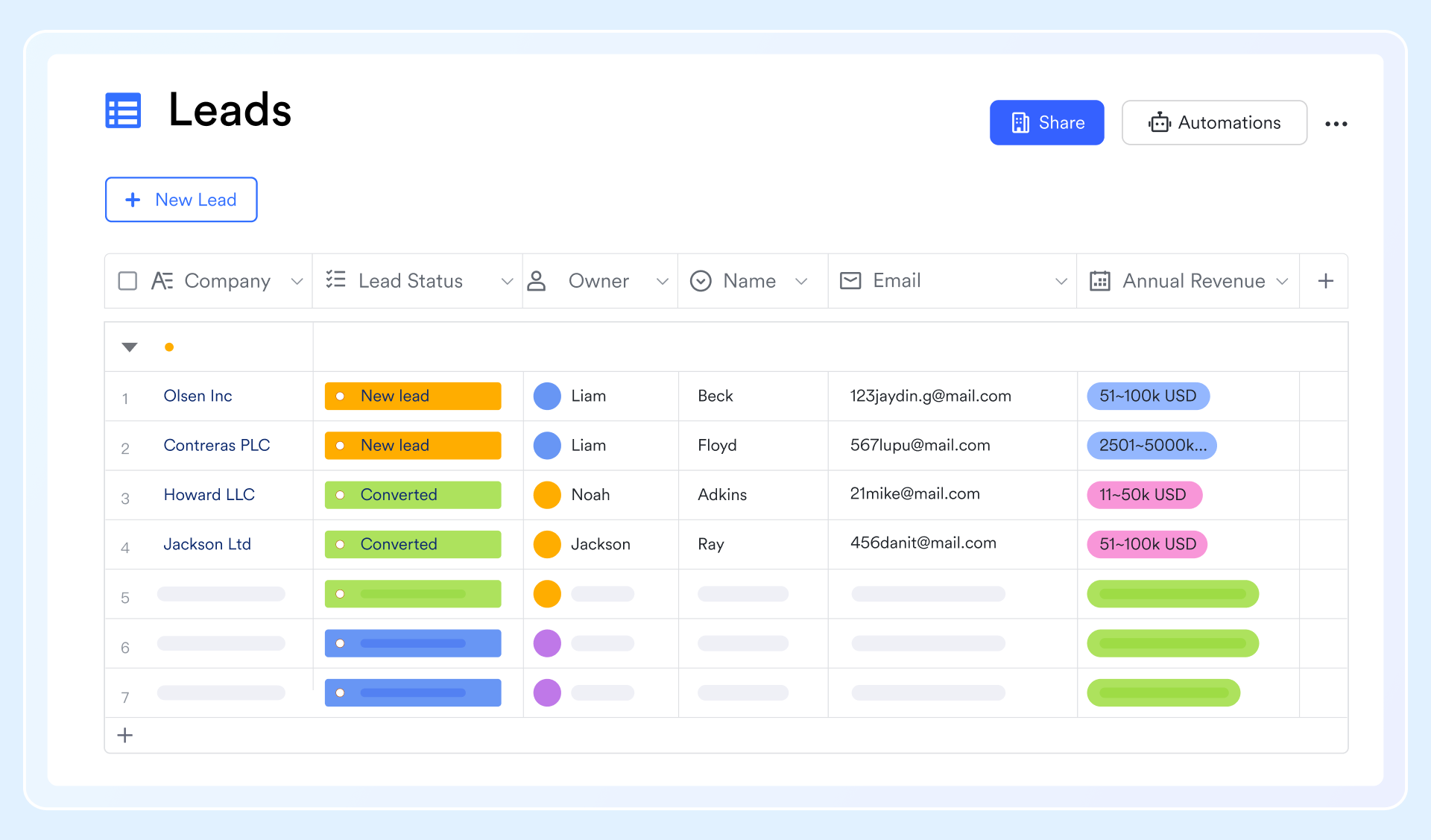
One way you can collect leads with a CRM system is to set up a web form to collect leads from landing pages. Once the leads submit the form, AI can analyze their information and auto-send the lead to a specific sales rep based on the conditions you set.
Analyze and visualize sales data
Revealing insights, uncovering trends, and measuring sales team performance are what a CRM can do with customer information. In the past, you may have needed a team to sift through the data, spending hours or even days to uncover findings, but not anymore. With AI-powered analytics, reports, forecasts, anomalies, patterns, and more can be generated in seconds to help your team make data-driven decisions.
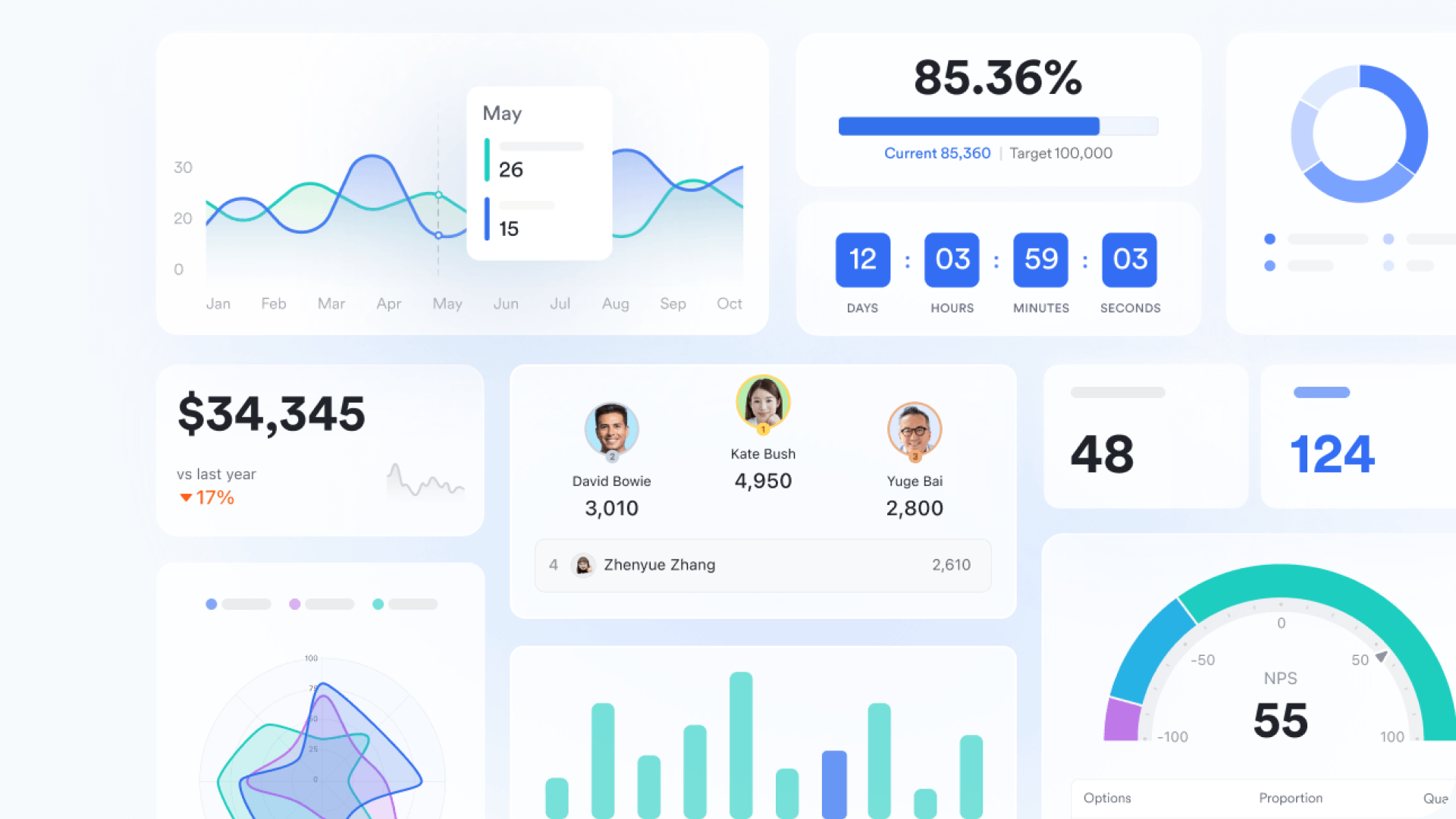
Teams can create real-time dashboards to display key metrics at a glance, which are updated instantly when customer data changes. Rather than spend hours writing a long report, you can simply share the dashboard with key stakeholders through documents or even group chats.
Automate routine sales tasks
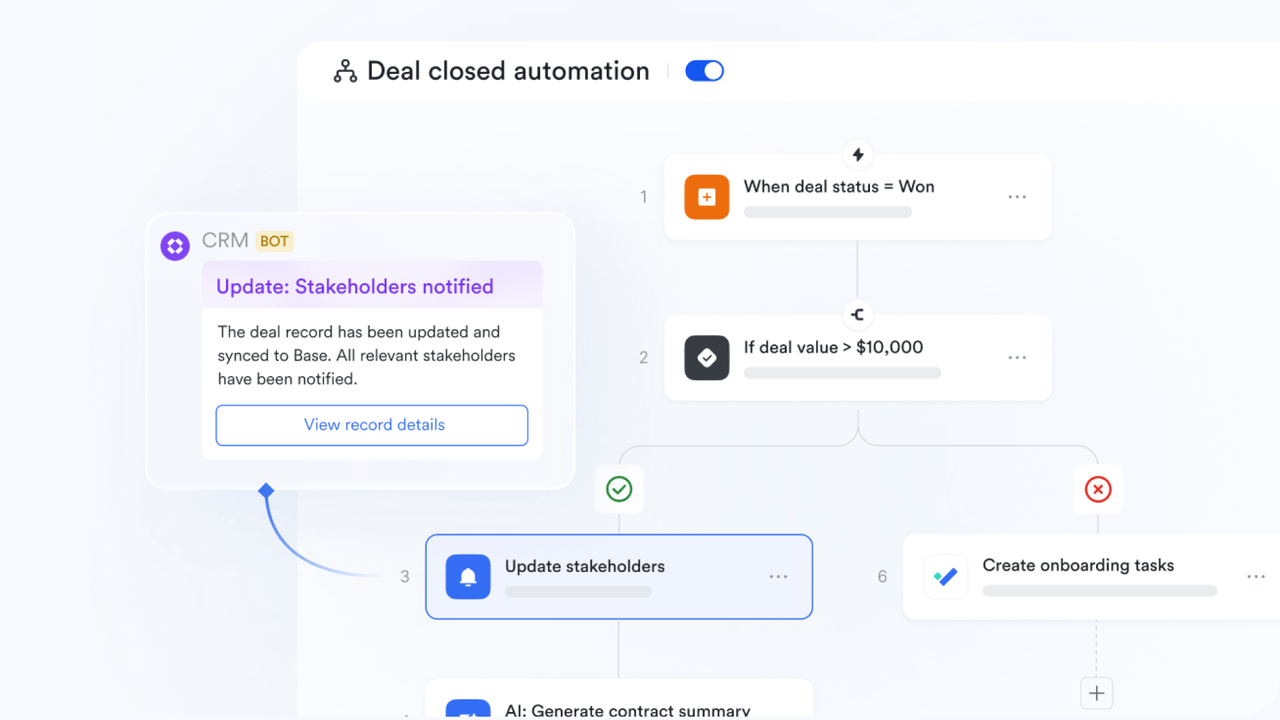
CRM systems make it easier to keep your teams on track by mapping out repeatable steps in the sales process and automating them. Manual tasks like applying for a special discount, requesting additional resources for a campaign, or updating deal stages can all be automated to free up time. With the best AI CRM platforms, you can simply generate your next script for when you need to call a prospect rather than sitting down and writing one out by hand.
Coordinate team tasks and deadlines
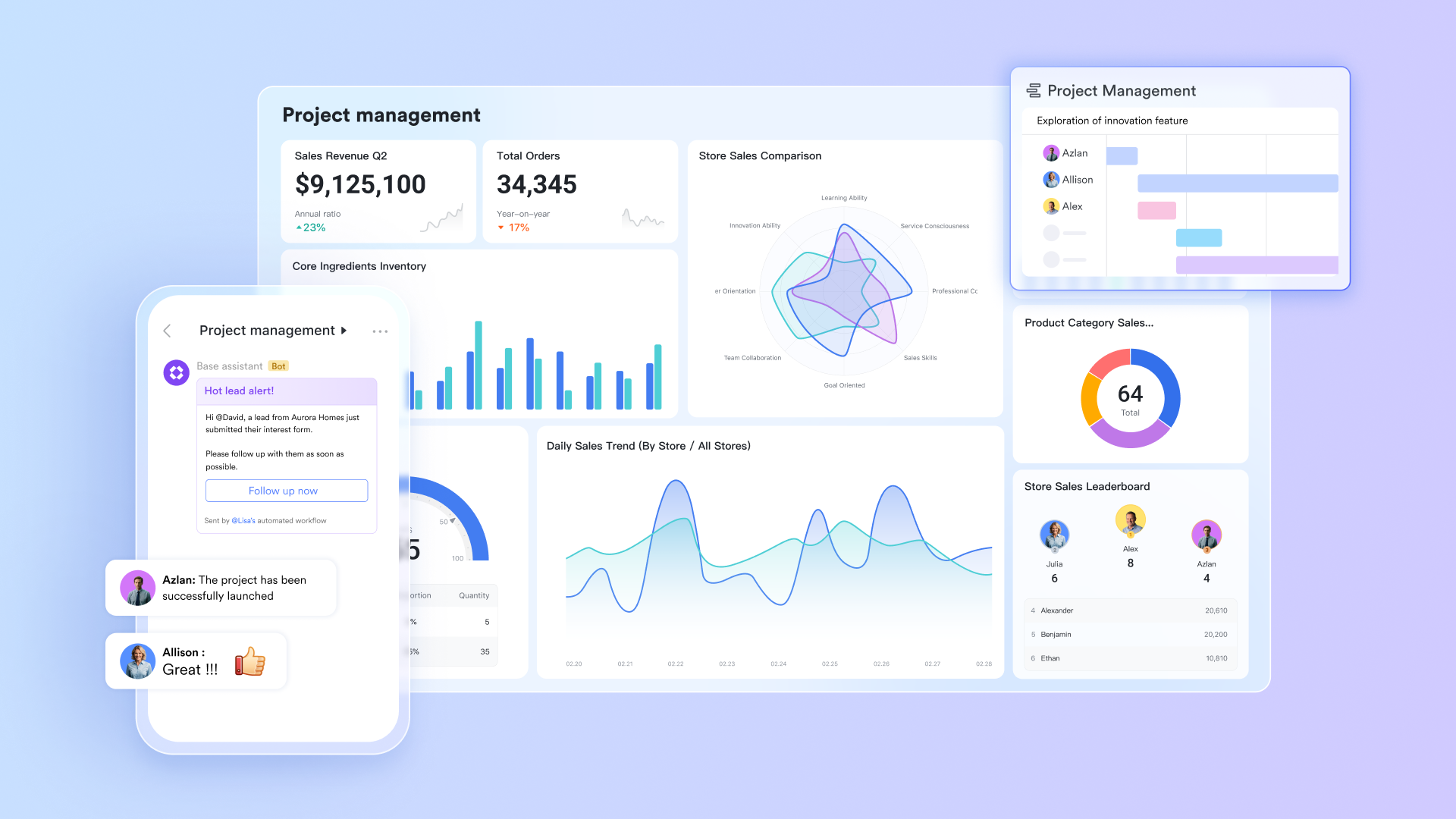
CRM systems also act as lightweight project management tools. Although they are laser-focused on sales and relationship management, solutions like Lark are built to help teams coordinate tasks and track progress. AI tools make this even easier by assigning tasks based on set conditions and sending out notifications when deadlines are approaching and tasks are not yet done.
Personalize marketing campaigns
Marketing teams can use the rich data from the CRM to segment audiences based on criteria like purchase history, customer reviews, demographics, or website behavior. The data also allows them to craft highly targeted and personalized messages rather than generic emails. With better personalization, engagement rates and ROI are likely higher because the content resonates with the recipient's current needs.
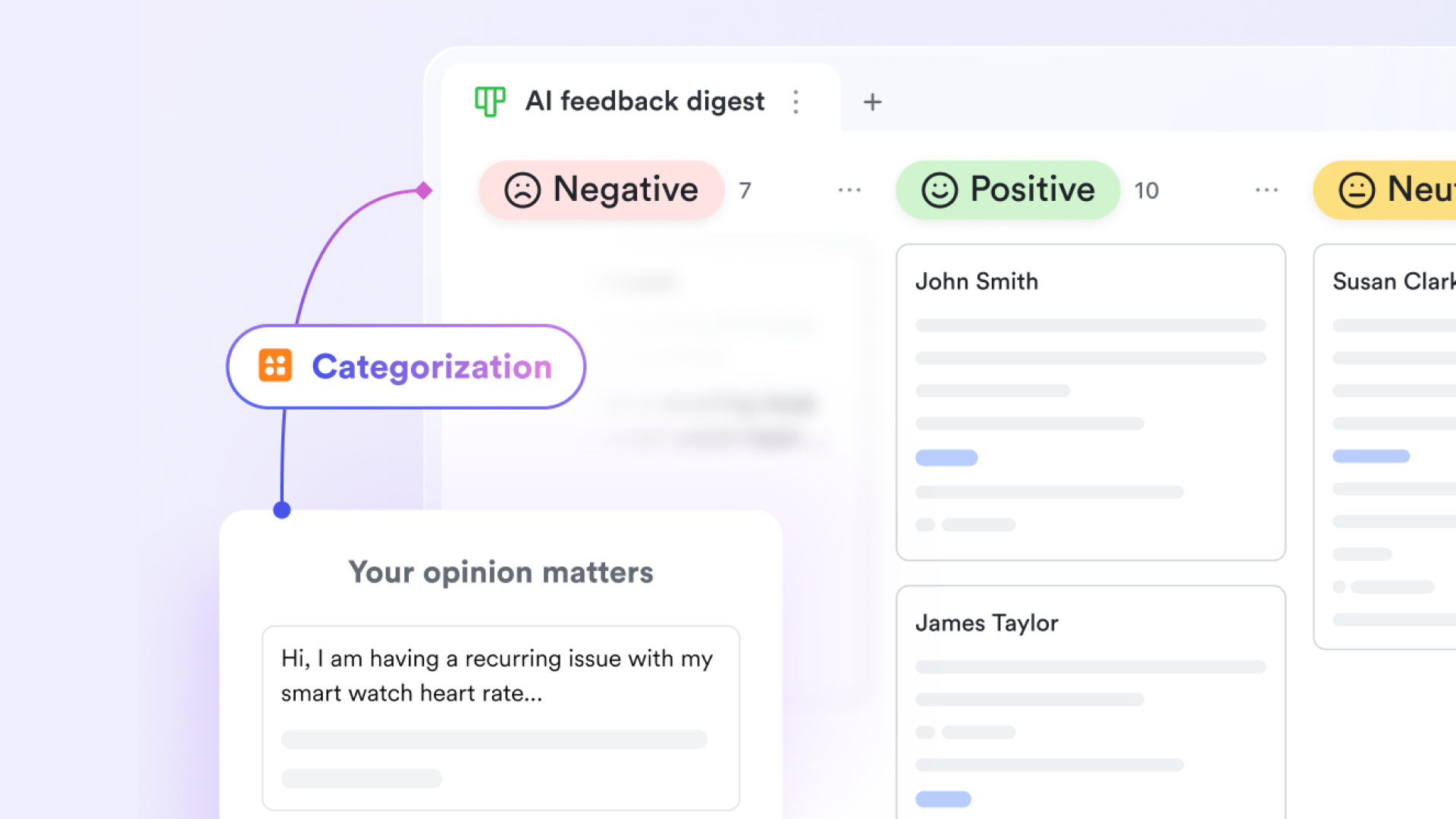
You might identify a group of customers who bought a specific product over six months ago using these segmentation tools. The CRM can trigger an automated email campaign offering a complementary accessory or a renewal discount. And because customers are receiving offers relevant to their specific context and past interactions, they'll be more interested and likely to engage.
Resolve customer support tickets
Support agents can view a customer's entire interaction history alongside their current complaint in the ticket for a complete picture of the relationship. The context can help agents solve complex issues faster without asking customers to repeat basic details and the unified view creates a smoother experience that boosts customer loyalty and reduces frustration.
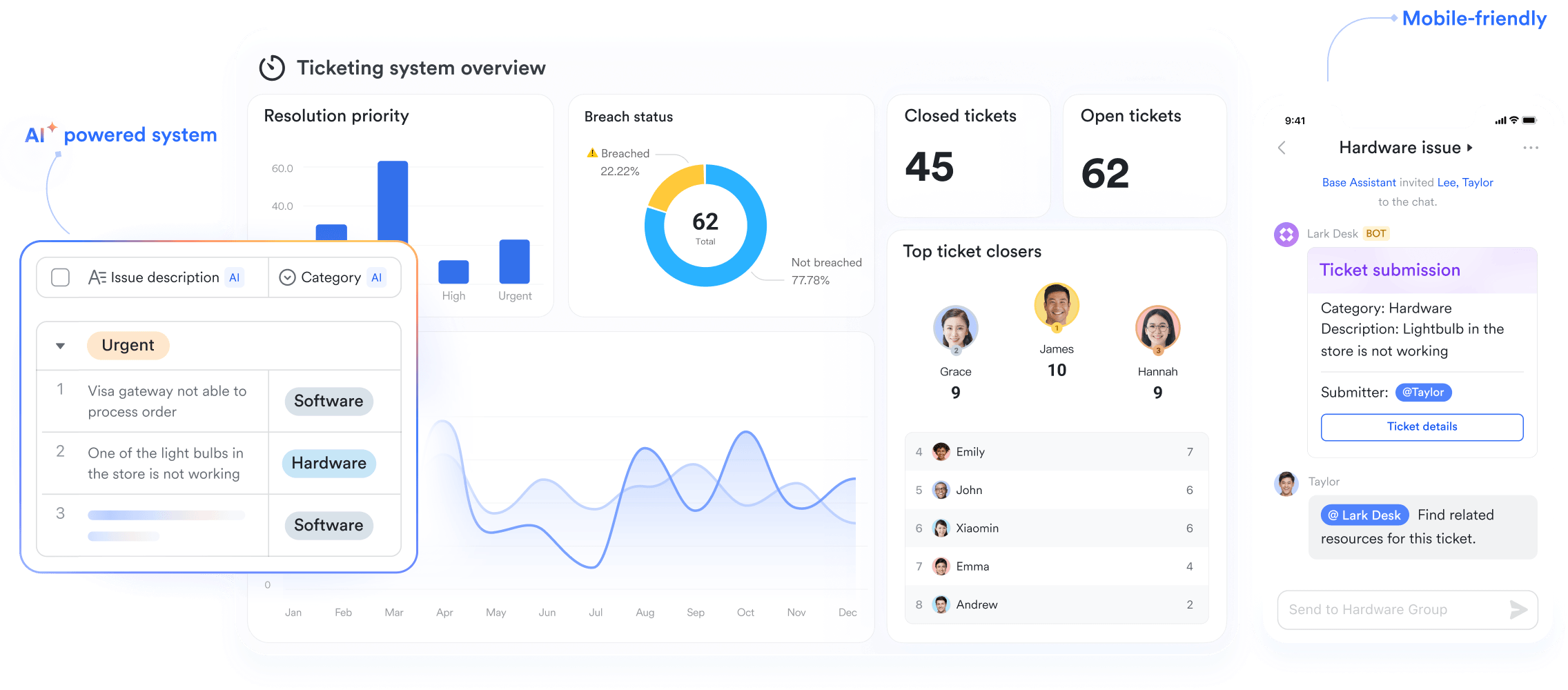
Some CRM systems can automatically convert incoming email inquiries into support tickets. It then assigns these tickets to the next available agent or a specialist based on the email keywords. Agents can see the full sales history and previous technical issues the moment they open the new ticket.
4 types of customer relationship management systems by function
Not all CRM systems focus on the same things. Some focus more on analytical capabilities, while others are designed to help your teams involved with customers operate. Here are four CRM system types by function:
The good news is that the top CRM software solutions offer a complete blend of all four types. For example, Lark gives operational, analytical, strategic, and collaborative capabilities in one superapp through its no-code automation, AI-powered tools, data analysis, collaboration features, and more.
Customer relationship management system costs
CRM systems can have a huge impact on your business, but that doesn't mean you need to spend a lot. While the cost of legacy CRM solutions like Salesforce may look daunting, there are more affordable CRM platforms better suited to different types of businesses. The cost can be customized based on several factors, including:
- Which specific products and services you need.
- The size of your business and your industry.
- The specific needs across all areas of your company.
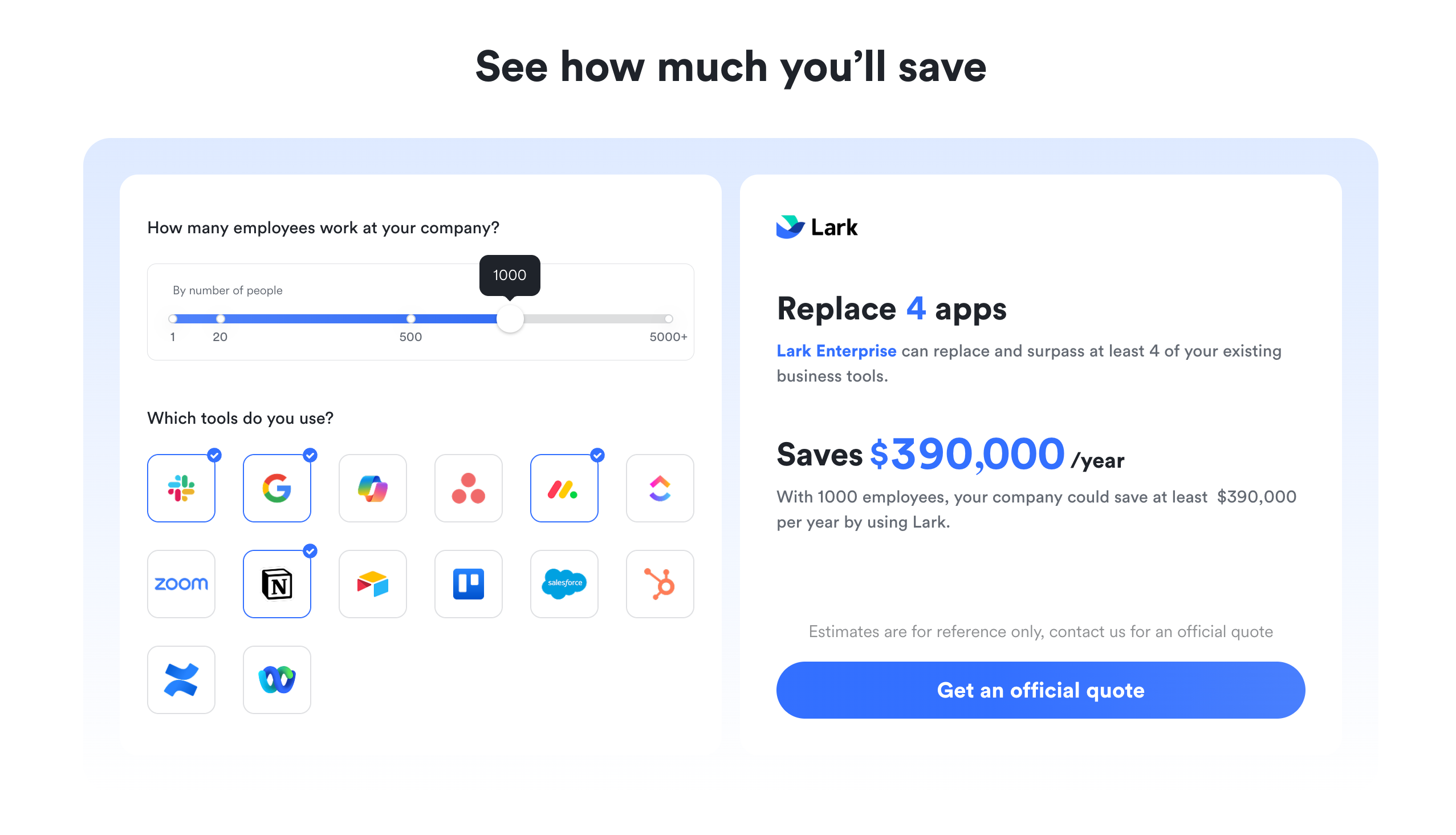
Whether you're a small business or a large enterprise, it's easy to get started with a CRM solution that fits your budget. Additionally, CRM solutions like Lark offer completely free plans and provide calculators to show how much you can save.
How to get started with a CRM system
While some CRM systems can be complex, getting started with most CRMs is easier than you might think.
- Identify your goals: What do you want to achieve with your CRM? Whether it's improving communication with clients, tracking sales progress, or boosting team collaboration, clearly defining your priorities will help you choose the right solution and focus your setup efforts.
- Get your team on board: A CRM only works when everyone uses it consistently. Involve your sales, marketing, and customer service teams early to ensure alignment. Schedule proper training sessions so users understand not just how the system works, but how it makes their daily tasks easier and more effective.
- Start with the basics: Begin by importing your existing customer data, setting up sales pipelines, and automating routine tasks like follow-up emails. Once you're comfortable, explore more advanced features such as predictive analytics, lead scoring, or dynamic customer segmentation to get even more value from your CRM.
- Keep it simple and focused: CRM implementation doesn’t have to be overwhelming. With the right platform and a clear plan, you'll quickly see its impact—stronger customer relationships, better team alignment, and smarter, data-driven decision-making.
Getting started doesn't have to be difficult, but sometimes we all need a helping hand. That's why platforms like Lark offer step-by-step guidance and solutions from CRM experts if your business needs it.

Challenges with customer relationship management systems
Less than 40% of companies were able to implement CRM systems successfully. Why? There is actually a wide range of challenges to overcome, including:
User adoption
- Challenge: A significant barrier for many organizations is organizational inertia, where teams prefer familiar habits over adopting new tools.
- Solution: Counter resistance with transparent communication and a structured implementation plan. Show the team exactly how the new tool benefits them personally, such as reducing manual data entry, and involve key influencers early in the process to champion the software to their peers.
Inaccurate data
- Challenge: Importing outdated or incorrect records undermines the effectiveness of the platform and leads to poor customer insights.
- Solution: Conduct a thorough data audit before migration begins. Scrub the database to remove duplicate entries, standardize naming conventions, and delete obsolete contacts to ensure you start with a clean, reliable foundation.
Leadership buy-in
- Challenge: Projects frequently fail when top management lacks conviction or fails to articulate a clear vision for the new system.
- Solution: Executives must do more than just sign the check; they need to actively champion the change. This involves allocating necessary resources, setting clear usage expectations, and consistently reinforcing the CRM's role in the company's long-term strategy.
Insufficient training
- Challenge: Employees often struggle because initial onboarding sessions are too brief, leaving them unsure how to use advanced features effectively.
- Solution: Move beyond a one-time workshop by establishing an ongoing learning program. Create a library of accessible resources (like video tutorials and cheat sheets) and schedule regular "refresher" sessions to introduce new features and reinforce best practices.
Undefined business processes
- Challenge: Software cannot fix a broken workflow. Automating a chaotic sales process merely makes the confusion happen faster.
- Solution: Map out your customer journey and sales stages clearly on paper before touching the software. Consult with the teams actually doing the work to ensure the defined process reflects reality, then configure the CRM to mirror those specific steps.
AI and the future of CRM systems
To say AI will impact customer relationship management in the future would be an understatement. Already, work tasks usually handled by sales reps are being automated with decision-making now based on what AI thinks.
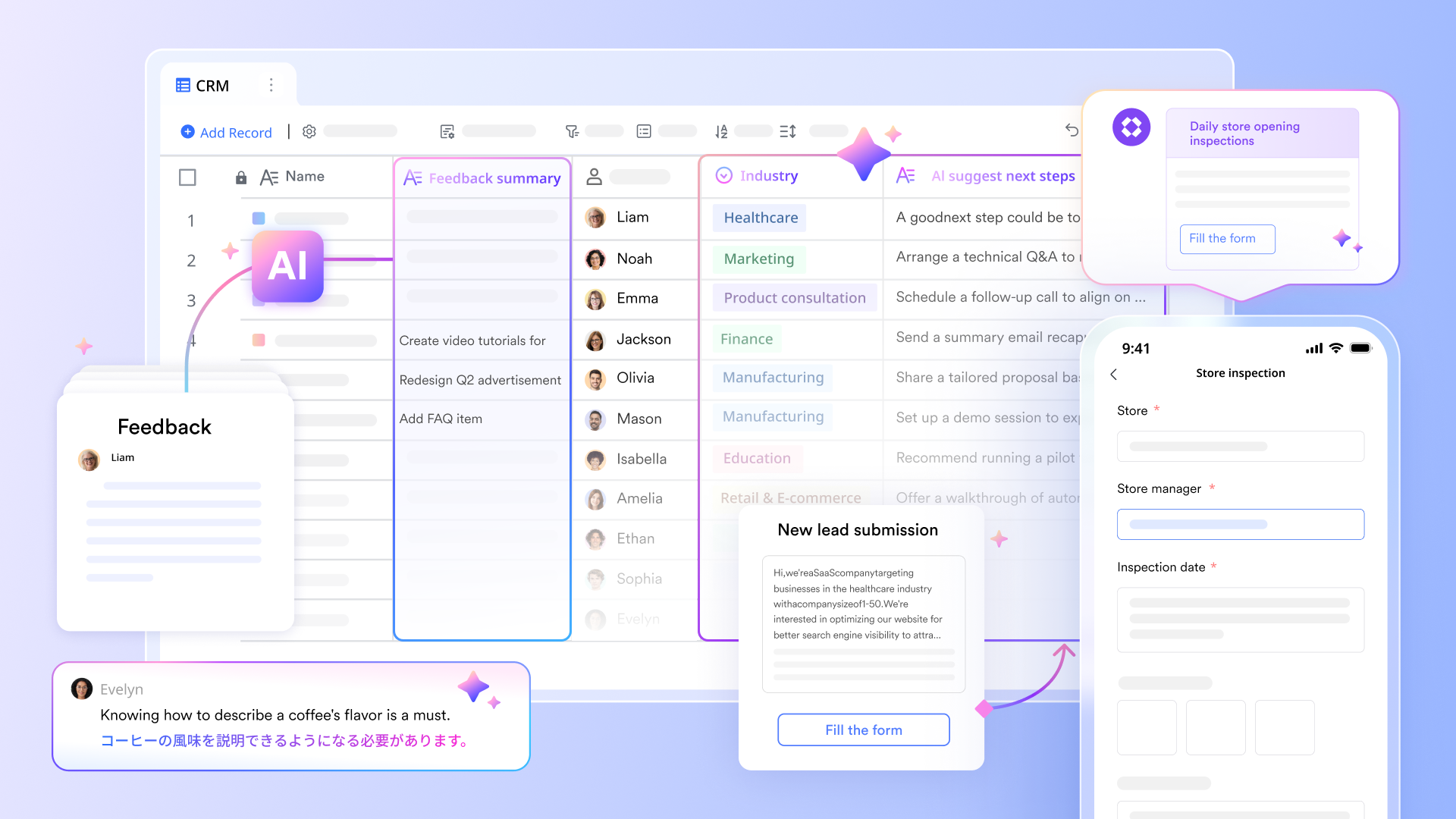
With AI-powered features becoming an essential standard across leading CRM platforms, let's take a look at what's available now and what breakthroughs we can expect in the near future.
Capabilities today
- Lead scoring and qualification: Modern AI algorithms analyze customer behavior, engagement, and demographics to automatically score leads based on their likelihood to convert. By processing thousands of data points, these systems help sales teams focus on the prospects most likely to become customers.
- Sales forecasting: Predictive analytics engines use historical sales data, current pipelines, and market trends to generate accurate forecasts. AI-driven predictions allow sales teams to spot potential shortfalls early and adjust strategies proactively.
- Automated customer service: AI-powered chatbots and virtual assistants transform customer service by providing 24/7 support. These tools can handle routine inquiries, schedule appointments, and process simple transactions without human intervention.
- Natural Language Processing (NLP): NLP enables CRM systems to understand customer communications, detecting sentiment, intent, and urgency. Support tickets can be automatically categorized, escalated, or routed to the right team members.
- Automated data entry: Machine learning eliminates manual data entry by extracting information from emails, documents, and forms. AI can read business cards, parse email signatures, and update customer records automatically.
- Personalization and customer insights: AI analyzes behavior, purchase history, and engagement patterns to provide personalized recommendations and customer segmentation. Businesses can deliver highly targeted experiences at every touchpoint.
- Predictive customer journey mapping: AI can predict the next best action for each customer, helping sales and marketing teams deliver timely, relevant communications that guide buyers toward conversion.
Emerging technologies
- Voice interfaces and conversational AI: Voice-activated CRM interfaces enable hands-free data entry and retrieval, ideal for field sales teams and mobile workers. Reps can update opportunities, log calls, and schedule follow-ups using simple voice commands.
- Computer vision: Image recognition allows CRM systems to extract data from business cards, documents, and social media profiles automatically, reducing errors and manual entry.
- Blockchain integration: Blockchain promises enhanced data security and customer privacy. Smart contracts could streamline onboarding processes and ensure compliance with regulations such as GDPR.
Transform customer relationships with Lark CRM
Giving your team the right CRM can make the difference between reaching your sales goals or not. An all-in-one platform like Lark gives you a customer relationship management solution that your sales, marketing, and other teams will love.
With a variety of AI capabilities for sales, marketing, operations, and more, Lark makes it easy to automate workflows, manage leads, and take action based on data-driven analysis. Lark includes all the essential CRM features you need without feeling too complex. Teams can build workflows without coding or IT support, and take advantage of AI tools for generating content and building customer profiles instead of focusing on repetitive manual tasks that Lark will do instead.
Here are some reasons teams prefer Lark for CRM.
All-in-one management
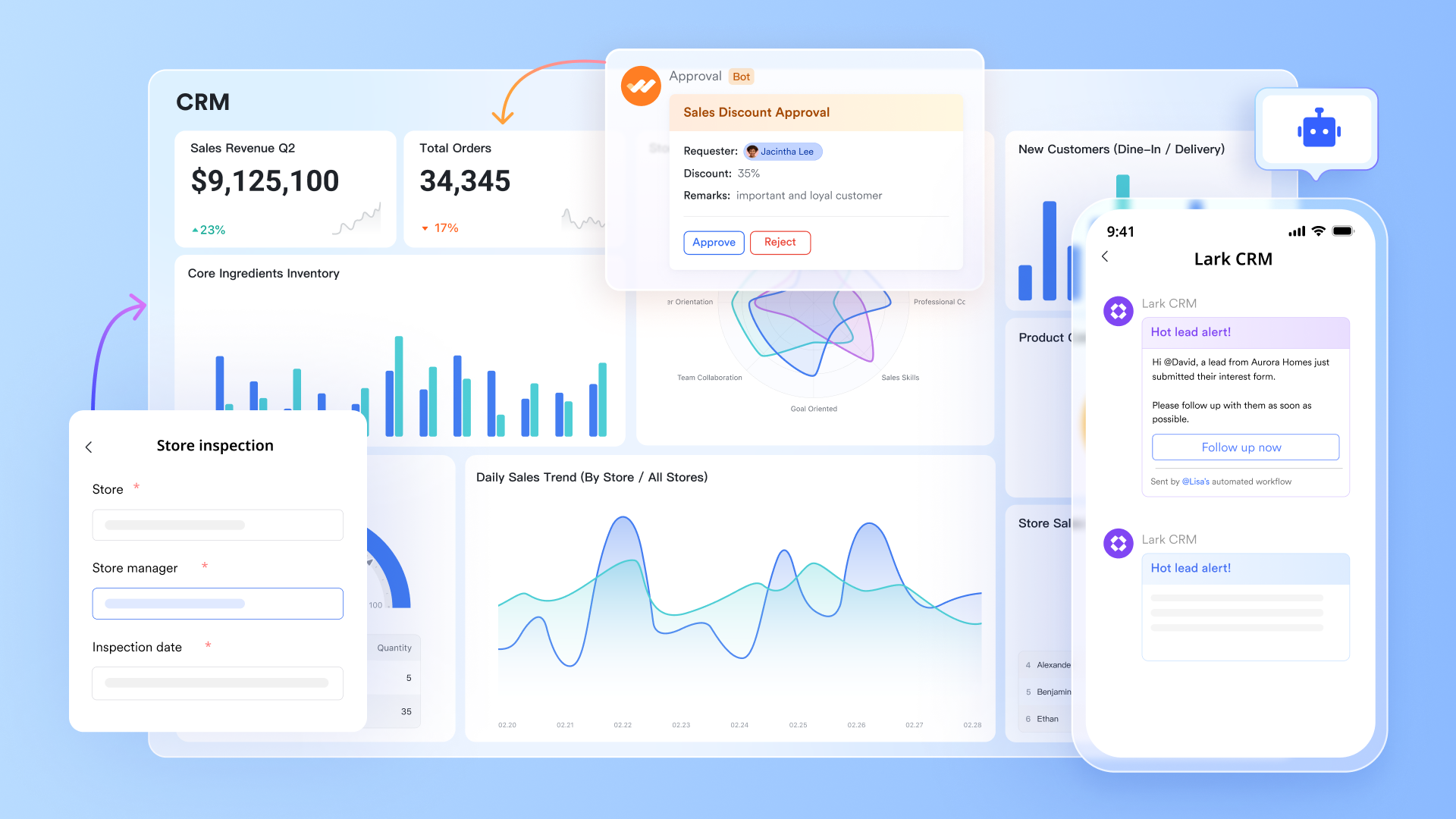
From lead capture to post-sales service, Lark provides everything you need to manage customer relationships in one place. With built-in messenger and approval features, you can communicate with clients, track accounts, manage contacts, create quotations, and close deals without ever leaving the app. Every workflow can be tailored to your business needs through intuitive, no-code customization, allowing your team to move faster without relying on developers.
Native AI
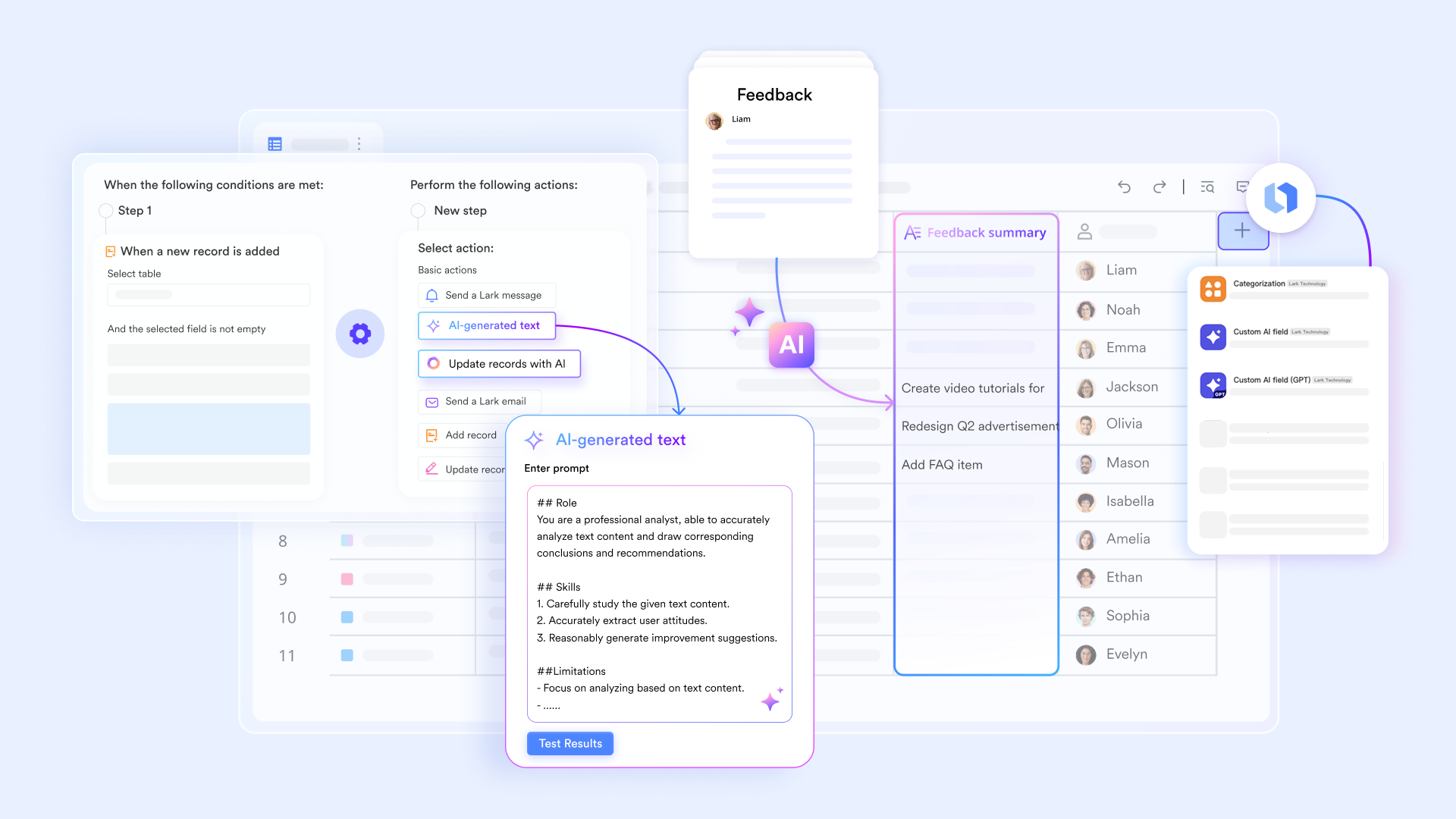
Lark’s built-in AI not only transforms how you manage customer relationships, but also how you work as a team. AI automatically gathers and organizes information about your accounts, delivering customized profile reports, real-time activity summaries, and ready-to-use call scripts. Beyond this, AI can analyze deal progress, generate meeting notes based on your video calls, and surface key insights from your data. All this helps your team make faster, smarter decisions without switching tools.
Mobile first
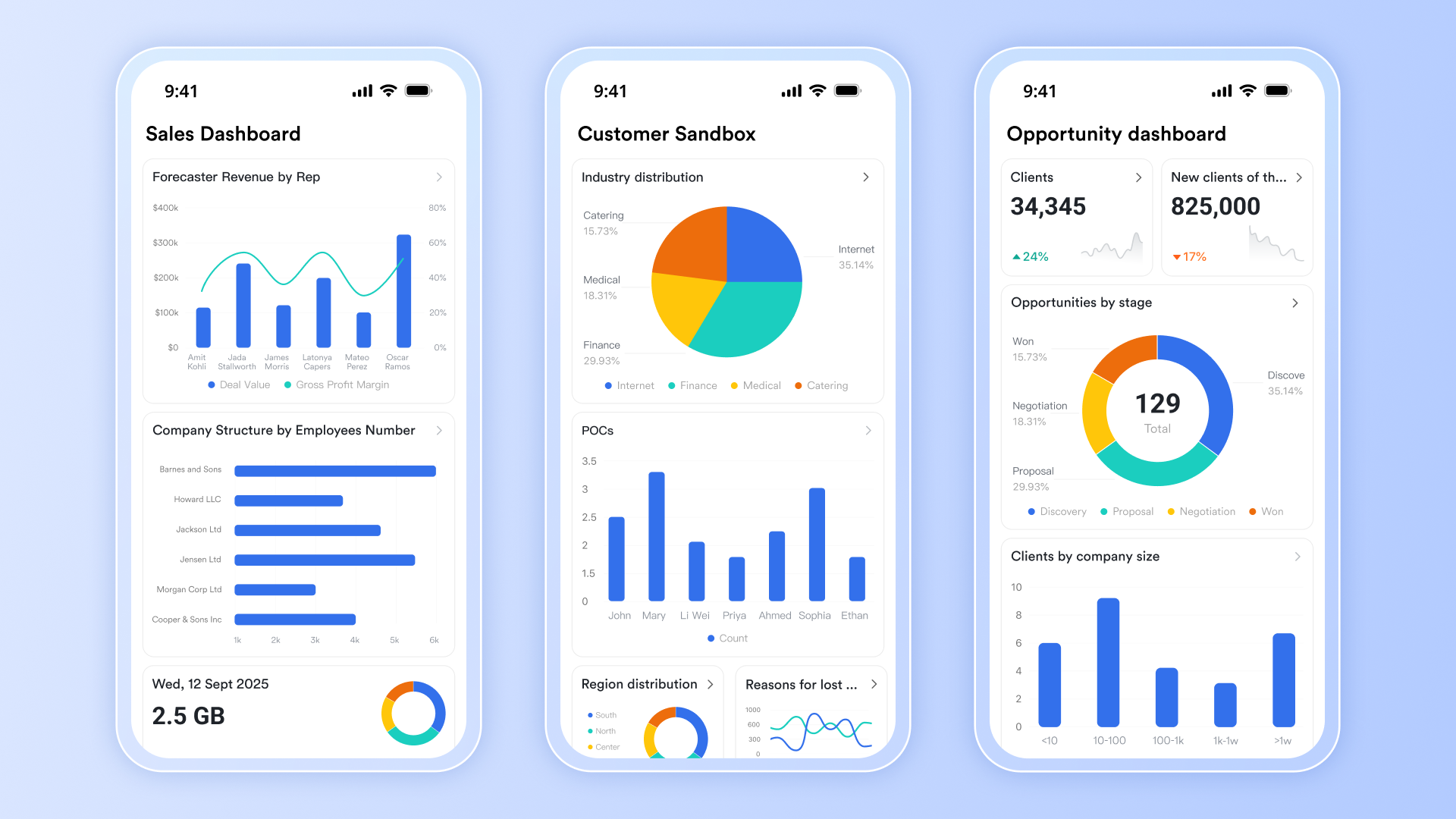
The highly-rated Lark mobile app is designed to empower your sales team to capture first-hand information, update deals, and track progress anytime, anywhere. Whether they're meeting clients or on the go, every update syncs instantly across the workspace. With built-in chat integration, sales reps can stay connected in their group chats, receive real-time notifications, and never miss an important follow-up—keeping everyone in the loop, wherever work happens.
Real-time dashboards
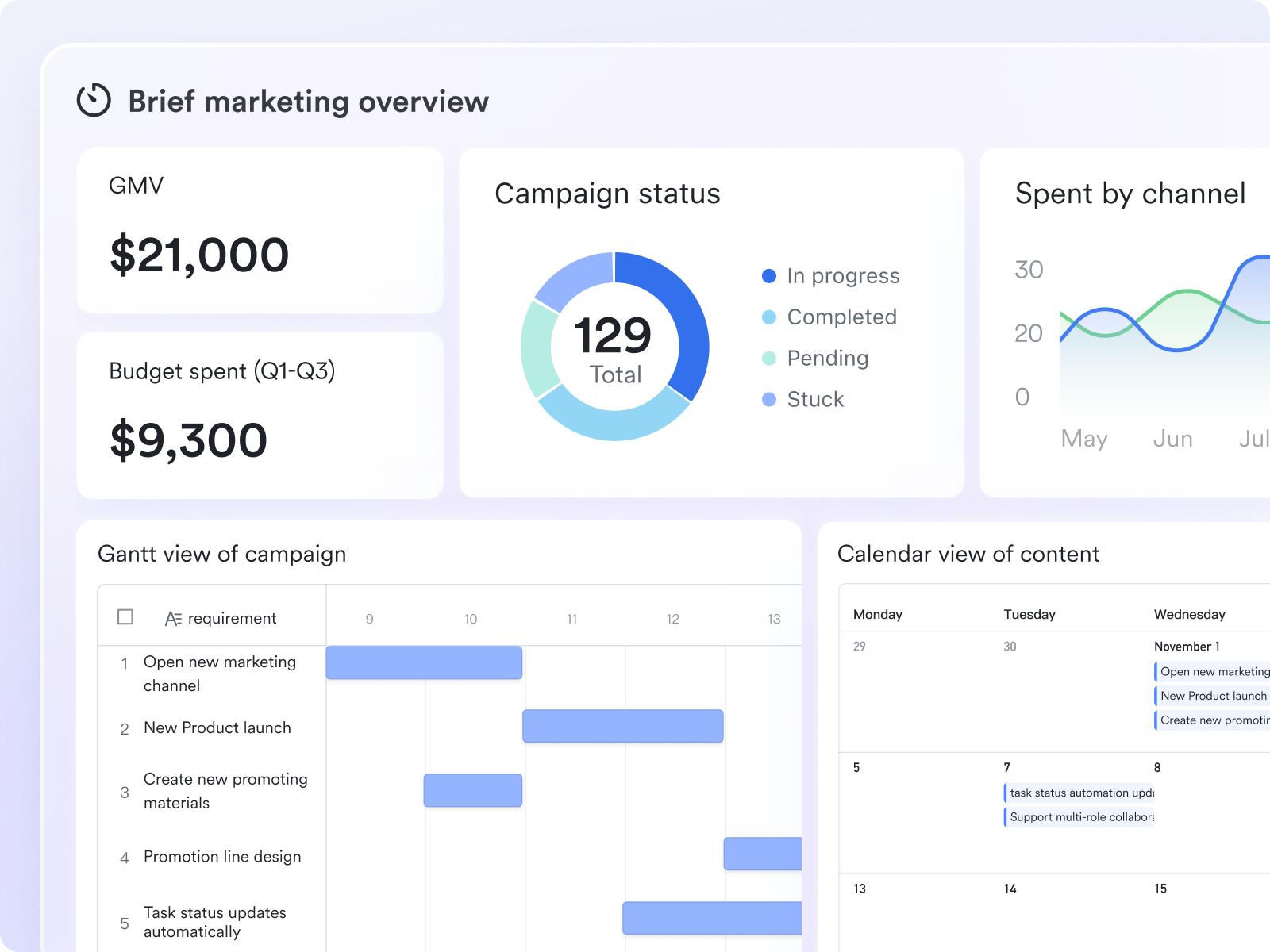
Easily visualize and monitor your sales pipelines, targets, and team performance in real time with live dashboards. Each dashboard is fully customizable to reflect your unique business needs, allowing you to track key metrics, spot trends, and make data-driven decisions at a glance. With instant updates and intuitive design, you can keep your team aligned, measure progress effectively, and respond quickly to opportunities as they arise.
Automated workflows
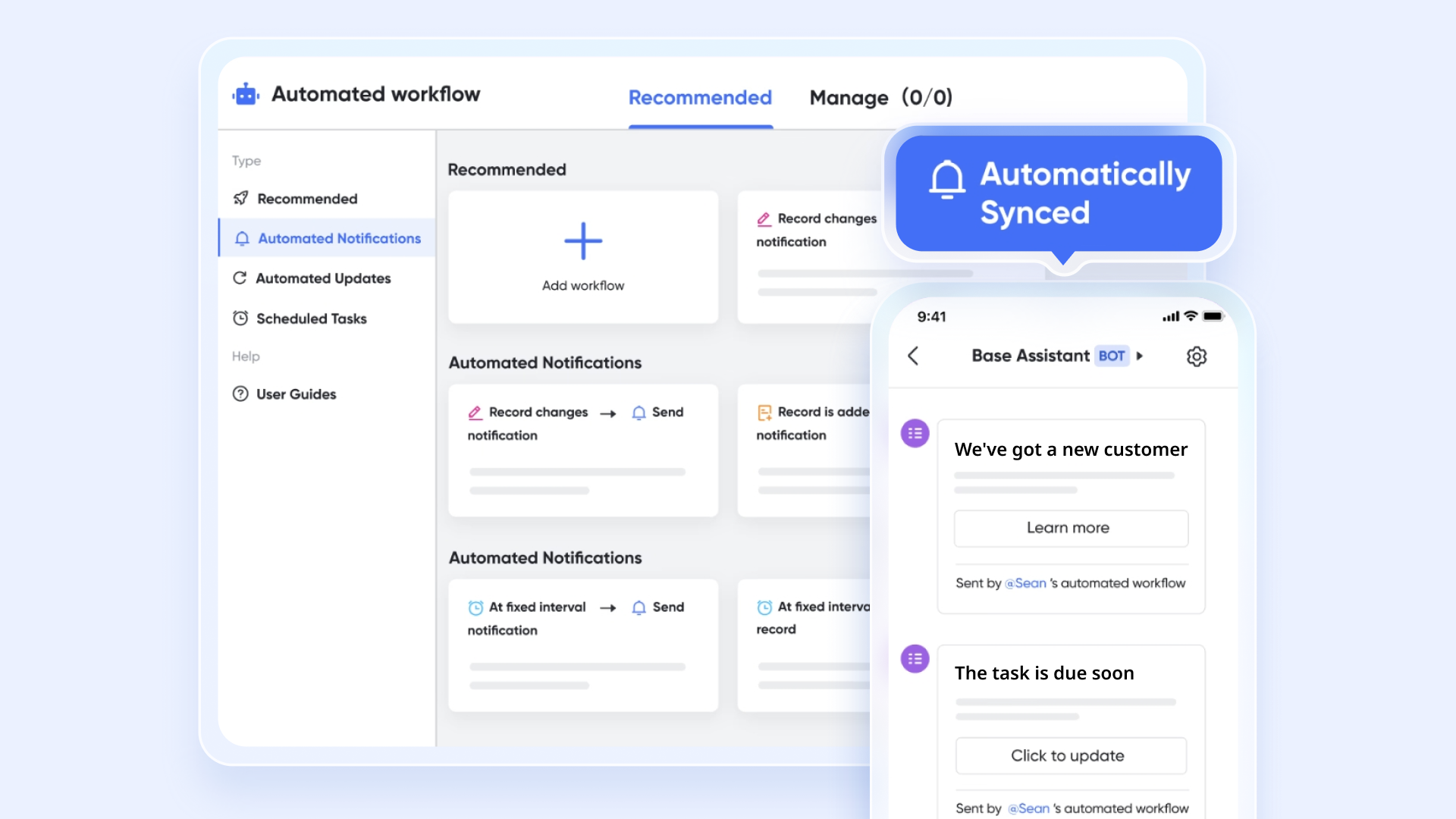
Boost your team's productivity with intelligent workflow automations. With Lark, you can set up custom automations to handle routine tasks—like following up with customers, approving requests, updating statuses, and more. You can even create approval flows for when team members need to make requests. By implementing an automated approval to take care of repetitive work automatically, your team can focus on strategic initiatives and high-impact activities.
Cost-effective
Lark is the most cost-friendly CRM solution available today, offering powerful features without the high costs associated with platforms like Salesforce, HubSpot, Zoho CRM, or Pipedrive. It’s designed to be flexible and scalable, making it an ideal choice for small businesses looking to grow efficiently, as well as large enterprises aiming to streamline operations and save money, while still achieving all their CRM goals.
For example, an organization with 200 employees that currently uses Salesforce for CRM, Zoom for videoconferencing, and Slack for communication could save at least $80,400 every year by switching to Lark.
Final thoughts on CRM systems
Customer relationship management systems transform the way your team manages customer relationships, streamlines your workflows, and best of all, help drive sales growth. The top CRMs go beyond storing customer information, and with the arrival of AI, you must choose a CRM that offers you value for money and fits your business's needs.
An all-in-one CRM solution like Lark, built with AI, automation, and collaboration at its core, empowers your teams to work smarter and move faster. From lead management to post-sales follow-up, your team can deliver seamless experiences to customers and prospects. By turning insights into action, Lark ensures that when your leads become clients, the transition is smooth, informed, and highly effective—helping your business grow efficiently at every stage.
CRM system FAQs
What is the best CRM system?
The best CRM system depends on your business needs, size, and industry. Platforms like Salesforce, HubSpot, and Lark are highly regarded for improving customer interactions and boosting overall sales productivity.
What is the best CRM software for small businesses?
For small businesses, CRMs like HubSpot and Zoho CRM are popular because they are cheap, user-friendly, and offer marketing tools to manage campaigns effectively. However, Lark offers the best value for money when you compare their pricing and features.
What are examples of CRM systems?
Examples of CRM systems include Salesforce, HubSpot, Zoho CRM, Microsoft Dynamics 365, Lark, and Pipedrive. They help teams centralize unified customer data for more efficient decision-making.
What is the most popular CRM software?
The most popular CRM software globally is Salesforce, widely used for tracking sales leads and analyzing sales trends at an enterprise level. Other popular platforms include Lark, HubSpot, Zoho CRM, and Microsoft Dynamics 365, which cater to businesses of different sizes and needs.
What are the 4 principles of CRM?
The four principles of CRM are Customer-Centricity, Data-Driven Decision Making, Collaboration, and Continuous Improvement. These principles emphasize data analysis, improving customer loyalty, and fostering teamwork across departments.
How does CRM support mobile teams?
Modern CRMs provide access on mobile devices, allowing sales and service teams to manage customer interactions and sales leads anytime, anywhere. This ensures consistent engagement and faster response times.
How does a CRM drive business growth?
A CRM helps businesses improve customer retention, boost sales productivity, and create a clear CRM strategy. By centralizing customer insights, teams can make informed decisions that directly contribute to business growth.
Related reading
Table of contents
Start using Lark today

Manage all your work in one place
Boost team efficiency by 10x
Save up to 70% on software costs
Table of contents
Start using Lark today
Manage all your work in one place
Boost team efficiency by 10x
Save up to 70% on software costs
Keep reading









2026 Lark Technologies Pte. Ltd.
Headquartered in Singapore with offices worldwide.






Explore: