














Analytical CRM Systems Explained: Features, Benefits and Top Tools

Ryan Tanner
Product Marketing Specialist
Sep 18, 2026
Ryan Tanner
Sep 18, 2026

18 min read


Today, businesses are data-driven, and customer relationships extend beyond contact tracking and sales management. Analytical CRM (Customer Relationship Management) systems enable organisations to transform customer data into actionable insights, enhancing informed decisions across sales, marketing, and service. By identifying trends and predicting behaviors, analytical CRM enables more personalized engagement and stronger retention strategies.
This guide explores the definition and features of analytical CRM, how it differs from operational CRM, and highlights top analytical CRM software for various business sizes—including platforms like Lark, which combine analytics and collaboration to help teams make insight-led decisions efficiently. The platforms to be discussed are:
1. Lark: All-in-one platforms for unified teams
2. Salesforce Analytics Cloud (Tableau CRM): Enterprise-level predictive analytics
3. HubSpot CRM: Marketing and sales analytics for growing teams
4. Zoho CRM Analytics: Affordable business intelligence for small to mid-sized teams
5. Microsoft Dynamics 365 Customer Insights: Unified customer data for enterprise visibility
6. SAP Customer Experience (CX): Enterprise analytics for customer journeys
7. Freshworks CRM (Freshsales): AI-assisted analytics for agile teams
8. SugarCRM: Predictive analytics and open-platform flexibility
9. Pipedrive: Visual sales analytics for deal-driven SMBs
10. Insightly CRM: Built-in analytics with project and relationship tracking

Beyond contact tracking: What analytical CRM actually means
While most CRMs help manage contacts and sales activities, analytical CRM goes a step further—it interprets customer data to reveal trends, preferences, and opportunities. The analytical CRM definition centers on transforming data into insights that guide smarter decisions. Unlike operational CRM, which focuses on daily sales and service automation, analytical CRM systems dig into customer behavior to understand why actions occur. This is the key difference between operational and analytical CRM: one drives process efficiency, while the other drives intelligence.
In practice, analytical CRM software collects and analyzes data from multiple channels such as emails, campaigns, support tickets, and transactions to uncover patterns that shape marketing strategies, improve sales forecasting, and strengthen retention. In short, the analytical CRM meaning lies in turning information into foresight, helping businesses anticipate customer needs and respond proactively.
Core elements that make analytical CRM work
Analytical CRM systems rely on a set of core components that turn raw customer data into meaningful insights. These elements ensure that data moves seamlessly from collection to interpretation and finally to execution. Whether implemented through enterprise platforms or flexible analytical CRM tools, each component strengthens how teams analyze and act on customer intelligence. Together, they form the backbone of modern analytical CRM applications that help businesses understand behavior and improve decision-making.
- Data foundation: The first step in any analytical CRM software is consolidating customer data from multiple touchpoints into a single, reliable source. A clean, structured foundation allows teams to eliminate duplication and inconsistency. With unified data, organizations can uncover accurate insights across sales, service, and marketing channels.
- Pattern discovery: Analytical CRM tools use visualization dashboards, metrics, and reports to identify recurring trends in customer interactions. By mapping behaviors and outcomes, teams can determine what drives conversions or churn. This process transforms data into clear narratives that guide strategic planning and performance evaluation.
- Predictive logic: Using AI and machine learning, analytical CRM systems apply predictive models to forecast outcomes such as purchase likelihood, churn probability, or lifetime value. These forecasts allow sales and marketing teams to act proactively. Predictive analysis turns historical data into a forward-looking strategy, improving overall efficiency and accuracy.
- Action loop: The true value of analytical CRM applications lies in closing the feedback loop between insight and action. Once patterns and forecasts are identified, insights are translated into specific tasks or campaigns. This continuous cycle ensures that every analytical discovery informs day-to-day operations across all departments.
Quick preview of the 10 Top analytical CRM tools
10 Top analytical CRM tools for different business sizes
1. Lark: All-in-one platforms for unified teams
Lark brings communication, collaboration, and data management together in one connected workspace. Designed for modern hybrid teams, it combines chat, meetings, documents, and project tools within a single platform. By centralizing information and enabling real-time collaboration, Lark helps teams work more efficiently without switching between apps. When paired with analytical CRM practices, it ensures that insights and actions stay aligned across departments, leading to more informed and faster decisions.
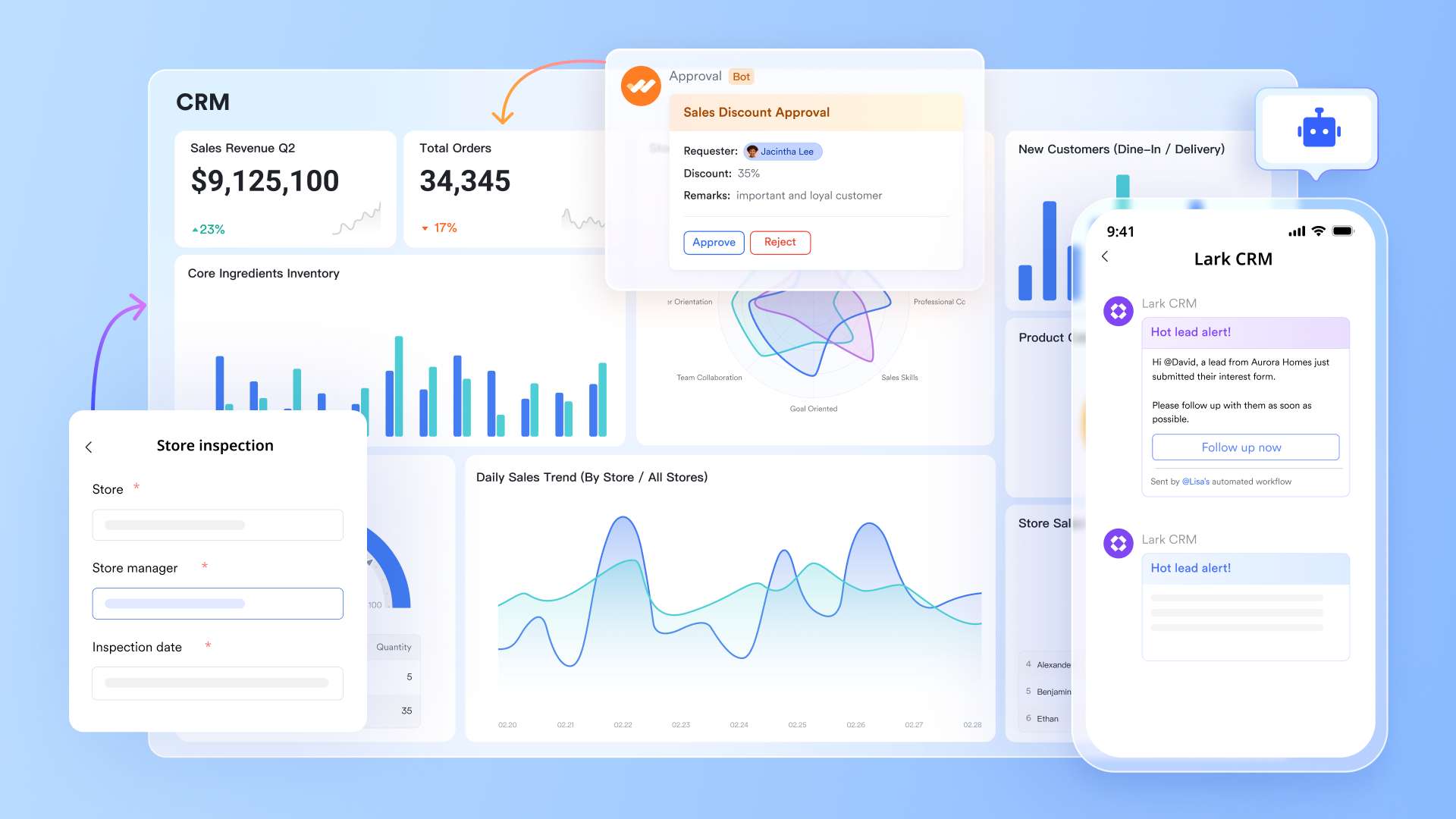
Lark Base: Centralised data, opportunity tracking & smart analysis
With Lark Base, you transform raw CRM and customer interaction data into structured records. Table views let you manage leads, contacts, and deals; Kanban and Timeline views help visualise sales stages or customer journey flows. Also, when data is displayed on the dashboard, you can use Smart Analysis to view AI insights.
Example: A sales team uses Base to track an opportunity from first contact → proposal → negotiation → close. Each stage is a column in the Kanban board, and each card holds all relevant client data and meeting notes.
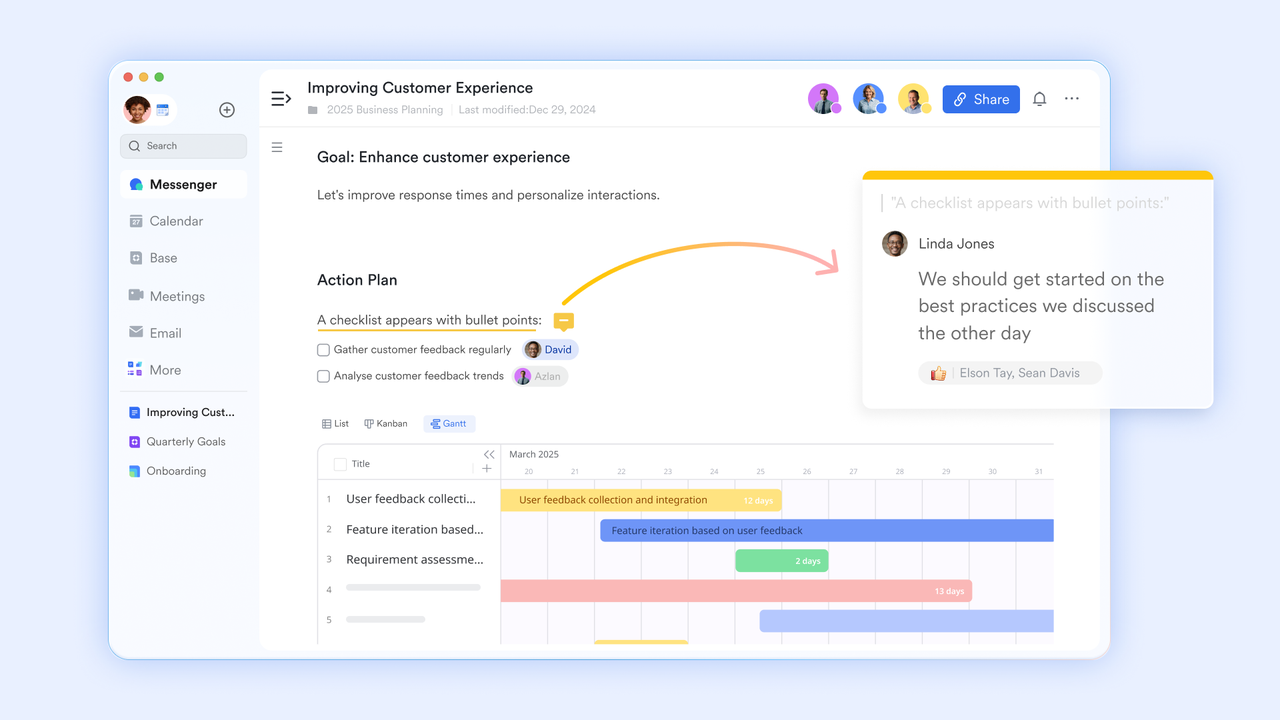
Lark Docs: Shared insights and playbooks
Lark Docs becomes the knowledge hub where your analytical CRM findings meet strategy. Teams draft persona definitions, report findings, and action plans, and link them directly to Base for record-keeping or Messenger for sharing. By embedding analysis into documentation, you make the insights operational.
Example: After identifying a high-value customer segment, the product team writes a playbook in Docs outlining tailored outreach, bundles, and follow-up cadence—then assigns tasks and monitors adoption.
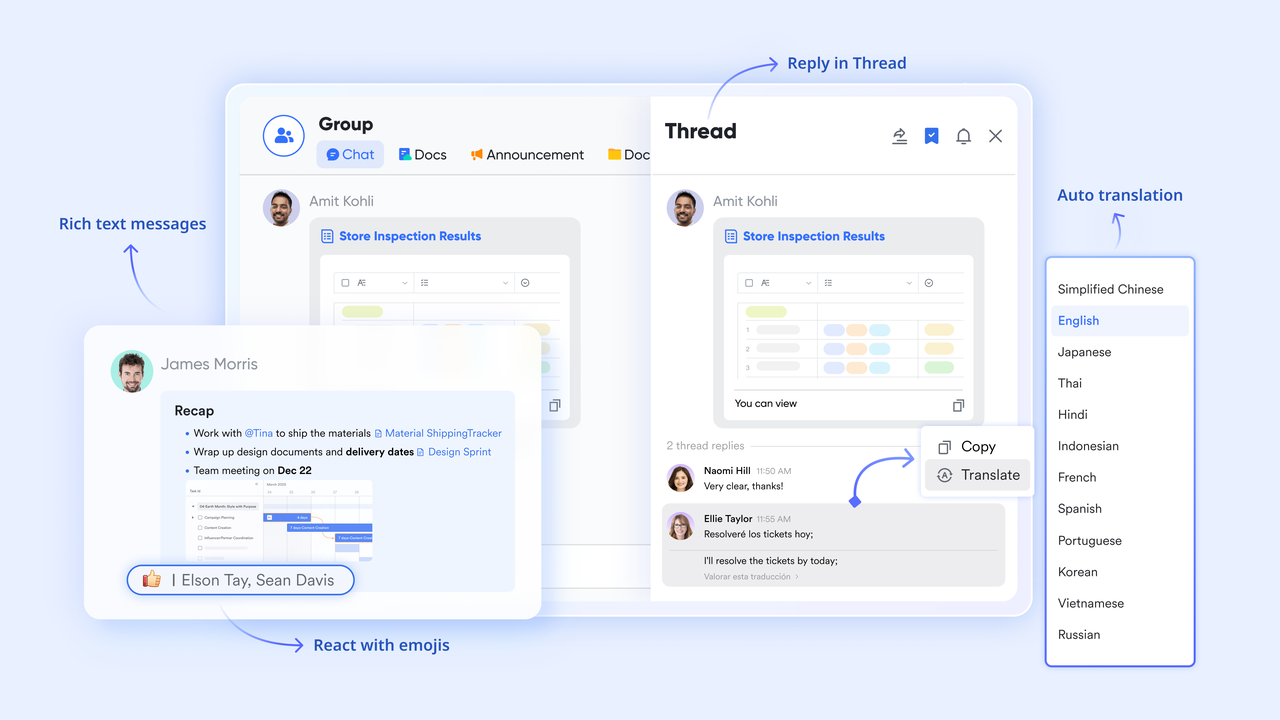
Lark Messenger: Real-time collaboration and problem‐solving
Lark Messenger and chat channels bridge the gap between insight and action. When data shows a trend (e.g., drop in usage in a segment), you can share the Sheet, pin it for everyone in the group, @mention the manager, and create a collaborative thread—no email delays. This ensures analytical CRM isn't just numbers—it becomes live team workflow.
Example: The CX lead spots declining engagement for "Enterprise clients" in Sheets; shares the view in Messenger with support & product teams → they discuss root cause and immediately assign follow-up tasks.
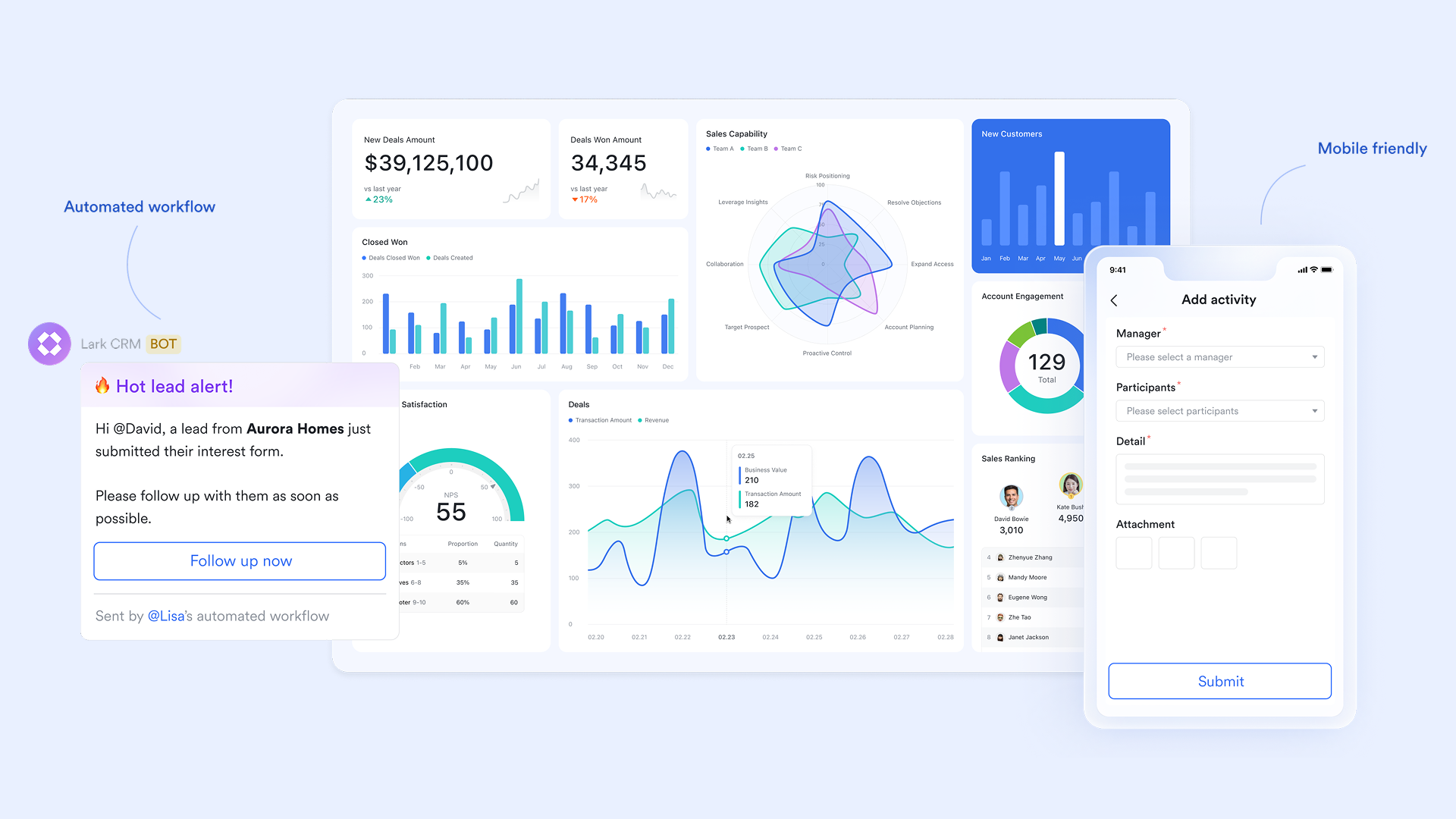
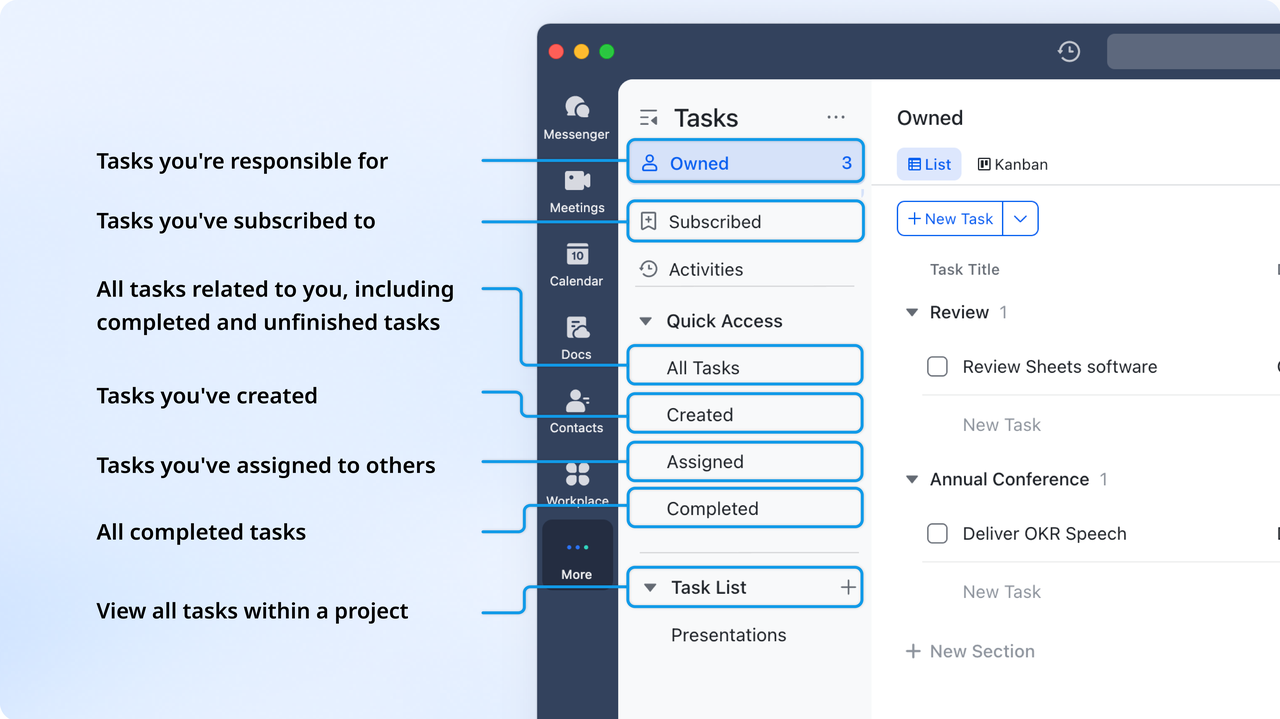
Lark Tasks: Translating insights into execution
Lark Tasks assign ownership, deadlines, and accountability—closing the loop from "we see something" to "we do something." You can easily turn convert a message into Lark Tasks or create a Task right in your Docs, such as conducting outreach to a defined segment, updating the playbook, or adjusting the pricing model. This is where analytical CRM shines: turning insights into measurable, tracked outcomes.
Example: A task list is automatically generated for the sales team: "Contact 50 at-risk customers this week." This task will be managed as records in Base and marked with due dates.
Pros:
- Seamless integration of chat, video meetings, and documents in one workspace.
- Real-time collaboration improves alignment across sales, marketing, and support teams.
- Cloud-based access ensures flexibility for remote and hybrid work environments.
- Built-in automation and analytics enhance productivity and visibility.
Cons:
- May require onboarding time for teams transitioning from multiple tools.
- Starter plan: Free forever plan that includes 11 powerful tools for up to 20 users. It also comes with 100GB of storage, 1000 automation runs, AI translations, and more.
- Pro plan: $12/user/month (billed annually) for up to 500 users. It includes everything in Starter plus group calling for up to 500 attendees, 15TB of storage, 50,000 automation runs, and more.
- Enterprise plan: Contact sales for custom pricing. Supports unlimited users and includes even more automation runs and advanced security, compliance, and management features. Many teams also consider Google Workspace pricing and ClickUp pricing when assessing the value of alternative workplace solutions.
2. Salesforce Analytics Cloud (Tableau CRM): Enterprise-level predictive analytics
Built for large organizations, Salesforce's analytical layer offers AI-driven forecasting, real-time dashboards, and advanced modeling integrated with customer and sales data.
It connects customer, sales, and service data to deliver real-time dashboards and predictive forecasts. Designed for scalability, the platform enables complex modeling and automated insights for enterprise-level decision-making. Its deep integration with Salesforce CRM ensures that data moves seamlessly from analysis to execution across departments.
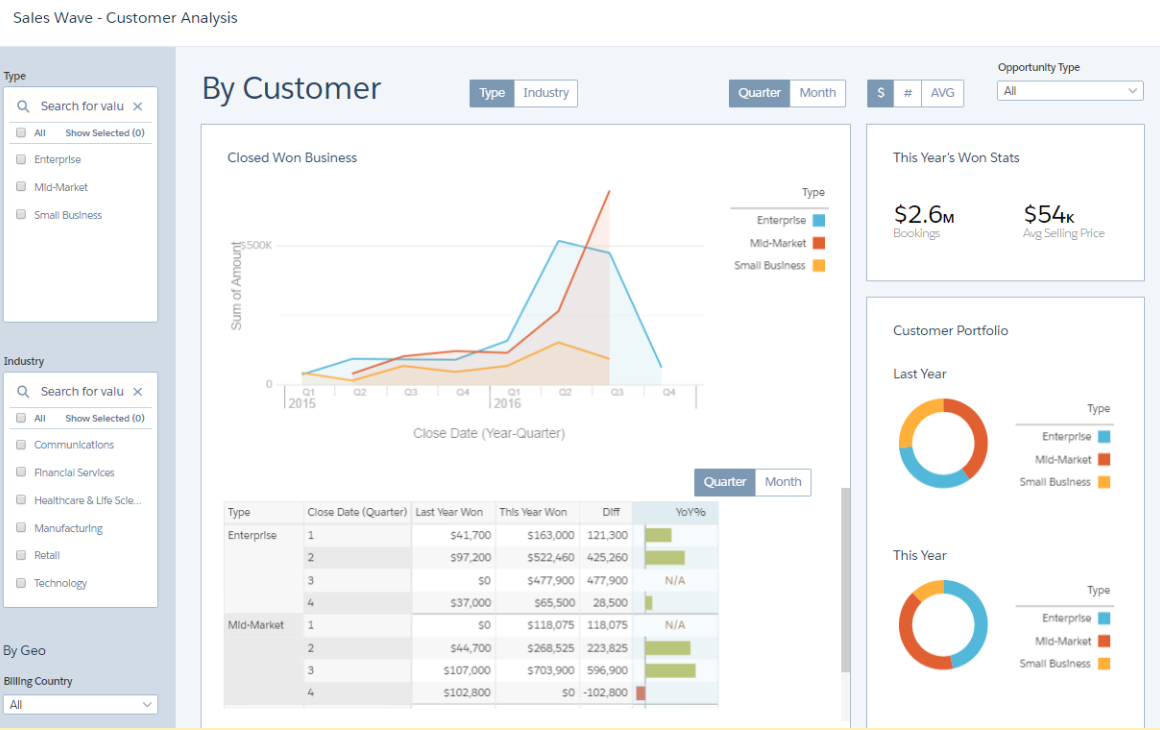
Image source: salesforce.com
Features:
- AI-powered Einstein Analytics for predictive modeling and trend identification.
- Real-time dashboards and data visualization for performance tracking.
- Native integration with Salesforce CRM and external data sources.
- Role-based access controls and secure cloud architecture for enterprise compliance.
Pros:
- Highly customizable and scalable for large organizations.
- Strong AI and predictive analytics capabilities.
- Seamless data integration with Salesforce ecosystem.
- Extensive visualization and reporting tools.
Cons:
- High learning curve for new users.
- Complex setup and maintenance for non-technical teams.
- Pricing may be prohibitive for small or mid-sized businesses.
Pricing:
- CRM Analytics Growth: $140 per user/month (billed annually).
- CRM Analytics Plus: $165 per user/month (billed annually).
- Revenue Intelligence / Industry Cloud Intelligence / Service Intelligence: $250 per user/month (billed annually).
3. HubSpot CRM: Marketing and sales analytics for growing teams
HubSpot CRM offers a flexible platform that evolves with your business, supporting everything from basic contact tracking to full-scale analytics and automation. It consolidates sales, marketing, and service functions into one ecosystem, making it easier for teams to gain insights and act. As companies scale, HubSpot CRM aligns with analytical CRM systems by enabling segmentation, lead scoring, funnel analysis, and performance reporting. Whether you're a small business or a midsize team, this analytical CRM software helps you leverage data for smarter decisions.
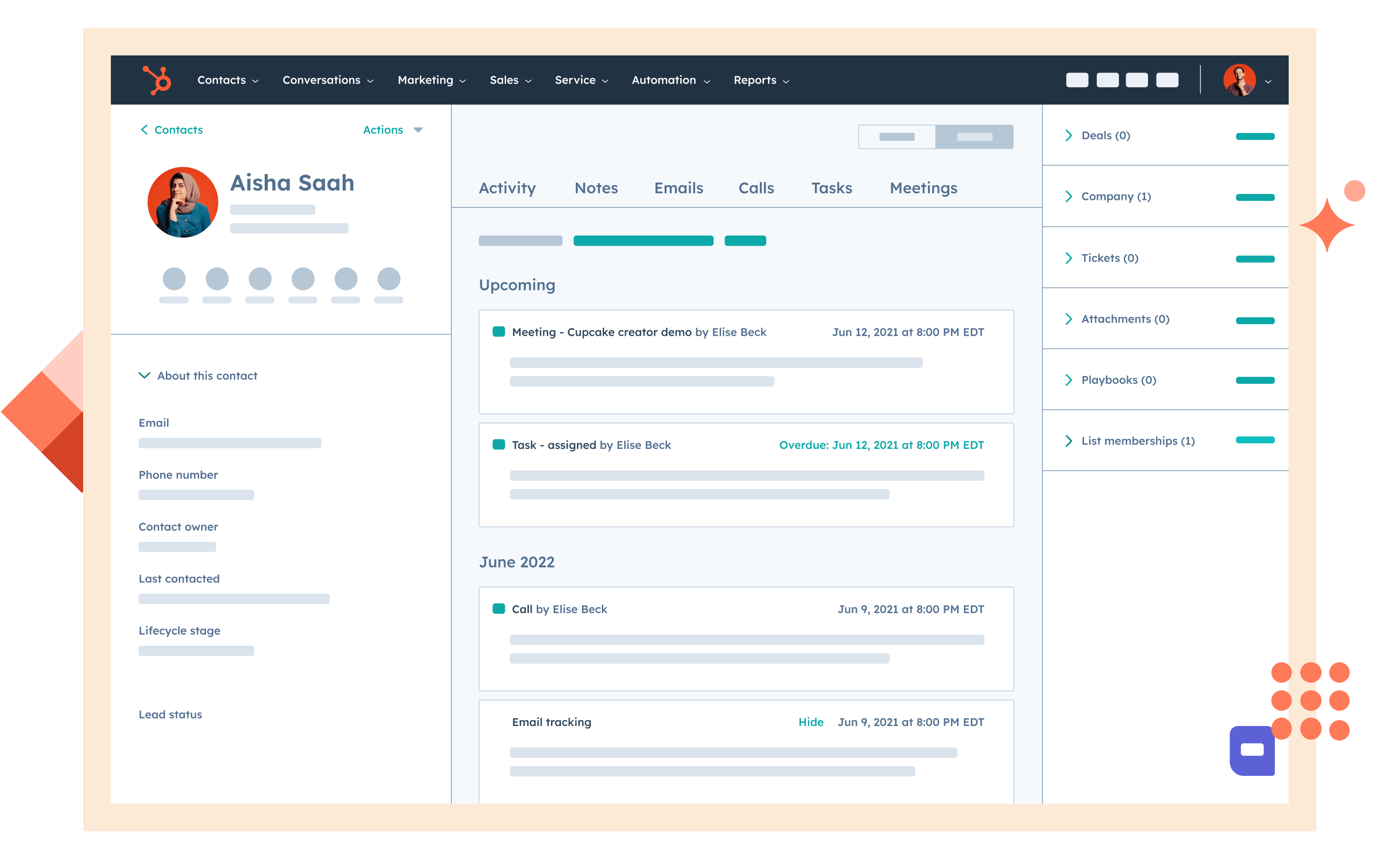
Image source: hubspot.com
Features:
- Built-in contact and deal management, plus reporting dashboards for visibility.
- Marketing attribution and funnel analytics tied to campaigns, enabling conversion optimization.
- Lead scoring, behavioral segmentation, and workflow automation tools for predictive insights.
- Customizable reporting and visualization tools that support analytical CRM applications and decision-making.
Pros:
- Very strong free tier allows basic usage without cost.
- Easy to use and accessible for small to mid-sized teams.
- Unified platform reduces need for multiple disconnected tools.
- Extensive ecosystem of integrations and partner apps.
Cons:
- Advanced analytics and automation features are locked behind higher cost tiers.
- Pricing increases steeply as you scale seats, contacts or features.
- Add-ons, contacts, and user seats can complicate total cost.
Pricing:
- Starter plan: $15 per user/month (billed annually).
- Professional plan: $90 per user/month (billed annually).
- Enterprise plan: $150 per user/month (billed annually).
4. Zoho CRM Analytics: Affordable business intelligence for small to mid-sized teams
Zoho CRM Analytics delivers powerful data visualization and predictive analytics capabilities designed for growing businesses. It transforms CRM data into actionable insights through easy-to-build dashboards, charts, and reports. By combining affordability with flexibility, Zoho's analytical CRM system helps teams measure performance, track KPIs, and forecast trends without requiring advanced technical expertise. Its seamless integration across Zoho apps makes it a strong choice for small and medium enterprises focused on data-driven decisions.
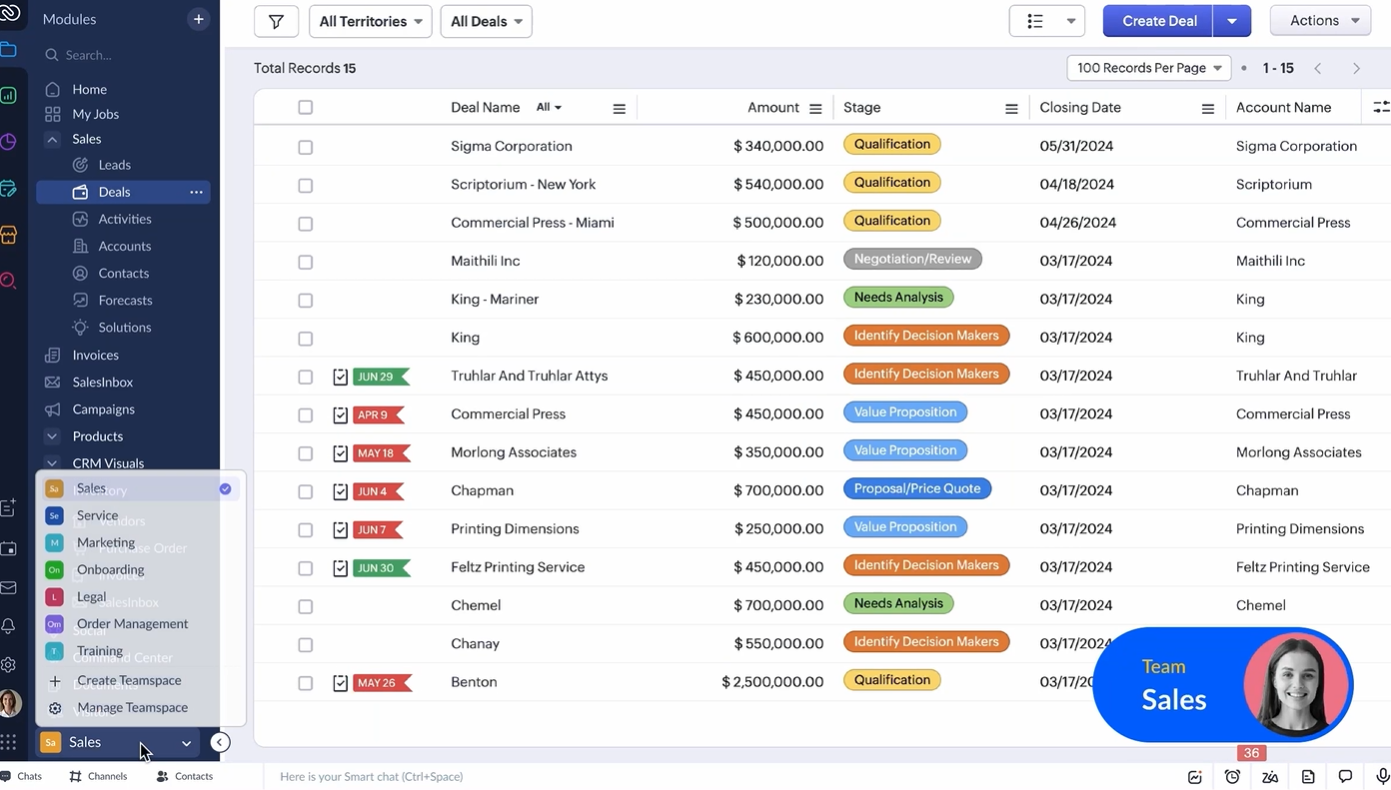
Image source: zoho.com
Features:
- Customizable dashboards and visual analytics powered by Zoho Analytics integration.
- Predictive lead and deal scoring to identify high-conversion opportunities.
- Cross-channel campaign tracking and customer behavior analytics.
- AI assistant (Zia) for trend detection and anomaly alerts.
Pros:
- Affordable compared to other analytical CRM software.
- Easy to use with a short learning curve for non-technical teams.
- Highly customizable reports and dashboards.
- Integrates well with the Zoho ecosystem and external apps.
Cons:
- Some advanced analytics require the Zoho Analytics add-on.
- Limited scalability for very large enterprises.
- Interface can feel less modern compared to premium CRMs.
Pricing:
- Standard plan: $14 per user/month (billed annually).
- Professional plan: $23 per user/month (billed annually).
- Enterprise plan: $40 per user/month (billed annually).
- Ultimate plan: $52 per user/month (billed annually).
5. Microsoft Dynamics 365 Customer Insights: Unified customer data for enterprise visibility
Microsoft Dynamics 365 Customer Insights brings together data from across your organization to create a single, comprehensive view of each customer. It acts as both a customer data platform (CDP) and an analytical CRM system, allowing businesses to unify sales, service, and marketing insights. By leveraging AI and predictive models, it helps identify trends, forecast demand, and improve personalization strategies. For enterprises seeking cross-departmental data integration and actionable intelligence, Dynamics 365 provides both scale and depth.
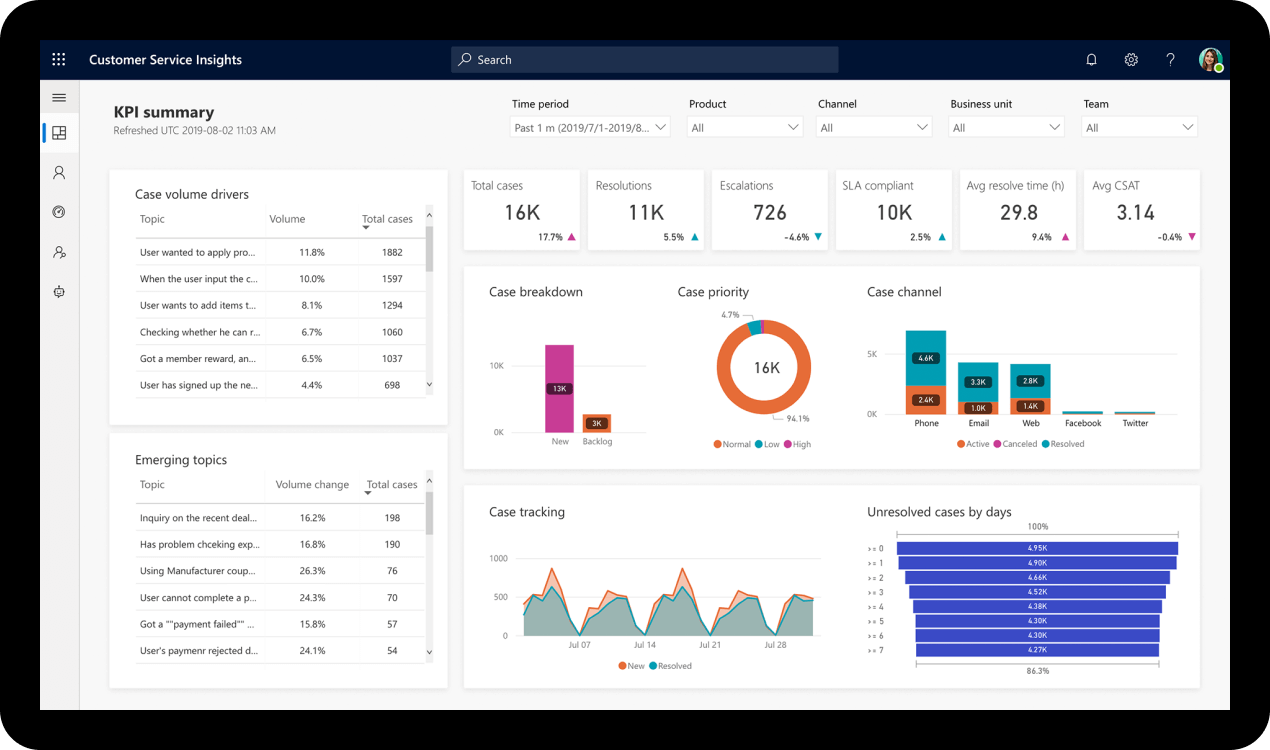
Image source: microsoft.com
Features:
- Unified data model connecting multiple sources including sales, marketing, and service data.
- AI-powered segmentation and predictive scoring for customer retention and upselling.
- Customizable dashboards with Power BI integration for visualization and analytics.
- Pre-built connectors for ERP, supply chain, and external business apps.
Pros:
- Provides a 360-degree customer view across business functions.
- Deep integration with Microsoft tools like Power BI, Teams, and Azure.
- Highly scalable for large organizations and complex data environments.
- Strong AI and predictive modeling capabilities.
Cons:
- Implementation can be complex and time-consuming.
- Licensing structure may feel confusing for new users.
- Requires technical expertise for custom integrations.
Pricing:
- Customer insights data plan: $1,700 per tenant/month (billed annually).
- Customer insights journeys plan: $1,500 per tenant/month (billed annually).
6. SAP Customer Experience (CX): Enterprise analytics for customer journeys
SAP Customer Experience (CX) provides an advanced suite of CRM and analytics tools designed for large enterprises managing complex customer ecosystems. It unifies sales, marketing, commerce, and service data to give organizations a single source of truth. Acting as both an operational and analytical CRM system, SAP CX leverages embedded analytics and AI-driven insights to enhance customer engagement, predict trends, and optimize business processes. For data-heavy organizations, it provides the depth and flexibility required for large-scale analysis and decision-making.
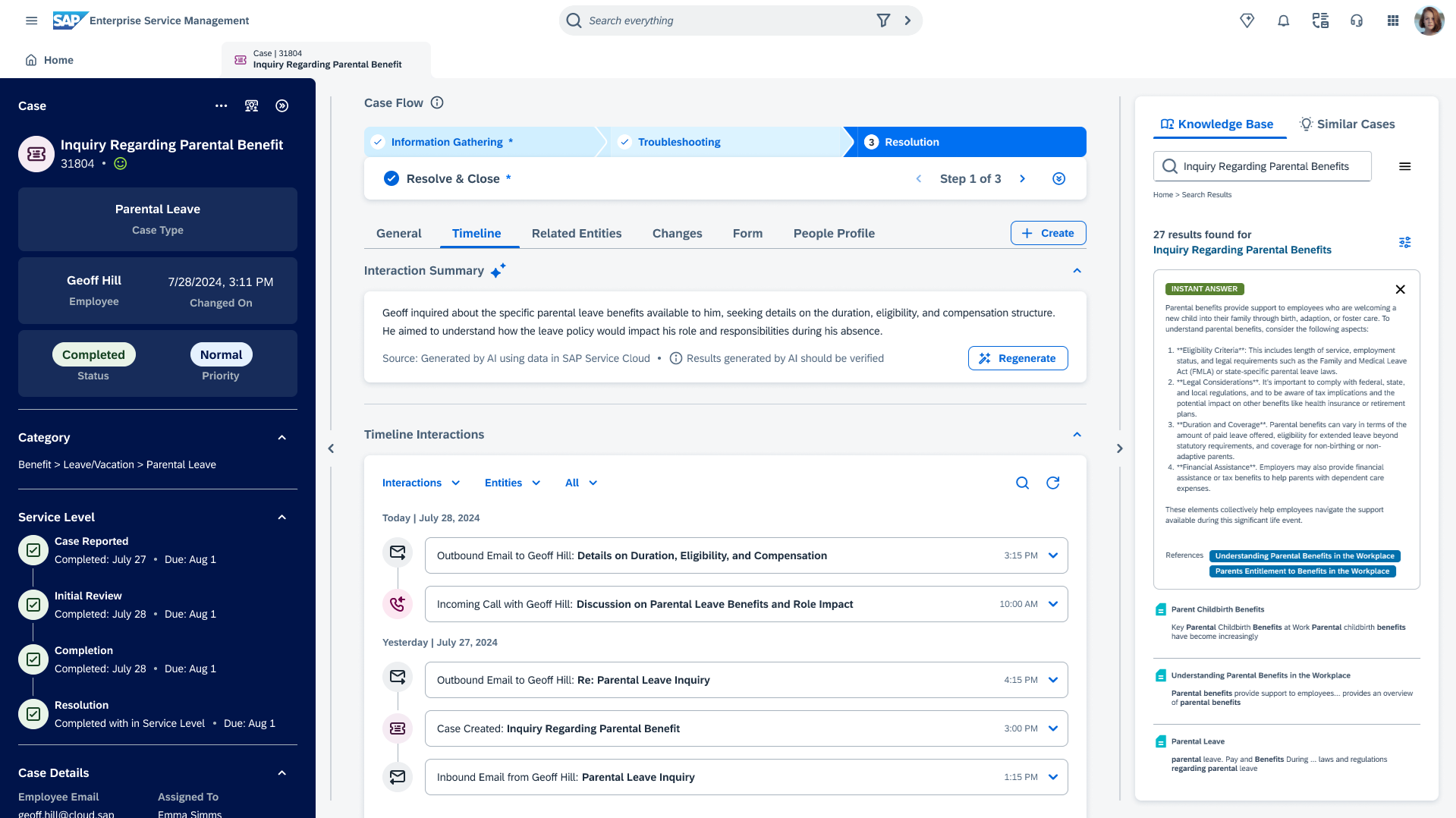
Image source: sap.com
Features:
- Comprehensive data integration across marketing, sales, commerce, and service functions.
- Built-in analytics dashboards with predictive modeling and segmentation.
- Integration with SAP S/4HANA and other ERP systems for end-to-end visibility.
- Scalable cloud architecture supporting high data volume and global operations.
Pros:
- Deep enterprise-level analytics and automation capabilities.
- Unified data layer across all SAP business applications.
- Strong customization and scalability for large organizations.
- Advanced tools for journey mapping and behavioral analysis.
Cons:
- Complex implementation requiring technical expertise.
- High total cost of ownership compared to mid-market CRMs.
- User interface can be less intuitive for non-technical users.
Pricing:
- SAP sales cloud plan: $50 per user/month (billed annually).
- SAP service cloud plan: $100 per user/month (billed annually).
- SAP customer data cloud plan: $550 per month (billed annually).
- SAP commerce cloud plan: Custom enterprise pricing.
7. Freshworks CRM (Freshsales): AI-assisted analytics for agile teams
Freshworks CRM, now branded as Freshsales, combines simplicity and intelligence to help sales teams operate more efficiently. It integrates pipeline management, automation, and AI-driven insights to deliver clear visibility into customer behavior and sales performance. As an analytical CRM tool, Freshsales focuses on deal prediction, activity tracking, and conversion analytics—making it ideal for small and mid-sized businesses seeking actionable data without complex setup. Its intuitive interface and built-in automation make it especially valuable for fast-moving teams.
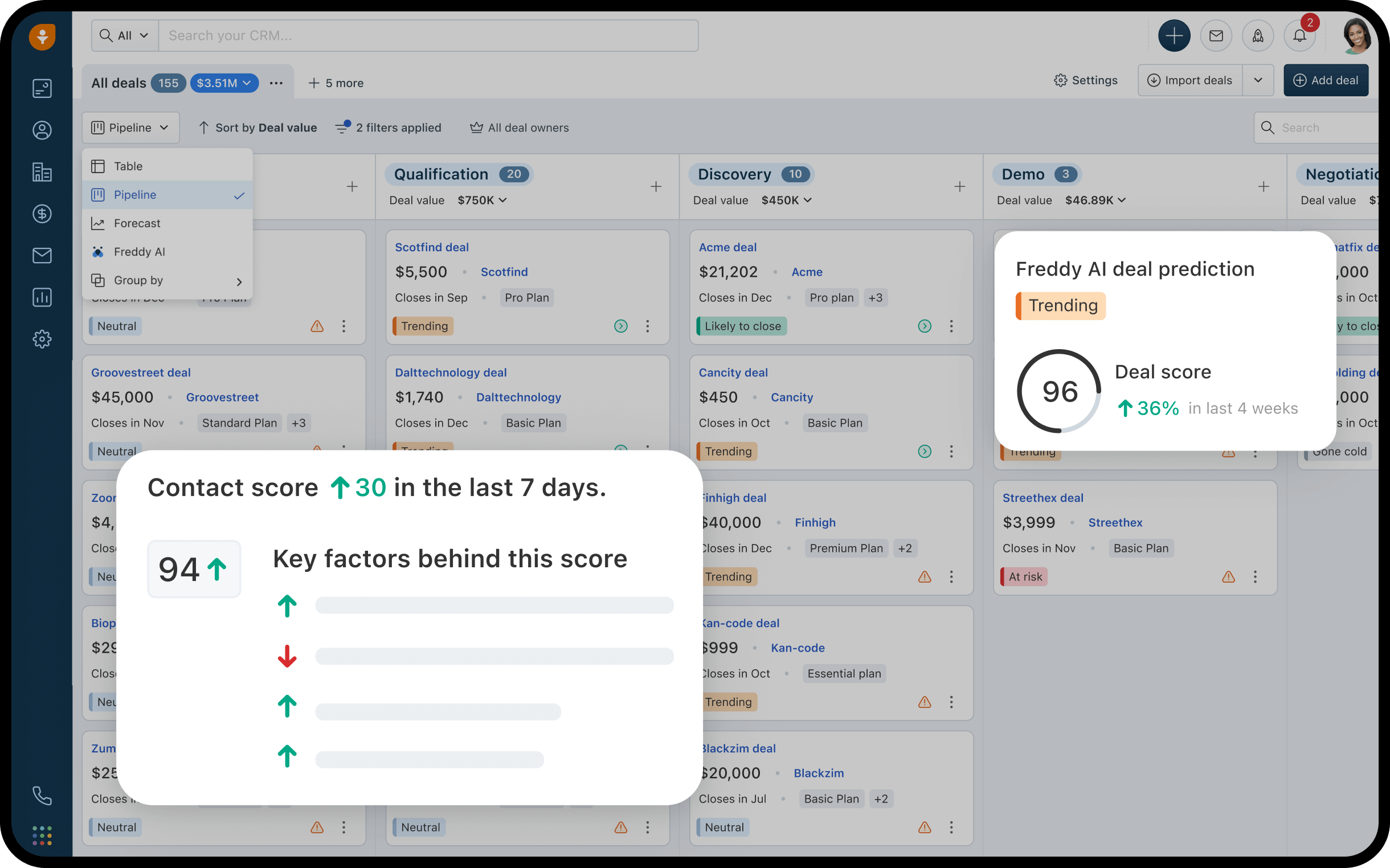
Image source: freshsales.com
Features:
- AI-based lead scoring and deal prediction powered by Freddy AI.
- Customizable dashboards and visual reports for real-time performance tracking.
- Pipeline and activity analytics to monitor team productivity.
- Email, phone, and chat integration for unified communication insights.
Pros:
- User-friendly interface with minimal setup required.
- Built-in AI tools simplify data-driven decision-making.
- Affordable pricing for small and growing teams.
- Strong automation and pipeline visibility.
Cons:
- Limited customization for enterprise-level analytics.
- Some integrations require higher-tier plans.
- Mobile experience can be inconsistent for analytics-heavy workflows.
Pricing:
- Growth plan: $15 per user/month (billed annually).
- Pro plan: $39 per user/month (billed annually).
- Enterprise plan: $69 per user/month (billed annually).
8. SugarCRM: Predictive analytics and open-platform flexibility
SugarCRM combines strong customization capabilities with advanced predictive analytics through its AI engine, SugarPredict. Designed for mid-sized to large enterprises, it transforms CRM data into forecasts, retention models, and deal success predictions. Its analytical CRM system provides deep insights into customer health, revenue opportunities, and marketing performance, helping teams act proactively rather than reactively. As an open platform, it allows significant flexibility in integration, data modeling, and workflow design.
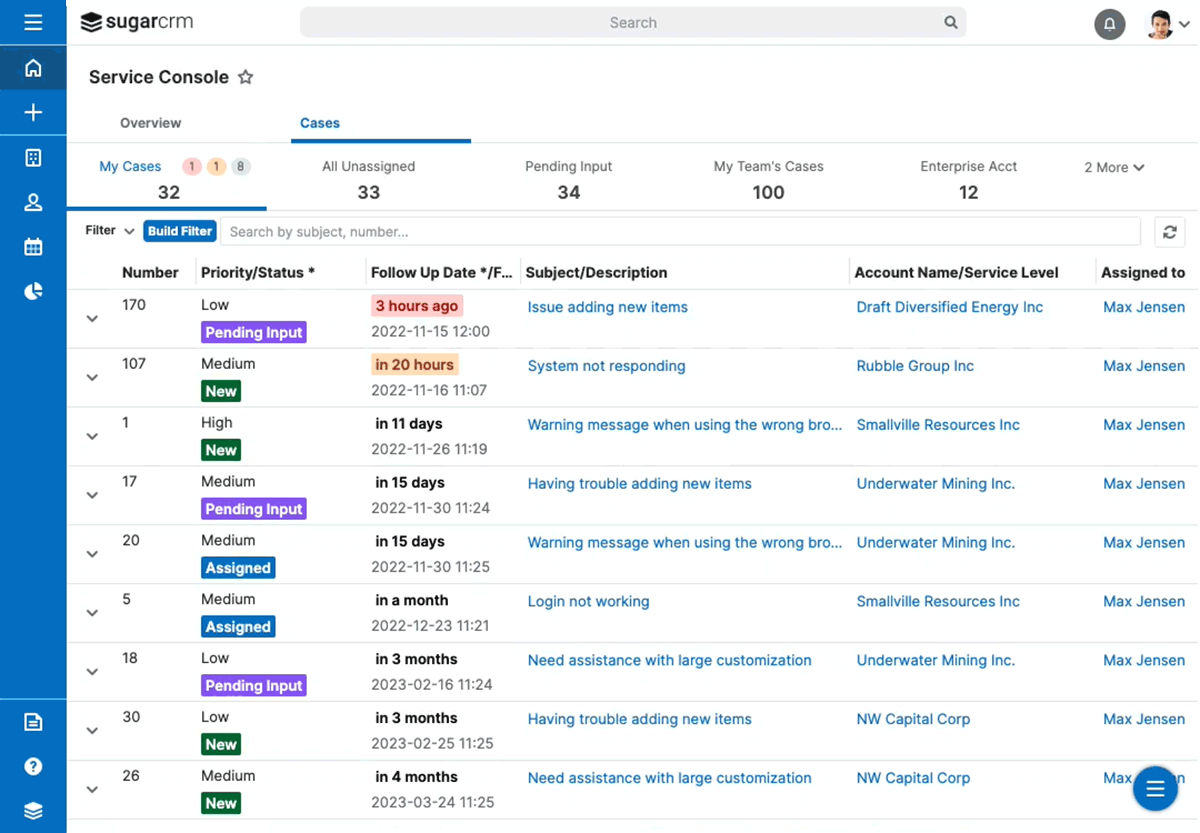
Image source: sugarcrm.com
Features:
- Custom reporting, dashboards, and analytics modules for all CRM functions.
- Open API framework for integration with third-party analytics or ERP systems.
- Role-based access, workflow automation, and audit tracking for compliance.
- Cloud or on-premise deployment options for flexible data management.
Pros:
- Highly customizable and suitable for complex business processes.
- Strong predictive analytics capabilities through SugarPredict.
- Open architecture supports integrations and scalability.
- Provides both cloud and self-hosted deployment choices.
Cons:
- Interface can feel less modern compared to newer CRMs.
- Requires technical resources for customization and integration.
- Pricing is higher than lightweight CRM alternatives.
Pricing:
- Sell plan: $49 per user/month (billed annually).
- Serve plan: $80 per user/month (billed annually).
- Enterprise plan: $85 per user/month (billed annually).
- Market plan: $1,000 per month (billed annually).
9. Pipedrive: Visual sales analytics for deal-driven SMBs
Pipedrive is a CRM designed around sales pipeline visibility, and its Insights module adds analytical depth for forecasting, goal tracking, and performance evaluation. Focused on simplicity and visualization, it helps teams understand conversion patterns, deal velocity, and revenue trends at a glance. As an analytical CRM, Pipedrive Insights empowers sales leaders to identify bottlenecks, optimize outreach strategies, and improve overall sales productivity through clean, customizable dashboards. It's especially suitable for SMBs seeking quick insights without extensive data setup.
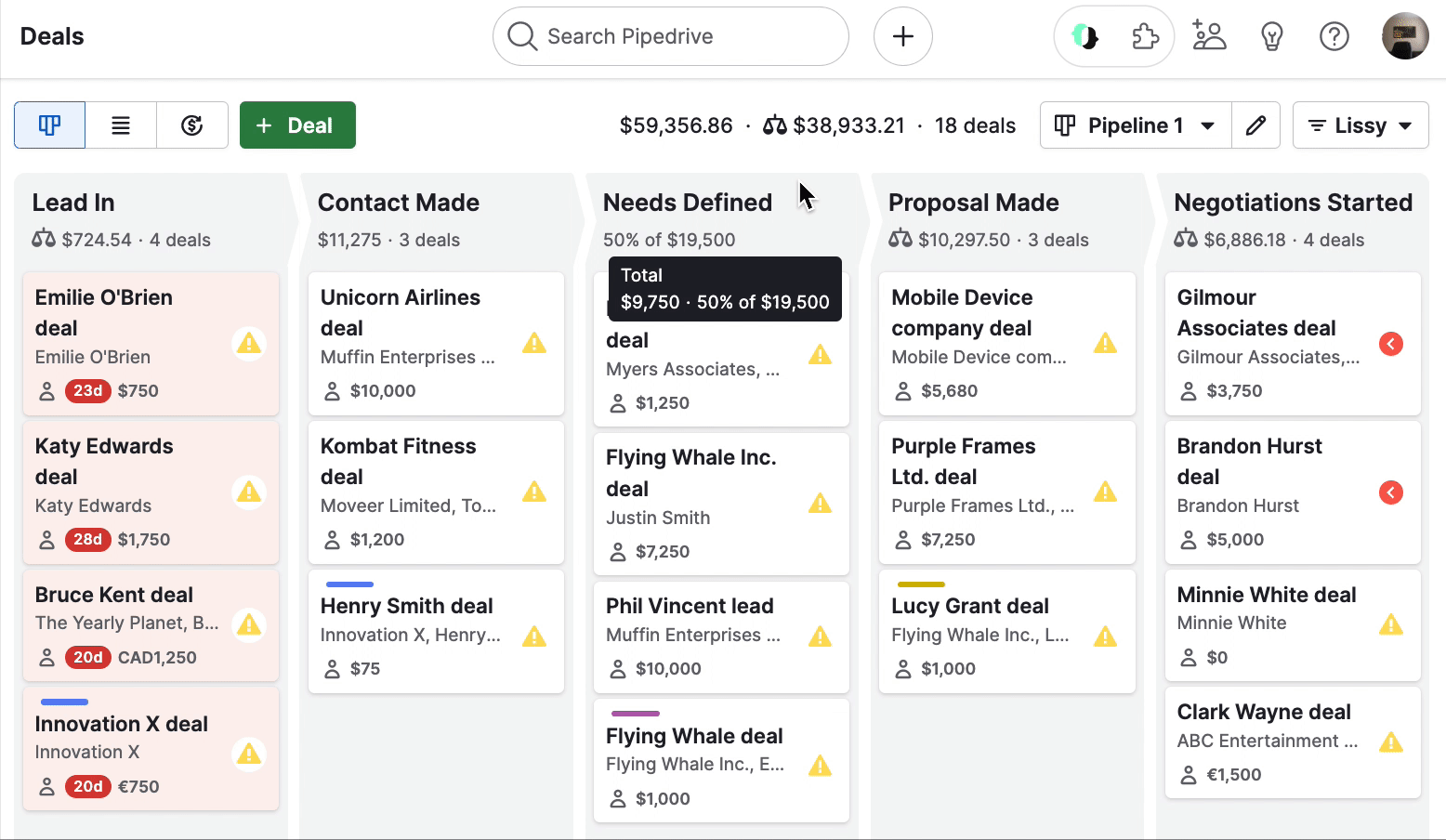
Image source: pipedrive.com
Features:
- Visual dashboards for sales metrics, activity tracking, and deal conversion.
- Filters and segmentations to track deal sources, stages, and durations.
- Goal-setting tools with automatic progress tracking and notifications.
- Integrations with Google Data Studio, Power BI, and other analytics tools.
Pros:
- Extremely intuitive and visually rich dashboards.
- Quick setup with minimal learning curve for sales teams.
- Affordable and ideal for growing SMBs.
- Strong third-party integrations for extended analytics.
Cons:
- Limited marketing and customer success analytics.
- Forecasting less advanced compared to enterprise CRMs.
- Requires external tools for deeper cross-department insights.
Pricing:
- Essential plan: $14 per user/month (billed annually).
- Advanced plan: $29 per user/month (billed annually).
- Professional plan: $49 per user/month (billed annually).
- Power plan: $64 per user/month (billed annually).
- Enterprise plan: $99 per user/month (billed annually).
10. Insightly CRM: Built-in analytics with project and relationship tracking
Insightly CRM stands out for combining customer relationship management with project execution and marketing analytics in one ecosystem. It offers a clear analytical layer that connects leads, opportunities, and delivery data, giving businesses a full view of the customer journey. Its Advanced Analytics and Insightly BI modules use Microsoft Power BI to deliver customizable dashboards, pipeline forecasts, and customer health tracking. For growing businesses looking to align sales insights with post-sale execution, Insightly provides an adaptable and data-centric solution.
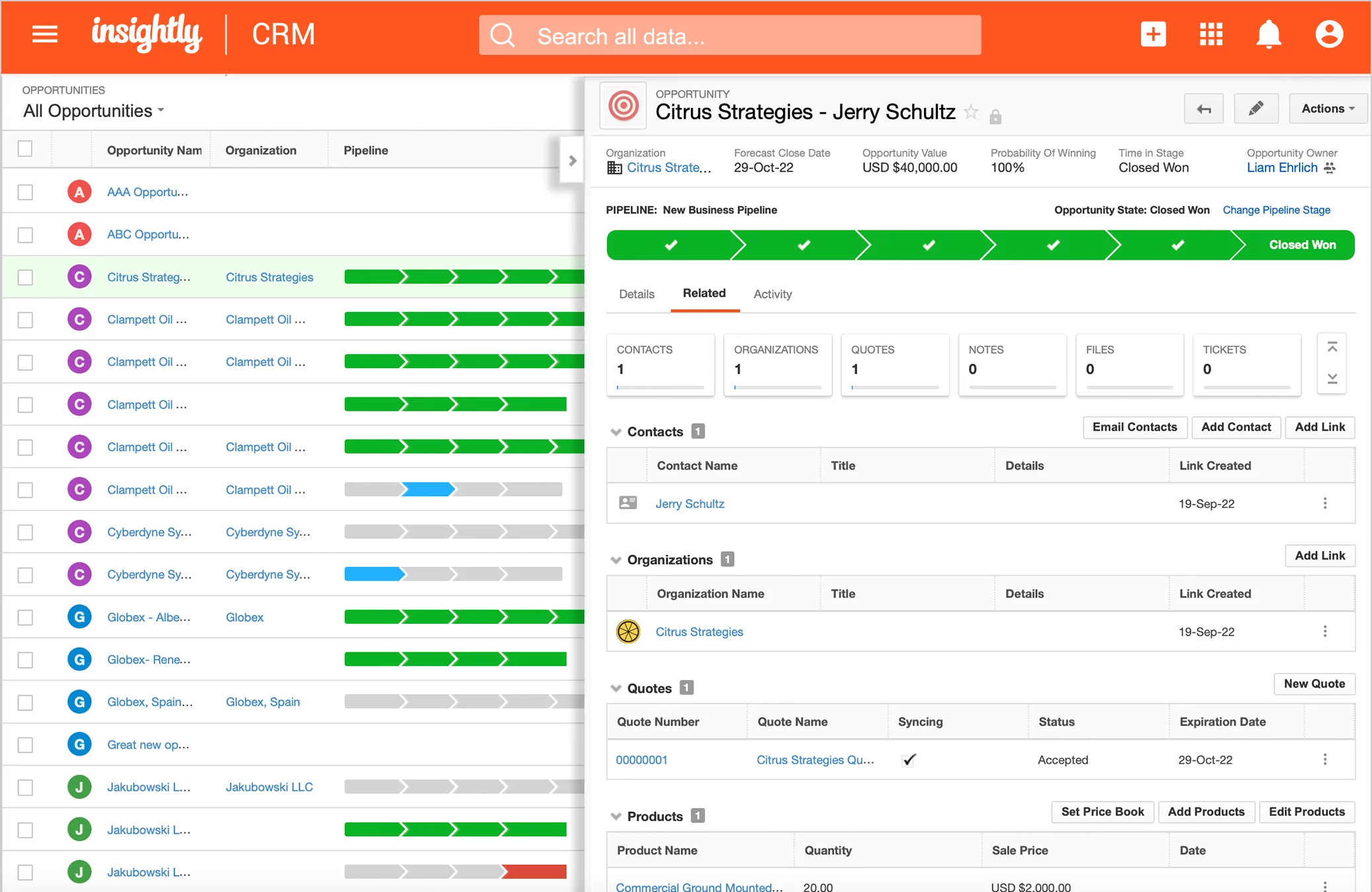
Image source: insightly.com
Features:
- Unified view of sales, marketing, and project data in one dashboard.
- Custom Power BI-based analytics with drag-and-drop visualization tools.
- Lead scoring, opportunity forecasting, and campaign performance metrics.
- Integration with G Suite, Microsoft 365, Slack, and Mailchimp for data sync.
Pros:
- Combines CRM and project management analytics in a single platform.
- Highly customizable dashboards and reports via Power BI.
- Intuitive interface suitable for cross-functional teams.
- Scalable for both SMBs and mid-market organizations.
Cons:
- Advanced analytics require integration setup with Power BI.
- Mobile analytics experience is limited compared to desktop.
- Some automation functions are locked behind higher plans.
Pricing:
- Plus plan: $29 per user/month (billed annually).
- Professional plan: $49 per user/month (billed annually).
- Enterprise plan: $99 per user/month (billed annually).
How analytical CRM powers smarter decisions
Analytical CRM systems transform customer data into meaningful intelligence that guides everyday business decisions. By merging data analytics with automation, these platforms help organizations predict outcomes and allocate resources more effectively. Analytical CRM software enables each department to make faster, evidence-based choices that improve performance. From sales forecasting to marketing optimization and customer retention, analytical CRM tools play a central role in smarter, insight-led strategies.
- Sales: Analytical CRM systems analyze pipeline trends and past deal performance to improve forecast precision. With scoring models and trend visualization, teams can identify which leads are most likely to close. This ensures better prioritization, helping sales managers allocate time and effort where it drives the highest impact.
- Marketing: Analytical CRM software enables marketers to segment audiences and tailor campaigns using behavioral and demographic insights. By evaluating engagement patterns and conversion rates, teams can fine-tune messaging and offers. The result is a more targeted approach that increases both ROI and customer satisfaction.
- Customer Success: Analytical CRM tools apply predictive analytics to identify customers at risk of churn and those with growth potential. By forecasting service demand, teams can balance workloads and improve responsiveness. These insights help create proactive support strategies that strengthen long-term relationships and retention.
Common pitfalls and smarter ways around them
Even the most sophisticated analytical CRM systems can fail if the data strategy behind them isn't clear. Many organizations collect vast amounts of data but struggle to turn it into meaningful action. Common pitfalls—ranging from excessive data collection to lack of ownership—can prevent teams from realizing the full value of analytics. Recognizing these issues early and setting up collaborative processes helps transform insight into consistent, measurable results.
- Over-collecting, under-using: When teams gather data from every source without defining goals, they risk data paralysis—drowning in numbers but lacking clarity. Analytical CRMs should focus on quality and context rather than volume. The key is building structured dashboards aligned with KPIs to ensure insights drive decisions. Lark helps avoid this by centralizing shared data views and maintaining real-time visibility across teams, so data becomes actionable instead of overwhelming.
- Dashboards without decisions: It's easy to get caught up in beautiful dashboards that look impressive but don't change behavior. Vanity analytics can mislead organizations into thinking progress is being made when no action follows. The solution lies in connecting dashboards directly to decision-making processes and accountability loops. Lark supports this by enabling live updates, goal tracking, and shared workspaces—making insights dynamic and decision-oriented rather than static visuals.
- No ownership of insight: Often, insights remain trapped in reports without clear responsibility for execution. When data analysts and operational teams operate in silos, valuable findings fail to convert into outcomes. Organizations need defined ownership for insights and transparent collaboration between roles. Lark naturally bridges this gap by linking analytics, communication, and task assignment in one space, ensuring accountability and follow-through on every data-driven initiative.
Conclusion
Analytical CRM transforms customer management from passive tracking into a proactive, insight-driven strategy. By centralizing customer data from multiple sources, it helps businesses identify patterns, predict behavior, and personalize engagement across the customer journey. From refining sales forecasts to improving retention, analytical CRM ensures every action is grounded in real data. The true value lies in bridging insight and execution—turning information into measurable business outcomes through collaboration and accountability.
As organizations grow in complexity, adopting an integrated workspace like Lark can help unify analytics, communication, and execution—empowering teams to make faster, smarter, and more connected decisions that drive lasting growth.
FAQs
What is the difference between operational CRM and analytical CRM?
Lark demonstrates how analytical CRM goes beyond task execution to insight generation. While operational CRM focuses on managing day-to-day activities like sales, marketing, and service automation, analytical CRM interprets the data these systems collect. It identifies trends, customer behavior, and opportunities for optimization. Together, they create a complete customer intelligence loop — action and reflection in balance.
Can small businesses use analytical CRM, or is it only for enterprises?
Analytical CRM isn't limited to large enterprises — small businesses can benefit equally from its insights. With affordable and scalable solutions now available, even startups can track engagement patterns, identify high-value customers, and personalize communication. The key is starting small, focusing on the most valuable metrics, and growing analytics depth over time.
What type of data is needed for analytical CRM to be effective?
For analytical CRM to deliver meaningful insights, it needs accurate, diverse, and up-to-date data. This includes customer demographics, purchase history, engagement records, feedback, and support interactions. Integrating these sources creates a 360-degree customer view, helping teams uncover patterns and make informed decisions with higher precision.
How do you measure success with analytical CRM?
Success with analytical CRM can be measured through tangible improvements in performance indicators such as lead conversion, customer retention, and campaign ROI. Qualitative gains — like better collaboration, faster decision-making, and improved forecasting accuracy — also matter. Regularly comparing these outcomes to your initial benchmarks ensures the CRM's value stays measurable.
How long does it take to implement an analytical CRM system?
Implementation time depends on your organization's size, data complexity, and level of customization. For small teams, setup may take a few weeks; for enterprises, full integration can span several months. A phased approach — starting with data migration, then analytics dashboards, and finally automation — helps ensure smoother adoption and better long-term results.
Related reading
Table of contents
Start using Lark today

Manage all your work in one place
Boost team efficiency by 10x
Save up to 70% on software costs
Table of contents
Start using Lark today
Manage all your work in one place
Boost team efficiency by 10x
Save up to 70% on software costs
Keep reading









2026 Lark Technologies Pte. Ltd.
Headquartered in Singapore with offices worldwide.






Explore: