Managing projects without structure quickly leads to missed deadlines, unclear ownership, and scattered communication. That's why teams of all sizes rely on an Excel project task list template to bring order, visibility, and accountability into their workflows.
Whether you're running a small marketing campaign, coordinating product development, or managing cross-functional operations, a well-built Excel task list can act as your project control center. It helps you assign tasks, track progress, manage dependencies, and ensure nothing falls through the cracks.
In this guide, you'll discover how to choose the best free templates, build your own from scratch, and understand when Excel stops being enough—and why modern tools like Lark take task management to the next level.
What is a project task list template?
A project task list template is a structured tool—often built in Excel—that helps teams organize, assign, and track all tasks required to complete a project. Many teams start with a project management task list template Excel file to quickly set up and customize their workflows. It serves as a where each task is clearly defined, including the task name, owner, start date, due date, priority, and status.
Unlike a basic to-do list, a project task list template Excel provides a more comprehensive view of the project by including dependencies between tasks, progress tracking, and timelines. This ensures that work is completed in the right sequence and nothing is overlooked.
Teams use these templates to improve accountability, , and maintain visibility across all stages of a project. While Excel templates are a practical starting point, many teams eventually move to tools like Lark for real-time updates, automation, and seamless cross-team collaboration.
Key columns that Excel project task list templates must include
A well-designed task list is the backbone of any successful project. The right structure ensures clarity, accountability, and smooth execution across teams. Whether you're using a task list template in Excel or building your own, these columns are essential for keeping work organized and on track.
- Task ID: Each task needs a unique identifier to avoid confusion during discussions and updates. It helps teams quickly reference specific tasks without relying on long descriptions. This is especially useful when managing dependencies across a large Excel template for a project task list.
- Phase or work stream: Organizing tasks by phase or work stream provides a clear view of project progress. It allows teams to track which stage each task belongs to and prioritize accordingly. This structure is a core part of any effective project task list Excel template.
- Task name: A well-defined task name ensures that the assignee understands exactly what needs to be done. It reduces back-and-forth communication and speeds up execution. Clarity at this level is essential in any project task list template, an Excel-free setup.
- Owner: Assigning a single owner creates accountability and avoids confusion about who is responsible. Teams perform better when ownership is clearly defined at the individual level. This is critical for maintaining transparency in a project management task list template in Excel.
- Start date: The start date defines when a task is expected to begin, helping teams plan workloads effectively. It ensures alignment between scheduling and resource availability. This field is a standard requirement in any Excel template for the project task list.
- Due date: The due date sets a clear deadline for task completion, helping teams stay on track. It enables better prioritization and time management across the project timeline. A reliable project task list Excel template always includes this column.
- Duration: Duration helps measure how long each task is expected to take. Using formulas ensures consistency and reduces manual calculation errors. This feature adds efficiency to any project task list template, an Excel-free structure.
- Dependency: Dependencies define the sequence of tasks and prevent workflow conflicts. They ensure that tasks are completed in the correct . This is a crucial element in a project management task list template in Excel.
Seek professional task management for your team?
6 free Excel project task list templates worth downloading
From basic task lists to advanced Gantt-based trackers, an Excel template for project task list helps teams organize their work without having to build everything from scratch. Many providers, such as Microsoft, Vertex42, and Smartsheet, offer customizable options to meet different project needs, making it easier to plan, track, and manage tasks efficiently.
Microsoft Office Project task list template: This project task list template Excel free option is ideal for teams seeking a clean, simple starting point. It includes basic columns like task name, owner, start date, and due date for straightforward tracking. However, it lacks advanced features like conditional formatting for overdue tasks.
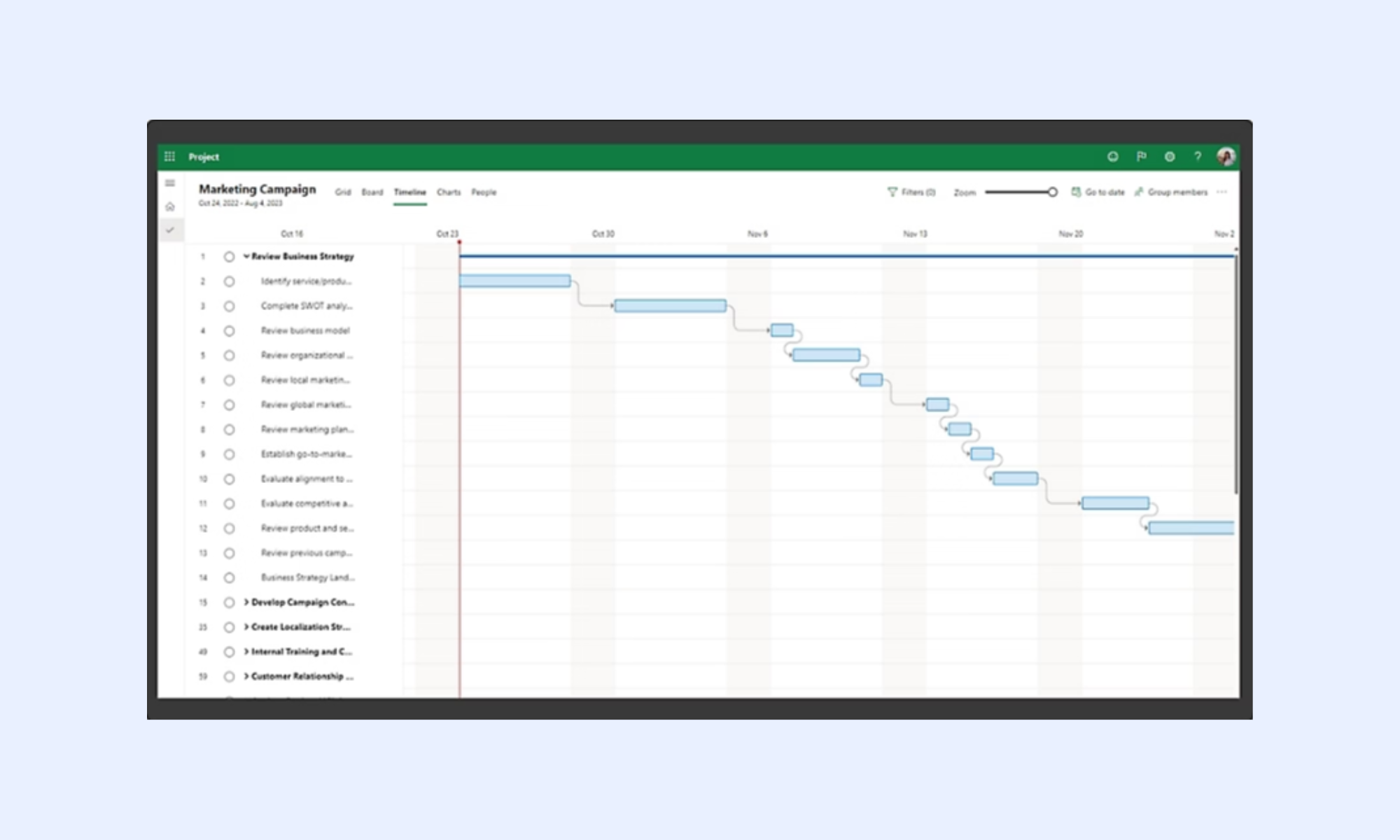
Image source: microsoft.com
Vertex42 project task list template Excel: Vertex42 offers a more structured template with built-in formulas and a simple . It helps visualize timelines without requiring manual calculations. However, it does not include dropdown-based status tracking for consistent updates.
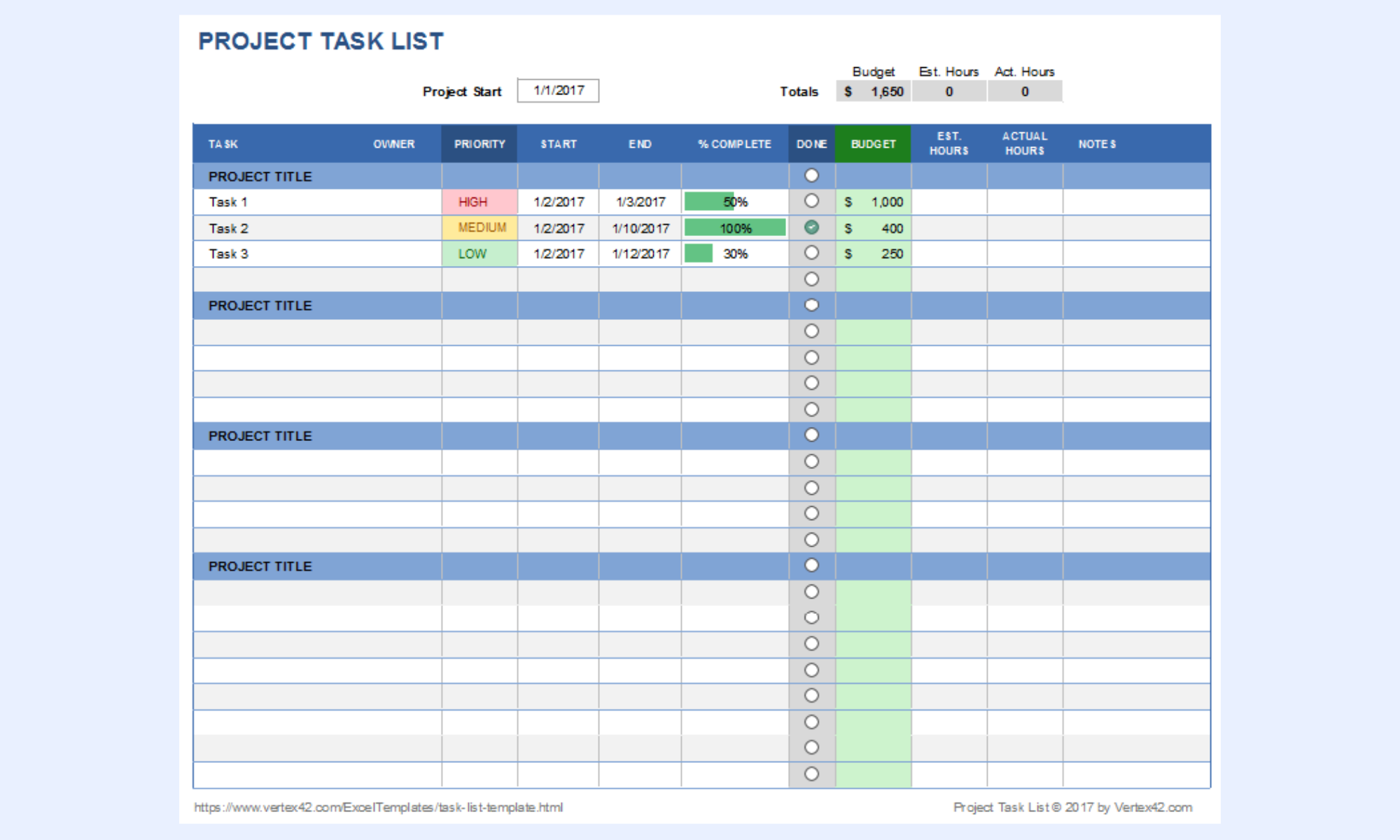
Image source: vertex42.com
ProjectManager free task list template (Excel): This template includes a comprehensive set of columns for priority, status, and task ownership. It's suitable for teams that want more control over task-level details. The downside is that it lacks a built-in Gantt chart for timeline visualization.
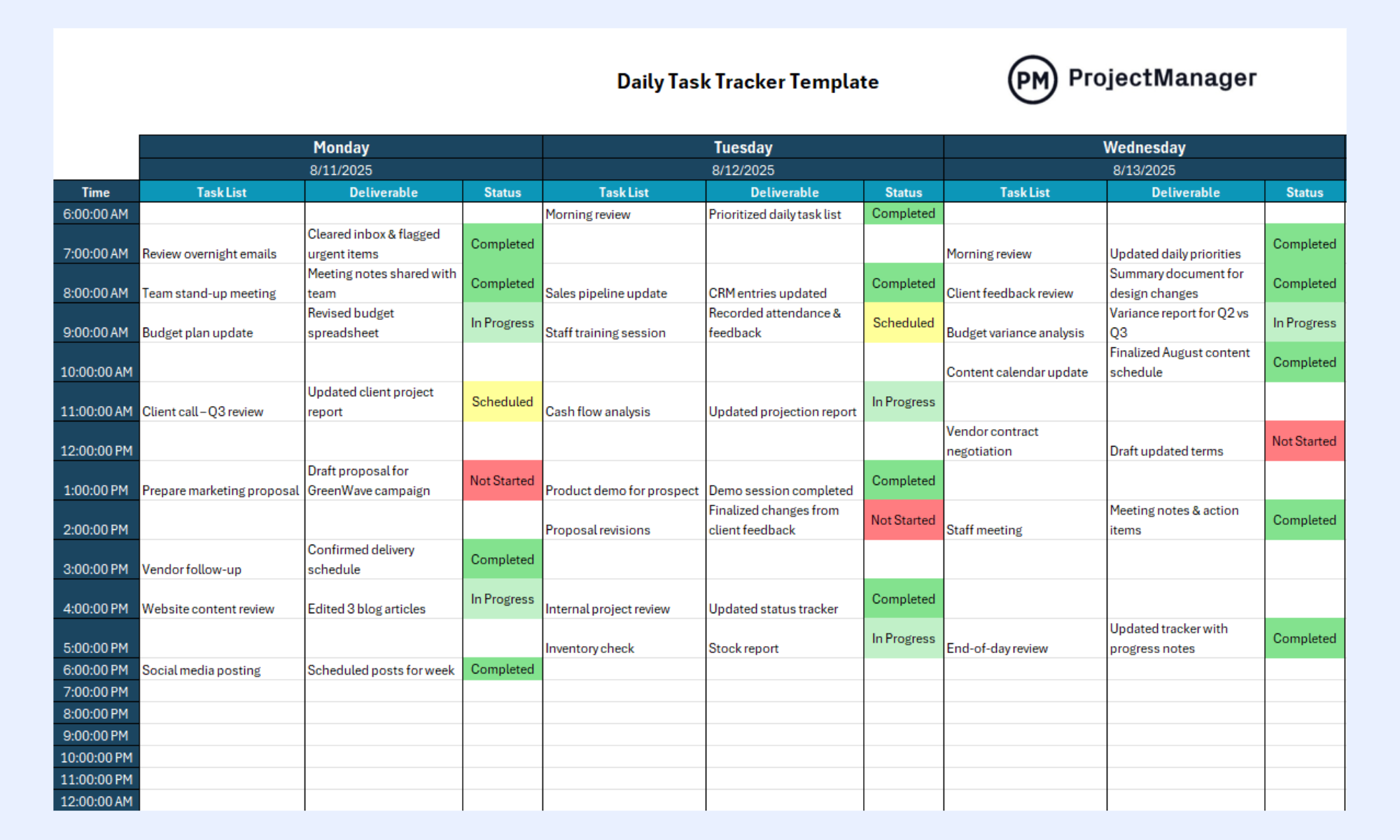
Image source: projectmanager.com
Smartsheet free project task list template Excel: Smartsheet's template is designed for scalability and includes a predecessor column for dependency tracking. It also integrates easily with Smartsheet's platform for advanced use cases. However, some features are better experienced after importing into their system.
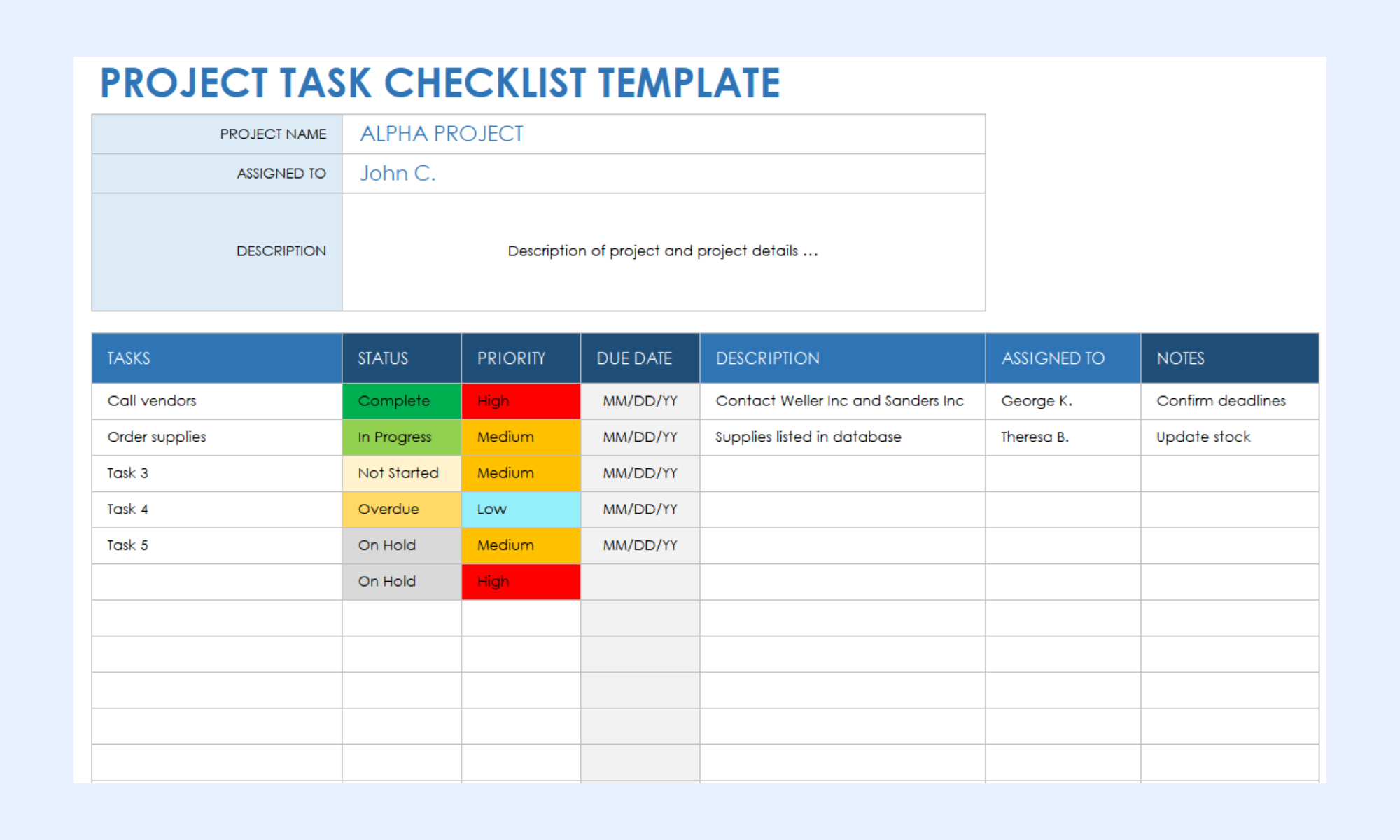
Image source: smartsheet.com
TeamGantt free Excel task list template: TeamGantt provides a visually clean template with a strong focus on timeline representation. It's great for teams that prioritize Gantt-style planning and scheduling. However, it lacks fields like status tracking and percentage completion. 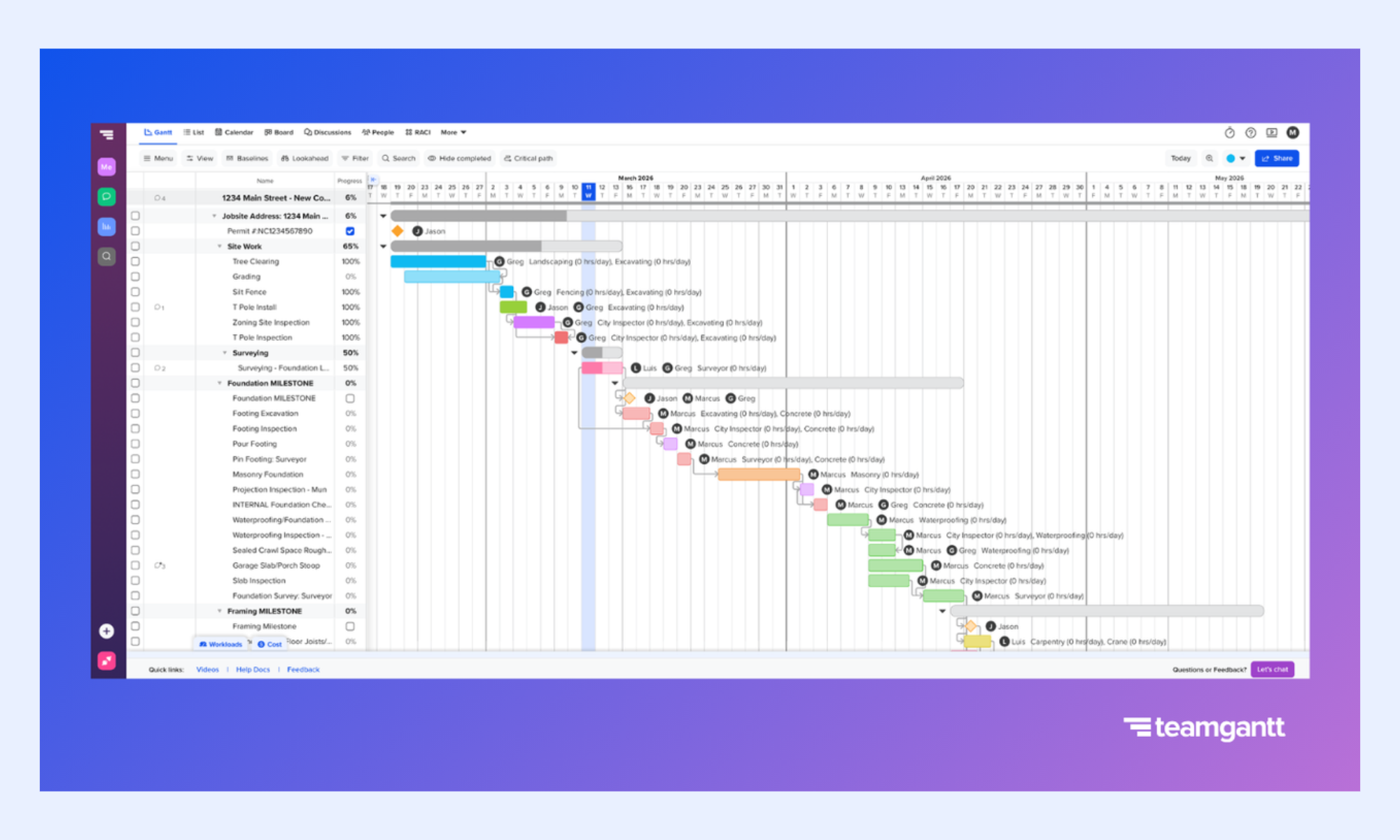
Image source: teamgantt.com
TemplateLab project task tracker Excel: TemplateLab's version uses a two-sheet structure with a built-in summary dashboard. It leverages formulas like COUNTIF to track progress across tasks. While useful for reporting, it lacks a dependency column for sequencing tasks.
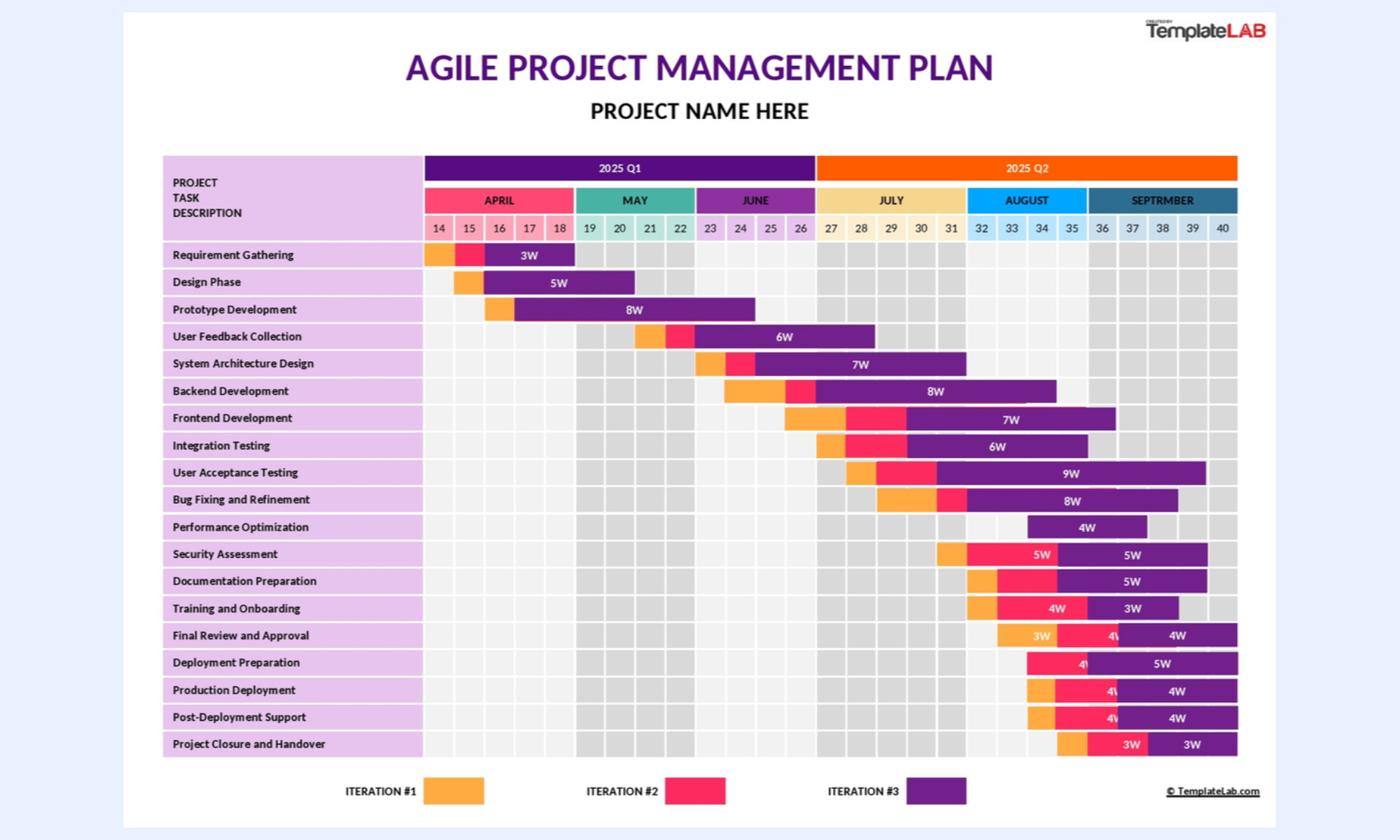
Image source: templatelab.com
Ready-to-use Lark project task list templates
These templates go beyond a traditional tracker project task list template Excel by providing a more dynamic and collaborative approach. Built on Lark Base, every task becomes a live record connected to its owner, deadline, and team. When a status is updated, a blocker is flagged, or a task is completed, the change reflects across all views instantly and triggers relevant team notifications automatically.
Task management
This template helps teams organize, assign, and track work in a structured way. It ensures that every task has clear ownership, deadlines, and visibility into progress. With Lark, this template becomes a live system where updates, collaboration, and tracking happen in real time.
Team task management
This team task management template helps coordinate work across multiple members with clear roles and shared visibility. It ensures tasks are aligned with team goals while avoiding overlap or confusion. With Lark, teams can collaborate in real time, update progress instantly, and stay fully synchronized.
Employee task tracker
This employee task tracker template helps monitor individual workloads, performance, and task progress in one place. It ensures managers have clear visibility into who is doing what and by when. With Lark, tracking becomes real-time, with instant updates, automated reminders, and better accountability.
To-do list
This template helps individuals and teams capture, organize, and prioritize daily tasks efficiently. It keeps work structured, so nothing important gets missed or delayed. With Lark, your to-do list becomes dynamic, with real-time updates, reminders, and seamless collaboration.
Priorities Kanban
This Kanban template helps teams visualize tasks based on urgency and importance. It enables quick decision-making by organizing work into clear priority lanes. With Lark, teams can drag, update, and collaborate in real time, ensuring high-impact tasks always stay on track.
Kanban board (with AI)
This AI-powered Kanban board template helps teams visualize workflows and automate task management effortlessly. It organizes tasks into stages while using AI to suggest priorities, detect delays, and optimize execution. With Lark, teams get real-time updates, smart insights, and seamless collaboration in one place.
Project tracking
This project-tracking template helps teams , timelines, and task completion throughout the project lifecycle. It provides a clear overview of what's on track, delayed, or at risk. With Lark, tracking becomes real-time, with live updates, automated alerts, and complete visibility for every stakeholder.
Multi-project tracker
This multi-project tracker template helps teams manage multiple projects simultaneously from a single, unified view. It enables better prioritization, resource allocation, and progress tracking across projects. With Lark, everything updates in real time, giving leaders instant visibility and control over all ongoing work.
Sprint planning
This template helps teams efficiently organize, prioritize, and assign tasks for each sprint cycle. It ensures clear goals, defined workloads, and alignment across the team before execution begins. With Lark, sprint plans update in real time, with seamless collaboration, tracking, and quick adjustments as priorities evolve.
Workback plan
This workback plan template helps teams plan tasks by working backward from a fixed deadline. It ensures that every milestone aligns with the final delivery date and reduces last-minute risks. With Lark, teams can adjust timelines in real time, keeping everyone aligned and on schedule.
Systematic approach: Manage tasks with clear visibility in Lark
As projects grow more complex, teams need more than static spreadsheets to stay aligned and productive. Excel task lists lack real-time updates, automation, and seamless collaboration, slowing execution. solves these challenges by combining task management, communication, and documentation into a single platform. It transforms task lists into dynamic, live systems that update instantly for every team member. With built-in automation, like Kanban and Gantt, and integrated messaging, Lark eliminates the gaps that Excel cannot bridge.
Unified Tasks management tool
Lark Tasks is a unified management tool that enables teams to organize complex projects into actionable steps through sub-tasks, recurring rules, and custom fields. While it emphasizes simplicity, its Gantt Chart view provides the advanced logic needed for complex projects, specifically supporting analysis. Integrating directly with ensures real-time alignment among owners, subscribers, and external collaborators. 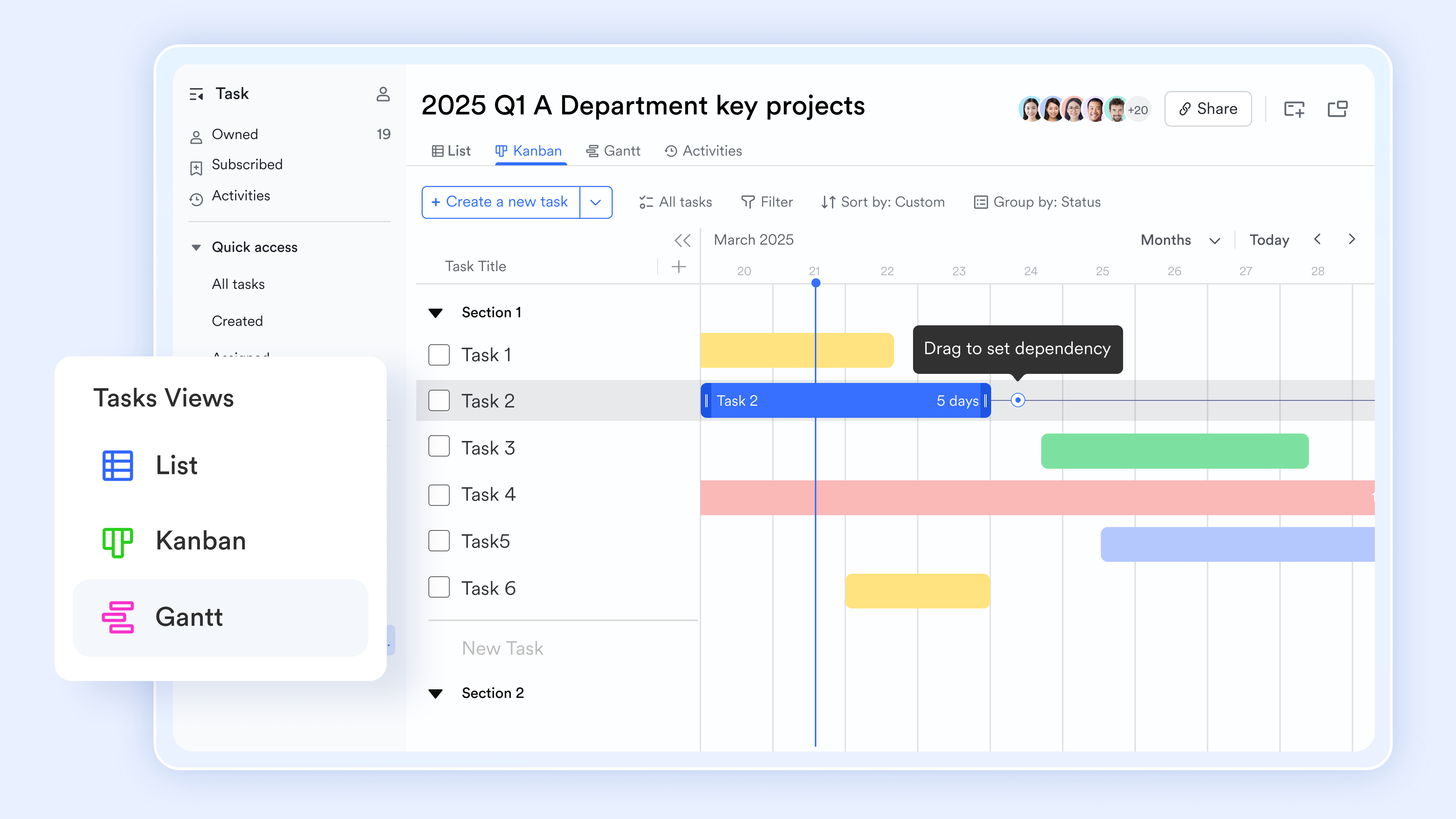
A live task list that every team member updates directly
stores the project task list in a with single-select status fields with conditional coloring, date fields for start and due dates, formula fields that auto-calculate duration and days overdue, member fields for owner assignment, number fields for completion percentage, and link fields that connect dependent task records. Every field update reflects instantly across all users simultaneously, with a full change history stored automatically.
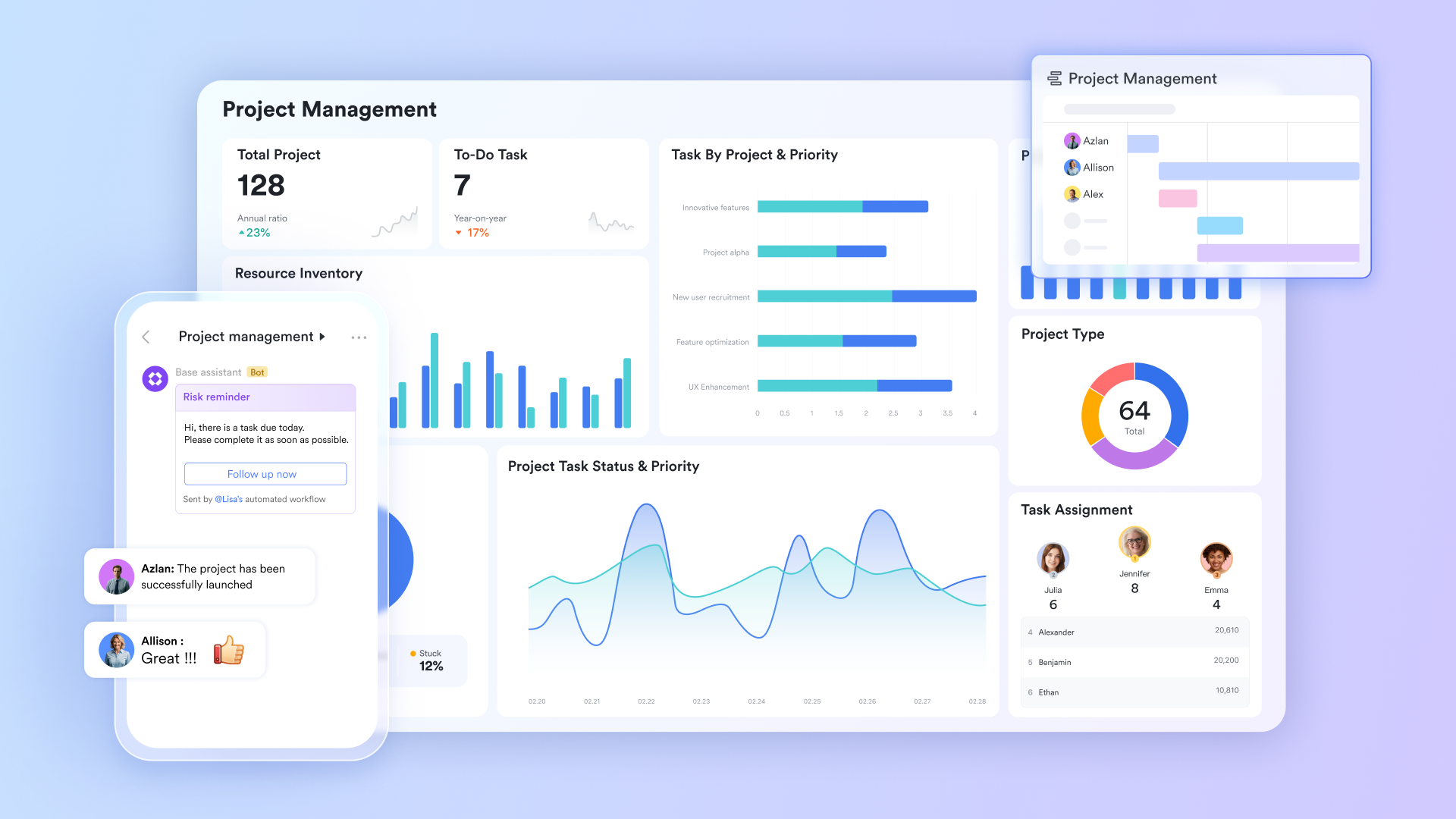
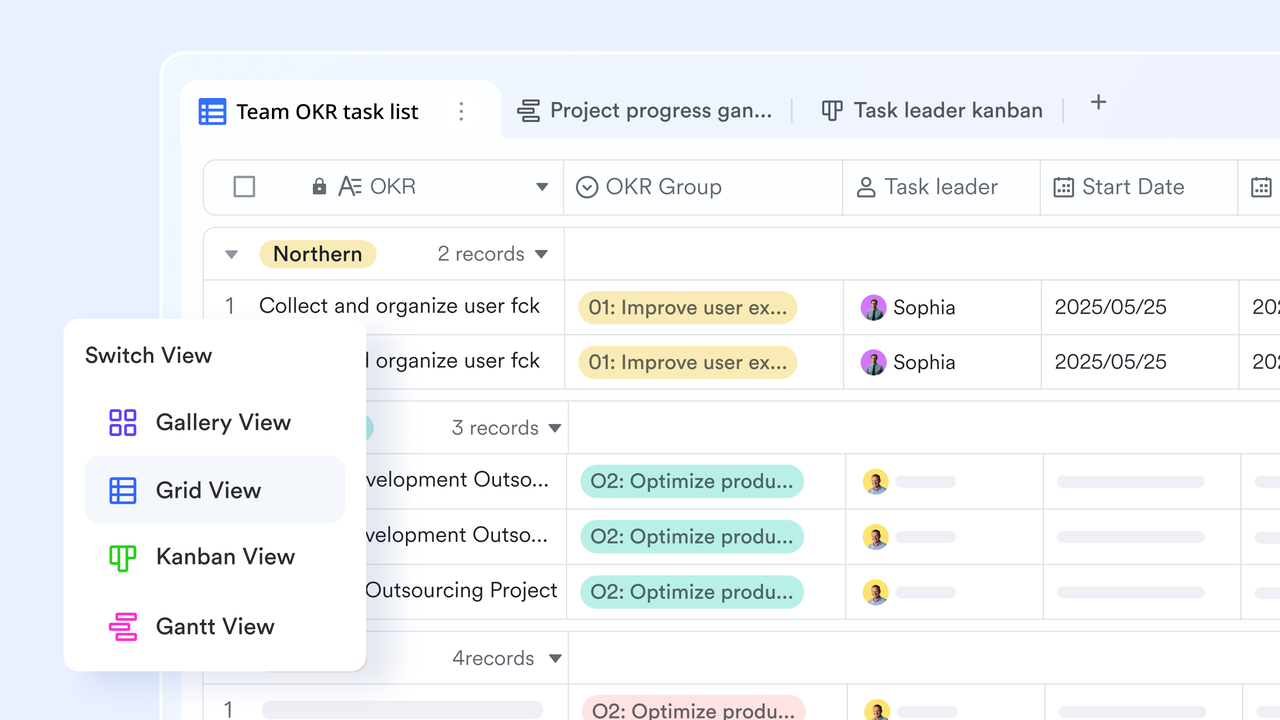
Task list, Kanban, Gantt, and dashboard from one dataset
The same task table renders in four formats without duplicating data. Grid view gives the PM a complete, filterable task list. Kanban views group tasks by status field, so team members drag cards across columns as work progresses. While the supports live bar, column, and radar charts showing task completion rate by owner, overdue task count by priority, and phase-level progress.
Overdue and blocked task alerts without manual checking
Lark Base automation configures trigger-action rules, replacing the passive conditional formatting approach. When a task due date passes without a Complete status, the automation sends a Lark Messenger notification to the task owner with the task name, due date, and a direct record link. When a dependent task is marked complete, the next task from Not Started to In Progress and notifies the incoming owner. 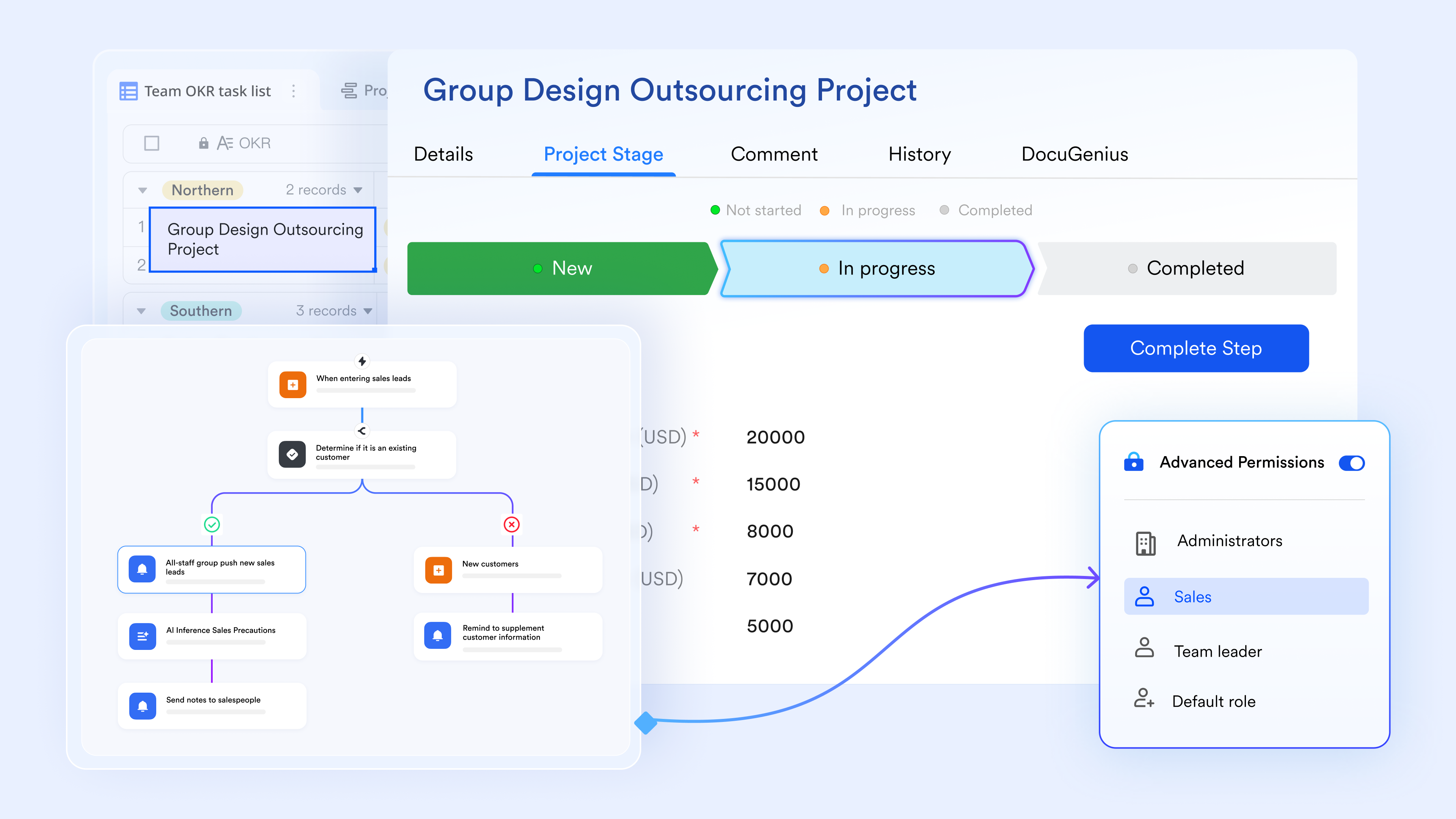
:
- Starter plan: Free forever plan that includes 11 powerful tools for up to 20 users. It also comes with 100GB of storage, 1000 automation runs, AI translations, and more.
- Pro plan: $12/user/month (billed annually) for up to 500 users. It includes everything in Starter plus group calling for up to 500 attendees, 15TB of storage, 50,000 automation runs, and more.
- Enterprise plan: for custom pricing. Supports unlimited users and includes additional automation runs, as well as advanced security, compliance, and management features.
For small teams with simple communication needs

18 months message history
1000 Base automation runs/month
2000 rows per table in Base
Most POPULAR
For companies with comprehensive collaboration and management needs
Unlimited message history
500-participant video meetings
50k Base automation runs/month
20k rows per table in Base
For large companies with advanced security and organizational management needs
Get a personalized demo and pricing
Unlimited message history
500-participant video meetings
15 TB storage + 30 GB storage/user
500k Base automation runs/month
50k Base automation runs/month
Most POPULAR
For companies with comprehensive collaboration and management needs
Unlimited message history
500-participant video meetings
50k Base automation runs/month
20k rows per table in Base
Conclusion
An effective Excel project task list template can bring structure, clarity, and accountability to your projects, especially in the early stages. Organizing tasks, , and tracking progress help teams stay aligned and focused on delivery. However, as projects grow in complexity, Excel's limitations—such as a lack of real-time collaboration, automation, and dependency tracking—begin to slow teams down.
That's where stands out. It transforms static task lists into dynamic, collaborative systems where every update happens instantly, every task is connected, and every stakeholder stays informed. With features like automation, multiple views, and integrated communication, Lark enables teams to move faster and work smarter.
If you're ready to go beyond spreadsheets and streamline your project execution, now is the time to make the switch. Start using Lark today and experience a more efficient, real-time way to manage your projects.
Optimize your team's tasks and workflows with Lark
FAQs
What is the difference between a task list and a project plan?
A task list focuses on individual activities, assignments, and deadlines within a project. A project plan is broader, covering goals, timelines, resources, and overall strategy. Tools like Lark combine both, turning a simple Excel template project task list into a complete system.
What columns should a project task list template include?
A strong template should include the task ID, name, owner, start and due dates, priority, status, and dependencies. These fields ensure clarity, accountability, and proper sequencing of work. With Lark, these columns become dynamic fields that update in real time, unlike a static tracker project task list template in Excel.
Can Excel automatically update task dependencies?
Excel can record dependencies, but cannot dynamically update tasks when timelines shift. Any change requires manual adjustments, which increases the risk of errors. Lark automates dependency tracking, ensuring updates flow instantly across all related tasks.
When should teams stop using Excel for task management?
Teams should move beyond Excel when projects involve multiple collaborators, frequent updates, or complex dependencies. Version conflicts and a lack of automation start slowing progress significantly. Lark provides and automation that Excel simply cannot match.
What is the best alternative to an Excel project task list template?
The best alternative is a platform that combines task tracking, communication, and automation in one place. It should support real-time updates, multiple views, and seamless collaboration. Lark stands out as a powerful solution that replaces static spreadsheets with a fully connected workflow system.
Related reading



















