














Process Flow Guide: How to Improve Work Efficiency

Ryan Tanner
Product Marketing Specialist
Sep 18, 2026
Ryan Tanner
Sep 18, 2026

13 min read


Every efficient team relies on a well-designed process flow. Whether you're managing procurement approvals, employee onboarding, or manufacturing operations, a clear process flow ensures every task moves smoothly from start to finish. A process flow visualizes how work gets done—mapping steps, decisions, and responsibilities into a logical sequence. This not only prevents confusion but also makes inefficiencies visible. From simple process flow charts to more complex business process flow diagrams, these tools help teams stay aligned and accountable.
In this guide, we'll explore what process flow means, its types and symbols, why it matters for modern organizations, and how Lark transforms traditional flowcharts into dynamic, automated workflows that actually drive execution.

What is a process flow?
A process flow is a visual representation of the steps involved in completing a specific business activity or workflow. It outlines each action, decision, input, and output in a sequence, helping teams understand what happens, who's responsible, and when things should occur. Unlike a checklist, a process flow captures dependencies and decision paths—showing not just what to do, but how tasks connect.
A good process flow helps teams:
- Eliminate redundant steps and delays
- Clarify responsibilities and ownership
- Streamline decision-making
- Identify automation opportunities
For instance, in a warehouse management system process flow, tasks like stock verification, order picking, and shipment tracking are mapped clearly so no step is missed. Similarly, an accounts payable process flow ensures invoices move efficiently from receipt to payment approval. A well-designed process flow becomes a blueprint for efficiency—ensuring consistent execution at scale.
Types of process flow
Different types of process flow tools help visualize how work moves across teams, systems, and decisions. Choosing the right one ensures that tasks, data, and responsibilities stay aligned from start to finish.
- Process flow chart: A process flow chart visually breaks down a task or workflow into sequential steps. It's ideal for routine processes like onboarding, approvals, or purchase requests. Teams use it to identify dependencies, eliminate bottlenecks, and maintain consistency across recurring operations.
- Process flow diagram: A process flow diagram (PFD) focuses on how systems, data, or materials flow within a process. It's widely used in industries like manufacturing, IT, and engineering to map relationships between inputs and outputs. Visualizing system interactions helps uncover inefficiencies and improve overall process performance.
- Business process flow: A business process flow connects multiple departments or systems into a single, structured path. It's best suited for complex workflows such as procure-to-pay, order-to-cash, or customer onboarding. This type ensures clear accountability, seamless handoffs, and enterprise-level efficiency across functions.
- Process flow map: A process flow map clarifies who does what at each stage of a workflow. It's commonly used in cross-functional or service-based teams to visualize ownership and collaboration. By mapping handoffs, teams prevent confusion and ensure every stakeholder knows their responsibility.
Every industry has unique process flow examples that streamline operations. For example, a procure-to-pay process flow aligns purchasing with finance, while claims processing process flows in insurance ensure faster resolutions. From HR onboarding to manufacturing quality checks, visual workflows drive consistency and speed.
Process flow best practices for scaling teams
Creating a process flow is just the first step—maintaining and improving it as your team grows is where real efficiency happens. Creating a process flow is just the first step—maintaining and improving it as your team grows is where real efficiency happens. These best practices, often managed through an LMS for corporate training, help teams scale operations without losing clarity or control.
- Start with outcomes, not tasks: Before mapping any workflow, define the result you want to achieve. Focusing on outcomes ensures your process flow chart aligns with business goals rather than just documenting activity. It helps teams prioritize impact over busywork.
- Assign clarity: who owns what + when: Every step in a process flow should have a clear owner and timeline. Defining responsibilities avoids confusion during handoffs and keeps work moving smoothly, especially across departments or regions.
- Review KPIs weekly (SLAs, throughput, bottlenecks): Regularly analyzing process flow metrics—like SLA adherence or task completion time—helps identify inefficiencies. Weekly reviews keep performance transparent and ensure that small issues don't grow into larger delays.
- Automate any step that slows execution: Automation tools like Lark Base can handle repetitive actions, approvals, or notifications in your business process flow. By removing manual bottlenecks, teams free up time for strategic tasks that need human judgment.
- Keep documentation close to the work: Store guides, SOPs, and checklists directly within your workflow platform, such as Lark Wiki. When documentation lives beside the actual process flow, teams can execute accurately without searching for external files or outdated PDFs.
Build your flow: Use Lark to bring process flow to life
A well-designed process flow only works when it turns into real, trackable action. That's where Lark transforms static charts into living, automated workflows. Instead of disconnected spreadsheets or flowcharts, every task, approval, and document connects in one unified workspace. Lark's ecosystem ensures your business process flow runs smoothly—driven by automation, visibility, and accountability.
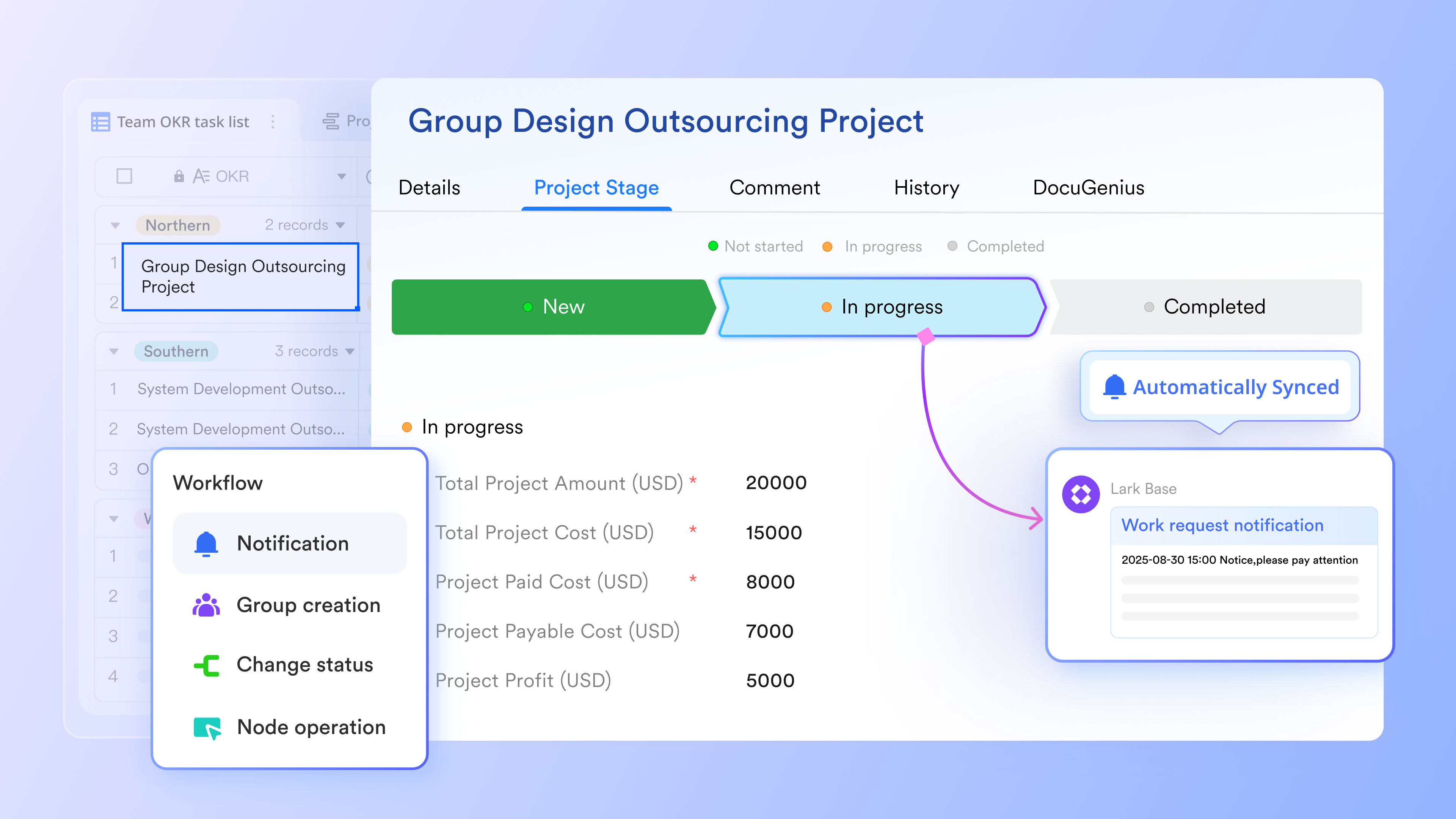
Lark Base: Build and automate workflows that move forward on their own
Lark Base acts as the operational command center where every workflow step is represented as a live record. You can use the Gantt view to check where the process hiccups and take action. With automation built into Base, routine handoffs happen instantly when conditions are met, such as status updates, a notification sent, approvals completed, tasks completed, or deadlines approaching. Alerts notify the right people when something needs attention, so teams fix issues before they become delayed.
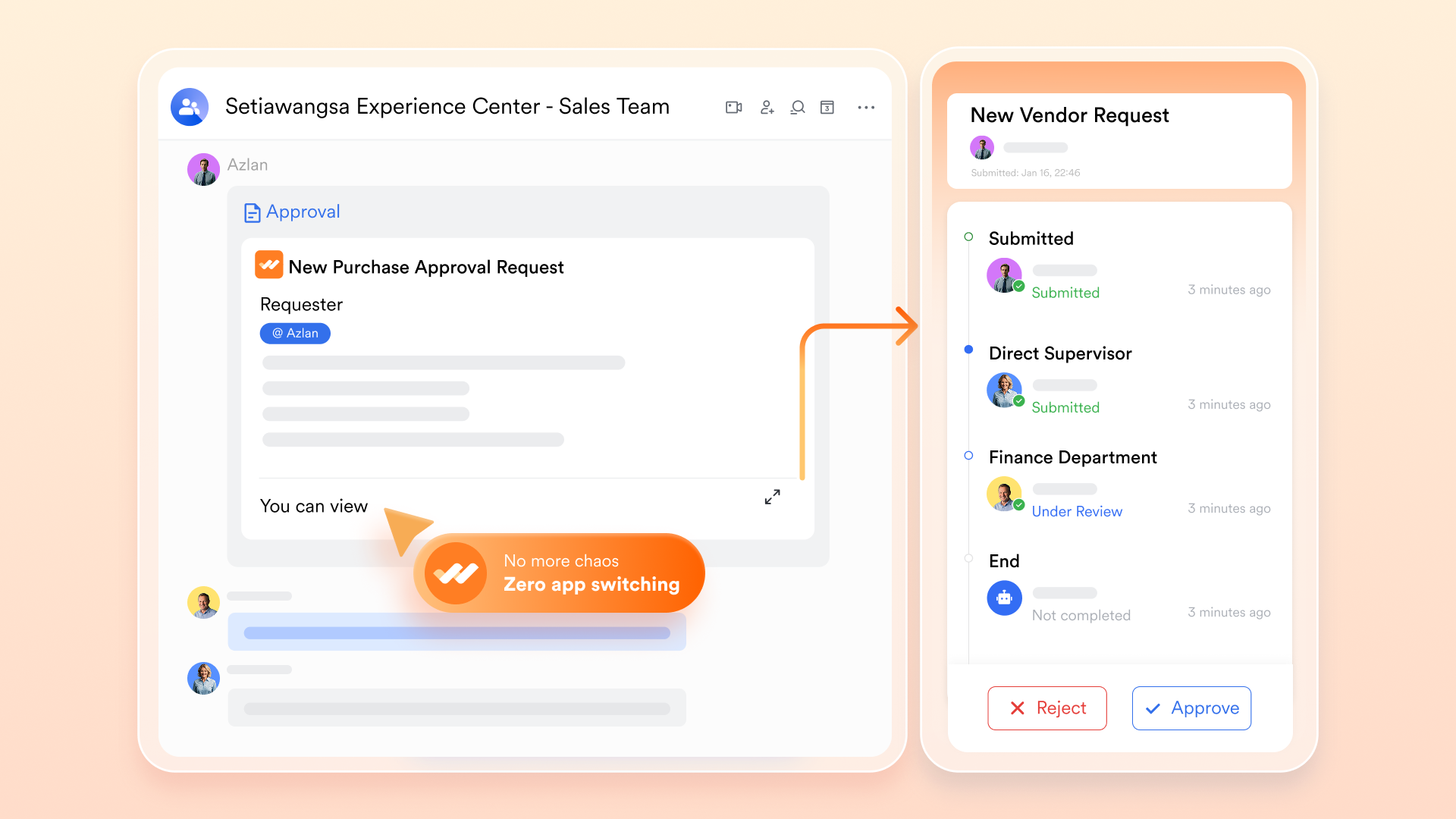
Lark Approval: Decision checkpoints that don't slow the process
Many processes break down at approval stages, where email chains stall and responsibility is unclear. Lark Approval keeps decisions moving by routing requests instantly to the right reviewers with timestamps and visibility for all stakeholders. Whether it's a contract adjustment or budget escalation, approvals become traceable actions tied directly to workflow records in Base. The moment a decision is made, downstream steps progress automatically.
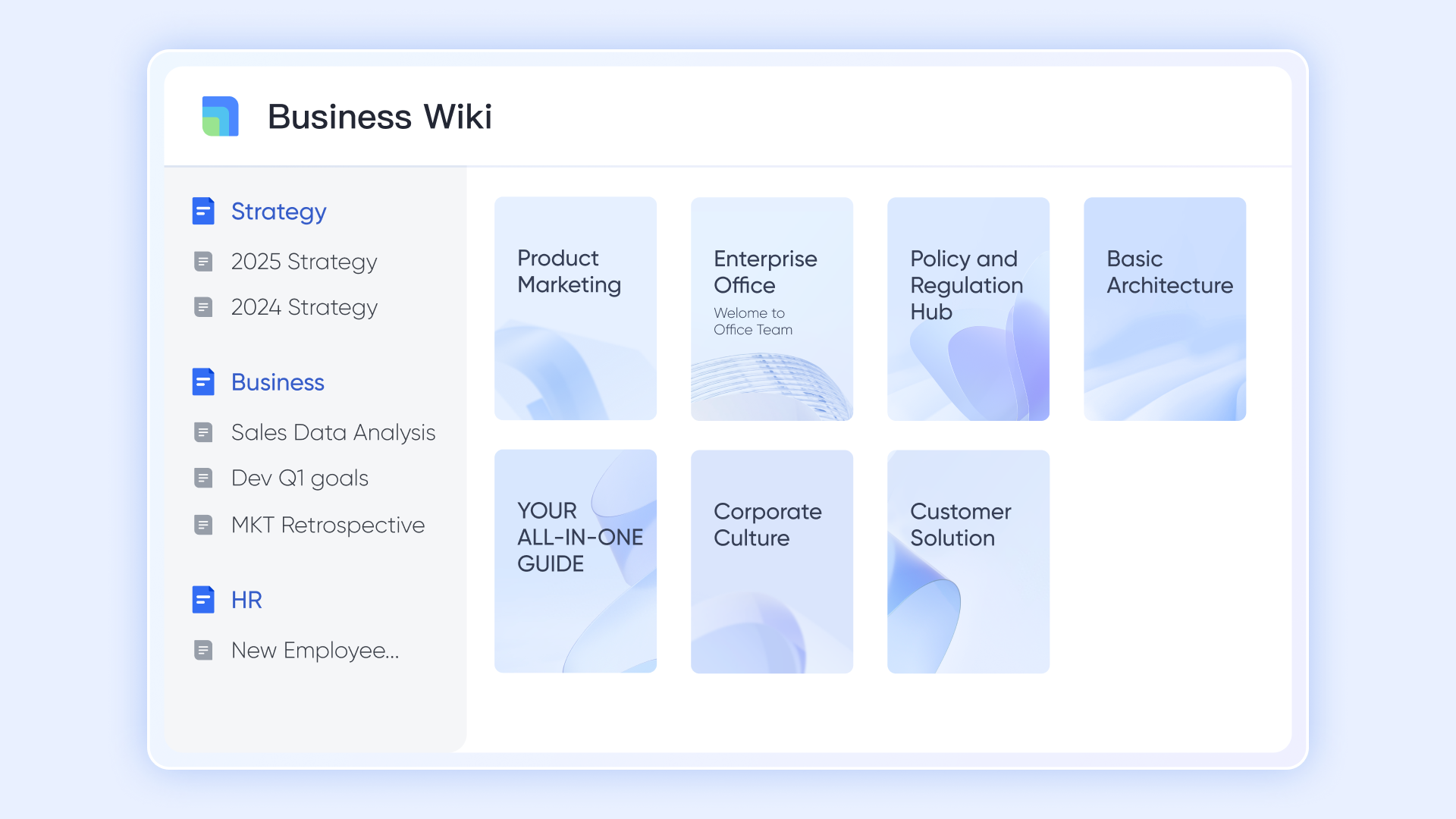
Lark Wiki: SOPs and instructions always clicks away
Consistent execution requires easy access to the correct procedures. Lark Wiki stores SOPs, checklists, compliance rules, and training guides linked directly to each workflow step in Base. Team members don't waste time searching for instructions—they open them exactly where the work happens. When processes change, Wiki updates sync instantly to everyone, eliminating outdated PDFs or tribal knowledge. Execution becomes dependable across shifts, teams, and locations.
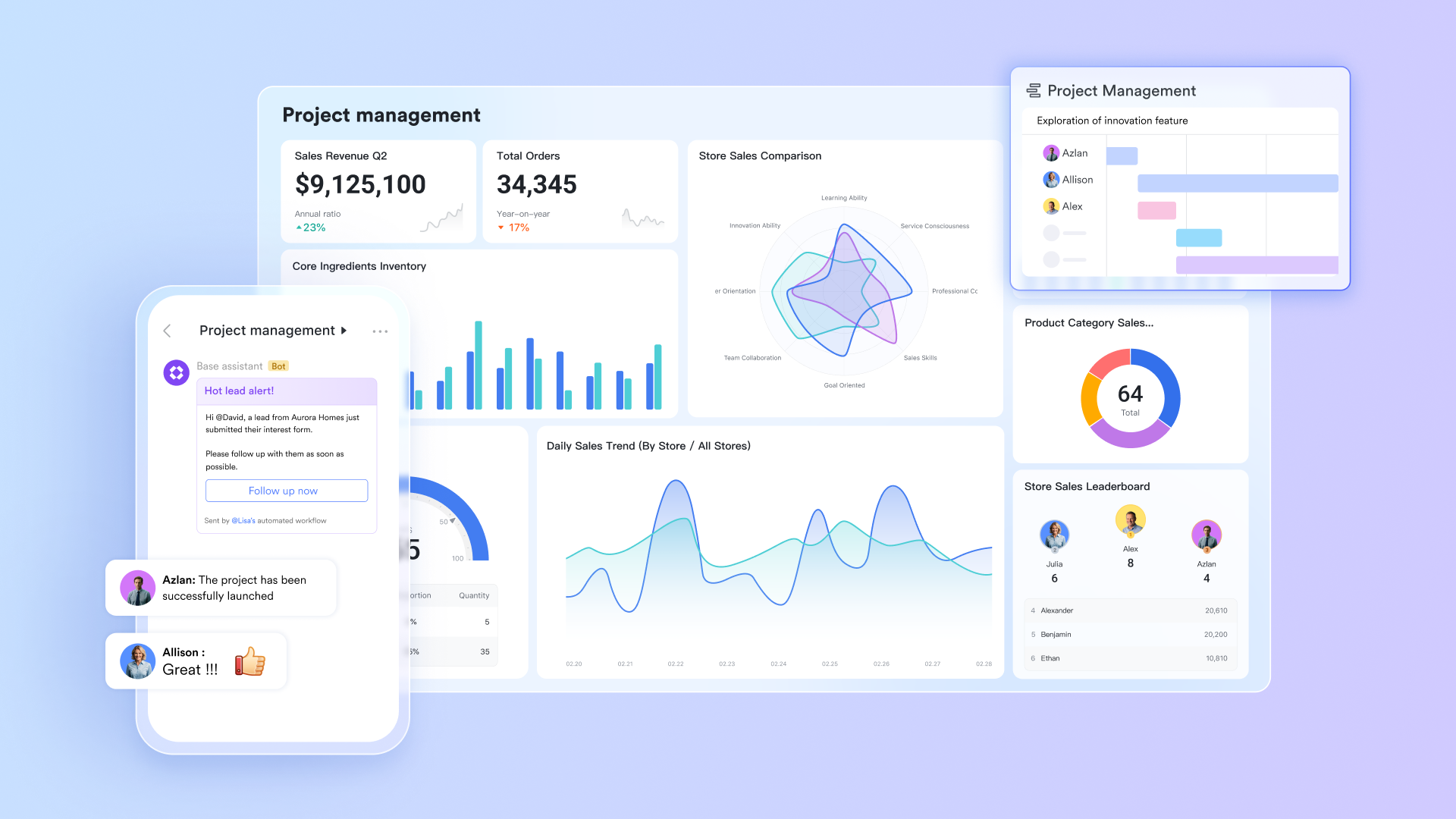
Magic Share in Lark Meetings: Update processes directly in review sessions
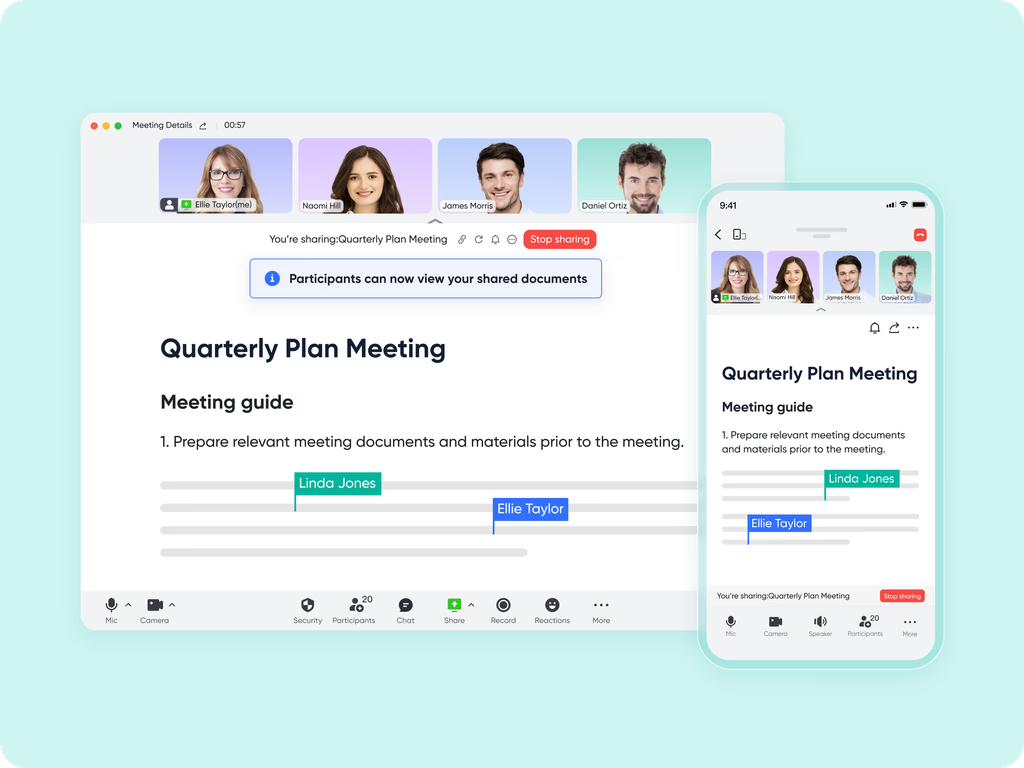
Instead of reviewing outdated screenshots, Magic Share lets teams open the actual workflow inside meetings to filter data, diagnose bottlenecks, and adjust steps in real time. Decisions are made faster when everyone sees the same live process view. Updates made during the meeting sync immediately back to Base, converting discussion into action on the spot. Process improvement becomes continuous and collaborative—not a once-a-quarter tidy-up.
- Starter plan: Free forever plan that includes 11 powerful tools for up to 20 users. It also comes with 100GB of storage, 1000 automation runs, AI translations, and more.
- Pro plan: $12/user/month (billed annually) for up to 500 users. It includes everything in Starter plus group calling for up to 500 attendees, 15TB of storage, 50,000 automation runs, and more.
- Enterprise plan: Contact sales for custom pricing. Supports unlimited users and includes even more automation runs and advanced security, compliance, and management features.
Ready-to-use templates
Static process flow charts look great on paper—but they rarely evolve as your business does. Lark's ready-to-use workflow templates turn those charts into live, automated systems where every task, approval, and document moves in sync.
- Process flow chart template
Manual flowcharts often get outdated the moment processes change. This process flow chart template keeps your workflows dynamic and centralized—where every step, approval, and stakeholder stays connected. Track projects in real time, reduce manual handoffs, and ensure accountability across teams. Perfect for bringing order and transparency to any growing operation.
- Workflow template
Streamline repetitive tasks and reduce human error with this workflow template designed for speed and clarity. It turns complex operations into automated sequences that your entire team can follow. From assigning responsibilities to tracking completion, everything stays visible and synchronized. Build consistency, save time, and let automation drive your business forward.
- Content creation workflow management template
Content production often involves multiple revisions, deadlines, and teams—making coordination a challenge. This content creation workflow template simplifies that process with structured stages for ideation, drafting, and publishing. Assign roles, track feedback, and keep everyone aligned in real time. Deliver quality content faster with complete visibility from start to finish.
- Manufacturing process flowchart template
Manufacturing requires precision, timing, and full process clarity. This manufacturing process flowchart template gives teams a live view of every stage—from raw material intake to final quality checks. Automate task assignments, monitor approvals, and maintain production consistency effortlessly. Minimize downtime and improve coordination across departments in one connected workspace.
Why process flow matters
A well-designed process flow isn't just about visuals—it's about driving real efficiency and accountability across teams. By mapping how work moves from one step to another, organizations gain clarity, speed, and confidence in execution.
- Reduces operational errors: A clear process flow chart eliminates guesswork by showing exactly what must be done, when, and by whom. When every step and decision point is visible, teams make fewer mistakes, and quality standards stay consistent across operations.
- Accelerates onboarding and training: With defined workflows, new employees can quickly understand how processes function within the organization. Visual process flow diagrams replace lengthy manuals, helping teams grasp their roles faster and start contributing sooner.
- Strengthens compliance and audit readiness: Documented business process flows provide transparent records of how work is performed. Every action, approval, and data input is traceable, making audits smoother and ensuring compliance with regulatory standards or internal policies.
- Improves cross-functional collaboration: A shared process flow map helps teams from different departments stay aligned. When marketing, finance, and operations view the same workflow, handoffs become seamless and accountability strengthens across functions.
- Enables optimization through measurement: Once workflows are mapped, they can be tracked and improved continuously. Metrics like throughput time, SLA adherence, and error rates reveal performance gaps. With this visibility, teams use process flow analysis to optimize efficiency at scale.
Conclusion
A well-structured process flow is the foundation of efficient teamwork. It brings order to complex operations, keeps teams aligned, and ensures that decisions are based on clear, connected data. When workflows are mapped thoughtfully and executed with consistency, businesses can respond faster, deliver better outcomes, and continuously refine how they operate.
For teams ready to turn those mapped processes into real, collaborative action, tools like Lark offer a seamless way to connect tasks, data, and communication in one workspace—helping your process flow evolve as your business grows.
FAQs
What's the difference between a workflow and a process flow?
A workflow focuses on how individual tasks move between people or systems, while a process flow gives a bigger picture—showing how multiple workflows connect to achieve an overall goal. In short, workflows are the building blocks; process flow is the blueprint guiding them all together.
How often should a process flow be reviewed or updated?
Ideally, teams should review their process flow diagrams every quarter or whenever major tools, roles, or KPIs change. Regular updates ensure your workflow reflects real operations, not outdated practices. Reviewing also helps identify bottlenecks, training needs, and automation opportunities that improve execution and team efficiency.
Can small teams benefit from process flow charts?
Absolutely. Even small teams gain clarity and accountability from a process flow chart. It helps prevent duplicate efforts, missed deadlines, and confusion about responsibilities. With tools like Lark Base, small teams can automate repetitive steps and scale their workflows efficiently without needing complex project management systems.
What are common mistakes to avoid in creating process flow diagrams?
The biggest mistakes include overcomplicating diagrams, skipping decision points, and not assigning ownership. A good process flow diagram should stay simple, readable, and linked to real actions. Always define start and end points, responsibilities, and data flow clearly—otherwise, the chart becomes visual clutter instead of a productivity tool.
How does AI improve process flow management?
AI enhances process flow management by automating routine decisions, detecting inefficiencies, and summarizing improvement opportunities. Tools like Lark's AI Summary convert meeting discussions into actionable insights, assign next steps, and track follow-ups automatically. This ensures no valuable idea or responsibility slips through the cracks during workflow reviews.
Related reading
Table of contents
Start using Lark today

Manage all your work in one place
Boost team efficiency by 10x
Save up to 70% on software costs
Table of contents
Start using Lark today
Manage all your work in one place
Boost team efficiency by 10x
Save up to 70% on software costs
Keep reading








2026 Lark Technologies Pte. Ltd.
Headquartered in Singapore with offices worldwide.






Explore: