Understanding NetSuite pricing can feel like trying to solve a puzzle with missing pieces. Unlike many modern SaaS platforms that offer transparent, per-user pricing on their homepage, Oracle NetSuite uses a complex, modular pricing model that is almost entirely quote-based.
For 2026, the costs remain a mix of base licensing fees, per-user access fees, and distinct costs for advanced modules like CRM or inventory management. While this allows for a highly customized ERP solution, it also means bills can scale rapidly—often faster than a growing team expects.
This guide breaks down the estimated costs for Oracle NetSuite pricing, explores the hidden fees in their "editions," and highlights where a more unified, value-driven platform might serve your team better.
Quick takeaway of NetSuite pricing
- NetSuite Starter Edition: $20,000~$65,000 /year
- NetSuite Emerging Edition: $45,000~$80,000 /year
- NetSuite Mid-Market Edition: $85,000~$170,000 /year
- NetSuite Enterprise Edition: $250,000+ /year
Quick glance at differences in NetSuite plans
- NetSuite Starter Edition offers entry-level financials for small teams.
- NetSuite Emerging Edition bridges the gap for scaling teams needing more seats.
- NetSuite Mid-Market Edition unlocks multi-entity management and full ERP power.
- NetSuite Enterprise Edition focuses on high throughput and massive scale.
What is NetSuite?
NetSuite is a comprehensive cloud-based Enterprise Resource Planning (ERP) system owned by Oracle, designed to be the single source of truth for growing businesses. Unlike standalone tools, it integrates core functions—such as financials, CRM, inventory, and ecommerce—into one unified database, allowing data to flow seamlessly between departments.
It is widely used by mid-sized to large enterprises for its ability to handle complex compliance (like GAAP and ASC 606), multi-subsidiary consolidation via NetSuite OneWorld, and robust supply chain management. However, this "all-in-one" power comes with significant weight. For smaller teams or those primarily needing agile collaboration, the platform's steep learning curve and rigid structure can feel overwhelming. Many businesses find that while NetSuite excels at backend accounting, they still require more flexible, user-friendly tools for daily and team coordination to keep operations moving fast.
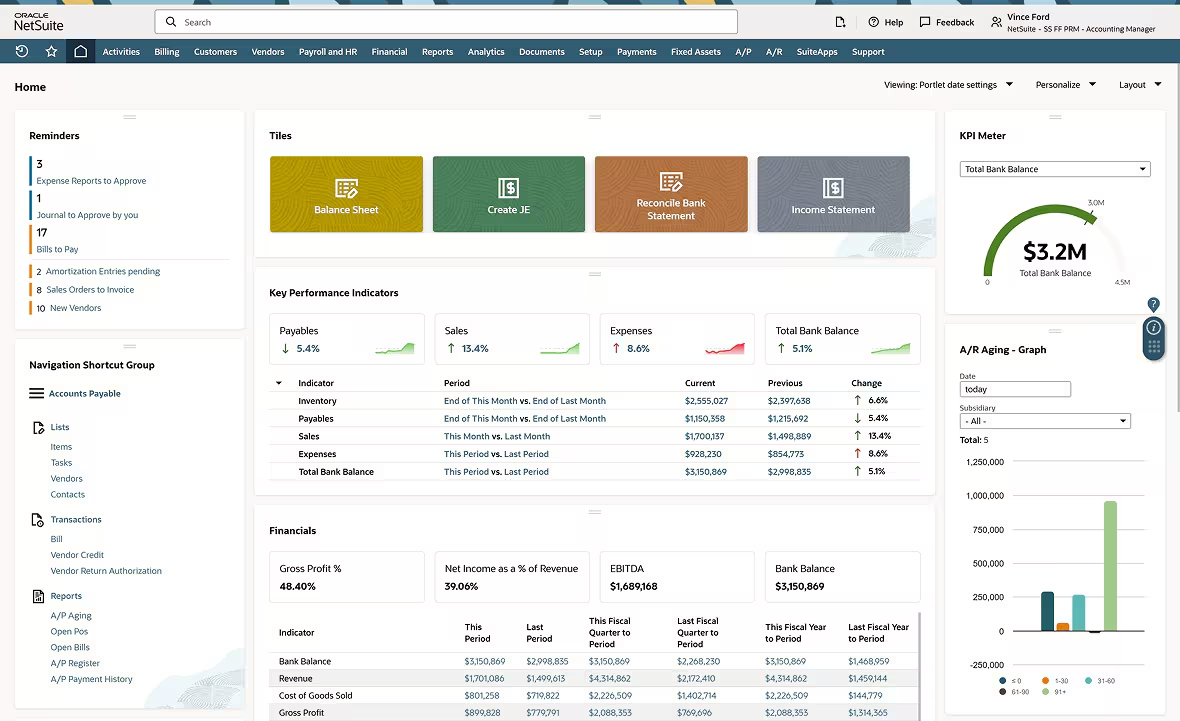
Image source: NetSuite.com
NetSuite pricing 2026: What each tier unlocks
NetSuite pricing plans are built on a modular "suite" model that scales vertically with your company's complexity, rather than just headcount. The cost structure typically combines a base "platform license" with per-user fees and separate costs for advanced modules. As you move up the tiers, you unlock the infrastructure needed for global operations—moving from simple single-entity accounting to complex multi-currency management and automated revenue recognition.
Understanding these tiers is critical because key capabilities are often gated. For instance, advanced features—like marketing automation or sophisticated support routing—may require purchasing the specialized CRM module or upgrading to a Mid-Market edition. Similarly, operational tools for warehouse management or professional services automation (PSA) are rarely included in the base price, meaning the "sticker price" is just the starting point for most workflows.
The sections below explain what each tier includes and how the capabilities expand across plans.
NetSuite pricing for all editions
Information source: Official vendor sites
Update time: 2025-12-18
Note: Pricing and plan details reflect publicly available data as of the update date and may vary based on region, billing cycle, and number of agents.
NetSuite Starter Edition
The Starter Edition (often referred to as the "Limited Edition") is the entry point for businesses that need GAAP-compliant accounting but have a small headcount. It is strictly limited to a single legal entity and typically caps user licenses at 10. This tier is best for fast-growing startups that want to establish a robust financial foundation early.
Key features:
- Financial management: Core general ledger, accounts payable, and accounts receivable.
- Basic CRM: Simple customer data management and sales order processing.
- Item management: Basic inventory tracking for a single location.
NetSuite Emerging Edition
The Emerging Edition is designed for companies that have outgrown the user limits of the Starter plan. It supports roughly 15 to 30 users and allows for more complex workflows. This plan is often the stepping stone for businesses that are beginning to departmentalize their operations.
Key features:
- Scalable user count: Removes the strict 10-user cap, allowing for broader team access.
- Expanded analytics: More customizable dashboards compared to the rigid reports in Starter.
- Module readiness: Easier integration paths for additional modules like inventory or payroll.
NetSuite Mid-market Edition
The Mid-Market Edition is the standard for established organizations. This is the tier where NetSuite's true power—handling multiple subsidiaries and currencies—becomes available. It is designed for companies with distinct departments that need to share data across a unified platform.
Key features:
- Multi-subsidiary management: Capability to upgrade to OneWorld for global consolidation.
- Advanced CRM: Includes marketing automation and upsell management tools.
- Warehouse & order management: Deeper control over fulfillment and supply chain logistics.
NetSuite Enterprise Edition
The Enterprise Edition is built for massive scale. It is engineered to handle millions of transactions without performance degradation. This tier includes higher limits on storage, dedicated database throughput, and advanced sandbox environments for testing complex customizations.
Key features:
- High performance: Dedicated database resources to ensure speed during peak transaction times.
- Unlimited users: No hard cap on the number of seat licenses.
- Premium support options: Access to 24/7 support and technical account management.
Save your budget with a competitive alternative
Hidden costs of NetSuite: Add-ons and optional costs
While the base edition provides the core platform, most businesses end up purchasing "Advanced Modules" to handle specific operational needs. These add-ons—ranging from global currency management to advanced warehouse scanning—can significantly increase the total contract value. Integrating these modules effectively requires careful planning to ensure ROI.
Information source: Official vendor sites
Update time: 2025-12-18
Note: Pricing and plan details reflect publicly available data as of the update date and may vary based on region, billing cycle, and number of agents.
- NetSuite OneWorld: OneWorld is essential for companies that operate across borders. It allows for the real-time consolidation of financial reports from different subsidiaries, managing distinct currencies and tax rules automatically. For businesses processing payments via Stripe across those entities, can automatically sync transaction data into NetSuite without manual data entry.
- Advanced Financials: While basic accounting is included in the platform, Advanced Financials adds the automation needed for scale. It handles complex billing schedules, statistical accounts for allocation (e.g., allocating rent based on headcount), and amortization of expenses. This is a critical upgrade for teams looking to streamline their processes without manual spreadsheets.
- NetSuite OpenAir: This is a powerhouse module for professional services. It goes beyond simple time tracking to handle complex resource utilization, project billing, and expense management. However, for teams that need clear visibility on tasks and timelines without the heavy billing features, simpler can often suffice at a lower cost.
- SuiteCommerce: SuiteCommerce replaces third-party platforms like Shopify or Magento by building the webstore directly into NetSuite. This eliminates the need for connectors, as every order placed online instantly updates inventory records in the ERP. It is ideal for businesses where real-time stock accuracy is non-negotiable.
- Warehouse Management (WMS): NetSuite WMS adds mobile functionality to the warehouse floor. It enables barcode scanning, wave picking, and cycle counting via handheld devices. This reduces human error in fulfillment but represents a significant investment for smaller warehouses that might manage fine with a lighter .
- Planning & Budgeting (PBCS): This module moves budgeting out of fragile spreadsheets and into the ERP. It allows finance teams to create rolling forecasts and model different business scenarios (e.g., "what if revenue drops 10%?"). It is powerful but complex, often requiring specialized training to configure effectively.
- SuitePeople HR: SuitePeople HR centralizes human resources within the ERP, linking payroll and onboarding directly to financial data. This eliminates data silos between HR and finance but can be complex for teams that just need agile employee onboarding workflows to get new hires settled quickly.
How add-ons affect total cost
The base price is rarely the final price. A company starting with the Mid-Market edition that adds OneWorld and Advanced Financials will see their monthly software spend increase significantly. Additionally, modules often have their own implementation fees, as configuring a WMS or Ecommerce store is a complex project separate from the core ERP setup. To manage these escalating costs, many organizations implement strict measures during the negotiation phase.
Switch to a competitive platform without hidden costs
Which NetSuite pricing plan fits which type of team
Choosing the right NetSuite plan depends on your corporate structure and transaction volume rather than just headcount. Because the implementation cost is high, selecting a plan that supports your strategy for at least the next 3-5 years is crucial to avoid costly re-implementations.
- Small, single-entity businesses: The Starter Edition is best for high-revenue but low-headcount businesses (like wholesale distributors) that need strict inventory and financial controls without the complexity of multiple subsidiaries.
- Mid-sized, multi-entity organizations: The Mid-Market Edition is the sweet spot for companies with 30+ users or those operating across different countries. It unlocks the OneWorld capability needed to consolidate books across borders.
- Large, high-volume enterprises: The Enterprise Edition is required for organizations processing thousands of orders per day. The higher cost ensures the database throughput needed to prevent system slowdowns during peak periods.
Where NetSuite pricing starts to feel limiting
Despite its power, NetSuite's pricing model can become a barrier to agility. The costs often pile up in areas that don't directly drive revenue, such as sandbox environments for testing or premium support fees. This can lead to where only finance users have access to data, while the rest of the company is left in the dark to save on license fees.
- High implementation fees: The "services" cost to set up NetSuite often equals or exceeds the first year's license cost.
- Sandbox costs: Testing new workflows safely requires a Sandbox environment, which is an additional line item on the bill.
- Support tiers: Standard support is often limited to online tickets. Getting 24/7 phone support requires upgrading to Premium Support, calculated as a percentage of your total license fee.
Choose a platform that adapts as teams evolve
Affordable choice: Use Lark to manage data, workflows, and teams
While is not a traditional ERP suite, its flexible data structures, collaboration tools, and automation capabilities allow teams to manage financials, , operations, , and workflows in a unified workspace. This makes Lark especially valuable for teams that need adaptability and cross-functional visibility rather than rigid systems.
Financial operations and performance tracking
organizes budgets, expenses, invoices, revenue tracking, and forecasts using flexible tables with fields that teams define to match their financial workflows. Users can build dashboards in Base that show cash flow, budget usage, and performance metrics in real time, then embed them in document for shared reporting. Via , flows handle expense claims and AP/AR steps without manual follow-ups. NetSuite ERP is powerful but complex and often requires heavy configuration, specialized roles, and external reporting tools. In contrast, Lark enables finance and non-finance teams to co-manage and visualize financial data with less overhead, a lighter setup, and far more collaboration built into day-to-day workflows. 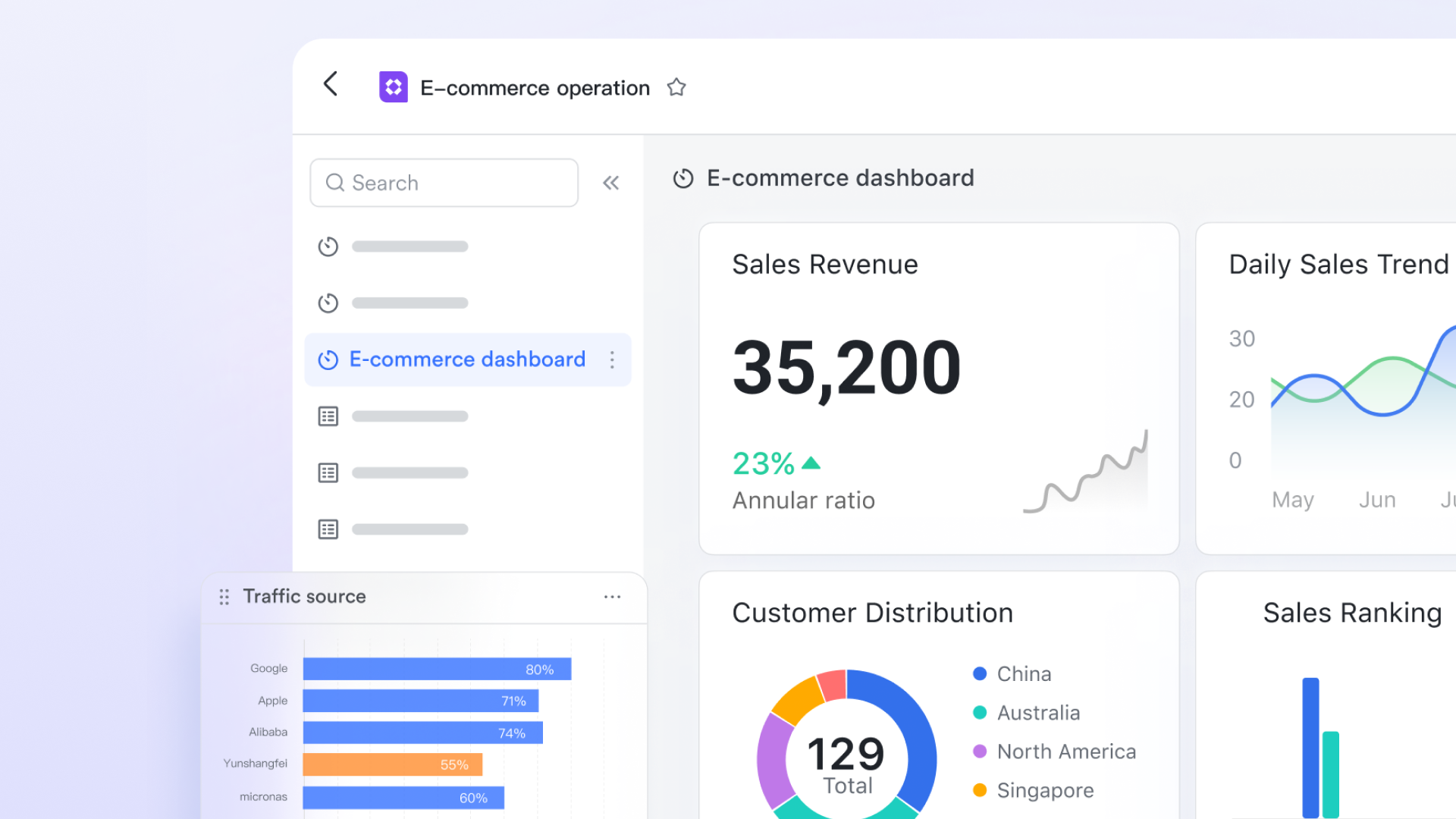
Customer lifecycle and relationship management
Lark Base functions as where teams track leads, accounts, opportunities, and related activities, and switch seamlessly between Kanban, grid, and timeline views. Task ownership, priority, and status are built into the same dataset, while lets teams discuss records in context. Lark Docs holds proposals, customer contracts, and notes, all linked back to structured tables. NetSuite CRM is part of a larger ERP suite that often feels rigid and transactional; Lark's CRM capabilities are simpler to adapt for fast-changing sales processes and make collaboration native rather than bolted on. This allows teams to respond quickly to customer needs and handoffs without requiring deep NetSuite configuration. 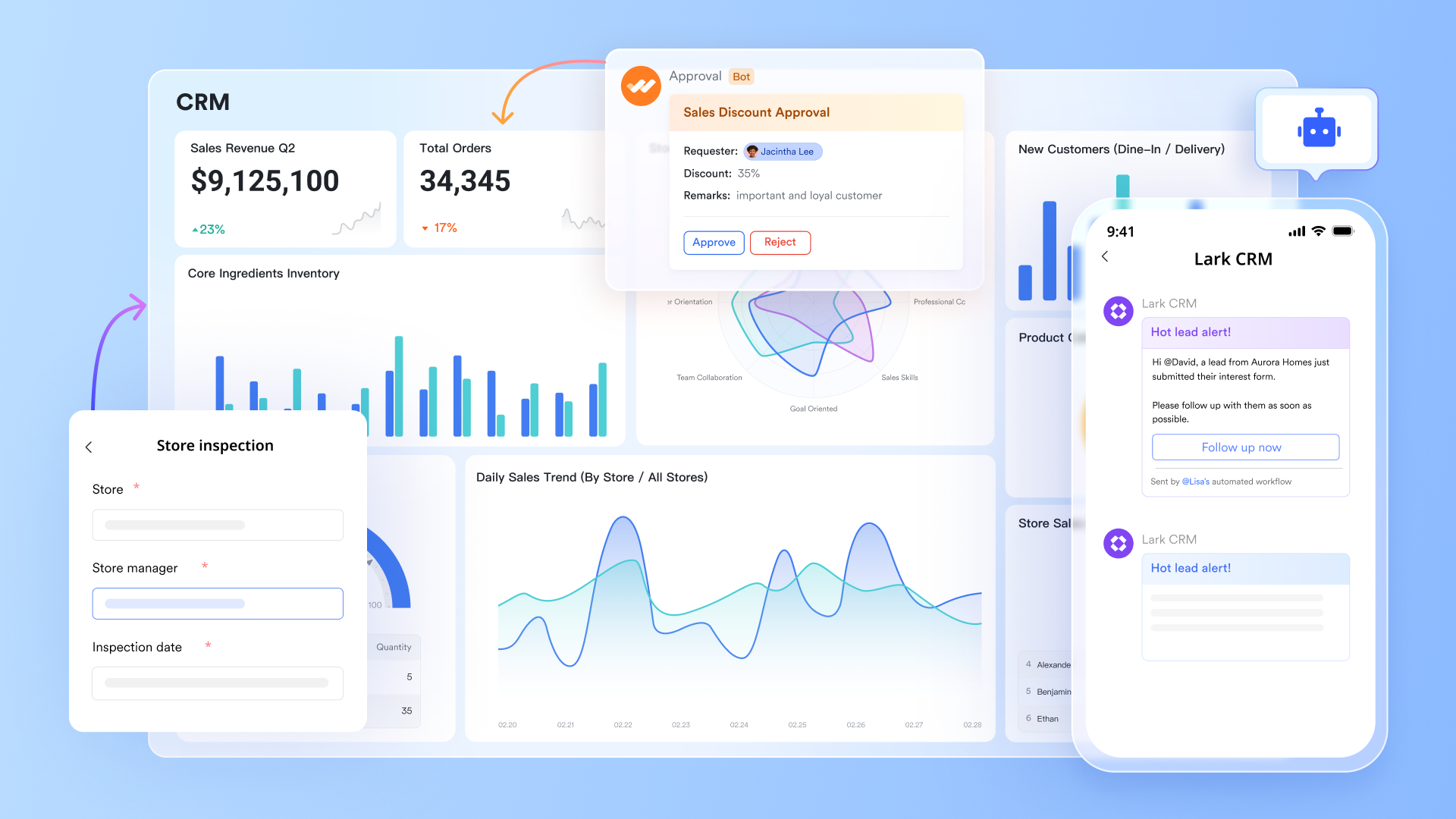
E-commerce operations and fulfillment visibility
In Lark, e-commerce workflows, such as , fulfillment status, and customer notifications, are managed directly in for data capture. Automation updates and sends alerts or tasks when actions are required, and dashboards provide visibility across fulfillment stages. NetSuite's ERP has strong order and financial tracking but often requires workbenches and custom modules to support modern e-commerce data flows. Lark gives small to mid-sized teams a lighter, visual, and more collaborative way to manage online sales and fulfillment without needing ERP specialists. 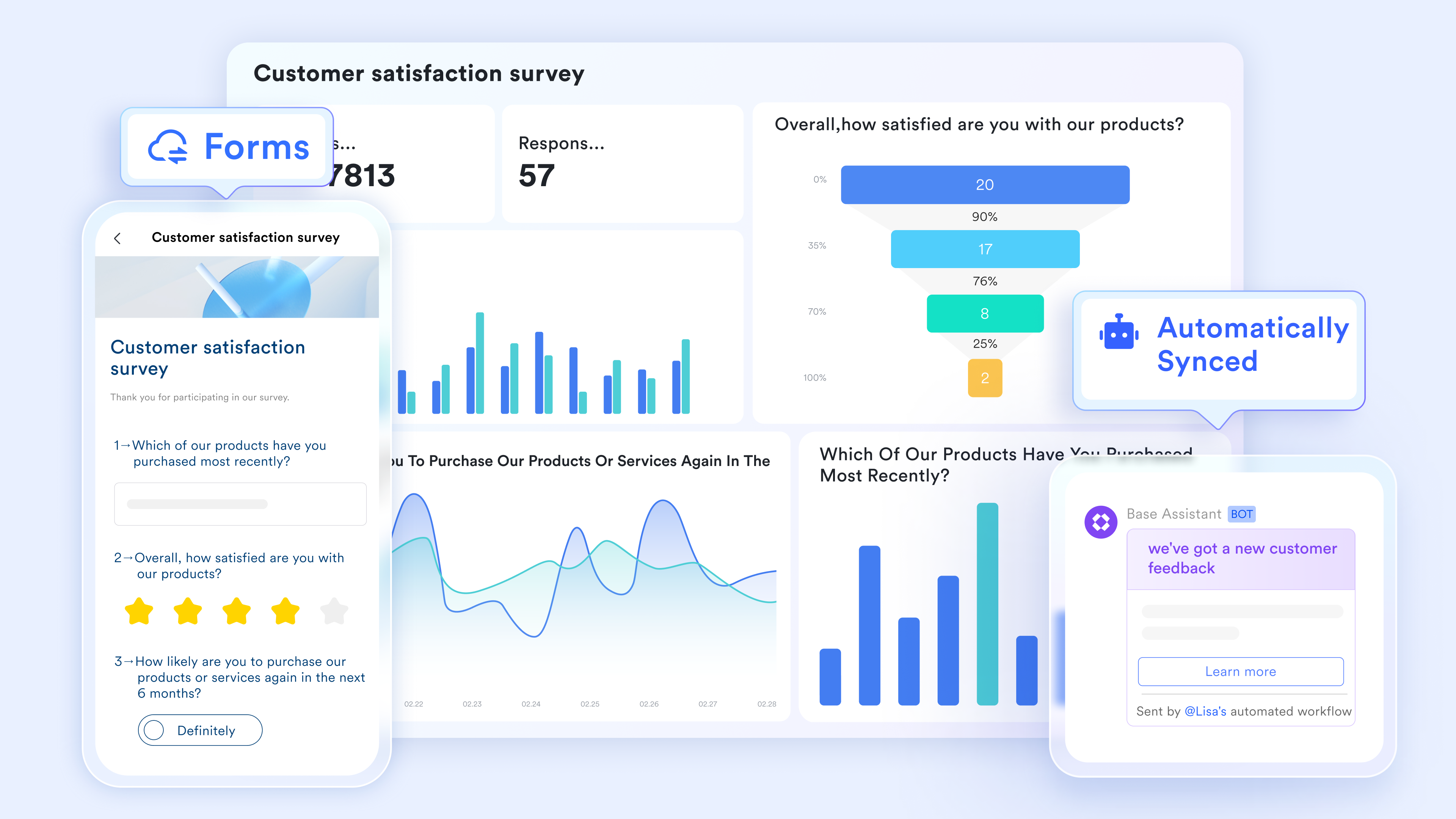
Supply chain coordination and inventory control
Lark Base links procurement requests, supplier records, inventory levels, and warehouse movements without requiring separate modules. Restock alerts and approval workflows trigger automatically as thresholds are reached, and dashboards visualize stock movement and status. NetSuite ERP includes robust supply chain modules, but they often require complicated setup and ongoing administration. Lark's advantage lies in ease of use, cross-team visibility without custom roles, and rapid iteration as process needs evolve—letting operations teams adapt without heavy consultancy or IT dependence. 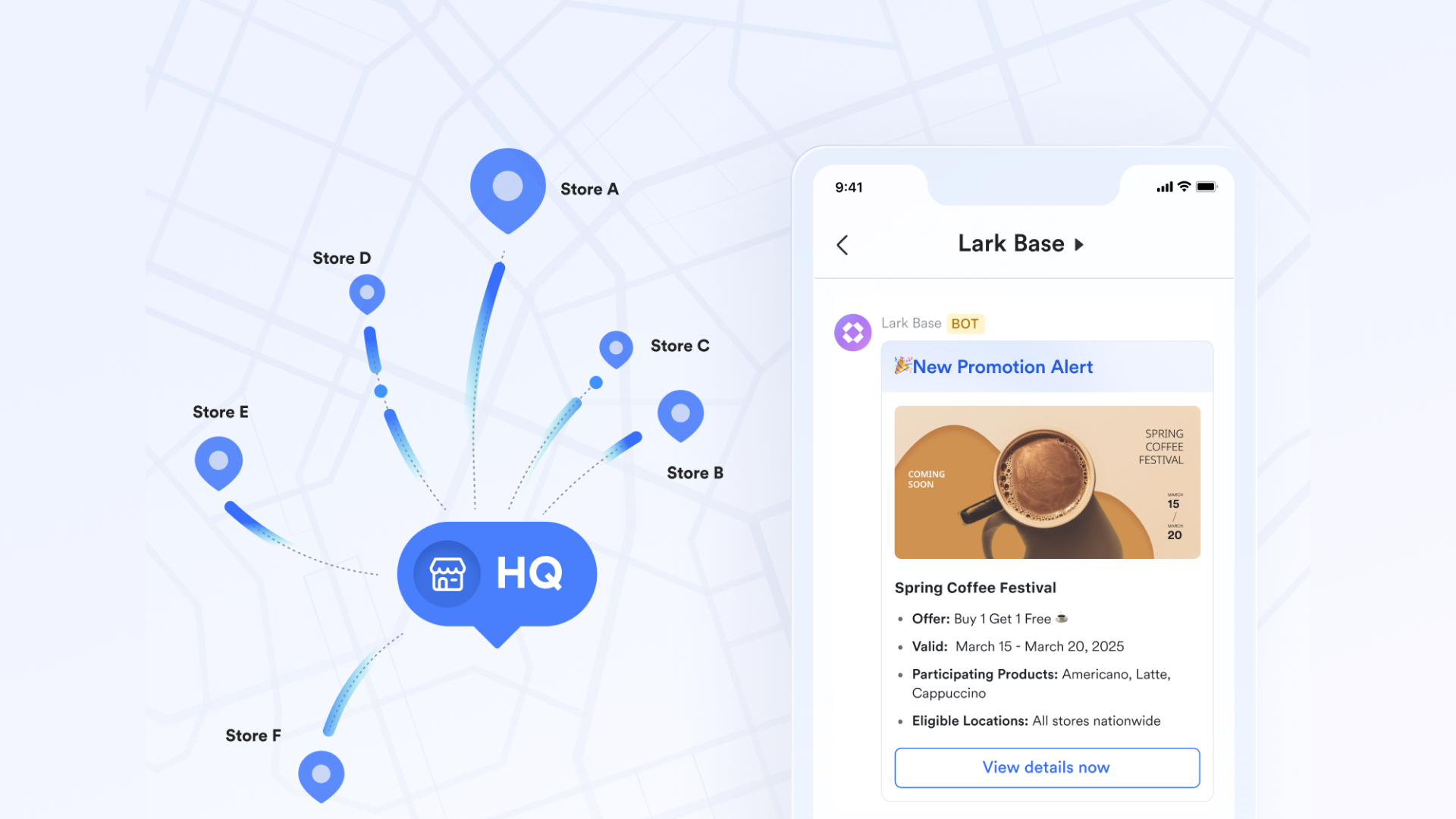
Human resources operations and workforce management
Lark supports HR through Base tables for onboarding workflows, performance check-ins, employee records, and time-off tracking. Forms simplify data collection from employees, approvals manage leave and policy compliance, and co-work with to improve scheduling and internal communication. NetSuite's HR modules are part of a broader suite that may be overkill for many teams and often needs integration with separate HRIS systems. Lark offers an flexible, and collaboration-centric experience that scales with team size without requiring complex ERP customizations. 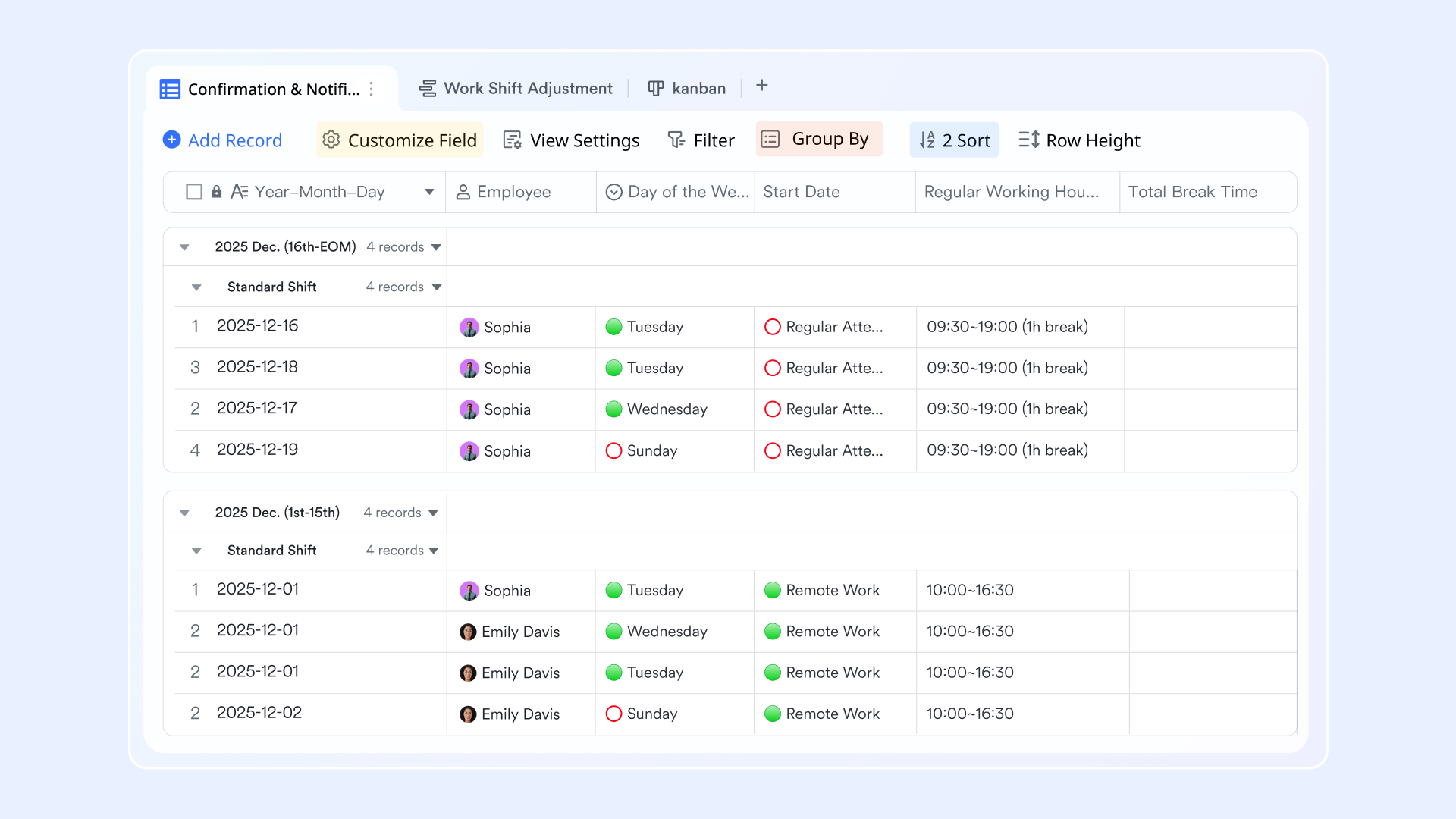
:
- Starter plan: Free forever plan that includes 11 powerful tools for up to 20 users. It also comes with 100GB of storage, 1000 automation runs, AI translations, and more.
- Pro plan: $12/user/month (billed annually) for up to 500 users. It includes everything in Starter plus group calling for up to 500 attendees, 15TB of storage, 50,000 automation runs, and more.
- Enterprise plan: for custom pricing. Supports unlimited users and includes even more automation runs and advanced security, compliance, and management features.
For small teams with simple communication needs

18 months message history
1000 Base automation runs/month
2000 rows per table in Base
Most POPULAR
For companies with comprehensive collaboration and management needs
Unlimited message history
500-participant video meetings
50k Base automation runs/month
20k rows per table in Base
For large companies with advanced security and organizational management needs
Get a personalized demo and pricing
Unlimited message history
500-participant video meetings
15 TB storage + 30 GB storage/user
500k Base automation runs/month
50k Base automation runs/month
Most POPULAR
For companies with comprehensive collaboration and management needs
Unlimited message history
500-participant video meetings
50k Base automation runs/month
20k rows per table in Base
Who benefits most from each tool
Choosing between NetSuite and Lark isn't just about comparing features; it's about deciding between a rigorous financial system of record and a flexible operating system for daily execution. NetSuite is designed to lock down processes for compliance and reporting, while Lark is built to speed up by connecting the people doing the work with the data they need.
Pricing comparisons at a glance
NetSuite works well for:
- You run a global conglomerate with complex financial reporting: If your primary need is consolidating financial books across 20 subsidiaries with different currencies and tax rules (OneWorld), NetSuite's rigid structure is necessary for compliance.
- You manage a heavy logistics or manufacturing supply chain: For businesses that need deep, specific inventory controls like wave picking or manufacturing execution systems (MES) integrated directly into the general ledger, NetSuite's specialized modules are indispensable.
- Your focus is strictly on the "Back Office": If the tool is primarily for accountants and controllers who need a static, auditable environment, the lack of user-friendly communication features won't hinder their specific tasks.
- You have the budget for extensive change management: Implementing NetSuite is a major organizational shift. It works best for companies prepared to invest heavily in and consultant-led training to force adoption of standardized workflows.
Lark works better for:
- You need to bridge the gap between operations and strategy: Lark allows frontline teams to build their own trackers in Lark Base—for sales pipelines, hiring, or inventory—without waiting for IT. This flexibility allows for rapid that adapts as fast as your market does.
- You want to eliminate "license rationing": Instead of buying expensive seats for just a few users, Lark's model encourages giving every employee access. This ensures that a warehouse manager can instantly chat with a sales rep about an order without switching apps.
- You value context over compliance: In Lark, a database record isn't just a row of numbers; it's a place for discussion. Teams can tag colleagues, assign tasks, and link documents directly to a deal or project, ensuring that the "why" behind the data is never lost.
- You are fighting tool fatigue: If your team is overwhelmed by toggling between Zoom, Slack, Asana, and Excel, Lark's all-in-one approach unifies these functions. This consolidation reduces overhead and keeps your company's institutional knowledge active and accessible.
Conclusion
NetSuite pricing remains a powerful investment for established enterprises where complex financial governance and global supply chain management are the priority. Its modular design offers precision, but this rigidity can become punitive for agile teams needing fast, flexible access to data. As organizations scale, the add-on costs for simple operational visibility or broader team access can quickly outpace the value, leaving many employees disconnected from the systems they need to do their jobs.
represents a unified philosophy. Its value lies in breaking down the wall between "ERP data" and "daily operations." By combining real-time communication, flexible databases, and collaborative docs into one platform, Lark ensures that financial insights don't just sit in a ledger—they drive team action. For businesses that view agility and cross-functional alignment as their competitive edge, Lark provides a scalable, cost-effective alternative to the heavy lift of a traditional ERP.
Plan support systems that grow with your business
FAQs
Is NetSuite OneWorld pricing different from the standard edition?
Yes. If you expand your business into new regions or legal entities, you will typically need to license the NetSuite OneWorld pricing module. This often incurs a significant additional monthly fee plus potential costs for local compliance adjustments. In contrast, agile platforms like Lark allow for easier change management process when scaling operations, letting teams add new regional workspaces or workflows without triggering a massive contract renegotiation.
Does NetSuite offer a fixed price for small businesses?
Often, yes. While a base CRM might be included, advanced features like marketing automation, upsell management, or "Incentive Compensation" (for sales commissions) are usually sold as separate add-on modules. Small teams often find that building a custom tracker in a flexible tool like Lark Base provides the necessary visibility without the "nickel-and-dime" structure of enterprise add-ons.
How much does NetSuite OpenAir pricing cost per user?
For massive distribution centers, NetSuite's WMS is top-tier. However, for mid-sized businesses where "good enough" visibility is key, the cost of NetSuite's WMS module plus handheld scanners can be prohibitive. Many teams successfully use lighter systems or build custom inventory apps within Lark to track stock levels and trigger restock alerts at a fraction of the cost.
Are there hidden costs in NetSuite CRM pricing?
Yes, especially near the end of Oracle's fiscal quarter (May). You may be able to negotiate discounts on the base license or specific module costs, such as Oracle NetSuite CRM pricing, often by committing to longer terms. However, these discounts often expire after the initial term, leading to steep renewal hikes. Implementing strict early on—by vetting which modules are truly essential versus which can be handled by more flexible tools—is critical for long-term budget health.
Can I get a monthly billing option for NetSuite?
NetSuite offers basic support (online tickets only) with its subscription, but most businesses find this insufficient for critical issues. Upgrading to "Premium Support" for 24/7 phone access is an extra fee, usually calculated as a percentage of your total license cost—meaning your final NetSuite ERP pricing will be higher than just the software fees alone.
Related reading












