


Project Estimate Template: Guide, Examples, and Tool

Ryan Tanner
Product Marketing Specialist
Aug 5, 2026
Ryan Tanner
Aug 5, 2026

22 min read


Project estimates play a central role in every successful project—whether you're building software, planning a construction job, running a marketing campaign, or managing a service engagement. A reliable project estimate template helps teams forecast scope, resources, labour hours, costs, and risks with greater accuracy. It also ensures stakeholders understand expectations before any work begins.
In this comprehensive guide, you'll learn what to include in a project estimate template, explore popular formats, compare template examples, and discover how modern tools like Lark simplify estimation workflows for teams.

Who should use a project estimate template?
A project estimate template is valuable for any team that needs clarity, consistency, and accountability in planning and budgeting. It supports smarter decision-making by documenting assumptions, cost drivers, and resource needs in one place. Teams use these templates to forecast labour, materials, and overhead with far greater accuracy. Whether you're planning a large construction initiative or a small internal project, templates create alignment across stakeholders.
Below are the groups that benefit most from using project estimate templates.
- Project managers: Project managers rely on templates to forecast costs, allocate resources, and communicate expectations clearly. Structured estimates help them manage scope and prevent budget overruns. Templates also streamline reporting and keep stakeholders updated. They become essential project management tools throughout the entire project lifecycle.
- Construction teams: Construction professionals benefit from detailed templates that include materials, equipment, and contractor labour. These ensure compliance with codes, safety requirements, and vendor agreements. Templates also help track fluctuating material prices or subcontractor fees. This leads to more accurate bids and fewer unexpected expenses.
- Operations teams: Operations teams use templates to evaluate resource requirements and workflow efficiency. Estimates help them plan staffing, materials, and logistics more accurately. Templates also support cost comparisons across different operational strategies. This drives better optimization and organizational planning.
- Marketing and creative teams: Marketing teams use templates to estimate campaign costs, media budgets, design hours, and production resources. This improves planning for multi-channel projects and client approvals. Templates ensure work stays on budget and within time constraints. They also support clearer communication with stakeholders and vendors.
- IT and software teams: IT teams and developers use estimate templates to project sprint workloads, feature development time, and tech infrastructure costs. Templates help prioritize tasks and manage resource dependencies. They also assist in communicating effort levels to stakeholders. This leads to better planning and predictable delivery cycles.
- Consultants/freelancers: Consultants rely on templates to prepare accurate client proposals and justify pricing. Detailed cost projections help build trust with clients and reduce negotiation friction. Templates also streamline repeat engagements and billing processes. They create transparency in service-based businesses.
- Agencies and service businesses: Agencies use templates to estimate creative, operational, and production efforts across client projects. Structuring these details improves scoping accuracy and profit margin forecasting. Templates standardize pricing models and reduce inconsistencies between teams. This results in smoother delivery and improved client satisfaction.
Key components of a reliable project estimate template
A well-designed project estimate template helps standardize how teams document scope, effort, and cost across different types of projects. Whether you're working with a project cost estimate template in excel file or a project estimate template in Google Sheets version, the structure remains essential for accuracy. These components ensure clarity for stakeholders, support budgeting decisions, and make comparisons across proposals easier. Using a construction project estimate template or a project cost estimate template can further enhance precision when dealing with materials, subcontractors, or complex workflows. No matter the format, including these key elements strengthens forecasting and reduces uncertainty.
- Project overview: The overview introduces the project's goals, scope, and constraints, giving teams and stakeholders a shared foundation. When using any project estimate template, this section contextualizes all cost and timeline projections. It also anchors assumptions, making reviews easier. Whether created in Excel or Google Sheets, a clear overview strengthens the structure of your overall project estimate.
- Tasks and deliverables: Breaking the project into tasks ensures every activity is accounted for and helps prevent overlooked cost items. A project cost estimate template makes it simple to map each deliverable to time and expense. This clarity improves scheduling accuracy and improves cross-team coordination. Detailed task breakdowns are especially critical in construction project estimate template formats.
- Resource requirements: Identifying resources—people, equipment, tools, and materials—helps teams plan realistically. When structured within a project estimate template Excel layout, resource allocation becomes easy to track and adjust. This section ensures teams know what is needed and when. For material-heavy work, a construction project estimate template outlines resources with greater specificity.
- Labour hours: Labour hours often drive the majority of project cost, making this section indispensable. A project estimate template makes it easier to map hours to specific tasks and contributors. Calculations become even more efficient in a project estimate template Google Sheets setup with automated formulas. Accurate labour forecasting reduces budget errors and timeline slips.
- Cost breakdown (labour, materials, overheads): A thorough cost breakdown transforms assumptions into actionable financial data. A project cost estimate template helps categorize expenses clearly across labour, materials, equipment, and overhead. Teams using Excel or Google Sheets can automate totals for accuracy. This breakdown becomes essential for approvals, comparisons, and ongoing budget monitoring.
- Risk buffer/contingency: Every project includes uncertainties, so a risk buffer helps absorb unforeseen costs or delays. A project estimate template often includes a standard contingency percentage tailored to the project type. Construction project estimate templates typically use higher contingencies due to variable material and labour rates. Documenting this buffer improves transparency with stakeholders.
- Timeline expectations: Timelines set realistic expectations for delivery and help teams sequence tasks effectively. Using a project estimate template Excel or Google Sheets file allows timeline calculations to link directly with resource and cost data. This section helps managers communicate dependencies and milestones clearly. A well-drafted timeline reduces scheduling conflicts throughout the project lifecycle.
- Approval section: The approval section formalizes agreement on cost, scope, and timeline. When included in a project estimate template, it serves as a reference throughout execution. Signed approvals prevent disputes and support accountability. Digital formats like Google Sheets make it easy to maintain version history.
- Notes/assumptions: Assumptions clarify factors that influence cost or timing, ensuring stakeholders understand what estimates are based on. These notes are essential in any project estimate template because they explain variables outside the team's control. They also help justify contingency percentages and cost drivers. Construction project estimate templates especially rely on detailed assumptions due to shifting material prices and vendor rates.
Types of project estimate templates
A variety of project estimate templates exist to support different industries, workflows, and levels of project complexity. Whether teams use a project estimate template Excel file, a project estimate template Google Sheets layout, or a specialized construction project estimate template, each format serves a unique purpose. Choosing the right structure ensures accurate forecasting and smoother planning. Some templates focus on detailed cost tracking, while others prioritize high-level scoping or early-stage approval. Understanding these variations helps teams select the most effective project estimate approach for their needs.
Project cost estimate template
A project cost estimate template helps teams calculate expenses across labor, materials, contractors, and overhead with clarity. It provides structured cost categories that make budgeting and financial approvals easier to manage. Whether used in Excel or Google Sheets, automated formulas can simplify total cost calculations. This format is especially valuable when presenting detailed, itemized estimates to stakeholders.
Project estimate template (general)
A general project estimate template offers a high-level overview suited for early-stage planning, internal reviews, or stakeholder alignment. It summarizes expected costs, timelines, and major deliverables without requiring task-level granularity. This format works well when scoping new initiatives or preparing executive proposals. It's also a flexible starting point that can later expand into a more detailed project estimate template, Excel or Sheets model, as planning progresses.
Construction project estimate template
A construction project estimate template offers detailed fields for materials, equipment, contractor labour, and scheduling blocks. It supports accurate bidding, procurement planning, and compliance monitoring. Because construction projects involve variable market prices, this template improves clarity for vendors and clients. It's especially useful for contractors, architects, builders, and project managers in the field.
Excel project estimate template
An Excel project estimate template uses built-in spreadsheet formulas to automate calculations and reduce human error. It's ideal for teams that need customizable cost tables, conditional formatting, and import/export flexibility. Because Excel supports large datasets, it works well for complex or multi-phase projects. Many teams adopt this format before scaling to more collaborative tools like Google Sheets.
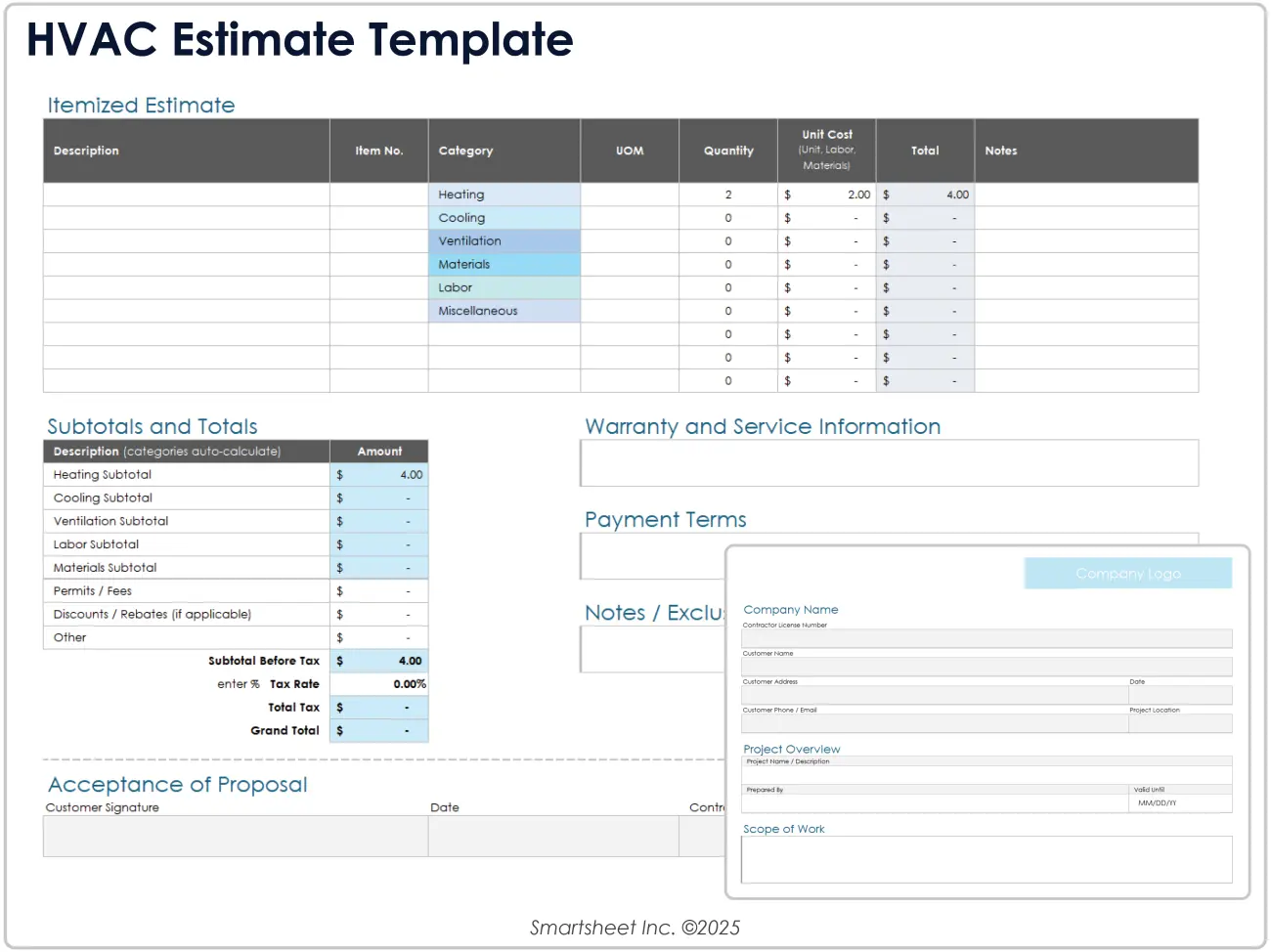
Image source: excel.com
Google Sheets project estimate template
A Google Sheets project estimate template enables seamless cloud collaboration across distributed teams. Multiple editors can update costs, hours, or assumptions simultaneously while version control keeps a record of changes. Its real-time nature improves transparency and reduces delays in approvals. This template is ideal for teams that work remotely or require frequent stakeholder input.
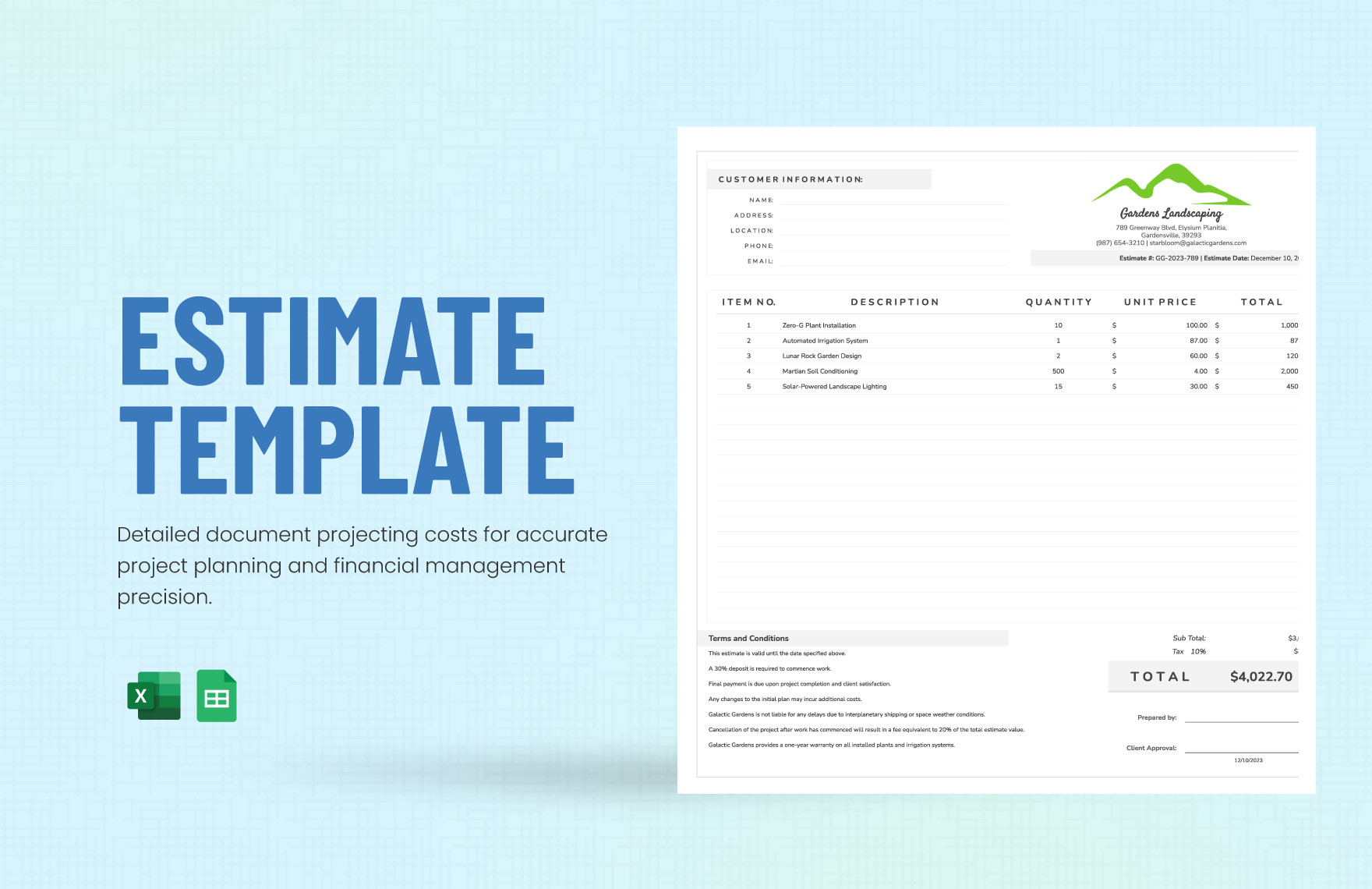
Ready-to-use temp project estimate templates
Cost‑analysis template
A versatile template to help you track and categorize all kinds of expenses—from software and office supplies to travel and marketing. It allows you to analyze fixed versus variable costs, providing a clear breakdown of where your money is going and helping you make more informed budgeting decisions.
Software‑license cost tracker
Designed to simplify license management by consolidating all relevant software license info in one place—including key details, renewal dates, and costs. This helps eliminate the risk of missed renewals and gives you a straightforward way to optimize spending.
Cloud‑computing cost analysis
Built for IT teams and finance teams, this template provides a detailed breakdown of cloud service usage, regions, and costs. It helps you gain visibility into your cloud spending and identify waste or optimization opportunities across your infrastructure.
Cost‑allocation plan
Ideal for businesses needing to fairly distribute costs across departments or projects, this template helps you plan and document how shared expenses (e.g., overhead, admin) are allocated. It ensures transparency and supports more accurate financial reporting.
Cost‑allocation model for IT services
Used to allocate IT costs, such as infrastructure, support, and software, across different teams or services. The template helps you build a structured model to track, distribute, and justify these costs in a scalable way.
Tech‑support cost analysis
Useful for support or operations teams to analyze helpdesk expenses, including personnel, tools, resolution times, and total support cost. It helps pinpoint inefficiencies and areas for cost reduction.
Cost‑of‑goods‑sold (COGS) analysis for cost analysts
Provides a structured layout for analyzing product-related costs: units sold, unit cost, total cost, revenue, and gross margin. It enables cost analysts to uncover trends, outliers, and profitability levers, making it easier to optimize pricing and production.
Cost‑allocation template for cost accountants
Designed to help accountants and finance teams allocate indirect or shared costs across business units. It offers a framework to break down expenses, set allocation rules, and ensure accurate, fair financial reporting.
Technology cost analysis report
Lets IT leaders and financial decision-makers assess the actual cost of technology infrastructure, services, and assets. You can evaluate total cost of ownership (TCO), analyze usage trends, and identify cost-saving opportunities to optimize your tech spend.
Raw‑materials cost projection template for budget analysts
Designed for manufacturing or production planning teams, this template enables the prediction of raw material costs over time, taking into account expected usage, market price fluctuations, and production volumes. It supports more accurate budgeting and helps manage inventory risk.
Kick off smartly: Use Lark to estimate costs and manage projects easily
Modern project teams need more than static spreadsheets or disconnected documents to create accurate, collaborative, and repeatable project estimates. Lark brings documentation, data management, communication, and automation together in one workspace, making estimation faster, more structured, and easier to manage across teams. This unified system reduces errors, eliminates version confusion, and creates a centralized source of truth for project costing.
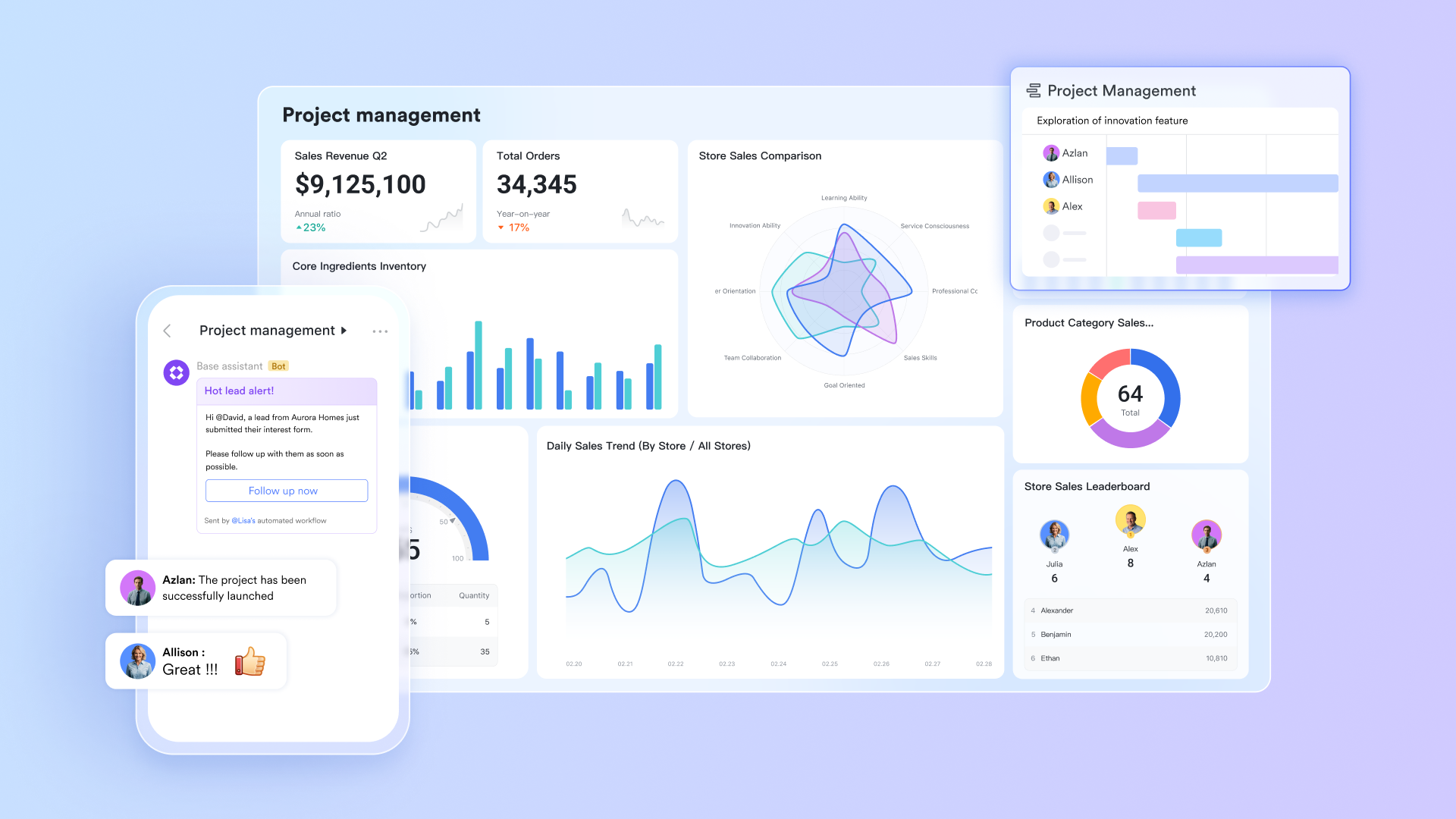
Structured data handling
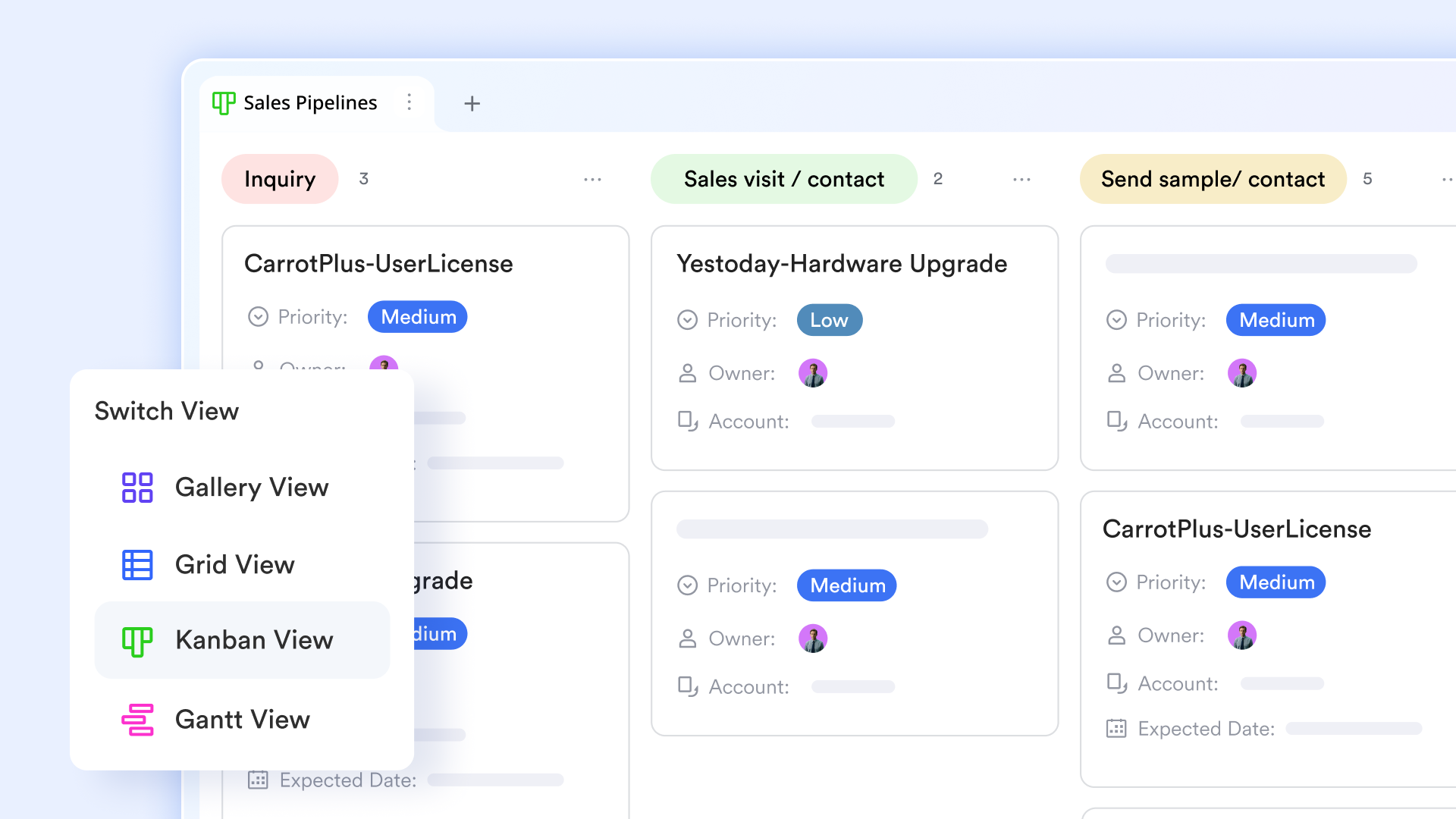
Lark Base offers a database-style approach to managing recurring estimation inputs such as vendor lists, rate cards, materials pricing, or equipment libraries. Teams can connect Base tables to Lark Sheets or Docs, ensuring that estimate templates always reference the latest data. This is especially useful for construction project estimate template workflows that require frequent updates to material or contractor rates. Custom views—like Kanban, gallery, or grid—help project managers organize cost components in flexible ways. Automations within Base can flag outdated prices or notify teams when key data changes, ensuring estimates stay reliable.
Collaborative document editing & documentation
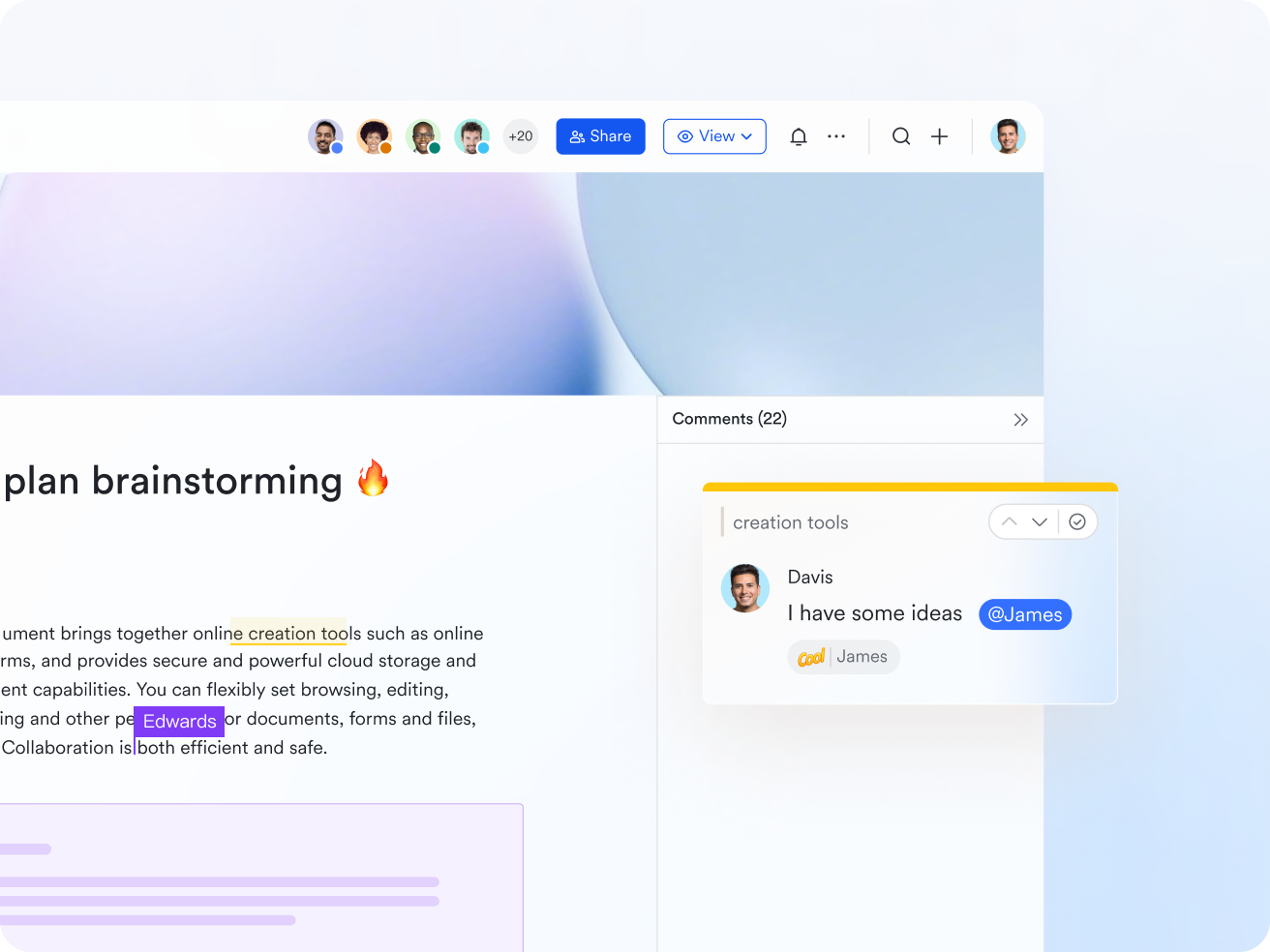
Lark Docs allows teams to build, store, and update project estimate templates in one shared repository. Instead of managing multiple versions across emails or folders, Docs provides a centralized, always-up-to-date location for every project estimate template. Teams can embed tables, assumptions, breakdowns, and attachments directly in each document. Version history ensures full traceability when edits are made. With cross-document linking and smart formatting, Lark Docs makes it easy to maintain standardized project estimation structures across departments. This consistency improves accuracy and reduces the learning curve for new team members.
Real-time cost calculations
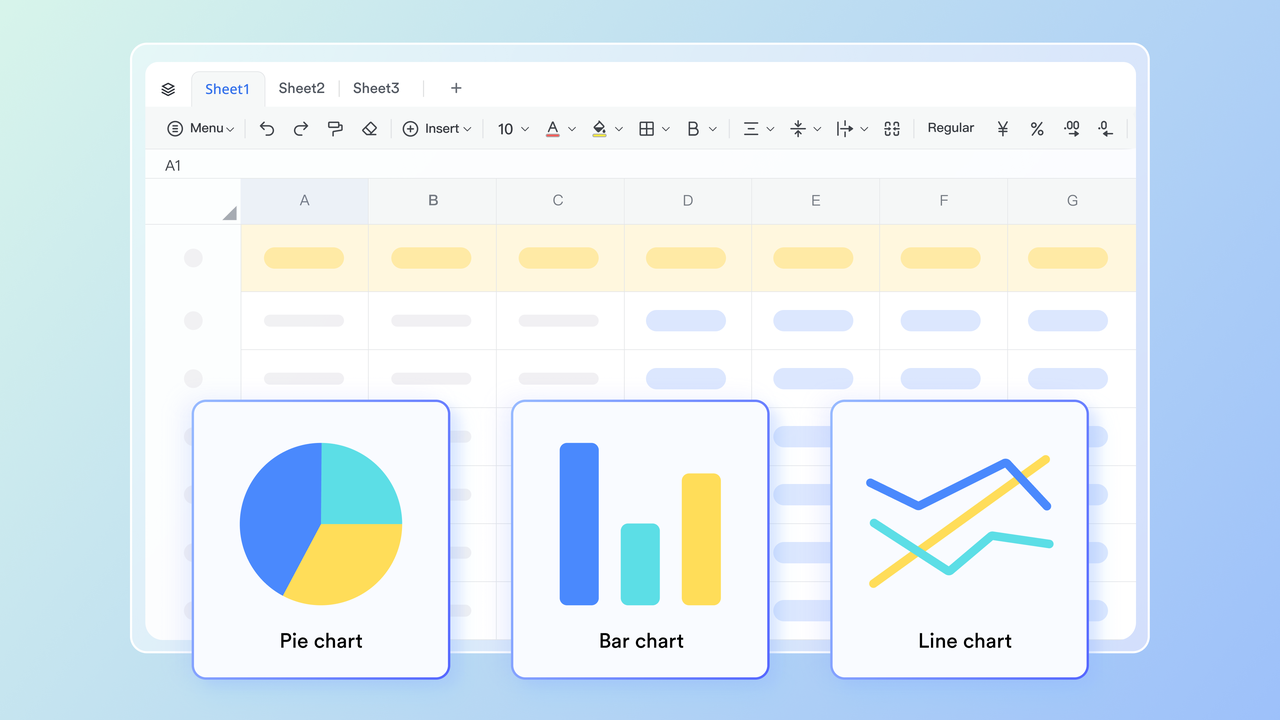
Lark Sheets enhances the traditional spreadsheet experience by enabling real-time multi-editor collaboration on project estimate templates. Teams can track labour hours, calculate material quantities, or generate automated totals using formulas just like in Excel—but without version conflicts. Sheets supports dynamic filters, pivot tables, and conditional logic, making it ideal for project cost estimate template workflows. With instant updates visible to everyone, cost estimation becomes faster and far more accurate.
Automated workflows for faster review cycles
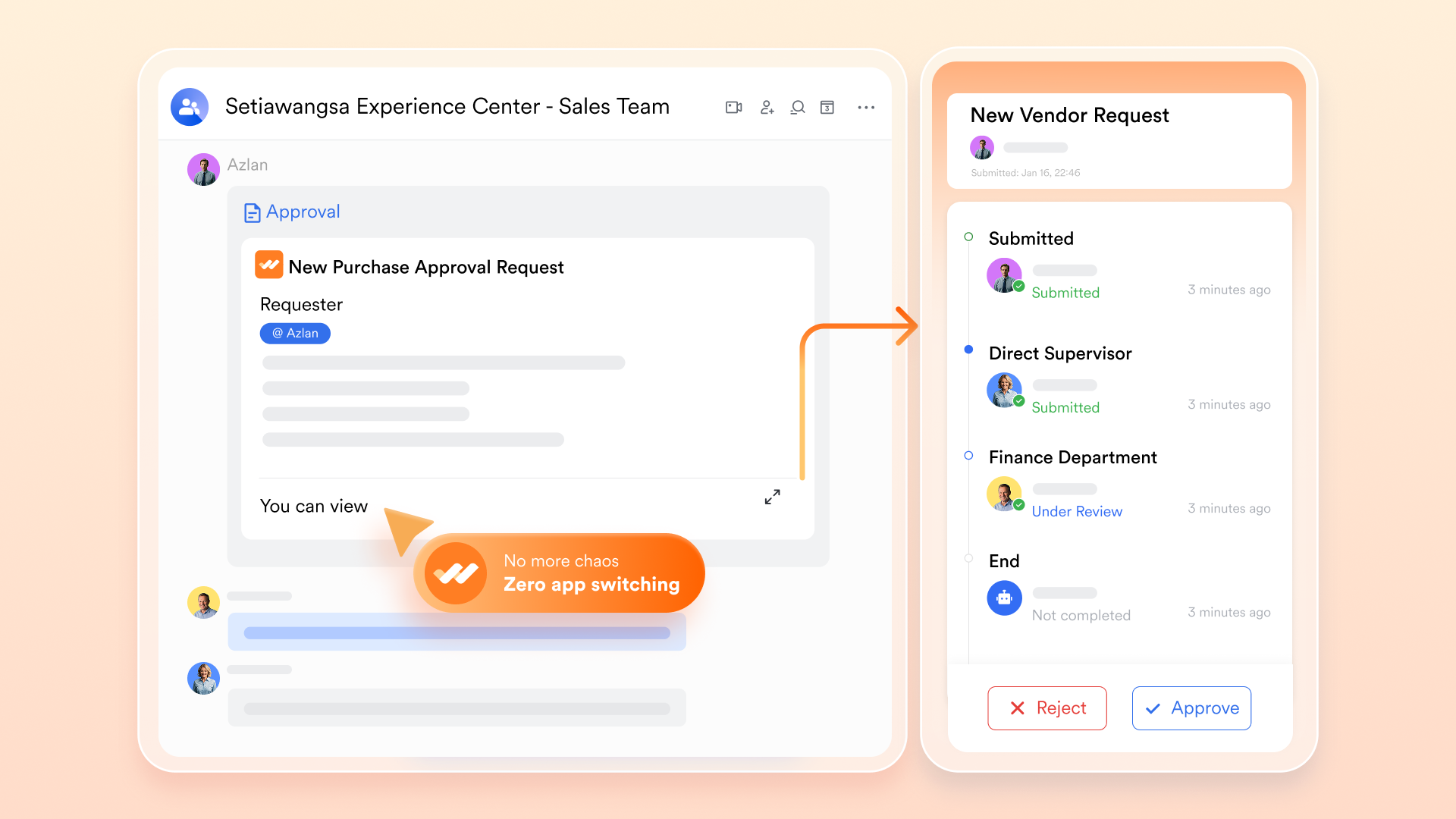
Automated workflows enable teams to streamline repetitive steps in the estimation process, such as sending notifications, collecting approvals, and routing documents to the appropriate stakeholders. When a project estimate template is completed, workflows can be set up to automatically trigger review steps or assign tasks. Lark Approval ensures decision-makers can review, reject, or approve estimates directly within the system. Automated reminders reduce delays and help ensure that estimates are signed off on quickly. These streamlined processes eliminate manual follow-ups and help teams move from planning to execution with fewer bottlenecks.
- Starter plan: Free forever plan that includes 11 powerful tools for up to 20 users. It also comes with 100GB of storage, 1000 automation runs, AI translations, and more.
- Pro plan: $12/user/month (billed annually) for up to 500 users. It includes everything in Starter plus group calling for up to 500 attendees, 15TB of storage, 50,000 automation runs, and more.
- Enterprise plan: Contact sales for custom pricing. Supports unlimited users and includes even more automation runs and advanced security, compliance, and management features.
Why project estimates matter in successful project delivery
A well-structured project estimate is essential for planning, budgeting, and aligning teams before work begins. Using a clear project estimate template ensures every stakeholder understands the scope, resources, and timeline from the start. Whether you're using a project cost estimate template or a project estimate template Excel file, accurate forecasting helps prevent delays and costly surprises. This level of clarity is especially important for complex work, including construction project estimate template workflows. With the right structure, teams can standardize estimation—whether in spreadsheets or a project estimate template in Google Sheets format—and deliver projects with confidence.
- Prevents scope creep and hidden costs: A detailed project estimate clarifies every deliverable, helping teams avoid taking on unplanned work. When costs are mapped using a project cost estimate template, hidden expenses are easier to identify early. This prevents budget overruns and reduces disputes later in the project. Whether structured in Excel or Google Sheets, a project estimate template strengthens financial transparency.
- Helps allocate resources effectively: Accurate estimation ensures the right people, materials, and equipment are assigned at the right time. A project estimate template Excel layout makes it easier to calculate labour hours and availability across teams. Construction teams especially benefit from a construction project estimate template to coordinate contractors and equipment schedules. Clear resource allocation minimizes bottlenecks and improves overall project flow.
- Supports stakeholder communication: When teams use a consistent project estimate template, stakeholders can easily understand assumptions, cost breakdowns, and timelines. This alignment reduces miscommunication and builds trust during planning. A project estimate template in Google Sheets allows real-time collaboration across departments. With shared visibility, approvals happen faster and decision-making becomes smoother.
- Ensures realistic timelines and budget alignment: A reliable project estimate allows managers to break work into measurable components and estimate effort accurately. Using a project cost estimate template helps teams calculate labour, material, and overhead costs with better precision. When combined with a project estimate template Excel sheet, timeline forecasting becomes more accurate. This ensures budget expectations remain realistic from start to finish.
- Strengthens decision-making before project kickoff: Leaders can compare multiple scenarios or proposals using various project estimate templates. Whether evaluating a construction project estimate template or a standard cost sheet, structured data improves decision quality. It becomes easier to assess trade-offs, risks, and resource needs in advance. This upfront evaluation reduces uncertainty and sets projects up for successful execution.
Project estimation techniques you can apply
Selecting the right estimation technique is just as important as choosing the right project estimate template. Different methods offer different levels of precision depending on project complexity, available data, and timeline constraints. Whether you're working in Excel, Google Sheets, or using a project cost estimate template, these techniques help strengthen forecasting. Blending techniques often yields even more accurate results. Understanding each method ensures teams can pick the best approach for their project needs.
- Bottom-up estimating: This method estimates each task individually and sums them to create the total project estimate. It offers high accuracy because it relies on detailed inputs. A project estimate template is particularly effective for organizing these granular components. Bottom-up estimating is ideal for complex or long-term projects.
- Top-down estimating: Top-down estimating begins with a total budget or timeline and distributes it across tasks. It's useful during early project discussions when details are still limited. Teams often refine these estimates later using more detailed methods. It's a fast way to establish initial feasibility.
- Analogous estimating: This approach uses data from previous similar projects to forecast the new project's cost or duration. It is especially useful when limited information is available. A well-maintained project cost estimate template library strengthens accuracy. This technique works best when past projects closely resemble current ones.
- Parametric estimating: Parametric estimating uses formulas, metrics, or cost-per-unit ratios to calculate estimates. It works well in industries with predictable, quantifiable variables. This method pairs effectively with a construction project estimate template where units and rates matter. It provides consistent estimates with minimal manual input.
- Three-point estimating: This method evaluates optimistic, pessimistic, and most likely scenarios to calculate a weighted estimate. It reduces risk by accounting for variability and uncertainty. Teams often perform three-point calculations directly in Excel or Google Sheets. It is widely used in engineering, software, and construction projects.
- Expert judgment: Subject matter experts validate estimates based on their experience and knowledge. Their insights help refine assumptions, especially when historical data is limited. Including expert input strengthens any project estimate template. It ensures final estimates are practical and grounded in a real-world context.
- Rolling-wave planning: This technique estimates near-term tasks in detail while keeping future phases high-level. It aligns well with evolving or agile-style projects. As more information becomes available, estimates are refined. It's especially helpful for long-duration or uncertain projects.
Conclusion
Project estimate templates are essential project management tools for planning, budgeting, and executing projects with clarity and confidence. They help teams outline scope, map resources, calculate labour, and forecast materials or equipment costs accurately. Whether using detailed cost templates, construction formats, or collaborative versions in Excel or Google Sheets, structured estimation reduces risk and improves decision-making. It also strengthens alignment among stakeholders and ensures projects stay within budget and timeline expectations.
For modern teams seeking faster, more accurate, and more collaborative estimation workflows, Lark provides a powerful platform. With real-time editing, automation, unified communication, and AI-assisted drafting, Lark helps organizations streamline the entire estimation lifecycle. Start building reliable, professional project estimates with a smarter, unified workspace.
FAQs
What's the difference between a project estimate and a project budget?
A project estimate is an early prediction of expected costs, timelines, and resource needs based on assumptions and available data. A project budget, meanwhile, is the approved financial plan that guides actual spending once the estimate is reviewed and finalized. In practice, estimates help shape budgets by revealing realistic cost expectations. Tools like Lark make this transition smoother by centralizing timelines, documents, and cost breakdowns in one place. With clearer visibility across teams, converting an estimate into a workable budget becomes far more accurate.
How often should project estimates be updated?
Project estimates should be reviewed and updated whenever scope changes, new risks emerge, or resource availability shifts. Many teams revise estimates at each project phase or checkpoint to stay aligned with real conditions. Regular updates prevent cost deviations and timeline surprises. Lark simplifies this process through shared documents, live sheet calculations, and automated version tracking, allowing teams to adjust estimates collaboratively and transparently. Frequent revisions become easier when data, comments, and approvals live in one workspace.
What tools should project managers use to validate cost estimates?
To validate estimates, teams typically rely on historical data, vendor quotes, expert reviews, and quantitative forecasting methods. But validation becomes more effective with tools that centralize inputs and reduce manual work. Lark supports this by housing estimation templates, team feedback, and real-time sheet calculations together, enabling PMs to cross-check figures seamlessly. Automated workflows and collaborative reviews help identify gaps or inconsistencies early. With everything connected, leaders validate estimates with greater confidence.
How do I choose the right project estimate template for my team?
The ideal template depends on your project type, level of detail required, and team workflow. For detailed cost tracking, a robust cost estimate sheet works best, while early-stage planning may only need a high-level summary layout. Lark offers flexible templates inside its workspace, allowing teams to pick formats that match their needs—Excel-like sheets for calculations, docs for breakdowns, and collaborative views for reviews. This flexibility ensures consistent, optimized estimation across all departments.
What's the biggest cause of inaccurate project estimates?
Inaccurate estimates usually stem from unclear scope, missing information, optimistic assumptions, or overlooked risks. Without structured templates and real-time collaboration, small errors can snowball into major budget and timeline issues. Lark helps reduce these inaccuracies by standardizing templates, automating calculations, and centralizing comments and revisions. Teams can capture assumptions, update changes instantly, and keep contributors aligned. When everyone works on a single source of truth, estimation quality improves significantly.
Related reading
Table of contents
Start using Lark today

Manage all your work in one place
Boost team efficiency by 10x
Save up to 70% on software costs
Table of contents
Start using Lark today
Manage all your work in one place
Boost team efficiency by 10x
Save up to 70% on software costs
Keep reading







2026 Lark Technologies Pte. Ltd.
Headquartered in Singapore with offices worldwide.






Explore: