














Securing the Automated Enterprise: Operational Risks in CRM Workflows

Cecilia Lane
Go-to-Market Associate
Sep 18, 2026
Cecilia Lane
Sep 18, 2026

15 min read


Customer Relationship Management (CRM) automation is often hailed as the ultimate efficiency engine. It promises to liberate revenue teams from the drudgery of manual data entry, streamline communication, and accelerate the sales cycle. However, beneath the surface of seamless workflows and instant notifications lies a complex operational reality. When automation is deployed without rigorous architectural oversight, it can inadvertently introduce significant cybersecurity vulnerabilities and operational fragility.
These are not merely technical glitches to be resolved by the IT helpdesk; they are fundamental business risks that threaten data integrity, customer trust, and regulatory compliance. This article explores the critical intersection of operations and security, offering a practical roadmap for securing your automated infrastructure. Modern platforms like Lark help bridge this gap by bringing conversation and context directly into the approval flow, but the underlying logic must be sound first.
Why CRM automation is an operations issue
Historically, cybersecurity was viewed as the exclusive domain of the IT department—a technical problem solved with firewalls and encryption keys. However, in the context of CRM automation, this perspective is dangerously outdated. Automation logic is often designed and implemented by Revenue Operations (RevOps), Sales Operations, or Marketing teams who prioritize speed and conversion over security protocols. To understand the magnitude of this shift, we must translate technical risk into operational language. A security gap in a CRM workflow is not just a potential data breach; it is a direct threat to the stability and reliability of the business engine.
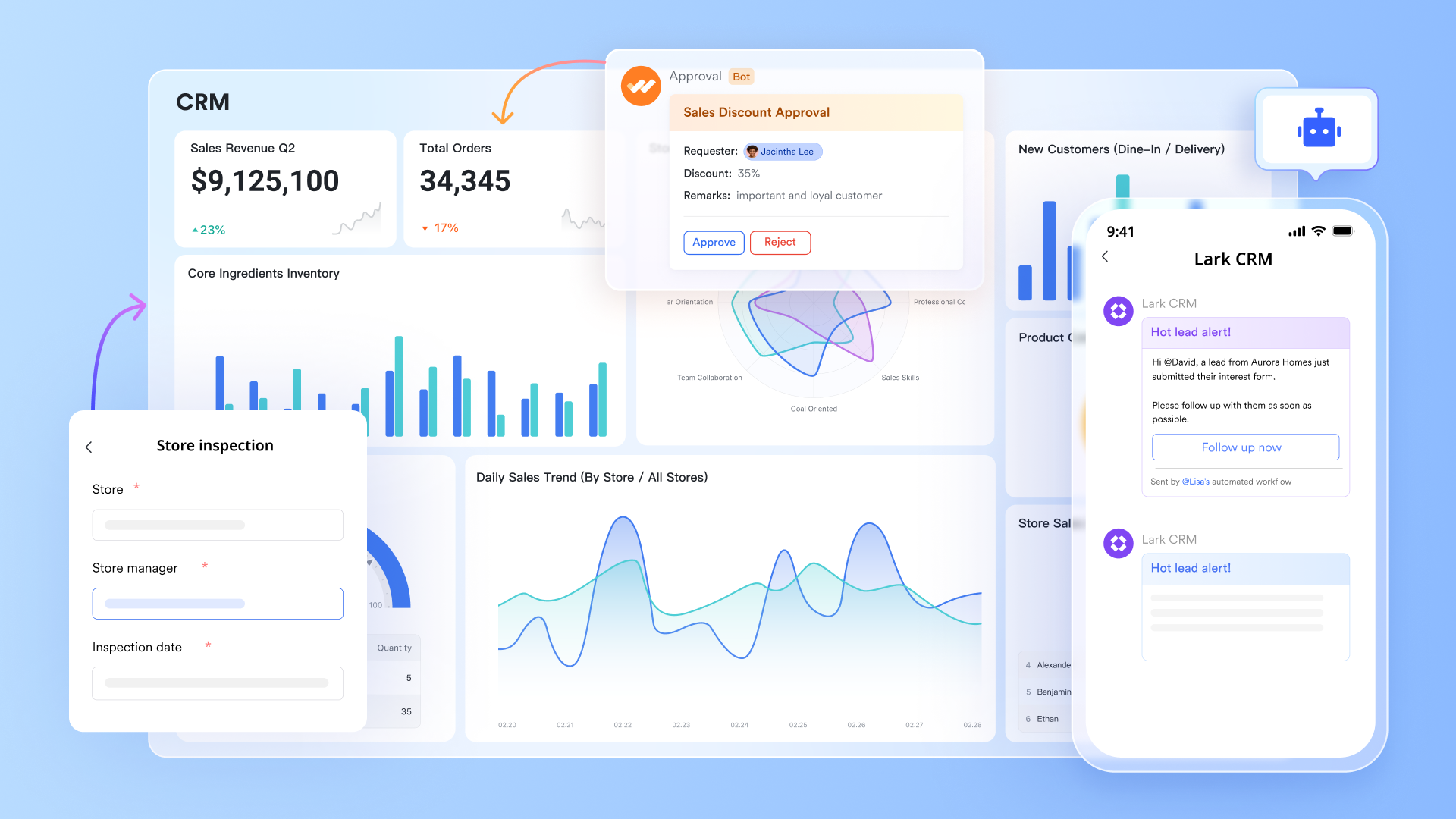
- Revenue impact and deal velocity. If an automation error corrupts lead data or routes high-value prospects to a black hole, the immediate result is lost revenue. Sales teams lose confidence in the system, reverting to manual spreadsheets and shadow IT, which further fractures data visibility and slows down deal velocity. The cost of mistrust is measured in missed quotas.
- Customer trust and brand equity. A single automated email sent to the wrong segment—or worse, exposing another client's data—can undo years of relationship building. Trust is the currency of the enterprise, and operational failures that leak data deplete this currency instantly. Rebuilding credibility after a "glitch" is far more expensive than preventing it.
- SLA reliability and service continuity. Operations teams rely on Service Level Agreements (SLAs) for lead response times and support ticket resolution. Poorly designed automation can create infinite loops or massive backlogs that breach these SLAs, causing cascading failures across support and success teams. Reliability is the bedrock of operations, and fragile automation undermines it.
- Audit burden and compliance debt. When data governance is an afterthought, preparing for audits (like SOC2 or GDPR compliance) becomes a nightmare of manual forensic work. Operations teams are forced to divert hundreds of hours to clean up messy data trails and document undocumented workflows, paralyzing their ability to execute on a forward-looking strategy.
- Cross-team coordination friction. Automation often spans multiple departments—marketing generates the lead, sales works the deal, finance approves the quote, and success manages onboarding. A failure in one node of this automated chain creates friction and blame games between teams. Operational excellence requires seamless handoffs, and secure automation is the glue that holds these cross-functional processes together.

Common CRM automation scenarios that increase risk
Risk rarely announces itself with a red alert; it usually creeps in through the most mundane, everyday workflows. In the drive to remove friction, teams often remove necessary friction—the checks and balances that keep data safe. By identifying these high-risk scenarios early, operations leaders can manage risks and design safer patterns without sacrificing efficiency.
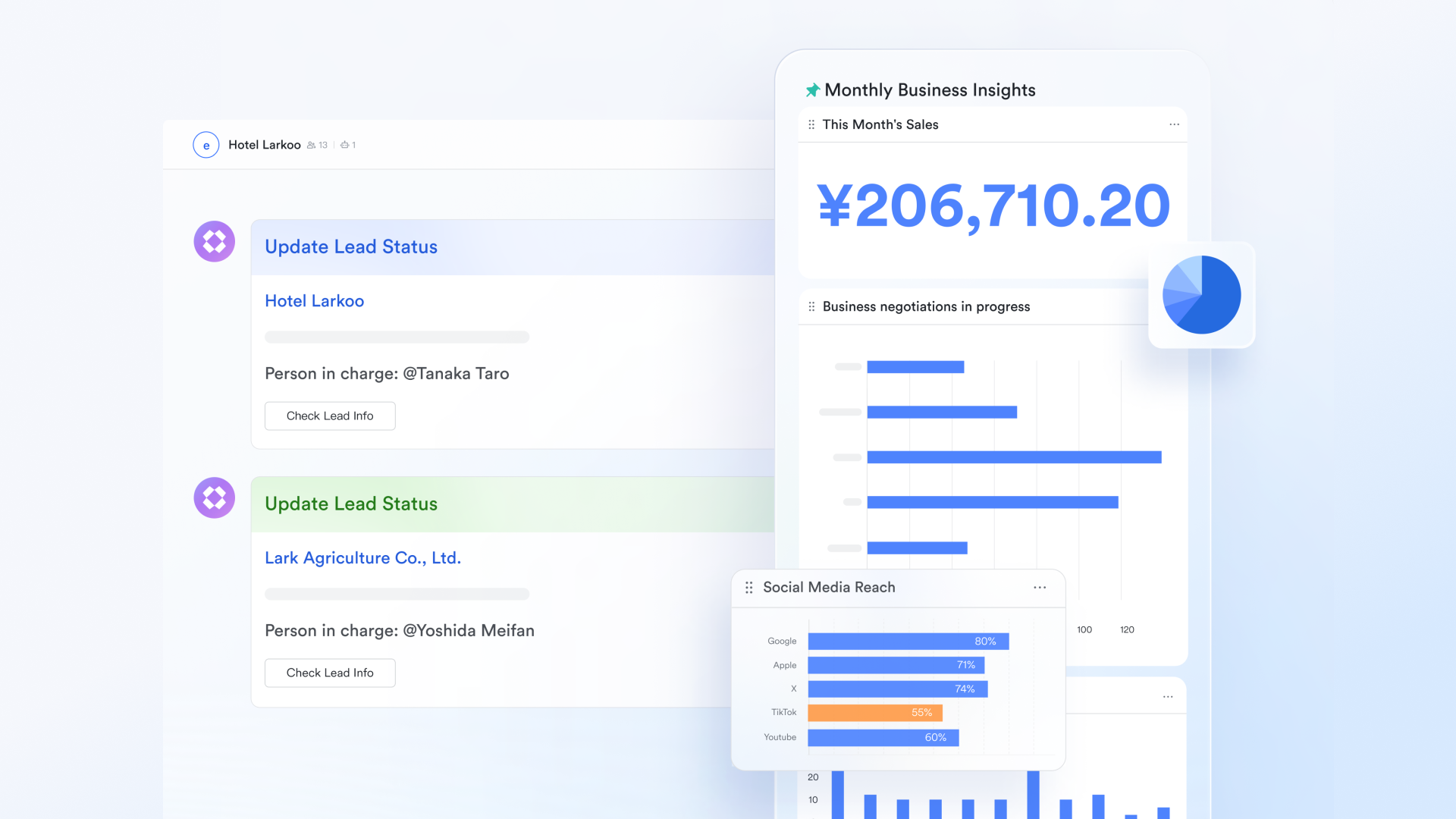
- Complex lead routing and assignment logic. Routing rules often involve complex "if/then" logic based on territory, deal size, or product interest. If these rules are not validated, leads can be routed to ex-employees who still have partial system access, or to third-party partners who haven't signed the current non-disclosure agreements. The automation blindly follows the rule, potentially exposing hot leads to unauthorized eyes.
- Internal notifications on public channels. It is common to post "Big Win" alerts to a company-wide chat channel to boost morale. However, if the automation grabs the entire "Opportunity Object," it might inadvertently post the customer's private cell phone number, contract value, or specific legal terms into a channel visible to interns, contractors, and visitors. This is a classic case of over-sharing by default.
- Automated customer handoffs and file transfers. When a deal closes, automation often moves files from a sales folder to a customer success folder. If permissions are not strictly mapped, this process can leave sensitive contracts in a "General" folder accessible to the entire organization. The handoff works operationally, but the security permission inheritance fails, leaving data exposed.
- Bi-directional deal updates and overwrites. Integrations that sync data both ways (e.g., between CRM and ERP) are prone to race conditions. A well-meaning sales rep might update a record, only for a nightly automation job to overwrite it with old data from the finance system. This data corruption destroys the "single source of truth" and can lead to billing errors that compromise customer relationships.
- Support escalations and auto-responses. Deeply integrated support systems often parse incoming emails to auto-create tickets. Without strict filters, an attacker can flood the system with malicious payloads or phishing links that are automatically ingested and then distributed to support agents as "high priority" tasks, bypassing email gateway filters because they come from the trusted CRM.
- Unrestricted form-to-CRM ingestion. Web forms are the front door to your CRM. If automation takes whatever is submitted and inserts it directly into the database without sanitization, it opens the door to script injection attacks or "junk data" floods that ruin reporting accuracy. Operational health depends on the purity of this input stream.
Set up a governance model before you scale automation
The most effective way to mitigate these risks is not to buy more security software, but to implement a robust governance model. Governance is often viewed as a bureaucratic slowdown, but in reality, it is the guardrail that allows you to drive fast without crashing. A clear governance framework clarifies who is allowed to build what, who must approve it, and how it is maintained over time. Without this, your CRM becomes the "Wild West," with rogue automations firing in conflict and no one knowing which switch to turn off when things go wrong.
An operational governance framework for automation should include the following core components to ensure stability and accountability:
- Clear process ownership and definition. Every automation must have a human owner—a specific role (not just a person, as people leave), responsible for its logic and outcome. This owner is the "Process Architect" who defines what "good" looks like. If a workflow breaks, the organization must know exactly who is accountable for fixing it, rather than bouncing the ticket between IT and Sales Ops.
- Standardized approval gates for changes. You would not deploy code to your production product without a review; you should not deploy automation to your production CRM without one either. Implement a "Change Approval Board" (CAB) for major workflows. This group checks for logic errors, security risks, and business impact before the "Activate" button is pressed.
- Rigorous change management and versioning. Changes should be documented and reversible. Use a sandbox environment to test new rules against real operational data before going live. If an update causes havoc, you must have a documented "rollback plan" to revert to the previous stable state immediately. Version control for automation logic is just as critical as version control for software code.
- Mandatory documentation of business intent. Every automation should have a "Why" document. Why does this rule exist? What business problem does it solve? Who requested it? When an automation fails three years later, this context is invaluable for determining whether to fix it or delete it. Undocumented "ghost" automations are a major source of technical debt.
- Incident response readiness. Governance means planning for failure. The team needs a predefined "Kill Switch" protocol to stop the bleeding and a communication template to apologize. Operational readiness is defined by how you handle the crisis, not just how you prevent it.
- A simple RACI matrix for automation. Define who is Responsible (the builder), Accountable (the business owner), Consulted (IT/Security), and Informed (End Users). This clarity prevents the "too many cooks" problem, where everyone assumes someone else checks for security gaps.
Data classification and access control for CRM workflows
Governance provides the rules of the road, but data classification provides the traffic signals. Not all data is created equal; a customer's first name has a different risk profile than their credit card token or health information. Treating all data fields as "open" for automation is a recipe for disaster. Operational security relies on the principle of least privilege—giving automation only the access it strictly needs to do its job, and nothing more. This granular approach minimizes the "blast radius" if a specific credential or workflow is compromised.
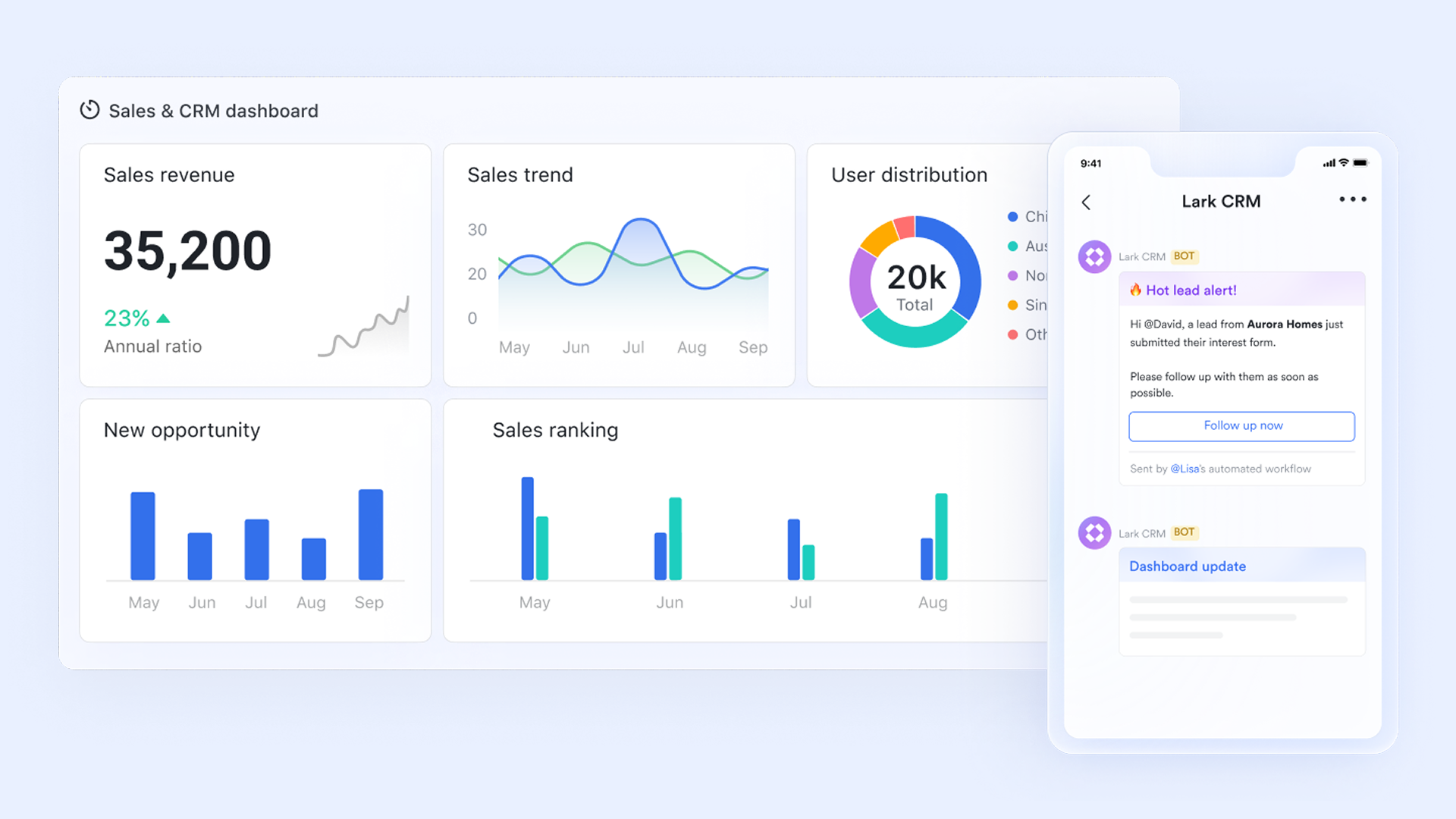
To secure CRM workflows effectively, organizations must adopt a disciplined approach to data classification and access boundaries:
- Tiered data classification. Categorize your CRM fields into tiers: Public (e.g., business name), Internal (e.g., deal stage), Confidential (e.g., contract value, contact mobile), and Restricted (e.g., PII, payment info). Visual markers or naming conventions in the CRM can help builders instantly recognize high-risk fields. Automation rules interacting with "Restricted" data should trigger an automatic higher-level security review.
- Template and field whitelisting. Instead of allowing email templates to pull from any field in the database, establish a "whitelist" of safe fields. If a marketing manager wants to add a new dynamic field to an email blast, they must request it. This prevents the accidental insertion of a field like "Internal Notes" into a customer-facing email, which is a common and embarrassing operational failure.
- Least-privilege for automation identities. Integration users (the "API User") are often given "System Admin" privileges out of laziness. This is dangerous. Create specific integration roles with permissions scoped strictly to the objects they need to touch. If an automation only updates "Lead Status," it does not need "Delete" permission on "Accounts." Limit the power of the non-human user.
- Separation of duties. The person who builds automation should not be the same person who authorizes its deployment to production. This classic internal control prevents malicious intent and honest mistakes. In smaller teams, a "peer review" requirement can serve this function effectively without creating bottlenecks.
- Strict collaboration boundary controls. Modern work happens in chat apps, but your CRM should not blindly push data there. Enforce boundaries: Financial alerts go to a private "Finance Ops" channel, not the public "General" channel. Regularly audit the membership of these channels to ensure that people who have left the project no longer have access to the data stream.
How Lark helps teams govern CRM automation securely
The challenge of securing CRM automation is often a challenge of communication and visibility. Modern Google Workspace alternatives like Lark offer a unified workspace that can serve as the operational control plane for your automation strategy. By centralizing the human element of governance, teams can move faster without breaking things.
Set up no-code CRM automated workflows
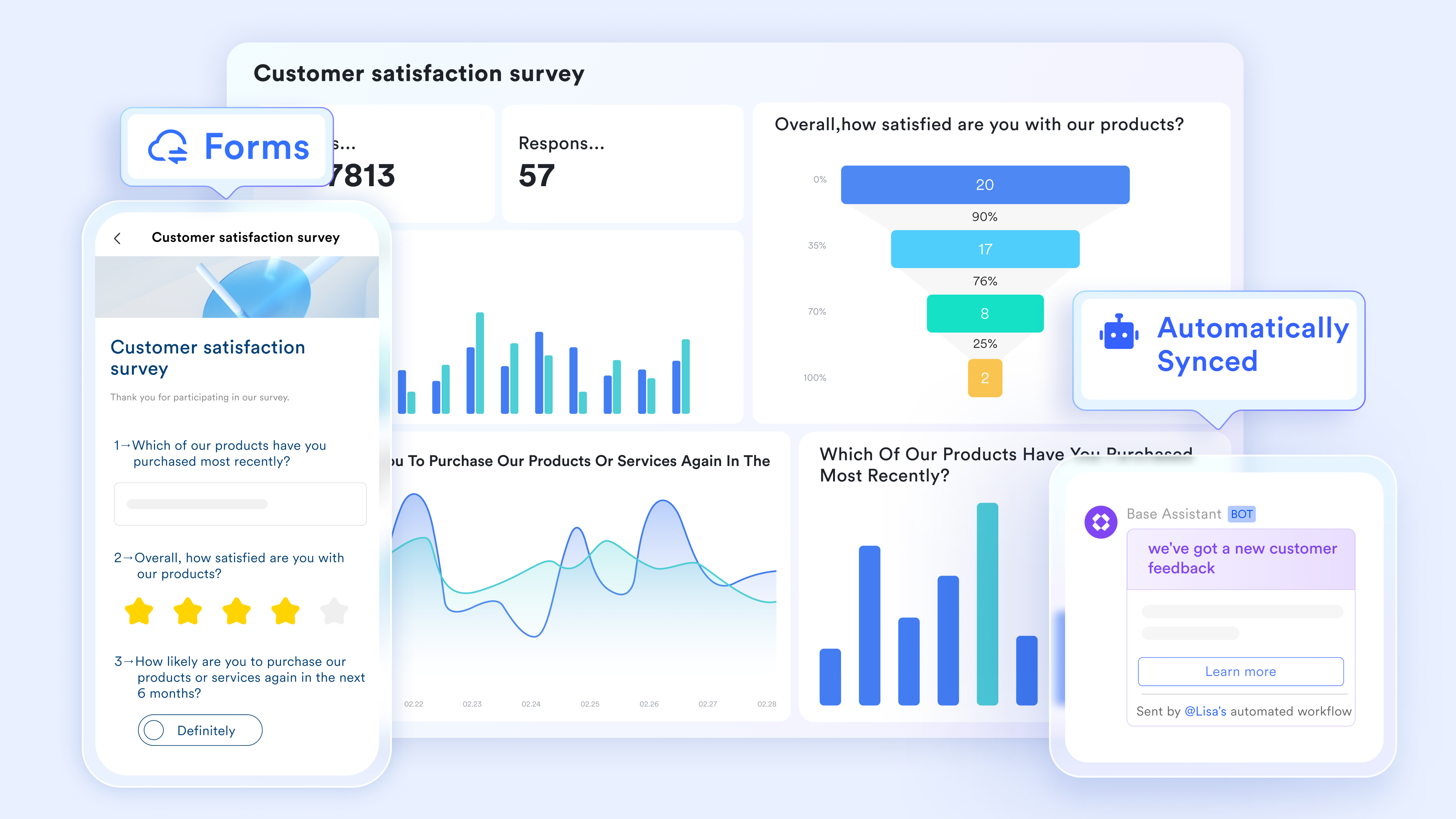
Lark Base can act as a lightweight CRM layer and an automation hub for operational automated workflows. Teams model leads, accounts, and activities as structured tables, then collect inputs through Base forms (for web leads, event sign-ups, or internal requests) that write data into the right records. With rule-based automations, Base can trigger actions when fields change—such as creating follow-up tasks, assigning an owner, notifying a group chat, or starting an approval flow for discounts or contract exceptions. Permissions can be set at table, view, or record levels to reduce overexposure.
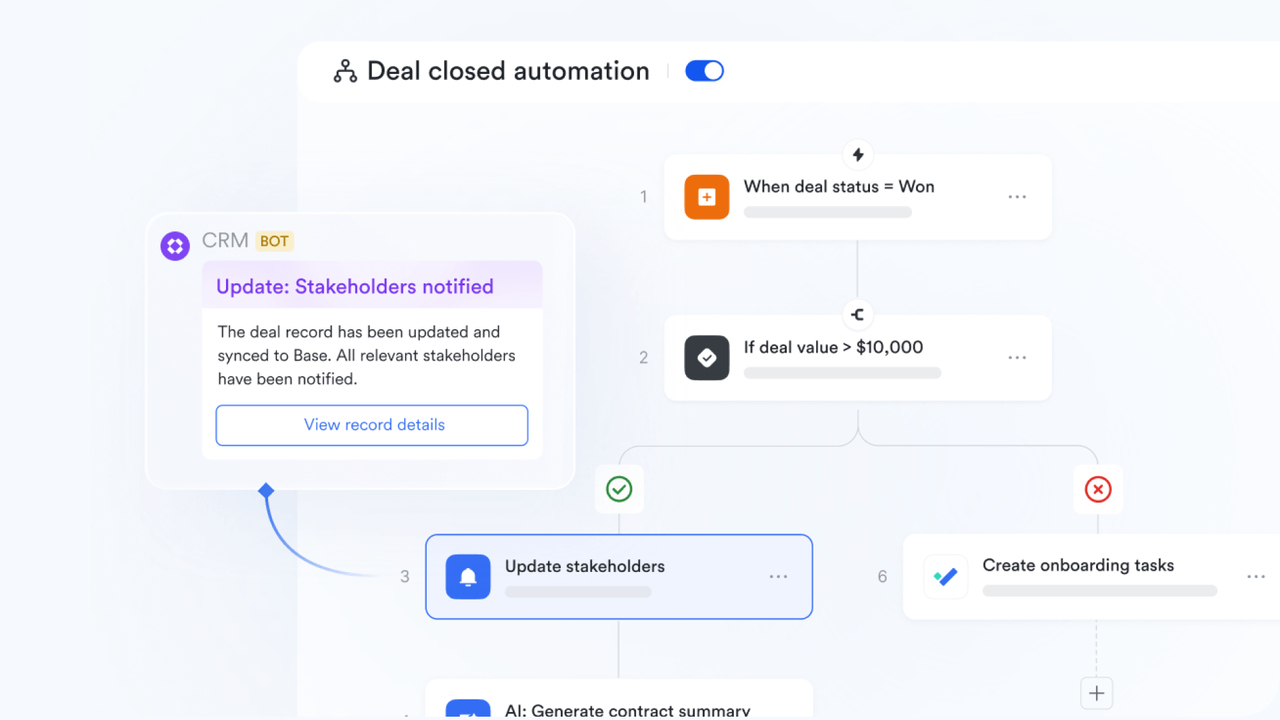
Centralized intake for change requests.
Instead of informal slack messages or hallway conversations, teams can use Lark Forms and Lark Base to standardize the request process for new automations. Once users fill in the form, the data will be added to Lark Base and become a new record. No manual work is needed. This data flow can force the requester to answer critical questions about data usage, business purpose, and urgency, creating an automatic audit trail of "who asked for what" before any work begins.
Streamlined approvals and audit trails.
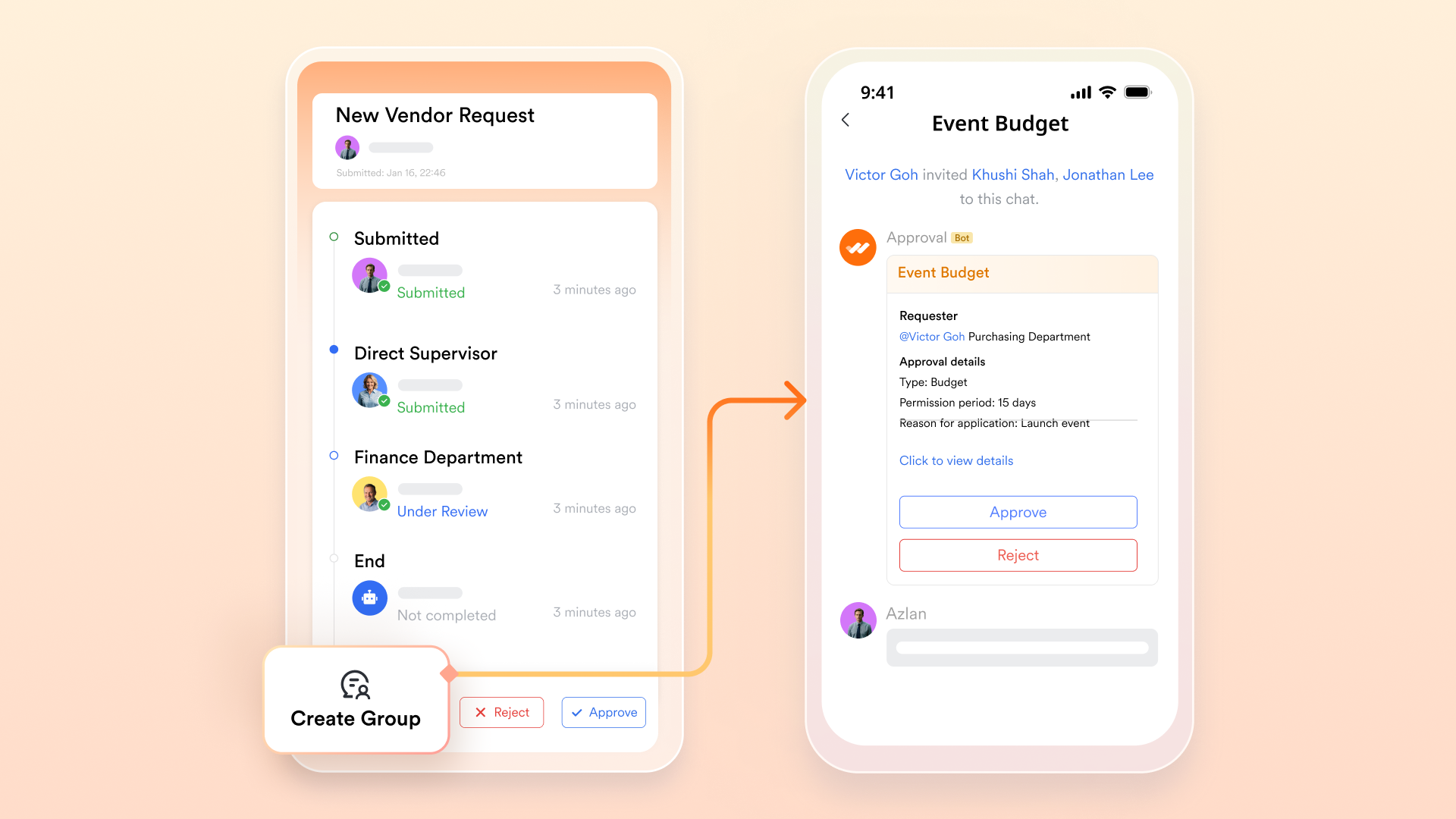
Lark Approval pre-set, customizable automated approval workflows allow you to design a review process that automatically routes high-risk requests to the security team or the CRM owner. The approval is logged automatically and permanently, providing a clear history of decision-making that is invaluable during internal or external audits.
Permission-aware sharing and documentation.
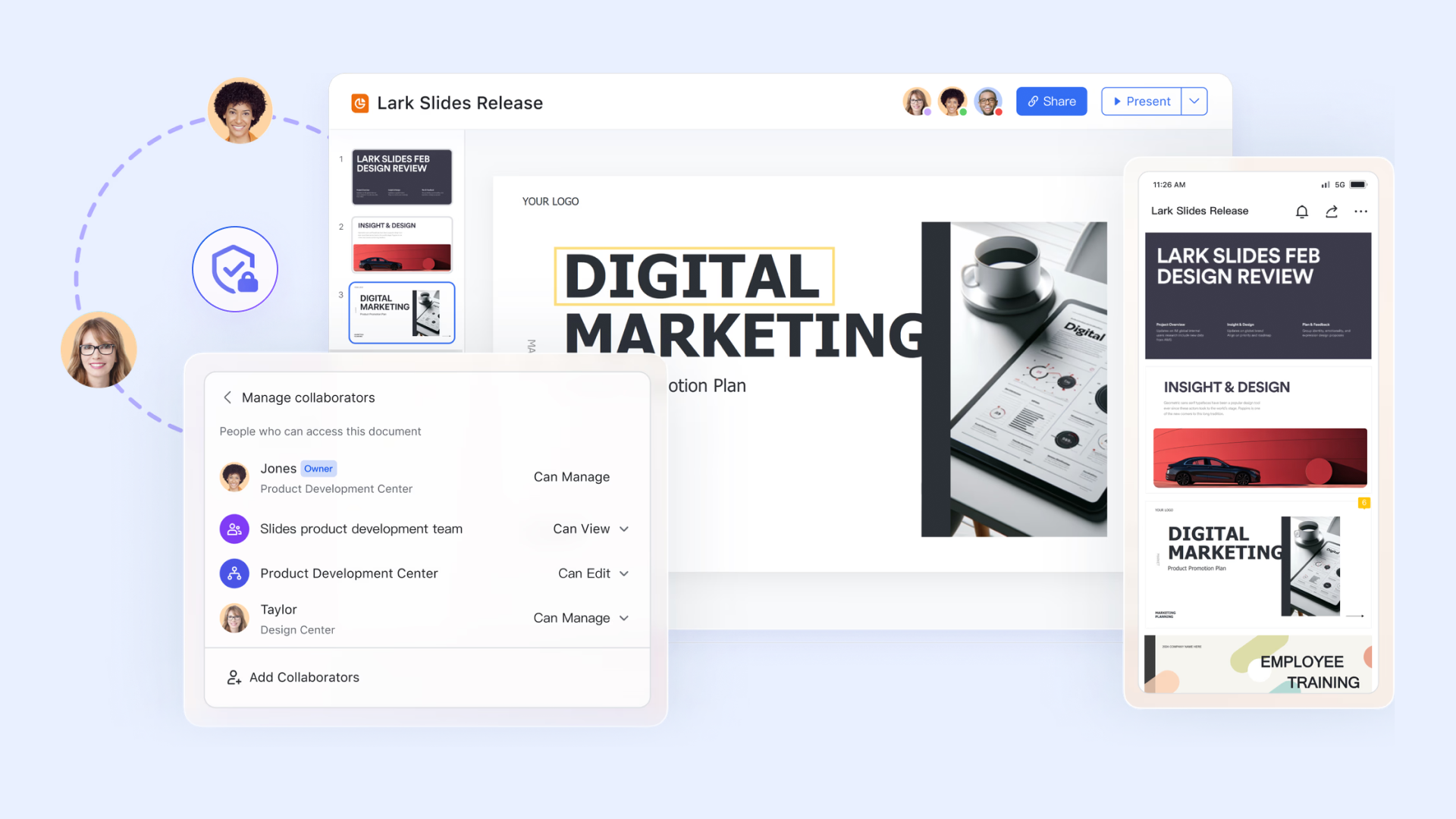
Documentation is only useful if it is accessible and secure. Lark Docs (including Docs, Slides, Sheets, and MindNote) supports granular permission settings, ensuring that sensitive architectural diagrams or PII-handling procedures are shared only with the core operations team. At the same time, general "How-To" guides are available to all users. This keeps knowledge flowing without leaking secrets.
Standard playbooks in a Wiki.
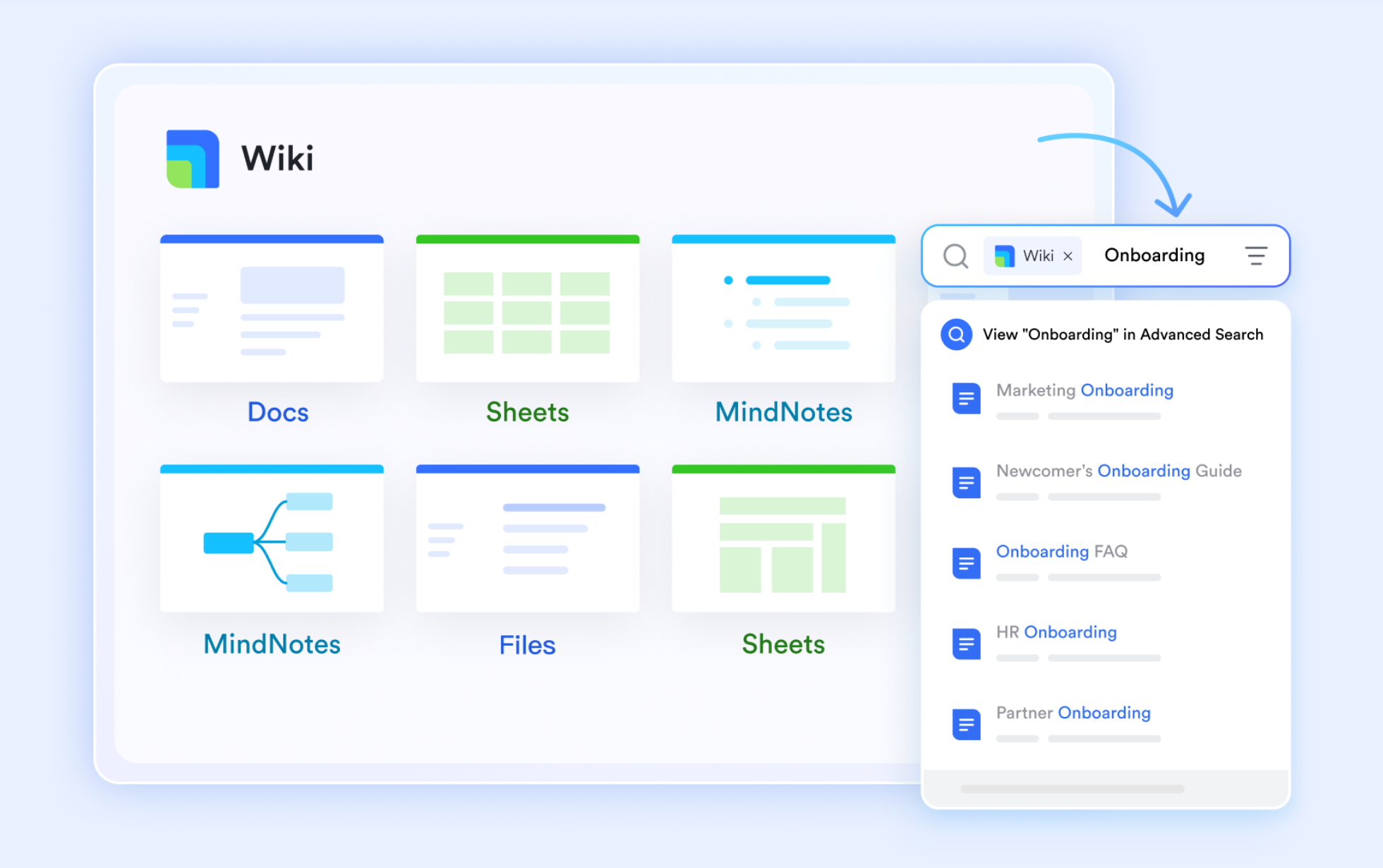
A dedicated Ops Wiki can house your "Standard Operating Procedures" (SOPs) for automation. By centralizing these playbooks with Lark Wiki, you ensure that every team member—whether a veteran or a new hire—is building against the same set of security standards and naming conventions, reducing variability and risk.
Real-time incident coordination.
A dedicated "War Room" group chat can be spun up instantly to coordinate the response. At Lark, built-in chatbots can send alerts automatically to Lark Messenger, allowing the team to swarm the issue, discuss the fix in threads, and resolve it without switching contexts. Users can also start video meetings right in the chat channel.
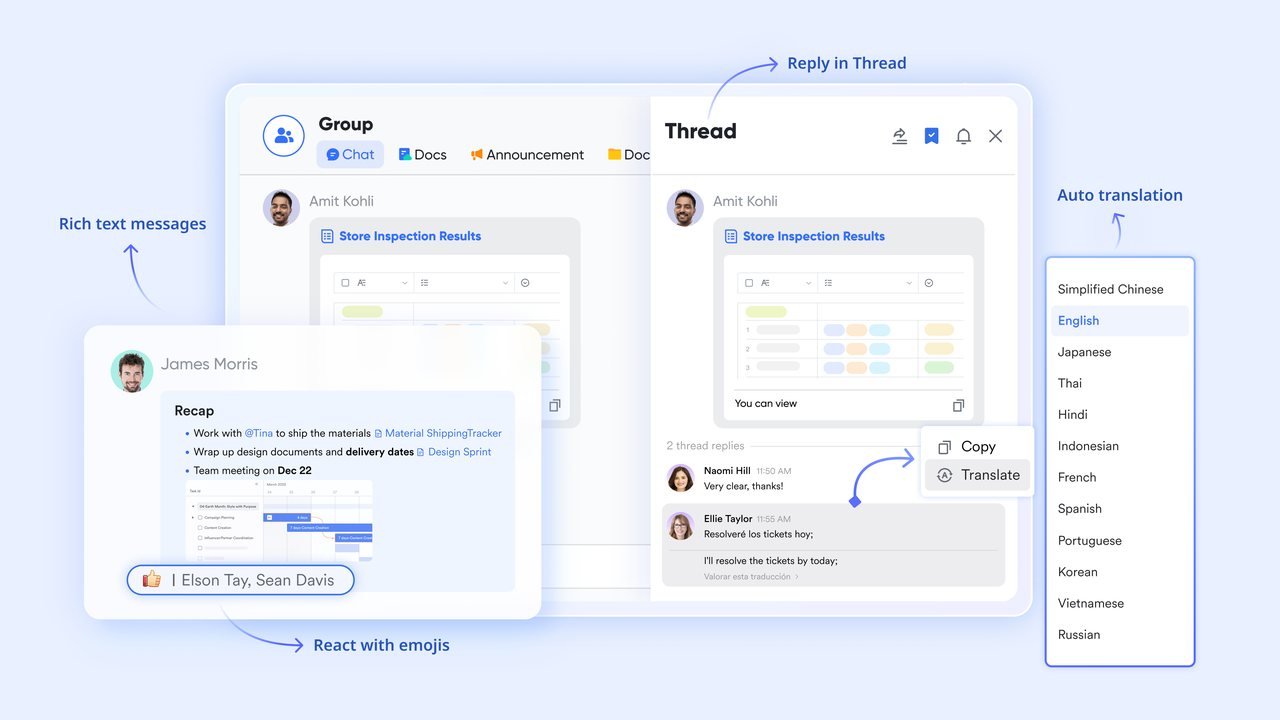
By unifying CRM automation workflows, team collaboration tools, data visualization tools, and approval tools into one, Lark can help teams save more time and budget.
Try Lark's savings calculator: Switching to Lark's Pro plan can lead to significant cost savings— for example, a 100-employee company using Slack, Google Workspace, and Airtable could save approximately $25,200 annually by consolidating their tools with Lark.














How many employees work at your company?
By number of people
1
20
500
5000+
1000
Which tools do you use?

Estimates are for reference only, contact us for an official quote

Cybersecurity Risks in Poorly Designed CRM Automation
If you use a CRM to manage your customers, you probably love how automation saves you time. You don't have to manually send follow-up emails, update records, or assign tasks — your system does it for you. But if your automation isn't set up carefully, it can put your data at serious risk.
Maybe a workflow sends sensitive information to the wrong person, or a third-party tool you connected isn't secure. Before you know it, customer data could be exposed, and that could cost you money, trust, and time to fix. In this section, you'll learn the main cybersecurity risks in CRM automation and how to avoid them.
1. Data leakage
The main trouble with automation is that software doesn't have common sense. It does exactly what it's told to do—even when the setup is wrong. Data leakage is simply what happens when a system accidentally shares private information with people who were never meant to see it.
Casey Meraz, Founder & CEO of Juris Digital, highlights, "Automation moves fast, but it doesn't stop to ask if something makes sense. In systems built to scale outreach or communication, a small setup mistake can repeat itself hundreds of times before anyone notices."
Think about the emails your CRM sends out automatically. You might set a rule that says, "Send the weekly project update to the client," using a template that pulls in details like the project name or budget. You might not realize how serious this can be. In fact, the average cost of a data breach is $4.88 million, and 68% of breaches still involve human error.
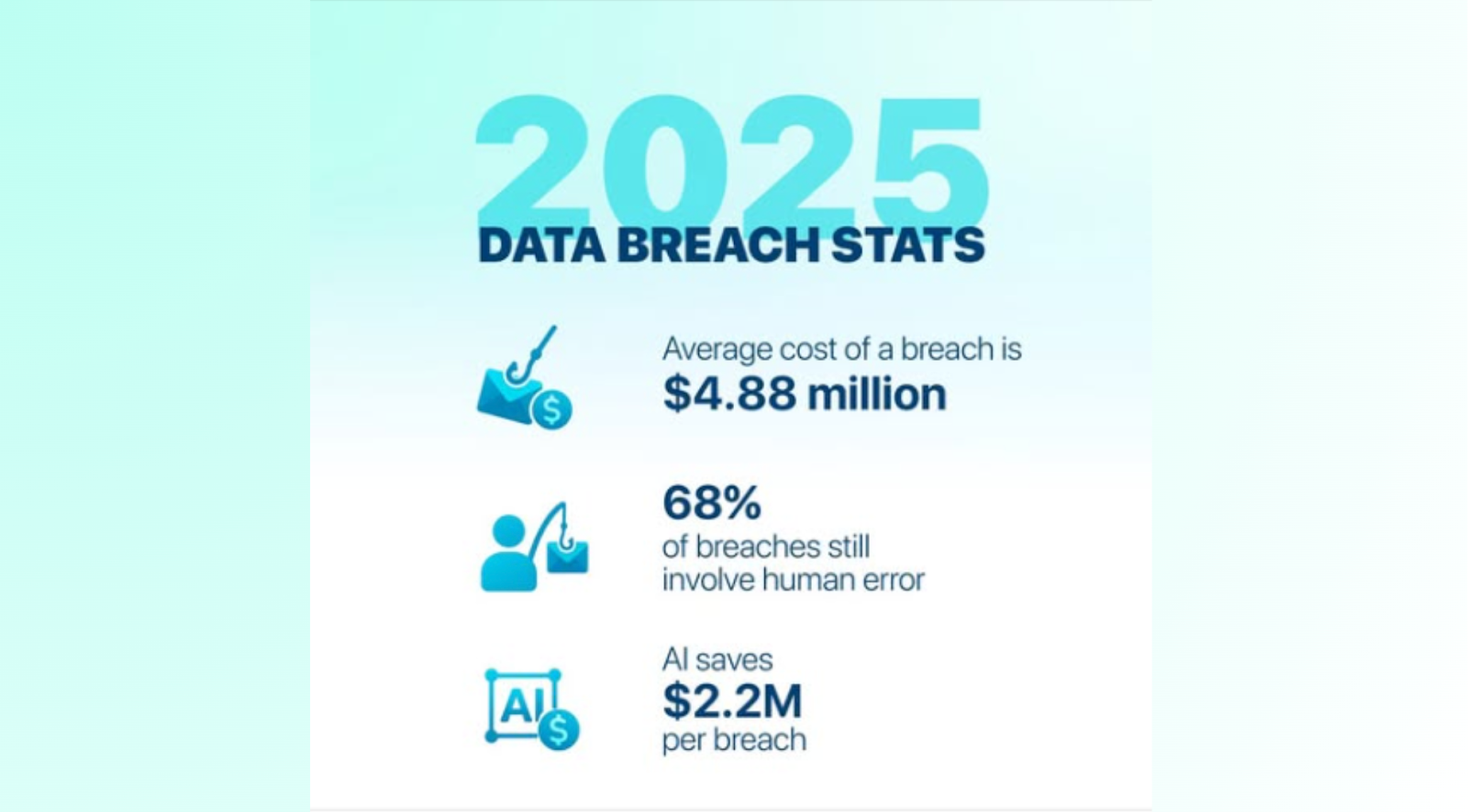
Image source: facebook.com
That means most leaks happen because someone set up a workflow incorrectly, used the wrong template, or gave access to too many people. "When information is reused across systems, credibility is tied to precision. One careless automation can undo a lot of trust, especially when private details surface where they don't belong," adds Rameez Ghayas Usmani, Award-Winning HARO Link Builder & CEO of Best HARO Link Building Service. So don't trust the machine to know what's private. Check exactly what fields are in your email templates.
2. Unauthorized access
Most companies are careful about who can see what. A new hire doesn't get access to executive notes or financial data. But poorly designed automation can quietly bypass those rules. Alison Lancaster, CEO of Pressat, adds, "When systems are built to distribute information quickly, access control becomes critical. One loose permission can expose far more than intended."
Automation tools often run with elevated permissions. That means they can see everything—even if the person triggering them shouldn't. For example, a junior support agent escalates a ticket. If the workflow copies the full customer history into a shared note, that agent might suddenly see private financial data or internal conversations. To avoid this, treat automation like a team member.
Don't give it full access unless it truly needs it. If a workflow only needs to update a status, it shouldn't have permission to read payment details or internal notes. Review these permissions regularly, especially as workflows evolve. Htet Aung Shine, Co-Founder of NextClinic, mentions, "Unauthorized access usually isn't malicious — it's accidental. But once sensitive data is exposed, intent doesn't matter. What matters is whether safeguards were in place."
3. Phishing and malicious links
We usually think of phishing as a suspicious email from a so-called prince asking for money. In reality, the bigger risk often comes from inside your own system. Automation can accidentally turn your CRM into a delivery channel for malicious links—because people trust internal notifications. Ákos Doleschall, Managing Director at Hustler Marketing, highlights, "When speed is rewarded, people stop questioning what looks familiar. That's when routine alerts become dangerous, because no one expects the risk to come from something that feels like a normal handoff."
Hackers know sales and support teams trust CRM alerts. If an email says "New Lead Assigned," it gets clicked without much thought. Attackers exploit this by submitting contact forms filled with malicious links or code instead of real details. If your automation instantly forwards that data to your sales team, you're effectively passing the threat along yourself. A salesperson clicks the link expecting a prospect's website and ends up downloading malware or handing over login credentials.
The fix is treat all incoming data as untrusted until it's checked. Automations should scan suspicious links or odd characters before sending notifications. Teams should also slow down just enough to notice when something feels off. Karen Noryko, Career Content Director at Jobtrees, shares, "When people rely on systems to guide next steps, trust builds quickly. That's why small inconsistencies matter. Because once confidence is broken, it's hard to get back."
4. Poor integration security
To keep work moving, CRMs are connected to everything—email, calendars, Slack, accounting tools, and marketing apps. Each connection makes things easier, but it also widens the surface area for mistakes.
In an interview, Loredo Rucchin, CEO & Founder of Jukebox, said, "CRM automation can streamline customer engagement, but poorly designed systems expose brands to security and privacy risks. One way to mitigate risk is by incorporating secure printed communications and controlled physical collateral, ensuring sensitive information is delivered safely. Using custom print solutions that complement digital CRM workflows allows businesses to maintain consistent branding while protecting data integrity. A well-rounded strategy blends automated digital processes with tangible, secure touchpoints for maximum safety."
Most integrations require broad permissions. If one smaller tool is poorly maintained or falls behind on security updates, it doesn't just affect that tool—it affects everything it's connected to. In fact, about 30% of data breaches involve victims' third‑party suppliers and vendors, which shows how risky these connections can be.
So be picky about what you connect. Before you integrate a new tool, ask yourself if it really needs access to your entire customer list or just a small part of it. Regularly go into your CRM's "Connected Apps" settings and delete anything you aren't using anymore. If you stopped using that random survey tool two years ago, cut the connection today. Dan Close, Founder and CEO at We Buy Houses in Kentucky, said, "When systems handle personal or financial details, mistakes don't stay small. Once private information spreads, you can't really pull it back."
5. Mass data corruption
This is the risk that keeps CRM managers awake at night. When things are done manually, a mistake usually affects one record. You might overwrite a name or delete the wrong number. It's frustrating, but limited. Automation changes the scale of failure. One flawed workflow can corrupt thousands of records in minutes before anyone notices.
Noam Friedman, CMO of Tradeit, shares, "When systems are designed to move fast, small logic errors don't stay small for long. In environments where timing matters, one bad rule can ripple through everything almost instantly." Another common issue is the "Infinite Loop." This happens when two rules fight each other. Rule A changes a status from "New" to "Open." Rule B sees the "Open" status and changes it back to "New." The system goes into a frenzy, updating the record thousands of times a second. This crashes your system, creates massive, confusing logs, and can ruin the history of your customer interactions.
The best way to handle it is… never launch a mass-update workflow on your whole database at once. Always test it on a small "sandboxed" list of 10 or 20 records first to see what happens. Also, most good CRMs have a "history" or "rollback" feature — make sure yours is turned on so if a bot goes crazy, you can hit the "Undo" button and restore your data to how it looked yesterday.
6. Ignoring privacy rules
Automation is great at executing orders. But it's really bad at understanding context. This creates a massive headache when you deal with strict privacy laws. If your workflows are not smart enough to check the current status of a contact before acting, you will break the law without realizing it.
The trouble starts when you treat every workflow as a separate island. You might have a main newsletter list where a customer clicks "Unsubscribe." Your system correctly marks them as "Do Not Contact." That part works fine. But then, you have a completely different workflow running in the background for "Birthday Discounts" or "Win-Back Campaigns."
That background automation usually just looks for "Customers who haven't bought in six months." It grabs that same customer who just opted out and sends them a promo code anyway. The bot doesn't check the master "Unsubscribe" list; it just follows its own simple rule. To the customer, it looks like you don't care about their privacy. To a regulator, it looks like a violation of data laws, which leads to fines.
It gets even messier when people ask you to delete their info. A human might delete the customer's profile from the main dashboard, thinking the job is done. But if an old automation script copied that customer's name into a separate Google Sheet or a marketing database three months ago, that data still lives there. You technically failed to delete their data because the automation created hidden copies you forgot about.
Edward Tian, CEO of GPTZero, shares, "Real-time translation makes it easier for teams in different countries to work together, but accuracy still matters. When AI is used to translate content, it needs to be checked so meaning isn't lost or changed. GPTZero helps teams review AI translations, so communication stays clear and reliable. That way, people can work faster without confusion or mistrust." You only need a "Master Suppression List." This is the one list that rules them all. Before any workflow sends an email or moves data, it must check this list first. If a name is on it, the automation stops. Also, stop building workflows that copy data into places you can't easily clean, like random spreadsheets.
Metrics to monitor automation health
You cannot manage what you do not measure. While Sales Ops teams are obsessed with "conversion rates" and "pipeline velocity," they often lack visibility into the health of the machinery itself. Monitoring automation health is about tracking the signals that indicate stability, security, and data integrity. These metrics act as an early warning system, allowing you to catch a "silent failure" before it becomes a loud customer complaint.
Key metrics to track include:
- Trigger volume patterns and anomalies. Establish a baseline for how often your automations fire. If your "New Lead" workflow usually runs 50 times a day and suddenly runs 5,000 times on a Tuesday, you likely have a loop or a data import error. Set alerts for these volume spikes.
- Failure rates and error log counts. Most CRM platforms log when an automation fails to execute (e.g., due to a validation rule or timeout). A rising count of error logs indicates that your system is becoming brittle or that data quality is degrading.
- Data quality scores. track the percentage of records with critical missing fields (like "Country" or "Lead Source"). A sudden drop in data completeness often points to a broken integration or a faulty form handler that is accepting bad data.
- Access and sharing signals. Monitor the number of "mass exports" or large reports being run. An unusual spike in data export activity—especially by users who don't normally need it—can be a sign of compromised credentials or an insider threat.
- Business outcome proxies. Look for "stuck" records. For example, track the number of leads that have remained in the "New" stage for more than 48 hours. If this number grows, it suggests that your routing automation has failed and leads are not being assigned to humans.
How to roll out CRM automation safely (30-60-90 day plan)
Transforming a chaotic, unsecured CRM into a well-oiled machine does not happen overnight. It requires a phased approach that balances the need for security with the need to keep the business running. A 30-60-90 day plan allows you to tackle the "low-hanging fruit" of immediate risks first, before moving on to structural changes and long-term optimization. This measured pace prevents "change fatigue" and gives the organization time to adapt to new governance norms.
Phase 1: Discovery and Inventory (Days 1-30)
The goal of the first month is simply to turn on the lights. You cannot secure what you do not know exists. Spend this time auditing your system to build a comprehensive map of your automation landscape. Identify every active workflow, trigger, and third-party integration. The interview team leads to understanding who owns which process. By the end of this phase, you should have a "Risk Register" that lists your most critical vulnerabilities, such as active integrations with unknown vendors or workflows running as System Admin.
Phase 2: Governance and Guardrails (Days 31-60)
With the map in hand, begin to secure the perimeter. This phase focuses on locking down access and establishing the rules of engagement. Implement your "Data Classification" policy and restrict field-level security for sensitive data. Revoke permissions for unused integrations and lower the access levels for active automation users. Establish your Change Approval Board (CAB) and communicate the new process for requesting automation changes. This is often the most friction-heavy phase, so clear communication about the "Why" (security and reliability) is essential.
Phase 3: Optimization and Training (Days 61-90)
Now that the system is stable and secure, you can focus on making it better. Use this phase to optimize inefficient workflows that are prone to errors. Roll out training sessions for your "builders" on secure design patterns. Conduct a "Fire Drill" or tabletop exercise to test your incident response plan—simulate a data leak or a mass email error and see if the team knows how to react. Finally, set up your ongoing monitoring dashboards so you can maintain this new state of hygiene permanently.
Conclusion
The promise of CRM automation is undeniably powerful: a business that runs faster, smarter, and with less effort. But as we have seen, this speed must not come at the cost of control. By treating automation as an operational asset that requires governance, security, and maintenance, leaders can inoculate their organizations against the hidden risks of the digital age.
Security in the modern enterprise is not about building higher walls; it is about building smarter flows. It is about fostering a culture where "operational discipline" is valued as highly as "creative disruption." With a clear governance model, the right tools, and a commitment to continuous improvement, your team can build an automated engine that is not only powerful but also trustworthy. The result is a business that scales securely, earning the confidence of its customers with every automated interaction.
FAQs
Who should own CRM automation security?
CRM automation security should be co-owned. Revenue Ops (or Sales Ops) typically owns the business logic and outcomes, while IT and security own the guardrails—identity and access management, secure integration standards, and monitoring. The most reliable setup is a named process owner for each high-impact workflow, with a lightweight review step that includes security when sensitive data, external sharing, or third-party integrations are involved.
What are the most common signs that an automation workflow is unsafe?
Common red flags include workflows running under overly powerful integration accounts, templates that can pull any field by default, automations that post detailed customer data into broad chat channels, and integrations that nobody actively owns. Operationally, you may also see symptoms like inconsistent handoffs, records getting overwritten unexpectedly, or teams reverting to manual workarounds because they no longer trust what the CRM is doing.
How can we reduce risk without slowing down the business?
Start by standardizing how automations are requested, reviewed, tested, and documented. Use a sandbox for testing, apply least-privilege permissions to automation identities, and whitelist fields that are allowed in outbound templates or notifications. Then add lightweight monitoring so unusual spikes, errors, or unexpected sharing patterns are caught early. The goal is not to add bureaucracy, but to add repeatable guardrails that prevent repeatable mistakes.
What's the safest way to handle privacy requests in automated workflows?
Treat privacy status as a global control, not a workflow-specific detail. Maintain a single "master suppression" mechanism that every outbound workflow checks before sending messages or syncing data. For deletion requests, ensure your process covers downstream copies created by automations—such as exports, spreadsheets, or connected tools—so you don't leave residual data behind. Continuous reviews of integrations and data flows are essential to keep this enforceable over time.
Related reading
Table of contents
Start using Lark today

Manage all your work in one place
Boost team efficiency by 10x
Save up to 70% on software costs
Table of contents
Start using Lark today
Manage all your work in one place
Boost team efficiency by 10x
Save up to 70% on software costs
Keep reading









2026 Lark Technologies Pte. Ltd.
Headquartered in Singapore with offices worldwide.






Explore: