














Top 8 Change Management Tools in 2026

Cecilia Lin
Go-to-Market Associate
Nov 3, 2026
Cecilia Lin
Nov 3, 2026

21 min read
Add to preferred sources


Change is inevitable in today's business landscape, but managing it effectively can transform challenges into opportunities for growth. Change management tools are essential for navigating transitions like digital shifts or team restructures, minimizing resistance and boosting efficiency. Picture a rollout without proper support: confusion and lost productivity ensue. With the right tools for change management, you gain structured workflows, real-time document sharing, automated tasks, and AI-powered insights to predict issues and foster team alignment.
In this guide, I'll introduce resources empower HR professionals, project managers, and executives to drive seamless transformations from the perspective of a change management consultant. This guide explores types, benefits, and top picks, focusing on process design software.
Key takeaways: The top 8 change management tools for 2026
- Lark: All-in-one platform for collaboration and automation.
- Jira Service Management: ITIL tool for workflows and tracking.
- Freshservice: Cloud ITSM with dashboards and automation.
- Whatfix: Digital adoption via in-app guidance.
- WalkMe: User insights and adoption simulations.
- Monday Service: Visual workflows for IT and organizational change tracking.
- Guru: Centralized knowledge sharing to boost internal adoption.
- ManageEngine ServiceDesk Plus: ITIL-aligned ITSM with automation and analytics.

What are change management tools?
Change management tools are vital for guiding organizations through transitions, combining technology and methodologies to ensure effective implementation. They tackle both structural and human aspects of change, helping to reduce risks such as resistance or inefficiencies. With features for assessment and planning, these tools foster a composed, optimistic path to sustainable improvements.
At their core, change management tools are designed to facilitate the planning, execution, and reinforcement of organizational transformations, often guided by established models like ADKAR. Their functionality spans several key areas:
- Assessment & strategy: They evaluate organizational readiness through surveys and analytics, enabling early issue detection and informed decision-making.
- Practical application: In scenarios from IT upgrades to cultural shifts, these tools streamline workflows and centralize communication.
- The human element: A primary focus is ensuring adoption by providing techniques to address resistance and engage stakeholders, underscoring that successful change is fundamentally about people.
Beyond core functions, specialized tools address specific operational needs and integrate advanced technologies for greater impact:
- Regulatory & IT management: Tools for regulatory change emphasize compliance tracking to minimize risk, while IT management tools manage approvals to reduce system downtime.
- Database & platform specialization: Database tools automate schema handling to preserve data integrity, and platform-specific tools (e.g., Salesforce change management) offer sandboxes for safe testing.
- AI & validation: AI enhancements use machine learning to forecast behaviors and refine training, while validity tools provide benchmarking and metrics to confirm strategy effectiveness.
- Integration: A key benefit is their ability to connect with existing systems, providing automated notifications and ensuring smooth, holistic operations.
Types of change management tools
Change management tools can be categorized by their primary functions, helping organizations select the most suitable solutions for specific transformation challenges. Understanding these types ensures better alignment with your change objectives—whether improving workflow clarity, enabling team collaboration, or measuring impact.
Type 1. Process & workflow tools
These tools visualize and structure change processes using flowcharts, Gantt charts, and automated workflows. They help design clear implementation roadmaps, manage approvals, and maintain compliance—particularly valuable in regulated sectors or IT environments. Examples include tools for regulatory tracking and database change management, which ensure orderly transitions with built-in version control and audit trails.
Type 2. Communication & collaboration platforms
Focused on stakeholder engagement, these tools provide shared spaces for messaging, feedback, and document sharing. They keep teams aligned and informed, reducing resistance through transparency. Integration with systems like CRM or IT service desks allows contextual discussions—enabling, for instance, smooth Salesforce updates or IT change communications directly within relevant platforms.
Type 3. Assessment & analytics tools
Using surveys, dashboards, and predictive models, these tools evaluate change readiness, monitor progress, and forecast outcomes. AI-enhanced solutions analyze historical data to identify risks and recommend adjustments. Validity benchmarking features help organizations measure effectiveness against industry standards, turning qualitative change into quantifiable insights.
Type 4. Training & adoption platforms
These tools accelerate user buy-in through personalized learning paths, interactive simulations, and in-app guidance. By delivering role-based training and tracking completion, they reduce skill gaps and resistance. AI-driven modules adapt in real time to individual progress, ensuring continuous engagement and sustainable adoption.
Type 5. Integrated ITSM suites
Combining change management with IT service workflows, these platforms manage incidents, assets, and deployments in one system. They include automation, compliance logging, and database scripting—ideal for technical environments requiring end-to oversight, minimal downtime, and adherence to ITIL or regulatory standards.
The top 8 change management tools
In 2025, the best change management tools stand out for their blend of usability, scalability, and innovative features like automation and analytics. I've curated this top 8 list based on their ability to support diverse needs, from IT-focused implementations to enterprise-wide transformations. These selections align with change management principles methodologies and tools, emphasizing efficiency and user-centric design. Whether you're seeking IT change management tools for technical environments or AI tools for change management to predict outcomes, this at-a-glance overview provides a quick reference. Below is our ordered list of the top 8, each summarized in a concise phrase highlighting its core strengths.
1. Lark: All-in-one platform for collaboration and automation
Lark stands out as an all-in-one change management tool by integrating essential features that streamline communication, collaboration, and execution during organizational transitions. Its unified platform reduces tool fragmentation, fostering seamless adoption and minimizing resistance.
Key features:
Lark Base: Enables customizable databases for tracking change initiatives, such as project milestones or stakeholder data, with real-time updates and automation to ensure data accuracy and quick insights. Ready-to-use change management templates are available, without using difficulty.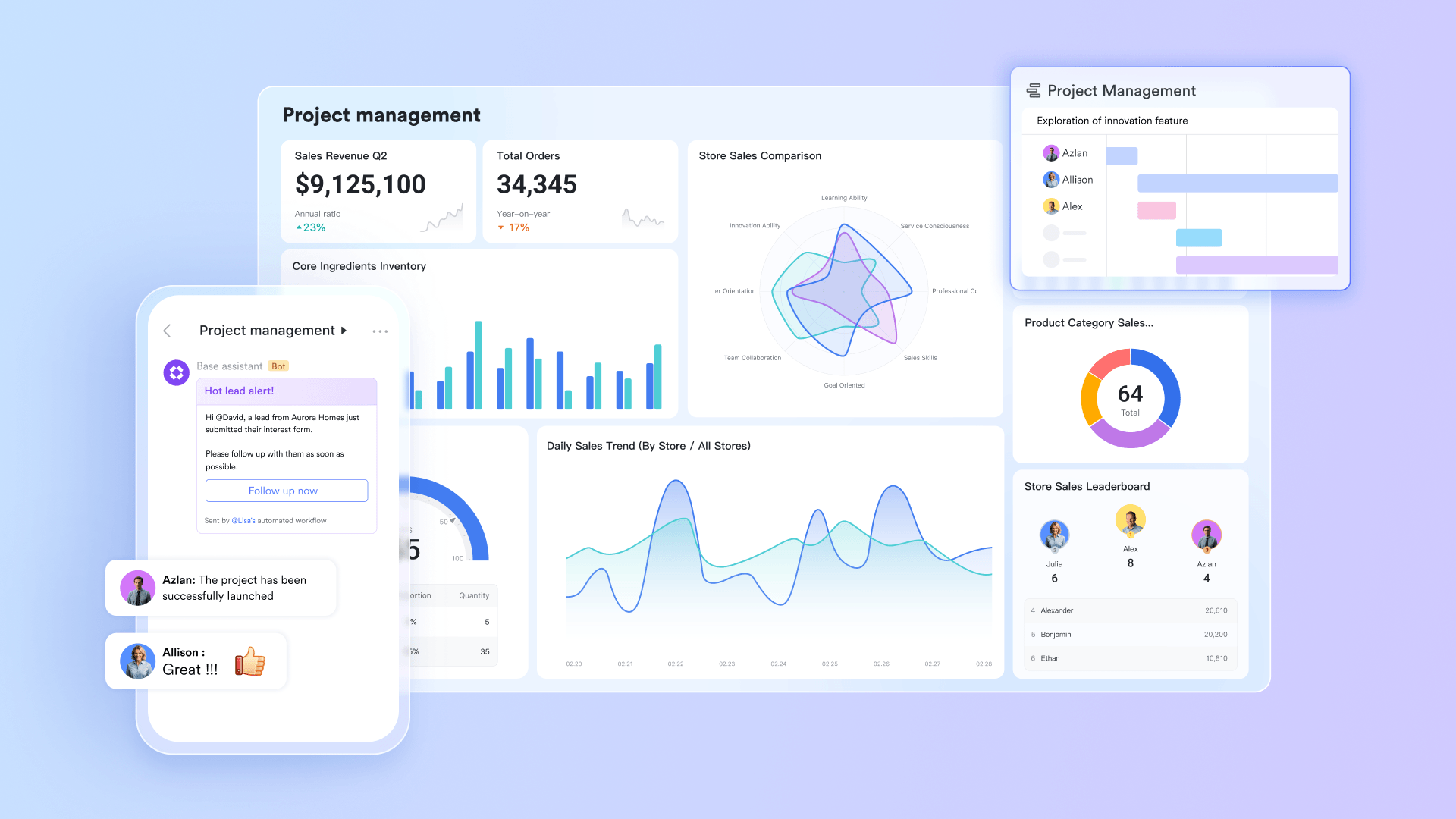 Lark Calendar & Lark Tasks: Lark Calendar facilitates scheduling change-related events, reminders, and timelines, helping teams align on rollout phases and avoid conflicts for efficient planning. Combined with Lark Tasks, which supports task assignment, progress tracking, and deadlines with checklists and notifications, these two features greatly boost change management.
Lark Calendar & Lark Tasks: Lark Calendar facilitates scheduling change-related events, reminders, and timelines, helping teams align on rollout phases and avoid conflicts for efficient planning. Combined with Lark Tasks, which supports task assignment, progress tracking, and deadlines with checklists and notifications, these two features greatly boost change management.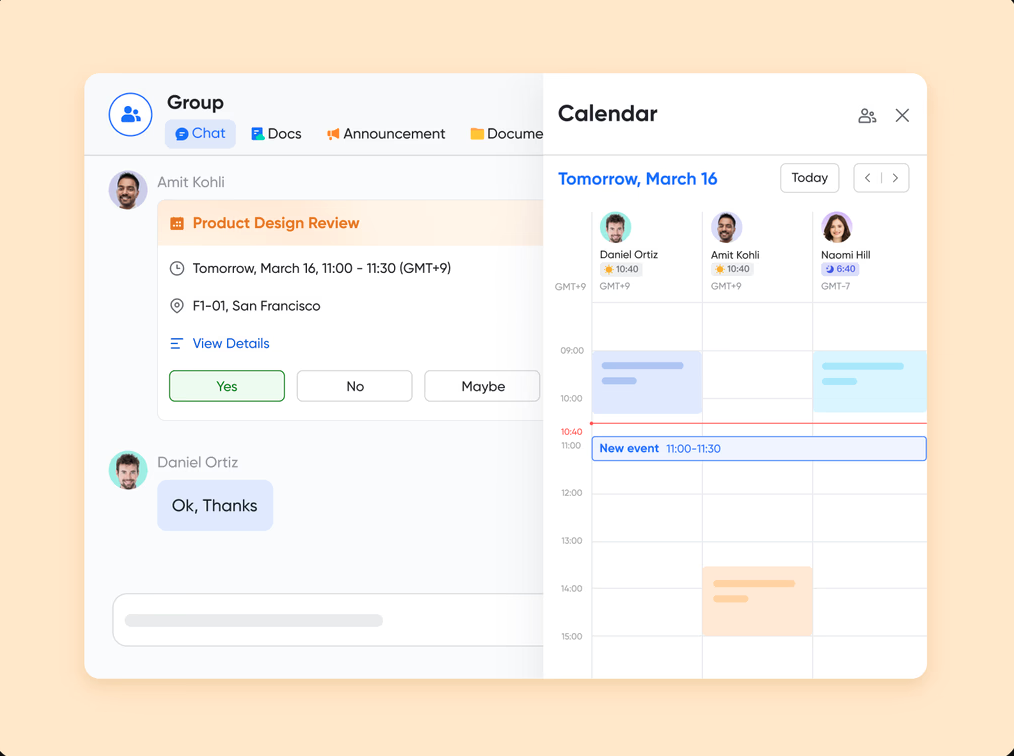
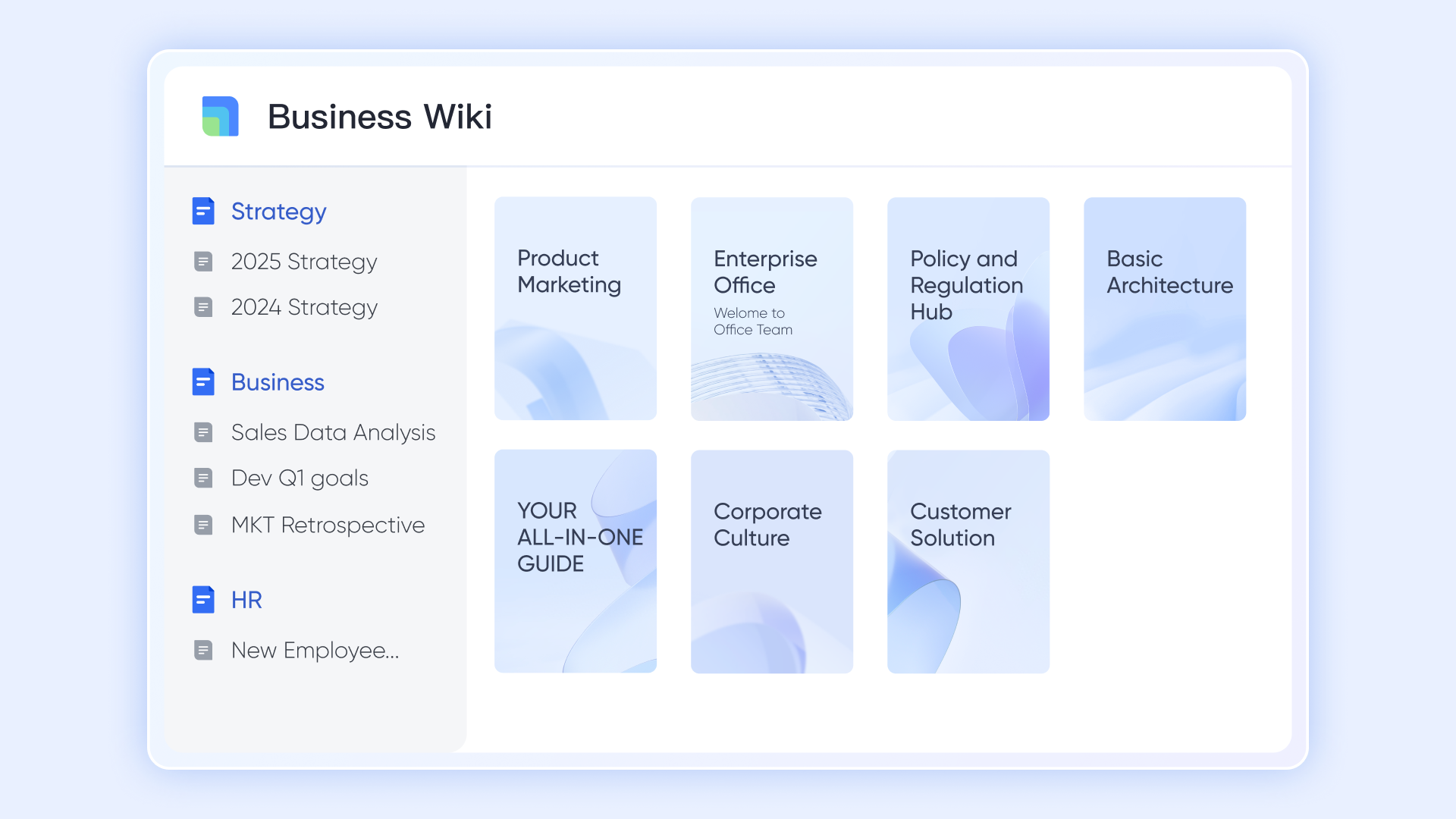
Lark Docs & Wiki: Lark Docs allows collaborative document creation and editing for change plans, policies, and training materials, with version history to manage revisions and maintain transparency, while Lark Wiki serves as a structured and powerful knowledge hub, helping teams to store essential documents.
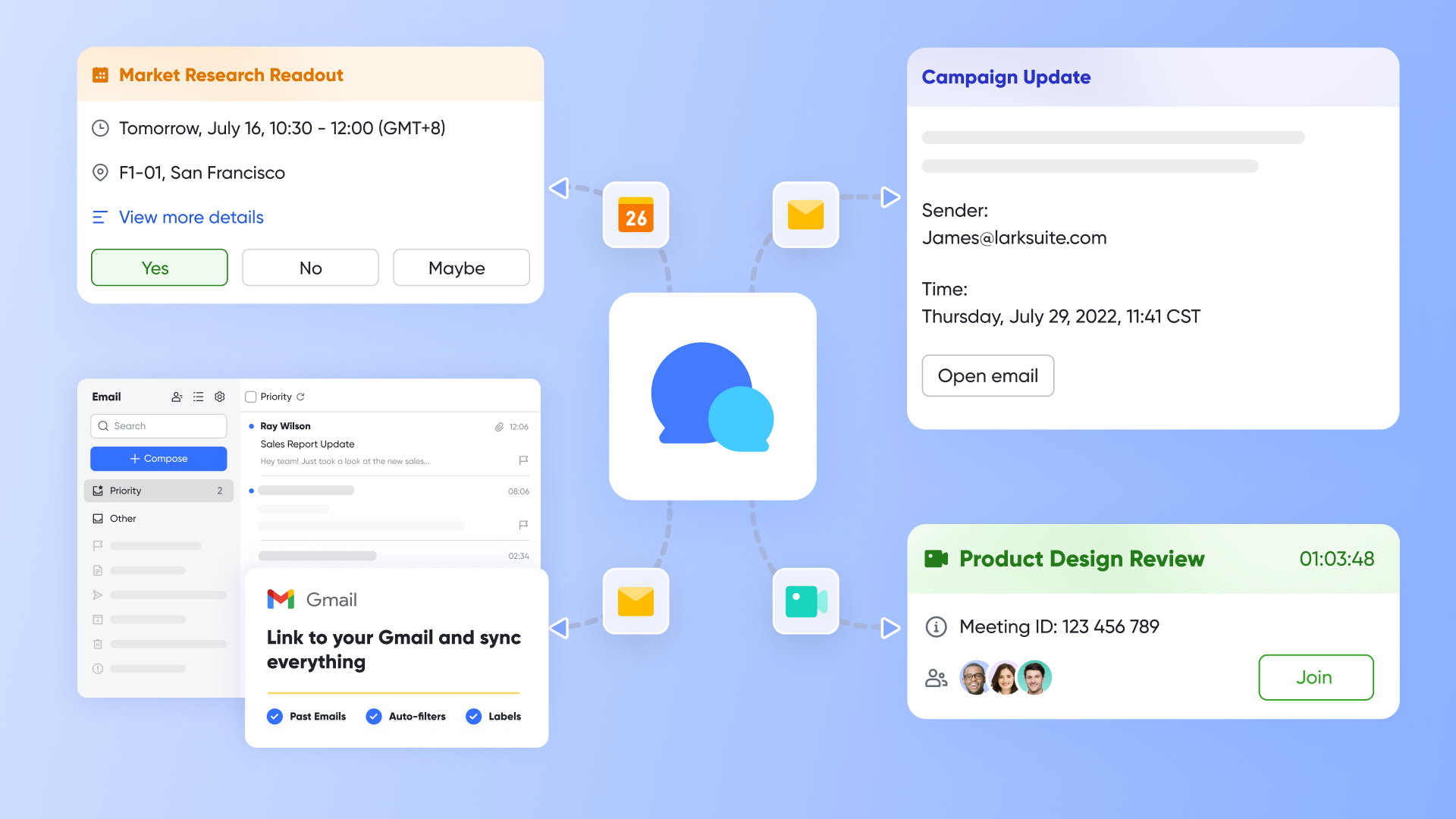
Lark Messenger & Lark Meetings: Lark Messenger provides instant messaging and group chats for real-time feedback and issue resolution, enhancing team communication to address resistance promptly. Lark Meetings offers video conferencing with screen sharing and recording, ideal for virtual training sessions, stakeholder meetings, and progress reviews to build buy-in.
Pros: Highly intuitive interface promotes quick adoption; affordable for growing teams; strong integrations with productivity suites.
Cons: Some customizable functions may need extra settings for beginners, which Lark Help Center can help with.
Use cases shine in team restructures or project rollouts, where its communication hubs foster stakeholder buy-in. As one of the more approachable tools for change management, it encourages an optimistic workflow, reducing resistance through seamless sharing.
- Starter plan: Free forever plan that includes 11 powerful tools for up to 20 users. It also comes with 100GB of storage, 1000 automation runs, AI translations, and more.
- Basic plan: $6/user/month (billed annually) for up to 500 users, including everything in Starter plus 1-on-1 video meetings, 5TB of storage, 1,000 automation runs, and more. To know more about Basic plan, contact our sales.
- Pro plan: $12/user/month (billed annually) for up to 500 users. It includes everything in Starter plus a group calling for up to 500 attendees, 15TB of storage, 50,000 automation runs, and more.
- Enterprise plan: Contact sales for custom pricing. Supports unlimited users and includes even more automation runs and advanced security, compliance, and management features.
2. Jira Service Management: ITIL tool for workflows and tracking
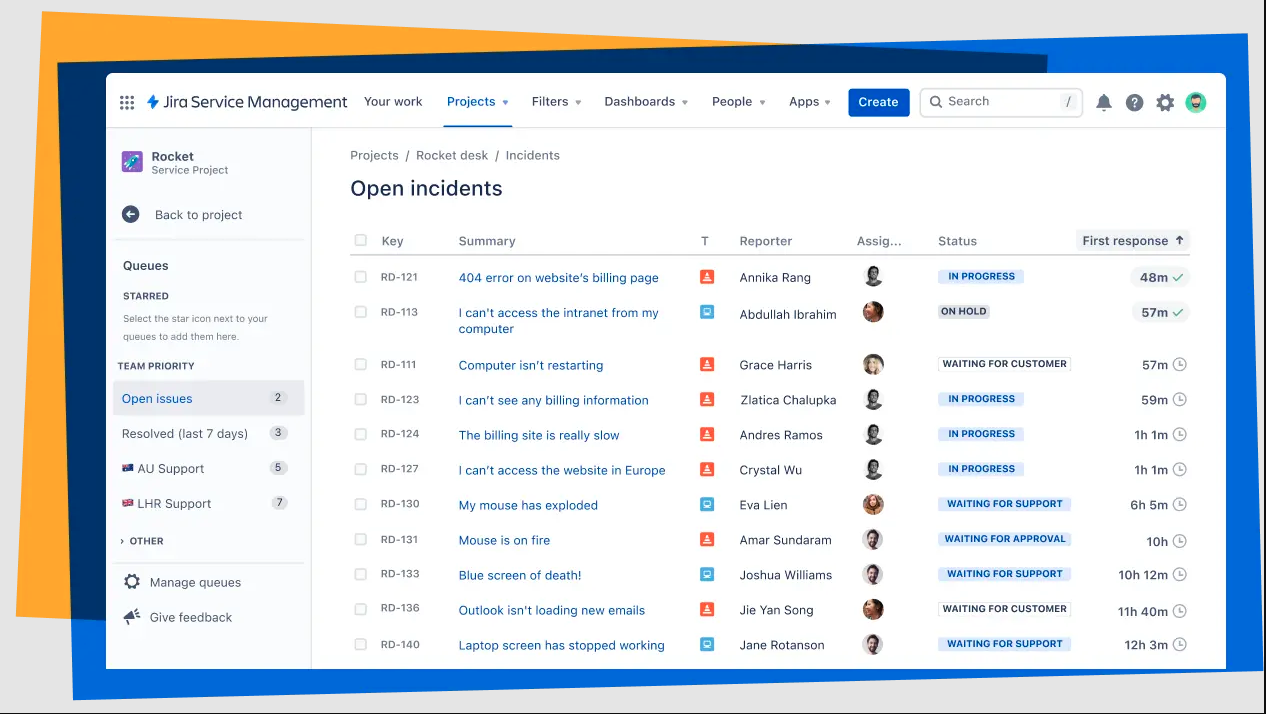
Image source: atlassian.com
Jira Service Management stands out as a robust IT change management tool, built on ITIL principles to handle service requests and change tracking with precision. It's particularly suited for tech-driven organizations needing structured oversight.
Key features encompass customizable workflows for approvals, integration with development tools like Bitbucket, and reporting dashboards for real-time insights. This ties into change management principles methodologies and tools by enabling risk assessments and automated escalations.
Pros: Excellent scalability for enterprises; deep customization for complex processes; reliable for audit trails in regulatory scenarios.
Cons: Steeper learning curve for non-technical users; pricing can add up with add-ons.
Use cases include software deployments or infrastructure updates, where its tracking reduces errors. Overall, it promotes a composed approach to changes, empowering teams to navigate transitions efficiently.
Pricing:
- Free plan: Up to 3 agents with basic features
- Standard plan: $20/agent/month for 4+ agents
- Premium plan: $51.42/agent/month
- Enterprise plan: Contact sales
3. Freshservice: Cloud ITSM with dashboards and automation
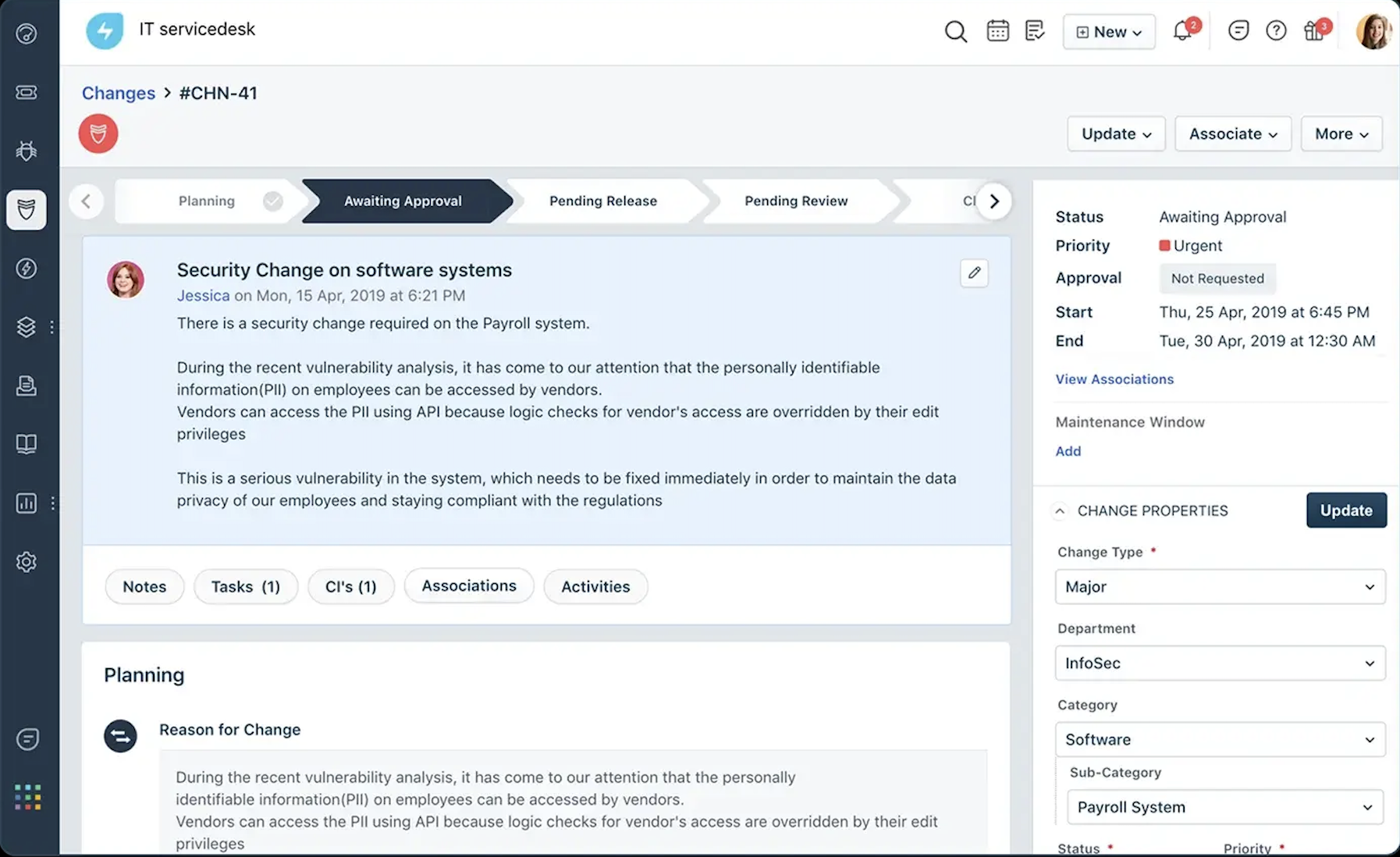
Image source: freshworks.com
Freshservice offers a cloud-based solution among change management tools, emphasizing user-friendly ITSM to automate and monitor service changes. It's a solid choice for mid-sized businesses seeking balance between simplicity and functionality.
Key features feature intuitive dashboards for oversight, automation rules for repetitive tasks, and analytics to measure impact. These align with tools for change management by facilitating quick adaptations in dynamic environments.
Pros: Easy setup and mobile access; strong customer support; cost-effective for scaling operations.
Cons: Limited advanced AI capabilities compared to specialized ai tools for change management; integrations may require extra configuration.
Use cases include service desk transformations or asset management shifts, where its automation minimizes downtime. With an optimistic focus on efficiency, it helps organizations build resilient processes without complexity.
Pricing:
- Starter plan: 19/agent/month/billed annually or 29/agent/month/billed monthly
- Growth plan: 49/agent/month/billed annually or 59/agent/month/billed monthly
- Pro plan: 99/agent/month/billed annually or 119/agent/month/billed monthly
- Enterprise plan: Contact sales
4. Whatfix: Digital adoption via in-app guidance
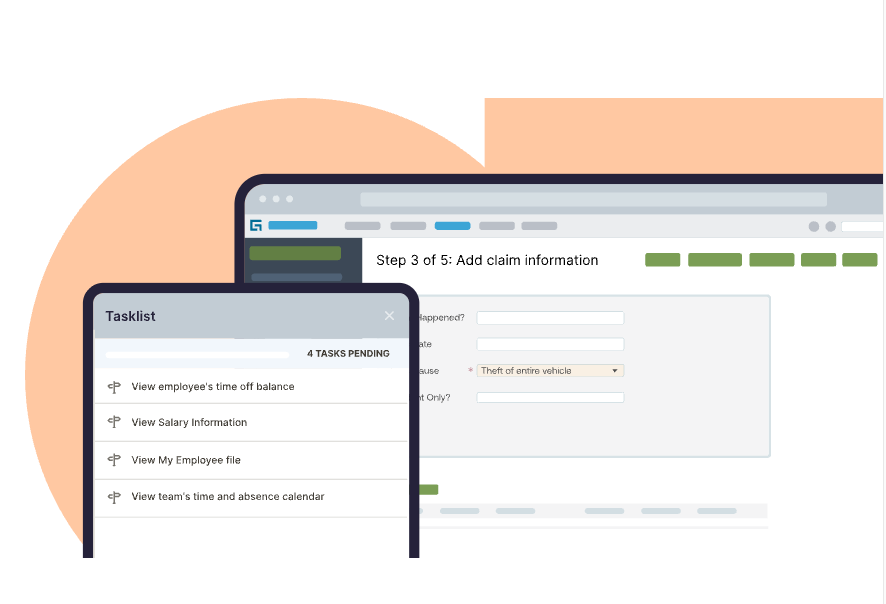
Image source: whatfix.com
Whatfix positions itself as a leader in digital adoption within change management tools, guiding users through new systems with contextual support. It's ideal for scenarios involving software rollouts or training-heavy changes.
Key features include in-app tours, user behavior analytics, and personalized content delivery to boost engagement. This incorporates AI tools for change management by analyzing patterns and suggesting optimizations.
Pros: Accelerates adoption with minimal disruption; data-rich insights for refinement; flexible for various platforms.
Cons: Custom pricing can be opaque; relies heavily on accurate initial setup for effectiveness.
Use cases: Applications extend to CRM updates where guided walkthroughs enhance proficiency. It fosters an approachable, positive user experience, turning potential frustration into confident mastery.
Pricing: Whatfix has Standard, Premuiem, and Enterprise plans. All three plans' pricing requires contacting sales.
5. WalkMe: User insights and adoption simulations
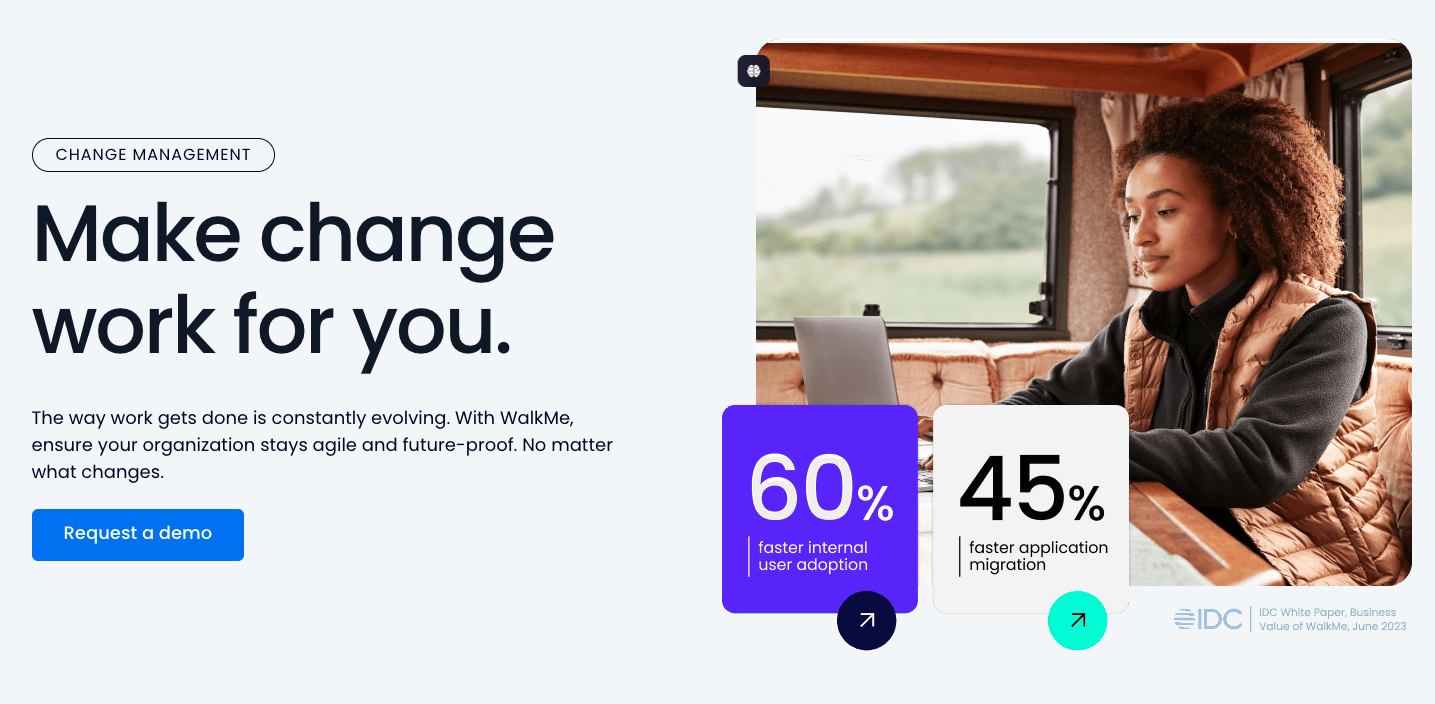
Image source: walkme.com
WalkMe rounds out the list as an enterprise-focused tool among change management tools, leveraging insights to drive behavioral change and adoption . It's tailored for large-scale transformations requiring deep user understanding.
Key features encompass interactive simulations, engagement metrics, and smart tips for real-time assistance. These elements support change management validity tools through comprehensive tracking and feedback loops.
Pros: Powerful analytics for predictive adjustments; customizable for complex needs; effective in reducing training costs.
Cons: Higher cost barrier for smaller teams; implementation may take time in intricate setups.
Use cases involve digital overhauls or cultural shifts, where its simulations build skills proactively. By emphasizing user-centric design, it encourages an optimistic outlook, making changes feel empowering rather than imposing.
Pricing: Contact sales
6. Monday Service: Visual workflows for IT and organizational change tracking
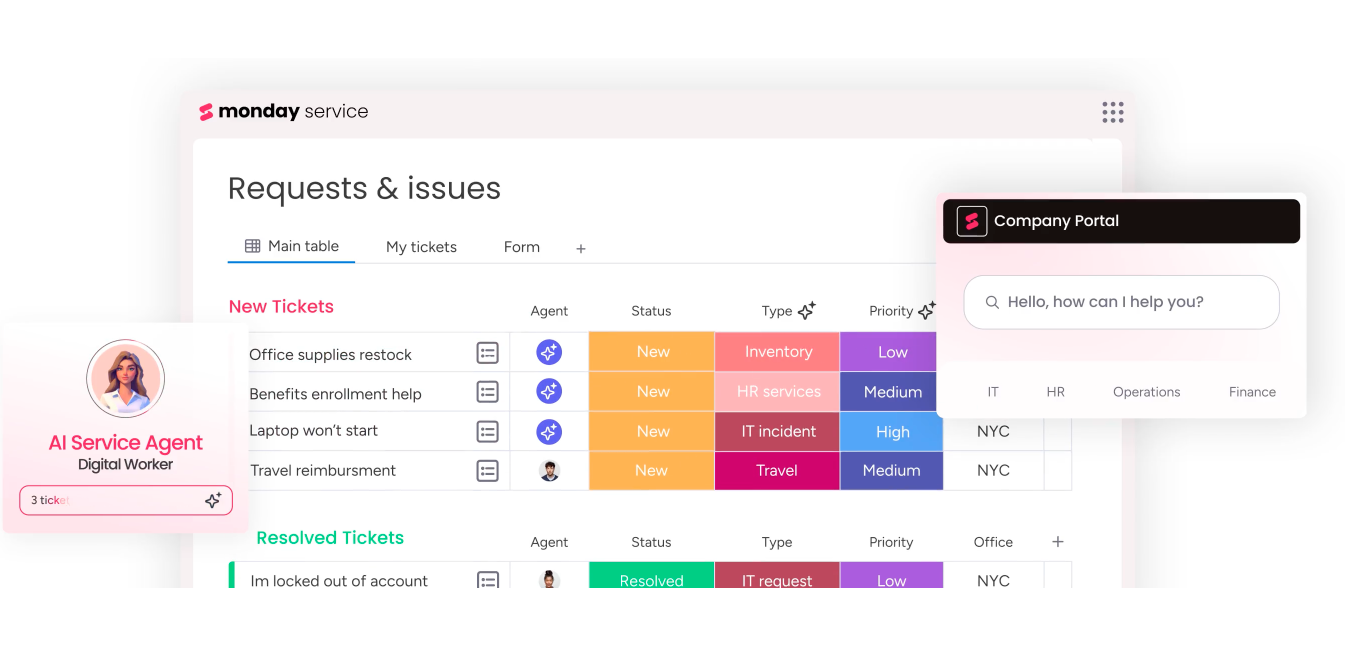
Image source: monday.com
Monday Service (part of Monday.com Work OS) offers a fully visual and customizable approach to managing organizational change. Its board-based interface makes it easy to monitor workflows, approval stages, and communication between departments—ideal for both IT and business-driven transformations.
Key features include automated change request boards, which allows teams to customize approval paths with dependencies, automated notifications, and risk tags, and Integrations with Slack, Jira, Gmail, and Zoom, which connects cross-functional teams for real-time awareness, as well as dashboards and reporting, which offers instant visibility into progress, bottlenecks, and adoption rates.
Pros: User-friendly; excellent visualization and automation; flexible templates for multiple use cases.
Cons: Advanced features may require higher-tier plans; reporting customization has a learning curve.
Use cases: Best for mid-sized companies or IT teams adopting new tools or processes, where visual clarity and simplicity speed up buy-in.
Pricing:
- Basic: $9/seat/month (billed annually)
- Standard: $12/seat/month
- Pro: $19/seat/month
- Enterprise: Custom pricing
7. Guru: Centralized knowledge sharing to boost internal adoption
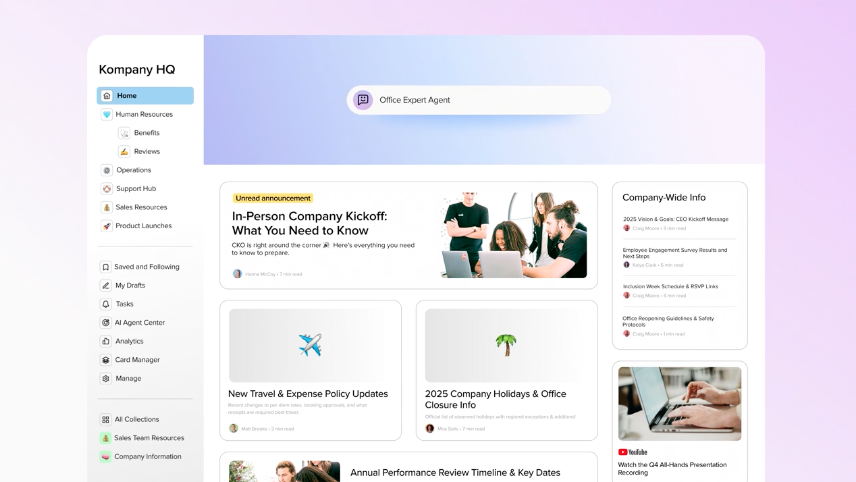
Image source: getguru.com
Guru enhances organizational change management by acting as a centralized knowledge hub that integrates directly into day-to-day workflows. It ensures employees have instant access to verified and up-to-date information, reducing confusion and resistance during transitions.
Key features include browser extension and integrations which can access verified knowledge next to where you work (Slack, Teams, Chrome). It also features knowledge verification workflows that keeps information current and trusted through owner validations, and analytics and insights that tracks usage and engagement to identify knowledge gaps throughout the change process.
Pros: Seamless integration into daily workflows; reduces information silos; helps sustain change knowledge.
Cons: Limited deep analytics compared to specialized BI tools; setup requires internal champions early on.
Use cases: Particularly strong for organizations rolling out new systems or process frameworks where consistent communication and verified documentation are critical.
Pricing:
- Starter: Free for small teams (up to 3 core users)
- Builder: $10/user/month
- Expert: $20/user/month
- Enterprise: Contact sales
8. ManageEngine ServiceDesk Plus: ITIL-aligned ITSM with automation and analytics
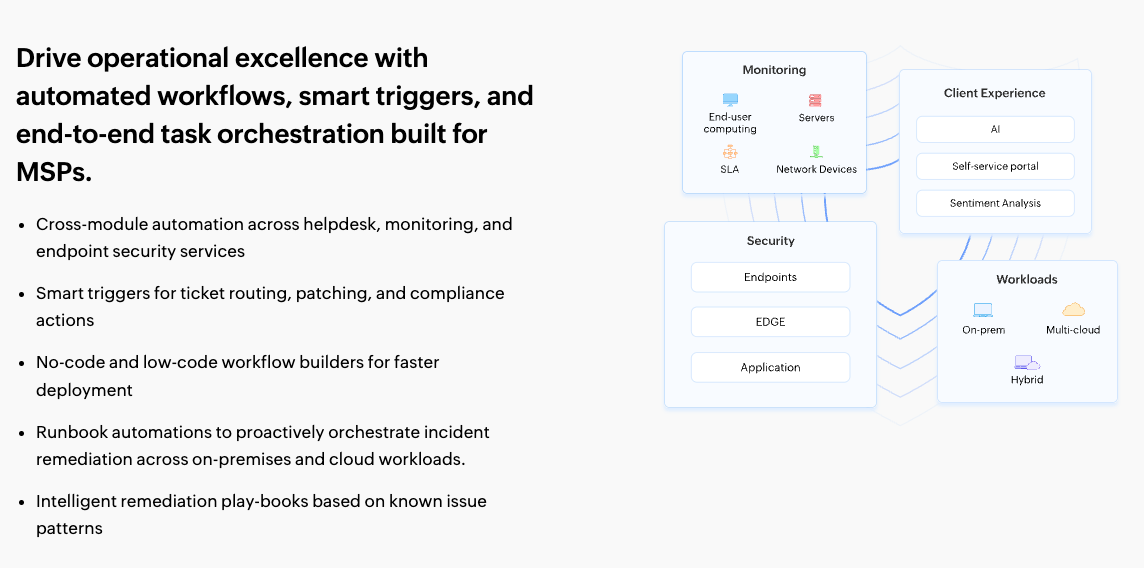
Image source: manageengine.com
ManageEngine ServiceDesk Plus delivers a comprehensive ITSM platform combining change, problem, and asset management under one interface. Its ITIL compliance makes it a reliable choice for enterprises handling complex service environments.
Key features involve change management workflows with built-in planning, approval, and review phases reduce risk in deployments, automation rules that handle repetitive tasks such as notifications, ticket routing, and SLA tracking, and CMDB integration tracks relationships between hardware, software, and change events for better impact analysis.
Pros: Deep ITIL alignment; rich reporting; streamlined change and asset visibility.
Cons: Slightly steeper learning curve for non-IT users; on-premise setup can take time.
Use cases: Ideal for enterprises modernizing IT operations or managing infrastructure changes requiring compliance documentation.
Pricing:
- Standard: $10/technician/month (billed annually)
- Professional: $21/technician/month
- Enterprise: Custom pricing
In summary, these top 8 offer diverse strengths—compare them based on your priorities, such as integration needs or budget, to select the best change management tool for your organization.
Benefits of change management tools
Change management tools deliver transformative advantages, enabling organizations to handle shifts with greater ease and effectiveness. From streamlining processes to enhancing team dynamics, they align with core change management principles methodologies and tools for long-term success. Below, we outline key benefits, each contributing to an optimistic, composed approach to organizational evolution.
Improved efficiency and reduced risks: These tools automate workflows and approvals, cutting down on manual errors and delays. For instance, IT change management tools often include built-in checks to identify risks early, ensuring smoother executions. This leads to faster implementations, freeing resources for innovation.
Enhanced employee adoption: By providing tailored training and guidance, tools like digital adoption platforms reduce resistance and build confidence. AI tools for change management can personalize experiences, predicting needs and fostering buy-in. The result is higher engagement, turning skeptics into advocates.
Better collaboration and communication: Integrated features promote real-time sharing and feedback, bridging gaps across teams. In regulatory change management tools, this ensures all stakeholders stay aligned on compliance. Such connectivity strengthens relationships, creating a unified front during changes.
Data-driven insight: Analytics dashboards offer measurable outcomes, from adoption rates to ROI tracking. Database change management tools, for example, provide versioning data for informed decisions. This evidence-based approach allows for timely adjustments, optimizing strategies over time.
Scalability for growth: Versatile enough for startups or enterprises, these tools adapt as needs evolve. Change management tools and techniques embedded within them support expansion without overhauls. Ultimately, they empower resilient growth, positioning your organization for future success.
Embracing these benefits can elevate your change initiatives, making tools for change management indispensable partners in progress.
How to choose the right change management tool
Selecting the right change management tool requires a structured approach to ensure your investment aligns with your organization's unique challenges and long-term objectives. Rather than simply comparing features or prices, it's essential to evaluate options systematically across several key dimensions. The following framework will help you make a confident and informed decision.
1. Define your core needs
- Identify the scope of change: Begin by pinpointing your key pain points—whether they involve communication gaps, tracking inefficiencies, or compliance requirements. This will clarify whether you need a general change management tool or a specialized solution such as IT change management tools or regulatory change management tools.
- Prioritize key features: Based on the nature of your initiative, determine which capabilities are most important—such as automation, analytics, or integration with existing systems like CRM or databases.
2. Assess usability & integration
- Ensure user adoption: Choose tools with intuitive interfaces to minimize training time and resistance. For example, some AI tools for change management offer predictive features that adapt to user behavior, enhancing engagement.
- Verify technical compatibility: The tool should integrate seamlessly with your current tech stack. If you're managing data transitions, for instance, database change management tools should support smooth version control and migration workflows.
3. Evaluate cost & scalability
- Analyze the full pricing model: Compare not only upfront costs but also potential hidden fees for add-ons or extra users. Prioritize vendors known for responsive customer support and clear service agreements.
- Plan for long-term growth: Ensure the tool can scale with your organization, accommodating more users, projects, or data volumes without compromising performance.
4. Review evidence & strategic fit
- Study case studies and feedback: Look for real-world examples relevant to your industry or type of change. If you're implementing a CRM transformation, for instance, feedback on sales change management tools can provide practical insights.
- Assess validation capabilities: User reviews often reveal how well change management validity tools perform in benchmarking progress and measuring outcomes.
- Align with established principles: The tool should embody proven change management principles, methodologies, and tools, supporting frameworks such as Kotter's 8-Step Process or ADKAR, to guide ethical and effective transformation.
By following these steps, you can move beyond superficial feature comparisons and select a tool that not only addresses your immediate needs but also serves as a strategic partner in driving successful and sustainable change.
Conclusion
In wrapping up this guide to the top change management tools for 2025, it's clear that these resources are more than just software—they're enablers of resilient, forward-thinking organizations. From Lark's collaborative prowess to WalkMe's insightful simulations, our top 8 provide versatile solutions to tackle everything from IT upgrades to cultural shifts. By integrating change management principles methodologies and tools, you can navigate transformations with optimism, turning challenges into stepping stones for success. For a truly integrated approach that unifies collaboration, intelligence, and workflow automation, start your transformation with Lark today.
Remember, the key lies in choosing wisely and implementing thoughtfully, as outlined in our chapters on selection and best practices. Whether you're exploring ai tools for change management or database change management tools, start small, measure progress, and adapt as needed. In my experience, organizations that embrace these aids not only survive change but thrive through it, fostering innovation and unity.
FAQs
Which tool is used for change management?
Change management relies on a variety of tools tailored to specific needs, with popular options like Lark for collaboration, Jira Service Management for IT workflows, and Whatfix for adoption guidance. The best choice depends on your context—such as it change management tools for tech environments or ai tools for change management for predictive features—ensuring alignment with your organizational goals.
What are the 7 new management tools?
The 7 new management tools, also known as the seven new quality tools, are problem-solving aids originating from quality management practices: Affinity Diagram for grouping ideas, Interrelationship Diagram for identifying cause-and-effect links, Tree Diagram for breaking down tasks, Prioritization Matrix for ranking options, Matrix Diagram for showing relationships, Process Decision Program Chart for planning contingencies, and Activity Network Diagram for scheduling activities. These complement change management tools and techniques by providing structured ways to analyze and plan changes.
What are the 5 C's of change management?
The 5 C's of change management—Communication, Collaboration, Commitment, Capability, and Culture—serve as foundational pillars for successful transitions. Communication ensures clear messaging, Collaboration fosters teamwork, Commitment secures buy-in, Capability builds necessary skills, and Culture aligns changes with organizational values, all enhancing the effectiveness of tools for change management.
What are the four main change tools and techniques?
The four main change tools and techniques often include Stakeholder Analysis for mapping influences, Communication Planning for targeted messaging, Training and Support Programs for skill-building, and Monitoring and Evaluation for tracking progress. These integrate seamlessly with change management tools, drawing from methodologies like Lewin's unfreeze-change-refreeze model to drive structured, positive outcomes.
How do change management tools differ from project management tools?
Change management tools focus on the human and cultural aspects of transitions, such as adoption and resistance, while project management tools emphasize timelines and tasks. For example, regulatory change management tools prioritize compliance, whereas project tools might track milestones without addressing behavioral shifts.
Can small businesses benefit from these tools?
Absolutely—many change management tools, like Freshservice, offer scalable, affordable options for small teams, helping with efficiency and growth without overwhelming complexity.
Related reading
Table of contents
Start using Lark today

Manage all your work in one place
Boost team efficiency by 10x
Save up to 70% on software costs
Table of contents
Start using Lark today
Manage all your work in one place
Boost team efficiency by 10x
Save up to 70% on software costs
Keep reading








2026 Lark Technologies Pte. Ltd.
Headquartered in Singapore with offices worldwide.






Explore: