Managing customer relationships shouldn't be a chaotic juggling act. The right software turns missed follow-ups into a seamless engine for growth, but finding the perfect tool among thousands of options can feel overwhelming.
We've cut through the noise to bring you the best CRM software for 2026. Whether you need a versatile all-in-one system, a specialized marketing tool, or a budget-friendly option for startups, here is your no-nonsense breakdown to help you decide.
Best CRM picks for 2026
- Lark: Best for all-in-one customer management
- Salesforce: Best for large enterprises with high requirements
- Creatio: Best for full no-code customization and built-in AI agents
- HubSpot CRM: Best for user-friendliness
- Zoho CRM: Best for customization
- Nimble CRM: Best for relationship building through social media
- Freshsales: Best for AI sales automation
- Pipedrive: Best for visual pipelines
Manage everything on one platform with Lark
What is CRM?
stands for Customer Relationship Management, which refers to the practices, strategies, and technologies businesses use to manage and analyze customer interactions and data throughout the customer lifecycle. The main goal is to improve customer service, retain customers, manage leads, and drive business growth.
To accomplish those goals, centralizes customer information, streamlines processes, and automates tasks to make it easier for teams to manage customer relationships. Specifically, CRM tools allow teams to:
- Organize data related to customers (e.g., contact details, transaction history)
- like email campaigns, follow-ups, and task management
- Enhance collaboration between sales, marketing, and customer service teams
- Analyze customer behavior and provide insights to improve products or services
By providing a holistic view of customer interactions, CRM software empowers businesses to deliver personalized services to their clients, making it an invaluable tool for maintaining customer loyalty and satisfaction.
Best CRM software at a glance
When it comes to CRM software, some systems stand out due to their comprehensive features, ease of use, and ability to scale with your business.
In-depth reviews of top CRM software
1. Lark - Best for all-in-one customer management
is a highly customizable and AI-driven solution for managing customer relationships. Whether you are a startup or an enterprise, you can tailor the system to match your exact workflow and use simple, no-code automation to eliminate repetitive tasks, freeing your team to focus on selling.
What sets Lark apart is the effortless flow between your CRM and communication tools, which works just as well on mobile as it does on desktop. You can seamlessly co-edit proposals in that pull real-time numbers from your pipeline, or turn sales calls into action items instantly with AI meeting notes. By removing the barriers between your chats, , documents, and customer data, Lark keeps your entire revenue team aligned and moving fast. 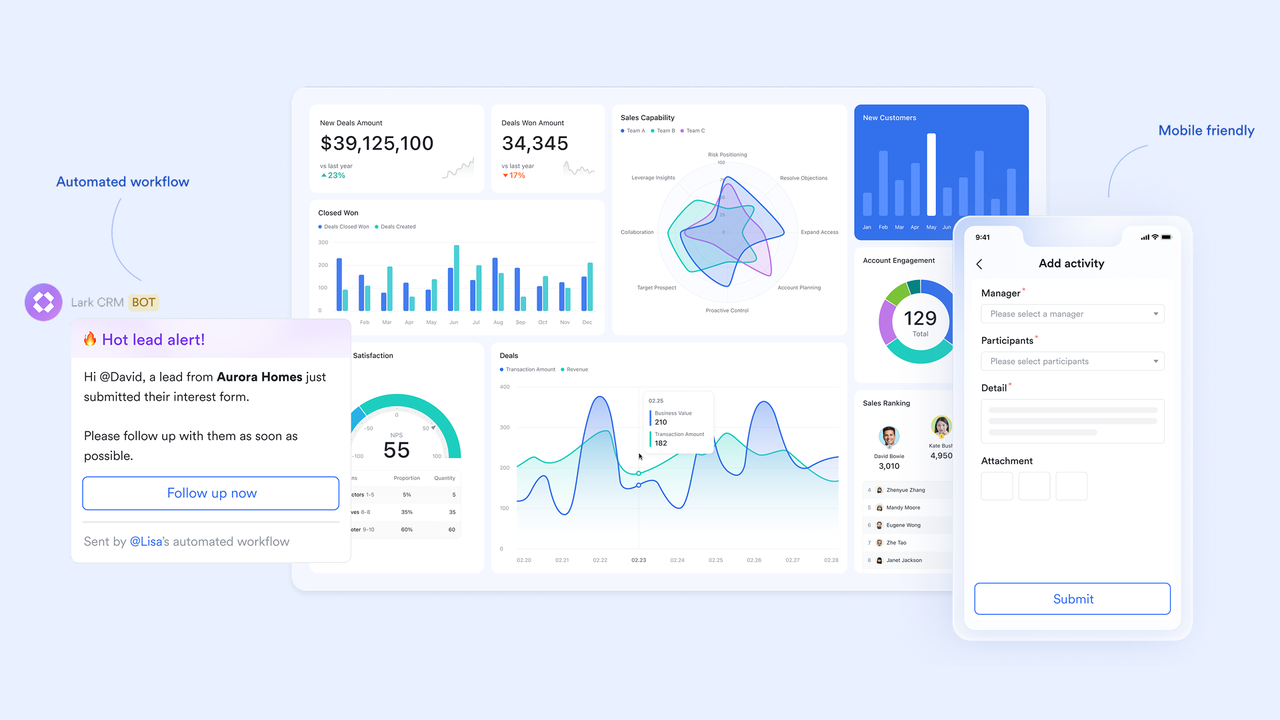
- Flexible CRM design: Design end-to-end operations using relational tables and forms to build custom pipelines and objects without writing code.
- : Eliminate busywork by triggering flows that auto-assign owners, set reminders, and generate tasks based on record updates.
- AI-enriched data: Automatically enrich and classify leads using AI, and use the AI formula generator to write advanced formulas with ease.
- Dynamic dashboards: Build custom dashboards to surface critical metrics, featuring a built-in AI that can analyze charts for instant insights.
- Quick-launch templates: Spin up proven CRM structures in minutes using pre-designed templates for everything from lead intake to post-sale handoffs.
👉 Want to get started quickly? Try this CRM template in Lark:
Available on: Web, Mac, Windows, Linux, Android, iOS
User reviews:
"Excel permission setting is quite primitive. I needed agents to see only their scores in one file, but Excel lacks the ability to restrict access per user. Lark Base solved this instantly. I love how I can create multiple customized views and switch between them with ease. For example: I can have 1 view for all data and another view only for a specific agent."
- Xavier, Customer Service QA Lead, Dasher
Pricing:
- Starter plan: that includes 11 powerful tools for up to 20 users. It also comes with 100GB of storage space, 1000 automation runs, AI translations, and more. No credit card needed.
- Basic plan: (billed annually) for up to 500 users. It includes everything in Starter and unlimited message history, 5TB of storage space, 1,000 automation runs, and more. Some users may need to to purchase this plan.
- Pro plan: (billed annually) for up to 500 users. It includes everything in Basic plus group calling for up to 500 attendees, 15TB of storage space, 50,000 automation runs, and more.
- Enterprise plan: for custom pricing. Supports unlimited users and includes even more automation runs and advanced security, compliance, and management features.
There is a trade-off for most CRMs available today: robust functionality at enterprise prices, or low-cost tools that lack automation and AI. Lark breaks that trade-off. You get an AI-first, no‑code CRM foundation in Lark Base—plus chat, meetings, docs, email, and workflows—all in one platform, at a price that undercuts most standalone stacks.
For small teams with simple communication needs

18 months message history
1000 Base automation runs/month
2000 rows per table in Base
Most POPULAR
For companies with comprehensive collaboration and management needs
Unlimited message history
500-participant video meetings
50k Base automation runs/month
20k rows per table in Base
For large companies with advanced security and organizational management needs
Get a personalized demo and pricing
Unlimited message history
500-participant video meetings
15 TB storage + 30 GB storage/user
500k Base automation runs/month
50k Base automation runs/month
Most POPULAR
For companies with comprehensive collaboration and management needs
Unlimited message history
500-participant video meetings
50k Base automation runs/month
20k rows per table in Base
2. Salesforce - Best for large enterprises with high requirements
The most well-known CRM provider, offers deep customization that allows enterprises to tailor nearly every aspect of their sales process. However, this level of control often requires dedicated administrators and can come with a steep learning curve for new users. While powerful for complex needs, the platform’s cost and implementation time can be significant hurdles for smaller teams.
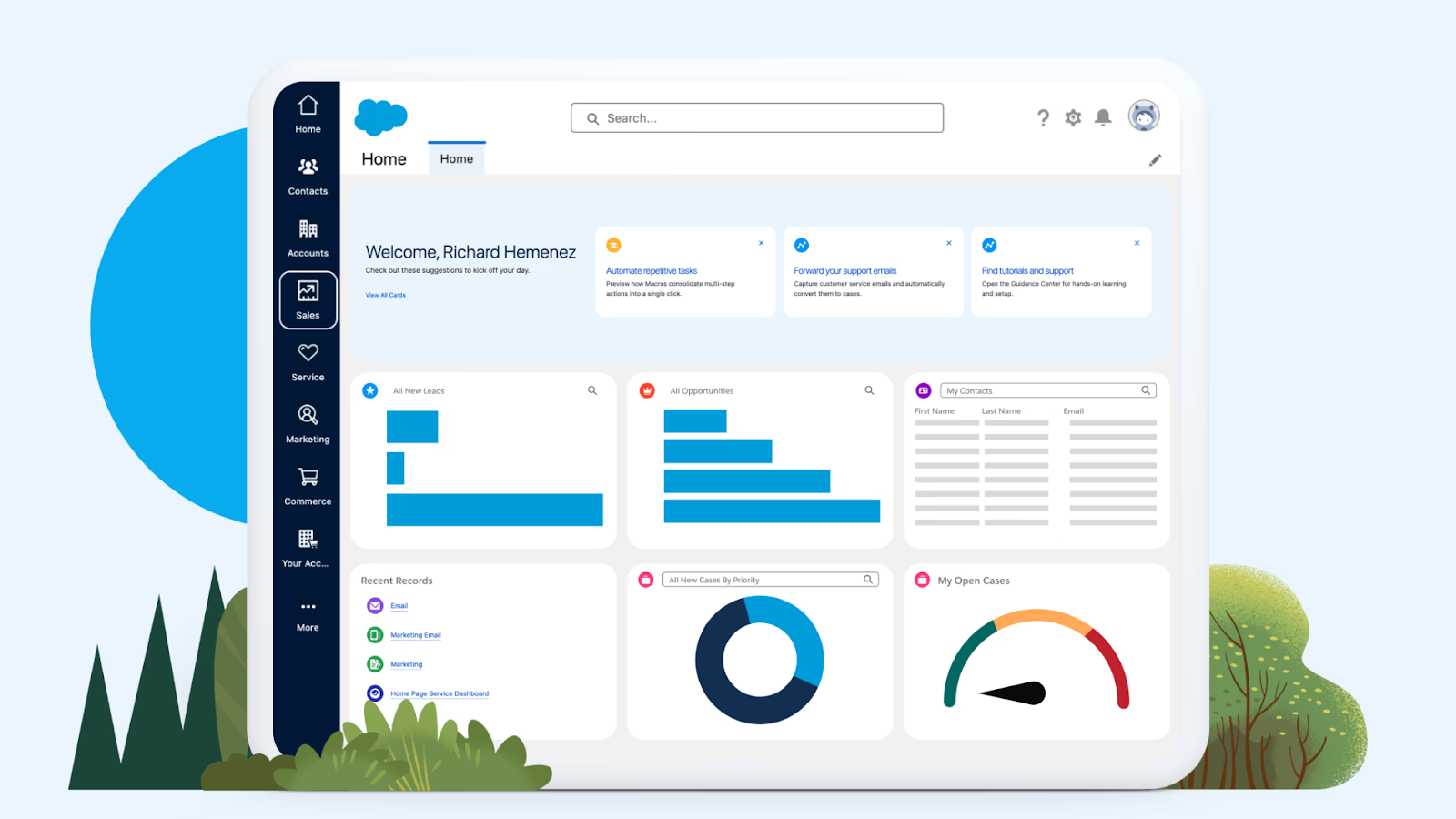
Image source: salesforce.com
Key features of Salesforce
- Comprehensive sales tracking
- Customizable dashboards and reports
- AppExchange for third-party integrations
- Mobile app functionality
Available on: Web, Android, iOS, iPadOS
User reviews:
Pricing
- Paid plans start at $25/user/month
offers tiered suites with entry-level, mid-tier, and advanced packages. Expect higher total cost of ownership compared to lightweight CRMs, especially when factoring in implementation, customization, and ongoing admin.
3. Creatio - Best for full no-code customization and built-in AI agents
Creatio is an and no-code workflow platform that lets businesses build custom pipelines, fields, and automations from scratch, with AI agents built into every process rather than added on as a separate module. This makes it a strong fit for teams that want their CRM shaped entirely around their own sales, marketing, and service processes, instead of adapting their workflow to fit the software.
Instead of forcing teams to work within fixed templates, Creatio's no-code designers let non-technical users configure objects, workflows, and approval steps visually, then create their own AI agents to handle tasks like lead scoring, data enrichment, and case resolution as those processes change over time.
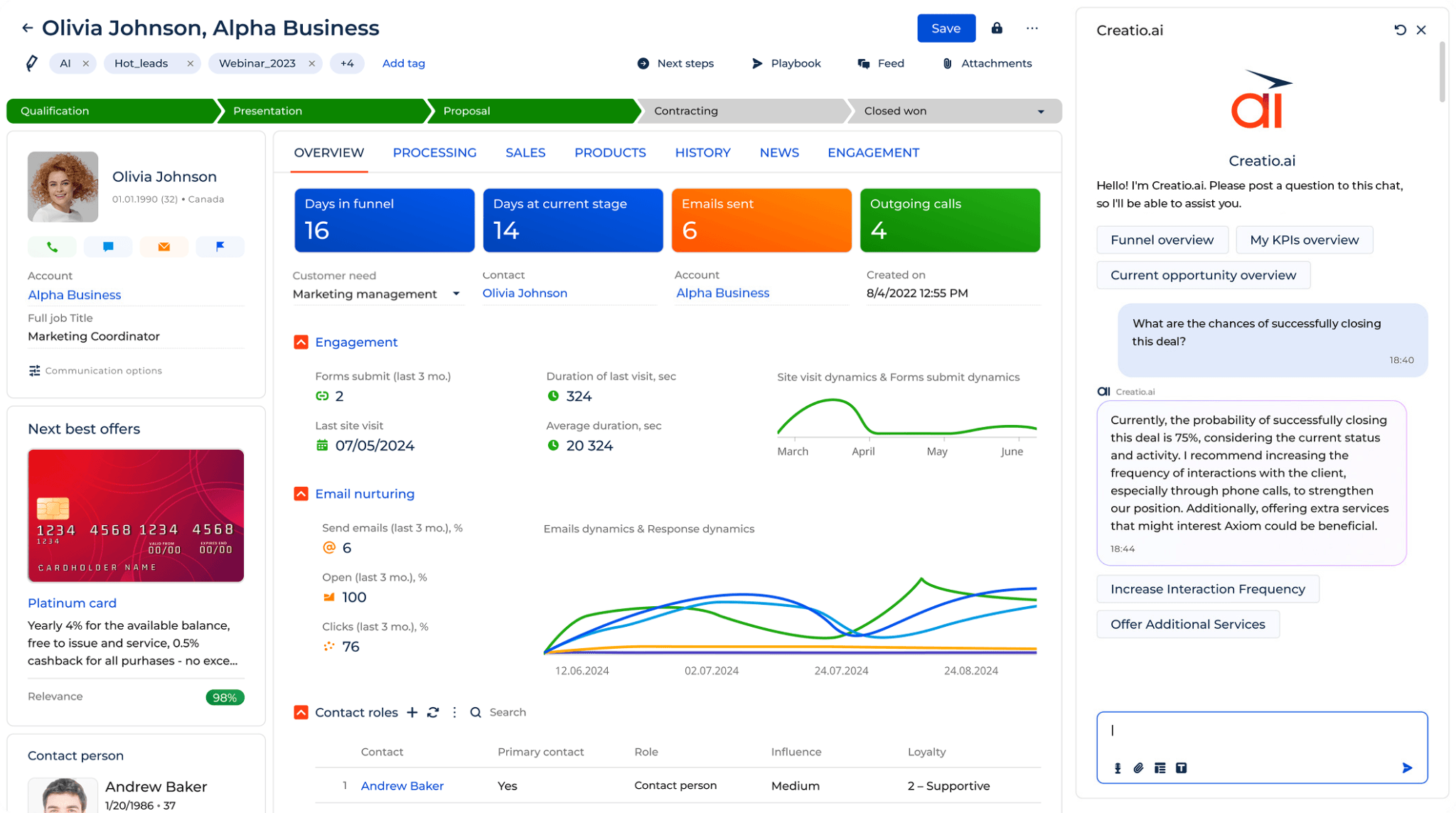
Image source: creatio.com
Key features of Creatio
- No-code app and workflow builder
- Built-in AI agents for sales, marketing, and service
- Composable architecture — use one CRM product or all three
- Human-in-the-loop governance for AI agent autonomy
- 700+ integrations via the Creatio Marketplace
Available on: Web, Android, iOS
User reviews:
Pricing
- Paid plans start at $40 per user/month
Creatio uses a composable pricing model — the core platform starts at $40/user/month (Growth), with Sales, Marketing, and Service priced separately at $15/user/month each. Enterprise and Unlimited tiers are available for teams that need broader customization or no caps on users and AI agents.
4. HubSpot CRM - Best for user-friendliness
Built on an "inbound" philosophy, connects marketing and sales teams through a clean, easy-to-navigate interface. Many businesses appreciate the free starting point, though scaling up to advanced features often leads to a sharp increase in price. The platform excels at aligning different departments, but teams needing highly specific, non-standard workflows might find the structure somewhat rigid.
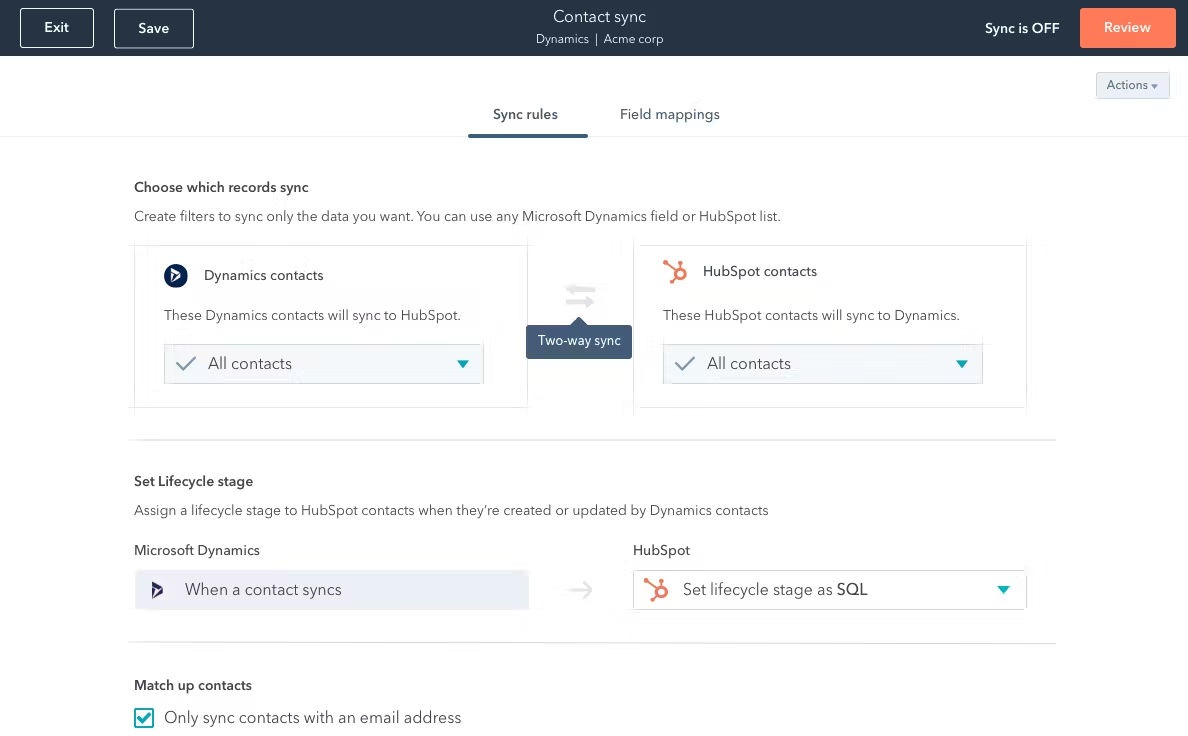
Image source: capterra.com
Key features of HubSpot CRM
- Contact and lead management
- Email tracking and notifications
- Task and activity management
- Live chat and chatbot functionality
- Integration with HubSpot's marketing tools
Available on: Web, Android, iOS, iPadOS
User reviews:
Pricing
- Free plan: Available for up to 2 users
- Paid plans: Start at $12/month per user
provides a free tier with optional paid upgrades. Pricing scales as you add advanced sales, marketing, and reporting capabilities, moving from starter bundles to more comprehensive professional tiers.
5. Zoho CRM - Best for customization
provides a vast array of sales and marketing tools at a price point that appeals to budget-conscious businesses. Users can extensively modify the interface using the Canvas design studio, offering a level of visual customization rarely seen in this tier. Despite its broad feature set, the user interface can feel cluttered or dated compared to more modern competitors.
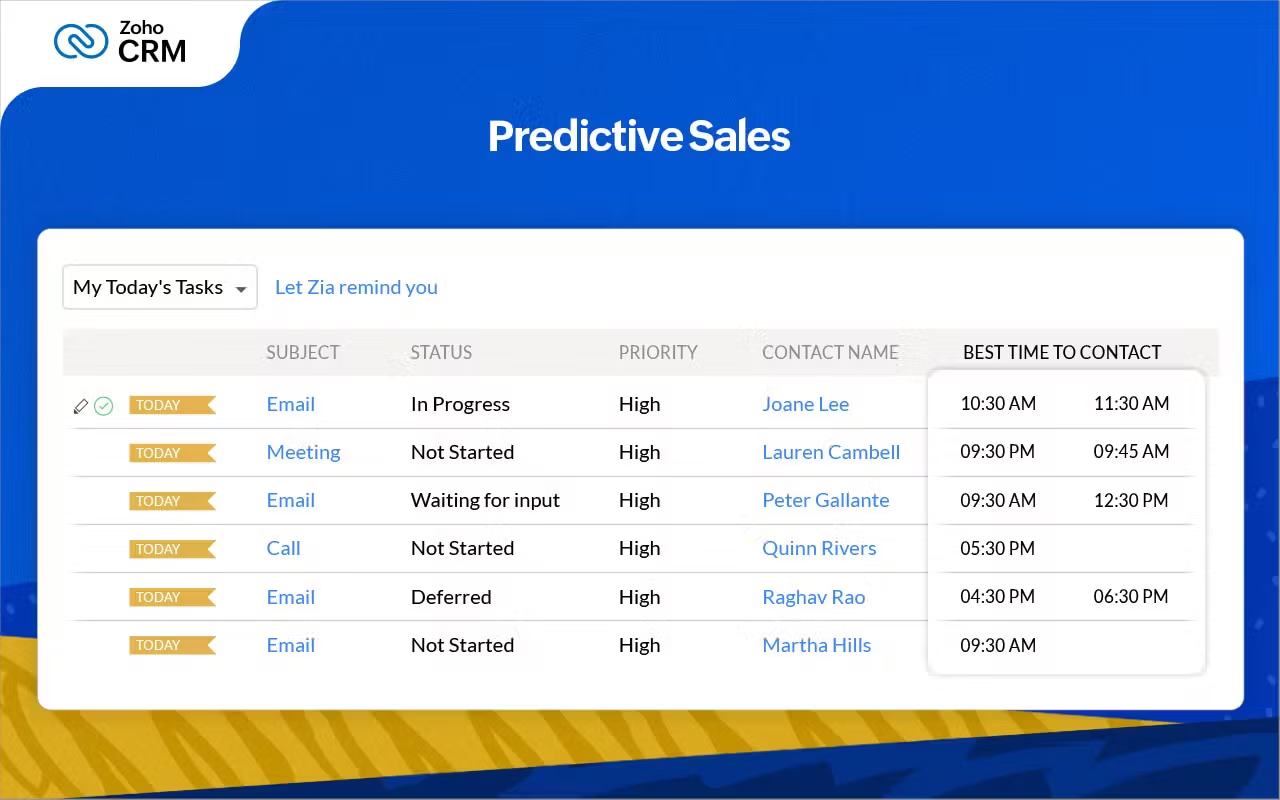
Image source: capterra.com
Key features of Zoho CRM
- AI-based sales predictions
- Email marketing integration
Available on: Web, Android, iOS, iPadOS
User reviews:
Pricing
- Free plan: Available for up to 3 users
- Paid plan: Starts at $14/month per user
offers a free option for very small teams and several paid tiers. Plans remain budget-friendly relative to many enterprise suites, with costs increasing as you unlock more customization, analytics, and automation.
6. Nimble CRM - Best for relationship building through social media
Ideally suited for social sellers, automatically aggregates data from social media and inboxes to build rich contact profiles. This focus reduces manual data entry and helps consultants or relationship-based sellers stay organized across multiple channels. Because it prioritizes social insights over complex pipeline management, larger sales teams with rigid processes might find it lacking in depth.
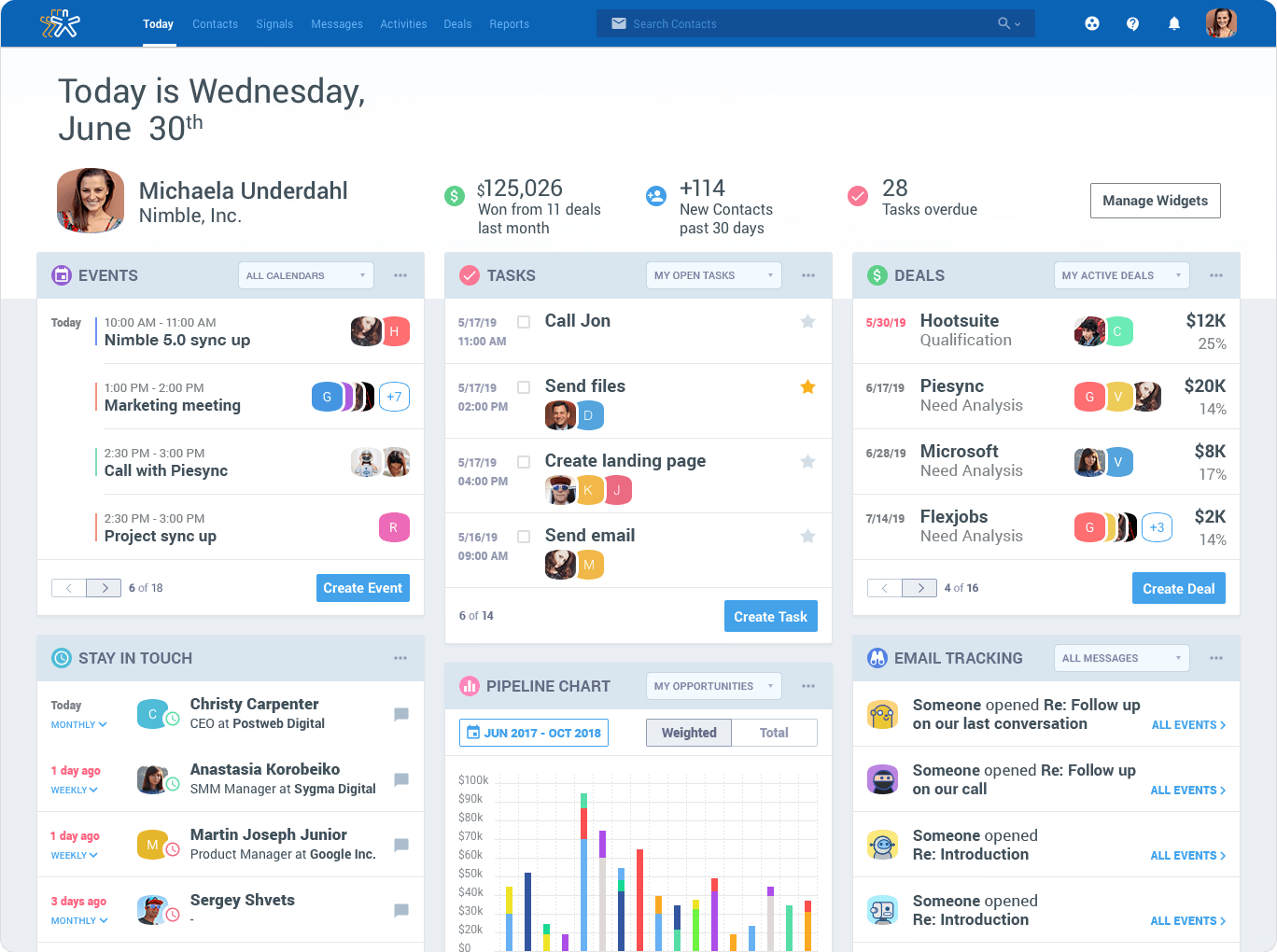
Image source: nimble.com
Key features of Nimble
- Social media integration
- Relationship management tools
- Automated workflows and contact organization
- Simple and intuitive interface
Available on: Web, Android, iOS
User reviews:
Pricing
- Paid plans start at $24.90 per user/month
uses simple, transparent licensing with a single primary plan, positioned affordably for small teams and consultants seeking social selling features without the overhead of a large suite.
7. Freshsales - Best for AI sales automation
Freshsales simplifies the sales stack by integrating built-in phone and email capabilities directly into the CRM interface. The inclusion of AI-driven lead scoring helps representatives focus their energy on high-potential prospects without needing extra add-ons. While deployment is generally quick and straightforward, the platform may not offer the deep configurability required by complex enterprise operations.
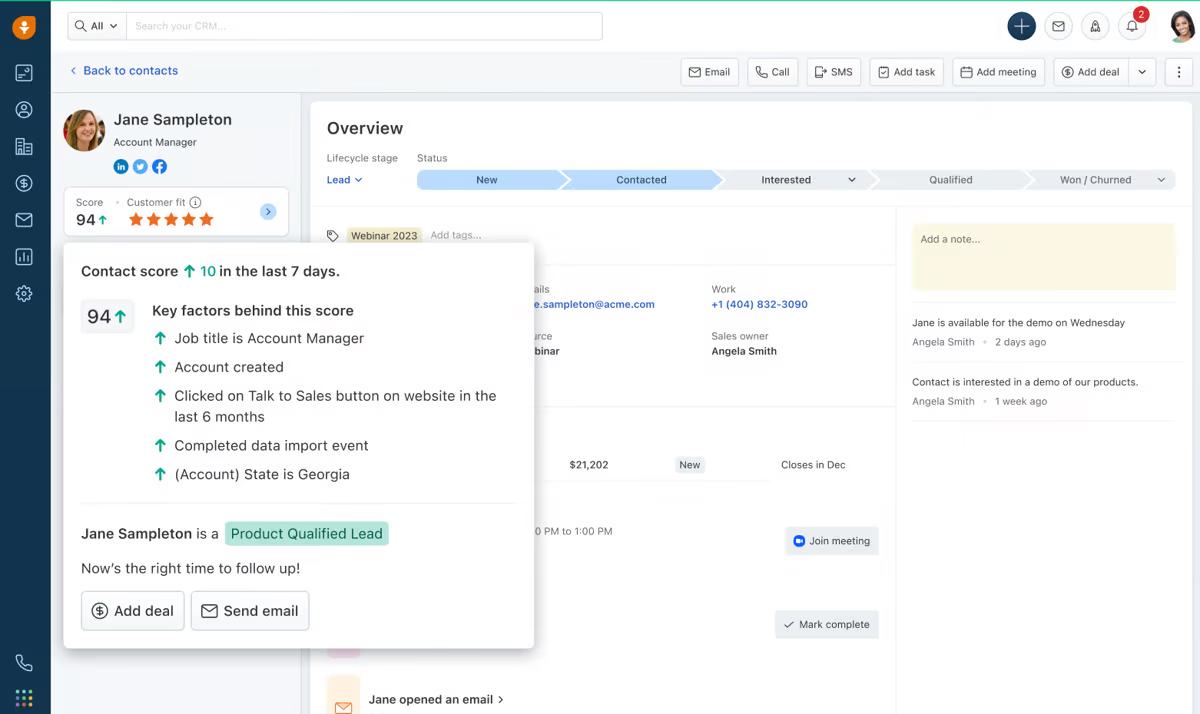
Image source: g2.com
Key features of Freshsales
- Built-in phone and email
- Sales pipeline visualization
Available on: Web, Android, iOS, iPadOS
User reviews:
Pricing
- Paid plans start at $9 per user/month
provides a free tier for small teams and multiple paid plans. Pricing remains accessible for SMBs, scaling with advanced capabilities like AI scoring, automation, and deeper telephony/email features.
8. Pipedrive - Best for visual pipelines
Designed by salespeople, focuses almost entirely on the actions that move deals forward rather than just storing static data. The visual Kanban-style interface makes it easy to drag and drop deals, ensuring teams can get up and running with minimal training. This streamlined approach is perfect for pure sales management but often requires third-party integrations to handle marketing or support tasks.
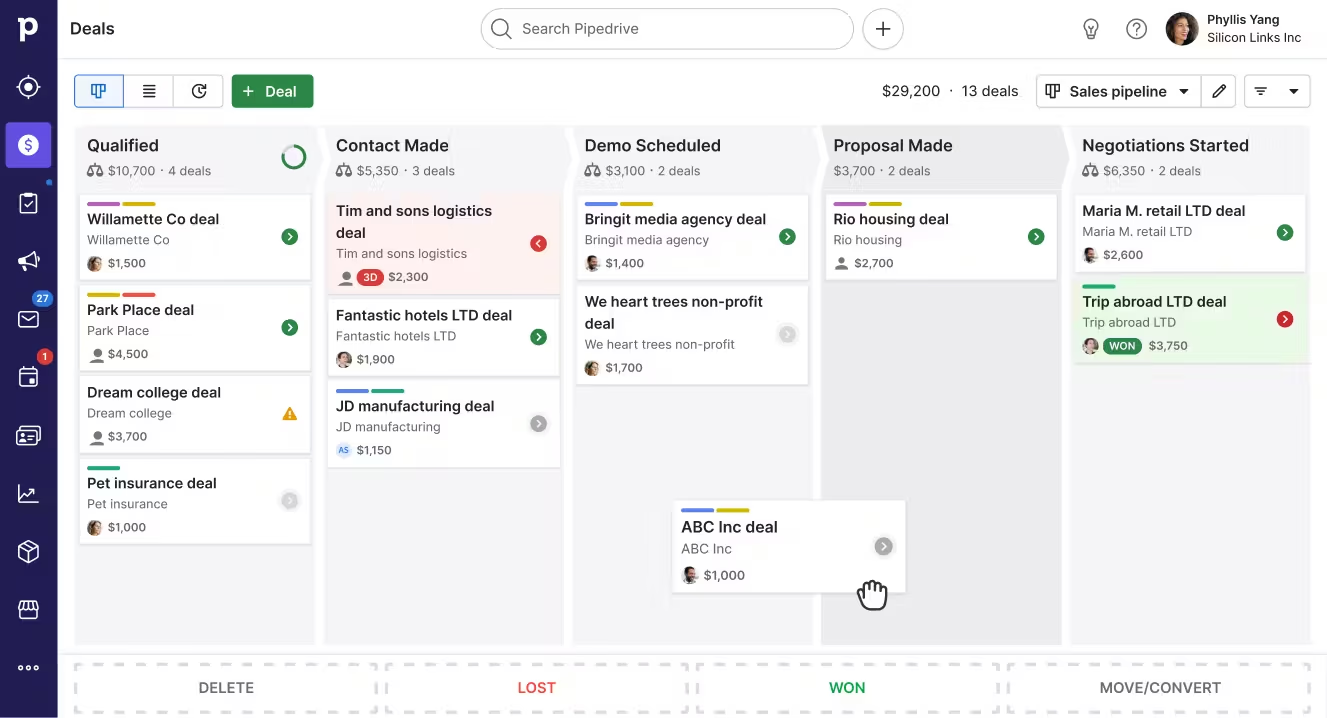
Image source: capterra.com
Key features of Pipedrive
- Sales reporting and forecasting
Available on: Web, Android, iOS, iPadOS
User reviews:
Pricing:
- Paid plans start at $14 per user/month
follows a tiered model from basic to advanced plans. Costs remain mid-range for sales-focused CRMs and increase with features like advanced automation, forecasting, and administrative controls.
How we select and assess software in our reviews
Our editorial team follows a transparent, repeatable methodology. Every review is based on our hands-on experience in realistic working scenarios, and we always stick to a set of consistent scoring criteria.
- Features and functionality
- Security, privacy, and compliance
- Integrations and compatibility
Our team reviews and assesses tools using consistent datasets and real-world scenarios, focusing on the things users care about most—such as sales pipelines, marketing automation, collaboration, and knowledge management. We confirm the official pricing and release notes of each product we review, and gather user feedback from channels such as and . We do not accept paid placements and ensure our reviews are completely unbiased and fair. Additionally, as software and digital work environments constantly evolve, we review our content at least quarterly and update articles whenever products undergo significant changes. For more information about our review methodology, read the full rundown of.
How to evaluate a CRM for your business
When evaluating , it's important to approach it strategically. Here are some key questions to guide your decision:
How big is my company?
Small businesses or startups may benefit from free or low-cost tools with simple onboarding. Larger organizations often require more advanced features like automation, customization, and role-based access.
What is my primary use case?
Do you need a CRM focused on sales automation, marketing campaigns, customer service, or an all-in-one solution? Identifying your main use case helps eliminate tools that aren't built for your goals.
What is my budget for CRM software?
CRM pricing varies widely—from free basic versions to enterprise-level platforms. Be clear about what you can afford now and what you're willing to pay later as your business scales.
How scalable is the CRM as my business grows?
Look for CRMs that offer tiered plans or add-ons so you can expand functionality without switching platforms.
Does it integrate with my existing tools?
Seamless integration with tools like your email provider, project management software, or e-commerce platform can significantly boost efficiency.
Answering these questions will help you narrow down your options and choose a CRM that supports—not complicates—your workflow.
Key features to look for in a CRM system
Now that we've explored the best CRM systems, it's important to understand which features will make the most impact on your business. The right CRM system can transform how you interact with customers and help your teams perform at their best.
Scalability and customization
One of the core benefits of CRM software is its ability to scale with your business. As your company grows, so do your CRM needs. You want a CRM system that can accommodate your growing team, new customers, and changing business processes.
Look for CRMs that offer customization options to suit your business model, whether it's adjusting the layout, adding new fields to track customer data, or automating workflows.
Automation capabilities
CRM systems are designed to automate repetitive tasks, freeing up time for your team to focus on more strategic work. Key features include email automation, task reminders, follow-ups, and data entry.
Integration with existing tools
A CRM that integrates well with other tools your business already uses is essential for streamlining operations. Most CRMs allow integrations with popular tools like Gmail, Microsoft Office, Slack, and marketing platforms such as Mailchimp or Google Ads.
For example, helps you integrate seamlessly with a wide range of third-party apps, while Salesforce is known for its extensive marketplace of integrations, making it a powerful option for complex workflows.
Final thoughts
After diving into the best CRM software options for 2026, it's clear there's a solution for every type of business. From the powerful customization of Salesforce to the user-friendly HubSpot CRM, the choices are plentiful. However, if you're looking for an all-in-one platform that combines CRM with project management, team collaboration, and more, Lark stands out. It offers a generous free plan, a customizable CRM, and intuitive features that simplify customer management without the complexity.
For businesses of all sizes, Lark balances affordability, ease of use, and scalability, making it the ideal choice to help streamline workflows and improve customer relationships. Ready to take your business to the next level? Start your free trial of Lark today and see how it can transform your CRM experience.
Get free CRM tools, no credit card needed
FAQs on CRM software
What does CRM stand for?
CRM stands for Customer Relationship Management, which refers to the strategies, practices, and technologies businesses use to manage and analyze customer interactions and data throughout the customer lifecycle.
How do I choose the best CRM for my business?
When choosing a CRM, consider factors like ease of use, scalability, integration options, and pricing. Identify your business's needs and match them with CRM features.
Who is the number one CRM provider?
According to , Salesforce is generally considered the number one provider in the US, holding a dominant market share. Other players such as HubSpot, Zoho and Pipedrive are fighting for second place.
Are free CRMs a waste of time?
Not at all! CRMs such as or Lark (Starter plan) can be a highly valuable tool for startups, small businesses, and even growing teams that need to manage customer relationships without upfront costs. While free CRMs may have limitations—such as fewer advanced features, lower user limits, or less customization compared to premium plans—they can still offer a solid foundation for your business.
Are there any CRM solutions for small businesses?
The best solutions for small businesses are affordable, scalable, and easy to use. Lark checks all these boxes, uniquely combining a no-code CRM with built-in chat, docs, and AI automation to streamline workflows. For more traditional options, check out HubSpot and Zoho CRM.
To learn more, see .
Related reading




















