Modern sales teams need more than just a contact database—they need a CRM that scales, automates, and connects people across every deal stage. Freshsales, the CRM from Freshworks, delivers structured sales management and automation through tiered pricing plans. But for many growing organizations, hidden expenses and limited collaboration tools make it harder to sustain efficiency long-term.
This guide provides a complete breakdown of Freshsales pricing plans and features, explores the Freshsales Suite for marketing and support, and introduces a smarter, unified —, a platform that brings CRM tracking, communication, and collaboration together in one connected workspace.
Transform scattered workflows into one streamlined workspace
Freshsales pricing overview
Understanding Freshsales pricing helps businesses choose the right plan for their growth stage and sales complexity. Each tier offers progressively , customization, and capabilities. While the entry plans suit startups, larger teams may need higher tiers for full reporting and governance controls. Here's a quick breakdown of Freshsales plans and their core benefits.
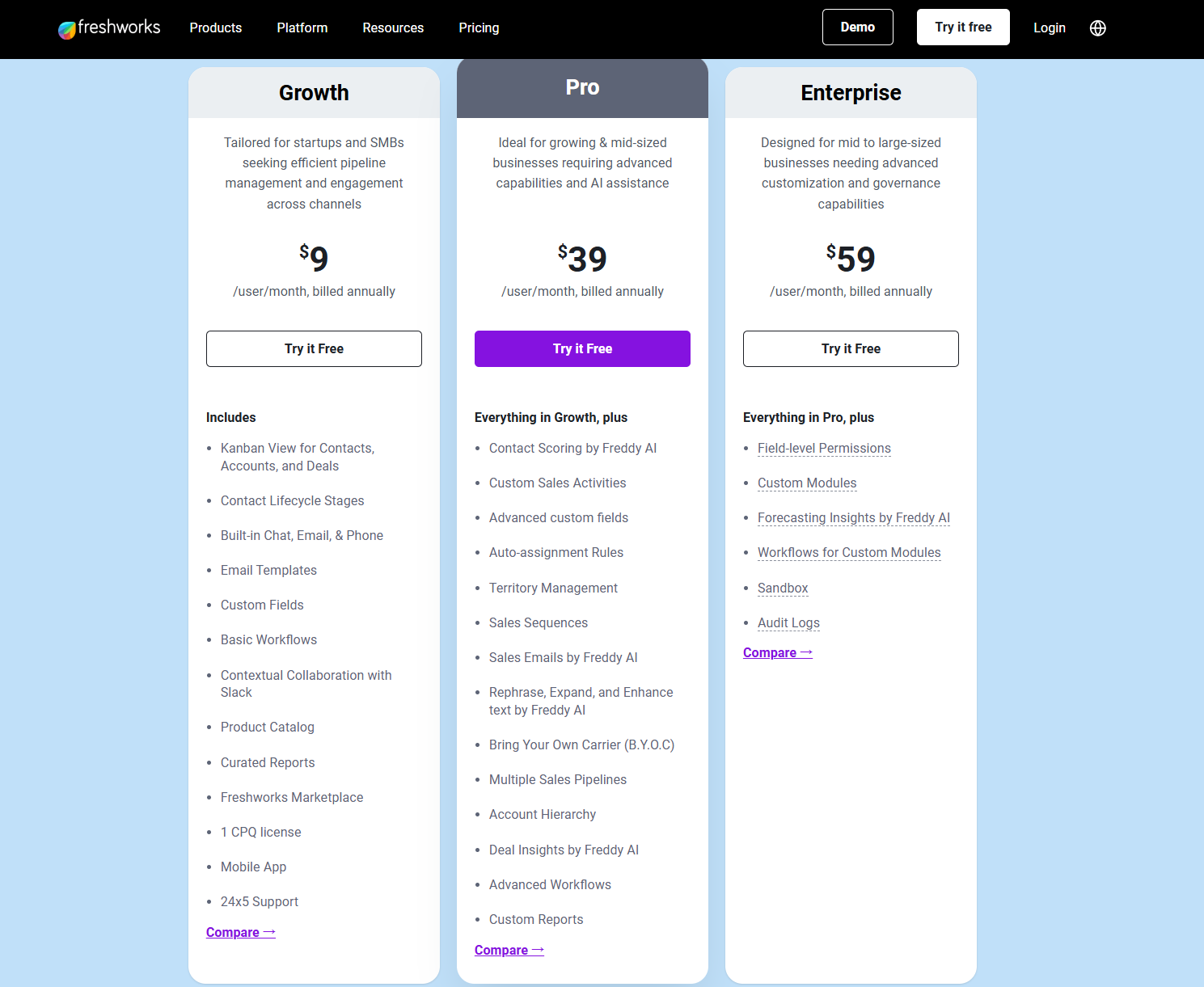
Image source: freshworks.com
What's included in each Freshsales plan
Free Plan
What's included:
- No-cost tier (often up to 3 users) aimed at teams just getting started.
- Basic CRM functions: contact, account, and deal management; (e.g., Kanban); built-in email and phone capabilities.
- Limited customization, fewer automation features, and reduced support compared to paid tiers.
Who it's for: Small startups or very small teams with minimal CRM needs—just need to track deals and contacts without heavy automation.
Considerations: Because it lacks advanced features, you may quickly outgrow it as your sales process, team size, or automation needs increase.
Growth Plan
What's included:
- Entry paid plan (approx. $9-$15 per user/month when billed annually).
- Adds more features: built-in phone/email, workflow automation, custom fields, lead/contact scoring, , integrations and somewhat advanced sales features.
Who it's for: SMBs with a defined that need more than just basic deal-tracking—teams ready to adopt automation and custom fields, but aren't yet large or complex.
Considerations: Even though more features are included, you still won't have the highest-tier capabilities (e.g., multi-pipeline, advanced analytics) and extra users or add-ons will raise your cost.
Pro Plan
What's included:
- Mid-tier plan (around $39/user/month when billed annually, depending on region).
- Adds advanced capabilities: multiple sales pipelines, territory management, advanced workflows, custom reports, AI-powered insights, account hierarchy, lead scoring and deeper customization.
Who it's for: Growing businesses or mid-sized sales teams that need automation, , multiple pipelines and data insights beyond just core CRM functions.
Considerations: The jump in cost is significant, so you'll want to ensure you're gaining enough productivity or revenue lift to justify it. Also, setup and adoption may require more effort.
Enterprise Plan
What's included:
- Top-tier plan (typically around $59/user/month or higher when billed annually).
- Tailored for large businesses: field-level permissions, custom modules, audit logs, sandbox environments, advanced , and full governance features.
Who it's for: Enterprises with complex sales structures, compliance/regulatory needs, large teams, multiple modules, heavy customization, and high automation demands.
Considerations: High cost and complexity. Implementation time, administration, and user training become major factors. You'll want to compare the total cost of ownership, including setup, add-ons, and internal resources.
Freshsales Suite pricing (for marketing and support)
What is Freshsales Suite?
Freshsales Suite brings together three key components of the Freshworks ecosystem under one umbrella:
- Freshsales (CRM for sales)
- Freshmarketer (marketing automation)
- Freshdesk (customer support/service)
By combining these, the Suite promises a unified view of a customer's full lifecycle— → sales conversion → ongoing support—all managed in one platform.
Pricing at a glance
- The Growth plan for Freshsales Suite starts at US$9/user/month (billed annually) for up to 500 marketing contacts.
- The free plan (for up to 3 users) also exists for very small teams.
- For Freshmarketer alone, paid plans start at around US$15/month (for the marketing module) when billed annually.
- Support product (Freshdesk) likewise has pricing from US$15/agent/month for the Growth tier.
In practice, bundling the suite may provide cost-efficiencies for teams using all three modules, but actual cost depends heavily on the number of users, the number of marketing contacts, and support agents. Many teams also consider and when assessing the value of alternative workplace solutions.
What you get when using the Suite
- Unified customer data – Sales, , and support teams access the same customer records, reducing data silos.
- Multi-channel engagement – Visit tracking, landing pages, email/SMS/WhatsApp outreach, lead scoring, and sales sequences are available across modules.
- AI-assisted insights – The higher tiers include AI features (e.g., Freddy AI), which identify the best leads, suggest next steps, and flag support issues early.
- Reduced tool-switching – With sales, marketing, and support in one ecosystem, you avoid juggling separate platforms, reducing complexity for users and data flows.
- Shared automation and workflows – For example, when a marketing lead reaches a certain score, the sales team is alerted, and if a customer logs a complaint, the support team sees previous campaign data in context.
Why it can still become complex (and costly)
While the Suite promises integration and simplicity, several factors can drive complexity and cost:
- Scale of users and contacts – Even if pricing per user seems low initially, marketing contact limits or user counts can escalate costs quickly. For example, the Freshmarketer module may charge extra when marketing contacts go beyond the base limit.
- Add-ons and upgrades – Advanced features (AI sessions, dedicated IPs, premium support, advanced automation) frequently require extra payments or higher tiers.
- Multiple – Because sales, marketing, and support all share data, permissions, workflows, and governance have become more important. More users and teams mean more roles to manage, which often requires added administrative effort and training.
- Data volume and integrations – As contact volumes, event histories, and support cases increase, you may need more storage, more API calls, or bespoke integrations—driving hidden costs.
- Implementation and change management – While the Suite is marketed as "easy to implement," combining multiple modules requires aligning teams, workflows, and data structures—implementation timelines and user-adoption risk rise accordingly.
Freshsales' hidden costs and limitations
When evaluating Freshsales pricing, many teams focus on visible subscription rates but overlook the hidden expenses that emerge as they scale. Understanding these less obvious factors is key to estimating the true total cost of ownership and ensuring the CRM continues to deliver value as your organization grows. - Additional user costs after seat expansion: While initial Freshsales CRM pricing may seem affordable, adding new team members quickly raises monthly costs. Each additional seat requires a full user license, meaning scaling from a small to mid-sized team can double or triple total expenses. Businesses with seasonal or rotating staff often find this model less flexible.
- Limited automation in lower tiers: Automation tools in Freshsales are often locked behind higher-tier plans, restricting smaller teams from optimizing workflows. Basic plans allow only minimal rule-based triggers, while advanced features like AI forecasting or multi-step sequences require upgrading. This limitation can stall productivity just when teams need efficiency most.
- Add-on fees for advanced analytics or API calls: Freshsales offers insightful dashboards, but deeper analytics and API access typically come at an extra cost. Companies seeking custom reporting, third-party data synchronization, or advanced metrics may need to purchase additional credits or higher-tier packages. These incremental fees add up, especially for data-driven teams.
- Need for multiple Freshworks apps to unify marketing, sales, and service data: To manage the full customer lifecycle, Freshsales often depends on other Freshworks products like Freshmarketer or Freshdesk. While this ecosystem can be powerful, it also increases setup complexity and recurring costs. Teams must maintain separate billing, user permissions, and configurations across each app.
As businesses scale, maintaining visibility and coordination across sales, marketing, and support becomes increasingly challenging. That's where connected workspaces, like Lark, offer a simpler path forward—uniting CRM data, communication, and collaboration in one platform.
Bring your CRM, chat, and tasks together
Affordable alternative: Try Lark to simplify and manage CRM workflows
While Freshsales delivers structured CRM functionality, many teams find themselves relying on multiple add-ons for collaboration, reporting, and documentation. With affordable pricing and a free plan, Lark simplifies this by combining , , and within one unified workspace.
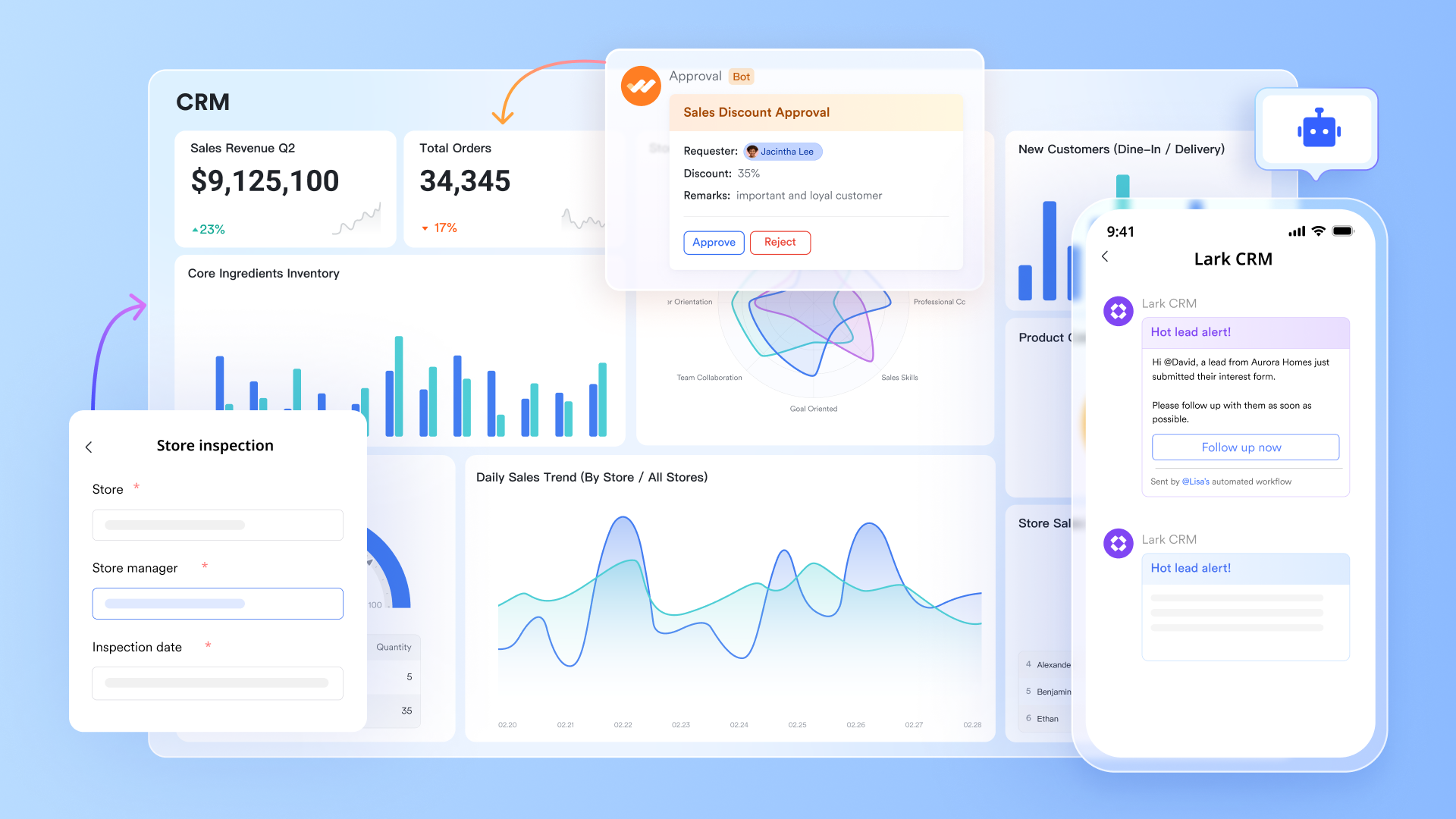
Lark Base: Track leads, clients, and deal stages with ease
functions like a flexible CRM database—allowing teams to manage leads, clients, and deal pipelines in one place. Here, you can create client databases, track customer status, and use Kanban views to visualize deal stages. Unlike Freshsales, where automation features vary by pricing tier, Lark Base provides built-in automation triggers and relational fields even in its lower plans.
You can automatically assign leads, send, and track deal stages with clarity. For example, when a deal moves from "Proposal Sent" to "Negotiation," Base can instantly trigger a reminder for the account manager and update shared views for the entire team.
Why it's better: Lark Base is customizable to any workflow—sales, service, or marketing—without complex setup or tier restrictions. It gives users the CRM control of Freshsales, but with simpler collaboration and automation at no extra cost.
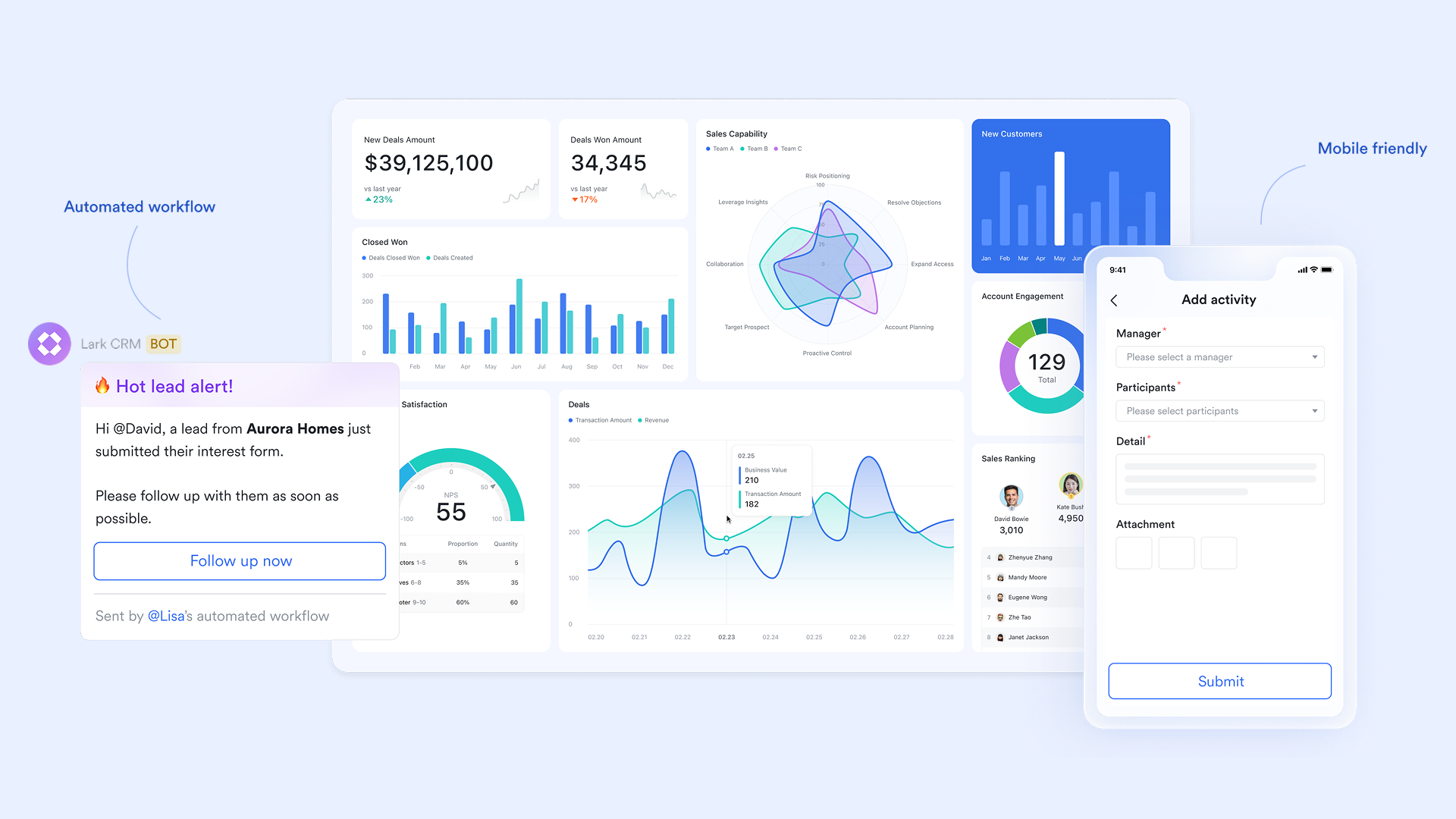
Lark Docs: Collaborate on proposals, strategies, and plans
Sales and marketing teams often create proposals, email drafts, or onboarding materials alongside their CRM work. brings this process right inside the same workspace, allowing teams to brainstorm, write, and edit in real time.
While Freshsales users might need to switch between their CRM and external document tools like Google Docs or Word, Lark eliminates that friction. Everyone—from sales reps to content teams—can co-edit proposals, build campaign outlines, and attach related customer data from Lark Base directly inside the document.
Why it's better: Lark Docs bridges the gap between CRM data and , enabling collaboration without leaving the workspace—something Freshsales doesn't natively support.
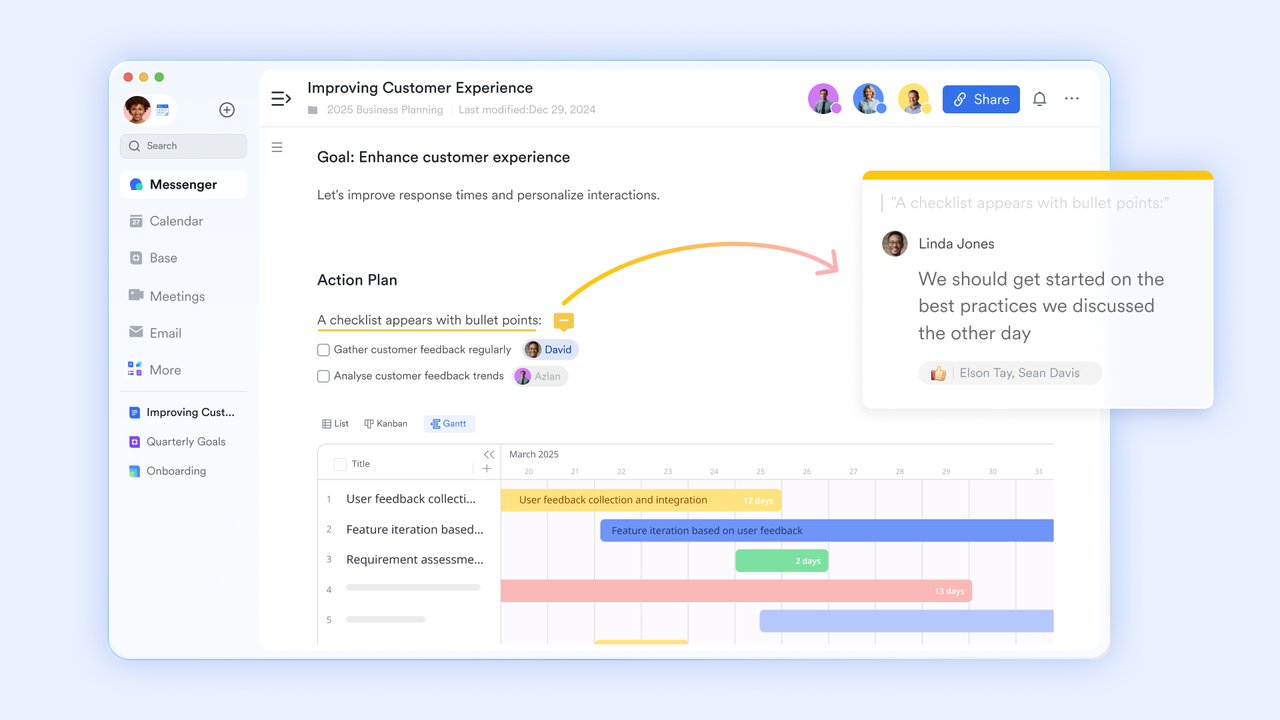
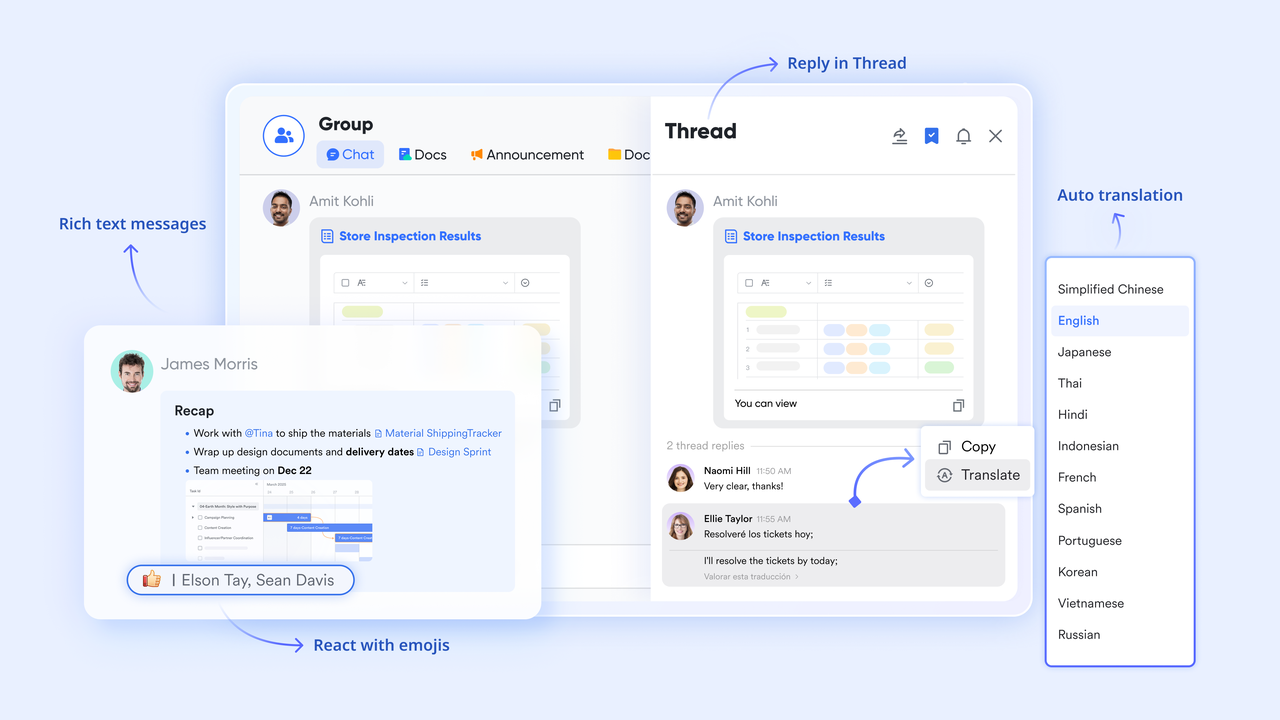
Lark Messenger: Discuss deals and updates in real time
Instead of sending endless email threads or opening a separate chat app, brings all communication directly into the CRM environment. You can share selected Base records in group chats for focused collaboration, allowing team members to refer directly to relevant records. Also, via collaborating with Base, automation enables sending customized messages to private and group chats, which can notify team members when a customer's status changes, such as when a lead becomes high-priority.
Why it's better: Freshsales users often rely on integrations with Slack or internal for communication, creating silos. Lark's Messenger centralizes updates and client conversations, so nothing gets lost between channels.
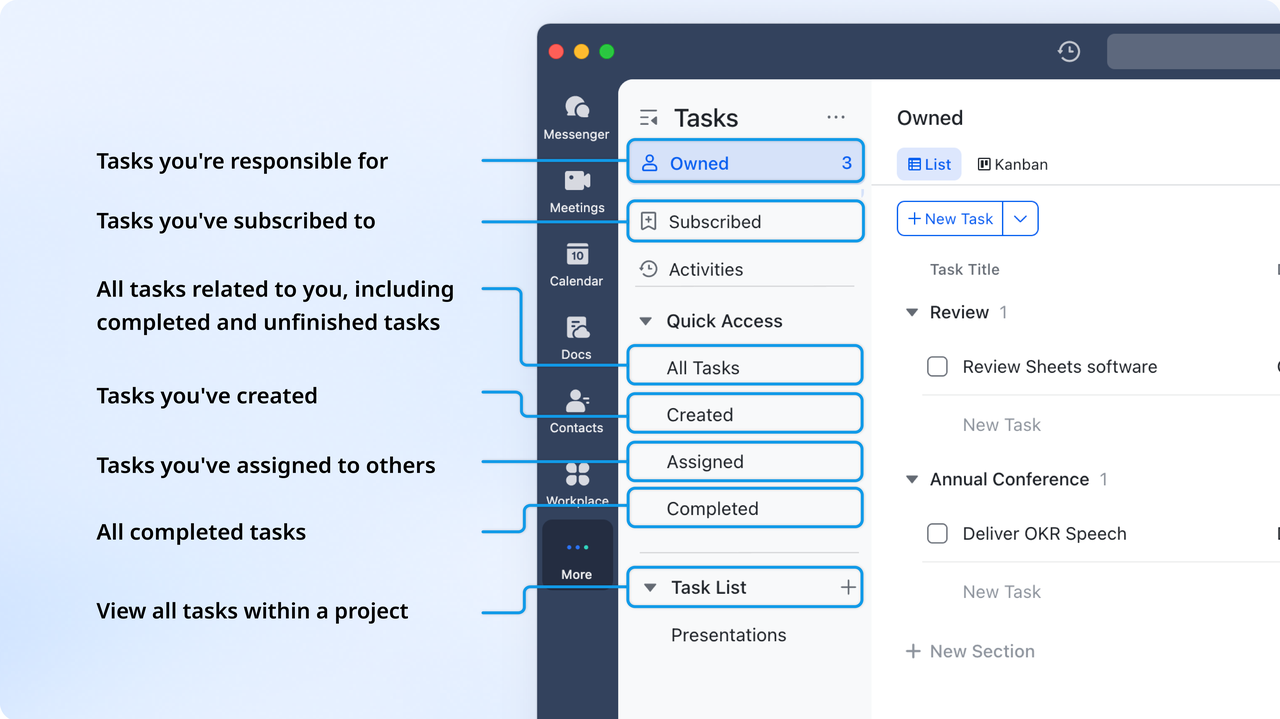
Lark Tasks: Turn insights into follow-up actions
Freshsales includes task management for sales reps, but it's limited to CRM-bound actions. Lark Tasks goes further—letting any team (sales, marketing, support, finance) assign, track, and complete actions tied to clients or campaigns. Tasks can be created manually from Docs and can be auto-generated via workflow automations. Each task includes due dates, ownership, and progress tracking, and can be linked to team objectives and viewed in multiple formats (kanban, grid, Gantt, gallery). Why it's better: Instead of managing tasks inside separate CRM modules or project tools, Lark Tasks unifies all accountability—from deal closing to customer onboarding—in one interface.
:
- Starter plan: Free forever plan that includes 11 powerful tools for up to 20 users. It also comes with 100GB of storage, 1000 automation runs, AI translations, and more.
- Pro plan: $12/user/month (billed annually) for up to 500 users. It includes everything in Starter plus group calling for up to 500 attendees, 15TB of storage, 50,000 automation runs, and more.
- Enterprise plan: for custom pricing. Supports unlimited users and includes even more automation runs and advanced security, compliance, and management features.
For small teams with simple communication needs

18 months message history
1000 Base automation runs/month
2000 rows per table in Base
Most POPULAR
For companies with comprehensive collaboration and management needs
Unlimited message history
500-participant video meetings
50k Base automation runs/month
20k rows per table in Base
For large companies with advanced security and organizational management needs
Get a personalized demo and pricing
Unlimited message history
500-participant video meetings
15 TB storage + 30 GB storage/user
500k Base automation runs/month
50k Base automation runs/month
Most POPULAR
For companies with comprehensive collaboration and management needs
Unlimited message history
500-participant video meetings
50k Base automation runs/month
20k rows per table in Base
Comparison: Freshsales vs Lark at a glance
Choosing between Freshsales and Lark depends on whether your priority is traditional sales automation or connected team collaboration. While Freshsales focuses on structured deal management and lead tracking, Lark blends , communication, and workflows into one unified workspace. This quick comparison highlights how both platforms differ in focus, flexibility, and long-term scalability. Best practices for choosing the right CRM platform
Selecting a CRM isn't just about features—it's about finding a platform that can adapt to your team's structure, data volume, and long-term growth. Whether you're comparing Freshsales pricing or exploring alternatives like Lark, these best practices ensure your investment delivers lasting productivity and alignment across departments.
- Assess scalability and automation needs: Start by evaluating how your CRM platform will scale with your business. A system that handles basic today must also support automation, territory management, and reporting tomorrow. Scalable automation ensures your workflows grow in sophistication without requiring costly plan upgrades.
- Prioritize ease of collaboration over pure functionality: While advanced features matter, daily collaboration determines long-term success. Teams need seamless communication, shared documents, and real-time updates tied to CRM records. A collaborative environment reduces silos between sales, marketing, and support—improving decision-making speed and accountability.
- Calculate total cost, including add-ons and users: Don't rely solely on base subscription pricing when comparing CRM options. Consider hidden costs such as paid add-ons, extra user seats, API limits, and analytics modules. Understanding the complete pricing picture prevents overruns and helps forecast the true return on investment.
- Choose tools that centralize communication and documentation: A modern CRM should do more than track deals—it should connect your team's discussions, tasks, and documents in one workspace. Centralizing communication around customer data eliminates app-switching, reduces confusion, and ensures every stakeholder has context when engaging clients.
- Test usability and adoption across departments before purchase: Even the most powerful CRM platform fails if users resist it. Run pilot tests across departments to gauge user adoption and workflow fit. An intuitive, user-friendly interface increases engagement, shortens onboarding time, and maximizes the value of your CRM investment.
Conclusion
Choosing the right CRM goes beyond features and pricing—it's about finding a system that scales with your business and empowers collaboration. While Freshsales offers solid automation and sales tracking tools, growing teams often face hidden costs and limited cross-department visibility. provides a smarter alternative by combining CRM tracking, chat, meetings, docs, and task management in one connected workspace. With real-time collaboration and zero app-switching, teams can move from data to decisions faster. For businesses seeking simplicity, transparency, and unified growth, Lark turns everyday workflows into seamless, high-impact operations.
Experience seamless teamwork and smarter deal management
FAQs
Is Freshsales better suited for small teams or large enterprises?
Freshsales is best suited for small to mid-sized teams seeking structured sales automation and lead tracking. Its tiered pricing and intuitive interface make it accessible for startups and growing businesses. However, large enterprises with complex, cross-department workflows may find the need for additional Freshworks tools or higher-tier plans to meet scalability and collaboration demands.
Does Freshsales offer free alternatives for startups?
Yes, Freshsales provides a free plan designed for startups or small businesses beginning their CRM journey. The plan includes basic contact management and email integration but lacks advanced automation, analytics, and multiple pipelines. As teams grow, upgrading becomes necessary to access workflow automation, reporting, and deeper customization essential for scaling sales operations efficiently.
How does Freshsales pricing compare to other CRMs like HubSpot or Zoho?
Compared to CRMs like HubSpot or Zoho, Freshsales pricing is competitive at the entry level but can become costlier as user count and feature needs increase. HubSpot's free tier offers broader marketing tools, while Zoho provides more customization at similar rates. Freshsales stands out for its clean interface and built-in telephony, but may require add-ons for full functionality.
Can Freshsales integrate with third-party collaboration tools?
Freshsales supports connections with popular third-party tools like Slack, Google Workspace, and Microsoft Teams to improve communication and productivity. However, these integrations often require setup through Freshworks Marketplace or APIs, depending on your subscription tier. For teams seeking native, all-in-one collaboration without dependencies, unified platforms like Lark provide a smoother, integrated alternative.
What's the best CRM option for teams that need both sales tracking and internal collaboration?
For teams prioritizing both sales tracking and internal collaboration, Lark offers a unified alternative to traditional CRMs. Unlike Freshsales, which focuses primarily on sales management, Lark combines CRM data, chat, tasks, and documentation in one connected workspace. This setup keeps every conversation and customer record in sync, enhancing visibility and reducing context switching.
Related reading






























