Online forms are often the first step in digitizing business processes. From collecting leads and registrations to handling internal requests and approvals, forms act as the front door for operational data. Jotform has become one of the most widely used tools in this space, known for its ease of use, flexibility, and feature-rich form builder.
But as teams grow, their needs evolve beyond basic data collection. What starts with simple forms often expands into workflow management, approvals, analytics, and long-term record ownership. In this guide, this Jotform review takes a practical look at where Jotform excels, where it shows limitations, and how it compares with other form and workflow tools as work becomes more complex.
What Jotform is really designed to solve
At its core, Jotform is designed to simplify online data collection. It helps individuals and teams create, publish, and manage forms without technical expertise, making it ideal for scenarios where gathering information is the primary goal. In this review, Jotform stands out for enabling fast setup of surveys, lead forms, registrations, payment forms, and internal requests.
Jotform is especially effective when workflows are form-centric, meaning the submission itself triggers the main action. Use cases such as event registrations, , customer feedback, and donation collection align well with Jotform's strengths. Features like conditional logic, approvals, integrations, and Smart PDF generation support lightweight follow-up actions after submission.
However, this Jotform review also highlights a vital boundary: Jotform is not built to manage ongoing records or complex, multi-step workflows. Once automation is tied to a submission, teams often rely on external tools for tracking ownership, collaboration, and long-term process execution.
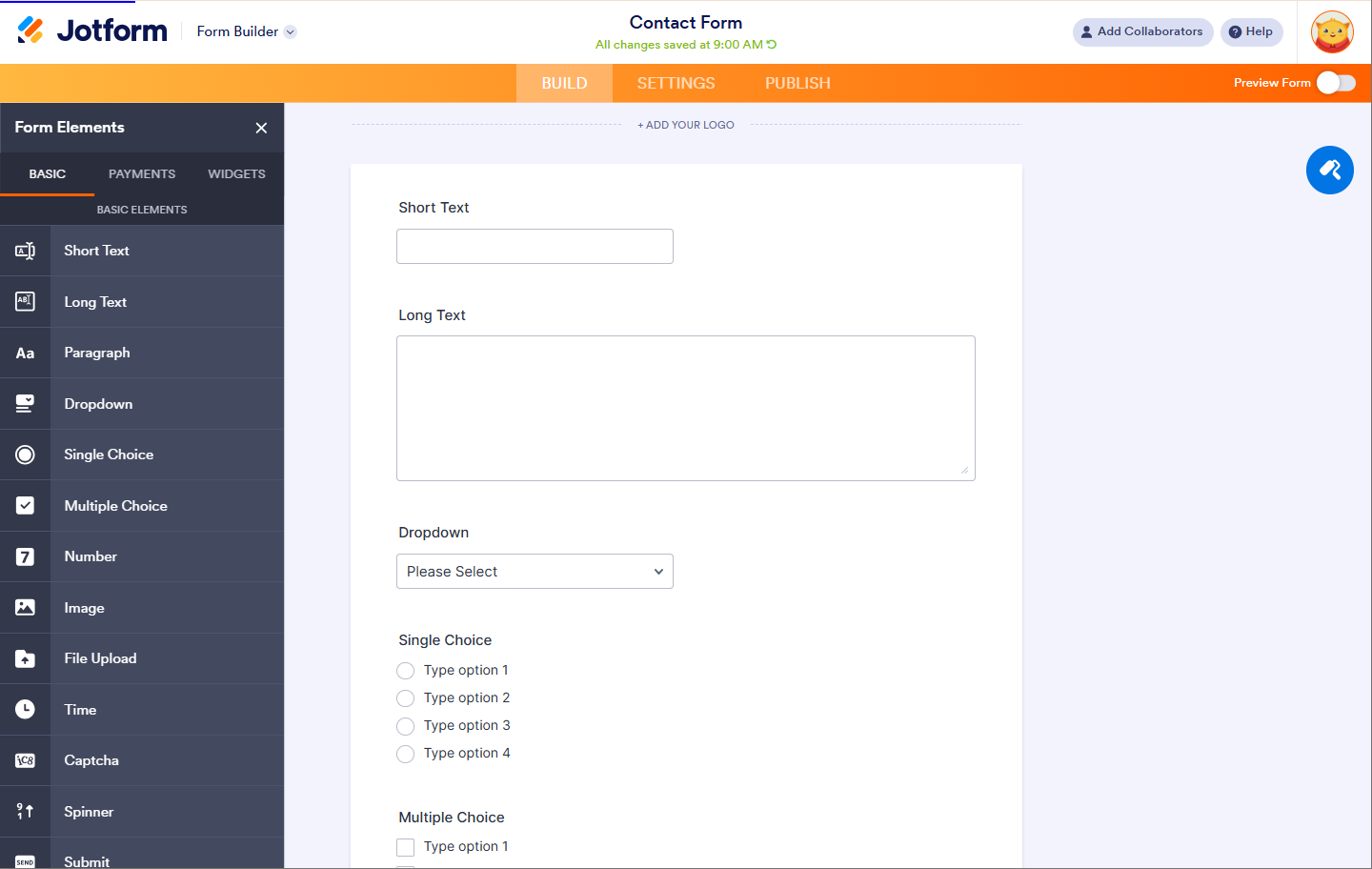
Image source: jotform.com
Core capabilities and Jotform automation features review
Jotform excels at data capture and basic post-submission automation, but automation remains linear and form-centric. For teams that need ongoing ownership, , or cross-team execution beyond the form, additional tools or platforms are often required.
Core capabilities
- Drag-and-drop form builder: Jotform's visual builder allows users to create surveys, lead forms, registrations, and internal request forms without writing code. Fields can be added, rearranged, and customized in real time, making form design approachable for beginners and efficient for experienced users.
- Extensive field types: The platform supports advanced fields, including file uploads, e-signatures, payment inputs, ratings, and conditional logic. This flexibility enables teams to collect richer data and tailor forms based on user responses, reducing the need for follow-up submissions.
- Innovative PDF forms: In this Jotform Smart PDF forms review context, Smart PDFs allow form responses to populate PDF documents automatically. This is especially useful for applications, contracts, and compliance workflows that still rely on standardized PDF outputs.
- Jotform tables: Jotform Tables provide a spreadsheet-like view of submissions, allowing users to edit, filter, sort, and collaborate on form responses. While helpful for basic tracking, tables are primarily designed for managing submitted data rather than long-term records.
- Payment collection: Jotform includes built-in payment gateways that support orders, donations, and subscriptions. This makes it a practical option for small businesses, creators, and nonprofits handling simple transactions in a Jotform store builder review scenario.
- Templates library: The extensive template library helps teams get started quickly across HR, marketing, education, and operations. Templates reduce setup time by offering pre-built structures that can be customized to match specific data collection needs.
- Mobile and offline access: Jotform supports mobile and offline form access, enabling field teams to collect data without a constant internet connection. Submissions sync automatically once connectivity is restored, making it useful for on-site and remote environments.
Automation features
- Submission-based triggers: Jotform automations begin when a form is completed. A submission can trigger emails, approvals, or integrations, making it effective for intake-driven processes where actions depend on form completion.
- : Submissions can be routed to one or more reviewers for approval or rejection. This works well for simple review chains but remains limited to form-level logic rather than ongoing, multi-stage workflows.
- Conditional email notifications: Email notifications can be sent based on user responses or approval outcomes. This allows teams to keep stakeholders informed, though communication typically ends once the submission is processed.
- Status updates in Jotform Tables: Users can assign and update statuses after submission. While helpful for basic tracking, these updates are manual and not deeply connected to downstream execution.
- Third-party integrations: Jotform integrates with external tools such as CRMs, spreadsheets, and project platforms. In many cases, these integrations are necessary to continue working beyond the form itself.
- AI-assisted form creation: AI tools help generate forms faster by suggesting fields, layouts, and logic. This reduces setup time but does not change how automation functions after submission.
Manage records and approvals easily
Jotform AI Agents review
Jotform has introduced AI‑powered features to streamline form creation and logic setup. These tools aim to reduce manual effort and accelerate the design process. In this Jotform AI Agents review, we'll look at what AI Agents can do, where they're most helpful, and their limitations within the broader workflow.
Jotform AI Agents are effective for faster form creation and smarter form logic, but they stop at . Teams that need ownership, cross-team workflows, or lifecycle tracking will need additional systems beyond Jotform.
Explore Jotform pricing plans
Choosing the proper form and starts with understanding cost and value. Before selecting a productivity suite, it's worth reviewing the latest and plans. Jotform offers a range of pricing tiers designed to fit individuals, teams, and enterprises. Whether you need advanced integrations or high submission limits, comparing plans helps you decide what's best for your workflow. In this section, we explore Jotform pricing plans to help guide your choice.
Information source: jotform.com
Update time: 2025-12-21
Note: Pricing and plan details reflect publicly available data as of the update date and may vary based on region, billing cycle, and number of agents.
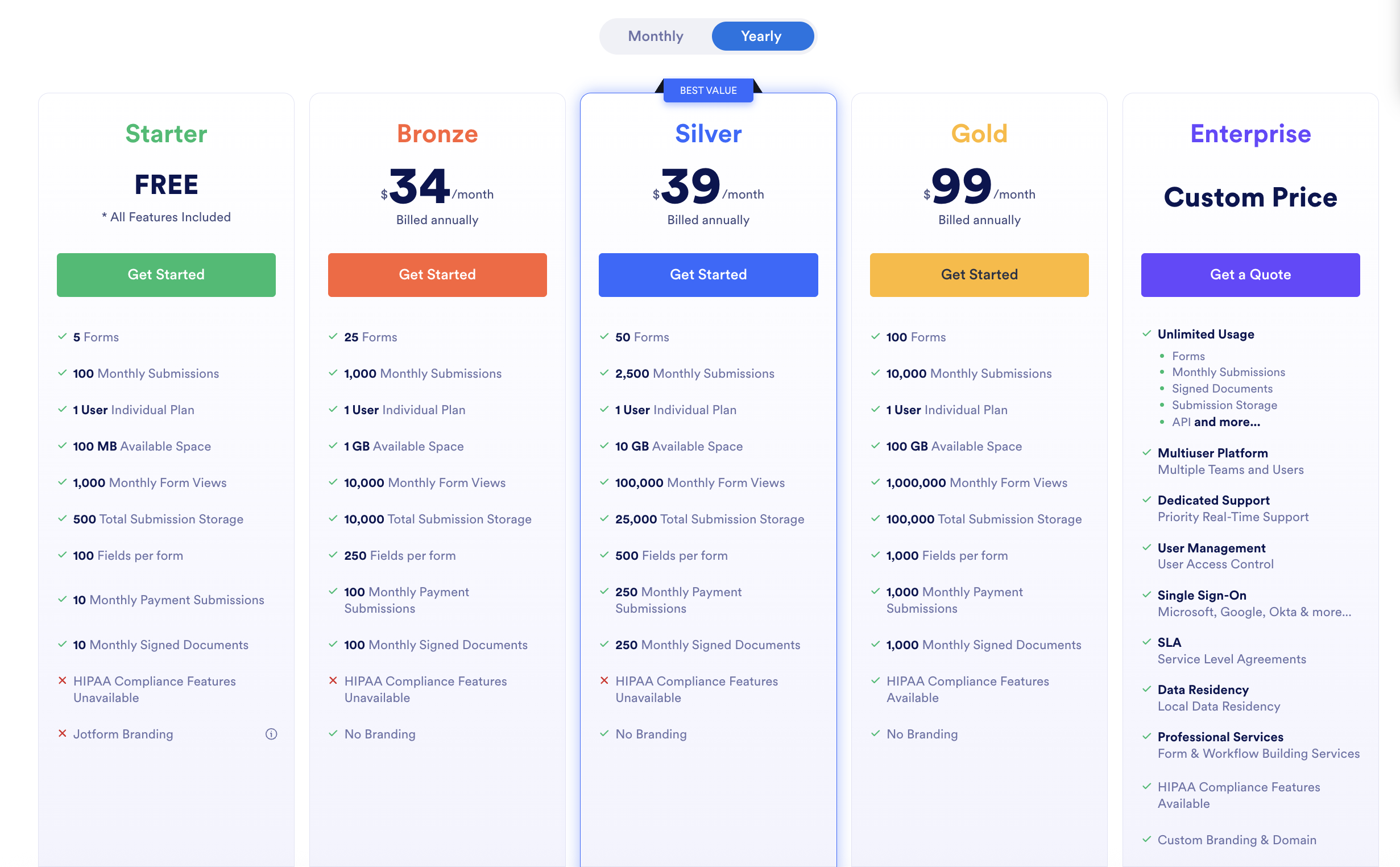
Image source: jotform.com
Where Jotform shines, and where it stops
This Jotform review shows a tool that is highly effective when forms are the center of the process, but more limited when work continues beyond submission. Understanding both sides helps teams decide when Jotform is the right fit and when additional tools may be required.
Where Jotform Shines
- Fast and intuitive : Jotform's drag-and-drop builder allows users to create surveys, registrations, and lead forms without coding. This speed makes it ideal for teams needing immediate data collection without technical setup.
- Rich field types and conditional logic: With file uploads, payments, ratings, and advanced conditional fields, Jotform supports complex forms while keeping the user experience simple. This reduces errors and ensures accurate data capture.
- Smart PDF and mobile forms: Auto-filling PDFs from submissions and offline mobile access make Jotform effective for field teams, contracts, and regulated documentation. Forms remain usable in environments with limited connectivity.
- Approval workflows and notifications: Simple submission-based approvals and conditional email notifications help teams automate lightweight post-submission processes. These workflows are sufficient for small-scale review chains.
- Third-party integrations: Jotform easily connects with CRMs, project tools, and payment gateways, allowing form data to extend into external platforms. This makes it suitable for organizations needing a quick bridge between forms and other tools.
Where Jotform Stops
- Limited multi-step workflow management: Once a form is submitted, Jotform automations end. Teams requiring sequential or cross-team execution must rely on additional tools to manage ongoing processes.
- Restricted record ownership and lifecycle tracking: Form submissions live in tables or exports but lack long-term governance. Organizations needing persistent records, approvals, or audit trails will find Jotform insufficient for enterprise workflows.
- Basic reporting and analytics: Jotform provides submission stats, but deeper, live insights require manual configuration or external tools. This limits the ability to monitor trends, KPIs, or in real time.
- Collaboration constraints: Collaboration in Jotform is tied to forms or tables rather than workflow stages or records. Teams working on complex projects often need more advanced tools to coordinate tasks and responsibilities.
As teams outgrow form-centric tools, the need for platforms that connect submissions to ongoing work becomes clear. While Jotform handles data capture well, it stops once the submission is processed. Organizations looking to automate multi-step workflows, maintain record ownership, and collaborate across teams need a more integrated approach. Lark addresses these gaps by turning form responses into structured records and actionable workflows, bridging the space between intake and execution.
Create desired forms and fuse them into workflows
How Lark turns form responses into real work
While Jotform focuses on form submissions, many teams need those responses to drive ongoing work. bridges this gap by transforming form data into structured records that power workflows, tasks, and . In this section, we explore how Lark connects intake to execution, turning captured data into actionable, trackable work.
Custom form creation and multiple fields to start
enables form creation by offering a wide variety of question types, such as "NPS (Net Promoter Score)", "Ratings", "Locations", and "File Uploads". In Lark Forms, you can start with a blank form or choose from various templates, since it is paired with adjustable visual themes and layouts for customization. You can tailor the user experience by toggling anonymity, requiring logins, or setting specific submission limits and collection schedules. Unlike heavy data manipulation in Jotform, you can easily create a form with a few clicks.
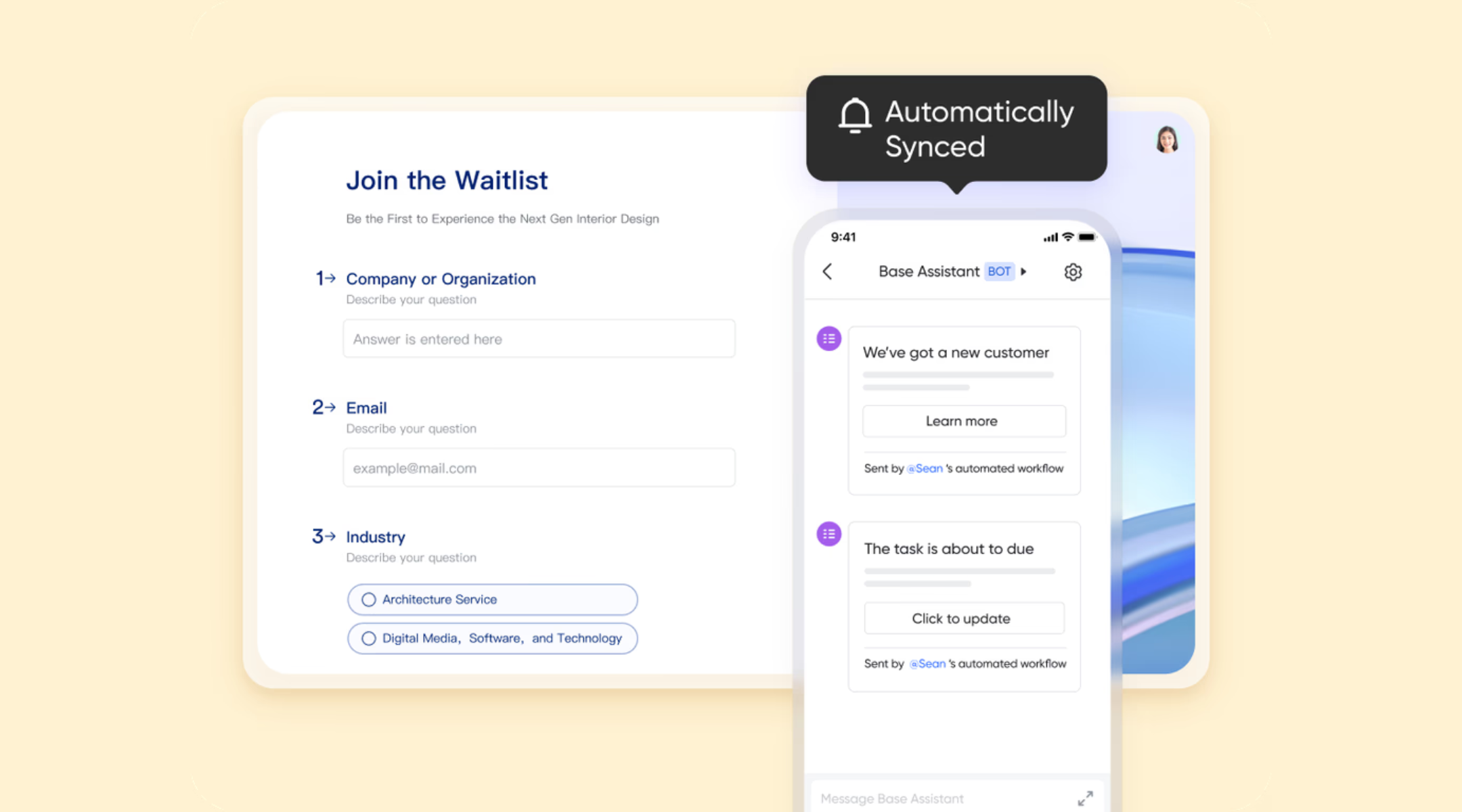
Forms that automatically create structured records in Base
Lark Forms are natively connected to Lark Base, meaning every form submission is instantly saved as a structured record with defined fields, types, and permissions. These records can be filtered, grouped, linked to other tables, and reused across workflows. In Jotform, form responses primarily live in tables or exports and often require manual setup or external tools to integrate into an operational system. Lark treats form responses as the start of work, not the endpoint. 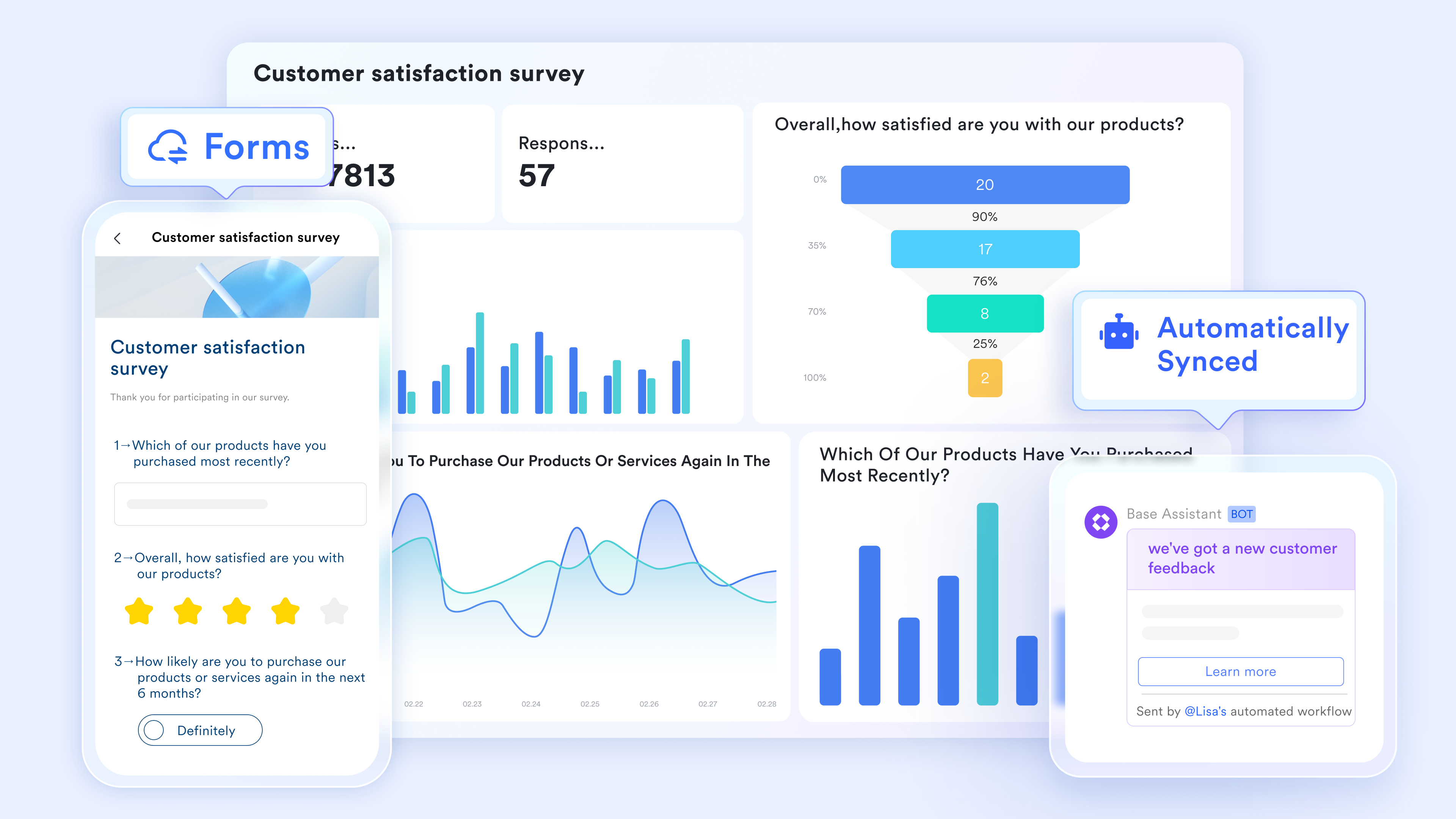
Built-in analytics dashboards for live response analysis
With Lark, every form can automatically generate a Base dashboard that visualizes responses with charts, including pie charts, column charts, word clouds, and rankings. Dashboards update in real time and can be shared with teams or embedded into documents. Jotform provides analytics, but often requires manual setup or exports. Insights stay live and connected to ongoing work, not locked inside static reports. 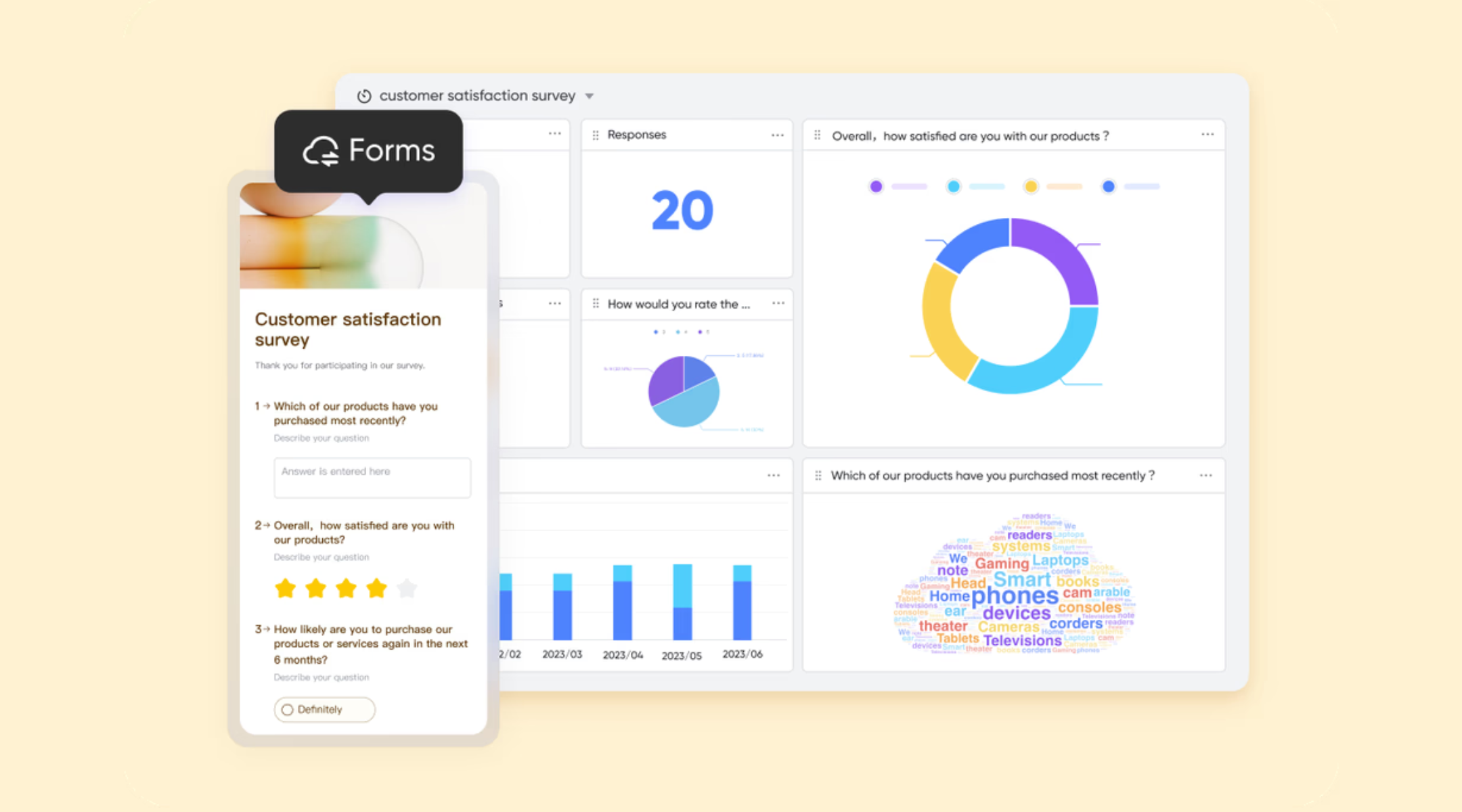
Advanced display logic tied to automated workflows
Lark Forms support conditional display logic (show/hide questions based on responses), and those same conditions can later drive automation and workflow logic in Base. In Base, the automations feature allows teams to set up rules based on form responses, such as assigning tasks, sending notifications, updating statuses, or triggering approvals, using no-code rules. These actions are connected to records, owners, and timelines. Jotform supports basic post-submission actions, but automation is mainly linear and form-centric. Form data directly drives ownership, accountability, and multi-step workflows. 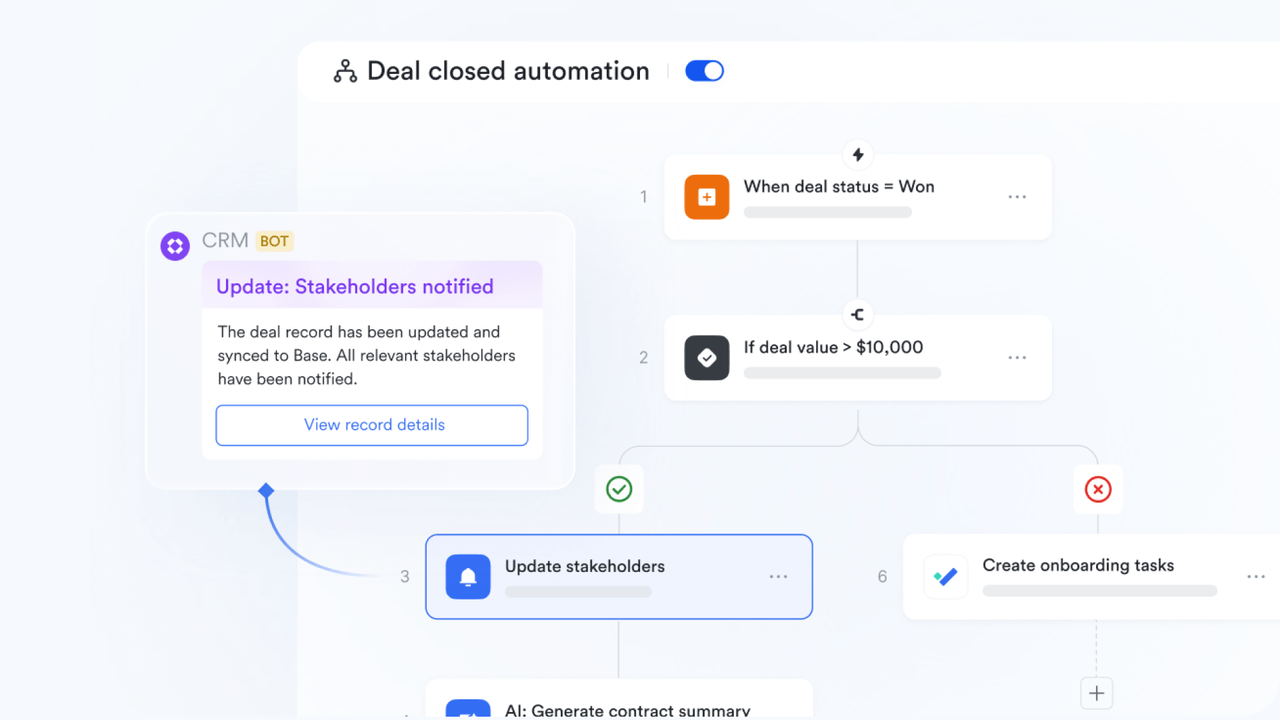
Granular permissions and lifecycle control over form data
Lark applies row-level and field-level permissions to form responses stored in Base. This allows sensitive responses to be restricted while still enabling collaboration across teams. Records also persist across lifecycle stages (intake, review, follow-up, resolution). Jotform permissions are more limited and often tied to form or table access rather than record-level governance. Lark supports secure, long-term instead of short-lived submissions. :
- Starter plan: Free forever plan that includes 11 powerful tools for up to 20 users. It also comes with 100GB of storage, 1000 automation runs, AI translations, and more.
- Pro plan: $12/user/month (billed annually) for up to 500 users. It includes everything in Starter plus group calling for up to 500 attendees, 15TB of storage, 50,000 automation runs, and more.
- Enterprise plan: for custom pricing. Supports unlimited users and includes even more automation runs and advanced security, compliance, and management features.
For small teams with simple communication needs

18 months message history
1000 Base automation runs/month
2000 rows per table in Base
Most POPULAR
For companies with comprehensive collaboration and management needs
Unlimited message history
500-participant video meetings
50k Base automation runs/month
20k rows per table in Base
For large companies with advanced security and organizational management needs
Get a personalized demo and pricing
Unlimited message history
500-participant video meetings
15 TB storage + 30 GB storage/user
500k Base automation runs/month
50k Base automation runs/month
Most POPULAR
For companies with comprehensive collaboration and management needs
Unlimited message history
500-participant video meetings
50k Base automation runs/month
20k rows per table in Base
Jotform vs Lark: Choosing based on how work evolves
As teams grow, their workflows often outpace what form-centric tools can handle. Jotform excels at intake and submission-based automation, but complex processes require more than forms alone. Comparing Jotform vs Lark helps organizations understand which platform aligns with evolving work needs. This section explores key differences in workflow depth, collaboration, and record management.
Choose Jotform if...
- Your primary goal is data capture: You need a high-powered tool specifically for gathering external leads, registrations, or payments.
- You require complex form features: Your forms need advanced widgets, digital signatures, or custom CSS branding for a public-facing audience.
- The workflow ends at submission: You only need simple, one-time triggers or basic approvals rather than a long-term project management system.
Choose Lark if...
- The form is the start of a workflow: You want submissions to automatically become actionable CRM records or project tasks for your team.
- You need deep team collaboration: You want to discuss records in chat, tag owners, and update statuses within a single, integrated platform.
- You value annual pricing efficiency: You want to maximize your existing investment by using a bundled tool that eliminates the cost of a separate form subscription.
Automate your forms into actionable workflows
Conclusion
This Jotform review shows that Jotform is a powerful, easy-to-use form builder ideal for surveys, registrations, lead capture, and simple approval workflows. Its drag-and-drop builder, Smart PDF forms, Tables, and AI-assisted tools make data collection fast and accessible for individuals and small teams. However, as workflows grow in complexity, Jotform's linear automation, limited lifecycle tracking, and form-centric approach can become restrictive. Organizations that need ongoing record management, cross-team collaboration, and multi-step process automation require more integrated solutions. For teams looking to turn submissions into actionable, continuous work, provides a comprehensive, scalable alternative.
FAQs
What do people use Jotform for?
People use Jotform primarily for high-complexity external data capture, such as processing secure payments via Stripe or PayPal and collecting legally binding e-signatures. It is a favorite for medical professionals needing HIPAA-compliant forms and marketers who require advanced conditional logic and custom CSS branding. Essentially, it serves as a specialized "front-end" tool for transactions and high-stakes lead generation.
Is Jotform actually free?
Yes, but it has strict "Freemium" limits that function more like a trial, capping you at 5 active forms and 100 monthly submissions. The free version also includes mandatory Jotform branding on every page and limits payment-integrated submissions to just ten per month. For a business on an annual budget, these limits often necessitate a quick upgrade to a paid tier, which starts at around $34 per month.
Can Jotform manage ongoing records beyond form submissions?
In this review of Jotform, it is evident that the platform's core function lies in data capture at the submission stage. Although Jotform Tables offers basic tracking capabilities, its support for long-term record management remains limited. Notably, submissions do not integrate into continuous workflows—this means teams requiring ongoing record handling often need to complement Jotform with additional tools to fulfill end-to-end lifecycle management needs. How does Jotform handle cross-team collaboration at scale?
Jotform supports basic form and table sharing, but at scale can be restrictive. Features from the Jotform enterprise review tier offer advanced permissions, yet coordination still largely depends on manual processes. Integrations highlighted in the Jotform form integration review help connect data to other platforms for teamwork beyond the form.
Is Jotform suitable for operational workflows, not just intake?
Jotform is optimized for intake and one-step processes, as emphasized in the Jotform app builder review and Jotform store builder review. Operational workflows that require multi-step execution, cross-team accountability, or lifecycle management exceed its native capabilities. Smart PDF output and tables aid tracking but do not replace full workflow platforms.
Related reading


















