














Top 10 JotForm Alternatives for Forms, Workflows & Teams

Ryan Tanner
Product Marketing Specialist
Sep 18, 2026
Ryan Tanner
Sep 18, 2026

27 min read


If you're evaluating a JotForm alternative for forms, surveys, workflows, and team collaboration, you're not alone. Many teams eventually outgrow JotForm due to limitations in automation, collaboration features, and database flexibility—prompting a search for tools that better support modern, end-to-end workflows. From simple free-form builders to advanced platforms that unify data collection, approvals, and automation, this guide breaks down the 10 best JotForm alternatives worth considering.
We compare each option by use case, features, pricing, and what sets it apart. Whether you're a startup, freelancer, educator, enterprise, or operations-heavy team, this list will help you find the right fit. Lark also appears as one of the options to explore.
1. Lark: A powerful JotForm alternative for teams needing forms + workflows + collaboration
2. Google Forms: Best free JotForm alternative for simple data collection
3. Typeform: Best for conversational, high-completion surveys
4. Tally: Best "Notion-style" form builder with unlimited free responses
5. Cognito forms: Best for powerful logic and calculations on a budget
6. Formstack: Best enterprise-grade JotForm alternative
7. Airtable forms: Best for spreadsheet-driven forms + databases
8. Zoho forms: Best for businesses using Zoho ecosystem
9. Wufoo: Best simple and stable JotForm alternative
10. Paperform: Best for forms that look like landing pages

Quick comparison table: Best JotForm alternatives
Information source: Official vendor sites
Update time: 2025-11-15
Note: Pricing and plan details reflect publicly available data as of the update date and may vary based on region, billing cycle, and number of agents.
What is JotForm?
JotForm is a widely used online form builder designed for creating surveys, registration forms, feedback forms, payment forms, and automated data-collection workflows without any coding. It offers a drag-and-drop interface, customizable templates, conditional logic, approval flows, and integrations with analytics, payment, and task management tools. JotForm is popular among small businesses, educators, non-profits, and enterprises that need flexible ways to collect structured information. However, as teams grow, many users start searching for JotForm alternatives when they need more advanced collaboration, automation, or database capabilities.
Conversations on JotForm Reddit and reviews on JotForm G2 often mention the need for platforms that scale better with team workflows. Depending on budget and customization needs, users explore a wide range of options, including a free alternative to JotForm or even a free, open-source alternative to JotForm. A detailed JotForm comparison is essential before choosing the best alternative to JotForm.
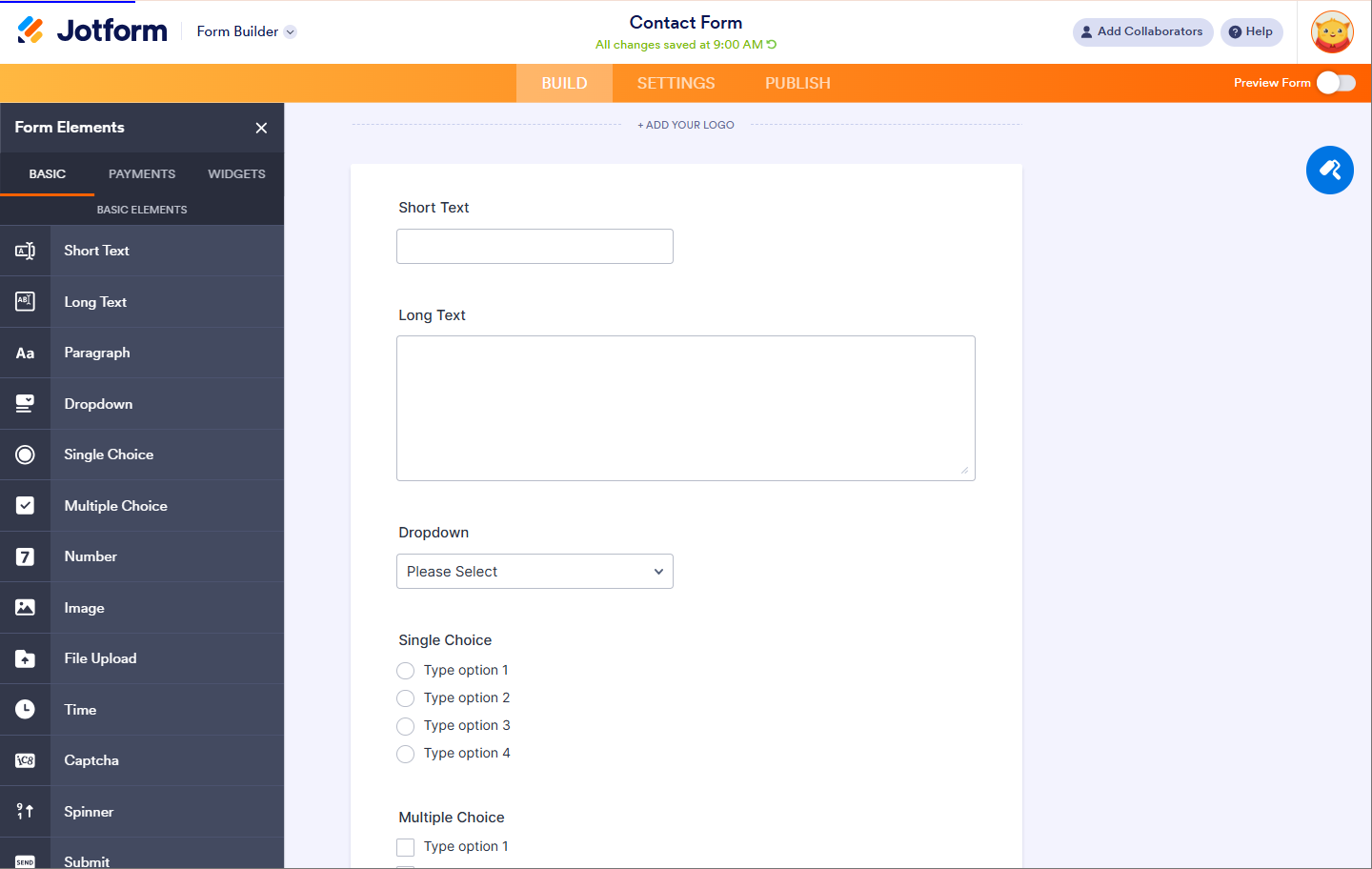
Image source: jotform.com
JotForm limitations: Why users look for alternatives
As teams scale, many users begin noticing gaps in JotForm's performance, flexibility, and collaboration experience. While it remains one of the most widely adopted Jotform tools, certain restrictions make growing teams explore more robust platforms. These limitations become more evident in workflow-heavy environments and data-intensive operations. As a result, some organizations compare other solutions or even evaluate a Jotform alternative open source for greater control. Below are the most common reasons why users consider switching.
- Higher pricing: JotForm's pricing structure starts at $34/month (billed annually) and can become expensive as teams expand their form usage and need more submissions. Upgrading often becomes necessary just to unlock basic growth requirements. This creates a steeper cost curve for nonprofits, educators, or small businesses. Teams evaluating alternatives often seek more predictable and scalable pricing.
- Submission limits: Even on paid plans, JotForm imposes submission caps that restrict high-volume data intake. Growing companies may quickly exceed these limits during campaigns or seasonal spikes. This forces them to upgrade earlier than planned or reduce form usage. Such limits prompt many users to compare other platforms with more generous quotas.
- Branding in free plan: The free plan displays JotForm branding across forms, which can affect professionalism for small businesses. Organizations wanting white-label experiences must upgrade, reducing the value of the free tier. This is a concern for early-stage teams trying to maintain brand consistency. As a result, many seek free options with cleaner presentation.
- Logic load time: Complex conditional logic can slow down form loading times, impacting user experience and completion rates. This is especially challenging for long forms with multiple branches. Performance issues become more visible on mobile devices or low-bandwidth connections. Workflow-heavy teams often look for faster, more responsive alternatives.
- Limited collaboration: JotForm offers basic sharing and permissions, but real-time collaboration remains limited. Teams cannot co-edit or manage workflows together as seamlessly as they would in unified work platforms. This creates inefficiencies for cross-functional processes. Many users switch to tools with stronger team collaboration features.
- Not ideal for workflow-heavy teams: JotForm is primarily designed as a form builder, not a full workflow automation system. Teams needing interconnected approvals, task routing, or multi-step processes may find it restrictive. Advanced logic and automation require manual setup or external integrations. This drives teams toward platforms built for end-to-end workflows.
- No unified workspace: JotForm lacks a centralized workspace where teams can manage forms, data, automation, and collaboration together. Users often work across separate interfaces, leading to fragmented workflows. This makes scaling operational processes more challenging. Many teams seek alternatives that provide a unified environment for forms, documents, tasks, and communication.
Top 10 alternatives for forms, workflows, and teams
1. Lark: A powerful JotForm alternative for forms, workflows & collaboration
Lark stands out as a JotForm alternative because it combines form creation, automated workflow execution, structured data management, and team collaboration within the same unified workspace. Instead of collecting form data in one tool and managing follow-ups in another, Lark keeps everything—forms, tasks, chat, documents together. This helps teams act on submissions instantly and maintain context across every step.

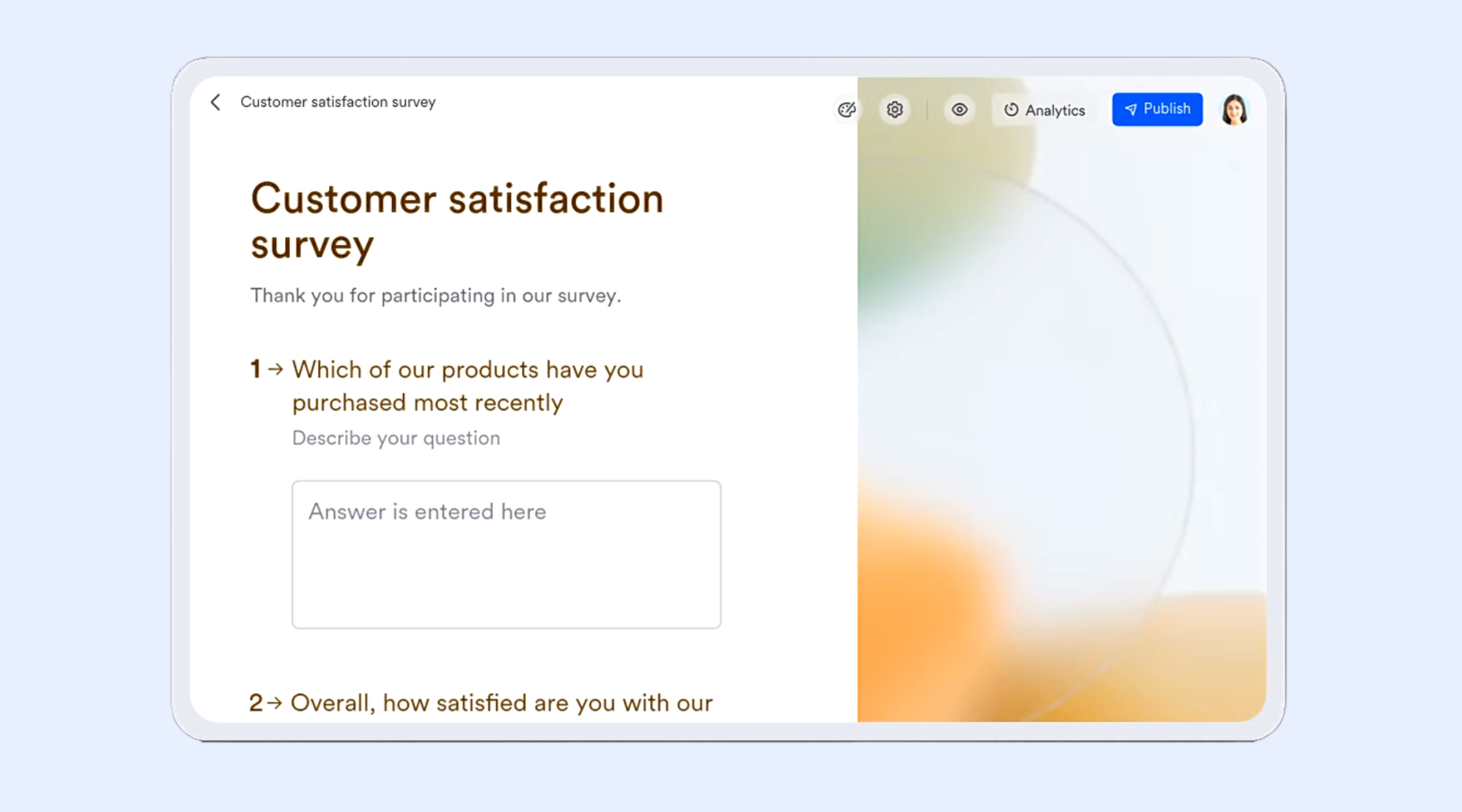
Easily create and set up forms with Lark Forms
Lark Forms lets you create customizable forms with various question types, themes, and background images. You can easily share forms and dashboards with others, while managing them by editing, duplicating, deleting, or searching records. Form responses can trigger automations like notifications or workflow updates. Responses are secure, with permission control, optional anonymous submissions, and submission limits.
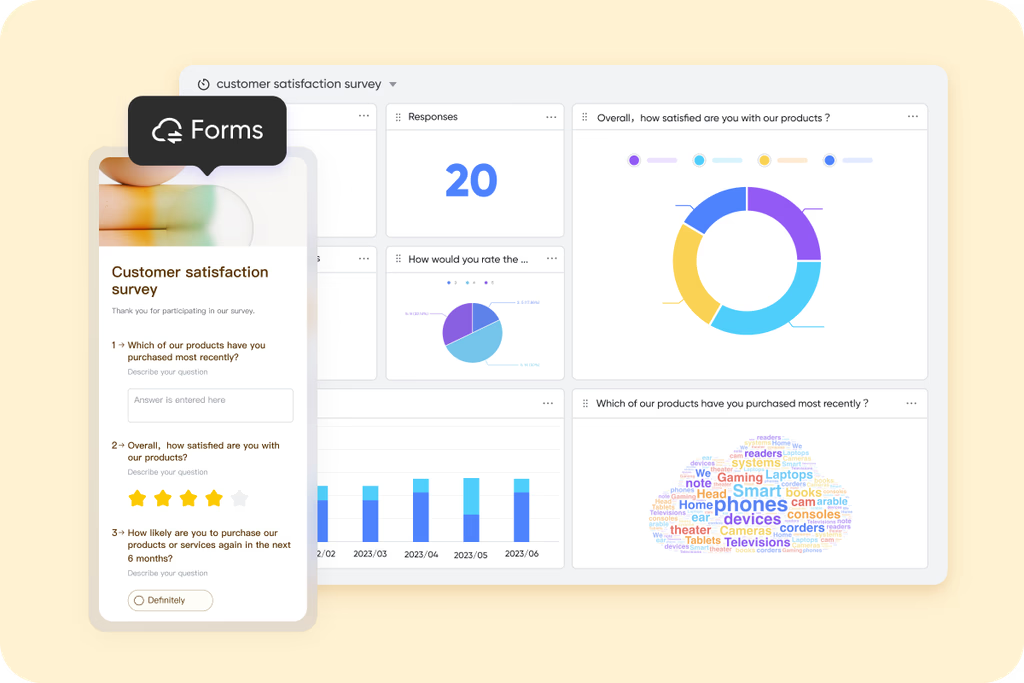
Deep analysis and clean data judgment with dashboards
Lark Base dashboards help analyze form results by automatically generating charts such as pie charts, word clouds, and column charts based on question types. You can change chart types, apply filters, and combine multiple charts for deeper insights. Dashboards provide real-time visualization, making it easy to spot trends or patterns in responses. AI-powered smart analysis offers quick summaries and automated interpretations of the data. This makes reviewing and understanding form results fast and intuitive.
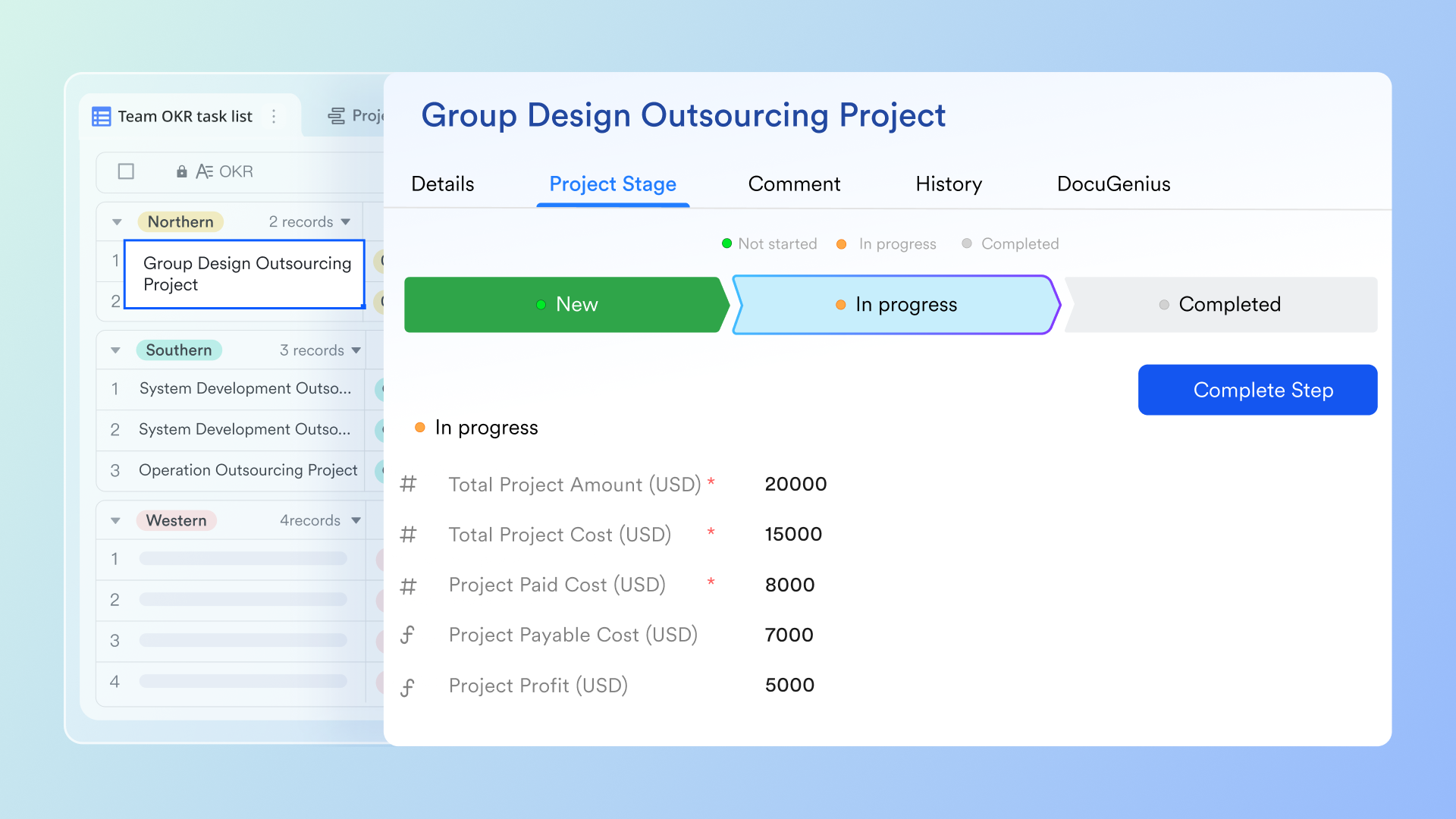
Automated workflow execution with automations in Lark Base
With Lark Base automations, form submissions can trigger multi-step actions instantly, keeping processes smooth and error-free. When someone submits a form, the system can auto-create tasks, update statuses, assign owners, send notifications, or route the request for review. This reduces repetitive work and ensures that no submission is ignored. Teams can also apply AI node shortcuts to extract details, summarize long inputs, or classify submissions, turning raw text into usable data.
Kick off your forms and surveys with ready-to-use templates
Lark's ready-to-use templates let you quickly create ready-made forms for surveys, registrations, or feedback. Responses from templates are automatically recorded in a Base table for easy tracking. Templates save time by providing pre-built fields, question types, and layouts. They support analytics through auto-generated charts and smart analysis. Sharing templates ensures consistent form structure across teams.
Collaboration tools in the same workspace
Lark's collaboration ecosystem brings together messaging, documents, meetings, approvals, and knowledge resources, allowing teams to act on form submissions in the same environment where they communicate. Lark Messenger enables contextual discussions around specific records by sharing links to Base entries inside chats, keeping everyone aligned. Lark Docs supports collaborative drafting of SOPs or process instructions tied to form workflows. Lark Calendar and Lark Meetings allow teams to schedule follow-ups or review sessions, with shared availability and AI Meeting Notes capturing outcomes. Lark Approval flows standardize decision-making for requests, while Lark Wiki centralizes policies, guidelines, and documentation needed for consistent execution. This tightly connected workspace ensures that every submission moves seamlessly from data collection to action, discussion, and resolution.

- Starter plan: Free forever plan that includes 11 powerful tools for up to 20 users. It also comes with 100GB of storage, 1000 automation runs, AI translations, and more.
- Basic plan: $6/user/month (billed annually) for up to 500 users. It includes everything in Starter plus group calling for up to 500 attendees, 5TB of storage, 1000 automation runs, and more.
- Pro plan: $12/user/month (billed annually) for up to 500 users. It includes everything in Starter plus group calling for up to 500 attendees, 15TB of storage, 50,000 automation runs, and more.
- Enterprise plan: Contact sales for custom pricing. Supports unlimited users and includes even more automation runs and advanced security, compliance, and management features.
2. Google Forms: Best free JotForm alternative for simple data collection
Google Forms is one of the most widely adopted free tools for quick, structured data collection. It is especially popular among educators, small teams, and nonprofits that need straightforward surveys, registration forms, quizzes, and feedback forms without any setup time. Although it doesn't match the automation depth or customization capabilities of JotForm, its unlimited responses and seamless integration with Google Workspace make it a dependable choice. Many users exploring a free JotForm alternative choose Google Forms for its simplicity and ability to handle basic workflows easily. It is most suitable for teams prioritizing ease, accessibility, and fast deployment over advanced functionality.
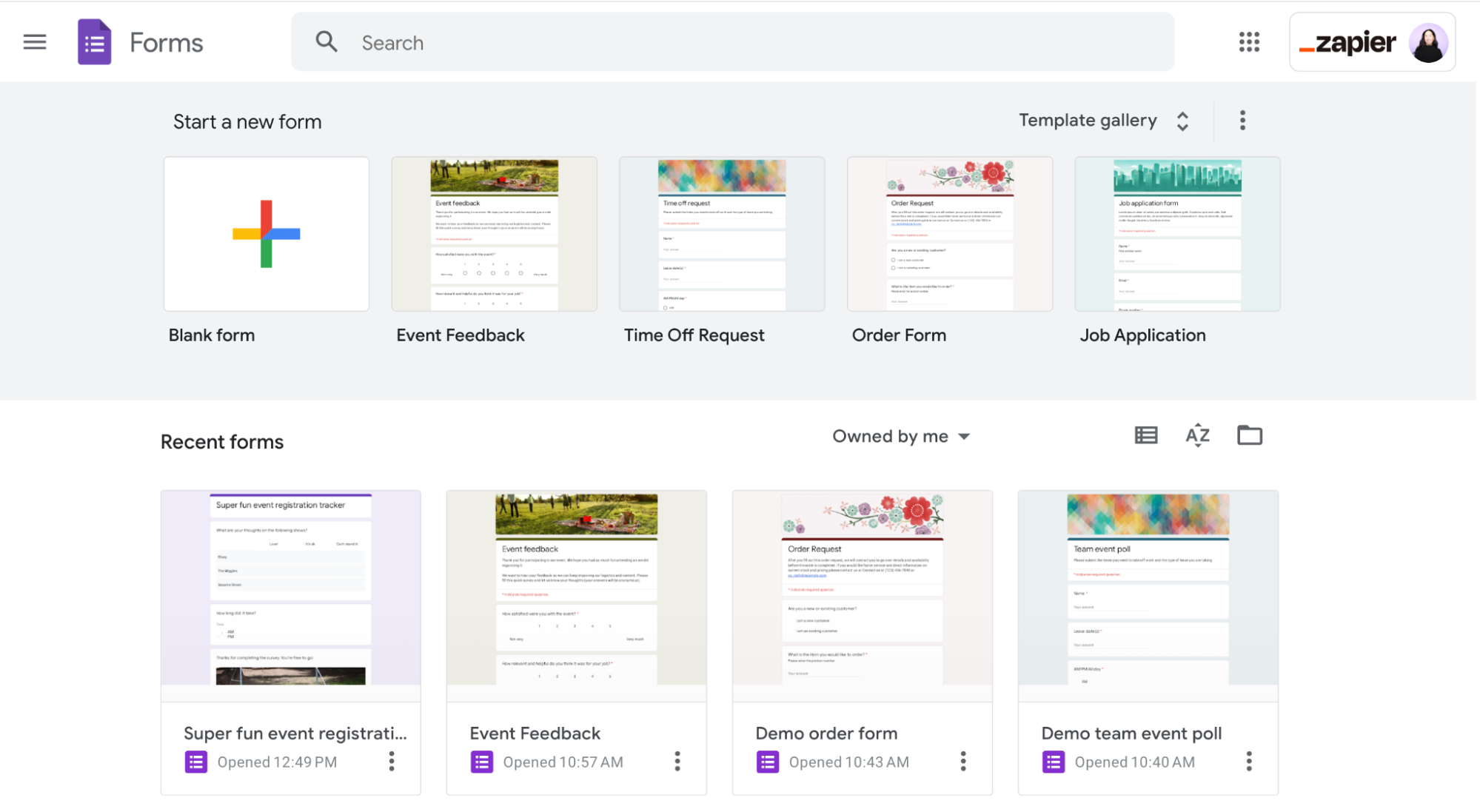
Image source: google.com
Key features:
- Drag-and-drop form builder that allows users to create surveys and questionnaires quickly with minimal learning curve.
- Built-in quiz mode with automatic scoring, results summaries, and customizable feedback for educators and trainers.
- Real-time charts, graphical summaries, and response analytics that update instantly for faster decision-making.
- Deep integration with Google Sheets, enabling automated data storage, analysis, and collaboration within spreadsheets.
Pros:
- Completely free to use with no limits on the number of forms, submissions, or respondents.
- Beginner-friendly interface that requires zero technical expertise, making it ideal for quick form creation.
- Integrates effortlessly with Google Workspace apps such as Sheets, Drive, Classroom, and Gmail.
Cons:
- Very limited design flexibility, offering only basic themes and minimal branding options.
- Lacks advanced workflow automation, making it unsuitable for complex or multi-step business processes.
Pricing:
- Business Starter: Custom pricing.
- Business Standard: Custom pricing.
- Business Plus: Custom pricing.
- Enterprise Plans: Custom pricing.
3. Typeform: Best for conversational, high-completion surveys
Typeform is known for its conversational, one-question-at-a-time interface that creates an engaging, interactive experience for respondents. It is widely used for surveys, lead generation, quizzes, onboarding, and feedback forms where user experience and completion rates matter. Unlike traditional form builders, Typeform focuses on design, storytelling, and smooth transitions to keep users engaged. Its templates, logic jumps, and integrations make it suitable for marketing teams, creators, educators, and startups that want forms to feel more like guided conversations. While it offers strong aesthetics, it can become costly, pushing many users to explore alternatives when scaling.
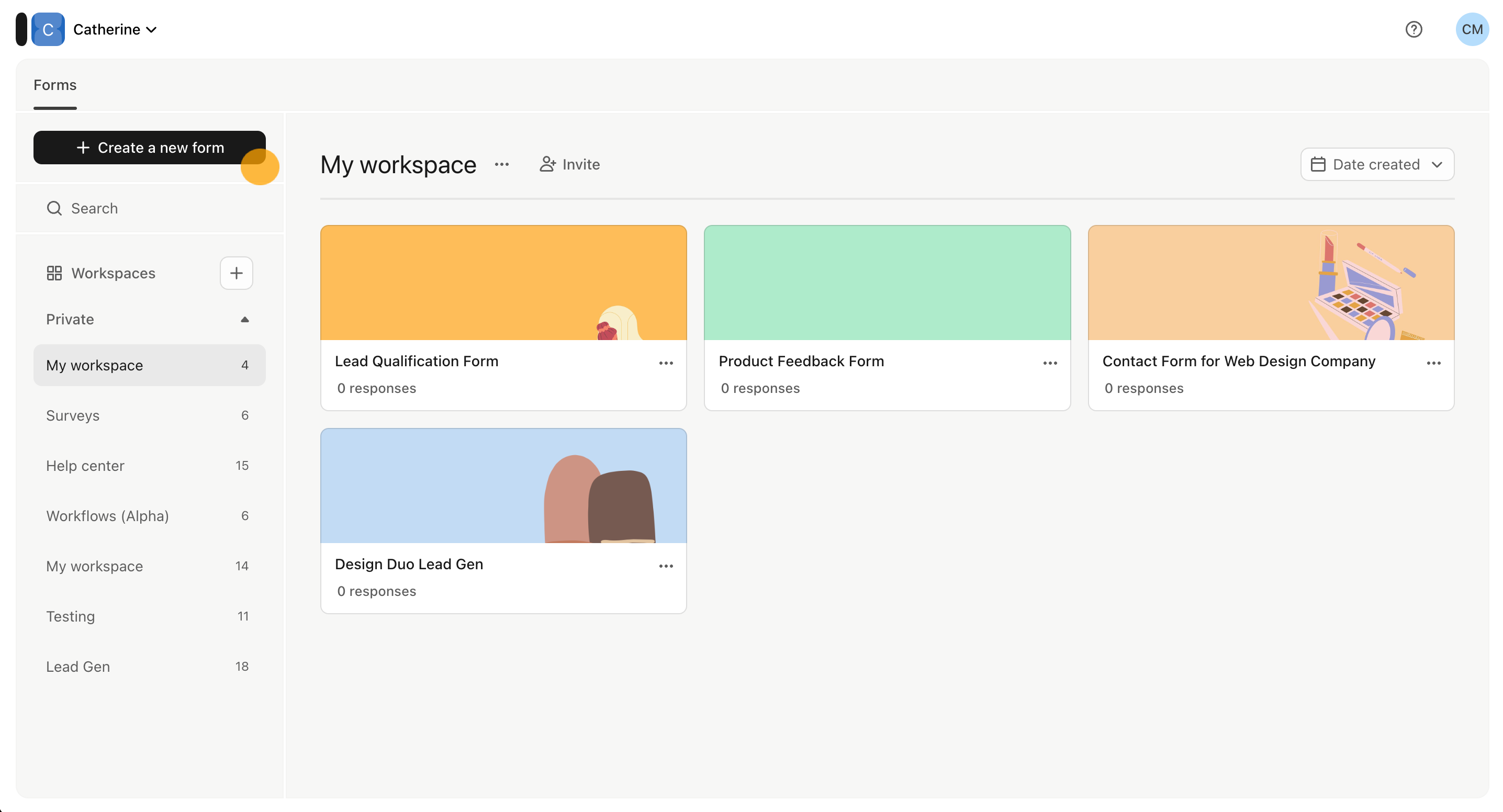
Image source: typeform.com
Key features:
- Highly engaging one-question-per-screen interface that improves completion rates and user experience across surveys, quizzes, and conversations.
- Extensive template library for lead gen, feedback, research, onboarding, and interactive quizzes tailored to multiple industries.
- Advanced logic jumps that allow you to build personalized, branched experiences for each respondent based on their inputs.
- Integrations with tools like HubSpot, Slack, Google Sheets, Zapier, and CRM platforms to automate workflows and data sync.
Pros:
- Exceptional design and UI that feel modern, polished, and engaging for respondents.
- Improves form completion rates due to its conversational, low-friction flow.
- Easy to use for non-technical teams thanks to intuitive templates and clean navigation.
Cons:
- More expensive compared to most form builders, especially as response volume increases.
- Conversational design can be slower for users who prefer filling traditional multi-field forms.
Pricing:
- Basic Plan: $25 per month (billed annually).
- Plus Plan: $50 per month (billed annually).
- Business Plan: $83 per month (billed annually).
- Growth Essentials: $166 per month (billed annually).
- Growth Pro: $291 per month (billed annually).
- Enterprise plan: Custom pricing.
4. Tally: Best "Notion-style" form builder with unlimited free responses
Tally offers an intuitive, document-like interface for building forms, making it feel more like writing than designing. Even on its free tier, you get access to very powerful features—logic, file uploads, payment collection, and more—without worrying about submission caps. Its simplicity and generous free plan make it a favorite for creators, startups, and small teams. When needs grow, Tally's paid tiers unlock collaborating with team members, analytics, custom domains, and advanced data control. Overall, Tally provides a flexible and affordable alternative for users looking beyond traditional form builders.
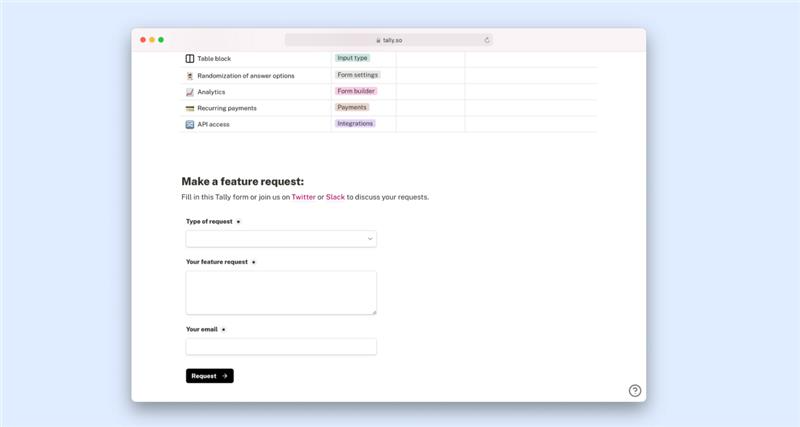
Image source: tally.so
Key features:
- Unlimited forms and unlimited submissions, letting you collect as much data as you need under a fair-use policy.
- Conditional logic, calculations, and answer piping to make your forms dynamic and responsive to user input.
- Integration with Notion, Google Sheets, Airtable, Zapier, and webhooks for seamless data flow.
- Design customization, including custom CSS, branded domains (in paid plans), and flexible form layouts.
Pros:
- Extremely generous free plan: gives you nearly all the core functionality without charging per response.
- Growth-friendly paid plans that enable collaboration, team workspaces, and partial submissions.
- Custom branding: you can remove Tally's branding and host forms on your own domain.
Cons:
- The document-like interface may feel less rigid than traditional drag-and-drop builders; some users may need time to adapt.
- File upload limit on the free plan (10 MB per file) may be insufficient for large file collection.
Pricing:
- Pro plan: $24/month (billed annually).
- Business plan: $74/month (billed annually).
5. Cognito forms: Best for powerful logic and calculations on a budget
Cognito Forms is a feature-rich and budget-friendly form builder designed for teams that need strong logic, advanced calculations, and secure data handling. It is ideal for businesses that require forms with dynamic behavior, complex pricing structures, or automated workflows. While the interface is not as visually polished as design-first tools, its depth of functionality makes it a favorite among operational and technical users. Many people choose Cognito Forms as a practical JotForm alternative when they need math-heavy forms, approval steps, or document automation. Its generous free plan and scalable collaboration tools add further value for growing teams.
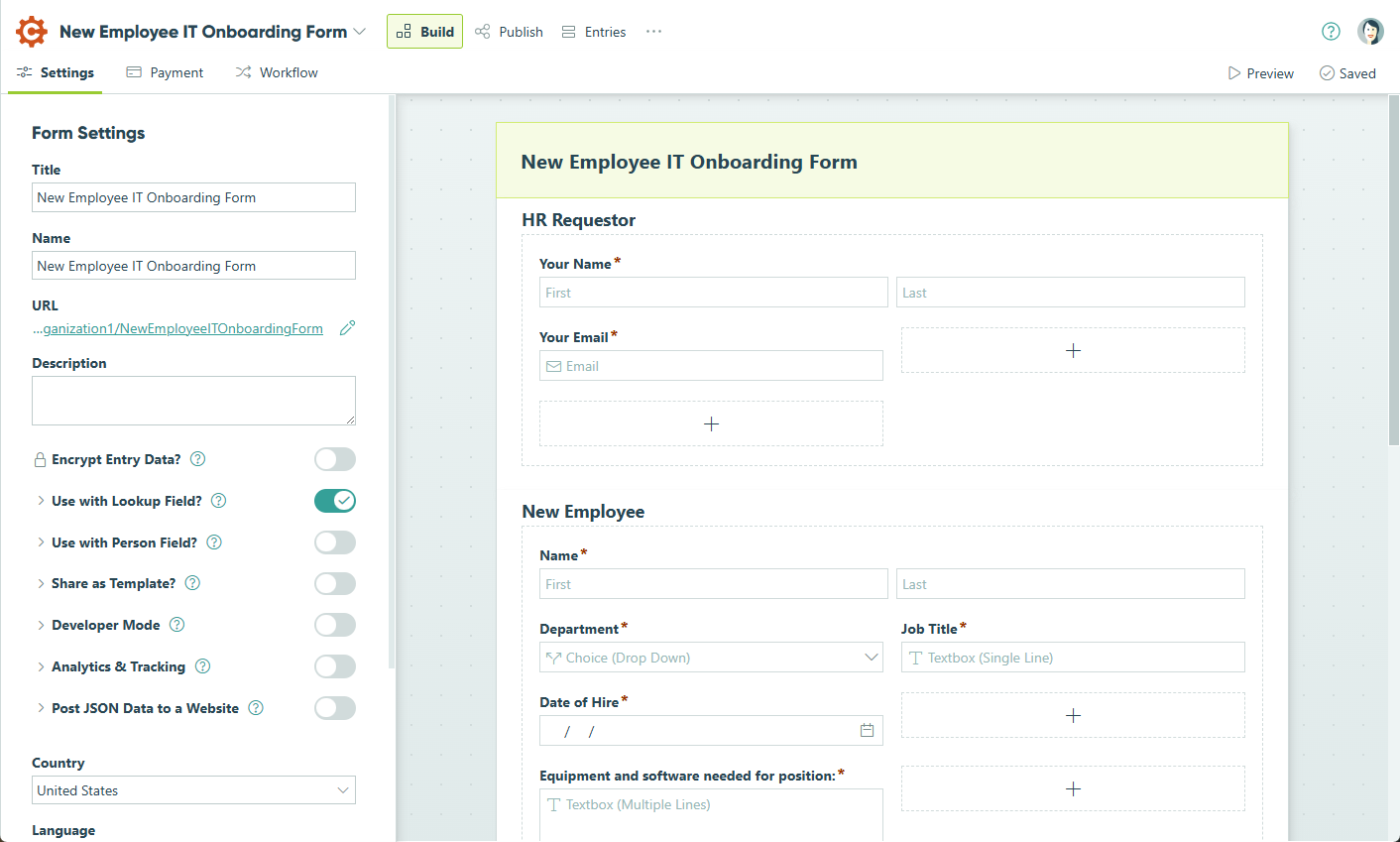
Image source: cognito.com
Key features:
- Powerful conditional logic and real-time calculations that adapt forms to user input and support pricing, scoring, and custom formulas.
- Smooth payment collection with integrated gateways such as Stripe, PayPal, and Square for one-time or recurring payments.
- Automated workflows that send notifications, trigger approvals, and generate documents the moment a form is submitted.
- Flexible structure with repeating sections and save-and-resume support for long or detailed form journeys.
Pros:
- Extremely capable calculation tools suitable for quotes, order forms, estimators, and financial workflows.
- Highly adaptable logic that personalizes form flow based on user selections and conditions.
- More affordable than many enterprise-level form builders while still offering professional-grade features.
Cons:
- Steeper learning curve for users building multi-step workflows or highly complex calculation structures.
- Advanced capabilities such as HIPAA compliance or high-end automation are available only on top-tier plans.
Pricing:
- Pro plan: $19/month (billed annually).
- Team plan: $39/month (billed annually).
- Enterprise plan: $129/month (billed annually).
6. Formstack: Best enterprise-grade JotForm alternative
Formstack is a powerful no-code platform that supports data collection, document generation, and e-signatures—all tied together through workflow automation. It's especially suited for teams and enterprises that need more than simple forms: think secure data capture, multi-step approvals, and document merging. While it's more complex than entry-level form builders, Formstack's flexibility and feature depth make it a strong JotForm alternative for process-heavy operations. Users choose it for its ability to build scalable, secure workflows that grow with their business.
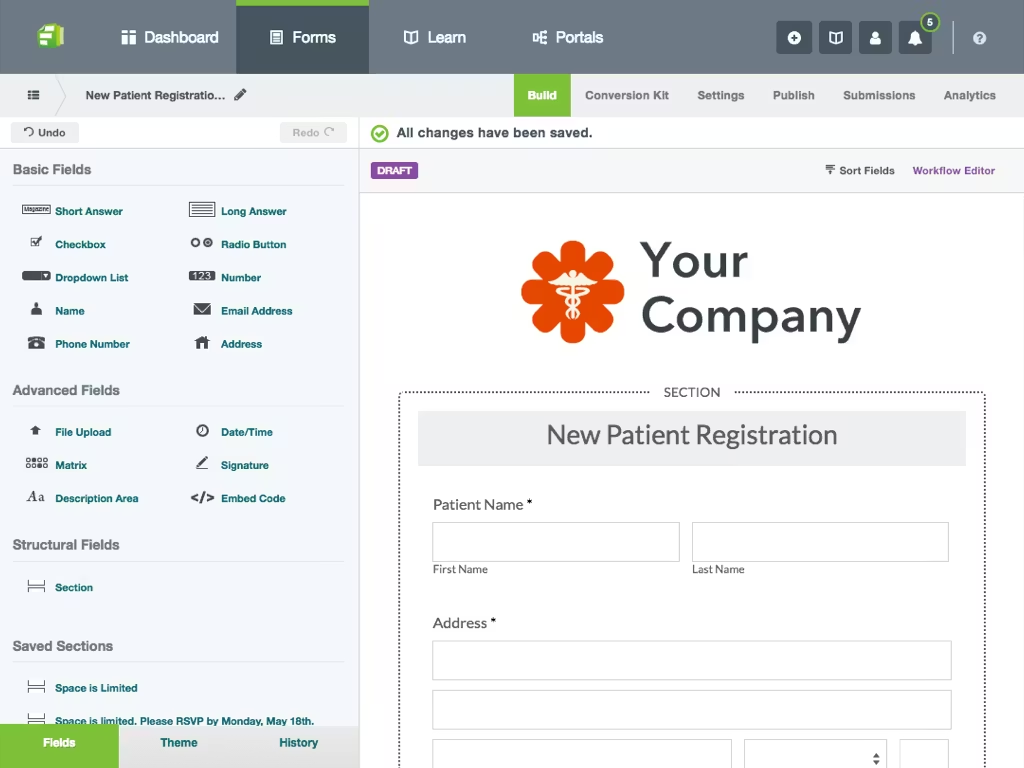
Image source: formstack.com
Key features:
- Drag-and-drop form builder with conditional logic, dynamic task assignment, and form-to-form prefill for advanced data capture.
- Workflow automation that ties together forms, documents, and e-signature steps into end-to-end business processes.
- Document generation and merging capabilities to create custom PDFs, contracts, or reports from submitted form data.
- E-signature support for capturing legally binding signatures directly in documents, with audit trails and in-session signing.
Pros:
- Handles form + document + signature workflows in a single, unified platform—no need for multiple tools.
- Visually intuitive workflow builder helps teams automate business processes without writing code.
- Scalable usage where you can add more users, submissions, or tasks as your team grows.
Cons:
- Higher cost compared to simple form builders, especially for teams that need workflows or document features.
- Learning curve can be steep for non-technical users, particularly for automation or document merging.
Pricing:
- Forms plan: $83 per month (billed annually).
- Suite plan: $250 per month (billed annually).
- Enterprise plan: Custom pricing.
7. Airtable forms: Best for spreadsheet-driven forms + databases
Airtable Forms enables teams to collect structured data directly into a relational database, marrying the simplicity of forms with the power of a spreadsheet backend. It's ideal for operations, product, and analytics teams that want to centralize form responses in a flexible table where records can be linked, filtered, and used in automations. Unlike standalone form builders, Airtable offers multiple views (grid, calendar, Kanban) so you can visualize submissions as records in real time. Form submissions can trigger Airtable automations, helping you build workflows without switching to another app.
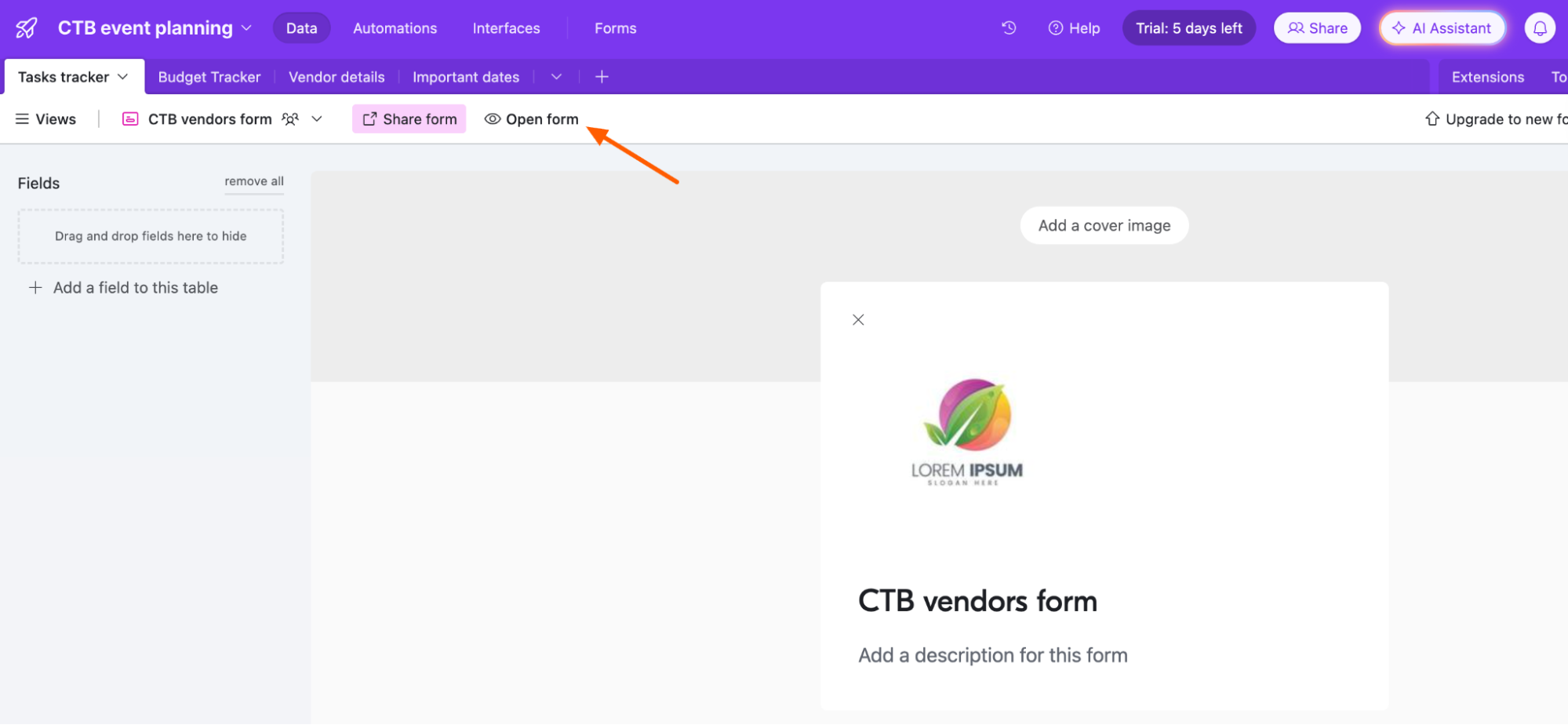
Image source: airtable.com
Key features:
- Create forms that feed directly into Airtable bases, turning submissions into structured records.
- Linked records let you associate form responses with other tables, building relational data models.
- Automations can trigger when records are added via forms—for example, to send notifications or update other tables.
- Multiple table views (grid, Kanban, calendar, gallery) let you analyze submitted data in different visual layouts.
Pros:
- Everything stays in one place—submissions become live records in your database.
- Powerful for teams that already use Airtable to manage data, enabling seamless form + database workflows.
- Flexible views help you slice and dice form data in formats that suit your team's processes.
Cons:
- Form design is relatively basic—not very customizable compared to design-first form builders.
- Building complex relational workflows or linking many tables may require a learning curve for non-technical users.
Pricing:
- Team plan: $20 per user per month (billed annually).
- Business plan: $45 per user per month (billed annually).
- Enterprise plan: Custom pricing based.
8. Zoho forms: Best for businesses using Zoho ecosystem
Zoho Forms is part of the extensive Zoho suite, offering a form builder that integrates deeply with other Zoho apps like CRM, Sheets, and Flow. It is ideal for teams that already use Zoho tools or want a scalable, business-grade form solution with automation and approval workflows. With Zoho Forms, you can build everything from simple surveys and lead-capture forms to high-volume registration flows, while controlling access and storage. It supports payment integration, PDF generation, and conditional logic, making it a strong JotForm alternative for businesses focused on structured processes. As form volume or team size grows, you can scale with higher-tier plans or add-ons.
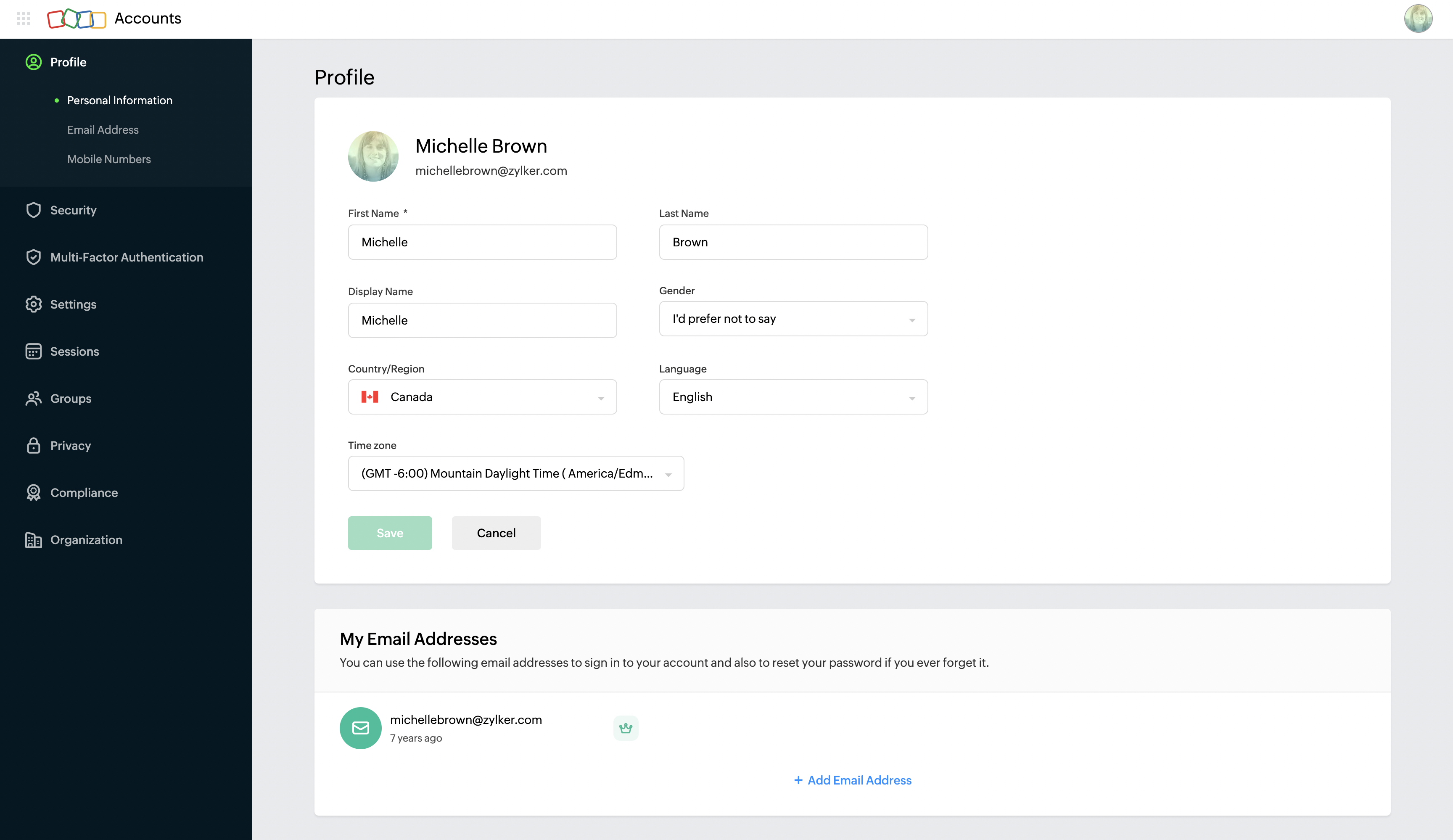
Image source: zoho.com
Key features:
- Unlimited forms (on paid plans) with conditional logic, branching, and field rules for dynamic data collection.
- Integration with Zoho CRM, Zoho Sheets, Zoho Flow, and other Zoho apps for seamless data flow.
- Submission approvals and workflow tasks built into the form infrastructure for multi-step processes.
- PDF form generation and document merge to create customized output files from responses.
Pros:
- Tight integration with the Zoho ecosystem makes it ideal for existing Zoho users.
- Good capacity for workflow-driven processes thanks to built-in approvals and tasks.
- Custom PDF generation helps turn form responses into contracts, reports, or proposals.
Cons:
- Managing approvals and workflows may require some familiarity or training.
- Adding very large teams or custom features may need expensive add-ons or enterprise-level plans.
Pricing:
- Basic plan: $10 per month (billed annually).
- Standard plan: $25 per month (billed annually).
- Professional plan: $60 per month (billed annually).
- Premium plan: $90 per month (billed annually).
9. Wufoo: Best simple and stable JotForm alternative
Wufoo is a long standing online form builder known for its simplicity, fast setup, and beginner-friendly interface. It helps teams create surveys, event registrations, lead capture forms, and payment forms without any technical skills. The platform focuses on ease of use rather than complex workflows, making it suitable for individuals, small teams, and nonprofits. With customizable templates and basic automation features, Wufoo works well for straightforward data collection. It is often considered a lightweight alternative to JotForm for users who need cleaner forms with less configuration.
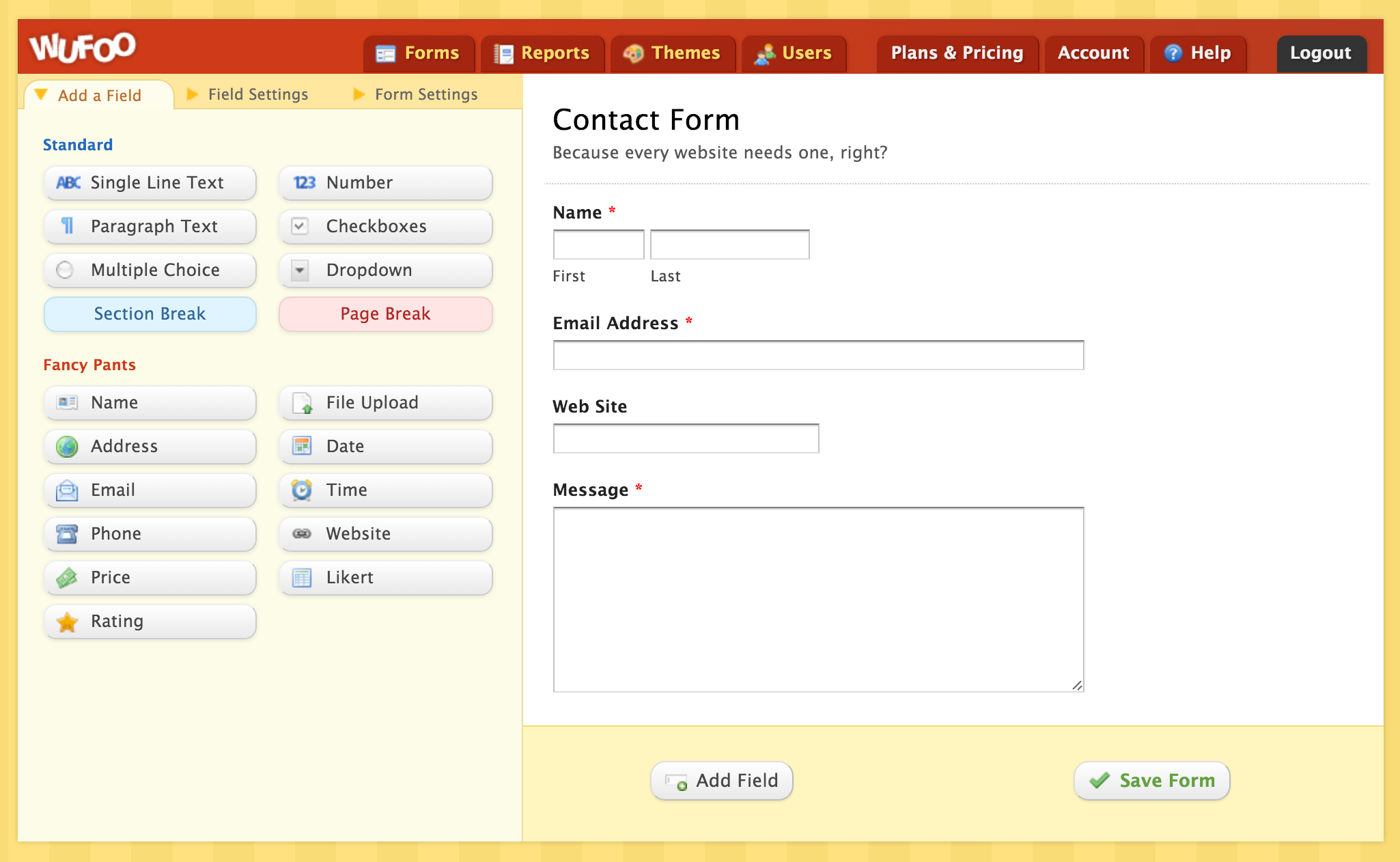
Image source: wufoo.com
Key features:
- A drag and drop editor that simplifies building forms for registrations, surveys, payments, and lead capture, letting teams create polished layouts quickly.
- A large library of customizable templates that speed up form creation while allowing branding adjustments and theme controls.
- Built-in payment collection through Stripe, PayPal, and Authorize.Net, supporting donation forms, order forms, and event transactions.
- Basic analytics and reporting tools that turn submissions into simple charts for tracking activity and identifying trends.
Pros:
- Extremely easy for beginners to use with minimal setup or learning curve, ideal for quick projects or simple forms.
- Offers visually appealing templates that reduce design time and help maintain a clean, professional appearance.
- Reliable performance with stable form hosting and consistent submission handling even at higher volumes.
Cons:
- Limited customization in comparison to modern form builders, especially for logic-heavy or dynamic workflows.
- Collaboration features are basic, making it less suitable for large teams or multi-department use cases.
Pricing:
- Starter plan: $16 per month (billed annually).
- Professional plan: $33 per month (billed annually).
- Advanced plan: $83 per month (billed annually).
- Ultimate plan: $210 per month (billed annually).
10. Paperform: Best for forms that look like landing pages
Paperform is a modern form builder designed to help teams create highly branded, interactive, and visually polished forms that feel like mini landing pages. Instead of a traditional block-based editor, it uses a doc-style interface that lets you type, embed, and design naturally. This makes it ideal for businesses needing professional onboarding forms, order forms, surveys, and booking workflows. With strong design controls, conditional logic, payments, and automation tools, Paperform supports both simple and advanced use cases. It is widely chosen by teams looking for a flexible and elegant alternative to JotForm.
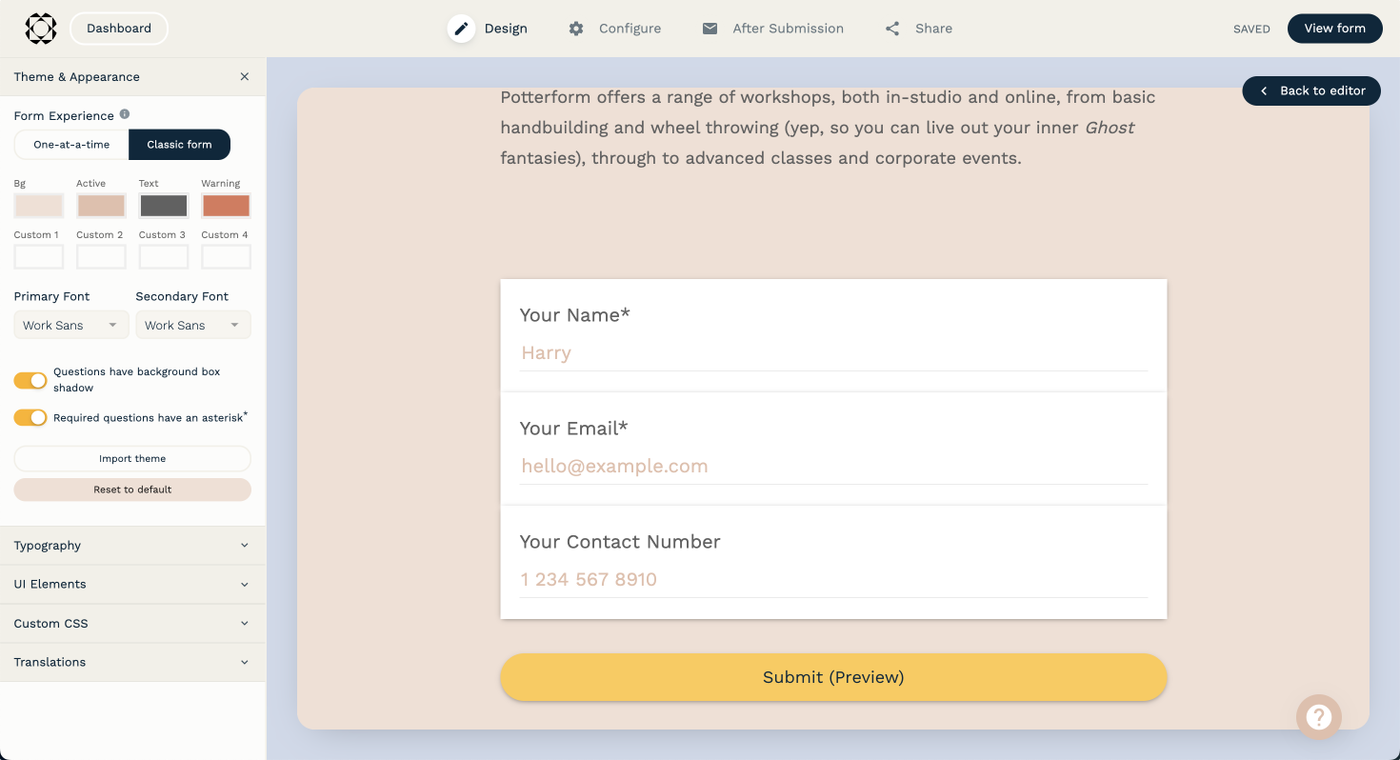
Image source: paperform.com
Key features:
- A unique document-style editor that lets users create long-form pages, interactive questionnaires, and branded experiences with text, media, and embeds.
- Strong design freedom with customizable layouts, themes, typography settings, and brand kits that help create forms matching your visual identity.
- Advanced conditional logic and scoring capabilities for quizzes, evaluations, multi-step forms, and dynamic data collection journeys.
- Native payment features supporting Stripe, PayPal, Square, and more, enabling teams to build order forms, subscriptions, and donations.
Pros:
- Clean, intuitive editor that feels more natural and flexible than traditional drag-and-drop builders.
- Excellent visual customization options suited for marketers, creators, and brands focused on design quality.
- Strong payment features that work well for small businesses, creators, and service providers selling products or bookings.
Cons:
- Can feel complex for beginners who only need basic data collection forms without design customization.
- Higher pricing than simpler tools, especially for teams needing advanced logic or heavy form usage.
Pricing:
- Free: free
- Essentials plan: $24 per month (billed annually).
- Pro plan: $49 per month (billed annually).
- Agency plan: $159 per month (billed annually).
Factors to consider when choosing a JotForm alternative
Choosing the right JotForm alternative depends on your team's specific needs and workflow complexity. It's not just about building forms—it's about how submissions become action, data, and meaningful collaboration. As your organization scales, factors like automation, security, and team structure begin to matter more than just form design. In this section, we'll explore the critical considerations to help you find a platform that truly fits.
- Cost & submission limits: Assess how much you're willing to spend and how many submissions you expect. Some platforms cap responses or charge per submission, which can add up quickly. Choose one that lets you scale without surprising cost jumps.
- Logic capabilities: Advanced conditional logic allows forms to adapt dynamically to user input, improving experience and relevance. If your needs include branching questions, calculations, or scoring, logic power is essential. This helps reduce form clutter and streamline workflows.
- Payment processing: For order forms, donations, or paid registrations, look for tools that support your preferred payment gateways like Stripe, PayPal, or Square. Consider whether recurring payments, subscriptions, or one-off payments are supported. Confirm that transaction fees and integration are manageable.
- Automation: Automations help turn form submissions into tasks, emails, or approvals without manual intervention. Evaluate whether your tool can trigger multi-step flows—such as assigning work, creating documents, or updating records. The automation strategy can greatly reduce operational overhead.
- Database capabilities: Some form tools store responses in simple lists, but database-backed tools let you organize, link, and analyze your data. If you need to build relational workflows or integrate responses into a broader dataset, database strength matters. This becomes especially crucial for operational teams managing lots of structured information.
- Collaboration needs: Think about who in your team must build, view, or act on submissions. A solution with real-time collaboration, shared workspaces, and role-based access gives you better team alignment. Without collaboration features, form data may stay siloed and underutilized.
- Team workflows: A good alternative supports seamless workflows for internal processes like approvals, ticketing, and task assignments. Check whether the tool offers built-in routing, status tracking, or linked records to build structured processes. Tools lacking workflow support force teams to rely on multiple apps.
- Security & permissions: If you're handling sensitive data—such as financial, personal, or medical information—your tool must offer encryption, permission controls, and compliance options. Ensure the platform supports team roles, data access restrictions, and audit logs. Legal and regulatory considerations should guide your choice.
- AI features: AI-powered features like response classification, summarization, or auto-tagging can dramatically reduce manual work. For instance, AI can auto-summarise long-form answers or categorize feedback for routing. If your form submissions involve unstructured text, AI can help turn it into structured, actionable data.
Conclusion
Choosing the right JotForm alternative ultimately depends on the kind of workflows, data structures, and collaboration your team needs. While JotForm remains a strong option for basic to mid-level form creation, many modern teams now require deeper automation, stronger logic, better database flexibility, and unified workspaces that connect people, processes, and data. The tools covered in this guide offer a wide range of choices—from simple free form builders to advanced platforms designed for operations-heavy teams, businesses, educators, non-profits, and creators. Whether you prioritize design freedom, workflow automation, payment support, or team collaboration, there's a solution that fits your growing needs.
If your focus includes connected forms, automated workflows, shared docs, chats, and centralized task management, you can also explore how Lark helps streamline everything in one workspace. It offers a collaborated way to manage data and teamwork together.
FAQs
Is there a JotForm alternative with unlimited submissions?
Lark is a strong option for teams needing high-volume submissions because it offers generous limits and connects form entries directly to automated workflows, tasks, and shared databases. While tools like Tally also provide unlimited responses, Lark adds collaboration and workflow execution in one place. This means your team doesn't just collect submissions—they can act on them instantly. For scaling teams, this creates a smoother, more efficient data pipeline.
What is the best free JotForm alternative for small businesses?
For small businesses that want more than simple forms, Lark's free plan is a standout because it includes forms, shared docs, chat, automation, and workflows in one unified workspace. While Google Forms or Tally offer great free form builders, they lack deeper collaboration tools. Lark gives small teams the ability to centralize data, streamline processes, and avoid switching between multiple apps. This creates a stronger foundation for growing businesses.
Do JotForm alternatives offer HIPAA compliance?
Yes, several tools offer HIPAA compliance, and Lark is especially appealing for teams prioritizing data governance and structured workflows around sensitive information. While platforms like Formstack or Cognito Forms also support secure data handling, Lark adds real-time collaboration, permission controls, and automated routing in the same system. This helps healthcare or compliance-focused teams ensure data is protected while still being processed efficiently.
Which JotForm alternative is best for payment forms?
If payment collection is part of a broader workflow, Lark offers strong advantages because form submissions can instantly trigger tasks, updates, or approvals tied to finance or operations teams. While Paperform, Wufoo, and Tally provide strong payment integrations, Lark helps teams manage the operational steps that follow payments. This makes it easier for businesses to track orders, follow up with customers, and maintain clean internal processes.
What is the best JotForm alternative for automation-heavy workflows?
For automation-first teams, Lark is one of the most capable alternatives because every form submission can launch multi-step workflows, task assignments, database updates, or approval chains automatically. While Airtable and Formstack also offer strong automation engines, Lark stands out by combining forms, workflows, messaging, and data management in one unified platform. This eliminates fragmentation and ensures every submission leads to fast, coordinated action.
Related reading
Table of contents
Start using Lark today

Manage all your work in one place
Boost team efficiency by 10x
Save up to 70% on software costs
Table of contents
Start using Lark today
Manage all your work in one place
Boost team efficiency by 10x
Save up to 70% on software costs
Keep reading



Lark recognized in 2023 Gartner® Collaborative Content Workspaces and Meeting Solutions reports
Lark, the global superapp for productivity, is delighted to announce it receives recognition in the Gartner's 2023 Innovation Insight for Collaborative Content Workspaces and Market Guide for Meeting Solutions.





2026 Lark Technologies Pte. Ltd.
Headquartered in Singapore with offices worldwide.






Explore: