Resource planning is one of those foundational activities that can make or break a project. Whether you're launching a new product, organizing an event, or managing a client deliverable, having the right resources in the right place at the right time is paramount. Miss a key resource, and you face delays, cost overruns, and even project failure. It's a universal challenge that every project manager and team leader grapples with.
For many years, and still today, free resource planning templates in Excel and Google Sheets have been the go-to for teams looking to get a handle on their resources. They offer a familiar, accessible starting point. However, as projects grow in complexity and teams expand, these basic templates often reveal their limitations. The quest for efficiency and accurate foresight quickly moves beyond simple spreadsheets, ushering in the need for more unified and dynamic solutions. We'll explore the landscape of resource planning, from the trusty Excel spreadsheet to the power of unified platforms, helping you navigate towards smarter, more effective resource management.
Understanding resource planning: More than just a list
At its core, resource planning is the strategic process of identifying, acquiring, allocating, and managing all the resources needed to successfully complete a project or achieve an objective. It's about ensuring that you have what you need—be it human talent, financial capital, equipment, or even simply enough time—precisely when you need it.
Effective resource planning is crucial for several reasons: it acts as your first line of defense against project delays, helps in avoiding team burnout by balancing workloads, keeps costs under control, and ultimately, ensures your are met. Without a clear plan, resources can be underutilized or overstretched, leading to inefficiencies and frustration.
It's also important to distinguish between project resource planning and resource capacity planning. Project resource planning focuses on the specific resources required for a particular project's tasks and milestones. Resource capacity planning, on the other hand, takes a broader view, assessing the overall availability and capability of your team and assets across all ongoing and upcoming initiatives. Both are intertwined, as accurate capacity planning directly informs the feasibility of your project resource plans.
The enduring appeal of the resource planning template Excel
Despite the rise of sophisticated software, the resource planning template Excel remains a popular choice for many. Its enduring appeal lies primarily in its accessibility and familiarity. Most professionals have some level of experience with spreadsheets, making them an easy entry point for basic resource management.
When you download a free excel resource planning template, you'll typically find several key features designed to help you organize your resources:
Columns for resources: These usually include fields for team members' names, their roles, and perhaps even their skill sets. For non-human resources, you might track equipment types, materials, or even meeting rooms.
Task assignment and timelines: Templates often allow you to assign specific tasks to individuals or teams and lay out estimated start and end dates.
Basic cost tracking: Some templates include fields to input hourly rates or material costs, offering a rudimentary overview of project expenditures.
Simple capacity overview: At its simplest, an excel resource planning template might show a daily or weekly breakdown of assigned hours versus total available hours, giving you a quick glance at potential over-allocations.
For small teams or straightforward projects, a basic template for resource planning can be surprisingly effective. Imagine a small marketing agency planning a simple social media campaign: an Excel sheet might suffice to track who is writing copy, who is designing graphics, and when each piece is due. It that's easy to set up and manage in the initial stages. It's a quick, low-cost way to get started with resource organization.
Limitations: When your "free" template costs you more
While an Excel resource planning template can be a useful starting point, its limitations become apparent as projects grow in complexity, teams expand, or the need for dynamic, real-time insights increases. What seems "free" at first can quickly lead to hidden costs in terms of lost productivity, errors, and missed opportunities.
- Lack of real-time updates: Static spreadsheets can't reflect immediate changes, leading to outdated information, misinformed decisions, and constant manual verification.
- Scalability issues: Simple templates quickly become unwieldy and error-prone for growing teams or complex, , transforming into a bottleneck rather than a solution.
- Limited collaboration: Spreadsheets lack robust version control and contextual discussions, making collaborative changes chaotic and accountability unclear.
- Absence of unified workflows: Relying on standalone Excel forces constant context switching between multiple applications (spreadsheet, chat, email, documents), draining productivity and introducing inefficiencies.
- Increased risk of errors: Manual data entry significantly raises the chance of typos, incorrect formulas, or forgotten updates, leading to inaccurate forecasts, resource misallocation, and potential project failures.
Consider Lark for seamless resource planning collaboration.
Beyond basic spreadsheets: Essential features of a robust resource planning solution
As your projects become more intricate and your team expands, the need for a resource planning solution that goes beyond the basic functionalities of a spreadsheet becomes critical. A robust solution empowers you with deeper insights and greater control, transforming resource management from a reactive task into a proactive strategy.
Here are the essential features that differentiate advanced resource planning solutions:
- Dynamic resource allocation: Forget static lists. A sophisticated tool into who is available, what they're working on, and their current workload. This means you can quickly see if a team member is over-allocated, underutilized, or has the capacity for urgent new tasks. This dynamic overview allows for immediate adjustments and smarter assignment decisions, preventing bottlenecks before they occur.
- Unified project management: Effective resource planning shouldn't exist in a vacuum. A powerful solution connects resources directly to tasks, milestones, and project timelines. This unification means that when a project timeline shifts, the impact on resource availability is automatically updated, and vice versa. It fosters a holistic view, ensuring that your resource plan is always aligned with your project's progression.
- Capacity planning & workload balancing: Dedicated tools offer sophisticated functionalities to analyze team capacity against demand. They help you prevent over-allocation, which is a common cause of burnout and decreased productivity. By visualizing workload distribution, you can easily identify team members who might be stretched too thin and rebalance tasks to optimize utilization and .
- Automated reporting & analytics: Manual data compilation for reports is a thing of the past. A robust system , giving you insights into resource performance, project progress, and adherence to budget. This data is invaluable for making informed decisions, identifying trends, and continuously improving your resource planning strategies.
- Centralized communication & collaboration: One of the biggest advantages of an advanced solution is its ability to serve as a single source of truth. All project-related discussions, documents, and resource information are housed in one place. This eliminates the need for constant context switching between different apps, ensuring that everyone is on the same page and .
How Lark elevates resource planning: A unified approach
In the dynamic landscape of modern work, characterized by distributed teams and intricate projects, a unified platform like emerges as a powerful catalyst for superior resource planning. It transcends the limitations of disparate tools, delivering a cohesive strategy that streamlines even the most complex resource management challenges.
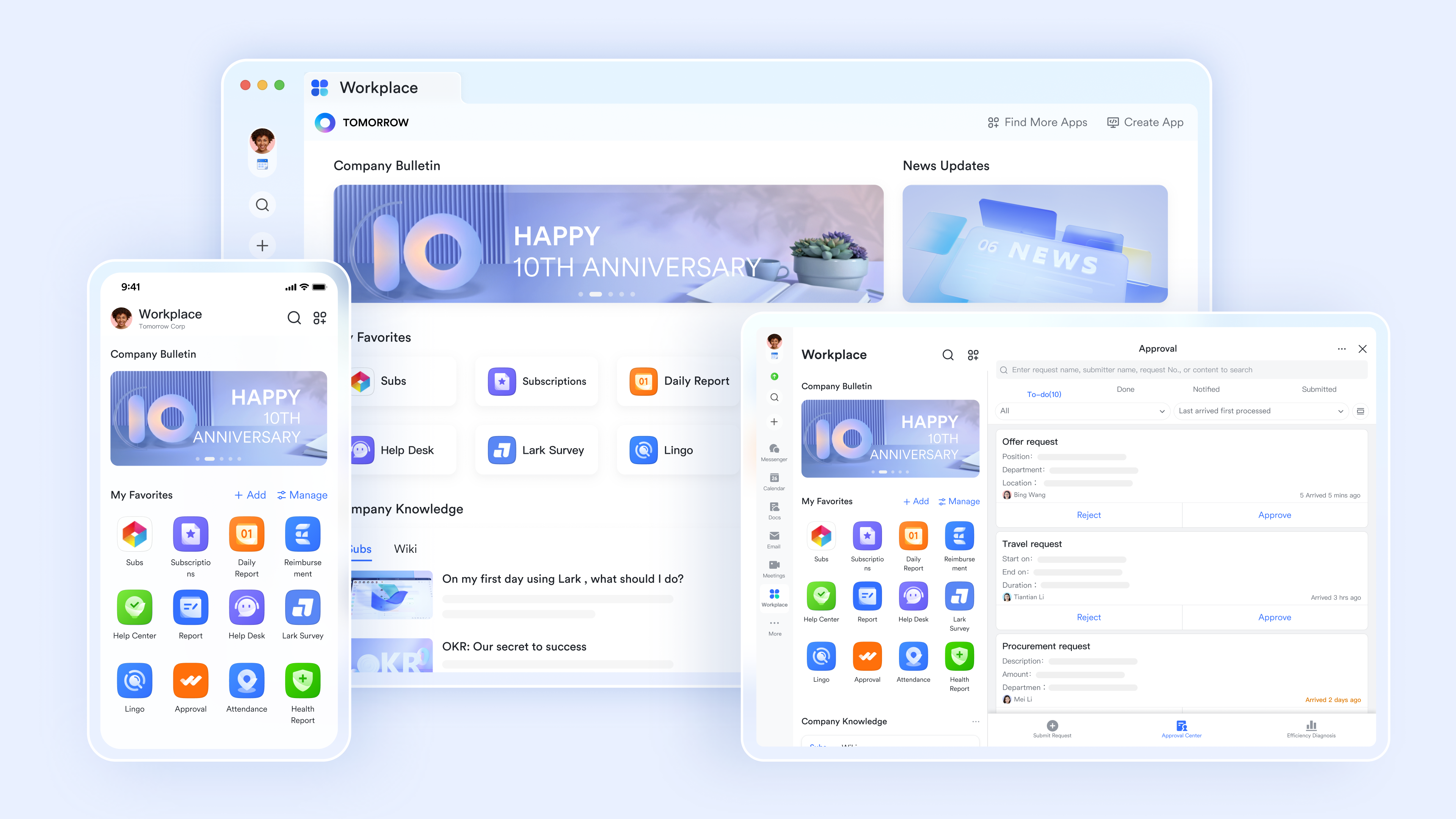
Unified workspace for real-time resource visibility
redefines efficiency by seamlessly integrating messaging, video meetings, cloud-native documents (Docs and Sheets), calendar, and powerful automation tools into a single, intuitive workspace. This inherent unification is its profound strength, eradicating the inefficiencies born from fragmented tools. For resource planning, this means that team members' availability, captured directly in their , feeds into a holistic view. Project managers can instantly see who is available, who is engaged in meetings, or who is out of office, allowing for accurate and agile allocation decisions without ever leaving the platform or consulting external calendars. This real-time visibility significantly reduces the administrative burden and ensures that resource deployment is always optimized. 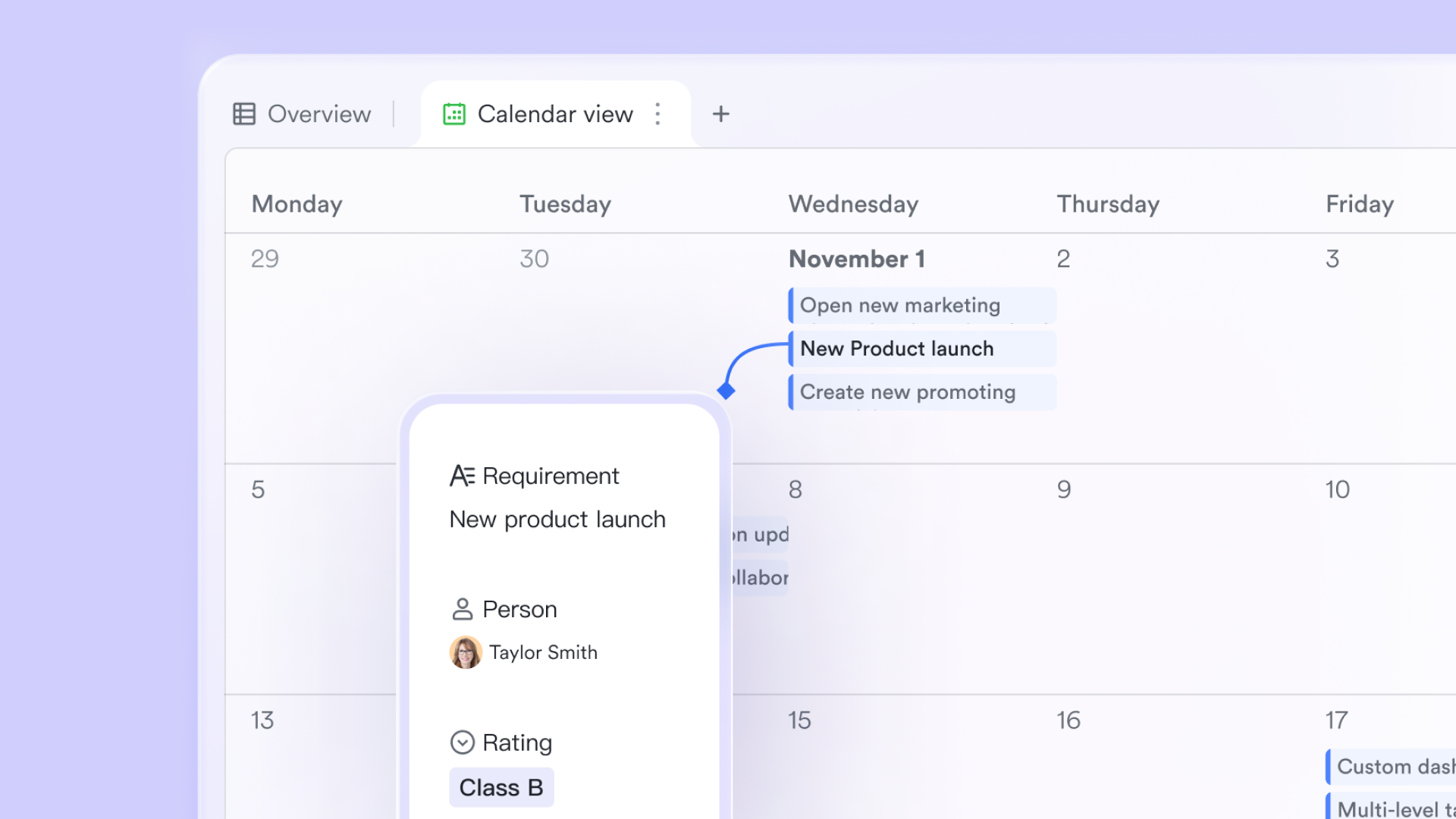
Dynamic resource tracking with Lark Base
Forget the rigid confines of traditional spreadsheets. provides a dynamic, highly customizable database engineered for precise resource planning. Tailor it to your exact needs, creating structured tables for every conceivable resource type – from human talent and specialized equipment to software licenses and meeting rooms.
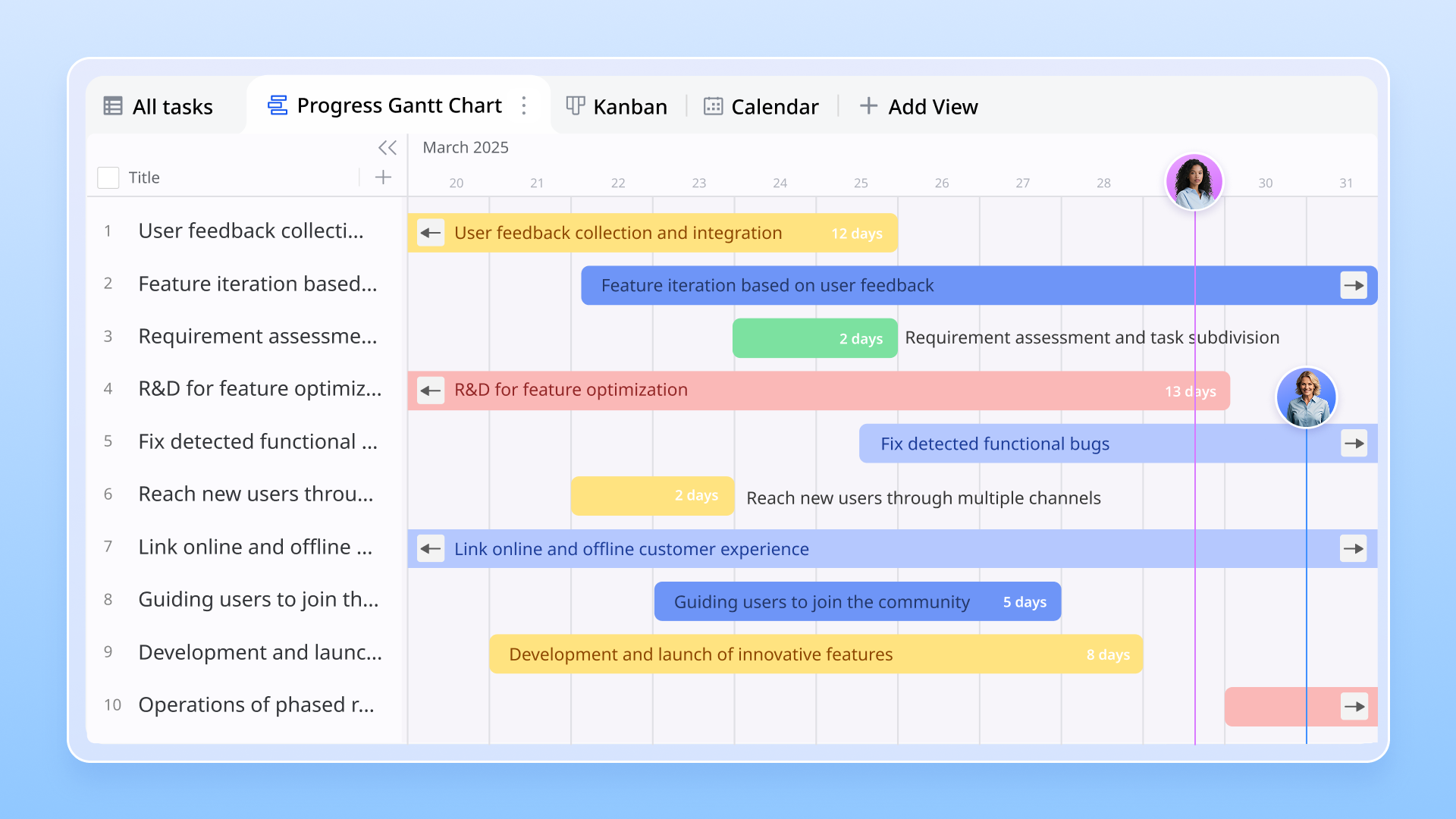
Mini-scenario: Envision a complex product launch. Within Lark Base, establish a "Team Members" table, detailing skills (e.g., UI Design, Backend Dev), current projects, and even granular "daily availability." A "Project Tasks" table can then directly link to team members, offering an immediate, real-time overview of assignments, individual workloads, and remaining capacity. This live insight empowers project managers to proactively identify bottlenecks, leverage available resources, and make swift, informed allocation decisions—all within the same unified environment.
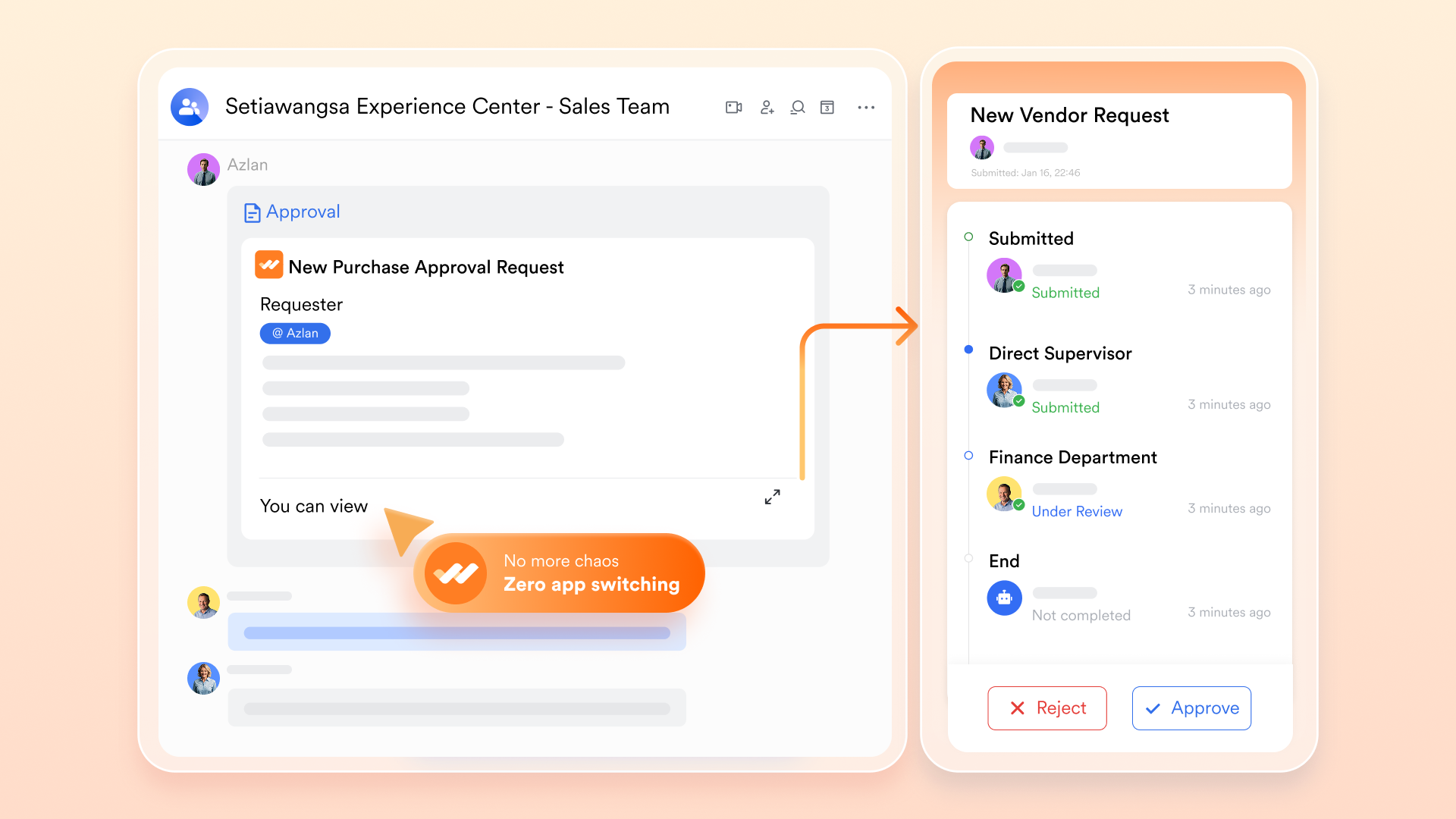
Automated resource workflows: A game-changer
Lark's automation capabilities are a paradigm shift for resource management. Design custom approval flows for every scenario—from resource requests and shift changes to new equipment requisitions—all powered by . This automates typically manual and time-consuming processes, reclaiming valuable time and guaranteeing that all resource-related adjustments are handled with unparalleled efficiency and transparency.
:
- Starter plan: that includes 11 powerful tools for up to 20 users. It also comes with 100GB of storage space, 1000 automation runs, AI translations, and more. No credit card needed.
- Pro plan: (billed annually) for up to 500 users. It includes everything in Starter plus group calling for up to 500 attendees, 15TB of storage space, 50,000 automation runs, and more.
- Enterprise plan: for custom pricing. Supports unlimited users and includes even more automation runs and advanced security, compliance, and management features.
For small teams with simple communication needs

18 months message history
1000 Base automation runs/month
2000 rows per table in Base
Most POPULAR
For companies with comprehensive collaboration and management needs
Unlimited message history
500-participant video meetings
50k Base automation runs/month
20k rows per table in Base
For large companies with advanced security and organizational management needs
Get a personalized demo and pricing
Unlimited message history
500-participant video meetings
15 TB storage + 30 GB storage/user
500k Base automation runs/month
50k Base automation runs/month
Most POPULAR
For companies with comprehensive collaboration and management needs
Unlimited message history
500-participant video meetings
50k Base automation runs/month
20k rows per table in Base
Conclusion
Efficient resource planning is no longer optional but essential for continuous project success. We've seen that while the Excel resource planning template offers a familiar starting point, its limitations in real-time updates, scalability, collaboration, and unified workflows make it inadequate for growing teams and complex projects, highlighting the urgent need for more robust solutions.
The shift from basic templates to unified platforms represents a significant evolution in how we manage our valuable assets. Solutions that offer dynamic allocation, unified project management, capacity planning, automated reporting, and centralized collaboration provide modern teams with the comprehensive oversight and efficiency they require.
For organizations seeking a truly unified and powerful approach, exploring platforms like Lark can be a transformative step. By integrating communication, documentation, task management, and automation into a single workspace, Lark not only simplifies resource management but also fosters a more collaborative, efficient, and productive work environment. It's an investment in smoother operations, more capable teams, and ultimately, more successful project outcomes. Consider how a unified platform like could transform your resource planning and project success.
Plan, track, and manage resources easily with Lark
FAQs
What is the difference between resource planning and resource allocation
Resource planning is the broader strategic process of identifying all resources needed for a project, while resource allocation is the specific act of assigning those identified resources to tasks or activities. Resource planning sets the stage, and allocation puts the plan into action.
Can I use an Excel resource planning template for large projects?
While technically possible, it is not recommended for large or complex projects due to significant limitations in real-time updates, scalability, collaboration, and error prevention. These projects typically benefit more from dedicated resource management software.
How often should I update my resource plan?
Your resource plan should be a living document, updated regularly. For dynamic projects, daily or weekly updates might be necessary, especially when tasks are completed, new ones arise, or team availability changes. For stable projects, monthly reviews might suffice.
What are the benefits of using a dedicated resource management software over a template?
Dedicated software offers real-time data, advanced analytics, unified project management, robust collaboration features, workflow automation, and better scalability. These benefits lead to improved efficiency, fewer errors, better decision-making, and optimized resource utilization compared to static templates.
How does Lark help with preventing team burnout?
Lark helps prevent burnout through its capacity planning and workload balancing features, allowing managers to visualize team assignments and identify over-allocated individuals. Its unified communication and task management also reduce context switching, a major contributor to stress, and workflow automation streamlines repetitive tasks, freeing up team members for more meaningful work.
Related reading



















