Success in modern project management hinges on clarity, and nothing provides a roadmap quite like a robust project management plan template. Whether you are coordinating a small creative sprint or a massive cross-departmental product launch, having a structured framework prevents scope creep and keeps every stakeholder aligned. Most teams struggle not because they lack talent, but because their foundational planning is fragmented across static documents.
By adopting a dynamic approach to project organization, you can transform chaotic task lists into streamlined workflows. Discover how the right template can bridge the gap between initial strategy and final execution while boosting overall team accountability.
What is a project management plan template?
A project management plan template is a standardized framework used to define a project's objectives, scope, and execution strategy. Rather than starting from scratch, managers use these templates to ensure consistency across the organization. A robust template acts as a living roadmap, outlining essential components like resource allocation, timelines, and risk mitigation strategies.
It serves as the primary reference point for , keeping teams aligned on deliverables and deadlines. In modern, unified workspaces, these templates have evolved from static files into dynamic environments where and team communication are built in, ensuring the project plan remains accurate in real-time.
5 elements that a good project management template should include
To function as more than a task list, a project management plan template must act as a single source of truth for the entire project lifecycle. High-performing teams use templates to manage expectations, ownership, risk, and communication in one place. Each component serves a specific operational purpose and collectively ensures alignment across stakeholders.
- Defined project scope and out of scope: defines what the initiative will deliver and establishes clear boundaries. This section protects teams from uncontrolled expansion by explicitly stating what is excluded. Stakeholders gain shared understanding early, reducing disputes later. A clearly defined scope improves prioritization and resource allocation. Without this section, even experienced teams struggle to manage change requests effectively.
- Milestone-based timeline: A provides a high-level view of progress rather than granular task overload. It highlights key deliverables and dependencies that determine project flow. Stakeholders can quickly assess status without reviewing every task. This structure supports accountability by tying outcomes to dates. Visual timelines help identify risks before they disrupt delivery.
- RACI matrix for roles and responsibilities: A RACI matrix clarifies ownership by defining who is Responsible, Accountable, Consulted, and Informed. This prevents duplicated effort and missed responsibilities. Teams avoid confusion during handoffs and decision-making. Clear accountability accelerates approvals and execution. A RACI section is especially critical for cross-functional projects.
- Project management communication plan: A project management communication plan defines how updates are shared and with whom. It establishes reporting cadence, communication channels, and escalation paths. Teams avoid information overload while leaders retain visibility. Consistent communication improves trust and reduces surprises. This section ensures transparency remains intentional rather than reactive.
- Risk register and mitigation strategy: shifts teams from reactive problem-solving to proactive planning. A risk register documents potential threats, likelihood, and response strategies. Teams prepare mitigation actions before issues arise. This approach and budgets. Mature organizations treat risk planning as a core project discipline.
Ready-to-use project plan templates for teams
Instead of building documents from scratch, teams can rely on proven structures that support clarity and accountability. These free project plan template options are designed to fit different , sizes, and collaboration styles while remaining easy to adapt.
Project plan outline template
The project plan outline template provides a structured overview of , milestones, and ownership. It helps teams align early by clearly defining what needs to be done and who is responsible. This template is especially effective during project kickoffs and discovery phases. Its simplicity ensures teams focus on priorities without overloading the plan with details.
Project plan template
This project plan template supports end-to-end planning with space for timelines, tasks, and dependencies. Teams can use it to manage execution while maintaining visibility into progress. The layout balances structure with flexibility, making it suitable for ongoing projects. It works well as a central reference point throughout the project lifecycle.
Project overview roadmap template
The template focuses on high-level milestones and strategic direction. It helps stakeholders quickly understand project progress without diving into task-level detail. This format is ideal for leadership updates and cross-team alignment. It keeps conversations focused on outcomes rather than operational noise.
Project management Gantt chart overview template
This template visualizes project timelines using a Gantt-style layout. Teams can easily identify dependencies, critical paths, and potential delays. It improves planning accuracy by showing how tasks relate to one another over time.
Project management template
The project management template provides a comprehensive structure for tracking tasks, owners, and status updates. It supports day-to-day execution while maintaining overall visibility. Teams use it to coordinate work across multiple contributors. This template suits projects that require consistent monitoring and reporting.
Gantt chart template
The emphasizes timeline control and deadline management. It allows teams to map tasks against dates and visualize progress clearly. This format helps identify scheduling conflicts early. It is commonly used for projects with strict delivery timelines.
Employee task tracker template
The employee task tracker template focuses on individual ownership and workload visibility. Managers can track assignments and progress across team members. It helps prevent bottlenecks and uneven task distribution. This template supports accountability in daily operations.
Project's information management template
This template centralizes in one organized space. Teams can store documents, updates, and key references together. It reduces the time spent searching for information. This format is useful for long-term or multi-phase projects.
Project plan Excel template
A project plan template in Excel format is ideal for teams that need structured data tracking and detailed timelines. It allows project managers to organize tasks, dependencies, and deadlines in a familiar spreadsheet layout. Excel-based templates are widely used for . They work best when numerical accuracy and visibility are priorities.
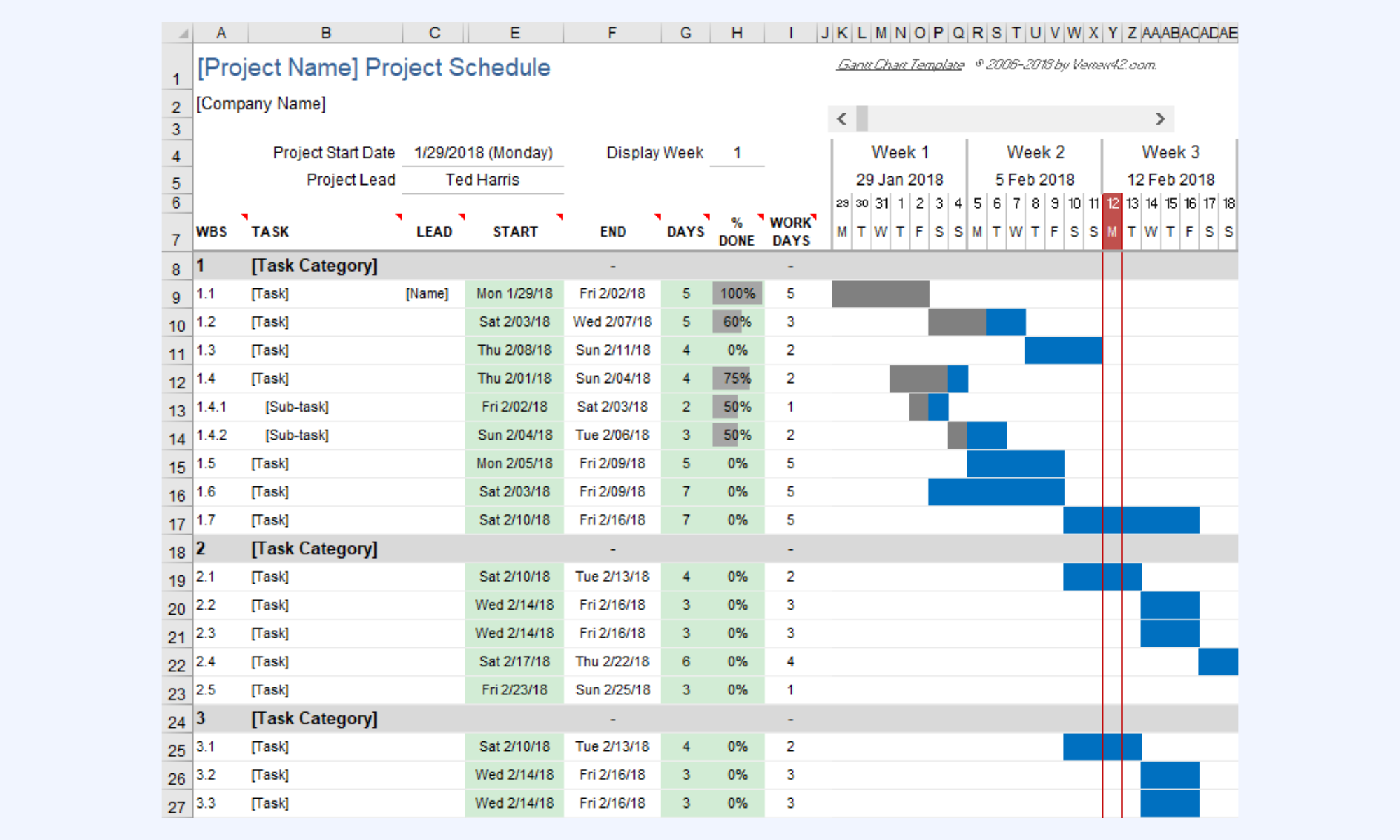
Image source: vertex.com
Project action plan template
A project action plan template focuses on turning strategy into execution. It breaks down high-level goals into specific actions, owners, and deadlines. This format helps teams maintain momentum during delivery phases. It is especially effective for initiatives that require clear accountability and task-level tracking.
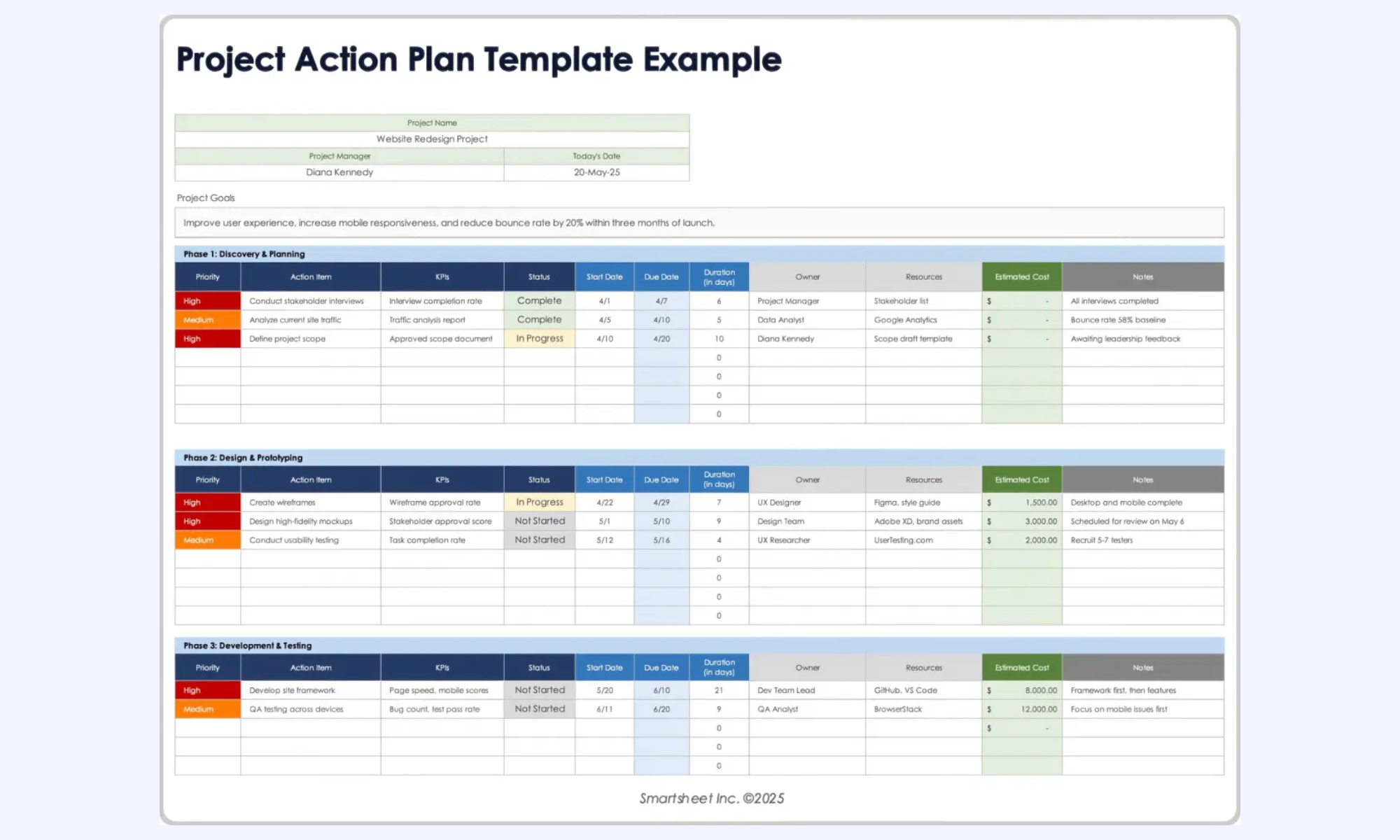
Image source: smartsheet.com
Simple Word project plan template
A simple project plan template in Word format emphasizes clarity and readability over technical detail. It allows teams to document objectives, scope, and timelines in a narrative structure. This template is easy to share and review across stakeholders. It suits smaller projects or early planning discussions.
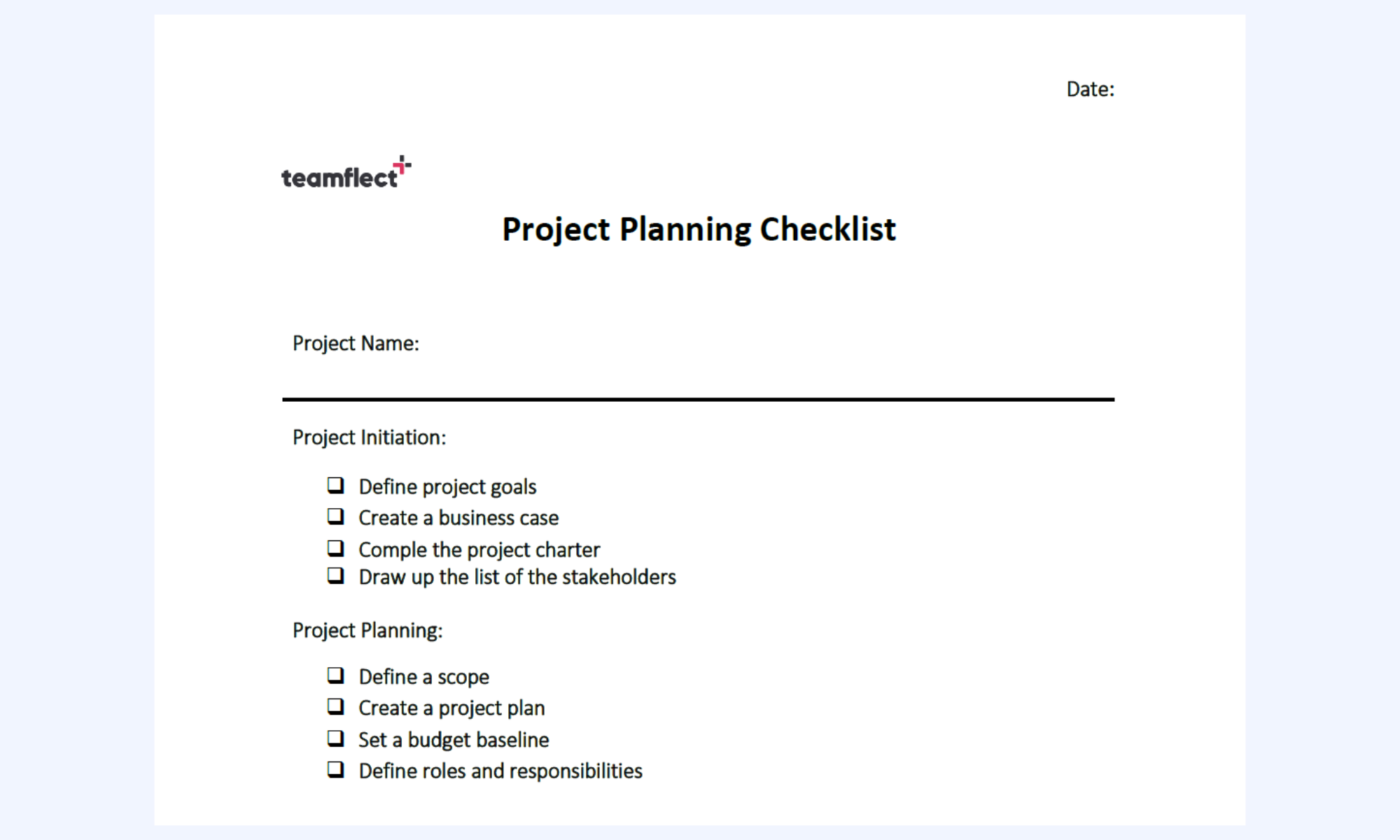
Image source: teamflect.com
One-page Word project plan template
A one-page project plan template in Word condenses essential project information into a single view. It highlights objectives, , and risks without overwhelming detail. This format supports quick alignment and executive review. Teams often use it for high-level planning and status communication.
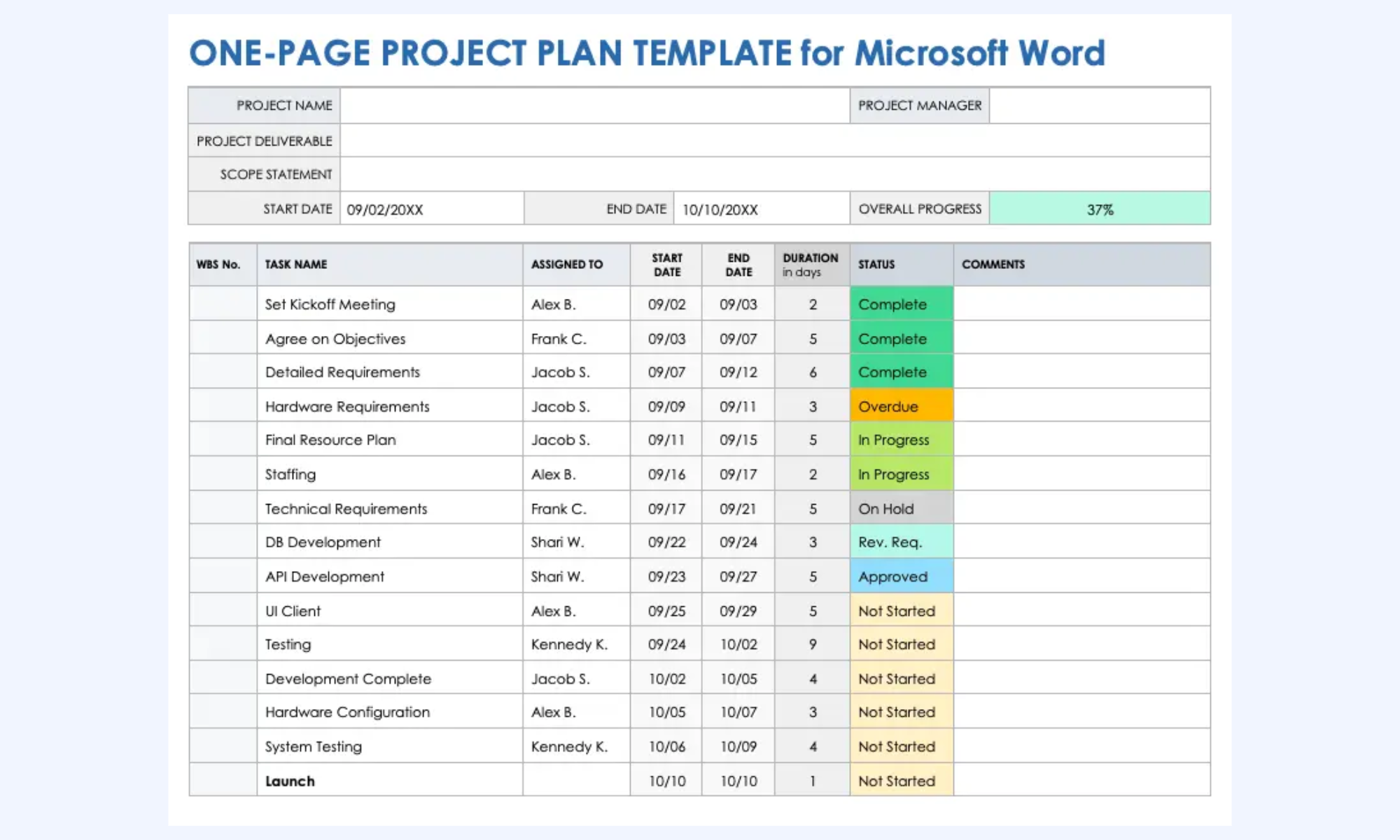
Image source: smartsheet.com
Planning work in a unified workspace with Lark
As projects grow more complex, planning and execution can no longer live in separate . Teams need a workspace where project plans, conversations, and decisions remain continuously connected. A unified environment reduces manual updates and prevents misalignment across stakeholders. This approach ensures that planning stays actionable throughout the .
Transforming static data into actionable timelines
takes the raw data found in a project plan template Excel and turns it into a multi-dimensional engine. You can input your tasks and immediately toggle between a Grid, a Kanban board, or a native . This allows projects to visualize dependencies and ownership at a glance. Automated triggers can be set up to notify owners when a deadline is approaching, ensuring the work plan template Excel actually drives the work forward rather than just recording it. 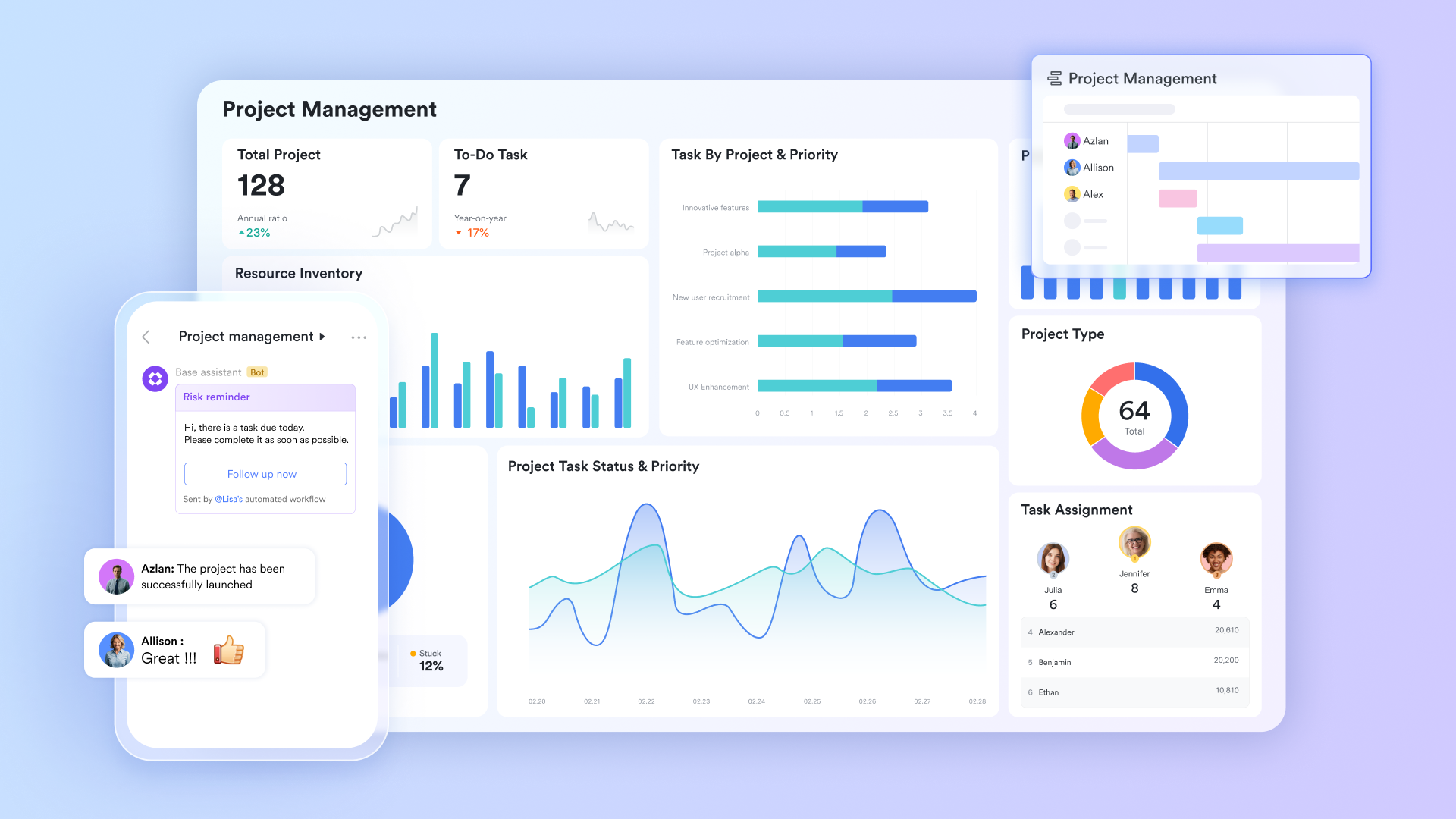
Contextual discussions linked to your roadmap
One of the biggest project bottlenecks is lost context—when decisions are made in chat but never reflected in the plan. solves this by keeping conversations directly connected to work. Teams can start a discussion thread from a specific task, a row in Lark Base, or even a paragraph in Lark Docs. This ensures every decision stays tied to the actual roadmap item, allowing new team members to review task history and understand past discussions in seconds. 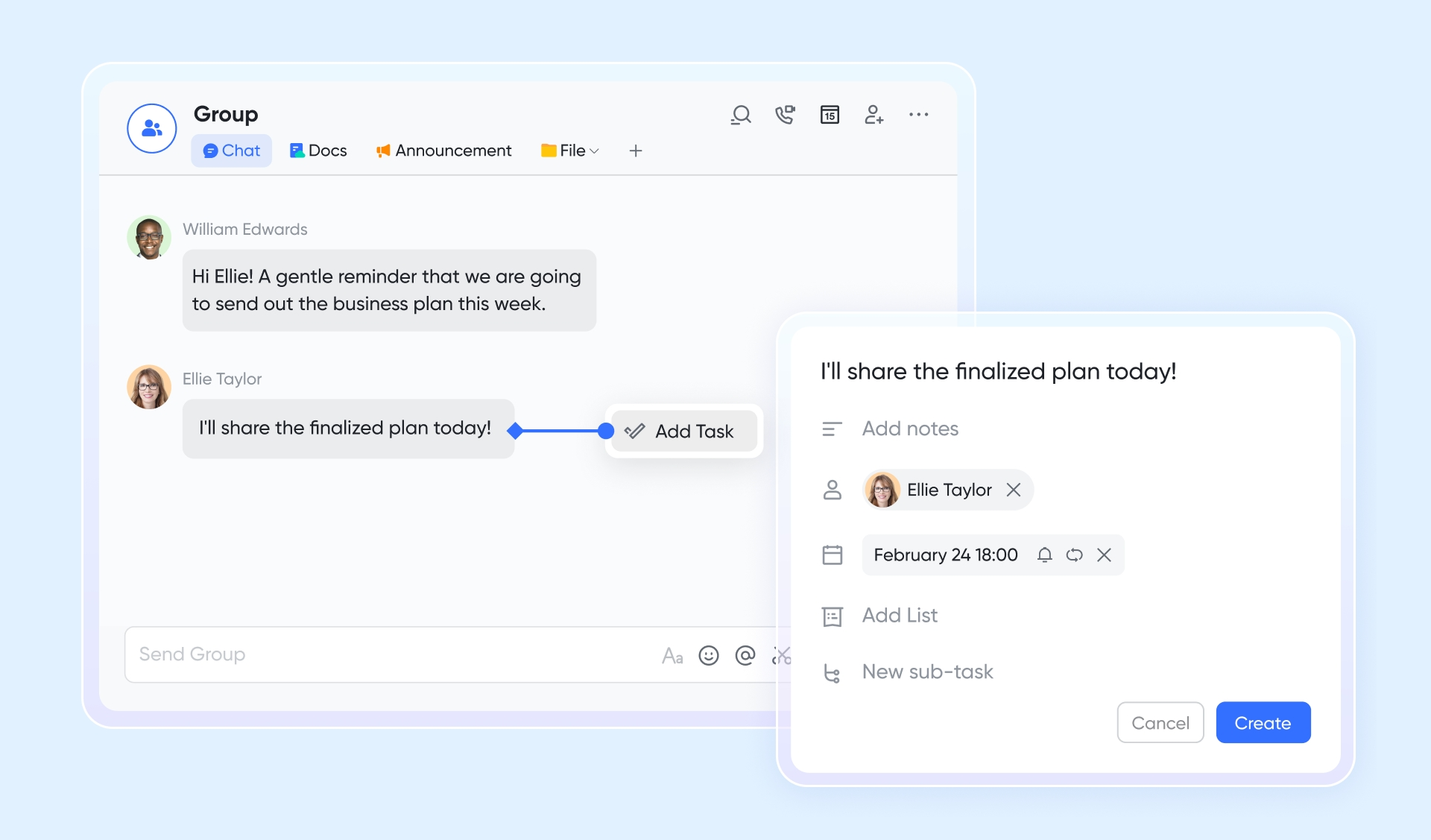
Standardizing sign-offs and change management
Project plans often stall while waiting for budget or scope approvals. With native workflows, you can standardize how changes are requested. Instead of chasing a manager for a signature, you can trigger an automated approval request directly from your project management plan template. The manager can review the details and approve the change directly from their mobile device or desktop chat, keeping the momentum high. 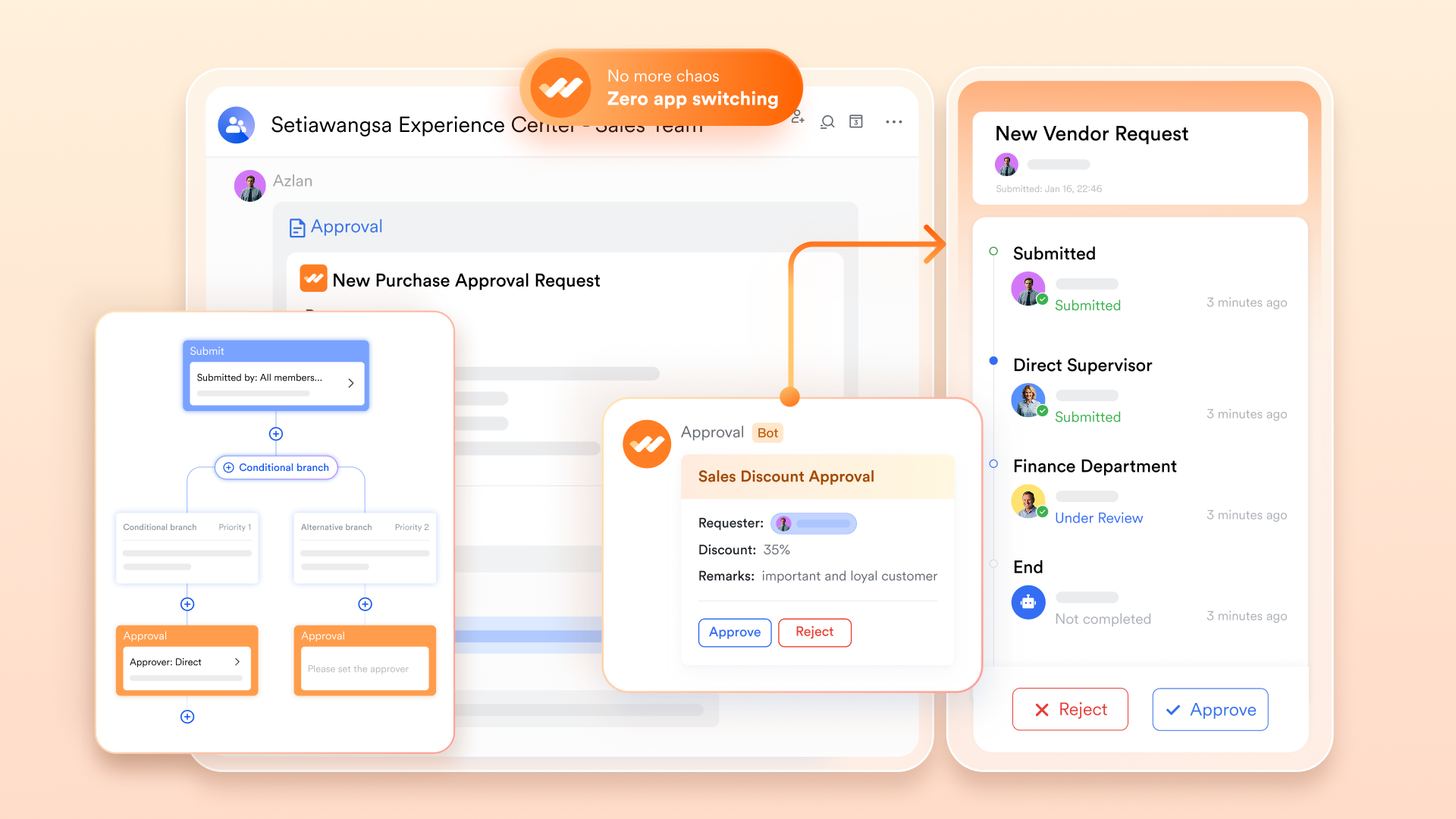
Capturing every decision automatically
Critical project decisions are often made during and promptly forgotten. serves as your unified recording and transcription assistant. It automatically generates summaries and highlights of your planning sessions. Most importantly, with , Lark identifies "Action Items" and generates summaries, allowing you to stay on the same page with other colleagues. 
:
- Starter plan: Free forever plan that includes 11 powerful tools for up to 20 users. It also comes with 100GB of storage, 1000 automation runs, AI translations, and more.
- Pro plan: $12/user/month (billed annually) for up to 500 users. It includes everything in Starter plus group calling for up to 500 attendees, 15TB of storage, 50,000 automation runs, and more.
- Enterprise plan: for custom pricing. Supports unlimited users and includes even more automation runs and advanced security, compliance, and management features.
For small teams with simple communication needs

18 months message history
1000 Base automation runs/month
2000 rows per table in Base
Most POPULAR
For companies with comprehensive collaboration and management needs
Unlimited message history
500-participant video meetings
50k Base automation runs/month
20k rows per table in Base
For large companies with advanced security and organizational management needs
Get a personalized demo and pricing
Unlimited message history
500-participant video meetings
15 TB storage + 30 GB storage/user
500k Base automation runs/month
50k Base automation runs/month
Most POPULAR
For companies with comprehensive collaboration and management needs
Unlimited message history
500-participant video meetings
50k Base automation runs/month
20k rows per table in Base
Free project plan templates vs customizable ones
While a free is often the quickest way to kickstart a project, it can lead to limitations as team complexity grows. The choice between a generic download and a native, customizable environment depends on whether you need a static snapshot or a living workflow. Understanding these trade-offs ensures you don't outgrow your framework mid-execution.
How to choose the right project management plan template
Selecting the ideal project management plan template requires looking beyond aesthetics to find a format that matches your team's actual work habits. The wrong choice leads to "tool fatigue," while the right one becomes the invisible engine driving your productivity.
- Assess the level of data complexity: If your project involves thousands of line items and complex budget dependencies, a multidimensional database is essential. For simple initiatives where narrative context is the priority, a Word plan template provides better clarity without the technical overhead of a spreadsheet.
- Prioritize over static files: Avoid any format that creates "versioning hell," where team members are looking at outdated copies of a file. The best project management plan template for teams is one that is centralized, allowing multiple users to edit simultaneously while keeping the communication history fluidly connected to the task itself.
- Verify multidimensional view capabilities: Different stakeholders need to see data differently; an engineer might want a Kanban board, while a director needs a high-level Gantt chart. Choose a template that is native to a flexible platform like Lark, where you can toggle between these views without re-entering the data.
- Evaluate automation and notification needs: Manual status updates are the leading cause of "stale" project plans. Look for a project management plan template that features in-app triggers, which can automatically send reminders or notify stakeholders via the consolidated hub when a milestone is reached or delayed.
- Check for frictionless sign-off workflows: Projects often stall at the approval stage, so your template should facilitate quick decision-making. Using a cohesive environment ensures that project sign-offs are seamlessly tucked into the workflow, allowing managers to approve budget or scope changes directly from the plan rather than through separate email chains.
Use cases for project management plan templates
Different teams have unique requirements for how they document and track their progress. The best project management plan template for teams in a startup looks very different from one designed for a multinational enterprise with thousands of employees.
- Small teams and startups: Small teams need clarity without processing overhead. A lightweight project management plan template helps founders and early teams move quickly, iterate often, and keep responsibilities clear without slowing execution. Simple structures work best when priorities change frequently.
- Cross-functional projects: Cross-functional initiatives require alignment across marketing, product, design, and engineering. A shared template creates a single source of truth for timelines, ownership, and dependencies. This visibility reduces misalignment and prevents handoff delays between teams.
- Enterprise and multi-stakeholder projects: Large organizations need structure, traceability, and governance. An enterprise-ready template supports approvals, dependency tracking, and across multiple stakeholders. Clear documentation and controlled updates help maintain accountability at scale.
- Recurring or operational work: Operational teams benefit from reusable planning structures. A standardized template supports recurring projects by reducing setup time and maintaining consistency across cycles. These templates often replace manual work plan Excel templates with more reliable tracking.
- Leadership visibility: Leadership teams need clear, high-level insight without operational noise. A project management template focuses on milestones, risks, and decision points rather than task-level detail. This enables faster reviews and more confident decision-making.
Conclusion
Selecting the right project management plan template is more than just an administrative task; it is the first step toward building a culture of project excellence. Whether your team is a lean startup or a massive enterprise, the goal remains the same: moving toward a unified workspace where planning, execution, and communication coexist seamlessly. By leveraging the right tools, you ensure your , under budget, and perfectly aligned with your organizational goals. As you move forward, look for solutions like that integrate these planning features into a single, intuitive interface, allowing your team to spend less time managing the process and more time delivering results.
Practice a smooth project roadmap with Lark
FAQs
How to create a project management plan?
To create an effective plan, you must first define your , goals, and key stakeholders. You then break the work down into manageable tasks and assign ownership, while using a project management plan template to visualize the timeline and dependencies. Platforms like Lark make this easier by offering pre-built templates that link your tasks directly to your team chat and document storage for a truly unified experience.
What are the 7 parts of a project plan?
The seven essential parts typically include the executive summary, project scope, schedule/timeline, budget, resource plan, , and communication plan. Integrating these parts into a single project management plan template ensures that all facets of the project are aligned. Using Lark, you can host all seven components in a shared Wiki or Base table, allowing for real-time updates and total team visibility.
What are the 5 components of a project management plan?
The five core components focus on the baselines for scope, schedule, and cost, along with the management plans for change and communication. These components provide the framework for measuring project success and handling shifts in direction. Lark helps manage these components by providing automated triggers and permission-controlled documents to ensure your baselines are protected while your workflows remain flexible.
Is Excel or Word better for a project management plan template?
While Word is good for narrative plans and Excel is strong for data, neither can match a dedicated project platform for real-time collaboration and automation. Moving away from a work plan template Excel toward a like Lark Base allows you to enjoy the best of both worlds: structured data and collaborative documentation. This transition is essential for teams that need to scale without losing data integrity or communication speed.
How often should a project management plan template be updated?
A project plan should be a living document, updated at least weekly or whenever a significant milestone is reached, or a strategic pivot occurs. Frequent updates ensure that the project management plan template remains an accurate reflection of reality rather than a historical artifact. With Lark, many of these updates can be automated, meaning your plan stays current as your team completes their daily tasks in the same workspace.
Related reading





























