Project planning templates for real teams help organizations move beyond generic planning documents and build structured, execution ready workflows that reflect how teams actually work. As projects grow in complexity, teams require planning frameworks that support accountability, visibility, and collaboration across departments. This blog includes a detailed explanation of project planning templates, common template types used by teams, practical steps to create effective templates, and examples of ready-to-use planning solutions.
What is a project planning template?
Project planning templates are pre-designed frameworks that help teams outline tasks, milestones, dependencies, and responsibilities before execution begins. They standardize how projects are structured, ensuring consistency across teams and departments. Templates provide a starting point for planning and help organizations reduce the time required to define .
Many organizations rely on templates for project management plan development to ensure governance and accountability across projects. These templates define scope, resources, risk management, and stakeholder communication plans. They are often used in industries that require detailed documentation and compliance tracking.
The best project plan templates allow teams to transition from planning to execution without duplicating information. They help teams maintain visibility across tasks, approvals, and progress updates while ensuring accountability remains clear throughout the .
3 common types of project planning templates teams use
Teams use different project planning templates depending on project complexity, team size, and workflow structure. Selecting the right template helps improve planning clarity, execution visibility, and . Some templates focus on governance and documentation, while others prioritize flexibility and speed. Understanding these common formats helps organizations choose planning structures that match their operational needs and .
- Templates for project management plans: These templates provide structured frameworks for managing scope, risks, resources, and stakeholder communication. They are commonly used in enterprise environments that require governance tracking and detailed documentation. Templates for project management plans help standardize workflows across departments and improve reporting accuracy.
- Simple project plan templates for small scopes: These templates focus on essential planning elements such as timelines, tasks, and ownership tracking. They are ideal for smaller projects, internal initiatives, or short-term campaigns. Simple project plan templates help teams maintain flexibility while still ensuring visibility into progress and deliverables.
- Phase-based vs milestone-based planning formats: Phase-based templates divide projects into structured stages such as initiation, planning, execution, and delivery. Milestone-based templates focus on key deliverable checkpoints rather than detailed phases. Many of the best project plan templates combine both approaches to provide structured workflow visibility and high-level progress tracking.
Ready-to-use project plan templates
Here, we provide pre-built templates around real execution workflows. These templates help teams transition from planning to delivery without switching between multiple tools.
Project plan template
This template helps teams organize , timelines, and deliverables in a structured format. It supports both high-level planning and detailed execution tracking. Teams can customize fields and views to match project requirements. The template helps teams maintain consistent planning standards across departments. It is ideal for organizations transitioning from simple project plan templates to collaborative planning environments.
Project planning implementation template
This template supports implementation-focused workflows by connecting planning milestones with execution tasks. It helps teams manage dependencies and track deliverable completion effectively. Teams can use it to coordinate cross-department initiatives and ensure accountability. It supports structured workflows similar to templates for project management plan documentation. It is suitable for organizations managing complex implementation projects.
Project plan template alternative structure
This template provides flexible planning views that support dynamic workflows. Teams can adapt timelines, , and stakeholder reporting formats easily. It supports collaborative updates that improve planning transparency. Organizations transitioning from Microsoft Project plan templates benefit from its flexible visualization options. It helps teams maintain execution visibility while preserving structured planning workflows.
Marketing plan template
This template supports campaign planning by connecting content calendars, deliverables, and approval workflows. Marketing teams benefit from centralized planning visibility across channels and campaigns. It helps teams track campaign milestones and performance metrics. It serves as one of the best project plan templates for marketing teams managing multiple initiatives. It supports collaborative planning environments for creative workflows.
Project overview roadmap template
This template helps teams present and long-term timelines clearly. It supports stakeholder communication and executive reporting. Teams can use it to track milestone completion and strategic objectives. It is particularly useful for organizations transitioning from simple project plan templates to roadmap-based planning frameworks. It supports alignment between project execution and organizational goals.
Project management Gantt chart overview template
This template provides timeline visualization and dependency tracking through interactive . Teams can track project phases and milestone completion effectively. Organizations familiar with Microsoft Project plan templates benefit from its collaborative timeline planning capabilities. It supports structured workflow visibility while allowing real-time updates. It is widely considered among the best project plan templates for timeline-focused planning.
Project management template
This template supports full project lifecycle management from initiation to delivery. It combines planning, execution, tracking, and reporting workflows. Teams can customize dashboards and automation triggers to support operational requirements. It reflects the structured approach found in templates for project management plan frameworks. It is suitable for organizations managing multiple concurrent projects.
OKR task subdivision and progress control template
This template connects strategic objectives with project execution workflows. Teams can break down organizational goals into actionable tasks and track progress systematically. It supports accountability tracking and performance reporting. It helps teams move beyond simple project plan templates by connecting planning with . It supports enterprise-level planning visibility.
Team task allocation template
This template supports workload distribution and resource tracking across teams. It helps managers balance capacity and monitor task ownership clearly. Teams can use it to improve execution visibility and prevent resource conflicts. It supports planning workflows similar to Microsoft Project plan templates, but includes collaborative resource tracking. It improves accountability across cross-functional teams.
Gantt chart template
This template provides a detailed for projects that require dependency tracking and milestone monitoring. Teams can adjust timelines dynamically and track deliverable progress in real time. It supports structured planning workflows and stakeholder reporting. It remains one of the best project plan templates for timeline-focused teams transitioning from traditional planning tools.
Project plan information template
This template suite provides a structured framework for teams integrating project management with performance tracking. It emphasizes accountability through clear task ownership and minimalist designs that prevent micromanagement. It is ideal for managers looking to bridge the gap between project deliverables and employee development goals.
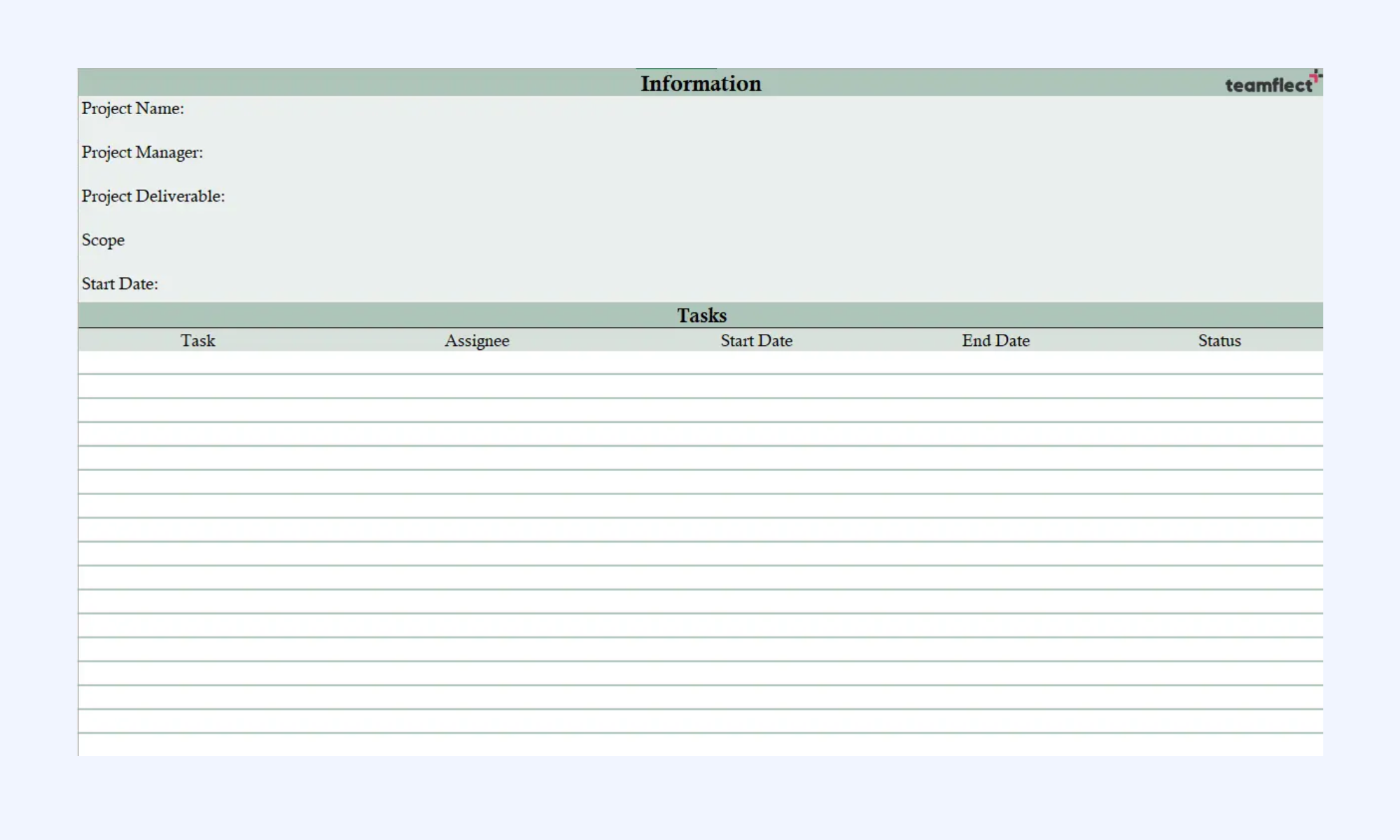
Image source: teamflect.com
Agile project management plan
This collection offers a high-utility roadmap for diverse industries, ranging from simple task lists to complex technical rollouts. It serves as a comprehensive starting point for teams that need a standardized "living document" to maintain consistency across multiple departments. It remains a top choice for organizations requiring high-level visibility alongside granular task breakdowns.
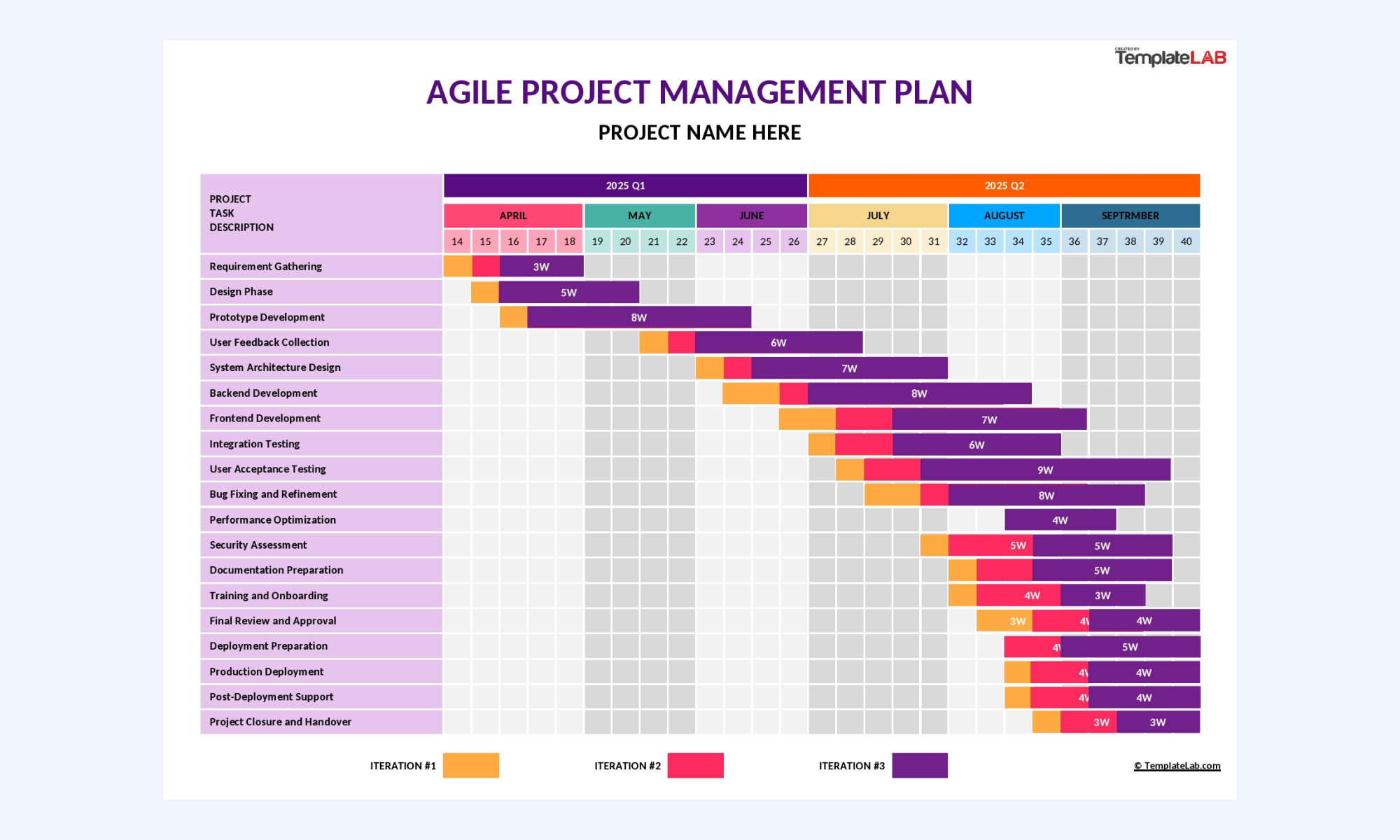
Image source: templatelab.com
Project plan Gantt chart template
This template features a neat layout optimized for real-time collaboration and automated duration calculations. It is built for teams that need to visualize complex lifecycles through interactive Gantt charts and color-coded status indicators. It is the gold standard for high-stakes coordination and executive-level stakeholder reporting.
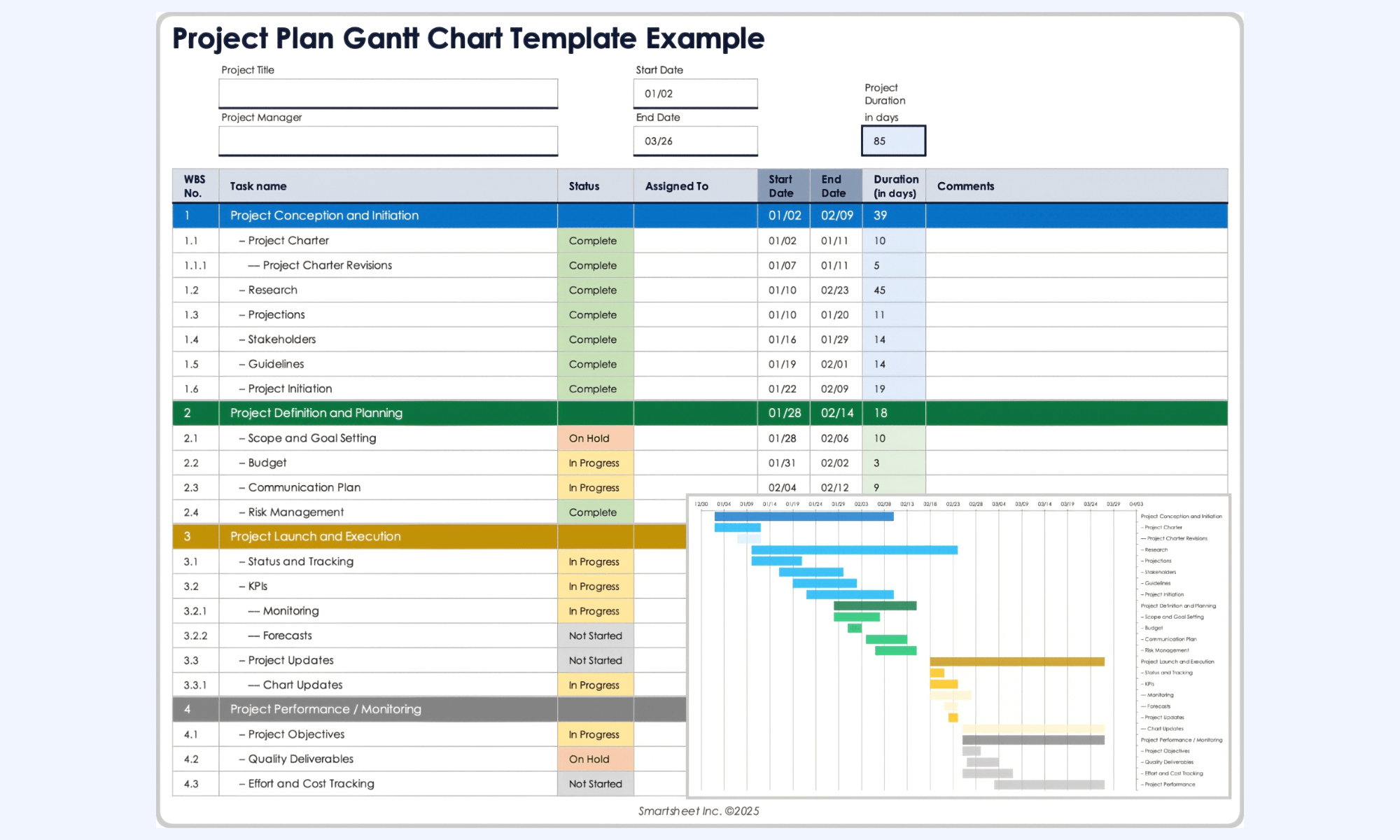
Image source: smartsheet.com
Simple project plan template
This template focuses on the intersection of project timelines and team capacity, ensuring tasks are matched to the right skills without over-allocation. It provides a skeleton for managing budgets, scope creep, and human resources in a single view. It is best suited for agencies and service-based teams where people-first planning is the priority.
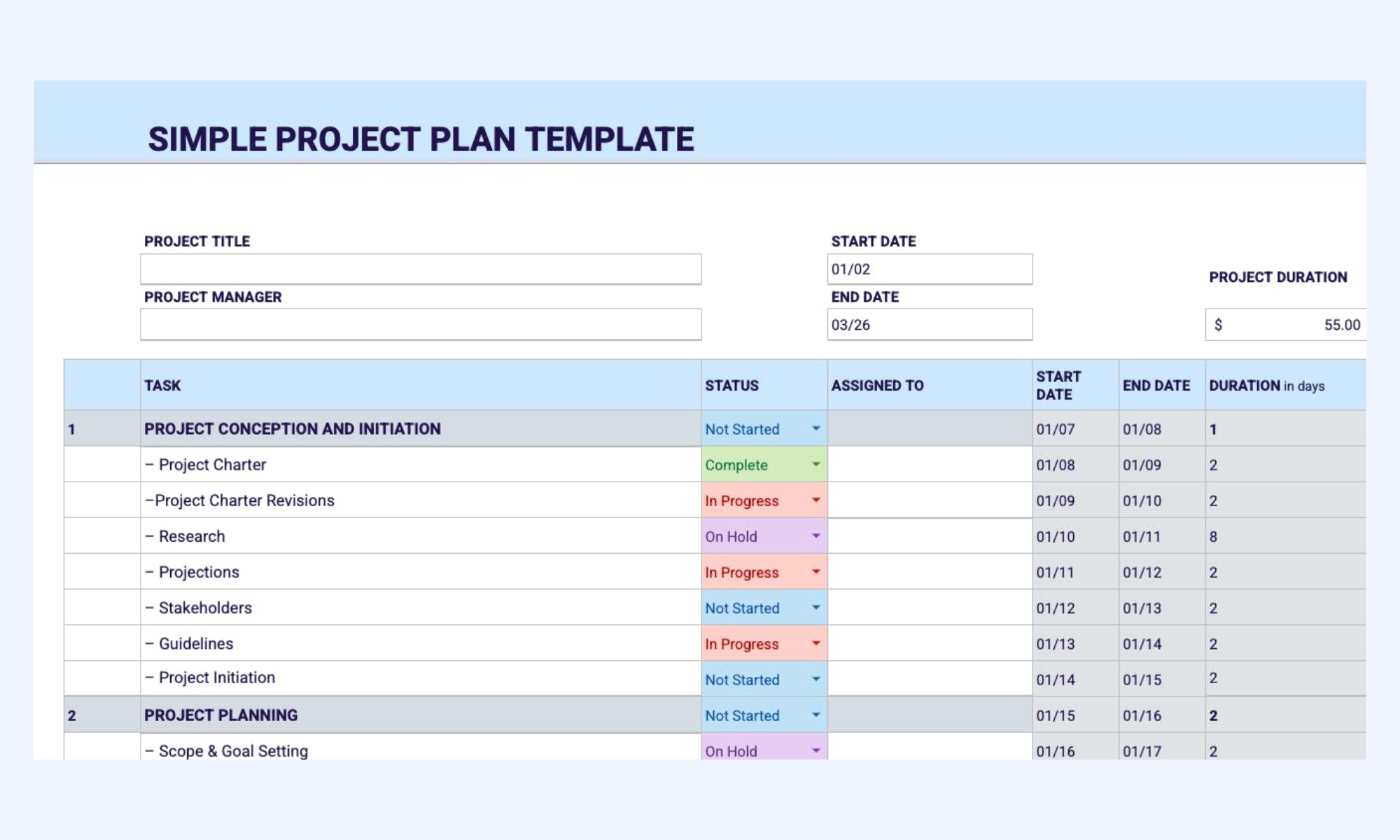
Image source: float.com
Agile project plan template
This specific entry emphasizes the transition from static spreadsheets to intelligent, standardized workflows across an entire organization. It focuses on reducing manual entry and version control issues through integrated, cloud-ready planning forms. It is designed for enterprise-level scaling where process uniformity is critical for success.
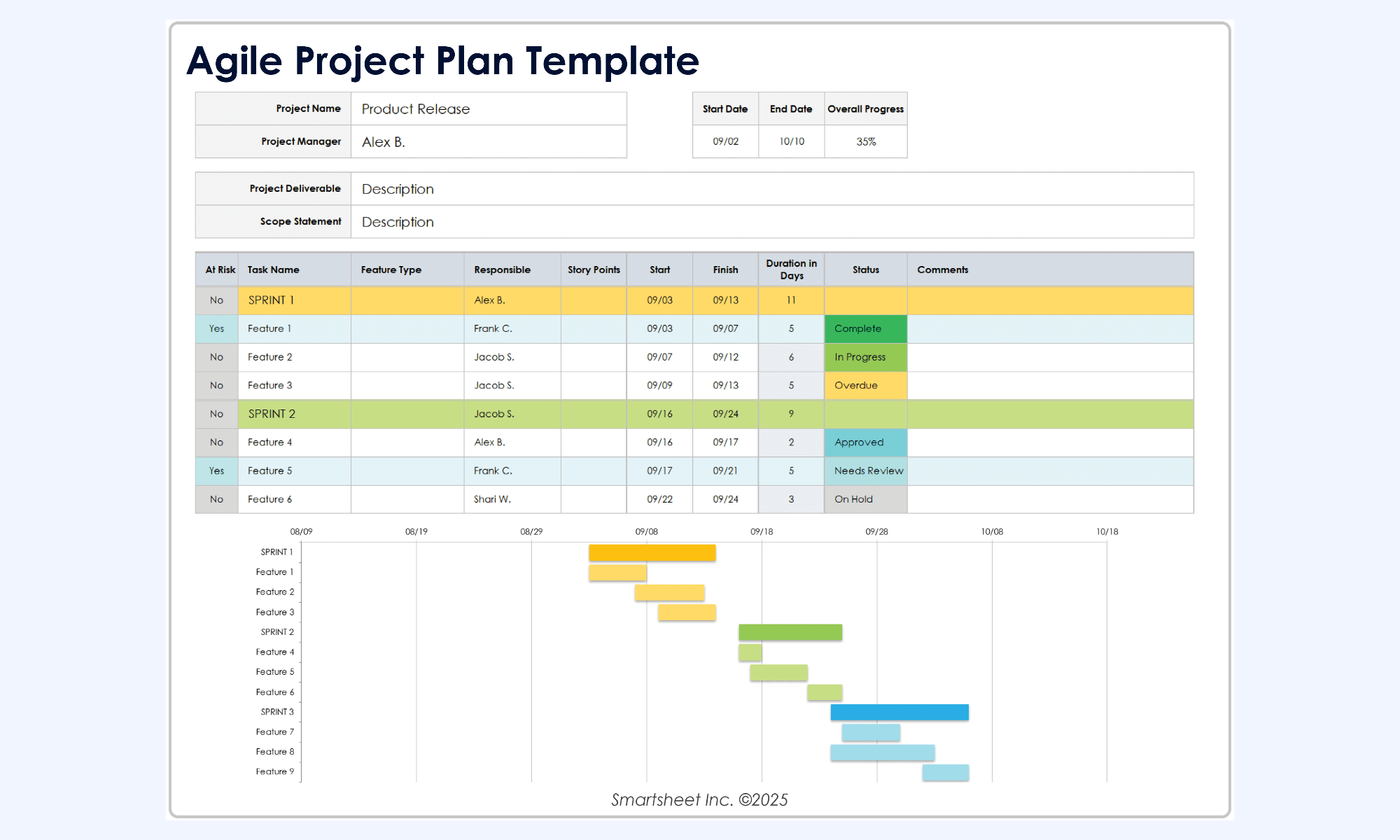
Image source: smartsheet.com
Project timeline template
This template provides a modified Gantt chart visualization specifically designed for projects that require a clear breakdown of the project schedule into distinct stages. It enables teams to track detailed activities—from initiation and planning to execution and close—across a quarterly and monthly calendar view. It is an ideal tool for managers who need to maintain a high-level overview of project phases while monitoring specific milestones and deliverable timelines.
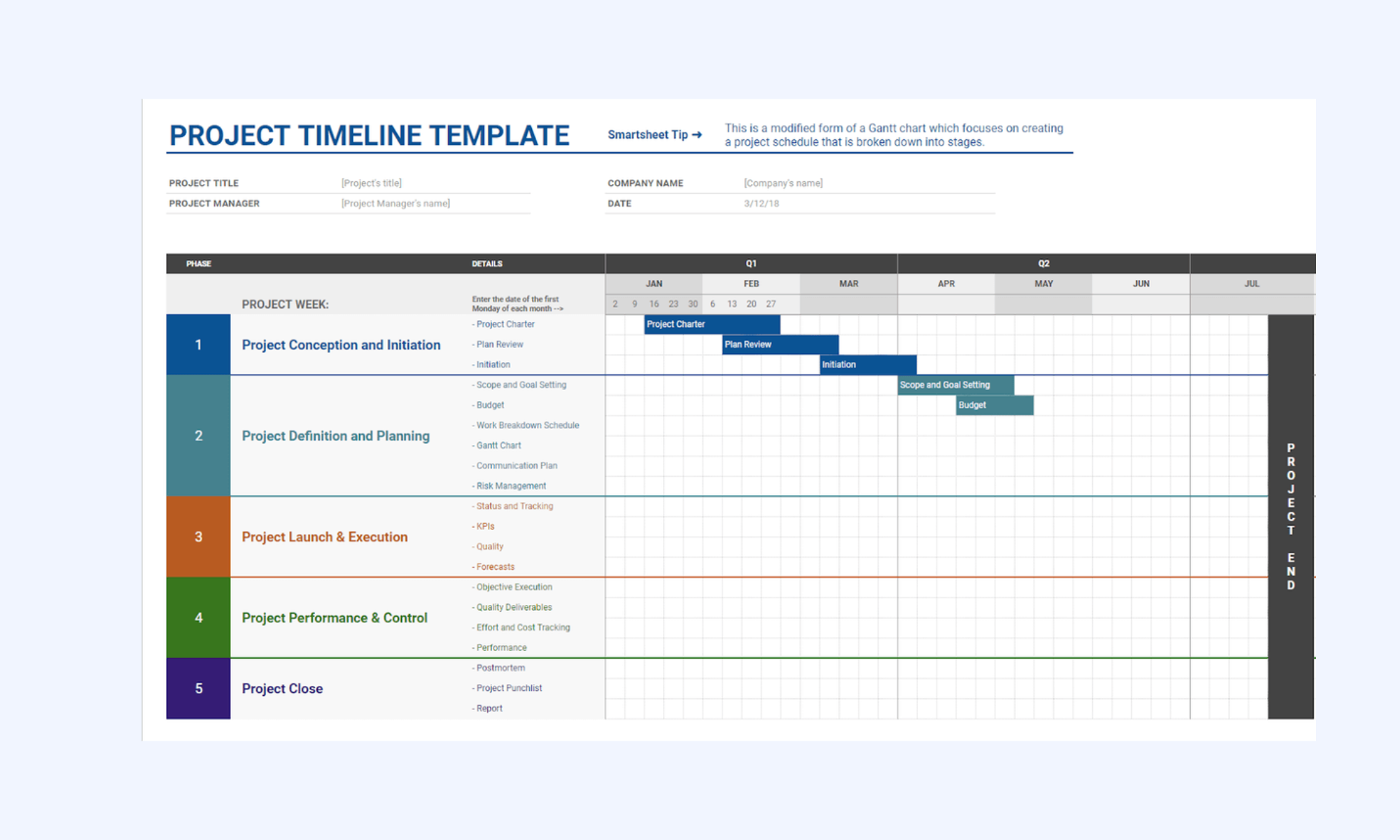
Image source: piktochart.com
Lark as a unified productivity superapp for team collaboration
is a unified productivity superapp for team collaboration, built for teams that need more than static planning documents. While traditional project planning templates help outline intent, Lark supports planning as an ongoing team activity. Imagine a world where your project plan isn't a separate file. In Lark, your project plan is unified with:
Robust project management hub
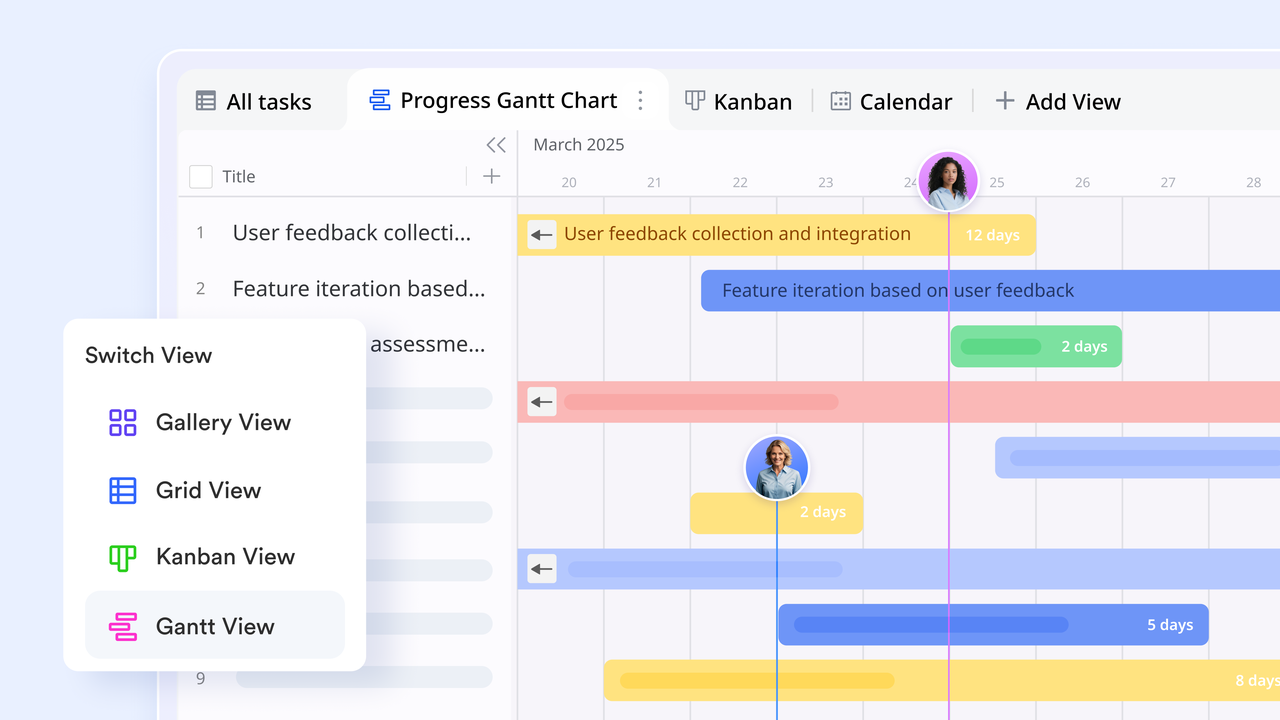
Unlike a flat spreadsheet, allows you to view the same project data in multiple formats. You can plan in a , switch to a Kanban board for task flow, or use a Form view to collect project requests. Because it is a database, every update reflects across all views instantly.
Real-time document collaboration platform
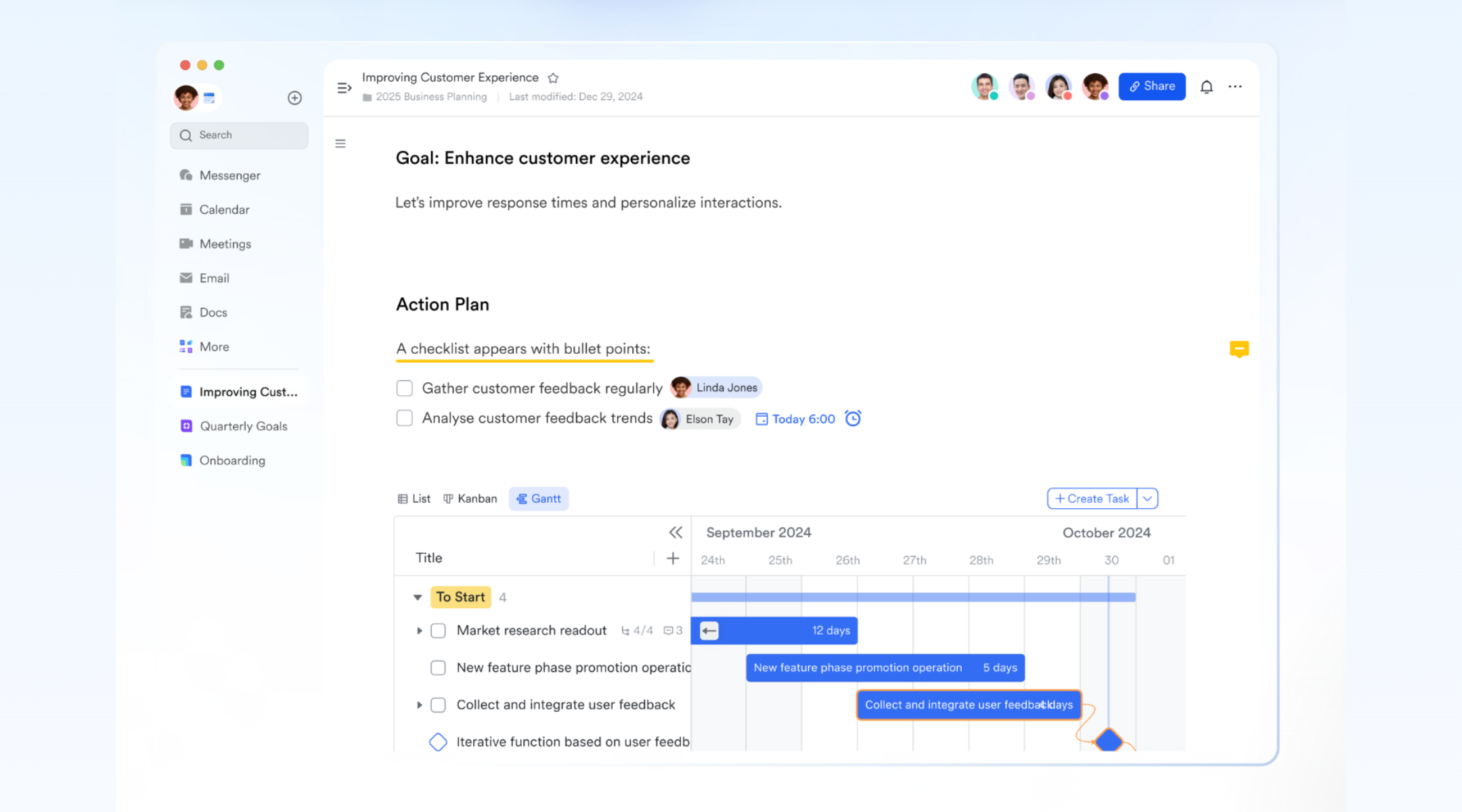
allows teams to create structured roadmaps with multimedia elements like mind maps and flowcharts. It streamlines coordination through real-time collaboration features, such as @mentions, to draw attention to specific tasks and interactive comments for immediate feedback.
Online brainstorming and creation
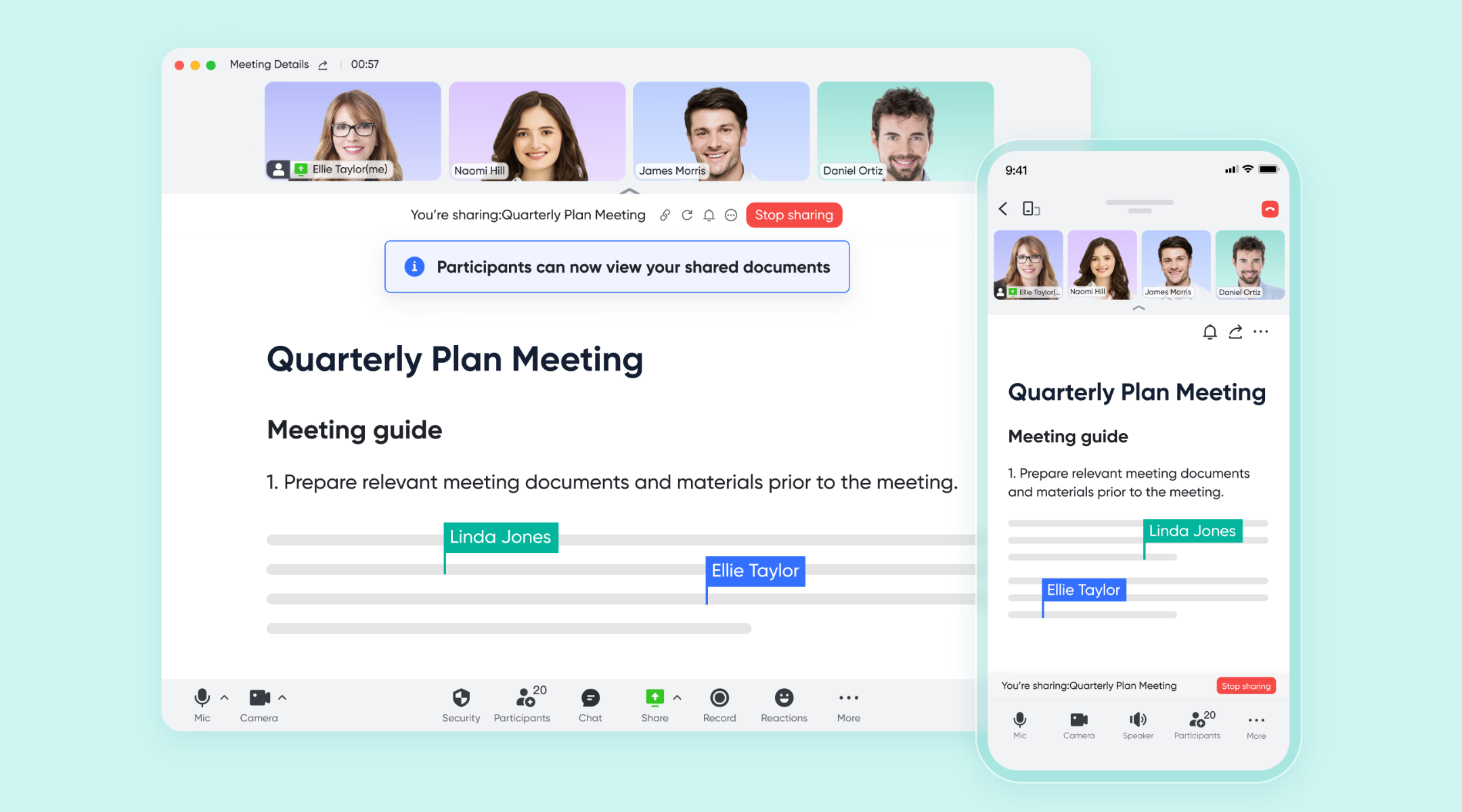
During a video call, instead of one person sharing their screen while others watch, allows every participant to scroll and edit the project plan independently within the meeting window. This transforms passive meetings into active planning sessions where the "minutes" are updated in real-time.
Contextual discussion
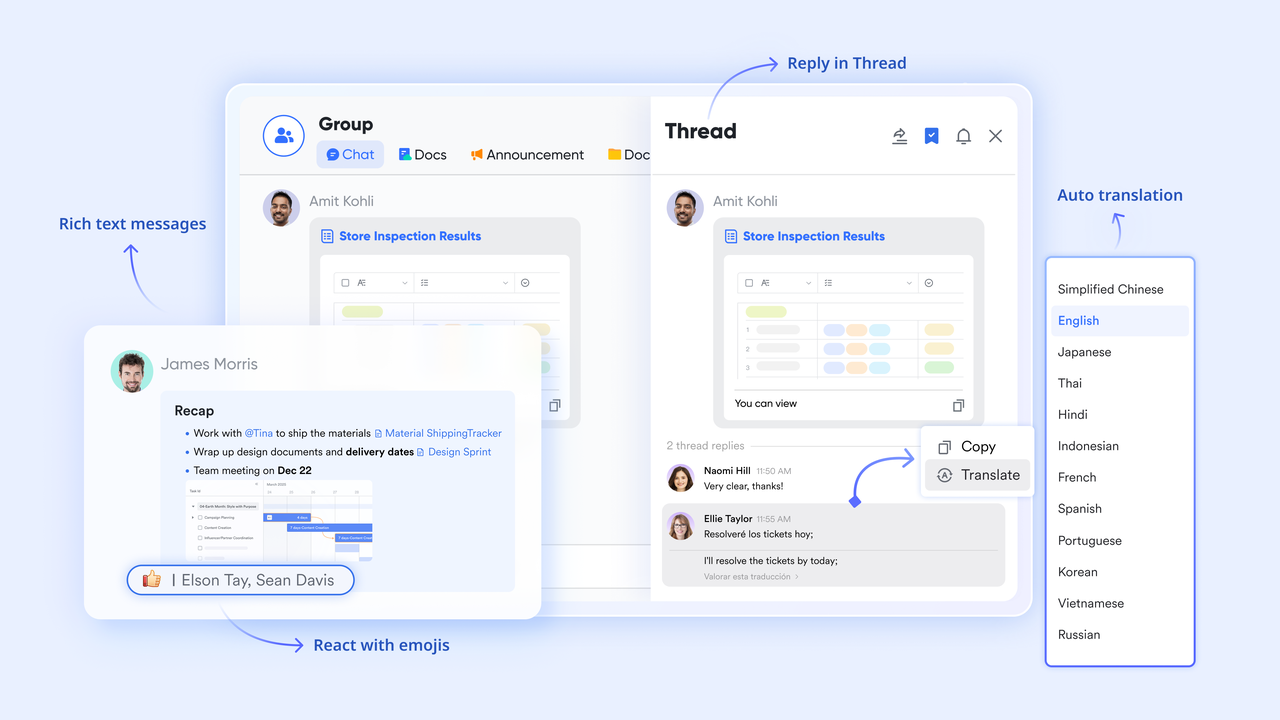
Every row in a project plan can be opened as a chat sidebar. This allows teams to discuss specific tasks without losing context. You can @mention a colleague directly inside a documentor Base record, and they will receive a notification in with a link back to that exact cell.
Automated workflow
You can set up automated triggers so that when a project status changes to "Blocked" or "Completed," the Lark Bot immediately pings the relevant stakeholders or the project group chat. This removes the need for manual "status update" messages and ensures immediate visibility of bottlenecks. 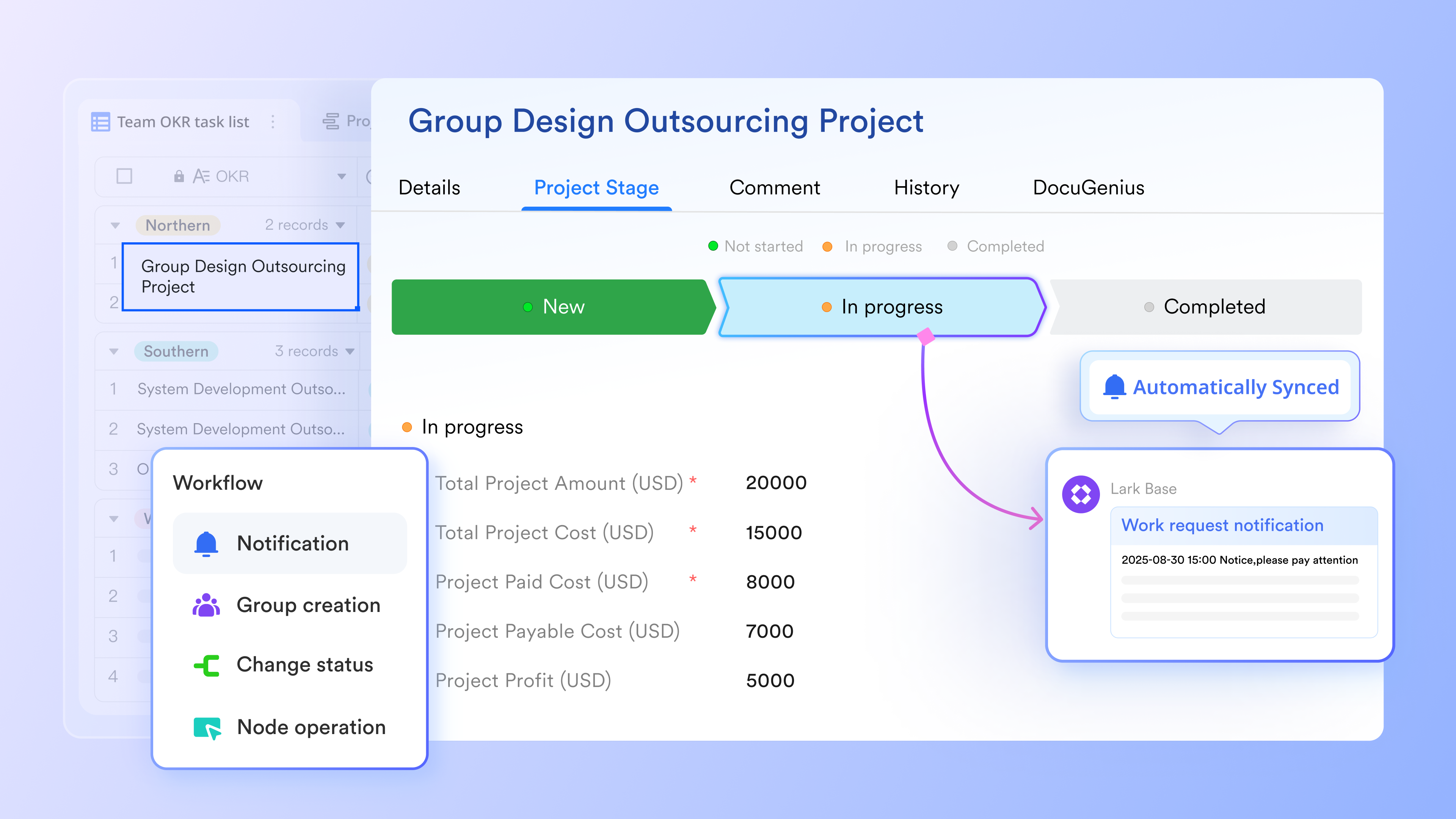
:
- Starter plan: Free forever plan that includes 11 powerful tools for up to 20 users. It also comes with 100GB of storage, 1000 automation runs, AI translations, and more.
- Pro plan: $12/user/month (billed annually) for up to 500 users. It includes everything in Starter plus group calling for up to 500 attendees, 15TB of storage, 50,000 automation runs, and more.
- Enterprise plan: for custom pricing. Supports unlimited users and includes even more automation runs and advanced security, compliance, and management features.
For small teams with simple communication needs

18 months message history
1000 Base automation runs/month
2000 rows per table in Base
Most POPULAR
For companies with comprehensive collaboration and management needs
Unlimited message history
500-participant video meetings
50k Base automation runs/month
20k rows per table in Base
For large companies with advanced security and organizational management needs
Get a personalized demo and pricing
Unlimited message history
500-participant video meetings
15 TB storage + 30 GB storage/user
500k Base automation runs/month
50k Base automation runs/month
Most POPULAR
For companies with comprehensive collaboration and management needs
Unlimited message history
500-participant video meetings
50k Base automation runs/month
20k rows per table in Base
Conclusion
Project planning templates provide structure and consistency for teams managing projects across industries. They help organizations standardize workflows, improve accountability, and enhance progress visibility. However, static templates often struggle to keep pace with changing project requirements and collaborative execution needs. Teams require planning environments that remain connected to communication and workflows. provides collaborative planning capabilities that allow organizations to move beyond traditional templates while maintaining structured project management standards. By connecting planning with execution and automation, teams can ensure project templates remain practical and relevant throughout the project lifecycle.
Plan, track, and manage projects easily with Lark
FAQs
How often should project plans be updated once work starts?
Project plans should be updated whenever milestones, deliverables, or priorities shift during execution. Many teams perform weekly reviews to maintain visibility and ensure tasks remain aligned with goals. Teams using simple project plan templates usually require frequent updates because project activities change quickly. Templates for project management plan workflows often follow structured governance review cycles. Teams using collaborative platforms like Lark can update plans in real time, helping stakeholders stay aligned without waiting for scheduled reviews.
Can project planning templates handle changing priorities?
Project planning templates can support shifting priorities when they are designed with flexibility and visibility in mind. Microsoft project plan templates allow timeline adjustments but often require manual edits to maintain accuracy. The best project plan templates allow teams to track changes while maintaining stakeholder awareness. Templates for project management plan workflows often include structured change tracking processes. Lark helps teams adjust planning data dynamically by linking updates directly to tasks and team discussions, which makes priority shifts easier to manage.
What's the difference between a project plan and a task list?
A project plan provides strategic visibility across scope, milestones, resources, and dependencies. Simple project plan templates often combine high-level planning with execution tracking for smaller initiatives. A task list focuses mainly on individual assignments and deadlines without a broader project context. Templates for project management plan documentation support governance,and reporting workflows. Lark helps teams connect project planning and task management in a shared workspace, allowing strategic plans and execution details to remain aligned.
How do teams keep project plans aligned with execution?
Teams maintain alignment by connecting planning templates with communication and progress tracking . Microsoft project plan templates often require additional collaboration tools to ensure execution visibility. Templates for project management plan workflows include reporting structures and progress checkpoints to maintain alignment. The best project plan templates allow updates to reflect instantly across stakeholders and teams. Lark helps maintain alignment by connecting planning data with messaging, meetings, and automation features, allowing teams to manage execution and planning within a single environment.
Related reading





























