Tracking work hours is crucial for productivity, billing accuracy, and resource planning, but if you're using Trello, you've probably wondered how Trello time tracking actually works. The reality is simple: Trello does not offer native time tracking, which forces teams to rely on manual methods, Power-Ups, or external tools. While these workarounds can help with small setups, they quickly become inefficient as your workload, client projects, and payroll needs grow. In this guide, you'll learn how to track time in Trello, which tools are best, their limitations, and when an all-in-one platform like Lark is a more innovative alternative.
Start tracking tasks and hours today
What is Trello?
Trello is a built around boards, lists, and cards that help teams organize work in a simple, drag-and-drop interface. It's widely used for , , and team collaboration because it's intuitive and flexible enough to support almost any workflow. Each task lives inside a card, where users can add checklists, comments, attachments, deadlines, and labels to keep work structured and transparent.
While Trello excels at clarity and coordination, it was not initially designed for precise work-hour tracking. That's why many users searching for Trello time tracking, time tracking in Trello, or tracking time in Trello quickly realize the platform lacks built-in time-tracking features. Instead, teams depend on manual updates, Power-Ups, or external tools to capture hours. Trello remains a powerful task management system, but teams that need time tracking often require additional solutions for reporting, billing, and productivity measurement.
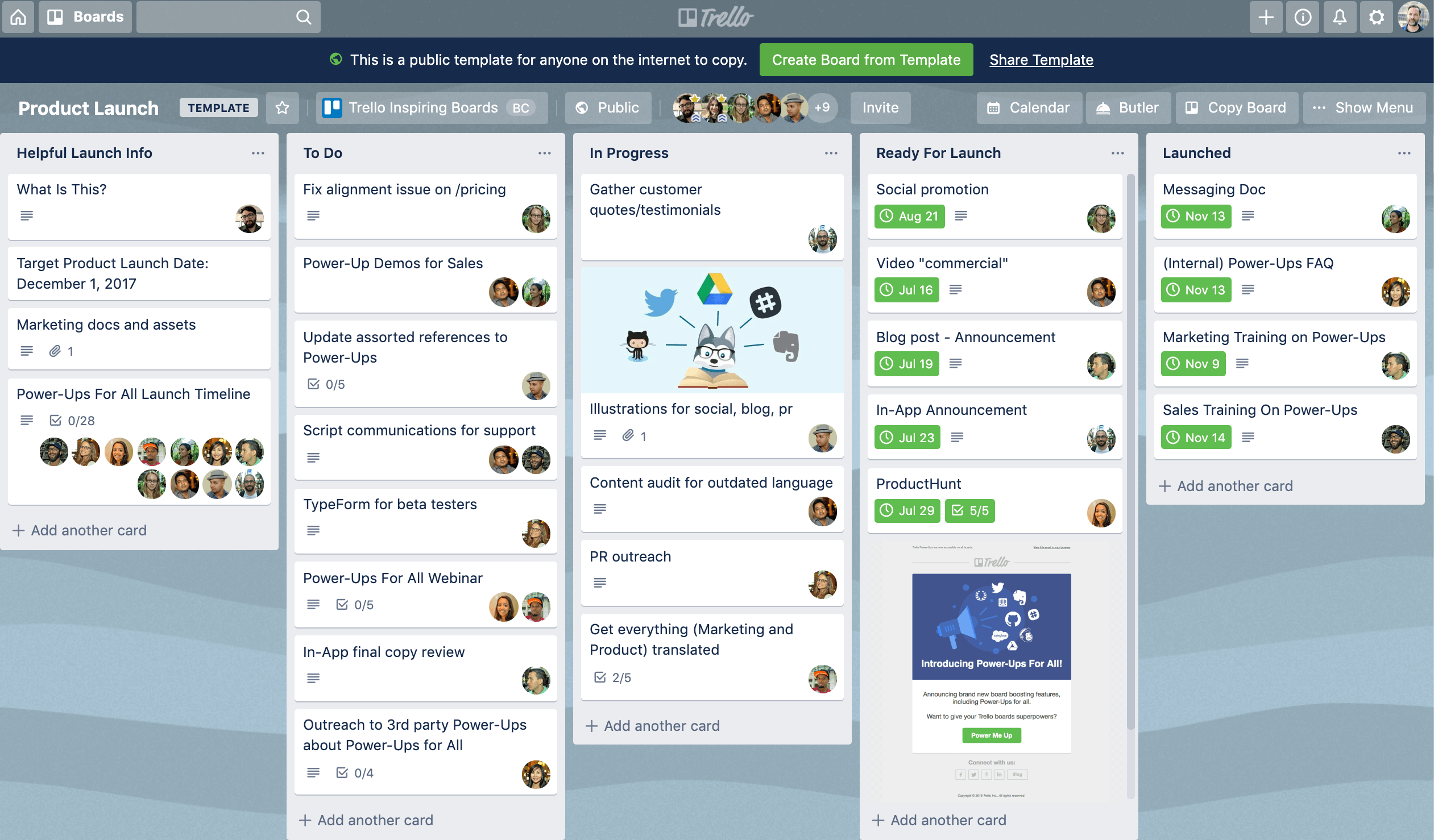
Image source: trello.com
Key features of Trello
Trello offers a flexible system for organizing tasks and workflows, which is why many teams use it before exploring Trello time tracking solutions. Its makes project progress easy to follow, even though accurate hour tracking requires extra tools.
- Boards, lists, and cards: Trello's core structure is built around boards for projects, lists for stages, and cards for individual tasks. This simple hierarchy helps teams map workflows visually. It keeps work organized, but still requires add-ons when teams want to connect tasks with tracked hours.
- Checklists and task details: Each card can include checklists, due dates, attachments, and descriptions, making it a central hub for task information. These details improve accountability and clarity. However, Trello doesn't support , pushing teams toward manual entries.
- Labels and filtering: Labels categorize tasks by priority, type, or project segment. Combined with Trello's filtering options, they make it easier to navigate growing boards. But even with a strong organization, these labels don't help with tracking time in Trello without third-party tools.
- Automation with Butler: Trello's Butler automations help reduce repetitive work by triggering actions such as moving cards, updating fields, or sending alerts. It streamlines task management at scale. Still, Butler does not automate time tracking, Trello workflows, or calculate hours.
- Integrations and Power-Ups: Trello supports integrations with tools like Slack, Google Drive, and time trackers such as Clockify or Everhour. These add-ons fill functional gaps, especially in Trello, for time-tracking needs. However, advanced capabilities typically require switching between dashboards.
- Collaboration and comments: Team members can leave comments, tag colleagues, and share files directly within cards. This keeps communication attached to the relevant work. But comments often serve as a workaround for manually logging time, which lacks accuracy and proper reporting.
Does Trello have built-in time tracking?
Many teams searching for Trello time tracking expect a native way to log hours, but Trello does not offer built-in time tracking. Users must rely on workarounds, Power-Ups, or external tools to capture hours and monitor productivity.
- Custom card fields: Trello's custom fields Power-Up lets teams add numeric fields like "Hours spent" or "Estimated time." Team members manually update these fields as work progresses. While structured, it still lacks timers, automatic aggregation, or .
- Manual checklists: Checklists inside cards can be used to log time, for example, adding "2h design work" for each task. This method keeps all entries visible on the card. However, totals must be calculated manually, and consistency depends on individual team members.
- Third-party Power-Ups: Third-party Power-Ups like Clockify, Everhour, and Planyway integrate timers, reporting, and project tracking into Trello. They allow teams to start/stop timers directly from cards. Yet, advanced features usually require paid plans and often live outside Trello's interface.
- External tools: Teams can also use browser extensions or standalone apps to track time for Trello tasks. These tools may include timesheets, , and reporting dashboards. However, workflow data becomes fragmented, as hours logged are stored outside Trello's native system.
How to track time in Trello?
Trello does not include built-in time tracking, so teams rely on manual workarounds or third-party Power-Ups to record hours. Below are the most common manual methods for tracking time directly in Trello, along with their practical limitations.
Manual ways to track time in Trello
Card labels & checklists for logging time
Some teams use card labels or checklist items to note time blocks, such as "2h design" or "1.5h review." Each task update becomes a new checklist entry showing incremental work progress. While this approach keeps all notes inside the card, it offers no built-in calculations or summaries. Project managers still have to add everything up manually across cards and boards.
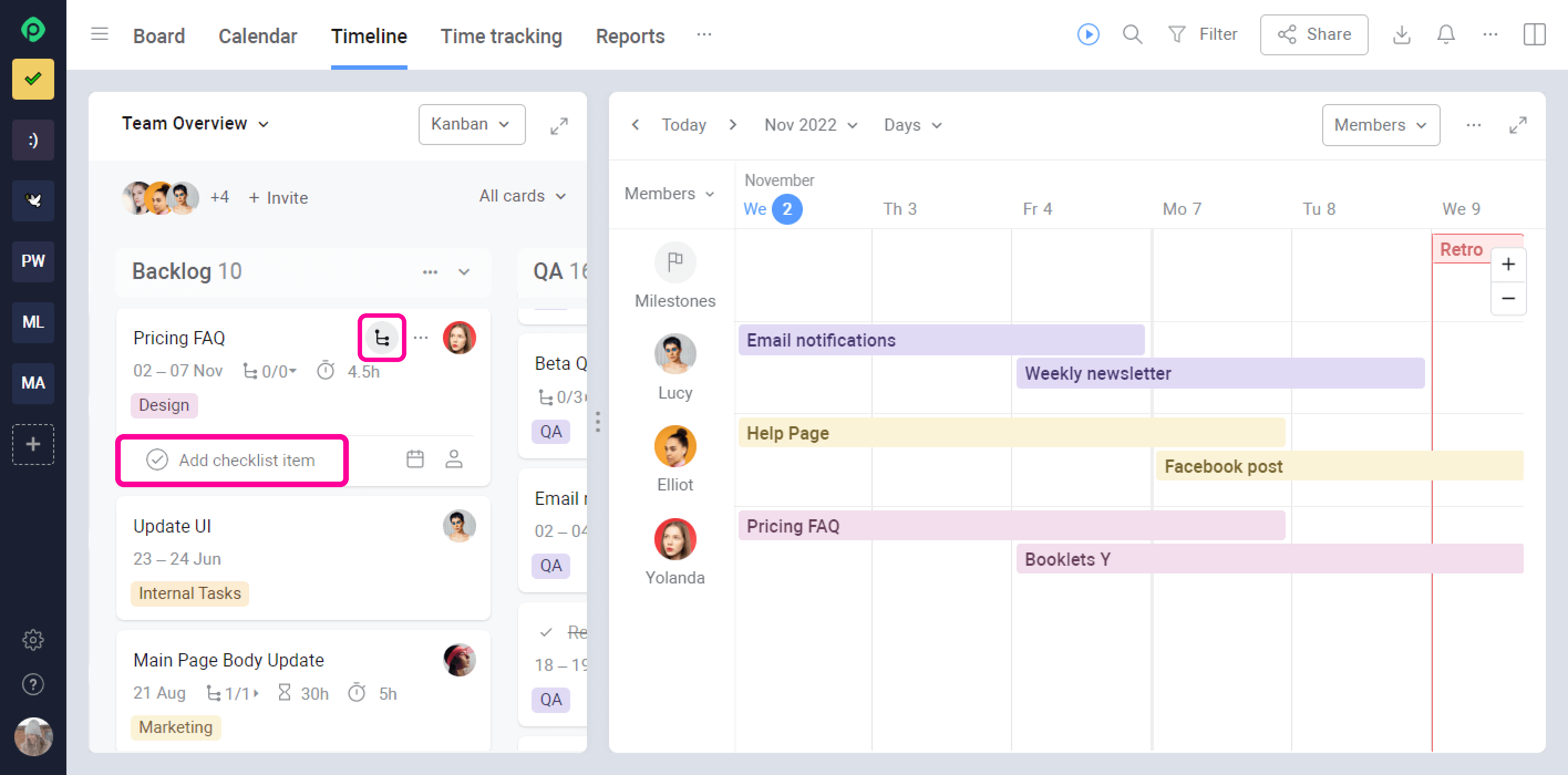
Image source: trello.com
Comment-based tracking
Team members often log working hours by leaving comments like "Worked one hour today" or "+30m bug fix." This keeps a chronological activity log attached to the task conversation, but searching, totaling, or reporting on those entries is slow and error-prone. There's also no validation, so inconsistent formatting and forgotten updates are common. Custom fields for hours
Trello's Custom Fields Power-Up lets teams add numeric fields such as "Estimated hours" or "Time spent." Team members manually update totals within each card as work progresses. While this is more structured than labels or comments, it still relies on memory and manual data entry, and there's no native timer, automated aggregation, or cross-project reporting without exporting data to other tools. Key limitations of manual tracking in Trello
- High manual effort: Time must be typed in or updated continuously.
- No timers: Trello does not offer real-time tracking or background timers.
- No consolidated reporting: Summaries by employee, project, or date require spreadsheets or external tools.
- Human error risk: Missed entries, inaccurate reporting, or inconsistent formatting reduce data reliability.
- No approvals or payroll workflows: Managers can't systematically review or validate logged hours.
Power-Ups and extensions for time tracking on Trello
Because Trello does not include native time tracking, teams rely on third-party Power-Ups and browser extensions to log work hours against cards. These tools bolt time tracking onto Trello's , but each comes with its own setup, billing model, and limitations.
Clockify Power-Up: Clockify is one of the most commonly used Trello time-tracking extensions. After connecting it to Trello, users can start and stop timers directly from cards or manually add time entries. The data syncs to Clockify dashboards for reporting, billable hours, and team utilization tracking. While it offers a generous free plan, accurate tracking depends entirely on team discipline; if timers aren't started or stopped correctly, reports become unreliable.
Everhour Power-Up: Everhour provides deeper reporting than many free tools, adding estimates, , and client billing features on top of basic timers. Users track time from Trello cards while managers monitor project budgets and utilization across external dashboards. However, most advanced features are available only in paid plans, and Everhour data lives outside Trello; switching between tools is required for reviews, invoicing, or payroll prep.
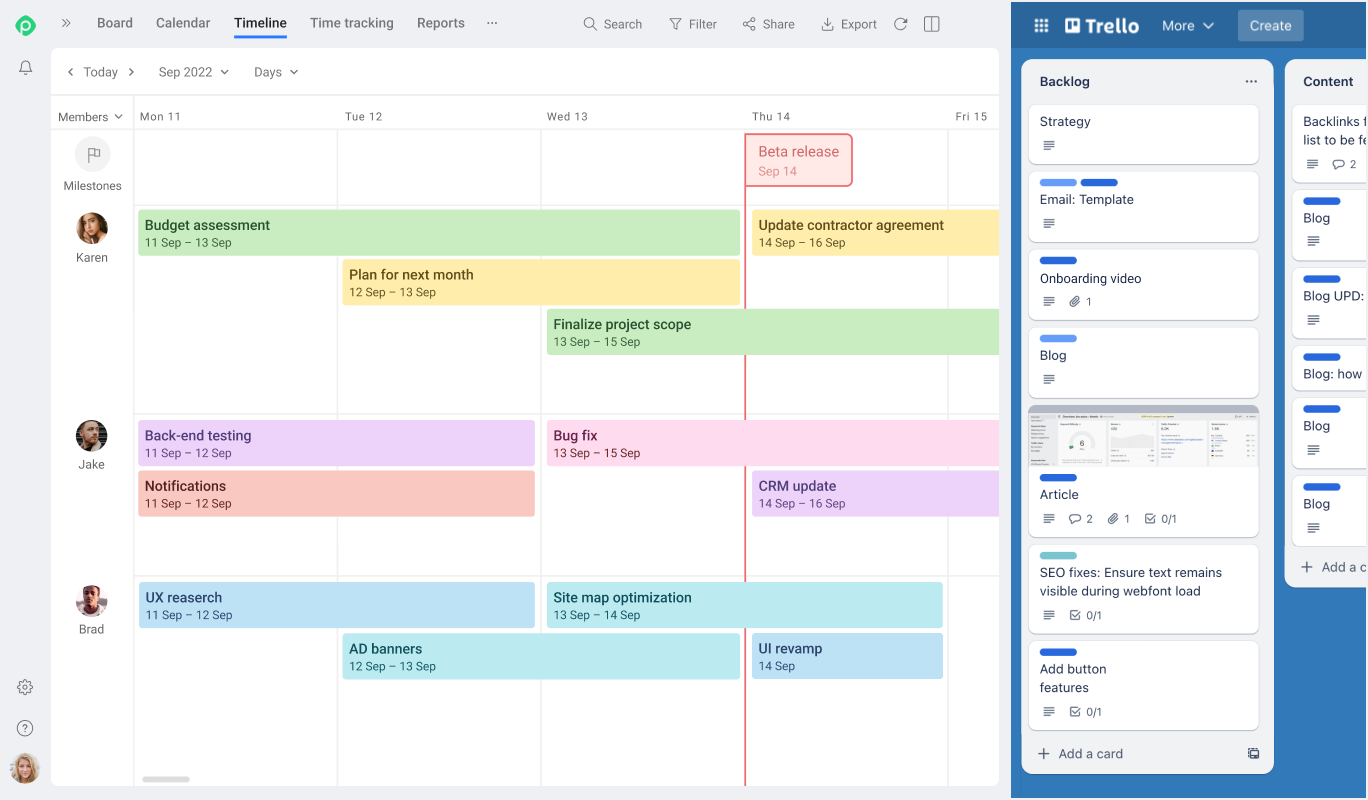
Image source: trello.com
Planyway Power-Up: Planyway focuses on alongside time tracking. It adds calendar views, Gantt-style timelines, and resource planning to Trello boards, allowing teams to track hours while also mapping deadlines and workloads. While powerful, Planyway introduces an entirely separate planning layer that must be maintained alongside Trello's boards, increasing setup complexity and subscription costs for growing teams.
TrackingTime Power-Up: TrackingTime connects Trello cards to its standalone time-tracking app. Teams can use simple start/stop timers and generate timesheets and reports. It's easy to deploy but offers fewer advanced workflow features than heavier tools. Reporting depth and automation options typically require paid accounts.
TimeCamp browser extension: TimeCamp works primarily through a browser plugin that detects Trello activity and lets users track time per card or project. It suits freelancers who want lightweight time capture with invoicing and billable reporting tools. However, functionality is browser-dependent, and mobile tracking and cross-device workflows are more restricted than dedicated workforce tracking systems.
General limitations of Trello time-tracking Power-Ups
While these extensions add functionality, they share common drawbacks:
- Fragmented workflows: Time-tracking data is usually stored in a separate rather than directly within Trello's project system.
- Additional subscriptions: Most serious reporting or billing features require extra paid tools beyond Trello itself.
- Manual accuracy risk: Reliance on individual timer behavior leads to missed logs or inflated hours.
- Limited workforce features: Attendance clock-ins, shift rules, , and approval workflows are not covered.
- Disconnected planning vs. execution: Gantt tools, calendars, tasks, and time logs often reside across multiple add-ons rather than in a single unified flow.
For small personal boards, power-ups can work as a stopgap. But as teams scale, needing structured timesheets, approvals, workforce attendance, and real-time project cost dashboards, a broad stack of add-ons quickly becomes more complicated to manage than a unified platform designed for end-to-end time and work tracking.
Pros and cons of tracking time directly in Trello
While time tracking in Trello can work for basic use, it comes with clear advantages and limitations. Understanding these helps teams decide whether to stick with Trello or explore more integrated alternatives.
Pros
- Stays inside familiar boards: Teams continue working within the same Trello boards they already use. There's no need to switch between multiple platforms for simple task updates. This keeps workflow continuity intact for small projects or personal boards.
- Visual card-based workflow: , checklists, or labels stay attached to individual cards, maintaining Trello's visual and intuitive structure. Users can see tasks and progress at a glance. This makes lightweight tracking easier to manage.
- Suitable for light personal tracking: For freelancers or solo projects, manual logging or Power-Ups may suffice. Basic tracking helps keep tabs on time spent without complex reporting needs. It's best suited for low-scale, low-stakes tasks.
Cons
- No built-in tracking: Trello doesn't provide native timers or automated time logs. All tracking relies on manual updates or third-party tools. This increases the risk of missing entries or errors.
- Multiple paid tools needed: Advanced reporting, client billing, or often require Power-Ups or external apps. Each tool may have its own subscription, adding cost and complexity.
- Limited approval & payroll workflows: Trello cannot route timesheets for managerial approvals or generate payroll-ready reports. Teams needing compliance or structured verification must use external solutions.
- Fragmented data: Time-tracking information often resides outside Trello, in separate dashboards. This fragmentation makes consolidated reporting, invoicing, and analysis difficult.
While Trello excels at maintaining familiar visual workflows and is sufficient for light, individual task tracking, its lack of native timer functionality and reliance on multiple, separately paid Power-Ups leads to fragmented data and increased administrative complexity. Teams are left struggling with missing entries, high costs, and limited compliance features because there are no built-in approval and . This challenge highlights the need for a truly integrated platform that combines visual task management with native, structured, and all-in-one time-tracking and approval capabilities, which is precisely what Lark provides.
Take control of the team's workflow differently
Meet Lark: Smart alternative to Trello time tracking
For teams struggling with Trello time tracking, managing multiple Power-Ups or manual methods can be cumbersome and error-prone. Lark offers a that combines , task management, , scheduling, and reporting in one place. By linking work hours directly to tasks and projects, it eliminates fragmented workflows. This makes time tracking with Trello unnecessary while providing a more accurate and efficient solution.
Attendance-based time tracking
Lark captures work hours through built-in clock-in and clock-out tools available on both desktop and mobile. Team members start and end their workday directly in the Attendance app, which automatically records timestamps, , highlights overtime, and flags late arrivals or early departures. Location rules, such as GPS or Wi-Fi validation, can be enabled for distributed or on-site teams, ensuring entries reflect real working locations. This approach removes the need for manual timers attached to individual cards and provides a more reliable baseline for payroll, billing, and productivity analysis. 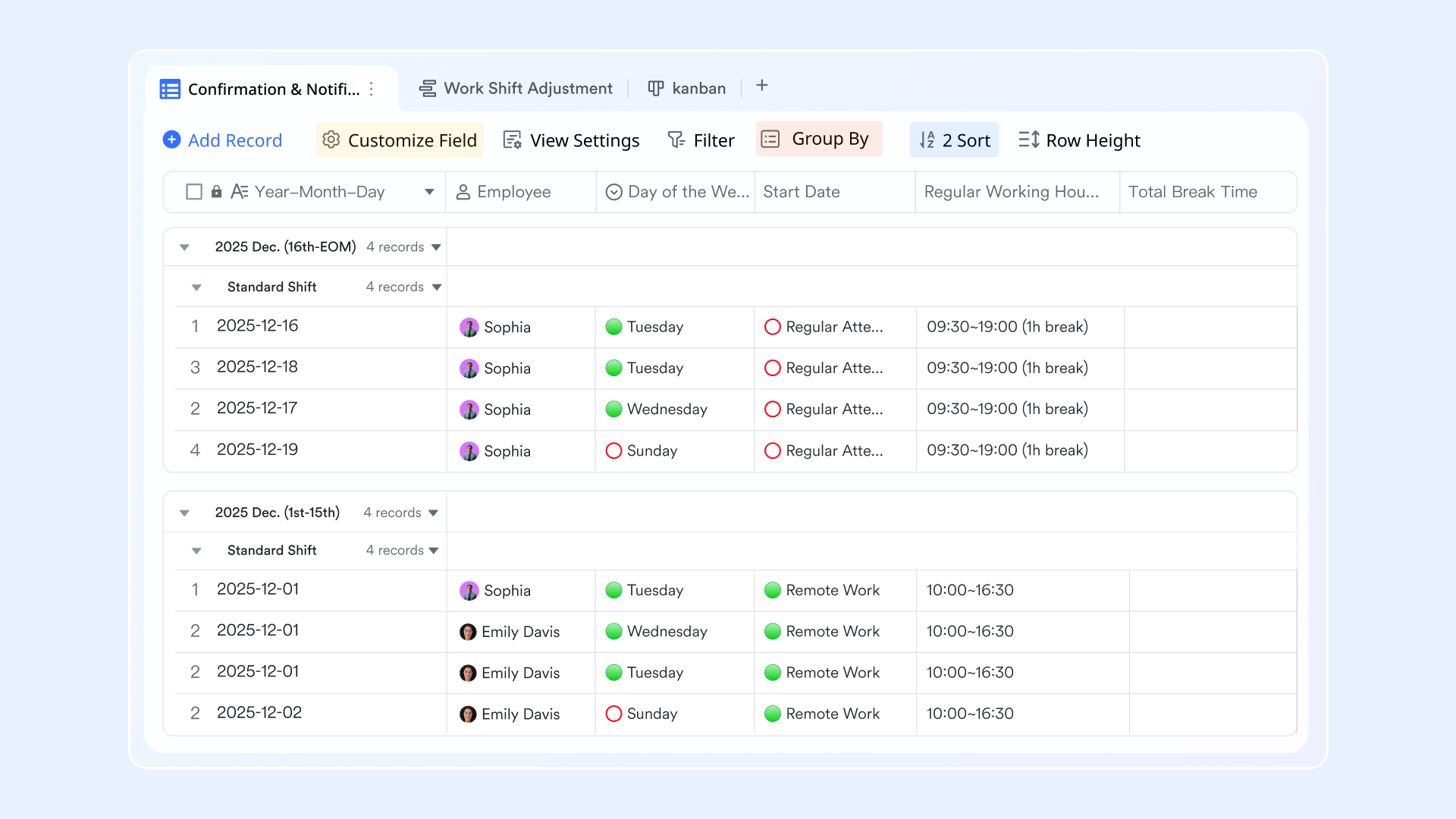
Task-based time linking
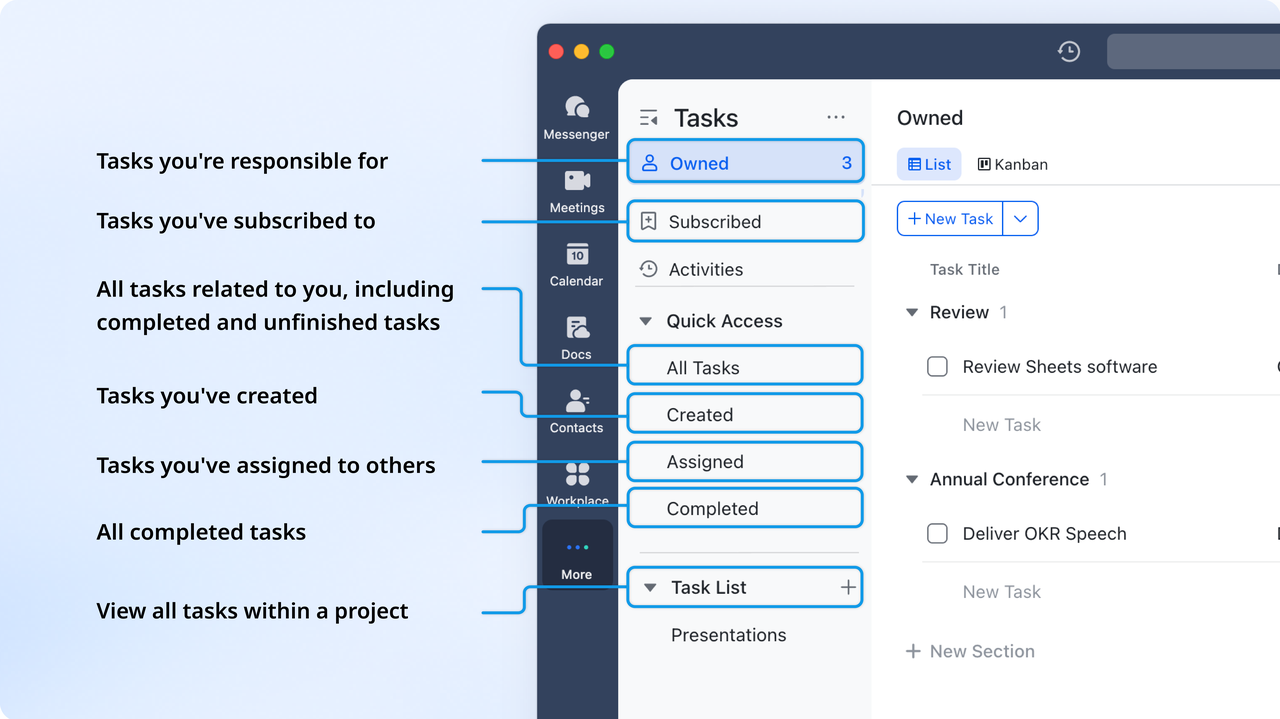
Instead of logging hours separately in third-party timers, Lark connects work time directly to tasks and project records. You can create and track tasks in Lark Tasks and Lark Base, set due dates, assign owners, and automate reminders. This is especially useful for freelancers, consultants, and agencies that need to attribute billable time to client projects or . Managers gain clear visibility into how time is allocated across priorities, while teams avoid mismatches between the work they perform and the time they report.
Gantt charts and workload planning
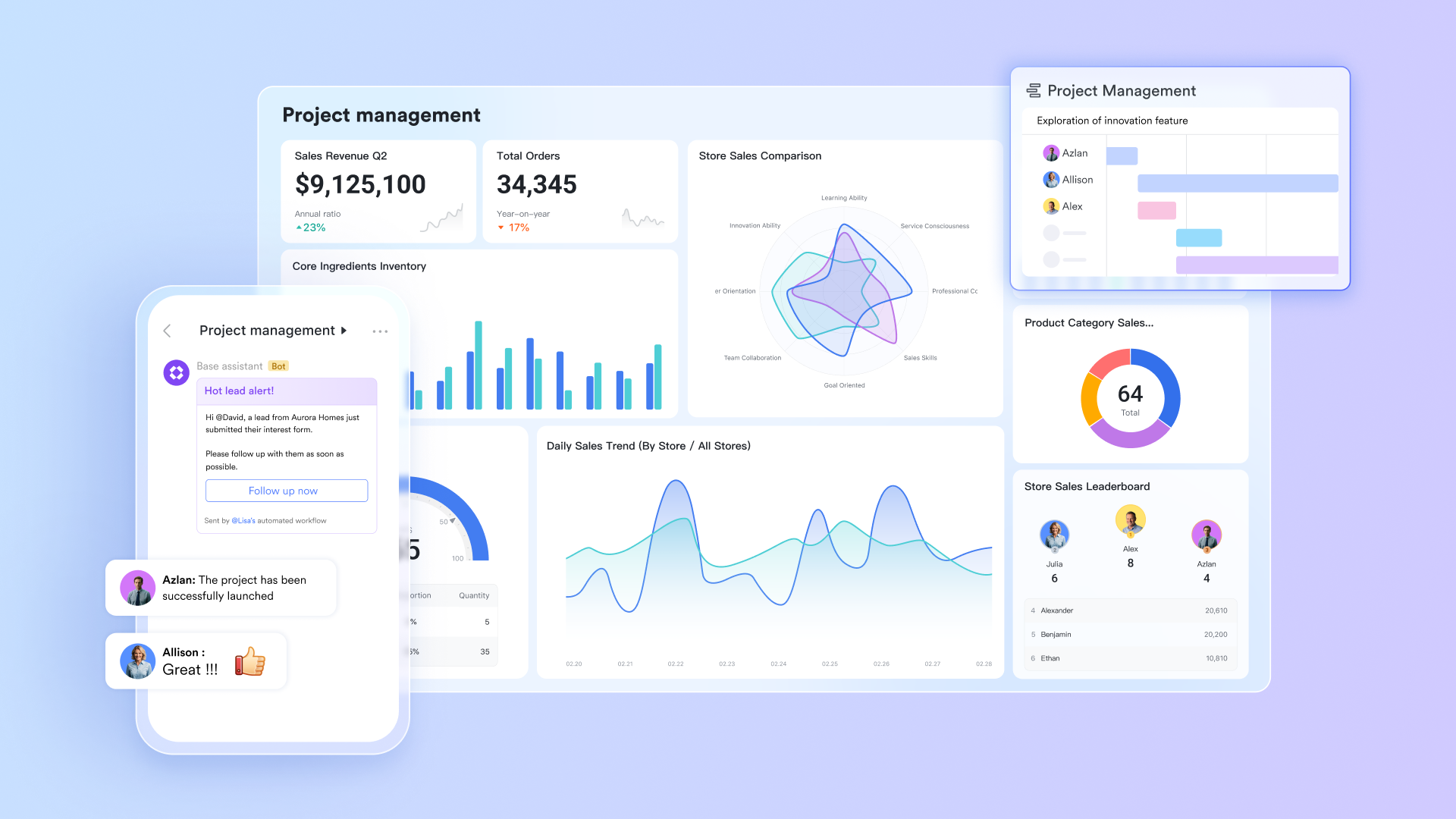
Lark's Gantt views in Base enable teams to visualize timelines, dependencies, and overlapping schedules across projects. Managers can see how tasks align with staff availability, spot resource bottlenecks, and rebalance workloads before delays occur. When combined with time-tracking data, Gantt charts show whether assigned schedules match actual capacity, highlighting underutilization or overbooking. This converts time tracking from a post-work reporting process into an active planning tool that supports more intelligent delivery forecasting. 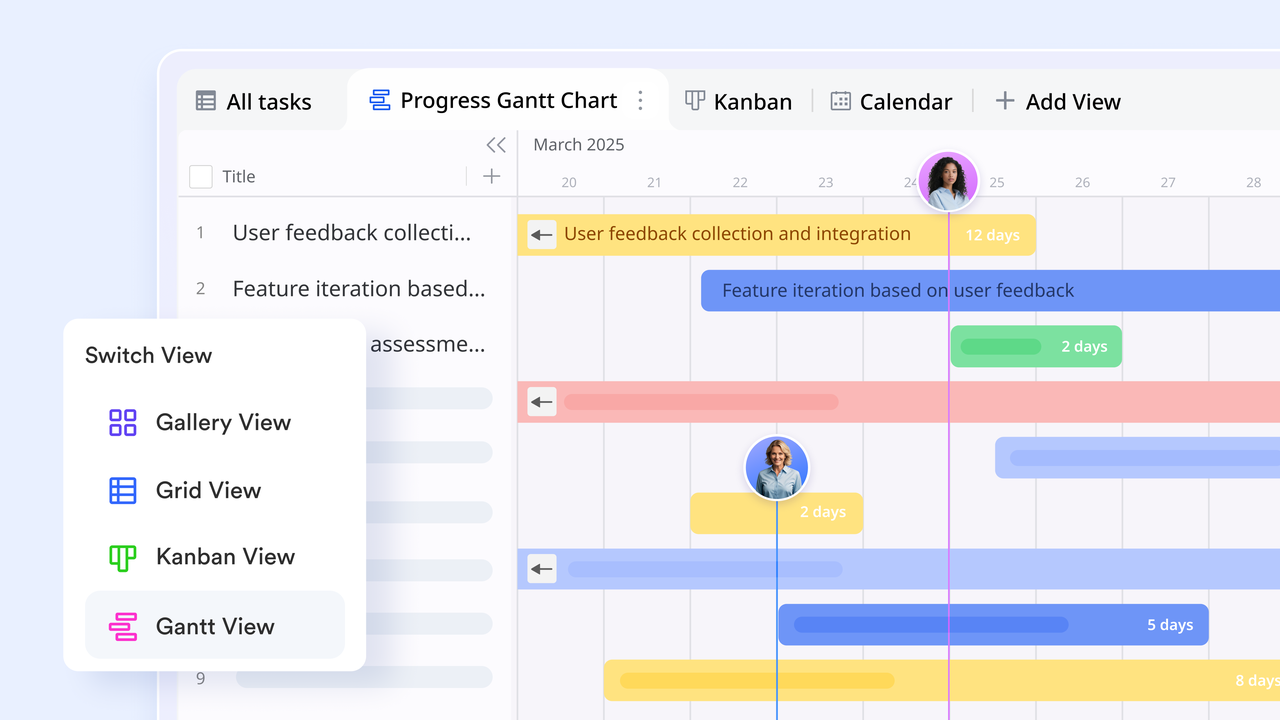
Dashboards for real-time reporting
Custom dashboards in Lark Base bring all time and productivity metrics into a single reporting hub. Teams can build views on project costs, billable versus non-billable hours, utilization rates by department or role, overtime exposure, and progress against deadlines. 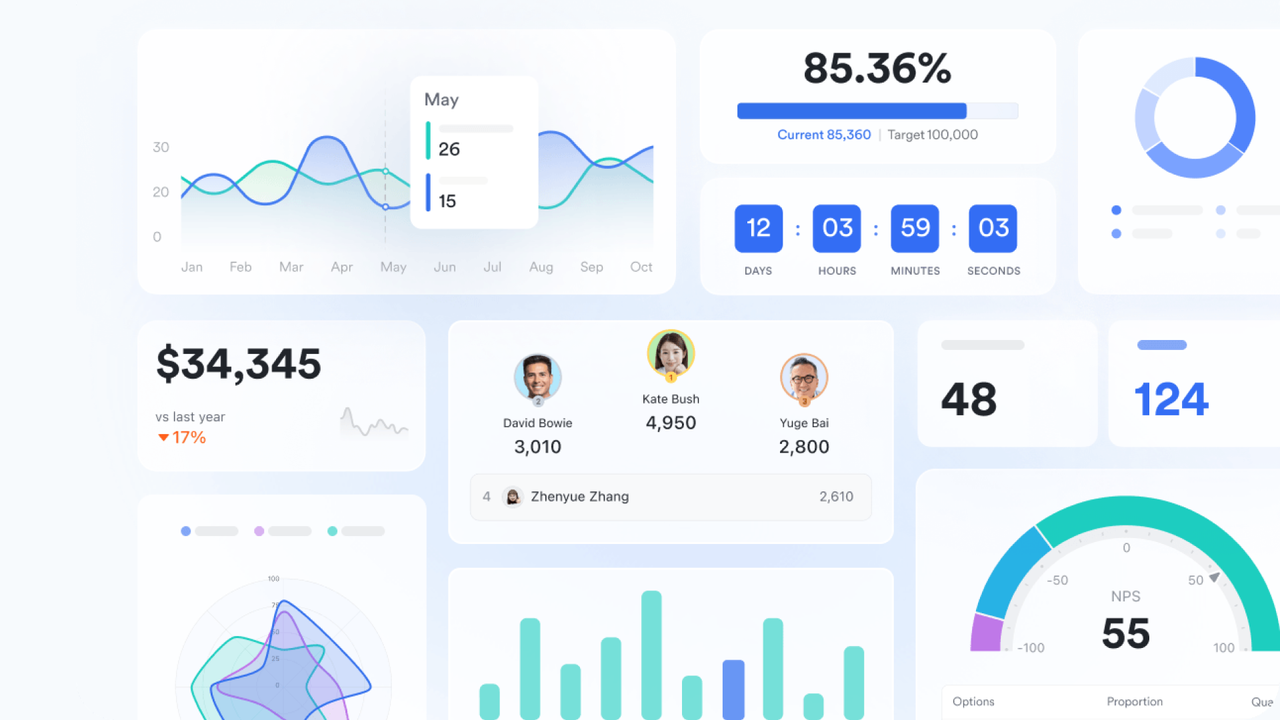
Calendar-based scheduling alignment
Lark Calendar links planned schedules directly with tracked work time. Shifts, deadlines, sprint cycles, and meeting blocks appear alongside attendance and , enabling teams to compare scheduled hours with logged hours. When work consistently exceeds planned capacity, managers see these gaps early and can adjust staffing or timelines. For freelancers and agencies, this alignment improves forecasting accuracy and supports capacity planning for future engagements. 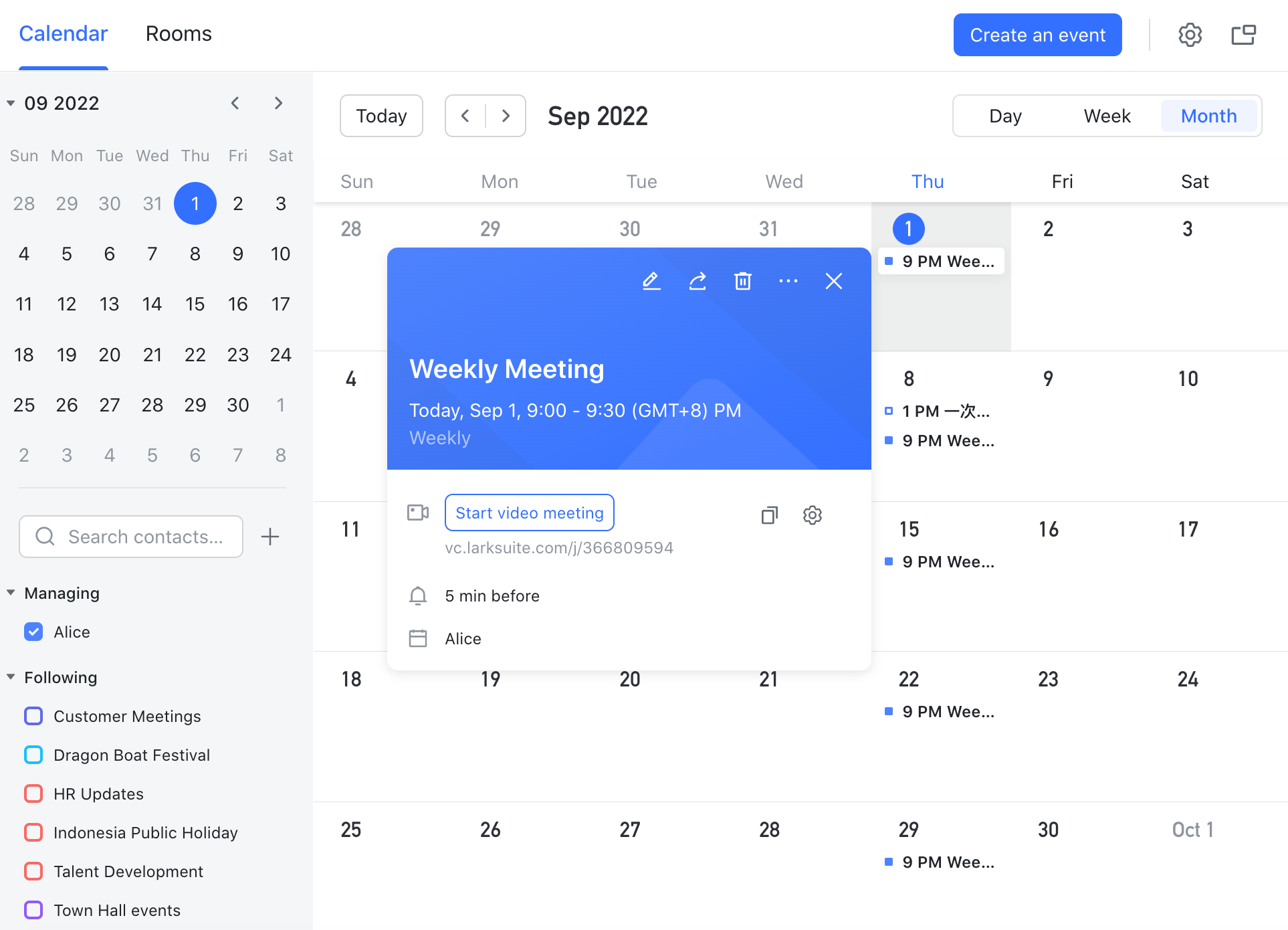
:
- Starter plan: Free forever plan that includes 11 powerful tools for up to 20 users. It also comes with 100GB of storage, 1000 automation runs, AI translations, and more.
- Basic plan: $6/user/month (billed annually) for up to 500 users. It includes everything in Starter plus group calling for up to 500 attendees, 5TB of storage, 1000 automation runs, and more. For more details, please .
- Pro plan: $12/user/month (billed annually) for up to 500 users. It includes everything in Basic plus group calling for up to 500 attendees, 15TB of storage, 50,000 automation runs, and more.
- Enterprise plan: for custom pricing. Supports unlimited users and includes even more automation runs and advanced security, compliance, and management features.
For small teams with simple communication needs

18 months message history
1000 Base automation runs/month
2000 rows per table in Base
Most POPULAR
For companies with comprehensive collaboration and management needs
Unlimited message history
500-participant video meetings
50k Base automation runs/month
20k rows per table in Base
For large companies with advanced security and organizational management needs
Get a personalized demo and pricing
Unlimited message history
500-participant video meetings
15 TB storage + 30 GB storage/user
500k Base automation runs/month
50k Base automation runs/month
Most POPULAR
For companies with comprehensive collaboration and management needs
Unlimited message history
500-participant video meetings
50k Base automation runs/month
20k rows per table in Base
When teams should move beyond Trello for time tracking
While Trello works for , specific scenarios reveal its limits for Trello time tracking. In these cases, relying on multiple Power-Ups or external tools becomes inefficient, and switching to an integrated platform like Lark is often a better solution.
- Scaling teams: As teams grow, manual logging and multiple Power-Ups become more complicated to manage. Consistency and accuracy suffer when more users are involved. An integrated platform ensures centralized tracking and reduces human error.
- Payroll preparation: Trello does not produce payroll-ready reports or approval workflows. Teams preparing salaries manually face high administrative overhead. Using a unified system streamlines timesheets, approvals, and compliance.
- Client billing: For agencies or freelancers, fragmented time data across boards and apps complicates invoicing. Billing errors or missed hours can affect revenue. A platform that links tracked time directly to tasks simplifies client invoicing.
- Multi-project tracking: Managing multiple boards and projects in Trello makes consolidated reporting difficult. Cross-project visibility is limited without exporting data to spreadsheets. Integrated solutions offer centralized dashboards for all projects and teams.
- Resource forecasting needs: Planning workloads, , or predicting capacity is challenging with Trello's manual tracking. Accurate forecasting requires real-time visibility into hours, availability, and deadlines. Platforms like Lark provide this data in one place.
Switching to a comprehensive platform avoids stacking multiple Power-Ups and ensures a smoother, more reliable time-tracking process for growing teams.
Conclusion
Tracking work hours is essential for accurate billing, project visibility, and efficient resource management. While Trello provides a flexible, visual workflow, it lacks native time tracking, forcing teams to rely on manual entries, checklists, or multiple Power-Ups. These workarounds may suffice for small projects, but become inefficient for scaling teams, multi-project tracking, payroll preparation, or client billing. Accurate reporting, approvals, and consolidated dashboards are challenging to achieve within Trello alone. For teams seeking a unified solution that combines task management, real-time tracking, reporting, and scheduling in a single platform, offers a seamless, reliable alternative.
Simplify team time management with Lark
FAQs
Is there a free way to track time on Trello without Power-Ups?
Trello itself does not provide native timers, so trello tracking time for free without Power-Ups relies on manual methods like checklists, labels, or comments. These basic approaches let you note hours directly on cards but require manual calculation and consistency. While it's suitable for personal boards, it's limited for teams needing accurate time tracking in Trello.
Which Trello time tracker is best for client invoicing?
For client billing, using a third-party on Trello tool like Everhour or Clockify, is ideal. They allow logging hours directly on cards, generating invoices, and tracking billable vs. non-billable time. Native Trello features are insufficient for accurate client invoicing. Teams looking for full-time tracking in Trello often rely on these integrations.
Can Trello time tracking support payroll calculations?
Trello alone cannot handle payroll as it lacks timers, approvals, and timesheet automation. Time tracking in Trello, whether via manual entries or Power-Ups, does not produce payroll-ready reports. Organizations needing accurate payroll require integrated tools that combine attendance, task hours, and approvals, rather than relying on fragmented Trello time tracking free methods. Which tool tracks time automatically without manual timers?
Most Trello add-ons still require users to start/stop timers, so fully automatic tracking time in Trello is rare. Tools like Lark or dedicated workforce platforms can automatically log hours based on attendance or task completion. In Trello, even Power-Ups only simplify manual logging, so seamless time tracking with Trello usually involves external automation.
Is it better to replace Trello instead of using Power-Ups?
For growing teams, stacking multiple Power-Ups for time tracking Trello and reporting often creates fragmented workflows. Replacing Trello with an integrated platform centralizes trello with time tracking, scheduling, and reporting in one place. This reduces manual effort, improves accuracy, and eliminates reliance on multiple disconnected tools for time tracking on Trello.
Related reading

















