


Business Process Automation Solutions: Tools, Use Cases & Best Picks

Ryan Tanner
Product Marketing Specialist
Aug 5, 2026
Ryan Tanner
Aug 5, 2026

25 min read


Business process automation solutions help organizations streamline operations, remove repetitive work, and improve efficiency through AI-driven workflows. As businesses scale, automation becomes essential for accuracy, faster cycles, and seamless cross-team execution. Modern AI solutions for business process automation also support more intelligent decision-making, better compliance, and remote-friendly operations.
Key takeaways: Top 8 business process automation tools
To help you evaluate which platform fits your needs, here are the top eight tools worth considering:
1. Lark: All-in-one collaboration platform with no-code workflow automation
2. Appian: Low-code automation platform for enterprise process transformation
3. Bizagi: Digital process automation platform for scalable workflows
4. Cflow: Cloud-based workflow automation software for growing teams
5. Nintex Workflow Cloud: Workflow automation and document management solution
6. Pega Platform: AI-powered process automation and intelligent decisioning
7. Microsoft Power Automate: Robotic process automation in Microsoft 365
8. Camunda: BPMN-based process orchestration for enterprise operations

Quick comparison table: 8 best business process automation solutions
Choosing the proper business process automation solutions depends on how your team works, how complex your processes are, and how much flexibility you need as operations scale. A quick side-by-side comparison helps clarify which platforms excel at low-code design, AI-driven automation, integration depth, or enterprise orchestration. The table below highlights key capabilities so you can evaluate each tool efficiently before exploring detailed features.
Information source: Official vendor sites
Update time: 2025-11-23
Note: Pricing and plan details reflect publicly available data as of the update date and may vary based on region, billing cycle, and number of agents.
What are business process automation solutions?
Business process automation solutions use technology to streamline tasks, eliminate repetitive work, and standardize the way teams operate across departments. They integrate apps, data, and workflows into a unified system that runs processes automatically with minimal human involvement. Modern platforms increasingly include AI solutions for business process automation, enabling predictive decisions, real-time insights, and smarter routing. These tools support remote collaboration, reduce errors, and make everyday operations more efficient, scalable, and easier to manage as organizations grow.
Benefits of using business process automation solutions
Business process automation solutions offer both immediate and long-term value by reducing manual work, improving accuracy, and enabling AI solutions. These platforms simplify complex processes, help teams operate more efficiently, and ensure organizations maintain quality as they scale. By standardizing workflows, BPA(Business Process Automation) tools create predictability, strengthen compliance efforts, and enhance end-to-end visibility. Below are key benefits that apply across industries and business sizes.
- Efficiency and cost reduction: Automation replaces manual effort with repeatable workflows that run consistently, reducing labor costs and improving output. By eliminating routine data entry, follow-ups, and approval delays, teams save hours each week. Cost savings expand as processes scale, especially for high-volume operations. Automation also minimizes dependence on temporary staffing, creating a far more predictable cost structure for growing businesses.
- Faster cycle times: Automated workflows move information instantly between systems, eliminating bottlenecks caused by human delays. Whether triggering an automated approval for purchase orders, onboarding employees, or processing invoices, tasks progress without waiting for manual intervention. This leads to faster turnaround times and smoother customer experiences. Organizations handling large transactional volumes gain the most value.
- Reduced manual errors: Manual work increases the risk of mistakes, duplicated entries, or missing information. Business process automation ensures data flows accurately between tools without retyping or reformatting. This improves data integrity across finance, HR, IT, and sales workflows. Fewer errors also reduce the time spent on corrections or rework.
- Improved compliance: Automated workflows help maintain audit trails, standardized steps, and consistent communication, all of which strengthen compliance. BPA tools enforce predefined processes so teams follow approved rules every time. This is especially useful for regulated industries with strict documentation and reporting requirements. Automation supports smooth audit readiness.
- Workforce productivity: By removing routine and repetitive tasks, BPA solutions allow teams to focus on analysis, strategy, and customer-facing work. Employees spend more time on high-value tasks that drive growth. This contributes to higher job satisfaction and better overall performance across teams handling high workloads.
- Scalability for growing organizations: As operations expand, manual processes often break down or become bottlenecks. Automation scales easily across teams, departments, and locations without increasing administrative load. Organizations can maintain performance even as transaction volume grows, making BPA a long-term foundation for sustainable scaling.
Types of business processes that benefit most from automation
Automation becomes most valuable in processes where teams repeat tasks frequently, rely on structured data, or require cross-functional coordination. Business process automation solutions help standardize workflows across HR, finance, IT, sales, and customer-facing operations, especially in remote or distributed teams. With AI-driven business process automation solutions, organizations eliminate delays, reduce friction, and maintain consistency across high-volume processes. Below are the categories that benefit the most from automation.
- Administrative workflows: Routine approvals, document routing, scheduling, and record updates become smoother when automated. These workflows often involve predictable rules and repeated steps, making them perfect candidates for automation. BPA systems help administrative teams handle a large workload with fewer bottlenecks, improving turnaround times.
- HR and onboarding: Automating onboarding steps, document collection, training workflows, and role provisioning reduces administrative burden and accelerates employee ramp-up. HR teams gain consistent processes that improve candidate and new hire experiences. BPA ensures tasks progress without delays caused by manual coordination.
- Procurement and finance: Purchase requests, vendor approvals, invoice processing, and payment routing greatly benefit from automation. BPA tools reduce errors, improve spend visibility, and ensure finance teams maintain compliance. Automated workflows also help prevent duplicate invoices and missed approvals.
- Sales and CRM: Automating lead assignment, follow-ups, pipeline updates, and qualification rules helps sales teams react faster and maintain cleaner data. BPA ensures no opportunity slips through gaps and allows your crm software to remain up to date in real time.
- IT operations: Ticket routing, access requests, system monitoring, and incident reporting are ideal for automation. BPA helps IT teams manage high ticket volumes and ensures issues follow the correct escalation paths. Automated logs support better operational oversight.
- Customer support: Ticket categorization, SLA-based routing, and notification workflows help support customer service teams respond faster and maintain service quality. Automation reduces handling time and ensures customers receive timely updates.
- Compliance and governance: BPA helps organizations maintain consistent documentation, structured approval flows, and audit trails for regulated operations. Automation supports risk management, internal policy enforcement, and cross-border compliance reporting.
Top use cases of business process automation
Business process automation solutions support a wide range of real-world use cases across industries and team functions. From finance and HR to IT and supply chain, automation helps ensure work progresses smoothly without manual effort. As organizations shift toward digital and remote business process automation solutions, BPA tools become essential for continuity, accuracy, and scale. Below are the most impactful automation scenarios commonly adopted by modern teams.
- Employee onboarding: Automating offer acceptance, document submission, training assignments, and system provisioning accelerates employee onboarding while maintaining consistency. BPA reduces HR workload and ensures every new hire follows the same structured path.
- Purchase order management: Automation streamlines the purchase order process, approval chains, vendor communication, and fulfillment updates. This reduces procurement delays and ensures spend visibility in real time.
- Invoice processing: BPA eliminates manual entry by extracting invoice data, verifying details, and routing approvals automatically. Finance teams reduce errors in invoice management and speed up payments significantly.
- Contract lifecycle management: Automated workflows in contract management track contract creation, review cycles, stakeholder approvals, renewals, and compliance checks. This improves visibility and reduces legal risk.
- Customer support ticketing: BPA categorizes tickets, routes them to the right teams, and sends timely updates. Support teams handle inquiries more efficiently with fewer delays.
- Lead assignment and qualification: Automated scoring and routing help sales identify the best leads and opportunities quickly. This improves response time and pipeline quality.
- IT service management: Automating ticket triage, system alerts, escalation rules, and change requests improves IT responsiveness and system reliability.
- Inventory and supply chain workflows: BPA supports order and inventory tracking, stock updates, vendor communication, and delivery alerts, helping operations run more smoothly.
- Compliance logging and audit trails: Automatically capture key actions, approvals, and data changes to strengthen compliance and audit readiness without extra manual work.
8 Best business process automation solutions
1. Lark: No-code workflow automation and all-in-one collaboration platform
Lark brings automation, communication, and collaboration into a single workspace, allowing teams to streamline workflows without relying on disconnected tools. Its no-code automation engine helps teams build structured processes that connect documents, tasks, approvals, and databases effortlessly. Because everything lives inside the same platform, coordination becomes faster and more transparent. Lark supports real-time collaboration, making it easier for teams to adapt workflows as operations scale. Its unified environment ensures consistency, reduces integration overhead, and simplifies long-term process management.
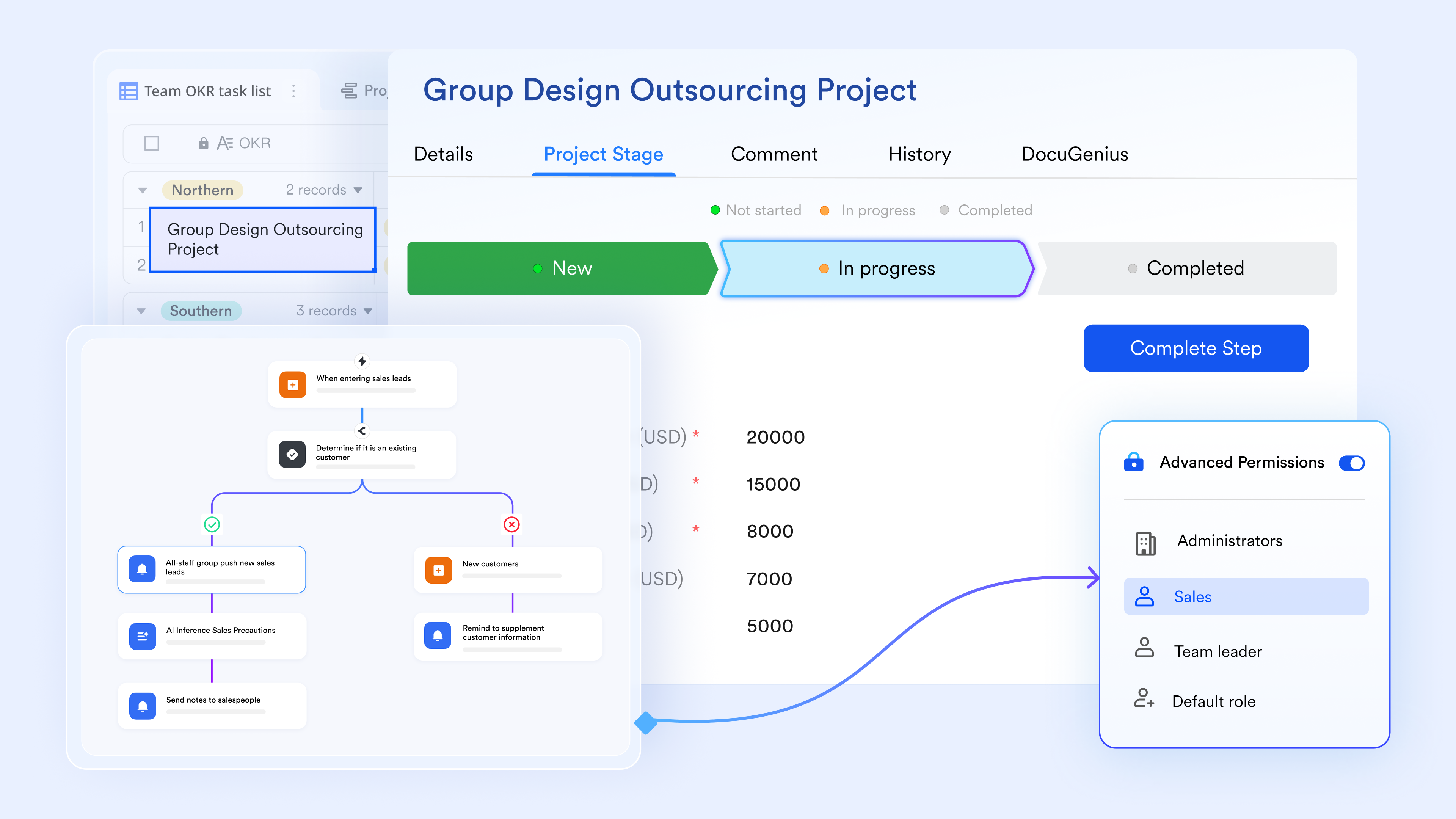
Process triggers that keep work moving automatically
In Lark Base, the automation feature allows teams to define process triggers and actions that activate whenever specific conditions occur. These may include new entries, status changes, deadlines approaching, or updates in related fields. Instead of relying on someone to manually push work forward, the process progresses the moment the required condition is met.
Example:
A company manages vendor onboarding through Lark Base.
- When a new vendor form is submitted, a trigger automatically assigns the record to the procurement lead.
- If the status remains "pending review" for more than 48 hours, another trigger posts an alert in Messenger to nudge the reviewer.
- When the vendor is approved, the trigger creates a task list of next steps such as contract upload, compliance checks, and account setup.
The entire flow advances without delays, ensuring no request gets stuck in silent queues.
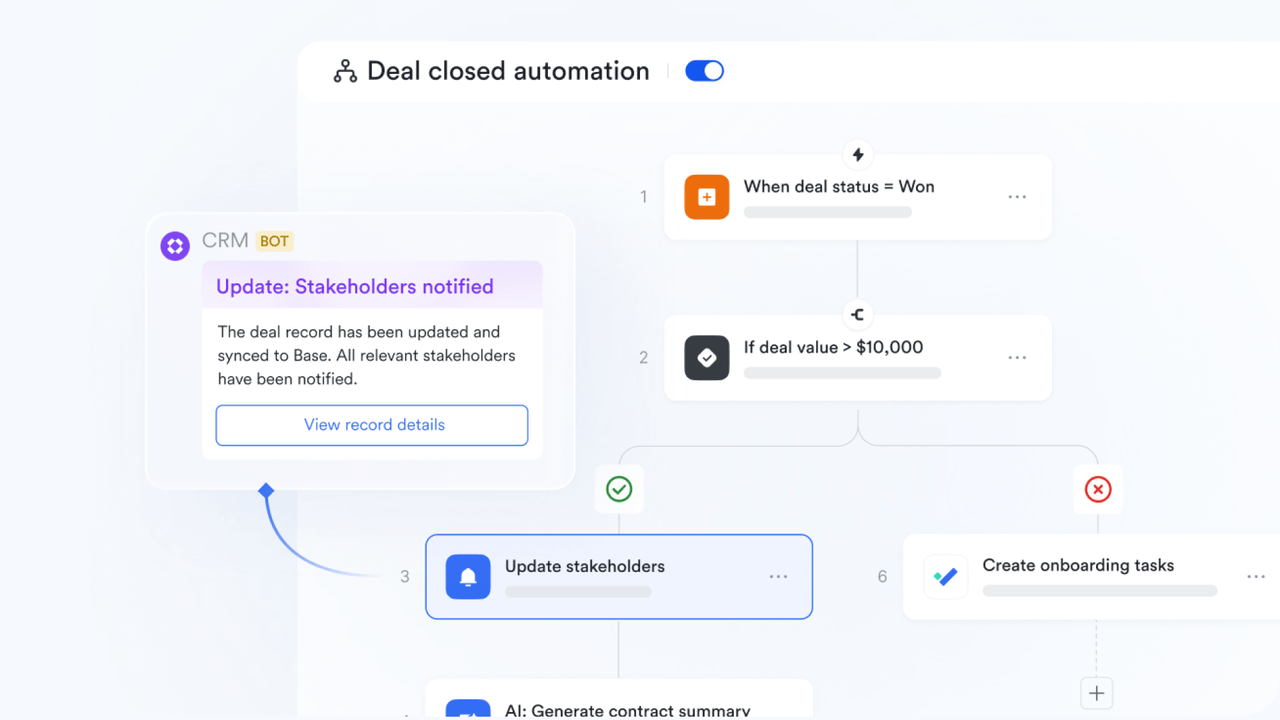
Centralized process records for operational clarity
Business processes generate information at every step—forms, notes, checklists, comments, and attachments. Lark Base captures all of these as structured Base records, keeping everything organized and eliminating the scattered storage typical in email or file drives. Each record becomes a living process file with full visibility.
Example:
An HR team runs their employee onboarding process in Lark Base.
- Each new hire record contains their role, start date, department, device requests, training needs, and documents.
- Views show active onboardings by week, pending tasks, and department-specific needs.
- Managers can switch to a timeline view to see how onboarding overlaps with other staffing activities.
Because all data stays unified, HR, IT, and hiring managers reference the same information at every point.
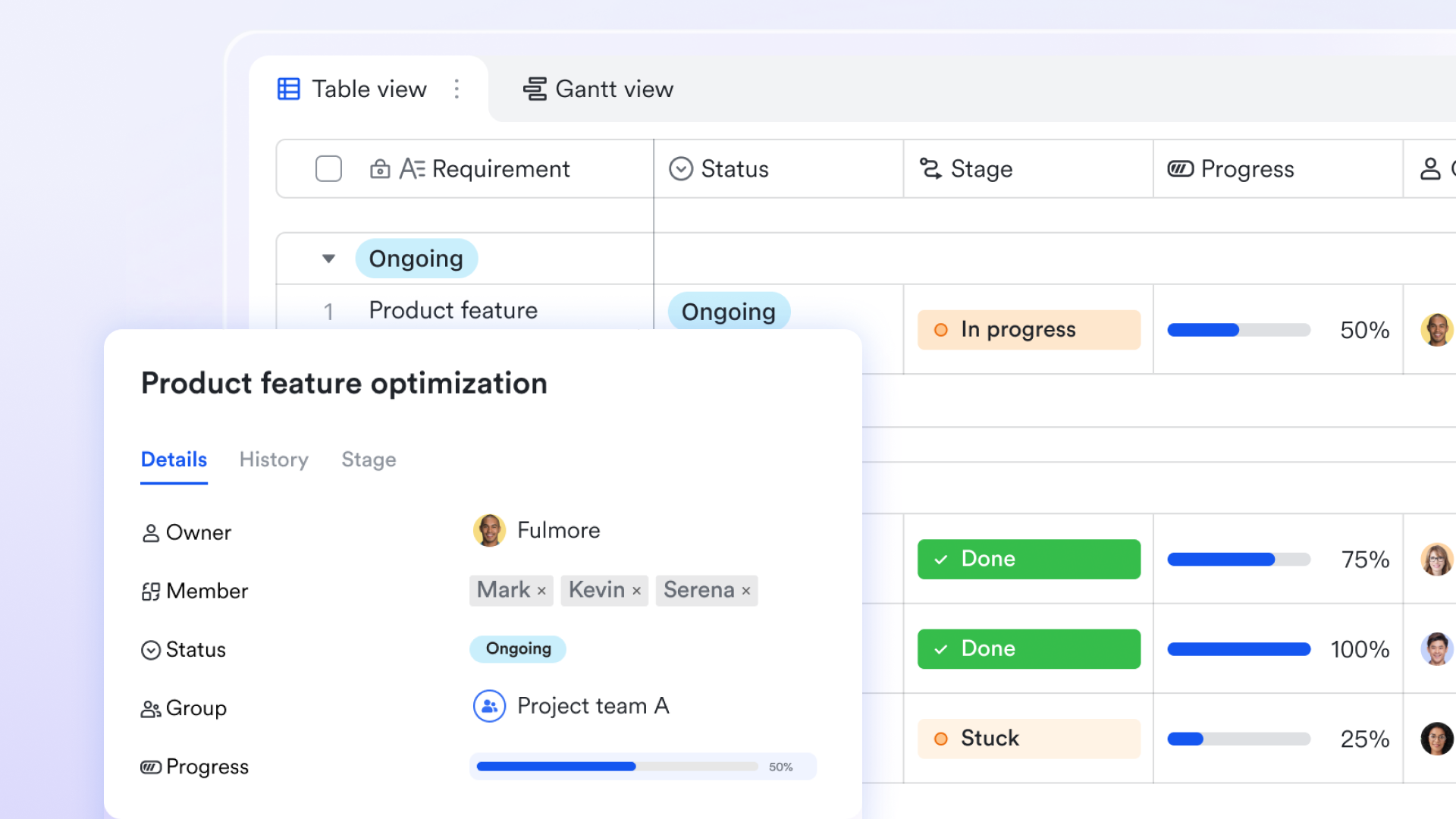
Actionable workloads generated from process steps
Instead of leaving follow-up actions open-ended, Lark Base automation can work with Lark Tasks to convert process steps into task assignments. With the configuration of action and triggers set to "when a new record is added" and "create a task," Lark Base will automatically create tasks for you. With a clean UI that includes categories such as "Owned", "Subscribed", "Created", or "Assigned", these tasks show deadlines, stakeholders, and contextual details, helping teams shift from reviewing process records to completing actual work.
Example:
In an expense reimbursement process:
- After you configure automation rules to "create a task" in the condition of "when a new record is added", the system creates tasks for finance reviewers when an employee submits a reimbursement request in Base.
- After finance approves it, a task is automatically created for the accounting team to schedule payment.
- If any supporting documents are missing, a task is generated for the employee to upload them with a clear due date.
Each stage becomes an actionable workload, making the process structured and predictable.
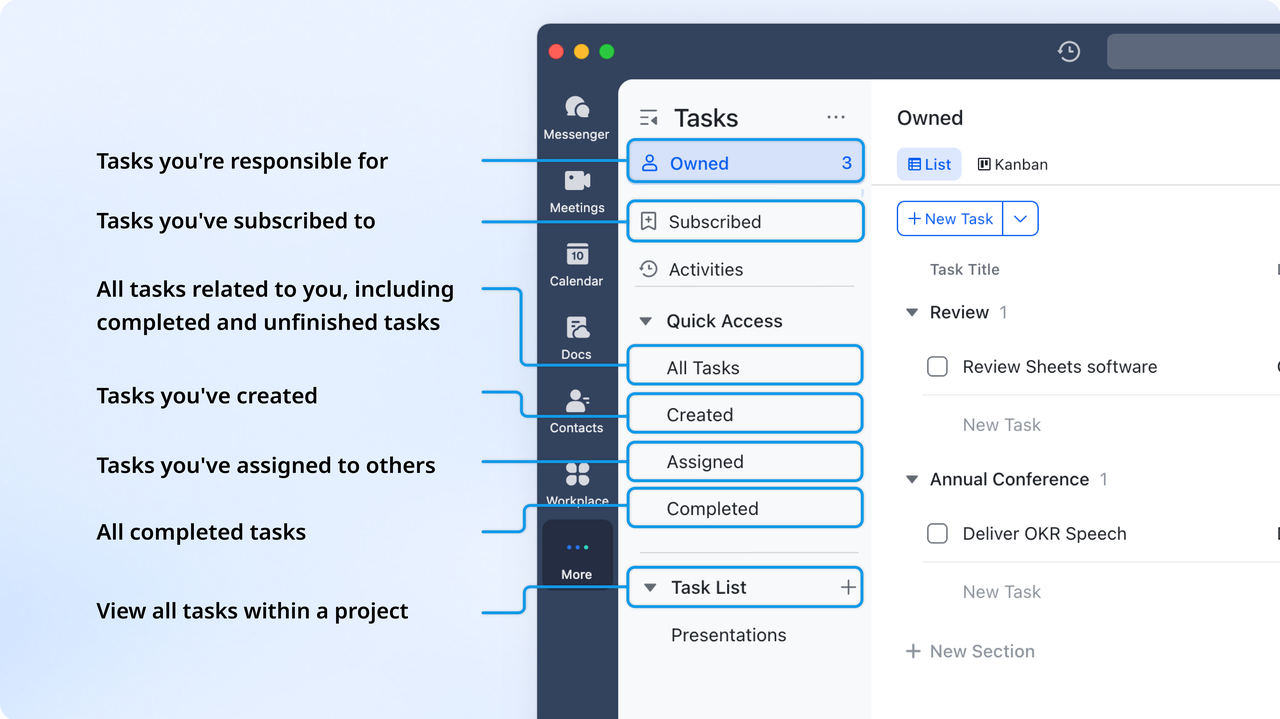
Decision checkpoints that enforce process discipline
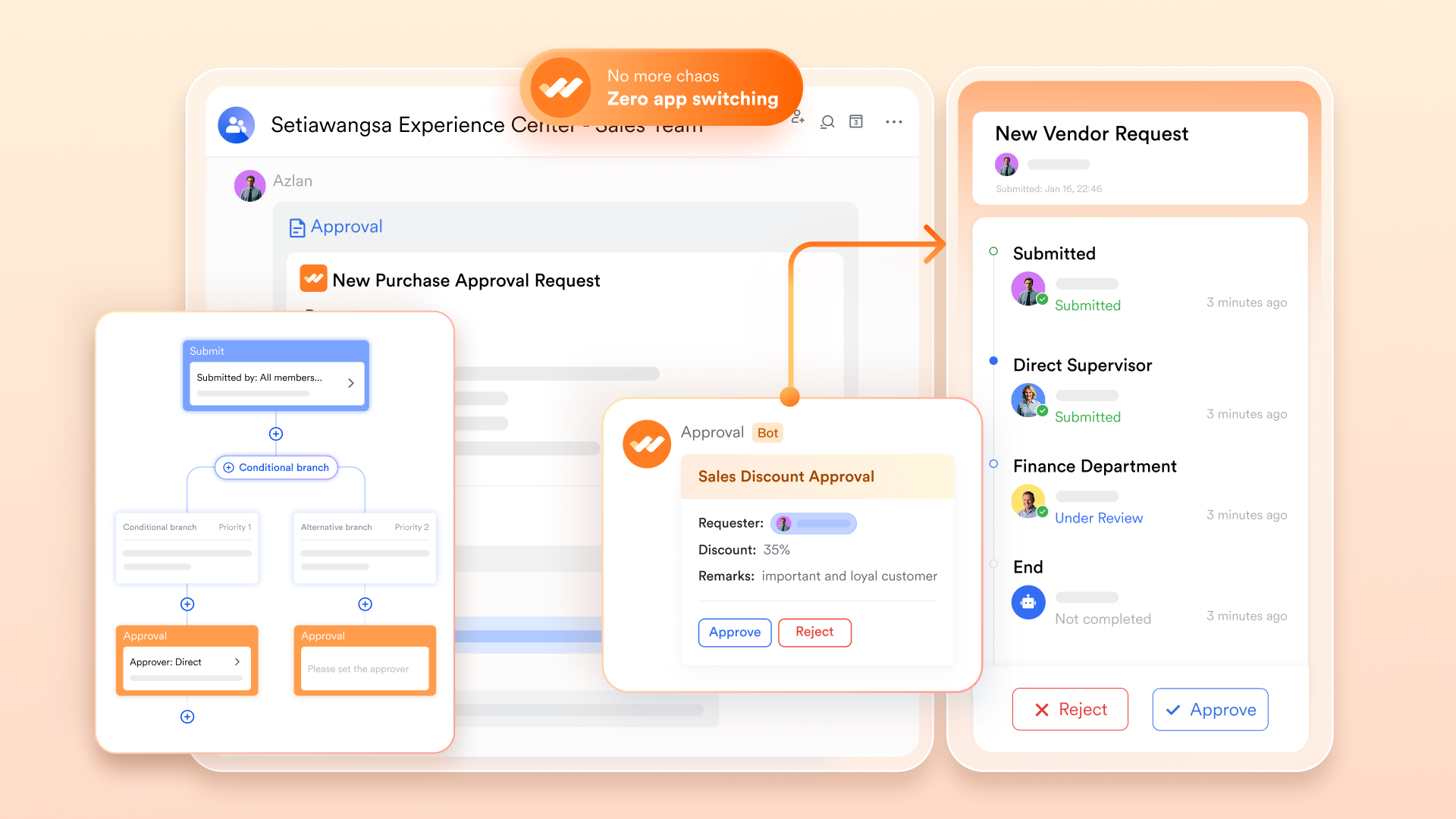
Many business processes require controlled decision-making—budget approvals, compliance checks, contract reviews, policy validations. Lark Approval inserts formal checkpoints that ensure decisions follow a consistent, traceable path. Each approval step is logged with timestamps, comments, and outcomes.
Example:
A marketing team requests budget support for new campaigns:
- Requests submitted in Base automatically move to Approval for the first review by the marketing manager.
- Once approved, the next checkpoint routes it to the finance director for budget confirmation.
- If the director requests revisions, the requester gets notified and the record updates automatically.
- The final approved entry becomes visible to the leadership dashboard for budget tracking.
This creates a compliant, auditable chain of decisions.
Collaborative spaces that keep process communication aligned
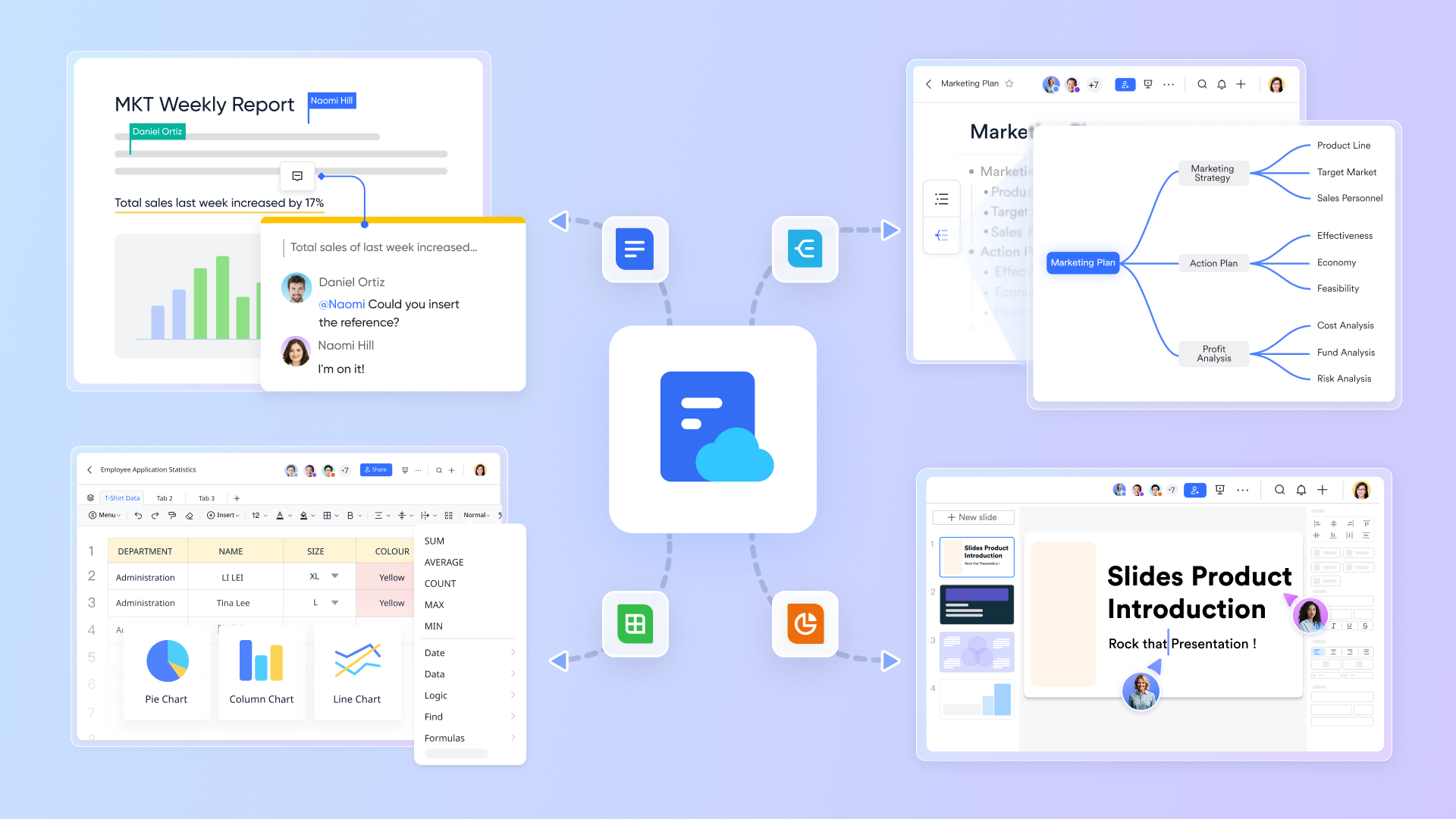
Lark connects process records with real-time communication, allowing teams to discuss workflows, clarify requests, draft supporting documents, or summarize decisions without shifting tools. Messenger, Docs, and Meetings remain linked to the process itself.
Example:
A product development team runs feature change requests through Lark:
- Engineers comment directly on the Base record to clarify requirements.
- A meeting is scheduled through Calendar, and the record is attached to the agenda.
- Generated AI Meeting notes can be saved in Docs for further discussion.
- The team discusses final adjustments in Messenger, where the conversation stays tied to the same record.
Every conversation, file, and decision stays within the workflow, eliminating gaps caused by tool-switching.
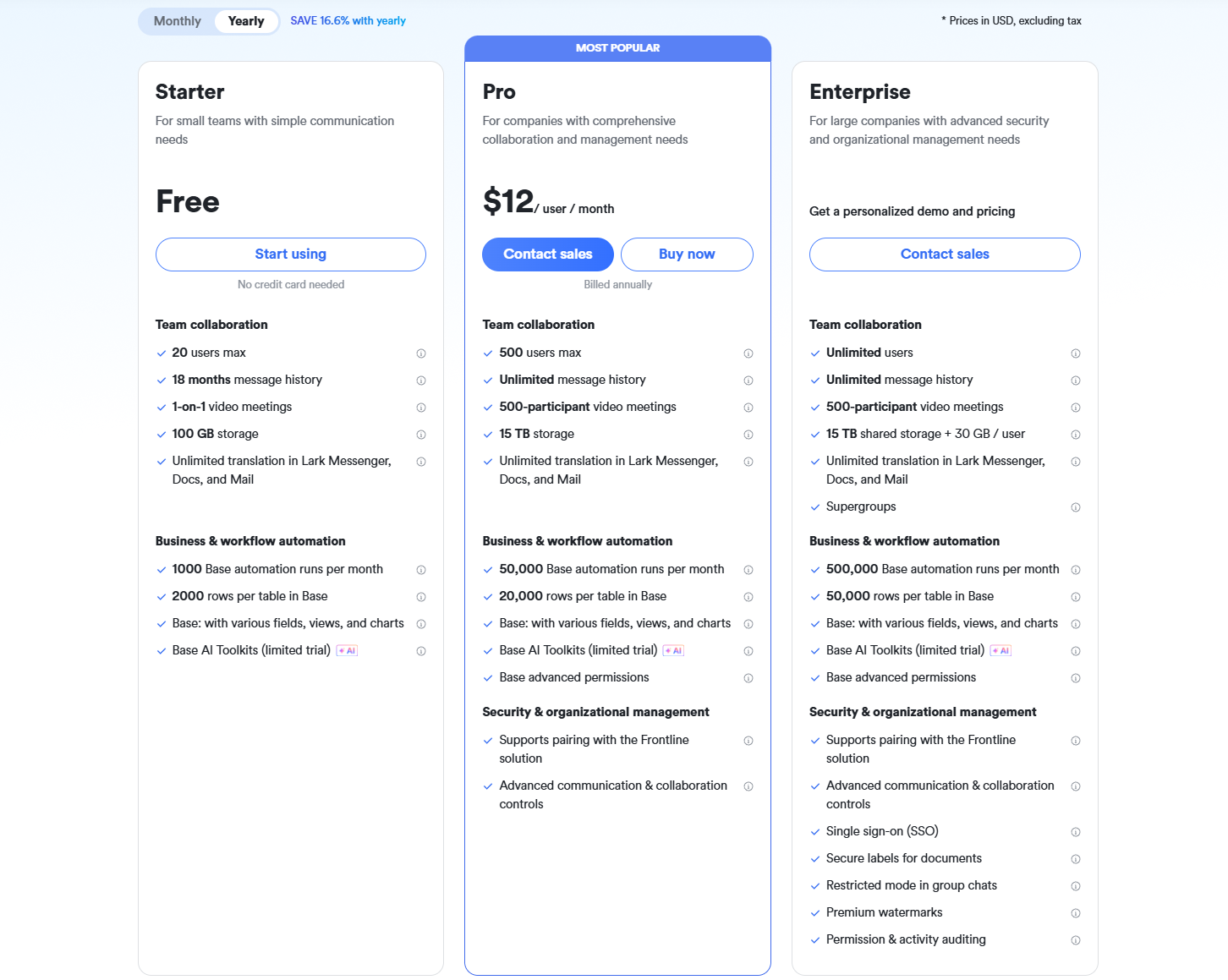
- Starter plan: Free forever plan that includes 11 powerful tools for up to 20 users. It also comes with 100GB of storage, 1000 automation runs, AI translations, and more.
- Basic plan: $6/user/month (billed annually) for up to 500 users. It includes everything in Starter plus group calling for up to 500 attendees, 5TB of storage, 1000 automation runs, and more. For more details, please contact sales.
- Pro plan: $12/user/month (billed annually) for up to 500 users. It includes everything in the Basic plan, plus group calling for up to 500 attendees, 15 TB of storage, 50,000 automation runs, and more.
- Enterprise plan: Contact sales for custom pricing. Supports unlimited users and includes even more automation runs and advanced security, compliance, and management features.
2. Appian: Low-code automation platform for enterprise process transformation
Appian is built for organizations that need enterprise-grade automation with strong governance, deep integration capabilities, and robust workflow orchestration. Its low-code design environment helps technical and non-technical teams build complex processes with speed while still maintaining compliance and auditability. Appian excels in industries that require structured workflows such as finance, insurance, and government. Its AI-powered recommendations and process insights improve decision-making across multi-step operations. With strong scalability, Appian supports large deployments and mission-critical workflows that require reliability.
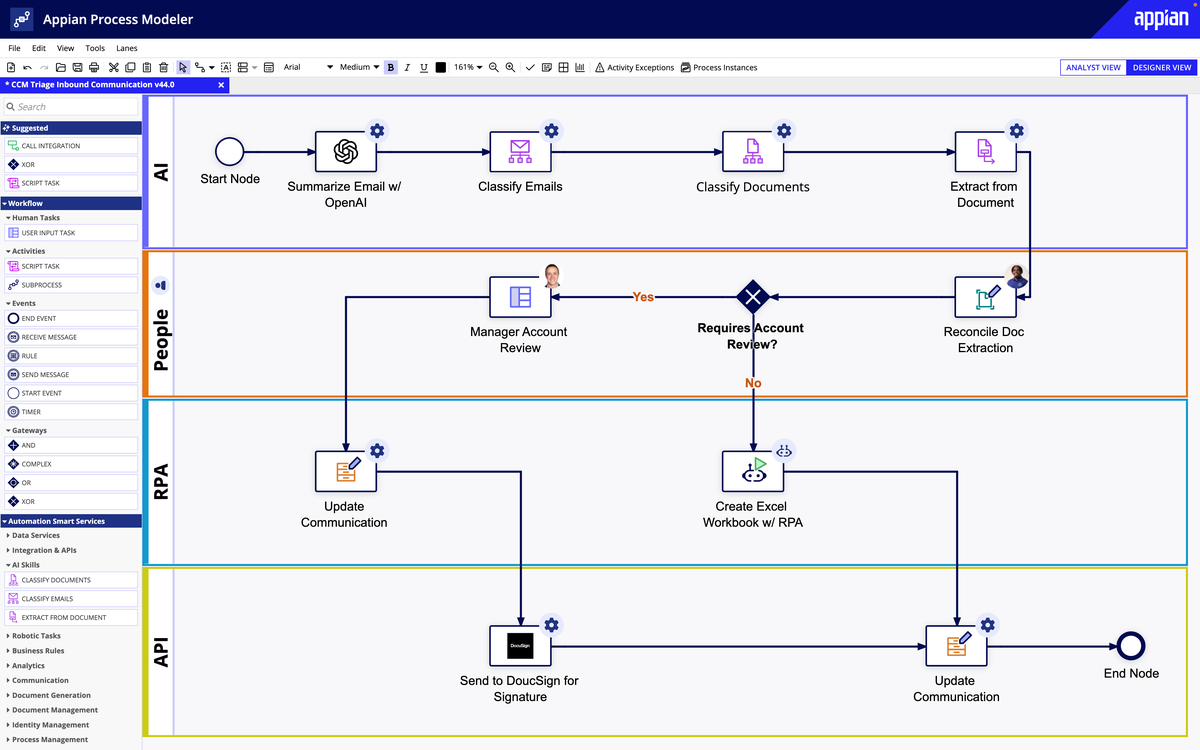
Image source: appain.com
Key features:
- Low-code designer for building enterprise workflows
- AI-assisted process modeling and optimization
- Strong case management and governance controls
- Prebuilt integrations for legacy and cloud systems
Pros:
- Highly reliable for regulated industries
- Excellent scalability for large process volumes
- Strong native analytics and process intelligence
- Built-in governance for controlled deployments
Cons:
- Steeper learning curve for new users
- Higher cost for enterprise implementations
Pricing:
- Free: Community Edition (up to 15 users).
- Starter: $75/user/month (basic low-code apps).
- Premium: Custom ($100+/user/month; AI/automation).
- Enterprise: Custom pricing (unlimited apps, dedicated support)
3. Bizagi: Digital process automation platform for scalable workflows
Bizagi helps organizations digitize and automate complex business processes with a modeling-first approach that ensures clarity before implementation. Its BPMN-based workflow builder enables teams to map processes visually and automate them with precision. Bizagi supports on-premise and cloud deployments, making it suitable for enterprises with strict data residency requirements. It integrates well with ERP, CRM, and legacy systems, allowing organizations to modernize without heavy redevelopment. Bizagi is especially valuable for teams prioritizing process transparency and optimization.
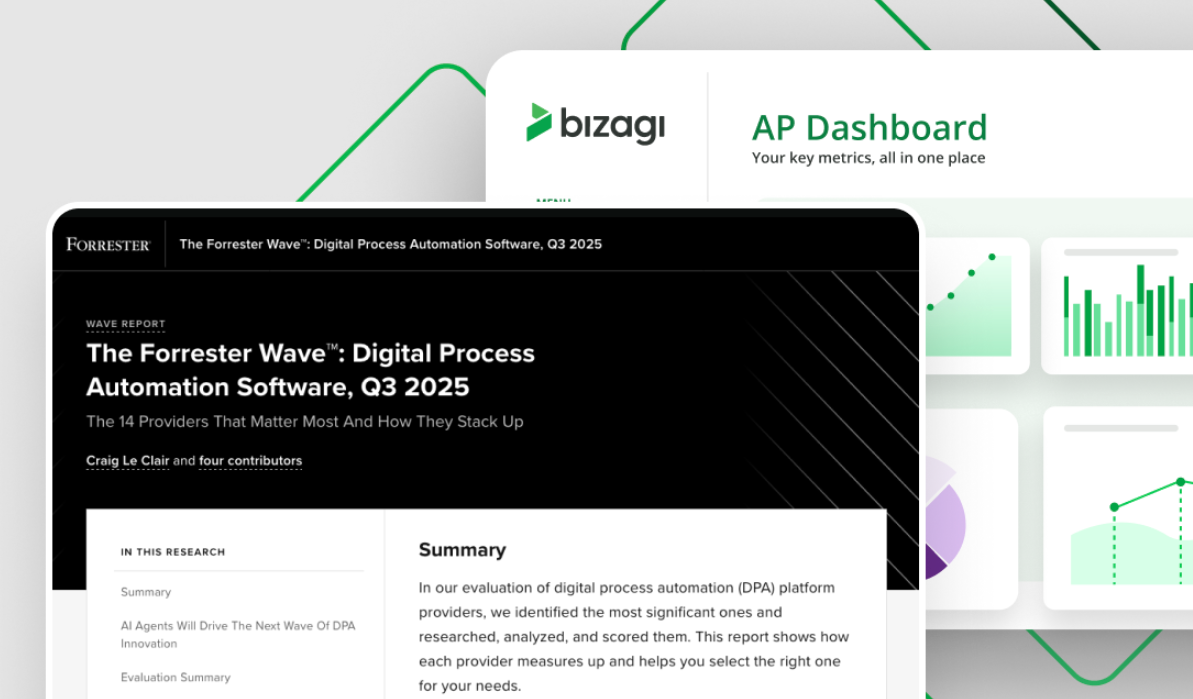
Image source: bizagi.com
Key features:
- BPMN-based workflow modeling
- Cloud and on-premise deployment options
- Advanced integration with ERP and CRM systems
- Process simulation and optimization tools
Pros:
- Strong visualization for complex workflows
- Flexible deployment for global organizations
- Great for modernization of legacy-heavy environments
- Reliable performance for high-volume processes
Cons:
- Requires training for advanced features
- Interface feels technical for non-experts
Pricing:
- Free: Personal/Community Edition (basic modeling, self-hosted).
- Team: $10/user/month (collaboration, sharing).
- Business: $20/user/month (advanced features, integrations).
- Enterprise: Custom pricing (unlimited users, consumption-based).
4. Cflow: Cloud-based workflow automation software for growing teams
Cflow is designed for small and mid-sized teams that need simple, cloud-based automation without the complexity of enterprise platforms. It offers an intuitive no-code builder that helps teams automate approvals, forms, and multi-step workflows quickly. Cflow's strength lies in its ease of use, affordability, and ability to support remote business process automation solutions. Its dashboard and analytics tools make it easy to track performance and optimize processes over time. For teams wanting standardization without technical overhead, Cflow is a strong fit.
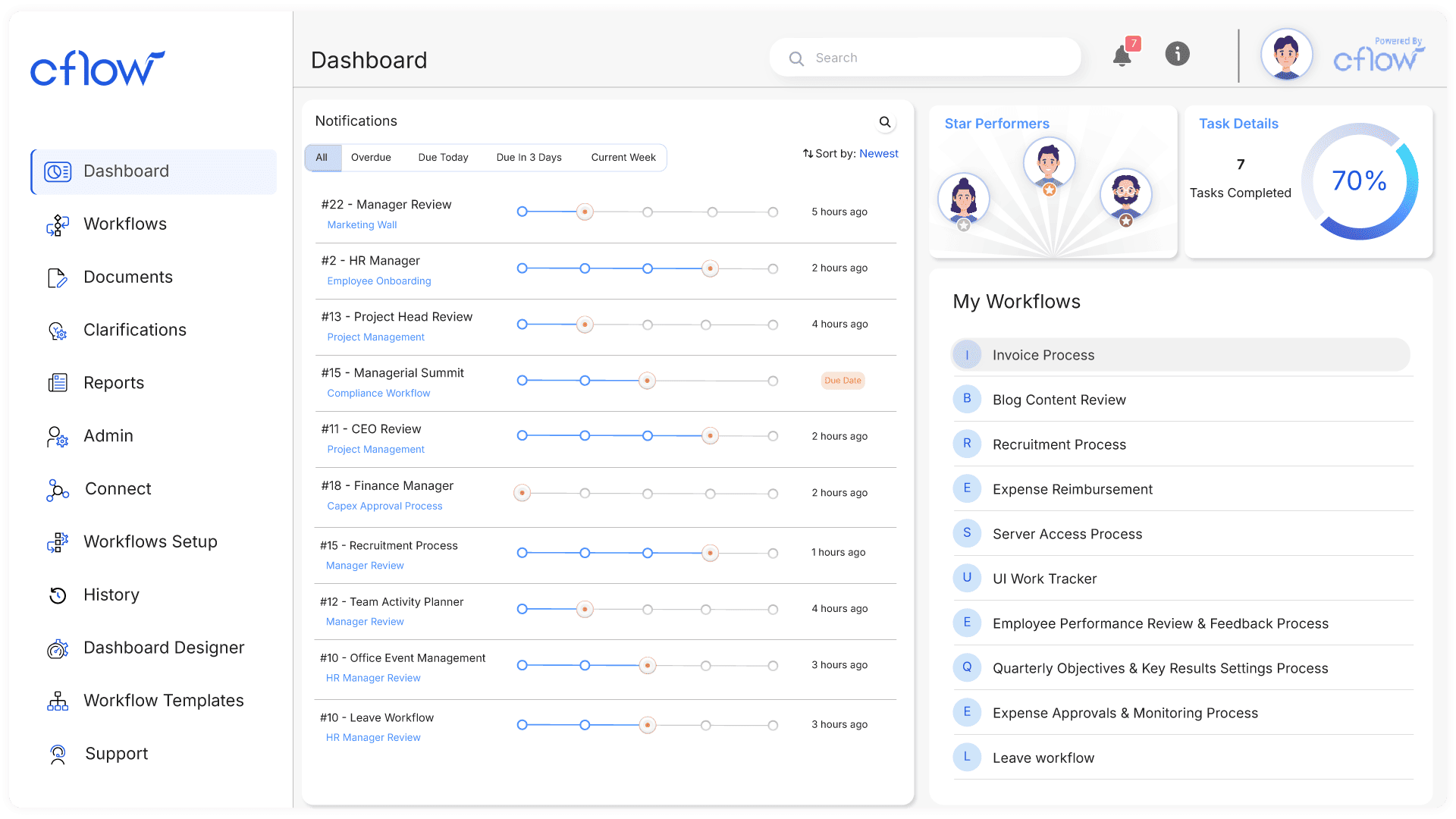
Image source: cflowapps.com
Key features:
- No-code workflow builder
- Easy form creation and drag-and-drop routing
- Cloud-based deployment with secure storage
- Built-in reporting and analytics
Pros:
- Very easy for non-technical users
- Affordable for growing teams
- Fast setup with minimal IT involvement
- Supports remote-friendly operations
Cons:
- Limited for highly complex logic
- Fewer enterprise-grade integration options
Pricing:
- Free: No free plan (free trial available).
- Joy/Startup: $7/user/month (up to 10 users, basic workflows).
- Bliss/Growth: $16/user/month (advanced rules, unlimited processes).
- Enterprise: Custom ($22/user/month or quote-based for 50+ users).
5. Nintex Workflow Cloud: Workflow automation and document management solution
Nintex specializes in automating document-intensive workflows, making it ideal for operations, HR, procurement, and compliance-heavy teams. Its powerful forms, e-signature tools, and document generation capabilities support end-to-end process automation. Nintex also provides strong integration with SharePoint, Office 365, Salesforce, and other business platforms. The visual designer helps teams build workflows quickly, while its analytics provide insight into process performance. Nintex is best for organizations that handle large volumes of documents and structured approval chains.
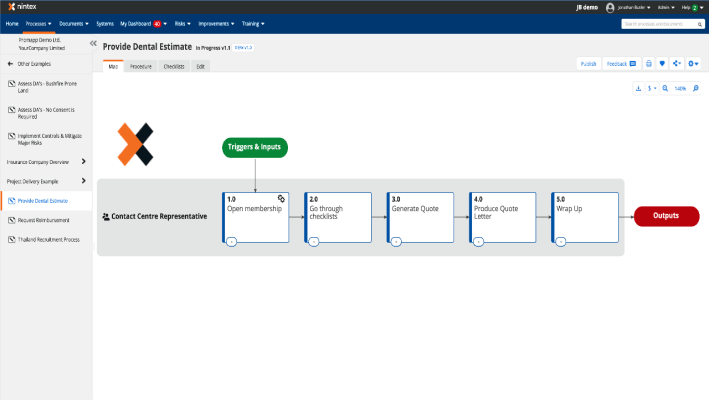
Image source: nintex.com
Key features:
- Advanced workflow and forms designer
- Native e-signature and document automation
- Deep integration with Microsoft ecosystem
- Strong governance and audit controls
Pros:
- Excellent for document-heavy processes
- Intuitive visual builder
- Strong enterprise security features
- Reliable integration with Microsoft tools
Cons:
- Can become expensive at scale
- Limited flexibility for highly technical logic
Pricing:
- Free: No free plan (free trial available).
- Basic: $625/month flat (unlimited users, 10 workflows).
- Professional: $1,500/month (advanced forms, integrations).
- Enterprise: Custom pricing (unlimited workflows, AI agents).
6. Pega Platform: AI-powered process automation and intelligent decisioning
Pega delivers advanced AI-driven business process automation solutions designed for organizations that require intelligent routing, decisioning, and adaptive workflows. Its real-time decision engine analyzes context and customer behavior to drive next-best actions across processes. Pega is widely used in banking, telecom, insurance, and large enterprises that manage high-volume transactions. Its case management and predictive analytics help teams optimize operations dynamically. Pega's architecture supports massive scalability, making it ideal for complex enterprise automation programs.
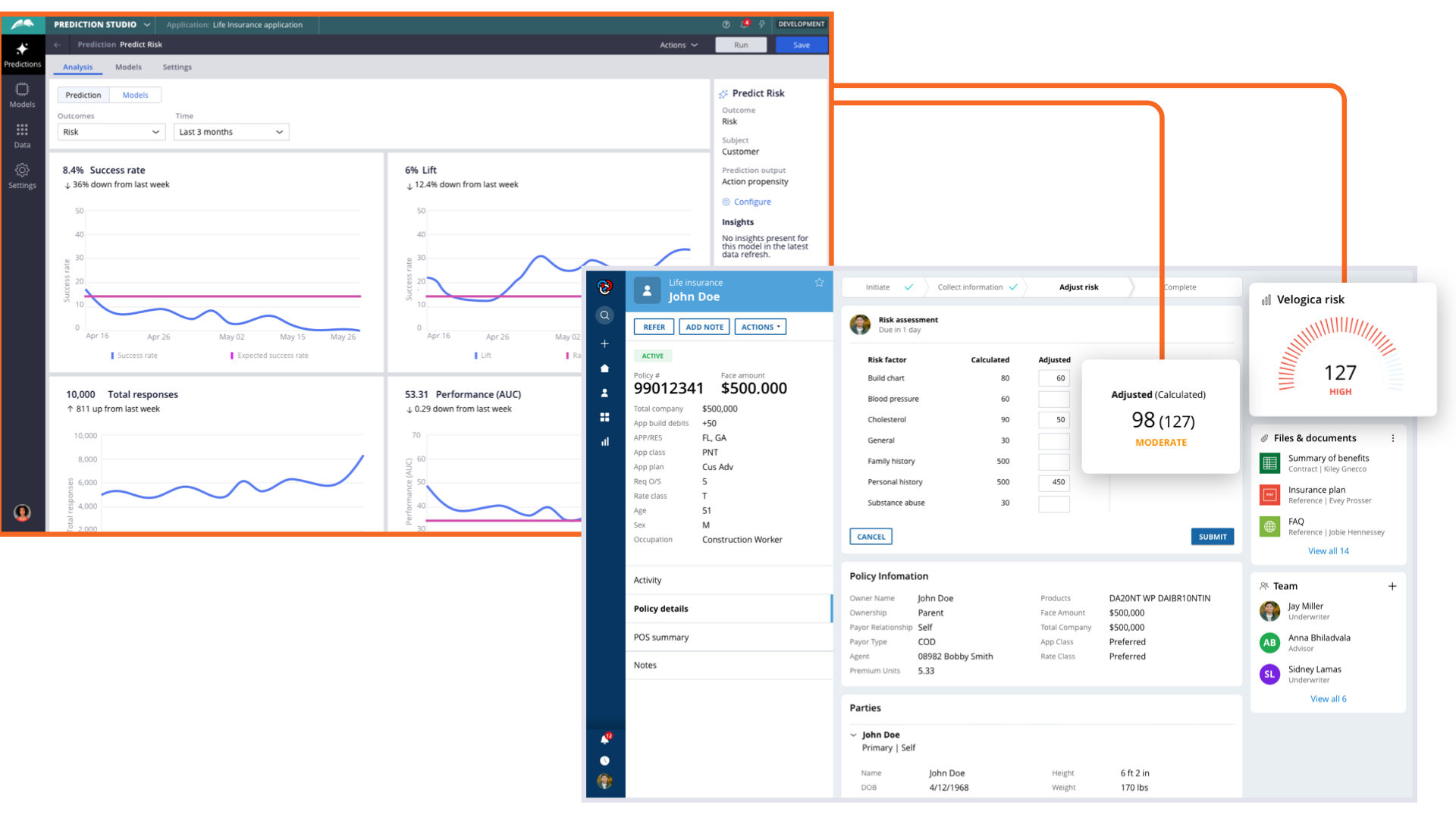
Image source: pega.com
Key features:
- AI-powered decision engine
- Case management for complex processes
- Real-time automation and adaptive logic
- Strong integration with enterprise systems
Pros:
- Extremely powerful for large enterprises
- Industry-leading AI automation capabilities
- Exceptional case management features
- High scalability and reliability
Cons:
- Requires specialized expertise to implement
- Higher deployment and maintenance costs
Pricing:
- Free: No free plan (free trial available).
- Basic: $5,000/user/month (min. 500 users; core BPM).
- Enterprise: Custom pricing (case-based: $100,000+/year min., 350K cases).
7. Microsoft Power Automate: Robotic process automation in Microsoft 365
Power Automate brings automation to the Microsoft ecosystem, enabling teams to automate processes inside Office 365, Teams, SharePoint, Dynamics, and more. Its connector library supports hundreds of tools, and its RPA capabilities allow automation of legacy desktop systems. Power Automate is ideal for organizations using Microsoft extensively, as it integrates seamlessly across apps. Its low-code designer allows users to build workflows quickly while still supporting complex logic through expressions and triggers.
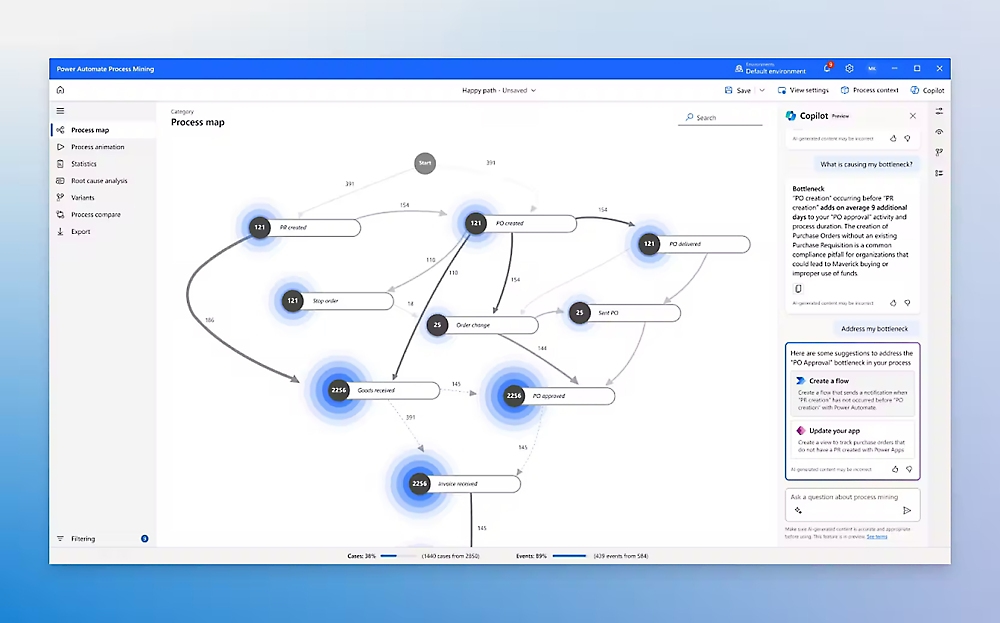
Image source: microsoft.com
Key features:
- Cloud workflows and robotic process automation
- Deep integration with Microsoft 365
- Hundreds of connectors for third-party apps
- Low-code visual designer
Pros:
- Perfect for Microsoft-centric organizations
- Supports both cloud and desktop automation
- Affordable compared to enterprise BPA tools
- Strong governance within Microsoft Admin Center
Cons:
- Can get complex for non-technical users
- Performance varies based on connector quality
Pricing:
- Free: Limited to standard connectors and 750 runs/month.
- Premium: $15/user/month (unlimited flows, premium connectors, RPA).
- Per Flow: $100/flow/month (unlimited users per flow).
- Per Bot: $150–$215/bot/month (unattended RPA).
- Process Mining: $5,000/tenant/month (add-on).
8. Camunda: BPMN-based process orchestration for enterprise operations
Camunda is a developer-focused process orchestration platform built for complex, multi-system workflows that require precision and control. It uses BPMN modeling to map and automate processes with transparency and accuracy. Camunda excels in enterprise environments that need microservices orchestration, human-in-the-loop workflows, and deep customization. It integrates with modern architectures and legacy systems, making it ideal for digital transformation programs. Engineering teams appreciate its robustness, scalability, and open architecture.
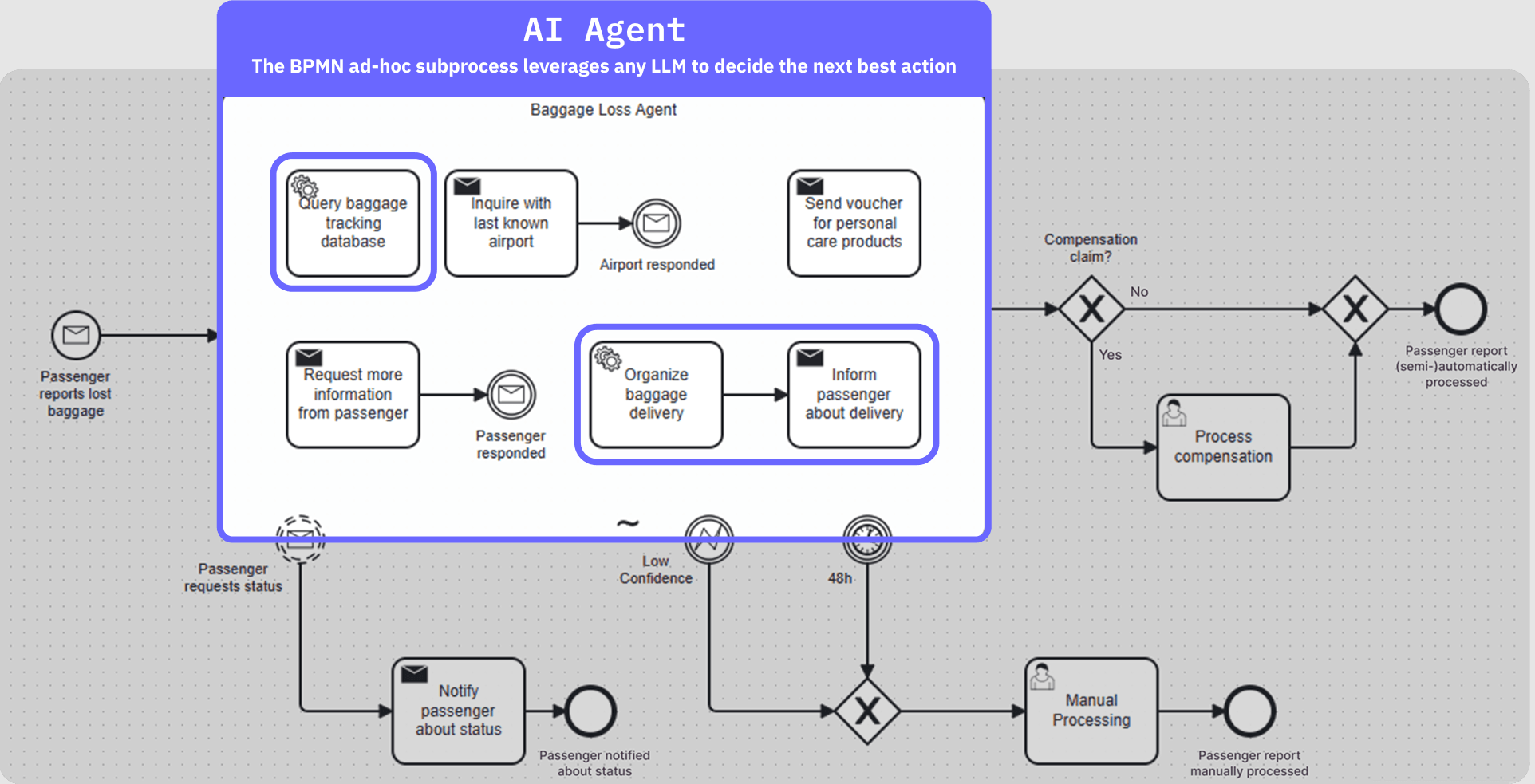
Image source: camunda.com
Key features:
- BPMN process modeling and automation
- Microservices orchestration
- Strong API and open integration framework
- Human task and decision management
Pros:
- Exceptional for technical, large-scale workflows
- Highly customizable and developer-friendly
- Excellent orchestration across distributed systems
- Strong community and enterprise support
Cons:
- Not suitable for non-technical teams
- Setup and maintenance require engineering expertise
Pricing:
- Free: Open-source Community Edition (basic BPMN).
- SaaS Basic: $109/month (core workflows).
- Self-Managed Pro: $825/month (advanced features).
- Enterprise: Custom ($2,750+/month; governance, integrations).
Key factors when choosing a BPA solution
Selecting the right business process automation solution depends on your team's complexity, scale, and integration environment. The best tools balance ease of use with the ability to support long-term growth, especially for organizations aiming to build AI-driven business process automation solutions. You should evaluate technical depth, governance demands, deployment location, and the ability to manage remote or hybrid workflows. Below are key considerations that help ensure your automation strategy remains reliable and future-ready.
- Low-code or no-code capability: The ease with which business users can build workflows determines adoption speed and long-term sustainability. No-code platforms empower non-technical teams to automate approvals, forms, and routine tasks. Low-code tools, meanwhile, offer deeper customization for IT teams. A strong BPA solution strikes the right balance, allowing both groups to collaborate effectively without creating bottlenecks or relying heavily on developers.
- Scalability and complexity: Workflows often grow more complex as teams introduce new systems, decision rules, and regulatory needs. A scalable BPA platform can handle multi-team processes and high-volume operations without performance issues. Evaluate whether the system supports branching logic, AI insights, and advanced routing required for enterprise-grade automation. This ensures your BPA investment remains valuable as your organization expands.
- Integration with existing systems: BPA solutions rely heavily on how well they connect with ERP platforms, legacy databases, CRM systems, and cloud applications. Strong integrations reduce data silos and eliminate manual syncing. For global teams or organizations deploying from locations such as India or regions like Hyderabad, integration depth and regional data residency options become especially important for compliance and performance.
- Analytics and process visibility: Automation becomes far more valuable when you can see what is working, what is stuck, and why. Look for BPA solutions with dashboards, audit logs, and process insights that help teams identify bottlenecks quickly. Robust analytics support continuous improvement and help leadership track impact across operations. Visibility ensures accuracy and optimization instead of blind automation.
- Cost and licensing: Evaluate upfront costs, user tiers, automation limits, and charges for premium connectors or additional functionality. Some solutions are affordable on a small scale but become expensive as automation increases. Predictable pricing models help teams plan better, especially for long-term digital transformation programs. Ensure the licensing structure matches your growth path and automation volume.
- Support and ecosystem: Strong vendor support, training resources, and partner ecosystems reduce learning curves and implementation time. Local support can be crucial for organizations with distributed teams or operations in specific regions. A mature ecosystem ensures faster troubleshooting, better integrations, and easier adoption across departments. Community support is also a valuable indicator of long-term platform stability.
- Governance and compliance: Organizations in regulated industries must ensure workflows meet audit requirements, security standards, and cross-border data policies. A reliable BPA platform offers restricted access controls, documented audit trails, and compliance-ready architecture. This ensures automated processes remain aligned with legal expectations and internal governance, making them safe for scaling across mission-critical operations.
Conclusion
Business process automation solutions help organizations streamline work, reduce manual effort, and maintain consistency across fast-growing operations. Whether your team focuses on HR, finance, IT, or customer-facing processes, the right platform can deliver faster cycle times, fewer errors, and better compliance. Tools like Appian, Bizagi, Cflow, Nintex, Pega, Power Automate, and Camunda each serve different levels of technical and operational complexity. For teams seeking a simpler, unified environment with built-in collaboration and no-code automation, Lark provides a more connected approach that reduces friction and keeps every workflow aligned in one place.
FAQs
How do AI-driven business process automation solutions differ from traditional workflow tools?
AI-driven business process automation solutions analyze data, interpret intent, and make real-time decisions rather than simply following predefined steps. They adapt to changing inputs, allowing workflows to become more dynamic and context-aware. Platforms that unify collaboration and AI automation, like Lark, give teams a smoother experience by keeping everything in one workspace.
What security and compliance features should a BPA platform include for regulated industries?
A BPA platform should support data encryption, access controls, audit logs, and region-specific data residency to meet strict regulatory requirements. It must also provide consistent approval flows and traceability across all automated processes. Tools that combine automation with built-in documentation and governance, such as Lark, make compliance easier to manage at scale.
Can business process automation solutions support fully remote or hybrid teams?
Yes, modern BPA tools are designed to support distributed teams by automating coordination, reducing manual follow-ups, and centralizing information. Remote business process automation solutions also ensure consistency across time zones and work environments. Unified platforms like Lark strengthen this further by integrating communication, tasks, and workflows in one place.
How long does it typically take to implement an efficient business process automation solution?
Implementation time varies depending on process complexity, integration requirements, and team readiness. Simple workflows can be deployed within days, while enterprise-grade automation may take weeks or months. Solutions that offer no-code design and built-in collaboration, such as Lark, typically accelerate rollout and reduce dependency on IT teams.
Are there industry-specific business process automation solutions available for sectors like retail, finance, or healthcare?
Yes, many BPA tools offer templates, compliance features, and integrations tailored to industry needs. Sectors like finance, healthcare, and retail often require specialized workflows for approvals, documentation, and regulatory standards. Platforms with flexible, modular automation—like Lark—adapt quickly to industry requirements while keeping collaboration tightly connected.
Related reading
Table of contents
Start using Lark today

Manage all your work in one place
Boost team efficiency by 10x
Save up to 70% on software costs
Table of contents
Start using Lark today
Manage all your work in one place
Boost team efficiency by 10x
Save up to 70% on software costs
Keep reading






2026 Lark Technologies Pte. Ltd.
Headquartered in Singapore with offices worldwide.






Explore: