














Invoice Management: How to Streamline and Automate Workflows

Ryan Tanner
Product Marketing Specialist
Sep 18, 2026
Ryan Tanner
Sep 18, 2026

19 min read


Invoice management is the backbone of efficient financial operations, ensuring that every transaction—from purchase to payment—is accurate, timely, and traceable. For growing businesses, automating this process can save countless hours and minimize costly errors. A well-structured invoice workflow improves visibility, accelerates approvals, and enhances compliance across departments.
Managing this effectively requires the right mix of organization, collaboration, and smart digital tools. Platforms like Lark, FreshBooks, Procurify, and SAP Invoice Management simplify invoice tracking, automate approvals, and bring financial clarity to modern organizations. Let's explore how these tools streamline invoicing from end to end.
1. Lark: Unified workspace for content, collaboration, and workflow
2. FreshBooks: Simple invoicing for small businesses
3. QuickBooks Online: Accounting and billing automation
4. Zoho invoice: Customizable invoicing for growing businesses
5. Tipalti: Global invoice and payment management
6. Coupa: Enterprise-level spend and invoice control
7. Ramp: Corporate finance and automation platform
8. Airbase: Mid-size business expense and invoice automation
9. Procurify: Procurement and invoice visibility
10. SAP Invoice Management: Scalable enterprise invoicing system

Overview: Top invoice management tools and software
Discover the leading invoice management tools and software that simplify billing, automate approvals, and ensure smooth financial operations. These solutions help businesses save time, reduce manual errors, and gain better control over their accounts payable process.
What is invoice management?
Invoice management is the process of handling, tracking, and processing invoices tracking from creation to payment. It involves receiving invoices from vendors, verifying their accuracy, approving them for payment, and recording them in financial systems. An efficient invoice management system helps businesses maintain accurate records, avoid duplicate payments, and ensure timely settlements.
By using automation tools or digital management hubs, companies can streamline this workflow, reduce manual data entry, and gain real-time visibility into cash flow and expenses. In short, effective invoice management keeps financial operations organized, transparent, and compliant with business and accounting standards.
The key steps in the invoice management process
The invoice management process involves several key steps that ensure accuracy, compliance, and efficiency throughout the payment cycle.
- Invoice receipt: This is the first step, where invoices are collected through multiple channels such as email, online forms, or direct digital uploads into the invoice management system.
- Data capture: Modern invoice management software often uses OCR (Optical Character Recognition) or AI-driven data extraction to automatically capture and record invoice details, reducing manual entry errors.
- Approval workflow: Once the data is verified, the invoice moves through an automated approval workflow process, allowing relevant departments to review and authorize payments quickly using an invoice management tool.
- Payment processing: Approved invoices are linked to payment systems for timely disbursement. Integration with accounting platforms ensures smooth cash flow and accurate financial tracking through a unified invoice management platform.
- Reconciliation and archiving: In the final stage, invoices are matched with purchase orders and receipts for verification. Records are securely stored for audits, reporting, and regulatory compliance as part of a complete invoice management solution.
Full list: 10 Invoice management software you should explore
1. Lark: Unified workspace for smarter invoice management
Managing deal flow efficiently requires coordination across teams, fast access to information, and clear visibility into every stage of the pipeline. Lark simplifies this process through its connected tools, which enable automation, structured tracking, and real-time collaboration. Together, they create a transparent environment where deals move faster and decision-making becomes easier.
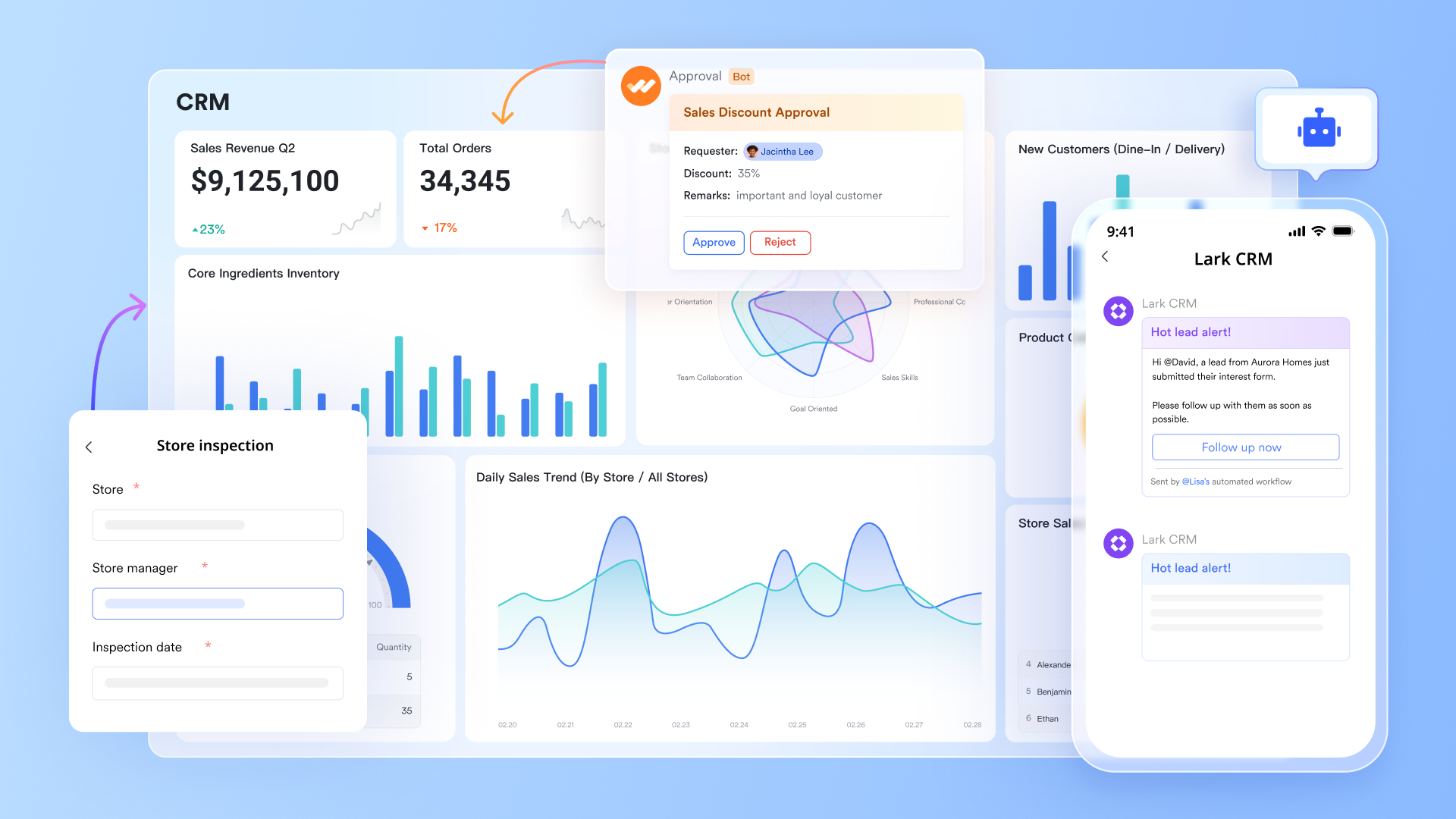
Centralized invoice record-keeping with Base
Lark Base enables you to create a dedicated table for invoices, where each row represents a distinct invoice, including vendor, amount, status, payment date, and more. This setup allows finance and procurement teams to have a single source of truth for invoice tracking, ensuring all relevant information is organized and easily accessible.
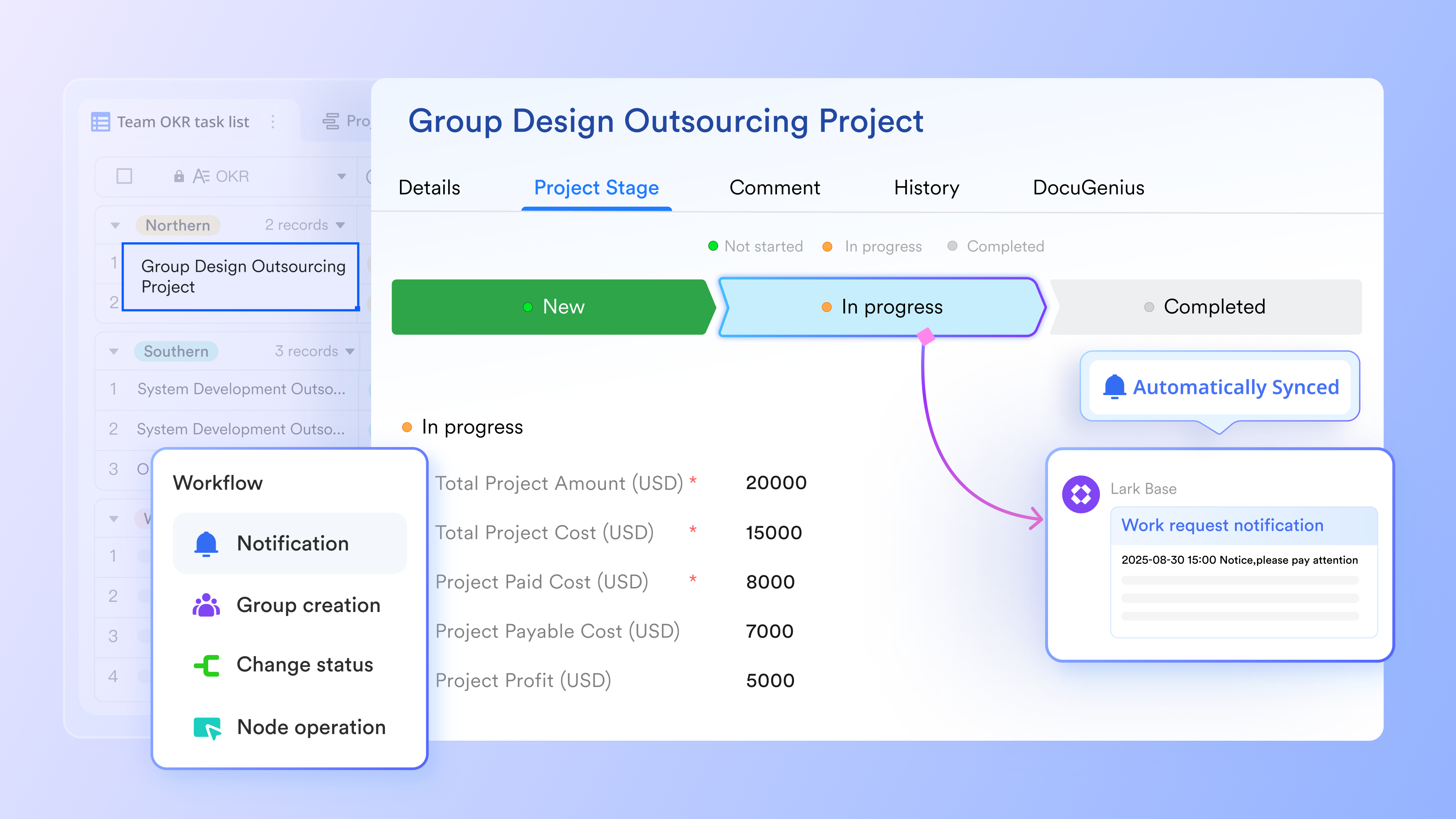
Custom workflows & approvals automation
Via automations in Lark Base, you can build automation rules so that when an invoice status changes (e.g., from "Submitted" to "Approved"), notifications are triggered, tasks are created, or related records get updated automatically. This reduces manual handoffs and speeds up the approval process.
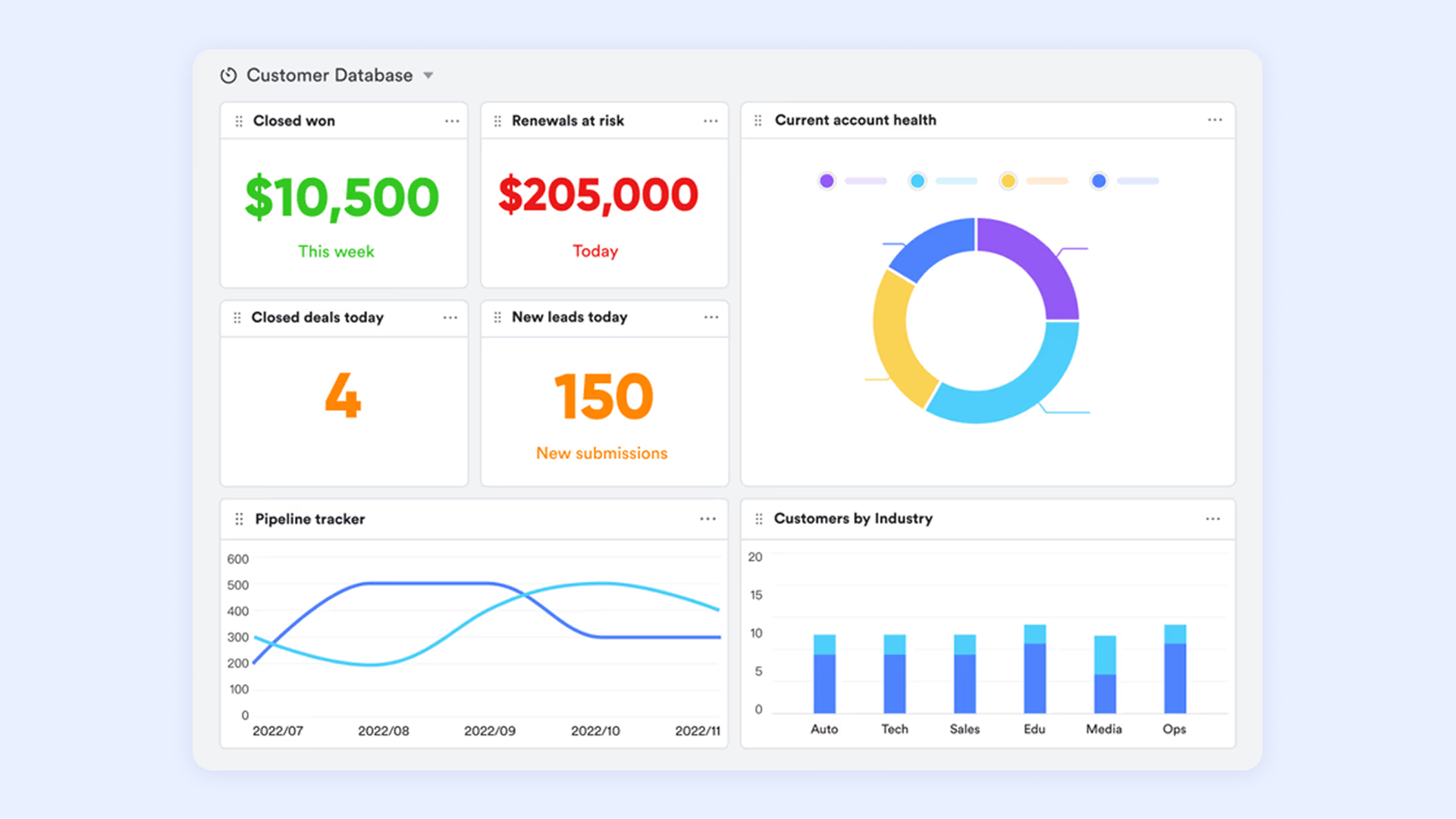
Real-time visibility & dashboards
Finance teams can use Lark Base to build dashboards that display key metrics such as pending invoices, approval times, overdue payments, and vendor categories. These dashboards help visualize data for better decision-making and audit readiness. You can add charts, graphs, and statistics blocks to your dashboard and share it with others as needed.
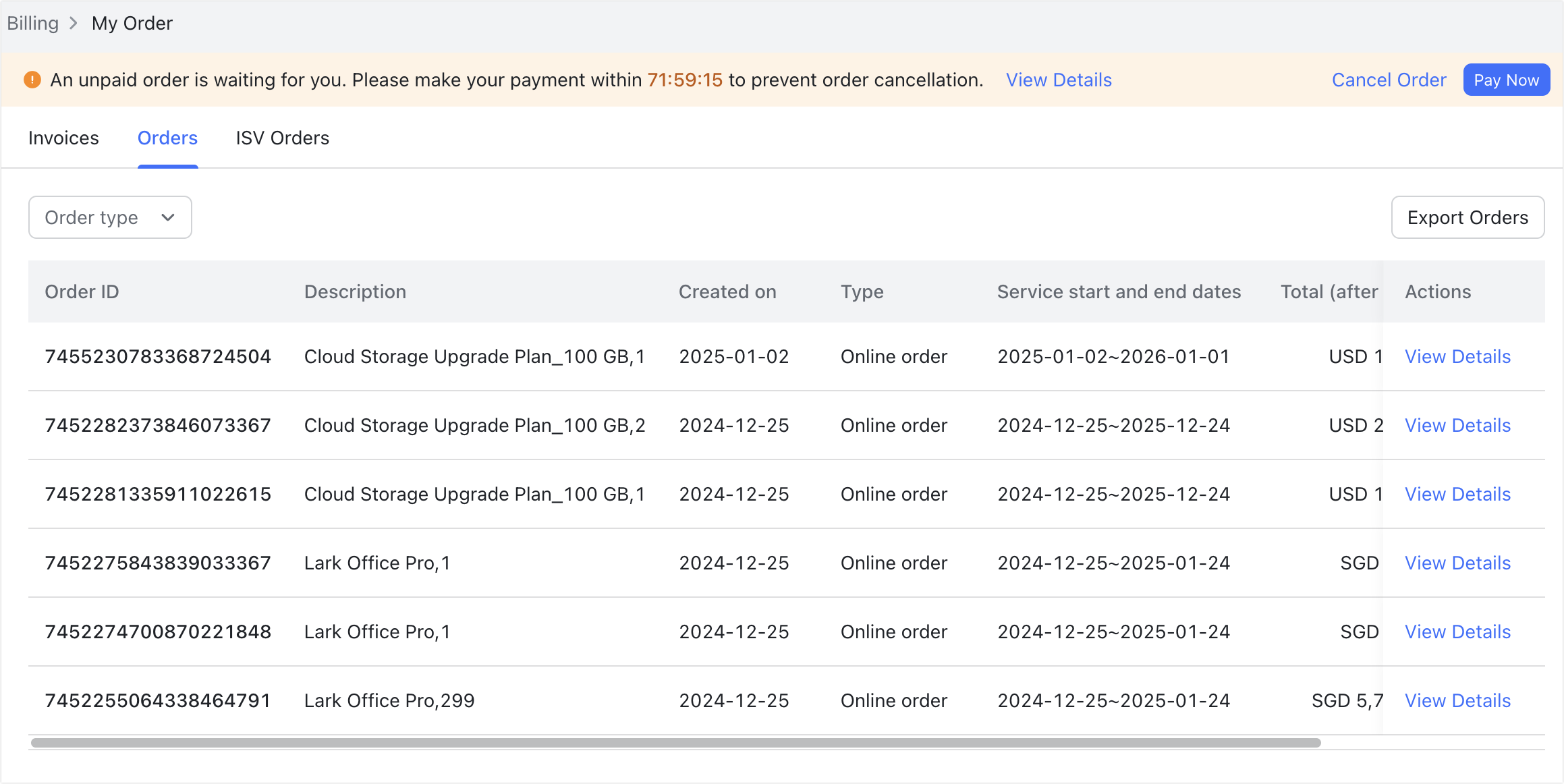
Electronic invoice support/e-invoicing
Lark supports digital formats and workflows for efficient invoice handling. Administrators can easily view, filter, and download digital invoices (PDF format) directly from the Lark Admin Console under Billing > My Order > Invoices. Invoice files in JPG, PNG, or PDF formats can be uploaded to Lark Base, where key details are automatically extracted for easier processing.
Security, access control & auditability
Only primary administrators or those with "Billing" permission can access and manage orders and invoices in the Lark Admin Console, ensuring restricted access to sensitive billing information. When viewing or downloading invoices, identity confirmation may be required using a security code, adding an extra layer of protection. Also, Lark utilizes security features, including invisible watermarks, to safeguard organizational information in images.
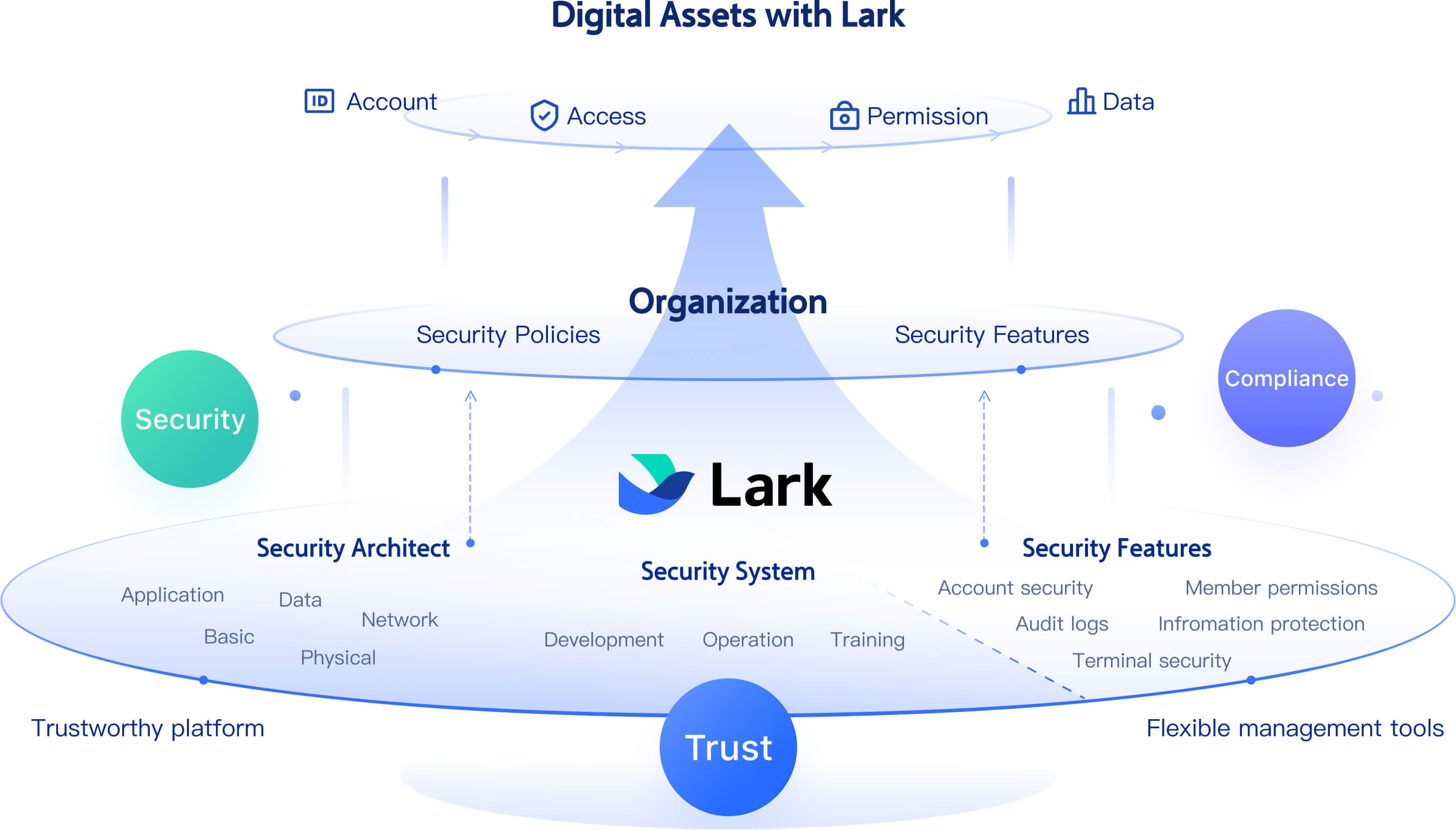
- Starter plan: Free forever plan that includes 11 powerful tools for up to 20 users. It also comes with 100GB of storage, 1000 automation runs, AI translations, and more.
- Pro plan: $12/user/month (billed annually) for up to 500 users. It includes everything in Starter plus group calling for up to 500 attendees, 15TB of storage, 50,000 automation runs, and more.
- Enterprise plan: Contact sales for custom pricing. Supports unlimited users and includes even more automation runs and advanced security, compliance, and management features.
2. FreshBooks: Simple invoicing for small businesses
FreshBooks is a user-friendly invoice management solution designed for freelancers, entrepreneurs, and small businesses that need to manage billing without complexity. It streamlines the entire invoice management process—from creating and sending invoices to tracking payments and expenses—all within an intuitive, easy-to-navigate dashboard. FreshBooks combines simplicity with smart automation, helping users save time and maintain accuracy without requiring any accounting expertise.
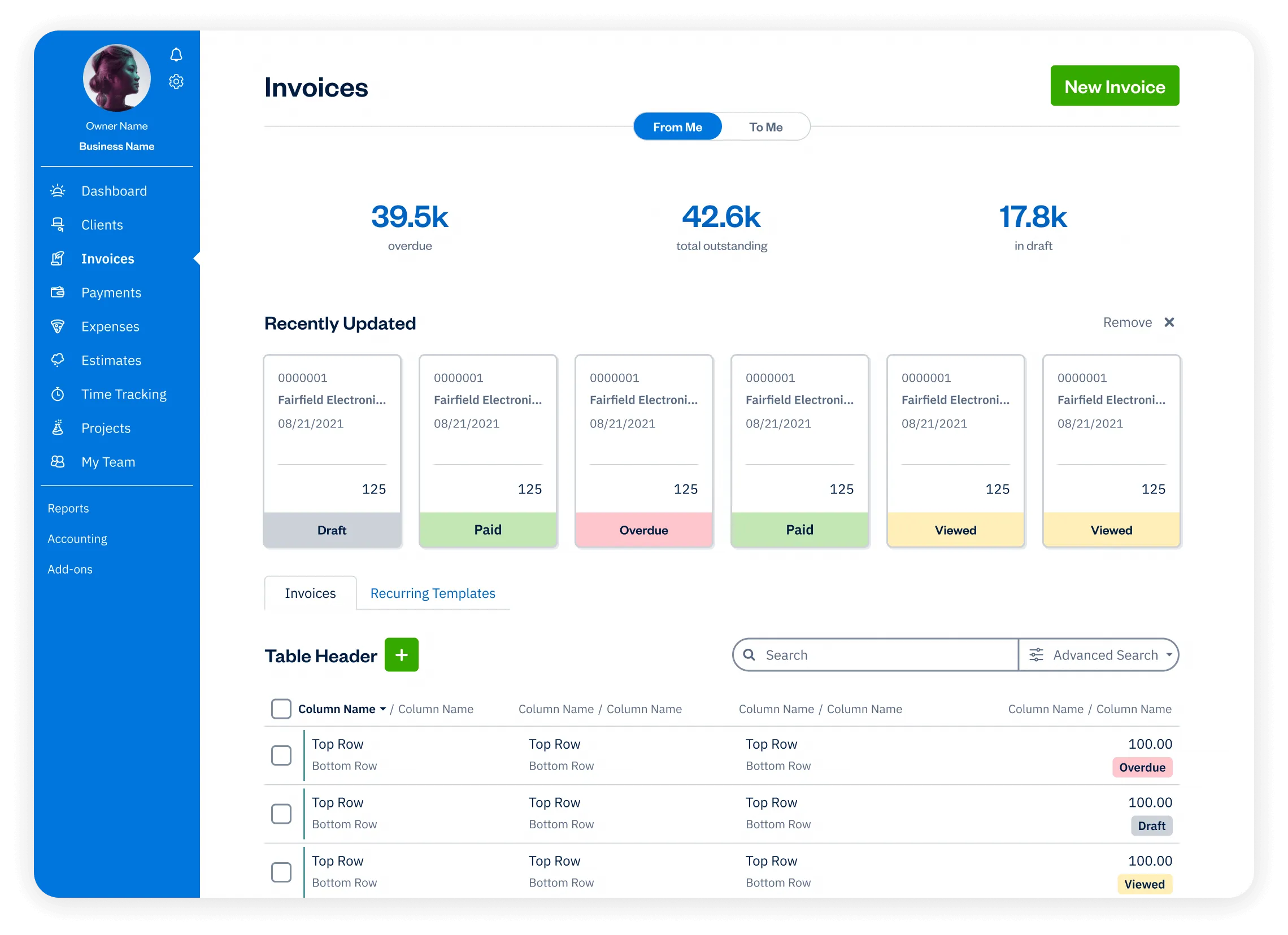
Image source: freshbooks.com
Key features:
- Professional, customizable invoice templates
- Automatic payment reminders and late fee options
- Expense tracking and time logging for projects
- Built-in online payment options through credit card or bank transfer
- Insightful financial reports and tax-ready summaries
Pros:
- Extremely easy to use, even for non-accountants
- Strong automation tools reduce manual workload and payment delays
- Excellent mobile app for on-the-go invoicing and expense tracking
- Great customer support and quick setup for small business owners
Cons:
- Limited advanced features for larger enterprises
- May require third-party integrations for more complex accounting needs
Pricing:
- Free: 30‑day free trial
- Lite: $19/month for up to 5 billable clients
- Plus: $33/month for up to 50 billable clients
- Premium: $60/month for unlimited billable clients
- Select: Custom pricing — contact sales
3. QuickBooks Online: Accounting and billing automation
QuickBooks Online is a leading invoice management platform that combines accounting, billing, and reporting tools in one cloud-based system. It's built for small to mid-sized businesses that want to automate financial tasks, from tracking invoices to reconciling payments. With its powerful invoice management automation features, QuickBooks Online streamlines billing, reduces manual errors, and ensures accurate financial records across all transactions.
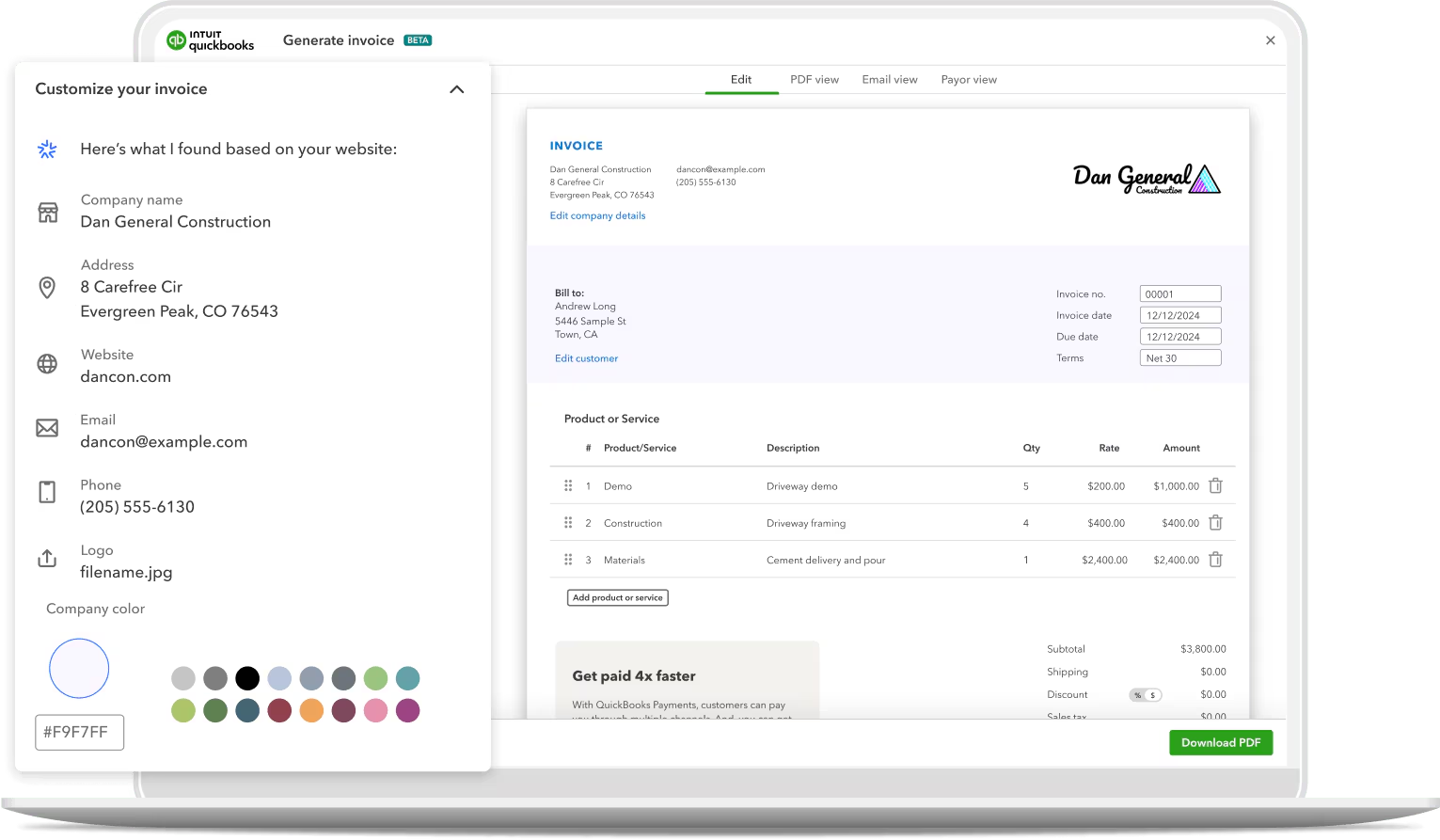
Image source: quickbooksonline.com
Key features:
- Automated invoicing and recurring billing options
- Real-time expense tracking and payment reconciliation
- Customizable financial reports and dashboards
- Integration with banks, payment gateways, and payroll systems
- Cloud-based access with mobile app support for remote teams
Pros:
- Comprehensive accounting and invoicing in one platform
- Seamless integration with multiple business tools and payment systems
- Easy-to-read financial reports for cash flow and performance insights
- Ideal for businesses looking to scale with automation and flexibility
Cons:
- Can feel overwhelming for beginners due to its wide range of features
- Higher-tier plans may be costly for very small businesses
Pricing:
- Free: 30‑day free trial
- Simple Start: $19–$38/month (promo/standard) for 1 user
- Essentials: $37.50–$75/month for up to 3 users
- Plus: $57.50–$115/month for up to 5 users
- Advanced: $137.50–$275/month for up to 25 users
4. Zoho Invoice: Customizable invoicing for growing businesses
Zoho Invoice is a flexible invoice management tool built for small and growing businesses that need tailored invoicing without complexity. It offers a clean interface and robust customization options, allowing users to design invoices, automate recurring payments, and manage multiple clients effortlessly. With its cloud-based setup, Zoho Invoice helps teams handle every part of the invoice management process—from creation to payment tracking—with minimal manual work.
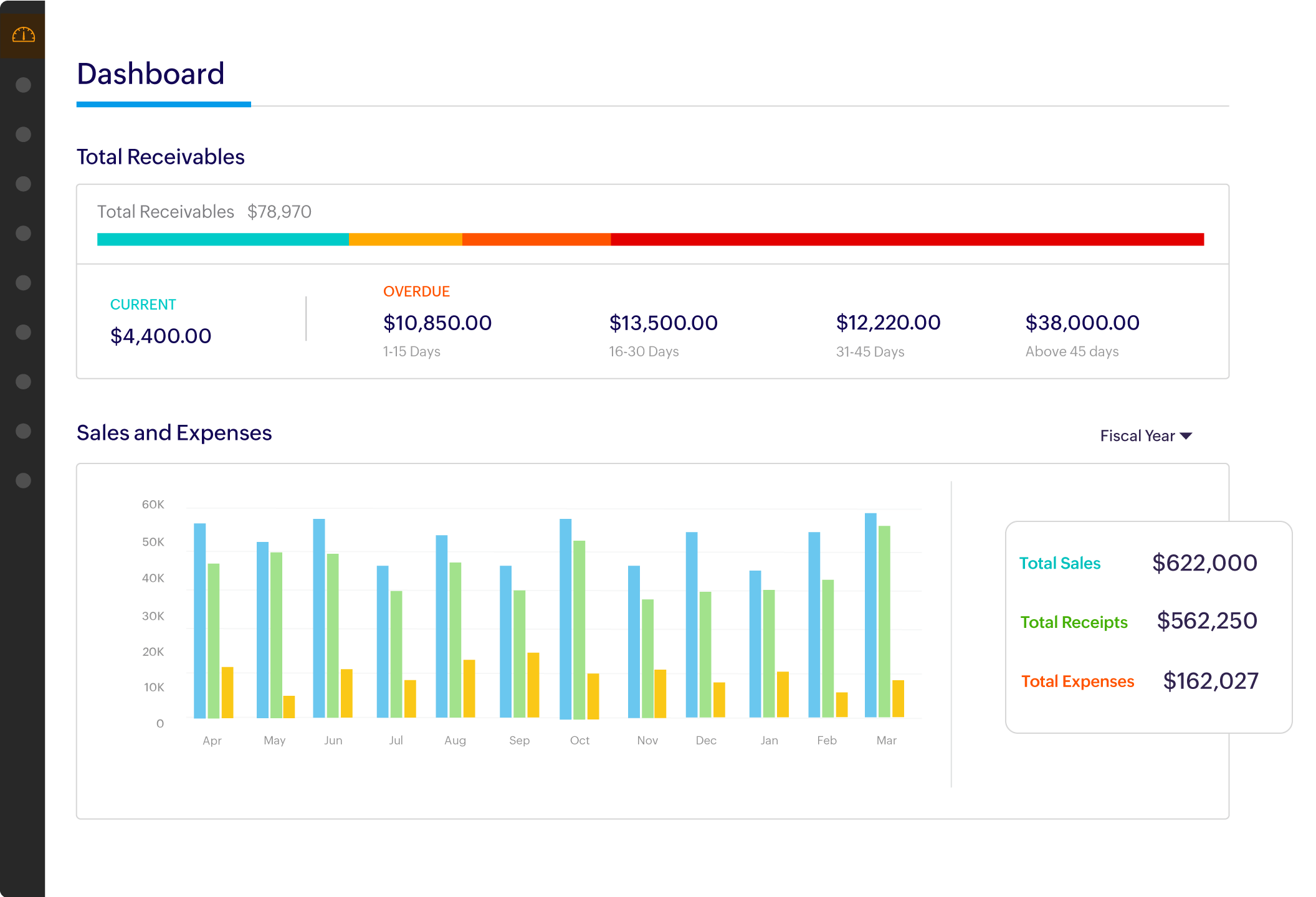
Image source: zoho.com
Key features:
- Fully customizable invoice templates with branding options
- Automated reminders for overdue invoices and payments
- Multi-currency and multilingual invoicing support
- Integration with Zoho Books, CRM, and other business tools
- Comprehensive reporting on revenue, expenses, and payment status
Pros:
- Highly customizable and scalable for growing teams
- Intuitive design and easy setup, even for first-time users
- Strong automation features for recurring billing and reminders
- Free plan available with generous limits for small businesses
Cons:
- Limited accounting functionality compared to full ERP systems
- Advanced integrations may require paid Zoho ecosystem plans
Pricing:
- Free: Forever‑free plan for core invoicing features
- Lite/Paid tiers: Starting $6.30/month in some markets
5. Tipalti: Global invoice and payment management
Tipalti is an advanced invoice management system designed for companies managing large-scale, international payables. It automates every step of the invoice management process—from vendor onboarding and tax compliance to invoice approval and global payments. Built for scalability, Tipalti helps finance teams streamline operations, reduce manual workload, and ensure accuracy across multiple currencies and countries.
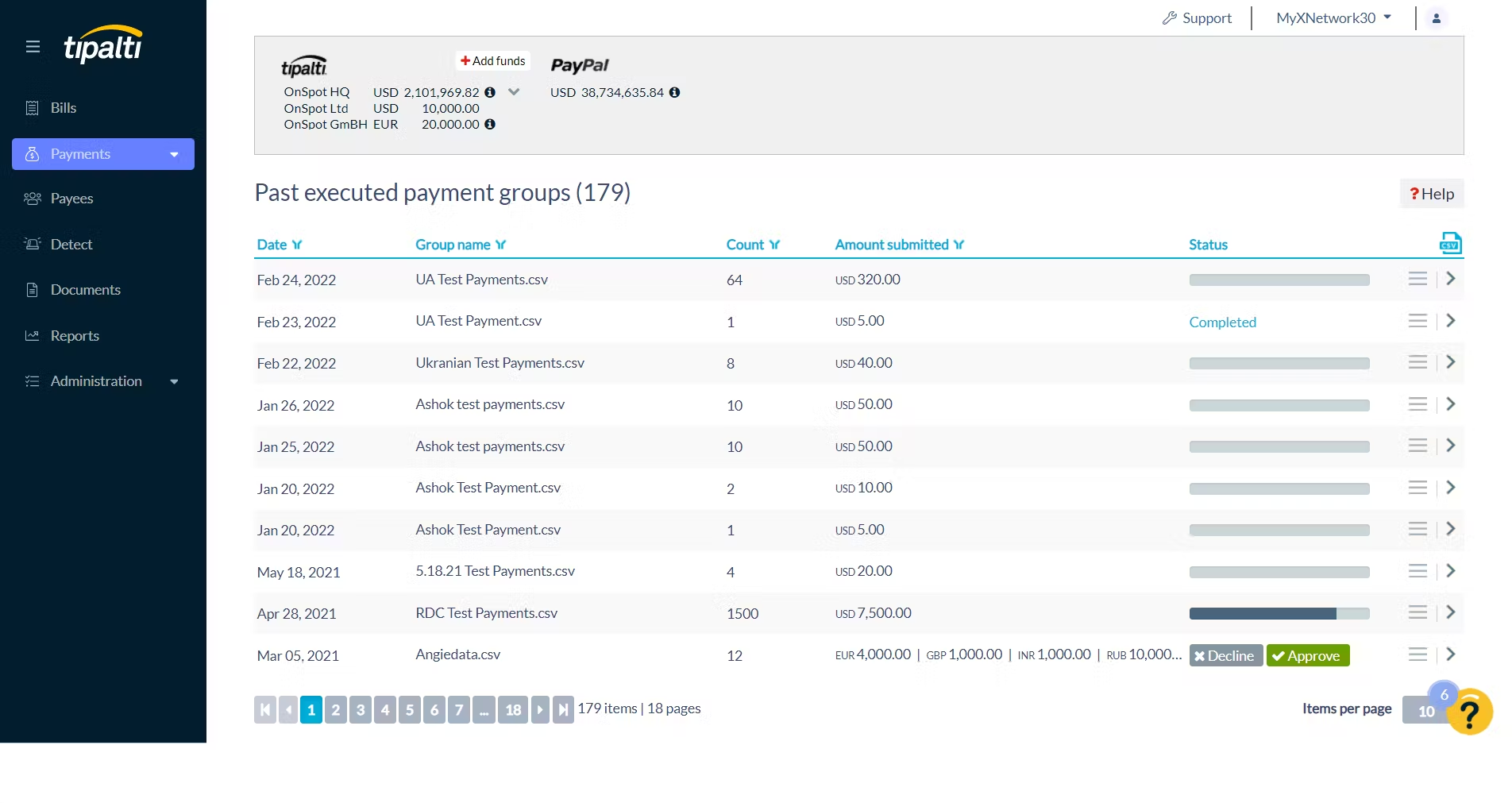
Image source: tipalti.com
Key features:
- End-to-end automated invoice management and payment workflows
- Multi-currency and cross-border payment support in 190+ countries
- Built-in tax compliance and supplier onboarding tools
- AI-powered invoice data capture and approval routing
- Real-time reconciliation and payment tracking
Pros:
- Ideal for global organizations managing high payment volumes
- Strong compliance and fraud prevention features
- Excellent automation for reducing manual intervention
- Comprehensive analytics for cash flow and payable insights
Cons:
- May be complex for smaller businesses or startups
- Higher implementation cost compared to simpler invoice management solutions
Pricing:
- Free: No permanent free plan
- Starter: $99/month for core features
- Premium/Advanced: Custom pricing
6. Coupa: Enterprise-level spend and invoice control
Coupa is a powerful invoice management platform built for large enterprises that need complete visibility and control over their spending. It integrates invoice management, procurement, and expense tracking into one system, helping organizations manage complex approval workflows and maintain strict compliance standards. With AI-driven insights and automation, Coupa simplifies the invoice management process while supporting cost optimization and vendor accountability across global operations.
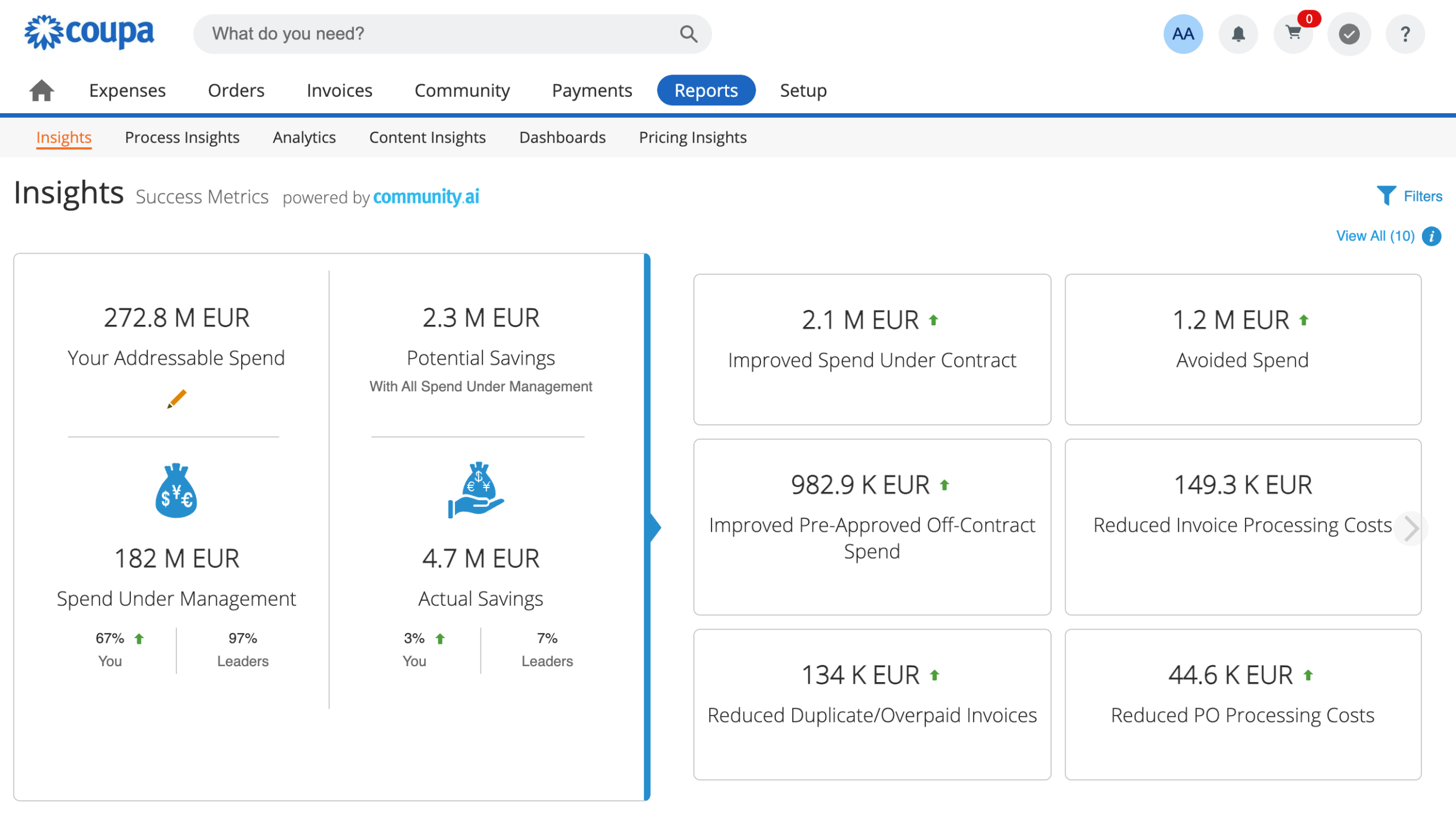
Image source: coupa.com
Key features:
- Unified platform for spend management, procurement, and invoicing
- Automated invoice matching, validation, and approval routing
- Advanced analytics for tracking spend and supplier performance
- Integration with ERP and accounting systems
- Cloud-based access with enterprise-grade security
Pros:
- Comprehensive solution for large-scale organizations
- Excellent visibility into spend patterns and budget control
- Strong compliance, audit, and risk management capabilities
- Powerful automation for high-volume vendor invoice management
Cons:
- Complex setup requiring dedicated onboarding and training
- May be too feature-heavy for small or mid-sized businesses
Pricing:
- Free: Basic/free support tiers exist but core product requires payment
- Paid from: $2,500/month (or ~$30k/year) for the basic plan
- Higher tiers: $4,800/year or more for advanced modules
7. Ramp: Corporate finance and automation platform
Ramp is a modern invoice management solution designed to help businesses automate financial operations, manage expenses, and gain real-time visibility into spending. It goes beyond traditional invoice management software by combining corporate cards, expense management, and bill payments in one intuitive platform. With smart automation and AI-powered insights, Ramp reduces manual work, prevents overspending, and accelerates the invoice management process for growing organizations.
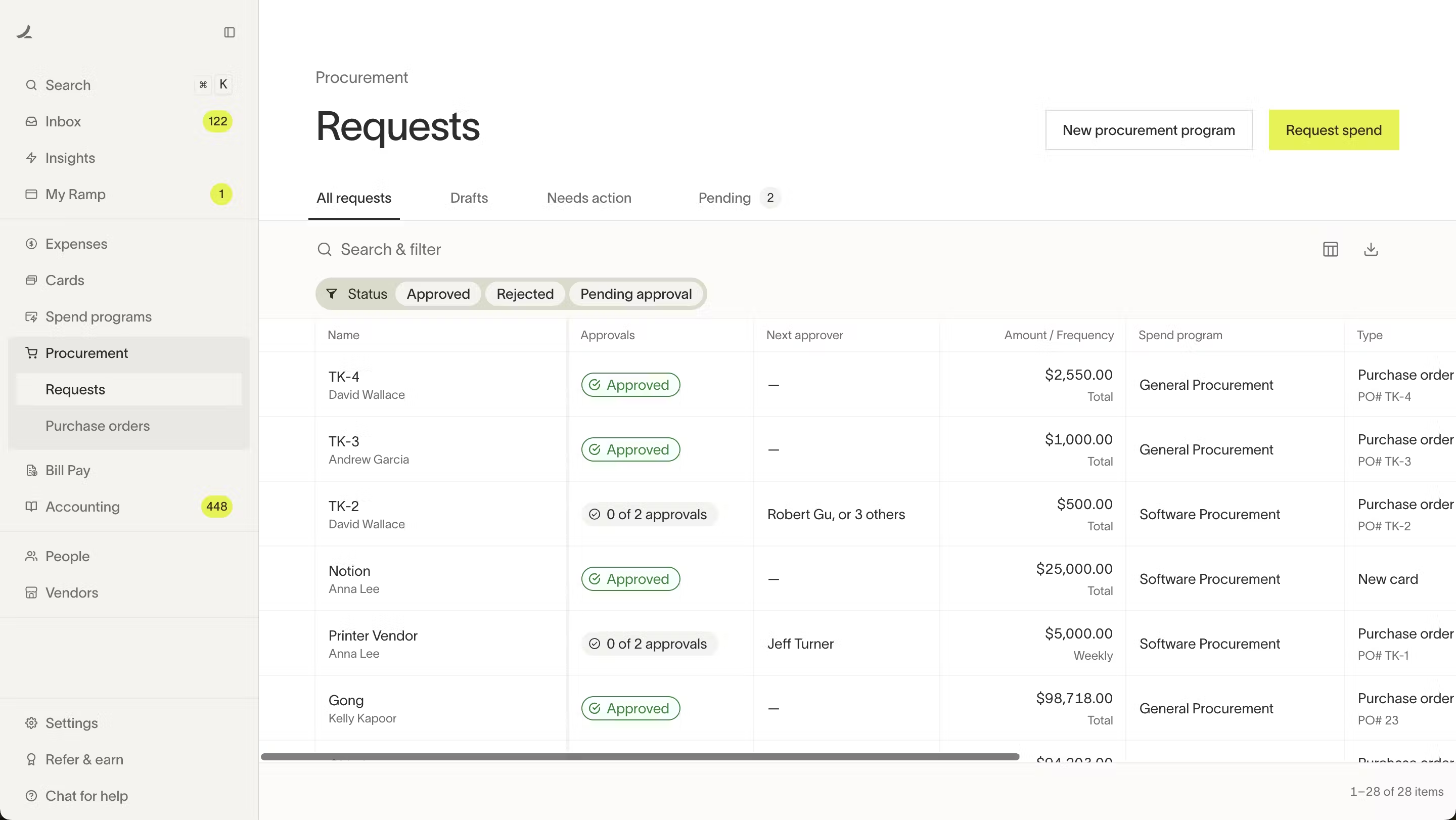
Image source: ramp.com
Key features:
- Automated invoice capture, approval, and payment workflows
- Corporate card management with real-time expense tracking
- AI-driven insights to identify cost-saving opportunities
- Seamless integrations with accounting tools like QuickBooks and NetSuite
- Centralized dashboard for spend visibility and policy enforcement
Pros:
- Strong automation features for both invoicing and expense management
- Real-time reporting and analytics for better financial control
- Easy to use and quick to deploy across teams
- Excellent for startups and mid-sized businesses focused on efficiency
Cons:
- Not ideal for enterprises needing complex global payment capabilities
- Limited customization compared to larger invoice management platforms
Pricing:
- Free: Core Free tier available
- Plus: $15/user/month + platform fee for advanced features
- Enterprise: Custom pricing
8. Airbase: Mid-size business expense and invoice automation
Airbase is a unified invoice management platform built for mid-sized businesses that want to automate both payables and expense management. It simplifies the invoice management process by combining bill payments, expense tracking, and corporate card management into one system. With Airbase, finance teams can control spending, approve invoices faster, and maintain complete visibility over company finances—all without relying on multiple disconnected tools.
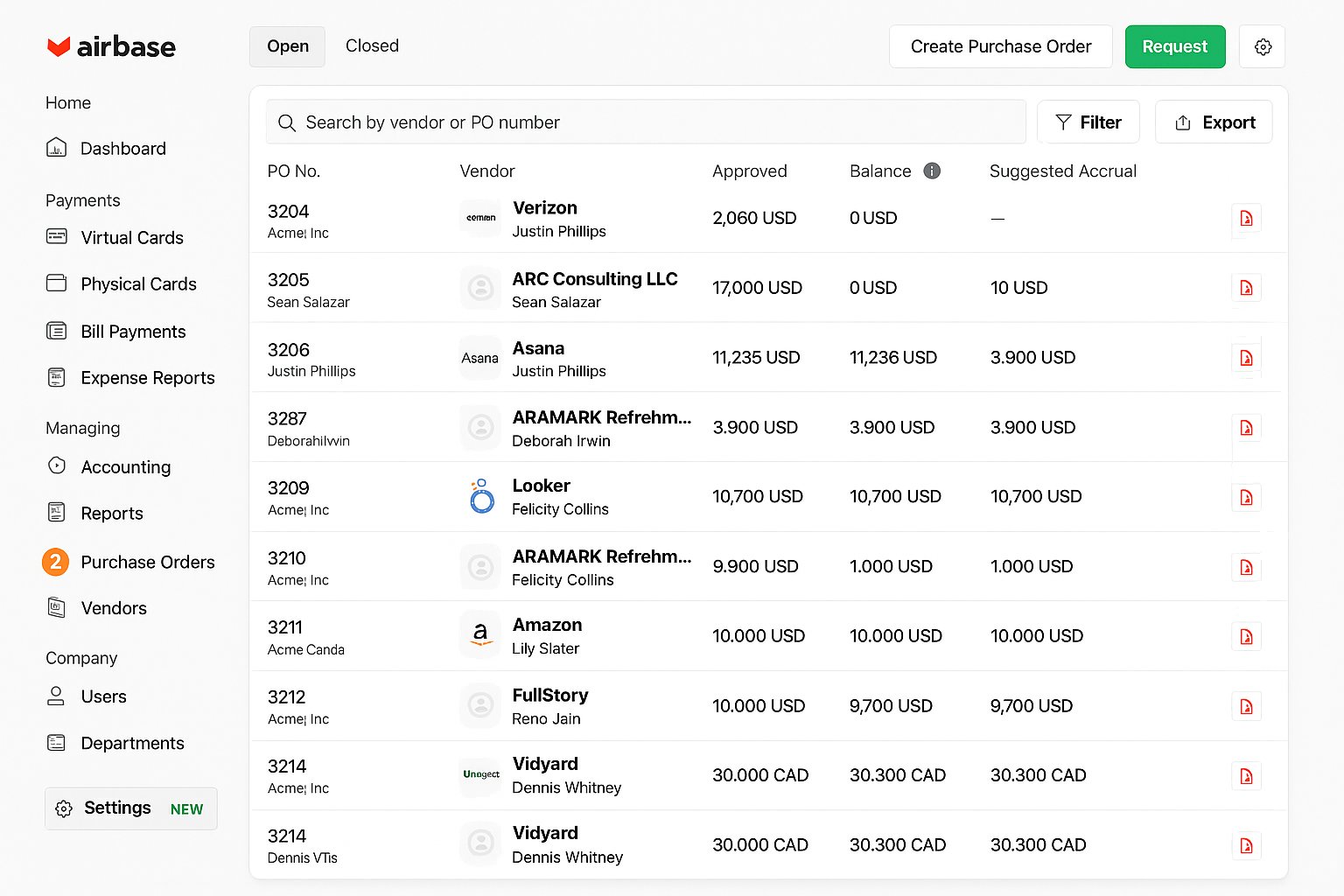
Image source: airbase.com
Key features:
- Automated invoice capture, approval, and payment workflows
- Real-time expense tracking with corporate card integration
- Multi-level approval policies and audit trails for compliance
- Integration with accounting platforms like QuickBooks, Xero, and NetSuite
- Detailed reporting and analytics for spend optimization
Pros:
- All-in-one spend management and automated invoice management system
- Strong controls for approvals, budgets, and compliance
- Easy to use with a clean, intuitive interface
- Ideal for scaling mid-sized businesses looking for centralized control
Cons:
- May not suit very small businesses with basic needs
- Pricing can increase as transaction volumes grow
Pricing:
Free: Some entry packages exist but pricing not clearly published
Paid from: ~$1,000/month or ~$8,500/year depending on modules/users
9. Procurify: Procurement and invoice visibility
Procurify is a cloud-based spend management platform that helps businesses gain complete visibility and control over their procurement and invoice processes. Designed for finance and operations teams, it streamlines purchasing, approvals, and expense tracking in one centralized system. Procurify makes it easy to manage budgets, track vendor performance, and ensure every dollar spent aligns with company goals—all through an intuitive, user-friendly interface.
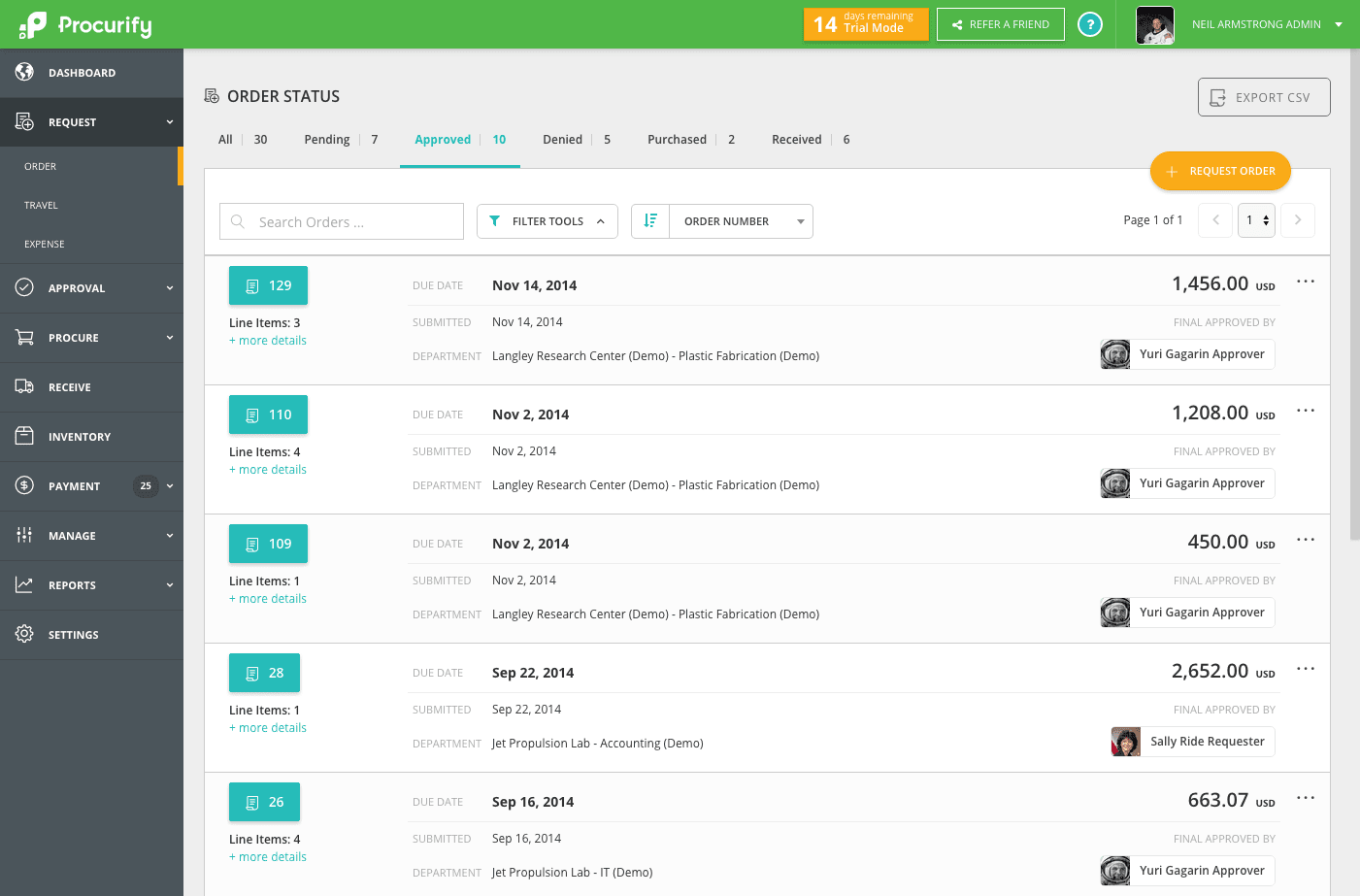
Image source: procurify.com
Key features:
- Centralized purchase and invoice management dashboard
- Real-time budget tracking and spending insights
- Customizable approval workflows with role-based permissions
- Integration with accounting tools like QuickBooks, Xero, and NetSuite
- Mobile app for on-the-go purchase requests and approvals
Pros:
- Provides full visibility into company spending and vendor activities
- Streamlines procurement and approval workflows for faster decision-making
- Easy-to-use interface suitable for finance, operations, and procurement teams
- Strong integrations with ERP and accounting systems for smooth financial sync
Cons:
- Limited customization options compared to broader ERP solutions
- Advanced analytics may require higher-tier plans
Pricing:
- Free: Not publicly listed
- Paid from: ~$1,000/month depending on organization size & features
10. SAP Invoice Management: Scalable enterprise invoicing system
SAP Invoice Management is a robust, enterprise-grade solution designed to streamline and automate the entire invoicing process for large organizations. Built on the SAP ecosystem, it helps finance teams efficiently capture, validate, and process high volumes of invoices while maintaining compliance and transparency across all transactions. By centralizing invoice management, SAP enables organizations to reduce manual effort, minimize errors, and accelerate approval cycles.
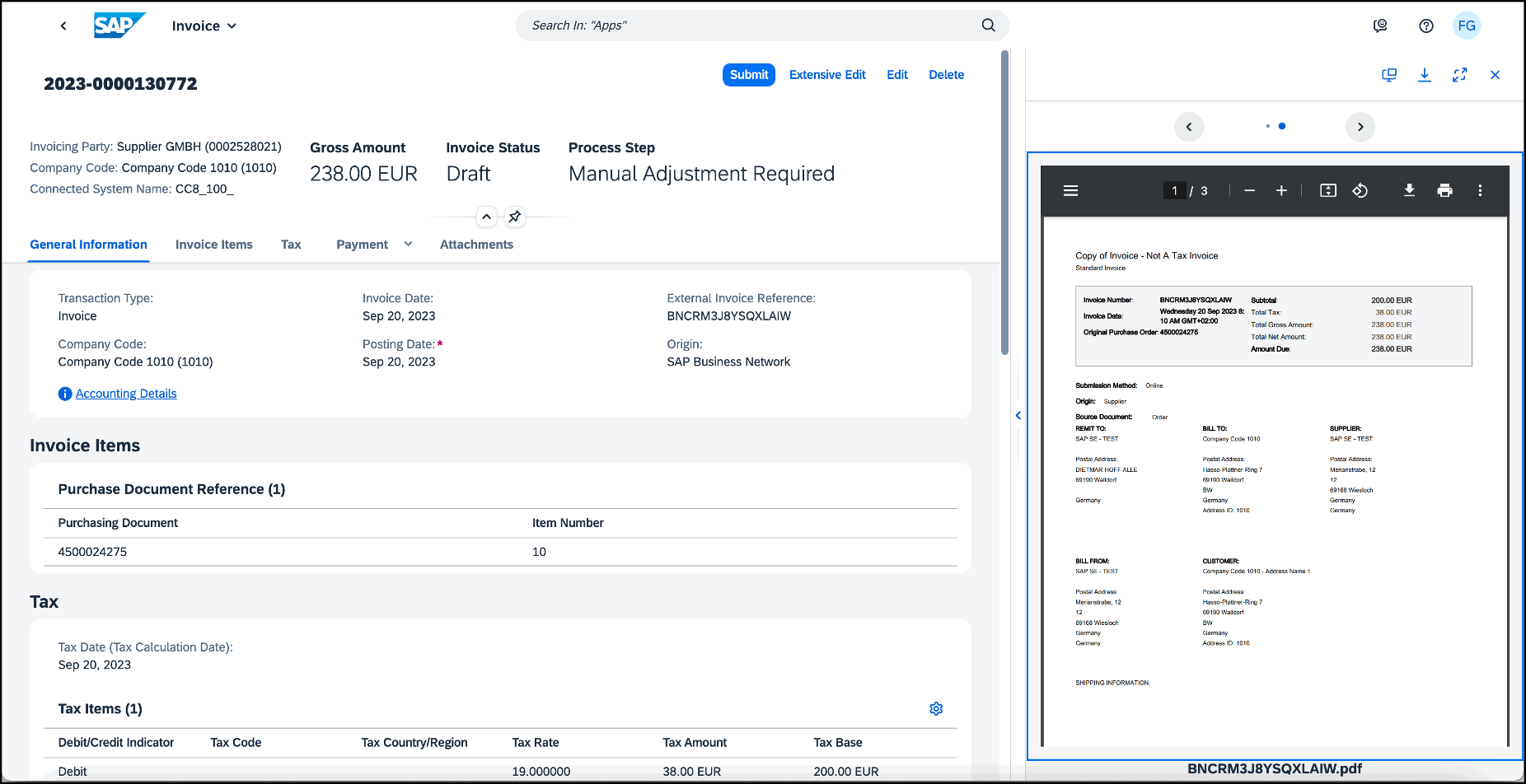
Image source: sap.com
Key features:
- Automated invoice capture and validation using OCR and AI
- End-to-end visibility of invoice status and approval workflows
- Integration with SAP ERP and other enterprise systems
- Exception handling and compliance tracking
- Advanced reporting and audit trails for governance
Pros:
- Highly scalable and suitable for large, complex organizations
- Deep integration with SAP ERP and financial modules
- Strong automation and compliance features reduce processing time
- Reliable audit and reporting capabilities for financial oversight
Cons:
- Steeper learning curve and implementation complexity
- Higher cost compared to mid-market invoice management tools
Pricing:
- Free: Not publicly listed
- Paid: Quote‑based enterprise pricing only
Why invoice management matters
Effective invoice management plays a critical role in maintaining financial health and operational efficiency. By automating routine tasks, businesses can reduce manual workload and improve data accuracy, minimizing costly errors caused by manual entry. A structured invoice management process also prevents payment delays and duplicate transactions, ensuring vendors are paid on time.
Strong vendor invoice management fosters better supplier relationships, building trust through transparency and reliability. In addition, maintaining organized and traceable records enhances audit readiness and compliance, making financial reviews smoother and more efficient. Ultimately, a reliable invoice management solution supports better cost control, clearer budgeting insights, and smarter decision-making for long-term growth.
Best practices for effective invoice management
Implementing best practices in invoice management helps businesses improve accuracy, speed, and overall control of their financial operations.
- Start by automating workflows with an automated invoice management system to reduce bottlenecks and ensure faster payment cycles.
- Use consistent templates for all suppliers to standardize data entry and minimize confusion.
- Automated matching of invoices with purchase orders ensures accuracy and prevents overpayments.
- Regularly track key performance indicators such as payment turnaround time and overdue rates to measure process efficiency.
- Finally, maintain clear communication with vendors through your online invoice management platform to quickly resolve discrepancies and strengthen long-term partnerships.
Conclusion
A well-organized invoice management process is essential for maintaining accuracy, transparency, and efficiency in business finances. By adopting an automated invoice management approach, companies can eliminate repetitive tasks, improve payment accuracy, and enhance visibility across all transactions. Using the best invoice management software not only streamlines workflow management but also strengthens vendor relationships and supports better financial planning. Whether you're managing a few invoices or handling large volumes, modern invoice management solutions like Lark help simplify operations, reduce errors, and keep your accounts payable running smoothly. In today's fast-paced environment, automation is the key to smarter, more reliable financial management.
FAQs
How does automated invoice management save time?
An automated invoice management system eliminates manual data entry and approval delays by using digital workflows. It captures, verifies, and routes invoices automatically, reducing processing time and freeing teams to focus on more strategic financial tasks.
What are the benefits of using cloud-based invoice software?
Cloud-based invoice management software offers real-time access, scalability, and secure data storage. It allows teams to manage invoices from anywhere, improves collaboration, and ensures automatic updates without the need for on-premise infrastructure.
Can Lark handle approval workflows for invoices?
Yes, Lark provides a built-in invoice management tool that streamlines approval workflows. It allows finance teams to route invoices to the right stakeholders, track approvals in real time, and maintain full visibility throughout the process.
How do dashboards improve invoice tracking?
Dashboards in an invoice management platform give users instant insight into invoice status, pending approvals, and payment timelines. With visual analytics and key metrics, businesses can quickly identify bottlenecks, monitor performance, and make informed decisions to enhance overall invoice management automation.
Related reading
Table of contents
Start using Lark today

Manage all your work in one place
Boost team efficiency by 10x
Save up to 70% on software costs
Table of contents
Start using Lark today
Manage all your work in one place
Boost team efficiency by 10x
Save up to 70% on software costs
Keep reading









2026 Lark Technologies Pte. Ltd.
Headquartered in Singapore with offices worldwide.






Explore: