Visual thinkers process ideas differently. Instead of long paragraphs and rigid lists, they prefer connected diagrams that clearly show relationships. A powerful mind-map maker transforms scattered thoughts into structured insights. Whether you are searching for free mind map makers, mind map freeware, or advanced mind map software with AI support, the right tool can elevate brainstorming and collaboration.
In this 2026 guide, we break down the top-tier mind-mapping tools that don't just organize your thoughts, but actually move your projects forward. Let's dive in.
Key takeaways: Top 5 platforms supporting mind mapping
To help you get started, we've highlighted five of the most versatile mind mapping platforms currently dominating the market for 2026. While this shortlist covers the essentials, our full guide below dives deep into the 10 top-tier tools to ensure you find the perfect match for your team's specific workflow.
1. Lark: Best for all-in-one collaborative brainstorming and mind mapping
2. Miro: Best for infinite canvas collaboration among remote teams
3. XMind: Best for creating professional, presentation-ready mind map structures
4. ClickUp: Best for linking mind map nodes directly to project management workflows
5. Coggle: Best for simple, drag-and-drop brainstorming for beginners
Overview: The 5 best tools for mind mapping
When evaluating mind map software, consider free plans, AI capabilities, and platform accessibility. Some free mind map programs focus on simplicity, while others include automation and analytics.
Information source: Official vendor sites
Update time: 2026-02-18
Note: Pricing and plan details reflect publicly available data as of the update date and may vary based on region, billing cycle, and number of agents.
Turn thoughts into clear plans with the top tool
What is a mind map?
A mind map is a visual diagram that organizes ideas around a central concept using branches and sub-branches. Instead of presenting information linearly, a mind map maker helps users structure their thoughts in a hierarchical format. This visual approach improves clarity, memory retention, and creative thinking. Many professionals use to break complex topics into segments.
Modern mind-mapping tools go beyond simple diagrams. An online mind map maker allows teams to collaborate in real time, expand ideas dynamically, and reorganize concepts instantly. Whether using a free mind map maker or the best mind map software, the goal remains the same.
Top 10 platforms for mind mapping and visual thinking
1. Lark: Best for all-in-one collaborative brainstorming and mind mapping
stands out as a collaboration platform that combines documentation, meetings, and data management. Instead of functioning as a standalone mind-mapping program, it connects ideation directly to execution. Teams can use it as an online mind map maker while simultaneously managing workflows, approvals, and collaboration in one environment.
Dual-view brainstorming
This dedicated tool allows users to switch instantly between a structured "outline view" and a visual "mind map view." The specific function enables users to as a list and then visualize the hierarchy as a diagram with a single click, ensuring both logic and creativity are captured. 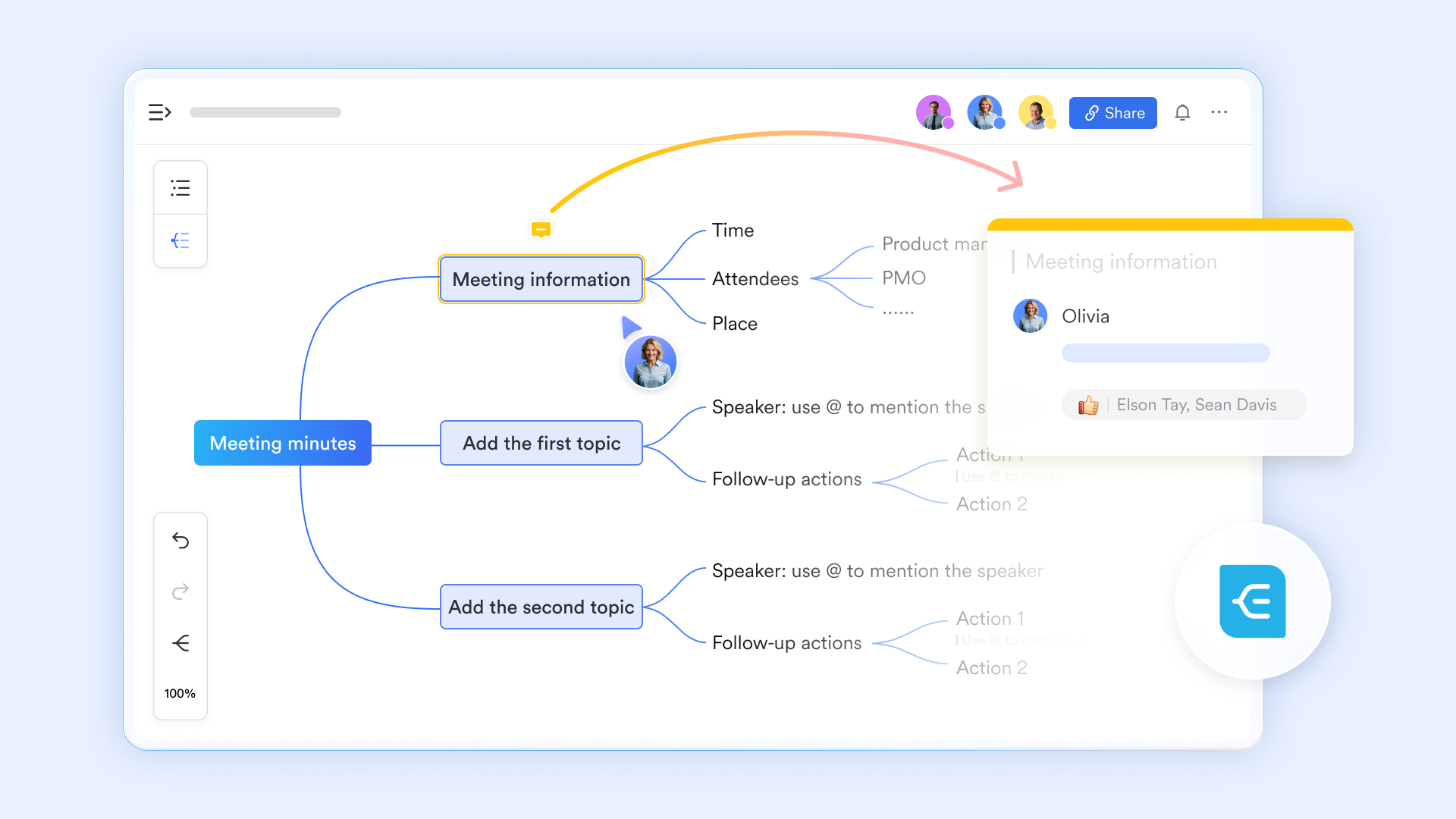
Insertable mind map
Users can embed an interactive mind map and directly share documents by using the "+" menu or typing the "/mind map" command. This function allows a team to collaborate on a visual map within a or meeting agenda, supporting up to 10,000 nodes for complex ideation. 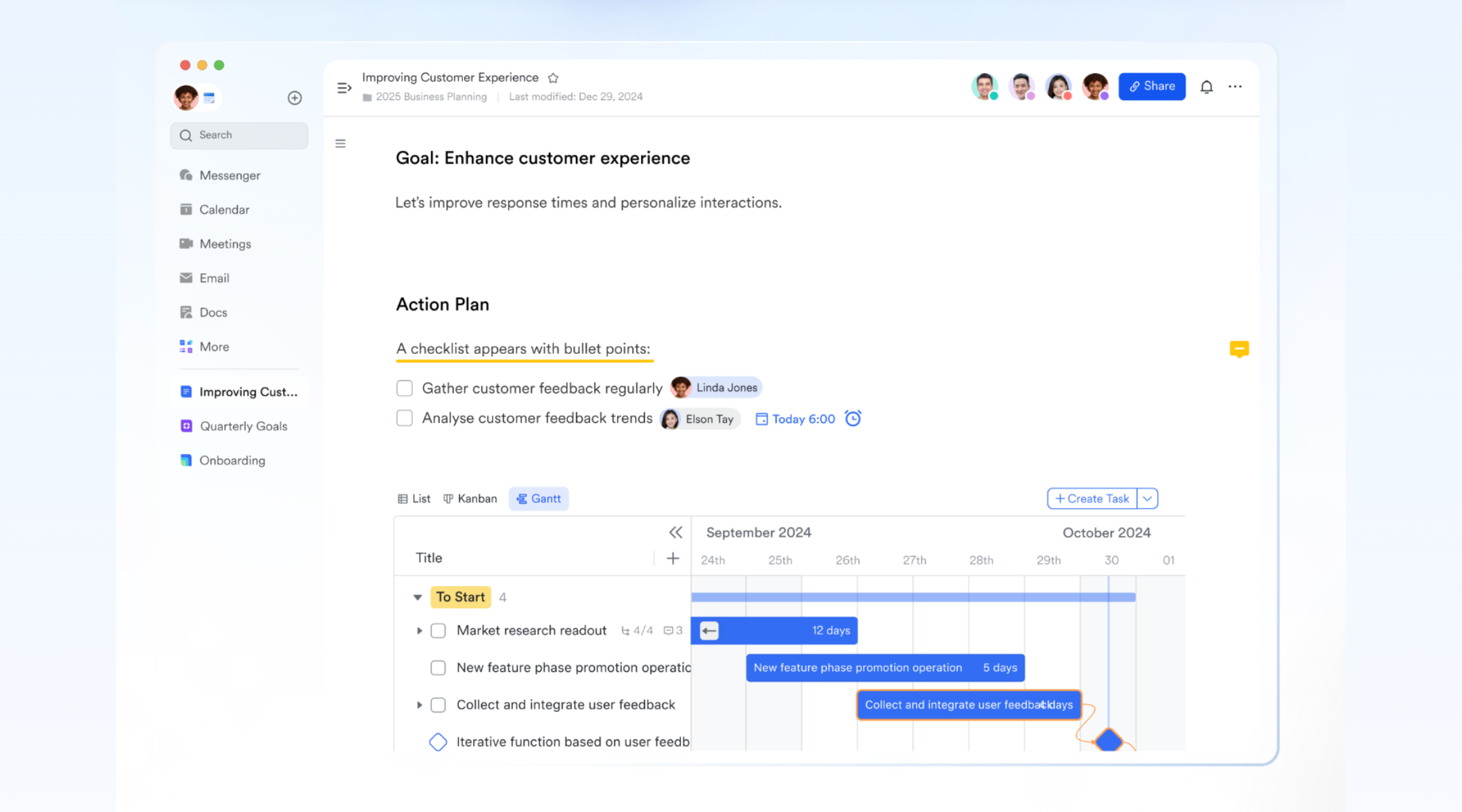
Freeform mind mapping
Lark Board provides an infinite canvas where mind maps can coexist with sticky notes, flowcharts, and images. The specific "mind map" tool on the left toolbar allows users to drag-and-drop nodes and create custom connection lines, making it ideal for visual workshops and design thinking sessions. 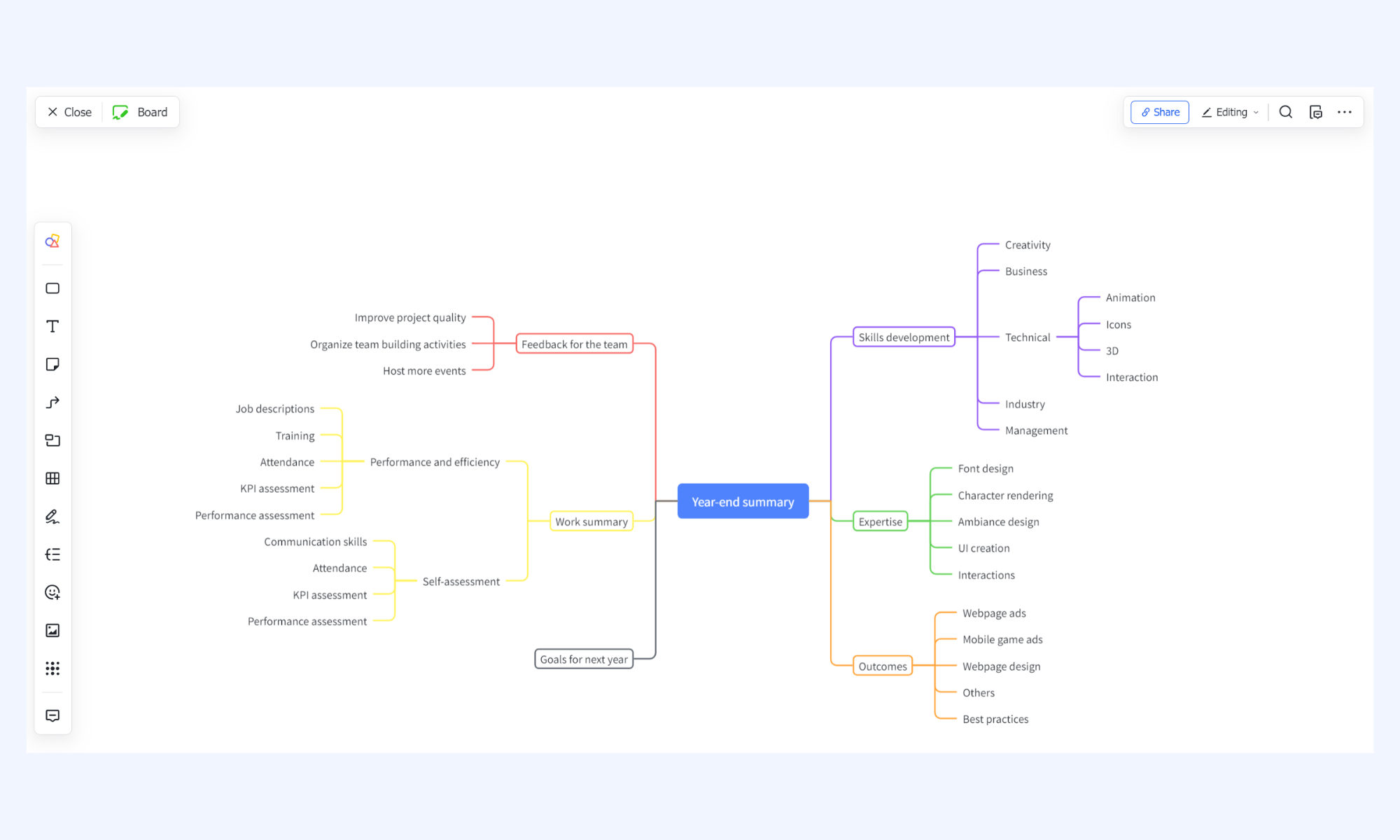
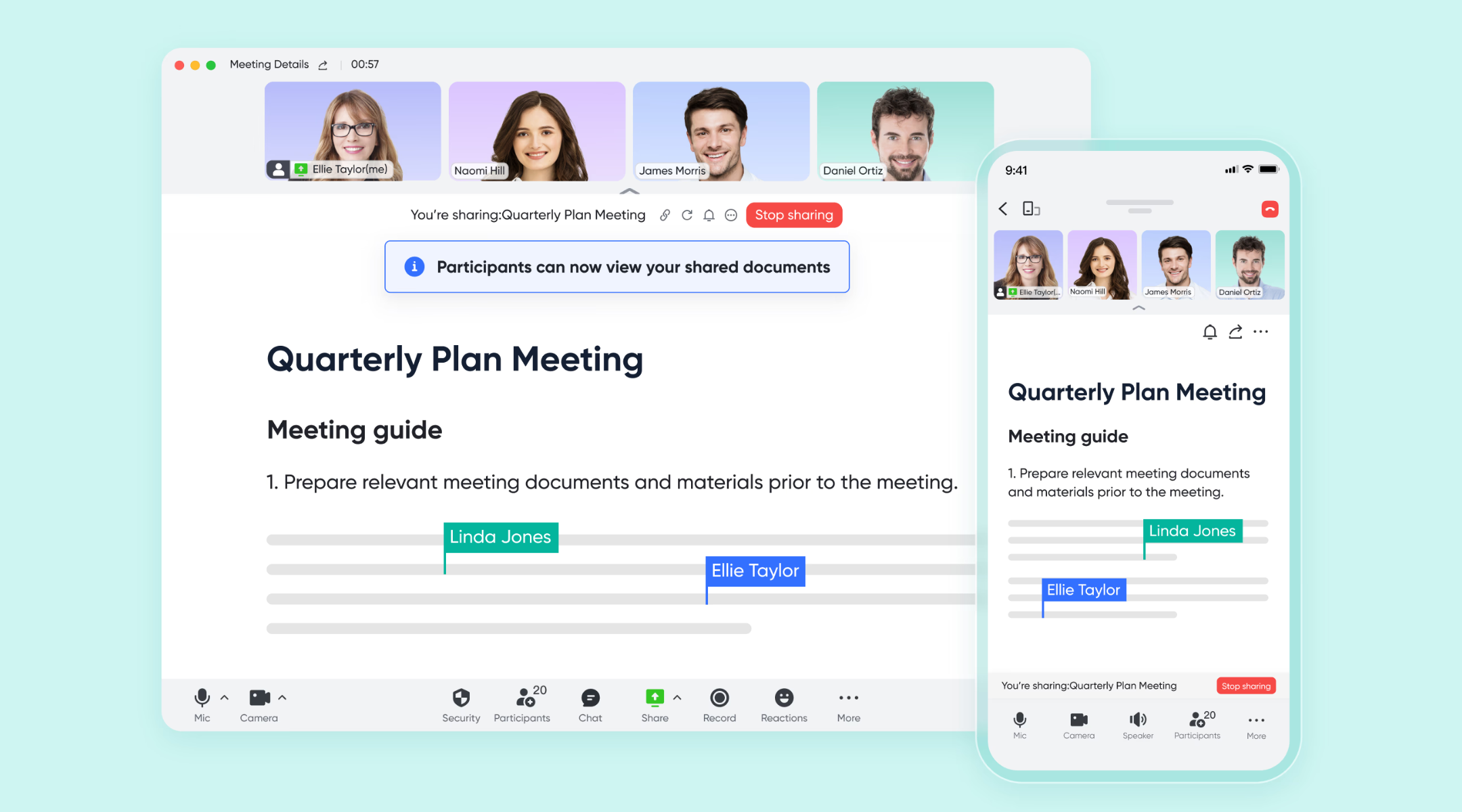
Real-time mind mapping during a meeting
provides a workspace where all participants can co-edit and add branches simultaneously in real-time during the meeting. You can scroll and zoom into different parts of the map independently, and click "Follow Presenter" at any time to jump back to exactly what they are highlighting.
Pros:
- All-in-one integration: Combines mind map software, documentation, meetings, and workflow automation in a single platform, eliminating tool switching.
- AI-enhanced productivity: AI-generated mind maps from meeting transcripts improve efficiency and reduce manual summarization time.
- Scalable collaboration: Supports complex visual structures with thousands of nodes, making it suitable for enterprise-level projects.
- Flexible brainstorming formats: Offers dual-view editing, freeform boards, and database-linked maps for structured or creative ideation.
Con:
- Advanced features may require onboarding support, though detailed tutorials and guidance are available through the .
:
- Starter plan: Free forever plan that includes 11 powerful tools for up to 20 users. It also comes with 100GB of storage, 1000 automation runs, AI translations, and more.
- Basic plan: $6/user/month (billed annually) for up to 500 users. It includes everything in Starter plus group calling for up to 500 attendees, 5TB of storage, 1000 automation runs, and more. For more details, please .
- Pro plan: $12/user/month (billed annually) for up to 500 users. It includes everything in Basic plus group calling for up to 500 attendees, 15TB of storage, 50,000 automation runs, and more.
- Enterprise plan: for custom pricing. Supports unlimited users and includes even more automation runs and advanced security, compliance, and management features.
For small teams with simple communication needs

18 months message history
1000 Base automation runs/month
2000 rows per table in Base
Most POPULAR
For companies with comprehensive collaboration and management needs
Unlimited message history
500-participant video meetings
50k Base automation runs/month
20k rows per table in Base
For large companies with advanced security and organizational management needs
Get a personalized demo and pricing
Unlimited message history
500-participant video meetings
15 TB storage + 30 GB storage/user
500k Base automation runs/month
50k Base automation runs/month
Most POPULAR
For companies with comprehensive collaboration and management needs
Unlimited message history
500-participant video meetings
50k Base automation runs/month
20k rows per table in Base
2. Miro: Best for infinite canvas collaboration among remote teams
Miro is widely recognized as one of the best mind map software for distributed teams. Unlike a traditional mind-mapping program, Miro provides an expansive digital canvas where brainstorming can scale without visual constraints. It functions as a powerful online mind map maker that enables collaborative ideation, workshop facilitation, and design thinking sessions. For teams seeking a highly interactive mind mapping tool with strong real-time collaboration, Miro is a leading choice.
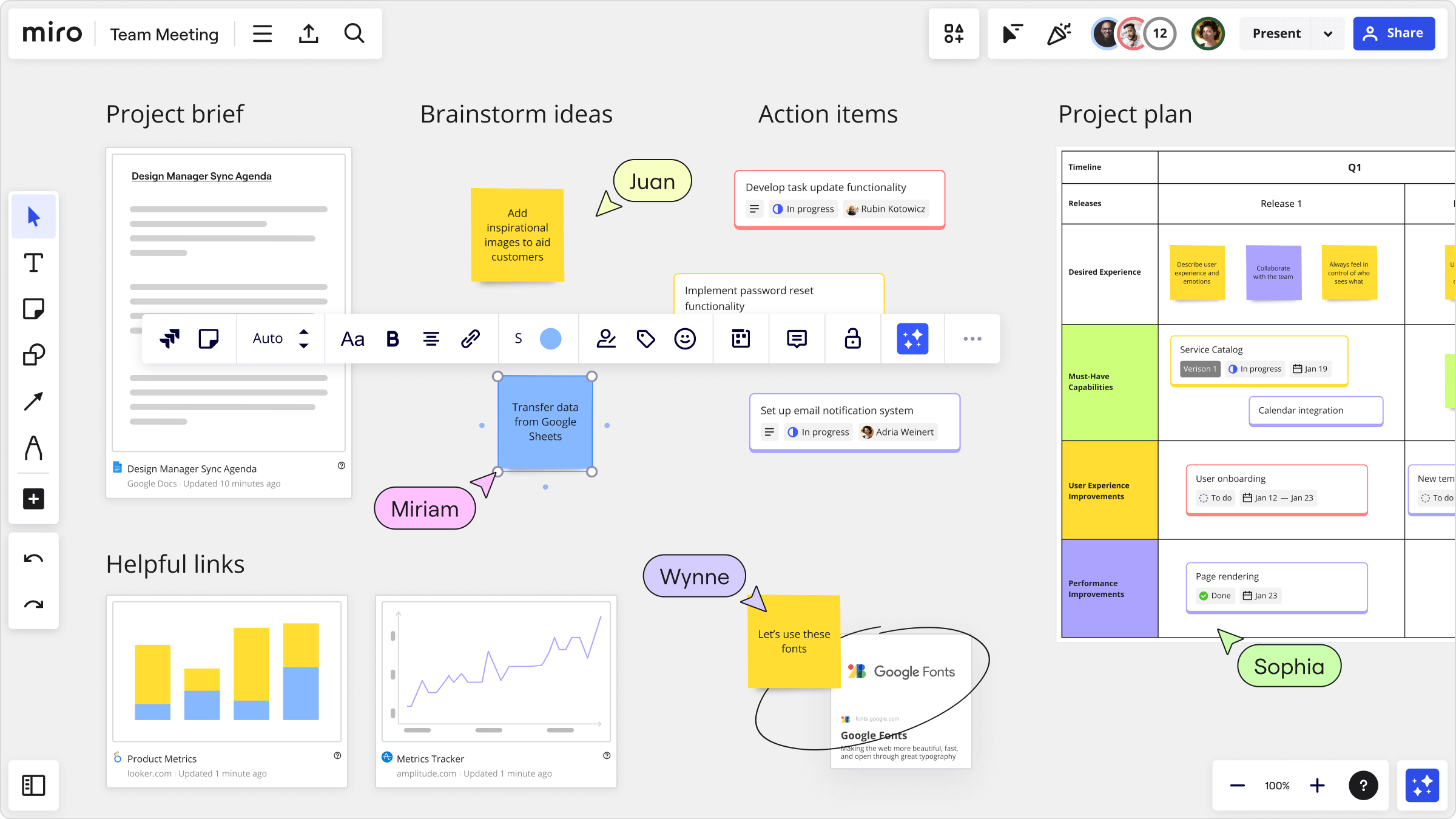
Image source: miro.com
Key features:
- Infinite canvas for scalable visual brainstorming
- Real-time collaboration with an online mind map maker
- AI-assisted idea clustering and summaries
- Ready-made templates for structured mind mapping
Pros:
- Excellent for remote and hybrid teams
- Strong third-party integrations
- Highly flexible visual layout
- Scalable for enterprise workshops
Cons:
- Free plan limited to three editable boards
- The interface may overwhelm beginners
- Performance may decline on extremely large boards
Pricing:
- Free plan: $0 unlimited members
- Starter plan: $8/month/member
- Business plan: $20/month/member
- Enterprise plan: Custom pricing
3. XMind: Best for creating professional, presentation-ready mind map structures
XMind is known for structured layouts and professional output quality. Unlike many online mind map makers, XMind focuses heavily on clarity, hierarchy, and presentation design. It is frequently considered one of the best mind map program choices for professionals who need polished diagrams. For users seeking a desktop-first mind map freeware experience with premium design quality, XMind delivers strong performance.
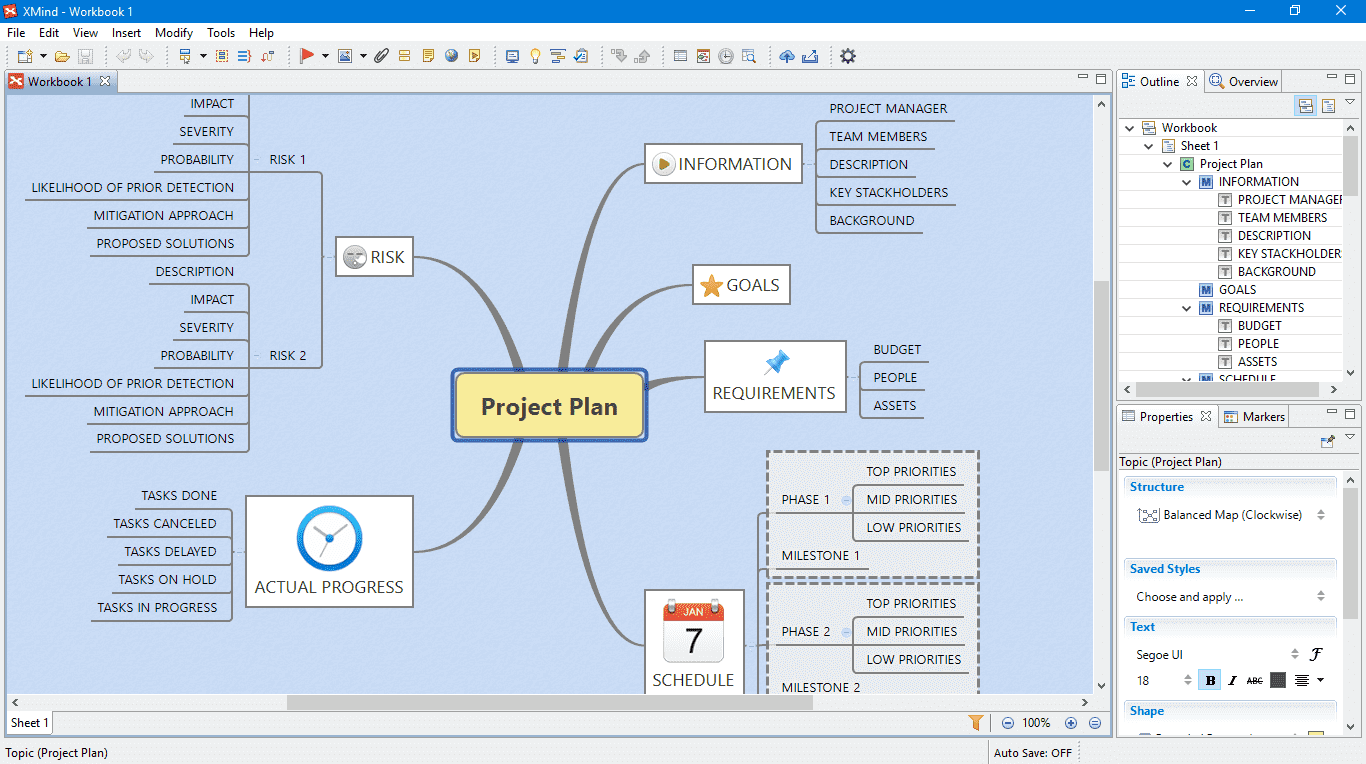
Image source: xmind.com
Key features:
- Offers tree charts, logic charts, and balanced mind map layouts suitable for corporate presentations.
- Users can present directly from the mind map software without exporting slides.
- Ideal for users who prefer a mind map program free from cloud dependency.
- Supports PDF, PNG, and other export formats for sharing.
Pros:
- Clean professional output
- Excellent structure control
Cons:
- Limited real-time collaboration
- Some export options require an upgrade
Pricing:
- Premium plan: $8.25/month
4. ClickUp: Best for linking mind map nodes directly to project management workflows
ClickUp blends mind map software with project execution. It goes beyond a simple mind map maker by connecting nodes directly to actionable tasks. This makes it highly effective for teams who want to transform brainstorming into structured deliverables. For organizations seeking a mind mapping tool that integrates deeply with workflow systems, ClickUp stands out.
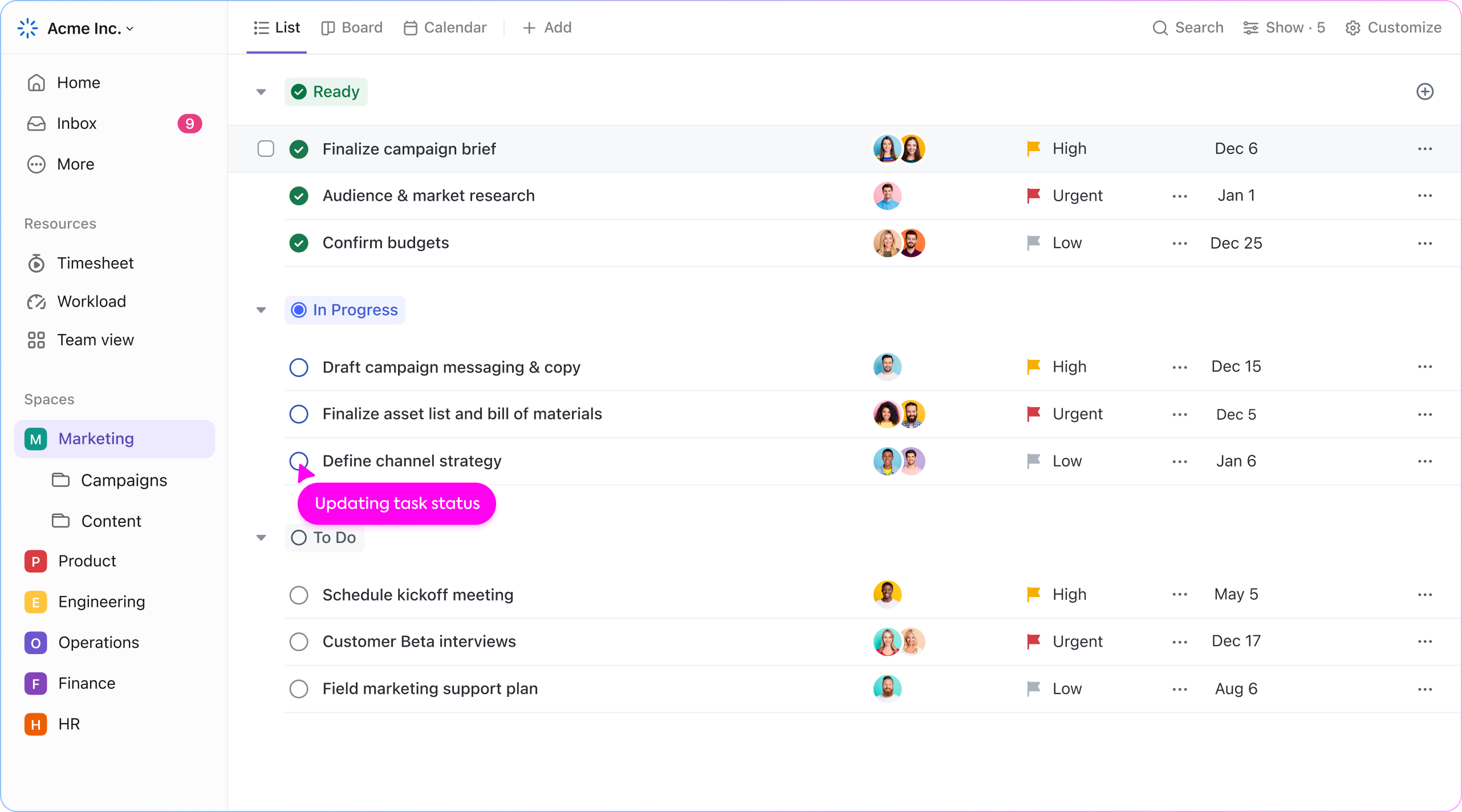
Image source: clickup.com
Key features:
- Instantly convert ideas into assignable tasks within the system.
- AI suggests subtasks and improvements based on brainstorming input.
- Users can switch between visual mind maps and list views.
- Enables teams to edit and update in real time.
Pros:
- Strong workflow integration
- AI productivity features
- Suitable for complex project planning
- Scales for growing teams
Cons:
- Interface can feel feature-heavy
- Learning curve for new users
- Mind mapping is not its primary feature
Pricing:
- Unlimited plan: $7/user/plan
- Business plan: $12/user/plan
- Enterprise plan: Contact sales
5. Coggle: Best for simple, drag-and-drop brainstorming for beginners
Coggle is an easy mind map maker designed for simplicity and accessibility. It works well as a free, online mind map maker for students and small teams. If you are searching for mind map freeware without advanced configuration, Coggle offers a clean and intuitive environment.
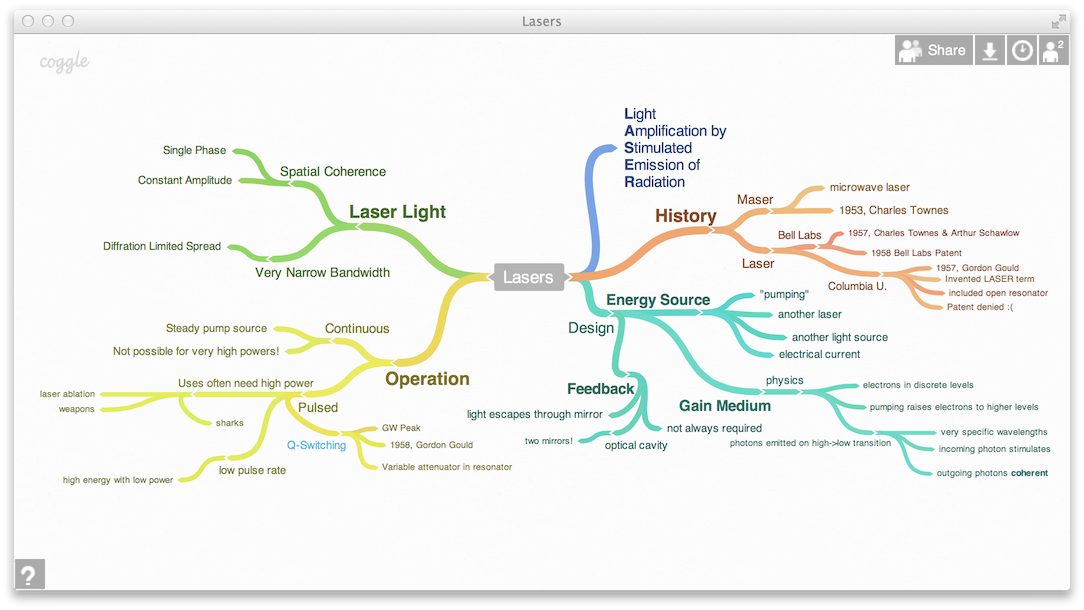
Image source: coggle.it
Key features:
- Simple and intuitive visual expansion.
- Enables shared editing in an online mind map creator environment.
- Track changes and restore previous versions.
- Colors and branch styling for clarity.
Pros:
Cons:
- Limited advanced features
- Not ideal for enterprise workflows
Pricing:
- Organization plan: $8/member/month
6. Lucidchart: Best for technical users who need to combine mind maps with diagrams
Lucidchart is more than a traditional mind map maker. It combines structured diagramming and mind-mapping software into a single platform, making it ideal for technical teams. Engineers, IT departments, and operations professionals often prefer Lucidchart because it supports both brainstorming and technical documentation in one environment. If you need a mind mapping tool that integrates flowcharts, system diagrams, and process maps alongside visual ideation, this is one of the best mind map software options available.
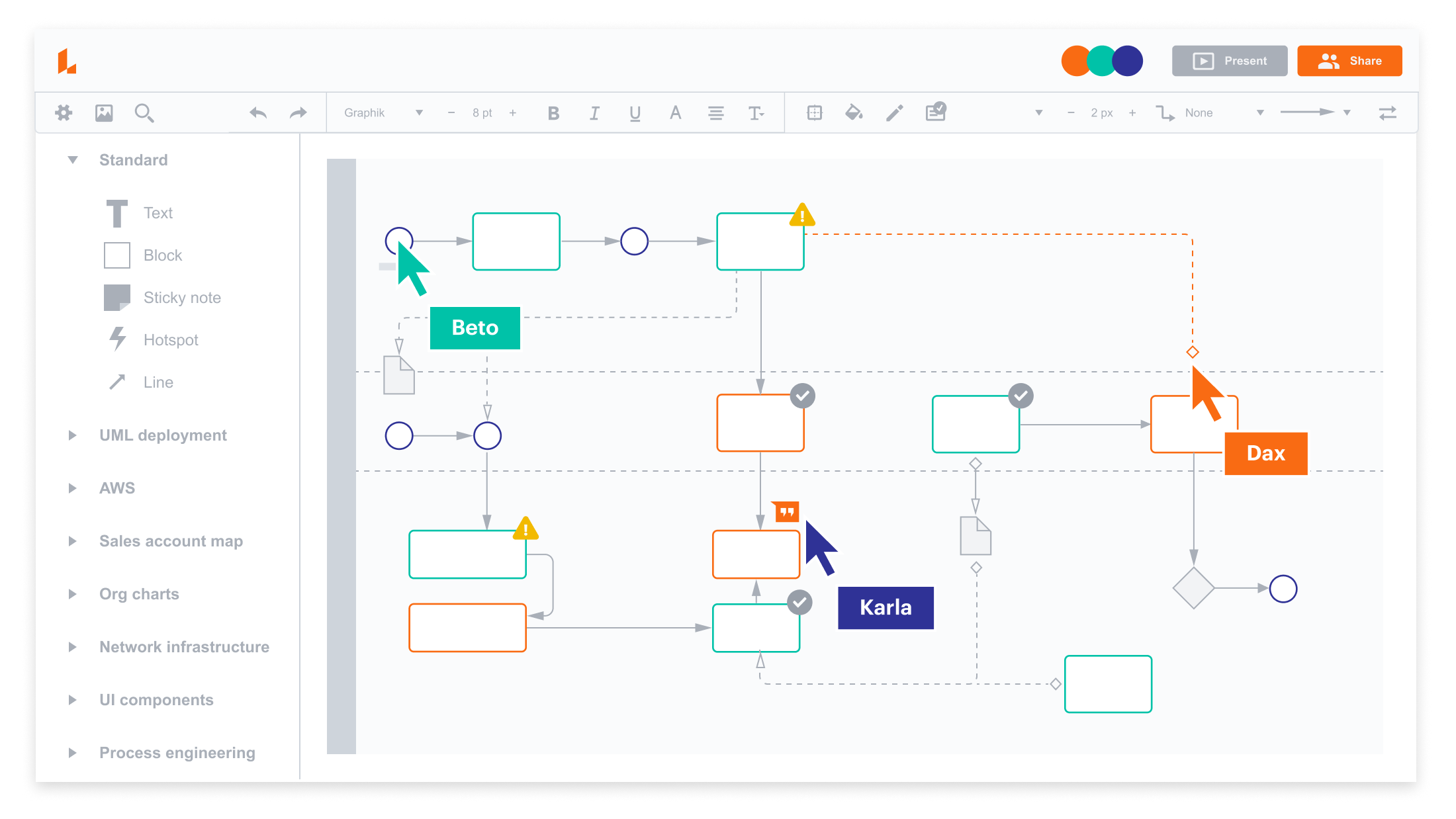
Image source: lucidchart.com
Key features:
- Combines mind map software with advanced diagramming tools
- Data-linked shapes for dynamic updates
- Real-time collaborative editing
- Integration with Google Workspace and enterprise systems
Pros:
- Ideal for technical and engineering teams
- Strong integration ecosystem
- Enterprise-grade security and compliance
- Highly customizable visual diagrams
Cons:
- More complex than simple mind map maker free tools
- The free plan has limited functionality
- Pricing is higher than basic mind map freeware options
Pricing:
- Enterprise plan: Contact sales
7. MindMeister: Best for real-time collaborative editing and live group brainstorming
MindMeister is designed specifically for collaboration-first mind mapping. It functions as an online mind map creator that allows teams to brainstorm simultaneously from anywhere. Many users consider it one of the best mind map app solutions for educators, startups, and agile teams who prioritize simplicity and live editing. If you need a browser-based mind map maker with an online, free option that supports structured collaboration, MindMeister delivers a balanced solution.
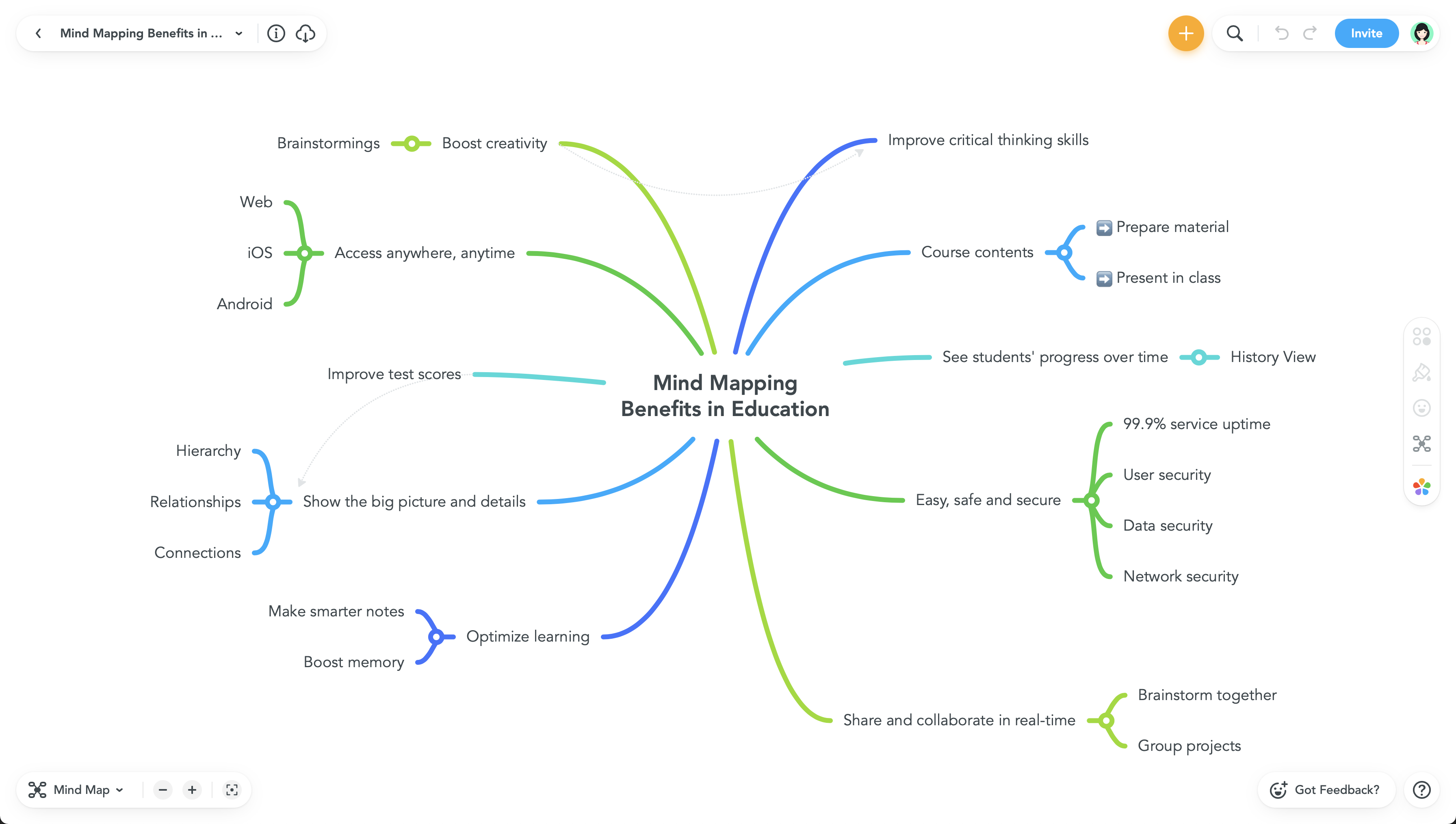
Image source: mindmeister.com
Key features:
- Real-time multi-user editing
- Browser-based online mind map maker
- Built-in presentation mode
- Cloud synchronization across devices
Pros:
- Strong collaboration capabilities
- Simple and intuitive interface
- Accessible from any device
- Reliable cloud-based saving
Cons:
- Free plan limited to basic features
- Advanced export options require an upgrade
- Limited AI-driven enhancements
Pricing:
- Edu personal plan: $1.75/month
- Edu pro plan: $2.75/month
- Edu campus plan: Custom pricing
8. MindNode: Best for a seamless and aesthetic experience across the Apple ecosystem
MindNode is a polished mind map maker built specifically for macOS and iOS users. It emphasizes clean design, focus, and intuitive editing. Often described as one of the best mind map application options for Apple users, MindNode blends simplicity with strong visual clarity. If you prefer a distraction-free mind mapping tool that works smoothly across Apple devices, this is a top-tier choice.
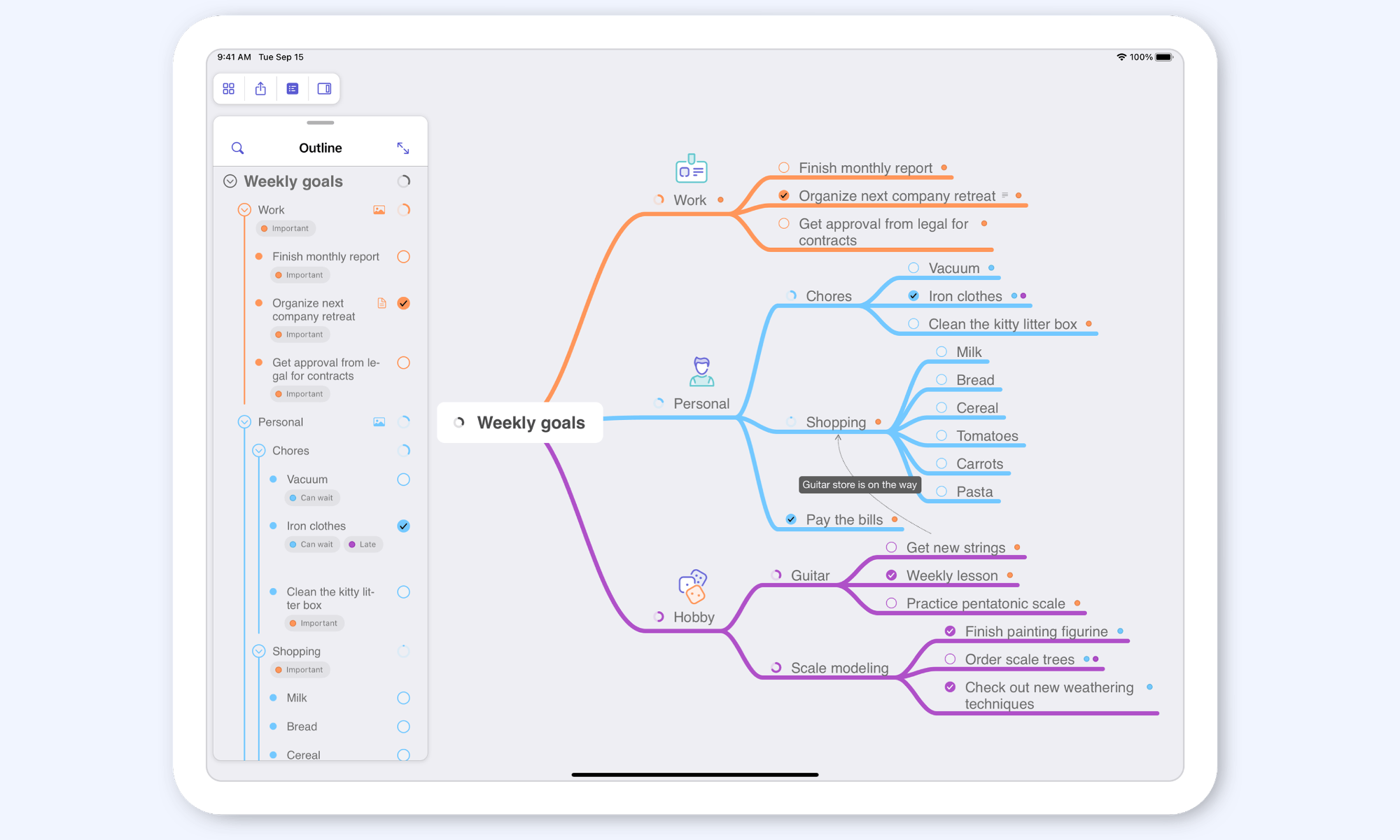
Image source: mindnode.com
Key features:
- Seamless sync across Apple devices
- Minimal and distraction-free interface
- Focus mode for deep work
Pros:
- Beautiful and clean design
- Optimized for macOS and iOS
Cons:
- Limited cross-platform availability
- Collaboration is less advanced than web tools
- Some features require a subscription
Pricing:
- Plus plan: $2.50/month (billed annually)
9. Ayoa: Best for neuroinclusive and organic visual thinking styles
Ayoa combines structured task management with organic mind mapping layouts. Unlike rigid hierarchical tools, Ayoa supports free-flowing idea expansion that mirrors natural thinking patterns. It is often considered the best mind map software for creative thinkers and neurodiverse teams. If you are looking for a free mind map maker that prioritizes flexibility and creativity, Ayoa offers a unique experience.
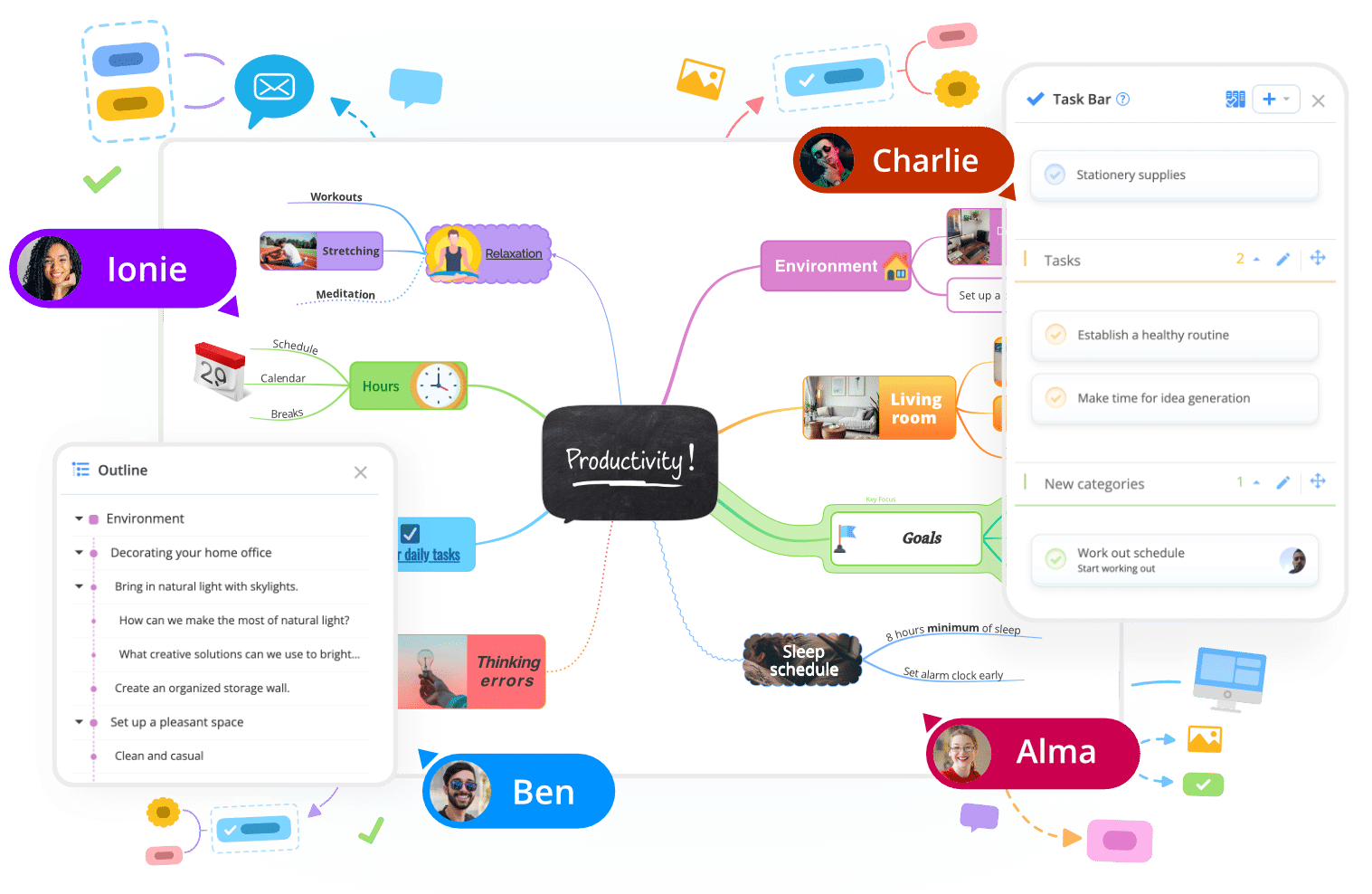
Image source: ayoa.com
Key features:
- Organic branch-style mind mapping tool
- Integrated task management system
- AI-assisted idea generation
- Customizable visual themes
Pros:
- Encourages creative thinking
- Combines tasks and mind maps
- Unique organic visual format
Cons:
- The interface may feel unconventional
- Limited features in the free plan
- Pricing is higher than basic mind map programs
Pricing:
- Ultimate plan: $17/user/month
10. Canva: Best for designing highly visual, infographic-style mind maps quickly
Canva is primarily known as a graphic design platform, but it also functions as a capable mind map maker with an online free option. It is ideal for users who want visually striking mind maps rather than deeply structured hierarchical diagrams. If your goal is presentation-ready visuals, Canva may be one of the best mind map tools for marketing and creative teams.
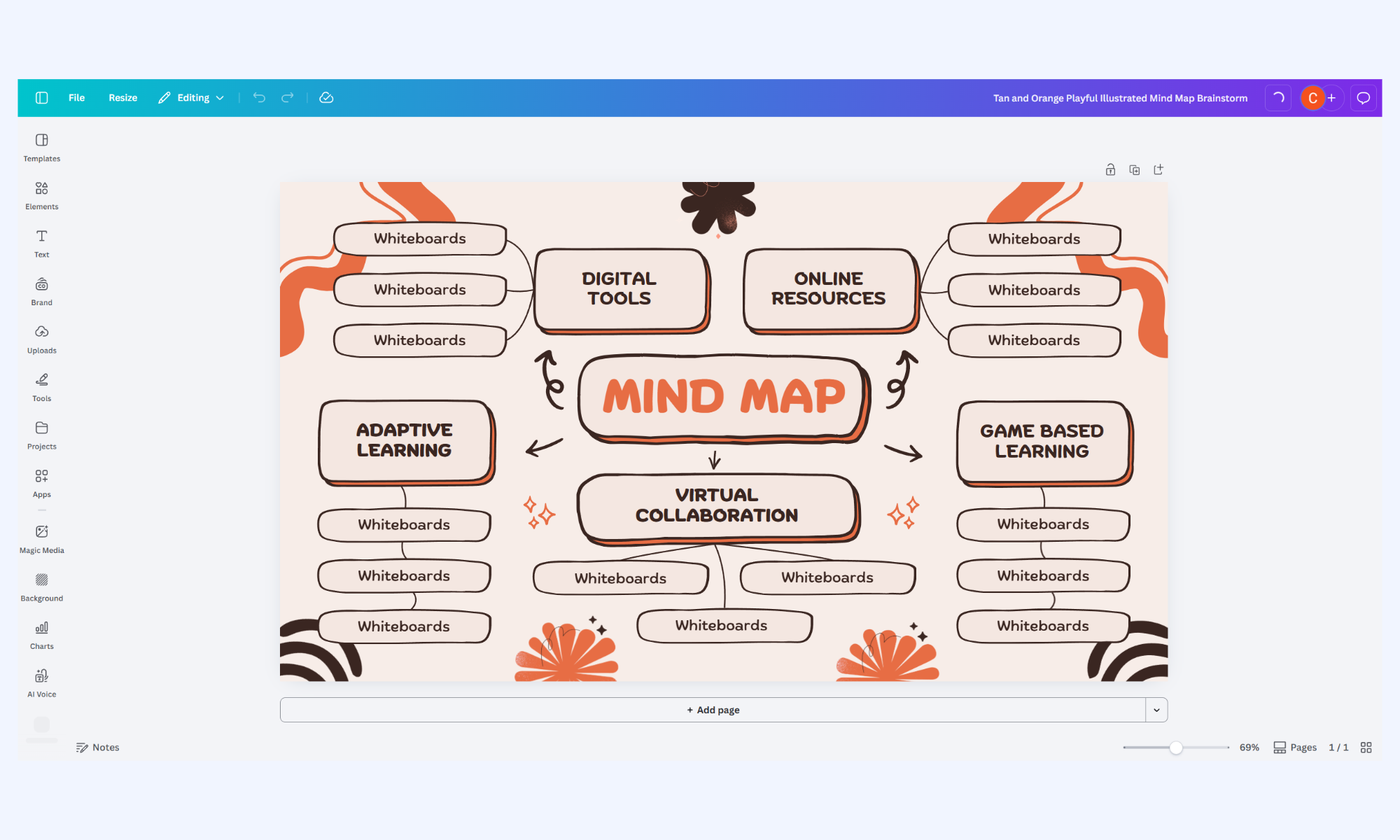
Image source: canva.com
Key features:
- Drag-and-drop visual editor
- Online mind map creator collaboration
- Multi-format export capabilities
Pros:
- Highly visual and attractive output
- Free templates available
- Great for presentations and marketing
Cons:
- Not specialized mind map software
- Limited structured hierarchy controls
- Advanced design features require a subscription
Pricing:
- Business plan: $250/year
- Enterprise plan: Custom pricing
5 key features of the best mind map software
The right mind map maker should simplify brainstorming while supporting collaboration and clarity. Whether you choose free mind-mapping tools or advanced mind-mapping software, usability and flexibility are essential. The best mind map tool helps transform ideas into structured visuals without complexity.
- Drag-and-drop node creation: An easy mind map maker should allow users to add and rearrange nodes effortlessly. Drag-and-drop functionality makes brainstorming intuitive and fast. This feature is essential in both mind map programs and enterprise-level best mind map software. Smooth node editing encourages rapid idea generation without technical barriers.
- Real-time collaboration: Modern online mind map makers enable multiple users to edit simultaneously. Real-time collaboration is especially valuable for remote teams using an online mind map creator. Shared editing, commenting, and cursor visibility improve group brainstorming. The best mind map application ensures collaboration feels seamless and responsive.
- AI-assisted idea generation: Advanced mind map generators now integrate AI suggestions. AI can expand branches, summarize meeting discussions, or categorize topics automatically. This enhances productivity and supports users seeking AI-driven mind map software. Intelligent assistance reduces manual effort and improves structure.
- Cross-platform accessibility: A reliable online mind map creator should work across web, desktop, and mobile platforms. synchronization ensures ideas are accessible anywhere. Many mind map-making tools now offer cross-device compatibility. Flexibility improves workflow continuity and team efficiency.
- Export and integration options: The best mind map program should support exporting to PDF, image, or . Integration with other systems turns a simple mind mapping tool into a productivity engine. Compatibility with collaboration platforms enhances usability. Export flexibility ensures your mind map freeware solution fits broader workflows.
Bridge the gap between your ideas and team execution
Bonus: Ready-to-use map templates
Starting with a structured template can dramatically reduce setup time in any mind map maker. Instead of building from scratch, ready-made layouts help teams focus on ideas rather than formatting. Here is the template list that connects visual thinking with documentation and :
Event planning mind map template
This template helps teams break down event goals, timelines, vendors, marketing activities, and logistics in a structured visual format. It works as an easy mind map maker for large without missing critical details. By organizing tasks hierarchically, teams can seamlessly move from brainstorming to execution within the same mind-mapping tool.
OKR mind map development template
This template is designed to visually map objectives and key results across teams. It transforms strategic planning into a clear hierarchical structure using a collaborative online mind map creator. Leaders can align goals, , and visualize progress within a centralized mind map maker online free environment.
Brainstorming template
This template supports rapid idea generation with flexible branching. It functions as a mind map generator and a free framework for workshops, innovation sessions, and creative meetings. Teams can expand concepts freely while maintaining structured clarity, making it one of the most versatile best mind map tool templates available.
Conclusion
Choosing the right mind map maker depends on how you plan to use visual thinking in your workflow. Some users need a simple, free mind map maker for quick brainstorming, while others require advanced mind map software that connects ideas directly to . From mind map freeware options for students to enterprise-ready best mind map software platforms, the tools available in 2026 offer flexibility, AI support, and cross-platform accessibility. The key is selecting a mind mapping tool that balances creativity with structure while remaining easy to scale.
As online mind map maker platforms continue to evolve, integration is becoming more important than standalone functionality. Teams increasingly prefer systems that connect brainstorming directly to documentation, tasks, and automation. Unified environments like demonstrate how a mind map online creator can exist within a broader productivity ecosystem, reducing tool switching and improving execution. By choosing a scalable, collaborative best-in-class mind mapping tool, you ensure that visual ideas move beyond diagrams and translate into measurable outcomes.
Map your thoughts and master your goals with Lark
FAQs
What is the best free mind map software available online?
Several platforms offer free mind map makers, including Coggle and Canva. These tools support basic visual with limited features. If you need an online mind map maker with collaboration and workflow integration, some platforms offer broader free plans. Tools like Lark go beyond simple mind-mapping freeware by combining visual thinking with team productivity features.
Can mind-mapping tools be used for project management?
Yes, many mind map software platforms allow nodes to be converted into tasks and linked to deadlines. This turns a mind-mapping tool into a lightweight system. The best mind-mapping tools integrate with broader workflows. Platforms such as Lark connect mind maps directly to documentation and task management.
Are online mind-mapping tools secure for team collaboration?
Most reputable online mind-mapping tools offer encryption and permission controls. Enterprise-grade mind map software may include compliance certifications and audit logs. Security levels vary by provider. Platforms like Lark enhance protection with centralized and role-based controls.
What is the difference between mind mapping tools and diagram software?
Mind map software focuses on hierarchical expansion of ideas from a central topic. Diagram software is used to create structured technical visuals such as flowcharts. Some platforms combine both capabilities into a single system. Integrated environments like Lark support mind mapping, diagrams, and workflow automation.
Related reading












