














Project Coordination: 10 Tools to Keep Teams, Tasks, and Timelines Aligned

Ryan Tanner
Product Marketing Specialist
Sep 18, 2026
Ryan Tanner
Sep 18, 2026

23 min read


Successful project coordination is the foundation of efficient teamwork. It ensures tasks move smoothly between departments, updates stay transparent, and project goals remain aligned. Whether managing construction project coordination, IT project coordination, or cross-functional teams, the right tools make all the difference. Modern teams rely on platforms that combine communication, scheduling, and task management into one space.
Among these tools, Lark has gained recognition for its unified workspace that connects messaging, tasks, and workflow automation. But before diving deeper into its capabilities, let's explore what project coordination means, why it matters, and how the best tools can help streamline teamwork.
Here are the 10 best project coordination tools worth exploring for better organization and results.
1. Lark: Unified workspace for communication, task management, and workflow automation.
2. Asana: Structured project tracking with visual boards and progress timelines.
3. ClickUp: Productivity tool for agile teams and multi-project coordination.
4. Wrike: Advanced project coordination and reporting for large organizations.
5. Monday.com: Visual dashboards and automation for customizable team workflows.
6. Float: Resource planning and workload forecasting for agencies and studios.
7. Zoho Projects: Cost-effective coordination platform for small to mid-sized businesses.
8. Trello: Simple Kanban-based coordination for small teams and personal projects.
9. TeamGantt: Gantt chart-focused tool for project scheduling and timeline management.
10. Microsoft Project: Enterprise-grade project coordination with robust reporting and resource controls.

What is project coordination?
Project coordination involves overseeing the daily operations that keep a project on track. It's about ensuring communication flows smoothly, tasks are prioritized properly, and resources are allocated effectively. In simple terms, it's the bridge between project planning and execution.
Project coordination means extending to every industry, from IT project coordination that manages sprints and releases, to construction project coordination that synchronizes site teams, equipment, and deadlines. Coordinators ensure every stakeholder stays informed, and every deliverable aligns with broader project goals.
Project coordination vs project management
While project managers focus on planning, budgeting, and stakeholder alignment, project coordinators handle the operational day-to-day tracking progress, facilitating communication, and ensuring deliverables stay on schedule.
A project coordinator manages the rhythm of daily tasks, while the manager defines the bigger picture. Together, they ensure both efficiency and strategic direction.
Core project coordination skills
Successful project coordination depends on a mix of organizational, communication, and technical abilities. These skills help coordinators manage priorities, resolve issues quickly, and keep projects moving without disruption. Developing them ensures teams stay focused, collaborative, and adaptable in any work environment.
- Communication: A coordinator must share updates consistently, ensuring every team member knows what's next. This keeps goals and timelines aligned.
- Organization: Strong prioritization skills are essential for juggling multiple deliverables while maintaining clarity on task dependencies.
- Collaboration: Encourages teamwork across departments by facilitating smooth exchanges and resolving bottlenecks.
- Documentation: Ensures every project detail from notes to reports is accessible and version-controlled.
- Adaptability: Enables coordinators to adjust to unexpected changes without derailing progress.
- Tool proficiency: Skilled use of modern project coordination software ensures speed, accuracy, and reduced manual effort.
Project coordination techniques that drive results
Strong coordination techniques turn project plans into consistent, measurable outcomes. They help teams maintain structure, avoid miscommunication, and adapt quickly to changes. By following proven methods, coordinators can create clarity, improve efficiency, and keep every project stage aligned with its goals.
- Centralize task tracking: Combine all milestones, ownership details, and timelines into a single platform to maintain visibility and avoid silos.
- Standardize workflows: Develop templates for recurring project types, ensuring consistency and faster onboarding.
- Create shared visibility: Use dashboards that display live project metrics so every stakeholder can monitor performance.
- Automate updates and reminders: Leverage automation to send notifications, reducing the time spent on manual follow-ups.
- Document everything: Keep all discussions, feedback, and results recorded for future reference and accountability.
- Use structured meetings: Maintain productive sessions with focused agendas like planning, stand-ups, and retrospectives.
Snapshot overview: 10 best project coordination tools
Information source: Official vendor sites
Update time: 2025-11-16
Note: Pricing and plan details reflect publicly available data as of the update date and may vary based on region, billing cycle, and number of agents.
10 Project coordination tools to consider
1. Lark: Unified workspace for modern project coordination
Lark provides a modern, unified environment for communication, collaboration, and workflow automation. It's built for teams that need real-time alignment across chats, tasks, and documents without switching platforms. Whether used for IT project coordination or creative project workflows, Lark ensures seamless coordination from planning to execution.
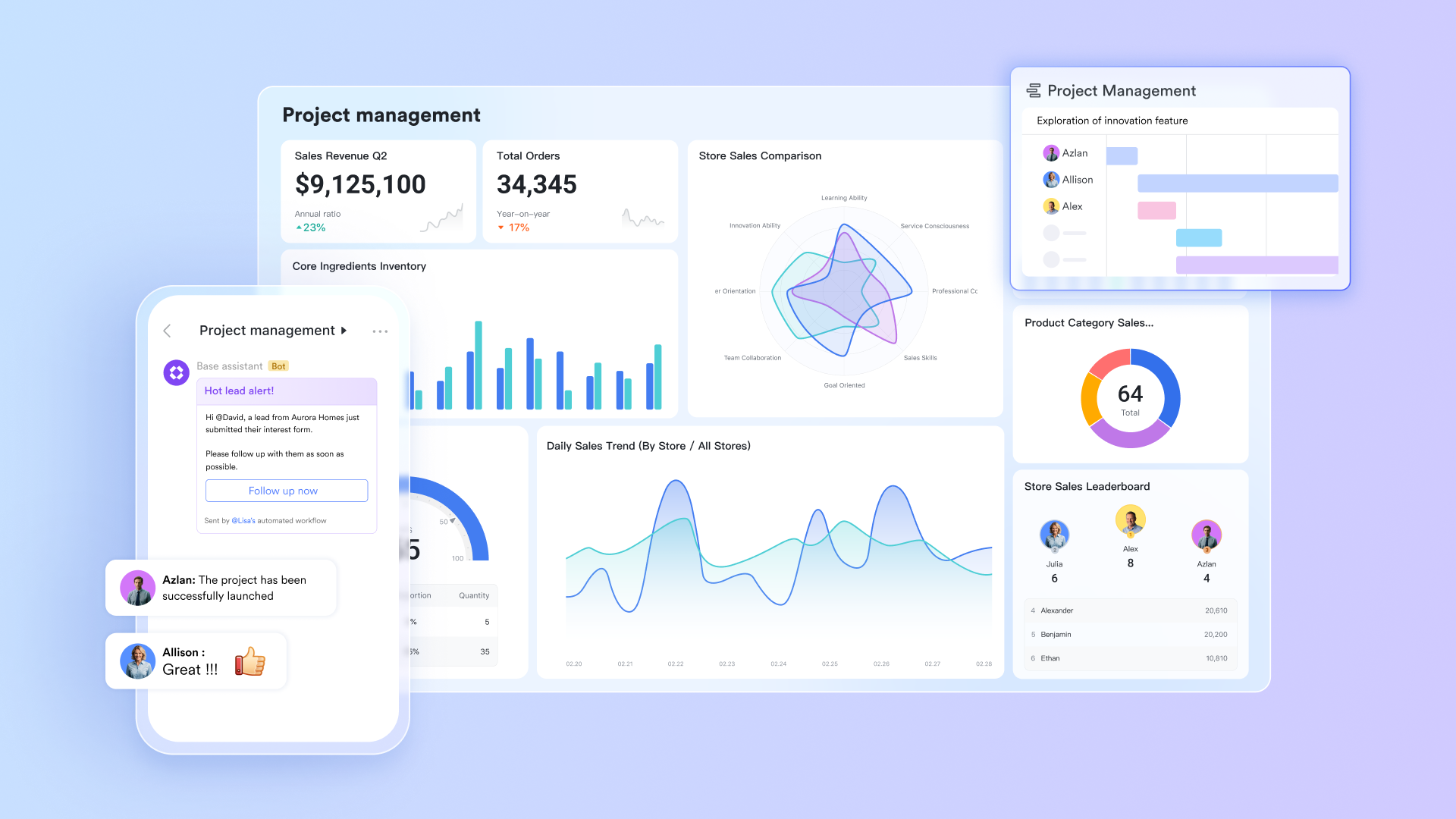
Centralized data & project management with Lark Base
Lark Base provides teams with a flexible, spreadsheet-style database to store and organize project details. It centralizes progress tracking, timelines, and dependencies within a single, unified system. Project coordinators can customize data fields, link related tasks, and instantly visualize updates. This ensures that teams always operate from accurate, real-time information, minimizing confusion and improving accountability across departments.
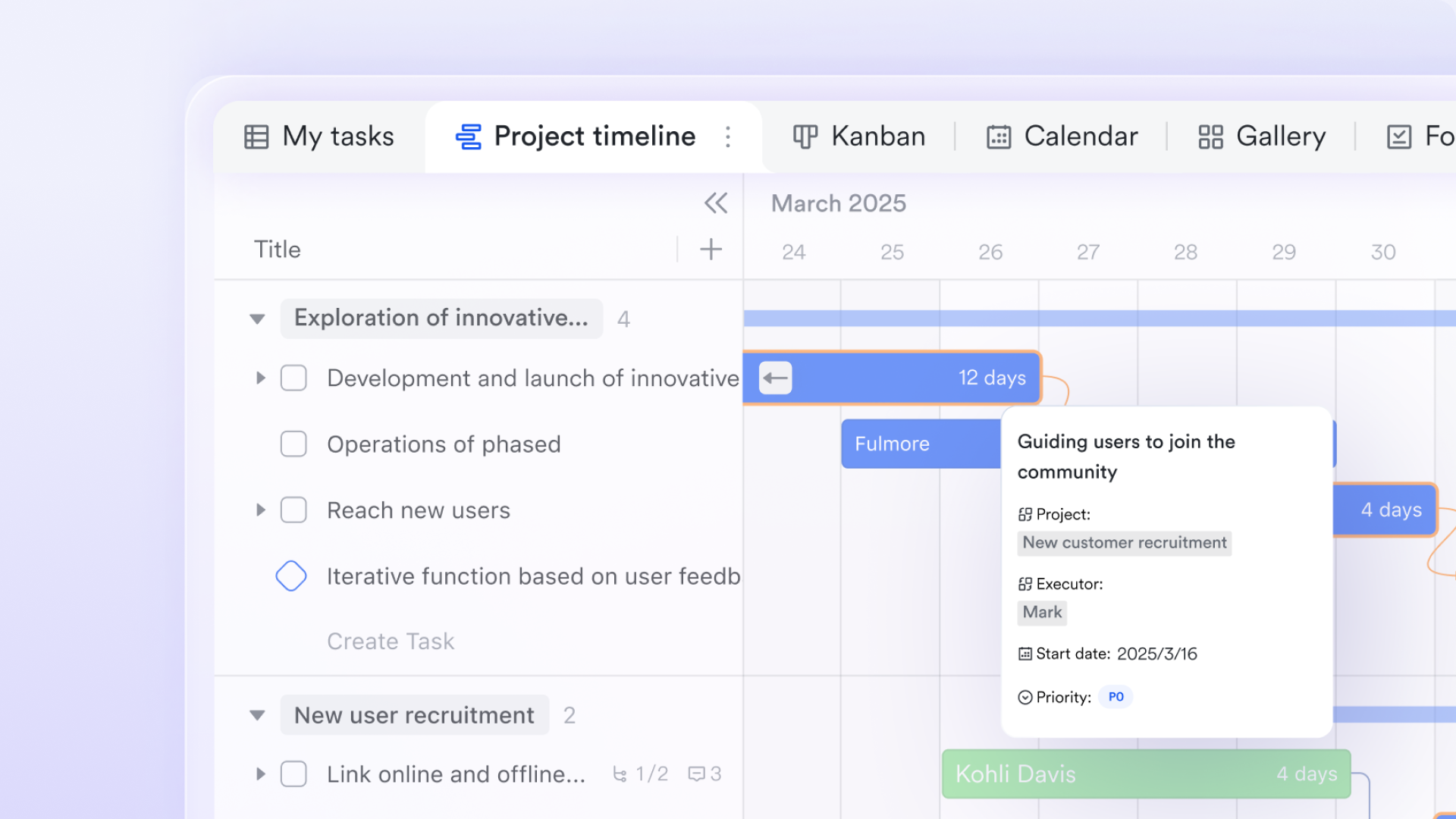
Seamless team communication & project scheduling with Lark Messenger & Calendar
Lark syncs chat and scheduling directly into the project workspace. Lark Messenger keeps conversations linked to relevant tasks, while the Lark Calendar ensures meetings and deadlines stay synchronized. Team members can schedule events, send reminders, and share updates without leaving the app. This connection between communication and time management ensures no message or milestone gets overlooked, keeping coordination tight and transparent.
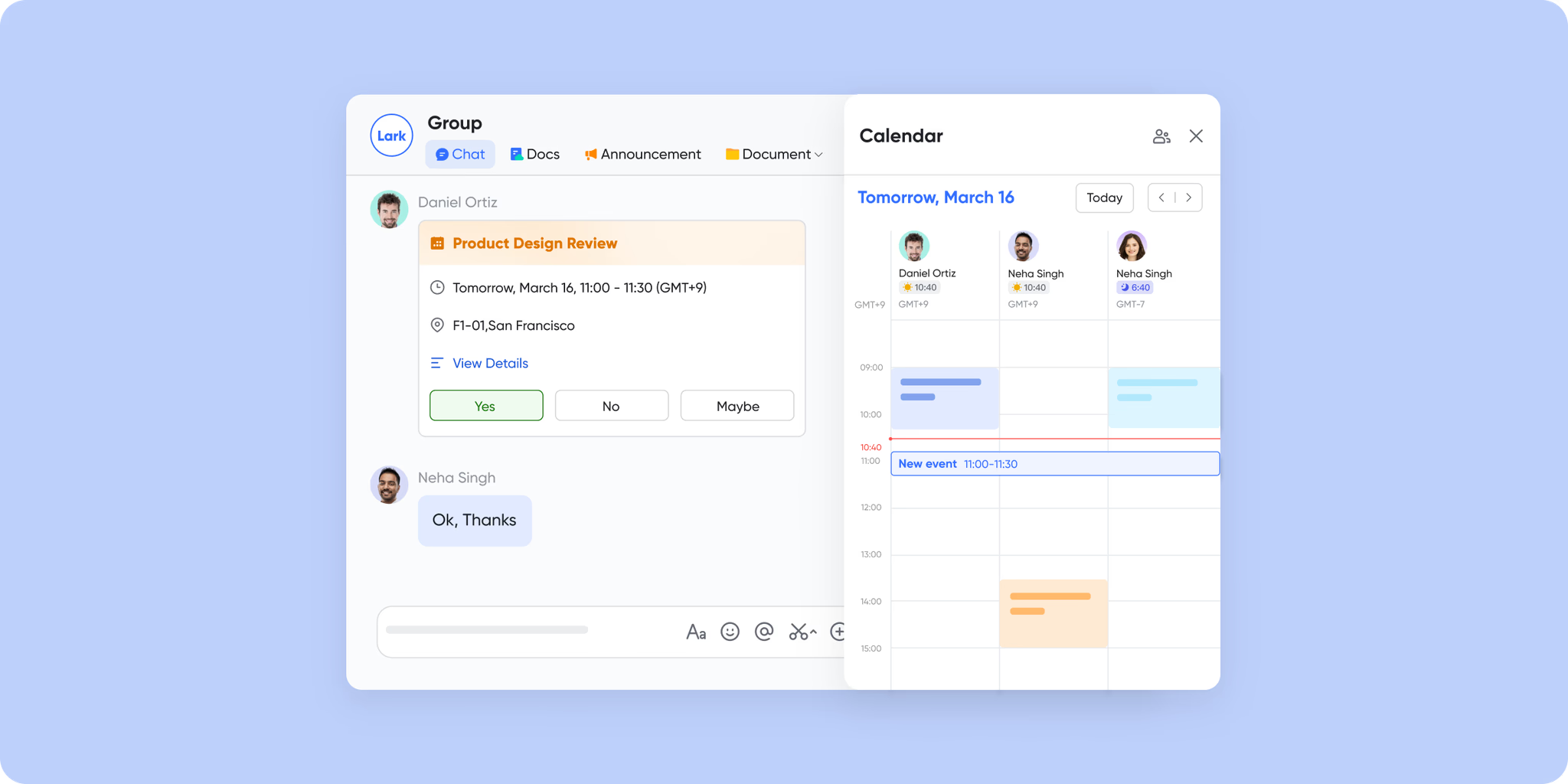
Plan, assign, & practice with clear tracks with Lark Tasks
Lark Tasks gives coordinators and team members a clear overview of assignments, priorities, and completion progress. Each task includes detailed descriptions, deadlines, and ownership tags, creating visibility for everyone involved. Coordinators can track dependencies and ensure projects advance on schedule. This clarity of responsibility promotes accountability and reduces delays caused by unclear task ownership.
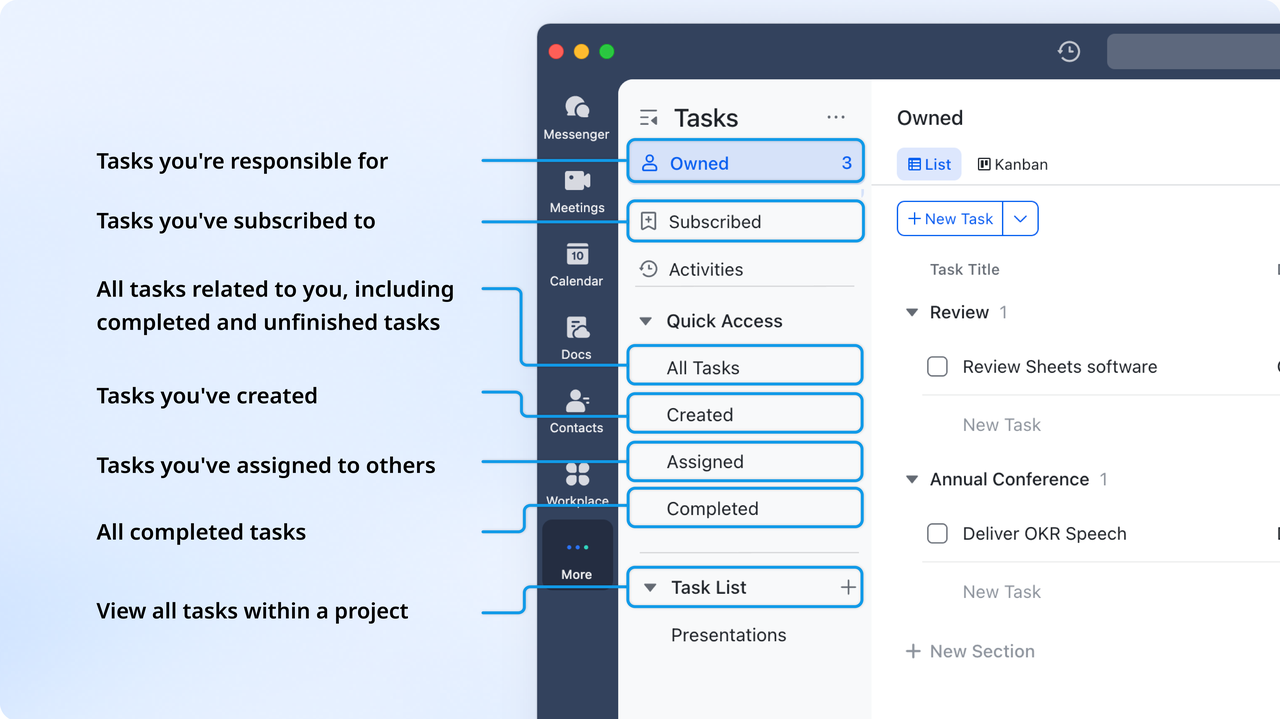
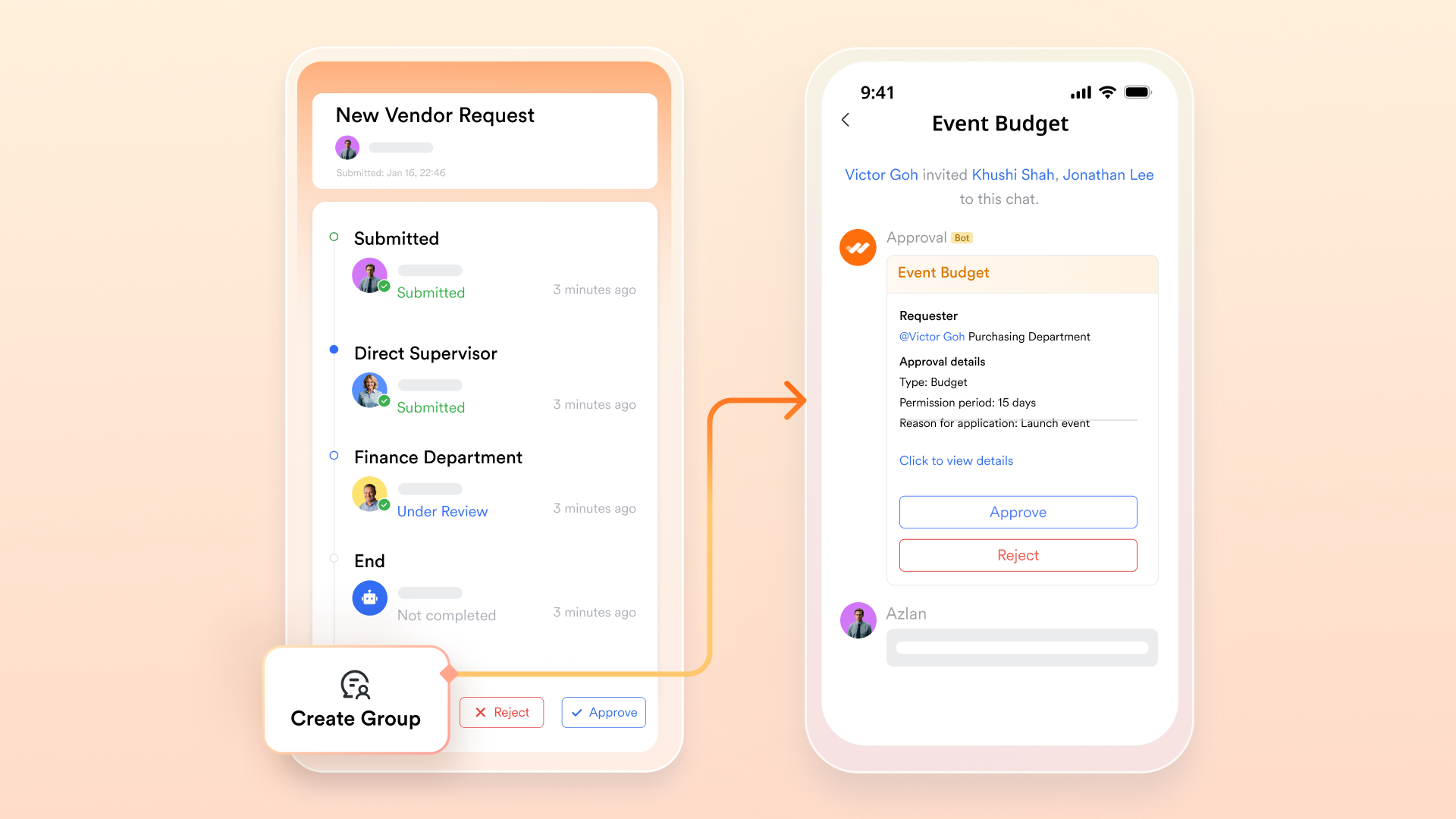
Streamlined approvals, requests, & audits with Lark Approval
Lark Approval simplifies repetitive administrative processes such as expense reports, design sign-offs, and project requests. Coordinators can build automated workflows where submissions follow predefined approval paths. Notifications are triggered automatically, ensuring that pending actions don't go unnoticed. By reducing manual follow-ups, Lark allows teams to maintain momentum while staying compliant and organized.
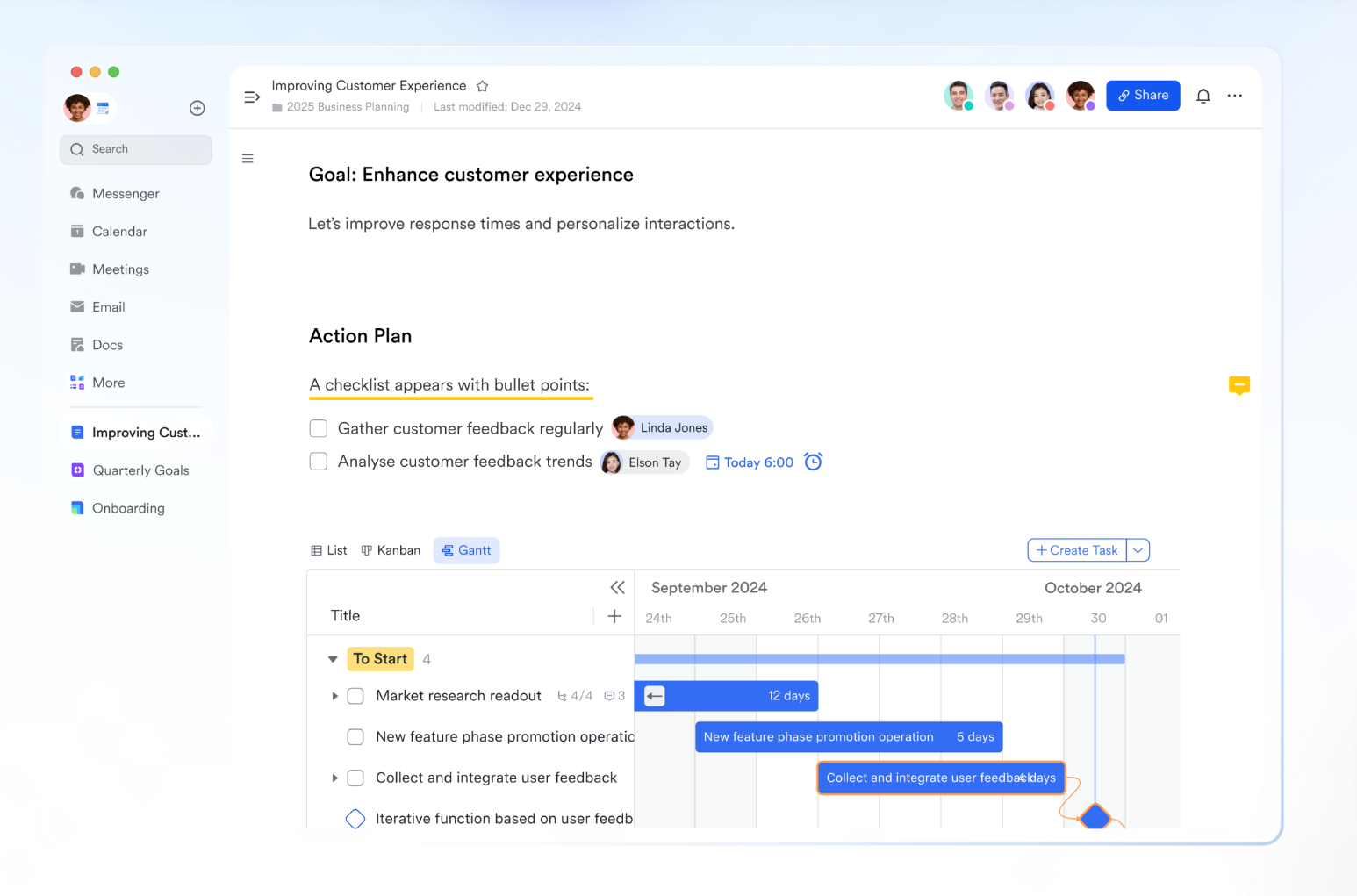
Collaborative live document platform with Lark Docs
Lark Docs supports collaborative writing and document sharing, enabling multiple contributors to edit simultaneously. It connects directly with Lark Tasks and Lark Messenger, so every comment or file stays linked to its relevant project. Comments, replies, subscriptions to docs, and mentions help keep discussions linked to relevant projects. Together, these project management tools turn documentation into an interactive workspace that supports every phase of project coordination.
Pros:
- All-in-one platform: Combines chat, docs, meetings, and task tracking to reduce app switching.
- Highly scalable: Fits startups and enterprises through customizable workspace setups.
- Powerful automation engine: Enhances productivity by eliminating repetitive updates and alerts.
- Transparent collaboration: Every file and discussion stays linked to its project, reducing context loss.
Cons:
- Learning curve: New users may take time to learn the advanced features, but Help Center comes with full guides.
- Starter plan: Free forever plan that includes 11 powerful tools for up to 20 users. It also comes with 100GB of storage, 1000 automation runs, AI translations, and more.
- Basic plan: $6/user/month (billed annually) for up to 500 users. It includes everything in Starter plus group calling for up to 500 attendees, 5TB of storage, 1000 automation runs, and more.
- Pro plan: $12/user/month (billed annually) for up to 500 users. It includes everything in Starter plus group calling for up to 500 attendees, 15TB of storage, 50,000 automation runs, and more.
- Enterprise plan: Contact sales for custom pricing. Supports unlimited users and includes even more automation runs and advanced security, compliance, and management features.
2. Asana: Structured project tracking with visual boards and progress timelines
Asana is a leading project coordination software designed to bring structure to teamwork. It offers visual boards, timelines, and automation that make progress tracking straightforward. For teams balancing multiple deliverables or managing complex projects, Asana's flexibility and visualization options enhance collaboration and accountability.
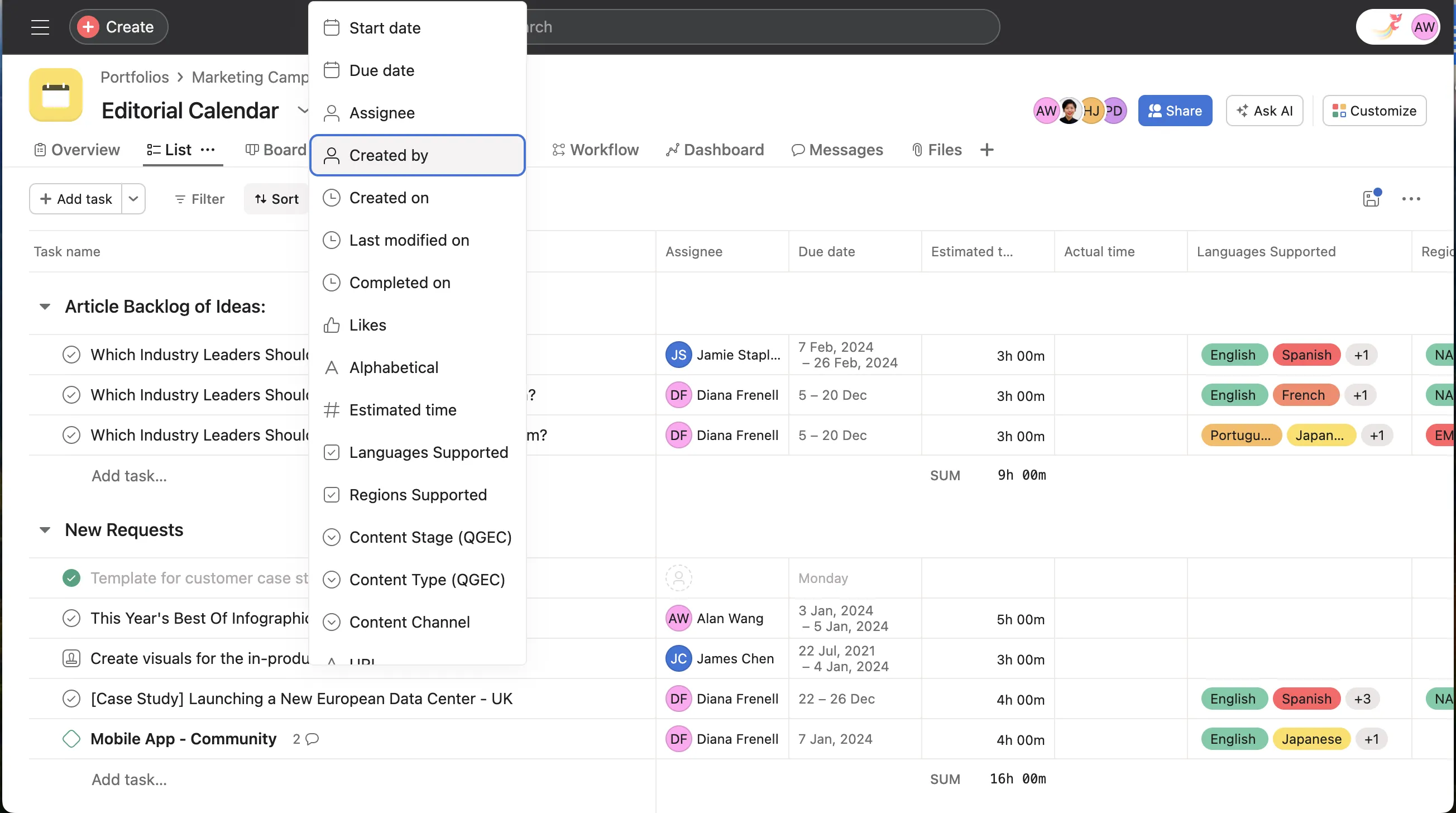
Image source: asana.com
Key features:
- Custom workflows and fields: Lets teams design unique task flows while capturing essential project data.
- Timeline visualization: Helps coordinators map dependencies and deadlines visually for better time management.
- Automation and triggers: Reduces repetitive task assignments by automating workflow rules.
- Cross-platform integrations: Connects easily with Slack, Gmail, and cloud storage tools for centralized coordination.
- Reporting dashboards: Provides visual analytics to monitor progress and identify blockers.
Pros:
- User-friendly interface: Enables quick onboarding for new teams with minimal training.
- Excellent for recurring projects: Templates make it easy to replicate successful setups.
- Strong collaboration features: Keeps communication and task tracking connected.
- Versatile project views: Offers list, board, and timeline formats for flexible coordination.
Cons:
- Feature overload for small teams: Some may find advanced options unnecessary for simple projects.
- Limited reporting on free plan: Detailed analytics require paid tiers.
Pricing: Starts at $10.99/user/month; free plan available.
3. ClickUp: Productivity tool for agile teams and multi-project coordination
ClickUp is an adaptable solution perfect for agile and cross-functional teams. It centralizes everything from sprint tracking to goal management, allowing coordinators to manage complex timelines with ease. With features tailored for IT project coordination and creative workflows, it promotes productivity through customization.
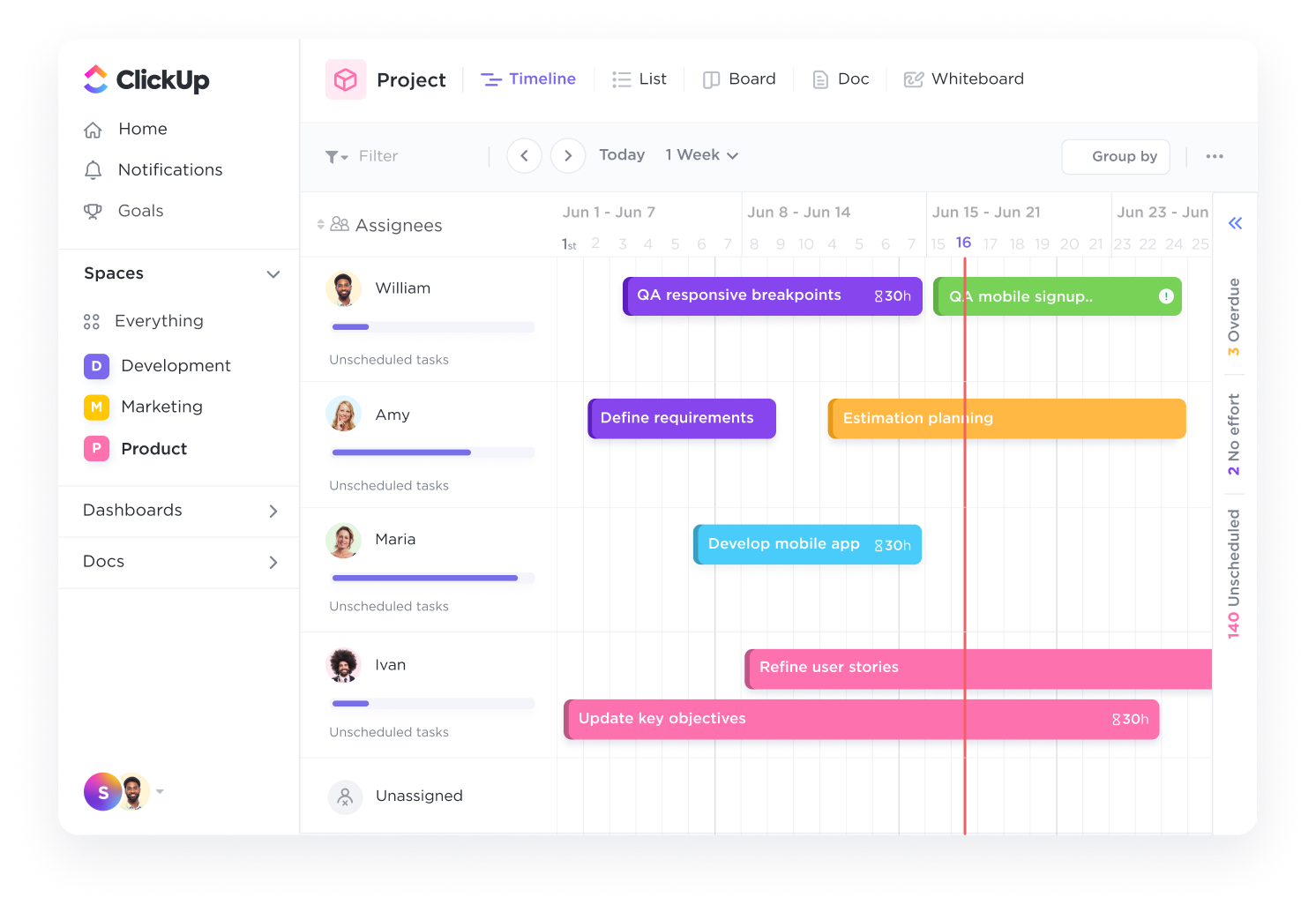
Image source: clickup.com
Key features:
- Multi-view project layouts: Offers list, board, calendar, and Gantt views for flexibility in tracking.
- Goal alignment tools: Helps map each task to company-wide objectives for clear prioritization.
- Built-in Docs collaboration: Keeps documentation accessible and tied directly to project boards.
- Dependency management: Highlights relationships between tasks to prevent bottlenecks.
- Custom dashboards: Consolidates real-time analytics for progress tracking and reporting.
Pros:
- Extremely customizable: Fits diverse workflows from agile sprints to traditional coordination.
- Strong reporting: Offers time tracking, goals, and workload management in one dashboard.
- Central collaboration space: Combines messaging, notes, and document sharing in context.
- Integrations for developers: Works seamlessly with GitHub, Jira, and Slack for IT project coordination.
Cons:
- Steeper learning curve: Customization options can overwhelm beginners.
- Mobile version limitations: Certain features are desktop-only.
Pricing: From $7/user/month; free plan available.
4. Wrike: Advanced project coordination and reporting for large organizations
Wrike is a powerful project coordination platform known for its advanced analytics and scalability. It's ideal for enterprises managing large teams, complex deliverables, and multiple departments. Its extensive reporting capabilities help coordinators maintain oversight even in large-scale operations.
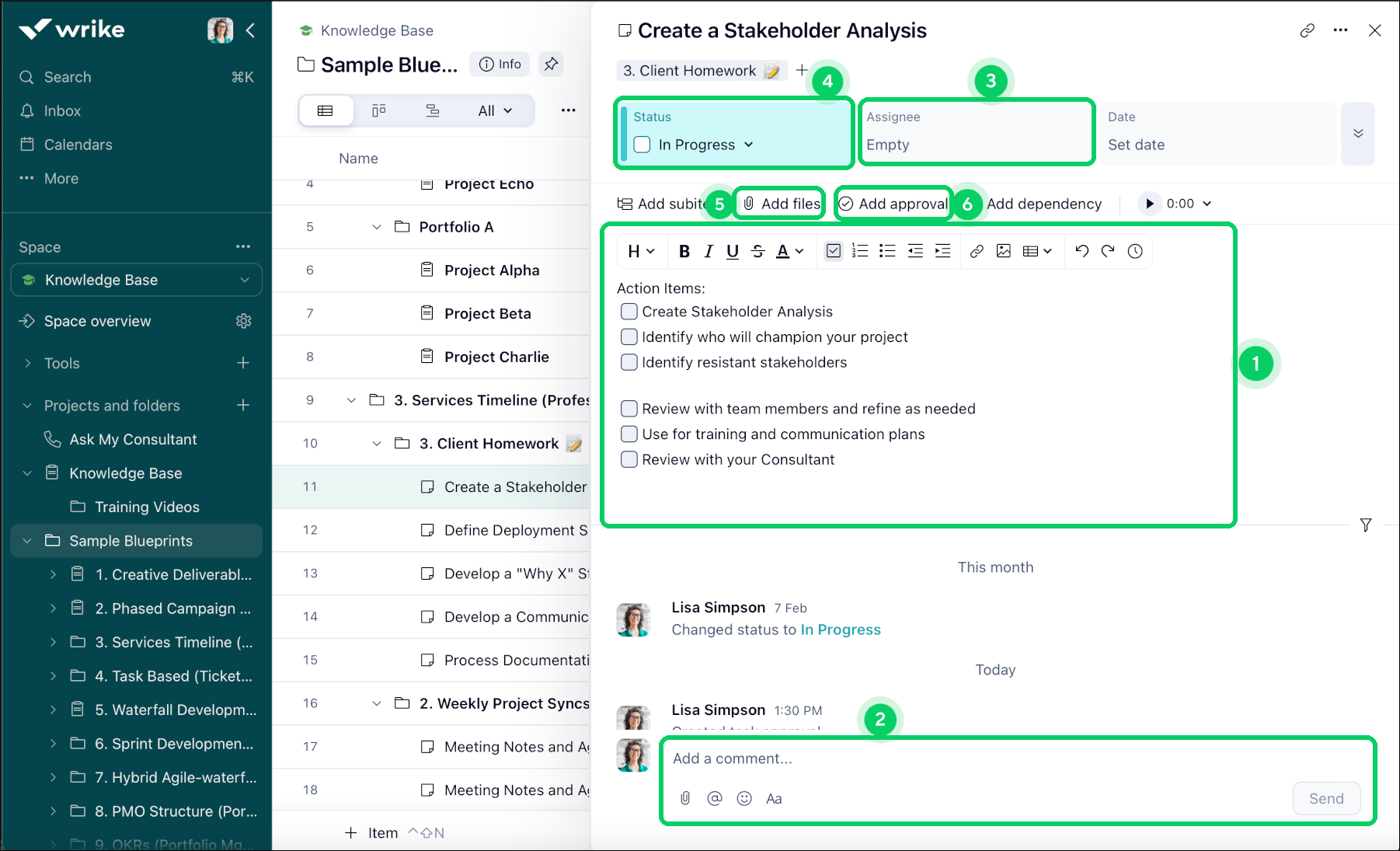
Image source: wrike.com
Key features:
- Dynamic Gantt charts: Allow visual tracking of dependencies and project phases.
- Resource management: Allocates workload effectively across large teams.
- Built-in proofing and review: Simplifies creative project coordination through real-time approvals.
- Custom request forms: Standardizes project intake and prioritization.
- Interactive dashboards: Offer a centralized view of overall project health and metrics.
Pros:
- Excellent visibility: Keeps all stakeholders aligned with clear timelines and workloads.
- Enterprise-ready: Handles multi-department and high-volume project portfolios.
- Advanced reporting: Enables deep insight into performance trends.
Cons:
- Complex interface: Can feel heavy for smaller teams.
- Requires training: Teams need time to leverage its full potential.
Pricing: Starts at $9.80/user/month; free plan available.
5. Monday.com: Visual dashboards and automation for customizable team workflows
Monday.com offers teams a visually engaging project coordination platform built around customizable boards and automation. It's an excellent choice for creative agencies, HR teams, and operations departments that need flexible, visual workflows. With its drag-and-drop interface, teams can design workspaces that reflect their exact process without needing technical skills.
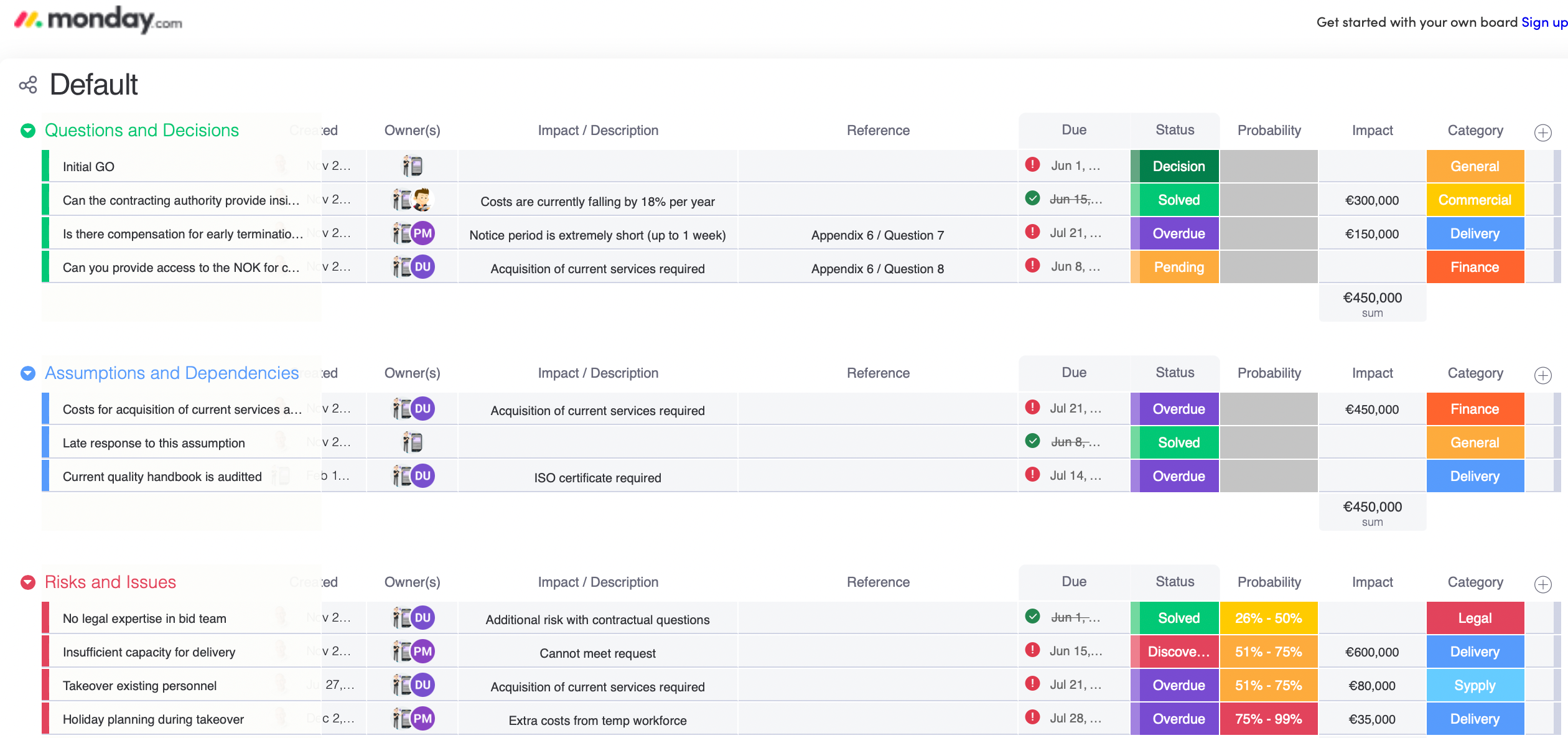
Image source: monday.com
Key features:
- Custom boards: Lets teams design visual task boards tailored to their unique processes and project coordination needs.
- Dashboard analytics: Offers performance snapshots that help track workloads, deadlines, and deliverable progress.
- Automation tools: Eliminates repetitive tasks like status updates and deadline reminders through smart workflows.
- Integrations with third-party apps: Connects with Slack, Google Workspace, and Teams for real-time collaboration.
- Workload and timeline views: Displays individual or team capacity to ensure balanced task assignments.
Pros:
- Visually clear: Its intuitive color-coded boards make coordination easy for every team member.
- Highly customizable: Fits diverse teams, from small startups to large enterprises.
- Encourages ownership: Each task has visible accountability and progress indicators.
- Seamless automation: Reduces manual work and accelerates team productivity.
Cons:
- Price scaling: Costs rise quickly as teams add users or premium features.
- Limited reporting on lower tiers: Deep analytics require higher subscription plans.
Pricing: From $9/user/month; free plan available.
6. Float: Resource planning and workload forecasting for agencies and studios
Float is designed for creative studios, design firms, and agencies that juggle multiple clients or projects at once. It focuses on resource-based project coordination, helping teams optimize schedules and workloads efficiently. By forecasting availability and demand, it prevents burnout and ensures projects stay on track.
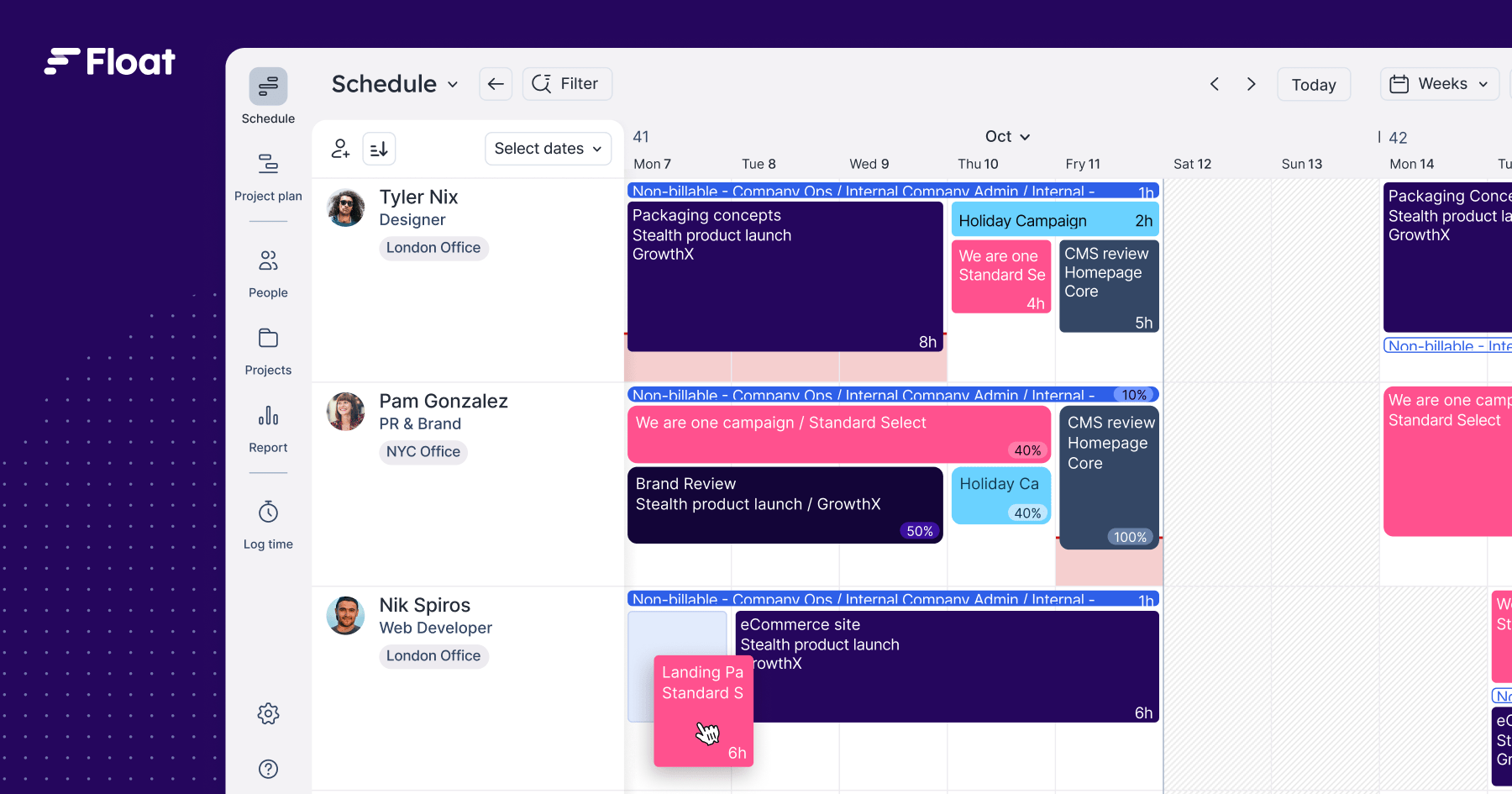
Image source: float.com
Key features:
- Visual resource management: Provides a clear picture of who's working on what and when, ensuring proper task distribution.
- Time tracking tools: Help analyze actual versus estimated hours to improve future planning accuracy.
- Forecasting capabilities: Predicts future workloads, giving managers insight into staffing needs ahead of time.
- Integration with project tools: Works with Asana, Trello, and Slack for synchronized project coordination.
- Drag-and-drop scheduling: Simplifies reassignments and changes when priorities shift.
Pros:
- Ideal for agencies: Optimized for managing people and projects together.
- Intuitive design: Makes workload management simple, even for non-technical teams.
- Accurate forecasting: Reduces scheduling conflicts through predictive insights.
- Supports transparent planning: Everyone can view team capacity and availability.
Cons:
- No free plan: Only a 14-day free trial is available for new users.
- Limited task-level control: Works better as a resource planner than as a full task management tool.
Pricing: From $6/user/month; 14-day free trial.
7. Zoho Projects: Cost-effective coordination platform for small to mid-sized businesses
Zoho Projects provides a cost-effective, reliable platform for small and medium-sized businesses that need structured project coordination. It balances affordability with powerful features such as time tracking, automation, and reporting. It's ideal for organizations transitioning from spreadsheets to a more integrated project coordination software.
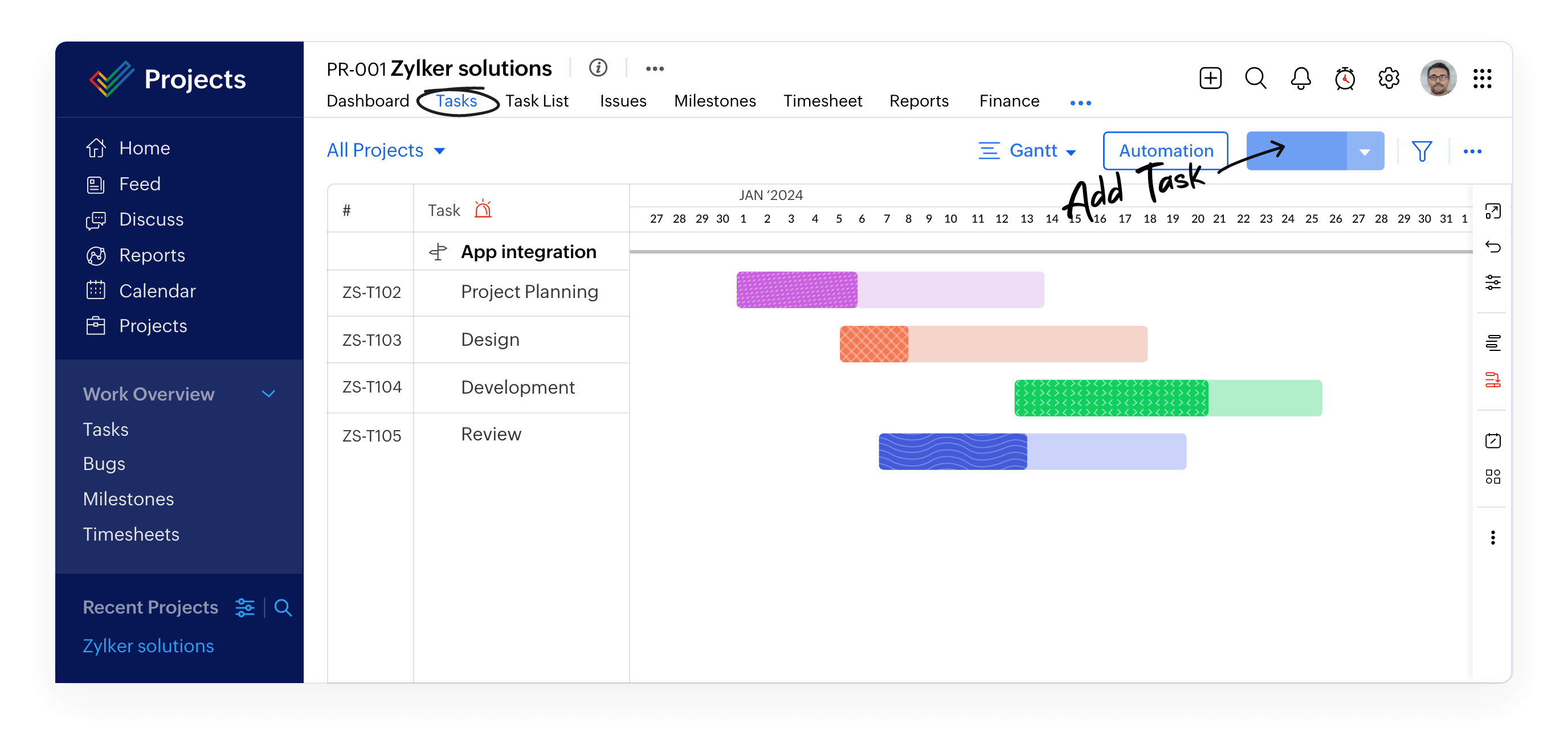
Image source:zoho.com
Key features:
- Task lists and Gantt charts: Offer comprehensive visibility over deadlines, dependencies, and deliverables.
- Issue tracking system: Monitors bugs, feedback, and task-related issues in one place for fast resolution.
- Time tracking and reports: Helps monitor billable hours and improve resource forecasting.
- Automation workflows: Streamline routine coordination processes like notifications and approvals.
- File and document sharing: Keeps project materials centralized and accessible to all stakeholders.
Pros:
- Budget-friendly: Ideal for startups and small businesses looking for full functionality at a lower cost.
- Easy to use: Simplified setup means quick adoption with minimal training.
- Strong ecosystem: Integrates seamlessly with other Zoho applications like CRM and Finance.
- Efficient task organization: Helps teams manage parallel projects without losing control.
Cons:
- Interface design: The layout feels dated compared to modern alternatives.
- Scaling limits: Best suited for mid-sized operations rather than large enterprises.
Pricing: From $5/user/month; free plan available.
8. Trello: Simple Kanban-based coordination for small teams and personal projects
Trello is one of the most user-friendly project coordination tools, ideal for individuals or small teams managing light workflows. Its simplicity and visual Kanban design make it great for teams new to digital project management. It's a favorite for freelancers, startups, and teams needing straightforward task tracking.
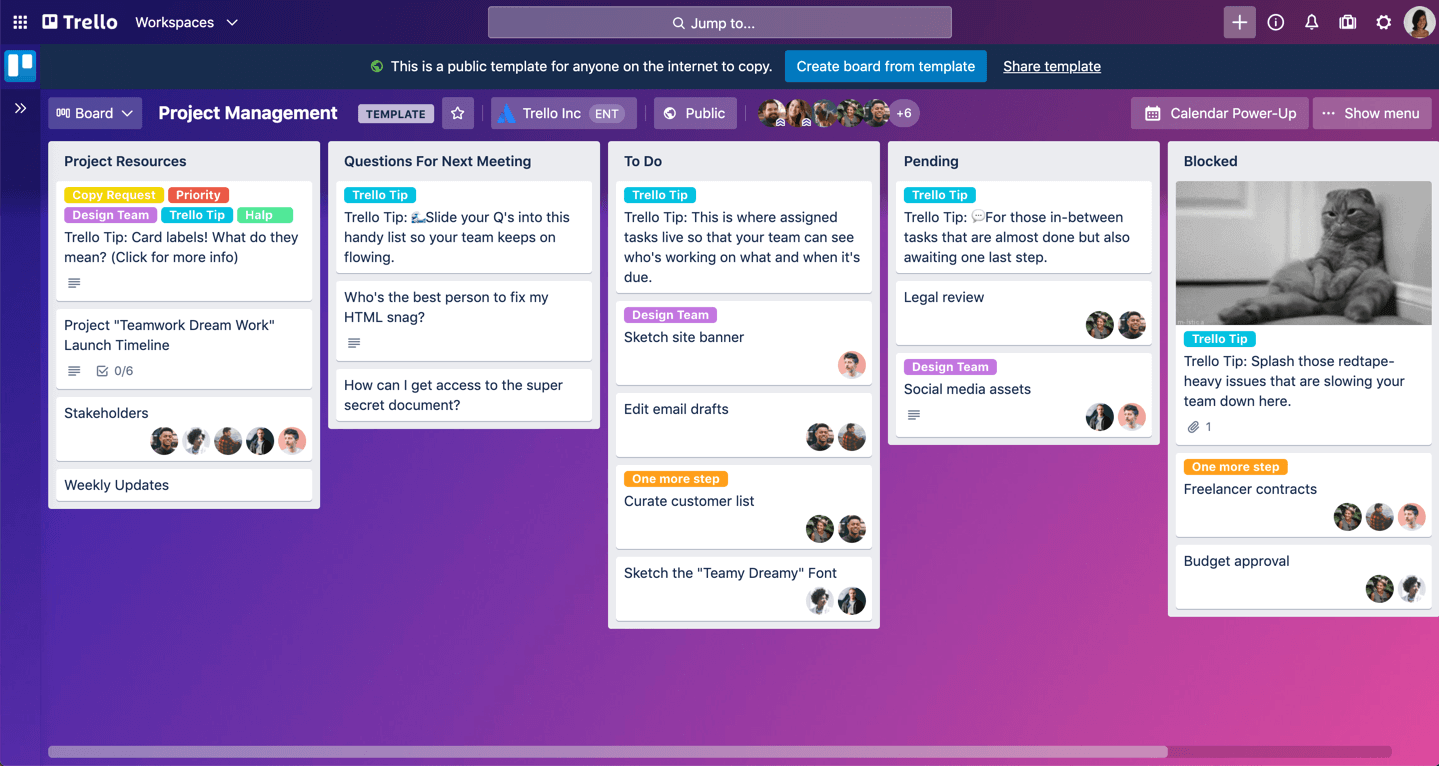
Image source: trello.com
Key features:
- Kanban board interface: Displays project stages visually, allowing coordinators to drag tasks between progress columns.
- Power-Ups for customization: Add functionality like calendars, charts, or integrations for extended use.
- Automation with Butler: Streamlines workflows by automating triggers, due dates, and notifications.
- Template library: Helps teams replicate proven workflows quickly.
- Commenting and collaboration: Enables easy discussion and document sharing directly on task cards.
Pros:
- Minimal learning curve: Teams can start coordinating projects within minutes.
- Highly visual: Offers instant clarity on what's pending, in progress, or completed.
- Flexible for personal or professional use: Works equally well for personal projects and small teams.
- Strong mobile usability: Perfect for managing coordination on the go.
Cons:
- Limited scalability: Not ideal for large organizations or complex dependencies.
- Few reporting tools: Lacks advanced analytics or forecasting features.
Pricing: Free plan available; paid plans start from $5/user/month.
9. TeamGantt: Gantt chart-focused tool for project scheduling and timeline management
TeamGantt focuses exclusively on timeline-based project coordination. It's a popular choice for teams that prefer clear Gantt visuals and structured scheduling. Ideal for marketing campaigns, event planning, or product releases, it keeps everyone aware of progress and dependencies.
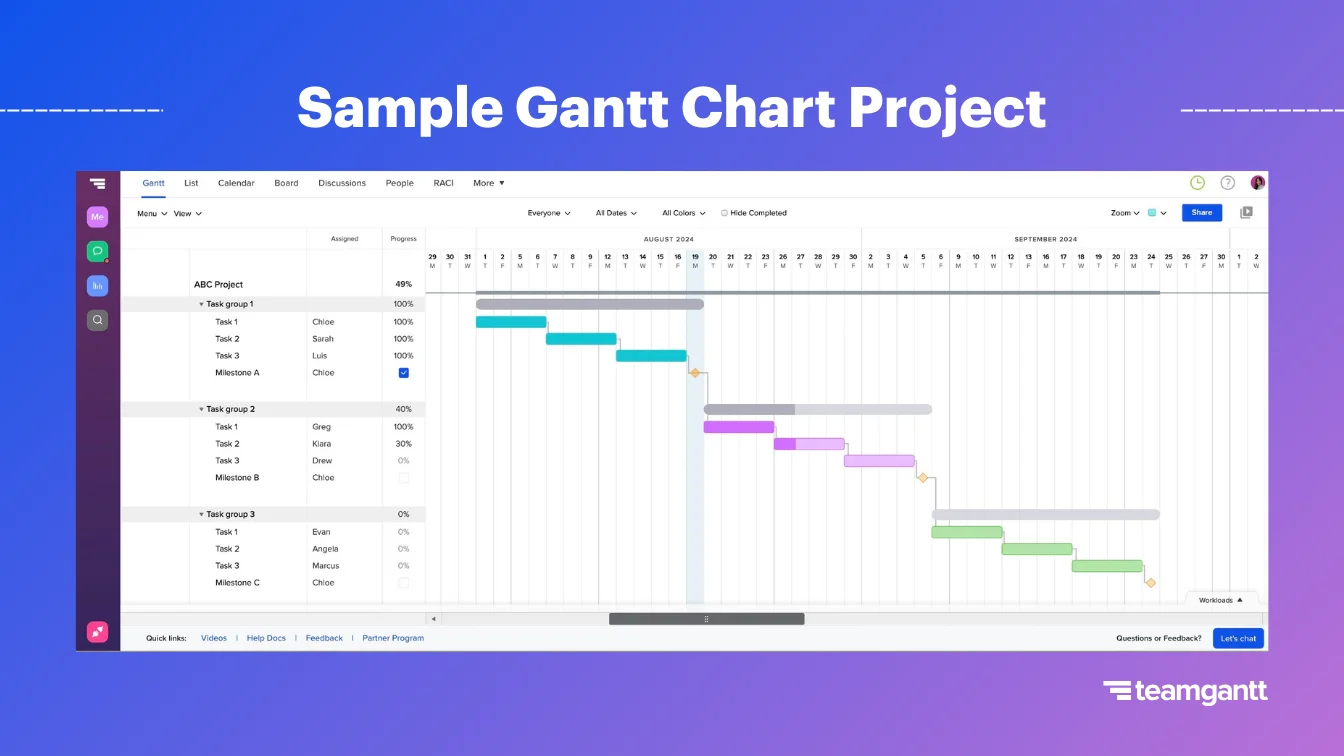
Image source:teamgantt.com
Key features:
- Interactive Gantt charts: Allow teams to drag, drop, and rearrange tasks visually while maintaining dependencies.
- Workload tracking: Displays each team member's capacity, preventing over-assignment.
- Collaboration and commenting: Keeps communication in context directly within the Gantt interface.
- Templates for repetitive projects: Saves time by standardizing common workflows.
- Version tracking: Stores updates to ensure full visibility into project evolution.
Pros:
- Easy to learn: Simple for beginners without extensive project management experience.
- Clear visualization: Helps stakeholders quickly grasp project status and timelines.
- Central communication: Combines planning and discussions in one tool.
- Great for scheduling-heavy teams: Perfect for teams focused on timelines rather than task lists.
Cons:
- Limited integrations: Fewer connections with other modern tools compared to ClickUp or Asana.
- Higher cost for advanced features: Premium reporting requires paid plans.
Pricing: Starts from $19/user/month; limited free plan available.
10. Microsoft Project: Enterprise-grade project coordination with robust reporting and resource controls
Microsoft Project is one of the most established project coordination tools designed for enterprise-scale operations. It's suited for PMOs, construction teams, and large organizations managing complex portfolios. Its deep functionality supports planning, scheduling, and controlling multiple projects simultaneously.
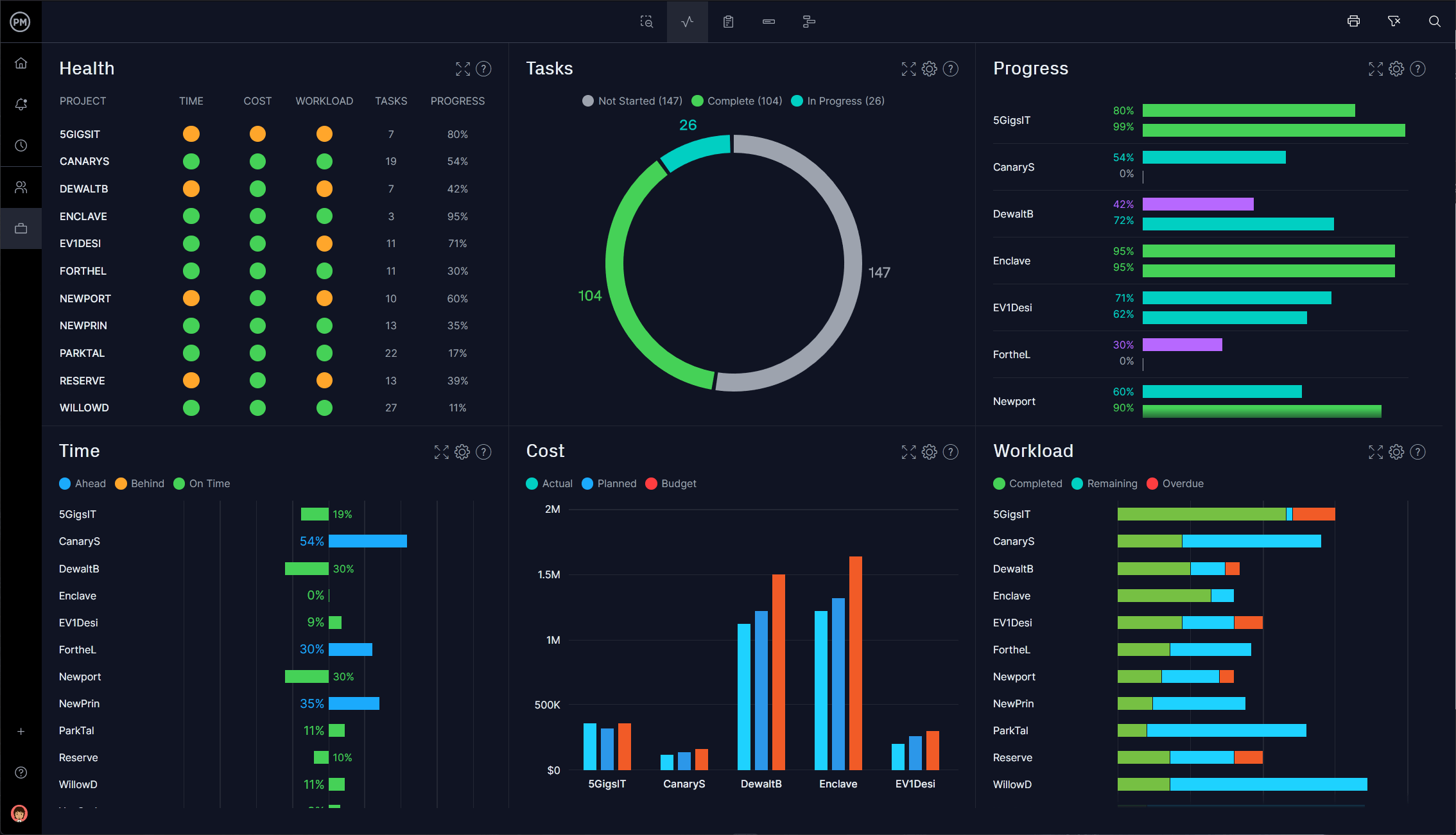
Image source:projectmanager.com
Key features:
- Advanced scheduling tools: Allow detailed planning with dependencies, constraints, and deadlines.
- Portfolio management: Enables organizations to oversee multiple initiatives with shared resources.
- Comprehensive reporting dashboards: Provide visibility into performance, risks, and budget allocation.
- Integration with Microsoft 365: Seamlessly connects with Teams, Excel, and Power BI for a unified experience.
- Resource control: Helps managers allocate and adjust resources effectively across projects.
Pros:
- Enterprise-ready: Handles complex, multi-department project coordination with precision.
- Highly detailed: Supports granular control of resources, timelines, and dependencies.
- Strong analytics and insights: Offers sophisticated performance reporting for leadership decisions.
- Native integration: Perfect for businesses already within Microsoft's ecosystem.
Cons:
- Steep learning curve: Requires training and experience to fully utilize.
- No free version: Only available via paid Microsoft plans.
Pricing: Starts from $10/user/month (Project Plan 1); no free plan.
Why project coordination matters
Effective project coordination is essential for keeping teams aligned, deadlines realistic, and resources used efficiently. It ensures that communication flows smoothly and every team member understands their role. When coordination is strong, projects stay predictable, transparent, and easier to manage from start to finish.
- Improves transparency: Keeps all stakeholders updated through centralized progress reports and shared dashboards. This real-time clarity helps avoid redundant communication and confusion.
- Reduces delays: Detects potential blockers early and maintains dependency tracking to prevent workflow interruptions.
- Aligns communication: Channels every message, update, and document through one platform, reducing fragmented conversations.
- Strengthens accountability: Clearly identifies task ownership and deadlines, making it easy to monitor responsibility.
- Drives predictability: Improves forecasting and risk management through accurate data insights and consistent reporting.
Best practices for effective project coordination
Effective project coordination relies not only on tools but also on consistent habits and structured communication. Best practices ensure that every team member understands their role, timelines remain realistic, and collaboration stays transparent. Whether your focus is construction project coordination, IT project coordination, or managing distributed teams, these practices establish clarity and trust across all levels.
By applying the following strategies, coordinators can reduce confusion, strengthen accountability, and improve overall project predictability.
- Set clear ownership: Each deliverable should have a single accountable owner who is responsible for its completion. This avoids duplication of effort and ensures clarity across the team. Clear ownership also improves project coordination and management by assigning measurable accountability to individuals. When everyone knows their exact responsibilities, collaboration becomes more efficient and progress easier to track.
- Maintain one source of truth: Keep all project updates, documents, and communication in a single centralized workspace. A unified platform reduces confusion caused by scattered messages or conflicting file versions. It allows coordinators to access real-time data and make informed decisions faster. Consistency in documentation builds trust and eliminates silos across departments, creating a smooth information flow.
- Encourage asynchronous collaboration: As teams become more global and flexible, asynchronous communication helps bridge time zone and schedule differences. It allows members to share updates, feedback, or documents without needing to be online at the same time. This approach promotes inclusivity and prevents coordination delays. When paired with project coordination tools like Lark Docs, it keeps projects moving continuously.
- Use dashboards for visibility: Regularly reviewing project dashboards helps leaders and coordinators track performance at a glance. Dashboards show progress indicators, bottlenecks, and workload distribution visually, making it easier to spot risks early. Transparent reporting promotes accountability among team members and helps align expectations. Over time, consistent dashboard usage drives better forecasting and operational confidence.
- Automate recurring workflows: Automation eliminates repetitive manual tasks such as reminders, follow-ups, or report generation. It ensures that essential updates reach the right people instantly, reducing the risk of oversight. By using automation features in tools like Lark or ClickUp, coordinators can focus more on strategy and less on administration. This leads to faster response times, greater accuracy, and higher overall project efficiency.
Conclusion
Strong project coordination ensures that plans turn into measurable progress. It builds transparency, strengthens accountability, and unites teams around shared goals. As organizations grow, having the right coordination tools becomes essential for consistent execution.
Among all available options, Lark stands out as a unified solution for modern teams. It merges chat, tasks, and documentation into one workspace helping companies eliminate fragmented communication and accelerate delivery. With automation, AI tools, and integrated approvals, it redefines how teams collaborate.
Whether you manage IT project coordination, marketing campaigns, or enterprise initiatives, adopting Lark can simplify complexity and bring structure to every project.
FAQs
What is the main role of a project coordinator?
A project coordinator manages schedules, resources, and daily communication so that projects move smoothly from planning to delivery. Their main task is to ensure everyone stays informed and aligned, reducing delays or duplicate work. Over time, many coordinators use project coordination tools to make this process easier and more reliable. Lark, for example, helps coordinators centralize updates, track progress, and maintain consistent visibility across multiple teams.
How is project coordination different from project management?
Project coordination focuses on daily execution like scheduling, communication, and task tracking while project management involves broader responsibilities like strategy, budgeting, and stakeholder decisions. Coordinators handle the operational details that keep projects moving, whereas managers oversee the overall direction. Many organizations now use platforms like Lark to connect both roles, giving coordinators and managers access to the same data, documents, and timelines in one space.
What tools are best for project coordination?
Several tools support effective project coordination, including Asana, ClickUp, Wrike, and Lark. Each offers unique strengths in managing tasks, automation, and collaboration. However, teams often look for software that combines communication with workflow tracking to avoid switching between apps. Lark provides that balance by merging messaging, docs, and project management into one connected workspace that scales easily with team size.
Can automation improve project coordination?
Yes, automation significantly enhances coordination by minimizing repetitive manual work. It triggers timely updates, sends reminders, and ensures that important actions aren't missed. Coordinators can use automation to save time and focus more on problem-solving or planning. Platforms like Lark include built-in automation tools that handle these updates automatically, keeping everyone informed without additional effort.
How does Lark help with cross-department coordination?
Cross-department collaboration often breaks down when communication and task data are stored in separate tools. Lark helps solve this by bringing messaging, project tracking, and documentation together in one workspace. It allows teams from marketing, design, engineering, or operations to work within the same environment. This connected approach makes updates instant, ensures decisions are transparent, and keeps coordination consistent across departments.
Related reading
Table of contents
Start using Lark today

Manage all your work in one place
Boost team efficiency by 10x
Save up to 70% on software costs
Table of contents
Start using Lark today
Manage all your work in one place
Boost team efficiency by 10x
Save up to 70% on software costs
Keep reading







2026 Lark Technologies Pte. Ltd.
Headquartered in Singapore with offices worldwide.






Explore: