














12 Best Mind Mapping Software for Teams and Creatives

Ryan Tanner
Product Marketing Specialist
Sep 18, 2026
Ryan Tanner
Sep 18, 2026

16 min read


Ideas often start as scattered thoughts, but turning them into structured plans requires the right visual tool. That's where mind mapping software comes in, helping teams and individuals capture, connect, and organize ideas effortlessly. From Lark's unified workspace to visual platforms like MindMeister, Miro, and XMind, today's tools make collaboration and creativity seamless. They go beyond basic diagrams with real-time editing, task linking, and powerful visualization features.
In this guide, we'll explore 12 of the best mind mapping software options for teams, students, and professionals, helping you choose the right platform to turn ideas into action. Here is the list:
1. Lark: Unified workspace with built-in mind mapping and collaboration
2. MindMeister: Visual brainstorming and online collaboration
3. XMind: Creative and educational mind mapping
4. Lucidchart: Diagramming meets mind mapping
5. Miro: Collaborative whiteboard with mind mapping templates
6. ClickUp: All-in-one work and idea visualization
7. MindManager: Professional-grade mapping and presentation
8. Coggle: Simple web-based collaborative mind maps
9. Whimsical: Visual workspace for teams
10. Ayoa: AI-enhanced mind mapping
11. Milanote: Visual board for designers and creatives
12. MindNode: Best for Apple users

Comparison overview: Top mind mapping tools
Choosing the right mind mapping software depends on how you think, collaborate, and execute ideas. Some tools focus on simplicity, while others offer advanced project management and AI-powered creativity. Whether you need a unified workspace like Lark, a collaborative brainstorming platform like MindMeister, or a design-friendly board like Milanote, each option brings unique strengths. Here's a quick comparison of the top mind mapping tools to help you find the one that fits your workflow best.
What is mind mapping software?
Mind mapping software is a digital tool that helps you visually organize ideas, concepts, and information around a central theme. Instead of relying on linear notes, it allows you to create interactive diagrams where each branch represents a related thought, task, or resource. This visual structure mirrors how the brain naturally connects ideas, making it easier to brainstorm, plan projects, or study complex topics.
The best mind mapping software includes features like real-time collaboration, customizable templates, and cloud sharing, enabling teams and individuals to work together seamlessly. Educators use it for lesson planning, students for note-taking, and professionals for strategy development or project mapping. Many platforms also support free mind mapping software plans or open-source mind mapping software options, making it accessible for all users. Whether you're on Mac, Windows, or web-based tools, mind maps help transform scattered ideas into clear, actionable insights.
Image source: unsplash.com
Key features to look for in mind mapping tools
When choosing the right mind mapping software, it's important to look beyond visuals and focus on how well the tool supports collaboration, usability, and workflow efficiency. The best mind mapping tools combine creativity with structure, helping teams brainstorm, plan, and execute ideas seamlessly across platforms.
- Collaboration: Modern mind mapping software allows multiple users to edit, comment, and brainstorm on the same map in real time. Shared workspaces ensure every team member contributes ideas without version conflicts, making it ideal for remote or hybrid teams.
- Visualization: A great mind map offers more than branches; it delivers clarity through hierarchy, colors, and templates. These visual cues help categorize information, highlight priorities, and make complex ideas easy to digest at a glance.
- Integration: Top tools connect mind maps to your daily workflow. Features like task linking, calendar scheduling, and document attachments ensure every idea transitions smoothly into execution.
- Ease of use: The best mind mapping software offers an intuitive interface that anyone can use, with no steep learning curve required. Cross-platform accessibility lets users create and edit maps from web, desktop, or mobile devices effortlessly.
- Exporting and sharing: Flexible export options like PDF, PNG, and cloud links make sharing maps with teams or clients simple. Whether for presentations, reports, or collaboration, exporting ensures your mind map stays accessible anywhere.
Full list: Top 12 mind mapping software
1. Lark: Unified workspace with built-in mind mapping and collaboration
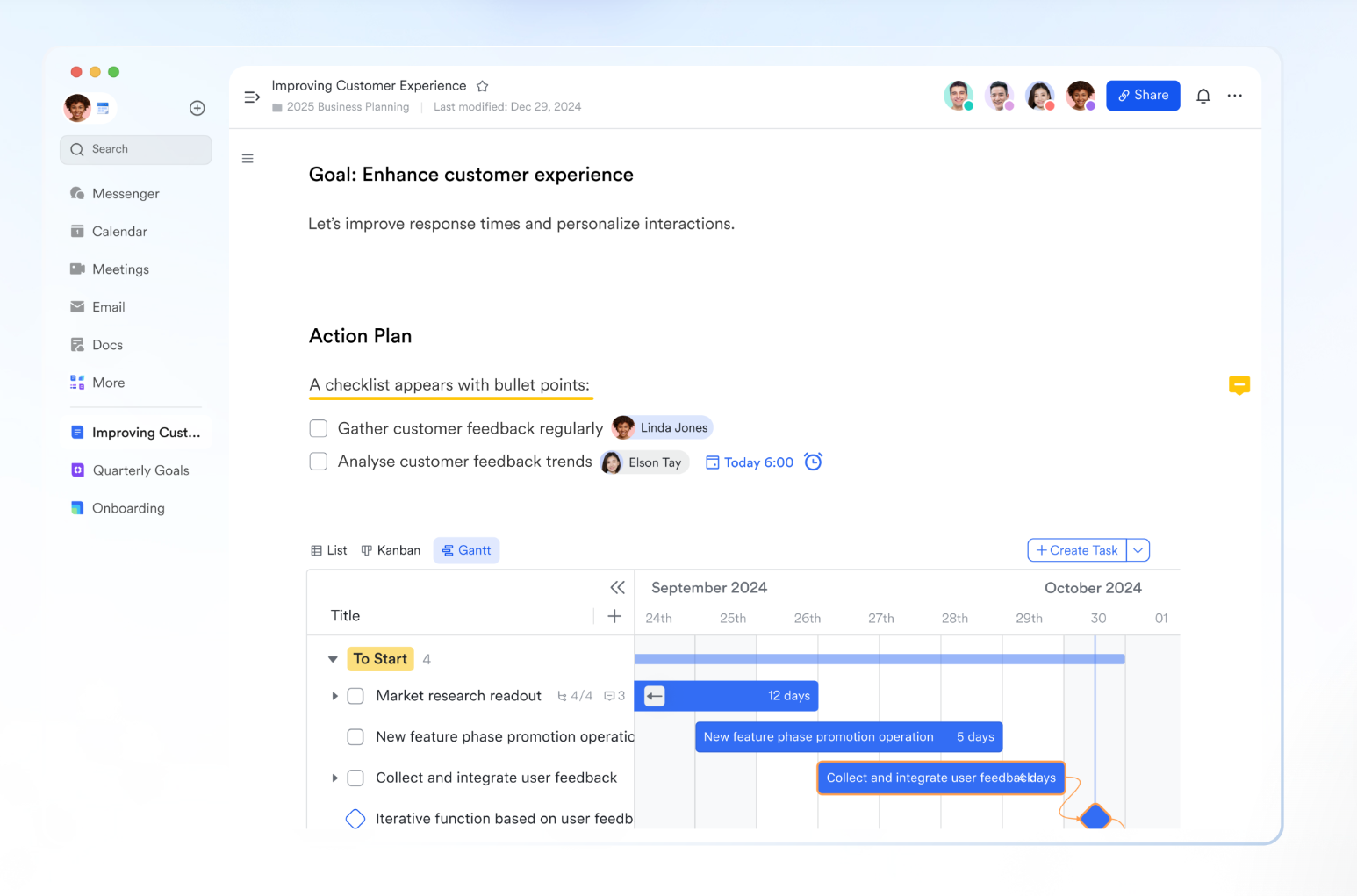
Lark is more than communication or project management tools, it's a unified workspace that brings together messaging, meetings, documentation, scheduling, and data management into a single connected platform. Designed for teams that thrive on visual thinking and structured collaboration, Lark helps transform scattered ideas into clear, actionable plans.
MindNotes: Visual idea mapping for teams
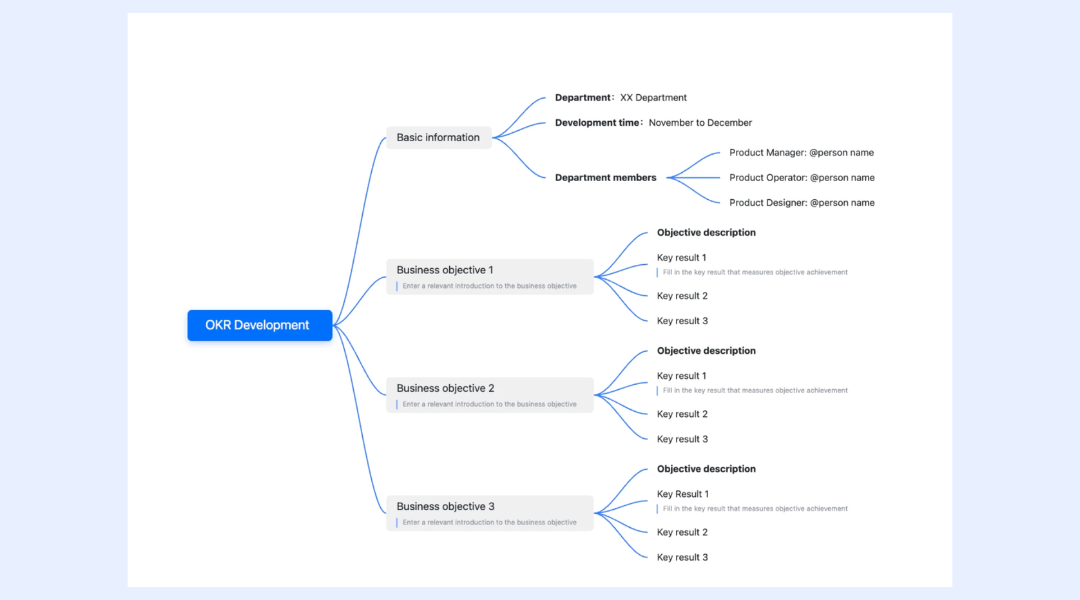
At the core of Lark's creative toolkit is MindNotes, a built-in mind-mapping feature in Lark Docs that allows users to capture and connect ideas visually. MindNotes enables you to construct diagrams centered on a central idea, branching out into subtopics, related tasks, or workflows. Each branch can contain notes, links, and attachments, helping teams document both high-level concepts and detailed action points in one view.
Whether it's for brainstorming, project planning, or summarizing meetings, MindNotes makes it easier to understand relationships between ideas and move seamlessly from planning to execution.
Real-time collaboration and sharing
MindNotes is fully collaborative, allowing multiple users to edit and expand maps at the same time. Teams can add thoughts, comments, or revisions without version conflicts. You can share mind maps directly within Lark Messenger or Docs, control access with permissions (view or edit), and track all updates in real time. This makes brainstorming sessions, retrospectives, or design reviews effortless. Everyone stays aligned, and ideas evolve collaboratively rather than in isolation.
Connected documentation and communication
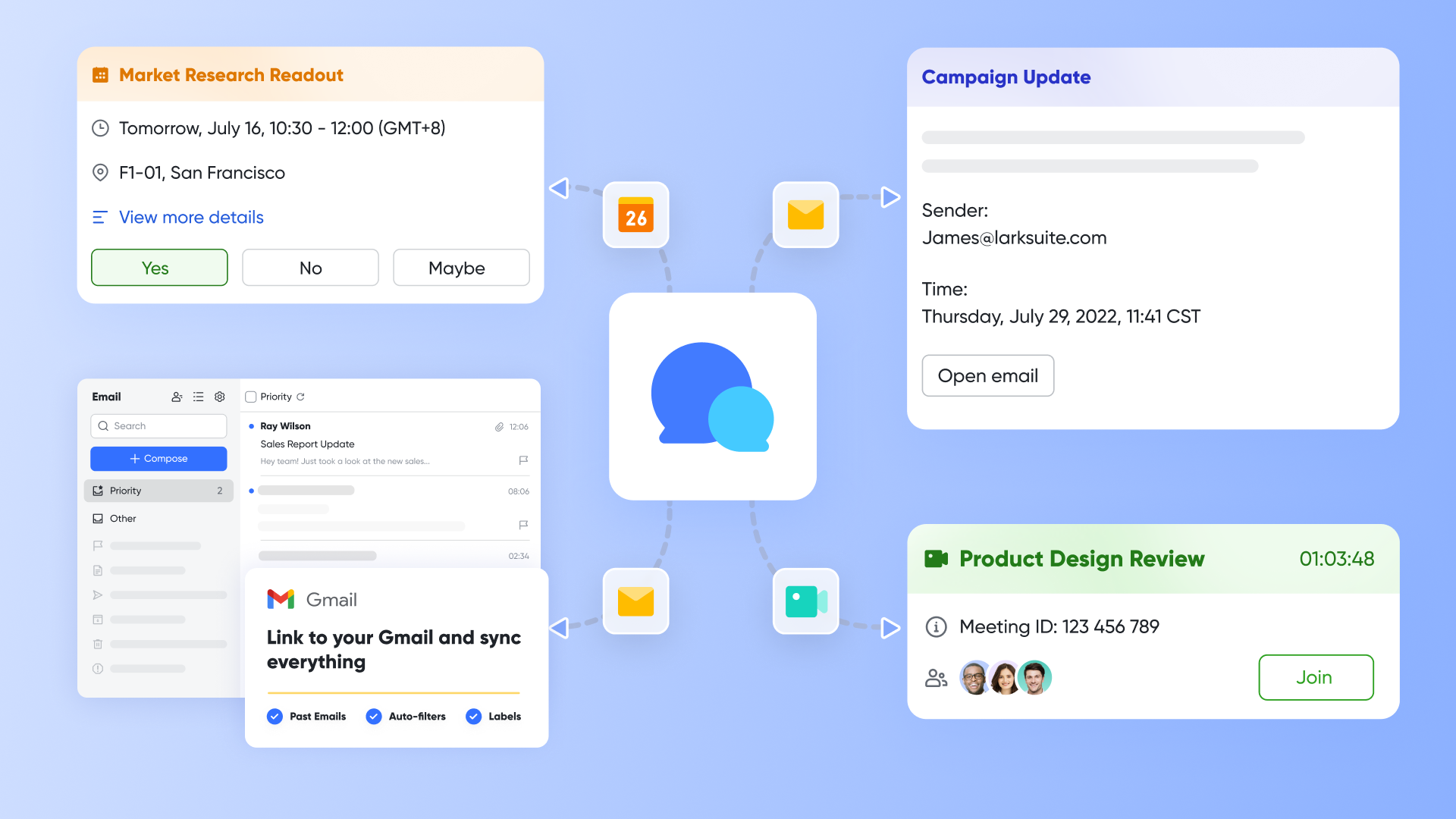
Because MindNotes exists within the same ecosystem as Lark Docs, Messenger, and Meetings, you can seamlessly move between discussions, co-edit mind maps via Magic Share, and without switching tools. A team could, for instance, start brainstorming ideas in a video call, open a MindNotes diagram during the discussion, and then link the final mind map to a project brief in Lark Docs.
This connected flow maintains context integrity, eliminates the friction of app-hopping, and ensures that all communication, planning, and documentation remain in a single, centralized workspace.

Instant task assignment to practice map
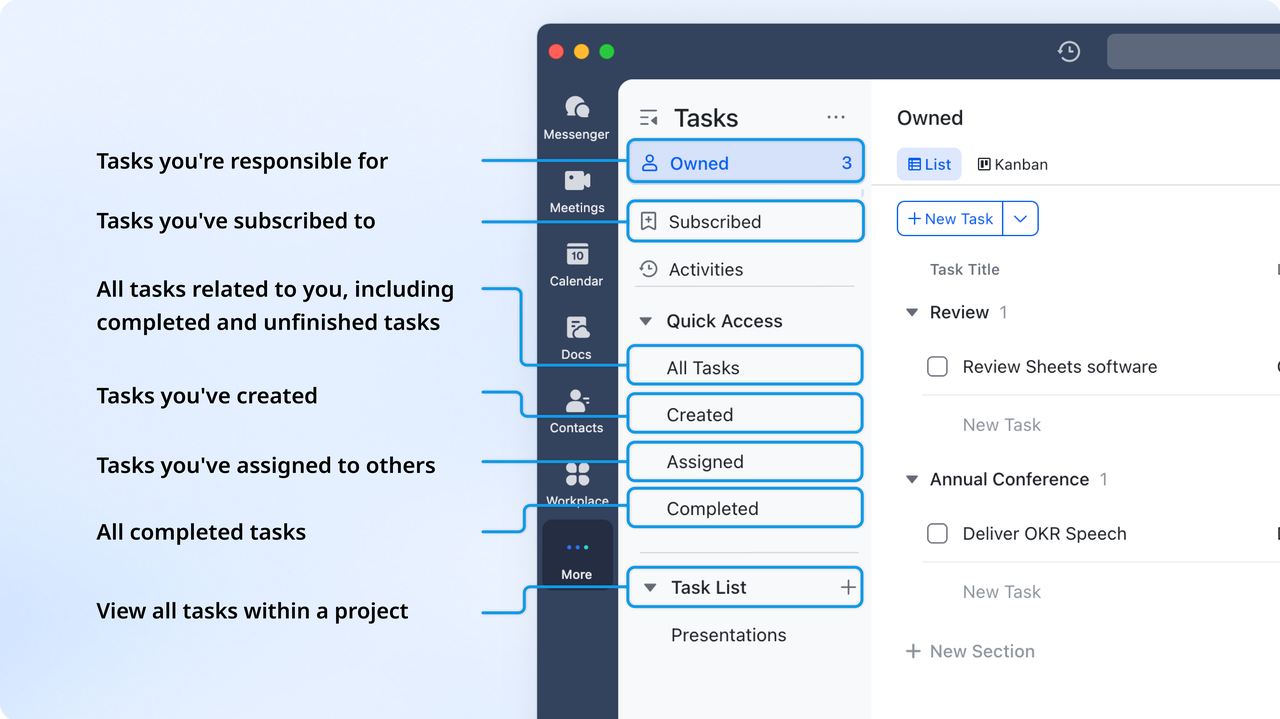
Lark Tasks helps practice mind-mapping tasks by allowing you to break down ideas or projects into structured, actionable tasks directly within Lark Docs. Tasks can be assigned owners, deadlines, and priorities, reflecting the branching structure of a mind map. Custom fields, statuses, and views help visualize relationships between main tasks and subtasks. Real-time collaboration ensures the mind map evolves dynamically as the project progresses.
- Starter plan: Free forever plan that includes 11 powerful tools for up to 20 users. It also comes with 100GB of storage, 1000 automation runs, AI translations, and more.
- Pro plan: $12/user/month (billed annually) for up to 500 users. It includes everything in Starter plus group calling for up to 500 attendees, 15TB of storage, 50,000 automation runs, and more.
- Enterprise plan: Contact sales for custom pricing. Supports unlimited users and includes even more automation runs and advanced security, compliance, and management features.
2. MindMeister: Visual brainstorming and online collaboration
MindMeister is a leading mind mapping software that enables teams and individuals to brainstorm, organize, and present ideas visually. It allows real-time collaboration on shared maps, making it easy to gather input from multiple contributors. The platform offers intuitive commenting, presentations, and structured workflows to turn scattered ideas into actionable plans. MindMeister integrates with task management tools for seamless execution. Ideal for both creative and corporate teams looking for a flexible visual collaboration solution.
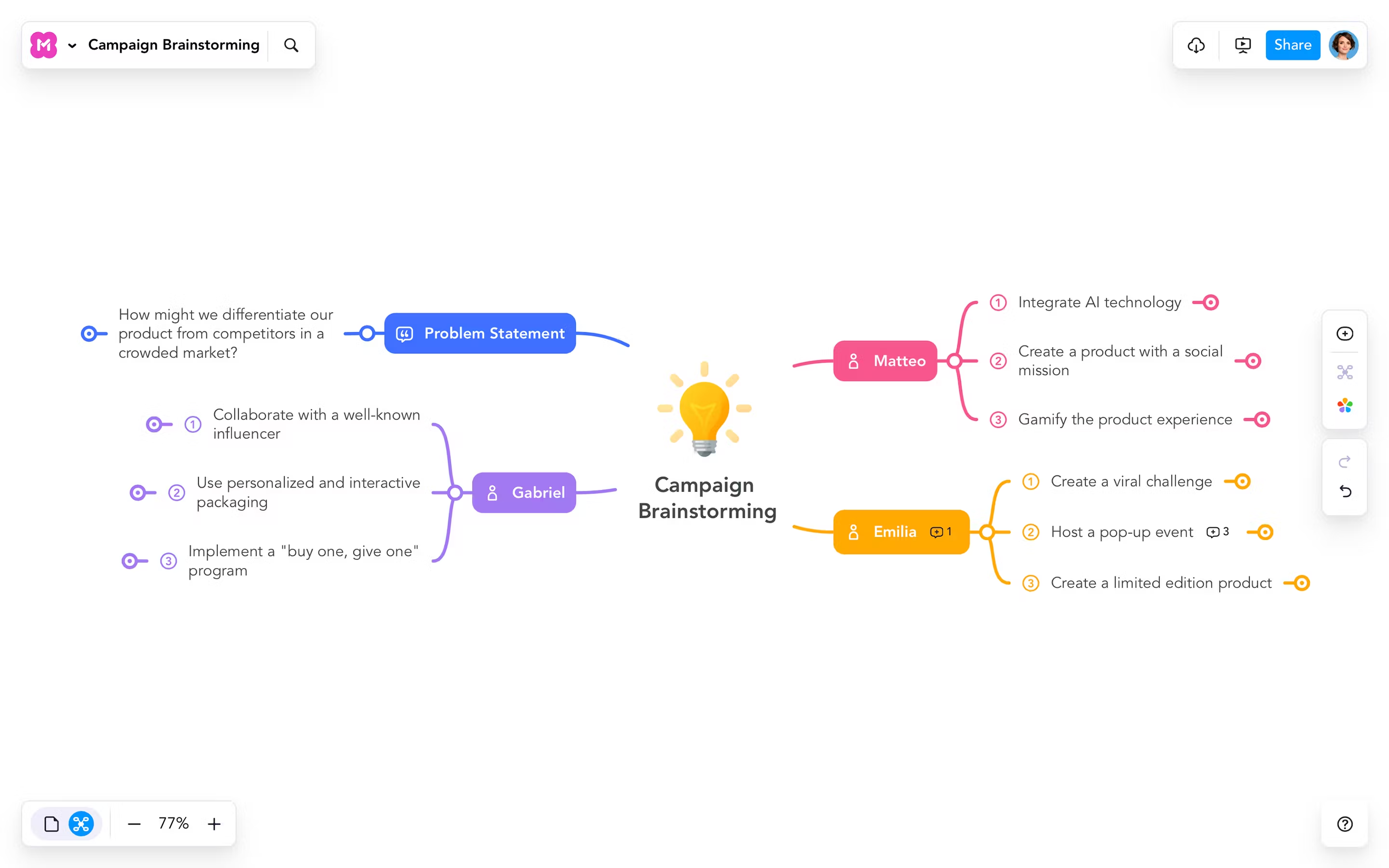
Image source: mindmeister.com
Key features:
- Real-time collaboration: Multiple users edit and comment simultaneously.
- Templates and themes: Pre-designed layouts for fast brainstorming.
- Presentation mode: Convert maps into slides instantly.
- Task integration: Works smoothly with MeisterTask for follow-ups.
- Export options: Save maps as PDFs, images, or Word documents.
Pros:
- Beginner-friendly interface
- Smooth collaboration experience
- Integrates with task management
- Cloud-based with multi-device support
Cons:
- Free version is limited in features
- Offline access only in paid plans
Pricing:
- Free plan with 3 editable maps
- Paid plans from $6/user/month
3. XMind: Creative and educational mind mapping
XMind is a versatile mind mapping tool widely used by students, educators, and professionals. It combines brainstorming, note-taking, and diagramming in a visually appealing interface. The software supports multiple map structures and presentation modes, making abstract ideas easier to organize. XMind is perfect for turning thoughts into structured visuals for personal or educational projects. Its cross-platform support ensures ideas are accessible on desktop and mobile devices alike.
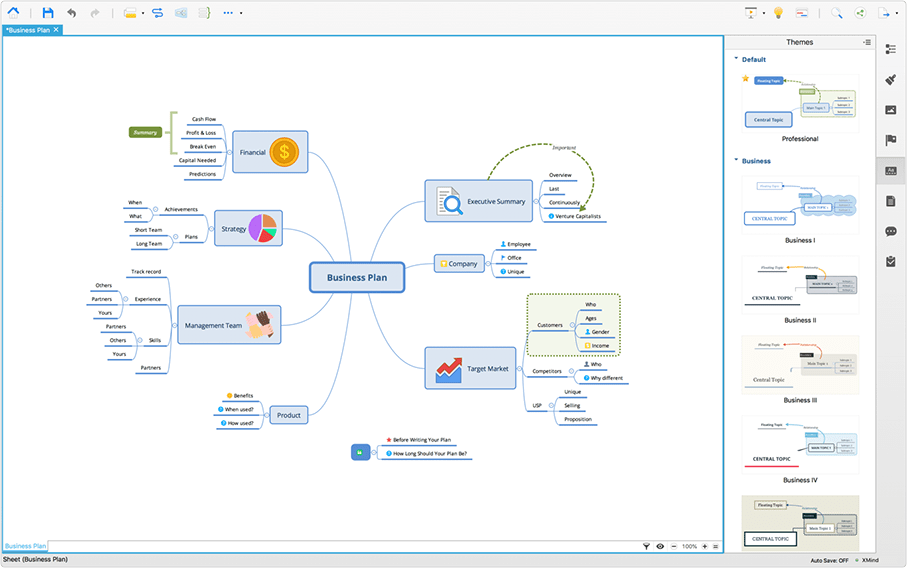
Image source: xmind.net
Key features:
- Multiple diagram types: Mind maps, org charts, timelines, and logic charts.
- Zen mode: Distraction-free interface for focused thinking.
- Presentation builder: Convert maps into slides easily.
- Export options: Share maps in multiple formats including PDF and Word.
- Cross-device sync: Access maps across desktop and mobile.
Pros:
- Beautiful themes and templates
- Works offline on multiple devices
- Flexible diagram options
- Great for education and individual use
Cons:
- Lacks real-time collaboration
- Limited integrations with other productivity tools
Pricing:
- Free version with basic features
- Pro plan from $5.99/month
4. Lucidchart: Diagramming meets mind mapping
Lucidchart is a professional visual workspace combining mind mapping and diagramming for teams. It allows users to build flowcharts, org charts, and conceptual maps collaboratively in real time. Its advanced organization tools help manage complex processes and systems visually. Lucidchart is ideal for corporate and technical teams that need structured visual communication. With browser-based access, users can collaborate from anywhere without installing software.
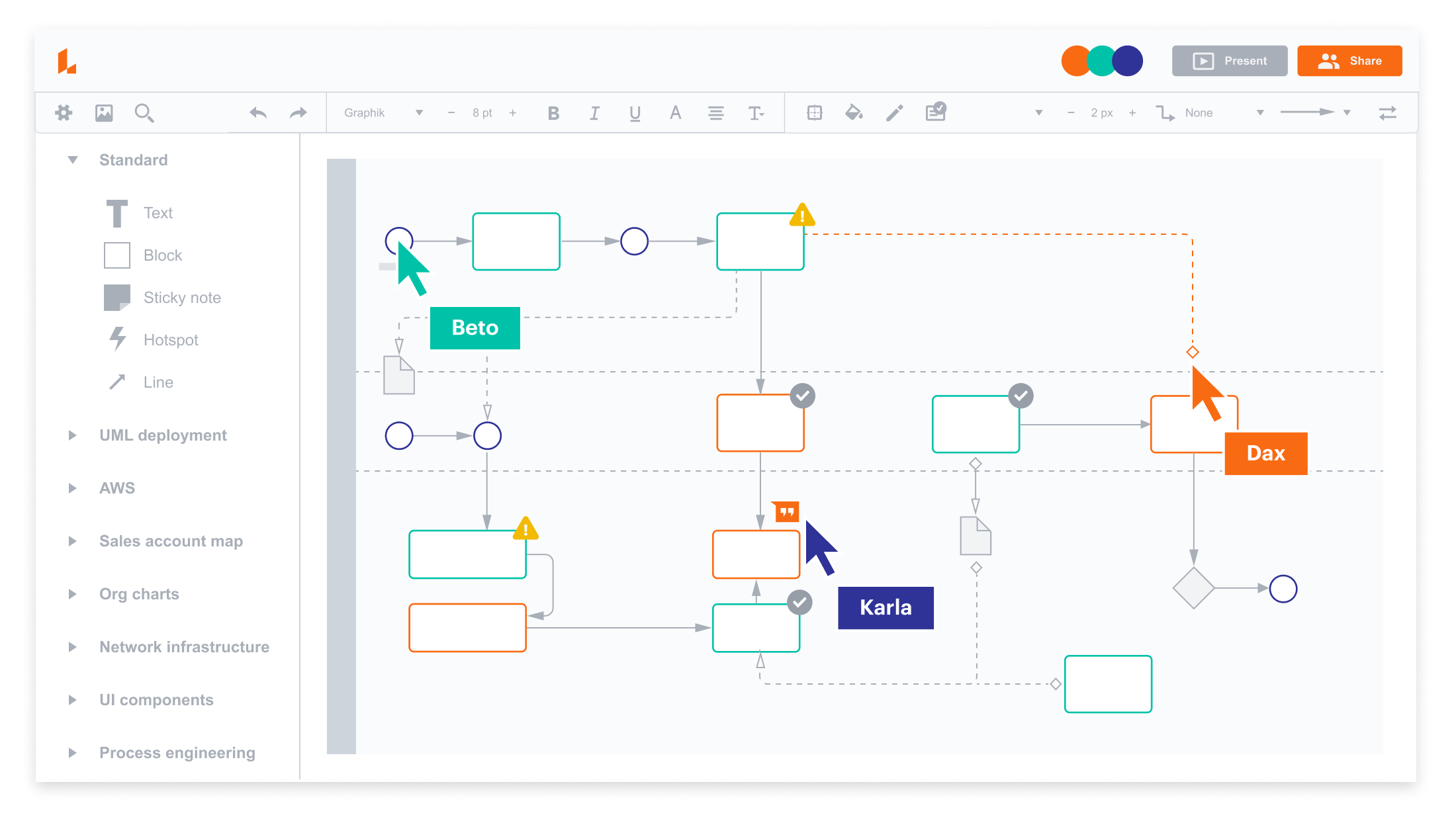
Image source: lucidchart.com
Key features:
- Versatile diagramming: Flowcharts, maps, and technical diagrams.
- Real-time collaboration: Co-edit and comment with team members.
- Smart containers: Organize complex data visually.
- Templates: Pre-designed layouts for fast workflow creation.
- Integration: Connect with productivity tools like Slack and Google Workspace.
Pros:
- Excellent for professional diagrams
- Smooth team collaboration
- Easy web-based access
- Auto-save and version control
Cons:
- Can feel complex for basic brainstorming
- Advanced features are locked in higher tiers
Pricing:
- Free basic plan
- Paid plans from $7.95/user/month
5. Miro: Collaborative whiteboard with mind mapping templates
Miro is an online collaborative whiteboard designed for visual brainstorming and agile workflows. It provides an infinite canvas for teams to map ideas freely with sticky notes, templates, and diagrams. Miro allows real-time collaboration, chat, and comments for remote teams. The platform supports integrations with popular productivity tools for seamless workflow management. It is ideal for distributed teams looking to centralize creative and operational planning visually.
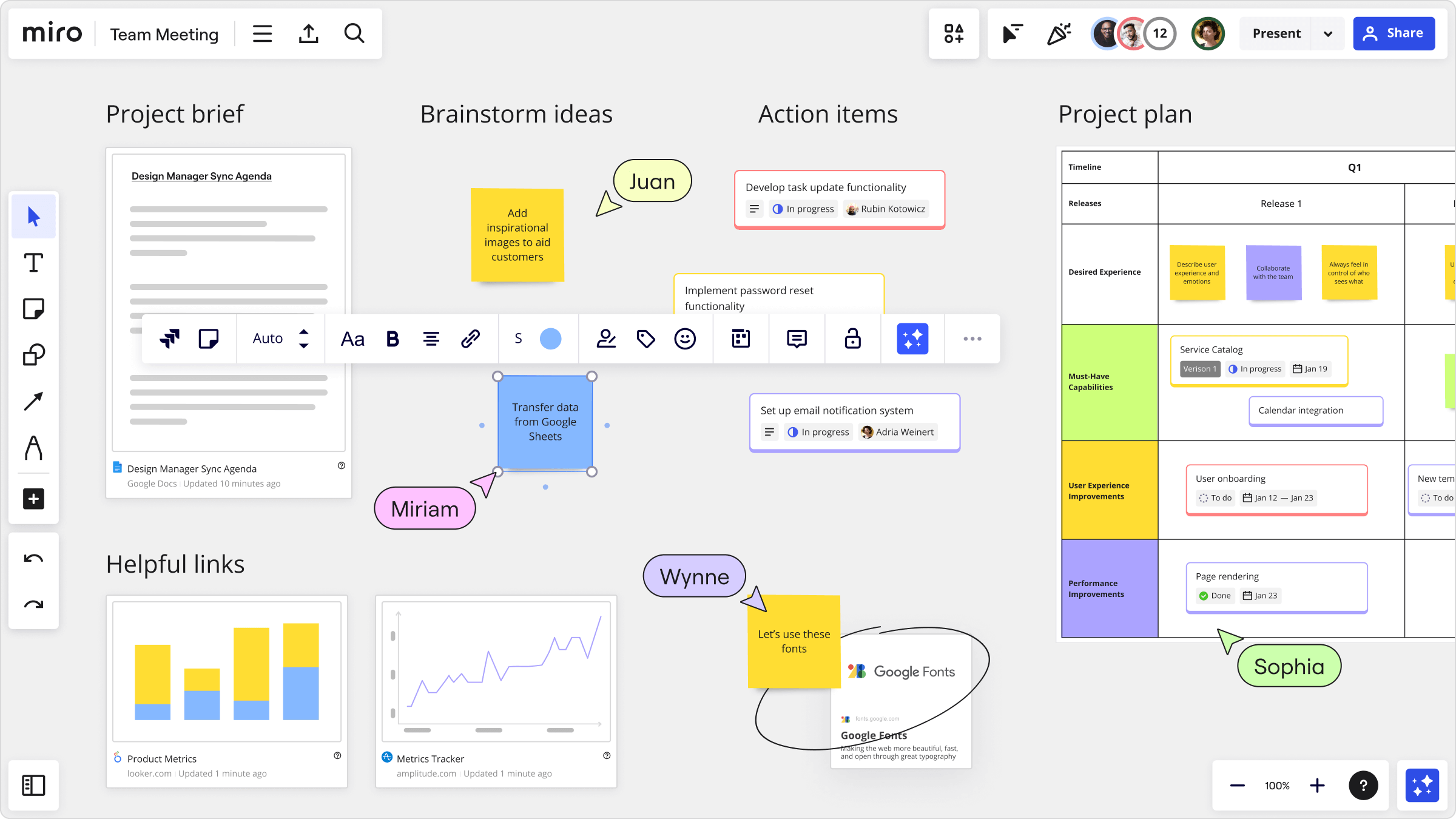
Image source: miro.com
Key features:
- Infinite canvas: Map ideas with full visual freedom.
- Real-time collaboration: Co-edit, comment, and chat with teammates.
- Templates: Ready-made layouts for brainstorming and workflows.
- Integrations: Works with Slack, Asana, and Google Workspace.
- Presentation mode: Turn boards into shareable slideshows.
Pros:
- Excellent for large, distributed teams
- Extensive template library
- Real-time co-creation
- Flexible and interactive canvas
Cons:
- Overwhelming for simple mind maps
- Resource-intensive with large boards
Pricing:
- Free plan with 3 editable boards
- Paid plans from $8/user/month
6. ClickUp: All-in-one work and idea visualization
ClickUp is a productivity platform that combines project management, documentation, and mind mapping. Its Mind Maps feature links ideas directly to actionable tasks, making planning and execution seamless. Teams can collaborate in real time with comments, assignments, and shared workflows. ClickUp’s flexibility makes it suitable for teams of any size, from startups to enterprises. Ideal for structured project planning and aligning creative brainstorming with execution.
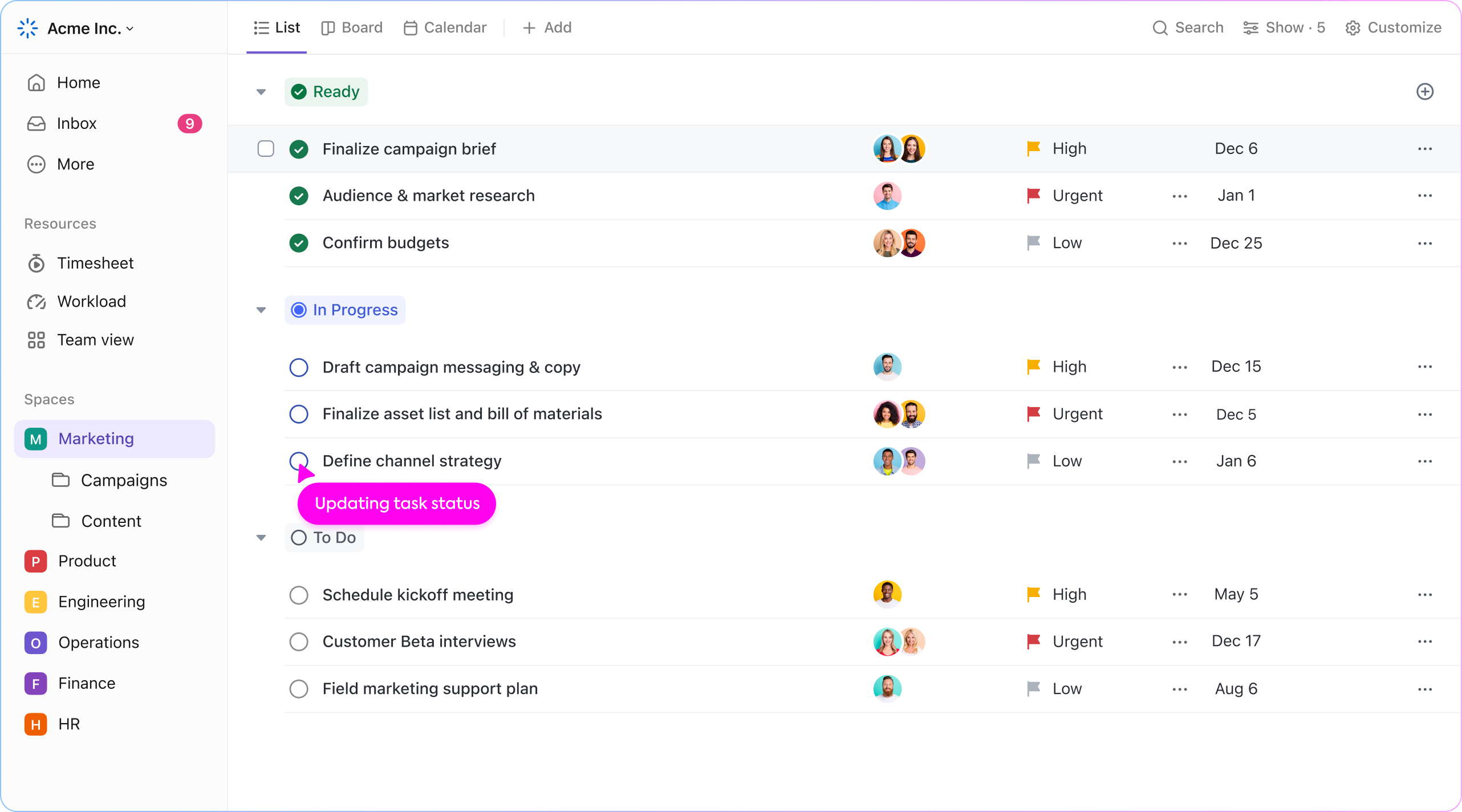
Image source: clickup.com
Key features:
- Task-linked mind maps: Convert ideas into actionable tasks.
- Multiple project views: Lists, boards, Gantt charts, and mind maps.
- Team collaboration: Comment, assign, and co-edit in real time.
- Templates: Pre-built structures for projects and workflows.
- Automation: Simplify repetitive processes with built-in tools.
Pros:
- Unified planning and execution platform
- Customizable for teams of any size
- Centralizes tasks and ideas
- Good value for productivity-focused teams
Cons:
- Steeper learning curve due to feature depth
- The interface can feel crowded for beginners
Pricing:
- Free forever plan
- Paid plans from $7/user/month
7. MindManager: Professional-grade mapping and presentation
MindManager is one of the best mind mapping software for MAC, designed for structured planning, data visualization, and workflow management. It supports Gantt charts, templates, and advanced data linking for business use. Teams can organize projects, knowledge, and processes at scale. MindManager is ideal for corporate teams needing professional-grade maps and presentations. Its advanced features make it suitable for high-level strategic planning.
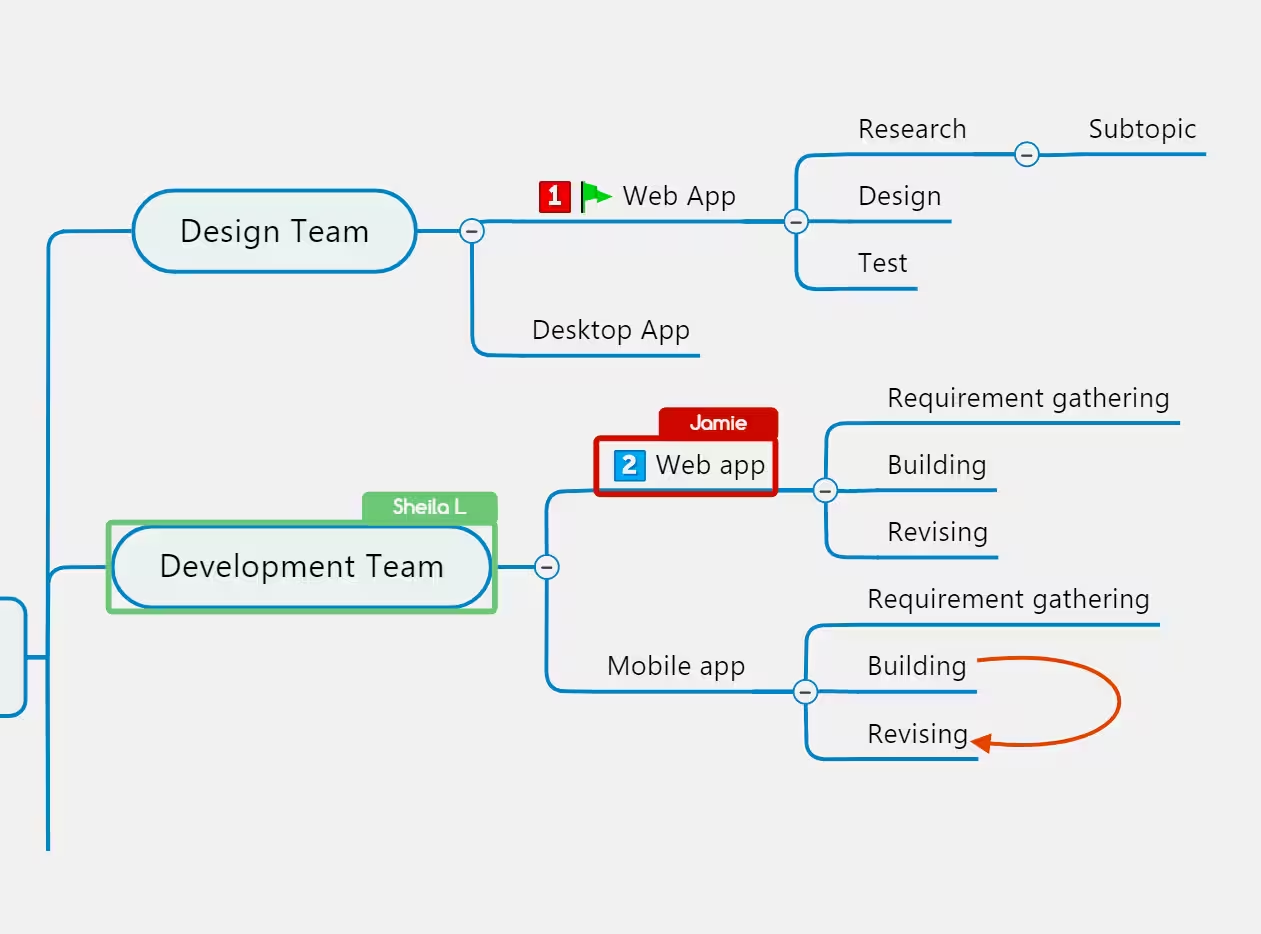
Image source: mindmanager.com
Key features:
- Professional templates: For project plans, workflows, and org charts.
- Gantt view: Convert maps into timelines instantly.
- Advanced data linking: Attach files, notes, and hyperlinks.
- Presentation mode: Share structured plans with stakeholders.
- Project management: Track progress and responsibilities visually.
Pros:
- Strong enterprise capabilities
- Advanced data visualization
- Integrates with Microsoft Office
- Ideal for large-scale projects
Cons:
- Higher price points for individuals
- Limited mobile/web functionality
Pricing:
- Free trial available
- Paid licenses from $99/year
8. Coggle: Simple web-based collaborative mind maps
Coggle is a minimalist web-based mind mapping tool designed for simplicity and collaboration. It enables teams and students to create branching diagrams and co-edit in real time. Its interface focuses on ease-of-use, with version history and quick sharing via links. Coggle is perfect for lightweight brainstorming and team ideation without complex features. Ideal for small teams, educators, or students needing a fast, visual mapping solution.
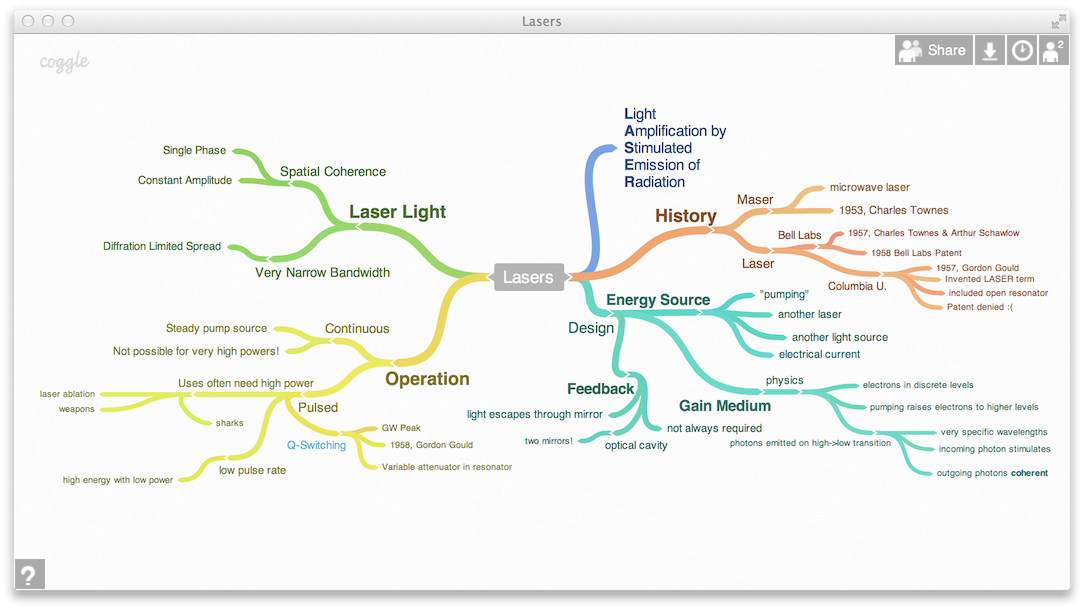
Image source: coggle.it
Key features:
- Real-time editing: Multiple users co-edit live.
- Branch styling: Colors, images, and markdown notes.
- Version history: Track every change over time.
- Export options: PDFs, images, and text outlines.
- Collaboration links: Easy sharing via browser link.
Pros:
- Clean, intuitive interface
- Supports real-time collaboration
- The free version allows unlimited diagrams
- Quick setup and easy sharing
Cons:
- Limited formatting options
- Not suited for complex project planning
Pricing:
- Free plan available
- Paid plans from $5/month
9. Whimsical: Visual workspace for teams
Whimsical is a visual collaboration platform combining mind maps, flowcharts, and documentation. It provides teams with an intuitive workspace to brainstorm, plan, and document workflows quickly. Real-time collaboration enables shared input without losing context. Its minimal design ensures a clean, distraction-free interface. Ideal for product, design, and marketing teams who need structured visual thinking.
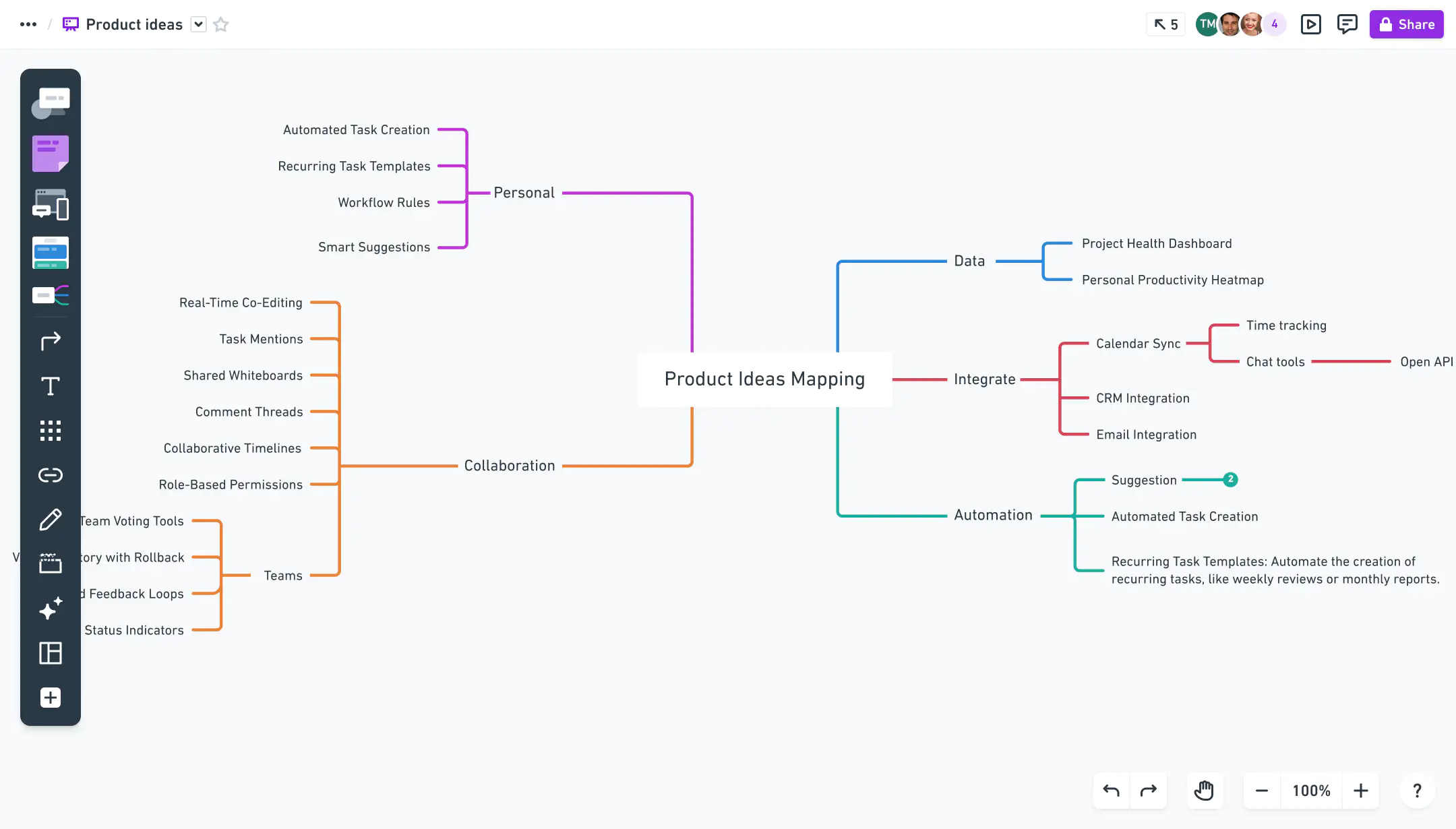
Image source: whimsical.com
Key features:
- Unified workspace: Mind maps, flowcharts, and docs in one tool.
- Real-time collaboration: Comments, edits, and sharing in real time.
- Smart shortcuts: Speed up brainstorming and workflow creation.
- Presentation mode: Quickly share maps and boards as slides.
- Template library: Pre-built structures for common workflows.
Pros:
- Minimal, elegant design
- Great for UX/product teams
- Real-time collaboration
- Quick setup and sharing
Cons:
- Limited export options on free plan
- Lacks advanced project management features
Pricing:
- Free plan with 100 objects
- Paid plans from $10/user/month
10. Ayoa: AI-enhanced mind mapping
Ayoa is a modern mind mapping and productivity platform integrating AI, task management, and creative brainstorming. It helps teams visualize ideas and turn them into actionable workflows with automation. Its organic, hand-drawn maps encourage creative thinking while linking directly to tasks and projects. Ayoa is perfect for creative and knowledgeable work teams wanting AI-powered support in ideation.
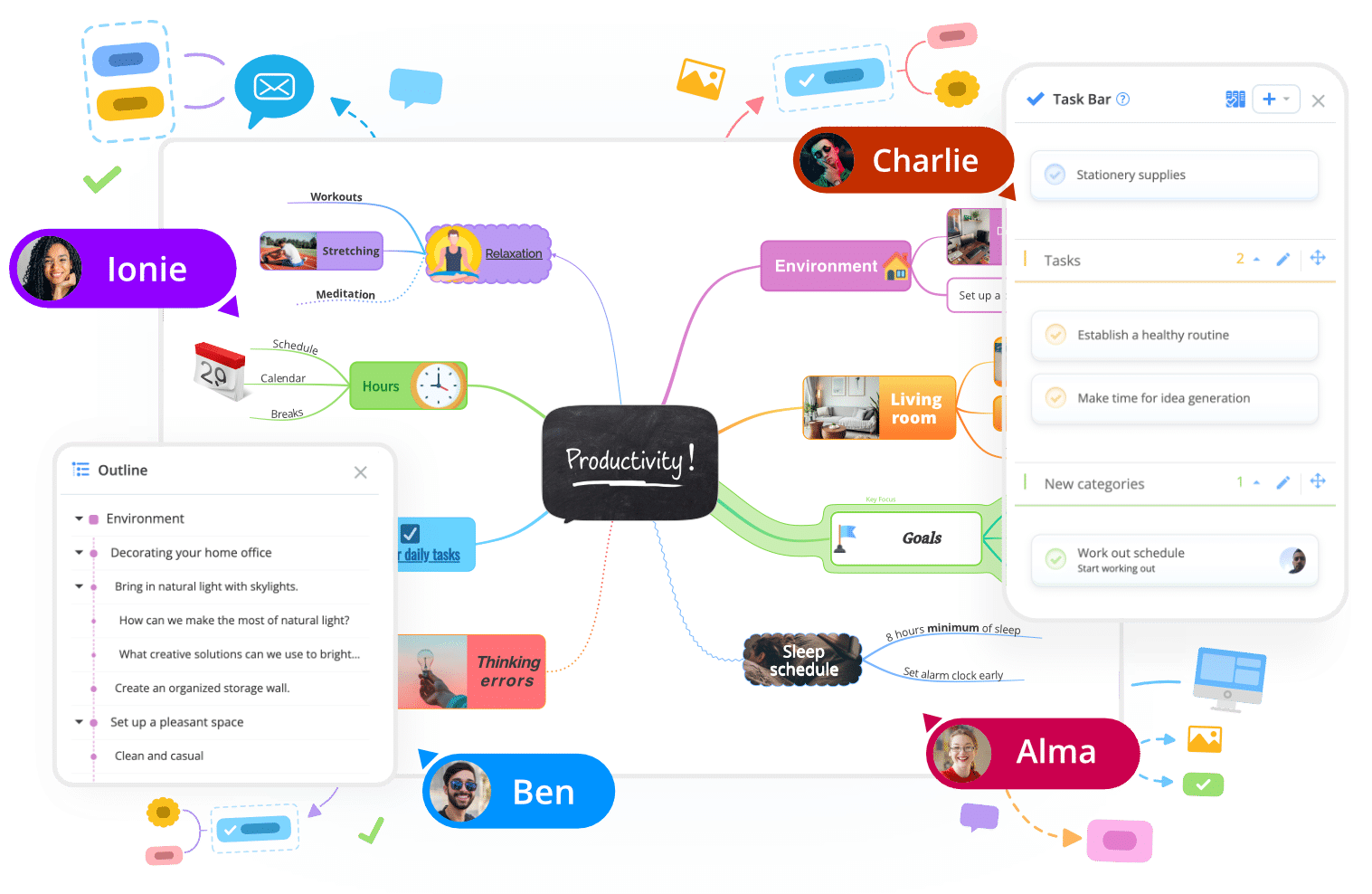
Image source: ayoa.com
Key features:
- AI assistance: Generate and organize ideas automatically.
- Task boards: Move from brainstorming to execution seamlessly.
- Organic maps: Create visually fluid maps.
- Collaboration tools: Work with teammates in real time.
- Templates: Pre-built structures for projects and tasks.
Pros:
- Combines creativity with productivity
- Unique organic mapping style
- Built-in AI for faster ideation
- Team collaboration made simple
Cons:
- The interface can feel cluttered
- Some AI features are only in paid plans
Pricing:
- Free basic plan
- Paid plans from $10/user/month
11. Milanote: Visual board for designers and creatives
Milanote is a visual project organizer tailored for creative teams. It combines mood boards, notes, and mind mapping into one flexible workspace. Teams can drag-and-drop images, text, and links while collaborating in real time. Milanote makes it easy to turn abstract ideas into visual plans. Perfect for designers, writers, and marketing teams needing clarity and inspiration in one tool.
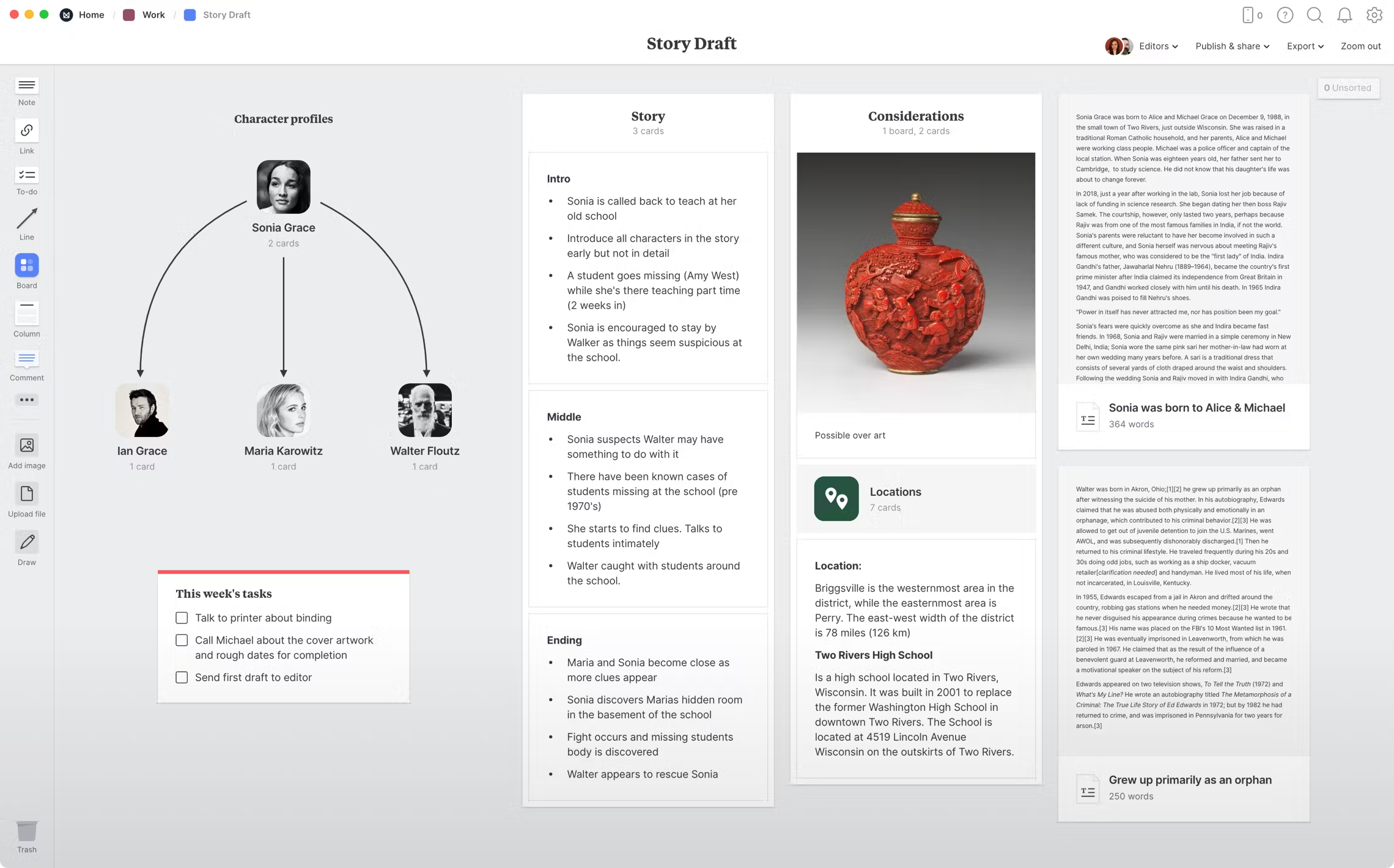
Image source: milanote.com
Key features:
- Drag-and-drop boards: Combine images, text, and links visually.
- Team collaboration: Real-time feedback and co-editing.
- Template library: Ready-to-use boards for creative projects.
- Organizational tools: Organize projects with columns, boards, and lists.
- Export and share: Save boards as PDFs or share online.
Pros:
- Highly visual and flexible
- Ideal for creative teams
- Minimal, clean design
- Easy sharing and collaboration
Cons:
- Limited structure for complex workflows
- Offline mode is restricted
Pricing:
- Free plan with up to 100 notes
- Paid plans from $9.99/month
12. MindNode: Best for Apple users
MindNode is a macOS and iOS-focused mind mapping tool designed for creative thinking and project outlining. Its clean interface, smooth animations, and focus mode make brainstorming distraction-free. MindNode syncs seamlessly across Apple devices via iCloud. It is ideal for individuals or small teams in the Apple ecosystem who want visually organized ideas and projects.
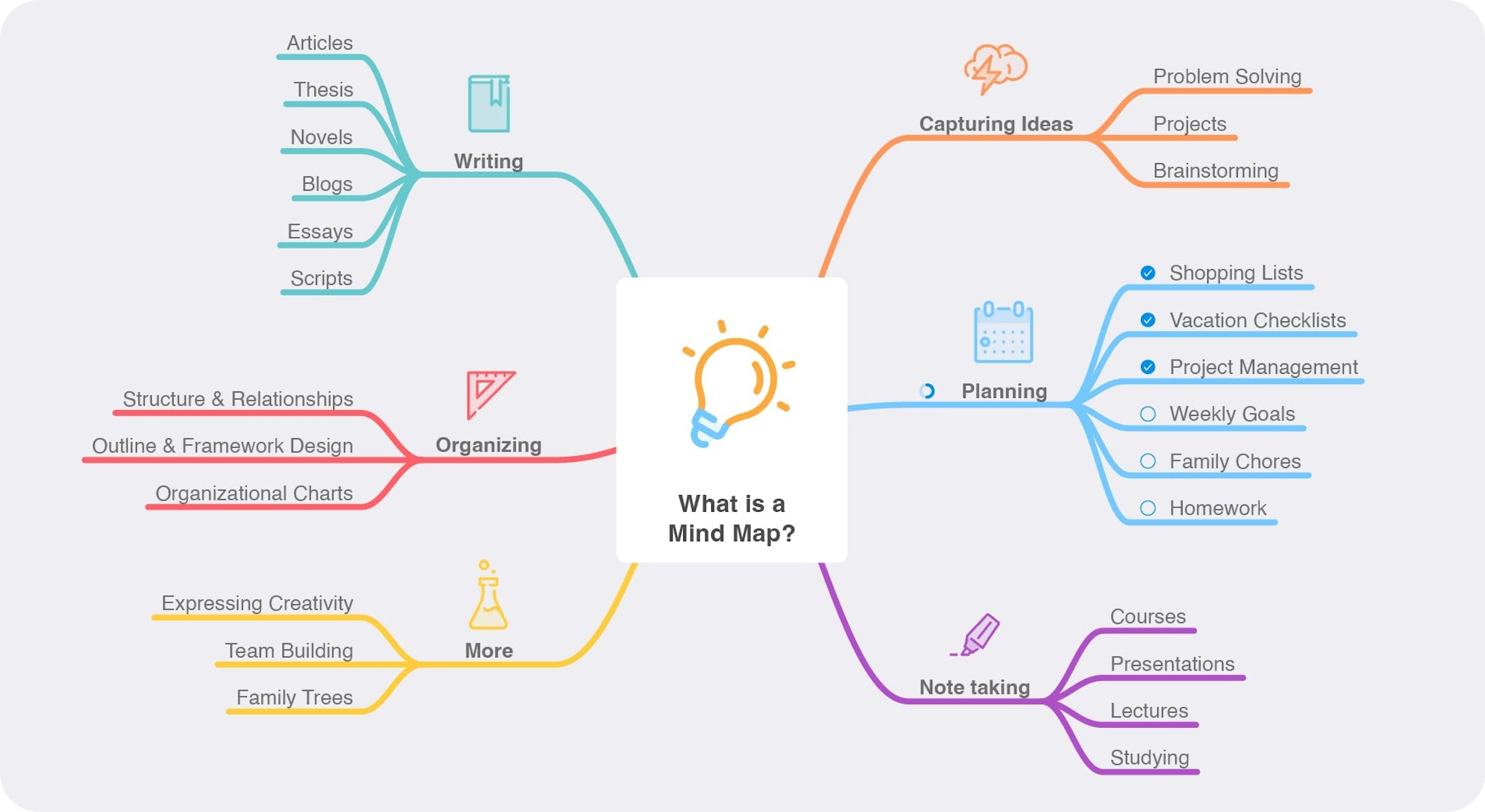
Image source: mindnode.com
Key features:
- Focus mode: Minimize distractions during deep thinking.
- Visual tags: Color-code and prioritize ideas.
- iCloud sync: Seamless access across Apple devices.
- Themes and layouts: Customize maps visually.
- Export options: PDF, text, or image formats for sharing.
Pros:
- Sleek, intuitive interface
- Deep Apple integration
- Perfect for personal use or small teams
- Fast, lightweight, and responsive
Cons:
- No real-time collaboration
- Limited export options vs web-based tools
Pricing:
- Free basic version
- Plus plan from $2.50/month (billed annually)
Common use cases of mind mapping
Mind mapping software isn't limited to brainstorming. It supports a wide range of business, educational, and creative scenarios. Here are some of the most practical ways teams and individuals use it:
- Project planning and task breakdown: Teams can use mind maps to outline project goals, milestones, and dependencies before execution begins. A visual overview helps define priorities, assign responsibilities, and link related tasks. This structure ensures every team member understands how their work connects to the larger project.
- Brainstorming and idea generation: Mind mapping tools make it easy to capture spontaneous thoughts, connect ideas, and visualize patterns. During meetings or workshops, participants can collaborate in real time, clustering concepts and refining them into actionable strategies. It's especially effective for creative teams and product designers.
- Knowledge management and note organization: Mind maps simplify complex information by turning detailed notes into interconnected visuals. Whether it's documenting research findings, meeting takeaways, or client requirements, users can organize knowledge hierarchically for quick retrieval and better retention.
- Strategic planning and decision-making: Leaders and managers use mind maps to evaluate multiple options, weigh pros and cons, and define strategic roadmaps. By mapping business goals, market conditions, and resources, organizations gain clearer insights into long-term priorities and outcomes.
- Product development and requirement mapping: Engineering and product teams leverage mind mapping software to capture user needs, feature requests, and technical specifications in a structured way. This visual layout supports collaboration between product managers, developers, and designers, ensuring alignment from concept to launch.
- Educational and training use: Students and educators use mind maps for note-taking, concept linking, and exam preparation. Trainers can design course outlines and lesson plans visually, helping learners grasp relationships between key topics more easily.
- Marketing campaign planning: Marketing teams can map campaign objectives, audience segments, content ideas, and distribution channels in one visual view. This helps coordinate creative direction, timelines, and performance metrics across different teams.
Conclusion
In a world where ideas drive innovation, the right mind mapping software helps turn creativity into clarity. From simple visual brainstorming to advanced project planning, these tools empower teams and individuals to organize thoughts, collaborate seamlessly, and execute effectively. Whether you prefer flexible platforms like MindMeister or structured workspaces like Miro, each tool brings unique strengths. However, if you're seeking an all-in-one solution that combines mind mapping, communication, tasks, and data in one place, Lark stands out. With MindNotes and its connected workspace, Lark makes idea management effortless, from brainstorming to execution, all within a single platform.
FAQs
What is mind mapping software used for?
Mind mapping software is used to visually organize and connect ideas, tasks, and information. It helps users brainstorm, plan projects, take notes, or structure complex concepts in an intuitive way. Teams and individuals use it for creativity, productivity, and decision-making, turning scattered thoughts into structured, easy-to-understand visual maps.
Which is the best free mind mapping software?
The best free mind mapping software depends on your needs. Tools like MindMeister, Coggle, and XMind offer free versions with strong core features. For collaborative teams, Miro and Lark provide free plans with real-time brainstorming tools. Evaluate factors like collaboration, templates, and export options before choosing the best fit.
Can I collaborate in real time on a mind map?
Yes, most modern mind mapping software supports real-time collaboration. Tools such as Lark, MindMeister, and Miro let multiple users edit, comment, and brainstorm simultaneously. This ensures teams stay aligned, exchange feedback instantly, and build on each other's ideas without version conflicts, making collaboration faster and more dynamic.
How is Lark different from traditional mind mapping tools?
Unlike standalone mapping apps, Lark combines mind mapping with communication, documents, tasks, and scheduling. Its built-in MindNotes feature connects brainstorming directly to execution, linking maps to chats, Docs, and workflows. This unified workspace helps teams move from idea to action seamlessly without switching between multiple tools.
What is open-source mind-mapping software?
Open-source mind-mapping software is freely available and allows users to modify its source code to suit their needs. Examples include Freeplane and WiseMapping, which support full customization and collaboration.
What free mind-mapping software is available for Mac?
Mac users can use tools like MindNode, which offers a free version with essential features for creating unlimited mind maps and organizing ideas visually.
What the relationship educational leadership and mind mapping software?
Educational leaders often use tools such as MindManager, which supports mind-mapping, timelines, and workflows to help with strategic planning, teaching, and knowledge management.
Related reading
Table of contents
Start using Lark today

Manage all your work in one place
Boost team efficiency by 10x
Save up to 70% on software costs
Table of contents
Start using Lark today
Manage all your work in one place
Boost team efficiency by 10x
Save up to 70% on software costs
Keep reading







2026 Lark Technologies Pte. Ltd.
Headquartered in Singapore with offices worldwide.






Explore: