


Top 10 Process Automation Tools: Upgrade Your Workflow

Ryan Tanner
Product Marketing Specialist
Aug 5, 2026
Ryan Tanner
Aug 5, 2026

21 min read


Process automation tools have become essential for teams trying to reduce manual work, eliminate repetitive tasks, and build predictable operations. Businesses rely on automation to improve speed, accuracy, and cross-team coordination. The right process automation tool helps centralize data, route work, and support teams that operate remotely or across multiple departments.
As companies explore new digital workflows, modern platforms like Lark are emerging as strong options that combine automation, communication, and collaboration in a single space. This introduction explains what process automation means, the best tools to choose from, and what the standard should follow. Here is the tool list:
Key takeaways: Top 10 process automation tools
1. Lark: No-code workflow automation + collaboration platform
2. Monday.com: Visual workflow and business process tool
3. ClickUp: Workflow automation + team productivity
4. Asana: Process and task automation system
5. Kissflow: Process automation and approval workflows
6. ProcessMaker: Low-code enterprise process automation
7. Nintex: Workflow automation and document processing
8. Pega: Intelligent process automation platform
9. IBM BAW: Enterprise workflow and processes
10. Pipefy: Ops workflow and process automation

Quick comparison snapshot: Top 10 process automation tools
Understanding the process automation tool market requires a quick overview of capabilities, pricing, and strengths. This comparison snapshot highlights the best process automation tools based on workflow depth, usability, data handling, and business process support. It helps teams identify the right match depending on automation complexity, budget, and collaboration needs. The table below provides a fast reference for teams before reading detailed breakdowns of all ten platforms.
What is a process automation tool?
A process automation tool helps teams automate repetitive tasks, route information, maintain records, and manage structured workflows. These tools remove manual steps in areas such as HR, finance, operations, customer service, procurement, and IT. Process automation tools can handle approvals, documentation flows, task assignments, and cross-team processes. This section explains the meaning of a process automation tool and why it matters for businesses seeking improved efficiency. It also shows how business process automation tool options support digital transformation.
A process automation tool uses triggers, rules, and workflows to execute tasks. Teams can automate routing, reminders, data updates, and approvals. Tools help create predictable processes that reduce errors and save time. Modern platforms combine communication and workflow logic to help teams operate smoothly.
10 best process automation tools you should explore
The leading process automation tools that support workflows across departments. It includes no code tools, enterprise-grade systems, and intelligent automation platforms. Each tool is evaluated based on capabilities, strengths, and cost. Teams can compare tools to match their requirements for speed, structure, and scale. This section helps organizations choose technology that supports sustainable automation growth.
1. Lark: No-code workflow automation + collaboration platform
Lark brings together automation, communication, and structured data management in a single workspace, making it easier for teams to manage processes without technical complexity. It supports workflows that range from simple approval workflows to multi-step routing with clear visibility and predictable execution. Teams use Lark to reduce manual work, maintain accurate records, and coordinate tasks across departments. As organizations adopt more digital processes, Lark gradually becomes a valuable option for running connected workflows at scale.
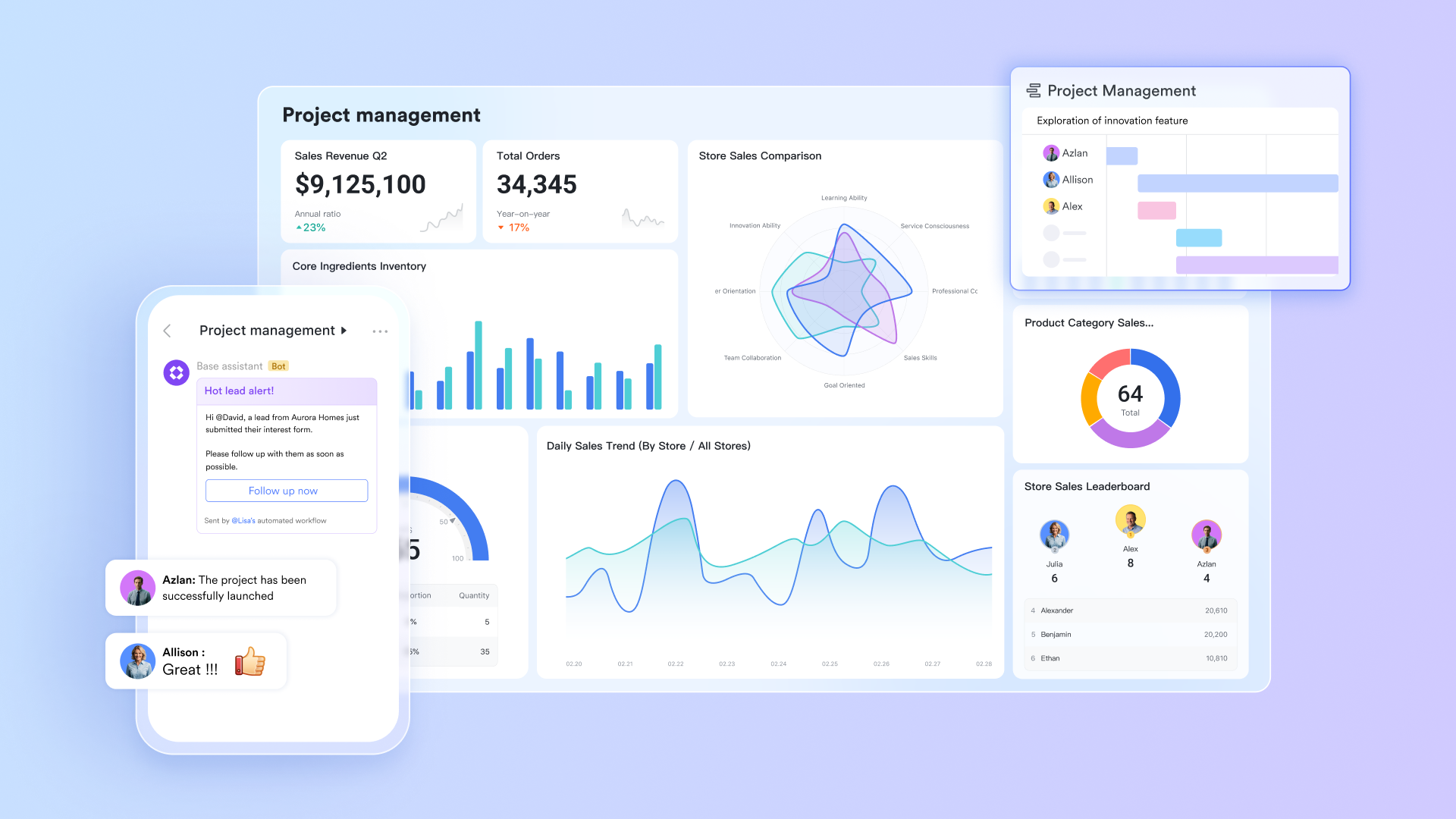
Lark Base as the operational data layer for structured workflows
Lark Base provides teams with a centralized location to store records, track workflow stages, and maintain data consistency. It includes customizable fields, views, and filters that adapt to different operational needs. Automations inside Base help update records without manual intervention, ensuring processes move smoothly across steps. Teams can use Base to manage lead status, project data, customer requests, and internal operations. This structured foundation supports stable process automation across departments.
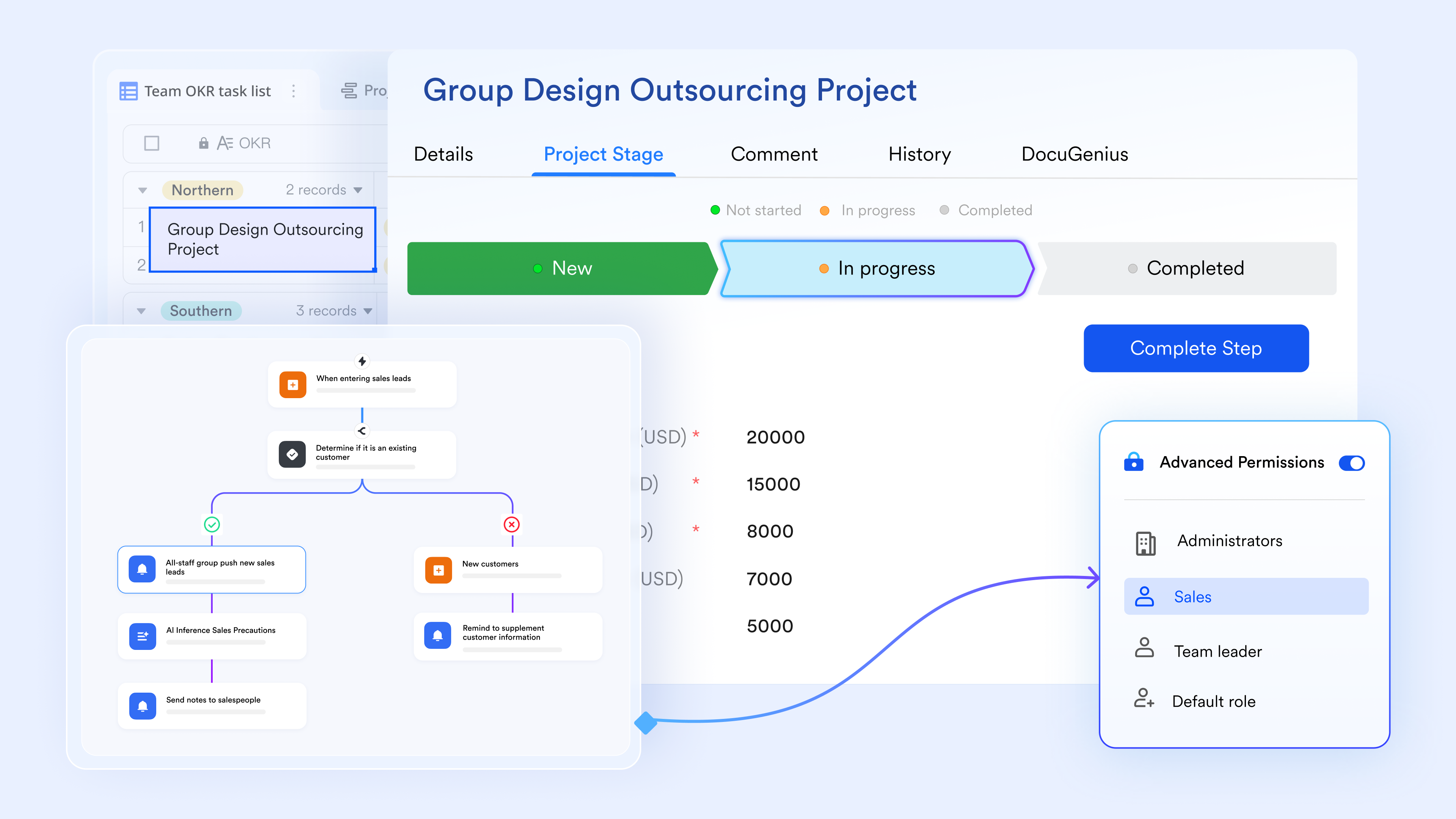
Lark Approval for predictable decision routing in daily operations
Lark Approval standardizes the flow of requests such as purchase orders, reimbursements, access permissions, or HR submissions. Each approval moves through defined routes, giving teams real-time visibility into progress and pending actions. Conditional rules allow workflows to adapt based on requester, department, or category. Audit logs help maintain compliance, especially for financial and operational activities. This organized approval system strengthens accountability across multi-team processes.
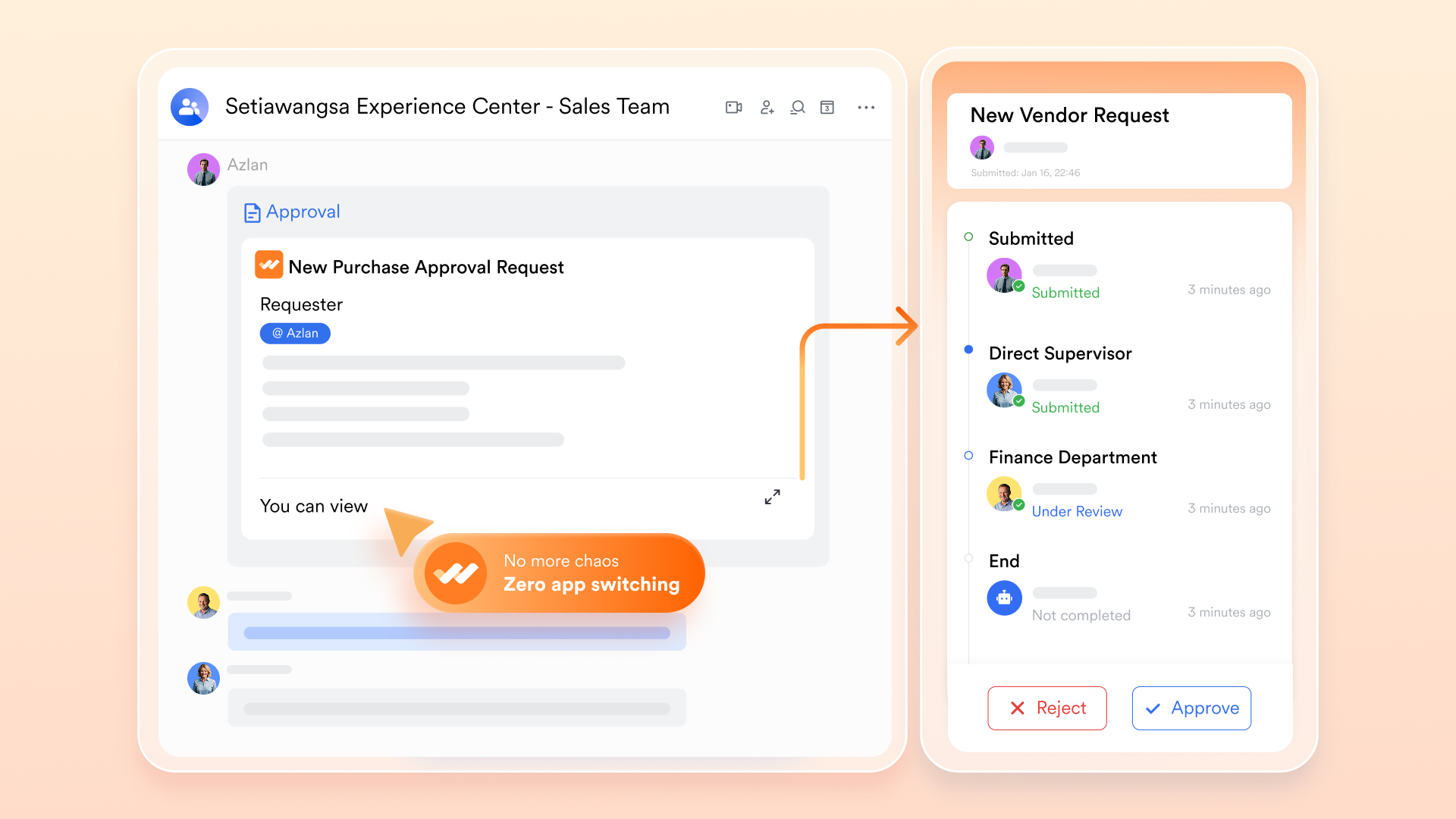
Lark Messenger for a communication center connected to workflows
Lark Messenger helps teams collaborate while keeping workflow actions only a click away. Users can create tasks, share documents, or open records directly from conversations. Group chat supports structured communication for operations, projects, or cross-team reviews. Message-based automations help teams convert discussions into follow-up actions quickly. This connected environment reduces context switching and supports smoother process execution.
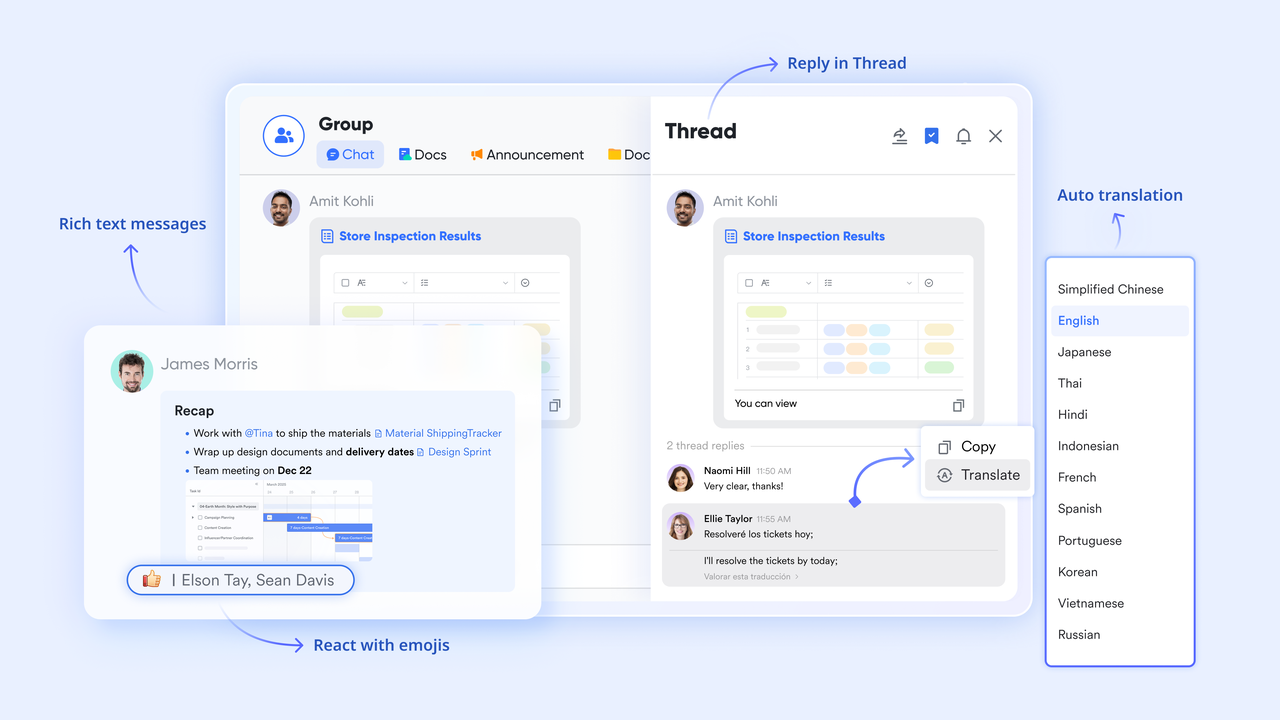
Lark AI Meeting Notes for streamlined documentation and workflow continuity
Lark AI Meeting Notes captures key discussion points, next steps, and decisions automatically during meetings. Summaries transform into actionable tasks or workflow updates that keep teams aligned. This reduces manual note-taking and ensures details are recorded accurately. Teams use Lark AI Meeting Notes for reviews, planning, or operational check-ins. It helps workflow progress without losing critical information between discussions.

Lark Tasks for structured assignment and dependable execution tracking
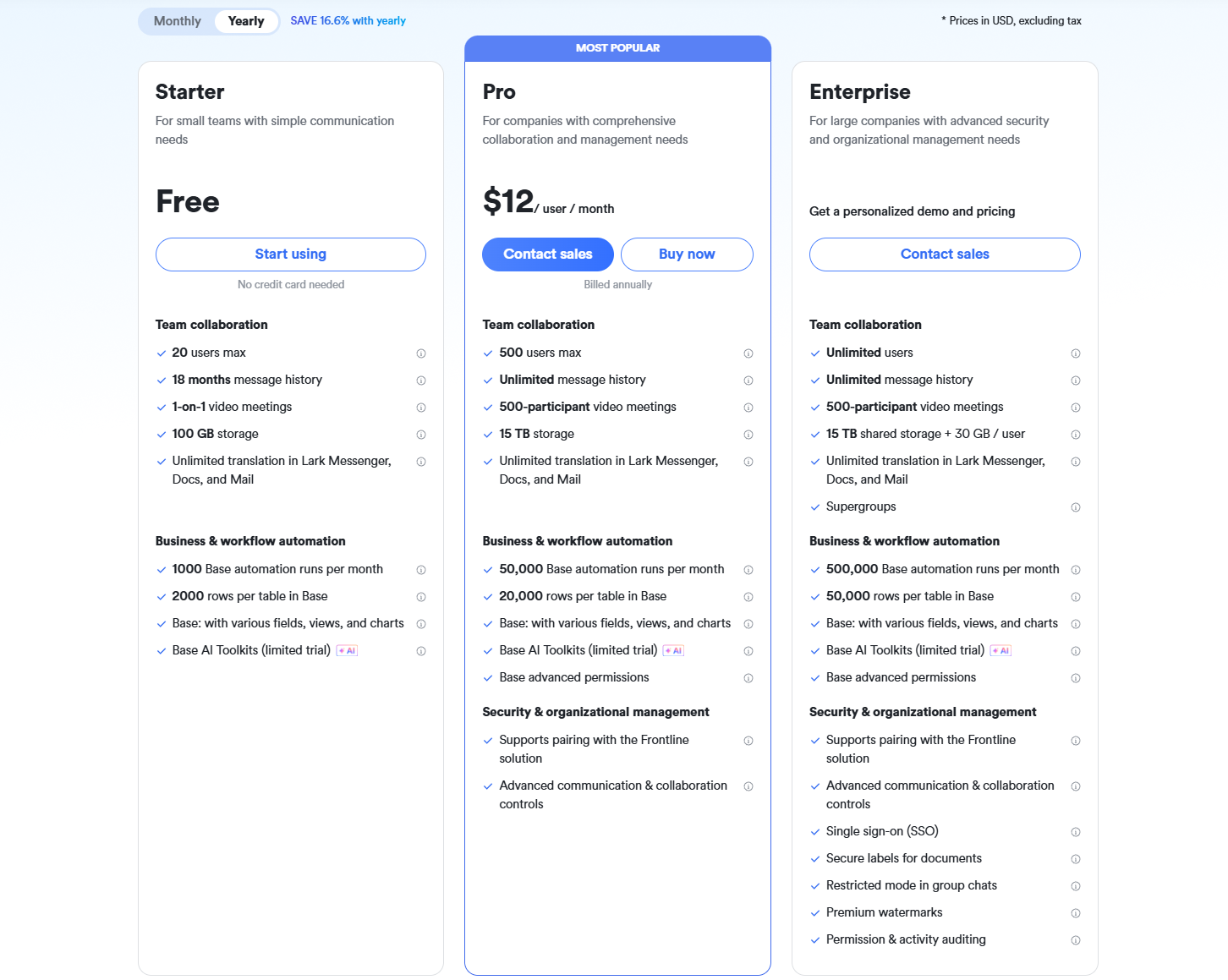
Lark Tasks provides a clear framework for assigning responsibilities and monitoring progress. Tasks can originate from meetings, Base records, or chat messages, maintaining continuity across tools. Users can track deadlines, status updates, and dependencies within organized views. This helps prevent delays and keeps teams focused on high-priority actions.
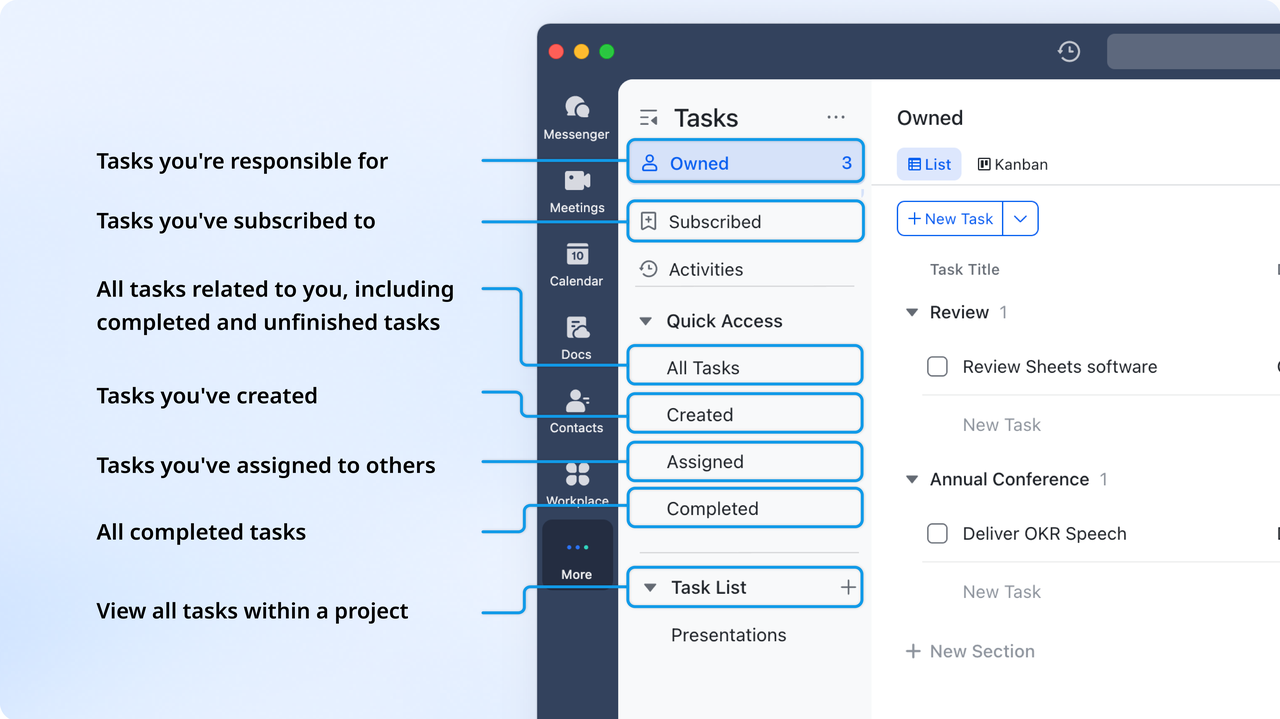
- Starter plan: Free forever plan that includes 11 powerful tools for up to 20 users. It also comes with 100GB of storage, 1000 automation runs, AI translations, and more.
- Basic plan: $6/user/month (billed annually) for up to 500 users. It includes everything in Starter plus group calling for up to 500 attendees, 5TB of storage, 1000 automation runs, and more. For more details, please contact sales.
- Pro plan: $12/user/month (billed annually) for up to 500 users. It includes everything in Basic plus group calling for up to 500 attendees, 15TB of storage, 50,000 automation runs, and more.
- Enterprise plan: Contact sales for custom pricing. Supports unlimited users and includes even more automation runs and advanced security, compliance, and management features.
2. Monday.com: Visual workflow and business process tool
Monday.com is a visual workflow platform designed for teams looking to manage processes through structured boards and easy-to-understand layouts. It is widely used for planning, execution, and operational tracking across different business functions. The platform appeals to teams that prefer drag-and-drop configuration and fast setup. Monday.com works well for mid-sized companies that want to automate processes without deep technical knowledge. This introduction explains why Monday.com is a strong process automation tool for teams focused on visual workflows.
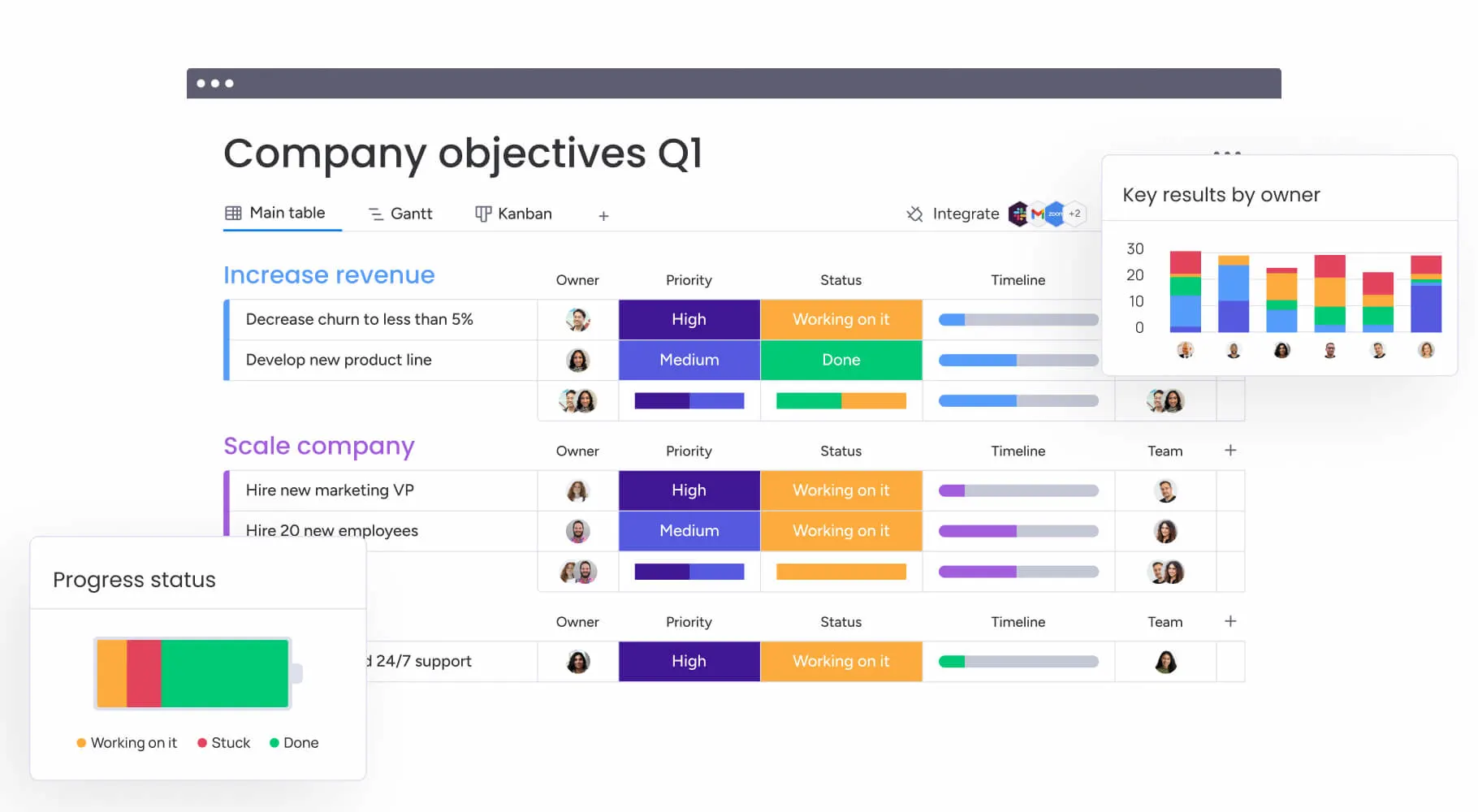
Image source: monday.com
Key features:
- Visual boards for organizing tasks, approvals, and workflow stages.
- Automation builder for creating rules triggered by field or status changes.
- Dashboards for tracking workload, timelines, and performance.
- External app support to expand workflow capability.
- Templates for quickly deploying structured workflows.
Pros:
- User-friendly interface that reduces onboarding time.
- Visual layout helps teams migrate from spreadsheets easily.
- Templates accelerate setup for common workflows.
- Dashboards help managers oversee parallel processes clearly.
- Strong collaboration through comments, files, and updates.
Cons:
- Advanced automation requires higher-tier plans.
- Complex workflows can slow the system.
- Heavy reliance on external apps for structured processes.
- Customization options may overwhelm beginners.
- Not ideal for enterprise-scale governance.
Pricing:
- Basic plan starts at $9 per user per month billed annually.
- The standard plan costs $12 per user per month.
- Pro plan begins at $19 per user per month.
- Enterprise plans are custom-priced.
- Automation and workflow limits increase by plan level.
3. ClickUp: Workflow automation + team productivity
ClickUp is an all-in-one productivity platform designed for teams that need task management, documentation, dashboards, and workflow automation in one place. It is popular among engineering, marketing, and operations teams that require flexibility. ClickUp centralizes work into structured lists, boards, and task views, which support coordination across teams. Its automation features help reduce repetitive updates and manual changes. This introduction explains why ClickUp is a strong process automation tool for teams needing versatility.
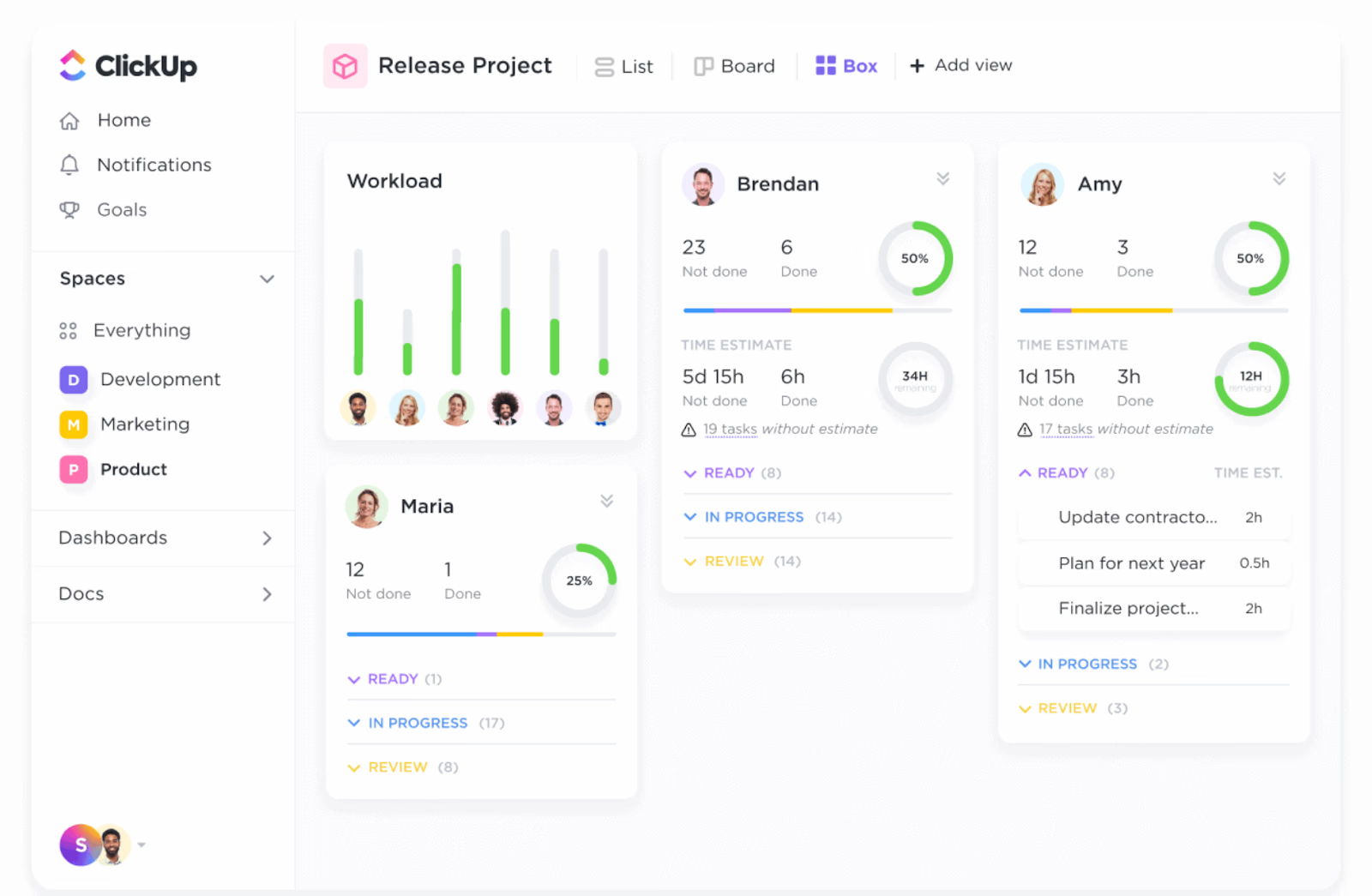
Image source: clickup.com
Key features:
- Automation builder for routing tasks and managing updates.
- Docs and wikis for collaborative content creation.
- Dashboards for monitoring metrics and workload.
- Multiple task views including lists, boards, and timelines.
- Supports simple and advanced workflows for cross team usage.
Pros:
- Affordable automation features suitable for small teams.
- Reduces tool switching with an all in one platform.
- Highly customizable to match different processes.
- Dashboards support quick decision making.
- Flexible for both project and operational work.
Cons:
- Too many customization options can create clutter.
- Performance issues appear in large workspaces.
- Automation limits apply to lower-tier plans.
- Requires governance to manage feature overload.
- Needs regular maintenance to stay organized.
Pricing:
- Unlimited plans start at $7 per user per month.
- A business plan costs $12 per user per month.
- Enterprise plans require custom quotes.
- Optional add-ons may increase costs.
- Prices scale with workflow volume and team size.
4. Asana: Process and task automation system
Asana is a workflow and task management platform used to coordinate projects, operations, and cross-team processes. It is known for its clean interface and structured task tracking. Asana helps teams build automated task rules that reduce manual updates and repetitive communication. Its visualization tools support workload planning and timeline management. This introduction explains how Asana helps teams manage structured workflows.
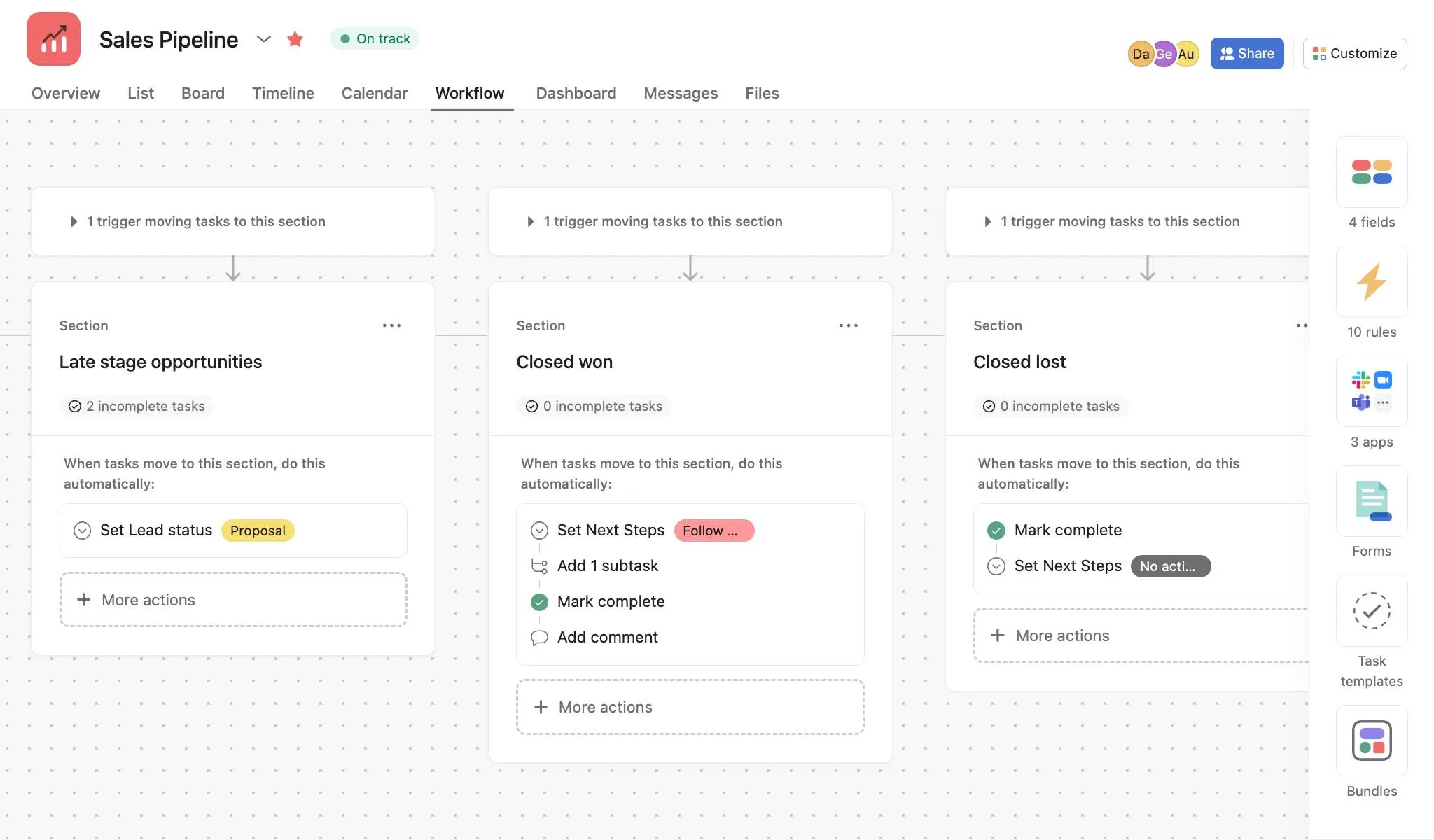
Image source: Asana.com
Key features:
- Rules engine automates sorting, routing, and task actions.
- Timeline view supports planning project stages.
- Portfolios allow multi-project visibility.
- Form-based intake centralizes request submissions.
- Capable of managing structured workflows with consistency.
Pros:
- Supports diverse workflows across departments.
- Easy to adopt due to a clean interface.
- Automations reduce repetitive work.
- Works well with many third-party integrations.
- Visualization tools improve workload planning.
Cons:
- No structured database for advanced automation.
- Limited conditional routing for complex logic.
- It can overwhelm new users with many views.
- Advanced features require higher-tier plans.
- It depends on external tools for heavy data workflows.
Pricing:
- Free starter tier for small teams.
- Premium plan begins at $10.99 per user per month.
- A business plan costs $24.99 per user per month.
- Enterprise plans are available with custom pricing.
- Cost varies based on team size and workflow complexity.
5. Kissflow: Process automation and approval workflows
Kissflow is designed for teams that need simple process automation and approval workflows without complex setup. It is used by finance, HR, procurement, and operations for daily process standardization. The platform focuses on structured forms and routing rules. Kissflow is suitable for teams seeking low code automation that is easy to manage. This introduction explains why Kissflow supports lightweight BPM processes.
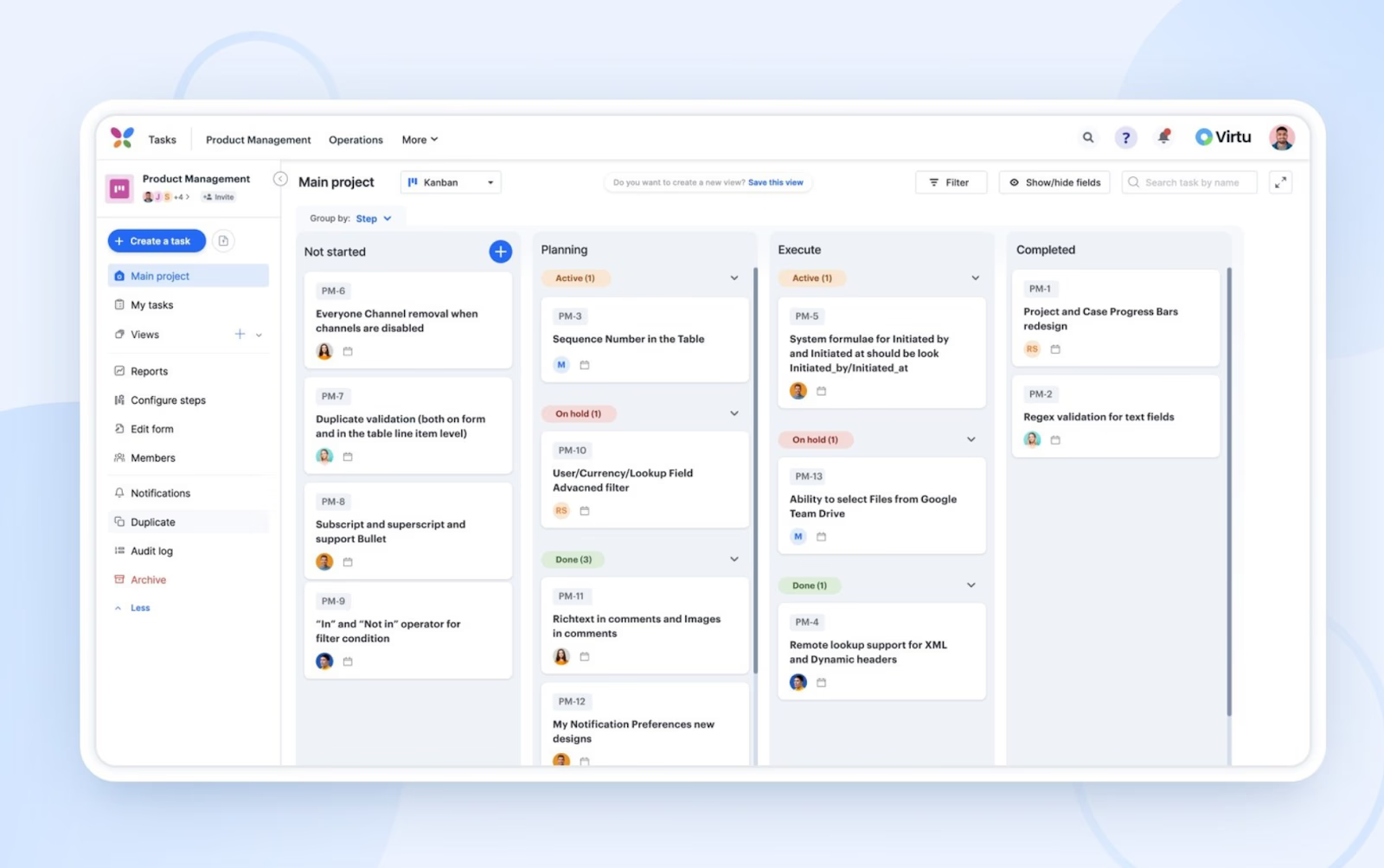
Image source: kissflow.com
Key features:
- Drag and drop form builder for structured data.
- Workflow routing connects teams and departments.
- Dashboards offer visibility into process performance.
- Prebuilt templates speed up workflow creation.
- Supports digitization of simple approval processes.
Pros:
- Easy for non-technical users to adopt.
- Simplifies automation for administrative teams.
- Templates reduce time spent configuring workflows.
- Works well for small to mid-sized processes.
- Handles cross-departmental approvals with minimal setup.
Cons:
- Limited support for advanced logic.
- Complex workflows often require higher-tier plans.
- Reporting customization is restricted.
- Not ideal for large enterprise processing.
- Some integrations require external add-ons.
Pricing:
- Basic plan starts at $15 per user per month.
- Advanced plans require custom quotes.
- Enterprise BPM plans may cost $600 to $1500 monthly.
- Cost changes based on user count and workflow volume.
- Pricing increases with deeper automation needs.
6. ProcessMaker: Low-code enterprise process automation
ProcessMaker is an enterprise-grade low-code BPM platform designed for complex workflow modeling. It supports organizations that need structured process management and compliance. The platform uses BPMN standards to help teams design precise workflows. It is ideal for financial services, insurance, government, and large operations teams. This introduction explains why ProcessMaker is chosen for high scale workflows.
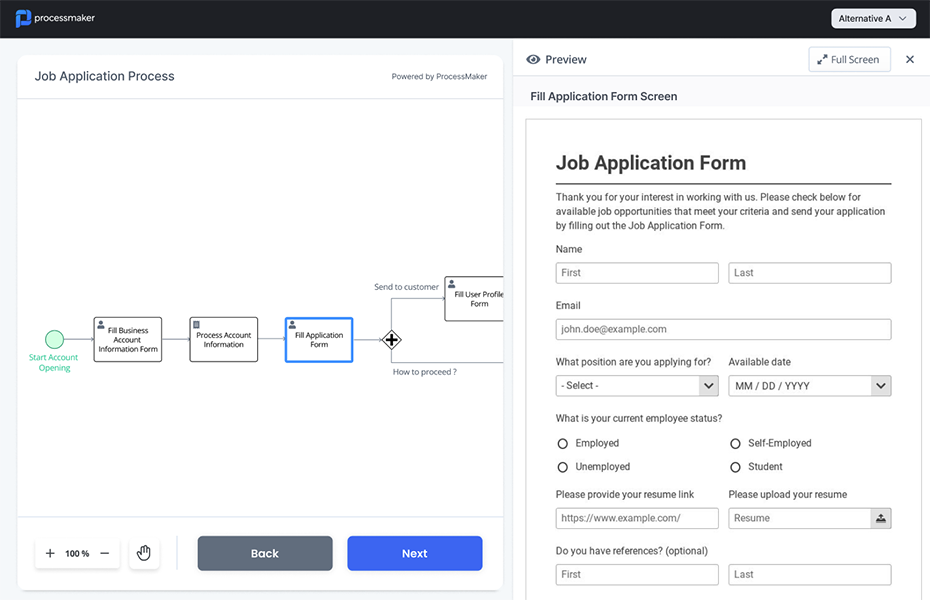
Image source: processmaker.com
Key features:
- BPMN modeling tools for advanced workflow design.
- The workflow engine supports routing and escalations.
- Case management improves tracking and accountability.
- Low-code scripting extends workflow functionality.
- Suitable for highly regulated enterprise workflows.
Pros:
- Strong for organizations with strict compliance needs.
- Handles complex multi-step routing.
- Scales effectively for enterprise workloads.
- Case handling improves end-to-end visibility.
- Used widely across regulated industries.
Cons:
- Steep learning curve for non-technical teams.
- Requires IT support and structured governance.
- Expensive for small to mid-sized companies.
- Customization requires technical expertise.
- Too heavy for simple workflow requirements.
Pricing:
- Fully custom pricing model.
7. Nintex: Workflow automation and document processing
Nintex is a document-oriented workflow automation platform used by enterprises for processing forms, signatures, and documents. It integrates deeply with Microsoft ecosystems, which makes it popular among large organizations. Nintex supports advanced workflows for regulated industries. It is known for strong document generation features. This introduction explains why Nintex is ideal for document-heavy operations.
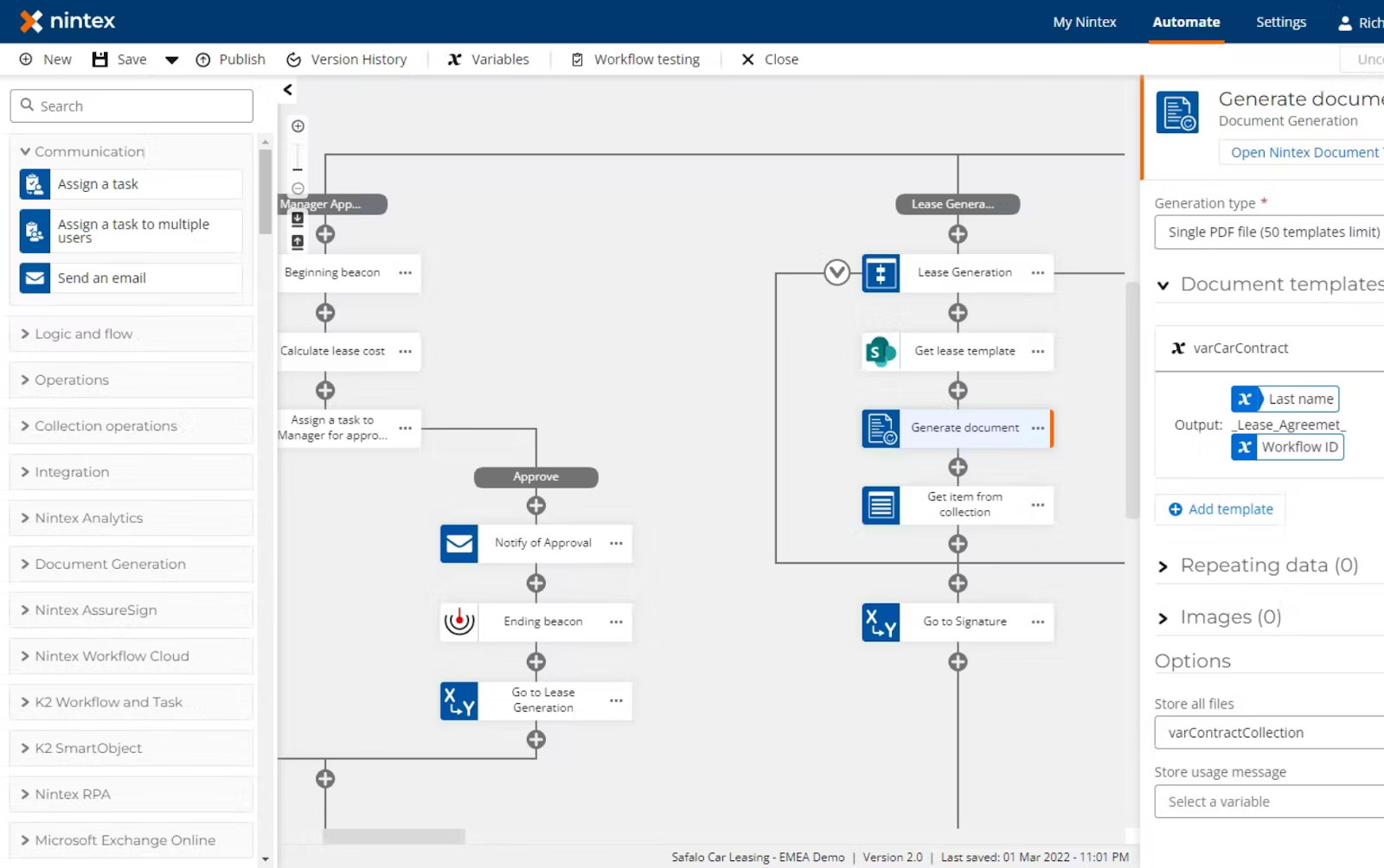
Image source: nintex.com
Key features:
- Workflow builder routes documents and form submissions.
- Automated document generation supports regulated workflows.
- Process mapping visualizes workflow structure.
- Tight integration with Microsoft 365 and SharePoint.
- Strong tools for document-centric workflows.
Pros:
- Excellent document automation features.
- Trusted by enterprises with compliance needs.
- Scales well across departments and regions.
- Reduces manual document processing.
- Standardizes document flows in large teams.
Cons:
- High cost for smaller teams.
- Advanced tools require premium licensing.
- Complex setup for non-technical users.
- Configuration issues are common in large setups.
- Not suitable for lightweight or straightforward workflows.
Pricing:
- Pricing depends on enterprise requirements.
8. Pega: Intelligent process automation platform
Pega is an enterprise intelligent process automation tool designed for complex workflows and AI driven decisioning. It is widely used in banking, insurance, telecom, and government. The platform handles large scale operations with predictive analytics. Pega emphasizes case management and adaptive workflows. This introduction explains why Pega is suited for enterprise transformation.
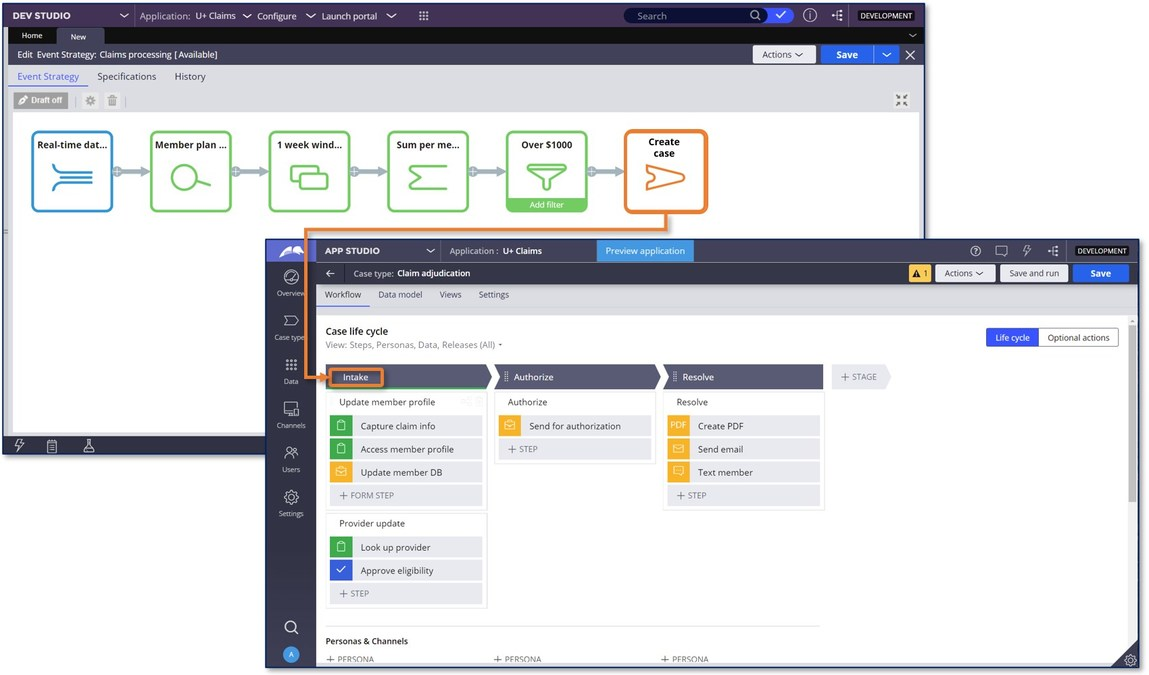
Image source: www.pega.com
Key features:
- Case management system for end-to-end workflow tracking.
- AI engines provide real-time automated decision-making.
- Workflow engine handles complex routing needs.
- Built-in tools support operations, compliance, and service teams.
- Strong intelligent process automation capabilities.
Pros:
- Advanced AI for enterprise-scale processes.
- Strong support for digital transformation.
- Case visibility improves operational accountability.
- Handles high-volume transactions and workflows.
- Widely used across regulated sectors.
Cons:
- Very expensive to implement.
- Requires certified specialists for configuration.
- Not suitable for smaller companies.
- Long deployment timelines.
- Needs continuous governance and maintenance.
Pricing:
- Fully custom pricing structure.
9. IBM BAW: Enterprise workflow and processes
IBM Business Automation Workflow is a platform built for enterprise process orchestration. It supports mission-critical workflows across banking, healthcare, government, and manufacturing. IBM BAW manages system tasks, human tasks, and end-to-end routing. The platform is designed for enterprises with deep process requirements. This introduction explains why IBM BAW is used for high complexity workflows.
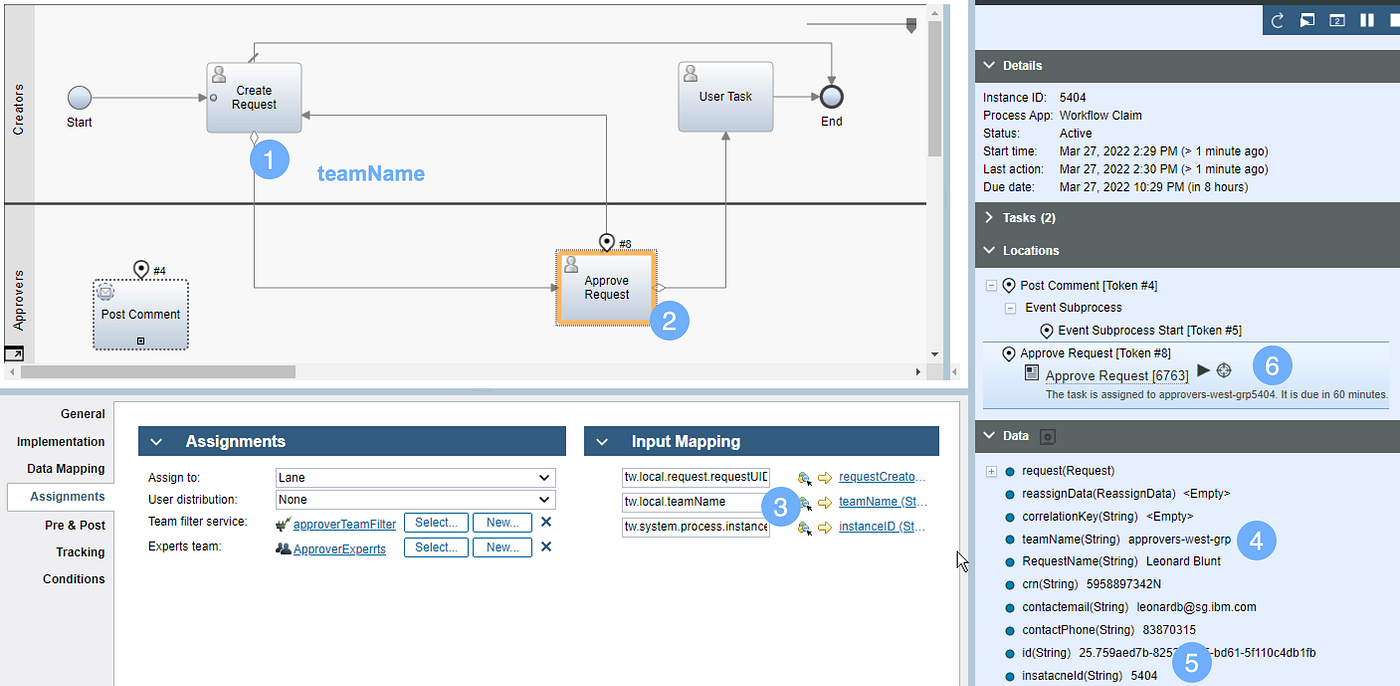
Image source: ibm.com
Key features:
- The workflow engine supports human and system tasks.
- Integrates with enterprise systems for automated execution.
- Case management tools enhance lifecycle tracking.
- Strong governance and compliance controls.
- Designed for end-to-end enterprise process automation.
Pros:
- Highly reliable for mission-critical workloads.
- Meets strict audit and compliance standards.
- Handles large-scale global operations.
- Integrates with many enterprise systems.
- Trusted by industries with long-term operational needs.
Cons:
- Too expensive for small or mid-sized organizations.
- Requires skilled administrators and developers.
- The initial setup is lengthy and complex.
- Upgrades and changes require planning.
- Overkill for small workflow scenarios.
Pricing:
- Fully custom enterprise pricing.
10. Pipefy: Ops workflow and process automation
Pipefy is a form-driven operations workflow platform used for procurement, HR, and service processes. It helps teams manage request intake and approvals efficiently. The platform is designed for non-technical users who need automation without coding. Pipefy centralizes operational tasks into structured pipelines. This introduction explains how Pipefy supports operations teams.
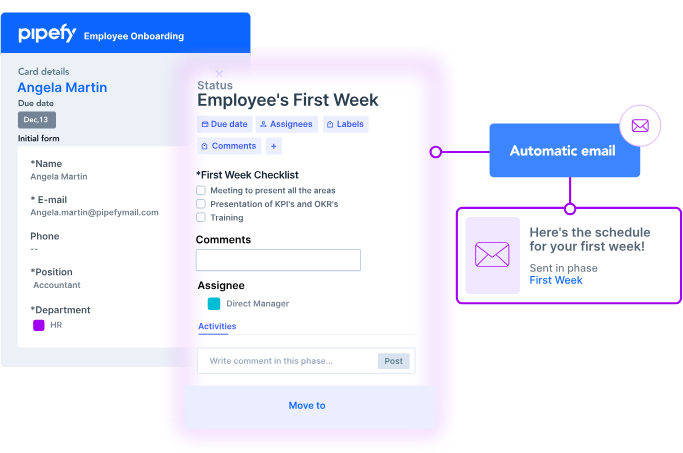
Image source: pipefy.com
Key features:
- Form-based intake for structured submissions.
- Workflow engine automates routing and approvals.
- Templates speed up the process setup.
- Conditional logic supports advanced scenarios.
- Helps teams standardize operations across functions.
Pros:
- Easy for non-technical users to adopt.
- Supports many operational workflows.
- Improves data accuracy through form-based intake.
- Reduces manual request handling.
- Popular for procurement and HR processes.
Cons:
- Becomes expensive as teams scale.
- Analytics options are limited.
- Deep automation needs extra configuration.
- External app reliance for advanced cases.
- Not ideal for enterprise-level modeling.
Pricing:
- Free tier available for basic tasks.
- The business plan starts at $30 per user per month.
- Enterprise plans require custom quotes.
What makes a great process automation tool?
Choosing the right business process automation tool requires a structured evaluation method that looks beyond features and focuses on long-term performance. Teams must assess how well the platform meets their operational needs, supports deep automation, and provides visibility into workflow performance. A robust process automation tool also provides governance controls to protect data and maintain compliance across teams. Adaptability is equally essential because workflows evolve as organizations scale, adopt remote work, or redesign processes. This selection framework helps teams identify the best document process automation tool for stable, reliable, and future-ready operations.
- Operational fit: A strong process automation tool must support the process types your organization relies on, whether approval-heavy, document-heavy, or multi-team. It should work for both simple cases and complex sequences without requiring workarounds. Flexibility across functions such as HR, finance, and operations ensures broader adoption. Operational fit refers to how well the tool integrates with existing workflows. This evaluation helps teams confirm whether a platform aligns with real execution needs.
- Automation depth: Automation depth reflects how effectively a platform uses triggers, conditions, step chaining, and exception handling. Deep automation helps teams eliminate manual steps and reduce errors in high-volume workflows. Platforms with strong rule engines can automate repeated decisions and route tasks intelligently. Condition-based branching supports more accurate execution across scenarios. Teams use this evaluation to verify whether automation can scale with complexity.
- Visibility layer: A strong visibility layer includes project dashboards, run histories, and bottleneck detection that help teams understand how workflows perform. Real-time insight improves decision-making and workload balancing. Clear visibility helps identify delays or failures that need correction. Teams benefit from transparency that supports operational control. This factor determines whether a tool can help organizations maintain performance over time.
- Governance strength: Strong governance includes role-based access, audit trails, and compliance controls that protect workflow execution—platforms with governance depth support regulated industries and multi-team environments. Proper controls help ensure that sensitive processes run securely and consistently. Governance features reduce risk when workflows scale across departments. This factor helps teams evaluate long-term process stability.
- Adaptability: Ensures the process automation tool scales with team size, workflow volume, and operational changes. Platforms should support remote operations and distributed teams. Flexible templates help teams quickly build or adjust workflows. Adaptable systems remain useful even as processes evolve due to growth or restructuring. This factor helps organizations select tools that stay relevant as needs expand.
Conclusion
Process automation tools help teams reduce manual steps and create predictable workflows across operations, HR, finance, IT, and customer functions. The tools in this guide offer different strengths for visual workflows, document processing, enterprise BPM, and intelligent automation. Selecting the right platform depends on process complexity, governance needs, collaboration style, and long-term scalability.
Simpler tools help teams automate basic approvals, reminders, and routing, while enterprise BPM systems support end-to-end operations. Modern platforms like Lark slowly support this shift by combining communication, structured data, approvals, and automation in one workspace, reducing the need for external systems and improving workflow reliability. Choosing a connected automation environment helps teams reduce errors, improve coordination, and maintain operational speed.
FAQs
How do process automation tools support remote and hybrid teams?
Process automation tools support remote teams by providing structured workflows, centralized records, and automated task routing. These tools help reduce manual coordination and ensure that work moves forward even when teams operate across time zones. Process automation frameworks also provide dashboards and alerts to maintain visibility. As teams scale, platforms like Lark support consistent workflows by combining communication and automation in one environment.
Are process automation tools suitable for regulated industries like banking or healthcare?
Process automation tools help regulated industries maintain compliance, audit trails, and controlled access. Tools such as Nintex, Pega, and IBM BAW support regulated workflows through governance and documentation tracking. Banking and healthcare rely on workflow systems for accuracy and standardization. As requirements increase, tools must support strict data handling. Modern platforms like Lark help teams maintain secure workflows with strong record controls.
What is the difference between workflow automation and intelligent process automation?
Workflow automation handles routing, approvals, and task sequencing, while intelligent process automation includes AI, decision models, predictions, and adaptive logic. Traditional workflows follow fixed rules while intelligent automation adjusts based on conditions. Both help teams reduce manual work. Intelligent process automation tool use cases appear in financial services and operations. Platforms like Lark help teams improve manual workflows while exploring smarter automation capabilities gradually.
How long does it take to implement a new process automation tool?
Implementation time varies based on complexity, governance needs, and data requirements. Small teams complete setup in one to three weeks, while larger operations require structured onboarding across departments. Enterprise BPM tools may take months. Faster deployment requires templates, clear owners, and clean data. Tools that combine automation and collaboration like Lark, help shorten onboarding through unified workspaces.
Can small teams benefit from process automation tools, or are they only for enterprises?
Small teams benefit from automation through reduced manual work, clearer task ownership, and better communication. Lightweight automation tools help simplify onboarding, approvals, and daily coordination. Larger teams need deeper governance and structured processes. Small teams grow into automation by starting with simple workflows. Platforms like Lark help small teams adopt automation gradually while supporting future expansion.
Related reading
Table of contents
Start using Lark today

Manage all your work in one place
Boost team efficiency by 10x
Save up to 70% on software costs
Table of contents
Start using Lark today
Manage all your work in one place
Boost team efficiency by 10x
Save up to 70% on software costs
Keep reading






2026 Lark Technologies Pte. Ltd.
Headquartered in Singapore with offices worldwide.






Explore: