


Beyond the Buzzwords: Project Management vs Business Management

Ryan Tanner
Product Marketing Specialist
Aug 5, 2026
Ryan Tanner
Aug 5, 2026

18 min read


Every organization relies on strong leadership to grow and stay competitive. Yet, when it comes to defining that leadership, terms like "project management" and "business management" often get mixed up. While both play essential roles in guiding teams and achieving goals, they operate in very different ways.
This article breaks down project management vs business management, explaining their core differences, responsibilities, and how they connect through technology. Whether you're choosing a career path or simply want to understand how modern organizations function, this guide will help clarify where each discipline fits:
1. Lark: Best for unified collaboration and automation
2. Monday: Best for workflow automation & project tracking
3. Confluence: Best for visual & kanban project management
4. Jira: Best agile and software development project tool
5. Microsoft Project: Best project management powerhouse
6. Asana: Best for project management, productivity, and team collaboration
7. Salesforce: Best for visual & kanban project management
8. ProcessMaker: Best for agile & software development project tool

Understanding the core: Business management vs project management
Definition of business management
Business management is all about maintaining long-term stability and efficiency. It focuses on daily operations, resource planning, and achieving sustainable growth across the organization. It's broad and continuous, covering departments such as HR, finance, operations, and marketing. Business management ensures that each area aligns with the company's overall strategy.
Key responsibilities:
- Setting long-term organizational goals
- Developing and enforcing company policies
- Managing budgets and resources
- Leading permanent teams
- Ensuring efficiency, profitability, and compliance
In short, business management is the ongoing process of steering an organization toward its mission. It doesn't end with one project or goal—it's continuous and evolving.
Definition of project management
Project management deals with temporary efforts designed to create a unique product, service, or result. Each project has a defined start and end date, specific objectives, and a dedicated team.
It's narrow and time-bound. Project managers focus on delivering results within a specific budget and timeline.
Key responsibilities:
- Planning, executing, and closing projects
- Managing scope, time, and budget (the triple constraints)
- Coordinating resources and schedules
- Identifying and mitigating risks
- Communicating with stakeholders
In essence, project management is about driving change—transforming ideas into deliverables while keeping quality and timelines in check.
What is a business analyst (BA)?
While often linked to project teams, a business analyst plays a distinct role that bridges business management and project management.
A BA identifies business problems or opportunities and defines the technical or process-based solutions needed to address them.
They operate at the intersection of business needs and project outcomes, ensuring that every solution aligns with strategic goals.
Key responsibilities:
- Gathering and analyzing requirements
- Documenting and validating solutions
- Bridging communication between stakeholders and technical teams
- Assessing current processes and recommending improvements
A business analyst ensures that what's built (the project) truly supports what the business wants to achieve (the strategy).
Head-to-head comparison: PM vs. BM vs. BA
Understanding these distinctions helps organizations place the right people in the right roles. It also clarifies collaboration points—for example, a project manager might work closely with a business analyst to ensure technical features align with strategic priorities set by business management.
The role of technology in modern management
The line between business management and project management is increasingly blurred. Today, both depend heavily on technology for communication, planning, and data-driven decisions.
Unified platforms like Lark bring these functions together—connecting teams, projects, and business strategy under one digital roof.
Take a glance at the collaboration and project management tools
Top 8 Collaboration and project management tools
1. Lark: One platform for projects, people, and performance
Lark doesn't just manage projects or oversee businesses — it connects the two. By bringing together Base, Tasks, Calendar, Docs, Approval, Sheets, OKR, and Messenger in one ecosystem, Lark ensures strategic goals translate into measurable, on-time results. It empowers leaders with visibility, equips teams with structure, and keeps communication transparent — turning vision into execution and execution into business success.
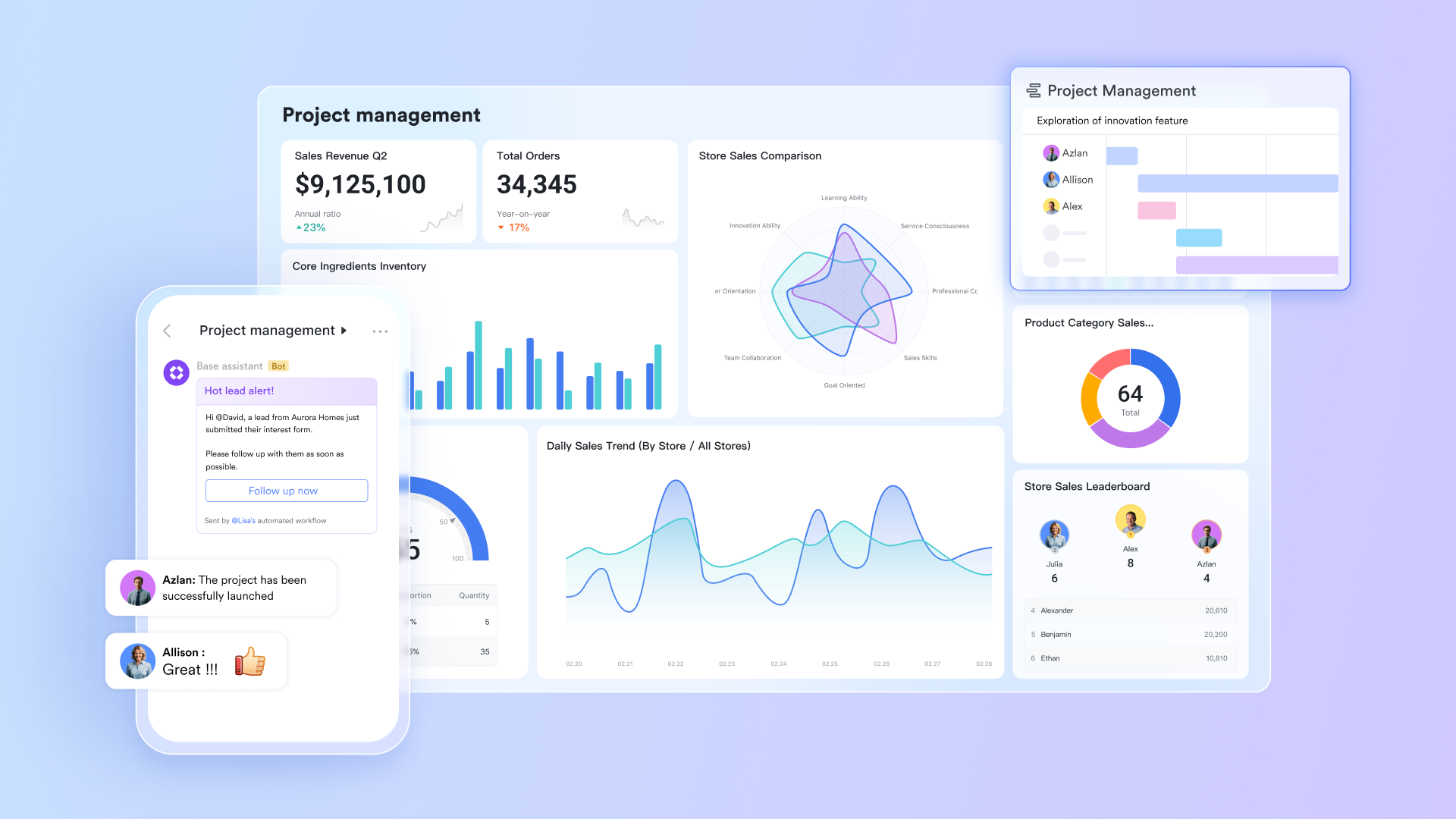
Lark Base: From strategy to structured execution
At the heart of Lark lies Lark Base, a customizable data hub where teams can plan projects and manage business operations side by side. Business leaders can create relational tables to track ongoing initiatives, resource allocations, and key performance metrics. Meanwhile, project managers can link deliverables, owners, and dependencies within the same workspace. For instance, a marketing agency can maintain one table tracking company-wide campaigns (business view) and another monitoring ad deliverables (project view). Linking these allows executives to see how day-to-day creative work supports revenue goals. By combining flexibility and structure, Lark Base connects the strategic "why" of business management with the tactical "how" of project execution.
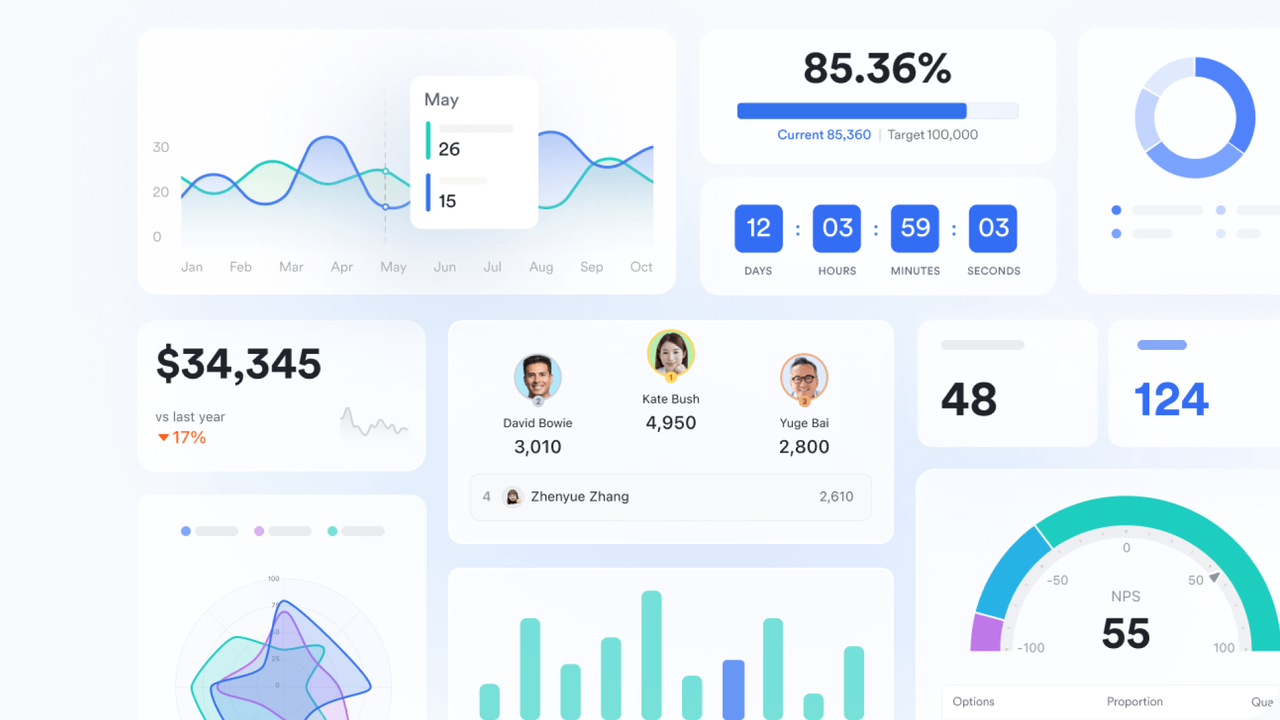
Lark Tasks: Turning business plans into actionable work
While leaders focus on strategic direction, project teams need clarity on next steps. Lark Tasks ensures business plans turn into tangible actions. Managers can assign tasks with owners, deadlines, and dependencies while tracking progress in real time. For example, when a business goal in Lark Base is to "Launch new product line in Q2," related milestones automatically appear as project tasks for design, procurement, and marketing teams. As tasks are completed, Lark updates the broader business dashboard, ensuring both managers and executives stay aligned without manual reporting.
Lark Calendar: Keeping business priorities and project timelines in sync
Scheduling is often where business management meets project reality. With the Lark Calendar, organizations can align executive planning sessions, project reviews, and milestone check-ins in one shared view. When a quarterly business meeting is scheduled, it automatically syncs with the corresponding project deadlines, preventing conflicts and ensuring that key deliverables are ready for review. For example, a product manager preparing for an executive update can see exactly when design, QA, and launch dates align — reducing last-minute rushes and improving time-to-market.
Lark Docs & Lark Wiki: Unifying strategy, knowledge, and collaboration
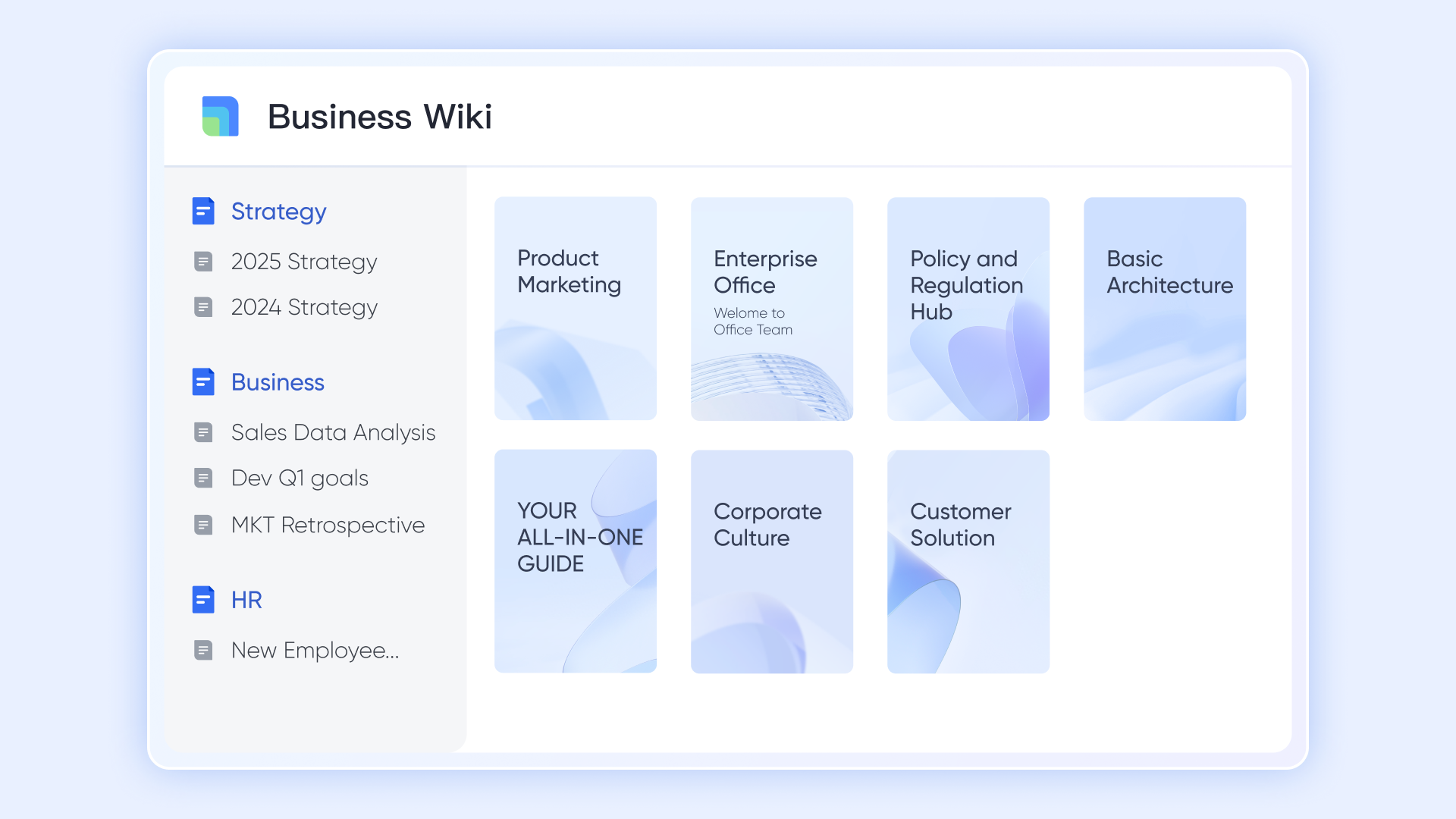
In most organizations, strategic plans and project documentation live in silos. Lark Docs & Wiki eliminates that gap. Executives can outline annual business objectives in Docs, while project teams can co-author execution plans or campaign briefs within the same platform. The Lark Wiki serves as a long-term repository for SOPs, templates, and best practices, ensuring business knowledge is easily accessible. For instance, a finance team might document budget approval workflows on the Wiki, while the project leads reference to those steps when submitting new funding requests. With real-time co-editing and commenting, Lark keeps both strategic intent and operational clarity visible to everyone.
Lark Sheets: Turning project data into business insights
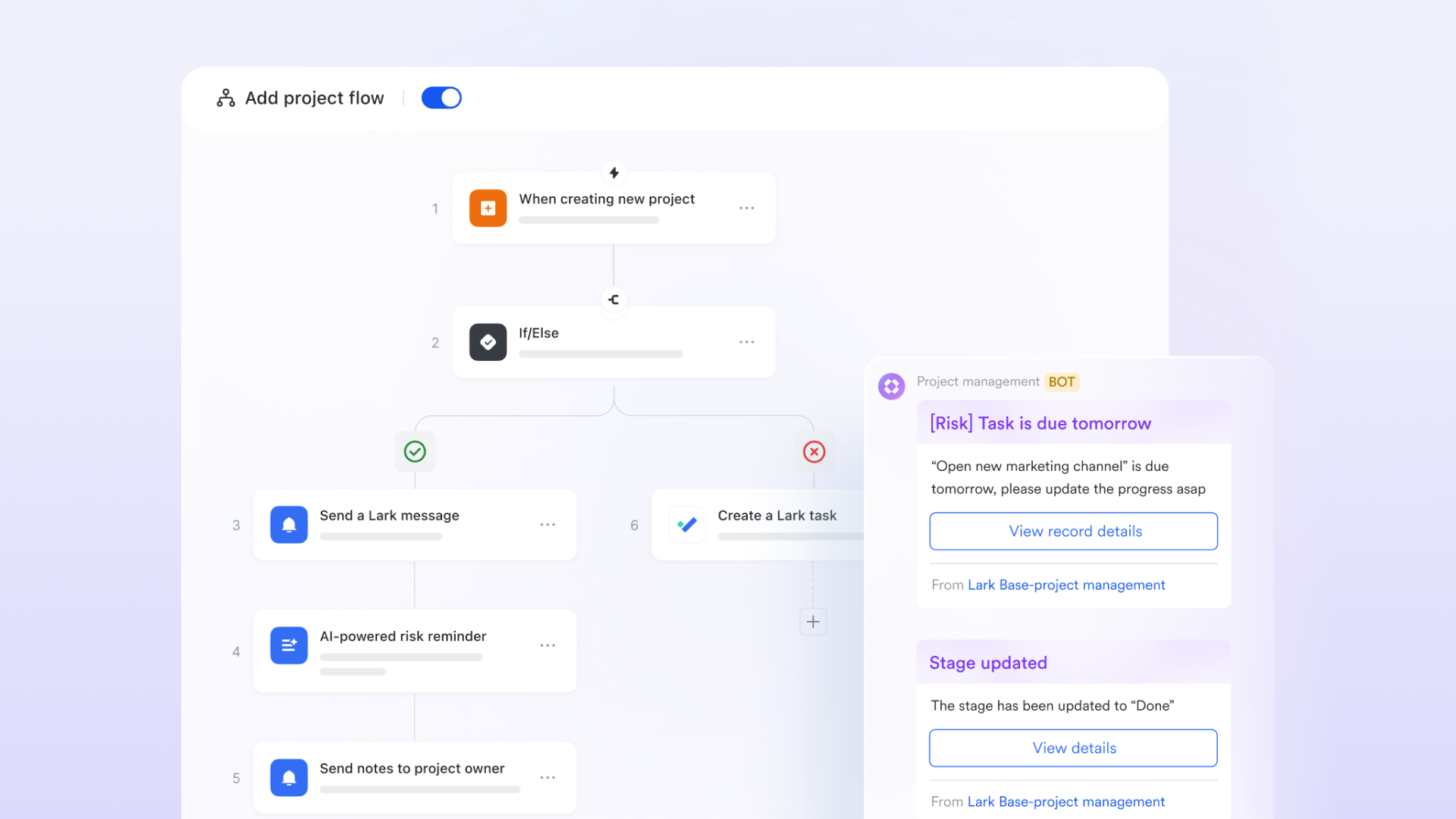
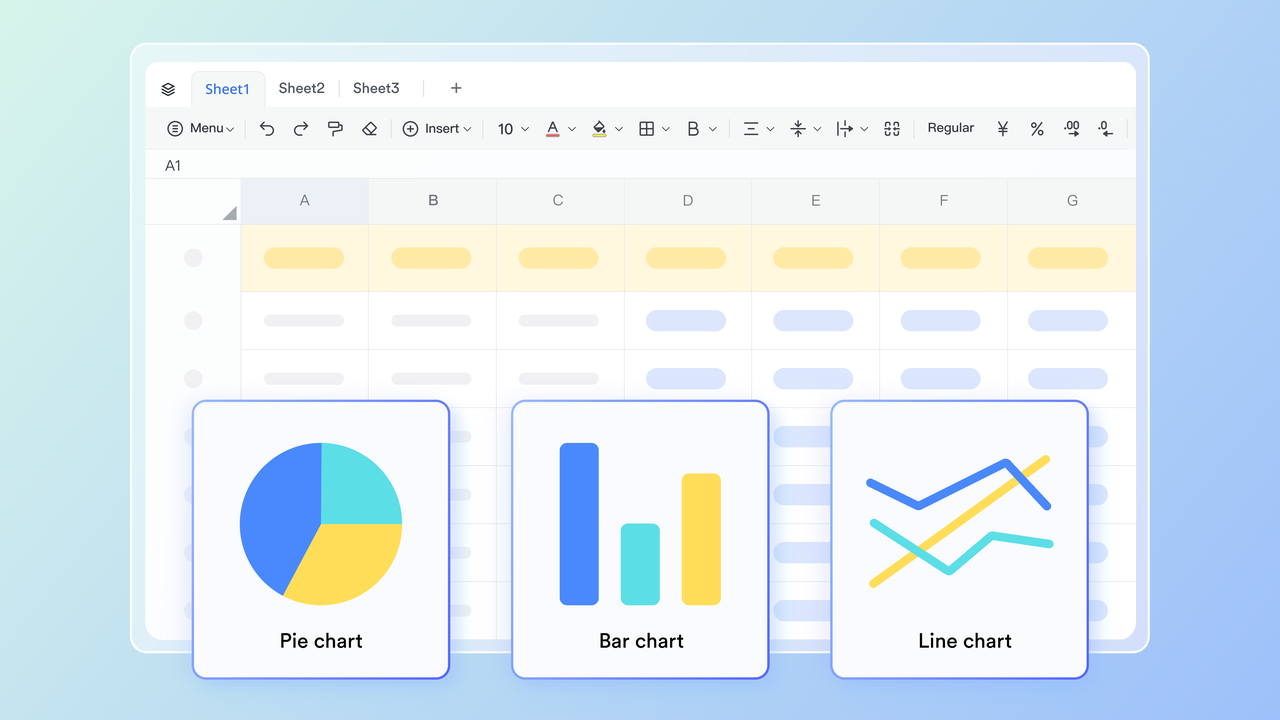
Once projects are underway, visibility becomes crucial for business leaders. Lark Sheets transforms raw data from Lark Base and Tasks into real time to track performance, budgets, and outcomes. A business manager can view total project costs, progress percentages, or delivery timelines — all updated automatically from team input. For example, a construction firm can use sheets to monitor the percentage of milestones achieved versus budget spent, identifying early warnings before overruns occur. This real-time insight helps bridge financial oversight with on-the-ground execution, enabling faster and smarter decisions.
Lark Approval: Simplifying governance and accountability
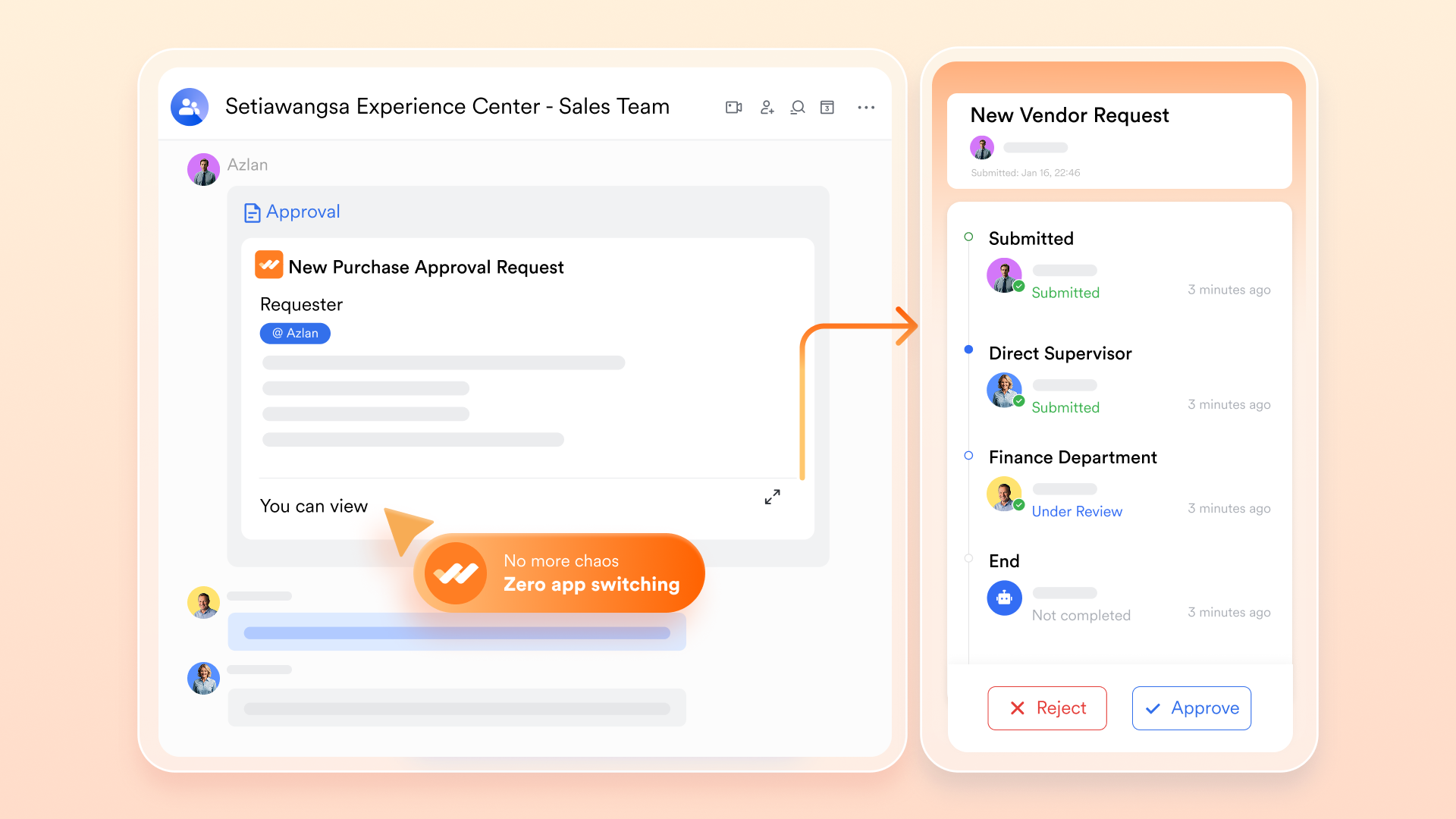
Smooth execution requires structure — and that's where Lark Approval brings business governance into project management. Teams can automate approval flows for budgets, proposals, or change requests, ensuring accountability without slowing progress. A project manager can submit a scope expansion for approval, which automatically routes department heads and finances before final sign-off. Each action is logged, creating a transparent audit trail for compliance and performance tracking. This replaces scattered email approvals with a streamlined, automated workflow that keeps decisions aligned with business goals.
Lark OKR: Linking execution to strategic outcomes
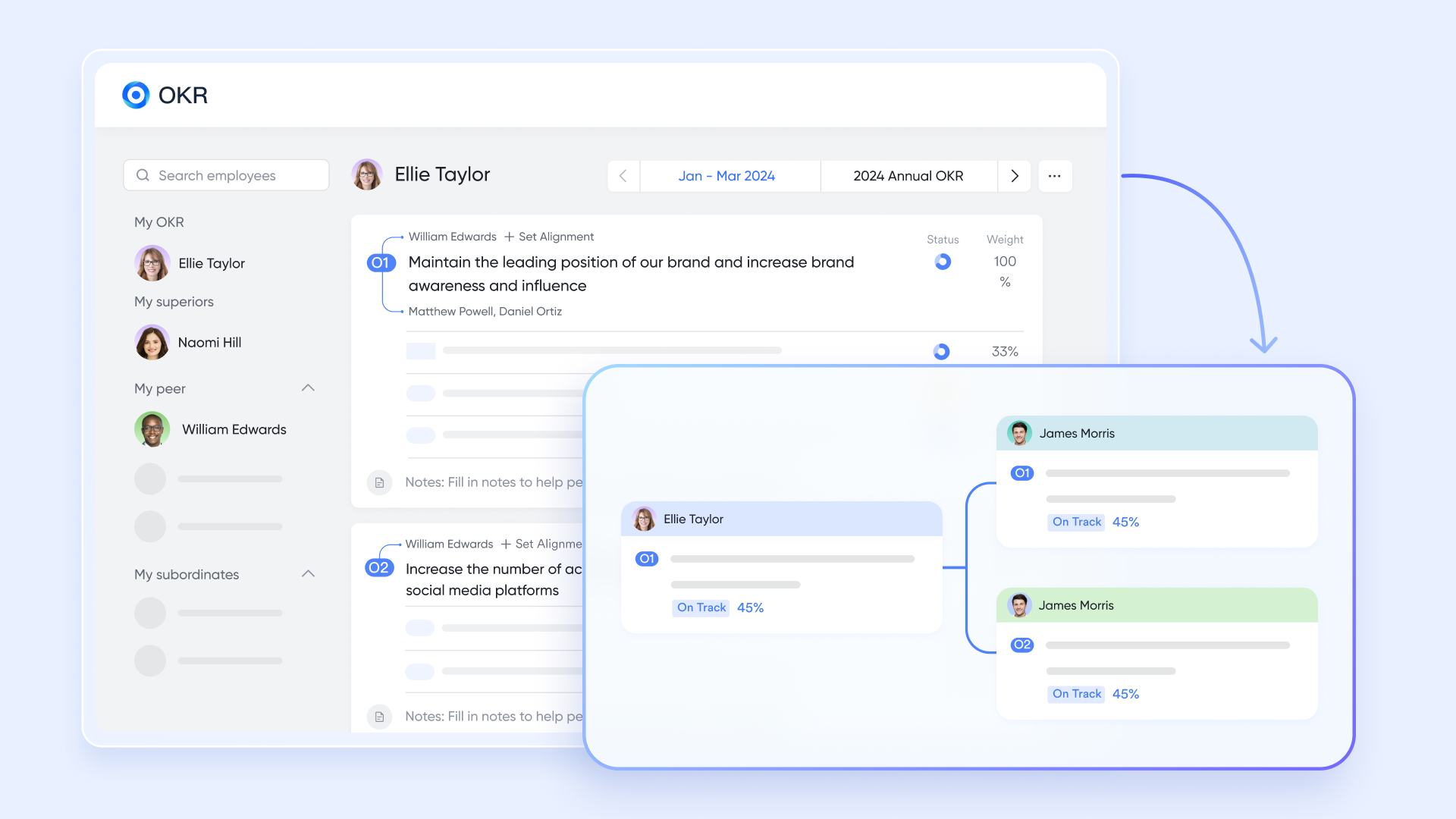
No business strategy succeeds without clear alignment between goals and actions. Lark OKR connects company-wide objectives to project-level deliverables, ensuring everyone understands how their work contributes to broader success. For example, a company OKR to "Increase client retention by 20%" can link directly to customer success initiatives, onboarding projects, and renewal campaigns. As project teams complete their milestones, OKR progress updates automatically — giving leadership a live view of how execution supports strategy. It's a simple but powerful way to turn ambition into measurable outcomes.
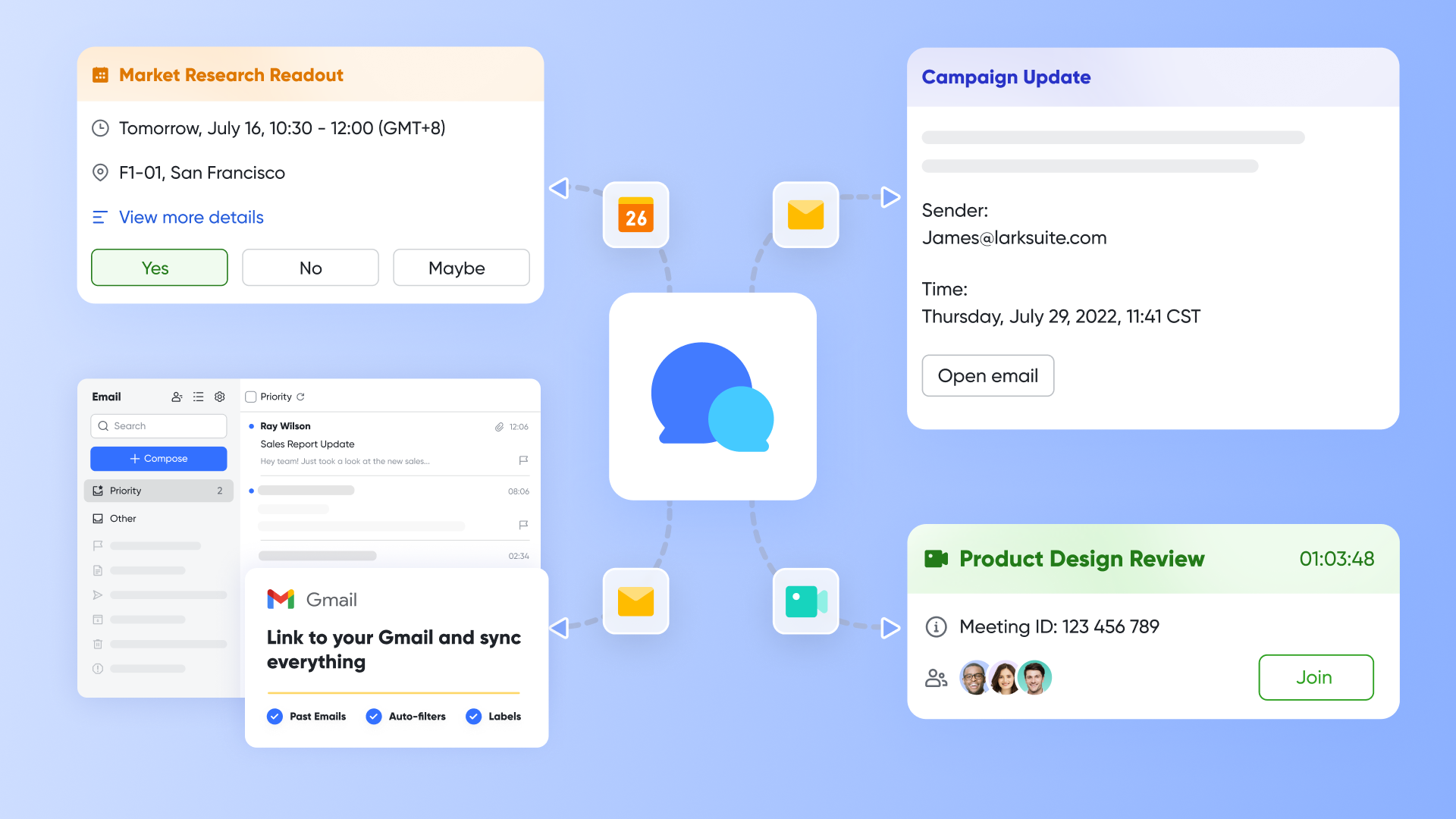
Lark Messenger & Meetings: Keeping collaboration connected
True management requires constant communication. Lark Messenger lets teams discuss plans, share updates, and resolve blockers without leaving the workspace. A single message about a delayed milestone can be instantly converted into a task, linked to a project, and tracked through completion. Meanwhile, Lark Meetings allows teams to review the progress of live — meeting notes sync automatically to Docs, and next steps are captured as new tasks. Imagine a business strategy meeting where executives discuss a product delay; within minutes, the responsible project task is updated, the follow-up is scheduled, and accountability is clear.
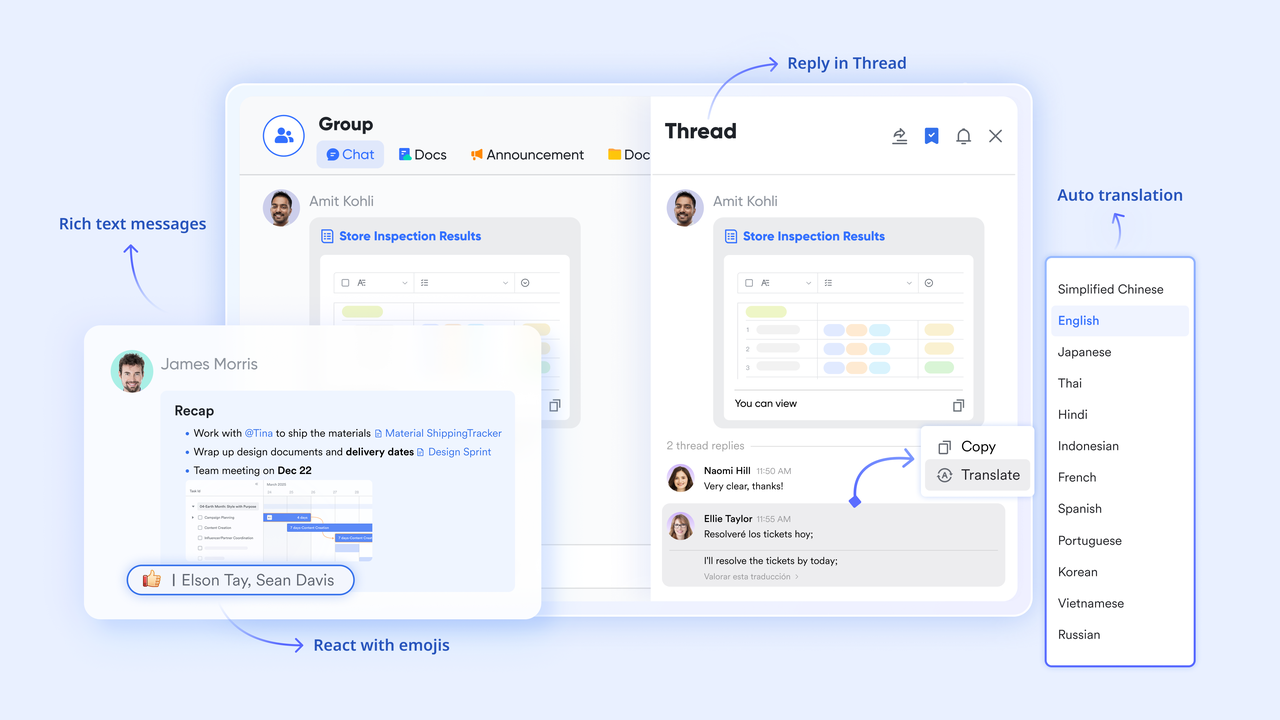
- Starter plan: Free forever plan that includes Sheets, Docs, Base, and 8 other powerful tools for up to 20 users. It also comes with 100GB of cloud storage, 1000 automation runs, AI translations, and more.
- Pro plan: $12/user/month (billed annually) for up to 500 users. It includes everything in Starter plus group calling for up to 500 attendees, 15TB of storage, 50,000 automation runs, and more.
- Enterprise plan: Contact sales for custom pricing. Supports unlimited users and includes even more automation runs and advanced security, compliance, and management features.
2. Monday.com: Workflow automation & project tracking
Monday.com is a popular work management platform that helps teams plan, track, and automate their workflows. With its colorful boards and flexible layouts, it's designed to give everyone a clear view of project progress in real time. The platform supports multiple views, including timelines, Gantt charts, and calendars, allowing teams to visualize tasks the way they prefer.
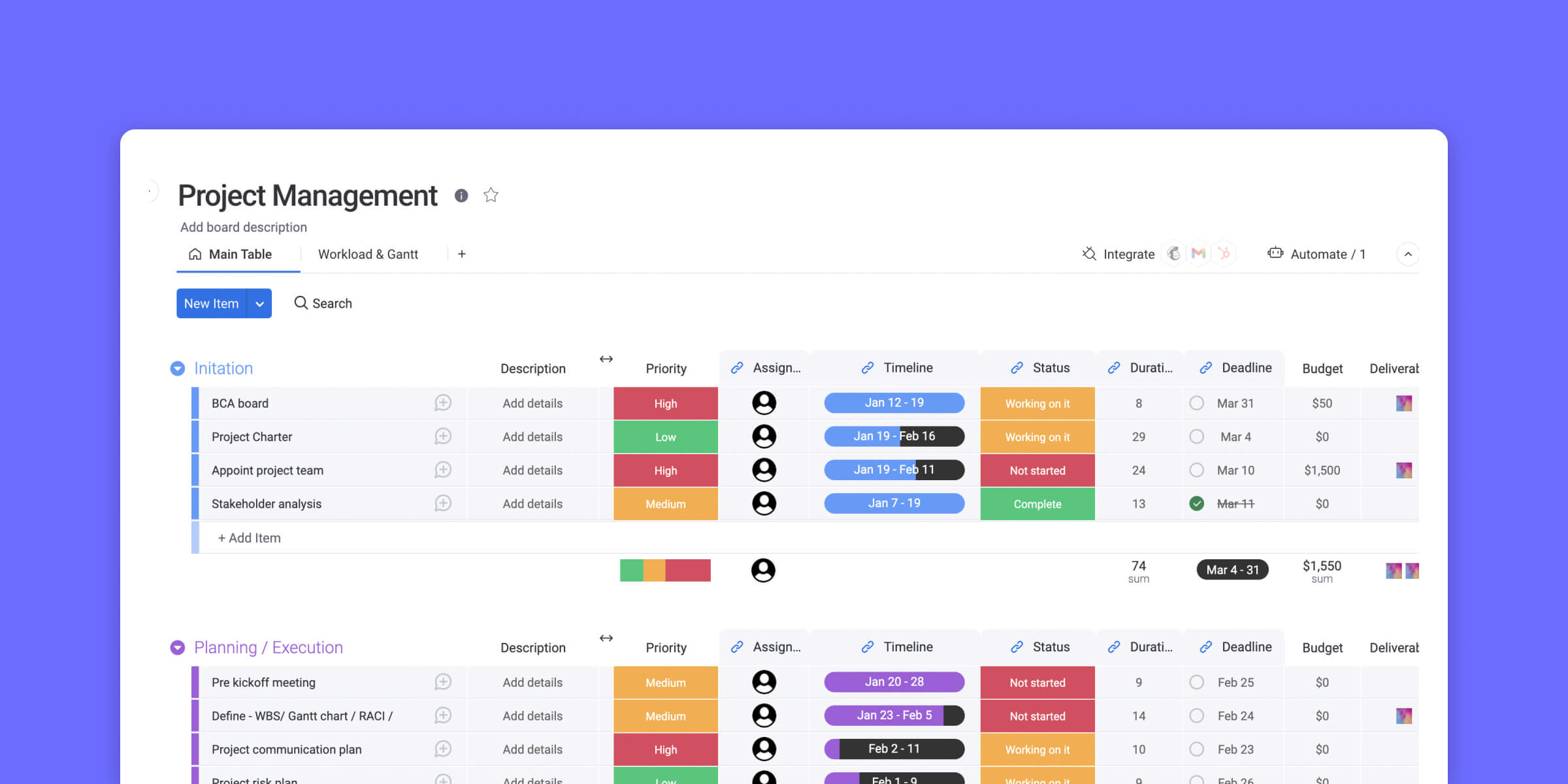
Image source: monday.com
Features:
- Visual project boards for easy task tracking
- Workflow automation to save time and reduce manual work
- Customizable dashboards for better visibility
- Integrations with popular tools like Slack, Google Drive, and Zoom
- Real-time collaboration and progress updates
For more Google Workspace's information, you can refer to Google Workspace Pricing and Google Workspace alternatives.
Why you'll like it:
- Intuitive and highly visual interface
- Flexible layouts to match your workflow
- Excellent automation and integration options
- Great for managing multiple projects in one place
Why you might not:
- Can feel overwhelming for smaller teams
- Pricing increases quickly as the team size grows
3. Confluence : Best for visual & kanban project management
Confluence, developed by Atlassian, is a powerful collaboration tool that keeps company knowledge organized. It serves as a central space for teams to manage documents, making it easier to keep everyone aligned. Teams can build project pages, meeting notes, and knowledge bases that stay accessible to everyone in the organization. Its real-time editing and commenting features encourage transparency.
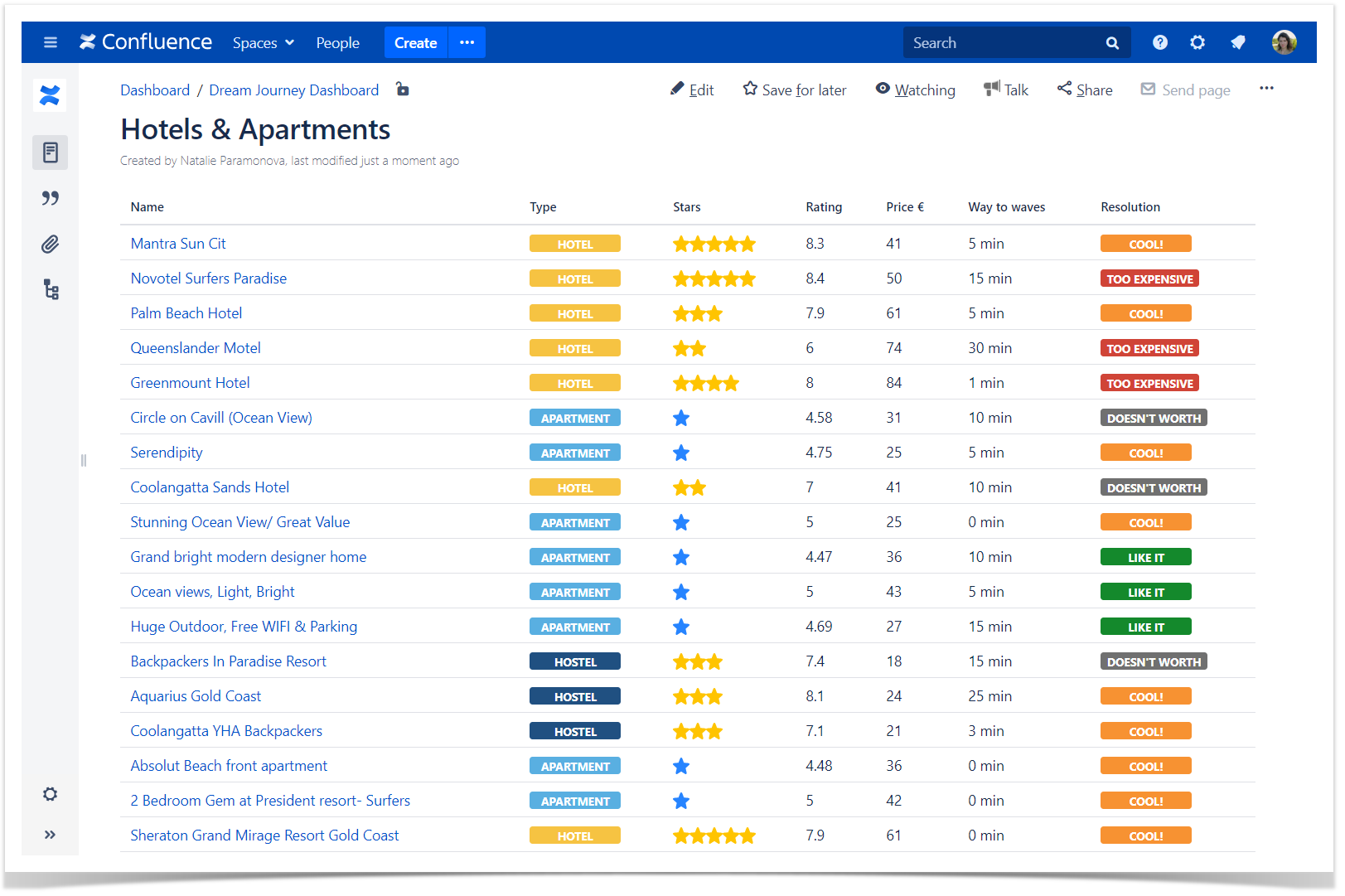
Image source: atlassian.com
Features:
- Wiki-style documentation for easy content organization
- Project pages to centralize information and updates
- Customizable templates for faster team collaboration
- Version history to track document changes over time
- Seamless integration with Jira and other Atlassian tools
Why you'll like it:
- Keeps all company knowledge in one accessible place
- Simplifies document sharing and collaboration
- Easy to organize, search, and update content
- Ideal for remote or cross-functional teams
Why you might not:
- Limited task management features without Jira integration
- Can feel text-heavy compared to visual project tools
4. Jira: Agile & software development project tool
Jira is one of the most trusted platforms for Agile and software development teams. It helps teams manage sprints, track issues, and visualize progress through detailed dashboards and reports. Built by Atlassian, Jira offers customizable workflows that adapt to any project style, from Scrum to Kanban. Developers and project managers can easily prioritize tasks, monitor bottlenecks, and ensure timely delivery of releases.
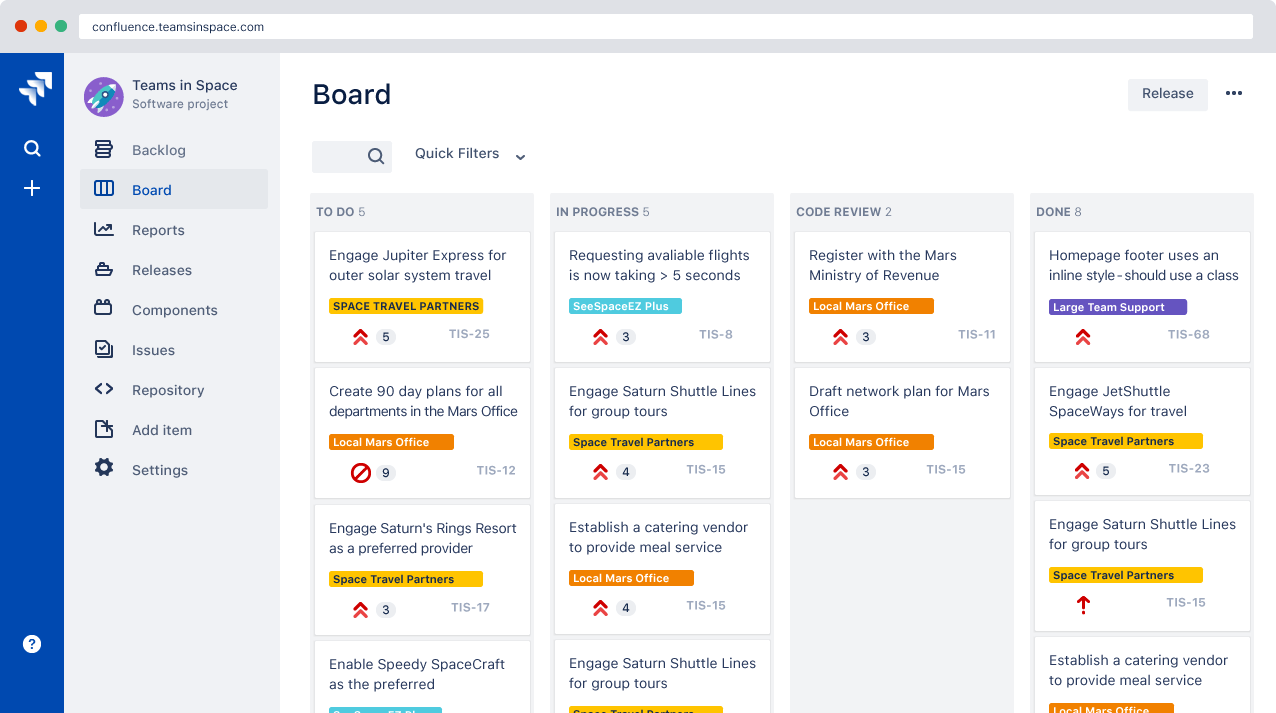
Image source: jira.com
Features:
- Sprint planning to organize and prioritize work
- Issue and bug tracking for software development
- Advanced reporting and analytics dashboards
- Customizable workflows for Agile, Scrum, or Kanban teams
- Integration with Confluence, Slack, and other tools
Why you'll like it:
- Perfect for Agile and product development teams
- Provides detailed visibility into project progress
- Helps streamline collaboration between developers and managers
- Supports automation to reduce repetitive tasks
Why you might not:
- Steeper learning curve for non-technical users
- It can be overwhelming for small or simple projects
5. Microsoft Project: Project management powerhouse
Microsoft Project is a long-standing favorite among professional project managers. It offers advanced tools for scheduling, budgeting, and tracking complex projects from start to finish. The platform provides detailed Gantt charts and performance tracking features that make managing large-scale initiatives easier. Project managers can plan timelines, assign tasks, and monitor dependencies to ensure everything stays on track.
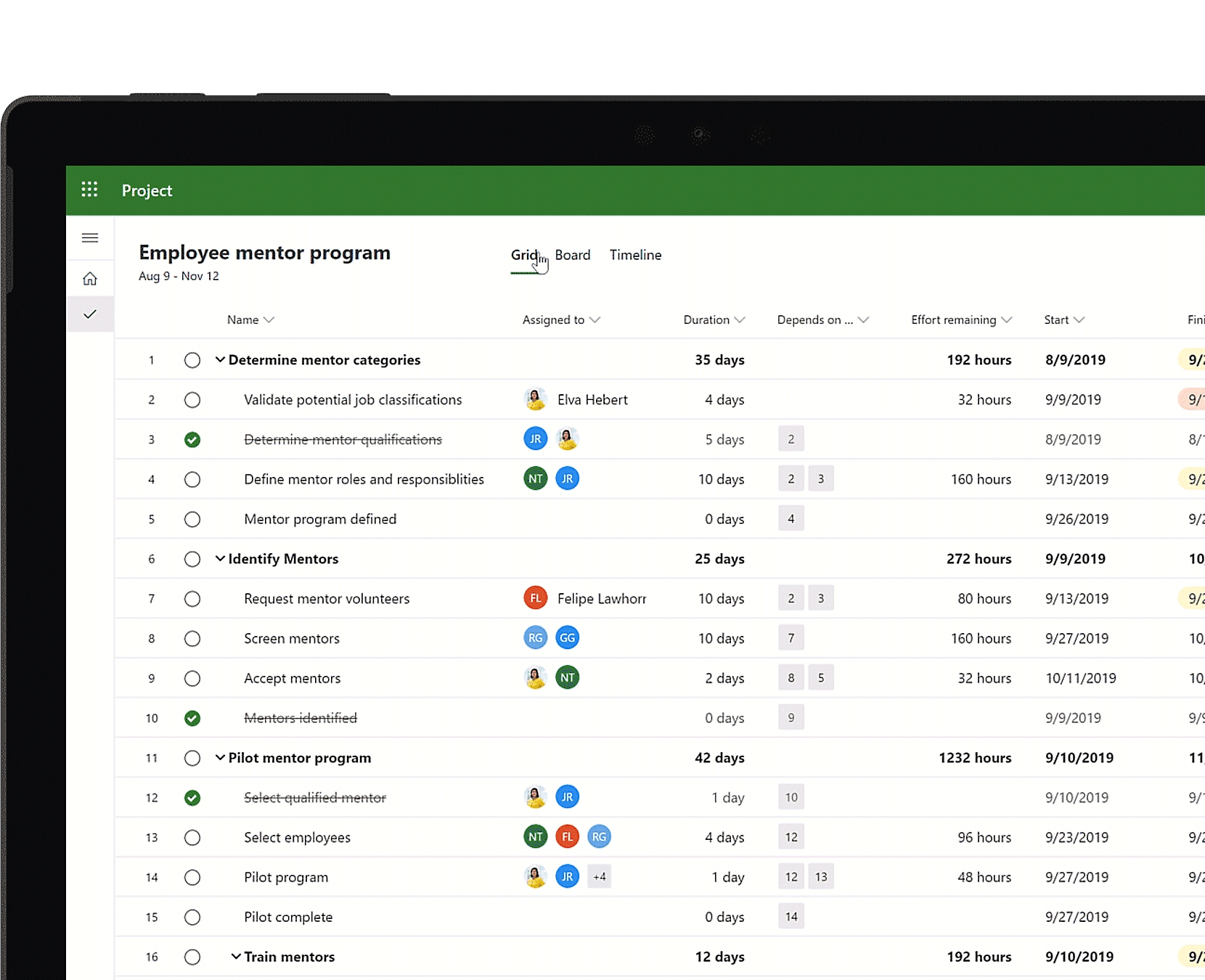
Image source: microsoft.com
Features:
- Advanced Gantt charts for detailed project timelines
- Resource scheduling to optimize team workload
- Budget tracking and cost management tools
- Task dependencies and critical path analysis
- Integration with Microsoft 365 and Power BI for reporting
Why you'll like it:
- Provides deep analytics and professional-grade reporting
- Ideal for managing complex, large-scale projects
- Helps ensure resources and budgets are used efficiently
- Supports detailed planning and risk management
Why you might not:
- Interface can be complex for new users
- Higher costs may not be suitable for small teams or simple projects
6. Asana: Project management, productivity, and team collaboration
Asana is built for teams that want an intuitive way to organize their work. Its clean interface and smart automation tools help teams stay focused, track progress, and hit deadlines with ease. Users can create task lists, set priorities, and visualize projects through boards, calendars, or timelines. Asana also supports workflow automation, helping reduce manual updates and repetitive work.
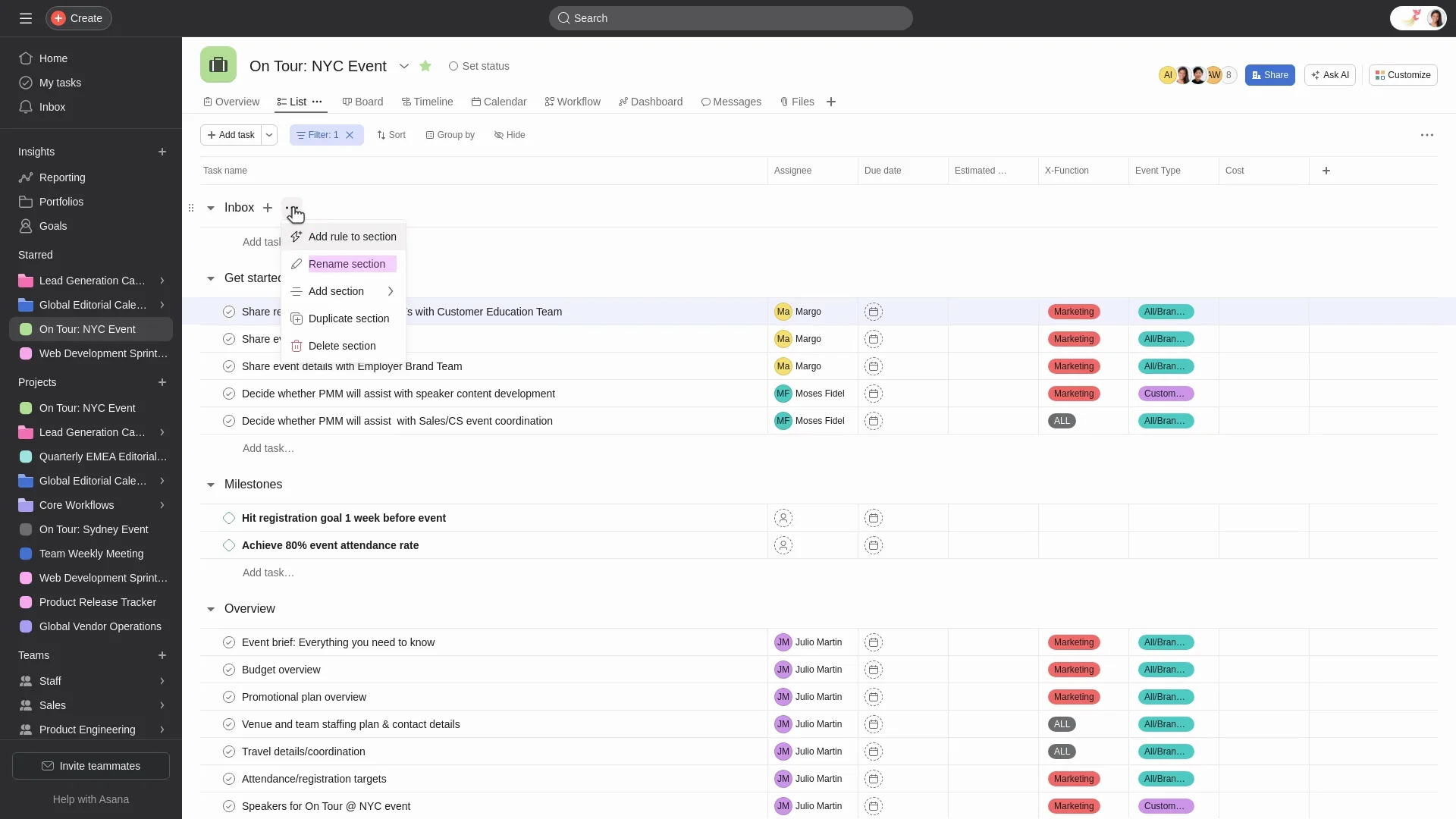
Image source: asana.com
Features:
- Task lists to organize and prioritize work
- Calendar views for scheduling and deadlines
- Timeline and project tracking for visual progress
- Workflow automation to reduce repetitive tasks
- Team collaboration with comments and file attachments
Why you'll like it:
- Intuitive and easy-to-use interface
- Strong team communication and collaboration features
- Flexible views to match different project needs
- Helps keep tasks and deadlines clearly organized
Why you might not:
- Reporting options are limited to lower-tier plans
- May lack advanced project management features for complex projects
7. Salesforce: Best for visual & kanban project management
Salesforce is best known for its customer relationship management system, but it also offers tools for managing workflows and projects. It's ideal for companies that want to connect sales performance with project execution. The platform allows teams to automate processes, assign tasks, and track progress directly within the CRM environment.It helps businesses streamline operations and improve overall efficiency.
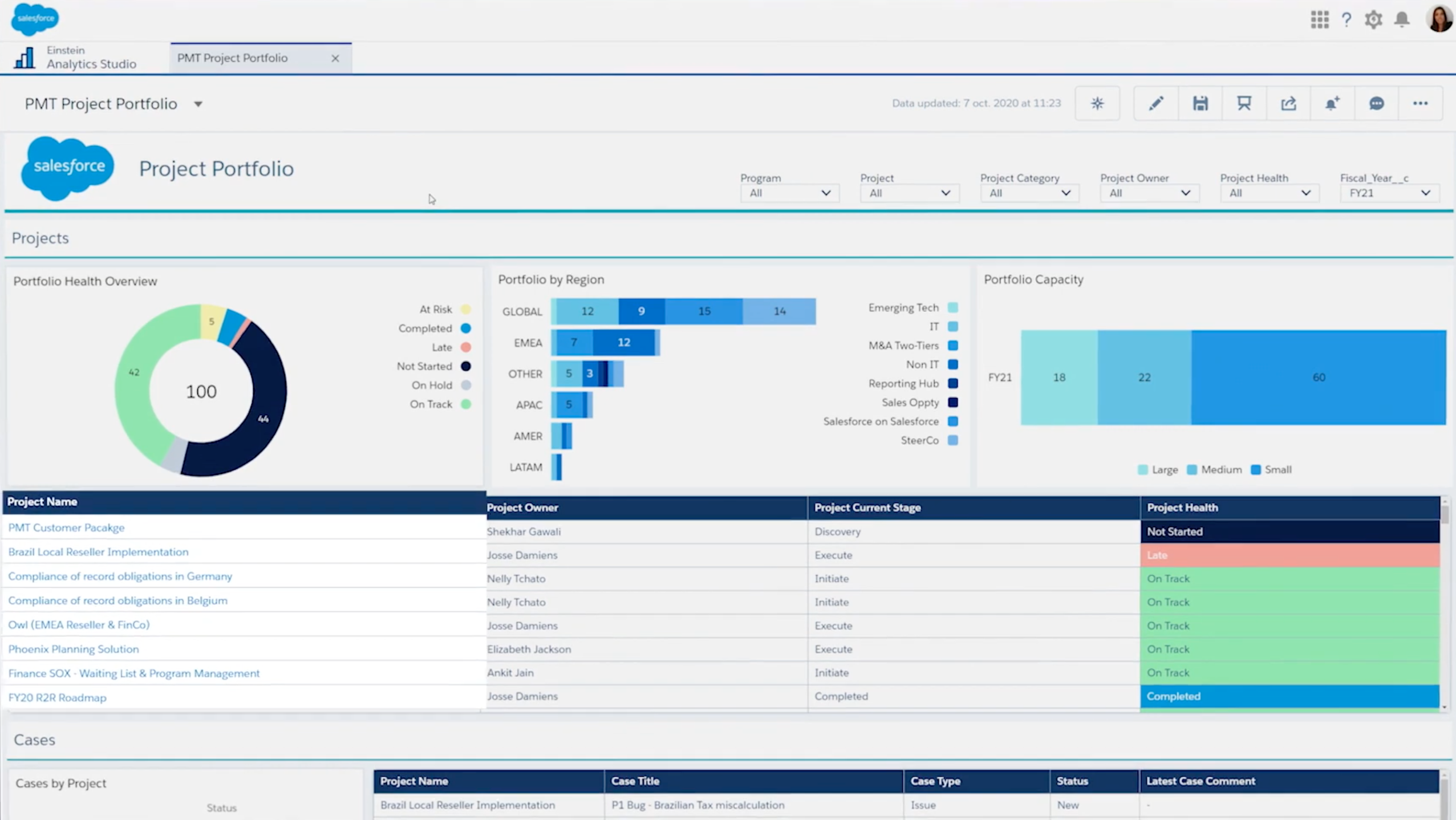
Image source: salesforce.com
Features:
- Customer relationship management (CRM) to track leads and clients
- Workflow automation for sales, marketing, and project processes
- Analytics and reporting dashboards for performance insights
- Integration with third-party apps and business tools
- Customizable pipelines and task management
Why you'll like it:
- Ideal for sales-driven organizations seeking project visibility
- Helps connect customer data with operational workflows
- Streamlines communication across teams
- Provides real-time insights for better decision-making
Why you might not:
- High setup and onboarding costs
- Can be complex for smaller teams without dedicated admin support
8. ProcessMaker: Agile & software development project tool
ProcessMaker focuses on automating business processes across departments, helping organizations streamline routine tasks and approvals. It's a great fit for large enterprises that need customizable workflows and detailed oversight of complex operations. The platform allows users to design process maps, set automated triggers, and manage approvals without heavy coding.
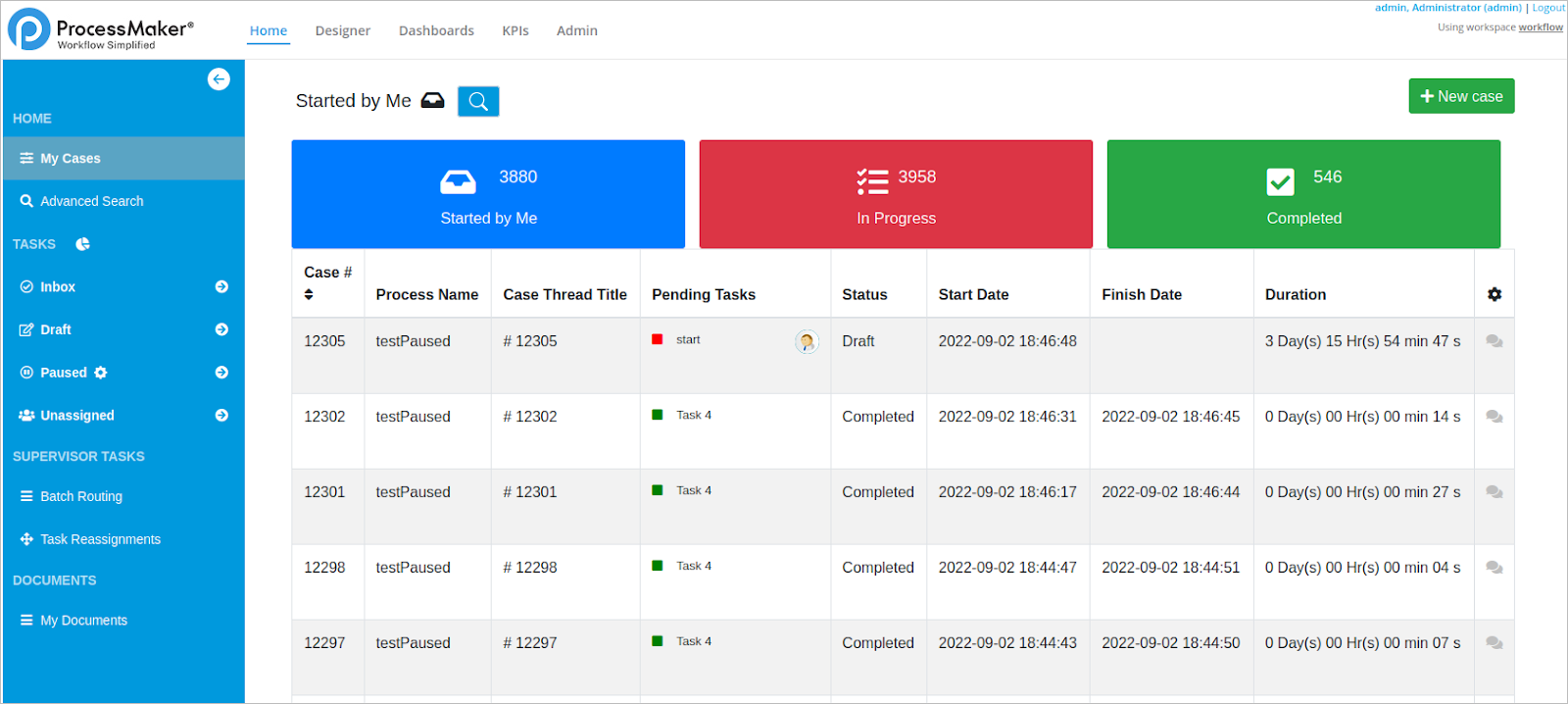
Image source: processmaker.com
Features:
- Process automation to streamline repetitive tasks
- Customizable forms for data collection and approvals
- Approval routing to ensure proper workflow oversight
- Reporting and analytics to monitor process efficiency
- Integration with other enterprise systems for seamless operations
Why you'll like it:
- Ideal for large enterprises managing complex workflows
- Helps increase efficiency and reduce manual errors
- Provides visibility and control over multiple processes
- Flexible enough to adapt to various business needs
Why you might not:
- Interface can feel outdated compared to modern tools
- May require time and training to fully implement complex workflows
Conclusion
Project management, business management, and business analysis are deeply interconnected, yet each plays a unique role. Project management focuses on driving change through structured initiatives that move an organization forward. Business management, on the other hand, ensures stability by keeping systems, teams, and operations running smoothly for sustainable growth. Business analysis defines what changes are needed to achieve business success by identifying gaps and shaping effective solutions. When these three disciplines work together, supported by integrated tools like Lark, organizations can align strategy with execution seamlessly. If you enjoy leading short-term, high-impact initiatives, project management tools might be your calling. If you prefer managing systems and people for long-term growth, business management could be the right path. And if you love analyzing problems and designing solutions, business analysis offers the perfect balance between the two.
FAQs
How do project managers and business managers collaborate in an organization?
Project managers and business managers often work hand in hand—one drives project execution, while the other ensures alignment with organizational goals. A project may roll up to a business initiative or strategic plan. With Lark, both roles can work from shared dashboards and OKRs, ensuring every deliverable contributes directly to business objectives.
What skills overlap between project management and business management?
Both roles require leadership, communication, budgeting, and analytical thinking. The main difference lies in focus—project managers handle time-bound tasks, while business managers oversee continuous operations. Lark strengthens both by combining planning tools, real-time collaboration, and analytics in one place.
How does digital transformation impact both roles?
Technology has blurred the line between project and business management. Digital tools now enable real-time visibility, automation, and cross-department collaboration. Lark's unified workspace helps organizations adapt quickly by connecting strategy, execution, and reporting under one digital ecosystem.
Can agile principles apply to business management too?
Yes. Although agile originated in project environments, its iterative, feedback-driven approach benefits business management as well. Using Lark, leaders can run agile cycles across operations, track continuous improvements in Base or Tasks, and align them with company-level OKRs.
Related reading
Table of contents
Start using Lark today

Manage all your work in one place
Boost team efficiency by 10x
Save up to 70% on software costs
Table of contents
Start using Lark today
Manage all your work in one place
Boost team efficiency by 10x
Save up to 70% on software costs
Keep reading







2026 Lark Technologies Pte. Ltd.
Headquartered in Singapore with offices worldwide.






Explore: