














Top 10 Business Management Software in 2026

Owyn Thomas Kerr
Lark Content Manager
Sep 18, 2026
Owyn Thomas Kerr
Sep 18, 2026


15 min read


Running a business is tough, especially when you’re stuck managing everything through spreadsheets, email threads, and tools that don’t work together. That’s where business management software can be a game-changer. These platforms are built to help you keep everything—projects, people, and processes—organized and in sync.
Whether you're a small business owner trying to stay on top of daily tasks or part of a growing team struggling to keep things running smoothly, the right software can make your life a whole lot easier. In this guide, we’ll introduce you to some of the best business management software out there, break down the features that matter most, and share tips to help you find the right fit for your team.

How we evaluate software
We get it, there are a lot of reviews out there, and not all of them feel reliable. Here’s how we keep things honest and helpful:
- Hands-on experience — We test tools ourselves to see how they perform.
- Practical focus — We care about what helps you get work done, not just flashy features.
- Kept up to date — We regularly refresh our reviews so you’re not stuck reading about features that no longer exist.
Our goal is simple: to help you find business management software that actually works for you.
What is business management software?
Business management software helps you run your company more smoothly by putting everything you need—projects, finances, HR, customer info, and more—in one place. Instead of jumping between spreadsheets, email chains, and a bunch of disconnected apps, you get a single system that keeps things organized and in sync.
These tools have come a long way. What started as systems for managing inventory and resources has evolved into modern, cloud-based platforms that work for just about every team in your business. They automate the boring stuff, give you collaboration tools and real-time insights, and help everyone stay on the same page—whether you're in the office or working remotely.
With business management software, you spend less time fixing problems and more time growing your business. It’s about improving operational efficiency, making work easier, faster, and a lot less stressful.
Key benefits of business management software
Adopting an all-in-one business management platform can lead to real, measurable improvements across your entire organization. From daily efficiency to long-term growth, here’s what you can expect:
Boosted efficiency
One of the biggest wins is time saved. By automating repetitive tasks like data entry, invoicing, or status updates, your team can spend less time on admin work—and more time focusing on what matters.
Better collaboration
When everyone works from the same system, teams communicate better and move faster. With customer info, project updates, and budgets all in one place, decisions are more informed and less delayed. Real-time tools like shared calendars and comments also help reduce email clutter and unnecessary meetings.
Clearer data, smarter decisions
Integrated dashboards and reporting tools give you instant visibility into your business—whether it’s tracking sales, spotting delays, or reviewing customer satisfaction. Instead of reacting to problems, you can get ahead of them with data-backed decisions. This is especially helpful for small businesses without a full-time analytics team.
Fewer errors
Automating workflows and connecting systems minimizes the mistakes that come from copying and pasting data between tools. Finance teams, in particular, benefit from reduced reconciliation time and more accurate reports, thanks to fewer manual inputs and cleaner data.
Easier to scale
As your business grows, the right software scales with you. Cloud-based platforms can handle more users, more data, and more activity—without requiring extra infrastructure or IT support. This flexibility is a major asset for fast-growing companies or those with seasonal spikes.
Lower costs over time
Consolidating your tools into one platform cuts down on software subscriptions and reduces the need for patchwork integrations. Plus, when teams work more efficiently, labor costs drop. Many businesses see operational savings within the first year of implementation.
Types of business management software
There are lots of different types of business management applications, each designed to make specific parts of running your business easier. Here’s a quick look at the main kinds you’ll come across:
Project management
Project management suites like Asana, Trello, and Jira help teams stay organized by tracking tasks and deadlines so projects don’t fall through the cracks.
Accounting and finance
Software like QuickBooks and FreshBooks take care of your bookkeeping, invoices, and financial reports through features such as automated processes—so you can focus on growing your business instead of crunching numbers.
Customer relationship management (CRM)
CRM software enables you to manage customers better. Tools such as Salesforce and HubSpot CRM help you with lead management, keep track of your customers, manage sales, and run marketing campaigns without missing a beat.
Enterprise resource planning (ERP)
Systems like NetSuite, Odoo, and Microsoft Dynamics 365 connect different parts of your business—like finance, HR, and inventory—into one smooth-running system.
All-in-one business software
If you want everything in one place, solutions like Lark and Zoho One bundle project management, document management, CRM, accounting, and more into a single unified platform to streamline operations.
Best business management software at a glance
- Lark – Best overall business management software
- Zoho One – Best for scalability and additional apps
- Microsoft Dynamics 365 – Best for large enterprises needing customization.
- Salesforce – Best for advanced sales and marketing.
- NetSuite – Best for strong financial and supply chain management.
- Odoo – Best for customizable, open-source ERP.
- QuickBooks – Best for simple, small business accounting.
- HubSpot CRM – Best for user-friendly CRM with marketing.
- FreshBooks – Best for freelancers and small business invoicing.
- Asana – Best for flexible task and project tracking.
10 best business management software in 2026
Lark - Best all-in-one business management software
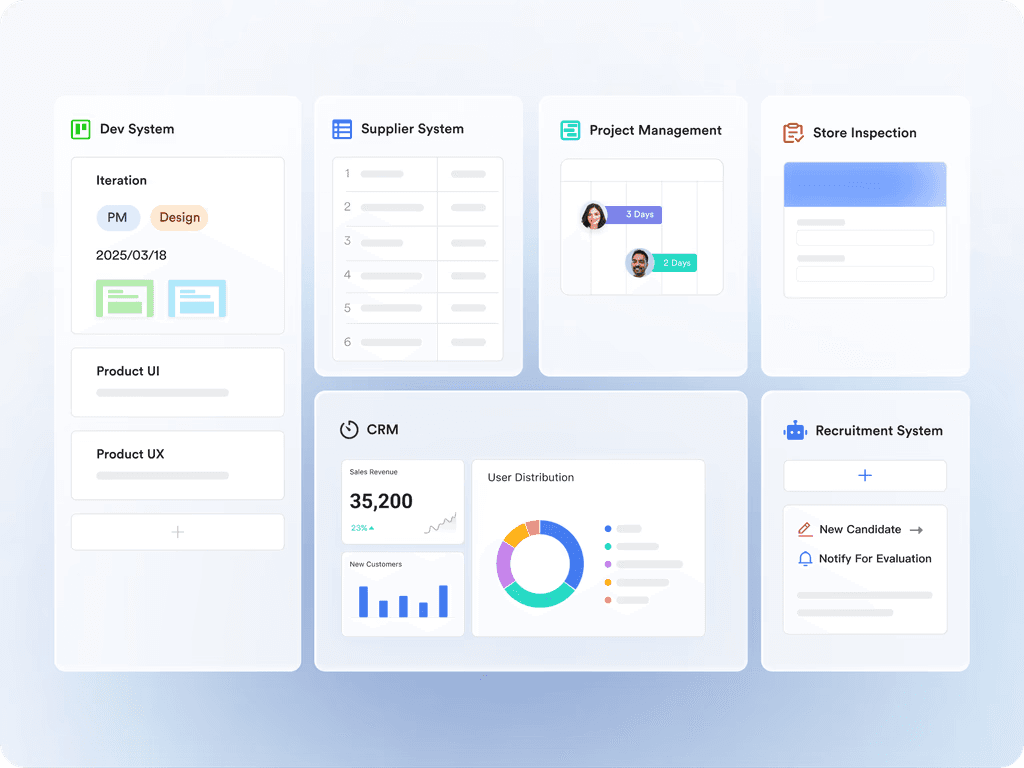
The all-in-one superapp Lark is designed to streamline your business operations by bringing essential tools together in a single, easy-to-use platform. Available on web, desktop, mobile, and tablet, it combines communication tools, CRM, automation, approval workflows, shared calendars, task management, video conferencing, and more. Lark helps teams collaborate seamlessly and manage work efficiently without switching between multiple apps.
 Key features
Key features- Customizable CRM: Build a no-code CRM tailored to your unique workflows. Track customer information, sales pipelines, and other critical business data—all customizable to fit your needs.
- Dashboards & data visualization: Visualize your business operations and performance with real-time dashboards and multiple view options, including Grid, Kanban, Gantt, Calendar, and Gallery.
- Mobile-friendly: Designed for both office, remote, and frontline teams, Lark has a mobile-friendly app for chatting, managing projects, completing to-dos, and receiving updates.
- Workflow automation: Lark's automation capabilities help you automate repetitive tasks, set reminders, and route approvals to the right people automatically to keep operations running smoothly without manual data entry.
- Real-time collaboration tools: Combines chat, email, project management, calendars, document sharing, and other productivity tools in one platform to improve team alignment and reduce tool overload.
- Centralized operations & reporting: Consolidate data across departments or locations, automate reports, monitor key performance indicators, and handle resource management using dynamic live dashboards.
Reviews
- G2: 4.5
- Capterra: 4.4
- Google Play Store: 4.2
- Apple App Store: 4.9
Pricing
- Starter: Free for up to 20 users with access to 11 core tools, making it one of the best business management softwares for small businesses.
- Pro: $12 per user/month, offering advanced features and workflow automations.
- Enterprise: Custom pricing for large organizations requiring tailored solutions and dedicated support.
Zoho One - Best for integrations & scalability
An alternative all-in-one business management software, Zoho One brings over 40 integrated business tools into a single platform—so you can manage everything from sales and marketing to HR and finance in one place. With so many apps and built-in integrations, it’s a great choice for businesses that are growing fast and need a system that can scale with them.
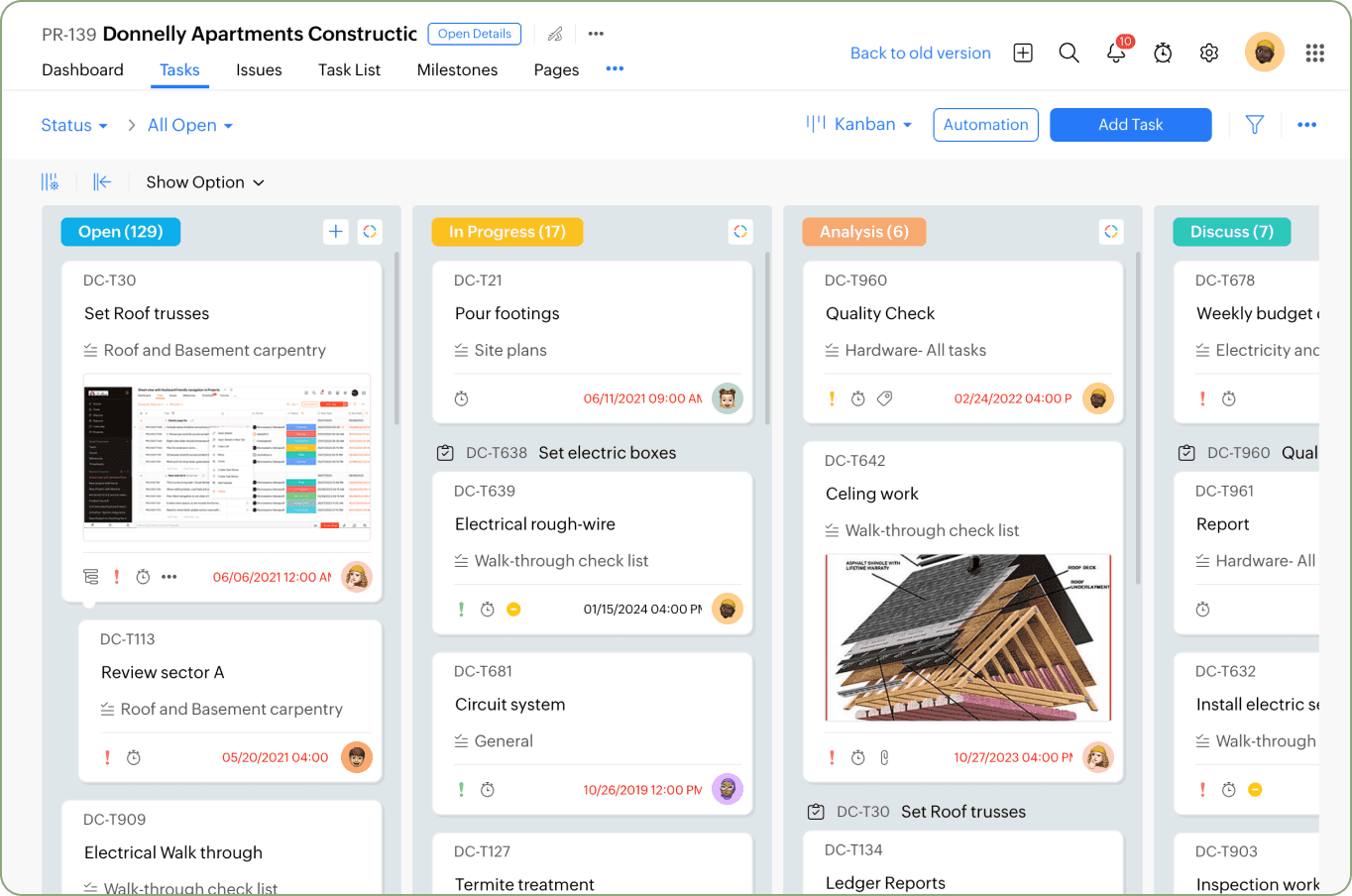 Image source: zoho.com
Image source: zoho.comKey features
- Everything under one roof: From CRM and project management to invoicing, HR, and email marketing, Zoho One offers a wide range of apps designed to work together seamlessly.
- Strong integration ecosystem: Easily connect Zoho apps with each other or integrate with third-party tools like Google Workspace, Slack, and Microsoft 365.
- Built for collaboration: With built-in chat, document sharing, and team collaboration features, Zoho One helps your team stay connected and productive.
- Real-time reporting: Get instant access to data across your business with customizable reports and analytics that help you make better decisions, faster.
Reviews
- G2: 4.4
- Capterra: 4.2
- Google Play Store: 3.5
- Apple App Store: 2.5
Pricing
- Zoho One: $37 per user/month (billed annually) for access to the full suite of 40+ apps. Volume discounts and flexible pricing plans are also available for larger teams.
Microsoft Dynamics 365 - Best for ERP & CRM combined
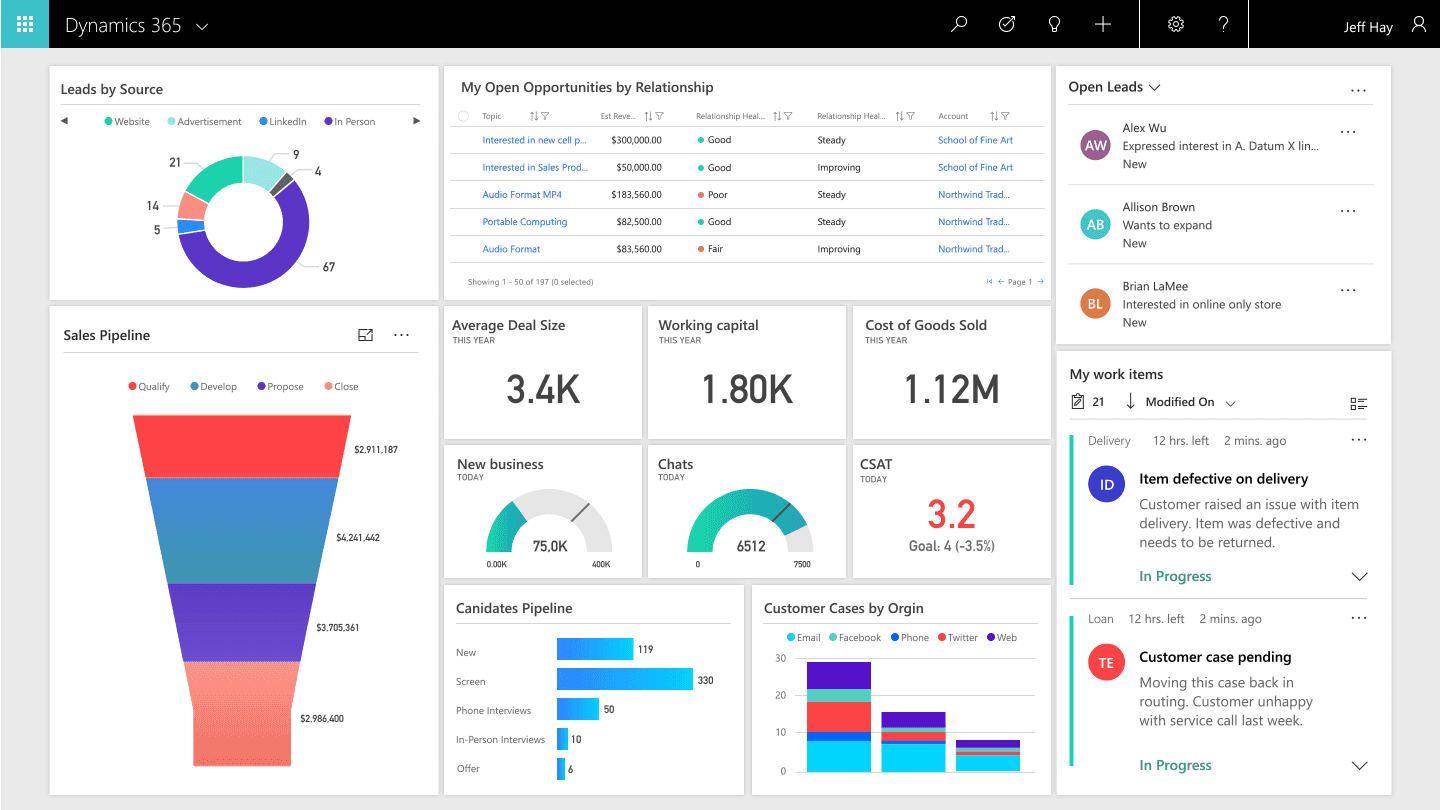
Combining enterprise resource planning (ERP) and customer relationship management (CRM) in one integrated platform, Microsoft Dynamics 365 helps businesses manage finance, operations, sales, customer service, and more. Backed by Microsoft’s ecosystem, Dynamics 365 is designed for businesses that need powerful tools, deep customization, and the ability to scale across departments and global teams.
Key features
- Built-in ERP capabilities: Manage core business functions like finance, inventory, supply chain, and procurement with real-time visibility and automated workflows.
- Integrated CRM tools: Track leads, nurture customer relationships, and manage sales pipelines with intelligent automation and insights.
- AI & analytics: Leverage built-in analytics, forecasting, Copilot and other AI tools to support data-driven decisions at scale.
- Microsoft integration: Seamlessly connects with Microsoft 365 (Including Microsoft Excel, Word, PowerPoint, etc.), Microsoft Teams, Power BI, and other Microsoft services for a unified experience across tools.
Reviews
- G2: Scores vary by application
- Capterra: 4.4
- Google Play Store: 3.8
- Apple App Store: 4.3
Pricing
- Pricing varies by Dynamics 365 applications. For example Dynamics 365 Business Central Essentials costs $70 per user/month, whereas Dynamics 365 Sales Professional costs $65 per user/month.
Salesforce - Best for CRM & sales
The gold standard for managing customer relationships at scale, Salesforce is designed to help businesses drive growth through smarter sales, marketing process automation, and customer support, Salesforce is more than just a CRM, it’s a robust platform that can be tailored to fit your business needs as you grow.
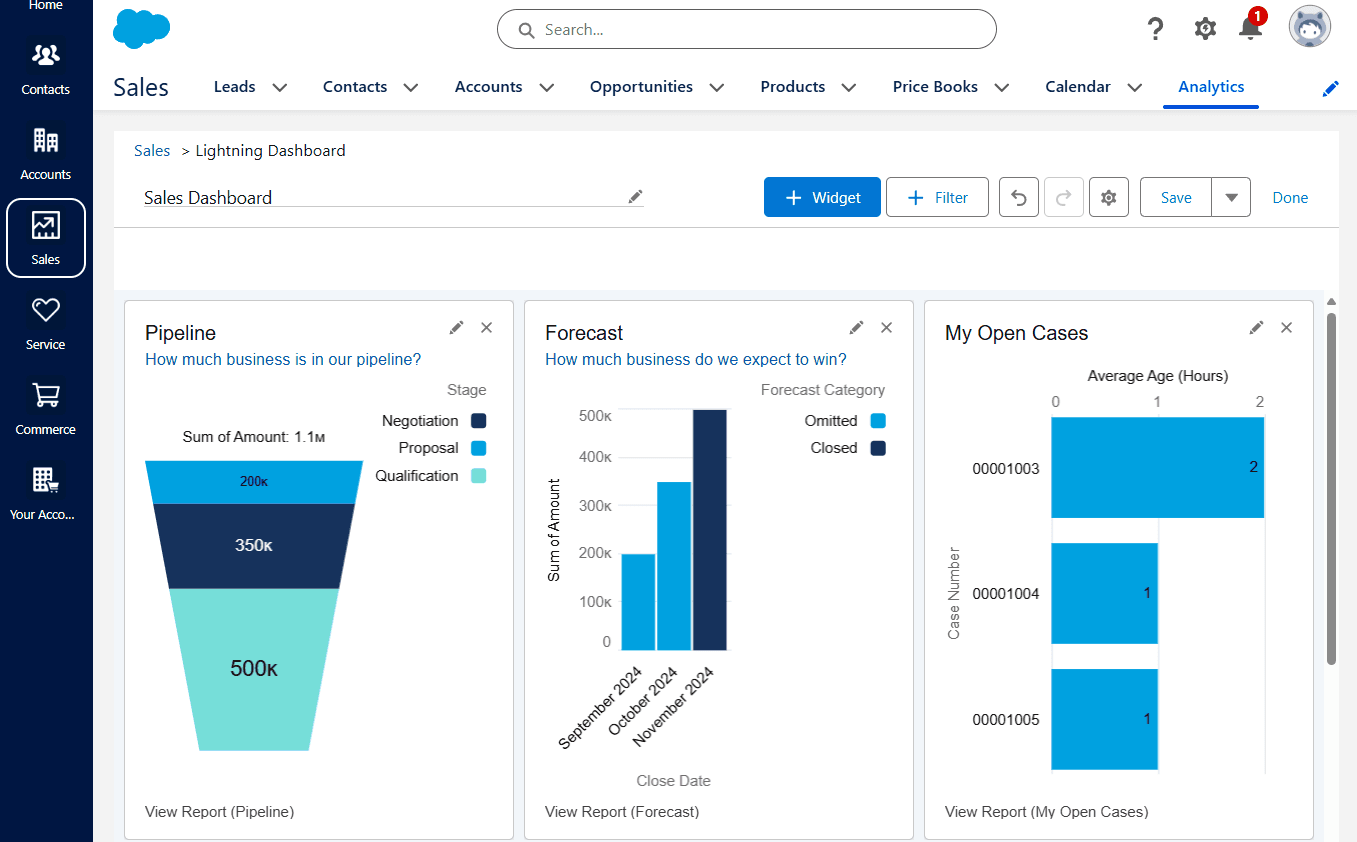 Image source: tech.co
Image source: tech.coKey features
- Complete CRM suite: Manage leads, deals, accounts, and customer interactions from a single platform—with everything connected and trackable.
- Sales & marketing automation: Automate outreach, follow-ups, and campaigns to keep your funnel moving and your team focused on closing.
- Service Cloud for customer support: Deliver fast, personalized support with case tracking, help centers, chatbots, and more.
- AI-powered insights (Einstein): Use predictive analytics, sales forecasting, and customer behavior insights to make smarter decisions.
Reviews
- G2: 4.5
- Capterra: 4.4
- Google Play Store: 2.8
- Apple App Store: 4.7
NetSuite - Best for advanced ERP needs
NetSuite by Oracle is a leading cloud-based ERP platform built for businesses that have outgrown basic tools and need a more integrated, enterprise-ready system. From finance and inventory to order management, procurement, and e-commerce, NetSuite centralizes your core operations in one place—so your team can work smarter, faster, and with complete visibility.
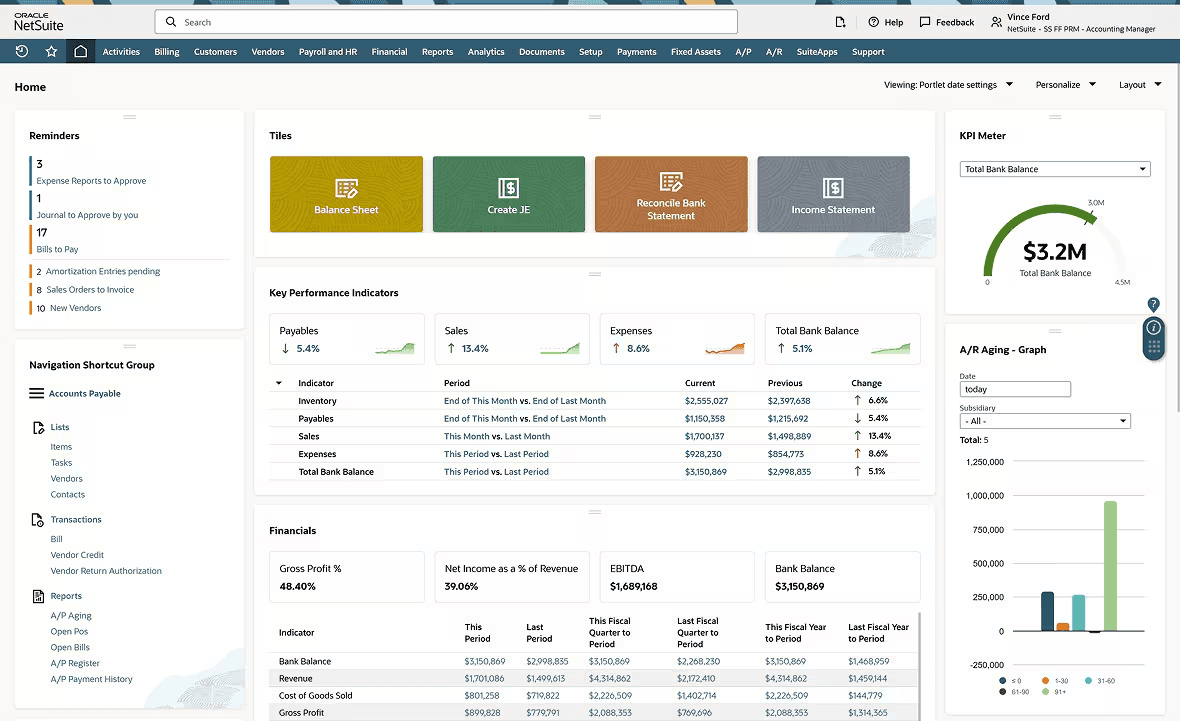 Image source: netsuite.com
Image source: netsuite.comKey features
- Full-scale ERP: Manage financials, procurement, inventory, order fulfillment, and more from a centralized cloud platform.
- Unified data model: Get a single source of truth across departments—no more siloed spreadsheets or disconnected tools.
- Global business management: Handle multi-subsidiary, multi-currency, and multi-tax compliance with ease—ideal for international operations.
- Custom dashboards & reporting: Real-time analytics and customizable reports help decision-makers stay in control and spot trends early.
Reviews
- G2: 4.1
- Capterra: 4.2
- Google Play Store: 2.7
- Apple App Store: 2.9
Pricing
- NetSuite pricing is not publicly available. Pricing is customized based on each business.
Odoo - Best for open source and hosted business management
A unique business management solution, Odoo offers the best of both worlds: a fully open-source version for teams that want complete control, and a hosted proprietary version. Whether you're just starting out or scaling fast, Odoo gives you the flexibility to choose how you deploy, and how much you customize.
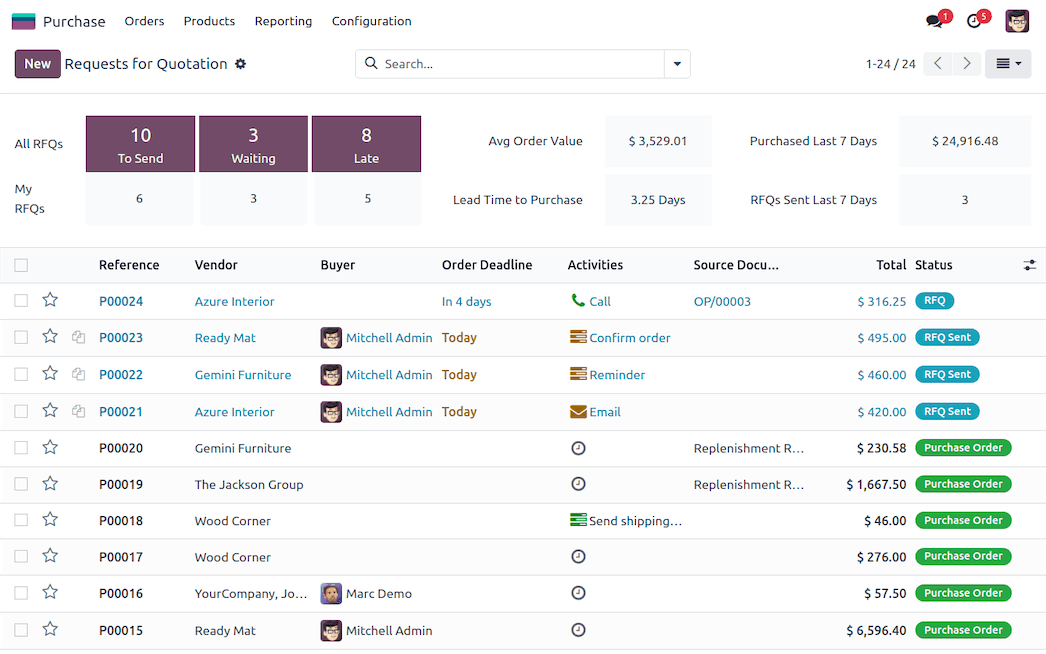 Image source: odoo.com
Image source: odoo.comKey features
- Fully integrated tools: All apps are built to work together, giving you a seamless experience across your operations.
- Open source or hosted: Choose between the free, open-source Community edition or the cloud-hosted Enterprise edition with extra features and support.
- Highly customizable: Easily adapt workflows, build custom reports, or use Odoo Studio to create new apps—no coding required.
Review
- G2: 4.3
- Capterra: 4.2
- Google Play Store: 3.2
- Apple App Store: 2.7
Pricing
- Odoo Online (SaaS): Starts at $24.90 per user/month.
- Odoo Enterprise (self-hosted): Custom pricing based on modules and user count.
- Odoo Community (open source): Free to download and use—ideal for companies with technical resources.
QuickBooks - Best for business management tool for accounting
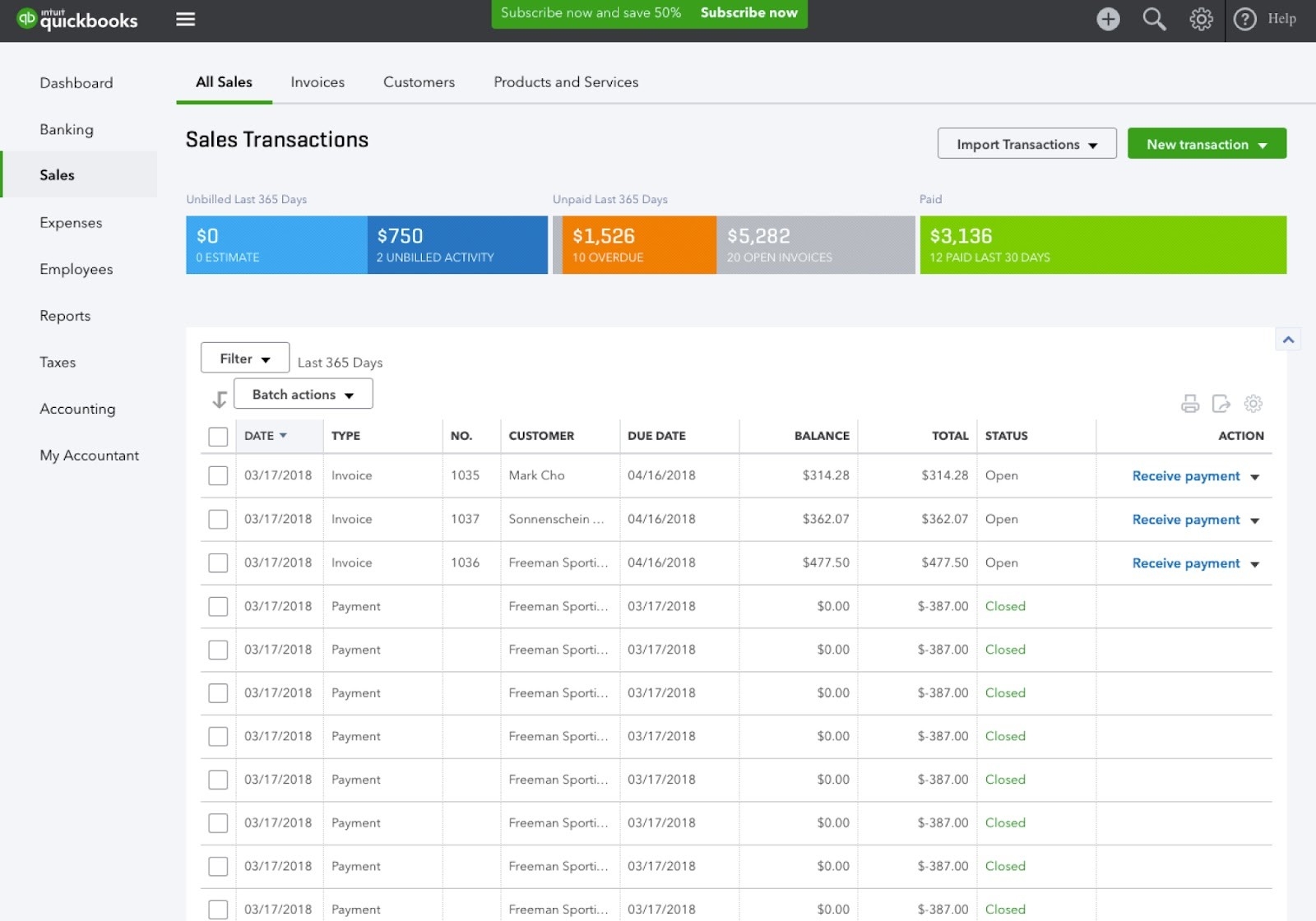
If managing your business finances still involves spreadsheets, manual calculations, or stacks of receipts, QuickBooks is a major step up. Designed with small businesses in mind, QuickBooks offers user-friendly accounting software that helps you handle invoicing, expenses, payroll, and reporting—all in one place.
 Key features
- Invoicing & payments: Create professional invoices in minutes and get paid faster with built-in payment options.
- Expense tracking: Automatically import and categorize business expenses to keep your books accurate and audit-ready.
- Cash flow management: See your income, spending, and cash flow in real time, with easy-to-understand dashboards.
- Reports & insights: Access ready-made financial reports like profit and loss, balance sheets, and tax summaries.
Reviews
- G2: 4.0
- Capterra: 4.3
- Google Play Store: 3.7
- Apple App Store: 2.7
Pricing
- Pricing starts at $35 per month for 1 user.
HubSpot CRM - Best for user-friendly CRM tools
HubSpot CRM gives small businesses an easy way to stay on top of customer relationships. It’s known for working smoothly with the rest of HubSpot’s tools—so you can handle marketing, sales, and support all in one place. With a user-friendly interface and a generous free plan, it’s a great starting point for teams new to CRM.
Key features
- Contact management: Keep all your lead and customer info in one place—organized, detailed, and easy to access when you need it.
- Sales pipeline management: Get a clear view of your sales process. Track every deal as it moves from first contact to close.
- Email marketing: Create and send targeted emails right from your CRM to stay connected with leads and keep customers engaged.
- Live chat: Chat with website visitors and potential customers in real time.
Reviews
- G2: Unavailable
- Capterra: 4.5
- Google Play Store: 3.8
- Apple App Store: 4.7
Pricing
- Includes a free plan. Paid plans start at $15 per user/month.
FreshBooks - Best account platform for startups and small business owners
FreshBooks is an intuitive accounting platform built for small business owners who need to manage invoicing, expenses, payments, and time tracking in one place. Accessible on web, desktop, and mobile, FreshBooks simplifies financial management so you can focus on growing your business—not your paperwork.
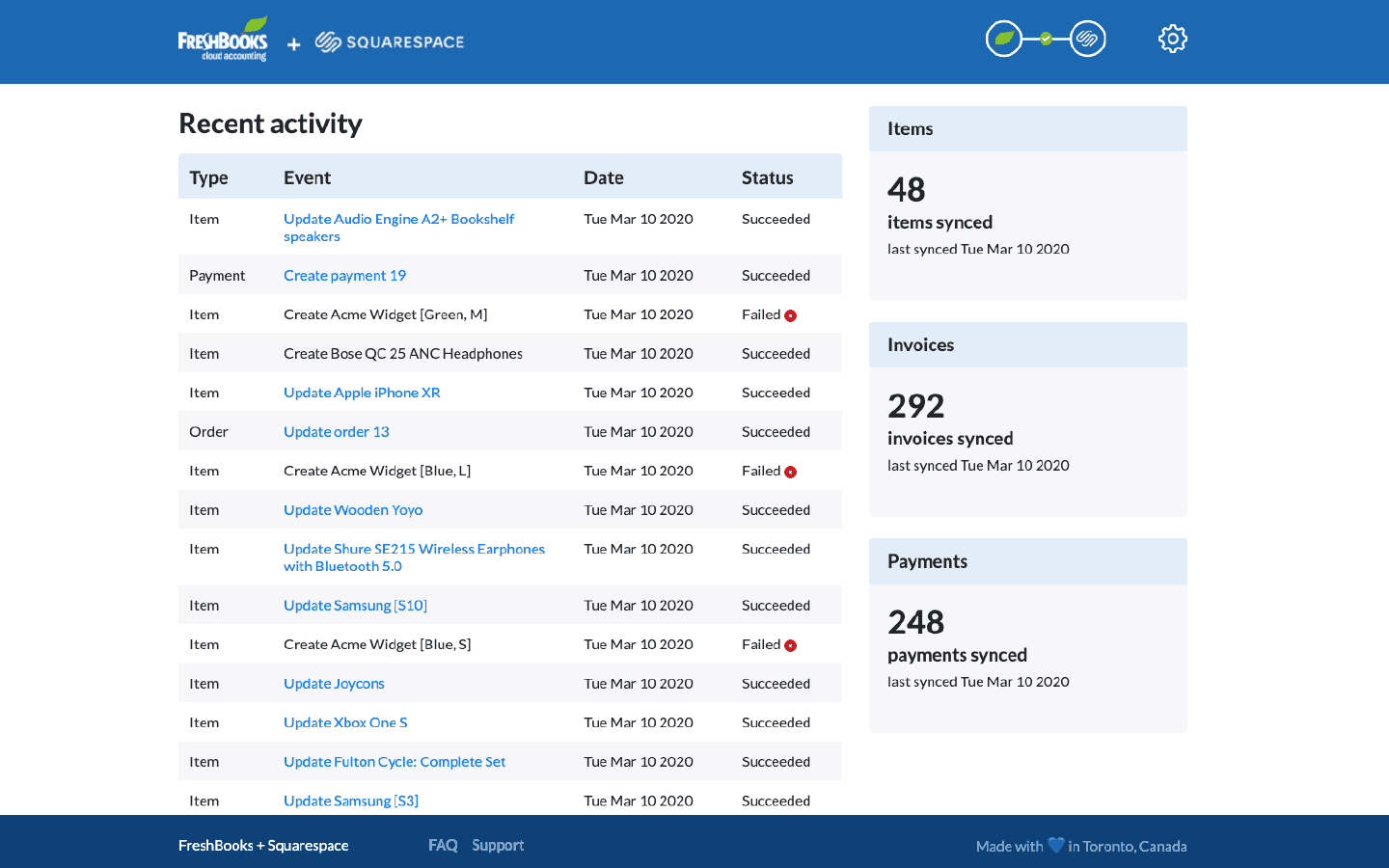 Key features
Key features- Easy invoicing: Create professional invoices in seconds, automate payment reminders, and accept credit cards and ACH payments directly through your invoices.
- Expense tracking: Snap receipts from your phone or import expenses automatically from your bank account to keep your books up to date without the manual work.
- Time tracking: Log billable hours with a built-in timer and automatically add them to invoices to ensure accurate client billing.
- Project collaboration: Invite contractors or employees to track time and share files, so your whole team stays in sync on client projects.
Reviews
- G2: 4.5
- Capterra: 4.5
- Google Play Store: 4.4
- Apple App Store: 4.7
Pricing
- Plans start at $21 per user/month.
Asana
Asana is a flexible project management platform built to help teams plan, track, and manage work in one place. Whether you're running campaigns, launching products, or handling daily operations, Asana brings clarity and coordination to every team.
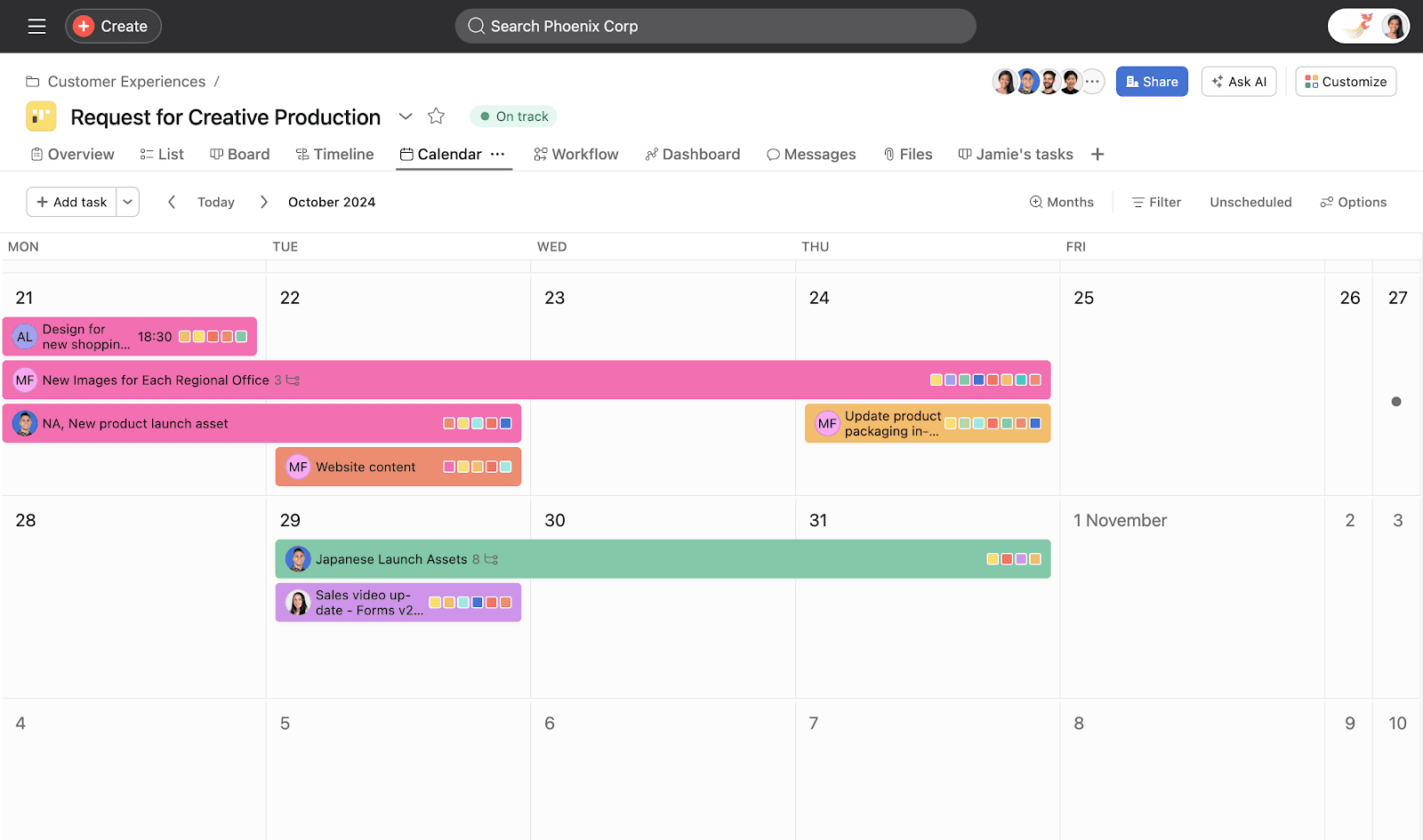 Image source: asana.com
Image source: asana.comKey features
- Task and project tracking: Organize work with tasks, subtasks, and dependencies. Assign owners, set deadlines, and keep everyone accountable.
- Multiple project views: Manage projects the way your team works best—switch between List, Timeline, Board (Kanban), Calendar, and Gantt-style views.
- Workflow automation: Automate routine steps like assigning tasks, sending updates, or moving items across stages with easy-to-build custom rules.
- Team collaboration: Comment on tasks, share files, and tag teammates to reduce scattered communication and keep context in one place.
Reviews
- G2: 4.4
- Capterra: 4.5
- Google Play Store: 4.2
- Apple App Store: 4.7
Pricing
- Paid plans start at $10.99 per user/month. There is a free plan available.
Honorable mentions
As business management software solutions come in many forms, here are some other platforms that just fell outside the top 10, but can still help boost productivity:
- HubSpot Operations Hub – A powerful tool for syncing data, automating workflows, and ensuring clean, unified information across your business systems.
- Trello – A simple, card-based project management tool great for smaller teams and solo entrepreneurs looking for visual task organization with task automation.
- monday.com – A visually-driven work operating system that helps teams plan, run, and track projects with flexibility and ease.
- ClickUp – A productivity platform that combines tasks, docs, goals, and time tracking into one interface to streamline processes.
Key features of top business management software
Not all business management tools are the same. The best ones combine essential features in one platform, helping you avoid the cost and complexity of third-party add-ons. Choose software that meets your current needs and supports future growth, so you can scale without stitching together separate tools.
Task and project management
Strong task and project tracking tools are the backbone of smooth day-to-day operations. Look for software that offers visual timelines, Gantt charts, Kanban boards, and clear task dependencies. These features make it easier to manage workloads, track progress, and keep teams aligned—especially when people are working across locations or time zones.
Workflow automation
Modern business software should go beyond simple to-do lists. Automation features help you reduce repetitive manual work by setting up rules that trigger actions—like sending deadline reminders, escalating approvals, or syncing customer data. These time-saving tools keep operations moving and reduce the risk of human error.
Collaboration and communication
Good communication keeps teams connected—great software makes it effortless. Look for platforms with built-in chat, shared calendars, real-time document editing, and the ability to integrate with tools like Microsoft Teams or Slack. The right solution helps teams work together in context, without needing to jump between different apps.
Reporting and analytics
Your software should do more than store data—it should help you make sense of it. Custom dashboards, trend tracking, and exportable reports can give you visibility into what’s working and what needs attention. Some platforms even offer automated reports or AI-powered insights that flag anomalies and surface new opportunities.
Mobile functionality
Whether your team is remote, in the field, or simply on the move, your platform should support full functionality on mobile devices. That includes push notifications, task updates, document access, and even offline mode with automatic syncing when you're back online.
Integration capabilities
A great platform should work well with the tools you already use. Built-in integrations with accounting software, email marketing tools, CRM systems, and industry-specific apps save you time and reduce data silos. Even better? Platforms with robust APIs and pre-built connectors make it easy to expand and adapt your system as your business grows.
Security and access controls
As your business scales, so does the need for secure data management. Choose software that offers detailed user permissions, multi-factor authentication, and audit trails to keep sensitive information safe. Look for industry-specific compliance standards and role-based document access, especially if you're storing customer or financial data.
How to choose the right business management software
Picking the right business management software isn’t just about features or price—it’s about finding a solution that truly fits your current needs and can grow with you. A thoughtful, step-by-step approach will help ensure long-term success and strong team adoption.
Understand your current workflows
Start by mapping how work really gets done today. Identify manual handoffs, repetitive tasks, and common pain points like lost or duplicated customer data. This gives you a clear picture of where automation and integration will have the biggest impact.
Prioritize must-have features
Not every feature is equally important. Based on your workflow assessment, separate must-haves from nice-to-haves. Whether it’s project management, inventory tracking, or time logging, focus first on the capabilities that solve your biggest challenges. Consider creating a weighted checklist to objectively compare options.
Plan for growth
Think beyond today. Will your team double in size soon? Are you opening new offices or launching new products? Your software needs to scale affordably and functionally. Evaluate pricing models and scalability so you won’t outgrow your system or face surprise costs.
Check integration compatibility
Rarely can a single tool replace everything at once. Make sure your new platform works smoothly with your existing accounting, marketing, and industry-specific apps. Look for robust APIs and pre-built connectors to minimize headaches down the road.
Involve your team with trials and demos
A slick sales demo doesn’t guarantee ease of use. Get real users involved early—have them test key features, try the mobile app, and provide feedback. User-friendly software with an intuitive interface is crucial for adoption and ongoing productivity.
Consider total cost of ownership
Don’t stop at the subscription price. Factor in one-time expenses like data migration and training, plus ongoing costs for storage, premium features, or additional integrations. Weigh these costs against expected gains to confirm a strong ROI.
Current trends and future outlook
Business management software is evolving quickly, shaped by new technology and the growing need for flexibility, speed, and smarter decision-making. Understanding where the industry is headed can help you choose a solution that’s not just right for now—but ready for the future.
AI and machine learning are raising the bar
AI is no longer just a buzzword—it’s becoming a core feature in business tools. Modern platforms use AI to predict cash flow, flag at-risk customers, and suggest the best way to allocate resources. Machine learning algorithms analyze your past data to recommend pricing, inventory levels, or project timelines. These aren’t just time-savers—they’re decision-making accelerators.
No-code and low-code tools give users more control
You don’t need to be a developer to build the workflows you need. No-code and low-code platforms let everyday users create automations, generate reports, and connect tools through drag-and-drop interfaces. That means less dependency on IT, faster implementations, and the freedom to adapt as your business changes.
Mobile-first design supports how we really work today
With hybrid and remote work here to stay, business tools are becoming more mobile-friendly than ever. Leading company management applications now offer full functionality through mobile apps, allowing teams to manage tasks, access documents, and stay in sync—whether they’re in the office, on the road, or offline. Automatic syncing ensures nothing is lost when connectivity returns.
Automation is getting smarter and more strategic
Automation isn’t just about speeding up repetitive tasks anymore. It now includes more complex workflows, like auto-escalating issues, optimizing team schedules, or generating replies to common customer questions. These features help reduce admin work while improving speed, accuracy, and consistency across operations.
APIs and integrations make customization easier
More platforms now support open APIs, making it easier to connect your core tools with specialized apps. Whether it’s syncing your CRM with your accounting software or pulling data from industry-specific systems, this flexibility supports hybrid tech stacks without forcing you into a one-size-fits-all solution.
Better design means easier adoption
User experience is a top priority. Modern company management apps are designed with clean interfaces, logical navigation, and built-in tips to guide users. That means faster onboarding, less training time, and fewer headaches for teams getting up to speed. The goal: powerful software that feels easy to use.
Security and compliance are built in
As cyber threats grow and regulations tighten, security can’t be an afterthought. Today’s leading platforms offer detailed access controls, audit logs, and automated compliance reporting. These tools not only keep your data safe, but also help you stay compliant with industry standards without the stress.
The future of business management software lies in platforms that are flexible, intelligent, and user-friendly—helping companies of all sizes stay competitive in a changing world. Choosing a solution that embraces these trends ensures your team won’t just keep up—they’ll stay ahead.
Conclusion
Choosing the right business management software can make all the difference in how efficiently your team works and how smoothly your operations run. Whether you're looking to streamline communication, track sales, manage projects, or handle customer relationships, there’s a solution out there to fit your needs. Software designed for business management should integrate essential tools, support growth, and align with your team's preferred workflows. With the right software in place, you’ll spend less time juggling systems—and more time focusing on what really matters: growing your business.
FAQs
What is the best business management software?
The best business management software depends on your specific needs. For comprehensive solutions, Lark and Zoho One are strong contenders, offering integrated tools for project management, CRM, and workflow automation. If you’re looking for something customizable with open-source capabilities, Odoo is a great choice. If you're looking for the best small business management software, Lark or HubSpot CRM are good choices depending on your needs.
What is the most used business software?
Microsoft 365 and Google Workspace are among the most widely used business software, as they provide essential tools for productivity, collaboration, and communication. For customer relationship management (CRM), Salesforce is a market leader. Other popular tools include Slack for communication and Asana for project management. However, some of these tools may not be great business management software solutions.
What is the difference between ERP and business management software?
Enterprise Resource Planning (ERP) software is a comprehensive system that integrates core business processes like accounting, HR, supply chain management, and inventory. Business management software is a broader term and includes ERP but can also cover other areas like project management, collaboration, CRM, and task tracking. Therefore, when considering the best business management software, some ERP solutions must be considered.
What is the best free business management software?
The top software for business management that are free include Lark, Asana, and HubSpot CRM. However, it's best to compare their feature list to see if they can be the business management software you need.
Is CRM software the same as ERP software?
No, CRM (Customer Relationship Management) and ERP (Enterprise Resource Planning) software serve different purposes. CRM software focuses on managing customer relationships, sales, marketing, and customer support. ERP software, on the other hand, integrates various back-office functions like finance, supply chain, HR, and inventory management.
What is the best project management software for small business?
For small businesses, Asana, Trello, and Lark are all highly rated for their project management tools. They offer intuitive interfaces, flexibility, and affordable pricing for teams that need to manage tasks and projects efficiently.
Table of contents
Start using Lark today

Manage all your work in one place
Boost team efficiency by 10x
Save up to 70% on software costs
Table of contents
Start using Lark today
Manage all your work in one place
Boost team efficiency by 10x
Save up to 70% on software costs
Keep reading







2026 Lark Technologies Pte. Ltd.
Headquartered in Singapore with offices worldwide.






Explore: