Microsoft SharePoint has long been a cornerstone of enterprise collaboration, intranet portals, and document management. However, as teams become more distributed and workflows more dynamic, many organizations are reassessing whether SharePoint still meets their needs. Today's teams often prefer tools that are easier to use, faster to deploy, and designed for real-time collaboration across devices.
As a result, businesses are increasingly exploring SharePoint alternatives, including Lark, Microsoft 365, Confluence, Google Workspace, Notion, and ClickUp. In this guide, we break down the top 10 SharePoint options for file sharing, project management, intranet building, and team collaboration, helping you identify the best solution for your organization's workflows.
Key takeaways: Top SharePoint alternatives
1. Lark: The all-in-one productivity superapp
2. Microsoft 365: The integrated incumbent
3. Confluence: The wiki & documentation powerhouse
4. Google Workspace: The collaboration classic
5. Notion: The flexible all-Rounder
Enjoy streamlined workflows from today on
Quick overview snapshot of the best SharePoint alternatives
For a quick overview, the table highlights 5 of the best SharePoint alternatives to help you compare features, pricing, and suitability at a glance. If you're looking for a more detailed review, we've covered additional tools and in-depth analysis in the upcoming sections of this guide, helping you find the perfect solution for your team's needs.
Information source: Official vendor sites
Update time: 2025-12-11
Note: Pricing and plan details reflect publicly available data as of the update date and may vary based on region, billing cycle, and number of agents.
Connect meetings, docs, and tasks seamlessly
What is Microsoft SharePoint and why do teams look for alternatives
Microsoft SharePoint is a web-based platform designed for , internal websites, and enterprise collaboration. It is widely used to create company intranets, manage files, control access permissions, and support team collaboration within the Microsoft 365 ecosystem. Many organizations rely on SharePoint to centralize information, build knowledge bases, and standardize internal communication across departments.
However, as workplace needs evolve, more teams are exploring alternatives to SharePoint. While powerful, SharePoint can require significant setup, ongoing IT involvement, and user training. For small and mid-sized businesses, the platform may feel complex or costly compared to newer tools. As a result, companies are increasingly evaluating alternatives to Microsoft SharePoint, including SharePoint intranet alternatives and even free SharePoint alternatives free, that offer simpler onboarding, , and flexible workflows. These modern platforms are often better suited to fast-moving, distributed teams that prioritize ease of use and quicker adoption.
Where SharePoint falls short and why teams switch
Despite its widespread adoption, Microsoft SharePoint often struggles to meet the needs of modern, fast-moving teams. Many organizations begin exploring SharePoint alternatives when everyday collaboration becomes slow, complex, or overly dependent on technical support. Below are the most common reasons teams decide to switch.
- Heavy setup requirements: SharePoint requires extensive initial configuration before teams can start working productively. Site structures, permissions, and document libraries must be carefully planned, which delays rollout. For growing teams, this complexity makes SharePoint harder to scale quickly compared to simpler alternatives to SharePoint.
- IT dependency for configuration: Most SharePoint customization and maintenance tasks rely heavily on IT teams. Business users often cannot modify workflows, permissions, or layouts on their own. This ongoing IT dependency slows down collaboration and increases operational overhead.
- Poor : New users frequently find SharePoint difficult to navigate and understand. The interface is not intuitive, and training is often required before teams can use it effectively. This steep learning curve pushes organizations to look for more user-friendly SharePoint alternatives.
- Fragmented workflows across Microsoft tools: SharePoint rarely works alone. It depends on Teams, OneDrive, Outlook, and other Microsoft tools. Switching between multiple apps breaks workflow continuity and reduces productivity. Many alternatives to Microsoft SharePoint unify communication, files, and tasks in one workspace.
- Limited real-time collaboration: Compared to , SharePoint offers limited real-time editing and interaction. Live collaboration can feel slow or disconnected, especially for remote teams. This limitation becomes a deal-breaker for teams that rely on instant feedback and co-creation.
- High cost for SMEs: While SharePoint may work for large enterprises, it is often expensive for small and mid-sized businesses. Licensing, setup, customization, and maintenance costs add up quickly. As a result, SMEs increasingly seek cost-effective or free SharePoint alternatives that deliver similar capabilities with less complexity.
Top 10 SharePoint alternatives for free
1. Lark: The all-in-one productivity superapp as a powerful alternative
is a modern, all-in-one collaboration platform designed to replace complex, fragmented tools like SharePoint. It brings messaging, , project management, and workflows into a single, unified workspace. Unlike traditional intranets, Lark is easy to set up and intuitive for everyday users. This makes it a powerful choice among SharePoint alternatives for teams that want faster collaboration without heavy IT involvement.
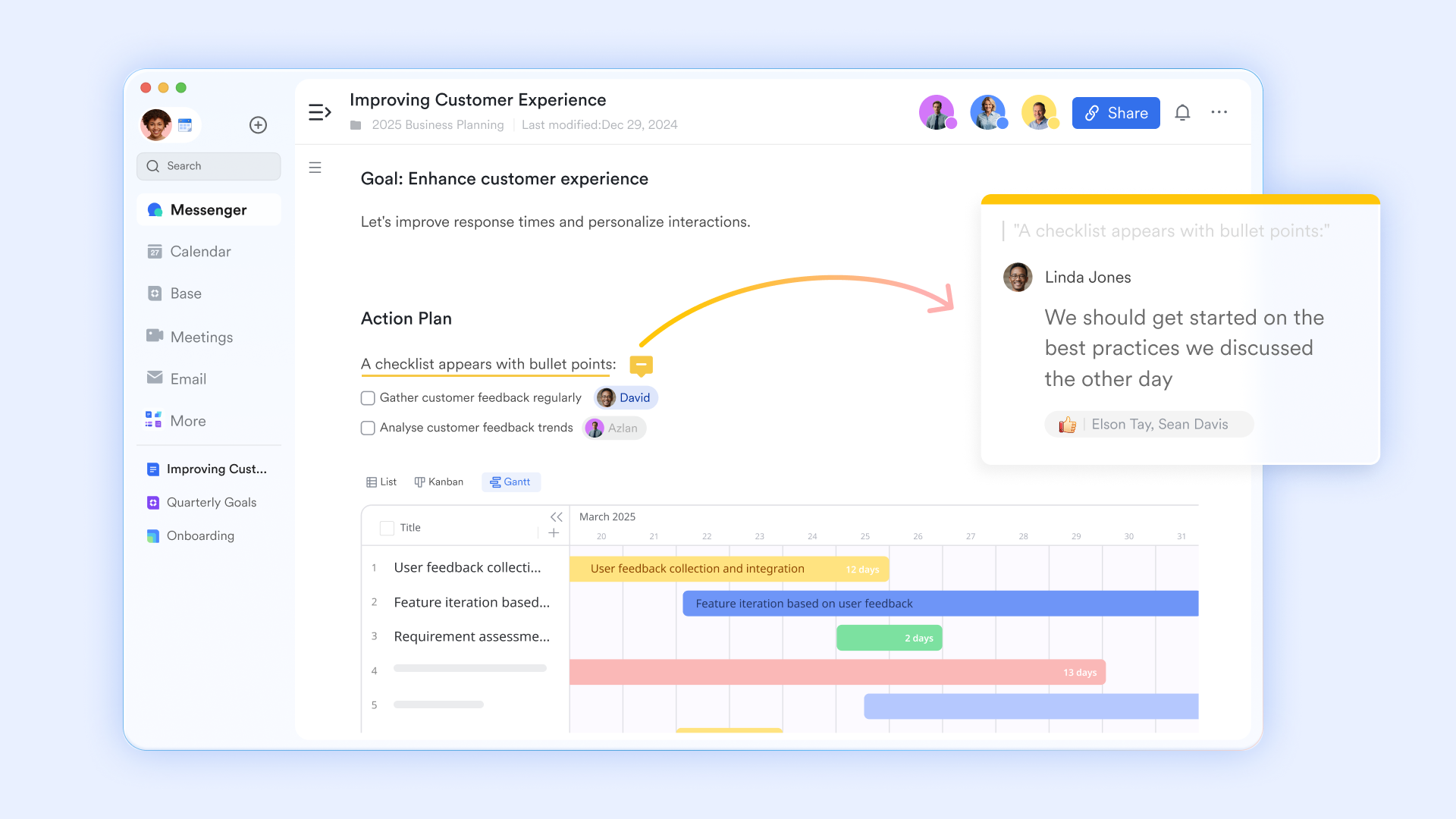
Powerful document collaboration platform
is built for synchronous collaborative editing, allowing multiple users to work in the same document in real-time. Unlike SharePoint, it features a dedicated suggestion mode for making non-committal edits that collaborators can review, accept, or reject, streamlining the review process. Furthermore, embedded comments and the ability to use the @mention feature to notify colleagues to turn documents into contextual conversations instantly. Finally, the platform maintains a robust edit history and version management system, providing a full audit trail and the ability to restore any past state, ensuring control and accountability. 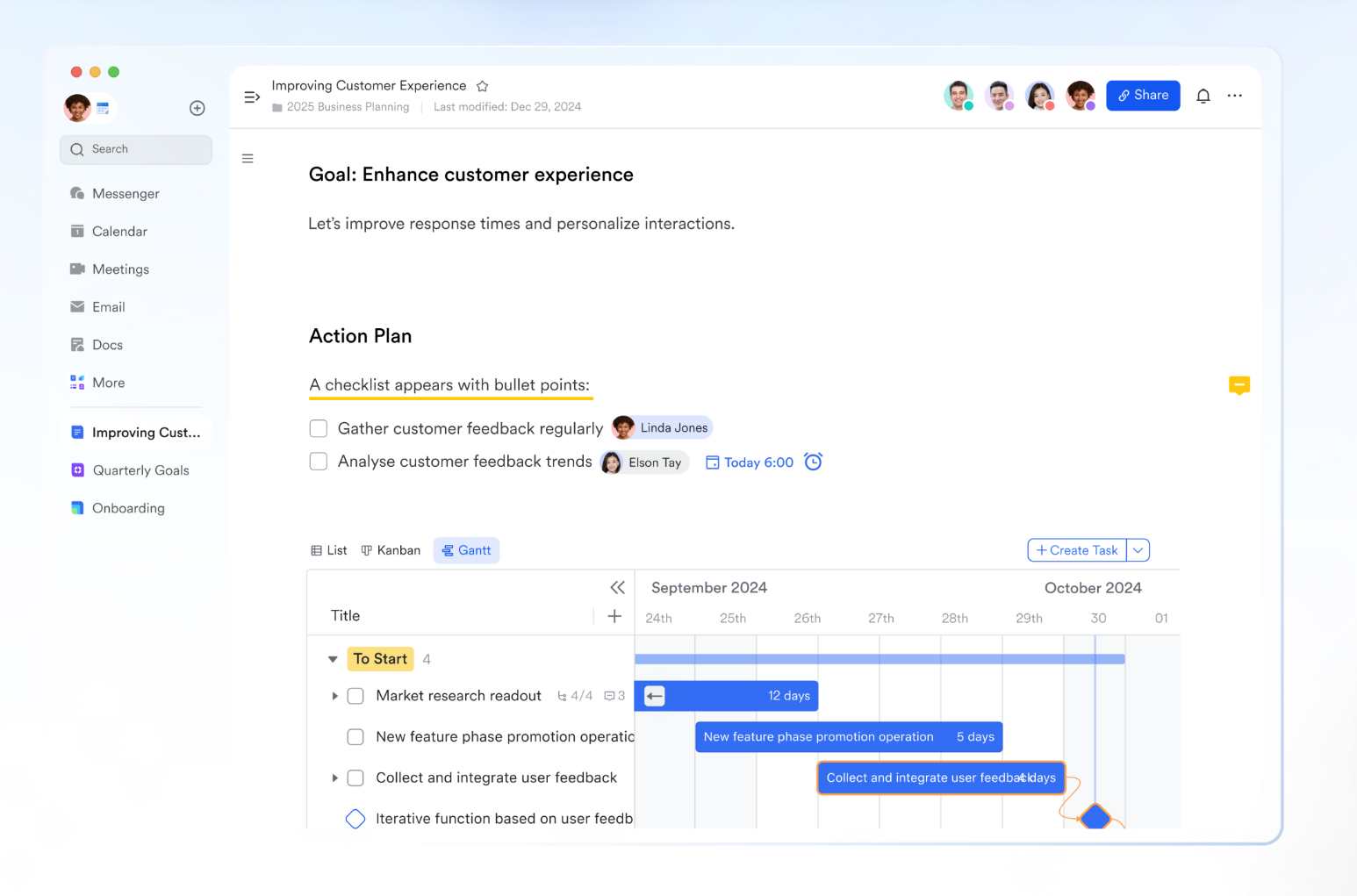
File libraries for personal and business use
Lark offers a centralized library by segmenting content via Lark Drive and . Drive acts as central cloud storage, organizing personal and shared files into "My folders" and "Shared folders" for secure document management and personal library use. Simultaneously, instead of a steeper learning curve or heavy configuration and admin involvement of a SharePoint site, LarkWiki transforms key business content into structured, navigable Wiki spaces, creating a dedicated, easily searchable . This dual approach ensures all organizational and individual documents are centralized yet logically separated for both project files and structured company knowledge. 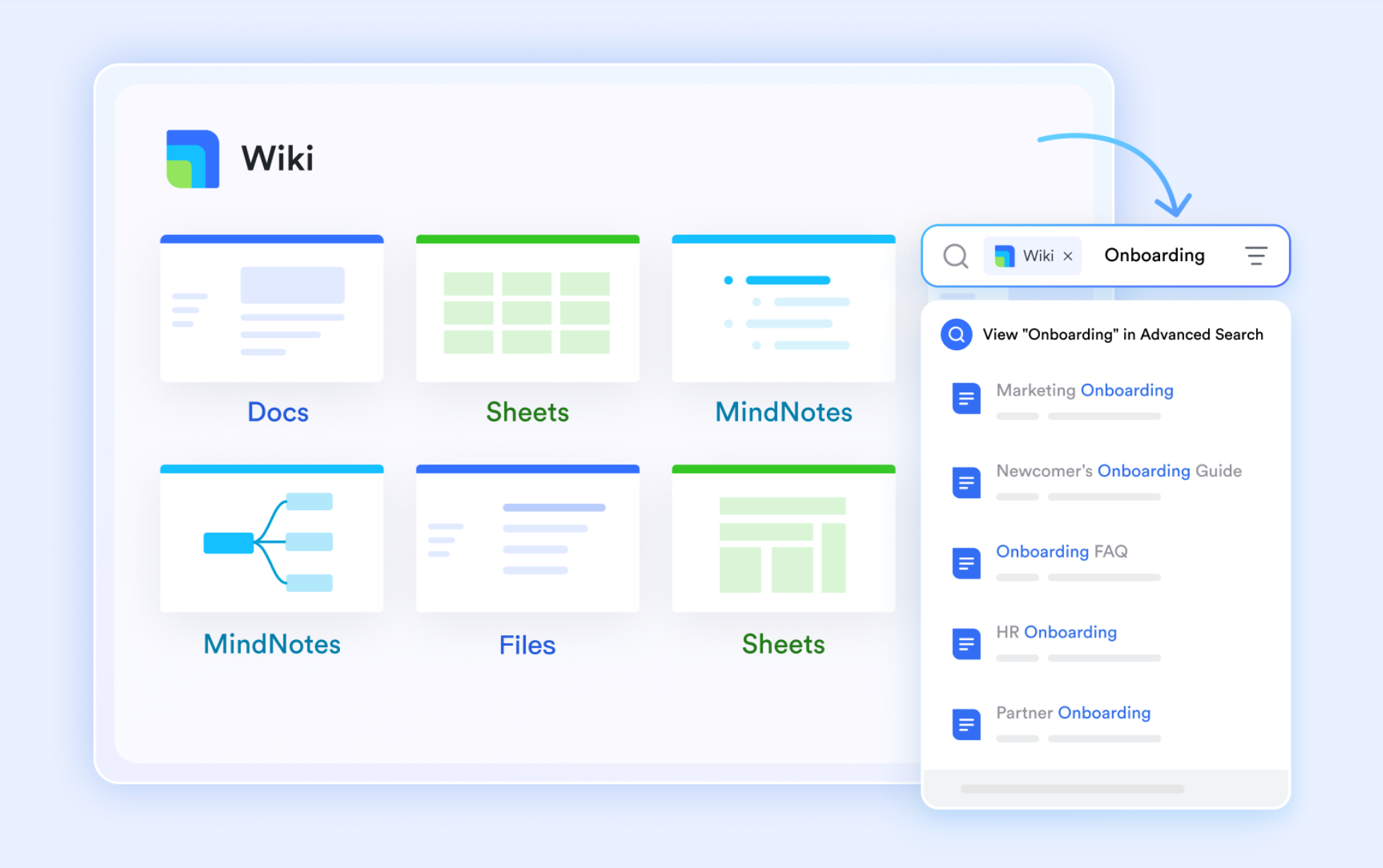
Robust file searching and filtering settings
Unlike SharePoint's search bar-based searching, Lark provides a powerful and quick search experience for documents by centralizing access through the keyboard shortcut Cmd + K (Mac) or Ctrl + K (Windows). Users can efficiently narrow down results by leveraging multiple advanced filters, including sorting by recently viewed, updated, or created dates. Furthermore, the search allows granular filtering based on document attributes like the owner, sharing location, folder, wiki space, and the document format, ensuring users can find specific content rapidly within their workspace. 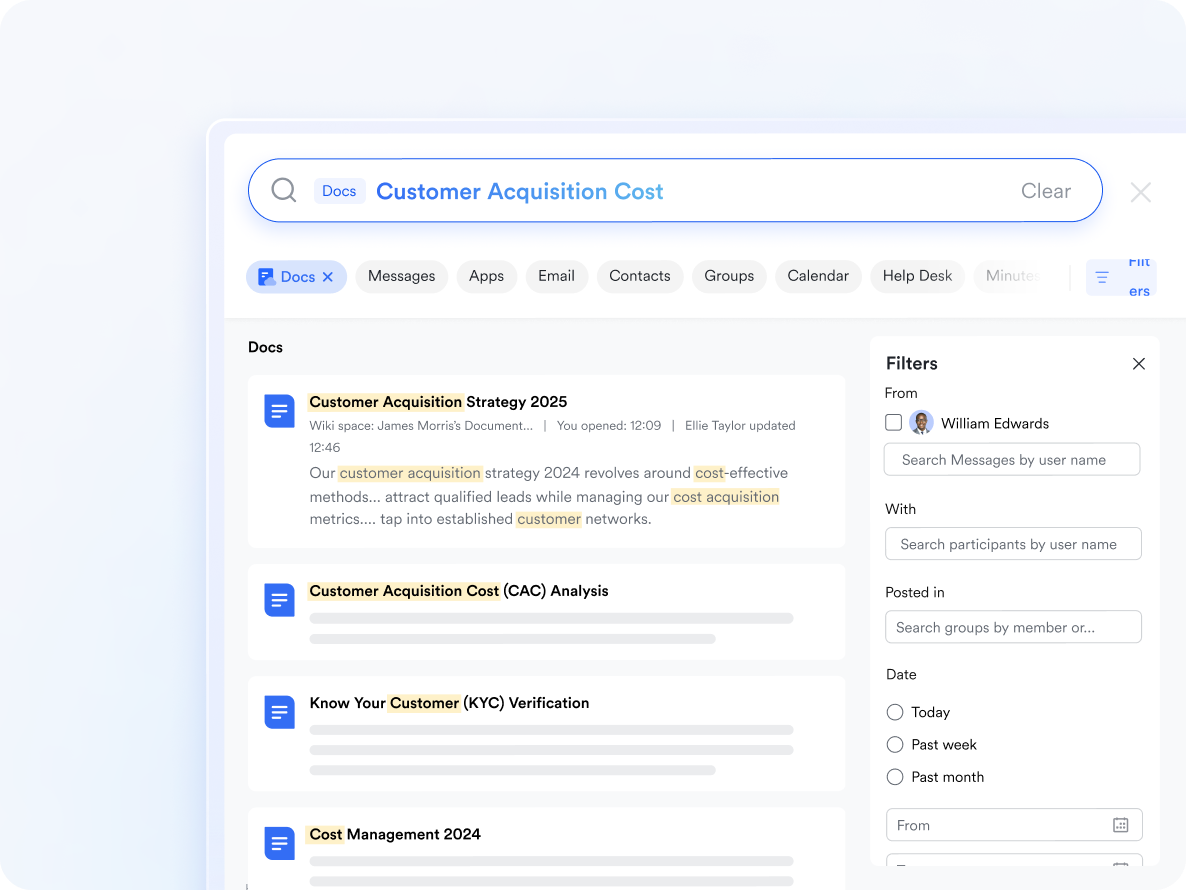
Immediate, automated workflow for documents
Lark Base's workflow feature dramatically streamlines document work by automating complex, conditional business processes. Workflows use triggers like a new record being added or a button being clicked to initiate a sequence of automated actions. For alerts, an example is setting a trigger so that when the "Status" field of a document record is updated to "Urgent Review" in a Base table, the workflow automatically sends a real-time Lark Message notification. Workflows also support advanced logic, such as If/Else, Loop, and Switch nodes, to handle complex procedures automatically, ensuring alerts are targeted and timely. 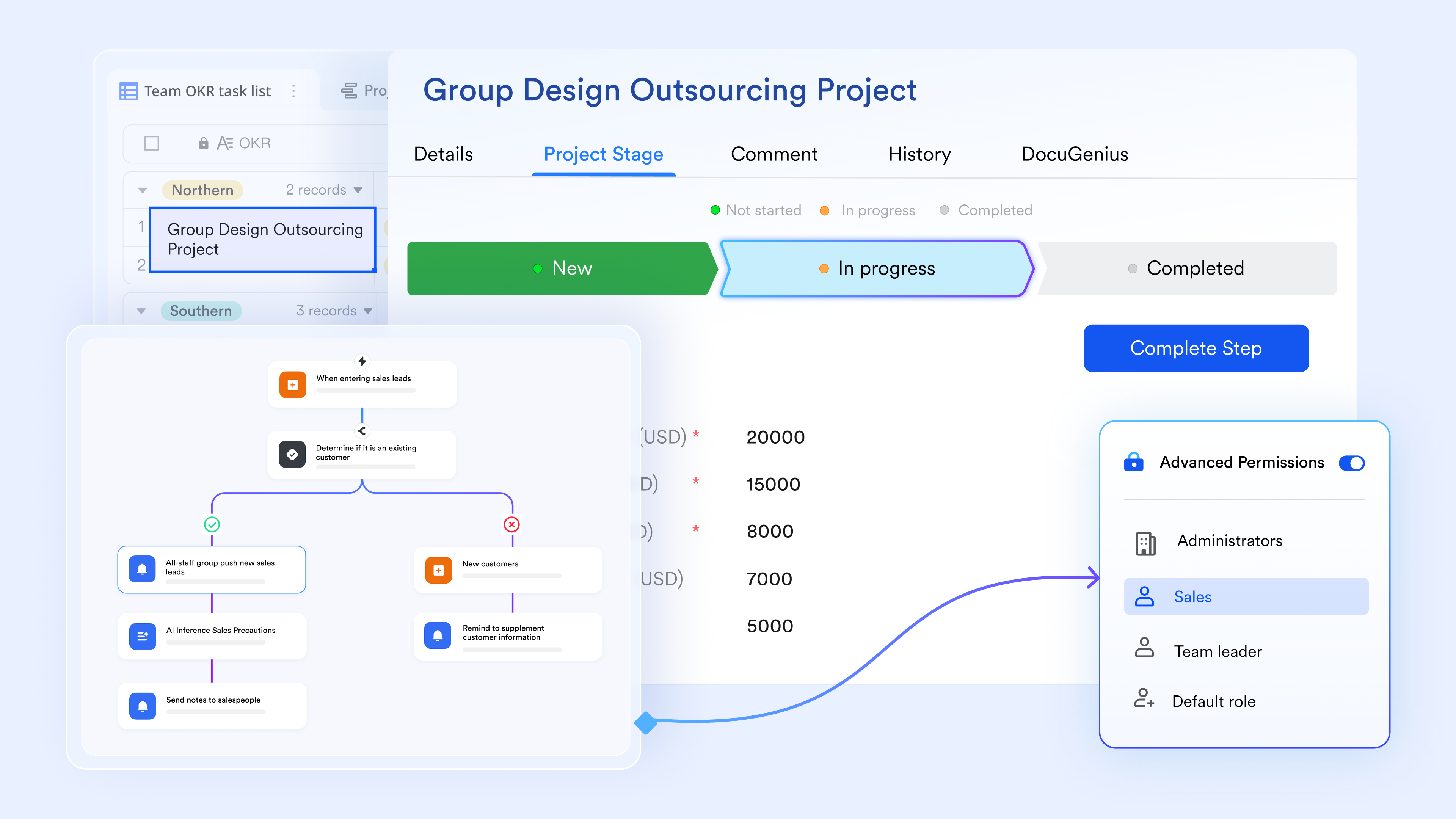
Seamless communication and idea sharing
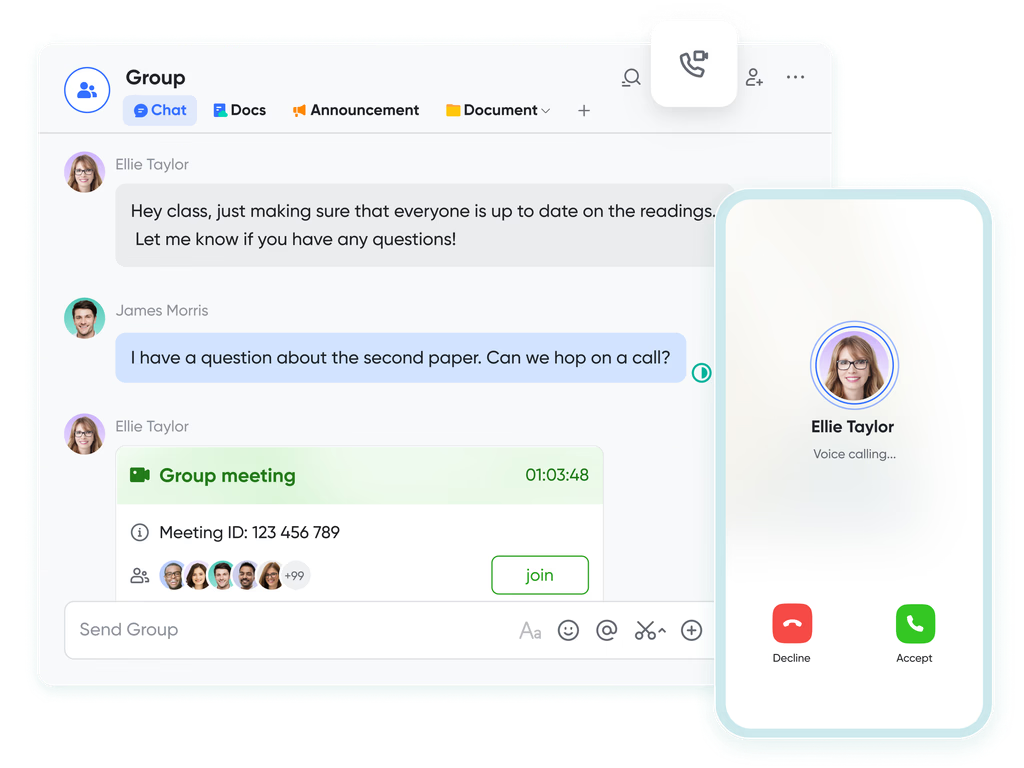
Unlike tool sprawl between SharePoint and Teams, Lark, , and allow discussions and to happen directly alongside documents and records. You can share, view, and edit documents within chats and video meetings, receive notifications for document comments, and collaborate in real-time without switching apps. This seamless collaboration between features helps teams turn conversations into action efficiently.
Granular permission structure safeguarding files
Lark Docs fundamentally helps document & knowledge management through its granular permission structure, ensuring security and control over organizational knowledge. It provides a four-tiered system (View, Edit, Manage, Owner) to precisely define who can access, modify, or delete a document. Crucially, it allows owners to prohibit actions like sharing, copying, downloading, and printing, safeguarding sensitive information. Furthermore, the platform supports seamless ownership transfer and grants users with edit access the ability to view and restore document versions, providing a reliable audit trail and ensuring continuity of knowledge. :
- Starter plan: Free forever plan that includes 11 powerful tools for up to 20 users. It also comes with 100GB of storage, 1000 automation runs, AI translations, and more.
- Basic plan: $6/user/month (billed annually) for up to 500 users. It includes everything in Starter plus group calling for up to 500 attendees, 5TB of storage, 1000 automation runs, and more. For more details, please .
- Pro plan: $12/user/month (billed annually) for up to 500 users. It includes everything in Basic plus group calling for up to 500 attendees, 15TB of storage, 50,000 automation runs, and more.
- Enterprise plan: for custom pricing. Supports unlimited users and includes even more automation runs and advanced security, compliance, and management features
For small teams with simple communication needs

18 months message history
1000 Base automation runs/month
2000 rows per table in Base
Most POPULAR
For companies with comprehensive collaboration and management needs
Unlimited message history
500-participant video meetings
50k Base automation runs/month
20k rows per table in Base
For large companies with advanced security and organizational management needs
Get a personalized demo and pricing
Unlimited message history
500-participant video meetings
15 TB storage + 30 GB storage/user
500k Base automation runs/month
50k Base automation runs/month
Most POPULAR
For companies with comprehensive collaboration and management needs
Unlimited message history
500-participant video meetings
50k Base automation runs/month
20k rows per table in Base
2. Microsoft 365: The integrated incumbent
Microsoft 365 is the most direct alternative to SharePoint, because SharePoint is part of it. For organizations already embedded in the Microsoft ecosystem, Microsoft 365 provides a tightly integrated collaboration environment combining documents, communication, security, and workflows. Tools like OneDrive, Teams, Outlook, Planner, and Loop work together to support file sharing, co-authoring, approvals, and enterprise governance. It's best suited for medium to large organizations that value standardization and deep Microsoft-native integrations.
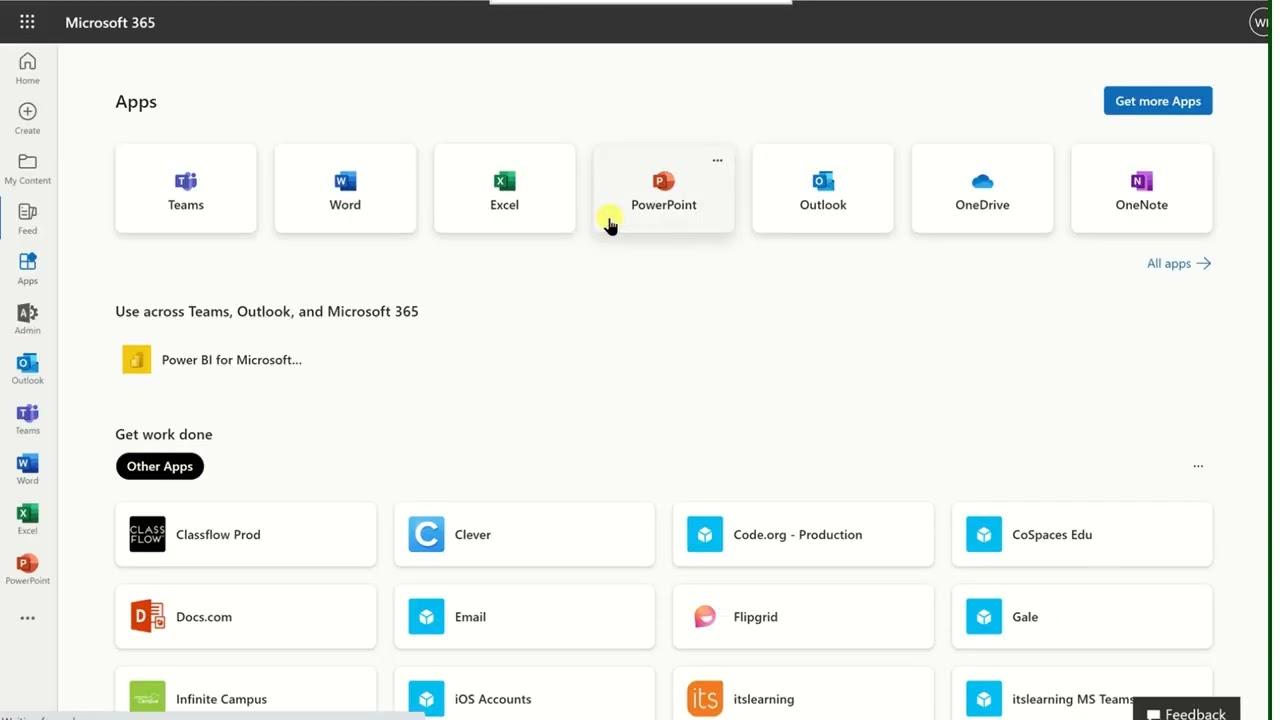
Image source: microsoft.com
Key features:
- OneDrive & teams integration: Enables real-time file sharing, collaboration, and conversations directly around documents.
- Enterprise security & compliance: Advanced controls for permissions, data loss prevention, and regulatory compliance.
- Office apps collaboration: Co-edit Word, Excel, and PowerPoint files in real time across devices.
- Workflow automation: Use Power Automate for approvals, notifications, and document routing.
- Scalable admin controls: Centralized IT management for users, access, and policies.
Pros:
- Seamless integration across Microsoft tools
- Strong enterprise-grade security
- Familiar interface for most teams
Cons:
- Can feel complex and fragmented
- Licensing costs add up quickly
Pricing:
- Microsoft 365 Personal: ~$76.70/year or ~$7.66/month
- Microsoft 365 Family: ~$91.20/year or ~$9.11/month
- Microsoft 365 Premium: ~$222.40/year or ~$22.24/month
3. Confluence: The wiki & documentation powerhouse
Confluence by Atlassian is a leading team collaboration platform focused on knowledge management and internal documentation. It allows teams to create, organize, and share information in a centralized workspace. Confluence is especially popular with product, engineering, and IT teams that need structured documentation. Its tight integration with Jira makes it ideal for managing projects alongside documentation. Teams can collaborate in real time, track changes, and maintain a single source of truth for all processes and knowledge.
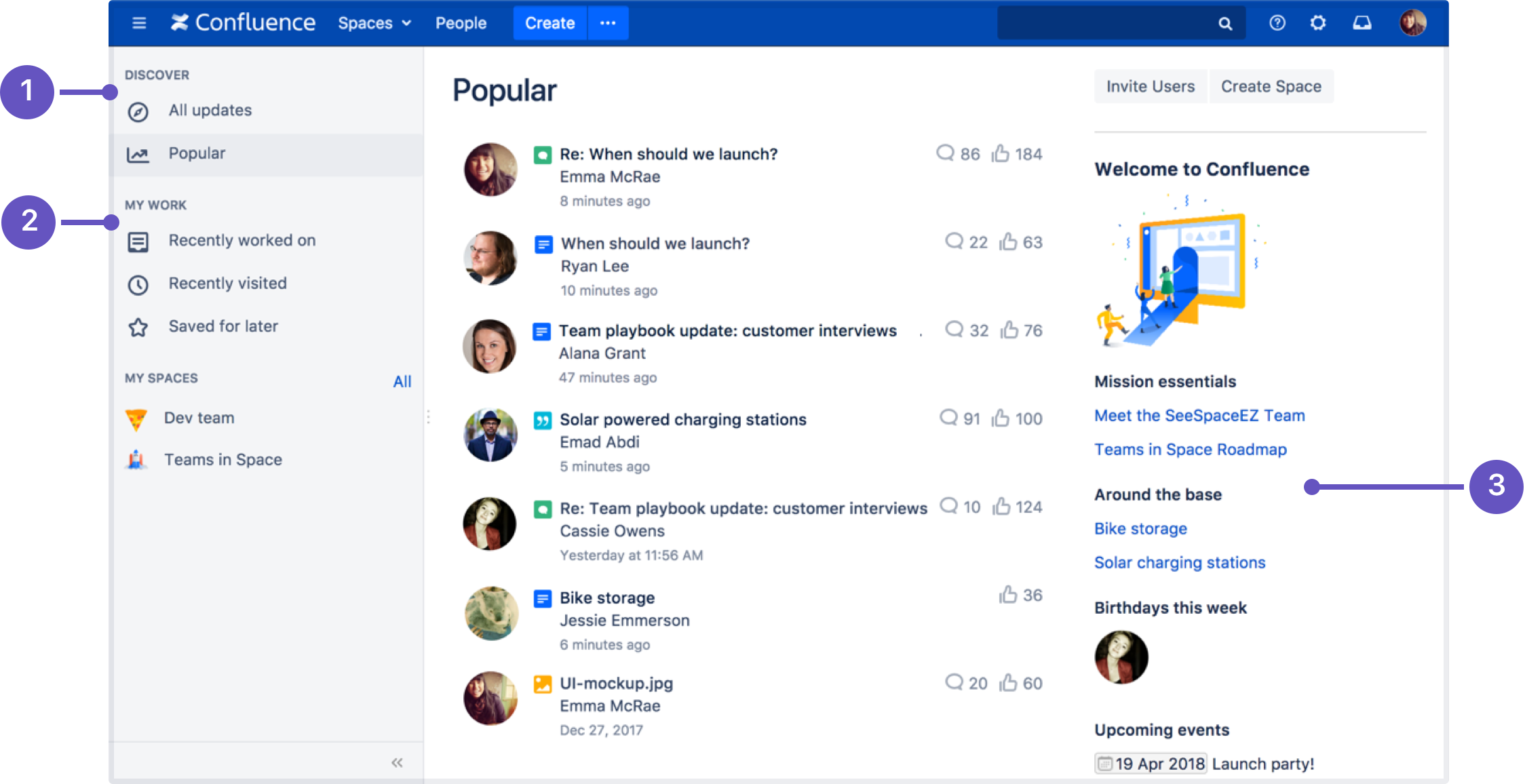
Image source: atlassian.com
Key features:
- Structured pages & spaces: Organize documentation by teams, projects, or departments.
- Real-time editing & version history: Collaborate on pages simultaneously with full tracking of changes.
- Templates library: Quickly create SOPs, meeting notes, project docs, and reports.
- Powerful search: Find information across pages, attachments, and comments instantly.
- Atlassian integrations: Seamlessly connects with Jira, Trello, and other Atlassian tools.
Pros:
- Excellent for documentation-heavy teams
- Strong version control and history
- Clear and organized knowledge management
- Scales well for growing organizations
Cons:
- Limited file management compared to SharePoint
- Less intuitive for non-technical users
Pricing:
- Standard: $5.42/user/month
- Premium: $10.44/user/month
- Enterprise: Custom pricing
4. Google Workspace: The collaboration classic
Google Workspace is a cloud-first collaboration suite built for simplicity, speed, and seamless teamwork. It includes Gmail, Drive, Docs, Sheets, Slides, Meet, and Chat, allowing teams to communicate and collaborate without version conflicts. Real-time editing and automatic saving ensure everyone stays on the same page. Its cloud-native approach makes it ideal for distributed teams and startups. Google Workspace excels at file sharing, collaborative document creation, and lightweight workflow management across organizations of any size.
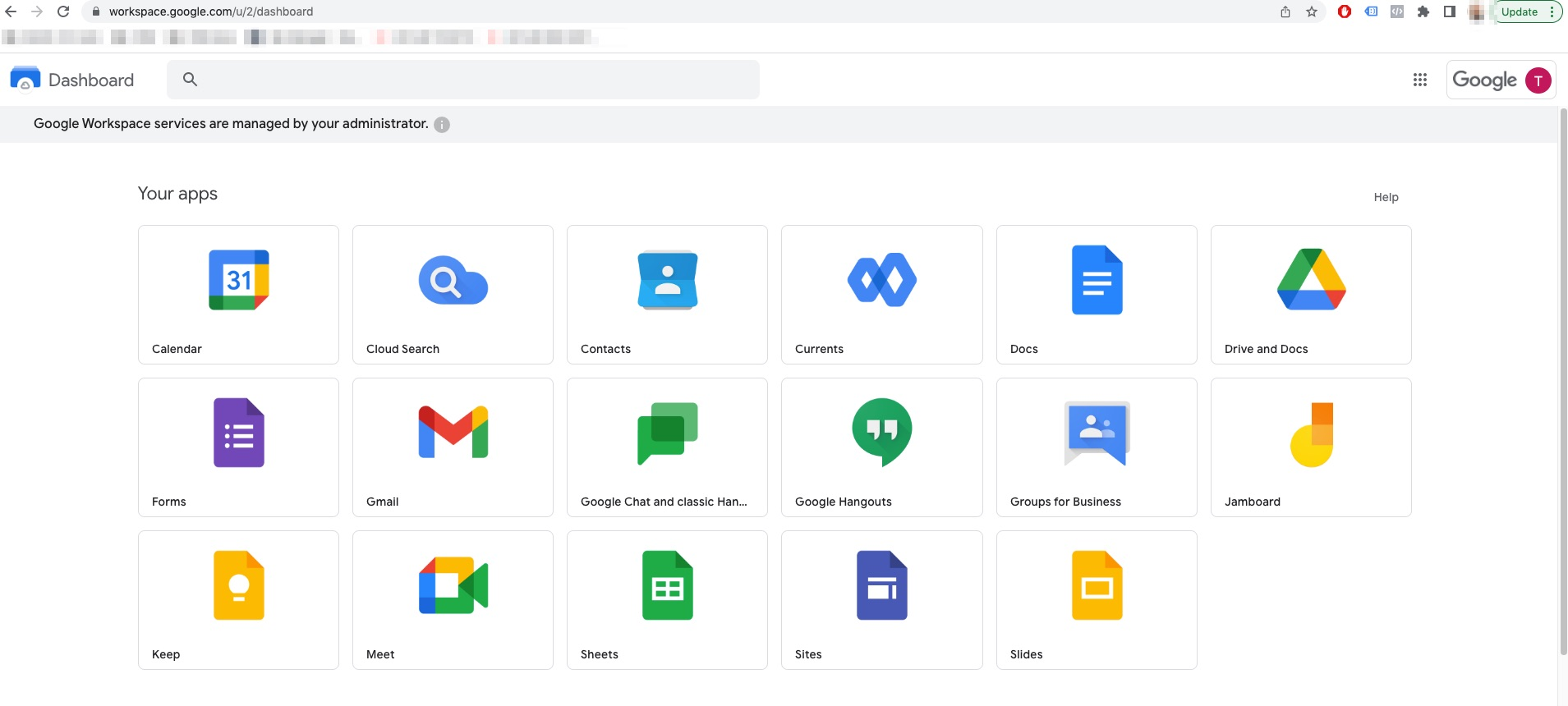
Image source: workspace.google.com
Key features:
- Real-time collaboration: Multiple users edit Docs, Sheets, and Slides simultaneously with instant updates.
- Google Drive storage: Centralized cloud storage with easy sharing and customizable permissions.
- Integrated communication: Gmail, Meet, and Chat are built-in for seamless collaboration.
- Cross-device access: Accessible on any device via browser or mobile apps without additional setup.
- Simple permissions management: Control access at file and folder levels to ensure secure sharing.
Pros:
- Extremely easy to use with minimal onboarding
- Best-in-class real-time collaboration
- Reliable uptime and cloud-based accessibility
- Works seamlessly across devices and platforms
Cons:
- Limited advanced workflow automation
- Less suitable for organizations with strict compliance needs
Pricing:
- Starter: ~$1.78/user/month
- Standard: ~$9.59/user/month
- Plus: ~$18.90/user/month
- Enterprise: Custom pricing – Contact sales
Note: For more its information, you can refer to and .
5. Notion: The flexible all-rounder
Notion is a highly versatile workspace that combines documents, databases, wikis, and lightweight project management in one platform. Teams use it to centralize knowledge, track projects, and manage workflows without switching between multiple apps. Its block-based system allows users to customize pages, dashboards, and processes to fit team needs. Notion is ideal for small to mid-sized teams that value flexibility and creativity in organizing work. It also supports collaborative editing, task tracking, and internal documentation in a single environment.
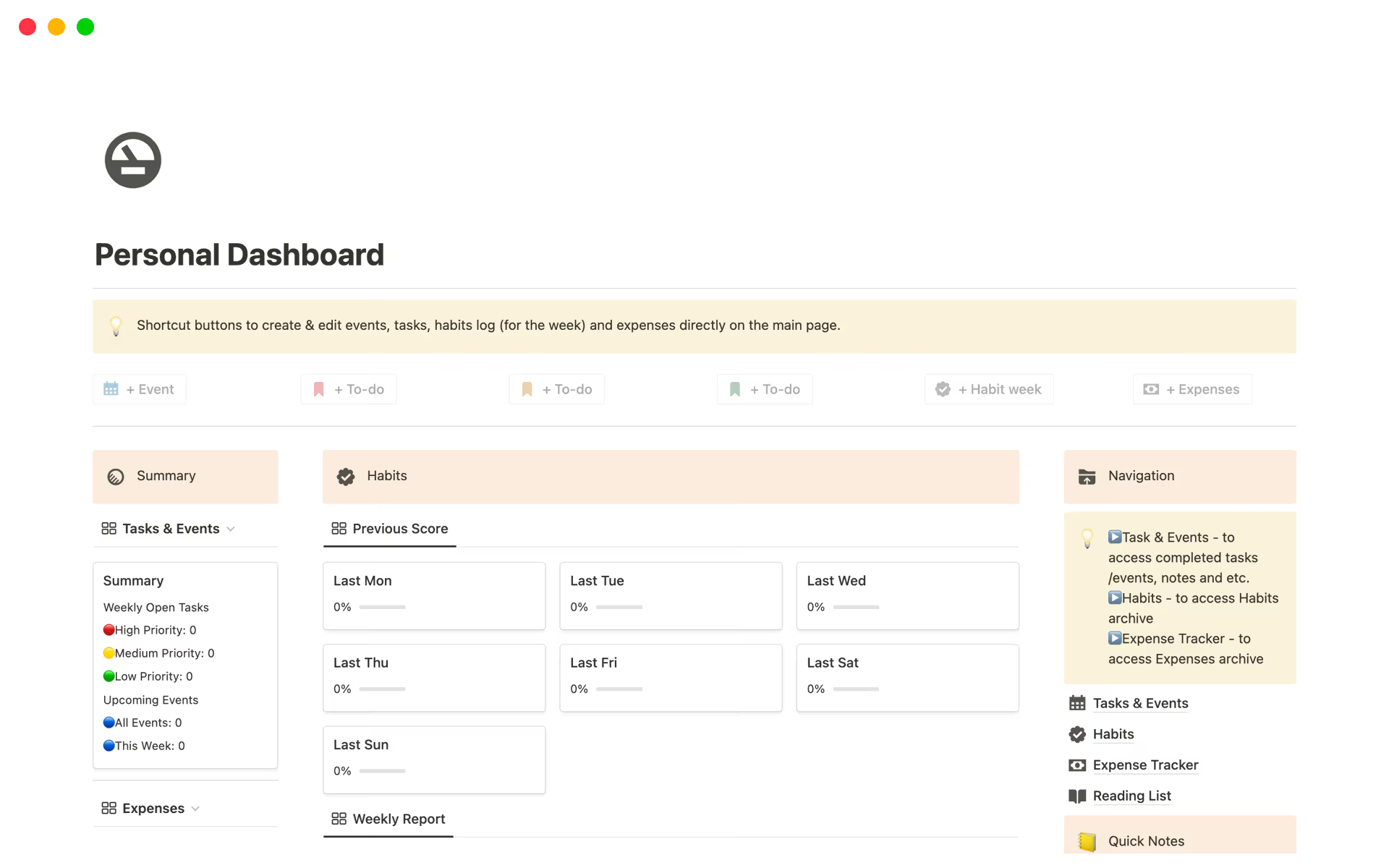
Image source: notion.com
Key features:
- Docs + databases: Combine rich text and structured data for versatile workspaces.
- Custom team wikis: Build internal knowledge bases, project pages, and SOPs.
- Permissions & sharing: Control access at the page or database level for secure collaboration.
- Templates & dashboards: Create reusable layouts for recurring processes and team tracking.
- Cross-team collaboration: Comment, mention teammates, and track updates in real time.
Pros:
- Highly flexible and customizable
- Clean, modern interface for easy adoption
- Combines documentation, task tracking, and dashboards
- Strong free plan for smaller teams
Cons:
- Can become cluttered without proper structure
- Not ideal for heavy file management
Pricing:
- Free: $0/member/month – For individuals
- Plus: $10/member/month – For small teams
- Business: $20/member/month – Recommended for growing businesses
- Enterprise: Custom pricing – Contact Sales
6. Monday.com: Visual workflow hub
Monday.com is a visual work management platform that helps teams plan, track, and collaborate on projects. Unlike traditional file storage tools, it focuses on workflows, task tracking, and team alignment. Its highly visual interface allows users to see project status at a glance, manage approvals, and streamline processes. Monday.com is ideal for teams that need clear visibility into work progress and want to centralize collaboration in one place. It also supports file attachments, automation rules, and cross-team integrations for a seamless workflow experience.
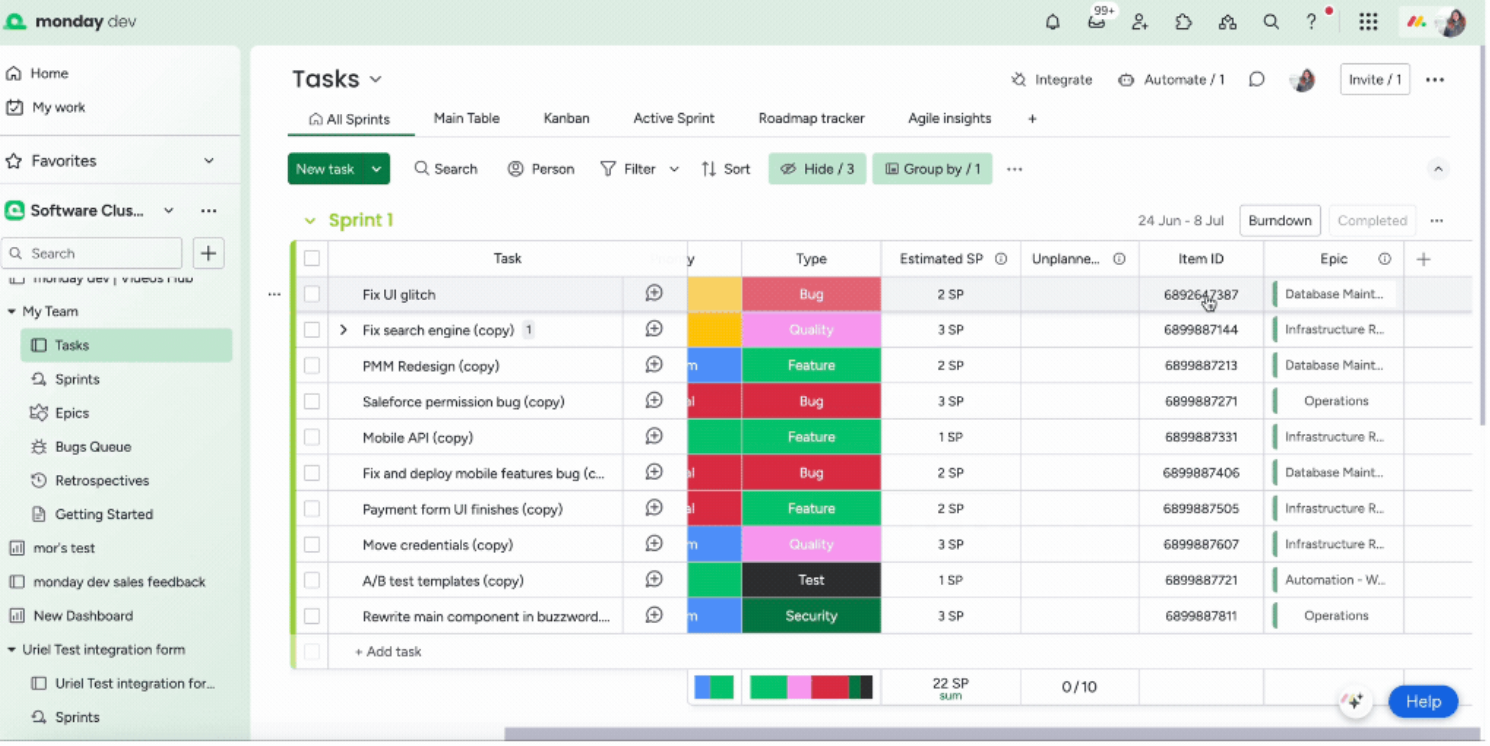
Image source: monday.com
Key features:
- Visual boards & timelines: Track work using Kanban, Gantt, and calendar views for easy planning.
- Task management & automation: Automate notifications, approvals, and recurring updates.
- File attachments & collaboration: Attach files directly to tasks and comment for team discussion.
- Dashboards: Get high-level visibility into progress, workload, and performance metrics.
- Integrations: Connect with Slack, Google Drive, Outlook, and other apps to streamline workflows.
Pros:
- Intuitive, visual interface for team workflows
- Strong automation capabilities for repetitive tasks
- Excellent visibility and tracking across projects
- Easy onboarding for new users
Cons:
- Not a full document management system
- Pricing can increase as team size grows
Pricing:
- Free: $0 – Up to 2 seats, for individuals tracking their work
- Standard: $12/seat/month (billed annually)
- Pro: $19/seat/month (billed annually)
- Enterprise: Custom pricing
7. Asana: The task & workflow specialist
Asana is a work management platform designed to help teams coordinate tasks, projects, and workflows efficiently. It focuses on execution, accountability, and visibility, allowing teams to stay on top of deadlines and project progress. While it doesn't replace SharePoint's document libraries, it integrates file attachments and collaborative comments directly into tasks. Asana is ideal for teams that need structured project management, approval workflows, and precise responsibility tracking. Its dashboards, timelines, and automation features help teams maintain alignment across projects and departments.
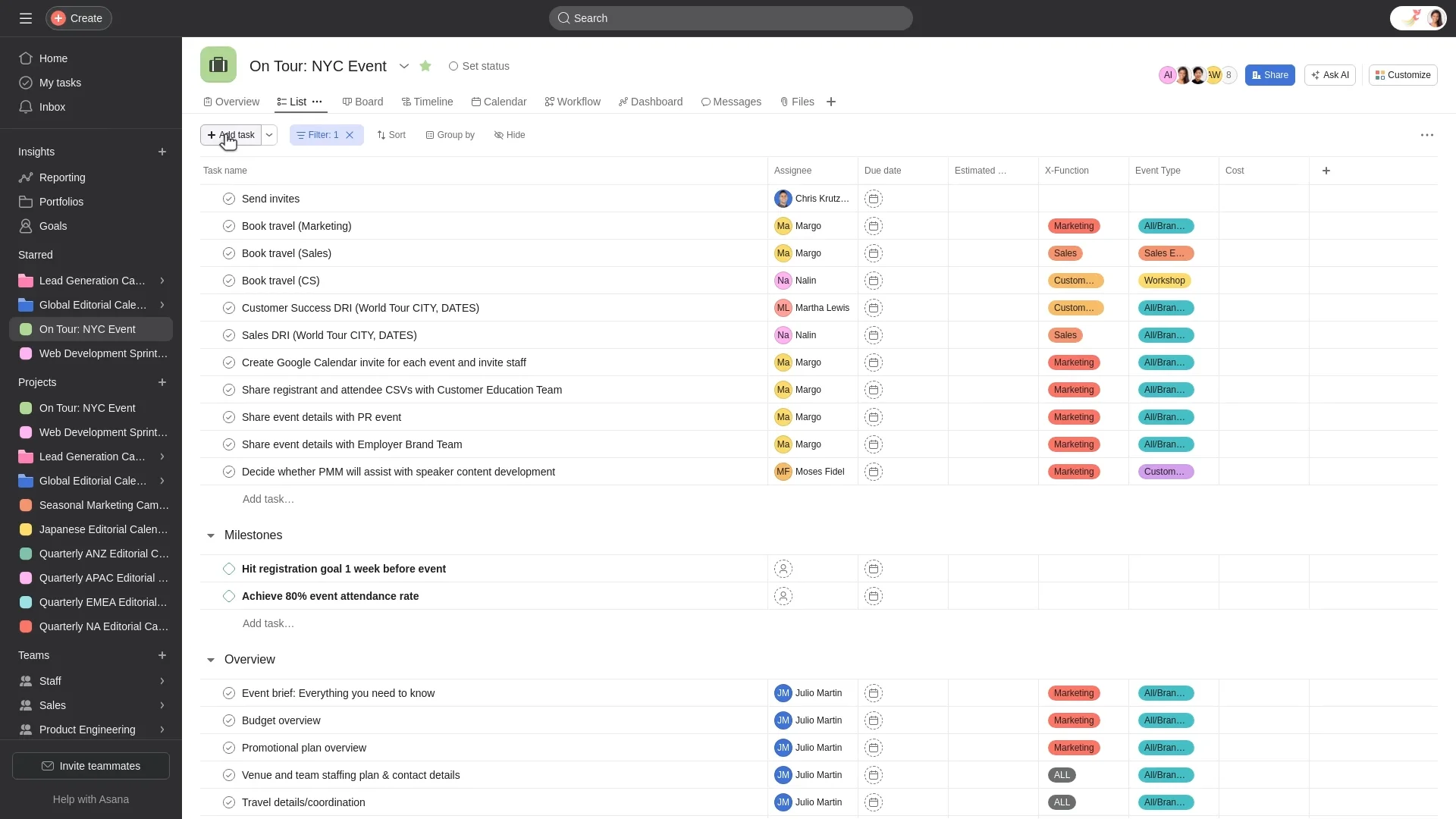
Image source: asana.com
Key features:
- Task & project tracking: Organize work with clear ownership, priorities, and deadlines.
- Workflow automation: Automate approvals, status updates, and task routing for efficiency.
- Timeline & calendar views: Visualize dependencies, milestones, and project schedules.
- File collaboration: Attach documents to tasks and comment directly for feedback.
- Reporting & dashboards: Monitor progress, identify bottlenecks, and optimize team performance.
Pros:
- Excellent for execution-focused teams
- Clear accountability and visibility across tasks
- Strong automation for repetitive workflows
- Scales well for cross-departmental projects
Cons:
- Limited advanced document management
- Less suitable as a centralized content repository
Pricing:
- Starter: $10.99/user/month (annual)
- Advanced: $24.99/user/month (annual)
- Enterprise: Custom pricing
8. ClickUp: All-in-one workspace
ClickUp is a comprehensive productivity platform that combines tasks, documents, goals, and collaboration in a single workspace. It can replace parts of SharePoint by centralizing project management, file sharing, and team workflows. Its high customization allows teams to tailor task statuses, dashboards, and automation rules to their needs. ClickUp is ideal for teams that want a flexible, all-in-one tool to manage both work and knowledge in one place. It supports real-time collaboration, tracking, and reporting across small to large teams.
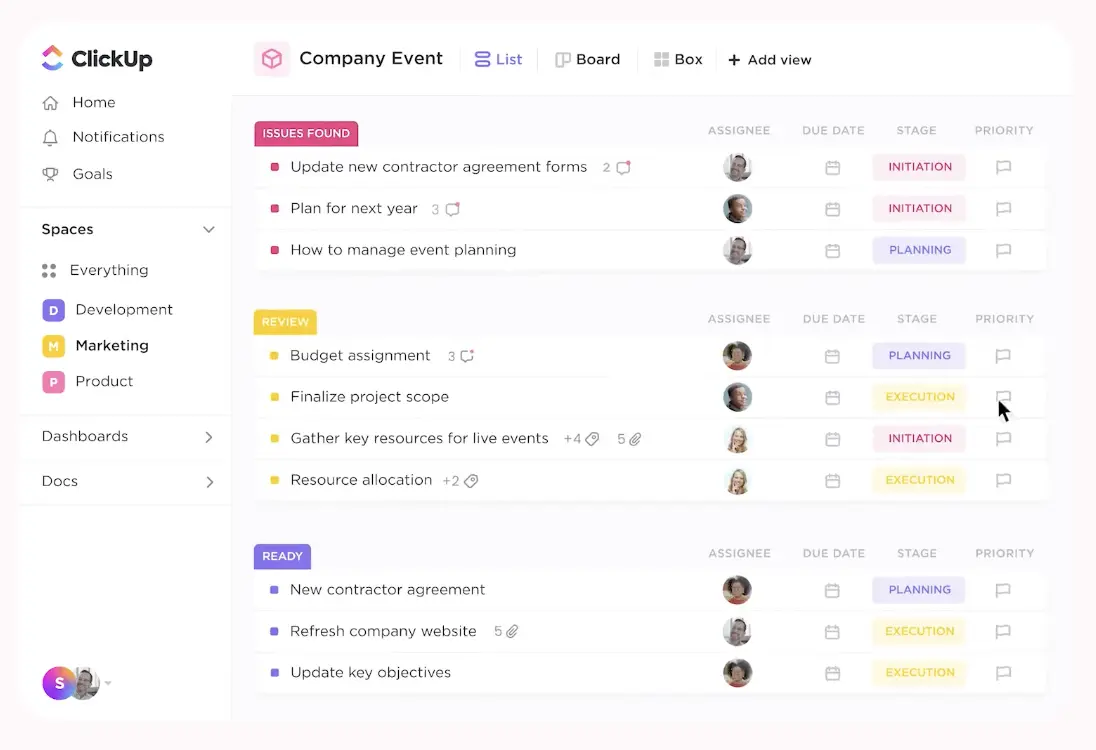
Image source: clickup.com
Key features:
- Docs & knowledge sharing: Create and collaborate on documents directly within projects.
- Customizable workflows: Configure statuses, views, and automation to match team processes.
- Task & goal tracking: Align daily work with team objectives and long-term goals.
- Dashboards & reporting: Visualize metrics, progress, and workload in real time.
- Integrations: Connect with Google Drive, Slack, GitHub, and other productivity apps.
Pros:
- Highly flexible and feature-rich
- Combines docs, tasks, and dashboards in one platform
- Strong free plan for small teams
- Scales effectively from small teams to large enterprises
Cons:
- Can feel overwhelming due to extensive features
- Requires setup to avoid clutter
Pricing:
- Free forever: Free – Best for individual users
- Unlimited: $7/user/month – Best for small teams
- Business (popular): $12/user/month – Best for mid-sized teams
- Enterprise: Custom pricing – Best for large teams
Want to learn more about its pricing? Check out our blog:
9. Dropbox: The file-first simplicity
Dropbox is a cloud-based file storage and collaboration platform that focuses on simplicity and reliability. It allows teams to store, share, and co-edit files securely across devices. While it doesn't offer advanced workflow management like SharePoint, Dropbox excels at centralized file access, version control, and lightweight collaboration. It's ideal for small to medium teams or businesses that primarily need file storage with seamless sharing and real-time editing capabilities. Dropbox integrates with productivity tools to enhance collaboration without overwhelming users.
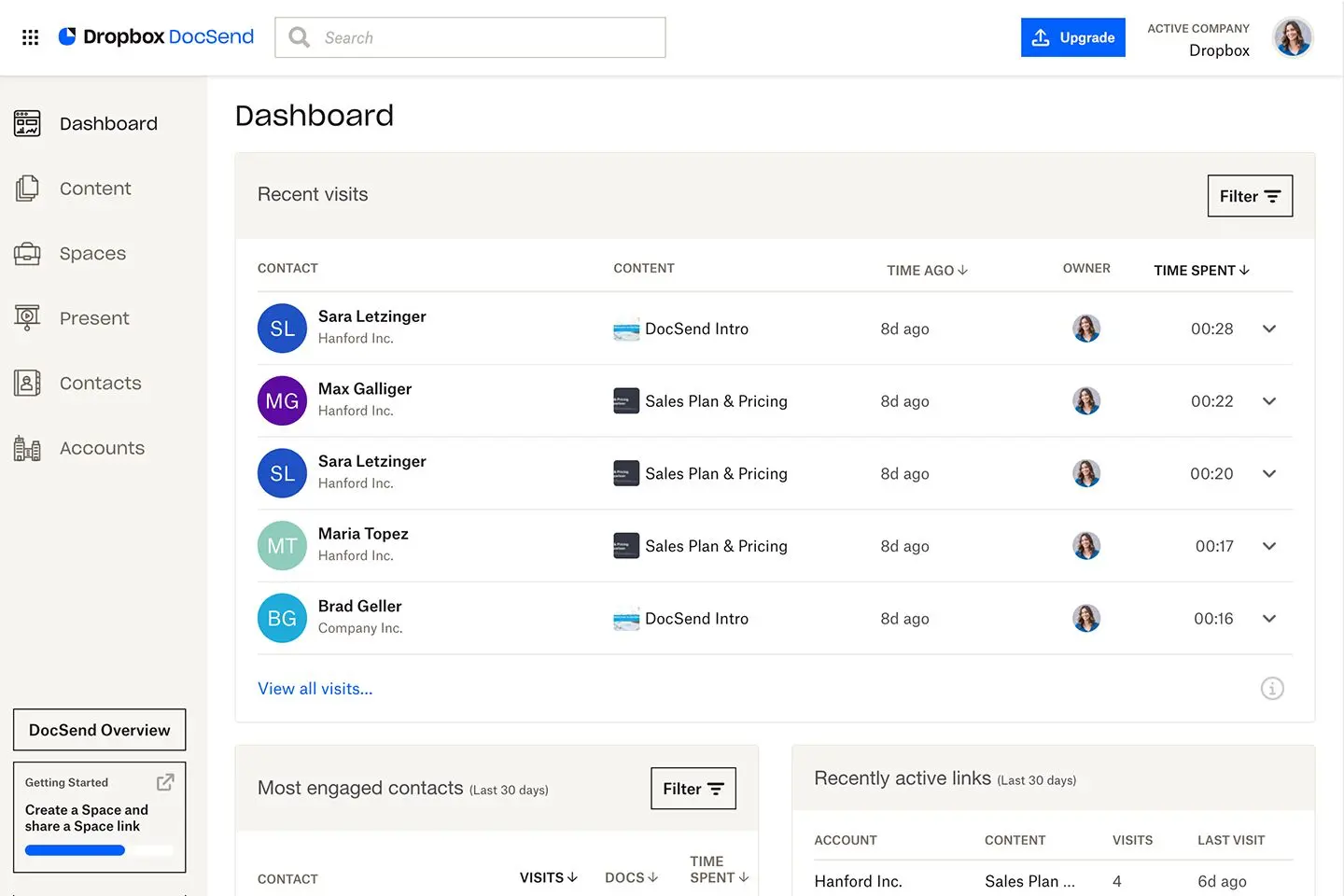
Image source: dropbox.com
Key features:
- Cloud storage & file sharing: Store all team files securely in the cloud with easy sharing options.
- File version history: Track changes, restore previous versions, and maintain file integrity.
- Collaboration & comments: Comment directly on files for feedback without emailing attachments.
- Integrations: Connect with Microsoft Office, Google Workspace, Slack, and more for workflow continuity.
- Cross-device access: Access files anytime, anywhere, from desktop, web, or mobile apps.
Pros:
- Simple, intuitive interface for file management
- Strong version control and recovery
- Easy sharing and collaboration across teams
- Reliable and widely adopted platform
Cons:
- Limited project or workflow management features
- Not ideal for complex enterprise workflows
Pricing:
- Plus: $9.99/month – For personal use
- Professional: $16.58/month – For professionals
- Standard: $15/user/month – For teams
- Advanced: $24/user/month – For companies
10. Zoho Workplace: The cost-effective suite
Zoho Workplace is a cloud-based productivity suite that combines email, documents, chat, and collaboration tools into one platform. It's designed for small to mid-sized businesses looking for an affordable alternative to SharePoint and other enterprise suites. Zoho Workplace allows teams to create, share, and collaborate on documents while maintaining centralized communication. With integrated apps like Writer, Sheet, Show, Mail, and Cliq, it provides an all-in-one workspace. The suite is ideal for teams that want simplicity, efficiency, and budget-friendly collaboration.
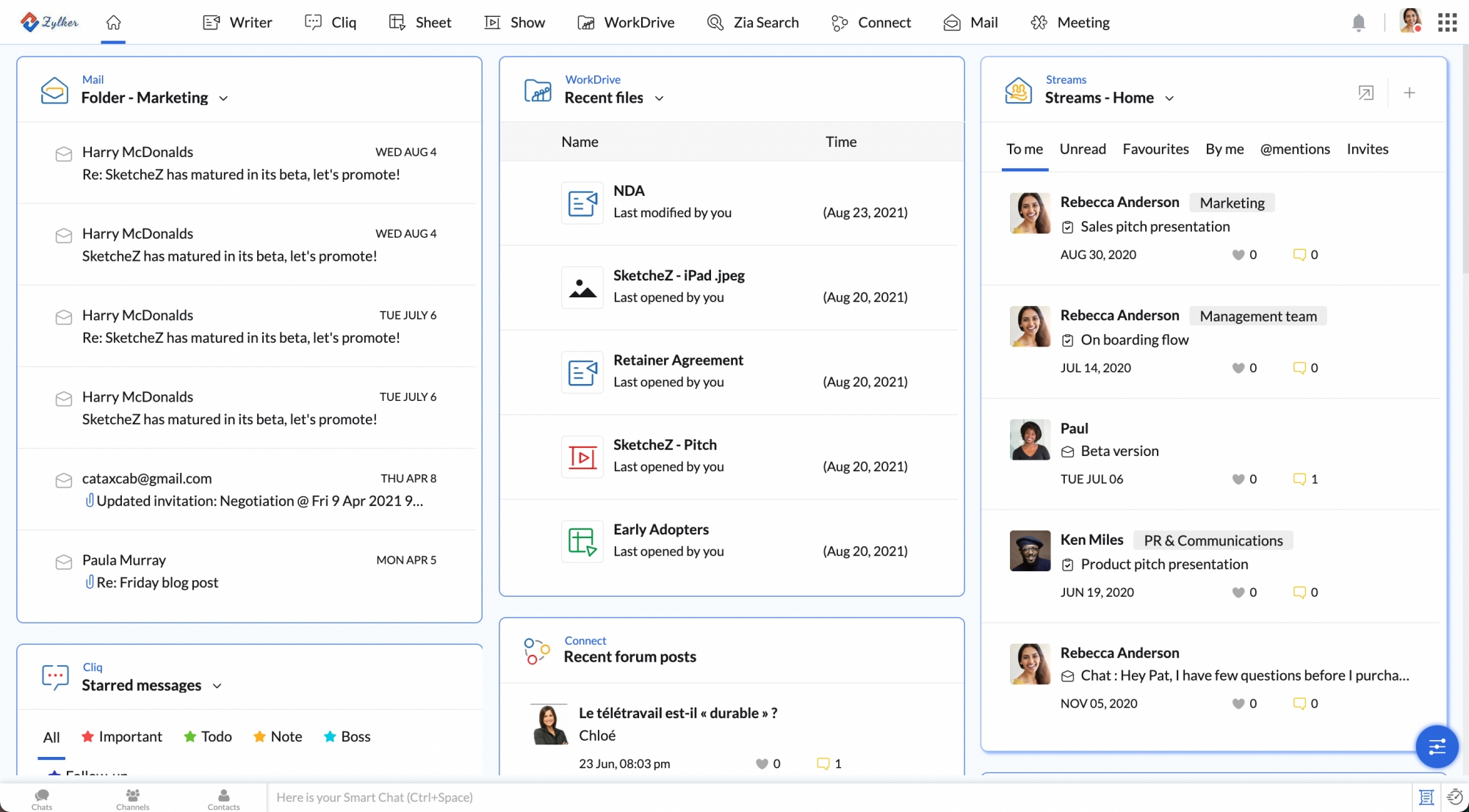
Image source: zoho.com
Key features:
- Docs, sheets & show: Create, edit, and collaborate on documents, spreadsheets, and presentations.
- Integrated email & chat: Zoho Mail and Cliq enable seamless communication within the platform.
- File management & sharing: Store, organize, and share files securely with team members.
- Team collaboration: Comment, assign tasks, and track changes directly within documents.
- Centralized admin controls: Manage users, permissions, and security policies from one dashboard.
Pros:
- Affordable pricing for small and mid-sized teams
- Integrated suite for documents, email, and chat
- Simple to use and lightweight compared to SharePoint
- Supports team collaboration and workflow coordination
Cons:
- Limited advanced workflow automation
- Fewer enterprise-grade compliance features
Pricing:
- Mail Lite: $0.72/user/month billed annually
- Workplace Standard: $1.21/user/month billed annually
- Mail Premium: $2.35/user/month billed annually
- Workplace Professional: $4.71/user/month billed annually
- Workplace Enterprise: Contact Sales (custom pricing)
Key criteria to look for when selecting the best alternatives to SharePoint
Not all SharePoint alternatives are created equal. To choose the right platform, teams should evaluate tools based on how well they support daily collaboration, long-term growth, and secure operations. The following criteria help narrow down the best alternatives to Microsoft SharePoint for modern workplaces.
- Ease of use & adoption: A strong alternative to SharePoint should be intuitive enough for teams to use without extensive training. Clean interfaces, simple navigation, and quick onboarding improve adoption across departments. The easier the tool is to use, the faster teams see value.
- Collaboration and document management: Effective collaboration goes beyond file storage. The best SharePoint alternatives support real-time editing, commenting, version control, and shared workspaces. These features help teams collaborate faster while keeping documents organized and accessible.
- Integration capabilities: Modern teams rely on multiple tools for communication, CRM, and . A good SharePoint alternative should integrate smoothly with existing systems or offer built-in replacements. Strong integrations reduce tool switching and keep workflows connected.
- Security & compliance: Data protection is non-negotiable, especially for growing and regulated businesses. Alternatives to SharePoint should offer enterprise-grade security, permission controls, and compliance certifications. This ensures sensitive data stays protected without limiting collaboration.
- Customization and scalability: As teams grow, their workflows evolve. The best alternatives to Microsoft SharePoint allow customization without heavy IT involvement and scale easily with users, storage, and . This flexibility ensures the platform grows with the business, not against it.
Conclusion
Microsoft SharePoint remains a powerful platform, but its complexity, cost, and heavy IT reliance make it less suitable for many modern teams. Today's SharePoint alternatives offer faster setup, better real-time collaboration, and more flexible workflows that adapt to how teams actually work. From free options for small businesses to scalable platforms for growing organizations, there is no one-size-fits-all solution. The key is choosing a tool that balances ease of use, collaboration, integrations, and security without slowing teams down. For businesses looking to replace fragmented tools with one unified workspace, stands out as a modern, all-in-one alternative built for collaboration at scale.
Track workflows and dashboards instantly
FAQs
What is the best SharePoint alternative for a company already using Microsoft 365?
For teams already embedded in Microsoft 365, tools like Confluence or Notion are popular alternatives to Microsoft SharePoint for content and collaboration. However, companies wanting fewer tools often explore broader alternatives to SharePoint that replace intranet, docs, and workflows in one platform, reducing dependency on the Microsoft ecosystem.
Is there a truly free alternative to SharePoint?
Yes, several SharePoint alternatives free plans exist, but most come with limitations. Platforms like Lark offer generous free tiers suitable for small teams, making them practical alternatives to SharePoint for file sharing and collaboration. These options are especially attractive for startups seeking cost-effective SharePoint intranet alternatives.
Which alternative is best for creating a company wiki or knowledge base?
Confluence and Notion are widely considered strong alternatives to SharePoint for intranet and internal knowledge bases. They excel at , search, and collaboration. For teams wanting a broader workspace, all-in-one tools are emerging as modern intranet SharePoint alternatives that combine wiki, chat, and tasks.
Can any alternative match SharePoint's deep document management and version control?
Some alternatives to Microsoft SharePoint now rival its features, including version history, permissions, and access controls. While SharePoint remains robust, modern SharePoint intranet alternatives often balance strong document control with better usability, making them more appealing for everyday collaboration.
Is Lark suitable for non-desk employees, like retail or field staff?
Yes. Lark is designed with mobile-first collaboration, making it ideal for frontline teams. Unlike traditional intranets, it works well as one of the most flexible intranet SharePoint alternatives. For organizations with distributed staff, Lark stands out among alternatives to SharePoint for accessibility and ease of use.
Related reading







![What Is a 2-2-3 Work Schedule? Explanation and More [2024]](https://framerusercontent.com/images/uKHRfkp4v7y4azRNTYUmuteNQz8.png)