














10 Best Document Management Systems for Team Collaboration

Ryan Tanner
Product Marketing Specialist
Sep 18, 2026
Ryan Tanner
Sep 18, 2026

26 min read


Managing documents efficiently has become a key part of team productivity and collaboration. With the growing shift toward digital workspaces, document management systems (DMS) help businesses organize, control, and access information securely. From small startups to global enterprises, every team needs a system that ensures easy document sharing, version control, and workflow automation.
Considering that, this blog explores the best document management systems available today, and how each supports different organizational needs. Below are ten of the best document management systems that help teams organize, collaborate, and manage files efficiently. Each option offers distinct strengths for different use cases, from simple file sharing to advanced workflow automation.
1. Lark: Unified document collaboration and communication
2. Google Workspace: Great for file sharing but limited automation
3. Microsoft SharePoint: Powerful for enterprises, complex setup
4. Dropbox Business: Secure storage, lacks built-in workflows
5. M-Files: Focused on compliance-heavy industries
6. Box: Excellent sharing control, limited internal collaboration
7. DocuWare: Specialized for document automation and control
8. Zoho WorkDrive: Affordable document management for growing teams
9. eFileCabinet: Document security and record retention
10. OnlyOffice: Open-source collaborative document editing

Take a glance at the best document management systems
Below are ten leading document management systems that help organizations streamline file management and collaboration. Each offers unique advantages for different team sizes and industries.
What is a document management system (DMS)?
A document management system is software that helps organizations store, organize, and track digital documents efficiently. It replaces manual filing systems and scattered file drives with a centralized, searchable repository. Teams can upload, categorize, and share documents while maintaining visibility over versions and permissions.
Modern DMS tools go beyond simple storage; they connect document creation with communication and workflow automation. This ensures that teams can collaborate in real time, approve changes, and maintain consistency across files. A good system also supports compliance, audit tracking, and secure data access across devices.
For example, tools like Lark or M-Files ensure version control, while platforms such as SharePoint focus on document governance at scale. Whether your goal is collaboration, compliance, or control, choosing the right DMS depends on your team's structure and workflow needs.
Image source: unsplash.com
Top 10 document management systems to consider
1. Lark: Unified document collaboration and communication
Lark stands out as a modern document management system that merges document management, communication, and workflow automation into one connected platform. It helps teams store, share, and collaborate on documents without juggling multiple tools. For organizations that value efficiency and visibility, Lark transforms document management into a streamlined, interactive experience.
Centralized document storage and management: Lark provides a secure, cloud-based environment where all company documents are organized and accessible. Files can be sorted by project, department, or topic, with specific permissions assigned to ensure data privacy and confidentiality. Every file syncs instantly across devices, so teams always work from the latest version. This eliminates scattered folders and inconsistent file versions, providing teams with a single, dependable source for all company content.
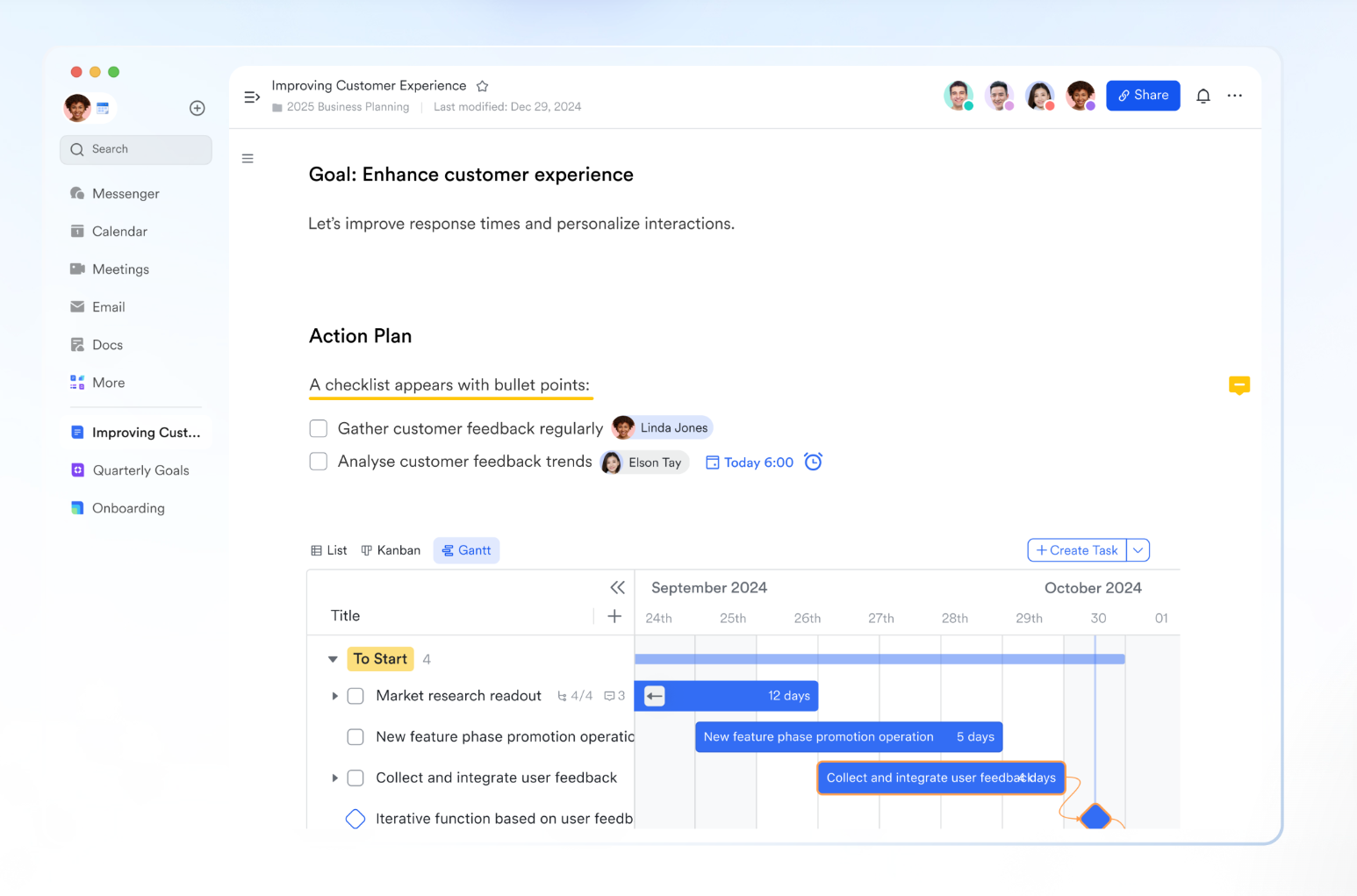
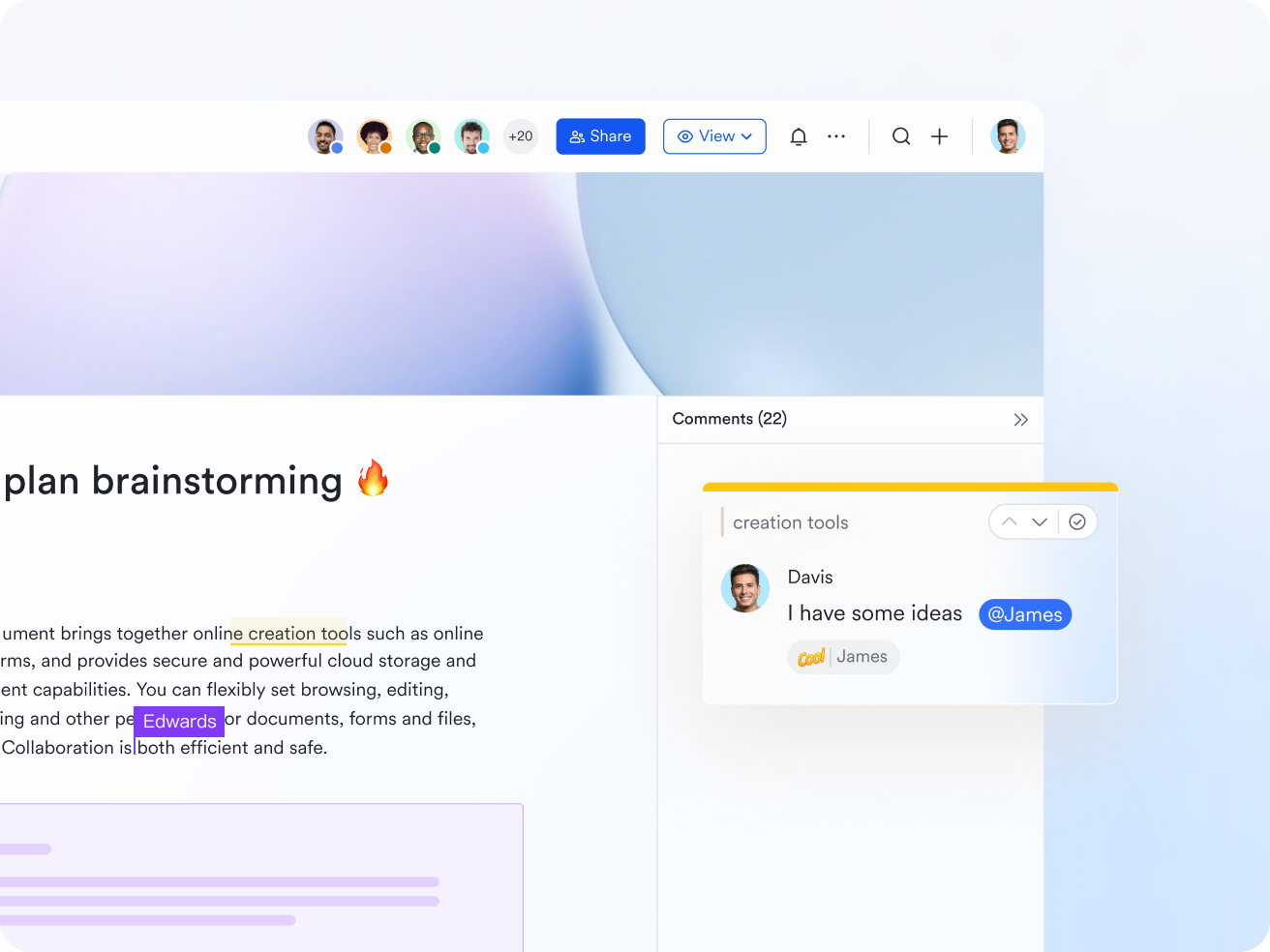
Real-time collaboration: With Lark Docs, multiple team members can edit and comment together in real time. Feedback through inline comments or @mentions ensures quick responses and clear communication. The built-in AI assistant refines writing and formatting, keeping content professional. Because updates appear instantly for everyone, collaboration feels effortless whether the team is local or remote. Lark replaces email-based feedback loops with a shared live workspace that keeps projects moving forward.
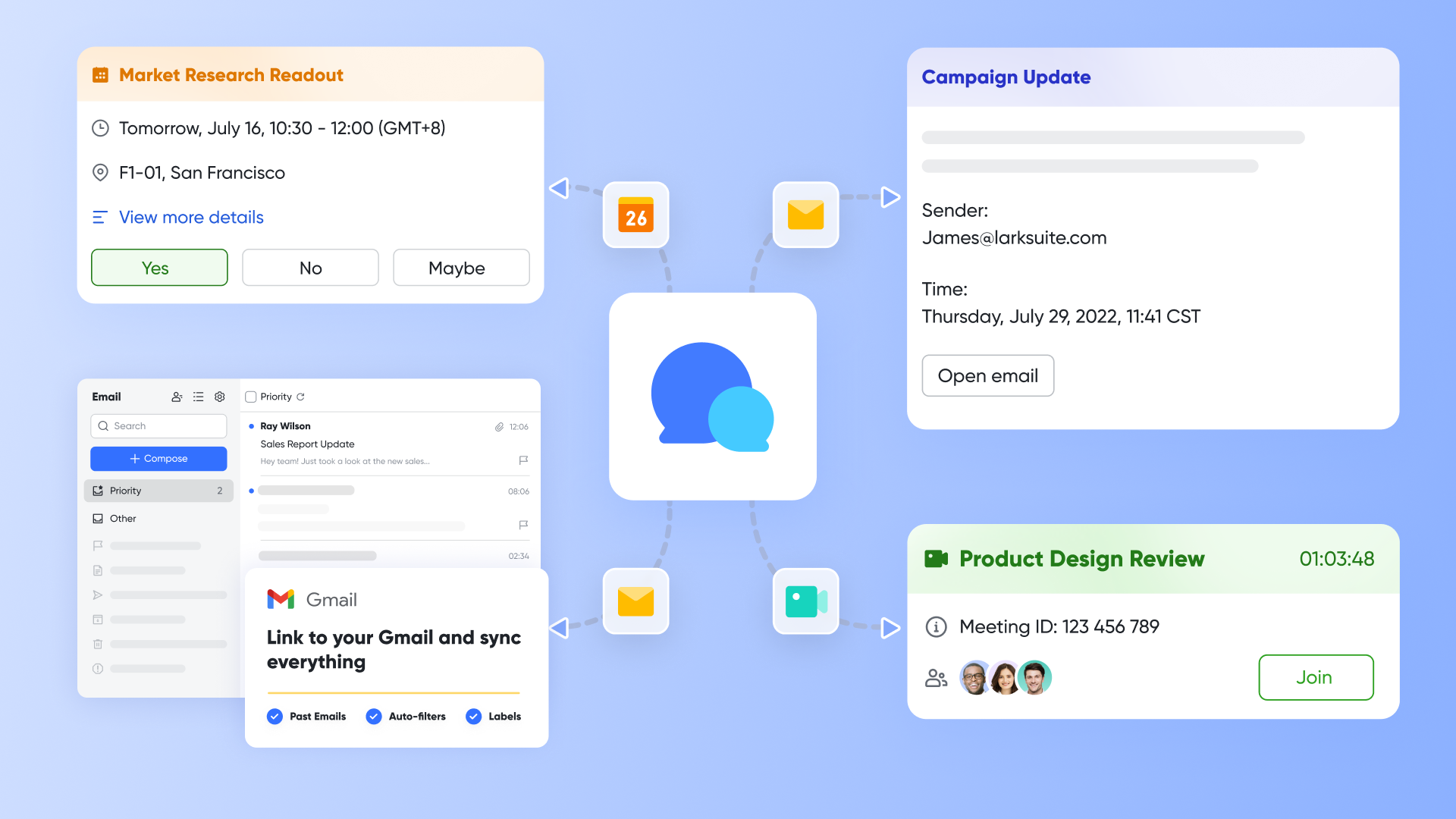
Communication connected to your documents: Every file in Lark remains tied to the conversations that shape it. When teammates share documents in Lark Messenger, others can open, edit, and discuss directly without leaving the chat. This keeps all context in one place, reducing confusion from switching between tools. Discussions appear beside the document, ensuring decisions stay visible and traceable. This makes teamwork faster, clearer, and more coordinated across departments.
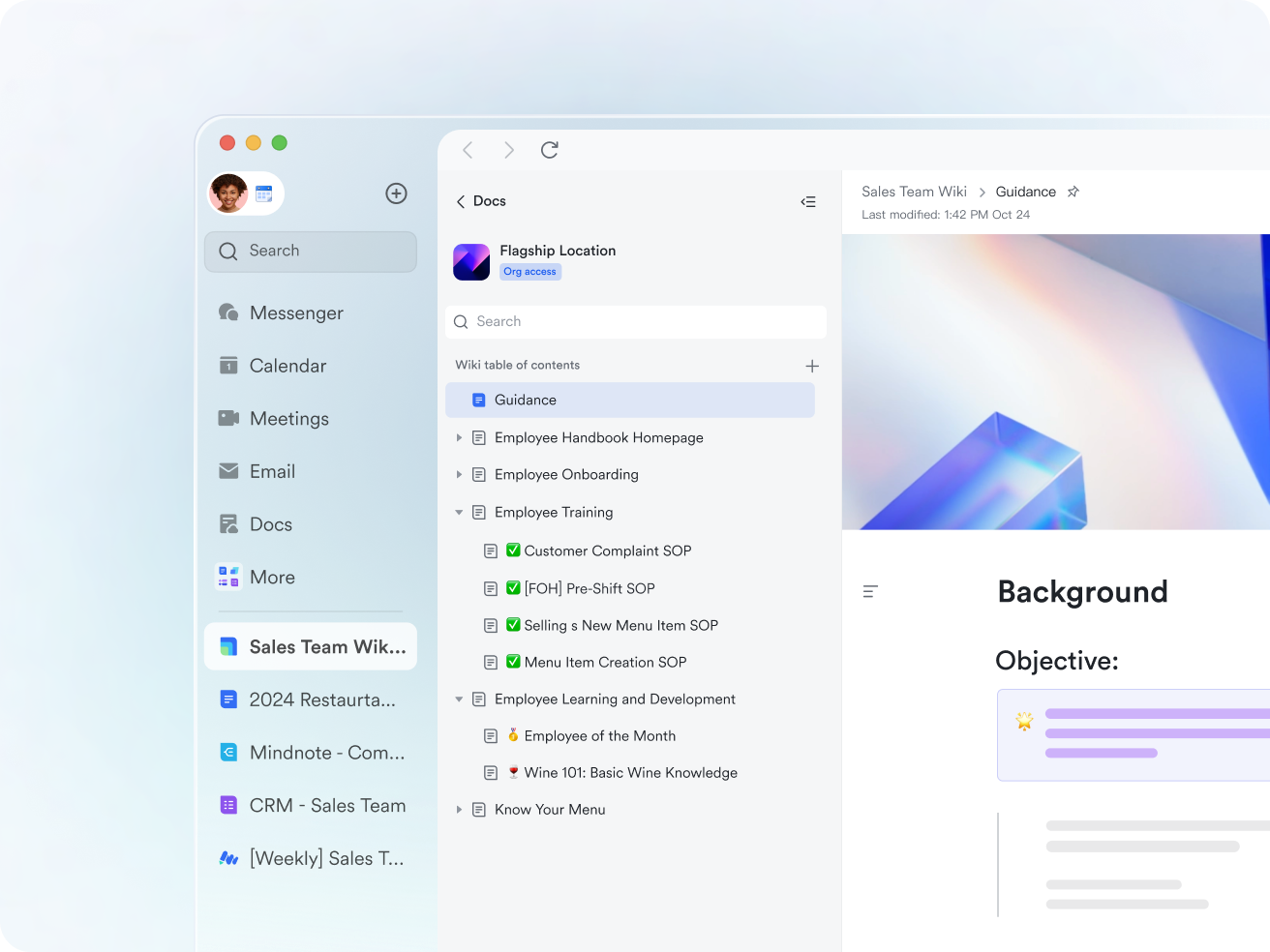
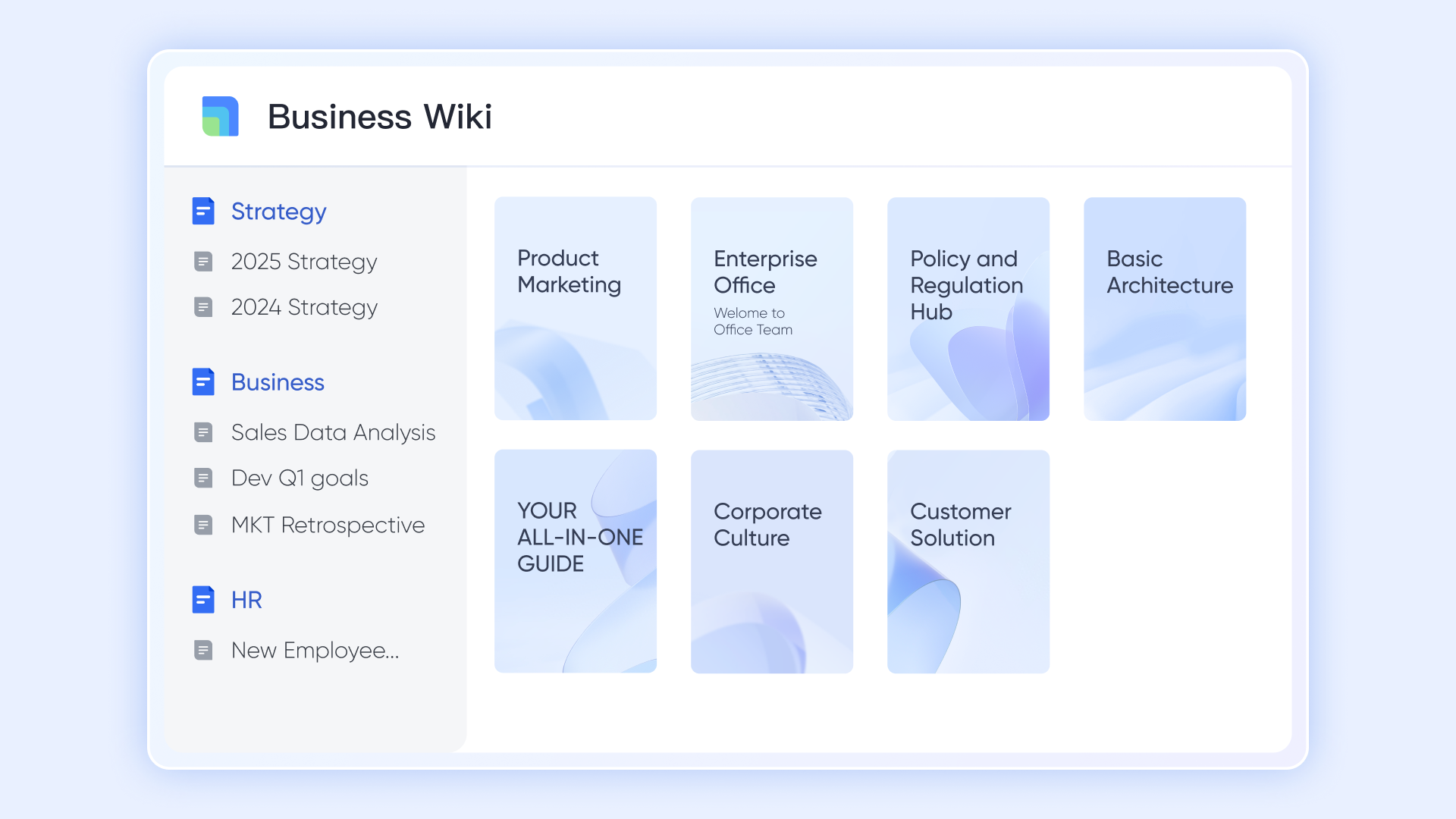
Knowledge organization: Lark Wiki transforms everyday documents into structured company knowledge. Teams can create categorized sections for training materials, process guides, or policy updates, all linked to Docs and Sheets that update automatically. This structure ensures knowledge stays current and accessible. Instead of scattered folders and attachments, every important document exists within a clear, searchable knowledge flow that scales with your business.
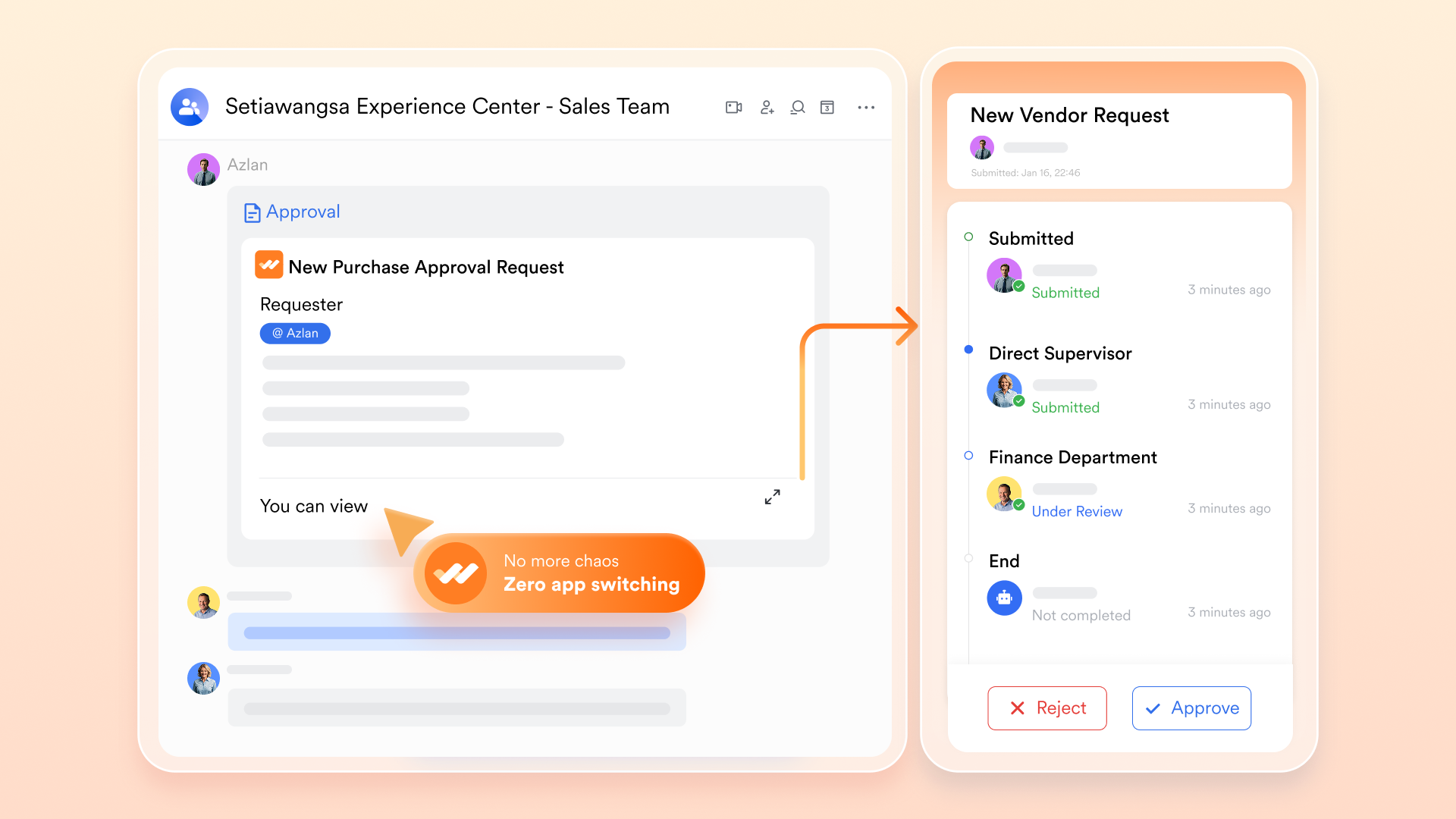
Document approval and workflow automation: Lark Approval allows you to customize approval forms and processes, automate actions such as initiating new approval processes or sending Lark messages, and send instant alerts via the Approval bot as requests progress. You can track the status of all your approval requests in the Approval Center, and reminders can be sent to approvers. All approvals and their progress are visible in one place, helping maintain accountability and streamline review times.
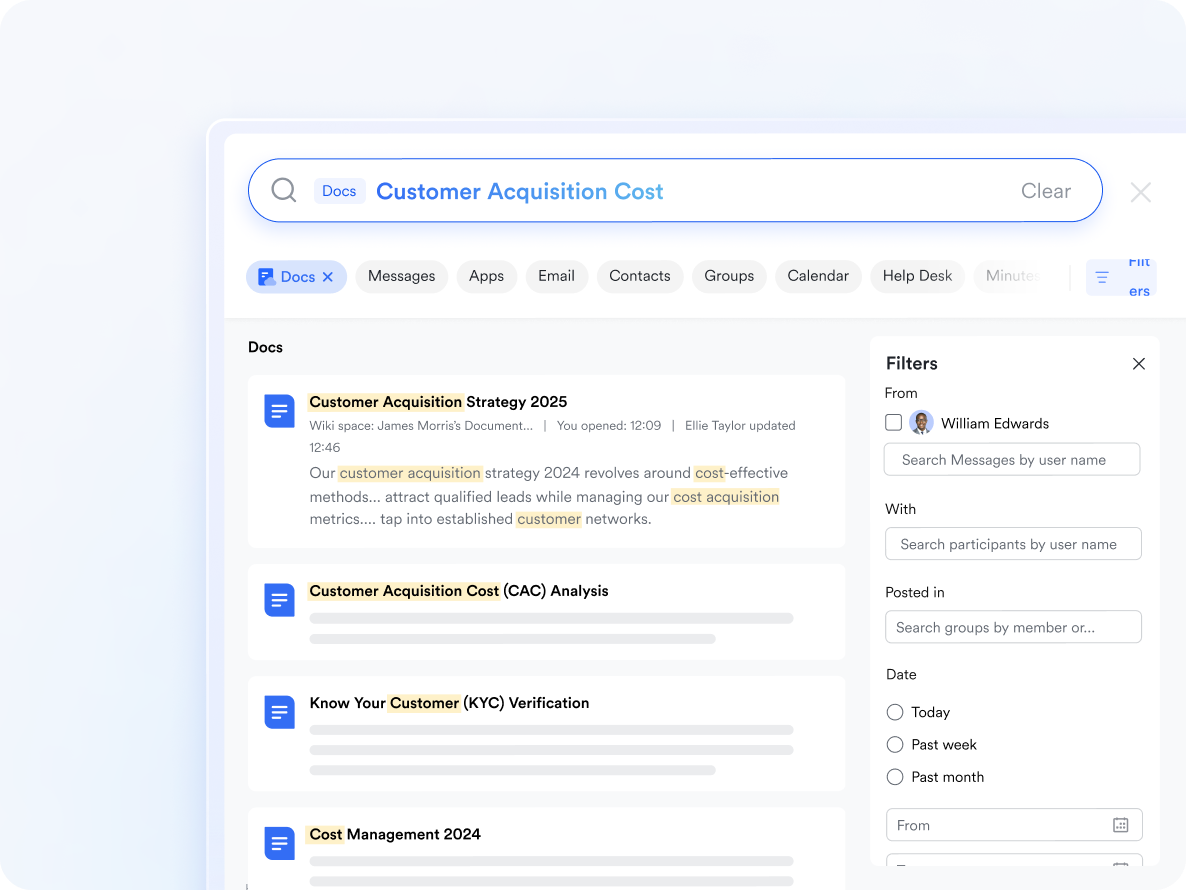
Smart AI search and document linking: Lark's intelligent AI search identifies files using keywords, content, and even comment text. Teams can link related Docs, Sheets, and Wiki pages, connecting information across projects. Searching one term brings up all related content instantly, making navigation effortless. This feature helps teams find what they need faster and spend less time sorting through folders or emails.
Version history and change tracking: Every Lark document keeps a full record of edits, authors, and timestamps. Users can restore older drafts or compare changes at any time, ensuring nothing is lost or overwritten. This transparency supports compliance and strengthens team accountability. With reliable version control, teams can collaborate freely without worrying about conflicting updates or missing files.
Why it works for modern teams: Lark treats documents as evolving assets that connect people and processes. It merges creation, communication, and workflow into one organized flow. Each document moves through drafting, review, and approval stages without leaving the workspace. For teams that want fewer tools and greater clarity, Lark offers a connected ecosystem that drives alignment and productivity.
- Starter plan: Free forever plan that includes 11 powerful tools for up to 20 users. It also comes with 100GB of storage, 1000 automation runs, AI translations, and more.
- Pro plan: $12/user/month (billed annually) for up to 500 users. It includes everything in Starter plus group calling for up to 500 attendees, 15TB of storage, 50,000 automation runs, and more.
- Enterprise plan: Contact sales for custom pricing. Supports unlimited users and includes even more automation runs and advanced security, compliance, and management features.
2. Google Workspace: Great for file sharing but limited automation
Google Workspace is one of the most popular cloud-based document management systems for teams of all sizes. It provides an all-in-one suite for creating, editing, and sharing documents online. With intuitive tools like Docs, Sheets, and Drive, it simplifies file organization and collaboration. It's best suited for teams that prioritize accessibility, flexibility, and ease of use over advanced automation or governance.
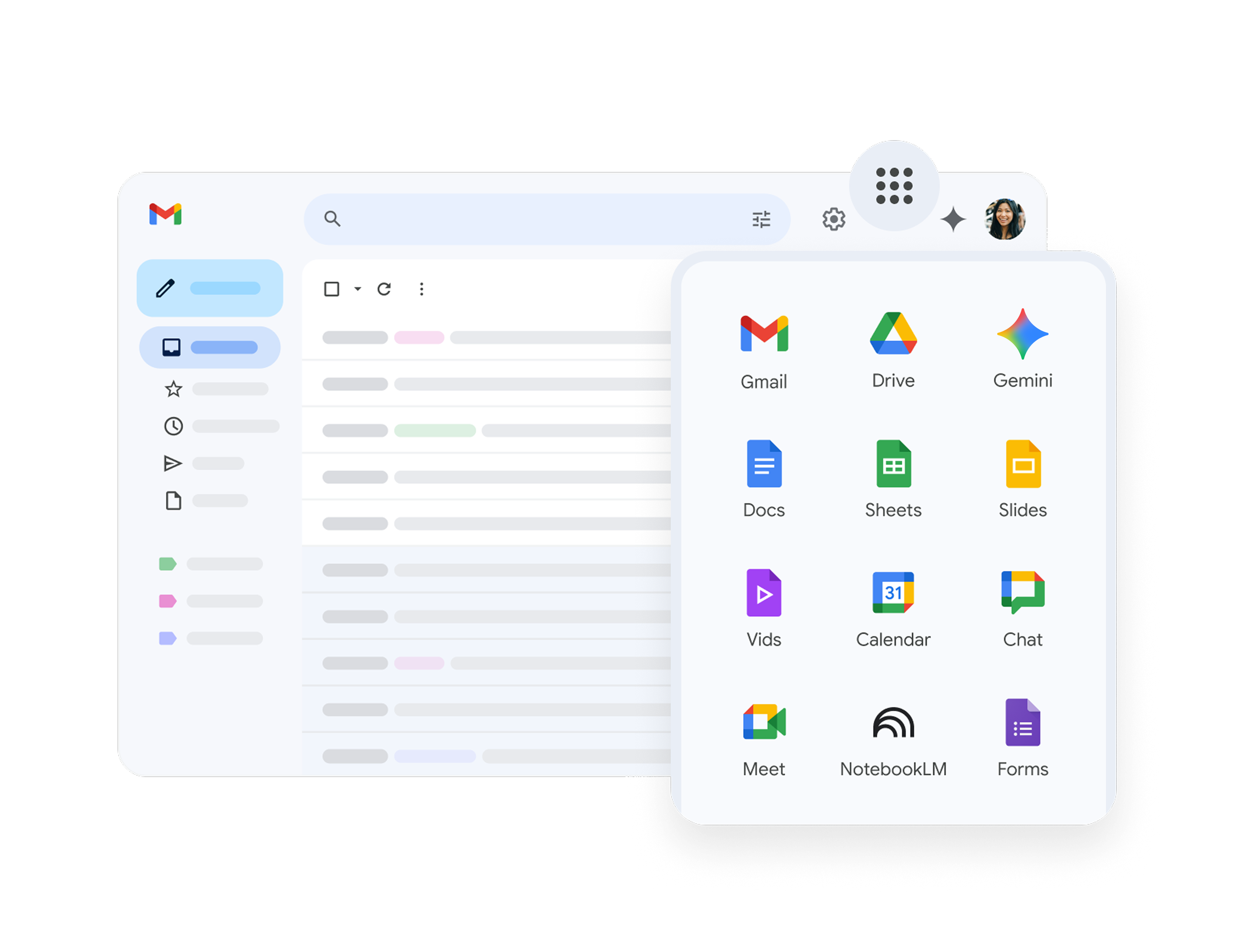
Image source: workspace.google.com
Key capabilities:
- Real-time collaboration in Docs, Sheets, and Slides with live editing and commenting.
- Google Drive storage with role-based sharing and automatic saving.
- unified Gmail, Calendar, and Meet for connected communication.
- Smart search tools and version tracking for fast document retrieval.
Why it works for modern teams:
- Perfect for distributed teams that prioritize speed and accessibility.
- Promotes real-time teamwork and transparent editing.
- Data remains synced across devices, minimizing downtime.
- Connects naturally with everyday productivity tools.
When it might not fit:
- Limited automation and document governance make it less suitable for compliance-focused enterprises.
Pricing:
- Plans start at $6 per user per month for the Business Starter plan.
- Advanced plans add larger storage limits and extra security features.
Final verdict: Google Workspace is ideal for teams seeking simplicity and fast collaboration. However, organizations that require structured approval workflows or compliance reporting may find it too basic.
3. Microsoft SharePoint: Powerful for enterprises, complex setup
Microsoft SharePoint remains a trusted choice for enterprises that need full control over document management. It enables teams to build secure document libraries, department portals, and collaboration sites. Integrated with Microsoft 365, it offers structured governance and customizable workflows. Its scalability makes it ideal for large organizations managing extensive content libraries.
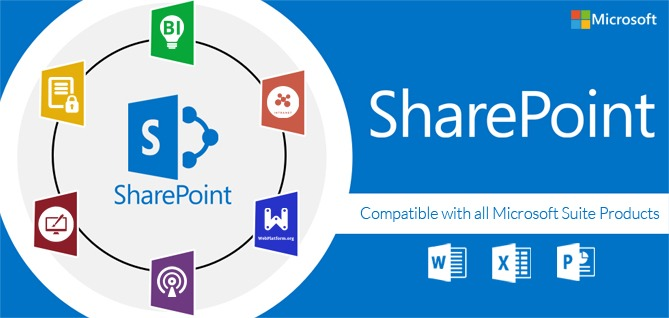
Image source: miscrosoft.com
Key capabilities:
- Secure document libraries with custom metadata and version control.
- Integration with Teams, Power Automate, and OneDrive for seamless workflows.
- Custom departmental portals for content management and collaboration.
- Detailed permission settings for controlled file access.
Why it works for modern teams:
- Ideal for enterprises that require strict compliance and workflow tracking.
- Deep integration with Microsoft tools supports familiar user experiences.
- Enables creation of department-specific document structures.
- Promotes collaboration while maintaining document governance.
When it might not fit:
- Smaller teams may find SharePoint's setup complex and require dedicated IT support.
Pricing:
- Starts at $5 per user per month for SharePoint Online.
- Advanced plans through Microsoft 365 include more storage and admin controls.
Final verdict: Microsoft SharePoint offers enterprise-level power and customization, but its complexity makes it better suited for large organizations with established IT infrastructure.
4. Dropbox Business: Secure storage, lacks built-in workflows
Dropbox Business is a trusted choice for file synchronization and sharing across devices. It simplifies document access and retrieval, offering advanced backup and recovery options. It's best for small and mid-sized teams that need dependable storage rather than workflow automation.
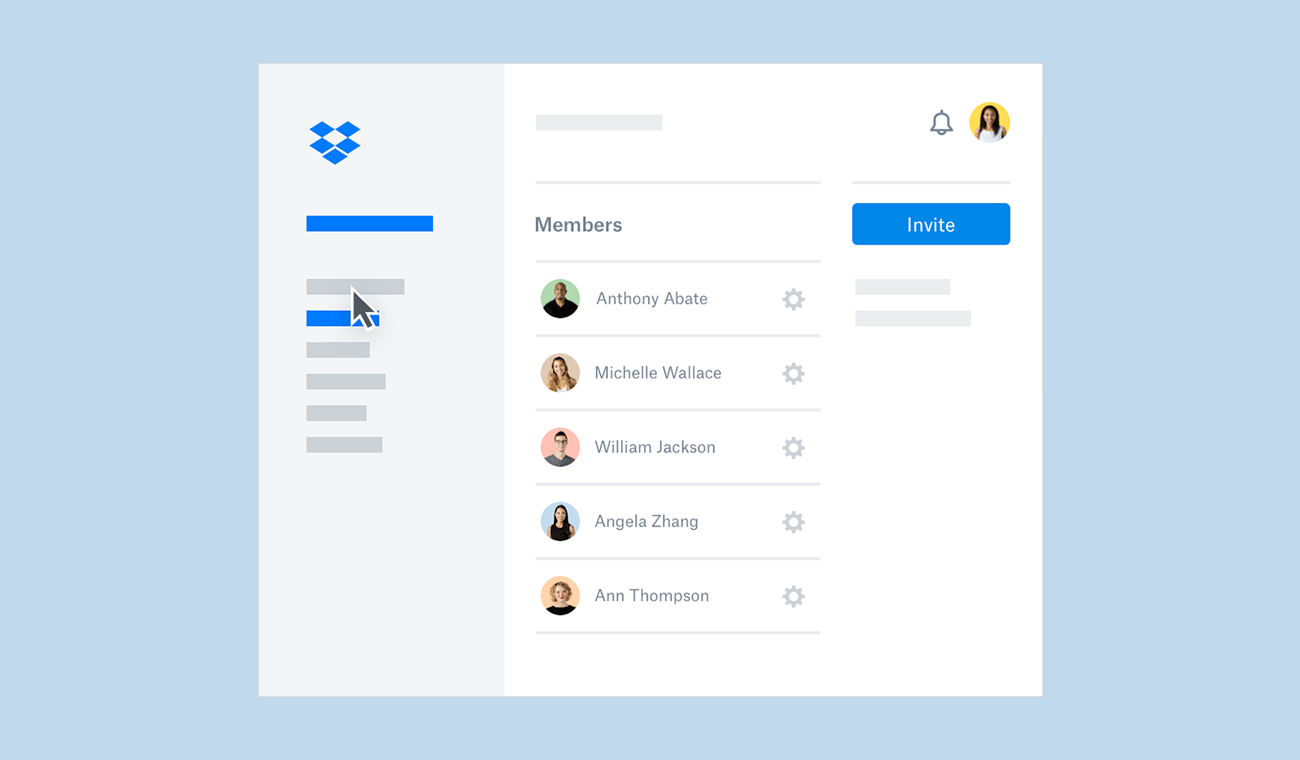
Image source: dropbox.com
Key capabilities:
- Smart Sync for hybrid storage management without filling local drives.
- Automatic file versioning and recovery for deleted or changed files.
- Integration with Slack and Zoom for faster file sharing.
- Admin dashboards that track user activity and permissions.
Why it works for modern teams:
- Simple to implement with minimal technical expertise.
- Ensures documents remain secure and accessible anytime.
- Reliable recovery tools prevent accidental data loss.
- Great for freelancers or creative teams managing shared assets.
When it might not fit:
- Not suitable for teams needing advanced approval flows or co-editing.
Pricing:
- Plans start at $15 per user per month for Standard, with more storage and admin tools in Advanced tiers.
Final verdict: Dropbox Business delivers solid file security and ease of use but falls short on collaboration and workflow features.
5. M-Files: Focused on compliance-heavy industries
M-Files helps organizations maintain document compliance and structure through metadata-driven management. It's popular among industries that require full audit trails, version history, and access visibility. M-Files makes complex document processes simpler with automation and policy-based control.
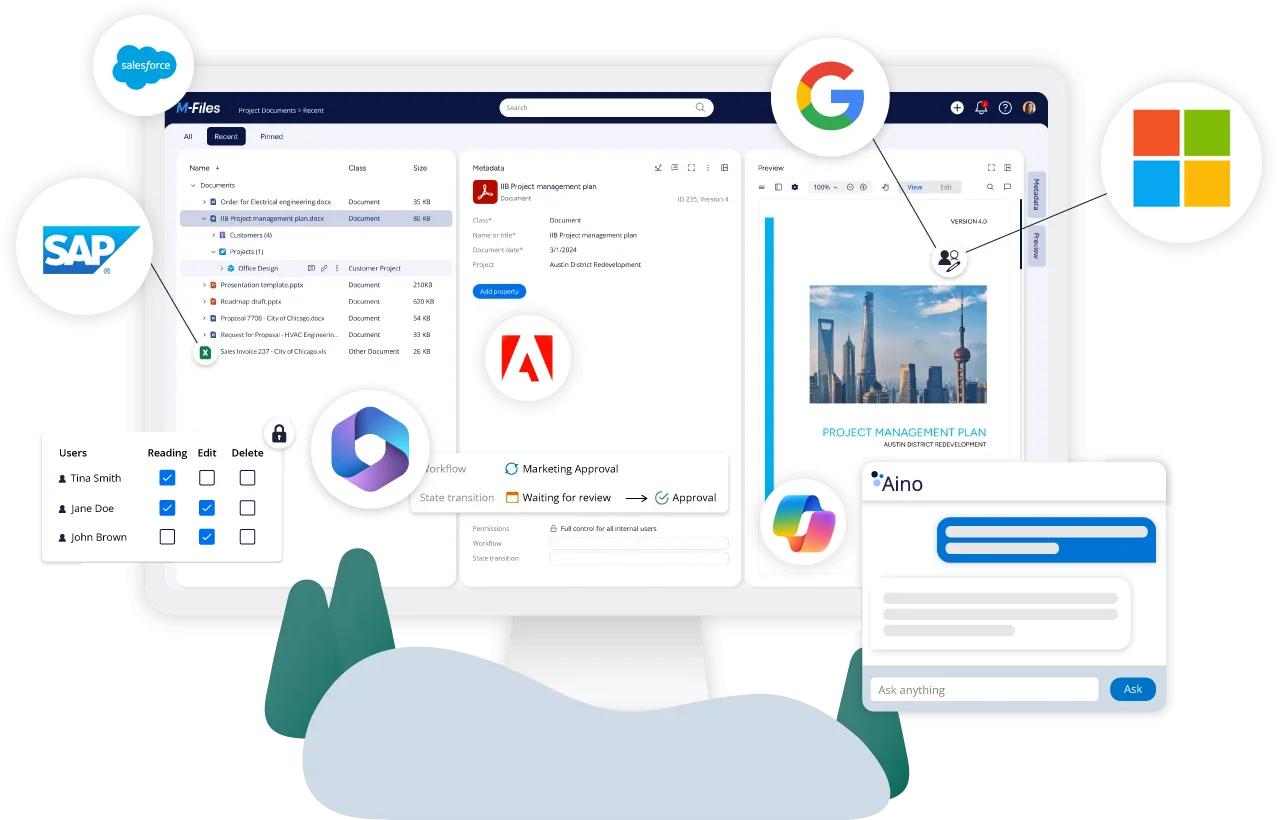
Image source: m-files.com
Key capabilities:
- Metadata categorization for fast, organized file retrieval.
- Version history and audit trails for regulatory compliance.
- Automated approval workflows and access monitoring.
- Support for Microsoft 365 and Salesforce integrations.
Why it works for modern teams:
- Enables strict compliance management and traceability.
- Reduces manual work by automating repetitive documentation tasks.
- Improves transparency with detailed version and activity tracking.
- Scales with growing document volumes and departments.
When it might not fit:
- Requires some technical understanding to set up and manage effectively.
Pricing:
- Custom pricing is available based on user count and deployment size.
Final verdict: M-Files is perfect for compliance-heavy industries but may be overpowered for teams needing simple document collaboration.
6. Box: Excellent sharing control, limited internal collaboration
Box offers secure, enterprise-level document management for teams handling confidential data. It focuses on permission-based access and regulatory compliance, making it a preferred choice in finance, government, and healthcare sectors.
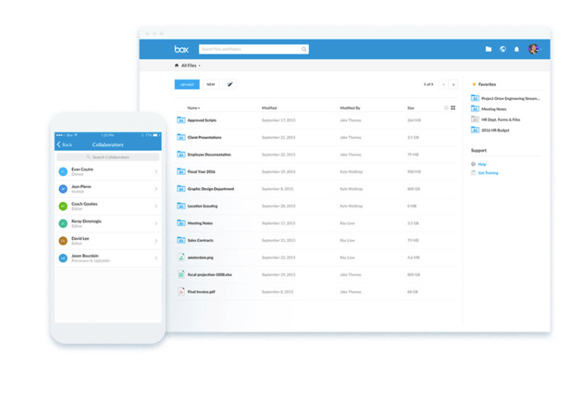
Image source: box.com
Key capabilities:
- Secure file sharing with granular permissions and encryption.
- Workflow automation for approvals and retention compliance.
- Real-time collaboration through comments and task assignments.
- Integration with Google Workspace, Zoom, and Slack for connected workflows.
Why it works for modern teams:
- Supports large-scale collaboration with high security standards.
- Ensures compliance with data governance requirements.
- Gives enterprises full control over content sharing and retention.
- Provides consistent performance for globally distributed teams.
When it might not fit:
- Lacks deep co-editing tools for creative or fast-paced projects.
Pricing:
- Plans start at $20 per user per month for Business. Advanced plans add more security and storage.
Final verdict: Box is ideal for enterprise security and compliance but may feel restrictive for teams focused on dynamic collaboration.
7. DocuWare: Specialized for document automation and control
DocuWare streamlines workflows for organizations that manage large volumes of administrative documents. It automates document capture, routing, and approvals to speed up repetitive business processes. This system works well in HR, operations, and finance environments.
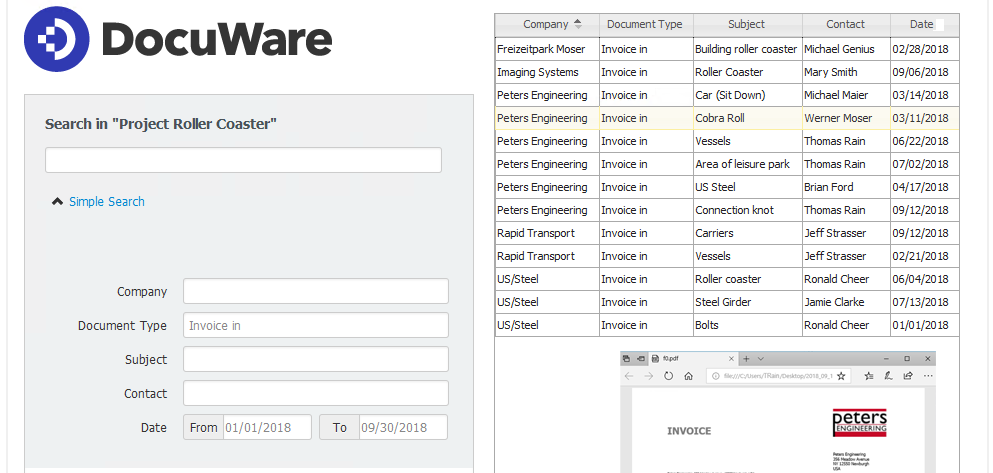
Image source: docuware.com
Key capabilities:
- Workflow builder for document routing and approval automation.
- Secure e-signatures and advanced indexing for accurate document classification.
- Version control and audit trails for compliance and transparency.
- Flexible deployment on cloud or on-premise.
Why it works for modern teams:
- Replaces manual processes with reliable automation.
- Shortens review and approval cycles through instant notifications.
- Increases accuracy by minimizing human input in routine workflows.
- Helps teams maintain compliance without added workload.
When it might not fit:
- Not designed for collaborative or creative content development.
Pricing:
- Plans start at around $25 per user per month depending on configuration.
Final verdict: DocuWare is best for structured, approval-heavy workflows but lacks the flexibility needed for content-driven teams.
8. Zoho WorkDrive: Affordable document management for growing teams
Zoho WorkDrive is a cost-effective document management solution tailored for small and mid-sized businesses. It helps teams collaborate, manage files, and track document performance within a user-friendly interface. It's part of the larger Zoho ecosystem, connecting seamlessly with CRM and project tools.
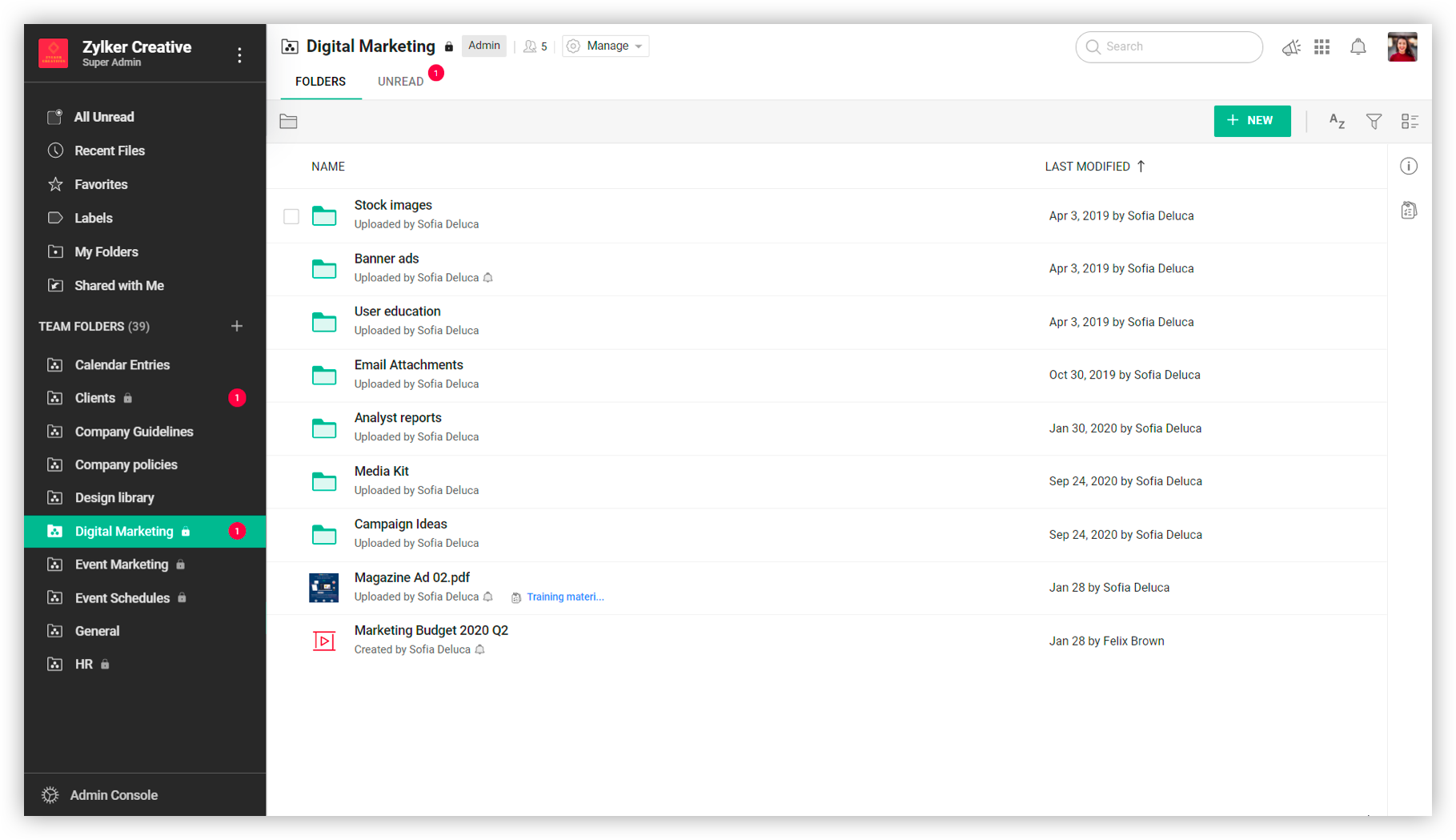
Image source: zoho.com
Key capabilities:
- Shared folders and activity tracking for transparent file management.
- Team collaboration tools with commenting and editing capabilities.
- Role-based permissions and analytics for document insights.
- Integration with Zoho apps for cross-functional workflow.
Why it works for modern teams:
- Provides strong functionality at an accessible price point.
- Encourages collaboration through simple, intuitive tools.
- Easily scalable for growing startups or expanding departments.
- Works smoothly with other Zoho business applications.
When it might not fit:
- Offers fewer automation and integration options compared to enterprise platforms.
Pricing:
Starts at $2.50 per user per month for Standard, with higher tiers adding storage and collaboration features.
Final verdict:
Zoho WorkDrive balances affordability with efficiency, making it a great fit for small teams but less suited for complex workflows.
9. eFileCabinet – Document security and record retention
eFileCabinet is designed for teams that require advanced recordkeeping and compliance assurance. It provides secure digital filing systems for industries like law, accounting, and HR where data accuracy and retention are critical.
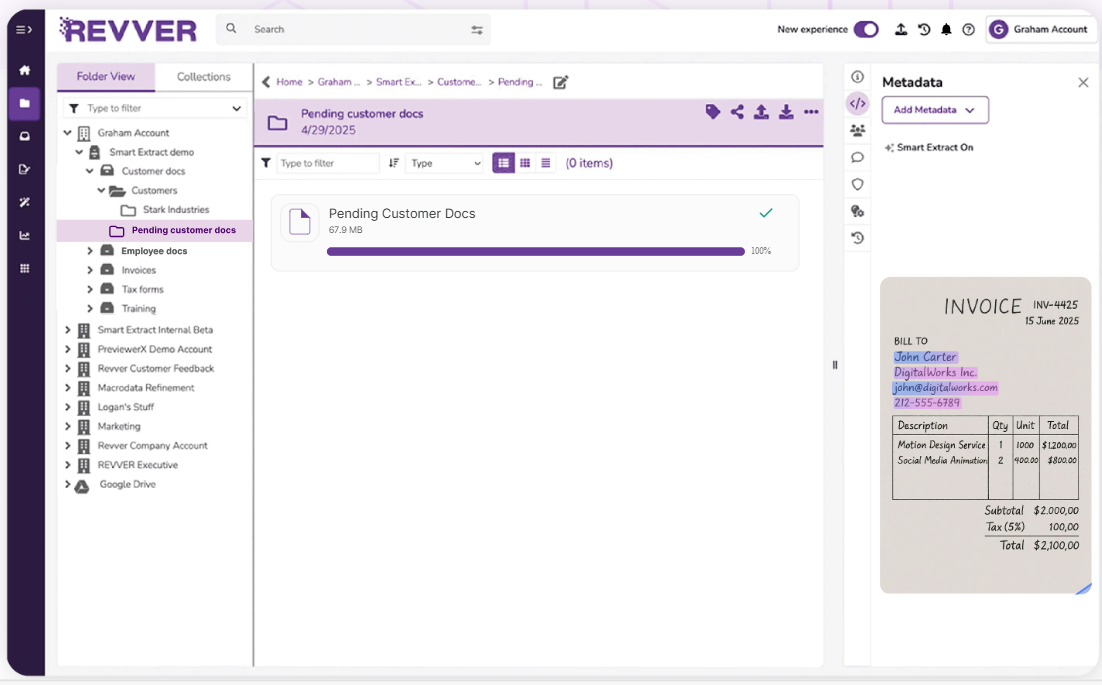
Image source: revverdocs.com
Key capabilities:
- Automated document organization and retention schedules.
- Role-based access and multi-level encryption for file security.
- Integrated e-signatures for contracts and document approvals.
- Audit logs for tracking user activity and maintaining accountability.
Why it works for modern teams:
- Simplifies compliance for regulated industries.
- Protects sensitive data with strict access control.
- Reduces human oversight through automated record retention.
- Ensures traceability for all user actions.
When it might not fit:
- Collaboration and co-editing are limited, focusing more on file control.
Pricing:
- Plans begin at $55 per user per month, varying by deployment and features.
Final verdict: eFileCabinet is a secure and compliant option for document control but less collaborative for day-to-day teamwork.
10. OnlyOffice: Open-source collaborative document editing
OnlyOffice provides open-source document collaboration and editing with complete data control. It's ideal for privacy-focused teams that want flexibility to host files internally. The platform combines productivity tools with customization freedom, making it attractive for IT-led organizations.
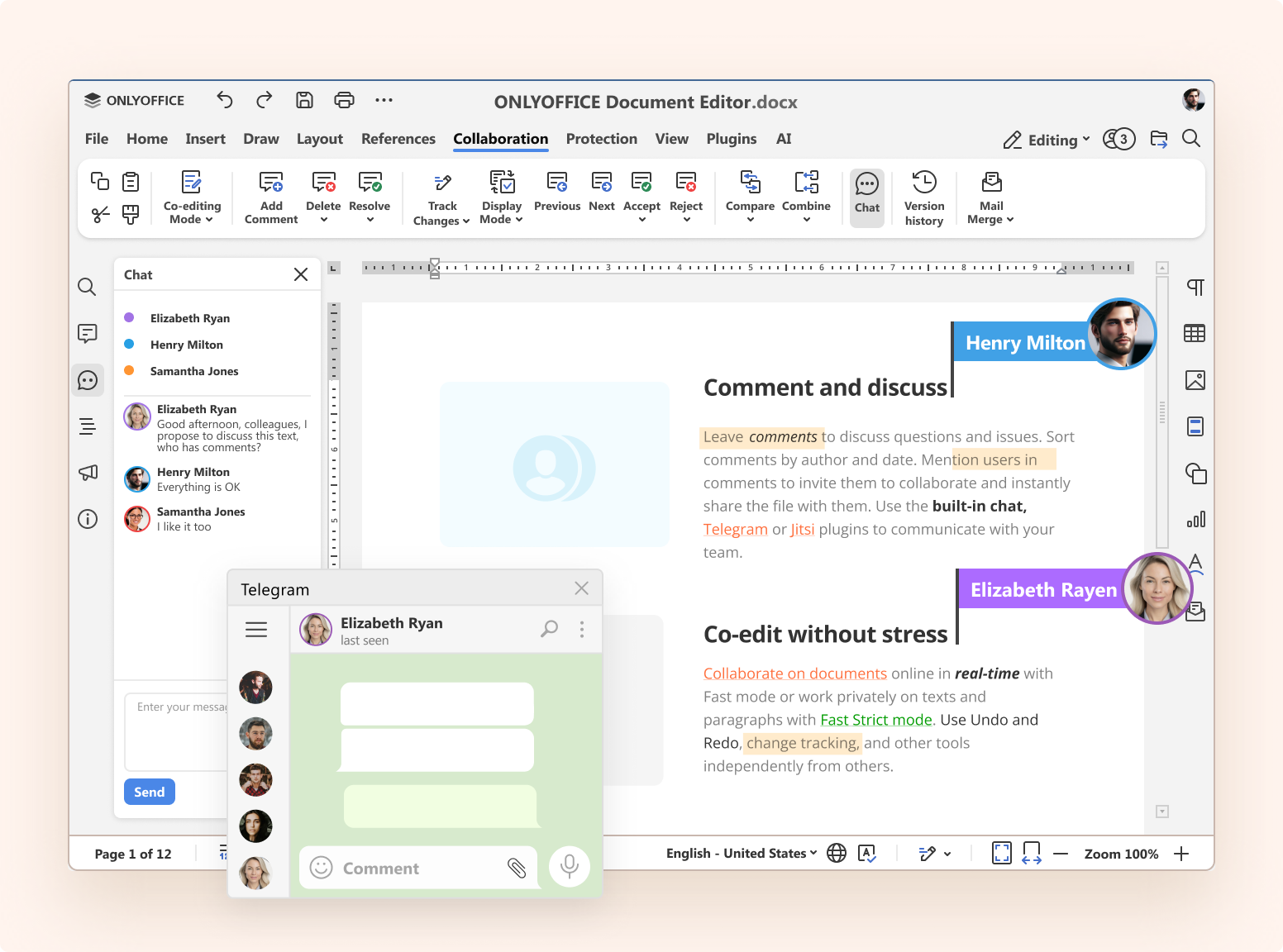
Image source: onlyoffice.com
Key capabilities:
- Real-time co-editing for documents, spreadsheets, and presentations.
- Self-hosted or cloud deployment with total ownership of data.
- Integration with Nextcloud and ownCloud for secure storage.
- Open-source framework enabling deep customization.
Why it works for modern teams:
- Perfect for companies that value privacy and self-managed infrastructure.
- Offers flexibility for tailoring workflows and user permissions.
- Reduces reliance on external cloud providers.
- Supports technical teams that prefer open-source collaboration tools.
When it might not fit:
- Installation and maintenance require IT expertise not suited for non-technical teams.
Pricing:
- Community edition is free, while enterprise plans start at $15 per user per month with support and extra features.
Final verdict: OnlyOffice provides control and flexibility unmatched by most tools, but it's best for tech-driven teams comfortable managing their own systems.
Key features to look for in a document management system
Choosing a DMS requires understanding the core features that drive efficiency and collaboration. Each feature contributes to better data organization and accessibility for teams of all sizes.
- Centralized storage: A unified repository keeps all files in one secure location. Teams can group documents by department, client, or project, making it easier to locate and manage them. Cloud-based systems like Lark and Box ensure that files remain available across devices at any time.
- Version control: This feature helps teams maintain an accurate record of changes, allowing users to revert to previous versions when needed. Version control prevents confusion and supports compliance during audits or reviews.
- Smart search and tagging: A robust DMS uses metadata and tagging to make document retrieval fast. Users can search by title, content, or keyword to find relevant documents instantly, minimizing downtime.
- Access control: Permission-based access ensures sensitive files are only visible to authorized users. Managers can control who can view, edit, or share specific documents, maintaining security across departments.
- Collaboration tools: Real-time editing, commenting, and task assignment make collaboration smooth and traceable. Lark excels here by connecting document editing directly with its Messenger and task management features.
- Workflow automation: Automated workflows move documents through review and approval stages without manual tracking. This reduces delays, improves accountability, and enhances visibility across projects.
Benefits of using a modern DMS like Lark
Modern teams need more than just a place to store files. They need a connected system that keeps work flowing, communication clear, and information secure. A modern document management system like Lark helps organizations bridge these needs by combining creation, collaboration, and automation in one platform. Below are the key benefits that make Lark stand out for teams of every size.
- Improved efficiency: Lark helps teams locate, edit, and share documents quickly without wasting time on file searches or manual version tracking. Centralized storage ensures everyone works from the latest file, eliminating confusion from scattered folders. Automated updates and notifications keep projects moving smoothly. This results in faster turnaround times and better overall productivity across departments.
- Real-time collaboration: Teams can co-edit documents, leave comments, and chat directly within the same workspace. Lark Docs allows multiple people to make live edits while others view updates instantly. Inline discussions replace long feedback threads, keeping communication clear and accessible. This real-time teamwork helps projects stay aligned and decisions happen faster.
- Automated workflows: Lark streamlines repetitive approval and review processes by automating task assignments and progress tracking. Files automatically move through predefined steps, ensuring accountability at every stage. Notifications alert team members when their action is needed, reducing follow-ups and delays. This automation saves time and ensures that no document gets stuck waiting for manual approval.
- Data security: Lark uses advanced encryption, permission settings, and activity tracking to protect sensitive files. Teams can control who views, edits, or shares each document while maintaining full visibility into user actions. These built-in safeguards help organizations comply with security standards and prevent unauthorized access. This makes Lark a reliable choice for teams that handle confidential or regulated data.
- AI assistance: The AI assistant in Lark helps users work smarter by suggesting relevant documents, summarizing long content, and offering writing improvements. It reduces the need to switch between tools for basic tasks like formatting or content refinement. By automating small but frequent actions, AI keeps workflows efficient and focused. This feature allows teams to spend more time on strategy and less on manual editing.
- Unified ecosystem: Lark brings documents, chat, meetings, and projects into a single connected workspace. Teams can create a document, discuss it in Messenger, and assign related tasks without leaving the platform. This unified structure eliminates tool fragmentation and ensures every part of the workflow stays linked. The result is a seamless experience where collaboration feels organized and natural from start to finish.
Common challenges with traditional document management systems
Many traditional document management systems were built for storage, not collaboration. They often separate where teams create, communicate, and manage their files. This lack of connection causes confusion, slows progress, and increases the risk of outdated information. Below are the main challenges teams face when using older or disconnected systems.
- Disconnected tools cause communication gaps: When document editing, chat, and project updates happen in different tools, teams lose context between discussions and decisions. Important feedback gets buried in emails or chat threads, leaving files outdated or unclear. This fragmentation leads to delays and repeated work. A unified platform ensures every conversation stays linked to the document it supports.
- Limited integrations reduce data visibility: Traditional systems often fail to connect smoothly with other business tools, resulting in key information being scattered. Without connected systems, managers struggle to see the full picture of document progress or project status. This lack of visibility affects decision-making and slows team coordination. A connected workspace helps eliminate these blind spots by centralizing data flow.
- Manual updates result in version mismatches: When files are shared by email or stored locally, version control becomes unreliable. Team members may edit outdated copies without realizing newer versions exist. This causes confusion, duplicate work, and errors in final outputs. Automated version tracking and live document updates prevent these issues by keeping everyone aligned on the latest file.
- Fragmented storage creates duplication: Storing files across multiple drives, folders, or user accounts often results in duplicates and lost information. Teams waste time searching for the right file or confirming which version is current. Over time, this clutter slows productivity and increases storage costs. Centralized cloud-based storage ensures that every document resides in one accessible and up-to-date space.
Lark resolves these pain points by connecting communication, document management, and automation in one workspace. Teams can create, discuss, and approve documents without switching between tools. This not only reduces confusion but also makes collaboration faster, clearer, and more consistent across departments.
Conclusion
Document management systems are essential for helping teams organize, access, and share information efficiently. Tools like Google Workspace, M-Files, and OnlyOffice each bring unique strengths for different business needs, from secure storage to compliance-driven workflows. Yet, as collaboration becomes central to productivity, modern teams need more than just storage. They need connected systems that link communication, creation, and automation.
Lark delivers this unified experience by combining document management, real-time editing, chat, and workflow automation in one workspace. Teams can create, review, and approve documents without switching between tools, ensuring every project stays on track. With built-in permissions, version history, and smart search, Lark keeps work organized and accessible across teams and locations. For businesses of any size, it offers flexibility, speed, and visibility, everything needed to keep collaboration seamless and efficient.
FAQs
What's the main purpose of a DMS?
A document management system helps organizations store, organize, and retrieve files efficiently from one location. It reduces duplication, maintains version accuracy, and improves access control. With features like search, permission settings, and real-time collaboration, a DMS ensures work stays consistent and traceable. Platforms like Lark make this even easier by combining file management with collaboration tools in one workspace.
How is Lark different from other document management systems?
Lark stands out because it unifies document management, communication, and workflow automation in one connected space. Teams can write, comment, and approve directly within the same platform instead of switching between multiple tools. Each file stays linked to its related chats and tasks, keeping context intact. This seamless flow helps teams collaborate faster and stay organized at every stage of a project.
Can small businesses use Lark for document management?
Yes, Lark is built to support businesses of all sizes, including startups and small teams. Its free Starter plan allows up to 20 users and includes 100GB of secure cloud storage. The platform's intuitive setup helps small teams manage files, assign approvals, and automate routine tasks easily. It gives growing businesses professional-grade document management without extra complexity or cost.
Does Lark unify with other tools?
Lark connects with widely used business tools like Google Calendar, Zoom, Salesforce, and Jira to simplify workflow management. These connections allow teams to centralize communication and document tracking in one place. Information flows seamlessly between systems, maintaining visibility across every department. This flexibility helps teams streamline operations without losing access to their existing tools.
Is Lark secure for handling sensitive files?
Yes, Lark is designed with enterprise-grade protection to safeguard confidential data. Files are encrypted in transit and at rest, ensuring maximum security. Role-based permissions let administrators control access and monitor document activity through detailed audit logs. This secure environment helps organizations handle sensitive information confidently while maintaining compliance and transparency.
Related reading
Table of contents
Start using Lark today

Manage all your work in one place
Boost team efficiency by 10x
Save up to 70% on software costs
Table of contents
Start using Lark today
Manage all your work in one place
Boost team efficiency by 10x
Save up to 70% on software costs
Keep reading


![What Is a 2-2-3 Work Schedule? Explanation and More [2026]](https://framerusercontent.com/images/uKHRfkp4v7y4azRNTYUmuteNQz8.png)



2026 Lark Technologies Pte. Ltd.
Headquartered in Singapore with offices worldwide.






Explore: