Work collaboration shapes how teams share knowledge, make decisions, and get things done. This guide focuses on practical approaches you can use today. It covers what collaboration in the workplace really means, the main types of collaborative work you'll see across teams, and how to choose the right work collaboration tools for your context.
You'll find clear language, ready-to-use ideas, and pointers to workflows that help reduce meeting overload. Whether you manage a small team or coordinate across functions, the goal here is simple: help your team move from noisy communication to consistent, trackable collaboration at work.
What is work collaboration
Work collaboration is the coordinated effort of people and systems to reach shared goals. It goes beyond sending messages or sharing files. includes aligned purpose, clear roles, shared artifacts, and agreed ways to hand off work. When done well, collaborative work helps teams reduce duplication, speed decision-making, and preserve knowledge.
Collaboration in the workplace can happen synchronously, like a live review session, or asynchronously, such as leaving structured comments on a document. Remote work collaboration and tend to rely more on async patterns and on work collaboration software that supports persistent context. Good collaboration means the team can pick up tasks, understand past decisions, and continue progress with minimal friction.
You should think of collaboration as a system: People, processes, and tools. The people define who decides and who executes. Processes set how decisions get recorded and how work moves between stages. Tools—chat, docs, task boards, and a work collaboration platform—hold context and make actions visible. When all three parts align, teams can focus on outcomes rather than on managing the flow of information.
Types of work collaboration
Collaboration at work appears in several common forms. Each type has its own rhythms, tools, and success signals. Below are the main categories and what to consider for each.
- Project collaboration: This is focused on , such as launching a feature or completing a campaign. Project collaboration usually involves a shared plan, milestones, and regular checkpoints. Work collaboration tools for projects often combine tasks, timelines, and document links, so everyone knows what to do next and who owns each item.
- Real-time collaboration: Real-time collaboration happens when people interact at the same time. Examples include , design reviews, and sprint planning. Live meetings and synchronous editing are core to this mode. Remote work collaboration tools that support video, shared whiteboards, and live document co-editing make real-time collaboration smoother for distributed teams. For global organizations working across different languages, incorporating professional during live calls helps ensure seamless real-time communication.
- Asynchronous collaboration: Asynchronous collaboration is becoming central for . It lets people contribute across time zones without waiting for a meeting. Common patterns include threaded conversations, recorded demos, and comment-driven reviews. Remote work collaboration tools that support persistent threads and easy task conversion are essential for effective async work.
- Knowledge collaboration: Knowledge collaboration focuses on capturing and sharing expertise. It includes building playbooks, , and curating FAQs. Collaborative work for knowledge emphasizes searchable repositories and clear ownership, so institutional knowledge stays discoverable and reusable.
- Operational collaboration: Operational collaboration covers routine coordination: Shift handoffs, incident responses, and recurring status updates. These workflows benefit from lightweight templates and automation. Work collaboration software that can automate reminders and convert messages into tasks helps reduce manual follow-up.
Work collaboration vs teamwork: What's the difference
People often use collaboration and teamwork as if they mean the same thing. They are related but not identical. Teamwork is about people working together within a shared team boundary to achieve a common goal. It captures trust, norms, and interpersonal dynamics.
Work collaboration is broader. It includes teamwork but also covers how multiple teams, roles, and systems connect to complete cross-functional work. Collaboration methods used by work teams include formal handoffs, shared documents, defined decision logs, and cross-team rituals. Those methods help teams collaborate across silos. Here are key contrasts to keep in mind:
- Scope: Teamwork usually stays inside a team; work collaboration spans teams and systems.
- Focus: Teamwork emphasizes relationships and cohesion; collaboration emphasizes shared artifacts, handoffs, and clarity.
- Tools: Teamwork can thrive with team chat and in-person rituals; cross-team collaboration often needs a or integrated work collaboration tools to keep context intact.
What good work collaboration looks like
Good work collaboration is visible, predictable, and actionable. You should be able to answer three simple questions at any time: Who owns this work, what is the current status, and what decision moved it forward. If those answers are hard to find, collaboration is probably weak.
- Visible collaboration keeps decisions and context accessible. That could be a shared doc with a clear decision log, a task board with owners and due dates, or a thread that records the outcome of a review. A reliable helps keep those items connected, so context is not scattered across email, chat, and personal drives.
- Predictable collaboration follows agreed rituals. Teams set simple norms: when to use synchronous calls, when to use async threads, how to convert a conversation into an assignable task, and how to name artifacts consistently. These rules reduce confusion and make remote work team collaboration repeatable across projects.
- Actionable collaboration removes friction. Work collaboration tools and work collaboration software should let you convert a comment into a task, link a decision to a doc, or schedule a follow-up without copying content between apps. Remote work collaboration tools are helpful when they enable those low-friction moves.
Transform your workspace with the top collaboration tool
How to improve work collaboration
Start with a short diagnosis: Don't guess what to change. A quick health check gives you a clear starting point and fixes the target real problems.
Diagnose and set clear goals
Run a short survey or checklist to surface the real pain points — stalled handoffs, unclear decisions, or meeting overload. From that diagnosis, choose one or two specific goals for the next quarter (for example: cut the number of follow-up threads per deliverable or make every review produce a named task). Assign a clear owner for each goal and agree on simple success signals you will watch. Keep reviews frequent and short so you can adjust goals as you learn.
Adopt async-first patterns and templates
Build a small library of async templates: a three-line async standup, a decision log entry, and a review checklist that explains what reviewers should comment on. Replace some status meetings with pre-reads or short recorded demos, and require comments in a thread rather than one-off messages. Use remote work collaboration tools that support and easy task conversion, so async contributions are visible and actionable. These patterns make remote work collaboration and work-from-home collaboration less noisy and more predictable.
Simplify rituals and handoffs
Agree on a few lightweight rules teams actually follow: short , naming conventions for documents, and a small handoff template that includes context, acceptance criteria, and next steps. Capture what "done" looks like for each type of handoff, so expectations are clear. When teams standardize these rituals, collaboration at work becomes easier to scale and less dependent on memory or email.
Clarify ownership and track outcomes
For every deliverable or decision, name one owner and record the expected outcome and timeline. Link that decision to the document and the task it created, so anyone can trace why the work exists and who will move it forward. Use simple role definitions or a , so people know whether they are responsible, consulted, or informed. Visible ownership speeds follow-up and reduces the "who does this?" conversations.
Add small automations to handle routine follow-ups
Start with a few automations that remove manual chasing: Post meeting notes automatically, nudge owners on overdue tasks, or convert a message card into an assignable task. These automations close the loop on commitments and keep the team moving without extra meetings. and visible, so people trust it, and iterate on the rules that matter most to your team.
Improve work collaboration right now
Promote work collaboration with Lark: A cohesive ecosystem for modern teams
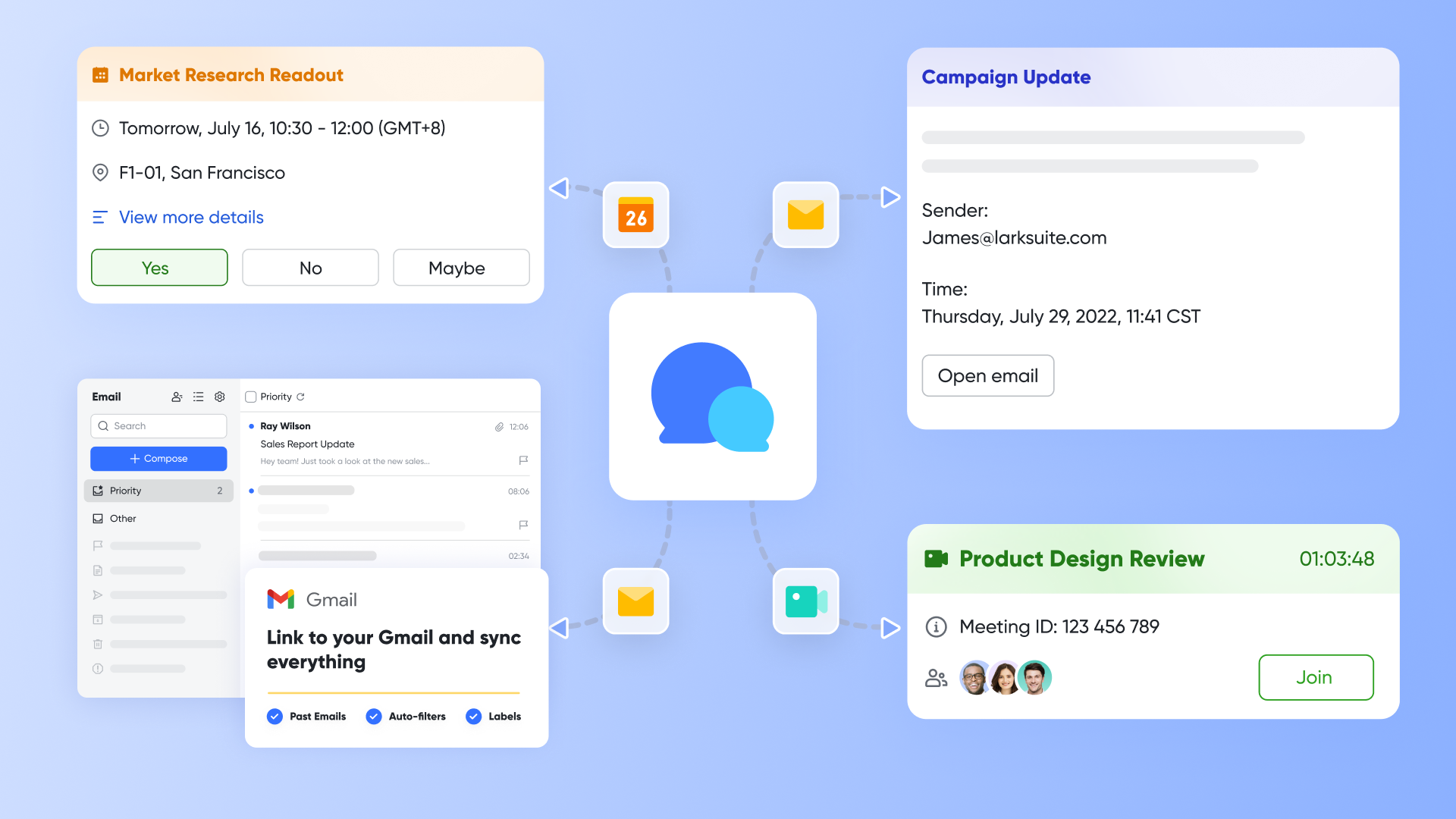
True work collaboration is more than just communication—it's the seamless flow of information, context, and action among team members. When discussions are disconnected from documents, meetings lack clear outcomes, and project data lives in static silos, productivity declines. addresses this by integrating its core functionalities into a unified ecosystem, where each tool amplifies the others.
Centralize communication with context, not just chat
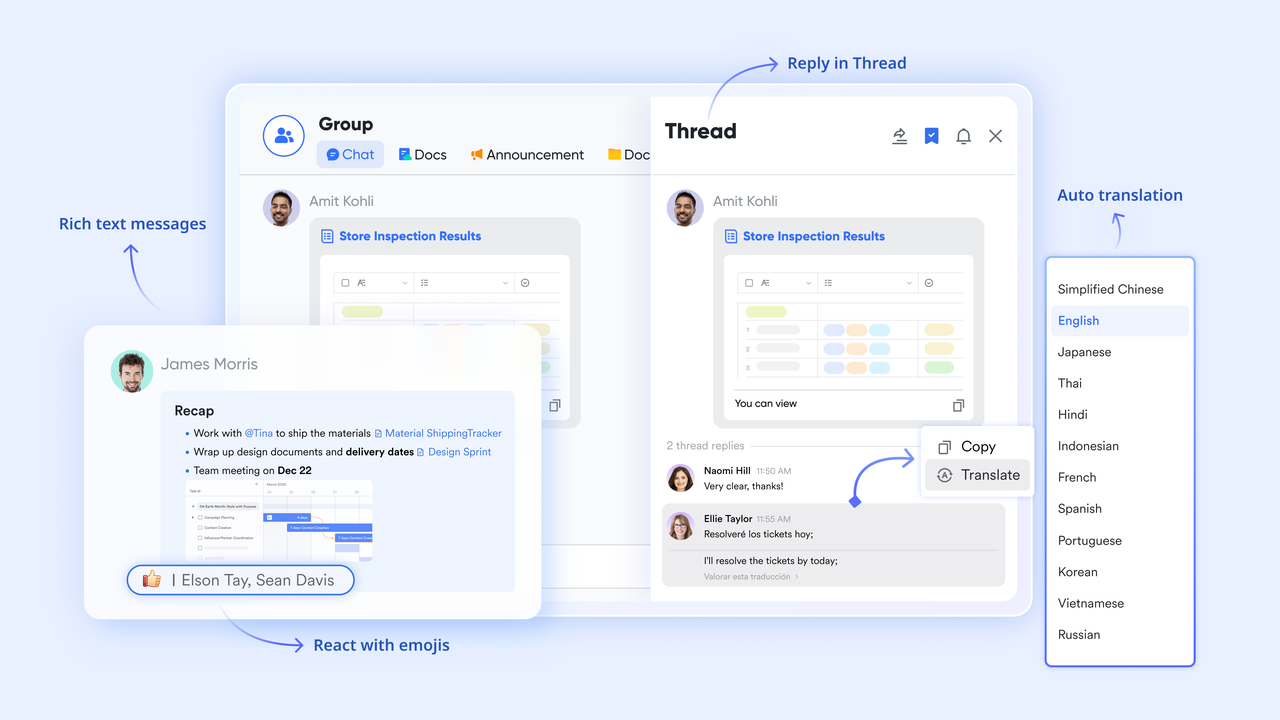
Standalone chat apps often become black holes for information, where files are lost, decisions are forgotten, and important messages are buried. Collaboration breaks down when team members must leave the conversation to find related documents or tasks.
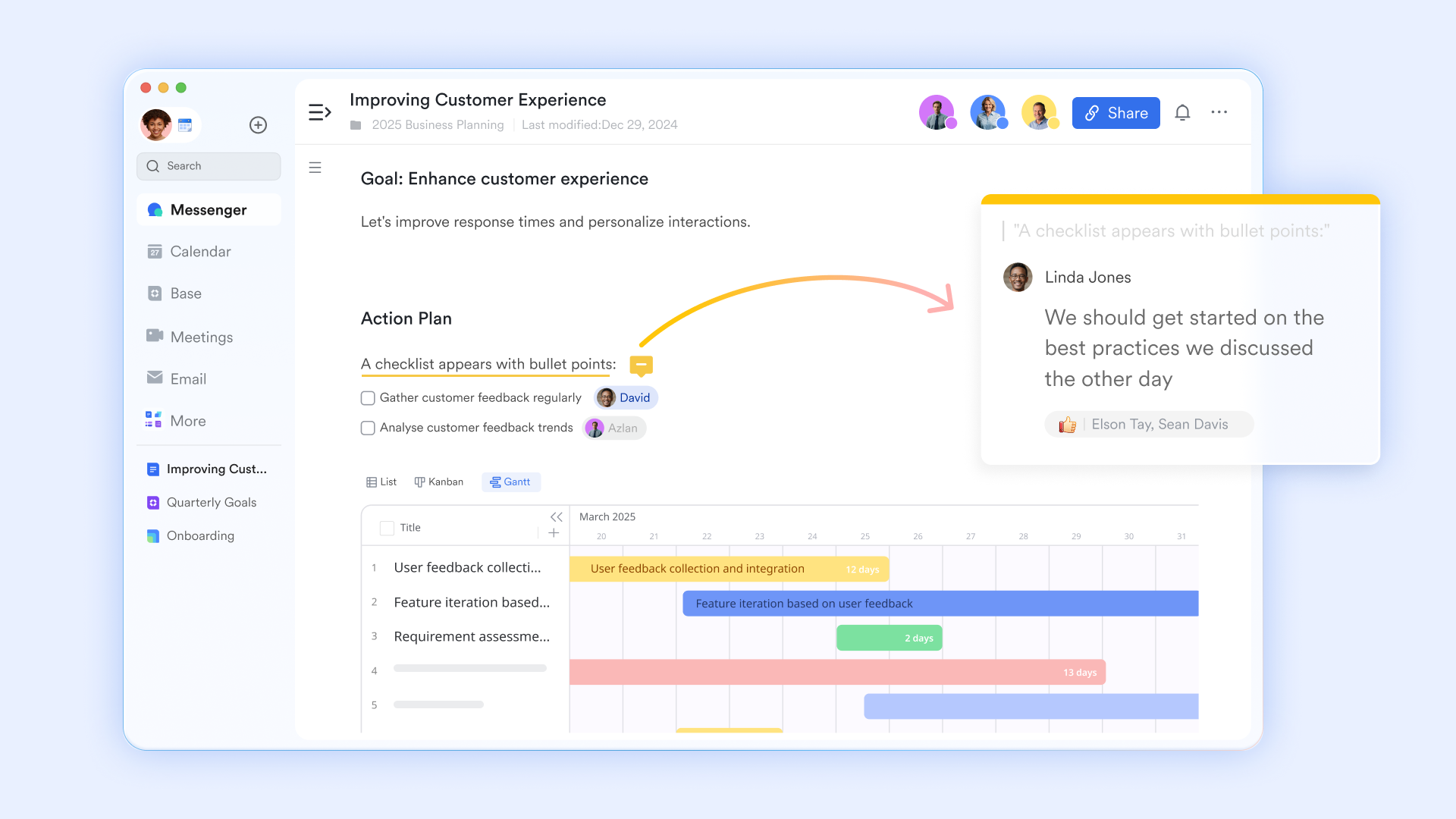
is designed as the connective tissue of your teamwork. It goes beyond basic messaging by allowing you to embed actionable items directly within conversations. You can pin critical messages like project updates or key decisions to the top of a group chat, ensuring they serve as a lasting reference point rather than disappearing in the stream. You can also turn any message into a task by @mentioning a teammate with a due date, which automatically populates their Lark Calendar and Lark Task.
Capture meeting value and drive actions
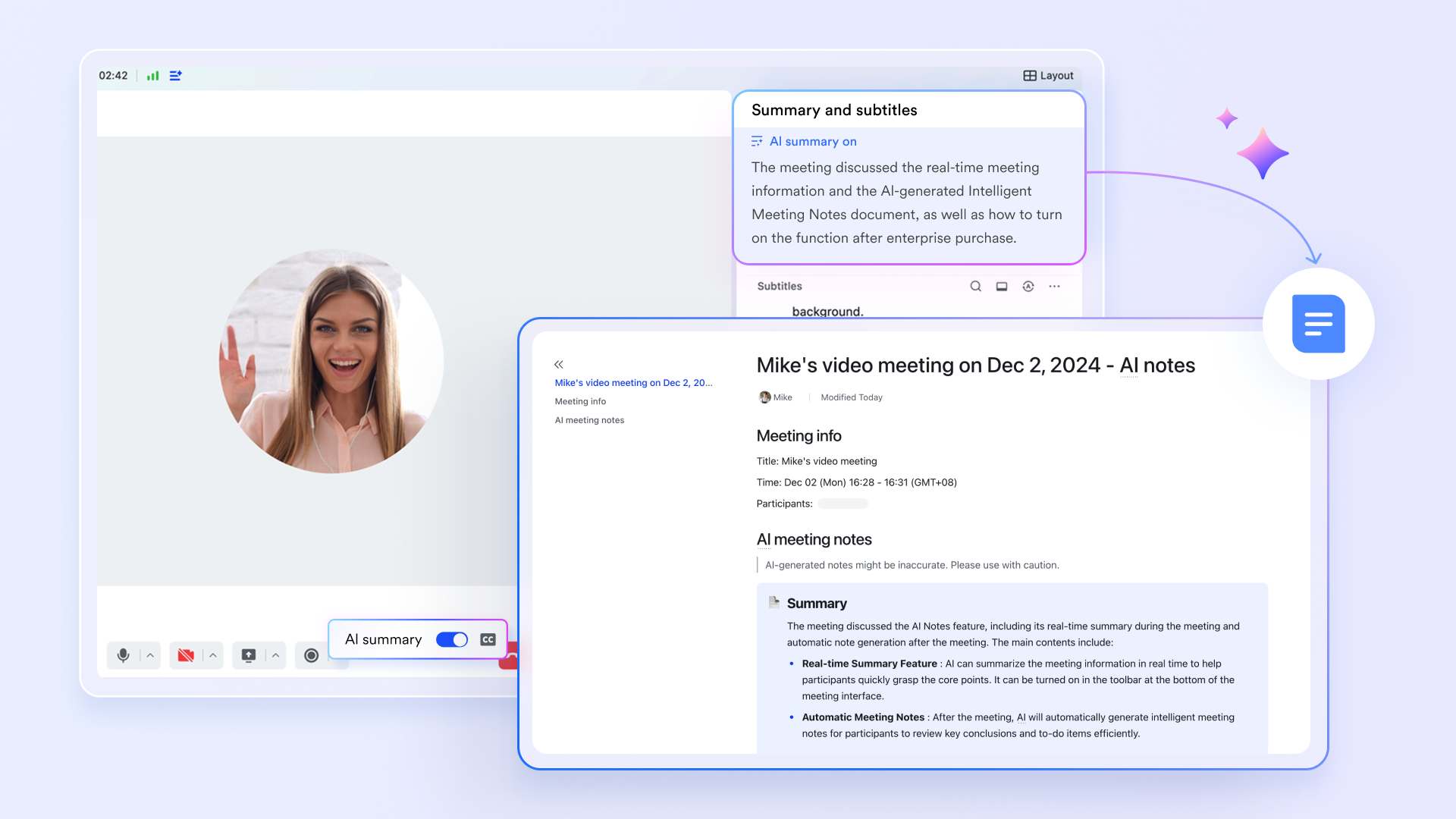
Traditional meetings often end with vague notes and unclear next steps, leading to confusion and inaction. The energy and ideas generated are lost because the discussion isn't systematically captured or acted upon.
, powered by and , solves this by closing the gap between discussion and execution. During a video call, the AI capabilities can: Generate real-time transcripts and summaries, identifying key discussion points, decisions, and, most importantly, action items. This ensures every meeting has a clear, accountable outcome, making collaboration more purposeful and productive.
Synchronize team time and resources visibly
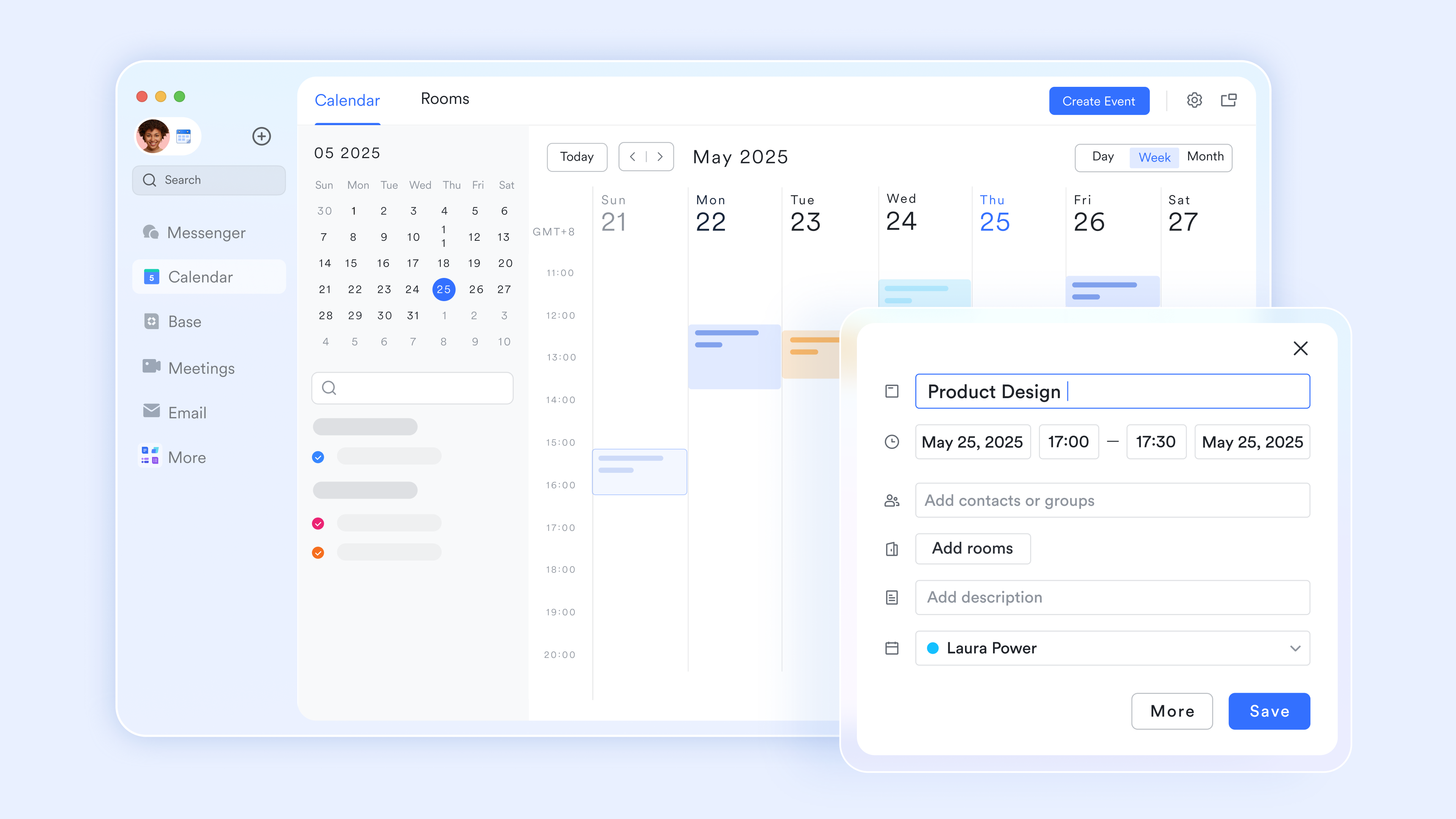
Scheduling conflicts, missed deadlines, and uncertainty about team availability are major collaboration blockers. When you can't see how your team's time is organized, planning collaborative work becomes a game of guesswork.
acts as the visible backbone of team coordination. Its deep unification creates a shared understanding of time. Availability is transparent, making it effortless to find times for collaborative meetings without endless back-and-forth messages. Moreover, Lark Calendar is a rich hub: Clicking on a meeting event shows the link, the pre-reading , and the project it's related to, providing full context.
Co-create knowledge in real-time, not in isolation
Traditional document collaboration involves emailing attachments back and forth, leading to version confusion like "final_v2_edited_new.pptx". This process stifles simultaneous input and turns document creation into a linear, inefficient task.
revolutionizes this by being a live, collaborative canvas. Multiple team members can edit text, suggest changes, and comment on the same document simultaneously, seeing each other's cursors in real time. Its power is amplified through deep integration: @mention colleagues directly within the text to assign a review task or ask a question; they receive an instant notification in . Also, embed live data tables from Lark Base (like a project task list or a sales dashboard) into Docs. The data updates automatically in the document whenever the source Base changes, ensuring reports are always current.
:
- Starter plan: Free forever plan that includes 11 powerful tools for up to 20 users. It also comes with 100GB of storage, 1000 automation runs, AI translations, and more.
- Pro plan: $12/user/month (billed annually) for up to 500 users. It includes everything in Starter plus group calling for up to 500 attendees, 15TB of storage, 50,000 automation runs, and more.
- Enterprise plan: for custom pricing. Supports unlimited users and includes even more automation runs and advanced security, compliance, and management features.
For small teams with simple communication needs

18 months message history
1000 Base automation runs/month
2000 rows per table in Base
Most POPULAR
For companies with comprehensive collaboration and management needs
Unlimited message history
500-participant video meetings
50k Base automation runs/month
20k rows per table in Base
For large companies with advanced security and organizational management needs
Get a personalized demo and pricing
Unlimited message history
500-participant video meetings
15 TB storage + 30 GB storage/user
500k Base automation runs/month
50k Base automation runs/month
Most POPULAR
For companies with comprehensive collaboration and management needs
Unlimited message history
500-participant video meetings
50k Base automation runs/month
20k rows per table in Base
The challenges of collaboration in the workplace
Even teams with strong intentions can struggle to collaborate well. Understanding the most common obstacles helps you address root causes instead of treating surface symptoms. Below are four challenges that frequently affect collaboration at work, especially in modern and remote environments.
- Tool overload and fragmented workflows: When conversations happen in chat apps, files live in separate drives, and tasks sit in another system, people spend more time switching than doing real work. Important updates get missed, versions conflict, and collaboration in the workplace becomes reactive instead of focused. This challenge is common for teams using multiple without a clear structure.
- Unclear ownership and decision making: Without clearly defined owners, decisions stall and tasks linger. People may contribute ideas, but no one feels responsible for moving work forward. Over time, this weakens trust and momentum. Clear ownership is essential for collaboration at work, even in highly collaborative cultures.
- Weak async collaboration habits: Remote work collaboration depends heavily on async communication. When updates are vague, discussions lack summaries, or conclusions are not documented, team members struggle to catch up. This leads to repeated questions, duplicated work, and frustration, especially for distributed or work-from-home collaboration setups.
- Knowledge silos and low discoverability: When documents, decisions, and processes are not organized or searchable, collaborative work slows down. New hires ramp up slowly, and teams repeat past mistakes. This challenge often appears when teams grow but do not evolve their work collaboration platform or knowledge-sharing habits.
Avoid these common challenges with Lark
Tips for fostering work collaboration
Improving collaboration does not require a complete overhaul. Small, intentional changes in habits, tools, and expectations can significantly improve how teams work together. The following tips focus on practical actions you can apply across different teams and roles.
- Align on shared goals and outcomes: Start projects by , priorities, and constraints. When teams understand how their work connects to larger goals, collaboration becomes more purposeful. This clarity also helps teams make better decisions without waiting for constant approval.
- Build strong async-first practices: Encourage teams to document updates, decisions, and next steps in shared spaces. Use clear formats for async discussions so others can quickly understand context. Strong async habits are essential for remote work team collaboration and reduce reliance on unnecessary meetings.
- Use unified work collaboration tools: Choose work collaboration software that brings chat, documents, tasks, and meetings into one flow. Integrated tools help teams move seamlessly from discussion to action, making collaboration feel natural rather than forced. Platforms like support this approach by allowing teams to collaborate in real time or asynchronously without losing context.
- Reinforce collaboration through simple rituals: Establish lightweight routines such as weekly planning notes, project kickoffs with clear roles, or post-project reviews. These rituals create predictable collaboration methods used by work teams and make it easier for everyone to contribute effectively.
Examples of work collaboration
Seeing collaboration in action makes it easier to apply to your own team. Below are four common scenarios that show how effective collaboration at work can look in practice.
- Cross-functional : Product, marketing, and operations teams collaborate from the start by sharing requirements, timelines, and risks in a shared workspace. Discussions, documents, and task assignments stay connected, allowing everyone to track progress and adapt quickly.
- Remote product development: Engineers and designers use async updates, shared design docs, and threaded discussions to move work forward across time zones. This approach supports remote work collaboration while maintaining clarity and accountability.
- Sales and customer success alignment: Sales notes, customer feedback, and follow-up tasks are shared in one place. This ensures smooth handoffs and helps teams collaborate on improving customer outcomes without duplicating effort.
- Company-wide : Processes, decisions, and best practices are documented and easy to find. This supports collaborative work across departments and helps new team members onboard faster.
Conclusion
Work collaboration is no longer optional. It shapes how teams communicate, decide, and deliver results, especially in remote and hybrid environments. By building better habits and choosing the right work collaboration platform, teams can reduce friction and work with more clarity and confidence. If you are looking for a simpler, more connected way to collaborate at work, tools like can help bring people, conversations, and work together in one place.
Achieve success in collaboration with Lark now
FAQs
What is collaboration at work?
Collaboration at work is people working together toward a shared goal, using clear roles, agreed processes, and shared artifacts. It combines communication, decision records, and task ownership so work flows between people without losing context. Platforms like Lark help by keeping docs, conversations, and tasks linked so the team's history and actions stay visible.
What are the 5 rules of effective collaboration?
- Agree on the outcome: everyone knows the goal and success criteria.
- Name ownership: each task or decision has a clear owner.
- Use predictable rituals: set how and when you meet or work async.
- Capture decisions: record why choices were made and link them to actions.
- Keep tools simple: use workflows that reduce context switching — tools like Lark make this easier.
What is a collaborator at work?
A collaborator is someone who contributes their expertise, shares information openly, and helps move joint work forward. They accept responsibility for assigned tasks, communicate progress, and document decisions so others can pick up the work. A good collaborator also helps others succeed by reducing friction and clarifying next steps.
How do I demonstrate collaboration at work?
Share context early: Post a short brief or pre-read before reviews so others come prepared. Take ownership of next actions and convert conversations into named tasks with deadlines. Document decisions and follow up visibly; use shared spaces or tools like Lark to make your contributions easy for others to find and act on.
Related reading






![What Is a 2-2-3 Work Schedule? Explanation and More [2024]](https://framerusercontent.com/images/uKHRfkp4v7y4azRNTYUmuteNQz8.png)