If you've ever found yourself digging through endless email threads for the latest version of a file, struggling with messy shared drives, or worrying about who has access to sensitive information, you know the pain of document chaos. In today’s digital-first world, how we manage our documents directly impacts our productivity, security, and ability to collaborate effectively.
Fortunately, powerful solutions are within reach. Document management software (DMS) can transform how your team works, bringing order and efficiency to your digital assets. This guide is dedicated to exploring the world of document management software free of charge, including the best free and open-source options available. We'll show you how these tools can help you build a more organized, secure, and collaborative work environment.
What is a document management software?
Document management software is a system designed to store, manage, track, and secure documents and files. It’s far more than just a digital filing cabinet; a true DMS, often an open-source document management system, handles the entire lifecycle of a document, from its creation and capture to its archival and eventual deletion. It provides a centralized, controlled environment where information is always accessible to the right people at the right time.
A comprehensive DMS provides a structured framework for managing your digital assets. Its core functions typically include:
- Capturing and storing documents: This involves bringing into the system, whether through scanning paper files, importing digital ones, or creating them directly within the platform.
- Centralizing information: It creates a single source of truth, eliminating duplicate files and the confusion of version control. For example, platforms like provide an all-in-one workspace, preventing information silos from the start.
- Retrieving documents easily: Advanced search capabilities, including full-text search and metadata filtering, allow users to find the exact document they need in seconds.
- Securing and controlling access: It provides robust tools to manage permissions, ensuring that only authorized users can view, edit, or share sensitive files.
- Collaborating in real-time: Modern systems enable multiple users to work on a shared document simultaneously, with features like live co-editing, commenting, and change tracking to streamline teamwork. For individuals or teams working on academic documents or research papers, combining a robust DMS with a professional writing service ensures both organizational efficiency and high-quality content, especially when opting for the .
- Automating workflows: An open-source DMS can repetitive, rule-based processes like document approvals, routing, and notifications, saving time and reducing human error.
A true DMS integrates these functions seamlessly. , for example, combines a powerful document repository with built-in and task management, creating a truly unified collaborative environment for your team. Need a powerful enterprise DMS solution?
Why do you need document management software?
Adopting a document management system isn't just about tidying up your files—it's a strategic move that delivers tangible benefits across your organization. By structuring how you handle information, you can unlock new levels of efficiency, security, and collaboration that are difficult to achieve with basic cloud storage or email. An open-source file management system, in particular, offers flexibility and control over your digital environment.
Here are some of the key reasons why you need a DMS:
- Streamlined workflows and increased efficiency: A DMS automates manual, time-consuming tasks. Instead of emailing files for approval, the system can automatically route documents to the right stakeholders, send reminders, and track progress. For instance, with , you can automate processes, routing documents to the right people without manual follow-up.
- Enhanced document security: Controlling who can access sensitive information is critical. A DMS provides granular permission controls, audit trails, and encryption to protect your data from unauthorized access or breaches. With ’s advanced permissions, you can control exactly who sees what, right down to specific fields in a database.
- Improved team collaboration: A centralized platform breaks down communication barriers. Team members can co-author documents in real time, leave contextual feedback, and always work from the most current version, whether they are in the office or working remotely.
- Better compliance and audit trails: For many industries, maintaining a clear record of document history is a legal requirement. A DMS automatically creates a detailed , logging every action taken on a document, which simplifies compliance and makes audit preparation much less stressful.
- Reduced physical storage costs: Moving to a digital document management system significantly reduces the need for paper, printing supplies, and physical storage space, leading to and a smaller environmental footprint.
👉 Try to see how much you can save with Lark
Ultimately, the right software transforms document handling from a chore into a strategic asset. Lark empowers teams by embedding these benefits directly into their daily workflow, boosting productivity effortlessly.
Solve your document workflow problems now
Top 10 free document management software in 2026
Finding the right tool can feel overwhelming, but I’ve done the legwork for you. Here’s a breakdown of the top free and open-source document management software available today. Each offers a unique approach to taming document chaos, from all-in-one collaborative suites to powerful self-hosted archives.
1. Lark: The all-in-one suite for collaborative document management
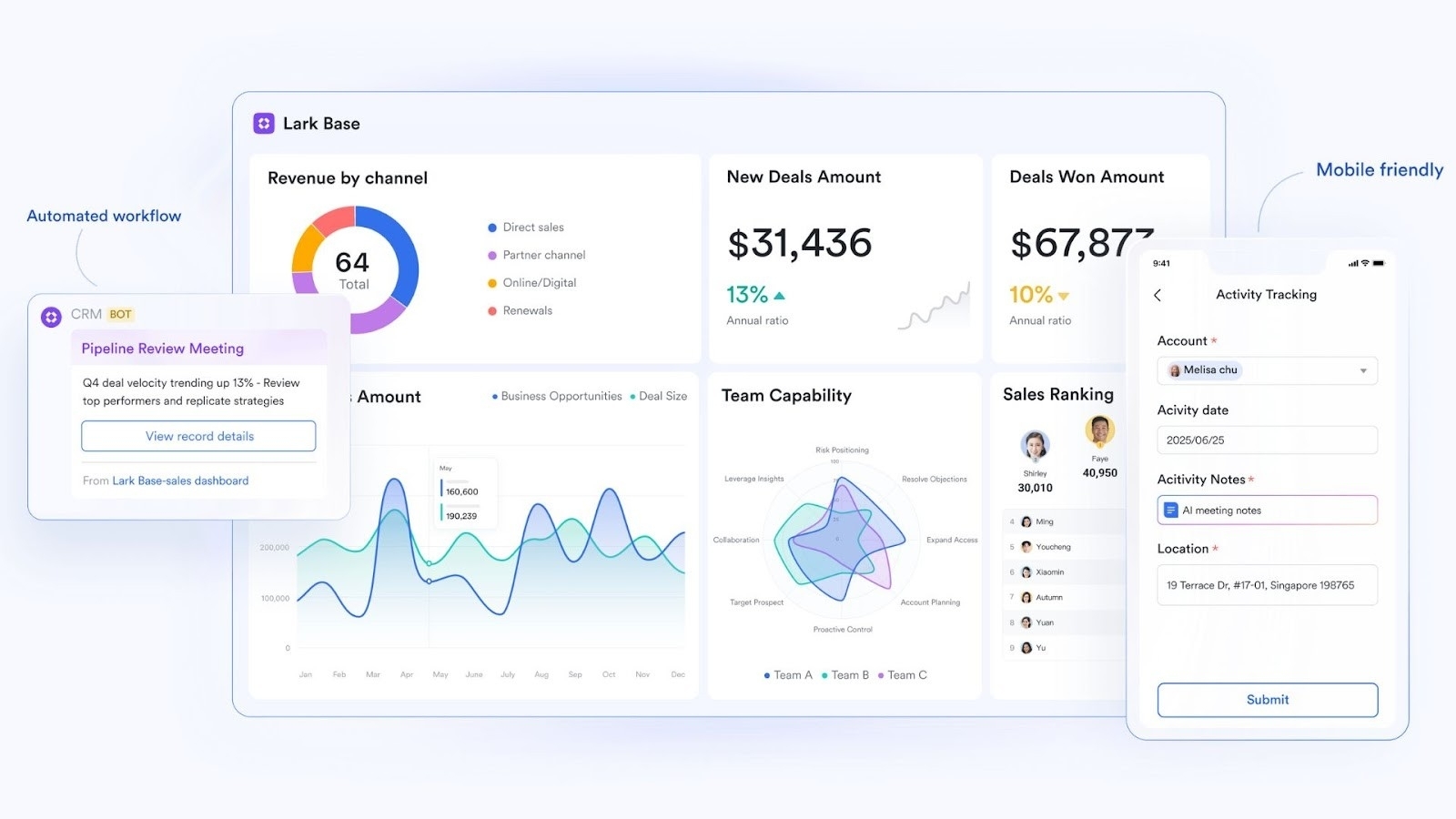
Overview
Lark is more than just a free document management software; it's a comprehensive digital workspace designed to unify your entire workflow. It seamlessly integrates powerful document creation and storage with , , , and . This all-in-one approach eliminates the friction of switching between apps, creating a single source of truth where documents, communication, and project management coexist effortlessly.
Top features to empower your document management
Lark Docs
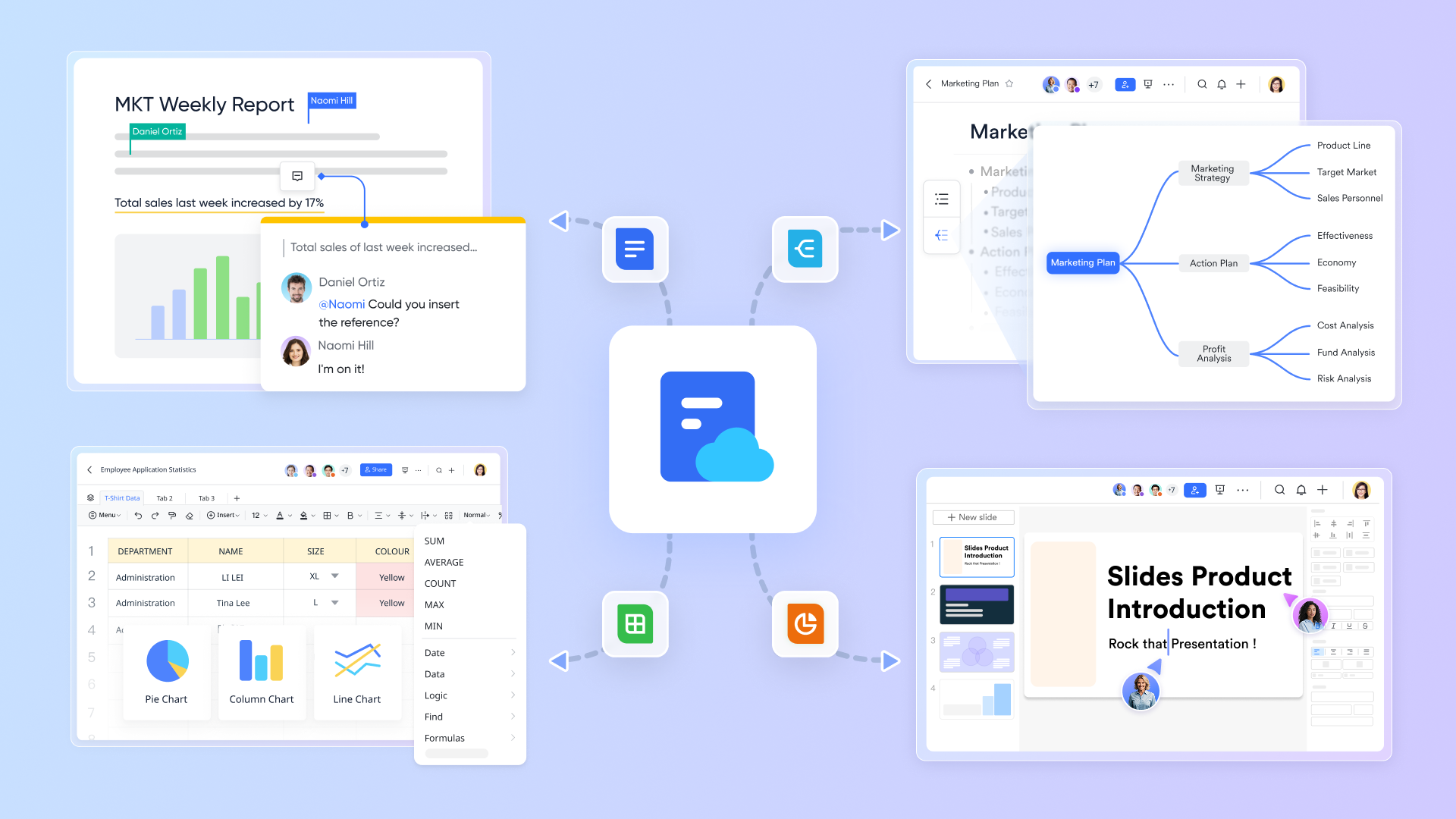
This is where your content comes to life. is a collaborative word processor that moves beyond static files. You can create and co-edit documents in real time, with changes instantly visible to all collaborators. But it’s more than text; you can embed rich content like images, videos, tables, and even interactive databases directly into your shared document. Features like inline commenting and task assignments directly within the text ensure that feedback and action items are never lost, making it the perfect space for dynamic content creation and review.
Lark Base
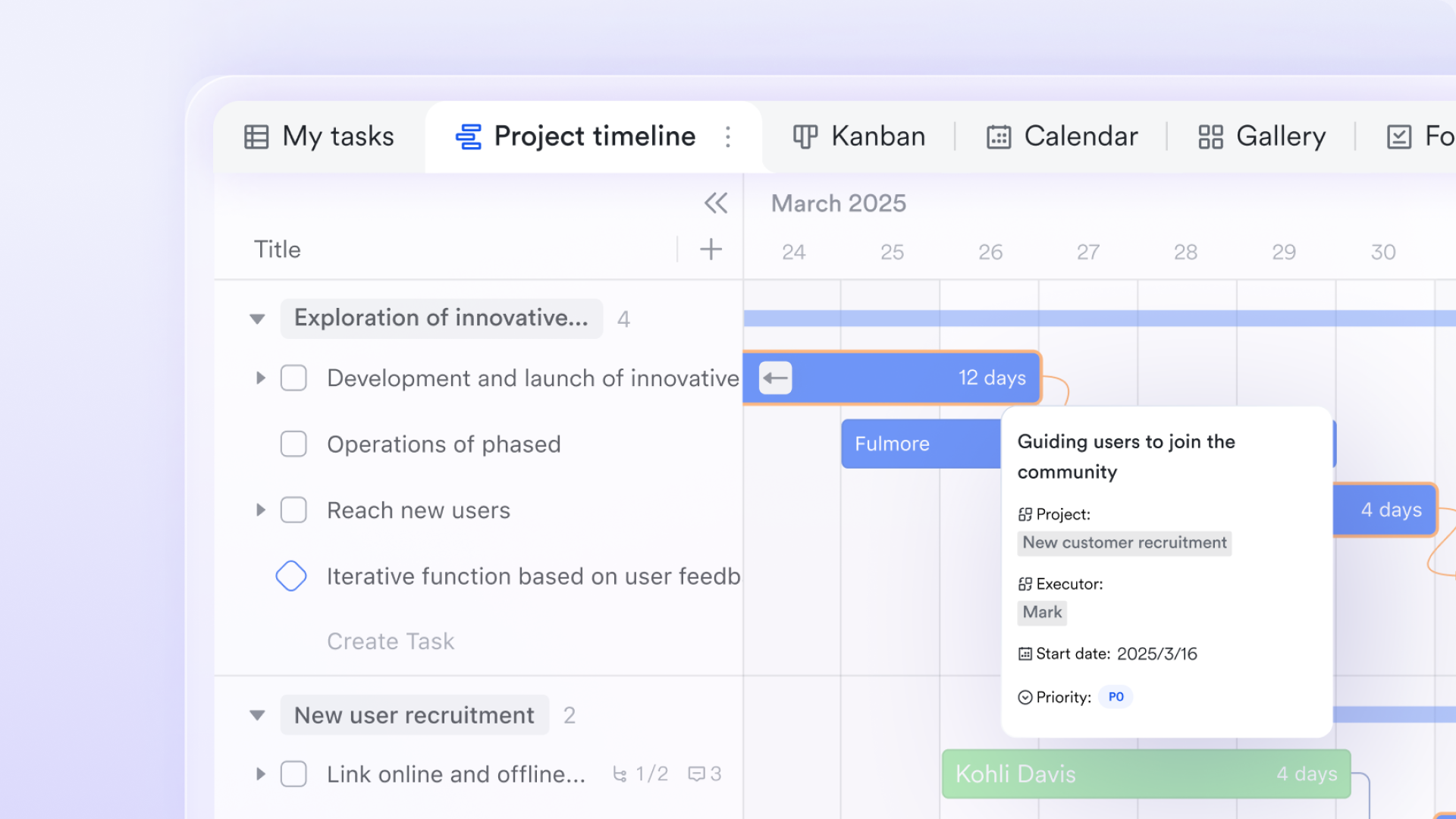
is the engine of your document management system. It's a powerful, no-code database that lets you structure and manage your documents as organized data. Instead of letting files float in random folders, you can use Base to build a robust system for tracking contracts, managing invoices, or organizing project assets. You can create different views like Kanban boards to track approval stages or Gantt charts to monitor project timelines associated with documents. Its automation features allow you to build custom workflows, sending notifications and updating statuses automatically.
Lark Wiki
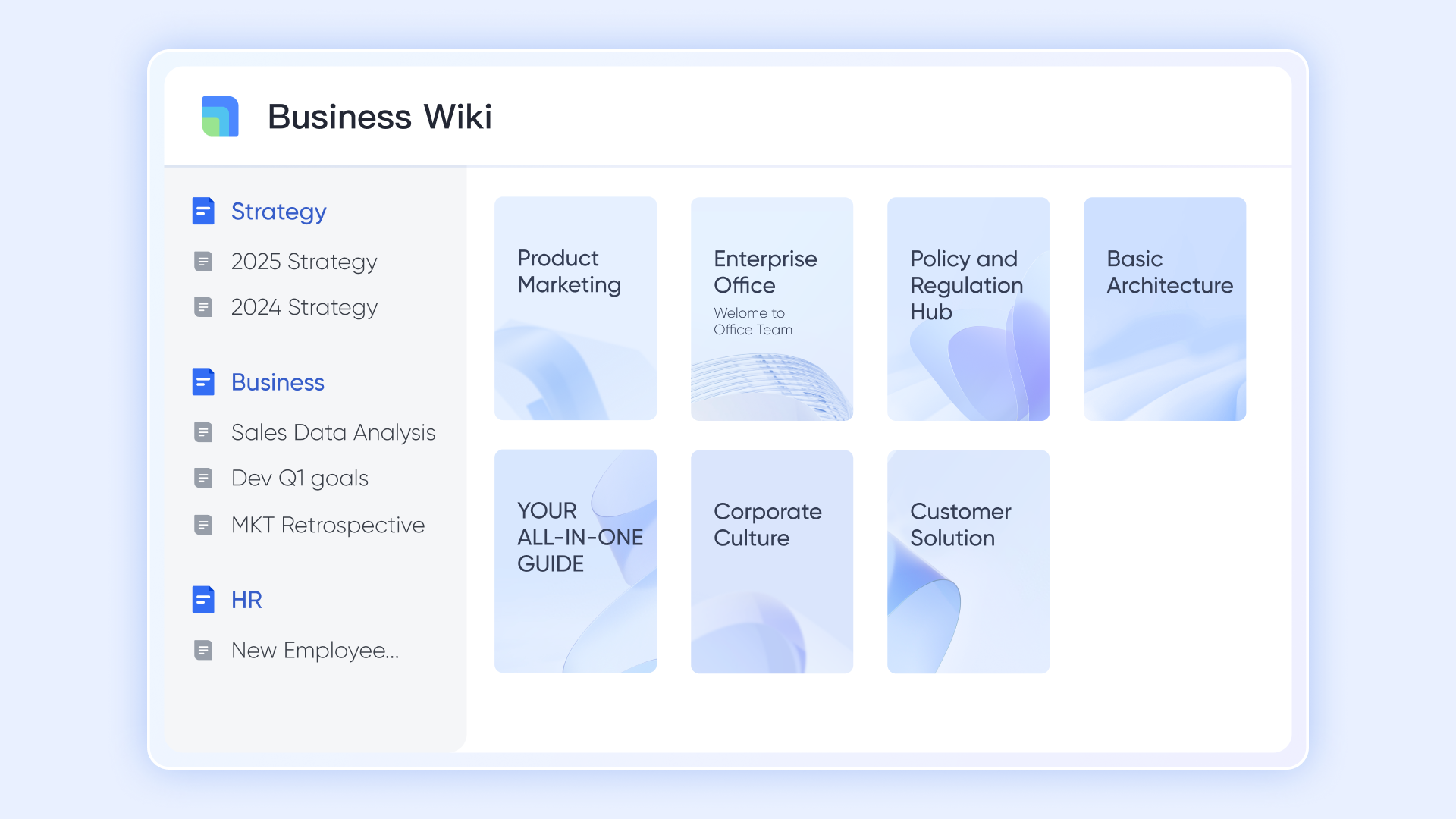
This is your organization's single source of truth. allows you to build a centralized and easily navigable knowledge repository. It's the ideal place to store important company-wide information that needs to be both permanent and accessible, such as employee handbooks, standard operating procedures, and technical documentation. By organizing critical knowledge in one place, you ensure everyone is working with the same information, which reduces confusion, enhances consistency, and preserves valuable knowledge even as team members change.
Other features
- A truly integrated workspace: Lark combines multiple essential features, including , , , , , and , into one seamless application, eliminating the need to constantly switch between different software.
- Automated workflows and approvals: Design custom flows with a simple drag-and-drop interface. Lark allows you to automate document routing, send reminders, and track every stage of the approval process without manual intervention.
- Robust and permissions: Protect your information with granular access controls. Lark provides the tools to define who can view, edit, comment on, or share documents, ensuring sensitive data remains secure.
:
- Starter: Free for up to 20 users, including 100GB of storage and core features.
- Basic plan: $6/user/month (billed annually) for up to 500 users. It includes everything in Starter and unlimited message history, 5TB of storage space, 1,000 automation runs, and more.
- Pro: $12 per user/month (billed annually) for up to 500 users, with 15TB storage, larger meeting capacity, and advanced admin controls.
- Enterprise: Custom pricing for large organizations with unlimited users, needing advanced security, compliance, and support.
For small teams with simple communication needs

18 months message history
1000 Base automation runs/month
2000 rows per table in Base
Most POPULAR
For companies with comprehensive collaboration and management needs
Unlimited message history
500-participant video meetings
50k Base automation runs/month
20k rows per table in Base
For large companies with advanced security and organizational management needs
Get a personalized demo and pricing
Unlimited message history
500-participant video meetings
15 TB storage + 30 GB storage/user
500k Base automation runs/month
50k Base automation runs/month
Most POPULAR
For companies with comprehensive collaboration and management needs
Unlimited message history
500-participant video meetings
50k Base automation runs/month
20k rows per table in Base
Best for
Teams of all sizes looking for an integrated, all-in-one solution that combines document management with daily communication and project collaboration, eliminating the need for multiple disparate tools.
2. Paperless-ngx: The open-source digital document archiver
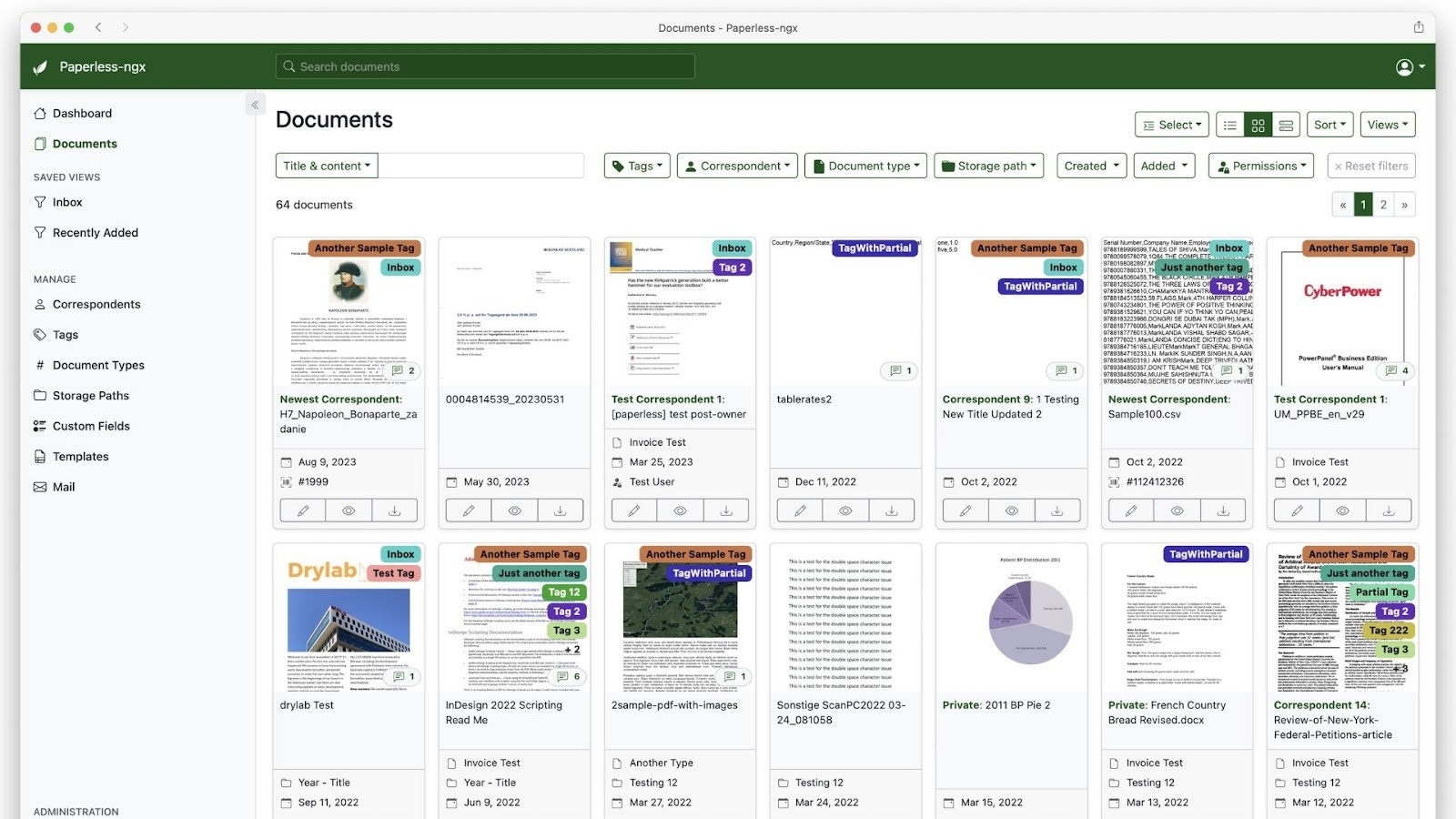
Image source: paperless-ngx.com
Overview
Paperless-ngx is a community-driven, open-source document management system that excels at turning your physical documents into a searchable digital archive. It’s designed to consume, index, and archive scanned documents and digital files.
Key features
- OCR processing: It automatically performs Optical Character Recognition (OCR) on your documents, making their content fully searchable.
- Tagging and organization: Uses machine learning to automatically tag and categorize your documents based on their content.
- Email consumption: Can be configured to pull documents directly from your email accounts.
Pricing
Completely free and open-source. Requires self-hosting, which may involve costs for server hardware or cloud hosting.
Best for
Tech-savvy individuals and small businesses who want to create a powerful, self-hosted digital archive for scanned documents and bills.
3. LogicalDoc Community Edition: The professional open-source DMS
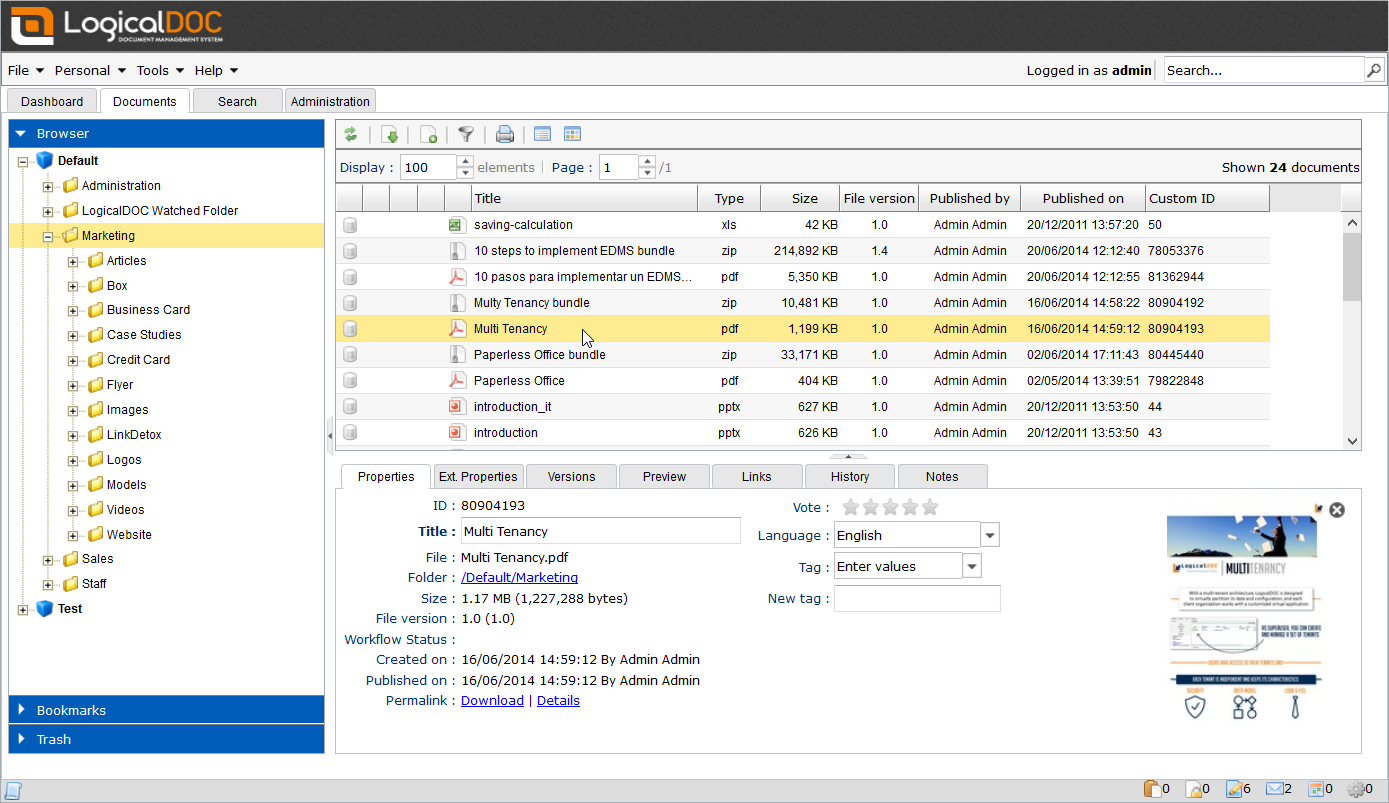
Image source: logicaldoc.com
Overview
LogicalDoc offers a free Community Edition of its professional document management system. It provides core DMS functionalities, making it a solid choice for organizations needing a structured open-source document management solution.
Key features
- Document versioning: Tracks changes and allows you to revert to previous versions of a document.
- Full-text search: Provides powerful search capabilities across your entire document repository.
- Web-based interface: Accessible from any modern web browser.
Pricing
The Community Edition is free and open-source. Commercial editions with more features and professional support are available for a fee.
Best for
Small to medium-sized businesses looking for a robust, professional-grade open-source DMS and who have the technical resources to host and manage it.
4. OpenDocMan: The straightforward document management system
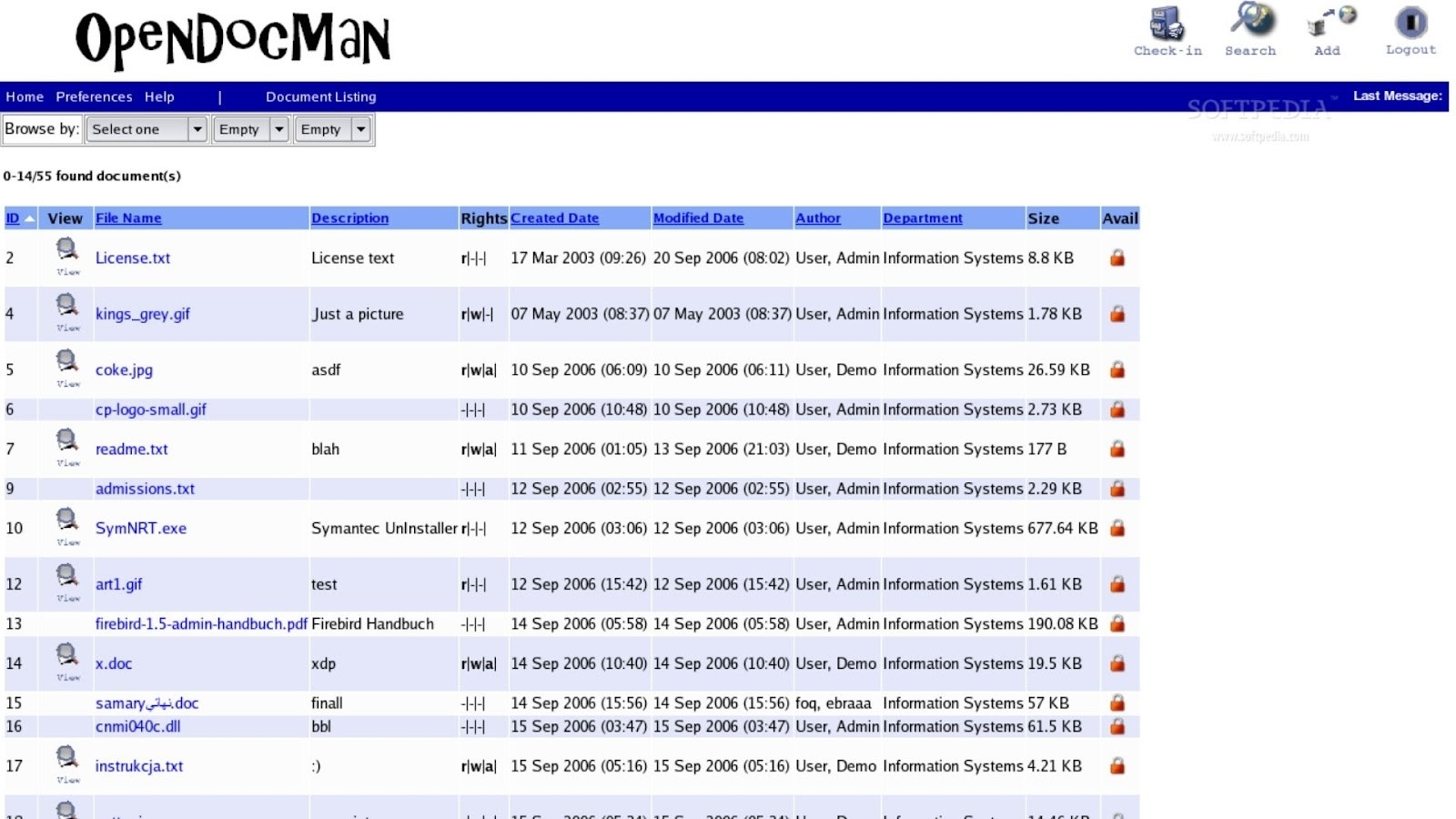
Image source: opendocman.com
Overview
OpenDocMan is a web-based, open-source document management system written in PHP. It offers a simple and intuitive interface for managing files, making it accessible even for less technical users.
Key features
- File check-in/check-out: A feature that prevents multiple users from editing the same file simultaneously, ensuring version control.
- Departmental access control: Allows you to set permissions based on departments or user roles.
- Automated review and approval workflow: Streamlines the process of getting documents reviewed and approved.
Pricing
- Cloud: Starts from $99/month.
- Enterprise: Custom pricing.
- On-Prem: Custom pricing.
Best for
Small businesses, non-profits, and educational institutions looking for a straightforward, no-frills DMS solution.
5. Mayan EDMS: The advanced open-source EDMS for developers
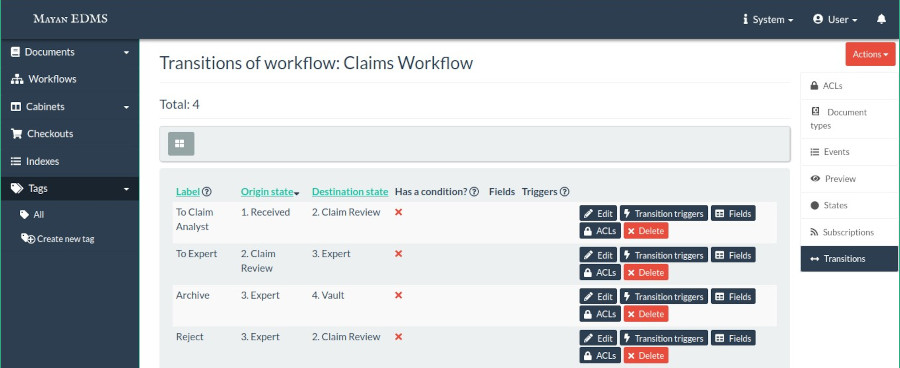
Image source: interestingittips.wordpress.com
Overview
Mayan EDMS is a powerful and highly customizable open-source Electronic Document Management System. It's built with flexibility in mind, catering to organizations with complex needs and developer resources.
Key features
- Customizable metadata: Allows you to define your own metadata types to classify documents precisely.
- Redaction: Securely remove sensitive information from documents before sharing.
- Workflow system: Build complex, state-based workflows to automate processes.
Pricing
Mayan EDMS is free and open-source.
Best for
Organizations with access to developer talent who need a highly extensible and powerful DMS system open-source platform for managing critical documents.
6. Alfresco Community Edition: The enterprise-grade content platform
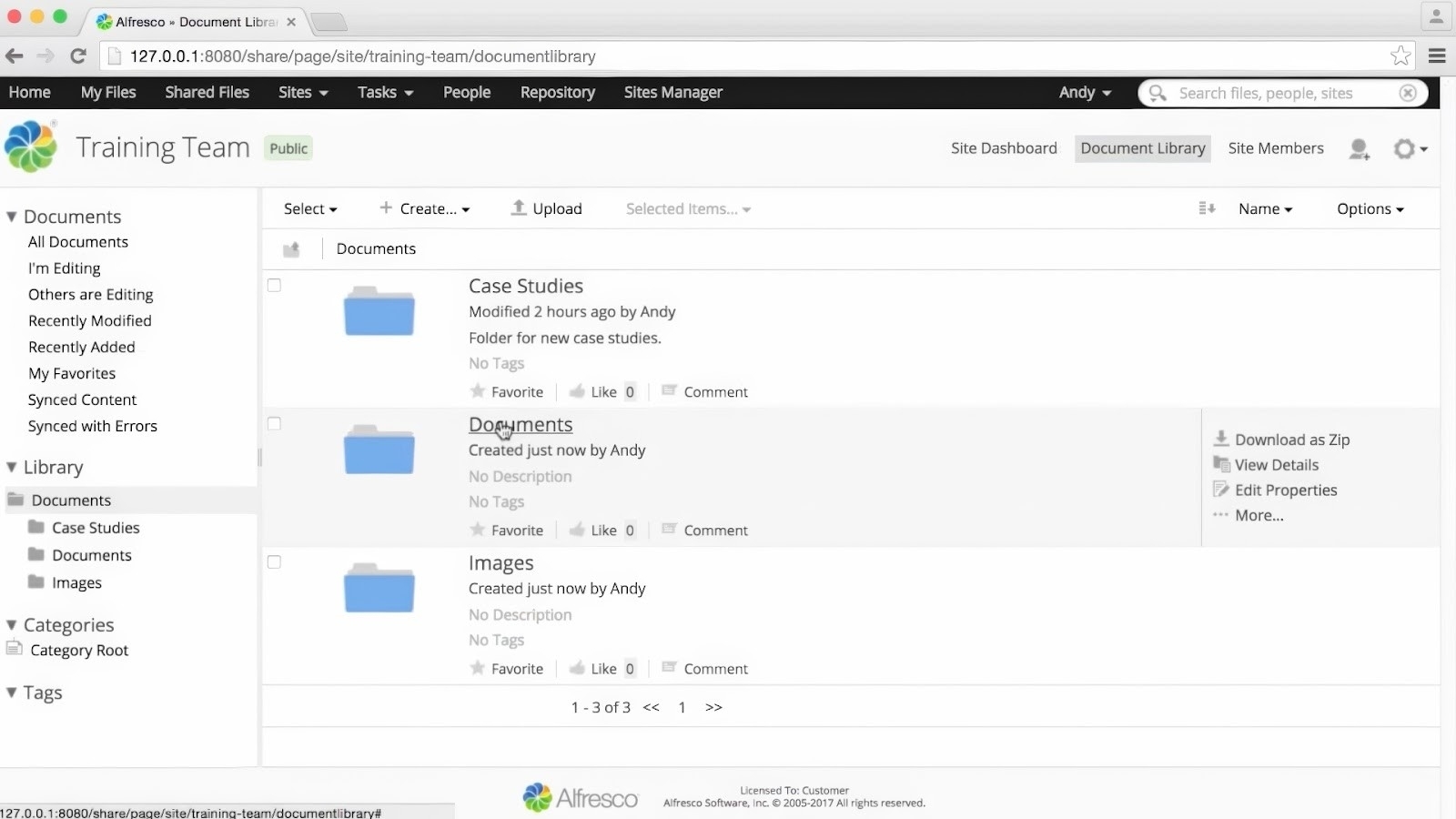
Image source: alfresco.com
Overview
Alfresco offers a free Community Edition that provides a powerful content services platform. It's more than a DMS; it's a full-fledged open-source file management system for managing, sharing, and governing content across the enterprise.
Key features
- Content modeling: Define custom content types and properties to fit your business needs.
- Integration capabilities: Offers robust APIs for integrating with other business systems.
- Records management: Includes features for managing the lifecycle of records to ensure compliance.
Pricing
The Community Edition is free but comes with no official support.
Best for
Large organizations and enterprises that need a scalable, enterprise-grade content platform and have the IT resources to manage it.
7. SeedDMS: The lightweight and easy-to-use DMS
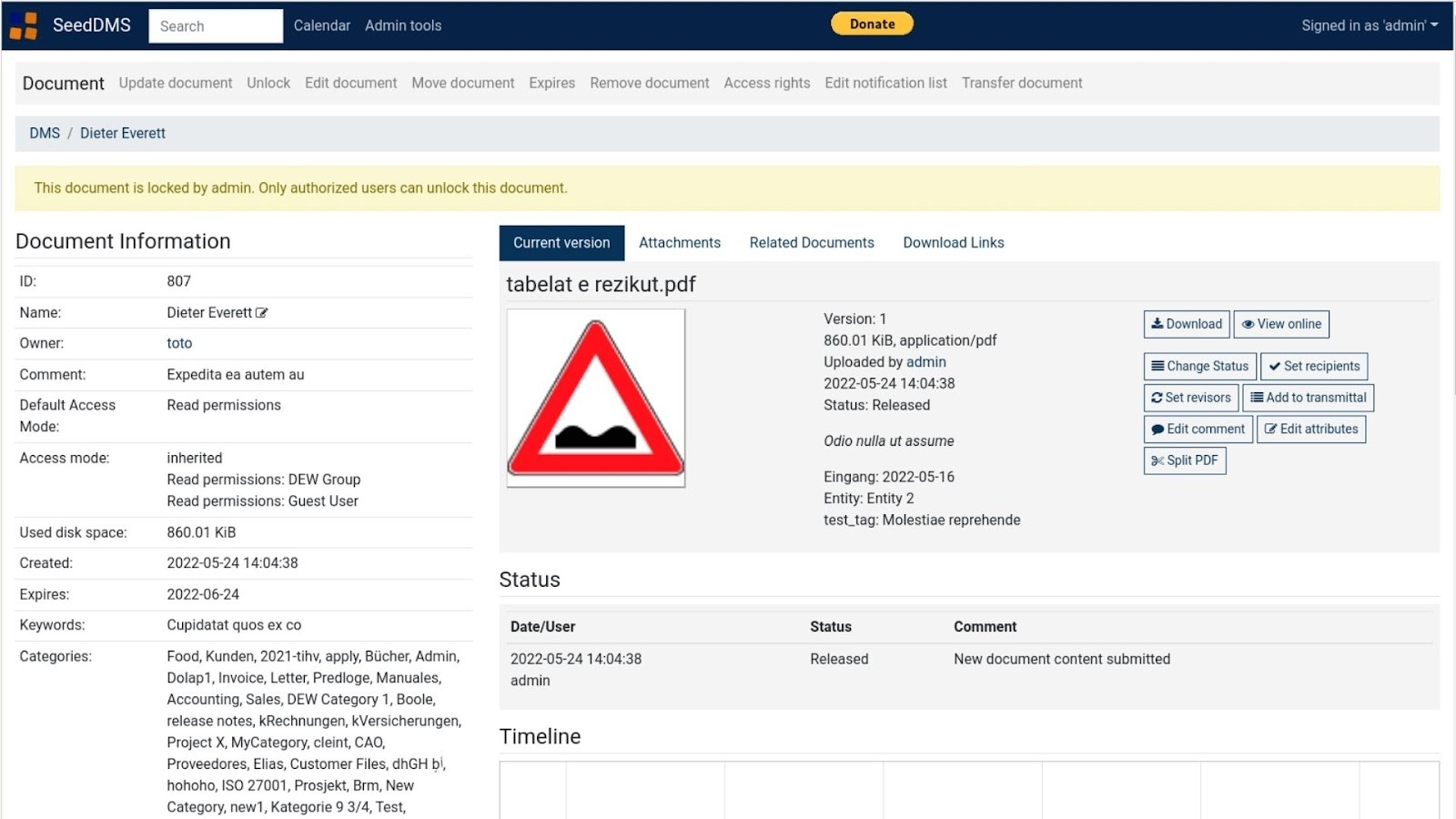
Image source: seeddms.org
Overview
SeedDMS is a free and open-source document management system that evolved from the older LetoDMS. It is lightweight and easy to set up, making it a great choice for smaller-scale deployments.
Key features
- Version control: Manages multiple versions of documents effectively.
- User and group management: Allows for setting detailed access permissions for users and groups.
- Simple workflow: Includes basic workflow capabilities for document review and approval.
Pricing
Completely free and open-source.
Best for
Individuals, small teams, or organizations looking for a simple, lightweight, and easy-to-manage document management solution.
8. OpenKM Community: The knowledge management focused DMS
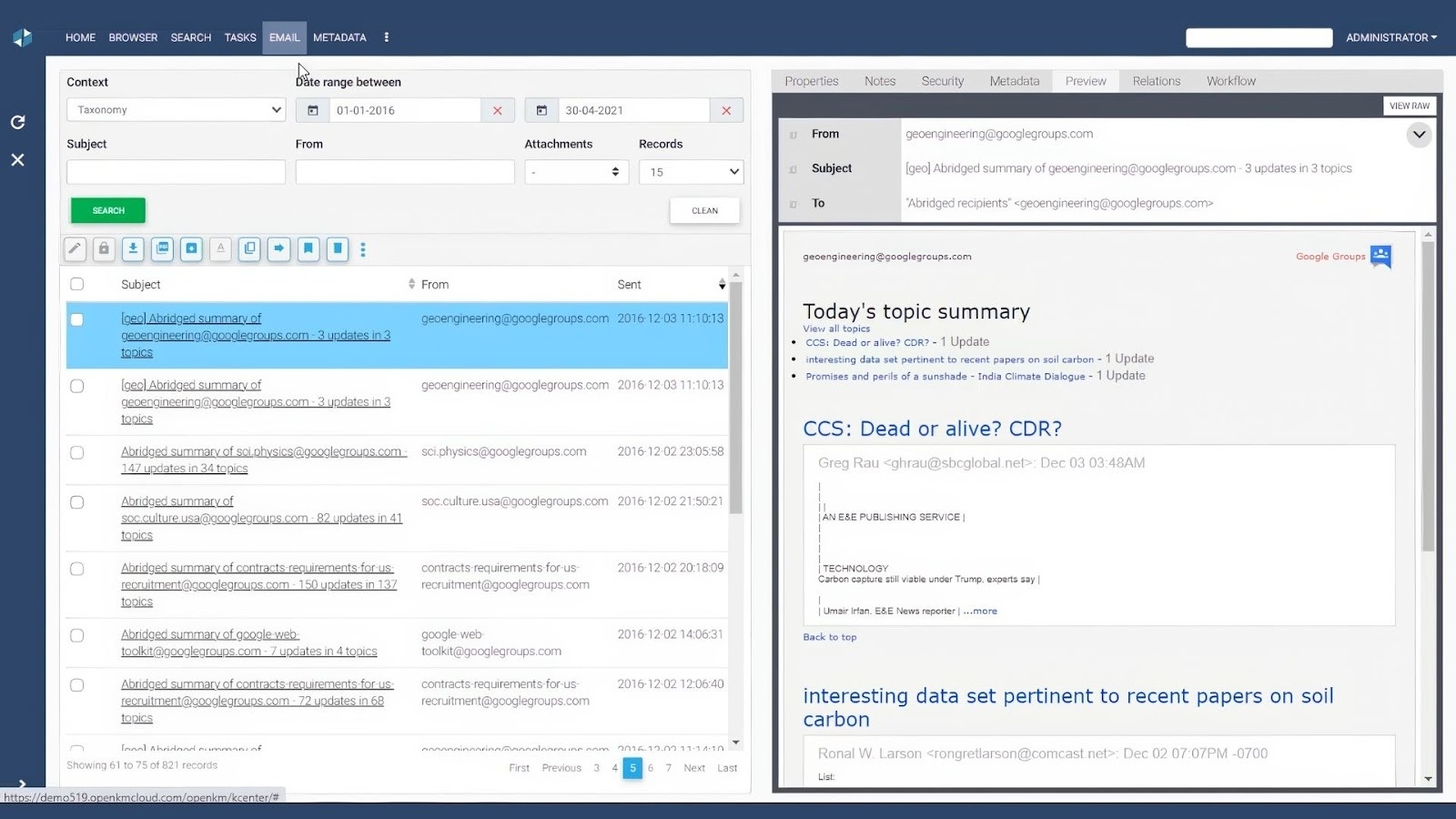
Image source: openkm.us
Overview
OpenKM offers a free Community edition for users. It’s designed to be a comprehensive solution for managing documents, records, and emails, with a strong focus on knowledge management. Please note that while versions 6.x and earlier were released under the open-source GNU General Public License (GPL), starting from version 7.0, the Community edition is distributed as free but closed-source software.
Key features
- Automatic metadata capture: Can automatically extract metadata from documents.
- Email integration: Allows you to store and manage emails as records within the system.
- Integrated scanner client: Supports capturing documents from scanners directly.
Pricing
The Community version is free to download and use. The Professional version is a paid cloud or on-premise service.
Best for
Organizations that want to build a comprehensive knowledge base and need features for managing various types of content beyond simple documents.
9. Bitrix24: The all-in-one workspace with a free cloud DMS
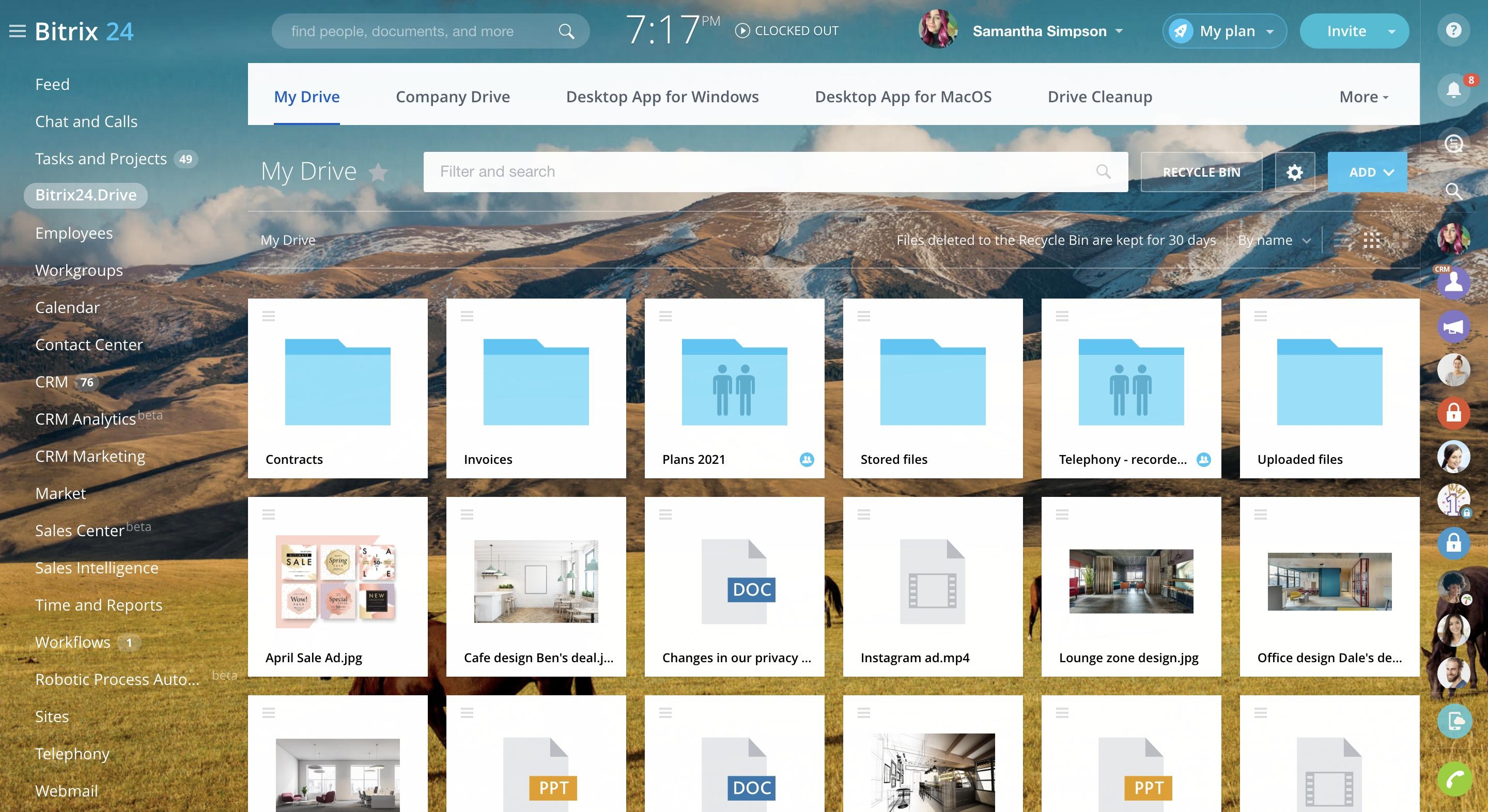
Image source: bitrix24.com
Overview
Bitrix24 combines document management with CRM, tasks, chat, calendar, video meetings, and workflow automation in one business workspace. Its cloud free plan includes online storage and document collaboration, making it a practical option for small teams that want a free DMS without maintaining a server.
Key features
- Personal, team, and company drives: Files can be organized across separate storage areas so teams can control who sees sensitive documents.
- Real-time co-editing and revision history: Multiple users can work on documents, while previous versions and editor details remain traceable.
- Access rights and workflow automation: Teams can set permissions, route documents for approval, and connect document workflows with tasks and CRM processes.
Pricing
Free for 1–2 users with 5 GB storage, basic CRM, and core collaboration tools. Paid plans start at US$69/organization/month billed monthly.
Best for
Small businesses and cross-functional teams that want cloud document management together with CRM, task tracking, communication, and approvals in one free platform.
10. Google Drive + Filently: The zero-migration option for automatic document filing
Image source: filently.com
Overview
Google Drive is widely used for cloud storage and collaboration, but it is not a complete document management system on its own. Filently adds an intelligent filing layer to Google Drive by recognizing documents, renaming them consistently, and moving them to the right folder without a separate migration. The first 25 documents are free, with no credit card required.
Key features
- Automatic document identification: Filently reads invoices, receipts, contracts, and other business files to identify dates, vendors, document types, and other relevant details.
- Consistent renaming and folder filing: Files can be renamed using the team’s naming convention and filed directly inside existing Google Drive folders.
- No migration or server setup: Teams continue storing files in Google Drive, making this a low-friction option for freelancers and small businesses already invested in the Google ecosystem.
Pricing
- Google Drive: Free cloud storage tier, subject to Google’s account storage limits.
- Filently: First 25 documents are free; paid plans are available for higher document volume.
Best for
Freelancers and small businesses already using Google Drive who want automatic naming and filing for incoming documents without self-hosting or migrating to a separate DMS.
Cloud-based vs. self-hosted free document management systems
The choice between cloud-based and self-hosted free document management systems shapes nearly everything about your setup: who's responsible for security, how your team accesses files, and what it actually costs over time.
With a cloud-based or SaaS document management system, the vendor handles physical security, server patching, backups, disaster recovery, and encryption. Cloud-based document management tools often enable real-time collaboration, and your team gets access from anywhere-desktop app, mobile, or browser. Lark is a strong example of this model-a cloud-native, free-forever option that bundles document management with chat, video meetings, and in one workspace, giving small teams a complete toolkit without maintaining a single server.
Self-hosted, open source DMS tools flip the equation. You get complete control over your data, your infrastructure, and your configuration. There's no user cap or storage cap beyond what your hardware supports. But you also bear full responsibility for server security, firewalls, encryption, backups, and software updates. Performance can be excellent on a local network-fast file transfers, low latency-but remote access may require VPN setups that add friction for distributed teams. Offline access depends entirely on your configuration.
Cost trade-offs are real in both directions. A "free" self-hosted system still costs money in hardware, electricity, and IT labor. A "free forever" SaaS tier costs nothing upfront but may require an upgrade once you exceed its limits. Integration capabilities are usually limited in free document management tools regardless of deployment model, so evaluate what connects before you commit.
How to choose the right free DMS for you
The best free DMS is not necessarily the one with the longest feature list. Start with how your team creates, reviews, shares, and retrieves information. When evaluating document management software free of charge, consider collaboration needs, deployment preferences, security requirements, and the total effort required to keep the system running.
- Choose Lark if your team wants documents and daily collaboration in one place. is especially well suited to startups, small businesses, and cross-functional teams that work across documents, chat, meetings, calendars, and shared knowledge. Instead of treating document management as a separate archive, teams can create content, discuss decisions, collect feedback, and keep project context within the same connected workspace.
- Choose a self-hosted tool such as Paperless-ngx or OpenDocMan if ownership and local control come first. This route can work well for solo users or technically capable teams, but it also requires server setup, maintenance, backups, security updates, and ongoing administration.
- Choose a local or offline-first system if your organization has limited connectivity or strict on-device storage requirements. Confirm Windows support, local indexing, backup options, and whether collaboration features remain available offline.
- Choose a specialist paid DMS if advanced compliance is non-negotiable. Organizations that require industry-specific certifications, complex retention policies, legal holds, or highly granular audit controls should validate those capabilities at the plan level rather than assume that any free document management system will meet them.
- Choose an OCR-first archive if scanning and records capture are your main use cases. A dedicated scanner document management solution may be more appropriate when the priority is bulk ingestion, metadata extraction, and long-term retrieval rather than active teamwork.
Choose the best all-in-one free DMS
Future trends of free document management software
The world of document management is evolving at a breakneck pace. The simple concept of a digital filing cabinet is quickly becoming a relic of the past. It's no longer enough for software to just store files; modern systems are expected to be intelligent, deeply integrated, and proactive partners in our daily work. The future lies in tools that don’t just hold your information, but actively help you understand, connect, and act on it more effectively. We're seeing a clear and exciting shift toward platforms that are built around three core pillars.
1. AI-powered intelligence and assistance.
Artificial intelligence is transforming document management from a passive storage system into an active assistant. Future-forward platforms are embedding AI to do more than just power a search bar. This intelligence can automatically summarize lengthy reports, extract key data points from contracts and invoices, and even suggest relevant documents based on the context of your current work. AI-driven categorization and smart tagging will eliminate hours of manual organization, ensuring information is always filed correctly and found instantly.
2. Hyperautomation and deep integration.
The most significant trend is the move toward , where document workflows are no longer isolated processes. Instead, they are becoming seamlessly integrated into the broader fabric of business operations. A signed contract will automatically trigger an invoice in the finance system, create a new project in your project management tool, and alert the delivery team via chat. This deep, interconnected ecosystem eliminates data silos and manual re-entry, creating a true digital nervous system for the entire organization.
3. Contextual and embedded collaboration.
Collaboration is moving from being a separate activity to a feature deeply embedded within the document itself. Instead of sending emails back and forth, teams can now communicate directly in the document through inline comments, @-mentions that trigger real-time notifications, and integrated chat or video calls. Documents are becoming living workspaces where discussions happen, decisions are made, and tasks are assigned, ensuring that context is never lost and everyone is literally on the same page.
How Lark supports AI-assisted document workflows
Lark is uniquely positioned to lead in this new era because it has already embraced these future-forward concepts at its core. Its built-in help with tasks like summarizing long documents and providing smart search across the entire platform. Lark's all-in-one ecosystem is the definition of hyperautomation, seamlessly connecting documents, communication, and project workflows without needing third-party plugins. This integrated approach ensures that Lark isn't just keeping up with future trends—it's defining them, offering a truly modern and resilient solution. This shift is already visible in how teams run their day-to-day work.
"Lark is a powerful all-in-one tool for team collaboration and engagement. As the modern workplace evolves, the demand for agile and integrated digital workspaces continues to grow. Lark rises to the challenge with a platform that combines communication, collaboration, project tracking and customizable knowledge management into a seamless experience."

Widya Estritarini
VP of HC
Future-proof your entire organization's workflow with Lark
Security, access control, and compliance in free DMS tools
Even a five-person team handles files that demand protection: salary spreadsheets, client contracts, financial statements, HR records. Ignoring access control because "we're small" is how sensitive files end up shared with the wrong person-or worse, leaked externally.
Here are the security considerations every team should evaluate, even when using a free document management system:
- Role-based access control. Document management systems should have customizable access restrictions. Restrict salary documents to HR roles only, limit contract editing to Legal, and give everyone else view-only access. Basic permissions control who can view or edit documents in free DMS options.
- Encryption. Most free DMS include basic encryption for security during data transit (TLS). 256-bit encryption secures data from unauthorized access, and many cloud providers encrypt files stored at rest as well-though free plans may not expose granular encryption controls.
- Two-factor authentication. Two-Factor Authentication requires a verification code in addition to a password, adding a critical layer of protection against credential theft.
- Audit trails. Audit trails log every action taken on files for compliance-creation, edits, views, deletions, with timestamps. During an external ISO audit, being able to show exactly who accessed a policy document and when can mean the difference between passing and failing. Access controls and encryption enhance document security in DMS.
- Compliance frameworks. Document management solutions help achieve compliance with GDPR and HIPAA, but full compliance generally requires paid tiers or enterprise agreements. Document management systems support compliance with GDPR and HIPAA at a foundational level, though audit trails for compliance are more complete in paid software solutions.
- Data retention and deletion. Can you enforce automatic archival or deletion after a set period? Free plans often lack formal retention policies, leaving this as a manual task.
- External sharing controls. Can you restrict external sharing, set link expirations, or password-protect shared files? These controls prevent documents from circulating beyond your organization unintentionally.
Step-by-step: setting up a free document management system for your team
Getting from chaotic file sharing to a functioning document management system doesn't require a week-long project. Here's a practical sequence your team can complete in under a day.
Step 1. Choosing your primary platform. If your team is 5–20 people with limited IT capacity, a cloud-native option like Lark Starter or Google Drive gets you running fastest. If you have dedicated IT staff and prefer self-hosted open source, install OpenDocMan or Paperless-ngx on a server or cloud VM.
Step 2. Building your folder and workspace structure. Organize top-level spaces around departments or projects-Legal, HR, Finance, Active Projects-and establish consistent naming conventions. Standardized file organization prevents the "where did that go?" problem before it starts.
Step 3. Define access control roles. Identify who needs Admin, Editor, Reviewer, and Viewer permissions for each space. Restrict sensitive files-HR records, financial statements-to appropriate roles from day one.
Step 4. Set up simple business rules. Configure at least one workflow: when a contract lands in the "Contracts" folder, tag it as "Legal Review Pending" and notify the legal team. Even this single automated process eliminates a recurring manual task.
Step 5. Migrate existing files. Move active project documents first, then legal and financial records. Archive older material separately. Preserve version history where possible, and avoid breaking existing shared links by redirecting or communicating changes to your team.
Step 6. Enable collaboration settings. Turn on shared spaces, real-time editing, comments, and link sharing with appropriate permissions. Encourage the team to stop sending email attachments and start working directly in the new system. Enable shared calendars and channels around core document repositories to embed the DMS into daily workflows.
Step 7. Document your policies. Write down what documents go where, naming conventions, versioning expectations, who reviews and approves what, and retention or deletion rules. Share these guidelines with the whole team so everyone follows the same playbook. Files stored in a well-organized, policy-backed system are automatically saved from the chaos that unstructured storage creates.
Conclusion
Free document management software is genuinely usable in 2026, but only if you pick the right kind of free. Choose a self-hosted open-source system like Paperless-ngx or OpenDocMan if you want to own your data and don't mind setup. Choose a cloud free tier like if your team needs real-time collaboration and zero server maintenance. Whatever you pick, go in with eyes open about the storage, user, and feature caps—those are exactly where free plans end and paid plans begin.
If you're a small team that wants a free document management system today and room to grow tomorrow, start with Lark's free plan: documents, chat, and meetings in one place, with a clear path to Lark Pro or Enterprise when you outgrow it. Get started free and set up your team's first shared document workspace in minutes.
Have questions about document management?
FAQs
What is the best free document management software in 2026?
For most small teams, the best free DMS is the one that matches how you already work: a self-hosted option like Paperless-ngx or OpenDocMan if you want to own your data, or a cloud free tier like Lark if you want collaboration built in. There's no single winner—only the right free plan for your team size and technical comfort.
Is there a truly free document management system, or just free trials?
Both exist. Open-source systems (Paperless-ngx, OpenDocMan, Mayan EDMS) are free forever as long as you host them. Cloud products usually offer a genuine free tier (not a trial) with storage or user limits. Distinguish "free forever" from "free for 14 days" before you migrate anything important.
Is there free document management software for Windows?
Yes. OpenDocMan, LogicalDOC Community Edition, and Mayan EDMS all run on Windows or through Docker Desktop, with a browser-based interface. Self-hosted tools also double as free offline document management software when you run them on your local machine.
Does free DMS software include version control?
Most open-source and cloud free tiers include basic version history, but deeper version control, check-in/check-out, and retention policies often live behind a paid tier. Check the free-tier feature list before assuming.
Is Google Drive a document management system?
Google Drive is primarily a cloud storage and file-sharing service. While it facilitates collaboration through apps like Google Docs and Sheets, it lacks the advanced features of a true DMS, such as automated workflows, structured databases, and comprehensive audit trails. A dedicated system like Lark is built to handle these complex business processes.
What's the difference between a free DMS and Google Drive?
A cloud drive stores files; a DMS adds OCR search inside documents, version history, metadata, and permissions. If you only need shared folders, Google Drive is enough. If you need to find text inside a scanned invoice or control who can download a file, you need a real document management system.
Can I use SharePoint as a document management system?
Yes, SharePoint is a powerful and widely used platform for document management within the Microsoft ecosystem. It offers extensive customization and control. However, it can be complex to configure and may feel disconnected from other communication tools. Alternatives like Lark offer a more intuitive, integrated experience with chat and project management built-in.
Does Office 365 have a document management system?
Microsoft 365 (formerly Office 365) uses SharePoint as its core document management system, working alongside OneDrive for individual file storage. It provides a robust framework for enterprise content management, but it often requires significant IT involvement to set up and manage effectively compared to more streamlined, all-in-one solutions.
Is there free offline document management software?
Pure offline tools exist, but most free DMS tools are either cloud (online only) or self-hosted. A self-hosted open-source system you run on your own machine gives you offline access—with the trade-off that you handle backups and sync yourself.
When should I stop using a free DMS and upgrade?
The usual signs: you've hit the storage or user cap, you need audit trails or compliance (GDPR/HIPAA), you want e-signatures or workflow approval, or you no longer have the time to maintain a self-hosted server. That's the point where a paid plan pays for itself.
Related reading




















![What Is a 2-2-3 Work Schedule? Explanation and More [2026]](https://framerusercontent.com/images/uKHRfkp4v7y4azRNTYUmuteNQz8.png)








