
Pricey plans
monday.com's free plan barely covers the basics, and every paid tier has a 3-seat minimum. Teams also need to buy separate products for different use cases like CRM.




 alternatives
Bring project management, chat, meetings, docs, knowledge, approvals, and business workflows into one connected workspace with Lark.
Keep conversations, decisions, data, and execution together, so you can spend less time switching apps and more time getting work done.
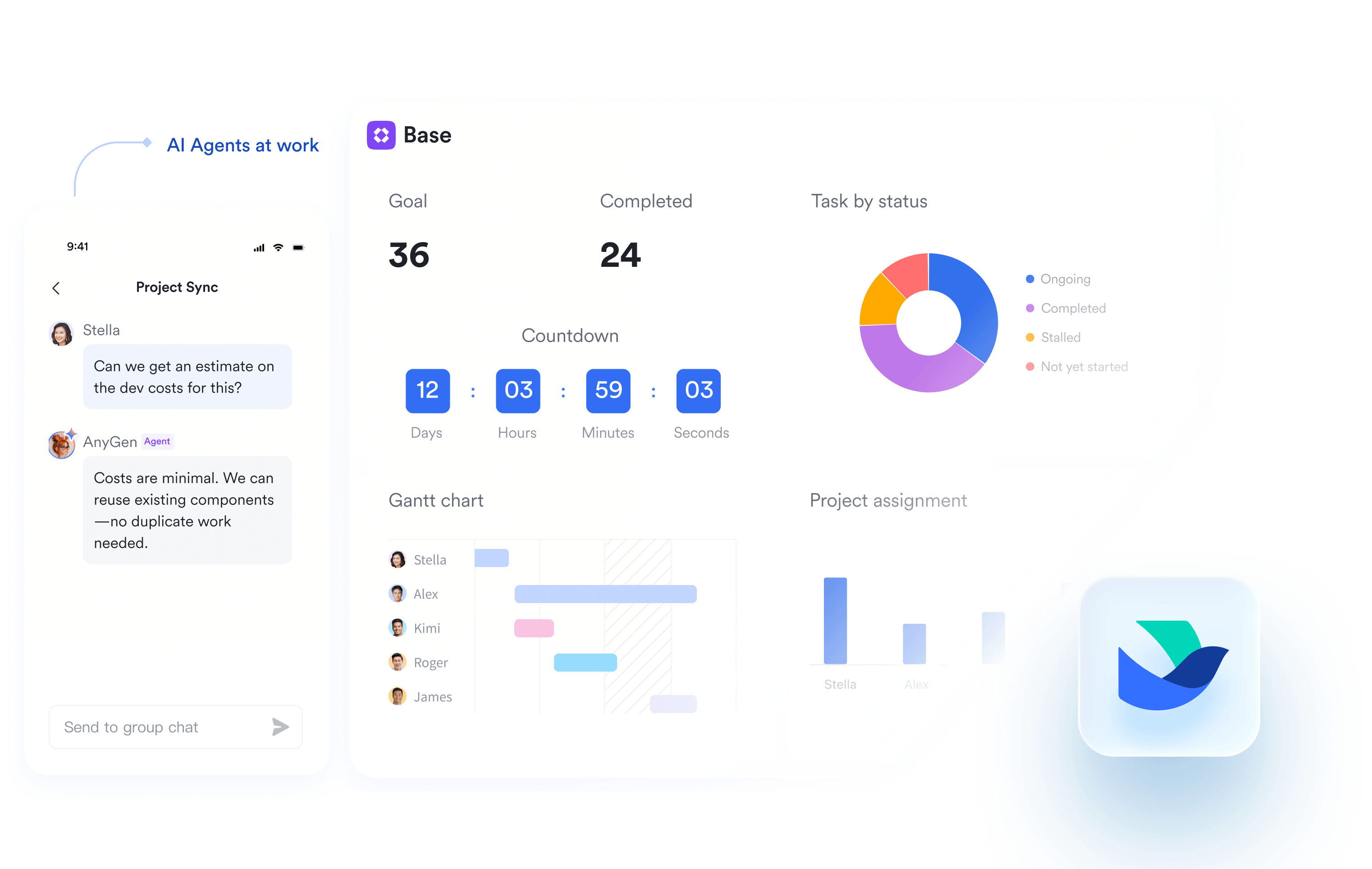
monday.com's free plan barely covers the basics, and every paid tier has a 3-seat minimum. Teams also need to buy separate products for different use cases like CRM.
monday.com lacks built-in chat, email, or video meetings, so you need to pay for additional tools, like Slack, Zoom, and Google Workspace just to get daily work done.
monday.com has restrictive automation and integration caps, a rigid board-centric structure, and a weak mobile experience, limiting workflows and collaboration.
Lark integrates chat, docs, meetings, calendar, email, approvals, databases, and more into one platform, accessible across mobile, desktop, and web. Your team can plan, communicate, and execute from anywhere without constantly switching tools.
Explore the Lark platform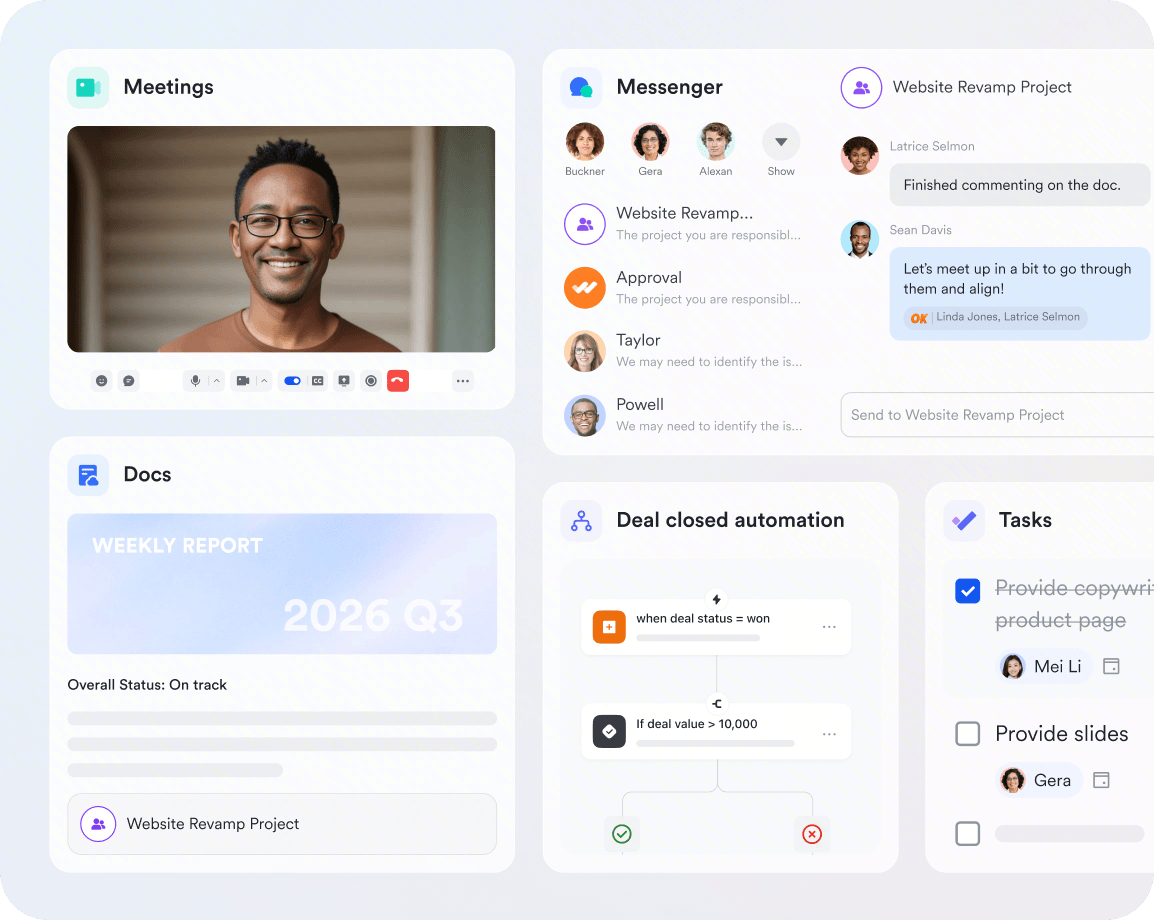
Lark integrates chat, docs, meetings, calendar, email, approvals, databases, and more into one platform, accessible across mobile, desktop, and web. Your team can plan, communicate, and execute from anywhere without constantly switching tools.
Explore the Lark platformCut software bloat while keeping teams fast, clear, and connected.
Book a demo Basic Basic$6/ user / month | Pro $12/ user / month |  Pro Pro$19/ user / month | |
|---|---|---|---|
| Unified workspace |  |  |  |
| Minimum seats | No minimum | No minimum | 3 seats minimum |
| Video meetings | 1 on 1 | 500 participants | |
| Instant messenger | | | |
| Calendar | | | |
| | | |
| AI capabilities | | | |
| No-code databases | | | |
| Dashboards | | | |
| Automation runs | 1,000 | 50,000 | 25,000 |
| Documents | | | |
| Forms | | | |
| Spreadsheets | | | |
| Presentations | | | |
| Wiki | | | |
| Attendance management | | | |
| Approval workflows | | | |
| OKRs | | | |
Calculate how much you can save by replacing your tools with Lark




"Partnering with Lark is helping us connect teams faster, cut down delays, and create conditions for better decisions every day. It's a critical step toward building a more responsive, data-driven organization that delivers on what we promise—both to our people and to our customers."
"Lark has changed how we uplevel sales and customer success. The month I shared our sales boards in Lark Base with our teams, I saw a real lift in digital advertising sales. These boards are where our race to the top can happen, and we finally have the transparency to do so efficiently."

"Lark changed how we work every day and we cannot imagine leaving it now. We recommend Lark to any company in the real estate space who want to operate their properties efficiently, store and share property information with transparency, and let projects flow with no error."
Trusted by 2000+ global leaders across 125+ countries














Pros
Cons
Pricing
Pros
Cons
Pricing
Pros
Cons
Pricing
Pros
Cons
Pricing
Pros
Cons
Pricing
Software and IT teams juggle roadmaps, sprints, bug tracking, and product launches, and need a workspace that keeps engineering, design, and product aligned in one place.

Lark gives tech teams docs, wikis, chat, and Base in one workspace to plan roadmaps and ship products faster, keeping engineering, design, and product work connected end to end.

ClickUp brings tasks, docs, and sprints into a customizable workspace, helping software teams plan roadmaps and track development work in one place.

Sales teams manage pipelines, client relationships, and fast follow-ups, and need a workspace that connects communication with the deal and customer data they rely on daily.
Lark keeps sales teams on top of every deal with a built-in CRM in Lark Base, plus instant chat and approvals, so reps track pipeline and follow up with customers without switching tools.

Asana helps sales teams organize outreach, track follow-ups, and coordinate deals with shared projects, though it relies on integrations for full CRM data.

Retail teams coordinate store operations, frontline staff, and inventory across many locations, and need a mobile-first workspace that keeps head office and shop floor connected.
Lark connects head office and frontline staff with mobile-first chat, video, and shared workflows, helping retail teams roll out updates, manage shifts, and track store operations in real time.

ClickUp's tasks, checklists, and shared docs help retail teams standardize store procedures and coordinate work across multiple locations.

HR teams run recruiting, onboarding, approvals, and employee engagement, and need a workspace that centralizes people processes and company-wide communication.
Lark streamlines HR with approval flows, onboarding docs, and company-wide announcements, giving people teams one place to run recruiting, employee engagement, and daily operations.

Trello's simple boards give HR teams a visual way to track candidates, onboarding steps, and employee requests without a steep learning curve.

Consultancies, agencies, and professional firms run on projects and client success, and they need a workspace that keeps onboarding, delivery, and feedback aligned instead of scattered across chats, spreadsheets, and email.
Lark unifies chat, docs, approvals, and a lightweight CRM in Lark Base, so firms can manage client onboarding, delivery, and follow-ups in one place, while live project dashboards keep tasks, blockers, and resources visible to internal and client teams alike.
Airtable's flexible databases and views let professional services firms track client engagements, deliverables, and timelines in customizable project bases.

List the capabilities your team truly needs, such as boards, chat, docs, or automations, so you can rule out tools that only cover part of the job.
Check whether the platform can import your existing monday.com boards, tasks, and files, ideally with hands-on migration help included.
Favor a familiar, low-friction interface your team can pick up in days, not weeks, to avoid stalled rollouts and heavy training costs.
A workspace that unifies communication, documents, and project boards removes constant app-switching and trims the number of subscriptions you pay for.
Run a live project on the free or trial plan before committing, so you surface workflow gaps while the switch is still reversible.
If you collaborate with clients or freelancers, make sure guests can join securely and co-edit without buying extra seats.

2026 Lark Technologies Pte. Ltd.
Headquartered in Singapore with offices worldwide.