














How to Use a CRM: Beginner's Guide to Getting Started

Ryan Tanner
Product Marketing Specialist
Sep 18, 2026
Ryan Tanner
Sep 18, 2026

14 min read


Customer relationships are the heartbeat of every growing business. In today's digital marketplace, where customer expectations evolve quickly, companies can't rely on spreadsheets or disconnected tools to manage their sales and support efforts. That's where CRM systems step in, offering a structured way to track data, streamline communication, and strengthen customer connections.
For beginners, the idea of how to use a CRM can feel overwhelming do you need technical skills, or is it too complex to learn? The good news is that modern CRM tools like Lark, HubSpot, and Zoho are designed to be user-friendly, making customer management much simpler. In this guide, you'll learn how to use a CRM step by step, discover its most valuable features, explore industry-specific use cases, and see why modern platforms are transforming the way businesses build relationships.

What is a CRM, and why use it?
A customer relationship management (CRM) system is software that helps businesses organize customer data, manage sales pipelines, and track support interactions. Instead of relying on scattered spreadsheets or emails, a CRM provides a single place to store contact details, record communication history, and monitor deals. This centralization creates visibility across teams, making it easier to deliver consistent service and avoid missed opportunities.
The benefits of a CRM extend beyond data management. With clearer pipelines and real-time reporting, sales cycles become faster and more predictable. Teams can personalize outreach, track performance, and strengthen relationships by ensuring every interaction is informed and timely.
Many teams, however, want more than a traditional CRM. That's where tools like Lark come in. Alongside CRM-style features in Lark Base, teams also gain built-in collaboration tools like Lark Messenger, Lark Calendar, and Lark Docs, allowing them to connect data with day-to-day communication and planning. This reduces tool-switching and keeps everyone aligned in one workspace.
How to use a CRM system step by step
Getting started with a CRM may seem overwhelming, but with the right steps, it's simple and effective. Here's a beginner-friendly roadmap to help you set up and use a CRM system with ease.
Step 1. Set up your CRM account
When implementing a CRM, the first step is to configure the system properly. This includes creating user accounts, setting roles, and defining permissions to avoid clutter and protect sensitive data. A well-structured setup ensures everyone—from sales reps to managers—works within a secure and organized environment.
👉 For instance, in Lark Base, you can assign access levels so a sales manager sees all pipelines while an intern only sees their assigned leads. This eliminates confusion and safeguards business data.
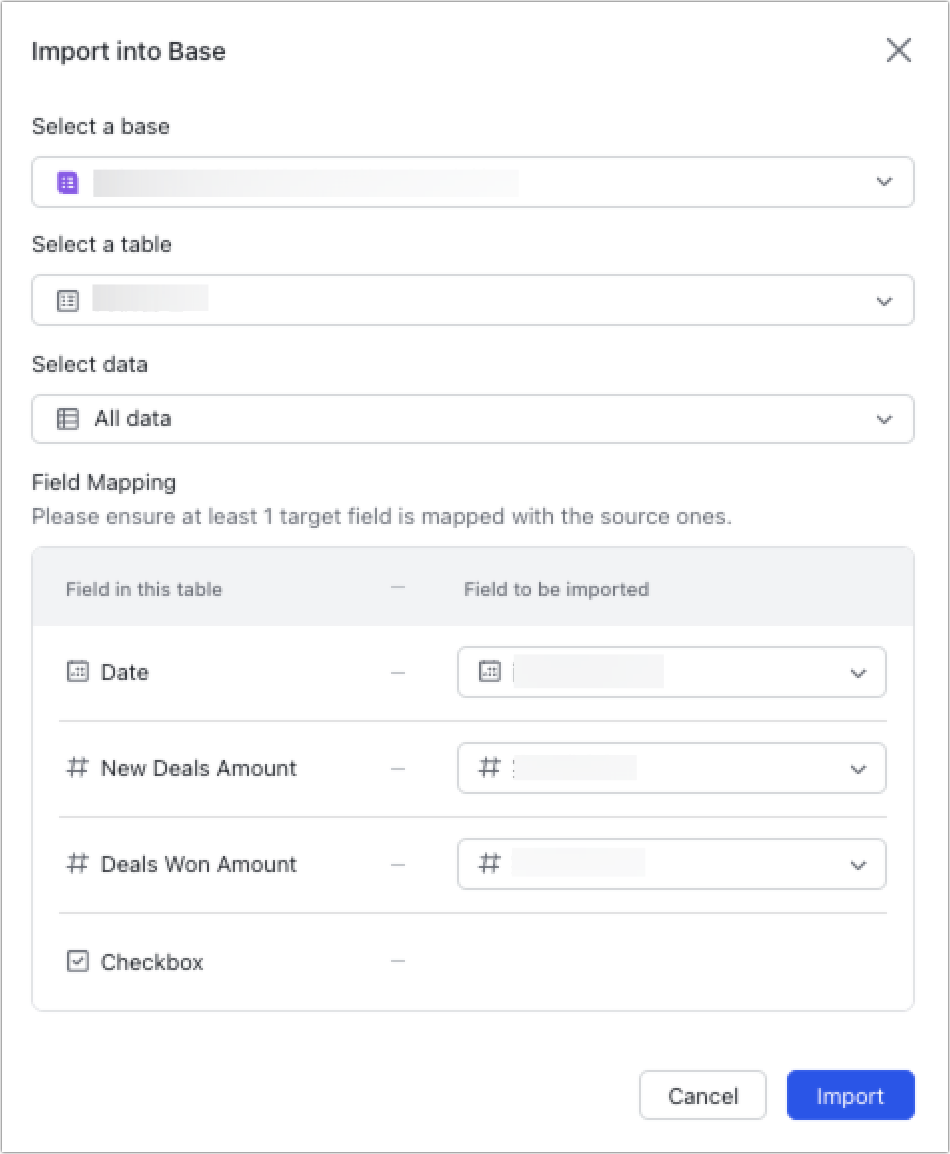
Step 2. Import contacts and leads
Your CRM becomes useful only when customer and lead data are centralized. Importing contacts from spreadsheets, signup forms, or email lists helps unify information that's often scattered. This avoids duplicate entries and ensures no opportunities fall through the cracks.
👉 Imagine an ecommerce brand uploading thousands of customer emails into Lark Base. By adding fields like "Lead Source" or "Last Purchase Date," the team immediately gets actionable insights for follow-ups.
Step 3. Customize fields and pipelines
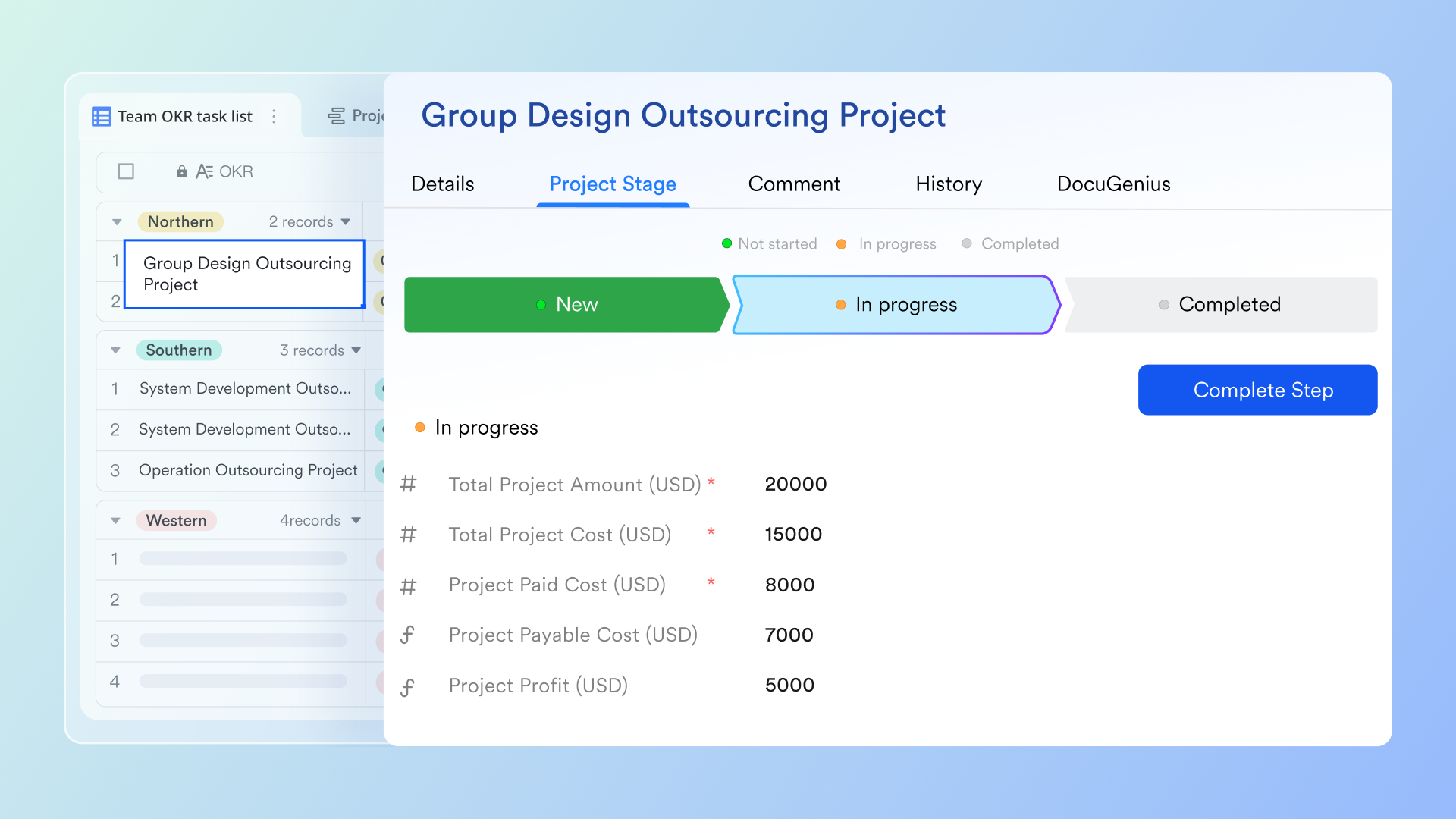
Every business has a unique sales process, so customization is key. Tailoring pipelines and fields allows your CRM to reflect your industry workflows, whether you're selling SaaS subscriptions or managing bulk orders. This personalization ensures your CRM supports your process, rather than forcing you to adapt.
👉 In Lark Base, a B2B team might design a five-stage pipeline: Lead → Proposal Sent → Negotiation → Contract Review → Closed. Custom fields like "Order Size" or "Industry" provide extra filtering power for sales reps.
Step 4. Track activities and communication
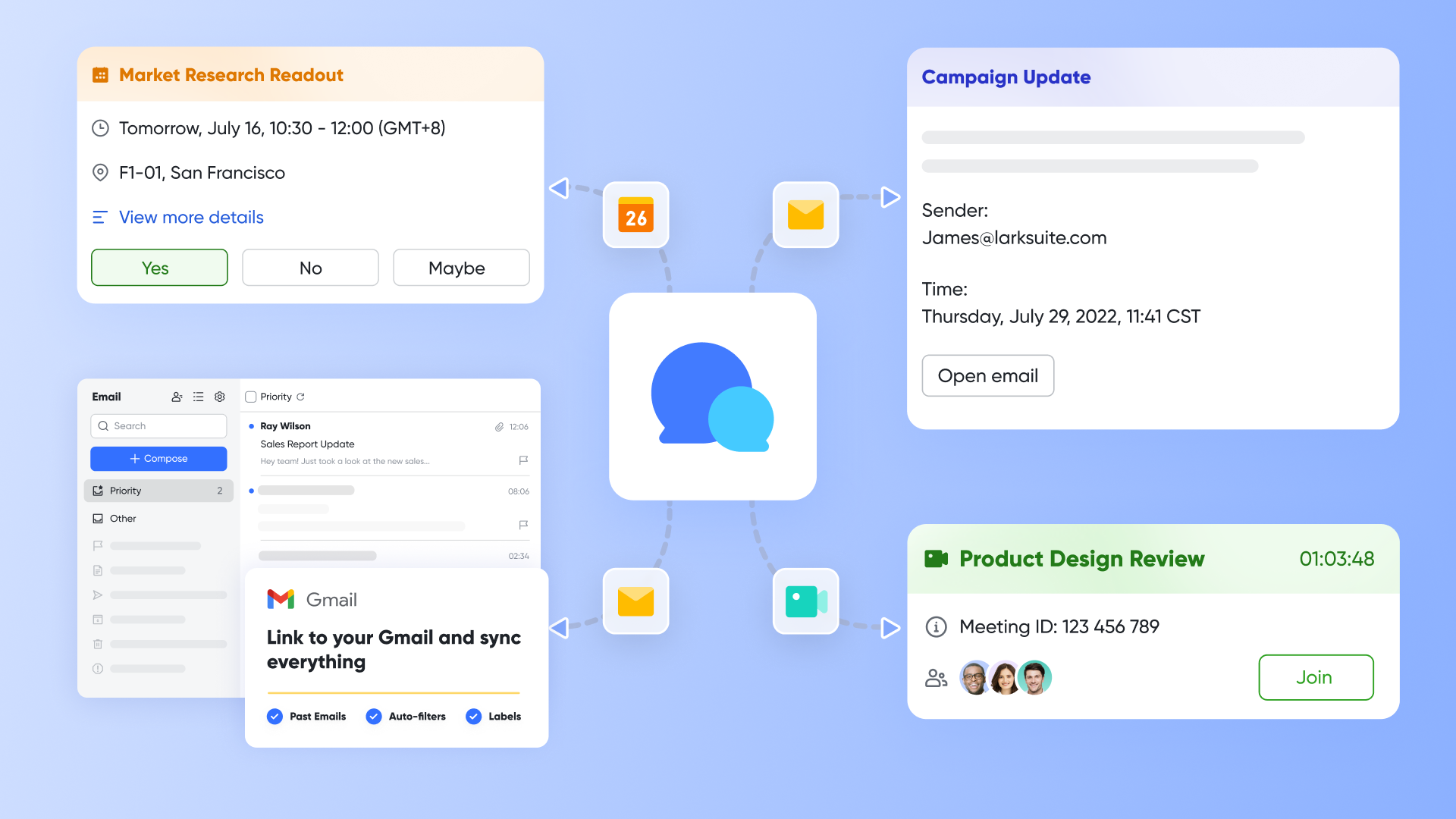
Logging activities creates continuity across teams. Recording calls, meetings, and emails ensures that anyone can step into an account without missing context. This transparency improves customer experience and strengthens accountability.
👉 For example, when a sales rep schedules a demo in Lark Calendar, the event links back to the client's record in Base. Team members can also use Lark Messenger to attach chat updates directly to the customer record, making every touchpoint visible.
Step 5. Automate workflows
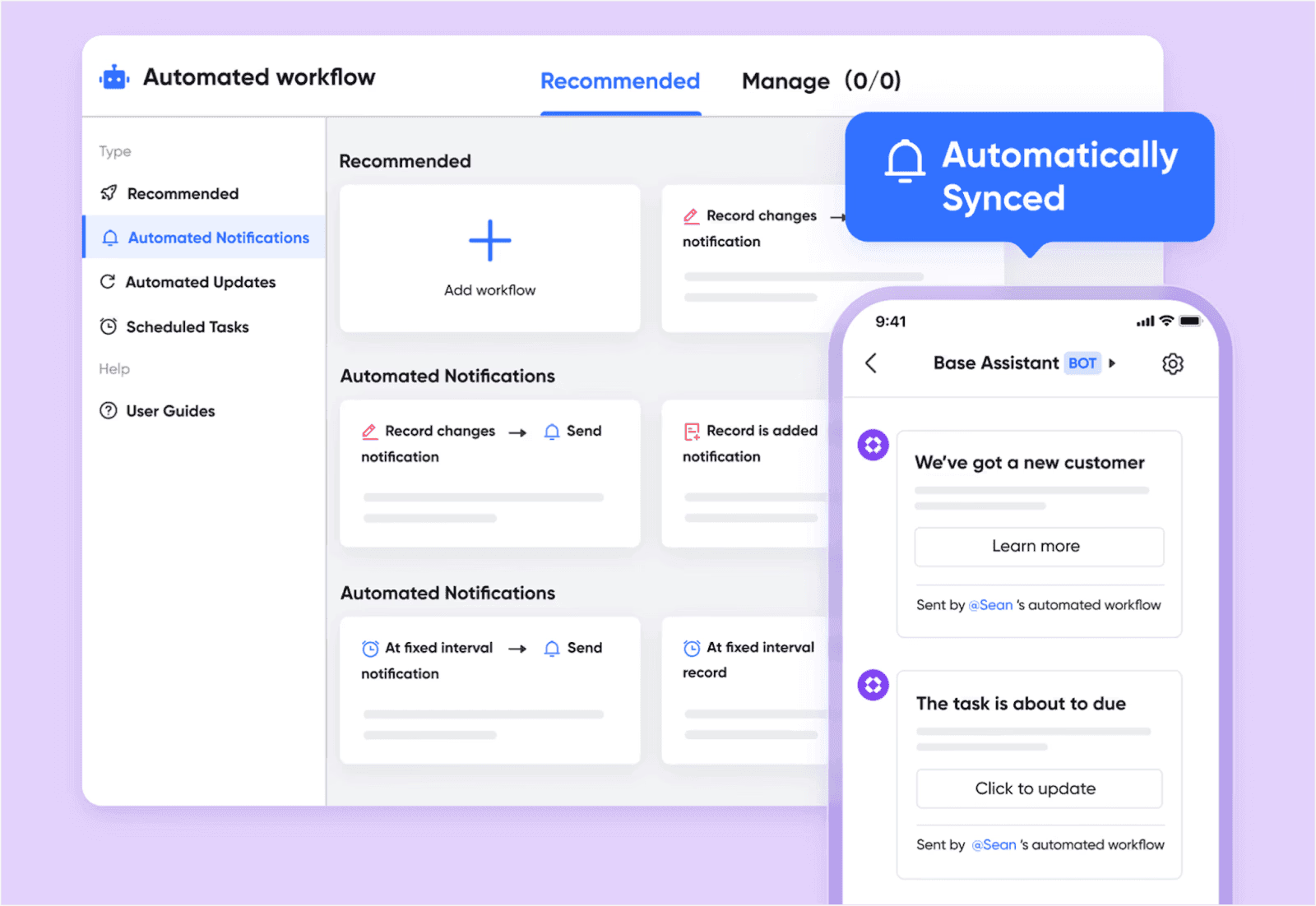
Manual reminders and approvals slow teams down. CRM automation reduces repetitive work by triggering tasks, alerts, or approvals when deals move stages. This creates consistency and lets teams focus on selling rather than admin work.
👉 Picture a refund request in an ecommerce store: In Lark Base, a new record triggers a task in Lark Tasks for the finance team, while Lark Approval routes the request to a manager. The entire process flows seamlessly without email chains.
Step 6. Monitor reports and dashboards
A CRM is not just about storing data—it's about learning from it. Dashboards reveal conversion rates, deal velocity, and pipeline health, helping managers make better decisions. Regularly reviewing reports keeps teams accountable and ensures goals are met.
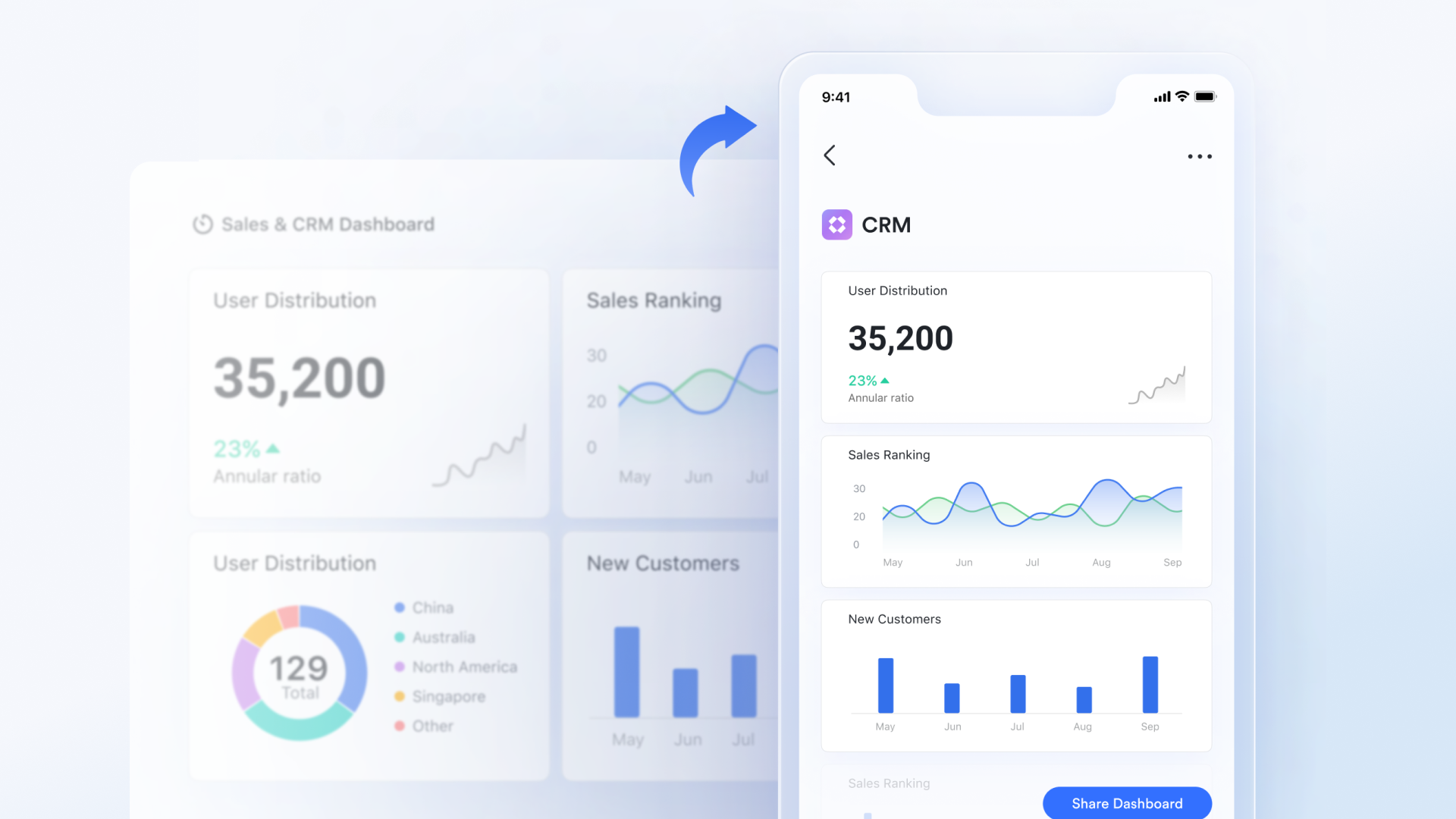
👉 In Lark Base, dashboards can show live KPIs like "Total Monthly Sales" or "Pipeline Value by Rep." For example, a manager might notice one stage has a high drop-off and take corrective action right away.
Step 7. Keep your CRM updated
Even the best CRM fails if the data isn't maintained. Teams must log updates consistently, clean up duplicates, and review old records. Fresh, accurate data ensures reliable forecasting and smooth handovers.
👉 With Lark Base, updates are real-time and collaborative. If a rep marks a deal as "Closed-Won," the entire team sees it instantly. This prevents conflicting records and ensures dashboards always reflect the latest status.
Key features to use in CRM software
Learning how to use a CRM starts with understanding its most valuable features. These tools simplify customer management, speed up sales cycles, and provide insights that help businesses grow.
- Contact management: A CRM stores all customer details, past interactions, and preferences in one hub. This ensures that teams can deliver personalized experiences without missing key information. For beginners figuring out how to use CRM software, contact management is often the first and most important step.
- Sales pipelines: Pipelines show the journey of every deal—from first contact to a closed sale. They help sales teams spot bottlenecks and prioritize opportunities. Businesses exploring how to use a CRM system often find that pipelines bring clarity to their sales process.
- Lead and deal tracking: Tracking leads and deals ensures no opportunity slips through the cracks. CRMs let you assign probabilities, forecast revenue, and focus on high-value clients. Teams that want to learn how to use Salesforce CRM rely heavily on deal tracking to stay competitive.
- Task and activity tracking: With task and activity tracking, teams can schedule meetings, set reminders, and log calls in one place. Connecting a cloud-based call center phone system with CRM infrastructure keeps everyone aligned and ensures follow-ups happen on time. Anyone learning how to use a CRM will find this feature critical for daily efficiency.
- Reports and dashboards: Reports and dashboards provide real-time insights into sales performance, customer behavior, and campaign success. This helps leaders make smarter, data-driven decisions. Companies studying how to use CRM software use dashboards to replace guesswork with clarity.
- Workflow automation: Automation reduces repetitive tasks like sending reminders, updating deals, or assigning leads. It saves time and increases consistency across teams. For those mastering how to use a CRM system, automation unlocks true productivity gains.
While many CRMs focus only on core features, Lark CRM blends customer management with collaboration. Lark Messenger, Lark Calendar, and Lark Docs are built in—so teams can chat, schedule, and report without leaving their CRM workspace.
How to use CRM for different industries
Every industry has its own challenges, and that's why learning how to use a CRM effectively depends on your business goals. Whether in sales, marketing, support, or real estate, a CRM system can be tailored to deliver maximum value.
- Sales teams: Sales professionals need clear visibility into leads, opportunities, and deal progress. By using pipelines and reminders, they can close deals faster and stay organized. For teams exploring how to use CRM software, this is often the most impactful starting point.
- Marketing teams: Marketers benefit from CRMs that manage audience segments, campaign tracking, and ROI measurement. The ability to nurture leads with timely messages drives stronger engagement. For businesses asking how to use a CRM system, marketing automation is usually the game-changer.
- Customer support teams: Customer service thrives on quick responses and detailed history. With a CRM, agents can track tickets, measure service quality, and resolve issues faster. Companies that want to know how to use Salesforce CRM often focus on its support features to boost satisfaction.
- Real estate: Real estate agents manage large pipelines of properties, client inquiries, and follow-up schedules. CRMs help them organize everything in one hub with automated reminders. For professionals learning how to use CRM for real estate, this is the key to building trust and closing deals.
- Small businesses (SMBs): Small businesses need simplicity and scalability in one place—contacts, deals, and communication all connected. A CRM ensures they can grow without losing control over customer data. Owners exploring how to use a CRM system often find it helps them compete with larger players.
With customizable fields, CRM templates, and workflow automation, Lark CRM adapts easily to different industries. Whether you're running campaigns, selling homes, or managing a startup, Lark ensures your CRM setup matches the way you work.
Common mistakes when using a CRM
Even with the best CRM system, teams can fall into traps that reduce efficiency and hurt customer relationships. Understanding these mistakes helps businesses maximize the value of how to use a CRM system.
- Not updating data: Outdated or incomplete customer information can lead to missed opportunities and poor personalization. Regularly maintaining clean data ensures your CRM reflects accurate contacts, purchase history, and interactions. For teams learning how to use CRM software, keeping data current is the foundation of effective customer management.
- Overcomplicating setup: Adding too many fields, workflows, or stages can overwhelm your team and slow adoption. Keep your CRM simple by configuring only what's necessary for your business processes. Beginners exploring how to use CRM for real estate often benefit from a streamlined setup tailored to their industry.
- Ignoring automation: Manual tasks like sending follow-ups, updating deals, or assigning leads waste time and increase the chance of errors. Leveraging workflow automation ensures consistency and efficiency. Teams studying how to use CRM will find that automation boosts productivity without extra effort.
- Poor adoption and training: A CRM only works if your team uses it consistently. Without proper training, features may go underutilized and processes may break down. For businesses learning how to use a CRM system, investing in user adoption ensures every tool is used to its full potential.
- Choosing the wrong CRM Tool: Selecting a CRM that doesn't match your team's size, industry, or workflow leads to frustration and wasted resources. Evaluate your needs before committing to a platform. Companies researching how to use CRM software should choose a system that scales with their business.
Lark's intuitive interface and collaboration-focused tools make adoption easier. Built-in automation, templates, and messaging reduce setup headaches and repetitive tasks, helping teams use the CRM effectively from day one.
Why Lark is a better CRM solution
Most CRMs focus narrowly on storing contacts, managing pipelines, and sending campaigns. While these functions are essential, they often leave teams switching between multiple tools to chat, share files, or align on tasks. That gap slows teams down and reduces adoption.
Lark solves this by blending CRM-style features with collaboration-first tools in one workspace. Customer records live in Lark Base, campaigns can be tracked in Lark Docs and Calendar, approvals are routed instantly through Lark Approval, and discussions happen in Lark Messenger or Meetings—all tied back to the same data.
For example, instead of logging into a CRM to update a deal, jumping to email for client communication, and then to another tool for reporting, teams using Lark can handle everything without leaving the platform. Dashboards update automatically, conversations link directly to deals, and workflows adapt in real time.
This unified approach means less friction, faster response times, and stronger customer relationships. In short, Lark isn't just a CRM—it's a CRM plus collaboration hub, purpose-built for modern, fast-moving businesses.
Lark offers flexible pricing plans to meet customized user needs.
- Starter plan: Includes 11 powerful products, supporting up to 20 users, 100 GB storage, 1,000 automation runs.
- Pro plans: Starts at $12/user/month, supporting up to 500 users. Includes unlimited message history, 50,000 automated Base workflow executions per month.
- Enterprise plan: custom pricing.
Conclusion
CRM software is essential for managing customer relationships, streamlining sales, and making data-driven decisions. Learning how to use a CRM system involves importing contacts, customizing pipelines, tracking activities, automating workflows, and monitoring performance. The right CRM helps teams stay organized, reduce manual tasks, and ensure timely follow-ups, boosting customer satisfaction and loyalty. Modern CRMs adapt to different industries, offering tailored workflows for sales, marketing, real estate, and SMBs. Lark CRM combines these capabilities with collaboration tools like Messenger, Calendar, and Docs, allowing teams to manage customers, communicate, and analyze data all in one platform. This unified approach simplifies adoption, supports scalable growth, and ensures teams act efficiently on customer insights.
FAQs
Can a CRM help small businesses grow?
Yes, a CRM helps small businesses organize customer data, automate repetitive tasks, and track sales opportunities efficiently. By keeping all interactions in one place, teams can follow up faster and make smarter decisions. Lark CRM further streamlines this process with easy-to-use workflows and collaboration tools. This ensures small teams can boost engagement and grow revenue without extra complexity.
How do I use a CRM for real estate?
A CRM allows real estate agents to manage property pipelines, schedule client meetings, and automate follow-ups with potential buyers. It centralizes all client information, making communication more consistent and efficient. Lark offers templates designed for real estate workflows, helping teams track leads and deals effectively. This simplifies day-to-day operations and improves client relationships.
What data should I enter into a CRM?
Include customer contact details, purchase history, deals, support tickets, and any notes that help personalize interactions. Accurate and complete data ensures your CRM can provide actionable insights. Lark CRM centralizes all this information, allowing teams to view customer histories and make informed decisions. This organized approach improves team efficiency and customer engagement.
How does CRM improve customer relationships?
CRMs centralize all communication, purchases, and interactions in one platform, making it easier to personalize engagement. Teams can respond quickly, follow up on time, and anticipate customer needs. Lark enables seamless collaboration across teams, ensuring everyone has visibility into customer history. This results in stronger relationships and increased trust.
Do I need technical skills to use CRM software?
No, modern CRMs are designed to be user-friendly with minimal technical expertise required. Lark offers drag-and-drop pipelines, pre-built templates, and automation tools that simplify setup and usage. Teams can quickly start managing leads and workflows without coding. This makes CRM adoption smooth for all team members.
Related reading
Table of contents
Start using Lark today

Manage all your work in one place
Boost team efficiency by 10x
Save up to 70% on software costs
Table of contents
Start using Lark today
Manage all your work in one place
Boost team efficiency by 10x
Save up to 70% on software costs
Keep reading









2026 Lark Technologies Pte. Ltd.
Headquartered in Singapore with offices worldwide.






Explore: