














Lead Capturing: Meaning, Best Practices, and Top Tools

Ryan Tanner
Product Marketing Specialist
Sep 18, 2026
Ryan Tanner
Sep 18, 2026

26 min read


Capturing leads is no longer just about collecting emails or contact details. Modern lead capturing requires platforms that can collect data, qualify intent, sync with sales tools, and trigger fast follow-ups without switching between apps. Different software solves different parts of the lead-capturing process, from website pop-ups and landing pages to chatbots, event forms, or B2B data enrichment.
The real advantage comes when captured leads can be moved into tasks, conversations, or automation immediately, rather than sitting unused in a CRM or spreadsheet. That's why platforms like Lark are gaining interest, because they don't just support lead capturing, they support everything that happens after it. Below is a curated list of the top platforms used by modern teams - each serving a different type of lead-capturing need, from web forms and pop-ups to live chat, data enrichment, and webinar funnels.
1. Lark: All-in-one workspace for connected lead workflows
2. HubSpot CRM: Comprehensive lead capture and nurturing tool
3. Popl: The GTM platform for in-person lead capture
4. OptinMonster: Website popup and conversion optimization tool
4. Unbounce: Landing page builder for high-converting lead forms
6. Typeform: Interactive forms and surveys for lead engagement
7. Leadfeeder: Lead tracking and visitor identification platform
8. Apollo.io: B2B database and lead enrichment software
9. Intercom: Conversational chatbot and live chat for lead capture
10. Hunter.io: Email finder and verification tool for outbound leads
11. Demio: Webinar-based lead generation and engagement tool

What is lead capturing?
Lead capturing is the process of collecting information from people who show interest in your product, service, or content. It acts as the bridge between audience awareness and sales engagement, turning anonymous visitors into identified prospects. Businesses typically use forms, landing pages, chatbots, or event tools to capture these details, then store them inside a CRM or database for future outreach.
Strong lead capturing is not just about tracking sales; it ensures the information is organized, actionable, and ready for nurturing. When done well, it becomes the foundation of every sales pipeline, helping teams prioritize the right contacts, personalize messaging, and shorten conversion time.
Image source: unsplash.com
How does lead capturing work?
Understanding the full journey of lead capturing helps teams diagnose where leads drop off and where automation can save time. The process usually includes five connected stages that move a prospect from first impression to active follow-up.
- Step 1: Attraction: Traffic arrives through ads, SEO content, social posts, or referrals. The goal here is reaching the right audience, so the leads collected later are relevant and valuable.
- Step 2: Engagement: Visitors interact with pop-ups, gated content, chat widgets, or embedded forms. This is where lead data is first captured.
- Step 3: Qualification: Leads are scored or filtered based on company size, intent signals, demographics, or campaign source to separate high-value prospects from casual browsers.
- Step 4: Routing: Qualified leads are automatically assigned to the right sales or marketing team members using tags, rules, or CRM workflows.
- Step 5: Nurturing: Follow-ups occur through email sequences, chat, calls, or meeting invitations, converting initial interest into a sales conversation or product demo.
Modern lead capturing tools compress these steps into one connected workflow, so teams don't lose leads between systems.
Types of lead capturing methods
There's no single "best" way to capture leads - different industries and campaigns use different entry points. Most businesses combine multiple methods, so they don't depend on just one channel or form type. Below are some of the most common approaches used today.
- Web forms and landing pages: Allow visitors to sign up for demos, trials, or gated content in exchange for contact details.
- Live chat and chatbots: Provide instant conversation and qualification, ideal for high-intent website visitors who want help now.
- Event lead capturing: Uses QR codes, tablets, or kiosks at trade shows, workshops, and booths to record interest on the spot.
- Email sign-ups and gated content: Exchanges value assets like reports, templates, or webinars for signup information.
- Social media lead ads: Platforms like LinkedIn, Meta, and YouTube allow pre-filled lead forms that convert quickly to mobile.
Quick glance: Top lead-capturing tools and pricing comparison
Choosing a lead-capturing platform often starts with understanding which tool fits your team's structure, budget, and follow-up workflow. The table below provides a quick side-by-side comparison of each tool's suitability, starting price, and primary features that distinguish them.
Full list: 11 lead-capturing tools and software you can explore
1. Lark: All-in-one workspace for connected lead workflows
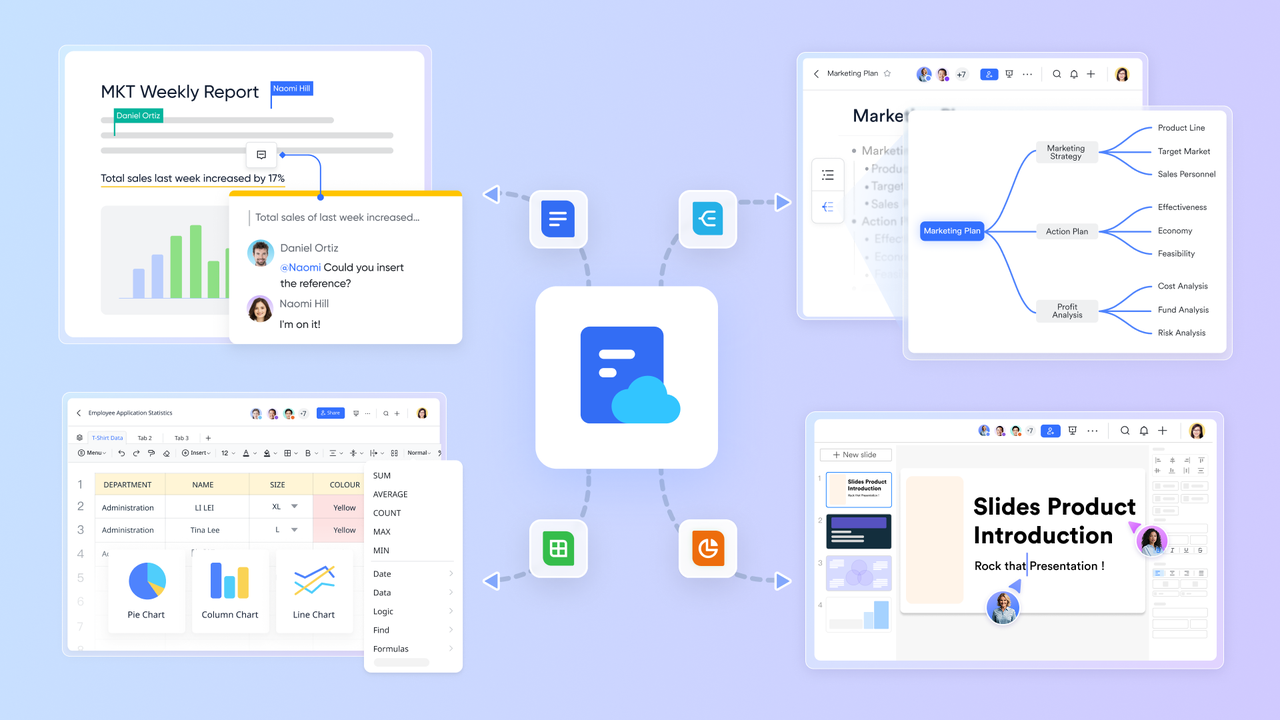
Most lead-capturing tools focus on collecting data, but they leave teams relying on separate platforms for follow-ups, qualification, and collaboration. Lark solves that gap by bringing lead management, communication, task ownership, automation, and content creation into one connected workspace. Instead of moving leads between a form tool, CRM, spreadsheet, email, and chat app, teams can handle every stage - capture, qualify, discuss, assign, and convert without switching systems.
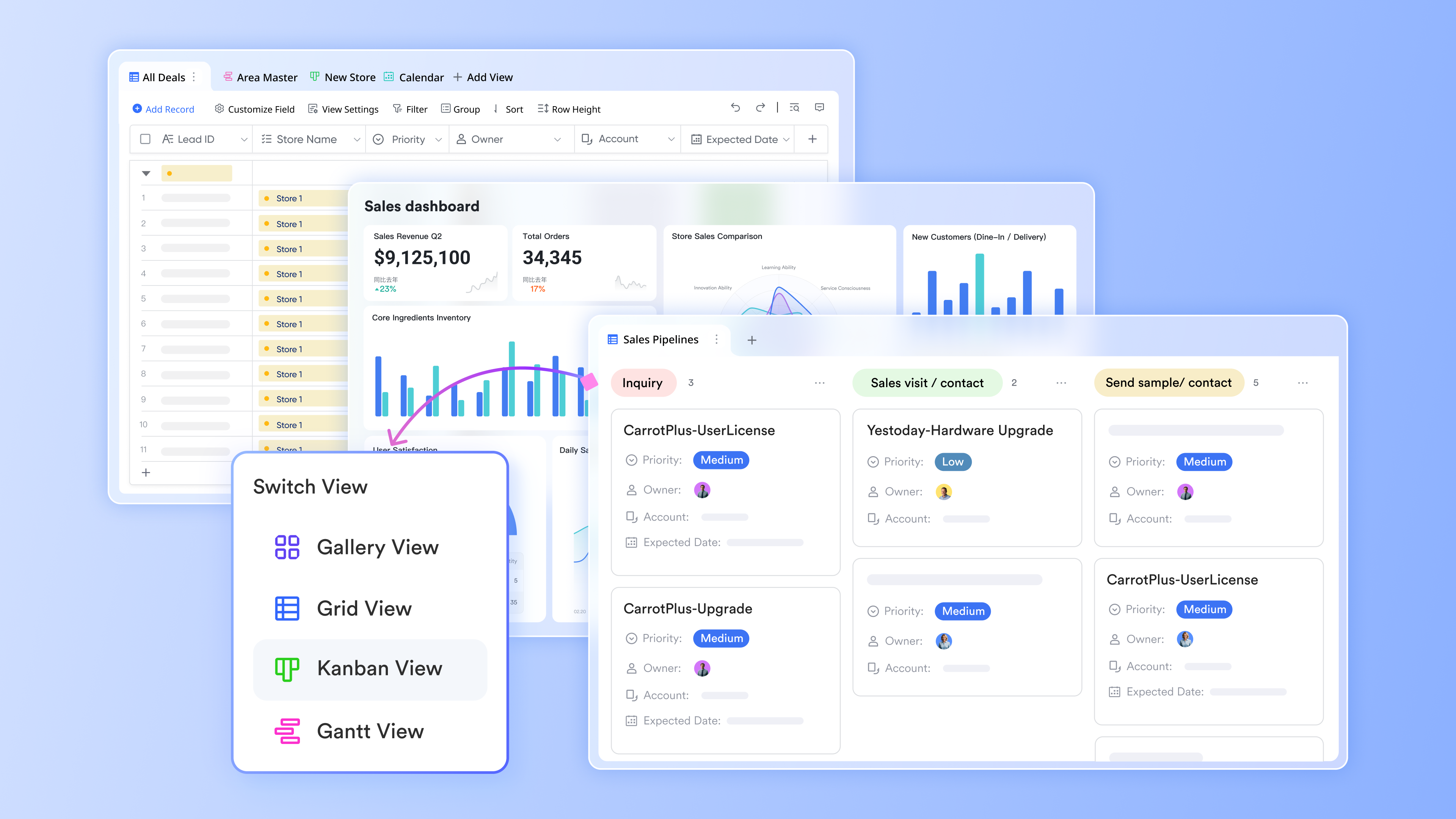
Lark Base: Centralize and visualize your lead data
Lark Base acts as your team's dynamic lead database. Instead of juggling multiple spreadsheets or CRMs, teams can build structured tables to track lead sources, statuses, and follow-up progress.
Custom filters, forms, and Kanban views make it easy to visualize your pipeline from new inquiries to closed deals. Whether you're capturing leads from a campaign, trade show, or website form, all data flows into a single, organized base. Teams can automate updates, assign ownership, and create dashboards for real-time visibility ensuring no opportunity is lost after capture.
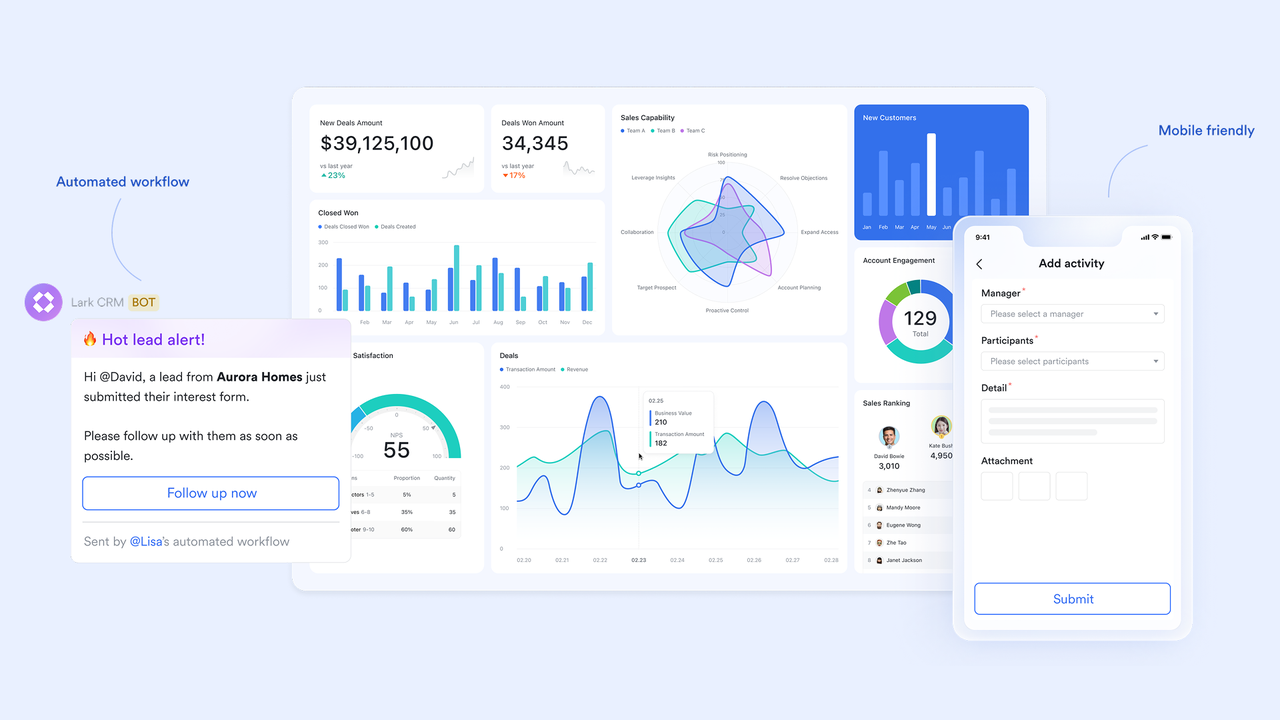
Lark Messenger: Connect conversations to captured leads
Communication plays a crucial role after capturing a lead. With Lark Messenger, teams can instantly share new lead information in chat threads, tag teammates, and align on next steps without switching platforms.
Sales and marketing teams can discuss qualification criteria, share updates, or link directly to the lead's record in Lark Base. This real-time collaboration ensures that every lead is followed up promptly, and handoffs between departments stay seamless. Messenger turns post-capture communication into a connected, action-oriented process rather than scattered follow-ups.
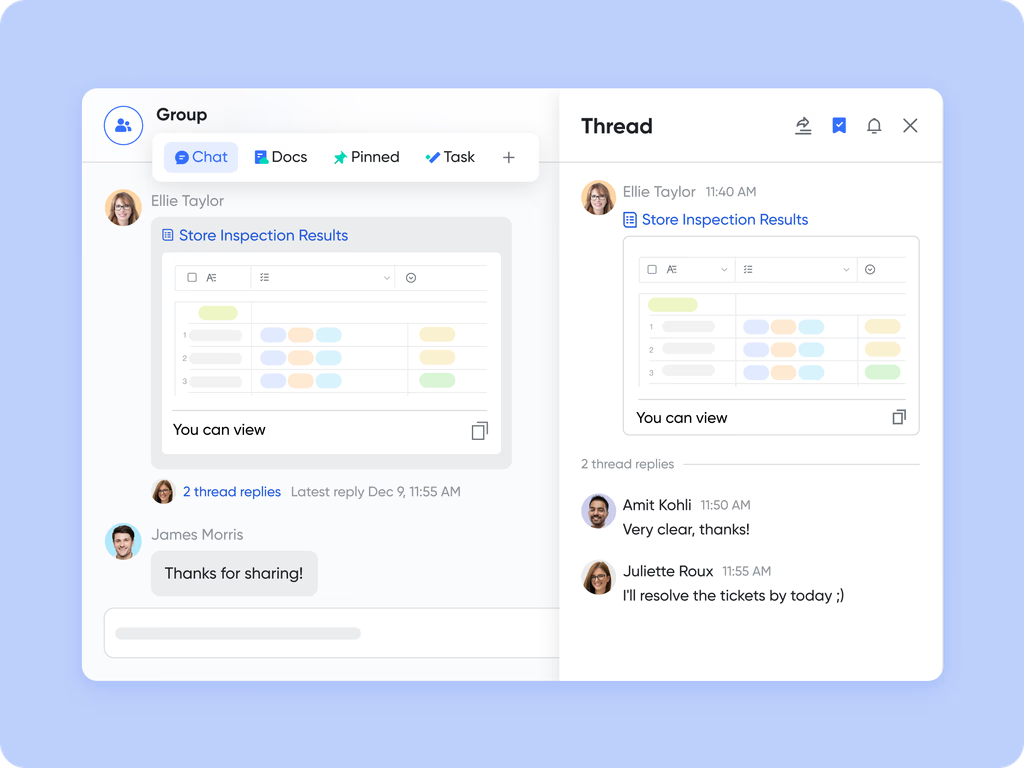
Lark Docs: Build and refine outreach content collaboratively
After leads are captured, engaging them effectively is key. Lark Docs enables teams to co-create outreach templates, sales scripts, and nurturing workflows in real time.
Marketing can write email copy while sales edits follow-up sequences simultaneously with inline comments, version history, and feedback built in. These shared Docs become living resources for the entire team, helping maintain consistent messaging and quicker turnaround on campaigns. Unlike static document tools, Lark Docs ties content creation directly to your active leads and ongoing communication.
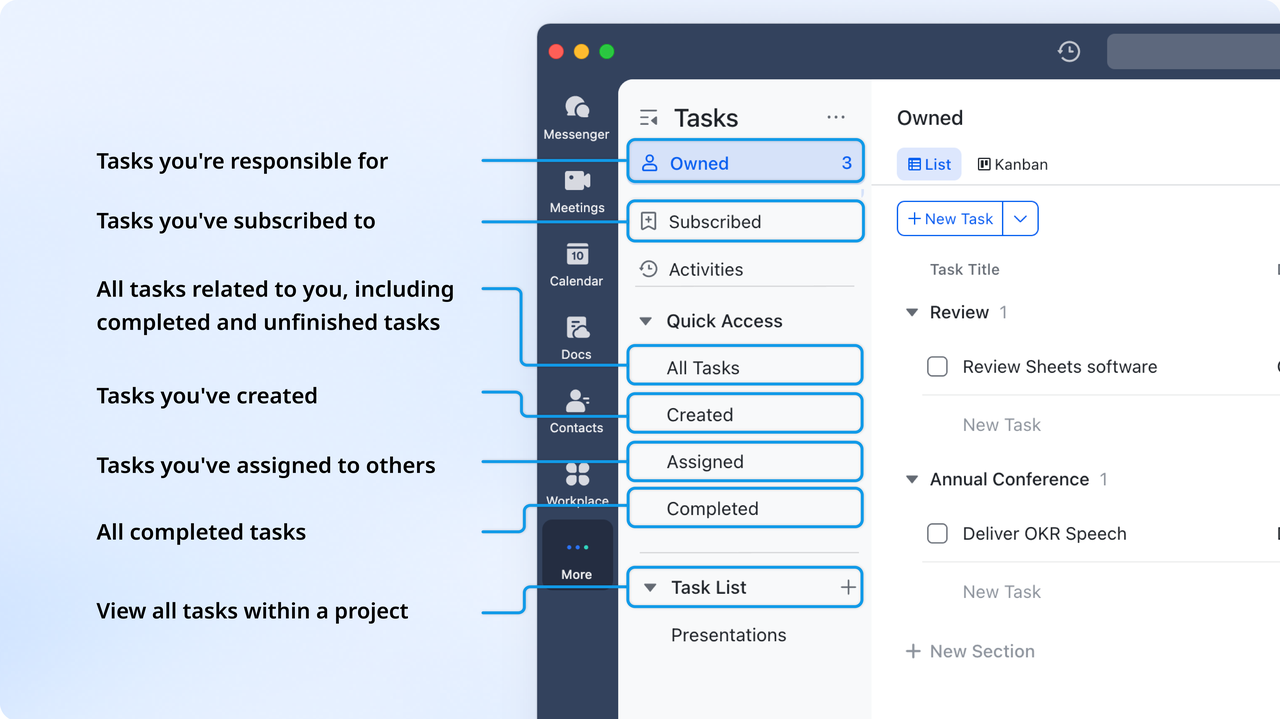
Lark Tasks: Turn follow-ups into clear accountability
Every captured lead needs action, and Lark Tasks makes that accountability effortless. Sales managers can assign follow-ups directly from a chat or base record, add due dates, and monitor progress in a single checkbox interface.
Each task is linked to the relevant lead, ensuring all activity stays connected. Automatic reminders and status updates keep everyone on track. With full visibility into who's responsible for what, your team can follow up consistently and move leads through the pipeline faster.
Pros
- Connects lead capturing, collaboration, and follow-up in one system instead of using separate tools
- Real-time chat, docs, tasks, and CRM-style tables reduce delays and communication gaps
- Powerful automation removes repetitive work like routing, reminders, and status updates
- Works for sales, marketing, support, and operations teams - not just CRM-centric users
- Free plan includes an unusually high number of tools compared to typical lead software
Cons
- Requires time on onboarding effort for teams
- Starter plan: Free forever plan that includes 11 powerful tools for up to 20 users. It also comes with 100GB of storage, 1000 automation runs, AI translations, and more.
- Pro plan: $12/user/month (billed annually) for up to 500 users. It includes everything in Starter plus group calling for up to 500 attendees, 15TB of storage, 50,000 automation runs, and more.
- Enterprise plan: Contact sales for custom pricing. Supports unlimited users and includes even more automation runs and advanced security, compliance, and management features.
2. HubSpot CRM: Comprehensive lead capture and nurturing tool
HubSpot is one of the most widely used platforms for lead capturing because it does more than collect data. It connects marketing, sales, and automation inside one CRM system. It's ideal for businesses that want to turn captured leads into structured pipelines without juggling multiple tools. HubSpot offers built-in lead forms, pop-ups, chatbots, email automation, reporting dashboards, and end-to-end contact timelines, which lets teams see how each lead interacts with campaigns before entering the sales funnel.
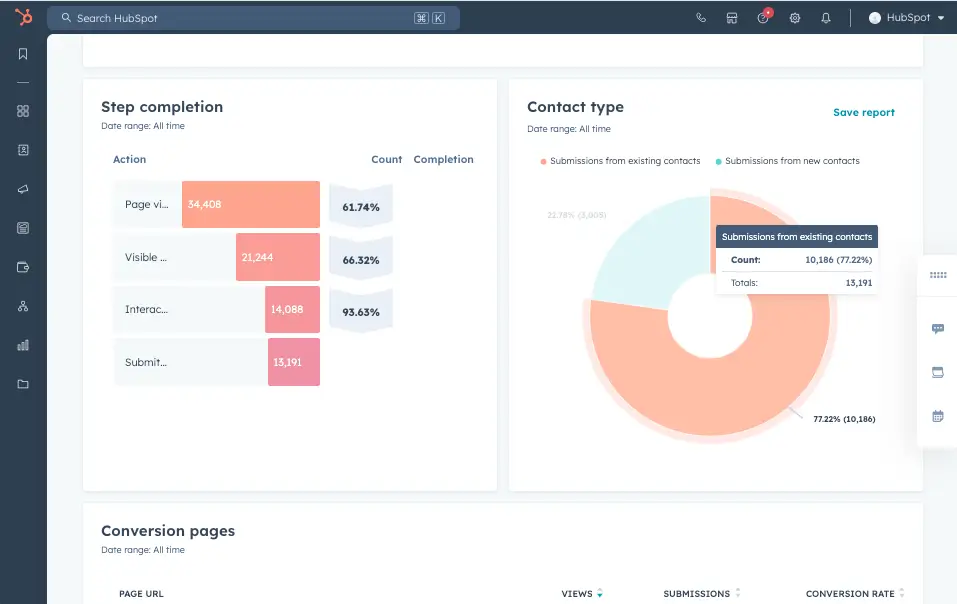
Image source: hubspot.com
Key features
- Built-in drag-and-drop lead forms and landing pages that send new leads directly into the CRM for instant tracking and segmentation.
- Live chat and chatbot widgets that qualify visitors in real time and assign them automatically to the right sales or support team.
- Automated email sequences that continue nurturing leads based on engagement behavior, page activity, or lifecycle stage.
- Analytics dashboards that show lead source performance, campaign ROI, and full-funnel insights without exporting data.
- Deal pipelines and activity timelines that store calls, meetings, emails, and follow-ups tied to each contact.
Pros
- One of the best free plans on the market, allowing teams to collect, email, and track leads before paying for advanced features or scaling contact volume.
- Combines CRM, email marketing, automation, chat, and reporting in one system, preventing the need for tool switching or spreadsheet syncing.
- Strong attribution and campaign insights help teams understand which channels bring leads that actually convert into deals, not just clicks.
- Scales smoothly from a basic lead capture setup to advanced multi-team operations, reducing migration risk over time.
Cons
- Costs rise significantly when automation, contact volume, or advanced reporting needs increase.
- Lead scoring, advanced sequences, and deeper analytics require higher plans.
- May feel too large or complex for teams that only need simple form capture.
Pricing: free plan available; paid plans start at $20/month
3. Popl: The GTM platform for in-person lead capture
Popl is built for GTM teams that capture leads at trade shows, conferences, and networking events. While most lead capture tools focus on digital channels, Popl covers the moment a prospect is standing in front of you. Its AI-native Universal Badge Scanner works at any event without organizer APIs. Every scan triggers waterfall enrichment across 20+ data partners, returning a verified, CRM-ready contact before the rep has even finished the conversation. Trained on over a million badge scans, Popl's enrichment engine reaches 95%+ email match rates, well above the 65% industry standard, which is why it's trusted by teams at 90% of the Fortune 500.
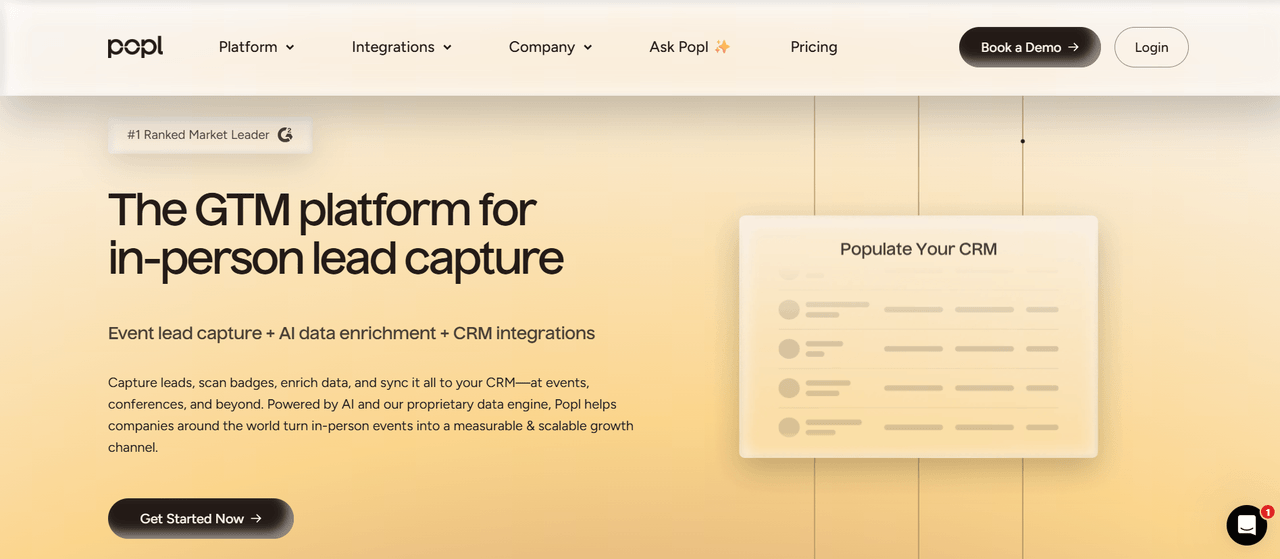
Image Source: popl.co
Key features
- Universal Badge Scanner that captures badges, QR codes, and business cards
- Waterfall enrichment across 20+ premium data partners delivering 95%+ email match rates
- Native integrations with Salesforce, HubSpot, and 100+ platforms for real-time CRM sync
- Event Flows with qualifying questions and triggered follow-up emails
- In-app Calendar Booking so reps can lock in next steps on the show floor
Pros
- Fills the in-person gap, so event leads follow the same automated path as website leads
- Point-of-capture enrichment means sales gets complete, verified records in seconds, turning speed-to-lead into a competitive edge
- One tool works across every event — no rented hardware or per-event apps
- SOC 2 Type II certified with dedicated CSM onboarding, making it enterprise-ready out of the box
Cons
- In-person focus; purely digital funnels still need forms, popups, and chat tools
- Team pricing requires a custom quote
Pricing: Custom quote. Usage-based for teams, so costs scale with outcomes
4. OptinMonster: Website popup and conversion optimization tool
OptinMonster is designed to convert website visitors into leads using popups, floating bars, slide-ins, and targeted display rules. It's widely used by ecommerce stores, bloggers, and SaaS marketers who want to improve conversions without redesigning pages. Instead of replacing a CRM or email tool, OptinMonster focuses only on front-end lead capture and pushes contacts into whatever platform teams already use. It's particularly effective for exit-intent campaigns that recover abandoning visitors before they leave a site.
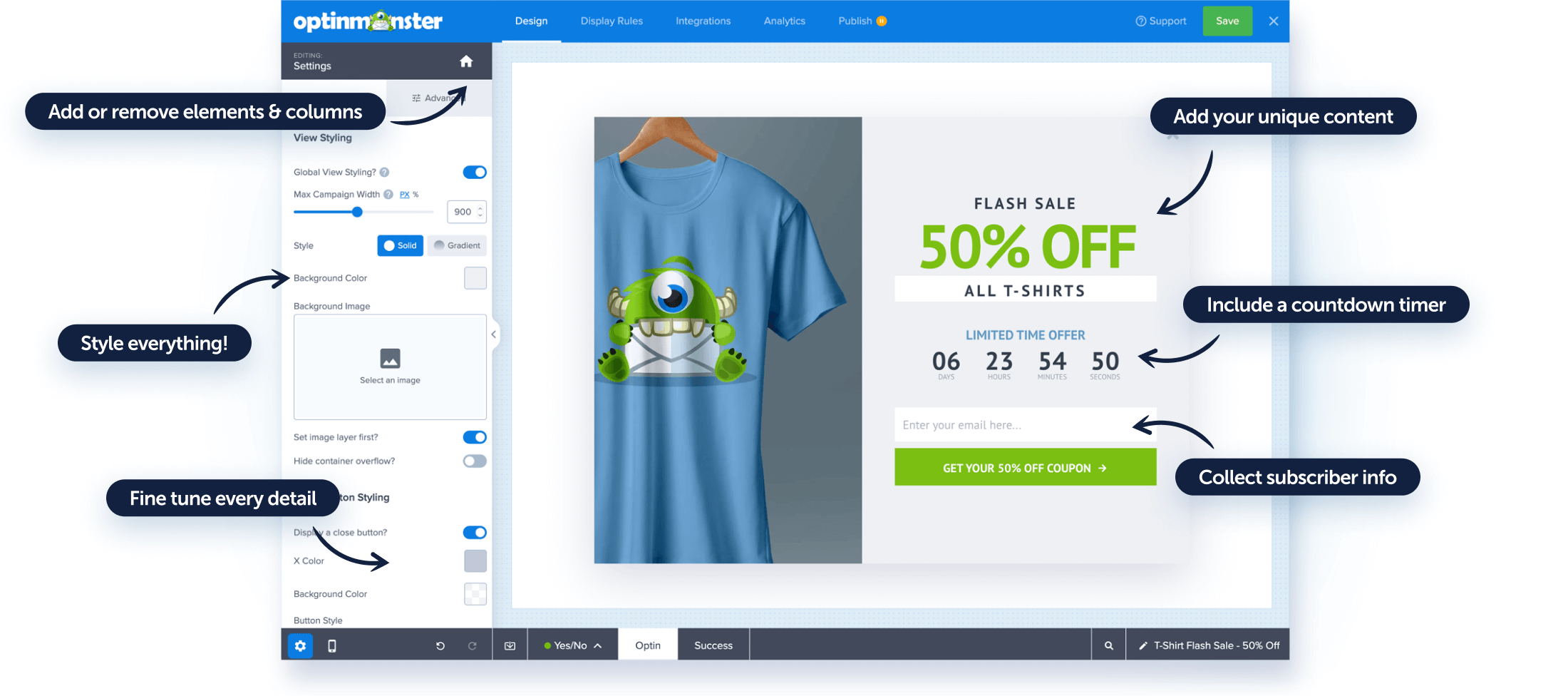
Image source: optinmonster.com
Key features
- Exit-intent popups that detect when visitors are about to leave and convert a portion of them into subscribers or offer claimers.
- Floating bars and slide-ins that collect leads without blocking content, ideal for subtle promotions or timed announcements.
- A/B testing tools for comparing offers, headlines, visuals, and trigger timing to improve conversion rates.
- Display rules that show campaigns based on source, scroll depth, device type, or time on page.
- Integrations with major email marketing platforms and CRMs for automatic routing of captured leads.
Pros
- Boosts conversions without requiring redesigns or new pages, since campaigns overlay existing site content and work across most builders.
- Works for multiple use cases including newsletter growth, discount offers, gated content, event signups, and product promotions.
- Built-in testing and analytics allow decision-making based on performance data rather than guesswork or static design.
- Affordable starting price for smaller sites while still supporting complex targeting for high-traffic brands.
Cons
- Does not include CRM or email sending, so a second platform is required for nurturing.
- Deeper visual customization or custom logic may require coding skills.
Pricing: Starts at $9/month (billed annually)
5. Unbounce: Landing page builder for high-converting lead forms
Unbounce is built for marketers who need custom landing pages instead of sending traffic to a homepage or product page. It's widely used for paid ads, gated offers, webinars, and launch campaigns, especially when conversion rate is tied to ROI. The drag-and-drop builder gives full design flexibility without relying on developers, and Smart Traffic (its AI engine) automatically routes visitors to the best-performing page variant. This makes it popular for teams running A/B tests and fast-moving campaigns.
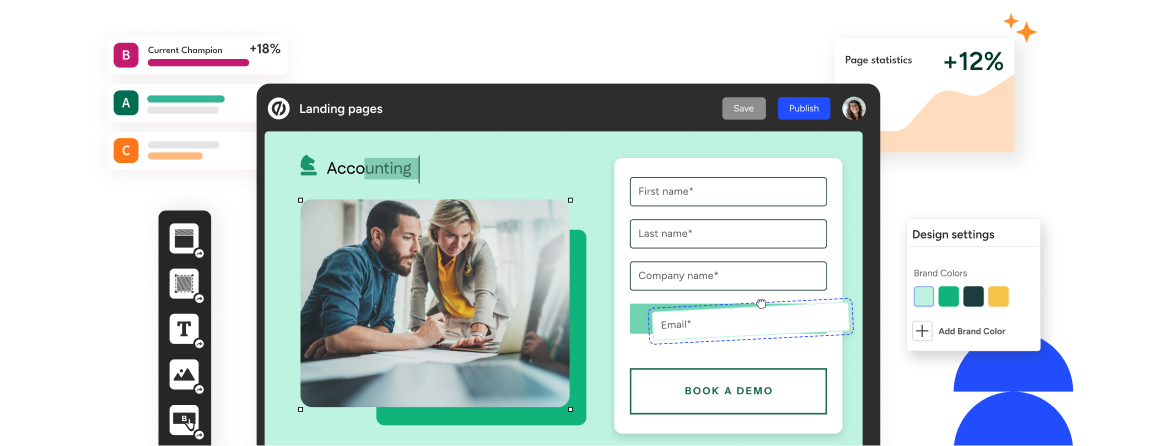
Image source: unbounce.com
Key features
- Drag-and-drop landing page builder that supports full design control without code.
- Smart Traffic optimization that automatically sends visitors to the version most likely to convert based on behavior patterns.
- A/B testing features for headlines, layouts, form length, and design variations.
- Dynamic text replacement that personalizes messaging based on ad keyword or visitor source.
- Built-in forms and direct integrations for syncing leads to CRMs and email tools.
Pros
- Removes dependency on development teams by allowing marketers to launch and modify pages quickly during campaigns.
- Ideal for paid ads and conversion-focused funnels where landing page quality directly affects cost per lead and returns on ad spend.
- Built-in optimization and testing tools reduce the need for third-party analytics or manual experiments.
- Works well with major CRMs, automation tools, and email marketing systems, keeping lead flow centralized.
Cons
- Higher pricing than simple form or popup tools, better suited for active campaign environments.
- Not ideal for teams that want embedded forms only and don't need full landing pages.
Pricing: Starts at $99/month
6. Typeform: Interactive forms and surveys for lead engagement
Typeform is designed for teams that want their lead capture forms to feel more conversational and human rather than static and boring. It is commonly used by marketers, product teams, event organizers, and educators who rely on forms for signups, feedback, or qualification. Instead of presenting all questions at once, Typeform shows one question at a time, which increases completion rates and keeps users focused. Its visual style, conditional logic, and integration make it useful for both lightweight form use and structured lead data collection.
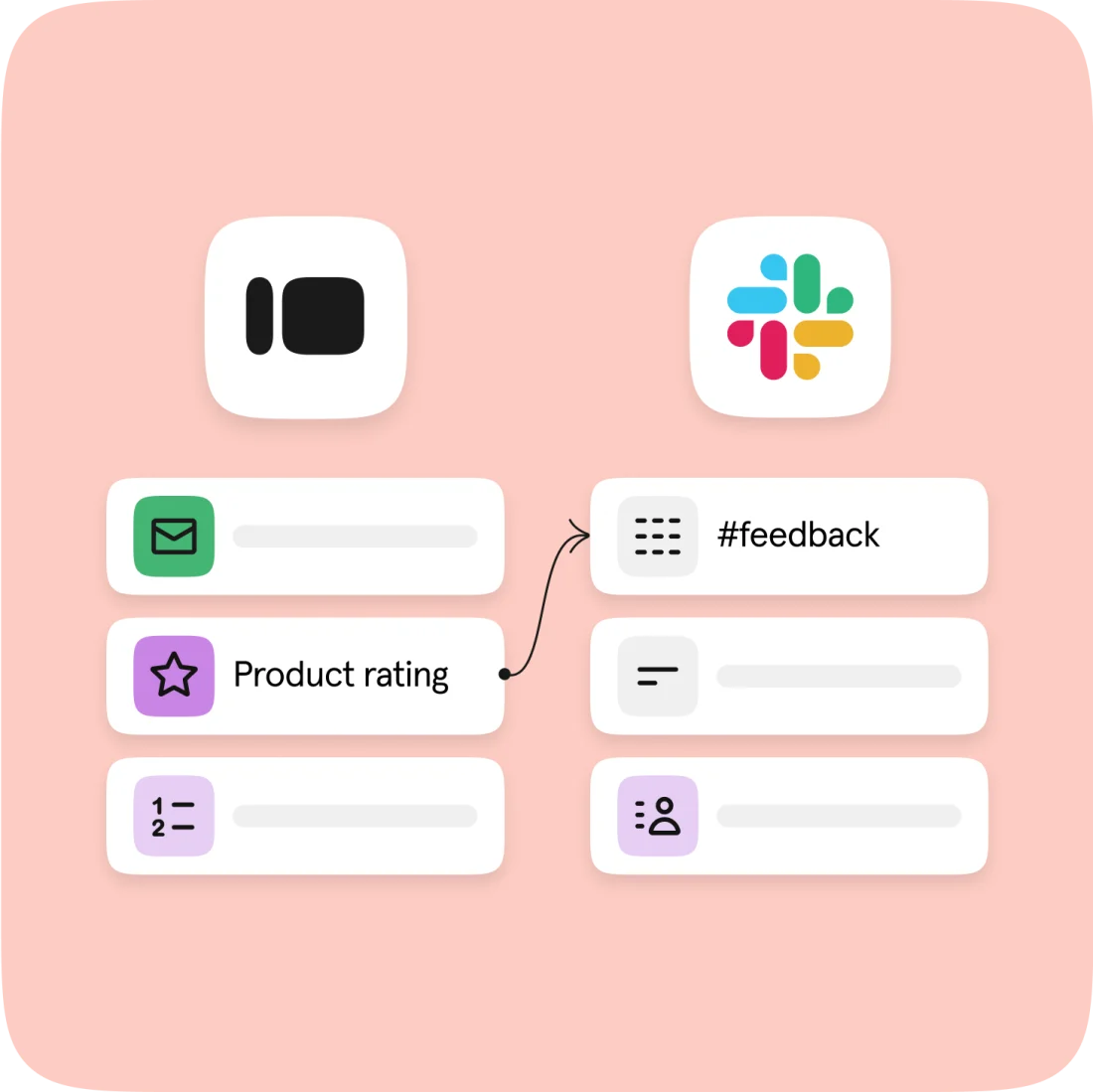
Image source: typeform.com
Key features
- Conversational forms that display one question at a time to improve user engagement and completion rates.
- Conditional logic that changes questions based on answers, helping qualify leads and segment responses in real time.
- Embed options for websites, landing pages, emails, or social channels without design constraints.
- Integrations with CRMs, spreadsheets, and apps like Slack, HubSpot, and Google Sheets for automatic routing.
- Analytics dashboards show completion rate, drop-off points, and overall response quality.
Pros
- Creates forms that feel natural and interactive, which often increases completion rates compared to traditional multi-field layouts.
- Ideal for lead magnets, event registrations, product feedback, recruitment forms, and survey-based segmentation workflows.
- Simple visual builder makes it easy for non-designers to brand forms without needing CSS or page builders.
- Supports logic jumps, hidden fields, and response piping, allowing it to work for both basic and advanced use cases.
Cons
- Limited automation and CRM features compared to dedicated lead platforms.
- Responses count toward plan limits, so usage costs can increase for high-traffic campaigns.
Pricing: Free plan available; paid plans start at $25/month
7. Leadfeeder: Lead tracking and visitor identification platform
Leadfeeder is built for B2B companies that want to identify which businesses visit their website even when visitors don't submit a form. It works by matching IP data with company databases, revealing which organizations are browsing pages, what content they viewed, and how often they return. This helps sales teams follow up with high-intent accounts before they submit any contact information. Leadfeeder is most valuable for ABM, outbound sales teams, and companies with long research-driven sales cycles.
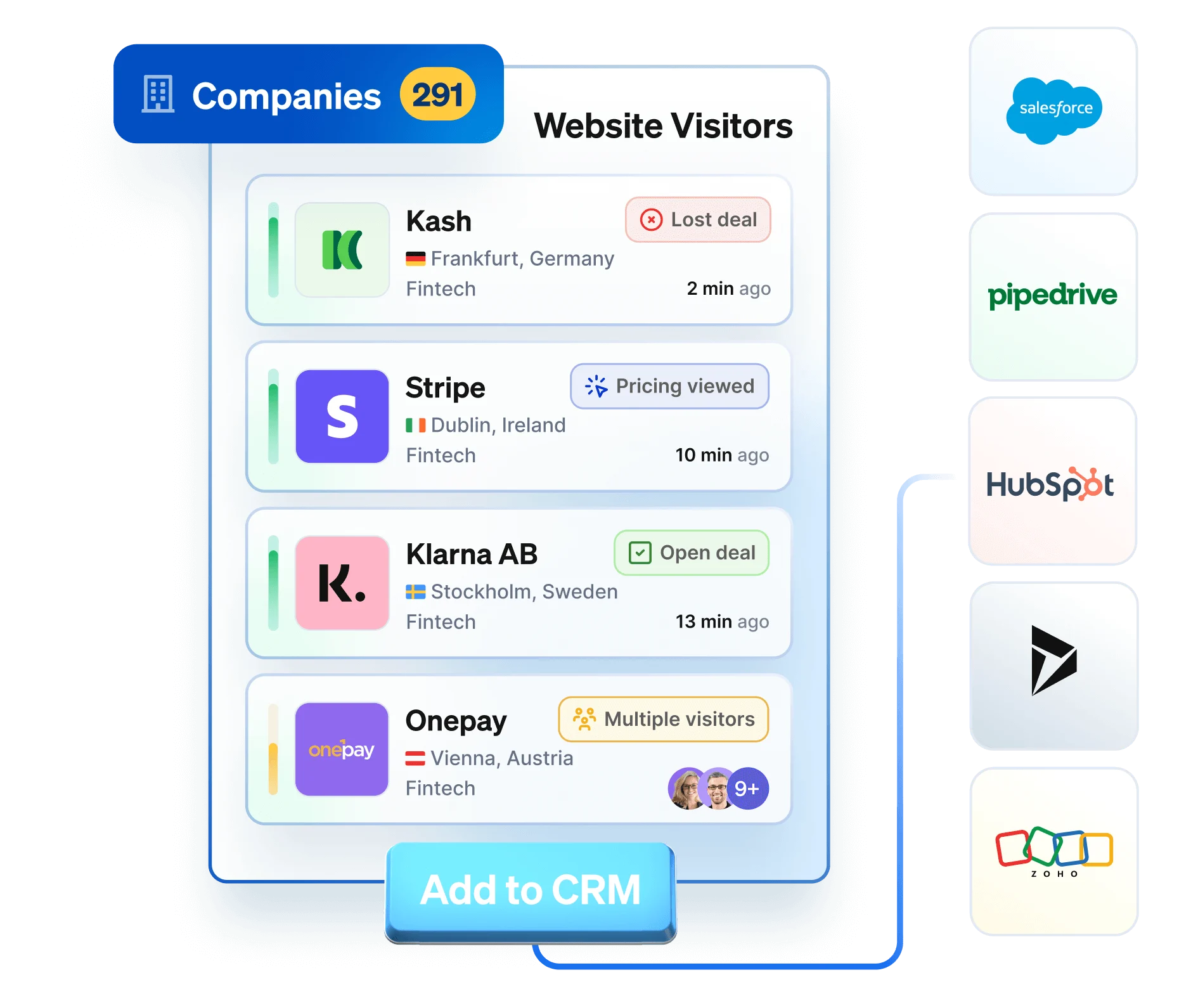
Image source: leadfeeder.com
Key features
- Automatic visitor identification that reveals which companies are browsing your website, even if they do not fill in a form.
- Lead scoring to rank visiting companies based on page views, traffic sources, and repeat behavior.
- CRM integrations that push identified leads to tools like HubSpot, Pipedrive, and Salesforce.
- Filters for industry, company size, location, or engagement quality to narrow down sales targets.
- Daily email reports that notify teams when high-value companies revisit your site.
Pros
- Helps uncover hidden demand from high-intent companies that browse quietly without subscribing or booking demos.
- Works well for outbound teams who want to prioritize warm leads instead of cold prospecting from scratch.
- Integrates cleanly into CRM workflows, so identified accounts are ready for outreach without manual exporting.
- Easy to onboard setup only requires Google Analytics or a tracking script, no full-site rebuilds.
Cons
- Identifies companies, not individuals, so extra prospecting may be required.
- Pricier than standard form-based lead capture tools.
Pricing: Free Lite version available; paid plans start at $99/month
8. Apollo.io: B2B database and lead enrichment software
Apollo.io is used by sales and outbound teams that need access to verified contact data, firmographic filters, and sequencing tools all on one platform. It offers a large database of B2B emails and phone numbers, as well as prospecting filters like job title, industry, tech stack, and company size. Unlike pure database tools, Apollo also includes email outreach, enrichment, scoring, and analytics, making it a fully operational outbound lead engine for high-volume SDR teams.
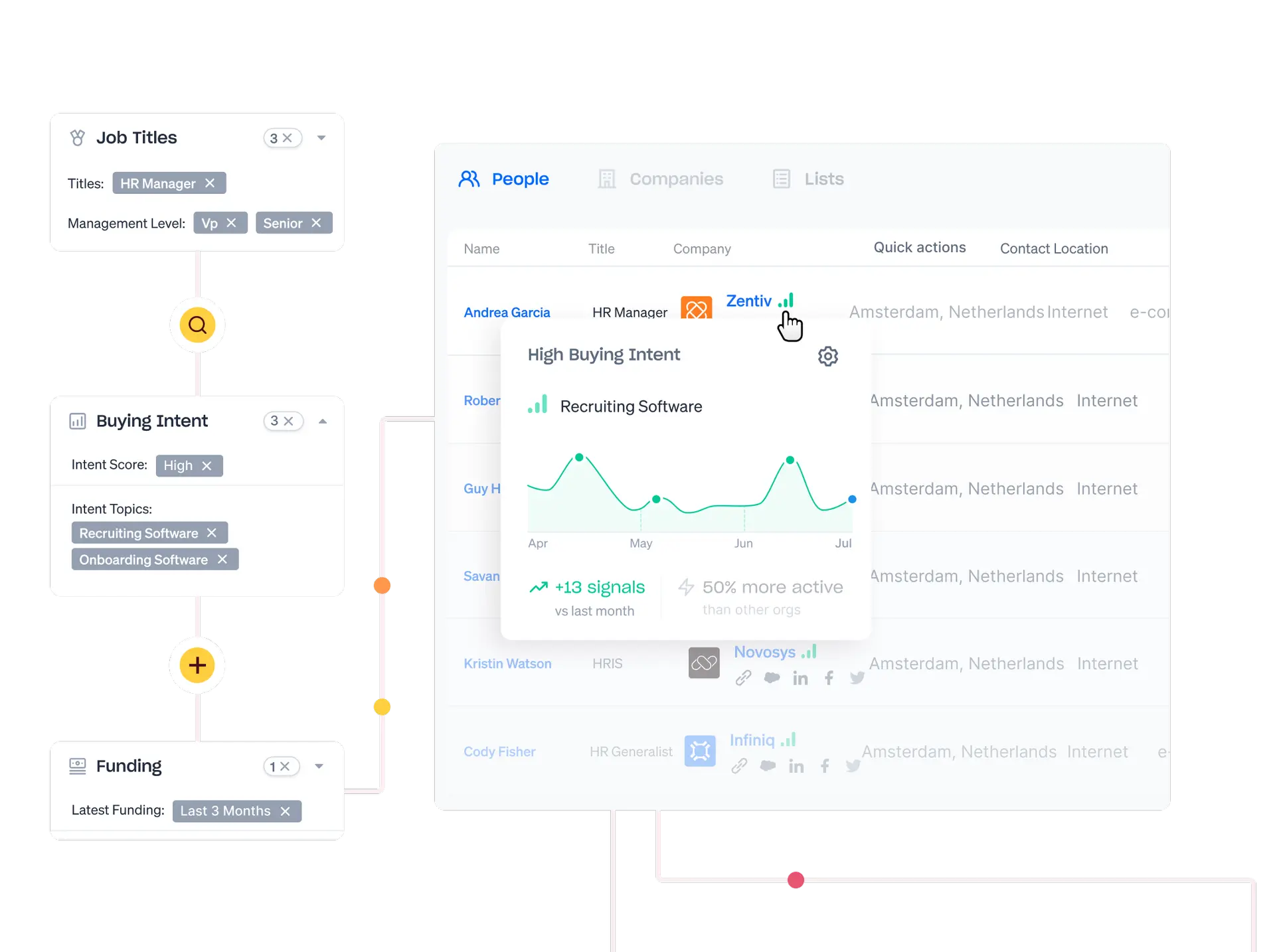
Image source: apollo.io
Key features
- Large global database of business contacts and companies with multi-filter search.
- Email and phone number enrichment for existing or imported prospects.
- Automated outbound sequencing with templates, scheduling, and follow-up tracking.
- Chrome extension for instant prospect lookup from LinkedIn, websites, or inbox.
- Built-in analytics showing deliverability, open rate, reply rate, and funnel performance.
Pros
- All-in-one outbound prospecting workflow means teams don't need separate tools for data, enrichment, and sequencing.
- Strong filtering options make it easy to build targeted lists based on job title, revenue, tools used, or buyer intent.
- Includes engagement analytics, so managers can see which messaging and reps perform best.
- Lower cost alternative to platforms like ZoomInfo or Outreach while still supporting automation at scale.
Cons
- Data quality varies across regions outside North America.
- Can feel overwhelming for small teams that don't need outbound volume.
Pricing: Free plan available; paid plans start at $49/month
9. Intercom: Conversational chatbot and live chat for lead capture
Intercom is built for businesses that want to capture and qualify leads through real-time conversations instead of static forms. It combines live chat, AI chatbots, targeted messaging, and automated routing, making it especially useful for SaaS, support-driven sales teams, and inbound-heavy funnels. Instead of waiting for form submissions, Intercom engages visitors while they are browsing, answers questions instantly, and passes qualified leads to sales with full conversation history. It is designed to reduce response time and increase conversion during the highest-intent moment: when the user is already on the website.
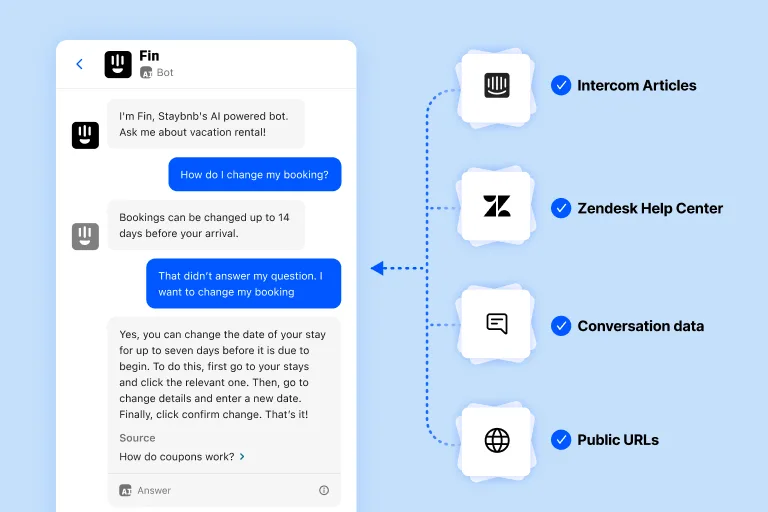
Image source: intercom.com
Key features
- AI and rules-based chatbots that qualify leads automatically through scripted questions and routing logic.
- Live chat inbox for sales and support teams to engage with website visitors in real time.
- Lead assignment rules based on territory, segment, or behavior to reduce manual sorting.
- In-app and website messaging for ongoing lead nurturing and product onboarding.
- Integrations with CRMs, email platforms, and sales tools, so chat-qualified leads sync instantly.
Pros
- Captures lead at the moment of highest intent by replacing passive forms with active chat-based conversations.
- Reduces workload for sales reps because chatbots pre-qualify visitors before they ever talk to a human.
- Ideal for SaaS and product-led growth companies where prospects browse pricing, docs, or support articles before converting.
- Strong multi-channel engagement: web chat, product tours, in-app messages, email follow-ups, and mobile push notifications.
Cons
- Pricing increases quickly when multiple inbox seats or advanced chat automation is needed.
- Not ideal for teams that only need simple form-based lead capture.
Pricing: Starts at $39/month
10. Hunter.io: Email finder and verification tool for outbound leads
Hunter.io is designed for sales teams, recruiters, and marketers who need verified email addresses for outreach without relying on purchased lists. It finds business emails based on domain, name, or company, and includes a verification tool to reduce bounce rate before sending. It is commonly used for cold outreach, PR pitching, partnership outreach, and B2B prospecting. Instead of acting as a CRM or sequencer, Hunter focuses only on data accuracy and deliverability.
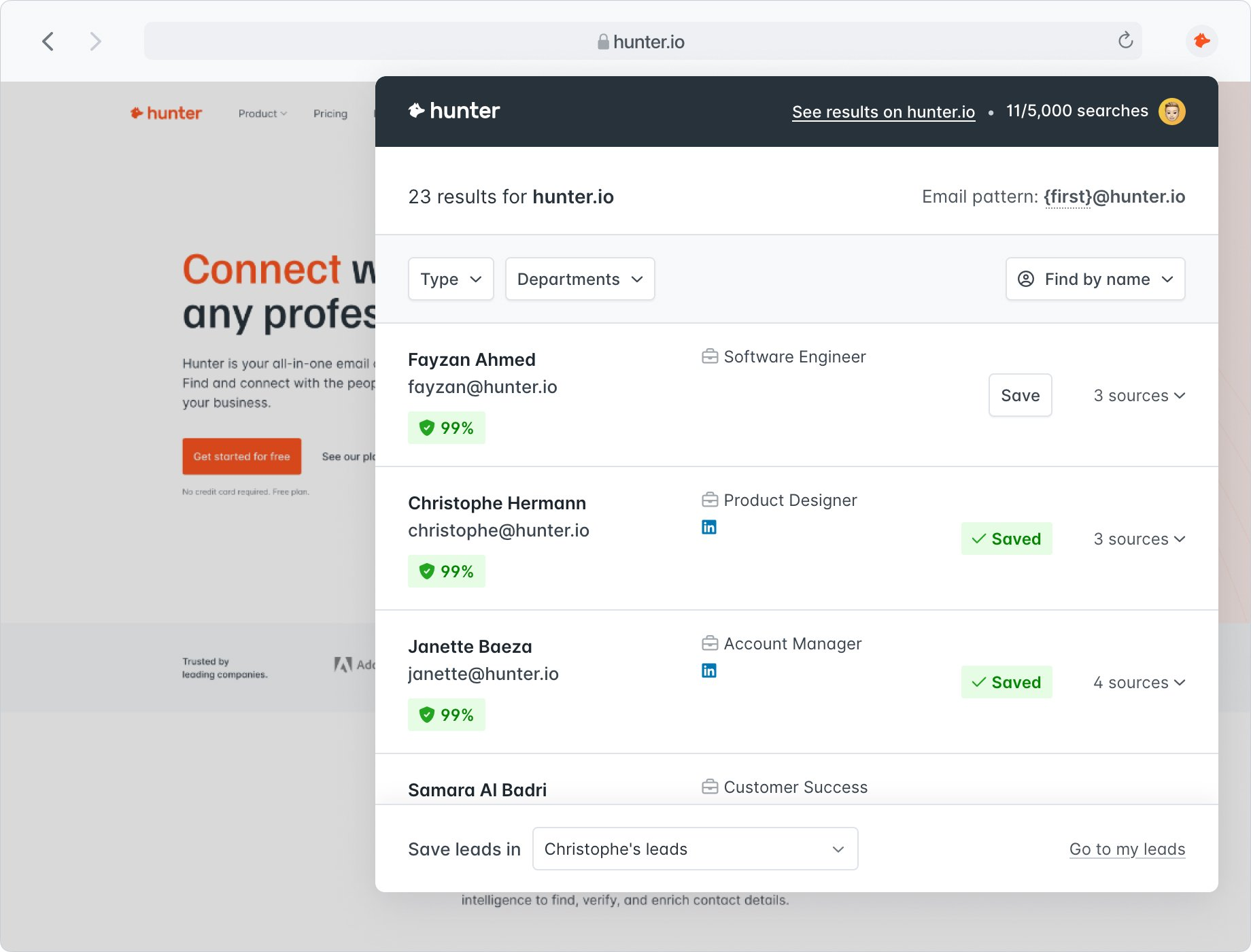
Image source: hunter.io
Key features
- Domain search to find email formats and contacts associated with a specific company.
- Email finder tool for locating personal business emails based on name and organization.
- Bulk tasks for uploading lists and enriching hundreds of contacts at once.
- Email verification engine to validate addresses and lower bounce rates.
- Integrations with outreach tools and CRMs like HubSpot, Pipedrive, and Apollo.
Pros
- Reduces time spent manually searching LinkedIn or websites for valid contacts, improving outbound productivity.
- Verification tool helps protect sender reputation by removing invalid or risky addresses before sending.
- Useful for PR teams, founders, SDRs, and recruiters who need verified contacts without expensive data subscriptions.
- Simple interface and fast results make it accessible even for non-technical users.
Cons
- Does not include sequencing, automation, or CRM features and must be paired with another platform.
- Email availability depends on public data, so results vary by company size and region.
Pricing: Free plan available; paid plans start at $49/month
11. Demio: Webinar-based lead generation and engagement tool
Demio is built for businesses that use webinars, workshops, live demos, and virtual events to educate and convert leads. Instead of using a generic meeting tool, Demio provides branded registration pages, automated reminders, interactive chat, polls, and post-event analytics. It helps marketers generate leads before an event, keep them engaged during the session, and follow up afterward with data-rich insights. Demio is especially popular with SaaS, consultants, B2B educators, and product launch teams.
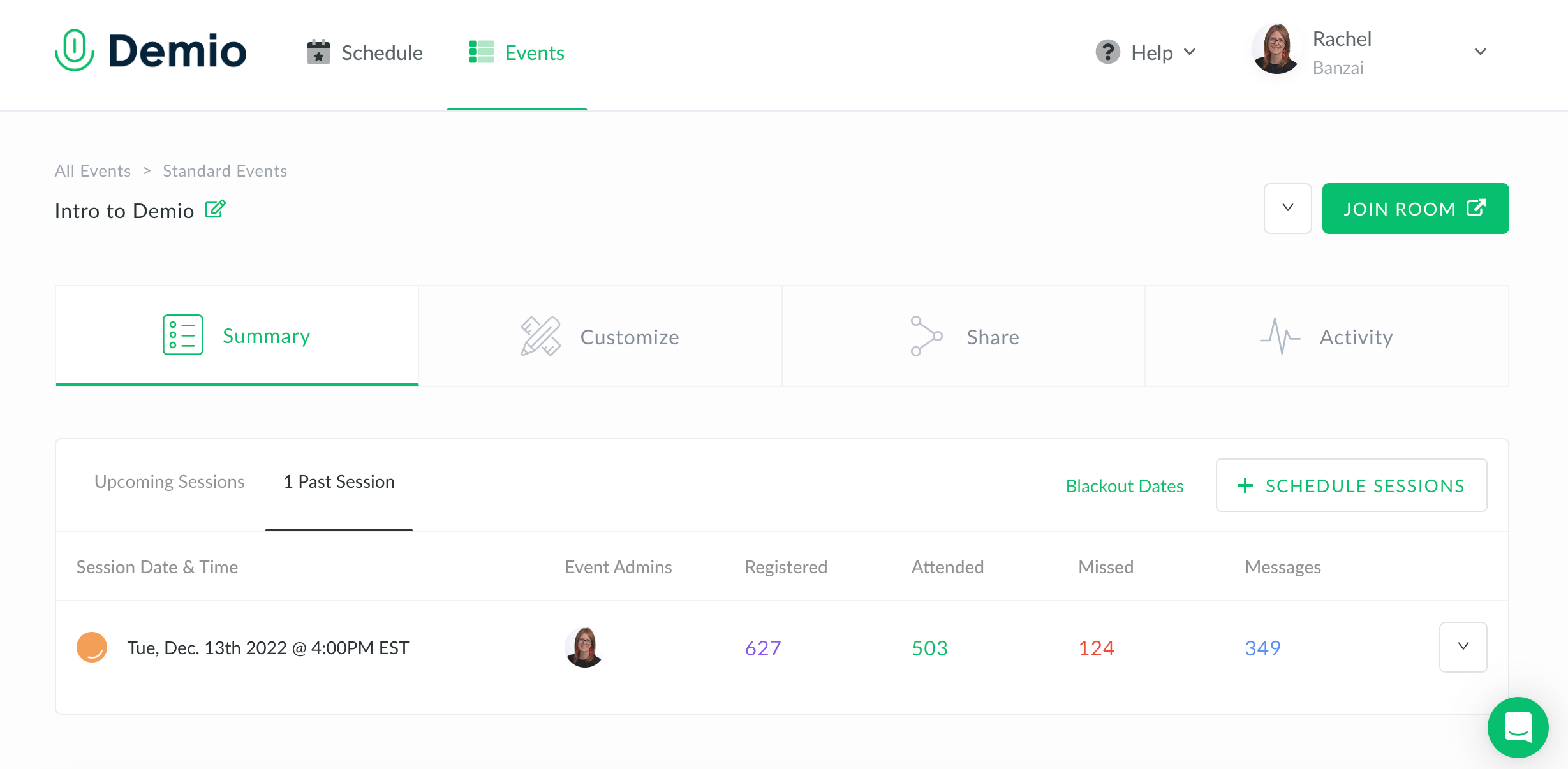
Image source: demio.com
Key features
- Live and automated webinar hosting with branded registration pages and reminder emails.
- Engagement tools including polls, Q&A, chat, and handouts for live conversion during the session.
- Customizable post-event follow-up flows with attendance and interaction tracking.
- Cloud-based recordings for on-demand replay funnels.
- Integrations with CRM, email, and marketing tools to sync registrant and attendee data.
Pros
- Helps turn educational content into an ongoing lead-generation engine instead of one-time sessions.
- Supports both live and automated webinars, allowing teams to scale campaigns without hosting every event manually.
- Strong engagement tools make it easy to qualify leads based on real-time behavior, not just registration.
- Branded experience looks more professional than using a meeting tool like Zoom or Google Meet for marketing events.
Cons
- Higher cost than standard video meeting software due to marketing features.
- Best suited for teams that run webinars regularly, not one-off events.
Pricing: Starts at $49/month
Common lead capturing challenges
Even with the right tools in place, many teams still struggle to turn captured leads into real opportunities. The problem is rarely just about obtaining contact details—it's usually about quality, speed, consistency of follow-up, or data flow between systems. These challenges worsen as more channels, touchpoints, and handoffs are introduced. The key to fixing them is identifying where leads drop off in the process and removing the manual gaps that slow teams down.
- Low-quality or unqualified leads often come from unfiltered forms or broad campaigns, resulting in wasted sales effort and lower conversion rate. Solving this requires adding qualification fields, intent-based triggers, or scoring rules before a lead enters the funnel. The more context a lead provides at capture, the less time sales spend chasing bad fits.
- Abandoned forms or incomplete submissions usually happen when forms are too long, too early in the buying journey, or not mobile-friendly. Reducing required fields, offering incentives, or using conversational forms can increase completion rates. Multi-step or progressive forms also feel lighter and reduce friction for first-time visitors.
- Poor CRM synchronization creates data silos where leads exist in one tool but are not visible in the system that handles nurturing or sales. This causes delays, forgotten follow-ups, and inconsistent reporting. The solution is to utilize tools with direct native sync or automation rules that instantly send data to the correct workspace.
- Delayed follow-ups lead to cold leads because a slow response signals low interest or lack of urgency. Automating task assignments, alerts, and first-touch emails can prevent early-stage drop-offs. The faster a team responds, the more likely the lead will still be in decision mode.
- Data privacy concerns impact conversion when users are uncertain about how their information will be used. Adding trust elements like privacy notes, transparent consent fields, or known-brand badges improves form completion. Compliance features, such as opt-in checkboxes or auto-expiry, also build confidence and reduce legal risk.
Conclusion
Lead capturing is no longer just about collecting contact information - it's about creating a smooth, connected path from first interaction to final decision. Whether you use forms, popups, chatbots, events, or paid campaigns, the real value comes from what happens after the lead is collected. Teams that rely on disconnected systems often lose opportunities during handoffs, while those using unified workflows move faster, respond sooner, and convert at a higher rate. The most successful lead pipelines combine data visibility, automation, ownership, and collaboration instead of treating lead capture as a one-time task.
That's where Lark stands out. Instead of using separate tools for capture, tracking, follow-ups, content, and handoff, Lark brings everything into one workspace, so nothing slips between systems. It helps teams store leads, assign tasks, communicate, build outreach content, and track status without switching tabs. If the goal is not just to collect leads but convert them, a connected workspace becomes the advantage, not just another tool.
FAQs
What's the difference between lead capturing and lead generation?
Lead generation is the broader process of attracting potential buyers through ads, content, referrals, or campaigns, while lead capturing is the moment when that interest becomes a usable contact inside a system. The second stage matters more because it decides whether a visitor becomes a trackable lead or just traffic. Some platforms only help collect names and emails, while others allow teams to take the next step immediately. Tools like Lark support both stages by storing the lead and connecting it to follow-up actions without switching tools.
How can automation improve the lead capturing process?
Automation removes delays that happen when forms, inboxes, and CRM updates rely on manual work. It can assign owners, trigger emails, add tags, or notify sales the moment a lead enters the system. This reduces response time, which is key for conversion. When automation is built into the same workspace where teams already communicate, like in Lark, follow-ups happen faster and fewer leads go cold.
What makes Lark different from traditional CRM tools for lead capturing?
Many CRMs only begin working after the lead is captured, which means teams still need other tools for forms, chat, content creation, and internal handoff. Lark combines those steps into one workspace, so teams collect the lead, discuss it, assign tasks, and follow up without switching apps. That makes lead capture part of a connected workflow instead of a one-off moment stored in a database.
How do you measure the success of your lead capturing strategy?
The goal isn't just to collect leads but to move them forward. Useful metrics include conversion rate, qualification rate, response speed, and how many captured leads turn into real opportunities. Tracking all this becomes easier when the capture point, follow-up steps, and collaboration happen in the same system. Platforms like Lark make this more visible because lead status, tasks, and communication stay linked instead of scattered.
Can lead capturing systems integrate with other marketing and sales tools?
Yes, most modern platforms support native integrations or API syncs, so leads flow automatically into email platforms, CRMs, support systems, or dashboards. This prevents data loss and avoids manual exports. Some systems, like Lark, reduce the need for extra integration by bringing messaging, tasks, docs, and dashboards into one place, so the lead doesn't have to travel between tools before action happens.
Related reading
Table of contents
Start using Lark today

Manage all your work in one place
Boost team efficiency by 10x
Save up to 70% on software costs
Table of contents
Start using Lark today
Manage all your work in one place
Boost team efficiency by 10x
Save up to 70% on software costs
Keep reading









2026 Lark Technologies Pte. Ltd.
Headquartered in Singapore with offices worldwide.






Explore: