














Sales Tracker: A Complete Guide to Tracking Sales Effectively

Ryan Tanner
Product Marketing Specialist
Sep 18, 2026
Ryan Tanner
Sep 18, 2026

14 min read


Tracking sales is no longer optional—it's critical for sustainable business growth. A sales tracker provides visibility into leads, deals, and revenue, helping teams measure performance and stay accountable to goals.
In modern sales management, trackers do more than log numbers. They provide insights, improve forecasting, and highlight opportunities for growth. While many teams begin with spreadsheets, project management tools and CRM platforms often serve as powerful sales trackers, offering automation and collaboration. Let's dive in and explore CRM-style data management with workflows, dashboards, and real-time updates.

What is a sales tracker?
A sales tracker is a tool or system designed to record and monitor every aspect of the sales process—ranging from activities like calls, emails, and demos to larger performance indicators such as revenue, quotas, and commissions. By consolidating this data in one place, a tracker helps sales teams stay organized, improve accountability, and make more informed decisions.
Sales trackers come in different forms depending on a team's size and needs. Early-stage businesses often use sales tracker templates in spreadsheets to log deals, while more advanced teams rely on dedicated sales tracker software with built-in dashboards and automation. Templates and spreadsheets work for managing a handful of deals, but they quickly become cumbersome as pipelines grow.
That's why many teams eventually shift to scalable platforms. While Google Sheets is a common starting point, tools like Lark Base offer customizable trackers with real-time updates, automated workflows, and dashboards that grow with your business.
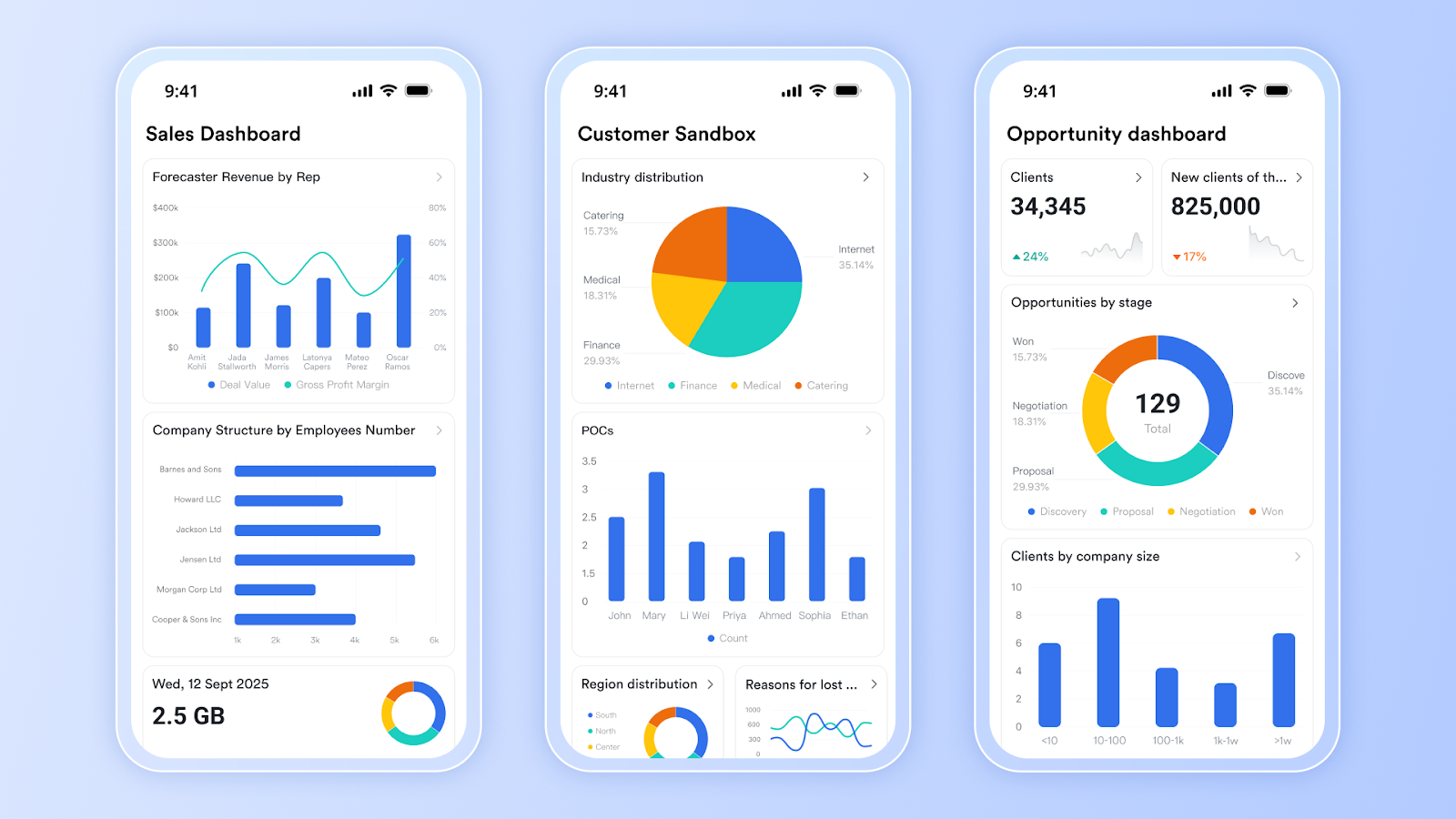
Why do businesses need a sales tracker software?
A reliable sales tracker software is essential for teams that want to grow efficiently and stay competitive. It goes beyond just recording numbers—it provides insights, streamlines workflows, and keeps sales teams aligned. Here are the key reasons businesses rely on it:
Pipeline visibility: A sales tracker gives teams a clear, consolidated view of every lead and deal in progress. Instead of juggling multiple spreadsheets or notes, all opportunities are logged in one system. This visibility makes it easier to spot where deals are stuck and prioritize follow-ups. Managers can instantly gauge the health of the pipeline and keep revenue flowing.
Accurate forecasting: Forecasting is only reliable when based on up-to-date data. A sales tracker software uses real-time inputs to estimate future revenue more accurately than manual methods. Sales leaders can plan budgets, set realistic targets, and allocate resources better. This reduces surprises and helps businesses stay on track financially.
Team accountability: When performance metrics are tracked in one place, sales reps know exactly where they stand. A tracker makes it easier to measure progress against quotas and individual goals. Managers can identify top performers as well as those who need support. This fosters accountability while motivating teams to stay focused on results.
Faster reporting: Manual reporting eats up valuable selling time and is prone to mistakes. Sales tracker software automates data updates, generating reports instantly without human intervention. Teams can produce dashboards and summaries in minutes, not hours. This frees salespeople to spend more time closing deals instead of crunching numbers.
Growth scalability: What works for a team of two often collapses under the weight of larger sales operations. A tracker grows with the business, handling hundreds or even thousands of deals simultaneously. It prevents missed opportunities by keeping data organized and accessible. As the business scales, the tracker ensures sales processes stay consistent and efficient.
Types of sales trackers explained
- Sales lead tracker: A sales lead tracker helps teams manage prospects from the first point of contact through the entire deal cycle. It captures lead details, assigns ownership, and tracks movement across stages, ensuring no opportunity slips through the cracks.
- Sales activity tracker: This tracker focuses on daily actions like calls, emails, demos, and meetings. By logging activities, teams can measure effort, identify gaps in engagement, and maintain consistent customer follow-ups.
- Sales goal tracker: Goal trackers show progress toward monthly or quarterly quotas. They make targets visible and help reps measure their performance against set benchmarks, boosting accountability and motivation.
- Sales commission tracker: Commission trackers ensure transparency in incentives by calculating earnings based on closed deals. They reduce disputes, save time on manual calculations, and keep sales teams motivated.
- Ecommerce trackers: Businesses selling online use trackers tailored for platforms like Shopify or Amazon. These provide visibility into product sales, order trends, and revenue performance.
Instead of juggling multiple trackers, Lark centralizes them all in one workspace. From managing leads in Lark Base to tracking commissions with Approval, teams get a complete sales tracking system without switching tools.
Features to look for in a modern sales tracker
- Real-time reporting and dashboards: Modern sales trackers provide live dashboards that display pipeline health, revenue forecasts, and team performance at a glance. Instead of waiting for manual reports, leaders get instant insights to make quick, informed decisions.
- Mobile access for field reps: Sales teams are often on the go, and a good tracker must be accessible from mobile devices. Reps should be able to update deal stages, log calls, and check tasks right from their phone—keeping data current and accurate.
- Automation for reminders and updates: Automated reminders prevent missed follow-ups and ensure activities move forward without manual input. Triggers like deal stage changes or overdue tasks can update the system automatically, reducing human error and saving time.
- Collaboration and communication built-in: Sales rarely happen in isolation. Trackers should integrate with communication tools so teams can share updates, ask questions, and align on next steps. Having collaboration built in eliminates the need to switch between apps.
- Scalability as sales teams grow: As pipelines expand and teams increase in size, a tracker should handle growth without slowing down. The right tool adapts to larger data sets, more users, and complex reporting needs seamlessly.
These features are native to Lark, where Lark Base manages pipelines, Lark Messenger drives communication, Lark Calendar schedules follow-ups, and automation keeps everything updated—removing the need for multiple disconnected sales tracker tools.
Lark as your complete sales tracker
Lark is more than a communication platform—it's a connected workspace that doubles as a powerful sales tracker software. By bringing leads, activities, goals, commissions, and reporting into one place, Lark eliminates the silos of spreadsheets and disconnected apps. Its integrated tools allow sales teams to stay aligned, automate repetitive work, and scale operations with ease.
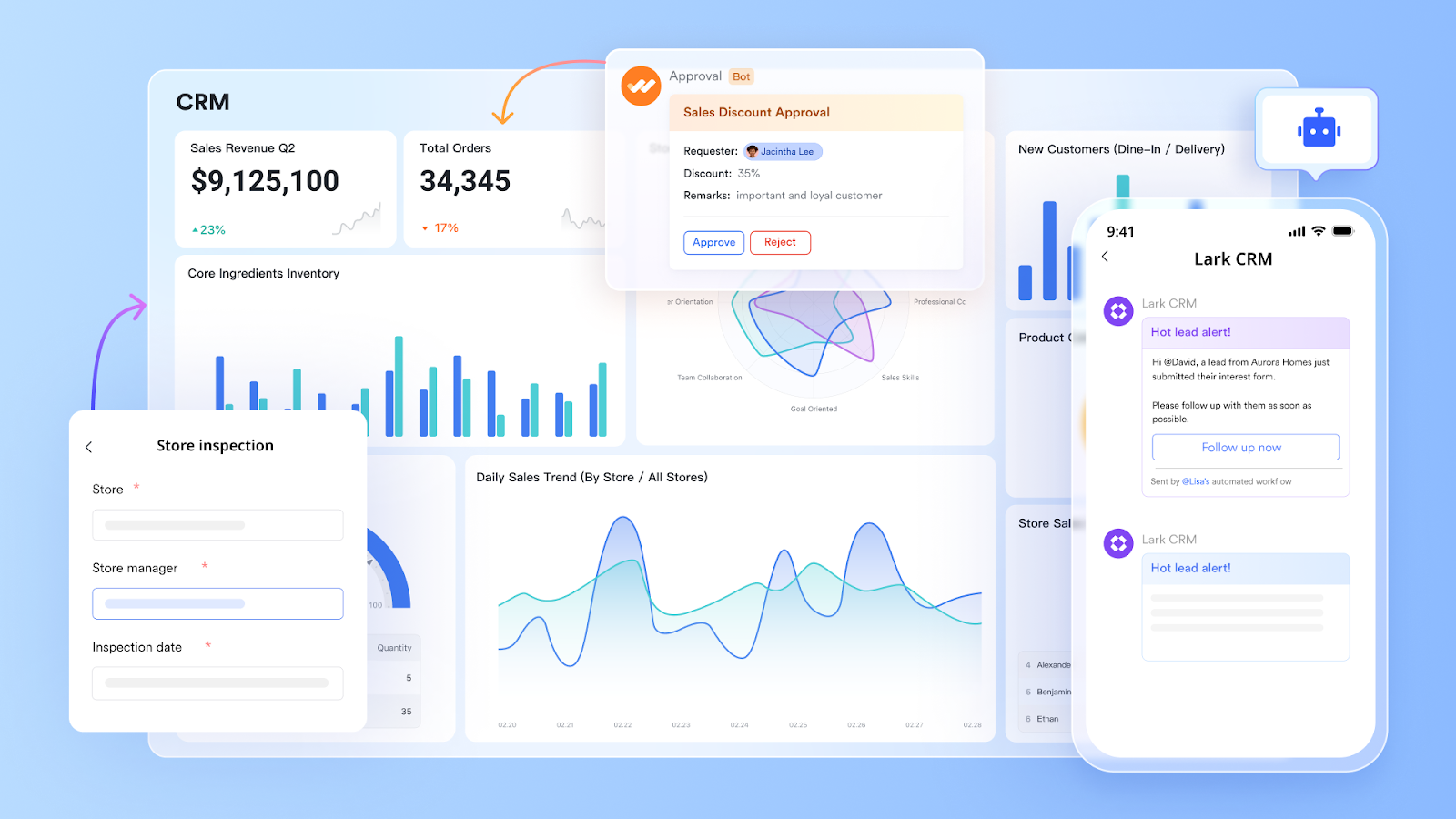
Lark Base for lead tracking, workflow, and dashboards
At the heart of Lark's sales tracking is Lark Base, a powerful database tool that functions like a CRM but with far greater flexibility. With Base, you can create pipelines to manage leads, customize fields (industry, deal size, region), and view data in Kanban boards, tables, or dashboards.
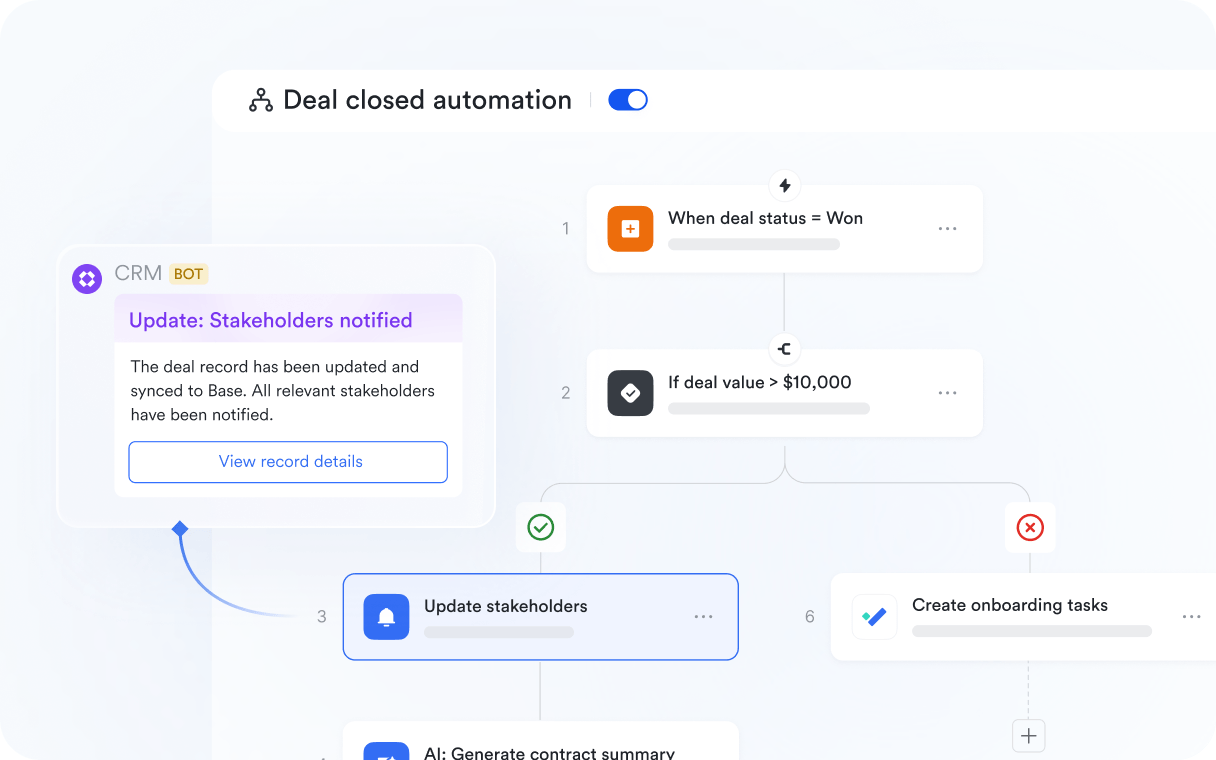
The real power comes with automated workflows built directly into Base. These workflows let you:
- Automatically assign new leads to sales reps based on region, product line, or territory.
- Trigger follow-up tasks whenever a lead status changes.
- Generate notifications when deals reach critical stages like “Proposal Sent” or “Negotiation.”
Example: A B2B software company sets up a workflow where every lead from its website form is instantly added to Base, assigned to the right regional rep, and scheduled for a follow-up task in Lark Tasks. Managers track overall performance using Base's live dashboards, reducing weekly reporting time by hours.
Lark Messenger for instant communication
Sales success depends on fast and clear communication. Lark Messenger becomes the central hub where sales teams share updates, coordinate strategies, and stay aligned in real time. You can:
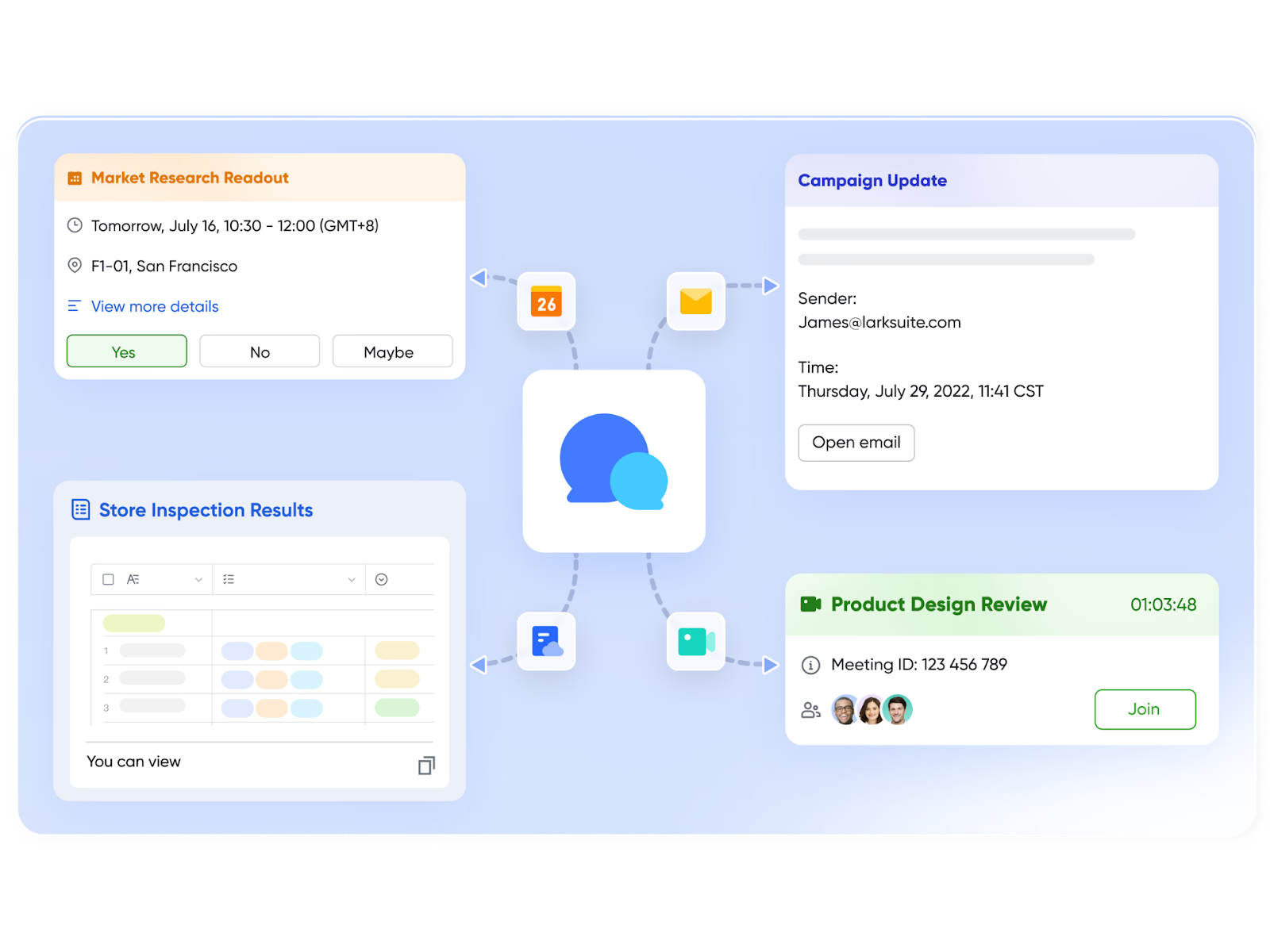
- Create dedicated chats for specific accounts or regions.
- Pin important deal updates so everyone can find them easily.
- Use threads to discuss deals without cluttering the main chat.
- Launch voice or video calls directly from a message when faster collaboration is needed.
Example: A sales team working on an enterprise account has a dedicated Messenger group. The account manager pins the most recent proposal details, while a rep uses a thread to share competitor insights without disrupting the main conversation. This ensures everyone is aligned when meeting with the client.
Lark Calendar for structured follow-ups and reviews
Missed follow-ups are one of the biggest reasons deals slip through the cracks. With Lark Calendar, reps can easily link their pipeline to scheduled activities. Meetings, calls, and reminders are synced across the team, so nothing is overlooked.
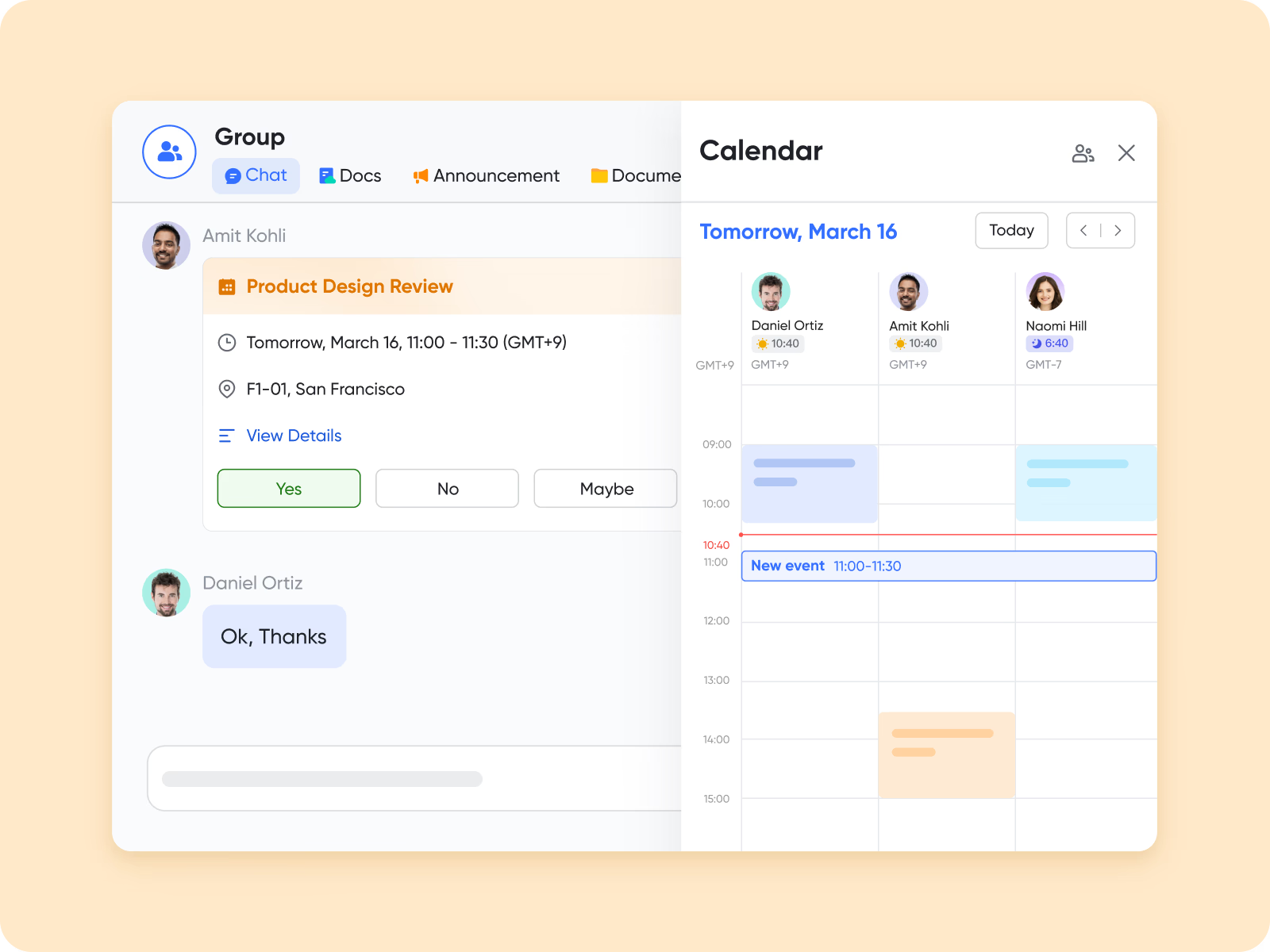
Some powerful functions include:
- Auto-scheduling follow-ups when leads move to a new stage in Base.
- Setting recurring events for weekly deal reviews.
- Sharing calendars so managers can view rep availability and plan joint calls.
Example: When a lead moves from “Qualified” to “Proposal Sent” in Base, Lark automatically schedules a follow-up meeting in the rep's Calendar and sends a notification to the manager. This keeps both accountability and visibility intact.
Lark Docs and Sheets for collaborative reporting and analysis
Reporting is often a bottleneck in sales tracking because data lives in multiple places. Lark Docs and Lark Sheets solve this by becoming the collaborative hub for all insights. Teams can:
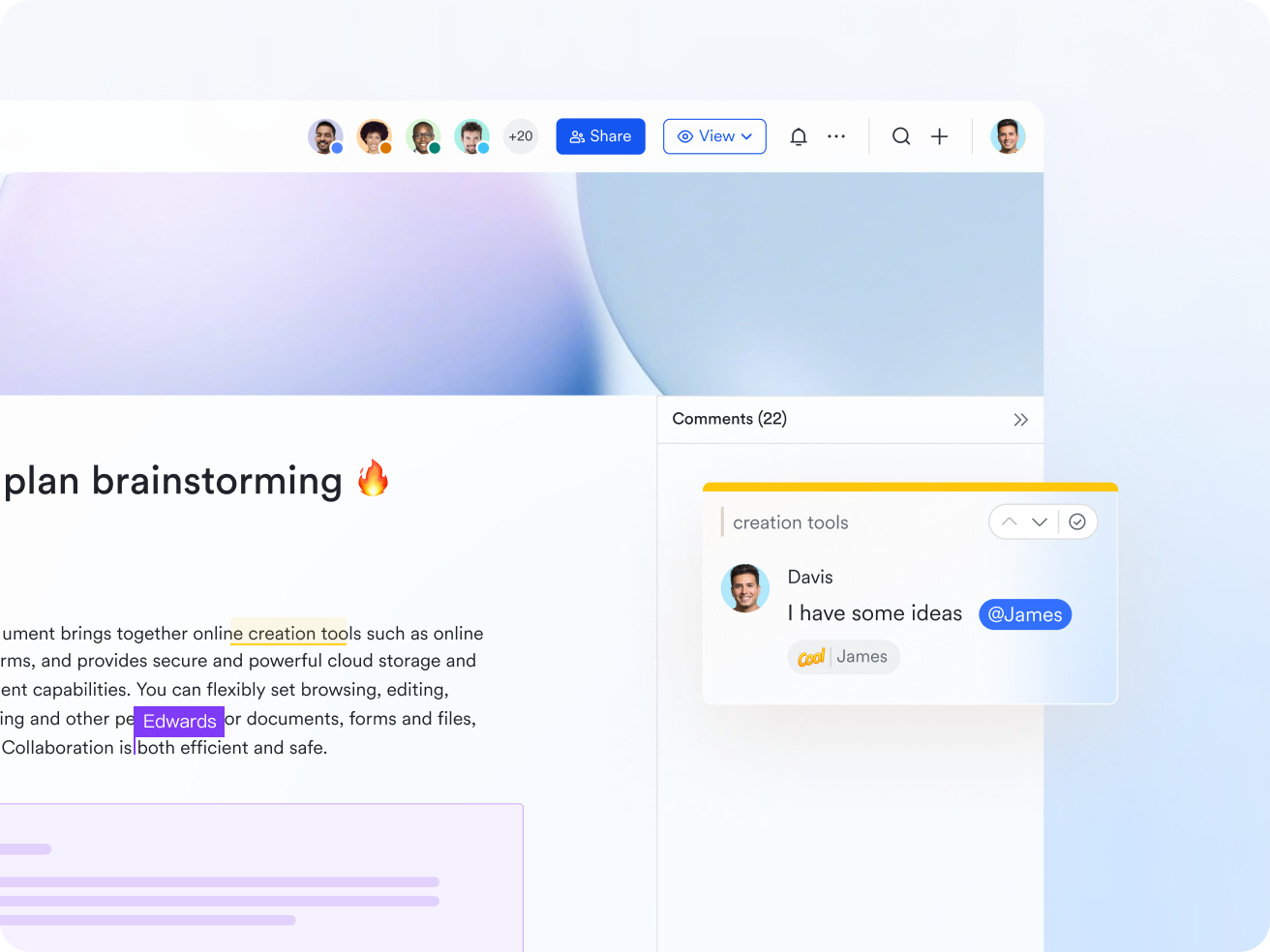
- Create live sales playbooks in Docs that link directly to Base data.
- Build KPI dashboards in Sheets to monitor revenue, win rates, and deal velocity.
- Co-edit reports in real time during pipeline reviews.
- Embed charts, pipelines, or tasks from Base directly into Docs for always-current updates.
Example: A VP of Sales prepares a quarterly performance review in Docs, embedding a Sheets dashboard linked to Base. During the review meeting, managers and reps edit comments live, ensuring all insights are captured in one place without endless file versions.
Lark Approval for transparent commission tracking
Sales commission management is one of the trickiest parts of sales tracking. Errors or delays in payouts can impact trust and motivation. With Lark Approval, businesses can set automated flows for commission requests, manager sign-offs, and finance notifications.
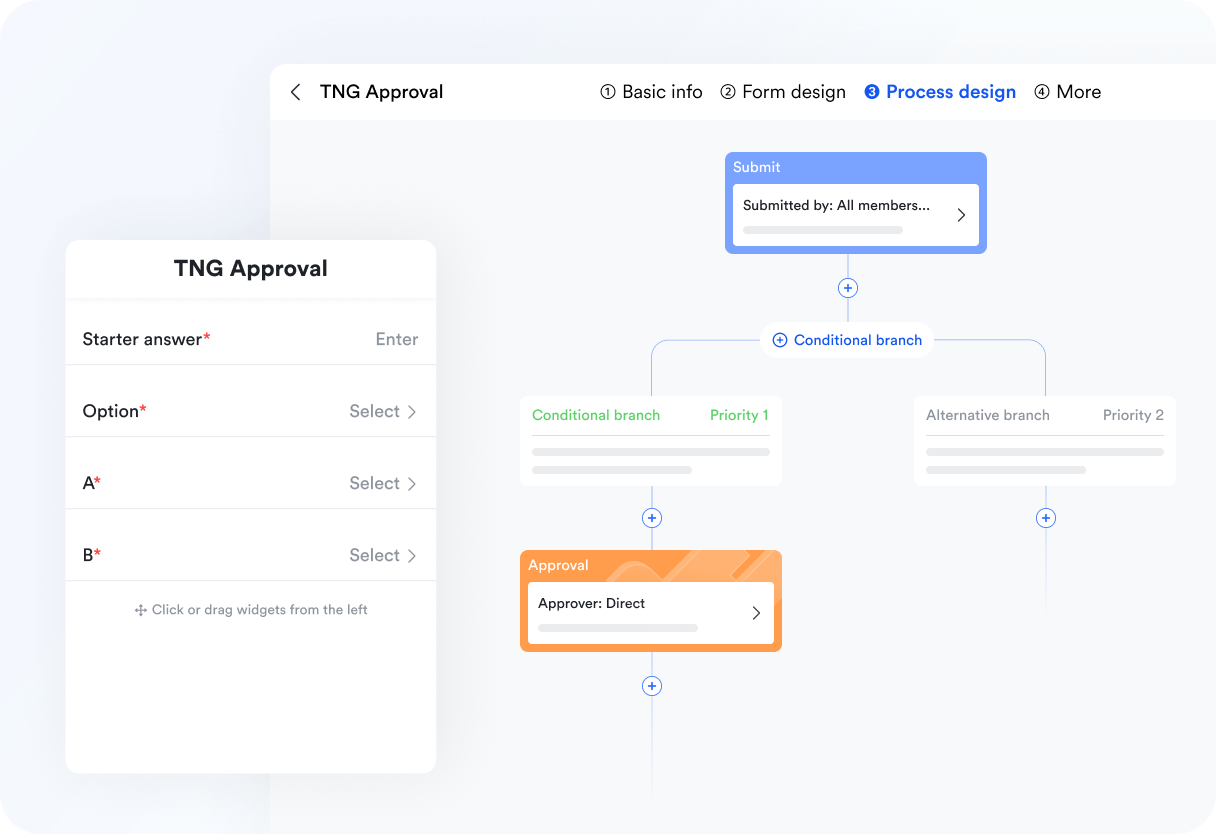
Key functions include:
- Automated commission requests triggered by closed deals in Base.
- Manager approval steps with digital sign-offs.
- Notifications to finance for payout scheduling.
- Transparent history logs for accountability.
Example: A rep closes a $50K deal. Base automatically triggers an Approval flow that routes the commission request to the sales manager. Once approved, the finance team is notified, and the rep gets confirmation—all within Lark. This saves days of back-and-forth emails and prevents disputes.
- Starter plan: Free forever plan that includes 11 powerful tools for up to 20 users. It also comes with 100GB of storage, 1000 automation runs, AI translations, and more.
- Pro plan: $12/user/month (billed annually) for up to 500 users. It includes everything in Starter plus a group calling for up to 500 attendees, 15TB of storage, 50,000 automation runs, and more.
- Enterprise plan: Contact sales for custom pricing. Supports unlimited users and includes even more automation runs and advanced security, compliance, and management features.
How to set up a sales goal tracker (step-by-step)
Setting up a sales goal tracker gives your team a structured way to measure progress and stay focused on revenue targets. Whether you're a small startup or a growing enterprise, the right steps ensure your tracker is accurate, actionable, and scalable.
Step 1. Define sales KPIs (revenue, leads, conversion rates).
Start by identifying the metrics that matter most to your business. For some teams, this might be revenue targets; for others, it's lead generation, conversion rates, or deal velocity. Clear KPIs help align everyone around shared goals.
Step 2. Choose the right format (spreadsheet vs software).
Spreadsheets are a simple starting point, but as pipelines grow, they often become messy. Dedicated software or flexible tools like Lark Base provide dashboards and automation to handle more complex tracking needs.
Step 3. Build or adopt a sales tracker template.
Instead of starting from scratch, use ready-made templates. A template provides a framework for lead stages, activities, and revenue goals, saving setup time and ensuring consistency across the team.
Step 4. Automate repetitive tasks for accuracy.
Automation reduces manual errors. For instance, when a deal moves from “Proposal Sent” to “Closed Won,” the system should automatically update revenue totals and notify managers.
Step 5. Review and update regularly.
Tracking isn't a one-time setup. Schedule regular reviews to check progress, refine KPIs, and adjust targets. This keeps the tracker relevant as business priorities evolve.
With Lark Base and automated workflow, teams can set up structured goal trackers that assign tasks, auto-update deal stages, and display real-time dashboards—all without extra manual work.
Conclusion
Sales tracking is the backbone of sustainable growth—bringing clarity, accountability, and measurable results to your team's efforts. While spreadsheets or basic templates can work in the early stages, they quickly limit visibility and efficiency as sales scale. That's why modern teams look for a unified system that combines tracking, automation, and collaboration in one place. With Lark as your all-in-one sales tracker, you get real-time dashboards, automated workflows, and seamless team alignment to ensure every deal moves forward with precision.
FAQs
What's the difference between a sales tracker and a CRM app?
A sales tracker monitors activities, deals, and performance metrics, while a CRM app manages broader customer relationships, including service and marketing. Many businesses start with a tracker before moving to CRM. With Lark Base, you get the best of both worlds—CRM-like features and powerful sales tracking in one tool.
Can a sales tracker help with commission management?
Yes. Modern trackers allow you to record closed deals, calculate commissions, and provide transparent reporting. Lark's Approval feature automates commission requests and approvals, ensuring timely and error-free payouts.
How do I automate sales tracking?
You can automate by linking triggers (like deal stage changes) to actions (notifications, reminders, or updates). Lark Base includes workflow automation, so follow-ups, revenue updates, and task assignments happen without manual effort.
Is there a free sales tracker template?
Yes. Many Excel or Google Sheets templates exist for basic sales tracking. However, they lack scalability. Lark provides free sales tracker templates inside Base, designed with automation and real-time collaboration.
How does a sales tracker help with ecommerce?
It tracks sales volume, product performance, and revenue trends across platforms like Shopify or Amazon. With Lark, ecommerce teams can connect data in Sheets, monitor KPIs in dashboards, and share insights instantly.
What metrics should I track in sales?
Common metrics include revenue, conversion rate, sales cycle length, pipeline value, and win/loss ratio. Lark Sheets and Base dashboards make it easy to monitor and share these KPIs in real time.
Why is Lark a better choice than separate sales tracker tools?
Most trackers only handle one piece—like pipelines or reporting. Lark combines everything: lead management, communication, reporting, and approvals in a single workspace. This means fewer tools, lower costs, and higher productivity.
Related reading
Table of contents
Start using Lark today

Manage all your work in one place
Boost team efficiency by 10x
Save up to 70% on software costs
Table of contents
Start using Lark today
Manage all your work in one place
Boost team efficiency by 10x
Save up to 70% on software costs
Keep reading









2026 Lark Technologies Pte. Ltd.
Headquartered in Singapore with offices worldwide.






Explore: