














Slack Alternative Open-Source: The Comprehensive 2026 Guide for Businesses

Jennifer Tang
Content Specialist
Nov 4, 2026
Jennifer Tang
Nov 4, 2026


15 min read
Add to preferred sources


As collaborative work moves increasingly online, having the right team communication tools is more important than ever. While Slack has dominated the team chat landscape, its limitations and market changes have sparked a growing interest in Slack alternative open-source solutions. Whether you’re prioritizing privacy, greater control, or customizable integrations, there’s a wealth of robust, secure, and highly customizable options to explore—many of which can be self-hosted for even more flexibility.
In this guide, I’ll break down what makes Slack so popular, why more businesses are seeking open-source Slack alternatives, and how tools like Lark can support your need for team chat, advanced security, workflow integration, and effortless team collaboration.
What is Slack?
Slack is a leading SaaS (Software-as-a-Service) platform built for modern team communication and collaboration. Primarily cloud-based, it enables organizations of all sizes to create dedicated channels, hold real-time discussions, share files instantly, and integrate with a robust ecosystem of third-party apps such as GitHub, Jira, and Google Drive.
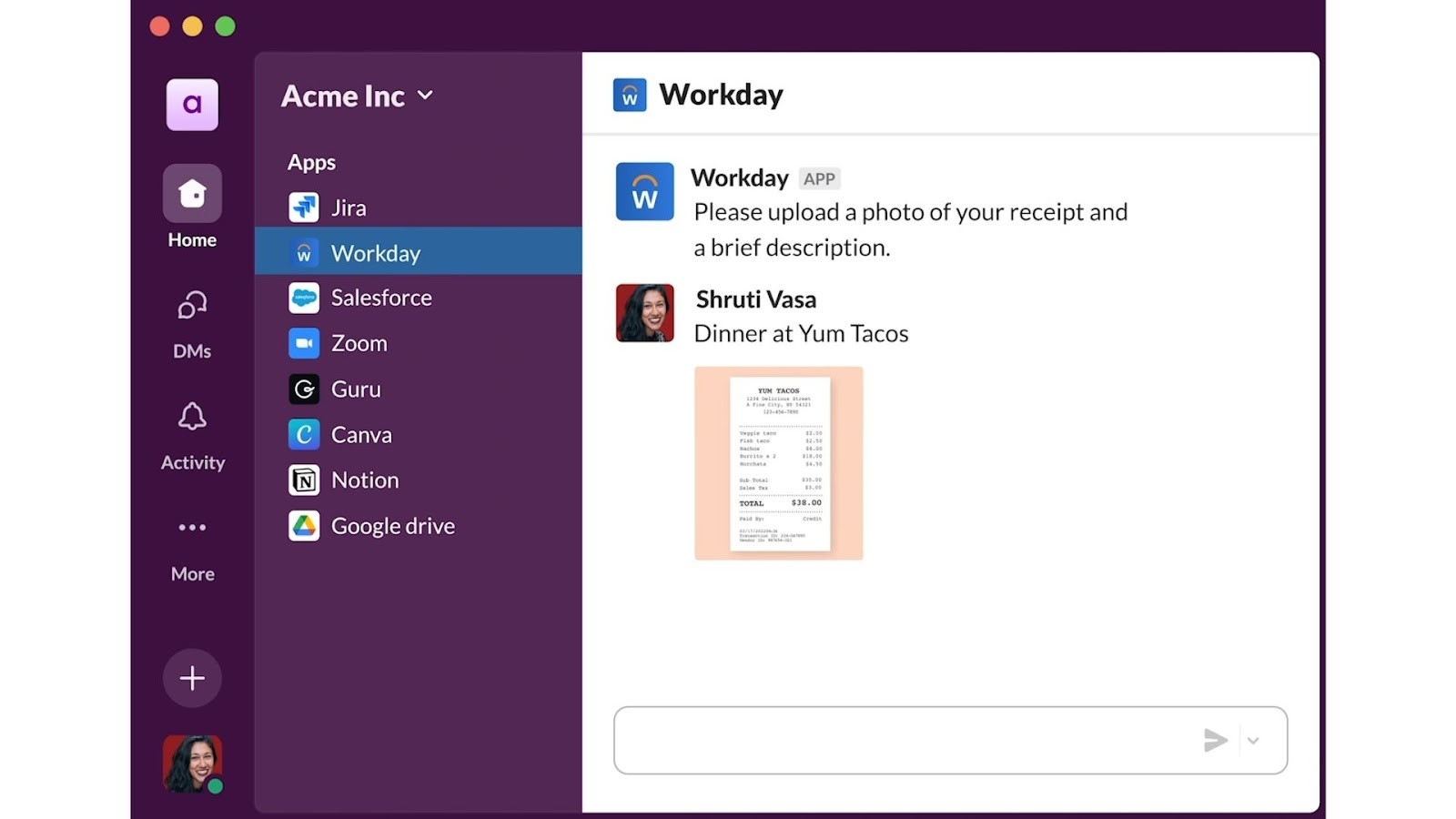 Image source: slack.com
Key features of Slack
- Team chat: Real-time messaging for fluid and effective team communication
- Channel organization: Enables separation of discussions by team, project, or topic
- Extensive integrations: Offers a vast library of third-party apps, bots, automation, and workflow tools
- Searchable archive: Makes message and file retrieval quick and straightforward
- Mobile and desktop support: Ensures seamless connectivity across devices and locations
Main users of Slack
Slack’s versatile design attracts a broad spectrum of users, including:
- Fast-growing startups: Collaborate in real time and adapt workflows easily
- Large enterprises: Manage complex projects with role-based channels and workflow integrations
- Remote and distributed teams: Experience streamlined communication despite distance
- Technical teams and developers: Make use of integrations with CI/CD tools, DevOps platforms, and automation apps
- Customer support and operations teams: Respond quickly with centralized communication channels and file sharing
Despite its extensive set of features, Slack remains a closed-source, subscription-driven service primarily hosted in the cloud. This presents challenges for organizations needing deeper customization, greater privacy, or total data sovereignty.
For highly regulated businesses, those with unique workflows, or anyone seeking an on-premise deployment, the search for a self-hosted Slack solution or a robust slack alternative open-source becomes critical.

Why do businesses seek open-source Slack alternatives?
While Slack is a workplace staple, companies are increasingly interested in slack open-source and self hosted Slack alternatives due to several limitations, including:
Limited control over data
With Slack’s cloud-based SaaS model, sensitive team data resides on external servers. For sectors with strict regulatory demands regarding data sovereignty, such as healthcare, finance, or education, this can pose compliance challenges.
Restricted customization
Slack’s proprietary nature limits deep customization. With open-source Slack alternatives, organizations can tailor features, workflow automation, authentication, and integrations—ranging from custom bots to DevOps tools—to match their unique requirements.
Cost scalability
Slack’s costs can multiply quickly as teams grow or need advanced capabilities like extensive search or unlimited message history. Self-hosted Slack solutions let businesses avoid recurring per-user fees by leveraging their own infrastructure.
Security and compliance demands
More organizations expect end-to-end encryption, custom SSO, on-premise options, and compliance with GDPR, CCPA, or other frameworks—a level of control that only open-source or self-hosted Slack competitors can offer.
Disaster recovery and business continuity
With self-hosted Slack alternatives, businesses maintain full ownership and control over backups, disaster recovery, and uptime, without relying on third-party uptime guarantees alone.
This growing need for privacy, flexibility, and security has fueled the surge in open-source Slack alternatives—none more compelling than Lark, which combines team chat, secure collaboration, and powerful integrations into a unified solution.
Other things to look for when choosing an alternative to Slack
With so many options available, it can be challenging to select the best slack alternative open-source for your business. The right self-hosted Slack solution will depend on your organizational requirements, technical expertise, compliance needs, and the specifics of your team’s daily workflow. While the previous section covered essentials like security, customization, and data control, there are several other aspects that can make a big difference when evaluating slack open source platforms:
Community support and development activity
An active open-source community means your chosen platform is more likely to receive regular updates, new features, and timely security improvements. Look for Slack alternative open-source projects with a transparent development roadmap and robust forums or user groups.
Migration and interoperability
Migrating from Slack, or between other team chat solutions, can be a key concern—especially for larger organizations. Some alternatives offer built-in tools for importing your Slack data, channels, and users, making the transition much easier. Additionally, check if the platform supports integration or interoperability with your existing systems.
User onboarding and training resources
The availability of clear onboarding guides, documentation, and training resources can greatly reduce friction for your team. Slack open source solutions with comprehensive support materials will help new users adapt quickly.
Mobile and cross-platform support
Consistent, high-quality experiences across desktop and mobile devices are essential for modern teams. Before settling on a self hosted Slack alternative, confirm that it offers solid apps for all major platforms—Windows, Mac, Linux, iOS, and Android.
Secure collaboration and compliance
While many platforms highlight security, it’s also important to look for solutions that actively support secure collaboration. This includes features such as encrypted messaging, granular admin controls, and compliance with industry standards—making sure your communications and files remain protected, regardless of where your team is located.
By evaluating these additional factors alongside your technical and compliance needs, you’ll be better equipped to choose a Slack alternative open-source solution that delivers long-term value, seamless integrations, and a positive user experience for your entire team.
Quick glance at top Slack competitors in 2026
Below is a concise comparison of leading slack alternative open-source and team chat solutions.
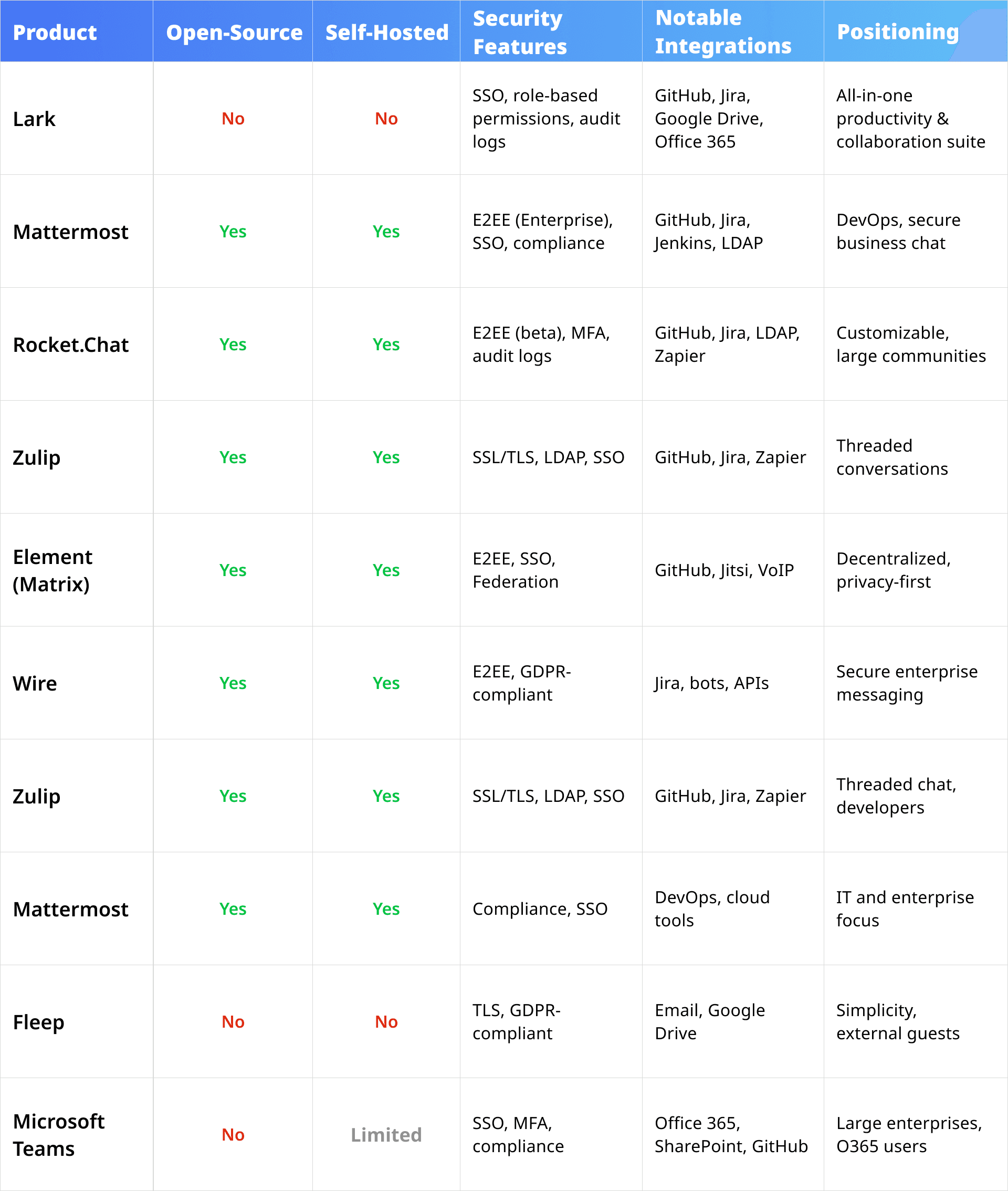
9 best Slack open-source alternatives breakdown
Below is an in-depth analysis of the top Slack alternatives for teams seeking self-hosted, open-source, or high-security team chat platforms in 2025.
Lark
 Overview
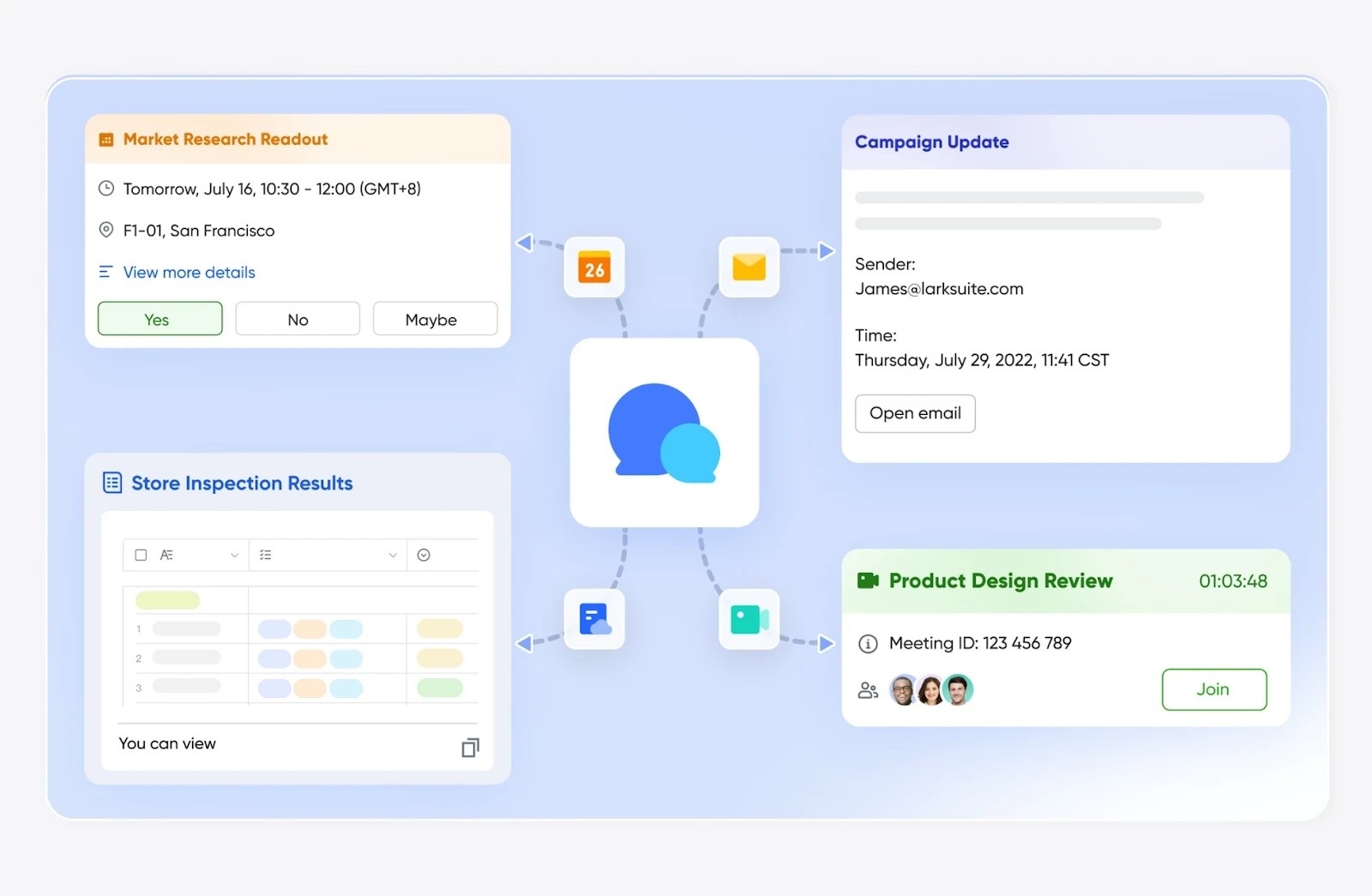
Lark is an all-in-one productivity and collaboration suite that uniquely blends messaging, document editing, video meetings, calendaring, and workflow automation in a unified platform. For example, Lark base can boost your team’s productivity by streamlining operational routines, keeping track of task completion, and gaining actionable insights instantly to keep every part of your business in check. While Lark itself is not fully open source, it does utilize and integrate various open source software components, and this approach allows Lark to benefit from the reliability and security of open source technologies while maintaining a proprietary core.
In addition, Lark provides robust APIs and developer tools, enabling businesses to build custom integrations and automate workflows. Although the main platform is closed source and not available for self-hosting, Lark’s support for open source components and open APIs offers flexibility for organizations looking for a secure, scalable, and extensible alternative to Slack. Therefore, it still stands out as a better Slack alternative for businesses with a comprehensive experience that few open-source solutions can match.
Key features
- All-in-one workspace: Team chat, video meetings, calendar, docs, and cloud storage in one app.
- Advanced communication: Real-time messaging, robust channels, threads, searchable history, integrated video calls.
- Deep integrations: Google Drive, Jira, GitHub, Microsoft 365, and more.
- Security and compliance: SSO, granular admin controls, audit logs, GDPR/CCPA compliance.
- Automation: Visual workflow builder, custom bots, API support.
- Exceptional usability: Sleek UI, smooth mobility, built-in productivity enhancements like AI minutes and unified search.
Pros
- Unified platform for messaging, docs, and workflow automation
- Powerful in-app document and knowledge base features
- Enterprise-grade security and compliance
- Superior user experience and multilingual global support
- Rich integration ecosystem
Pricing
Lark offers a competitive and flexible pricing model where attendance management is included within the broader Lark Suite plans (👉see Lark pricing).
- Free trial and demo are available for exploration
- Free plan with 11 powerful products included
- Paid plans starting at $12/user/month
Mattermost
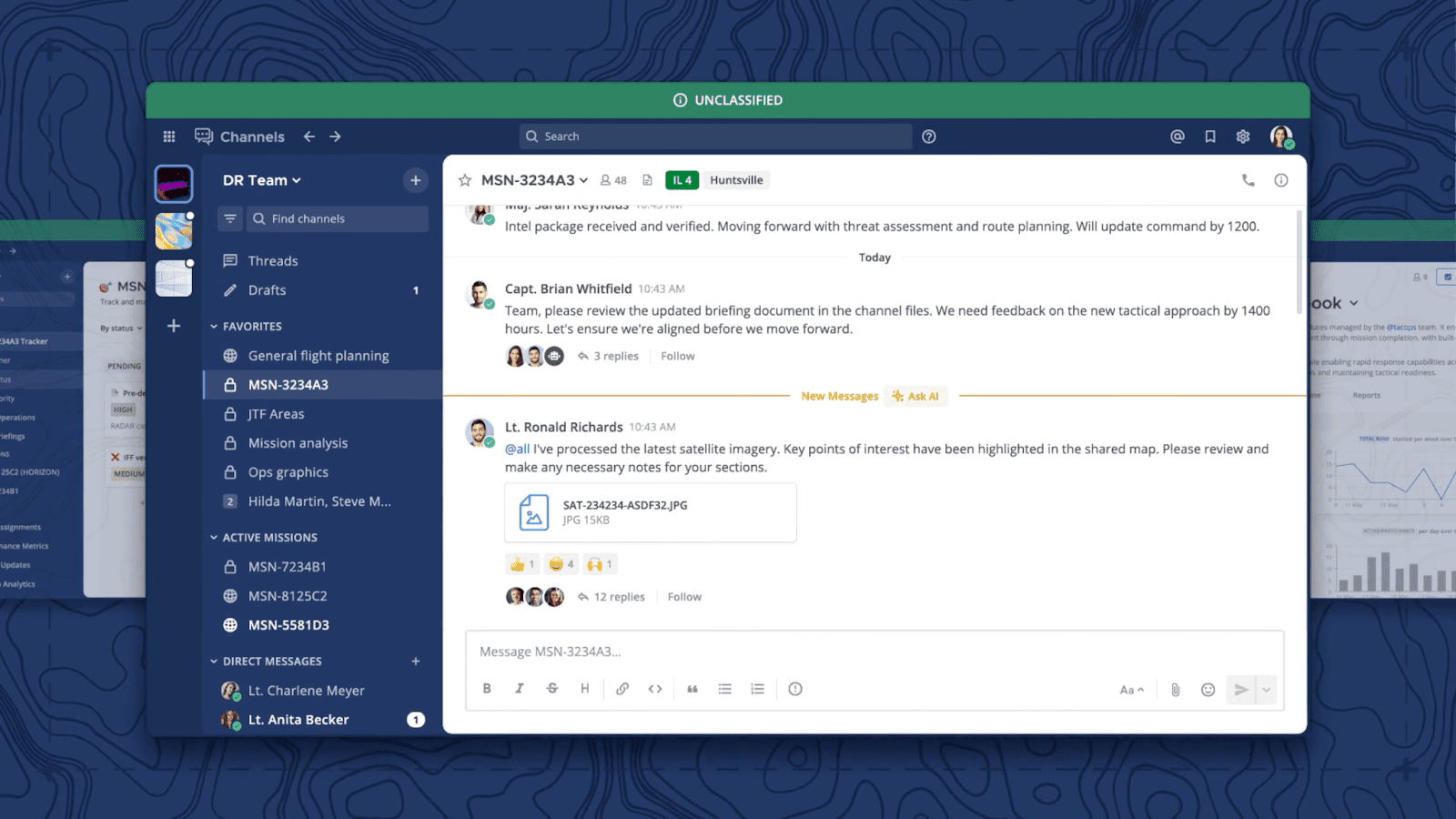 Image source: mattermost.com
Image source: mattermost.comOverview
Mattermost is a leading open-source, self-hosted Slack alternative favored by technical teams, DevOps, and regulated industries for its privacy, flexibility, and ability to deploy on-premise or in private cloud environments.
Key features
- Enterprise-grade messaging with threads and team channels
- Flexible deployment: on-premise, private cloud, or managed cloud
- Security: E2EE plugins, SSO, audit logging
- DevOps and workflow integrations: GitHub, Jira, Jenkins
- API and plugin ecosystem
Pros
- Strong security and fully customizable
- True data ownership
- Deep DevOps and IT integrations
- Large open-source community
Cons
- Setup can be complex for non-technical users
- Some features require paid enterprise version
Pricing
- Free: Up to 50 users
- Professional: Starts from $10/user/month
- Enterprise: Custom pricing
Rocket.Chat
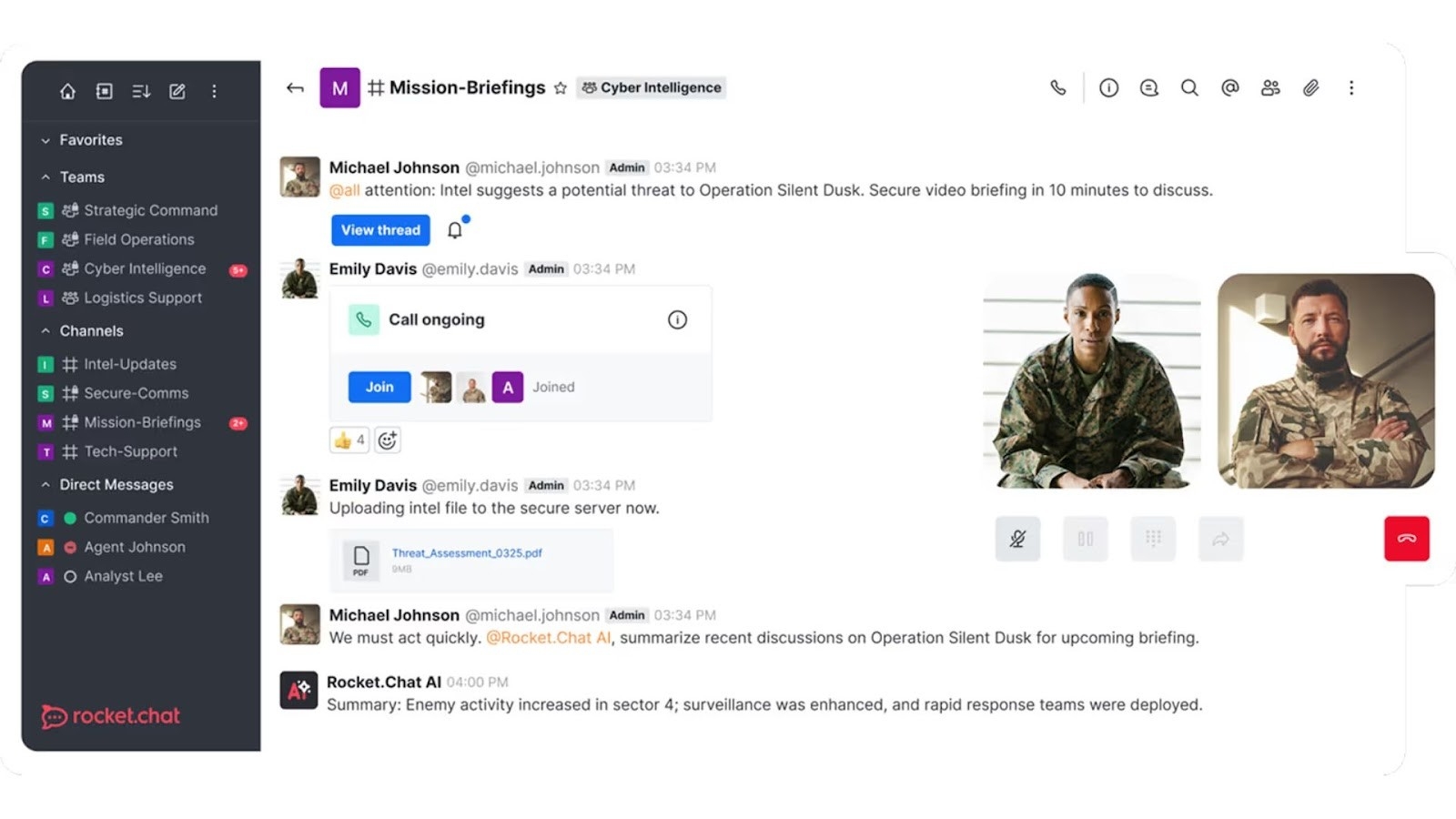 Image source: rocket.chat
Overview
Rocket.Chat is a flexible open-source team communication platform built for secure, scalable messaging. Known for its high degree of customization, it is a popular choice for organizations that want total control over their data and branding.
Key features
- Self-hosting, multi-cloud, or hybrid deployment options
- Real-time messaging, threads, voice/video (Jitsi), file sharing
- Security: LDAP, SAML, MFA, audit logs, white-label branding
- Robust integrations and API
Pros
- Flexible deployment and white-labeling
- Wide integration marketplace
- Good security and compliance features
- Large community and active support
Cons
- UI and UX less polished than some competitors
- Advanced video requires plugins
Pricing
- Starter: Free; up to 50 users
- Pro: Starts from $4/user/month; 51 to 500 users
- Enterprise: Custom pricing
Element (Matrix)
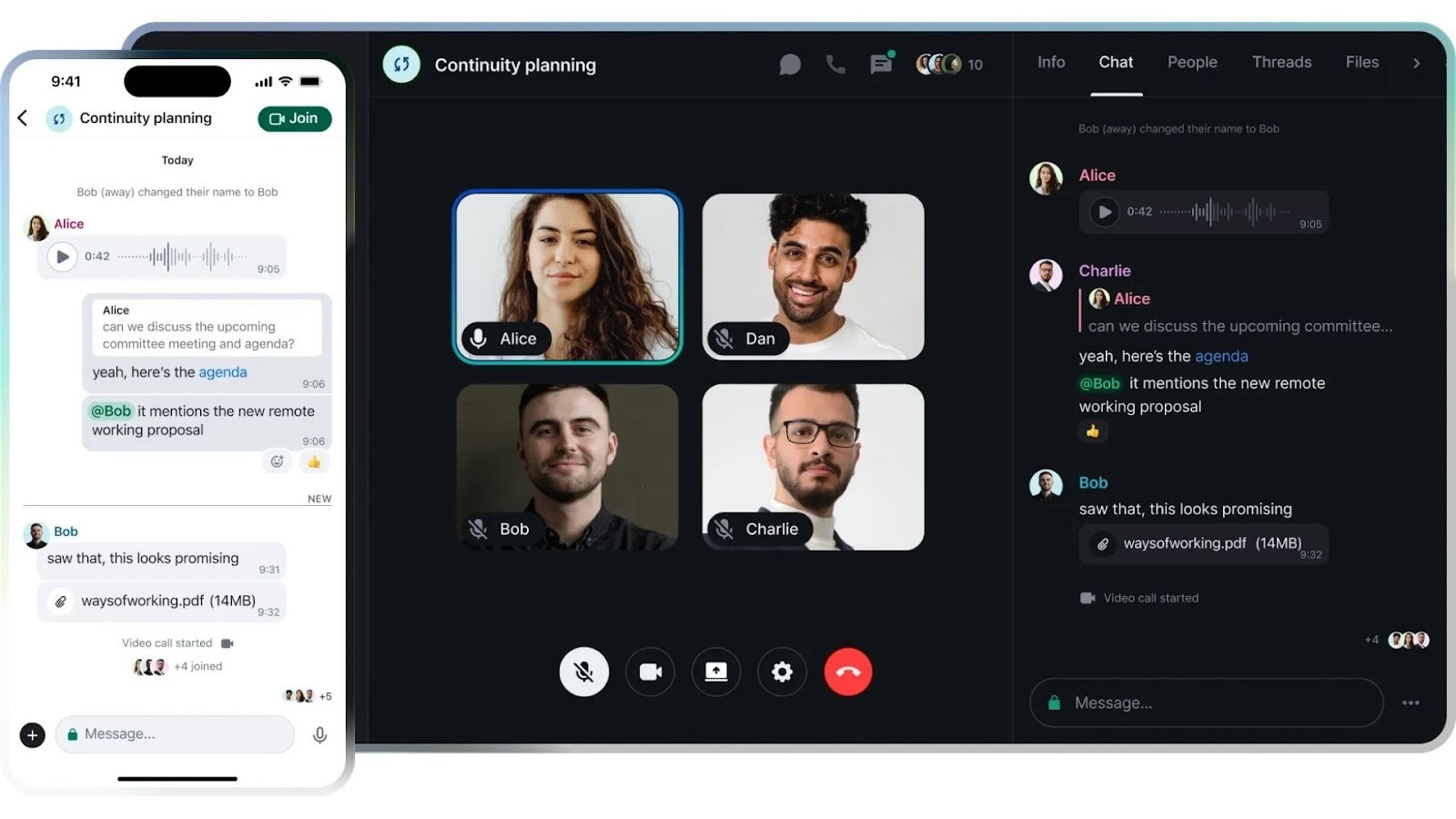 Image source: element.io
Overview
Element is the flagship client for the Matrix protocol—a decentralized open-source messaging ecosystem. It's recognized for privacy, end-to-end encryption, and federated communication across organizations and platforms.
Key features
- Decentralized, federated messaging
- End-to-end encrypted by default
- Bridges to Slack, IRC, XMPP, VoIP
- Self-hosted homeserver support
- SSO, guest access, LDAP
Pros
- Decentralized and privacy-first
- Bridges enable cross-platform communication
- Wide plugin and bot ecosystem
Cons
- May require more technical expertise to deploy
- Less familiar interface for standard Slack users
Pricing
- No free plan
- Business: Starts from €5/user/month
- Enterprise: Starts from €10/user/month
- Sovereign: Custom pricing
Zulip
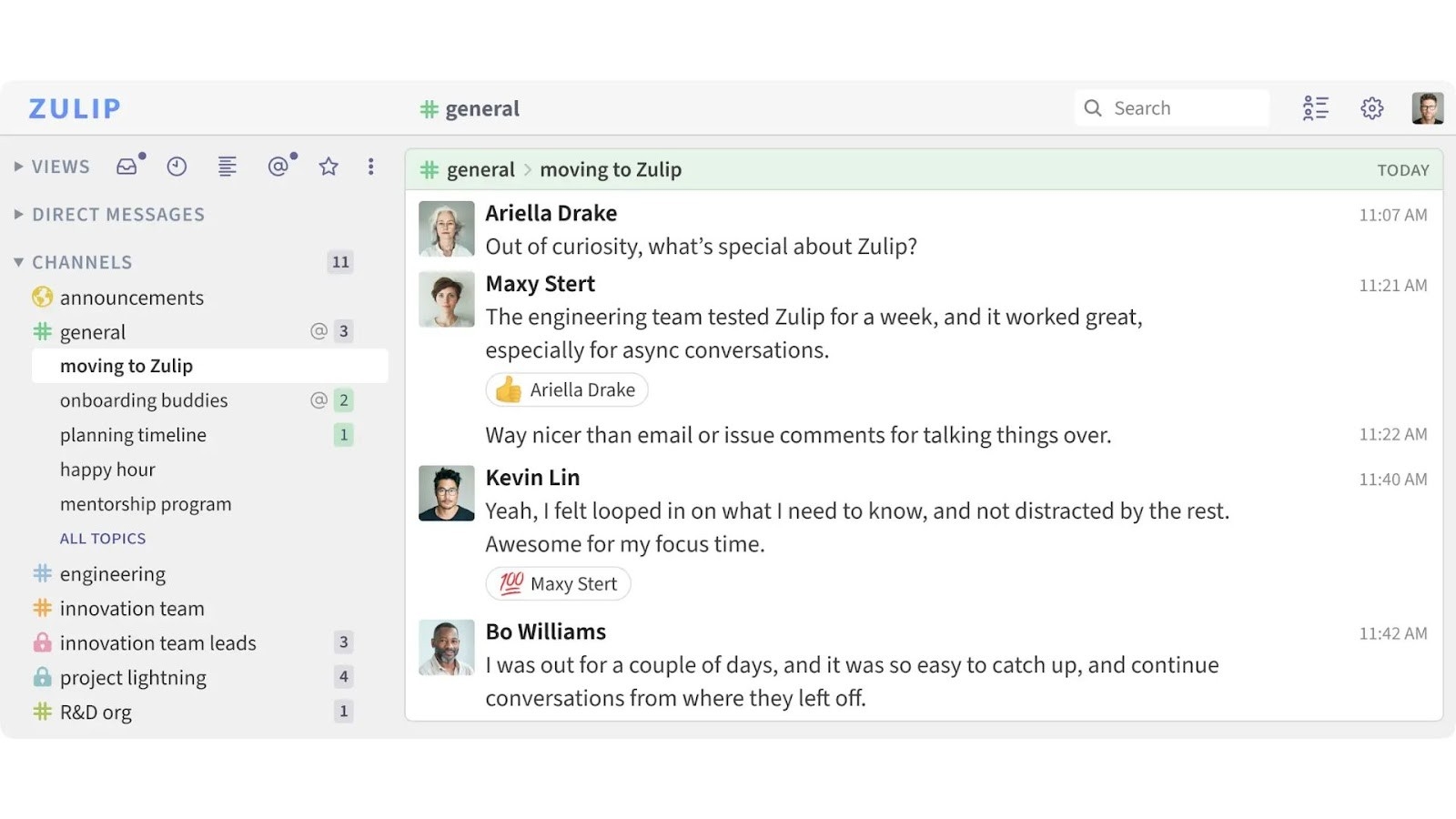 Image source: zulip.com
Overview
Zulip combines the immediacy of real-time chat with the clarity of threaded topics, making it a strong open-source choice for teams that value organization and asynchronous communication.
Key features
- Threaded conversations via topics within channels
- Self-hosted or cloud deployment
- SSO, LDAP, bot framework, integrations
- Powerful search and file sharing
Pros
- Threaded model keeps conversations organized
- Lightweight, responsive, scalable
- Developer-friendly, integrates with dev tools
Cons
- Limited native video/audio support
- Interface may feel less modern
Pricing
- Free: Up to 5GB total; 10,000 messages of search history
- Standard: Starts from $6.67/user/month
- Plus: Starts from $10/user/month
Wire
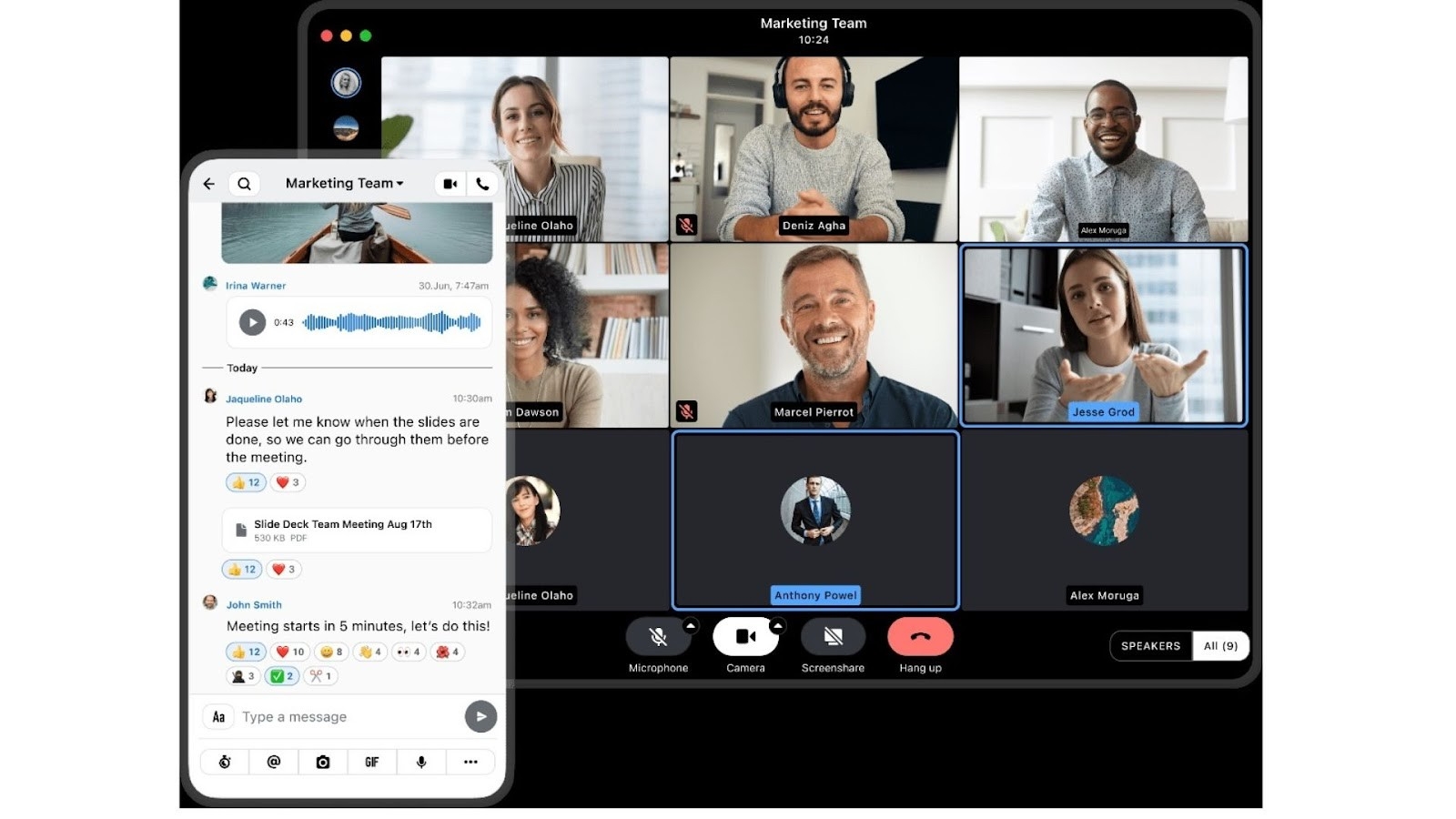 Image source: wire.com
Overview
Wire is an open-source secure messenger designed for enterprise security and privacy. It supports encrypted text, voice, and video as well as robust compliance features, making it an ideal Slack replacement for security-sensitive organizations.
Key features
- E2EE for all messages, files, and calls
- Self-hosted or cloud-based deployments
- GDPR-compliant, guest rooms, file expiration
- Multiple platform support
Pros
- Leading security and data privacy
- Good compliance suite
- Multi-device support
Cons
- Fewer app integrations
- Less suitable for large, chat-centric teams
Pricing
- Free: Up to 8 devices
- Enterprise: Starts from €7.45/user/month
- On-Premises: Custom pricing
Nextcloud Talk
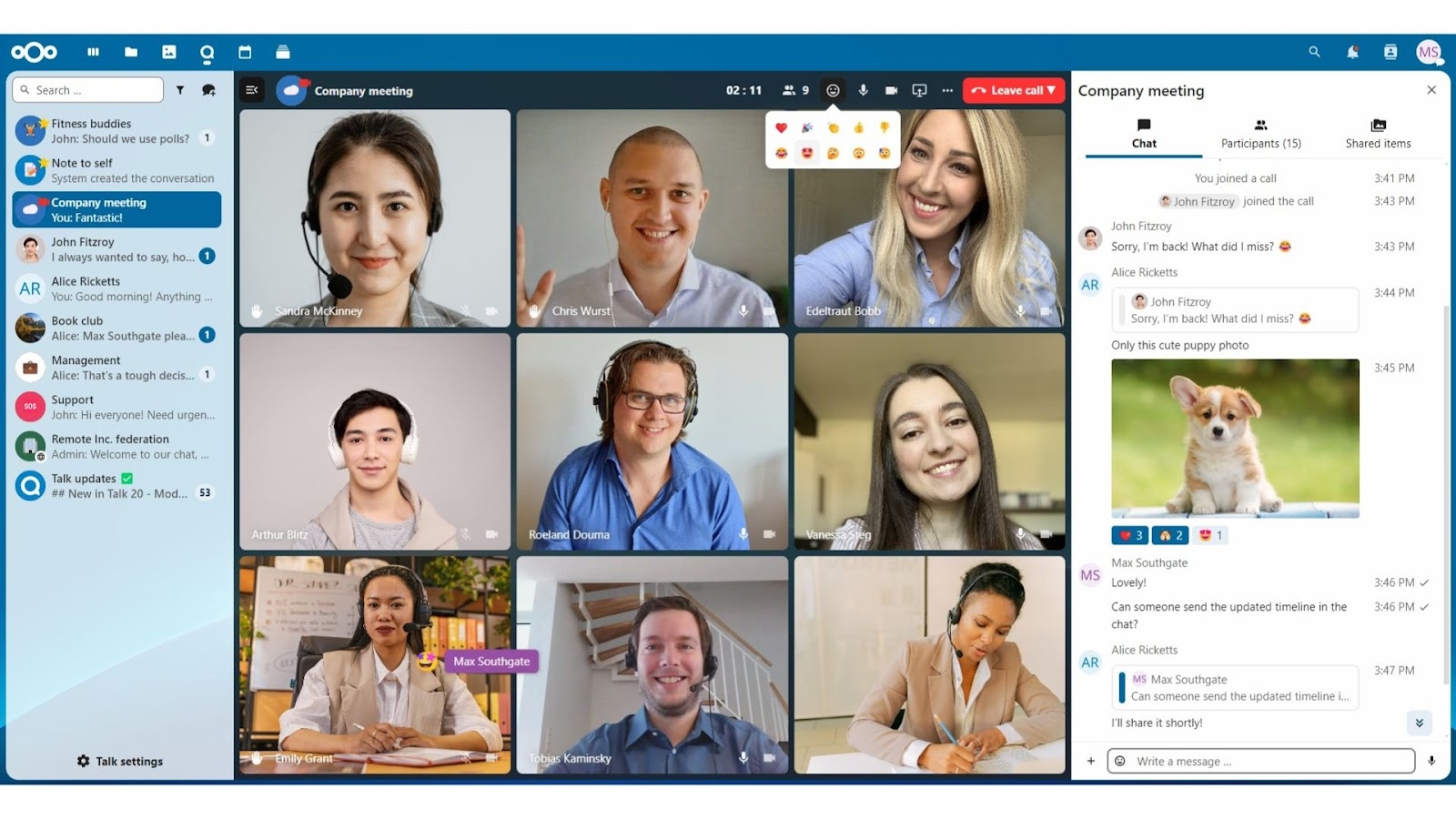 Image source: nextcloud.com
Overview
Nextcloud Talk is the real-time communication extension of the Nextcloud suite, providing open-source video calls, chat, and collaboration tightly integrated with file sharing and calendaring.
Key features
- Secure chat, video, and audio meetings
- Self-hosted deployment
- End-to-end encryption
- Deep integration with Nextcloud Files, calendar, and workflows
Pros
- Unified with leading open-source storage/collaboration suite
- Strong data privacy and on-premise control
- Customizable and extensible
Cons
- Chat features less robust than specialized team chat apps
- Best for teams already invested in Nextcloud
Pricing
- No free plan
- Standard: Starts from €40/user/year
Discourse
 Image source: discourse.org
Overview
Discourse is a modern open-source discussion platform, best known for forums but easily adapted for internal team collaboration. It supports real-time chat, notifications, and topic-based discussions, making it a flexible solution for asynchronous team communication. Its extensible plugin architecture and active community enable teams to tailor Discourse for a wide range of collaborative workflows.
Key features
- Powerful topic management and moderation tools
- Real-time chat and notifications
- Extensive plugin and integration support
- Scalable self-hosted deployments
Pros
- Excellent for threaded, organized discussions
- Strong open-source community and plugin ecosystem
- Flexible for both internal and external collaboration
Cons
- Not purely a real-time chat solution
- Some setup required for team chat workflows
Pricing
- No free plan; offers a 14-day trail
- Starter: Starts from $20/month
- Pro: Starts from $100/month
- Business: Starts from $500/month
- Enterprise: Custom pricing
Jitsi Meet
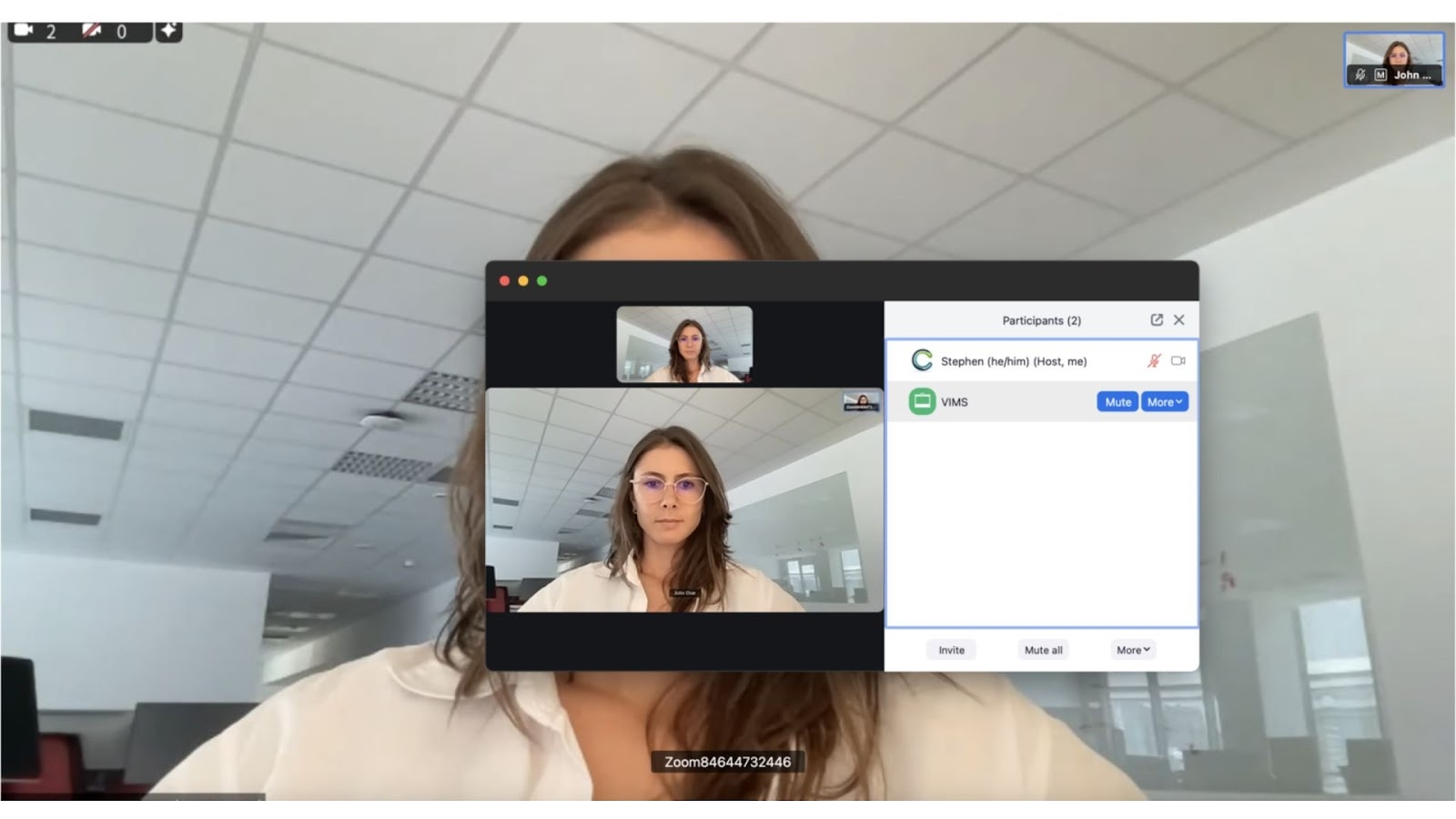 Image source: jitsi.org
Overview
Jitsi Meet is a free, open-source video conferencing platform that enables instant, secure meetings with no account required. It offers features like screen sharing and recording, and can integrate with a variety of team chat or collaboration tools. Its self-hosted deployment options give organizations privacy, flexibility, and full control over their communications.
Key features
- Instant video meetings without registration
- Screen sharing, live streaming, and call recording
- End-to-end encryption support
- Self-hosted or public deployment options
Pros
- Privacy-focused and easy to use
- Flexible integrations with other collaboration tools
- No user limits on self-hosted servers
Cons
- Focused mainly on video, not messaging
- Limited advanced team chat features
Pricing
- Free (self-hosted or public instance)
Frequently asked questions about Slack alternative open-source options
Can I migrate my existing Slack data to an open-source alternative?
Yes, most popular alternatives support importing Slack archives or provide migration tools, but the process and feature consistency can vary. Check each solution’s documentation for specifics.
Is it possible to customize the interface of open-source Slack alternatives?
Many open-source platforms allow interface customization—changing themes, branding, or even modifying UI elements—since you have access to the source code.
Do Slack open-source alternatives offer mobile apps?
Most leading open-source Slack alternatives, like Mattermost and Rocket.Chat, provide official mobile apps for iOS and Android to keep teams connected on the go.
How often do open-source Slack alternatives get updated?
Updates depend on the community and maintainers. Major projects like Rocket.Chat and Mattermost see frequent improvements, security patches, and new features added throughout the year.
Can open-source Slack alternatives handle large enterprises?
Yes, many open-source solutions are built for scalability, supporting thousands of users, advanced permissions, and integrations, making them suitable for large organizations with complex needs.
Are training resources available for open-source Slack alternatives?
Most projects offer official guides, video tutorials, and community forums. Third-party providers and consultants also supply training for platforms like Mattermost, Rocket.Chat, and Lark.
Conclusion
The evolution of team communication demands adaptable, secure, and scalable solutions. As organizations weigh their options, the need for a slack alternative open-source is clear: greater data sovereignty, flexibility, and cost-efficiency are now must-haves—not just nice-to-haves. Leading solutions like Mattermost, Rocket.Chat, and Element empower organizations to take control of their messaging architecture, while platforms such as Zulip and Wire offer unique approaches to secure, threaded, or decentralized chat.
Yet, for businesses seeking not just a Slack replacement, but a leap forward in digital productivity, Lark emerges as a top contender. With its integrated suite for chat, meetings, document collaboration, workflow automation, and broad integration support, Lark presents a future-ready environment designed to keep hybrid and distributed teams connected, creative, and compliant.
Choosing the right Slack alternative—open-source or otherwise—is about much more than features. It’s about empowering your teams to work smarter, communicate securely, and build workflows that scale as you do. By prioritizing security, flexibility, integration, and user experience, you’ll find a solution, like Lark, that’s ready for whatever’s next in the world of work.
Related reading
Table of contents
Start using Lark today

Manage all your work in one place
Boost team efficiency by 10x
Save up to 70% on software costs
Table of contents
Start using Lark today
Manage all your work in one place
Boost team efficiency by 10x
Save up to 70% on software costs
Keep reading


Lark recognized in 2023 Gartner® Collaborative Content Workspaces and Meeting Solutions reports
Lark, the global superapp for productivity, is delighted to announce it receives recognition in the Gartner's 2023 Innovation Insight for Collaborative Content Workspaces and Market Guide for Meeting Solutions.






2026 Lark Technologies Pte. Ltd.
Headquartered in Singapore with offices worldwide.






Explore: