














Top 6 Digital Receptionist Tools to Automate Visitor Handling

Donna Shao
Content Specialist
Nov 4, 2026
Donna Shao
Nov 4, 2026

10 min read
Add to preferred sources


Digital receptionists take over the mindless front-desk grunt work that bogs down your team. Forget paper logs and manual sign-ins, automation greets visitors, captures their info, and controls traffic flow effortlessly.
Offices, clinics, and service centers use these tools to slash crowding, eliminate errors, and free staff for meaningful tasks instead of constant disruptions. Touchless check-ins, automatic alerts, and visitor tracking transform chaotic lobbies into smooth operations.
Let’s take a look at the top tools that deliver the modern visitor handling you actually need.
6 best digital receptionist tools
These tools help automate check-ins, reduce front-desk workload, and give visitors a smooth, organized experience from the moment they arrive.
1. Qminder
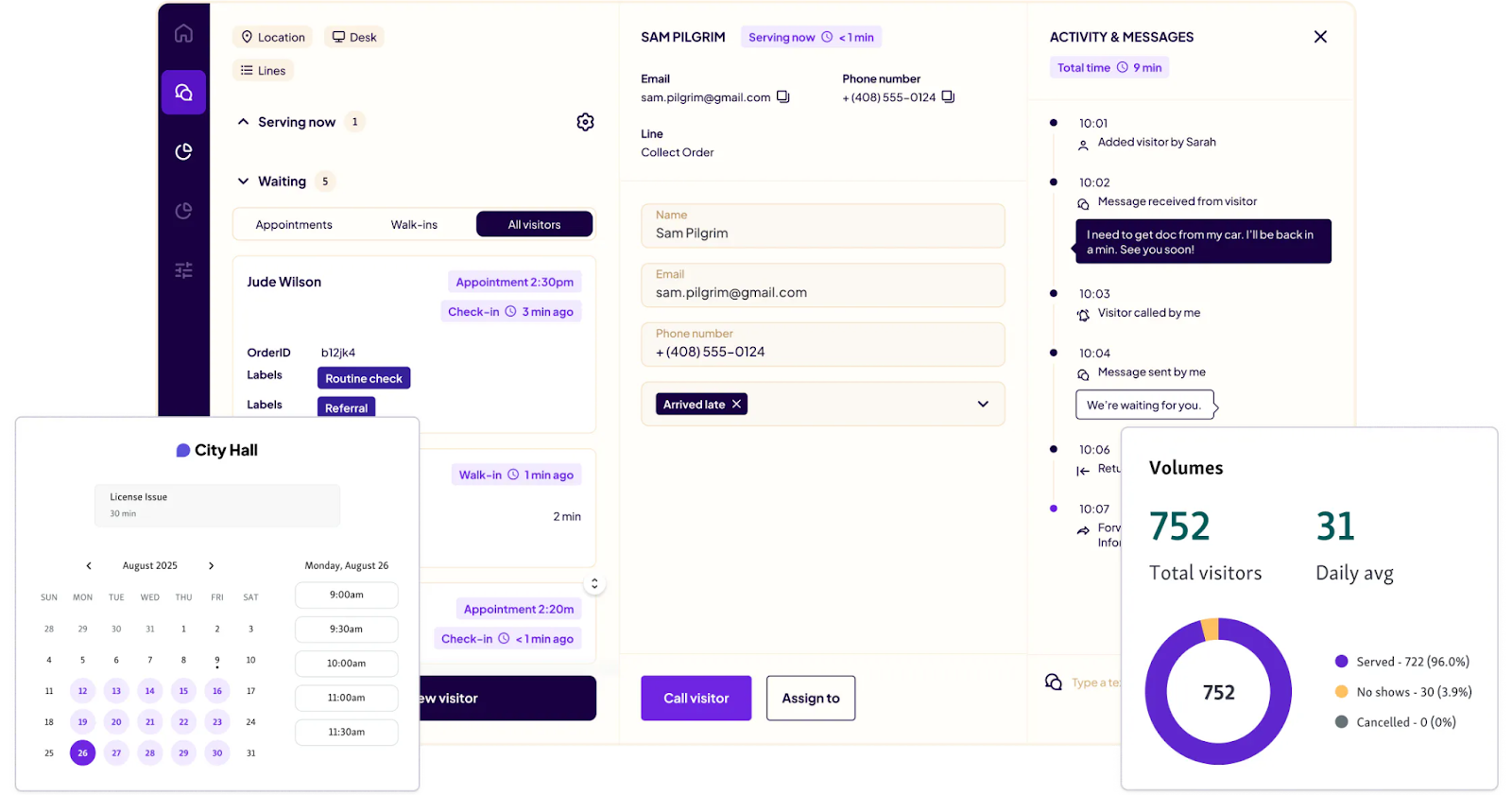
Image source: qminder.com
Best for: Organizations with steady or high visitor traffic, including clinics, government offices, and service centers that need a reliable, modern check-in and queue management system.
Leading digital receptionist solutions for seamless visitor management like Qminder, combine check-ins, queue management, and appointment scheduling into one system that actually works. Built for busy clinics, public offices, and service businesses drowning in visitor traffic without relying on paper logs or packed waiting rooms.
Visitors check in through kiosks, mobile links, or web browsers, while staff sees exactly who's arriving, who's waiting, and what needs immediate attention right now. Custom workflows and multi-location controls make it perfect for large offices dealing with constant foot traffic.
Key features:
- Multiple self-check-in methods, including kiosk, mobile link, and online forms
- Real-time queue updates, automated notifications, and status alerts
- Central dashboard for managing several locations and service counters
- Detailed analytics on wait times, service duration, and team performance
- Integrations with CRMs and scheduling tools to streamline operations
- Secure, GDPR-compliant handling of visitor and appointment data
Pros:
- Simple, modern interface for staff and visitors
- Strong automation that reduces front-desk workload
- In-depth reporting that supports better resource planning
Cons:
- May feel more advanced than what very small teams need
- Setup might take time for offices with minimal visitor volume
Pricing: 14-day free trial; plans start at $389/month. Custom enterprise pricing available.
2. Lark
Best for: Teams and clinics who want scheduling automation plus communication, collaboration, and document tools that don't require juggling five different apps.
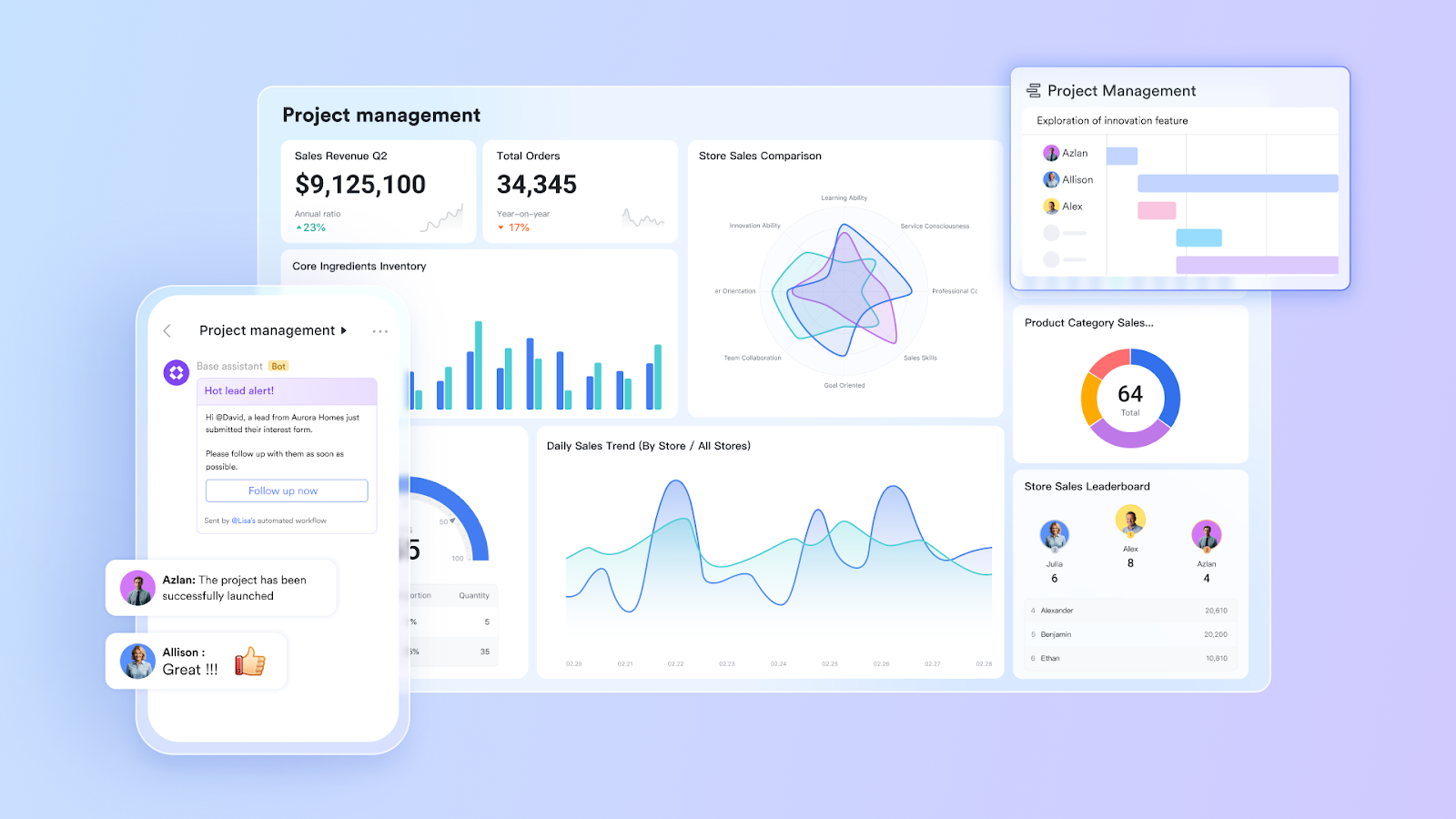
Lark delivers collaborative scheduling and communication for teams who need their entire workspace unified, chat, calendars, video calls, and file sharing all living together. Appointments can be booked based on who's actually available right now, and when a time slot is booked, it will be locked in the calendar view to prevent schedule conflicts and confusion.
Another feature is workflow automation where clinics and service teams set up customizable, automatic confirmations, reminders, forms, and follow-ups that run themselves. Admin work disappears and messages stay consistent. Virtual appointments come with meeting links that generate themselves and notifications that sync properly across devices.
Key features:
- Real-time booking with calendar sync and conflict blocking
- Custom rules controlling approvals, limits, and buffer zones
- Workflow automation pushing reminders, updates, and intake forms
- Chat, video meetings, and file sharing baked in
- Cloud documents with live collaboration features
- Meeting links generated automatically for virtual sessions
Pros:
- Interface makes sense quickly with messaging and video that don't break
- File sharing stays secure with solid data protection
- Desktop and mobile versions both work properly
Cons:
- Mobile notifications occasionally show up late
- Web version acts different than desktop app
Pricing: Starter plan costs nothing; Pro runs $12 per user monthly; Enterprise needs custom quote.

3. Setmore
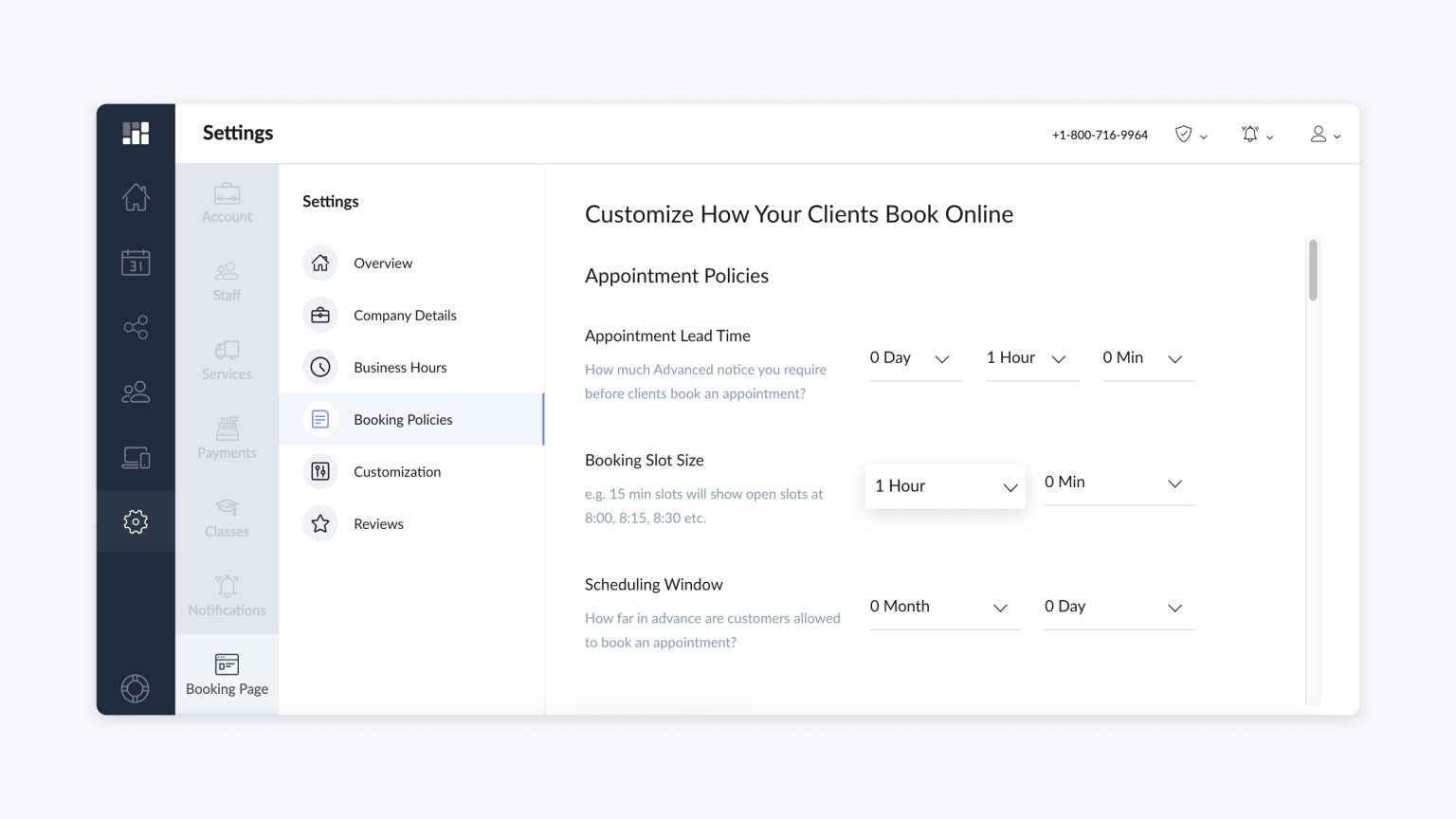
Image source: setmore.com
Best for: Small public offices and service teams hunting for a straightforward, cheap scheduling tool that handles the essential online booking features without the bloat.
Setmore offers simple and budget-friendly scheduling that works for small public offices or teams just starting with online booking. The free plan is the real draw here, unlimited appointments supporting up to four users without spending a penny.
Teams build their own branded booking page, sync their calendars, and hook Setmore into other tools using Zapier. Payment processing through Stripe, Square, and PayPal means services can collect fees when people book. While it won't handle complex automation or fancy workflows, it nails the basics without making things complicated.
Key features:
- Free plan with unlimited appointments for up to 4 users
- Customizable booking pages with logo and banner options
- Integrations with social platforms and website builders
- Payment support via Stripe, Square, and PayPal
- Zapier connection for additional app integrations
Pros:
- Gets running fast and stays easy to use
- Plays nice with popular third-party tools
Cons:
- Customer support responses can feel slow at times.
- Free plan restricts you to one-way calendar sync
Pricing: Free for up to four users. Paid plans start at $5 per month.
4. DaySchedule
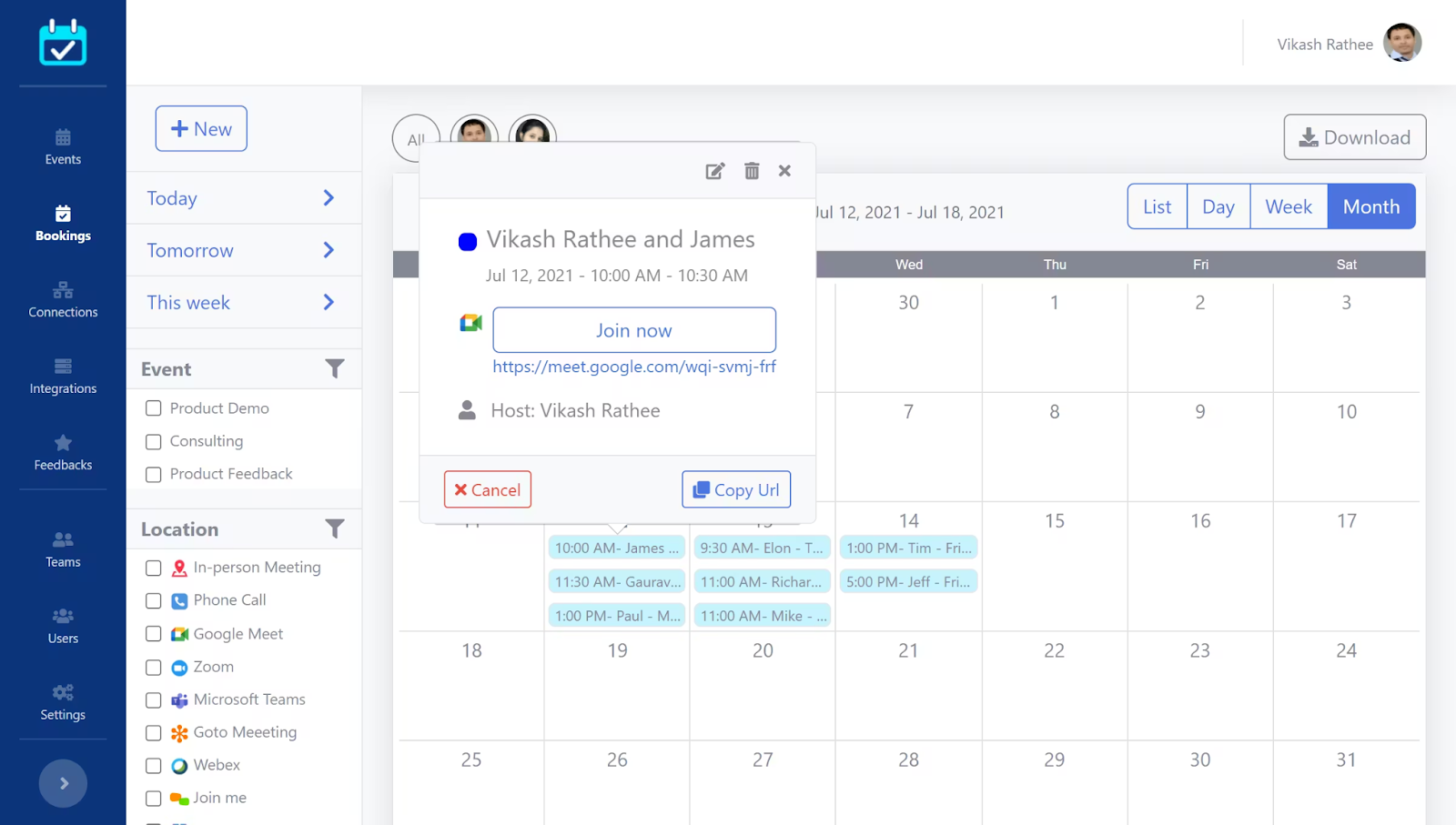
Image source: dayschedule.com
Best for: Public agencies and service teams looking for an affordable, adaptable tool that handles both face-to-face and virtual appointments without breaking the budget.
DaySchedule is a flexible digital check-in and scheduling platform made for public offices and service centers juggling both walk-ins and virtual appointments. The unified dashboard lets teams track bookings, visitor information, and performance metrics without jumping between screens, which keeps departments or multiple locations running smoothly.
You get branded booking pages, payment processing, and video conferencing built right in, so agencies can deliver a professional experience that people can actually count on. Group check-ins and role-based access controls make it practical for government consultations, community programs, and remote services.
Key features:
- Branded booking pages with custom intake forms
- Support for group bookings and adjustable user roles
- Integrations for calendars, payment platforms, and video calls
- Real-time analytics for bookings, visitor flow, and trends
Pros:
- Quick to get running and easy to manage
- Solid value for small to mid-sized teams
Cons:
- Free plan caps your booking numbers
- Interface doesn’t let you customize much
Pricing: Free plan available. Paid plans start at $8 per month.
5. NextMe
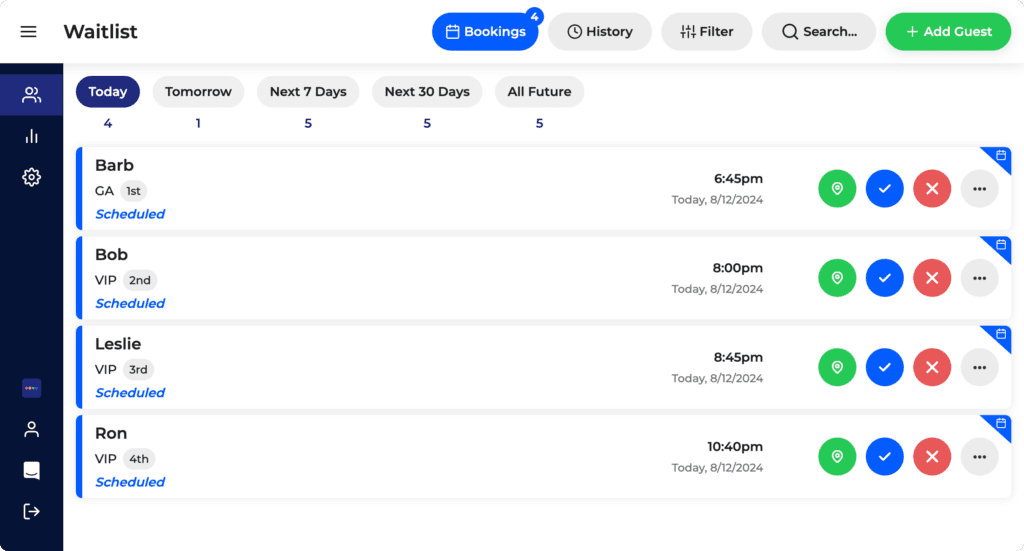
Image source: nextmeapp.com
Best for: Small public offices wanting dead-simple crowd control and empty lobbies without wrestling with complex systems or lengthy setup processes.
NextMe works as a no-nonsense digital check-in and waitlist tool fixing how public offices deal with walk-in visits. Their Virtual Waiting Room lets people check their spot in line from their phone, clearing out jammed lobbies and turning mysterious waits into something people can actually plan around.
Staff pushes out updates, reminders, or helpful links on the fly, giving citizens real information instead of leaving them guessing. The reporting and queue data shows agencies exactly what's happening with their service flow so they can move staff around before problems hit.
Key features:
- Virtual Waiting Room with queue position and live status
- Real-time waitlist controls and speedy check-ins
- SMS alerts when someone's turn comes up
- Reports showing visits, wait times, and traffic trends
- POS and loyalty program connections
Pros:
- Free version covers small offices just fine
- Clears lobby jams while keeping people informed
Cons:
- Good features stay locked in paid versions
- Can't run multiple locations on basic plan
Pricing: Free includes basics plus 100 monthly texts. Paid starts at $49.99 monthly (annual billing).
6. Acuity Scheduling
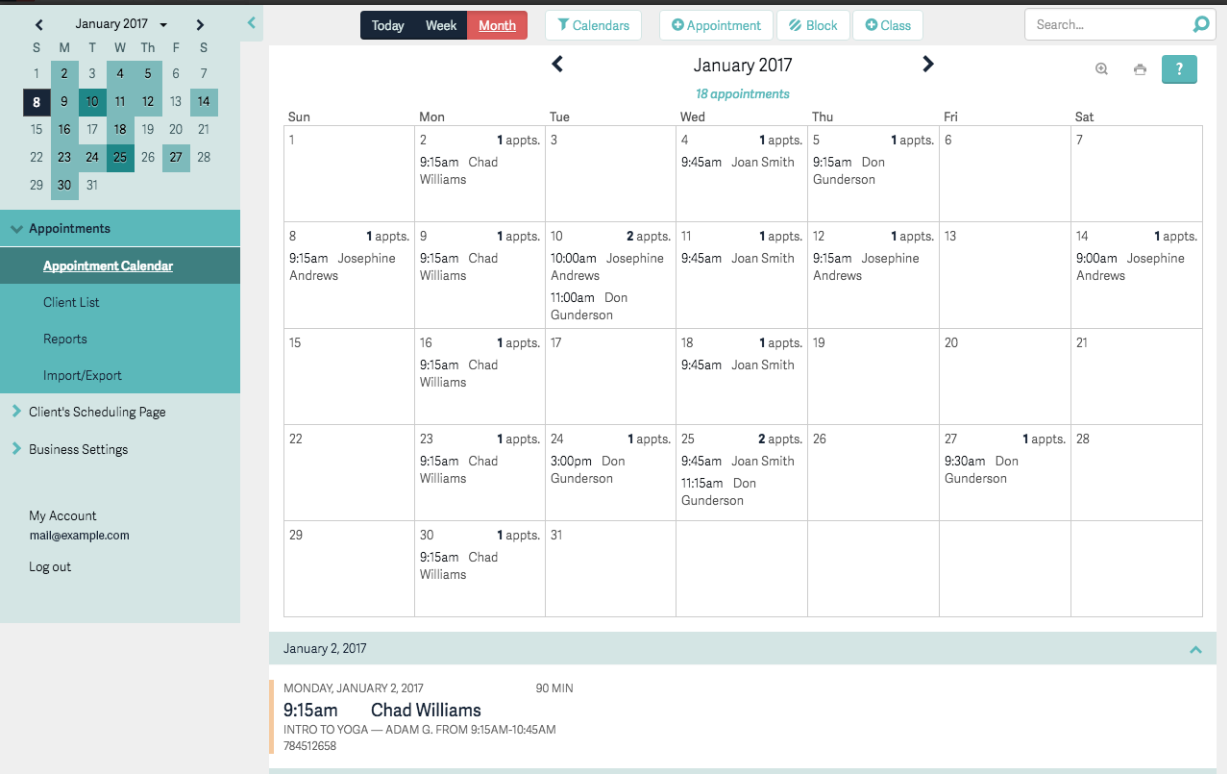
Image source: acuityscheduling.com
Best for: Public offices needing straightforward scheduling with decent integrations minus the endless configuration nightmare.
Acuity Scheduling delivers practical digital check-in and appointment management for public offices drowning in manual booking nonsense. People grab their own appointments online from available slots, which kills front-desk chaos and prevents line formation before it starts.
You get recurring appointments, intake forms you actually control, and payment collection upfront, real power over appointment flow instead of hoping for the best. Google Calendar, Zoom, and QuickBooks connections sync everything automatically, plus the "Look Busy" trick hides slots when you need to steer traffic elsewhere.
For more Google Workspace's information, you can refer to Google Workspace Pricing and Google Workspace alternatives.
Key features:
- Interface that doesn't require a manual to understand
- Recurring appointments plus intake forms you design yourself
- Hooks into Google Calendar, Zoom, QuickBooks seamlessly
- "Look Busy" mode hides slots strategically
- Mobile apps so everyone stays linked up
Pros:
- Running in minutes, staff learns it instantly
- Integrations that solve real problems daily
Cons:
- No free plan available
- Limited customization and reporting in lower tiers
Pricing: $16 monthly gets you started with one user, one location.
Conclusion
Choosing the right digital receptionist tool can noticeably improve how efficiently your office runs. Each option above excels in a different area. Qminder is best for agencies that need strong queue management and clear real-time visibility. DaySchedule offers flexible check-ins and group bookings with a simple setup. NextMe improves the on-site waiting experience with mobile updates and a virtual waiting room.
Acuity Scheduling is ideal for clean appointment booking and smooth integrations. Lark works well for teams that want scheduling combined with internal communication tools. Review your foot traffic and service flow, then choose the system that fits your workflow.
FAQs
What exactly is a “digital receptionist”?
A digital receptionist is a software tool that handles check-ins, queueing, appointments, and basic visitor communication without needing a full-time front-desk staff member.
How does a digital receptionist system work?
Visitors check in through a kiosk, tablet, or link. The system captures their details, places them in a queue or confirms their appointment, and notifies staff. Visitors then get real-time updates until it’s their turn.
What are the main benefits?
Faster check-ins, shorter wait times, fewer front-desk bottlenecks, better data tracking, and a more organized visitor flow.
Any drawbacks or things to watch out for?
Some tools have limited customization, require stable internet, or may confuse first-time users. Training staff and choosing the right feature set helps avoid most issues.
Related reading
Table of contents
Start using Lark today

Manage all your work in one place
Boost team efficiency by 10x
Save up to 70% on software costs
Table of contents
Start using Lark today
Manage all your work in one place
Boost team efficiency by 10x
Save up to 70% on software costs
Keep reading






2026 Lark Technologies Pte. Ltd.
Headquartered in Singapore with offices worldwide.






Explore: