In the dynamic landscape of modern accounting, firms face an ever-increasing array of challenges. From navigating complex regulations and managing diverse client needs to optimizing internal operations, the demands on your practice are constant. For many, the traditional methods of juggling spreadsheets, disparate communication tools, and manual processes have become a bottleneck, hindering growth and impacting client satisfaction. This is where specialized accounting practice management software steps in.
Simply put, accounting practice management software is a dedicated solution designed to centralize and streamline virtually every aspect of your firm's operations. It's built to address the unique workflow requirements of accountants, bookkeepers, and tax professionals, helping to automate repetitive tasks, improve communication, and ensure nothing falls through the cracks. My goal with this guide is to cut through the noise, helping you understand why a dedicated solution is no longer a luxury but a necessity, what essential features to prioritize, and ultimately, how to select the best accounting practice management software that can truly transform your firm in 2026 and beyond.
Overview: Top 5 platforms for project management office
Evaluating different tools side by side helps teams identify what aligns best with their workflows and operational scale. Here's a comparison of leading accounting practice management software, highlighting key differentiators and features to help you make an informed decision.
Why your accounting firm needs dedicated practice management software
The idea that general project management tools suffice for accounting firms is a myth. Platforms like Asana or Trello fail to handle the compliance-driven, intricate workflows unique to accounting, especially during tax season. The volume of client documents, strict deadlines, secure communication needs, and complex reviews overwhelm generic tools. Firms often resort to a "franken-stack" of apps (email, shared drives, spreadsheets), causing fragmentation, inefficiencies, and data silos.
Take "Veritas Accounting," a mid-sized firm that initially used a generic tool. They could list tasks but lacked integrated features to securely request tax documents, track their status, or link them to client files. Their team wasted billable hours updating spreadsheets, chasing clients, and sifting through emails—risking errors, missed deadlines, and damage to client trust and profitability. Dedicated accounting practice management software is built to support these specific demands, offering integrated solutions that generic tools cannot match.
Beyond features: The "integration multiplier" for accounting firms
When selecting accounting practice management software, don’t just focus on individual features. The true power lies in the integration multiplier —the exponential efficiency gains from a unified, interconnected platform, not a fragmented "franken-stack" of tools.
A disconnected setup (email, cloud drives, generic task boards, spreadsheets) forces manual data transfers, context switching, and risks silos. This friction slows workflows and harms client service.
Lark Base’s native integration changes this. From a new lead in CRM, a templated onboarding workflow is triggered automatically, assigning tasks, sending e-signed engagement letters, requesting documents via secure portals, and scheduling meetings—all within one system. All communication, documents, and tasks are centralized. This unification slashes admin work, minimizes errors, and gives everyone a 360° view of clients and projects. The "integration multiplier"—where each component enhances the others—fundamentally transforms how firms operate.
See how the top choice streamlines accounting flows with Lark
Top accounting practice management software platforms for 2026
As accounting practices continue to evolve in 2026, choosing the right management software is more critical than ever for streamlining workflows, automating tedious tasks, and enhancing client collaboration. To help you navigate the crowded market, we’ve evaluated the industry's leading solutions. Below, we break down the top platforms available this year to help you find the perfect fit for your firm.
1. Lark: Your unified productivity hub for accounting teams
The verdict: Lark is ideal for accounting firms looking for a cost-effective, all-in-one platform that unifies internal communication, document collaboration, and operational workflows, especially for remote or hybrid teams. While not a dedicated accounting PM software, its highly integrated suite can serve as a powerful foundation for managing internal projects and team collaboration, reducing the reliance on fragmented tools.
Deep dive:
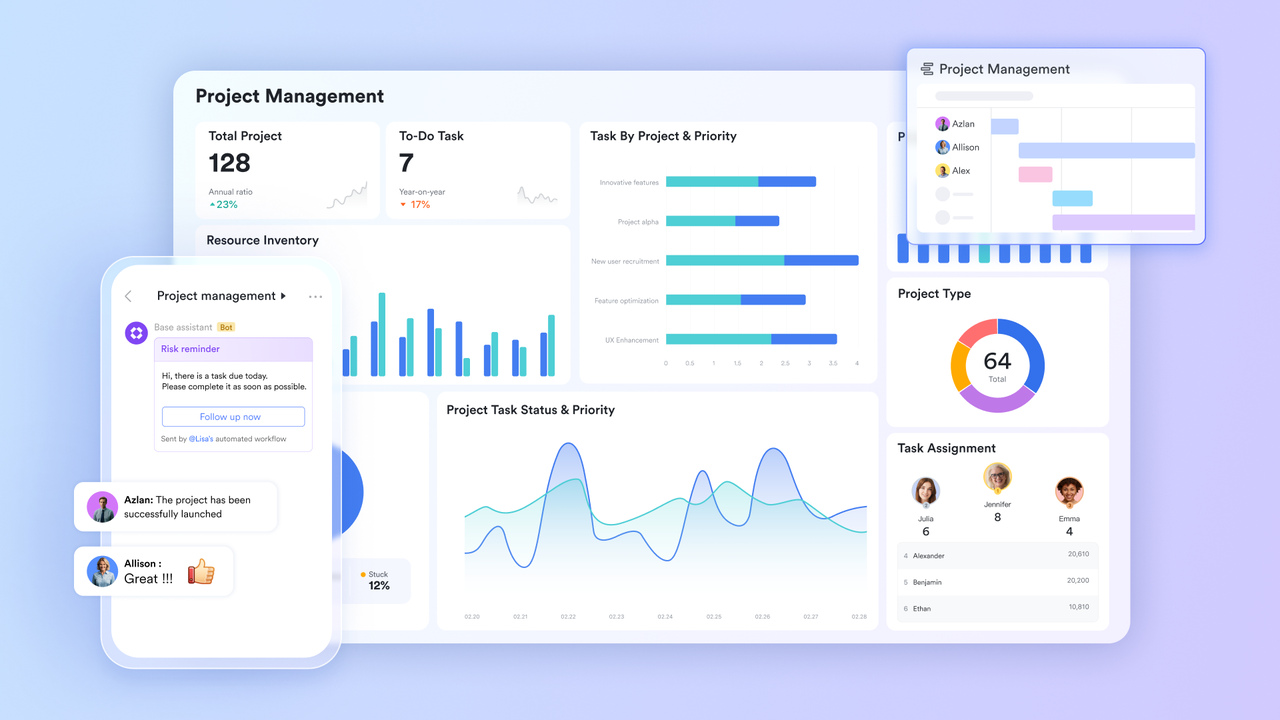
Lark is a unified workspace designed to support communication, planning, and execution across teams. It brings collaboration, automation, and documentation together in one environment used for everyday work across the organization.Within this broader workspace, finance teams can manage approvals, financial tracking, and reporting alongside ongoing projects and discussions. Rather than acting as a traditional accounting system, Lark supports finance workflows as part of wider operational processes—helping organizations maintain visibility and coordination as they scale.
Currency and formula fields
In accounting, proficient management of multi-currency transactions and automated computations is fundamental. The dedicated currency field within enables precise storage of financial data, complete with customizable currency symbols and configurable decimal precision. Complemented by this, the formula field functionality detailed in Overview of Formula Fields in Base supports automated execution of critical financial tasks—including tax calculation, profit margin analysis, and real-time balance aggregation—through built-in functions such as SUM, ROUND, and IF. This integrated capability ensures that digital ledgers are updated in real time whenever new transaction records are added, significantly minimizing the potential for human error associated with manual data entry. 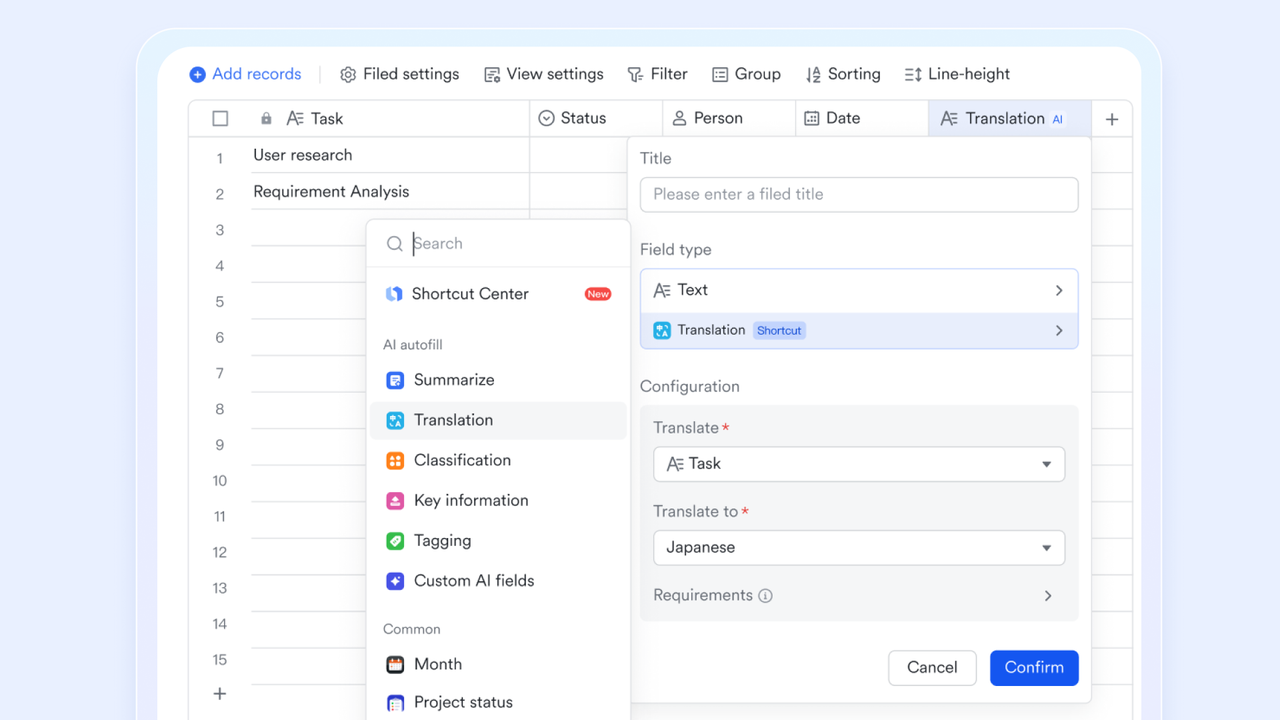
Multi-level approval flows
Lark offers a specialized approval system that plays a pivotal role in financial operations. You can build tailored approval workflows for scenarios like expense reimbursement, procurement applications, and invoice payment processing. These workflows support conditional branching—for instance, automatically sending requests for expenses exceeding $5,000 to the CFO for additional review and signature. Since approval processes are managed directly within , financial workflows are streamlined far more efficiently than with traditional email-based systems. 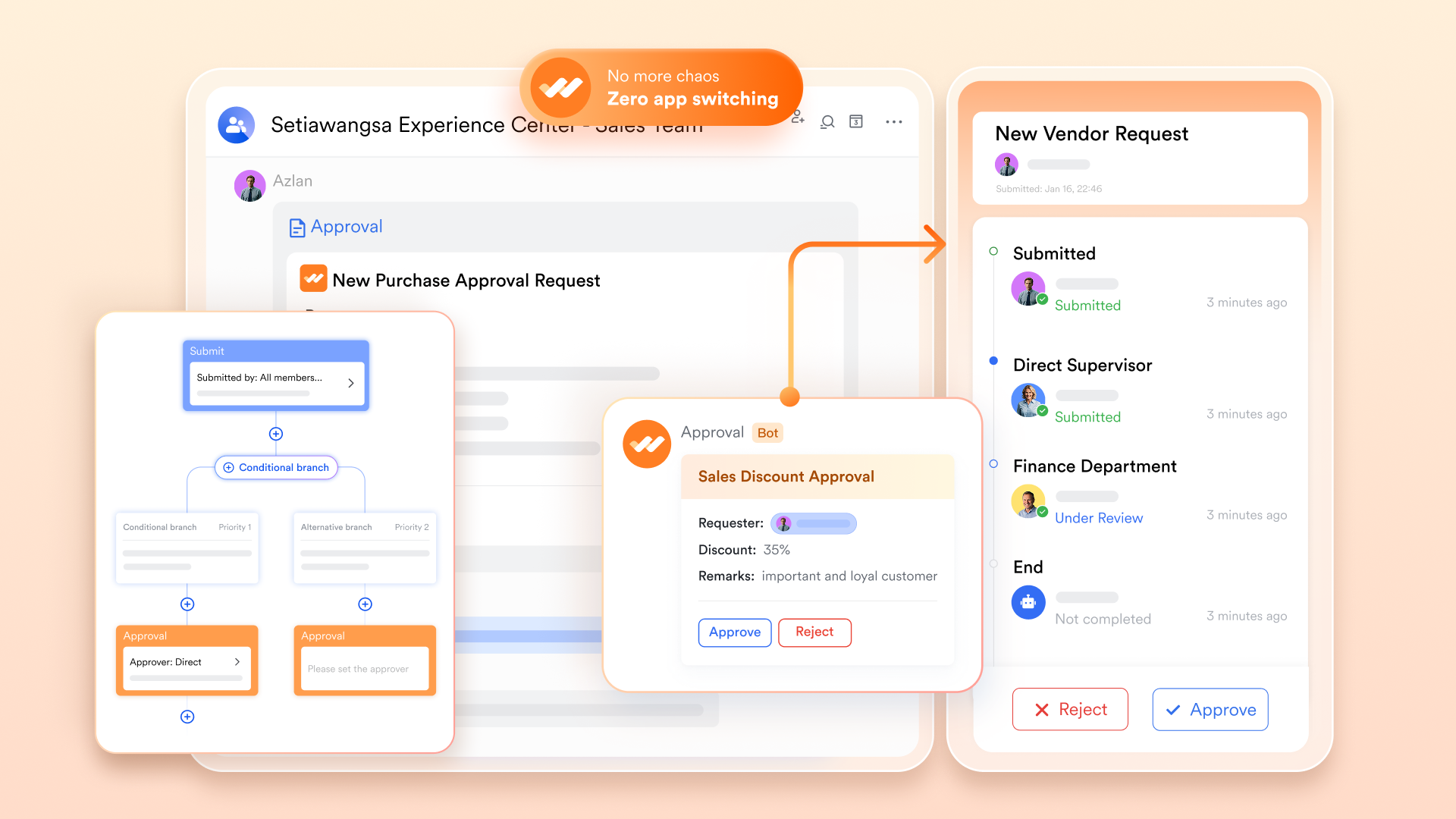
Metric blocks and pivot tables in dashboards
To maintain a real-time view of financial health, Lark dashboards aggregate data from Base into visual reports. The metric block function is used to highlight "Key performance indicators" (KPIs) like Total Revenue or Net Profit at the top of a page. Meanwhile, the pivot table function allows finance teams to group data by category or time period, making it easy to generate monthly profit and loss (P&L) statements or track spending by department without exporting data to Excel. 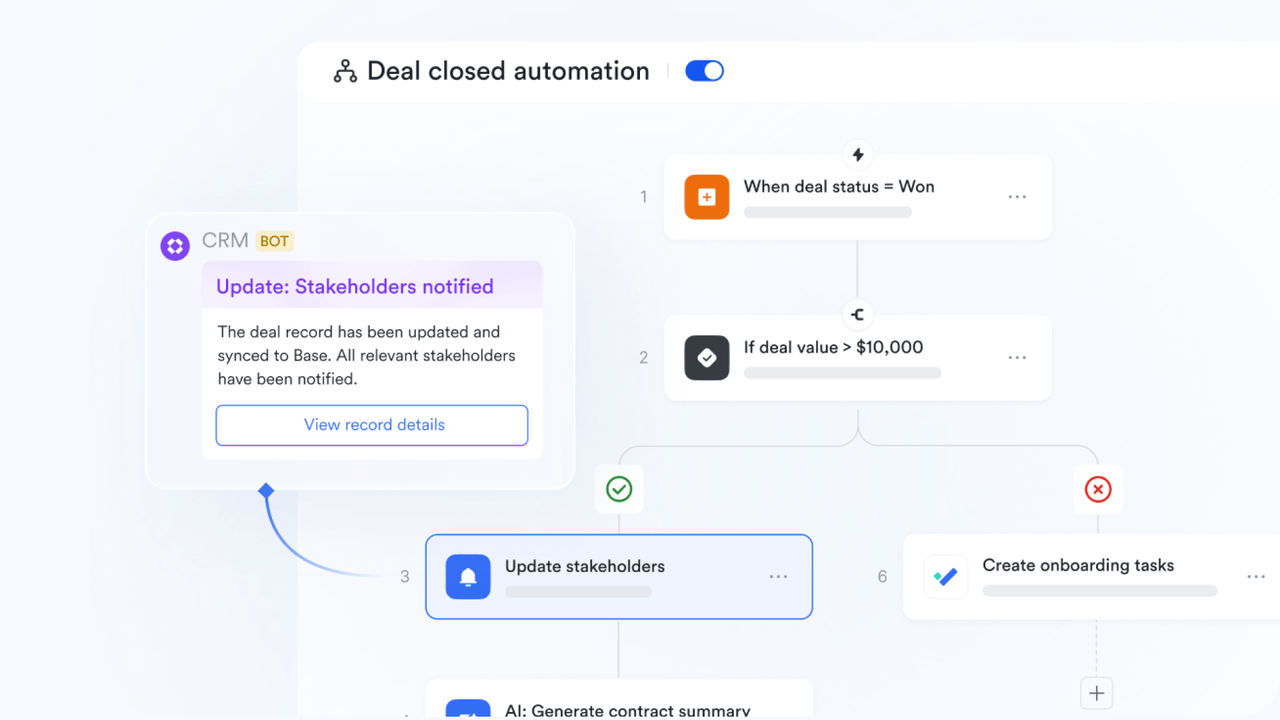
Pros:
- Unified workspace: Consolidates multiple tools (chat, video, docs, calendar, email, wiki, workflows) into a single application, drastically reducing context switching and improving efficiency for internal team management.
- Powerful automation and customization: Lark Base and Lark Approval enable firms to build custom databases and automated workflows, adapting the platform to specific internal accounting processes and project tracking needs.
- Cost-effective with robust free plan: Offers a generous free-forever plan for up to 20 users with significant storage and features, making it highly accessible for small and growing firms to manage their internal operations efficiently without immediate investment.
Cons:
- Initial setup may require guidance, with step-by-step resources available through the Lark Help Center
:
- Starter plan: Free forever plan that includes 11 powerful tools for up to 20 users. It also comes with 100GB of storage, 1000 automation runs, AI translations, and more.
- Basic plan: $6/user/month (billed annually) for up to 500 users. It includes everything in Starter plus group calling for up to 500 attendees, 5TB of storage, 1000 automation runs, and more. For more details, please .
- Pro plan: $12/user/month (billed annually) for up to 500 users. It includes everything in Basic plus group calling for up to 500 attendees, 15TB of storage, 50,000 automation runs, and more.
- Enterprise plan: for custom pricing. Supports unlimited users and includes even more automation runs and advanced security, compliance, and management features.
For small teams with simple communication needs

18 months message history
1000 Base automation runs/month
2000 rows per table in Base
Most POPULAR
For companies with comprehensive collaboration and management needs
Unlimited message history
500-participant video meetings
50k Base automation runs/month
20k rows per table in Base
For large companies with advanced security and organizational management needs
Get a personalized demo and pricing
Unlimited message history
500-participant video meetings
15 TB storage + 30 GB storage/user
500k Base automation runs/month
50k Base automation runs/month
Most POPULAR
For companies with comprehensive collaboration and management needs
Unlimited message history
500-participant video meetings
50k Base automation runs/month
20k rows per table in Base
2. Karbon: Practice management tailored for accountants
The verdict: Karbon excels as a comprehensive practice management solution specifically designed for accounting and tax firms, offering deep workflow automation, integrated email, and a collaborative environment that significantly streamlines client work.
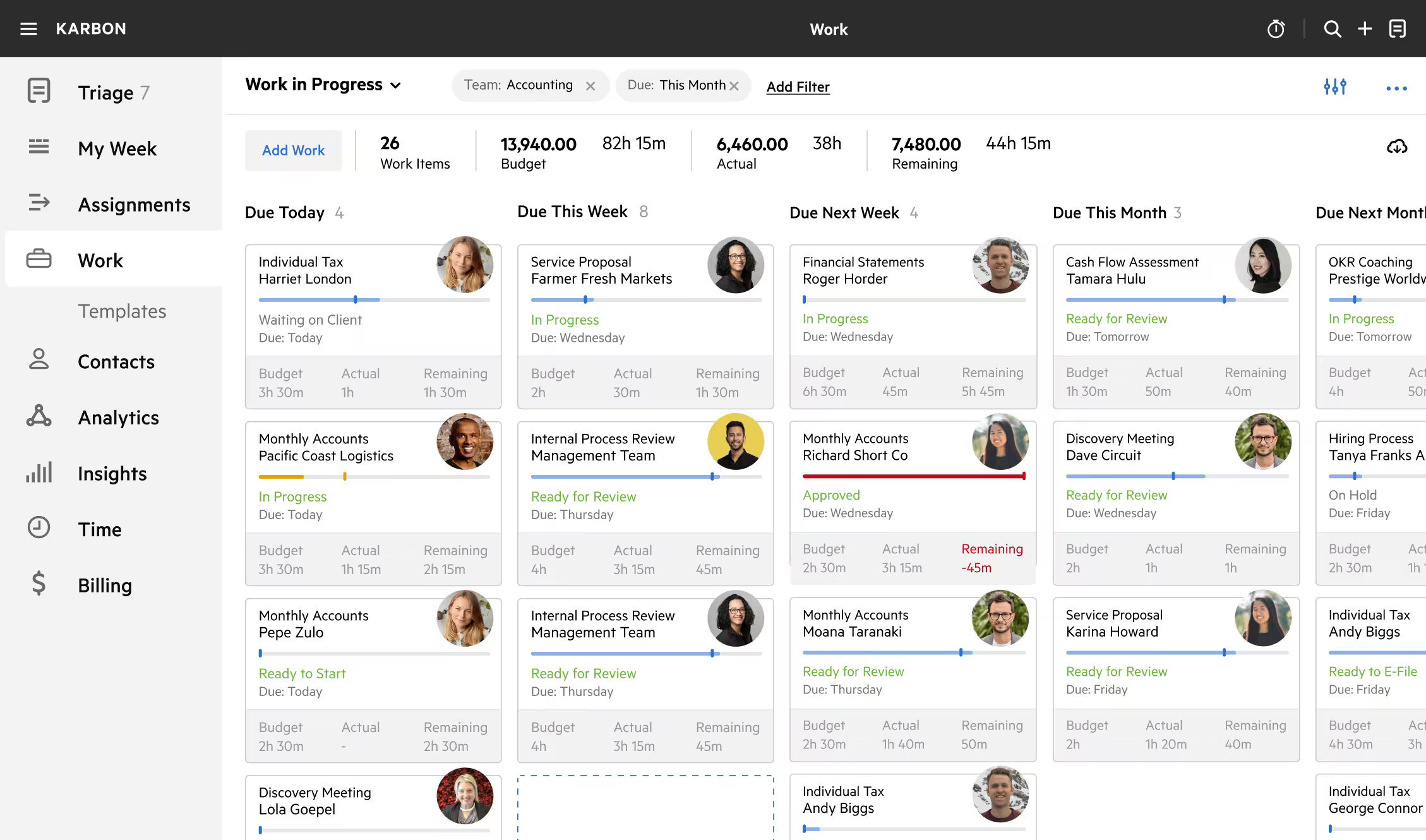
Image source: karbon.com
Deep dive:
Karbon provides a unified platform that integrates client data, work management, and team collaboration specifically for accounting practices. Its strength lies in its ability to centralize all client communication and work items, offering a "single source of truth" for each client engagement. This means emails from clients are automatically linked to their respective projects, tasks, and client files, eliminating the need to search through inboxes or manually connect communications. For a firm dealing with a high volume of client interactions, this integrated email management is a game-changer, ensuring that no client request or detail is overlooked. The platform’s robust workflow automation allows firms to standardize processes for tax returns, audits, or monthly reconciliations, assigning tasks and subtasks with clear deadlines and dependencies.
Karbon also focuses heavily on providing visibility and accountability within the team. Managers can easily track the progress of all ongoing client work, identify bottlenecks, and reallocate resources as needed. The client portal features facilitate secure document exchange and communication, enhancing the client experience while ensuring data security. Furthermore, Karbon's template library for common accounting tasks and workflows helps firms quickly onboard new team members and maintain consistency across different engagements. This structured approach to practice management empowers firms to deliver high-quality services consistently, even during peak periods like tax season, by ensuring every step of the process is followed and documented.
Pros:
- Integrated email: Automatically links client emails to relevant work, significantly streamlining communication and ensuring a complete client history.
- Robust workflow automation: Offers powerful tools to standardize and automate accounting-specific workflows, ensuring consistency and efficiency across engagements.
- Comprehensive client management: Centralizes client information, communication, and documents, providing a 360-degree view of each client relationship.
Cons:
- Higher price point: Can be a significant investment, especially for very small firms or startups, potentially requiring a higher budget allocation compared to some alternatives.
- Initial setup time: While powerful, the comprehensive nature of Karbon may require a dedicated initial setup and customization phase to fully tailor it to a firm's specific workflows.
Pricing:
- Team: $59/user/month (billed annually)
- Business: $89/user/month (billed annually)
- Enterprise: Custom pricing
3. TaxDome: All-in-one client portal and practice management
The verdict: TaxDome is an excellent all-in-one platform for accounting and tax firms that prioritize a robust client portal, streamlined client communication, and extensive automation to manage their practice efficiently, especially for firms with a high volume of client interactions.
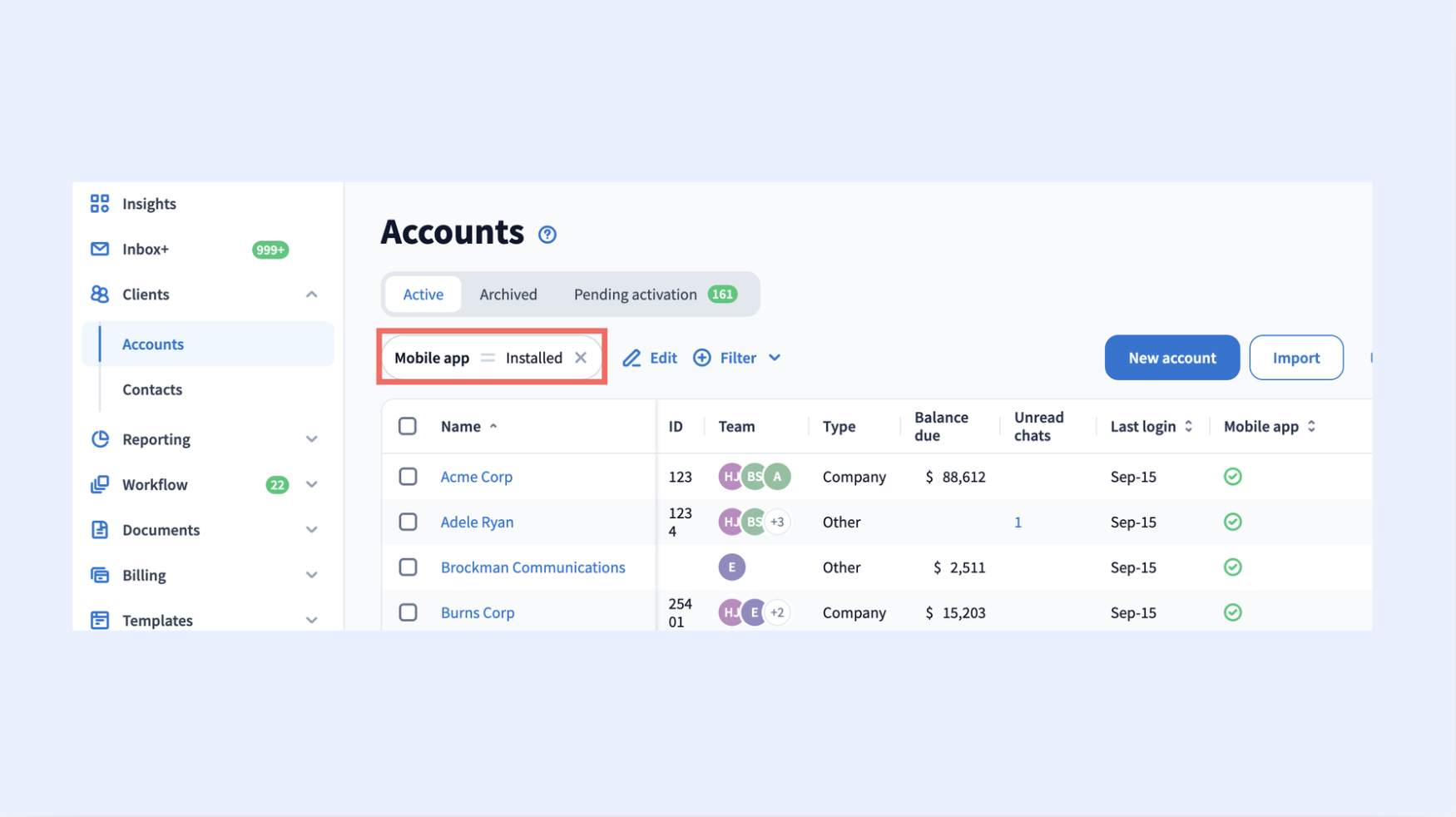
Image source: taxdome.com
Deep dive:
TaxDome distinguishes itself by offering an exceptionally strong client portal as the central hub for interaction between accounting firms and their clients. This portal is not just for document exchange; it's a comprehensive platform for secure communication, e-signatures, invoicing, and even client-initiated scheduling. This level of client engagement significantly reduces the back-and-forth emails and phone calls, making the process smoother for both the firm and its clients. For a tax firm, this means clients can securely upload tax documents, sign engagement letters digitally, and track the status of their return all in one place, greatly improving efficiency during busy seasons.
Beyond the client portal, TaxDome provides extensive practice management features, including workflow automation, task management, and a robust CRM. Firms can automate routine tasks like sending client reminders for documents, generating invoices, or setting up follow-up appointments. The CRM capabilities ensure that all client information and interactions are centralized and easily accessible to the entire team. This integrated approach allows firms to manage their entire client lifecycle—from onboarding and engagement to service delivery and billing—within a single platform. For example, once a client uploads all necessary tax documents, an automated workflow can be triggered to assign the tax preparation task to a specific team member, followed by a review process and a notification to the client when their return is ready for e-signature.
Pros:
- Superior client portal: Offers a comprehensive, secure client portal for documents, communication, e-signatures, and payments, significantly improving client experience and operational efficiency.
- Extensive automation: Provides powerful automation capabilities for client communication, task assignments, and workflow triggers, reducing manual work.
- Integrated CRM and practice management: Combines client relationship management with robust practice management features, creating a unified system for managing client engagements.
Cons:
- Feature overload for smaller firms: The extensive range of features might be overwhelming for very small firms with simpler needs, potentially leading to a longer learning curve.
- Interface can be busy: While functional, some users might find the interface to be quite dense due to the sheer number of features and options available.
Pricing:
- Solo: $800/year (per user, for a 1-year subscription)
- Pro: $1,000/year (per user, for a 1-year subscription)
- Business: $1,200/year (per user, for a 1-year subscription)
4. Firm360: The all-in-one solution for accounting firms
The verdict: Firm360 is a comprehensive all-in-one practice management software designed to centralize and streamline operations for accounting firms, offering robust features for CRM, workflow, document management, and billing in a single platform.
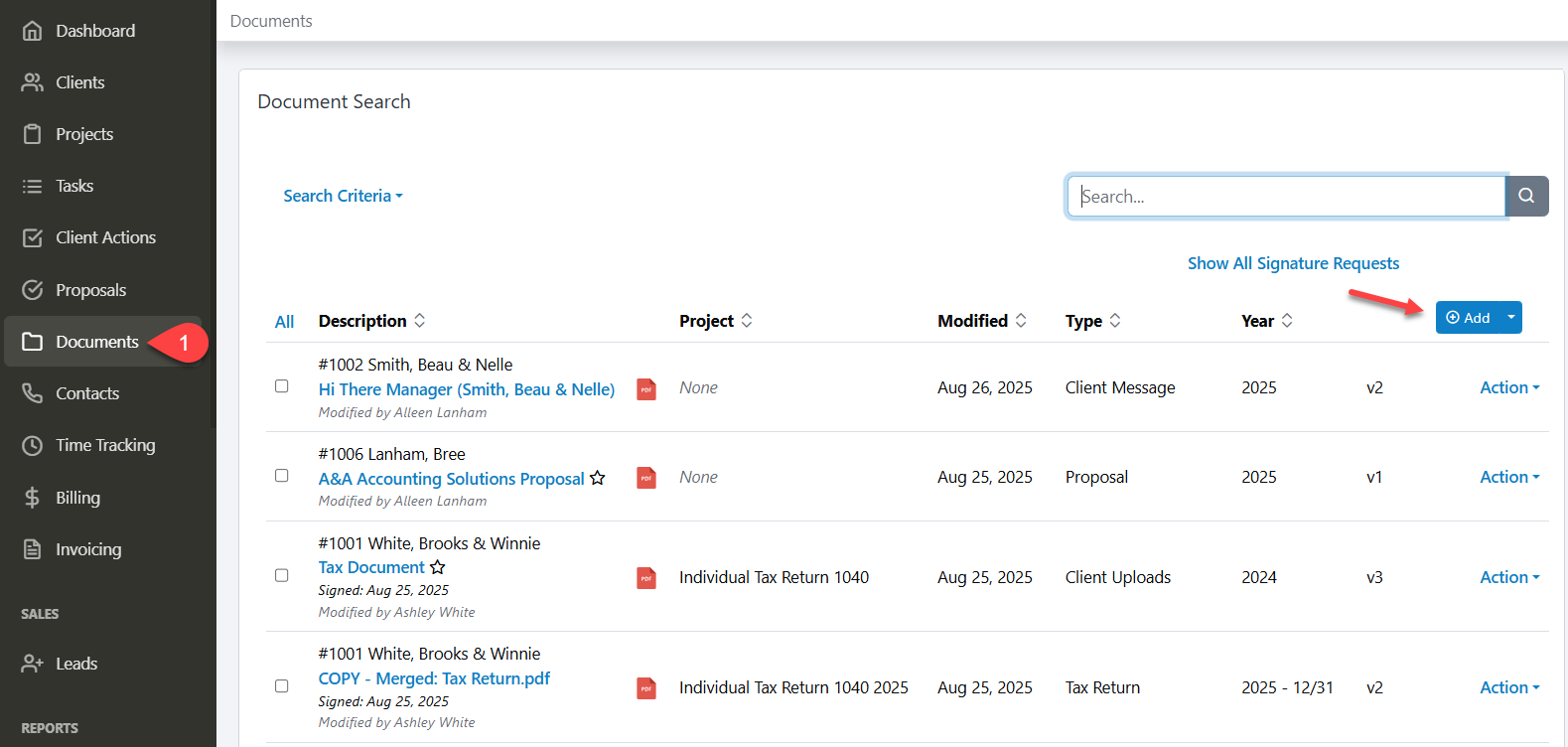
Image source: firm360.com
Deep dive:
Firm360 positions itself as a true all-in-one solution, aiming to replace multiple disconnected tools an accounting firm might use. It integrates client relationship management (CRM), workflow automation, document management, time and billing, and even client portal functionalities into a cohesive system. This singular platform approach helps firms eliminate data silos and ensures that all team members are working with the most current and accurate client information. For example, when a new client is onboarded, their details are entered once into the CRM, and this information flows seamlessly into project creation, document requests, and billing setup.
The workflow management in Firm360 allows firms to create custom templates for various accounting services, ensuring consistency and efficiency. Tasks can be assigned, deadlines set, and progress monitored through intuitive dashboards. Its integrated document management system provides secure storage and easy retrieval of client files, while the client portal facilitates secure communication and document exchange. The time and billing module ensures accurate tracking of billable hours and simplifies the invoicing process, improving cash flow management for the firm. By offering such a broad suite of features, Firm360 aims to be the central nervous system for an accounting practice, reducing administrative overhead and freeing up time for client-facing work.
Pros:
- True all-in-one platform: Consolidates CRM, workflow, document management, time and billing, and client portal functionalities into one system, reducing tool sprawl.
- Comprehensive workflow management: Enables firms to standardize and automate a wide range of accounting processes, improving efficiency and consistency.
- Integrated client management: Centralizes client data and interactions, providing a holistic view of each client and simplifying communication.
Cons:
- Potential for feature overwhelm: With so many features, new users might find the platform's initial learning curve to be steep.
- Pricing structure: While comprehensive, the cost of an all-in-one solution can be a significant investment, especially for smaller firms with tighter budgets.
Pricing:
5. QuickBooks Practice Manager: Seamless integration with the QuickBooks ecosystem
The verdict: QuickBooks Practice Manager is an ideal choice for accounting firms already heavily invested in the QuickBooks ecosystem, offering a streamlined way to manage client work directly within their familiar accounting software environment.
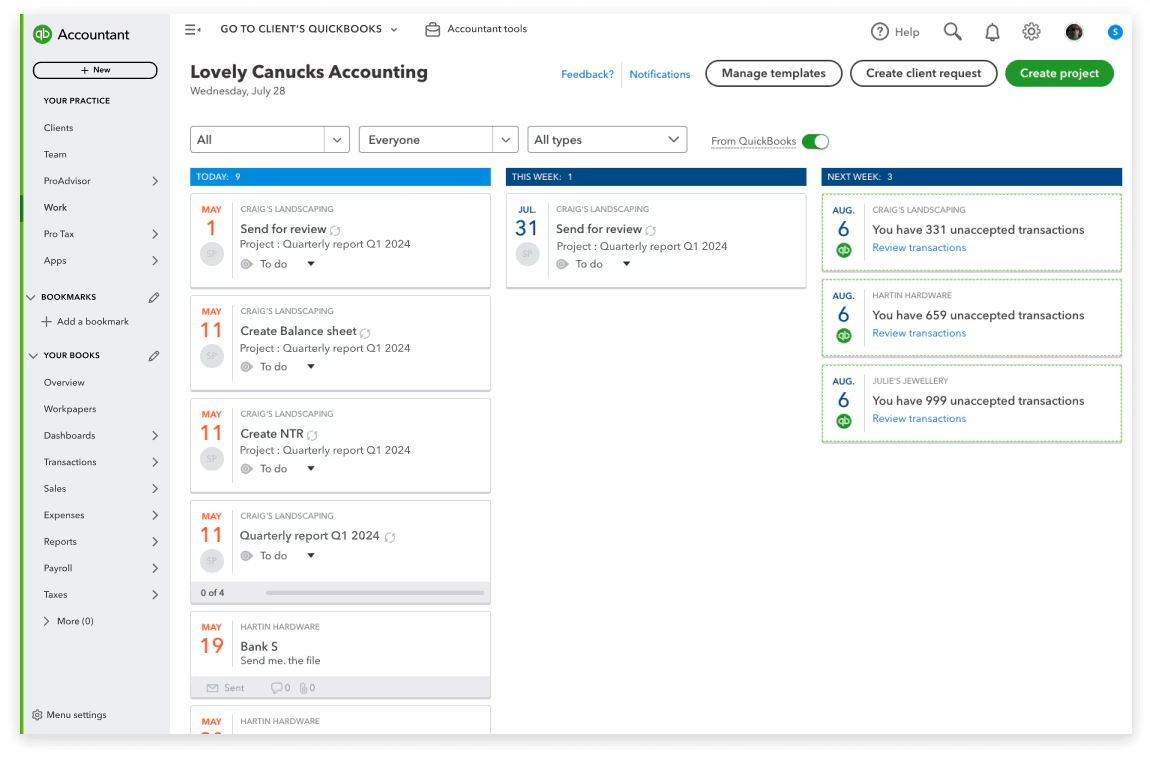
Image source: quickbooks.com
Deep dive:
QuickBooks Practice Manager (formerly Karbon within QuickBooks Online Accountant) is specifically designed to integrate seamlessly with QuickBooks Online Accountant (QBOA) and other QuickBooks products. This tight integration is its primary advantage, making it a natural extension for firms already using QuickBooks for their client accounting and tax needs. It allows firms to manage client projects and tasks directly from their QBOA dashboard, pulling client data and financial information without manual entry. For example, a firm can see a client's QuickBooks Online data, create a project for their quarterly review, assign tasks to team members, and track progress all from within the QuickBooks ecosystem. This eliminates the need to switch between disparate systems, saving time and reducing the risk of errors.
The software focuses on simplifying workflow management for common accounting tasks. Firms can create custom workflows and templates for various services, ensuring consistency and efficiency. It allows for assigning tasks to team members, setting deadlines, and monitoring overall project status. While not as feature-rich as some standalone practice management solutions, its strength lies in its embedded nature within QuickBooks, providing a convenient and familiar environment for managing client work. It's particularly beneficial for small to medium-sized firms that want to avoid additional software subscriptions and prefer a unified experience for both accounting and practice management within a single vendor's ecosystem.
Pros:
- Native QuickBooks integration: Unparalleled integration with QuickBooks Online Accountant and other QuickBooks products, ideal for firms already using the ecosystem.
- Streamlined workflow for QuickBooks users: Simplifies managing client projects and tasks directly within the familiar QuickBooks environment, reducing context-switching.
- Cost-effective for existing users: Often included or available at a reduced cost for existing QuickBooks Online Accountant subscribers, providing value without needing a separate subscription.
Cons:
- Less feature-rich than dedicated solutions: May lack some of the advanced workflow automation, comprehensive CRM, or robust reporting features found in standalone practice management software.
- Tied to QuickBooks ecosystem: Best suited for firms primarily using QuickBooks; firms with diverse client accounting software preferences might find it less flexible.
Pricing:
- QuickBooks Practice Manager is available for free as part of QuickBooks Online Accountant. Firms only pay for clients they add, depending on whether the software is offered through direct billing or wholesale.
6. Canopy: Modular practice management with tax resolution focus
The verdict: Canopy is best suited for tax professionals who prioritize tax resolution cases and seamless integration with the IRS, offering a modular approach to practice management features.
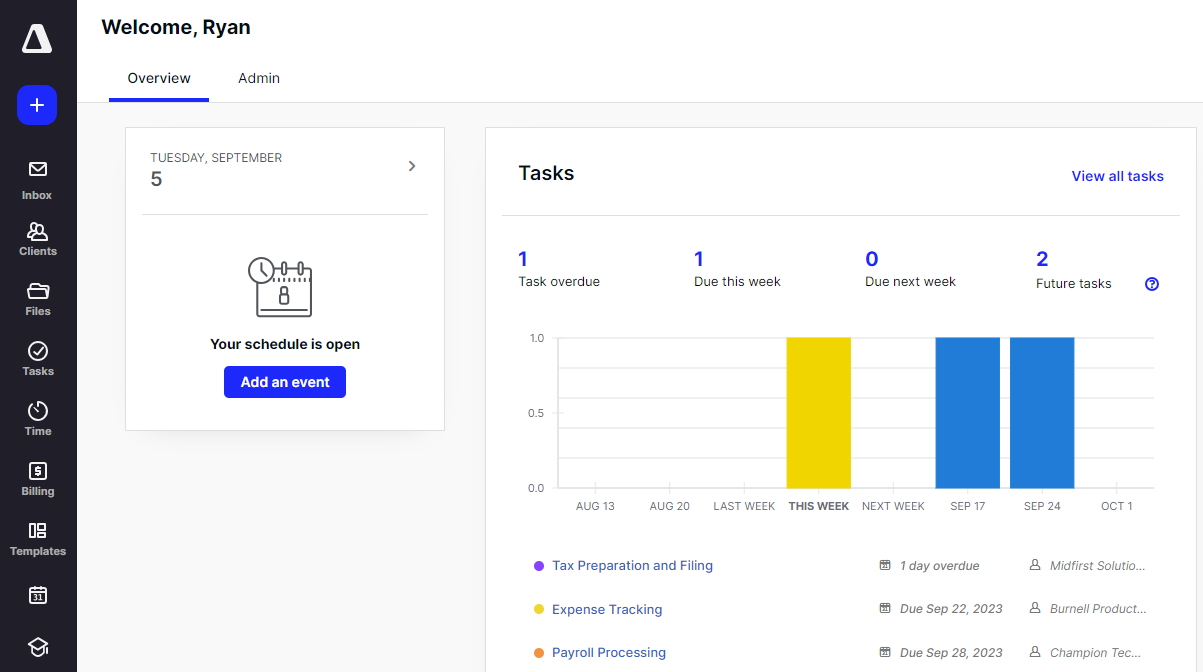
Image source: canopy.com
Deep dive:
Canopy is a versatile platform that combines client management, document management, billing, and staff management with a strong emphasis on tax resolution. Its modular pricing model allows firms to select and pay for only the features they need, making it adaptable to various firm sizes and specializations. For instance, a firm heavily focused on tax resolution can prioritize those modules, while another might choose to build out their client and document management. Canopy's AI assistant for drafting emails and answering queries with data insights is a notable feature, enhancing efficiency in client communication. The platform also offers custom-branded client engagement letters and a client portal mobile app, improving the client experience and firm professionalism.
The ability to integrate with the IRS for tax resolution cases is a significant advantage for specialized firms. While the modular approach can offer flexibility, it's essential for firms to carefully assess their total cost, as adding multiple core functionalities can increase the overall expense. The platform's comprehensive feature set means it can replace several individual applications, centralizing operations and providing a unified view of client cases and firm activities. This can be particularly beneficial for managing complex tax situations, where organized documentation and clear communication are critical.
Pros:
- Tax resolution focus: Strong capabilities for managing tax resolution cases and integration with the IRS (paid add-on).
- Modular pricing: Allows firms to customize their feature set and pay only for what they need, offering flexibility.
- Comprehensive features: Offers a wide range of features including client management, document management, and billing, which can replace multiple apps.
Cons:
- Complex and potentially expensive pricing: The modular nature can lead to complicated pricing, with costs adding up for core accounting practice management features.
- Limited workflow templates: May require more effort to set up and customize workflows compared to solutions with extensive pre-built templates.
Pricing:
- Starter: 45/user/month(plus45/user/month(plus50/user/month for tax resolution feature, for firms with fewer than four staff)
- Essentials: 45/user/month(plus45/user/month(plus50/user/month for tax resolution feature, for firms with fewer than four staff)
- Standard: Starting at $180/user/month (includes 2,500 free contacts; add-ons like Document Management, Workflow, Time & Billing, Tax Resolution extra)
- Pro: Starting at $210/user/month (includes 2,500 free contacts; add-ons like Document Management, Workflow, Time & Billing, Tax Resolution extra)
- Custom pricing for firms with 10 or more users on add-ons.
7. Jetpack Workflow: Basic workflow management for accounting firms
The verdict: Jetpack Workflow is a straightforward workflow management tool best suited for smaller accounting and bookkeeping firms that need a basic solution for task organization and progress tracking, without the complexity of a full practice management suite.
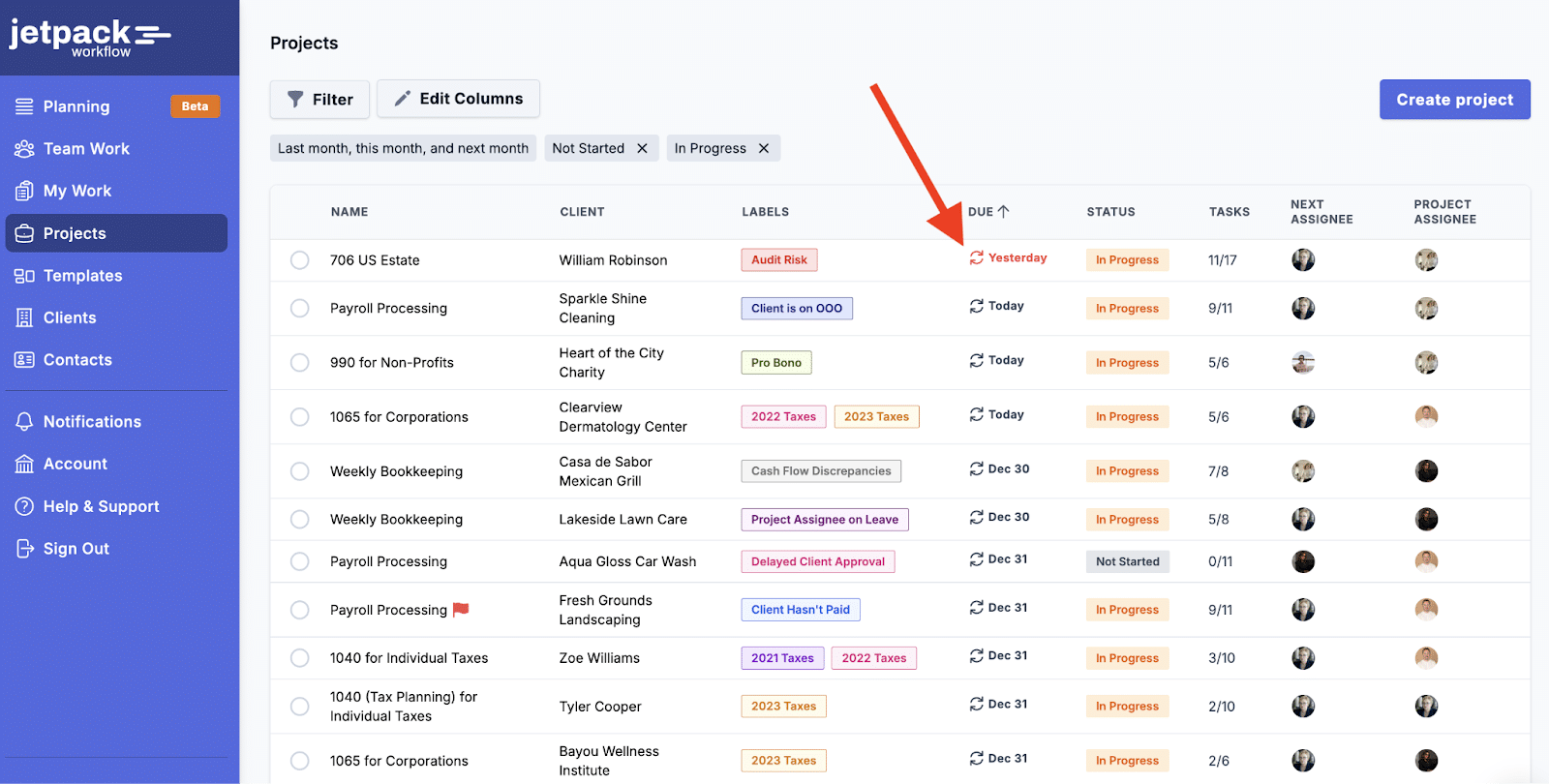
Image source: jetpackworkflow.com
Deep dive:
Jetpack Workflow focuses primarily on job and task management, making it an excellent choice for firms seeking to standardize and automate their core accounting workflows. It offers basic task automation, allowing users to set up recurring tasks at custom intervals and leverage a template library for checklists and processes. This helps ensure consistency across client engagements and reduces the administrative burden of repeatedly setting up routine tasks. For instance, a firm can create a template for monthly bookkeeping, including all necessary steps and sub-tasks, which can then be applied to each client, ensuring nothing is missed.
While its functionality is somewhat limited compared to more comprehensive practice management solutions, Jetpack Workflow provides a clear overview of client work, with filtering and search capabilities. It includes internal communication and alerts to keep team members informed. However, it lacks a client portal and robust email and document management tools, meaning firms will need to use other solutions for these functions. Its simplicity and affordability make it attractive for smaller firms that don't anticipate significant scaling or require highly complex features.
Pros:
- Affordable pricing: Offers simple workflow management at a competitive price point, suitable for budget-conscious firms.
- Easy job creation: Allows for rapid creation of jobs and tasks using templates, streamlining workflow setup.
- Workflow library: Provides a library of templates for standardizing documents, processes, and checklists.
Cons:
- Limited functionality: Lacks advanced features like a client portal, integrated email, or comprehensive document management, requiring other tools.
- Outdated interface: Some users might find the interface to be less modern and intuitive compared to newer solutions.
Pricing:
- Jetpack Workflow (newer version): $45/user/month (billed monthly)
- Jetpack Workflow 'Classic' Organize: $56/user/month (billed monthly)
- Jetpack Workflow 'Classic' Scale: $63/user/month (billed monthly)
8. Financial Cents: User-friendly for small to mid-sized practices
The verdict: Financial Cents is designed for small to mid-sized accounting practices that prioritize a user-friendly platform with essential workflow management, client portal capabilities, and time tracking, without the need for overly complex features.
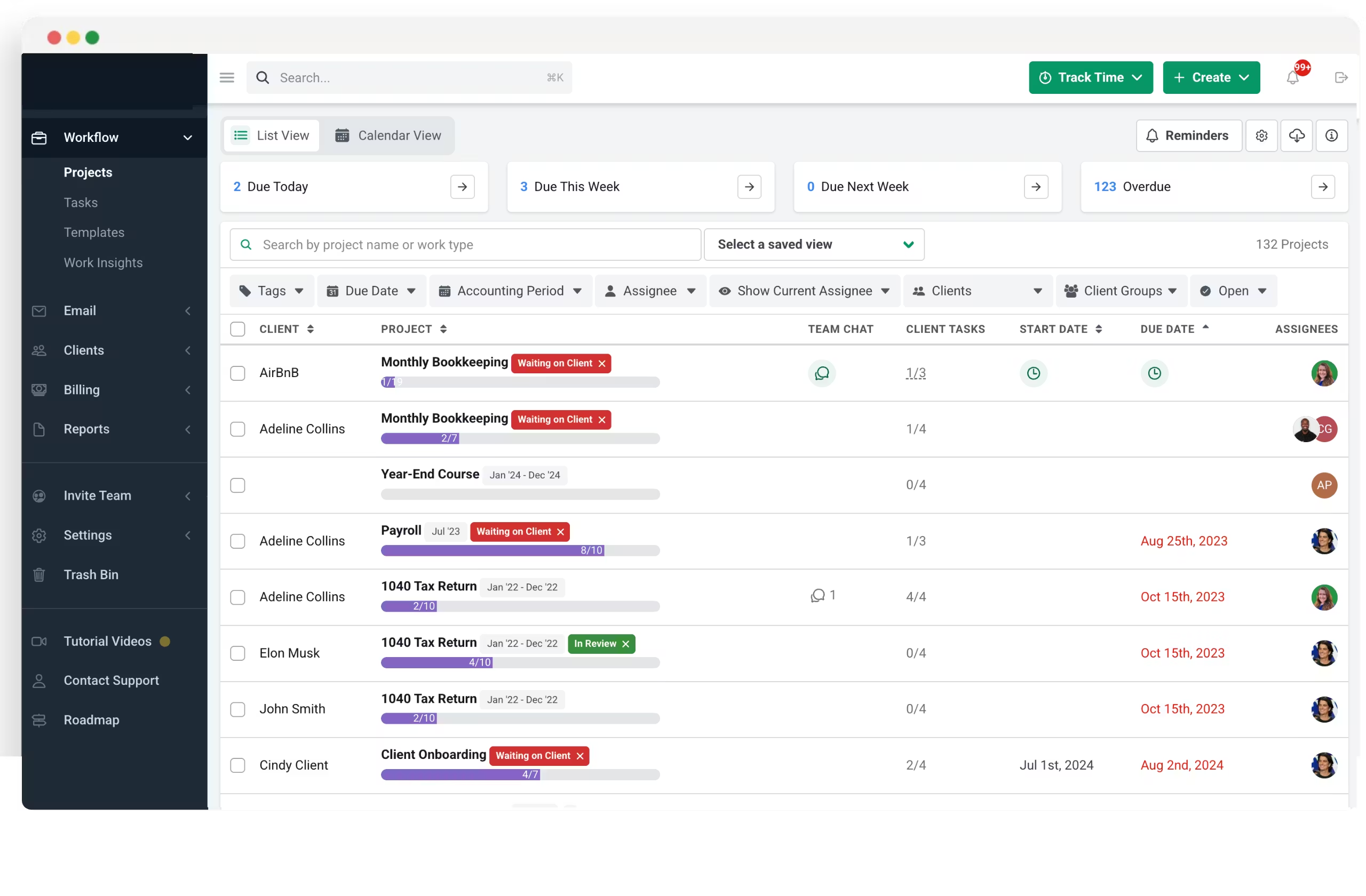
Image source:financio.co
Deep dive:
Financial Cents offers a range of tools aimed at helping small and medium-sized accounting firms manage their daily tasks efficiently. It focuses on workflow management, providing insights into staff capacity, allowing managers to assign work, and tracking progress with a simple task dashboard and dynamic progress bars. This helps firms maintain control over their workload and ensures deadlines are met. A key feature is its automated document requests and reminders, which significantly reduce the "client chase" and streamline the collection of necessary information.
The platform also includes a built-in CRM for managing client data, integrated time tracking and billing (primarily through QuickBooks Online integration), and a branded client portal. The client portal allows for secure document sharing and communication, enhancing the client experience. While it may not have the deepest reporting or most advanced automation capabilities of some larger solutions, its user-friendly interface and focus on core practice management functions make it easy to implement and use, particularly for firms just starting out with practice management software.
Pros:
- User-friendly platform: Easy to use and implement, with a simple interface suitable for firms seeking a less complex solution.
- Built-in client portal: Offers a branded client portal for secure document sharing and communication with clients.
- Affordable pricing: Provides a cost-effective solution for small to mid-sized firms to manage their practice.
Cons:
- Limited workflow automation for complex clients: May not offer the depth of automation required for highly complex client engagements or processes.
- No firm or client mobile app: Lacks dedicated mobile applications, which might be a drawback for firms requiring on-the-go access.
Pricing:
- Financial Cents also offers a free 14-day trial for all three plans.
9. Keeper: Streamlining month-end close for bookkeepers
The verdict: Keeper is specifically geared towards bookkeeping practices, offering unique features like file review tools to automatically spot errors in client files, and excels at streamlining the month-end close process and task management.
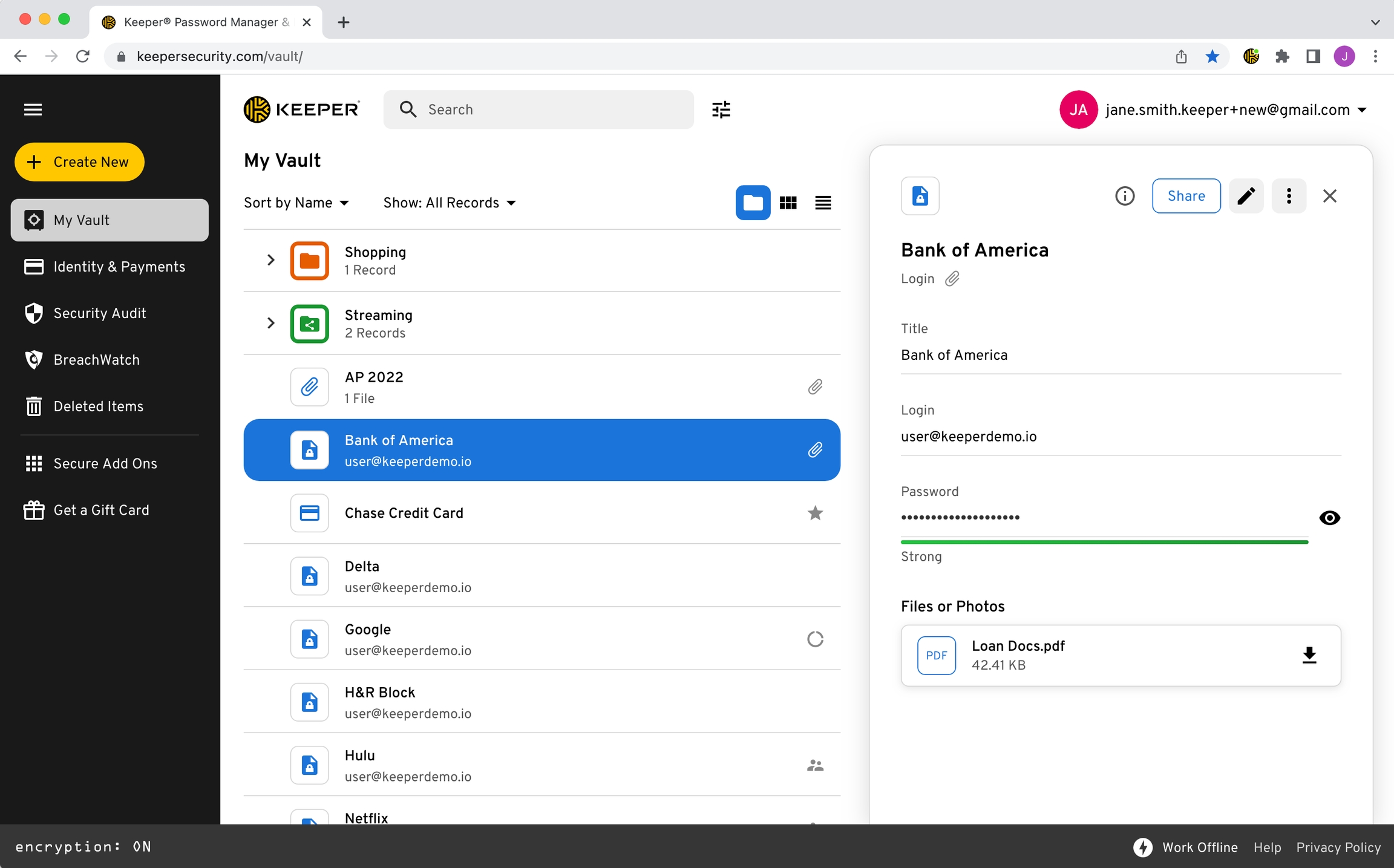
Image source: keepersecurity.com
Deep dive:
Keeper provides a comprehensive suite of features expected from a practice management platform, including task management, workflow automation, secure client communication, and file review tools. Its standout feature is the automated file review tool that helps bookkeepers quickly identify errors or inconsistencies in client files, significantly speeding up the review process and ensuring accuracy. This is a critical benefit for bookkeeping practices that handle a high volume of transactions and need to ensure data integrity.
The platform includes a client portal for enhanced client experience, allowing clients to easily answer non-transaction questions and book time for meetings. Keeper's focus on the bookkeeping side means it offers specialized functionalities that might not be as prominent in broader accounting practice management software. While it provides essential tools for managing client work and communications, its primary strength lies in optimizing the month-end close and improving the quality of client data through its unique review capabilities.
Pros:
- Automated file review: Automatically spots errors in client files, significantly streamlining the month-end close process for bookkeepers.
- Client portal: Enhances client communication and experience by providing a secure platform for questions and document exchange.
- Efficient task management: Provides all the necessary tools to streamline accounting and tax tasks, improving team productivity.
Cons:
- Limited client management tools: While it has a client portal, some users might find its broader client management tools less comprehensive than dedicated CRM systems.
- Client file organization could be improved: Some users have noted that the client file organization can be underwhelming or clunky.
Pricing:
- Standard: $8/client/month
- Premium: $10/client/month
- Enterprise: Custom pricing
10. Onvio Firm Management: For Thomson Reuters ecosystem users
The verdict: Onvio Firm Management is a cloud-native practice management solution that is particularly well-suited for accounting and tax professionals already utilizing other Thomson Reuters software, offering integrated document management, time and billing, and client communication.
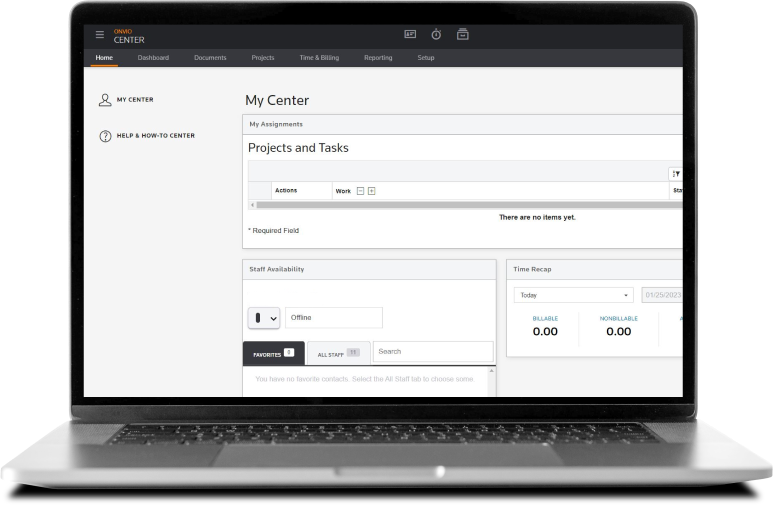
Image source: tax.thomsonreuters.com
Deep dive:
As part of the Thomson Reuters software ecosystem, Onvio Firm Management offers seamless integration with other Thomson Reuters products, such as UltraTax CS. This makes it an attractive option for firms that have already invested in the Thomson Reuters suite, providing a unified experience across their various accounting and tax software. Onvio provides core practice management features including document management with e-signatures, time and expense tracking, and billing. It also includes a mobile app that allows clients to scan and upload documents, and for firms to communicate with clients on any device.
The platform aims to help firms manage their daily operations more efficiently by centralizing key functions. While it gets some of the basics of practice management right, user reviews indicate there can be concerns regarding technical issues and bugs, particularly during peak seasons like tax season. This suggests that while the integration with other Thomson Reuters products is a strong point, firms should carefully evaluate its workflow management capabilities and user experience. It's designed to be a cloud-native solution, offering accessibility and flexibility for modern accounting practices.
Pros:
- Seamless integration with Thomson Reuters products: Ideal for firms already using software like UltraTax CS, providing a cohesive ecosystem.
- Mobile app with document scanner: Offers convenience for clients to scan and upload documents, and for firms to communicate on the go.
- Time and expense tracking: Provides essential tools for managing billable hours and expenses, supporting accurate billing.
Cons:
- Technical issues and bugs: Users have reported frequent server errors and technical problems, especially during busy periods.
- Workflow management is not robust: Lacks advanced workflow management capabilities compared to some other dedicated solutions.
Pricing:
Overcoming implementation challenges and ensuring user adoption
Adopting new accounting practice management software is a significant investment, and like any major change, it comes with its own set of challenges. Successfully integrating new software isn't just about technical setup; it's about managing people and processes. Ignoring these aspects can lead to low user adoption, wasted resources, and ultimately, a failure to realize the software's full potential.
Planning and preparation
The success of your software implementation hinges on thorough planning. Start by clearly defining your objectives: what specific problems are you trying to solve, and what outcomes do you expect? Involve key team members from different departments early in the selection process to ensure their needs are considered and to foster a sense of ownership. A crucial step is developing a comprehensive data migration strategy. This involves identifying what data needs to be moved from existing systems, how it will be cleaned and formatted, and who will be responsible for each stage. A botched data migration can create significant headaches down the line, so meticulous planning here is non-negotiable.
Training and support
One of the biggest hurdles to new software adoption is a lack of adequate training. Don't assume your team will intuitively grasp a new system. Invest in comprehensive onboarding and ongoing training for all staff members, tailored to their roles and how they will interact with the software. Leverage resources provided by the vendor, such as webinars, documentation, and dedicated support channels. Additionally, consider establishing internal champions within your firm—individuals who are enthusiastic about the new software and can provide peer-to-peer support, troubleshoot minor issues, and advocate for its use.
Change management
Introducing new software invariably means changing established routines. This can evoke resistance, fear, or skepticism among staff. Effective change management is about communicating the benefits of the new system clearly and transparently, addressing concerns proactively, and demonstrating how it will make their jobs easier and more efficient. A phased rollout strategy, where certain features or departments adopt the software incrementally, can be less disruptive than a "big bang" approach. Regularly solicit feedback from users, and be prepared to make adjustments to processes or provide additional training based on their input. This iterative approach helps refine the implementation and ensures the software truly serves your team's needs.
Transform your practice with Lark
How to choose the right accounting practice management software for your firm
Selecting the ideal accounting practice management software is a strategic decision that will impact your firm for years to come. It requires a thoughtful evaluation process, moving beyond simple feature comparisons to consider your firm's unique context and long-term goals.
Assess your firm's specific needs
Start by taking an honest look at your firm. Size of firm, client base, and service offerings: Are you a small firm specializing in tax preparation for individuals, or a larger firm offering a wide range of services to diverse business clients? Your needs will differ significantly. Budget considerations: Understand the full cost—not just monthly subscriptions, but also potential implementation, training, and integration fees. Differentiate between upfront and recurring costs. Growth projections and scalability requirements: Choose software that can grow with you. If you anticipate expanding your team or client base, ensure the software can handle increased volume and complexity without requiring a complete overhaul in a few years.
Request demos and free trials
Once you've narrowed down your options, hands-on testing is crucial. Test key workflows with your actual team: Don't just watch a demo; get your hands on the software. Have your team members run through typical daily tasks to see how the software performs in a real-world scenario. Compare user interfaces and ease of use: A powerful system is useless if your team finds it too complex or clunky. Prioritize intuitive design and a smooth user experience. Ask specific questions about customization and integration: Understand how much flexibility the software offers to adapt to your unique processes and how well it connects with your existing tech stack. This is your opportunity to ensure the software truly fits your firm's specific operational footprint.
Essential features to look for in accounting practice management software
When evaluating accounting practice management software, it's crucial to look beyond a long list of features and focus on those that directly address your firm's core operational challenges. Here are the categories of features that consistently prove most valuable:
Workflow and task management
At the heart of an efficient accounting firm is a well-defined process. Effective practice management software should provide robust tools to standardize and automate your workflows, often through a centralized that keeps priorities and ownership visible to everyone. This means the ability to create automated recurring tasks and checklists for routine engagements like monthly bookkeeping or quarterly tax filings. Team members should have clear visibility into task assignments, progress, and looming deadlines, preventing bottlenecks and ensuring accountability. For example, a good system will allow you to build templates for common accounting processes, such as a "new client onboarding" workflow, which automatically assigns introductory calls, document requests, and internal setup tasks to the relevant team members based on pre-set triggers.
Client relationship management (CRM) capabilities
Managing client relationships goes beyond just storing contact information. Your chosen software should centralize all client interactions and data, much like modern do for sales and service teams. This includes a comprehensive record of communication history (emails, notes, meeting summaries), alongside financial data and service agreements, supporting a richer . A secure client portal is non-negotiable, offering a dedicated, encrypted space for clients to upload documents, review deliverables, and communicate directly with your team. This significantly enhances security compared to email and improves the client experience. Imagine a client needing to send sensitive financial statements; instead of emailing, they log into a secure portal, upload the documents, and your team is instantly notified, with the file automatically linked to their client record. This level of integration streamlines the entire process.
Document management and storage
Accounting firms are inherently document-heavy. The software must provide secure, cloud-based storage with robust version control, ensuring that only the most current version of a document is being worked on and that previous iterations are easily retrievable. The ability to quickly search and retrieve client files is paramount, cutting down on time spent rummaging through folders or shared drives. Furthermore, seamless integration with e-signature solutions minimizes delays in securing necessary client approvals and authorizations, speeding up compliance and finalization.
Reporting and analytics
Beyond simply managing day-to-day operations, effective practice management software offers powerful reporting and analytics capabilities. This mirrors the kind of visibility highlighted in , where data-driven insights guide better client and business decisions. This provides firm leaders with actionable insights into performance across various dimensions—client segments, service lines, individual team member productivity, and overall profitability. Customizable dashboards allow you to monitor key metrics at a glance, such as client retention rates, average project completion times, and revenue per client. These insights are invaluable for strategic decision-making, resource allocation, and identifying areas for improvement or growth within the practice.
Future-proofing your practice: Scalability and AI readiness
In a rapidly evolving professional landscape, choosing accounting practice management software isn't just about solving today's problems; it's about preparing for tomorrow. Your chosen solution should be a strategic asset that allows your firm to adapt, grow, and embrace future technological advancements.
The importance of selecting software that can grow with your firm cannot be overstated. A system that works perfectly for five employees and 50 clients might buckle under the weight of 50 employees and 500 clients. Look for solutions that offer scalable pricing tiers, robust infrastructure designed for expansion, and a track record of continuously evolving their platform to meet the needs of growing businesses. This foresight prevents the painful and costly process of migrating to an entirely new system every few years.
Furthermore, the rise of artificial intelligence (AI) is already reshaping the accounting profession. While still in its early stages for practice management, emerging AI capabilities are poised to revolutionize tasks like automated data entry, intelligent document classification, and predictive analytics for client behavior or project timelines. By selecting a platform that is actively investing in AI integration or has a clear roadmap for incorporating these technologies, you position your firm to benefit from these innovations as they mature. This isn't about chasing every new gadget, but about ensuring your practice management solution offers a flexible platform that enables your firm to strategically adopt and leverage future advancements, staying ahead of the curve and maintaining a competitive edge.
Conclusion
Choosing the right accounting practice management software is one of the most impactful decisions you can make for your firm's future. It's more than just a software purchase; it's an investment in efficiency, client satisfaction, and sustainable growth. By taking a strategic approach—carefully assessing your firm's unique needs, prioritizing essential features, and understanding the power of integrated solutions—you can select a platform that truly transforms your operations. Embrace the journey of selection and implementation with a clear vision, and you'll equip your firm to not only navigate the complexities of today's accounting landscape but also to thrive in the years to come. For teams looking to connect accounting processes more closely with daily operations, exploring flexible solutions like can be a practical next step.
Unify accounting workflows for teams
FAQs
What is the best accounting practice management software?
The "best" software depends on your firm's specific needs, size, budget, and existing tech stack. Solutions like Karbon, TaxDome, and Firm360 are highly rated for their comprehensive features for dedicated accounting practices. For firms heavily invested in the QuickBooks ecosystem, QuickBooks Practice Manager offers seamless integration. Unified productivity suites like Lark can also play a significant role in streamlining internal team collaboration.
What is practice management software in accounting?
Practice management software in accounting is a specialized application designed to help accounting firms manage their operations efficiently. It centralizes client information, automates workflows, tracks projects and tasks, manages documents, facilitates time tracking and billing, and improves communication, all tailored to the unique demands of an accounting practice.
Does QuickBooks have practice management?
Yes, QuickBooks offers QuickBooks Practice Manager, which is integrated with QuickBooks Online Accountant. It provides tools for managing client work, tasks, and deadlines directly within the QuickBooks ecosystem, making it convenient for firms already using QuickBooks for their accounting needs.
Is practice management software worth it?
Yes, for most accounting firms, practice management software is a worthwhile investment. It significantly improves operational efficiency, reduces errors, enhances client communication, and boosts profitability by automating repetitive tasks, providing better visibility into firm performance, and ensuring a smoother workflow, especially during peak seasons.
Related reading































