


Asana Review: Features, Pricing, and Pros & Cons

Ryan Tanner
Product Marketing Specialist
Aug 5, 2026
Ryan Tanner
Aug 5, 2026

19 min read


This Asana review explores whether the platform still matches the expectations of modern teams, growing organizations, and collaborative digital environments. Many teams love Asana for its familiar interface, organized task views, and lightweight structure. However, the modern workplace now expects deeper workflow capability, automation, contextual collaboration, and unified work environments.
In this detailed Asana review, readers will find unbiased insights into features, pricing, real user experience, comparison tables, and guidance toward alternative work platforms that offer more connected execution without constant tool switching.

What is Asana?
This tool remains a leading project and work coordination platform designed to organize tasks and projects in a visual dashboard format. Asana helps teams track progress, assign responsibilities, set due dates, and view work using different layouts that improve clarity. Many users join Asana because it feels simple for task creation, collaboration, and communication through comments inside each task card. Over time, Asana grew into a popular software choice for marketing, operations, creative teams, agency performance tracking, and product execution timelines.
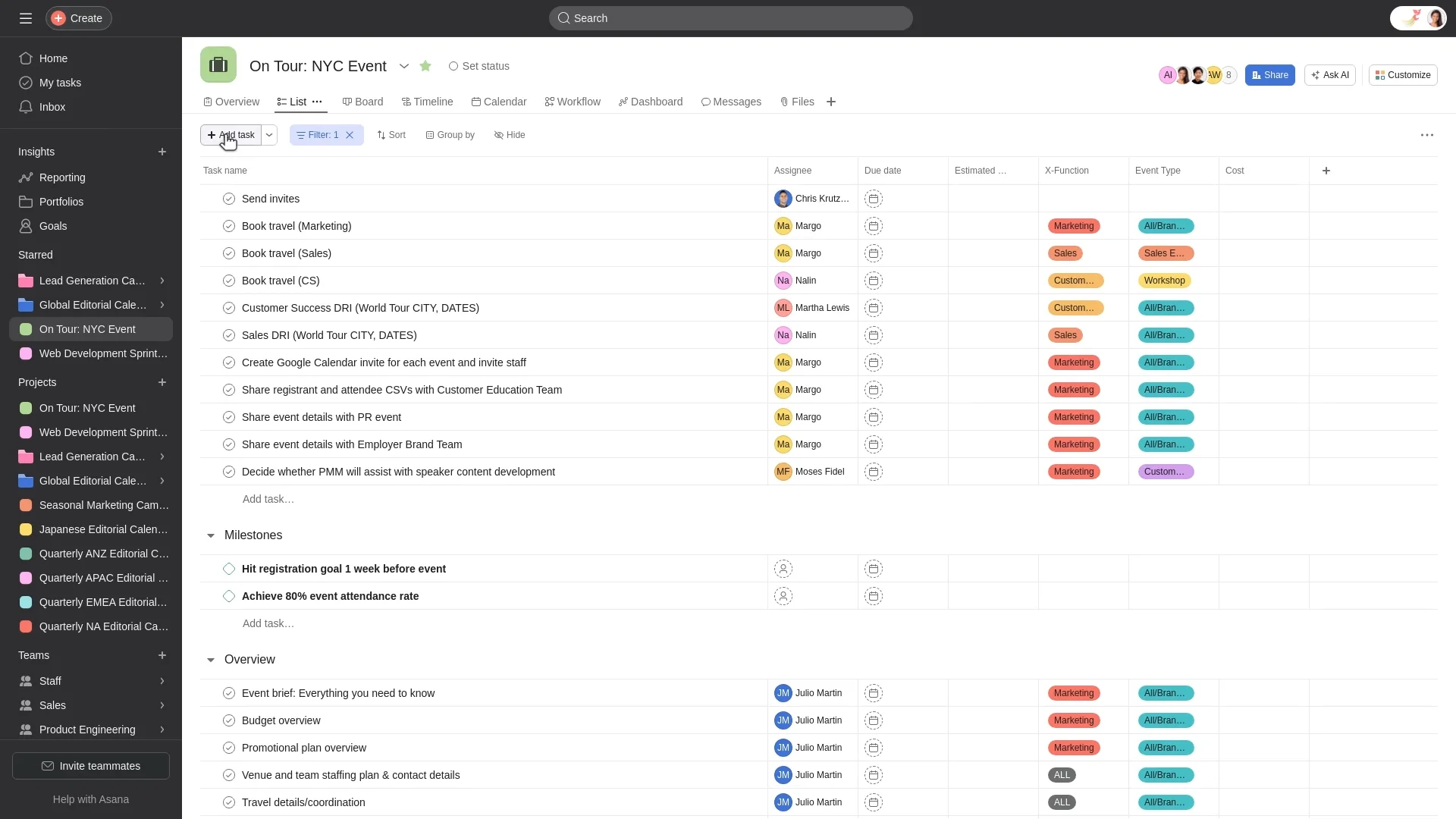
Image source: asana.com
Asana key features
This section highlights the main feature strengths mentioned in multiple Asana reviews and Asana project management review discussions online. These features form the core of its value for both small teams and growing organizations that require visibility and clear execution workflows. Each key function below is used frequently in daily project coordination and is considered a major decision point for people comparing similar platforms through Asana vs Trello comparison review content.
Task management
- The platform allows users to add tasks, assign owners, add due dates, write descriptions, apply labels, and track statuses from start to finish. Users feel comfortable organizing personal and shared tasks using lists and simple workflows that reduce confusion. This also helps in small teams that require clear accountability without complex configuration.
- Users can create subtasks to break down bigger deliverables into easier checklists, which support clarity for multi-step assignments. Subtasks also support deadlines and assignees, which help when multiple contributors are involved.
- The comment section inside tasks enables contextual note-taking and follow-up messages, which helps reduce email discussions. This helps maintain transparency and a single place where conversations can be referenced.
- Files, images, and links can be attached to task cards, which gives clarity on documents required for progress. However, external file tools are still required for editing and content documentation because Asana does not provide deep content creation features.
Multiple project views
- It offers various visual displays, including List, Board, Timeline, and Calendar, which help users select a view style that matches their work preferences, according to many Asana software review articles. Visual transformation between views can improve user flexibility across functions and teams.
- Timeline view is highly popular for roadmap planning and campaign coordination since it shows a clear flow of dependencies and expected delivery times. This is particularly useful for product managers or marketing leads who handle seasonal activities.
- Board view is preferred by teams coming from Kanban platforms or teams comparing based on Asana vs Trello comparison review criteria. It delivers drag-and-drop movement that feels simple and fast without heavy configuration steps.
- Calendar view helps keep track of upcoming work and future milestones, which is beneficial for time-sensitive deliverables.
Project templates
- Asana provides many ready-to-use templates for onboarding plans, campaign planning, editorial calendars, sprint cycles, content pipelines, and meeting schedules, which speeds up setup time.
- Templates are useful for users who want structure without starting from scratch. This speeds up execution for agencies, small marketing teams, and content scheduling workflows.
- The platform also allows customization of templates for recurring work cycles, which can reduce setup time on a monthly or quarterly basis.
- However, templates are still dependent on external documentation tools because content cannot be entirely stored and worked upon within the task interface.
Workflows and automations
- Automation rules are available to reduce manual work by triggering actions such as moving tasks, assigning owners, sending reminders, or updating fields.
- Workflows in lower tiers may feel limited for users comparing new AI driven platforms that offer deeper operational automation and advanced data referencing.
- Asana's workflow features expand across higher pricing tiers, which becomes a challenge for users concerned about budget.
- Multiple reviews in Asana year in review articles noted that automation capabilities are helpful for repetitive work but not powerful enough for complex multi department requirements.
Collaboration tools
- Teams can comment, tag, and communicate inside tasks while tracking progress live. This ensures that discussions remain linked to the work item.
- Comment threads allow feedback collection that can be revisited anytime during review cycles.
- Mentions help notify stakeholders instantly, which reduces miscommunication in fast-paced deadlines.
- However, many reviewers in Asana software review threads mention that collaboration requires switching into other chat platforms for general discussions and brainstorming, which increases context loss.
Reporting and dashboards
- Asana provides visual dashboards with progress charts and completion metrics that show goal progress.
- Reporting features help line managers observe productivity, task completion rate, and on-time delivery status, which provides clarity to team leaders.
- Custom dashboards are available in paid tiers, allowing more flexibility for performance reviews and cross-project health visibility.
- According to Asana reviews, reporting is useful but not deeply customizable for operational analytics or decision dashboards.
Workload and resource management:
- This feature supports visibility into team capacity by showing how many tasks each member is handling.
- Resource distribution can be balanced when managers can see overload patterns early.
- This feature requires premium tiers, which may not be affordable for smaller teams, as highlighted by many Asana app review posts.
- It is most useful for large teams managing multiple streams of work at a consistent pace.
Goals and progress tracking:
- The platform provides goals tracking features that help align department, team, and project objectives.
- This provides leaders with clear quarterly execution and supports cross-functional initiatives.
- Goals linked to tasks help track real execution but require commitment and consistent updates.
- Reviewers mention that goal features are most useful when combined with reporting and management layers in higher tiers.
Asana ease of use: What reviewers say
Ease of use is one of the strongest selling points mentioned in Asana reviews and discussions about the Asana app. Many users choose Asana because of its familiarity, clean design, predictable navigation, and a simplified onboarding experience that doesn't overwhelm beginners. However, as teams scale, ease of use may not remain sufficient for heavy data and multi-team execution environments.
UI design
- Users enjoy a clean and visually light interface that makes navigation friendly for new users and small teams.
- Icons, buttons, tags, and layouts appear organized so that users can quickly learn functions.
- The overall aesthetic supports clarity and speed for daily task handling.
- Minimal clutter is appreciated by teams that prefer simplicity.
Learning curve
- Beginners can learn quickly through practice and guided templates, which makes Asana suitable for first-time project tool users.
- Tutorials and guides exist online that support onboarding without paid training.
- Smaller teams working on content and marketing campaigns review Asana positively due to the ease of starting.
- Advanced features may take more time for users with limited technical comfort.
Navigation and structure
- Project and task structures are intuitive, allowing users to trace work from a high-level view to granular checkpoints.
- The left panel shows clean categorization, which helps find projects faster.
- Breadcrumb navigation helps jump between tasks and project levels.
- Some users have difficulty when managing hundreds of tasks across many folders.
Onboarding experience
- New team members can be added easily using invitation links.
- Templates and quick-start guides provide a structure for fast adoption.
- Smaller agencies find it smooth to bring interns, juniors, and assistants into the workspace.
- Larger organizations reported mixed onboarding experiences when trying to map hierarchical workflows.
Asana pricing tier: Which fits best for you
This section summarizes pricing levels described within Asana project management review articles and recent pricing comparison studies. Every pricing level offers different capabilities, and organizations must choose based on automation, reporting, collaboration, and scaling requirements.
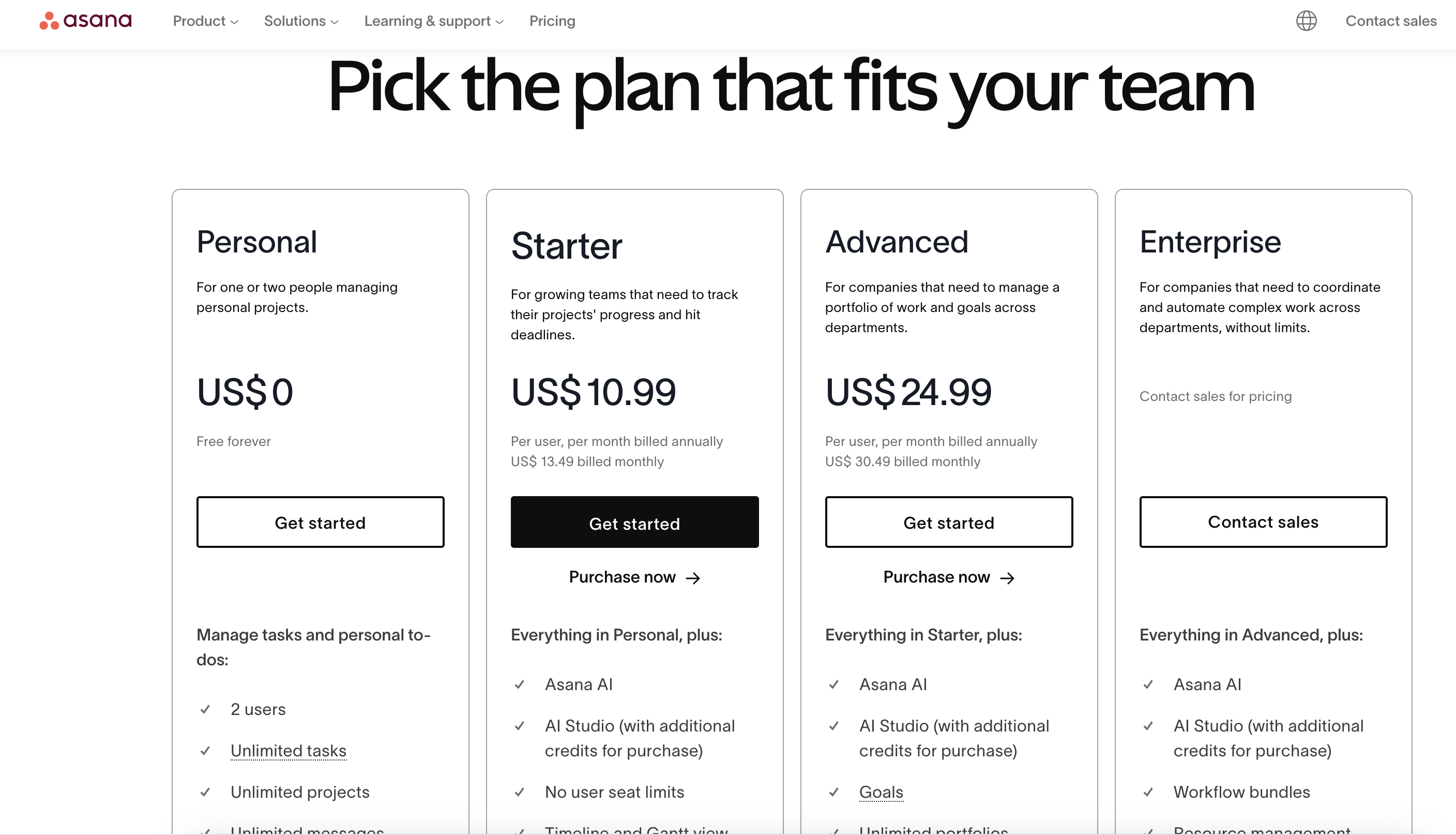
Image source: Asana.com
Personal: Best for individuals or very small teams
Asana's personal plan is free forever and designed for one or two users handling personal tasks or simple side projects. It includes unlimited tasks, unlimited projects, and basic collaboration tools, making it suitable for freelancers, students, or anyone organizing lightweight work. Because this tier lacks advanced features like Timeline, Gantt, and workload management, it's not ideal for teams with deadlines, dependencies, or multi-step projects, but it's a great starting point if you're experimenting with Asana for the first time.
Starter: Best for growing teams tracking real project progress
Priced at $10.99 per user/month (annual) or $13.49 monthly, this plan unlocks the essentials needed for small but active teams. It includes Asana AI features, access to AI Studio (with additional credits available), and removes the user seat limit so teams can scale. Starter also enables Timeline and Gantt views, which are crucial for planning roadmaps, scheduling campaigns, and visualizing project stages. This tier is ideal for marketing teams, agency pods, product squads, or operations groups that need better structure without jumping into enterprise-level tooling.
Advanced: Best for multi-team organizations managing portfolios
At $24.99 per user/month (annual) or $30.49 monthly, the Advanced plan is built for companies managing cross-functional work across departments. It includes everything in Starter along with advanced tools such as Goals, unlimited portfolios, workload management, and more AI capabilities. This is the tier where teams can coordinate high-stakes timelines, track capacity across multiple contributors, and align projects with broader company objectives. Larger teams, PMOs, product operations, and enterprise project managers tend to get the most value from this tier.
Enterprise: Best for companies needing security, control & automation at scale
Enterprise pricing is available only by contacting Asana's sales team. It includes all features in Advanced plus additional security controls, admin governance, workflow bundles, and advanced resource management. This tier suits organizations that need strict compliance, robust user provisioning, audit trails, or managed onboarding across hundreds or thousands of employees. Enterprise teams typically rely on centralized administration, large-scale coordination, and deeper cross-department workflows, all of which this plan supports. A closer look at Google Workspace pricing and ClickUp pricing can help businesses determine whether the platform fits their budget.
Information source: Official sites
Update time: 2025-11-18
Note: Pricing and plan details reflect publicly available data as of the update date and may vary based on region, billing cycle, and number of agents.
Asana pros & cons
This section summarizes balanced evaluation remarks based on Asana reviews, discussions about the Asana software, and feedback from real users regarding the Asana app.
Pros
- Straightforward UI with a pleasant navigation structure that helps new members onboard without heavy training cycles.
- Multiple view options that support unique preferences among project teams and managers.
- Efficient collaboration on tasks that maintain conversation context and reduce scattered communication.
- Suitable for beginners and small teams new to digital task management.
- A good range of templates supports quick setup for repeated work cycles.
Cons
- No native relational database capacity for advanced modeling and operational analysis.
- Unified workspace is not available, which creates reliance on additional apps for communication and documentation.
- Dependencies require paid plans, which affect budget-sensitive environments.
- Automation features are comparatively limited when compared to modern AI-powered solutions.
- Cross-team workflows and documentation are difficult due to scattered work surfaces.
While Asana offers a user-friendly interface, multiple view options, and efficient task collaboration, it has notable limitations for teams that require more advanced project management capabilities. Its lack of a native relational database, reliance on external tools for unified communication and documentation, limited automation, and challenges with cross-team workflows can create friction for growing or complex projects. For teams seeking a more flexible solution, Lark presents a compelling alternative by combining task management, collaboration, and workflow automation within a single, connected workspace.
New option: Use Lark as a modern, unified workspace
Lark gives teams a fully unified workspace for projects, communication, meetings, documentation, and workflow automation, reducing the need for separate tools for tasks, chat, docs, and project planning. By centralizing these functions, teams can collaborate more efficiently, maintain context across conversations and tasks, and minimize the friction caused by switching between multiple apps.
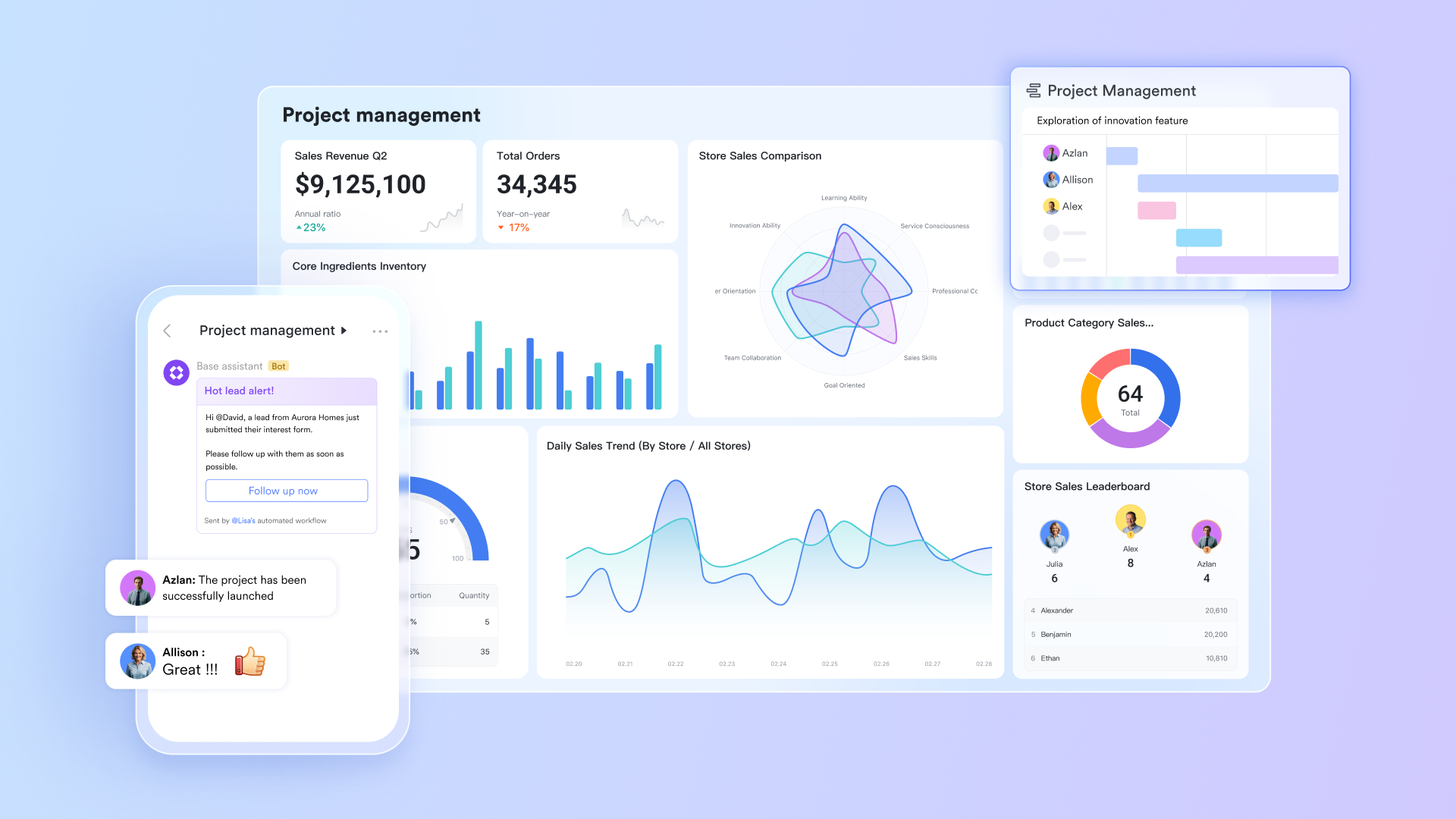
Lark Base: Structured project management with flexible views
Lark Base enables teams to manage complex project data using tables, Kanban boards, Gantt charts, and dashboards, all stored within a single workspace. Each base can include multiple tables for tasks, members, deliverables, resources, or approvals, providing teams with a comprehensive system for planning and execution. Two-way links keep related records synchronized in real time, while automated workflow capabilities move tasks, update fields, trigger reminders, or route approvals automatically. This creates a powerful environment for cross-team collaboration that goes far beyond traditional task lists.
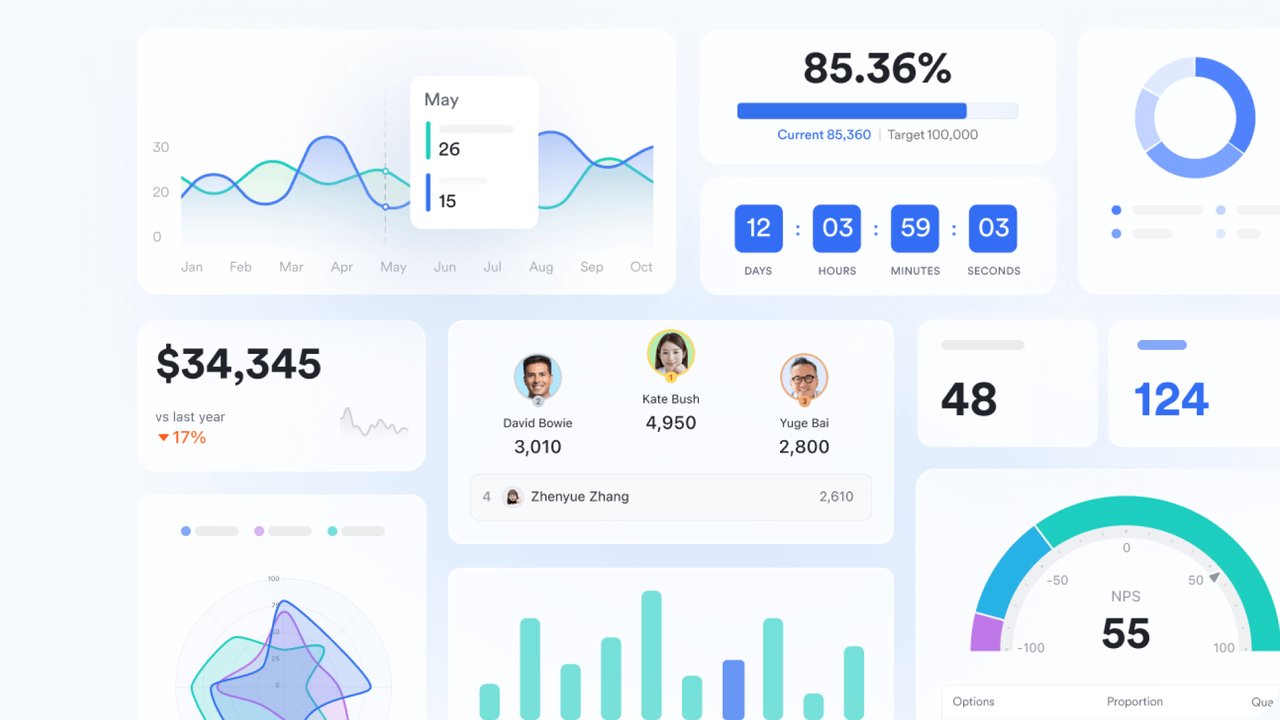
Lark Messenger: Contextual communication that stays connected to work
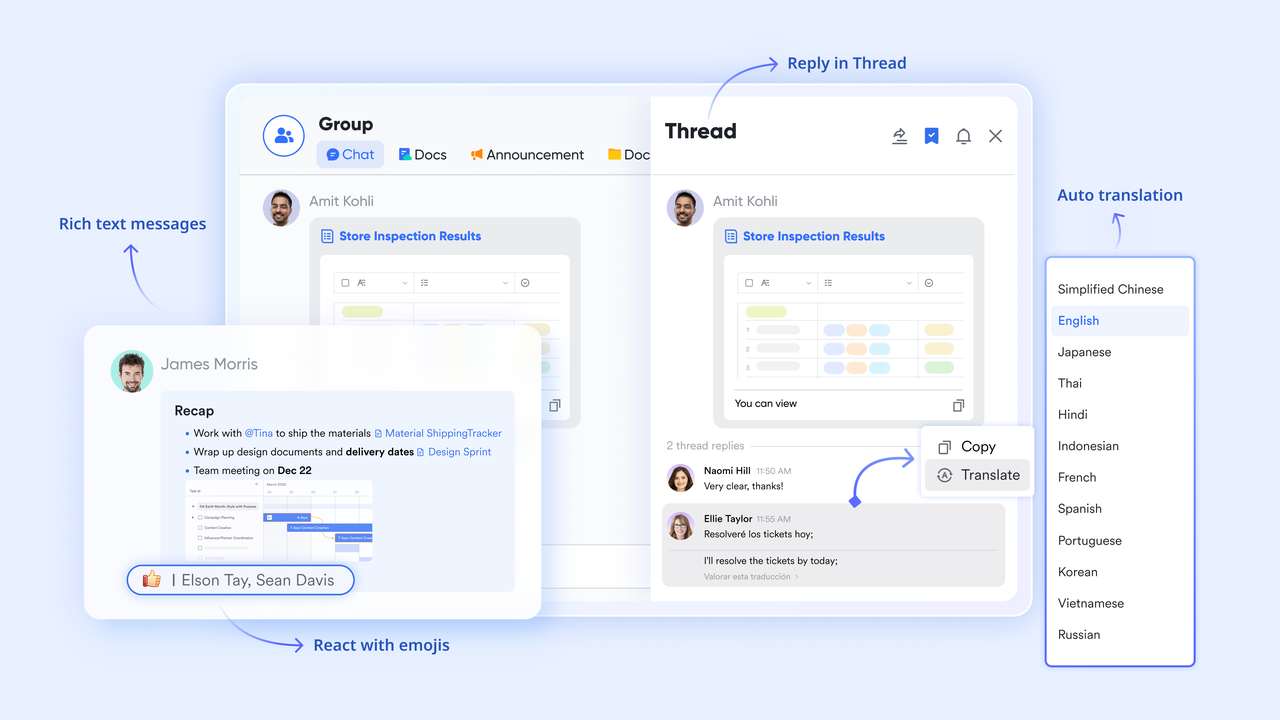
Lark Messenger ensures that conversations never get separated from the tasks, Docs, or project records they refer to. Teams can attach messages directly to base items or Docs, keeping decisions visible and traceable. Topic-based chats, rich media support, and instant notifications create a communication layer that reduces back-and-forth and keeps everyone aligned. Messenger helps teams stay connected without relying on external chat apps.
Lark Calendar: Shared schedules for deadlines, reviews, and team coordination
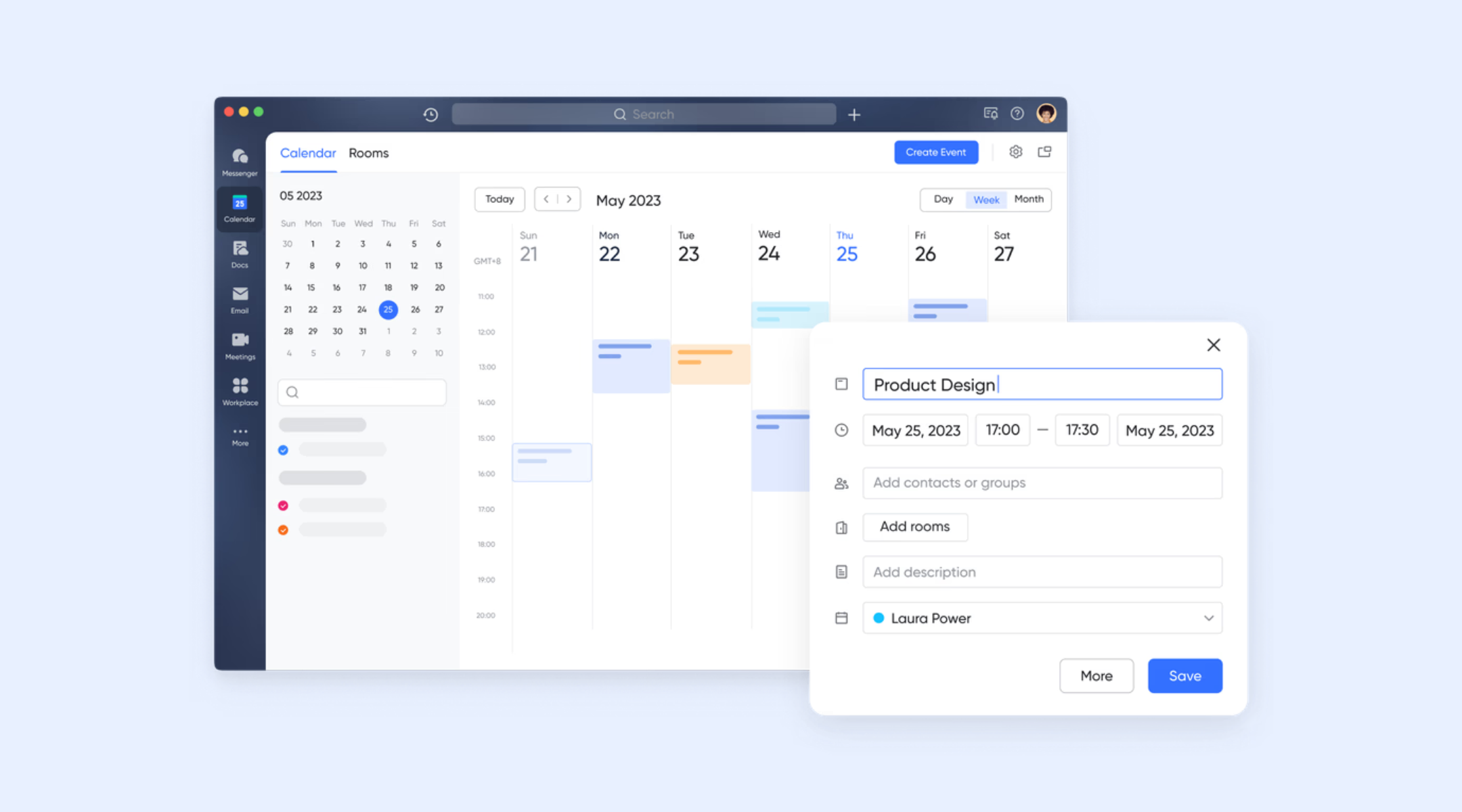
Lark Calendar unifies meeting schedules, project deadlines, launch dates, and personal reminders in one place. Teams can quickly see who is available, schedule collaboration sessions, and plan around key milestones. Because the Calendar connects naturally with Tasks and Meetings, upcoming discussions, reviews, and project ceremonies stay visible and easy to manage.
Lark Tasks: Clear ownership and accountability for every deliverable
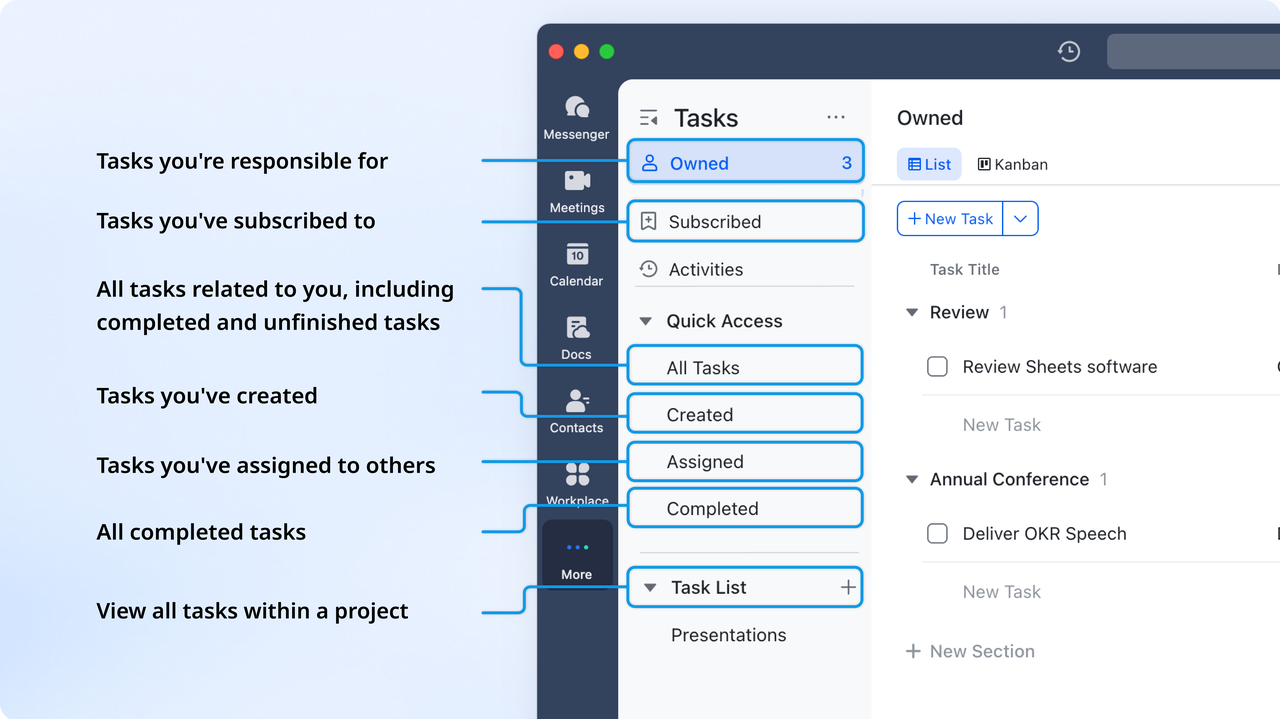
Lark Tasks provide transparency into who is responsible for what, with due dates, priorities, progress tracking, and linked documents. Tasks can be attached to base records or Docs, so teams have full context when working on an item. This helps projects run more smoothly by eliminating ambiguity, reducing missed deadlines, and keeping every contributor aligned on what needs to be completed next.
Lark Docs: Collaborative content creation with embedded project data
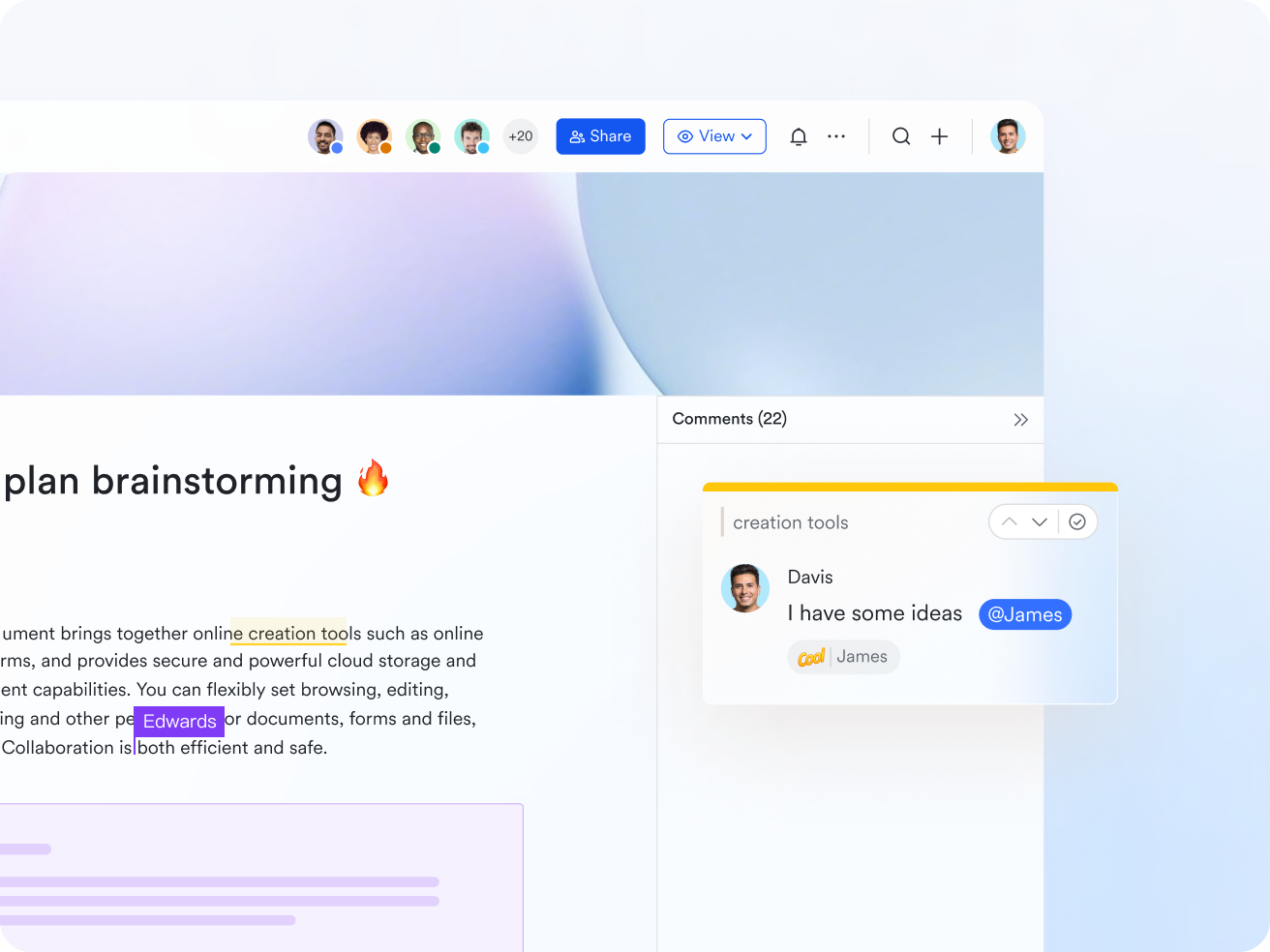
Lark Docs allow teams to write briefs, create SOPs, plan sprints, document requirements, and collaborate in real time. Unlike traditional documents, Docs can embed bases, Sheets, videos, images, and MindNotes, transforming them into interactive workspaces. Version history, comments, and mentions make teamwork seamless. All information stays connected to the projects it belongs to, reducing scattered documentation across multiple storage tools.
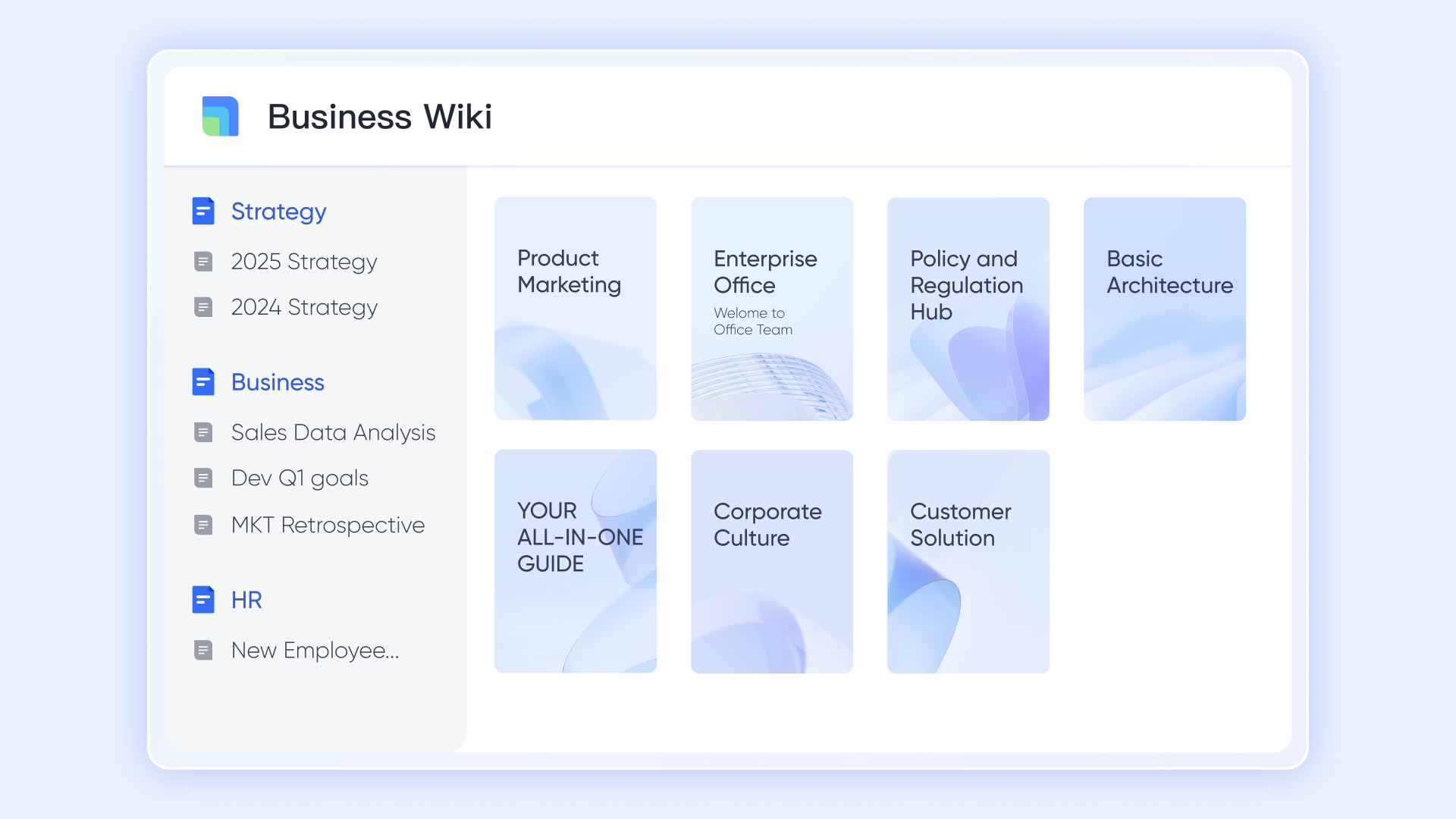
Lark Wiki: Centralized knowledge hub for teams and processes
Lark Wiki helps organizations maintain structured knowledge such as onboarding guides, product documentation, SOPs, handbooks, and process playbooks. Information is easy to browse, categorize, and update, making it ideal for fast-growing teams that need consistent internal documentation. Wiki keeps essential knowledge accessible and reduces the time spent searching through disorganized files.
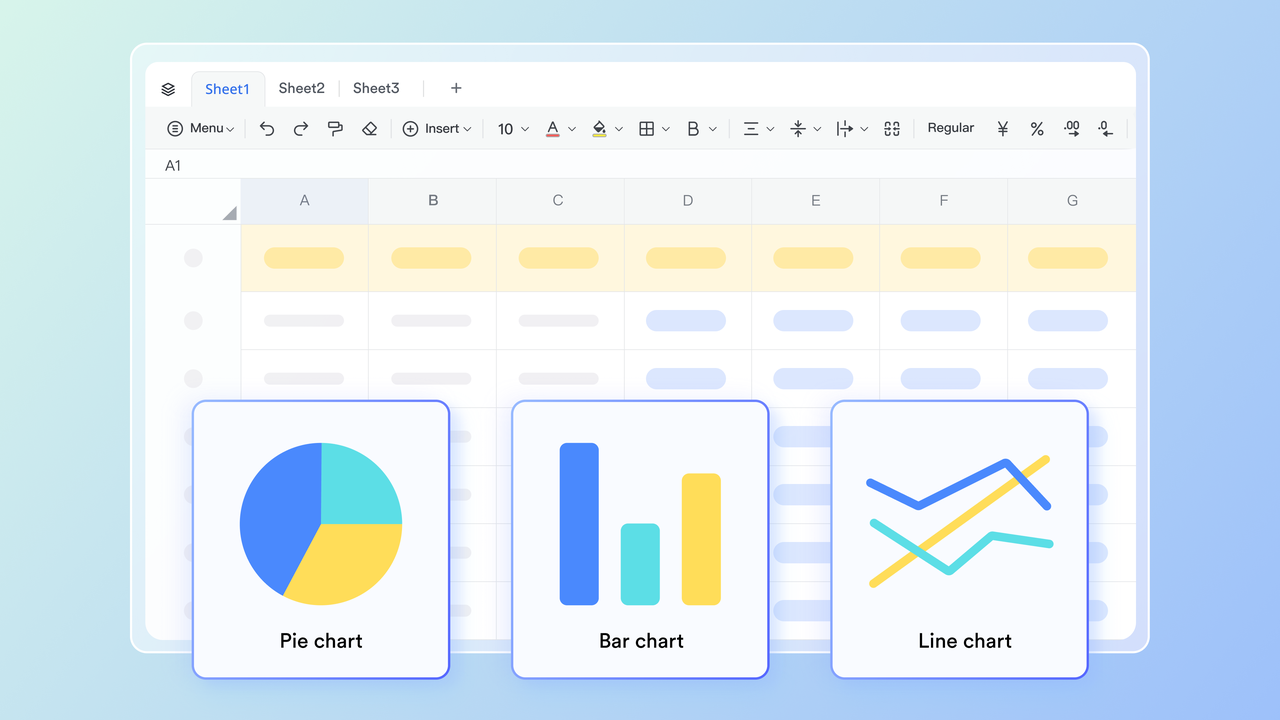
Lark Sheets: Structured data for planning and analysis
Lark Sheets provide a familiar spreadsheet environment inside Lark, ideal for estimates, capacity planning, resource allocation, and simple calculations. Teams can build tables and dashboards for operational planning or modeling, share them instantly, and collaborate without exporting files. Sheets work smoothly alongside Base, Docs, and Calendar, keeping all planning data in the same workspace.
Lark Meetings: Seamless meeting management with auto-generated summaries
Lark Meetings provide high-quality video calls built directly into Lark, with features like live captions, screen sharing, and automatic meeting summaries. These summaries capture key points, action items, and decisions, helping teams reference discussions without rewatching recordings. Meetings tie into Calendar and Messenger, creating a smooth flow from scheduling to follow-up.

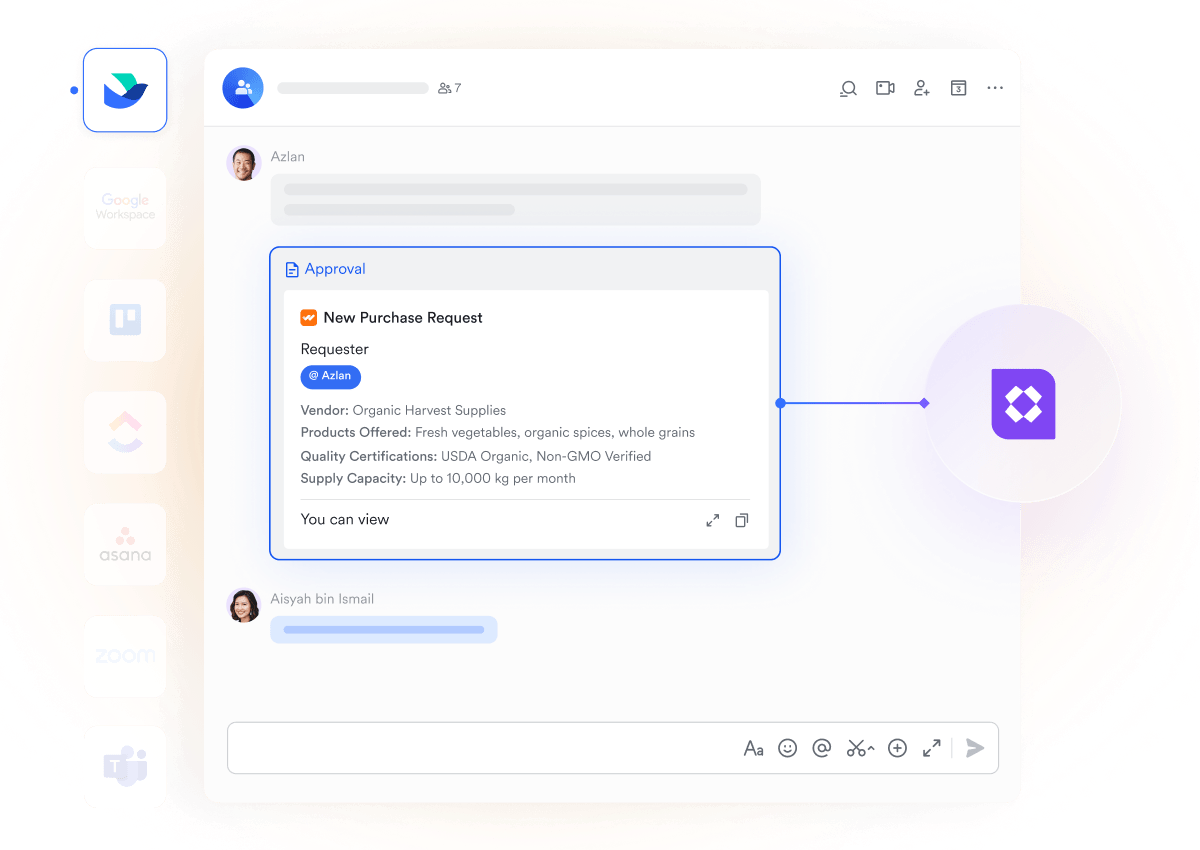
Lark Approval: Structured approvals for projects and processes
Lark Approval flows help teams manage key checkpoints, such as budget changes, procurement requests, project scope updates, content reviews, or leadership sign-off. Because options, comments, and outcomes remain attached to the related Base entries or Docs, teams never lose track of decision history.
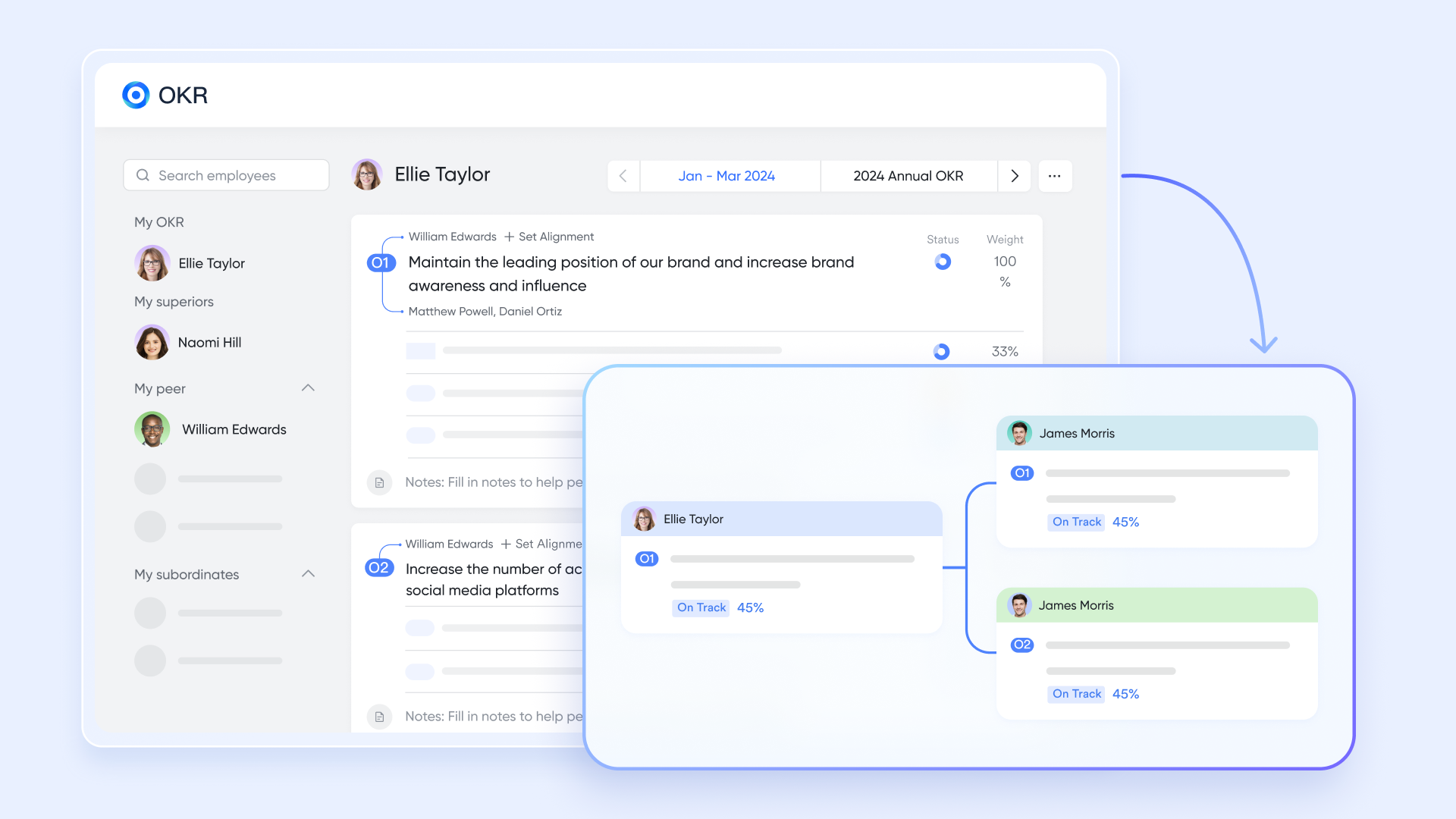
Lark OKR: Align projects with organizational goals
Lark OKR tools allow teams to define objectives, track key results, and connect daily work directly to broader goals. Dashboards show progress trends and highlight whether initiatives are on track. By tying OKRs to tasks, Docs, and project workflows, teams maintain alignment between their day-to-day execution and strategic direction.
- Starter plan: Free forever plan that includes 11 powerful tools for up to 20 users. It also comes with 100GB of storage, 1000 automation runs, AI translations, and more.
- Pro plan: $12/user/month (billed annually) for up to 500 users. It includes everything in Basic plus group calling for up to 500 attendees, 15TB of storage, 50,000 automation runs, and more.
- Enterprise plan: Contact sales for custom pricing. Supports unlimited users and includes even more automation runs and advanced security, compliance, and management features.
Final verdict: Is Asana or Lark right for you?
To better understand how Lark and Asana differ in managing projects, it is helpful to compare them across key dimensions such as data visualization, project structure, and team collaboration. The table below highlights these differences to provide a clear picture of which platform may better suit different team needs and project types.
Conclusion
Asana remains one of the most widely adopted project management tools for teams seeking clarity, visual execution, and organized project planning. It is especially well appreciated by marketing teams, early stage agencies, content studios, and individuals seeking a structured digital task system. The platform performs strongly across UI design, task handling simplicity, and beginner learning experience, which makes it a suitable entry-level or mid-stage project coordination environment.
For teams that require advanced workflow automation, database-level planning, unified communication, content creation, internal knowledge hub, and scalable project modeling, a connected workspace like Lark may offer more future-ready value. Lark allows teams to store, communicate, plan, document, and run workflows within one environment, reducing the common tool fragmentation problem visible in enterprise environments. By using Lark Base, Docs, Messenger, Calendar, Meetings, and Tasks together, teams can maintain a single source of work truth, which improves transparency, review cycles, and outcome tracking.
FAQs
Does Asana support real-time collaborative editing in documents?
Asana does not provide native real-time editing in long-form documents. Users must depend on external third-party editing tools for writing, collaboration, and revision tracking. This may create data fragmentation for teams that require connected knowledge documentation. Lark Docs can help provide a real-time editing environment inside one workspace.
Can you run complex cross-functional workflows in Asana?
Light, medium, and moderately structured workflows are possible using automations inside Asana. However, advanced multi-table, multi-department, and high-frequency automation workflows may require external apps and middleware. Lark Base can support deeper workflow execution using multiple fields, linked records, and automated actions.
Is Asana good for remote or distributed teams?
Asana supports remote teamwork through task assignments, project boards, and comment threads. It works for distributed teams conducting planned work cycles. However, collaboration requires shifting into other platforms for meetings, chat, and document writing. Lark can keep all communication and execution inside one connected platform.
What industries use Asana the most?
Asana is commonly used in marketing teams, creative agencies, product organizations, startup environments, education projects, and digital communication companies. Many small and mid-sized businesses choose it for planning clarity. As teams grow into more complex ecosystems, unified platforms may become preferable.
Does Asana offer built-in knowledge management features?
Knowledge storage inside Asana is limited because it primarily focuses on task workflow rather than documentation and knowledge systems. Teams often use external wikis, docs, or knowledge bases. Lark Wiki allows structured documentation inside the same workspace where work execution occurs.
Related reading
Table of contents
Start using Lark today

Manage all your work in one place
Boost team efficiency by 10x
Save up to 70% on software costs
Table of contents
Start using Lark today
Manage all your work in one place
Boost team efficiency by 10x
Save up to 70% on software costs
Keep reading








2026 Lark Technologies Pte. Ltd.
Headquartered in Singapore with offices worldwide.






Explore: