














The Best Corporate Communication Tools to Boost Teamwork

Cecilia Lane
Go-to-Market Associate
Sep 18, 2026
Cecilia Lane
Sep 18, 2026


15 min read


How many game-changing ideas have vanished into the black hole of an endless email thread, been buried under a mountain of chat notifications, or simply evaporated in a quick 'by the way' chat in the corridor? This fragmentation is more than just a minor annoyance; it’s a direct drain on productivity, leading to missed deadlines and disjointed teams. The constant shuffle between different apps for messaging, video calls, and project updates creates confusion and slows momentum. Corporate communication tools are designed to solve this exact problem. They bring conversations, projects, and people together into one cohesive space, creating clarity and empowering teams to collaborate seamlessly. This guide will explore why these platforms are indispensable and review the best options available to help you build a more connected and efficient organization. In this guide, I highly recommend the following products:
2. Microsoft Teams: The heart of the Microsoft 365 ecosystem
3. Zoom: The standard for video-first communication
4. HubEngage: The digital hub for workforce communication and engagement
5. Slack: The channel-based messaging hub
6. Google Chat: The simple choice for Google Workspace users
7. Asana: For communication centered around projects
8. Trello: Visual and contextual team collaboration
9. ProofHub: Fostering communication in client-facing projects
10. Axios HQ: Internal email marketing platform
What are corporate communication tools and why are they important?
At their core, corporate communication tools are digital platforms designed to facilitate the flow of information and enhance collaboration among employees. Think of them as the central nervous system of a modern organization, connecting every individual and team. These platforms go far beyond simple chat functions; they are multifaceted ecosystems that often include real-time messaging, high-definition video conferencing, document sharing and co-editing, and integrated task management.
The importance of these tools has become undeniable, especially with the rise of remote and hybrid work models. They break down geographical barriers, ensuring every team member has equal access to information and a voice in the conversation. By centralizing communication, businesses create a single source of truth, which dramatically boosts efficiency and reduces the time wasted searching for information. Ultimately, the right platform fosters a more transparent, engaged, and innovative culture, empowering teams to do their best work together.

The most popular types of corporate communication tools
Instant messaging & chat apps
These tools are the bedrock of real-time, informal communication. Designed for quick questions, rapid-fire brainstorming sessions, and team-wide announcements, chat apps have largely replaced the endless back-and-forth of internal emails. They allow for the creation of dedicated channels for specific projects, teams, or topics, keeping conversations organized and accessible to the right people.
Video conferencing platforms
When a text-based conversation isn’t enough, video conferencing platforms step in to provide essential face-to-face interaction. These tools are crucial for virtual team meetings, one-on-one discussions, client presentations, and company-wide webinars. They build stronger personal connections among remote colleagues and ensure that important nuances conveyed through body language and tone are not lost in translation.
All-in-one collaboration & project management suites
This category represents the evolution of workplace software, moving from single-function apps to a unified digital headquarters. These powerful platforms integrate everything a team needs to communicate and collaborate effectively: chat, video meetings, calendars, shareable documents, and robust project management boards. By having tasks, conversations, and files in one place, teams can see the full context of their work, streamline workflows, and eliminate the friction of switching between multiple applications.
Internal social networks & intranets
While chat apps handle daily operational talk, internal social networks and intranets focus on broader company culture and large-scale announcements. They function like a private social media platform for the organization, providing a space for leadership to share updates, for employees to celebrate wins, and for cross-departmental connections to form. This fosters a sense of community and keeps everyone aligned with the company's mission and values.
Email & calendar platforms
Despite the rise of newer technologies, email and calendars remain fundamental corporate communication tools, especially for formal announcements, external correspondence, and official documentation. The calendar is the backbone of time management, organizing meetings, setting deadlines, and managing availability. While less immediate than chat, these platforms provide a reliable and universally understood system for scheduling and formal communication.
The best corporate communication tools at a glance
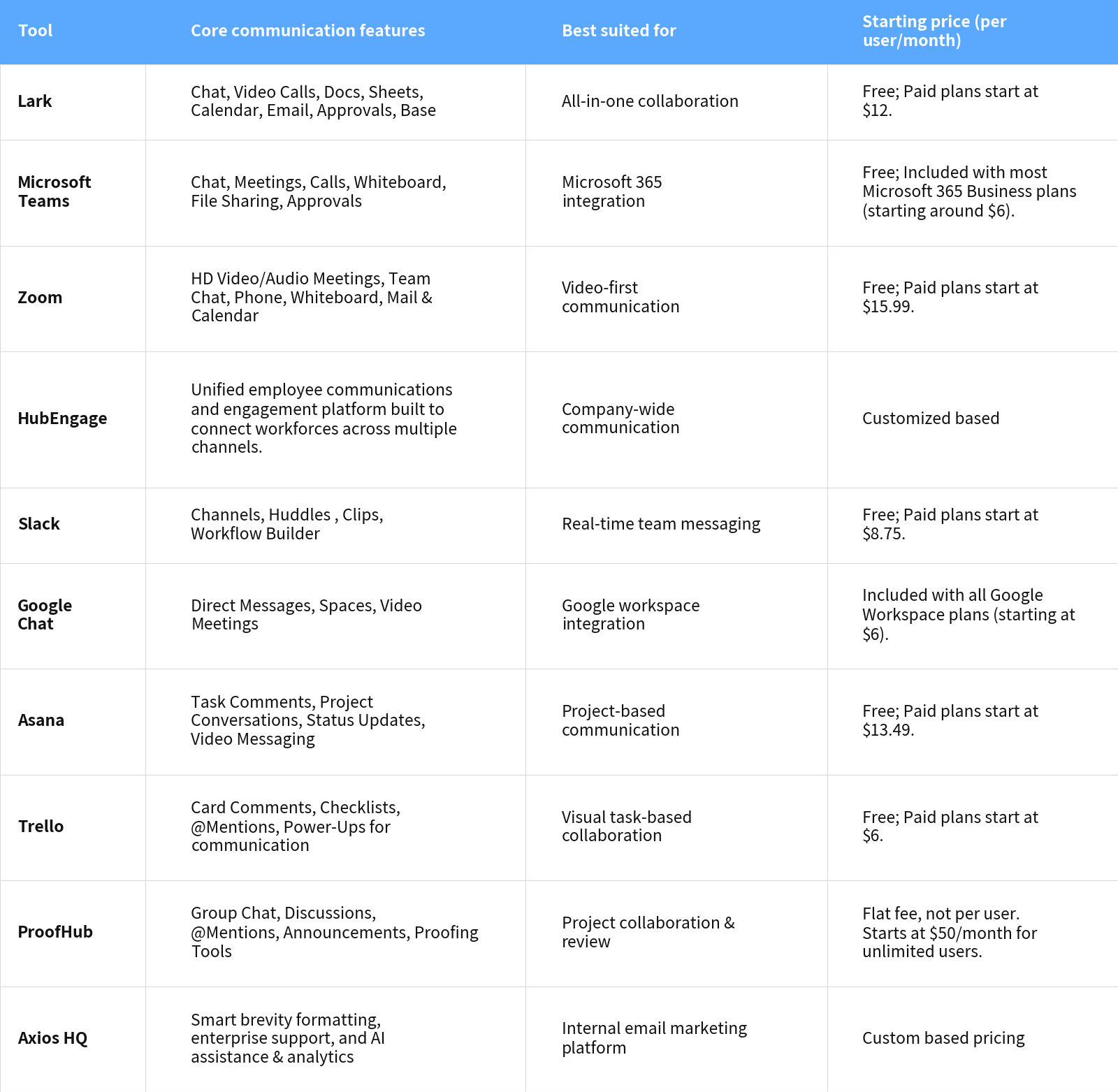
In-depth reviews of the top corporate communication tools
1. Lark: The all-in-one suite for connected corporate communication
 Overview
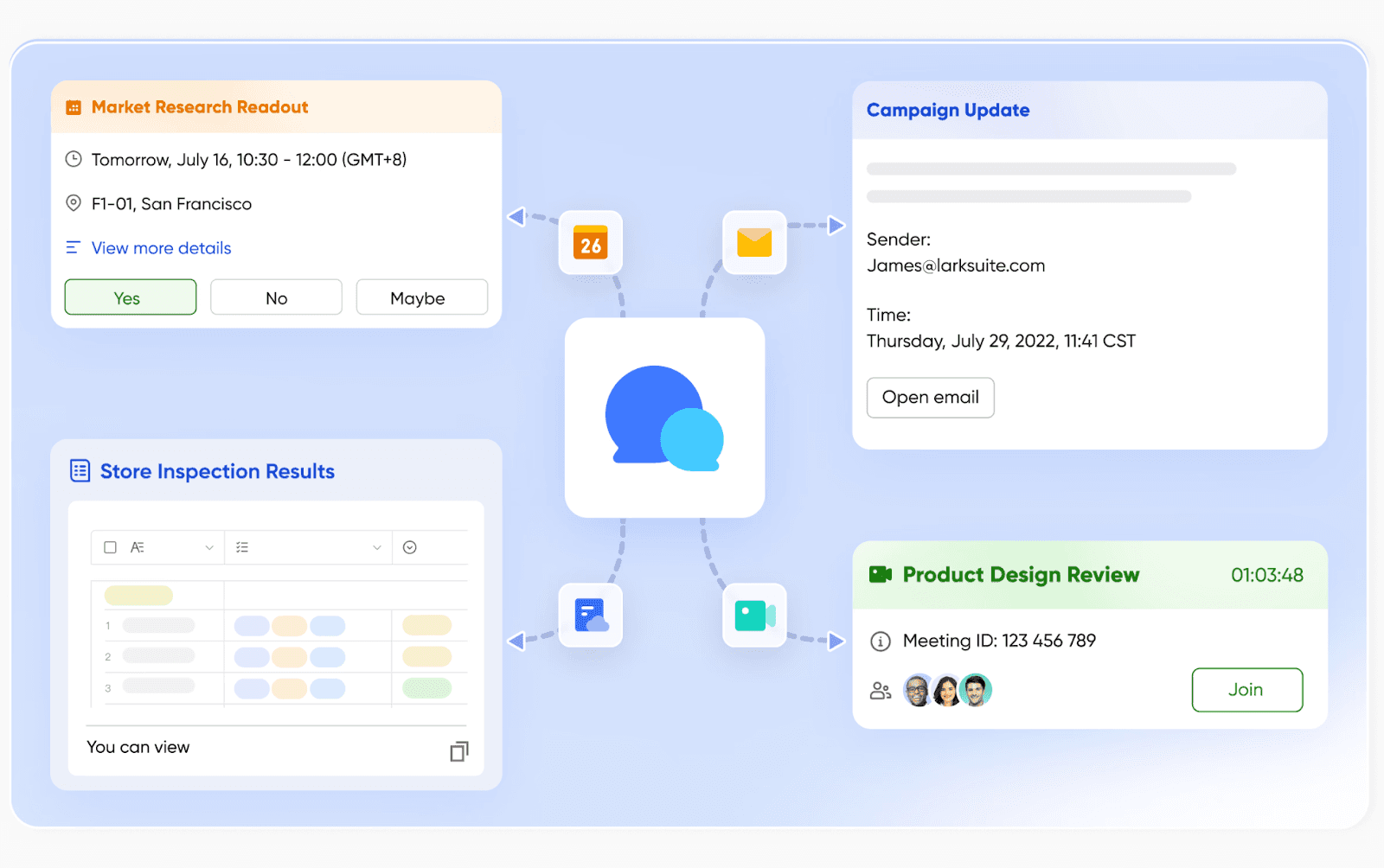
OverviewLark is designed from the ground up to solve the problem of digital friction by combining essential work tools into a single, cohesive platform. Instead of forcing teams to jump between separate apps for chat, video calls, documents, and project management, Lark provides one unified environment. This integrated approach is its greatest strength for corporate communication, as it ensures that conversations, decisions, and tasks are always connected, creating a seamless flow of information across the entire organization. It’s built for businesses that want to consolidate their tech stack and foster a more efficient, context-rich collaborative culture.
Key features
Lark Messenger: This is more than just a chat app; it's a central hub for communication. You can create topic-based group chats, make important announcements that require read receipts, or use "Buzz" to send urgent notifications that bypass the noise. A standout feature is the ability to pin messages to a chat's sidebar or forward a message directly into a task or a doc, ensuring that critical conversations are never lost and are always actionable.
Lark Meetings: Lark Meetings are fully integrated with Calendar and Messenger. You can start a video call directly from any chat with one click. During meetings, real-time transcription and translation break down language barriers, while shared Docs allow for live co-editing of agendas and notes. After the call, the meeting minutes, recording, and shared files are automatically sent to the meeting group chat, creating a permanent, searchable record of what was discussed and decided.
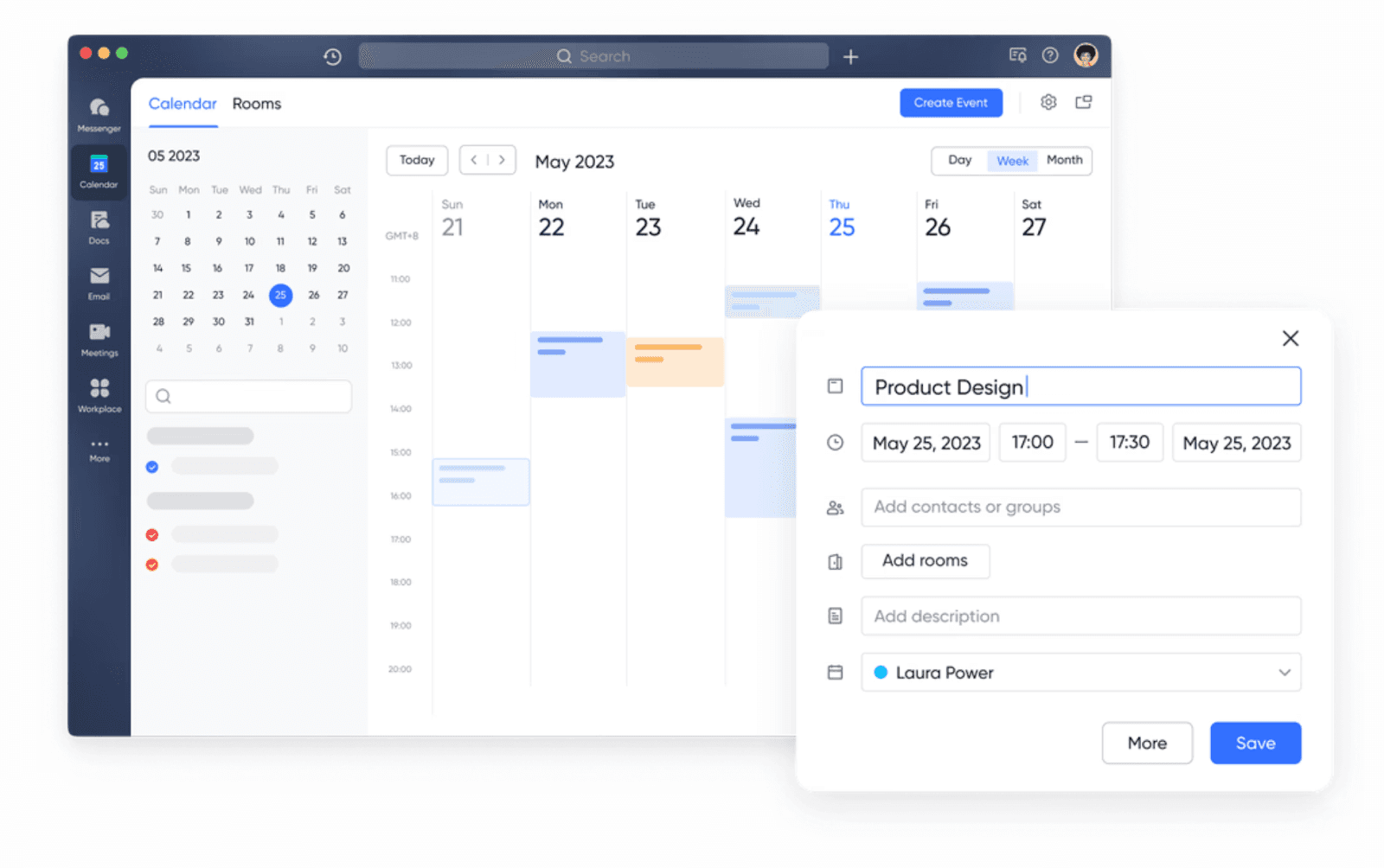
Lark Calendar: Lark Calendar is designed for transparent team scheduling. You can view colleagues' availability, subscribe to team calendars, and book conference rooms directly. When you create a meeting event, it automatically generates a meeting group chat and a video link. This tight integration ensures that scheduling a meeting isn't just about booking a time slot; it's about creating a dedicated space for all related communication and documentation.
 Lark Mail: By integrating email directly into the platform, Lark brings external communication into the same environment as internal collaboration. You can receive an external email and forward it into a team chat for discussion, or turn an email's content directly into a task in Base. This bridges the gap between your internal team and external stakeholders like clients or partners, ensuring all communication, regardless of its origin, can be managed and actioned efficiently.
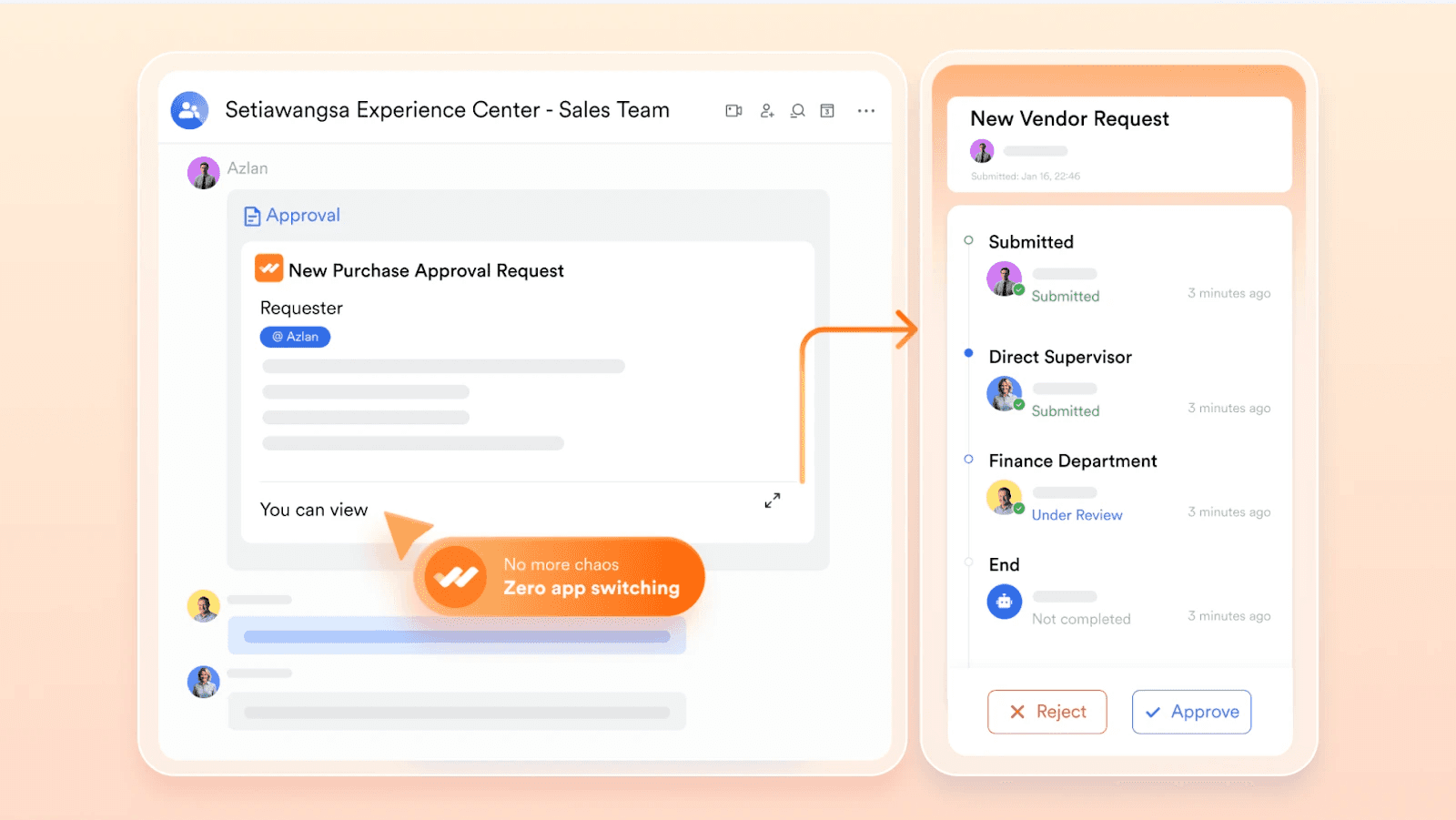
Lark Mail: By integrating email directly into the platform, Lark brings external communication into the same environment as internal collaboration. You can receive an external email and forward it into a team chat for discussion, or turn an email's content directly into a task in Base. This bridges the gap between your internal team and external stakeholders like clients or partners, ensuring all communication, regardless of its origin, can be managed and actioned efficiently.Lark Approval: Formal corporate communication often involves approvals for things like leave requests, expense reports, or document sign-offs. Lark Approval feature digitizes and streamlines these workflows. You can create custom approval forms, designate approvers, and track the entire process from submission to completion. This brings structure and accountability to official procedures, ensuring they are handled quickly and transparently.
- Starter plan: Free forever plan that includes 11 powerful tools for up to 20 users. It also comes with 100GB of storage, 1000 automation runs, AI translations, and more.
- Pro plan: $12/user/month (billed annually) for up to 500 users. It includes everything in Starter plus group calling for up to 500 attendees, 15TB of storage, 50,000 automation runs, and more.
- Enterprise plan: Contact sales for custom pricing. Supports unlimited users and includes even more automation runs and advanced security, compliance, and management features.













 Reviews
How many employees work at your company?
By number of people
1
20
500
5000+
1000
Which tools do you use?

Estimates are for reference only, contact us for an official quote

Users consistently praise Lark for its value, highlighting how it successfully replaces multiple paid applications with a single, affordable subscription. The seamless integration between chat, calendar, and docs is frequently cited as a major productivity booster.
Best for
Businesses of all sizes, from startups to enterprises, that want to reduce app fatigue and build a more efficient, context-aware communication culture on a single, unified platform.
2. Microsoft Teams: The heart of the Microsoft 365 ecosystem
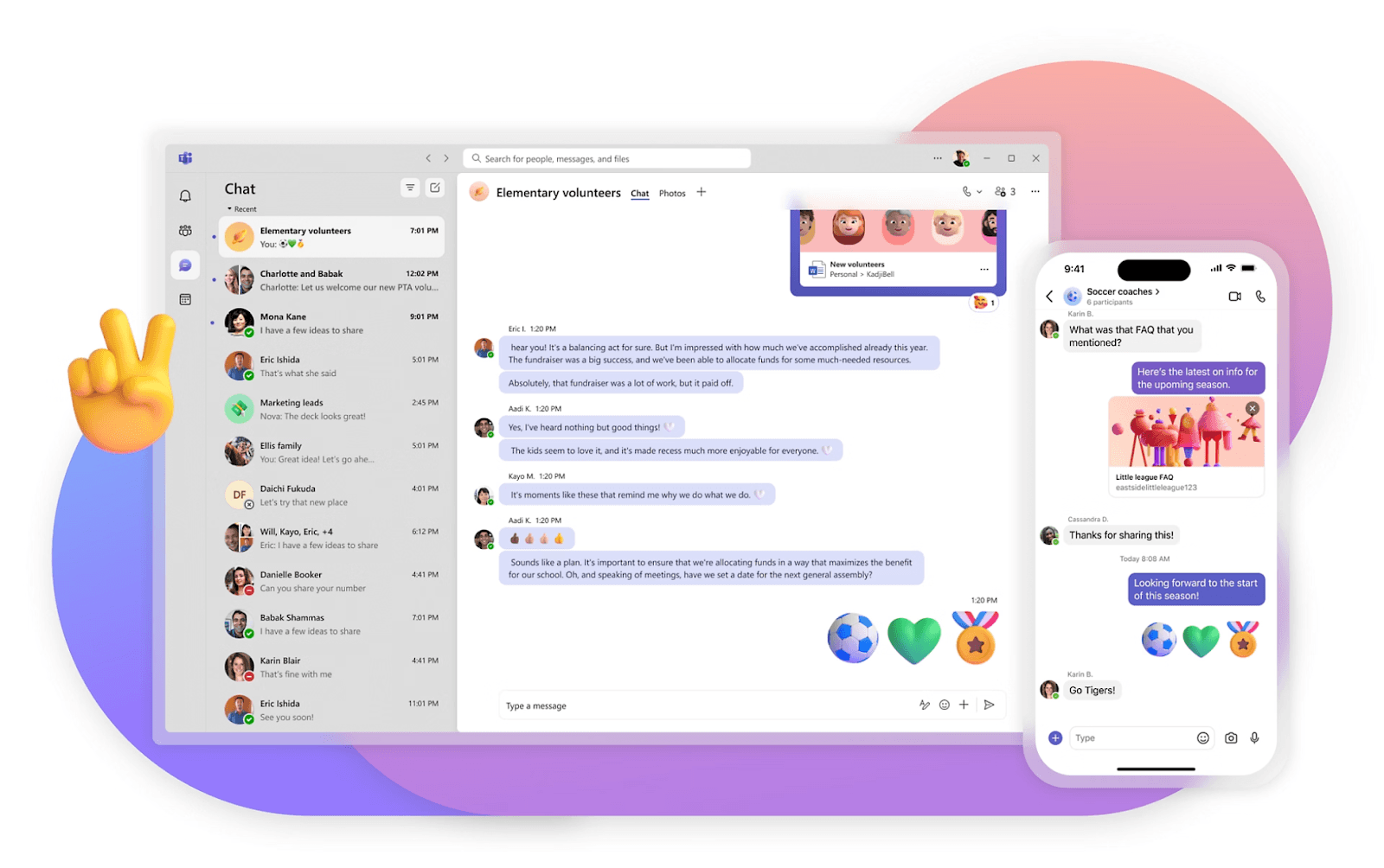 Image source: microsoft.com
Image source: microsoft.comOverview
Microsoft Teams is a powerful communication platform designed to work seamlessly within the Microsoft 365 suite. It combines chat, video meetings, and file storage with deep integrations into apps like Word, Excel, and SharePoint.
Key features
- Team and channel structure: Similar to Slack, it organizes conversations into teams and sub-channels, with threaded conversations to keep discussions on track.
- SharePoint-powered file storage: Every team has a corresponding SharePoint site, providing powerful and secure file management and version control for all shared documents.
Limitations
The user experience can feel less intuitive and more complex than some competitors. Its performance can be resource-intensive, and it works best when a company is fully committed to the Microsoft stack.
Price
A basic free version is available. The full-featured version is included with most Microsoft 365 Business plans, which start around $6 per user/month.
Reviews
Users value the deep integration with Office apps, which streamlines document-based collaboration. Some users find the interface cluttered and the file structure confusing.
Best for
Organizations heavily invested in the Microsoft 365 ecosystem that need a single, integrated solution for communication and productivity.
3. Zoom: The standard for video-first communication
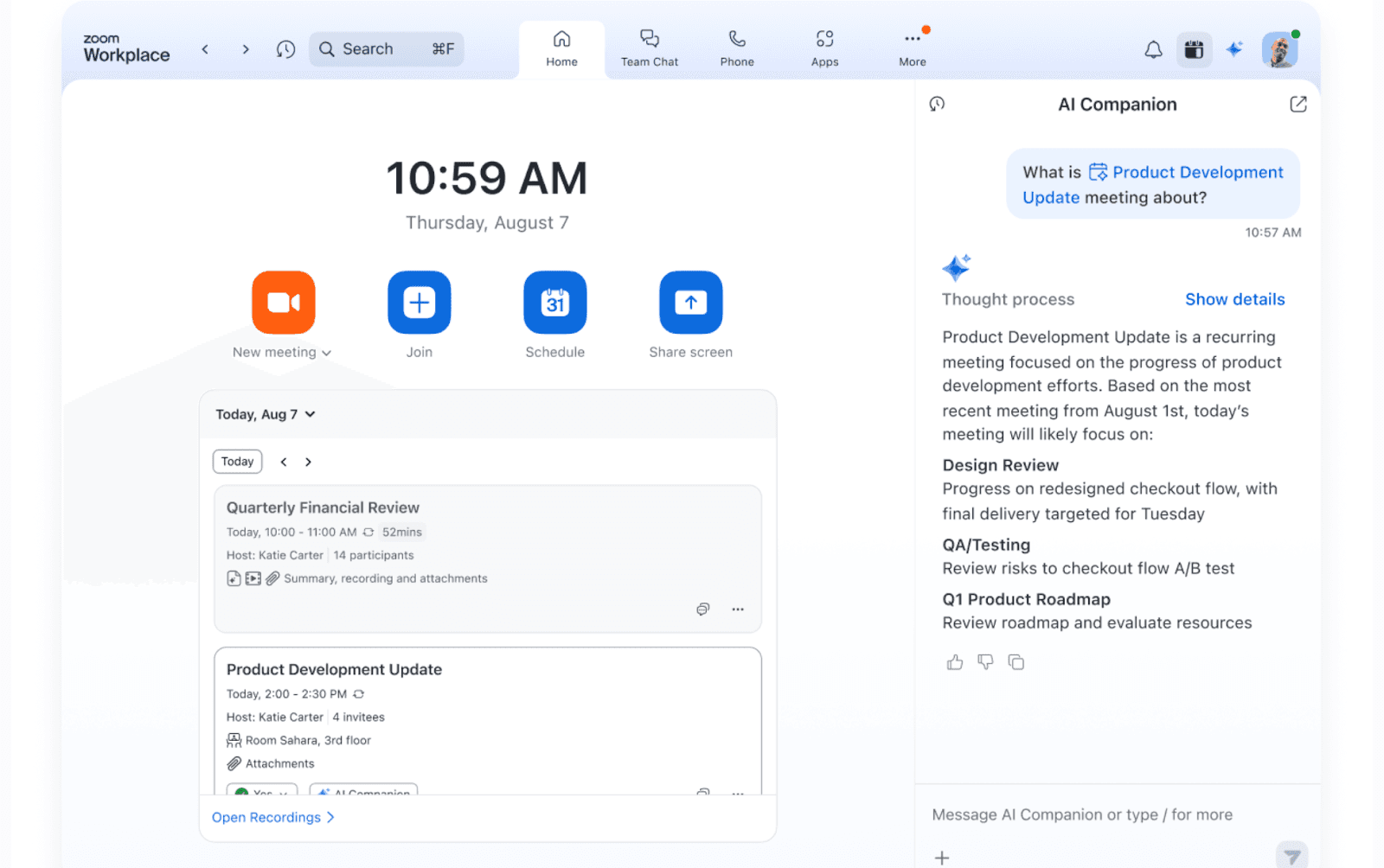 Image source: zoom.com
Image source: zoom.comOverview
Zoom started as a video conferencing tool and grew into a communication platform. It is synonymous with reliable, high-quality video meetings, and has since expanded its offering to include team chat, phone services, and a basic calendar.
Key features
- Team Chat: A persistent messaging product that allows for one-on-one and group chats, file sharing, and the ability to quickly start a meeting from any conversation.
- Zoom Phone: An integrated cloud phone system that allows users to make and receive calls from the Zoom app, unifying video and voice communication.
Limitations
While its chat and other features are improving, they are not as mature or deeply integrated as those in all-in-one platforms. The primary focus remains on synchronous (live) video communication.
Price
Offers a free plan with a time limit on group meetings. Paid plans start at $15.99 per user/month to unlock advanced features and remove limits.
Reviews
Universally praised for its reliability and ease of use for video meetings. The expansion into other communication areas is seen as promising but not yet a replacement for dedicated tools like Slack or Teams.
Best for
Companies where high-quality video conferencing for internal and external meetings is the most critical communication requirement.
4. HubEngage: The digital hub for workforce communication and engagement
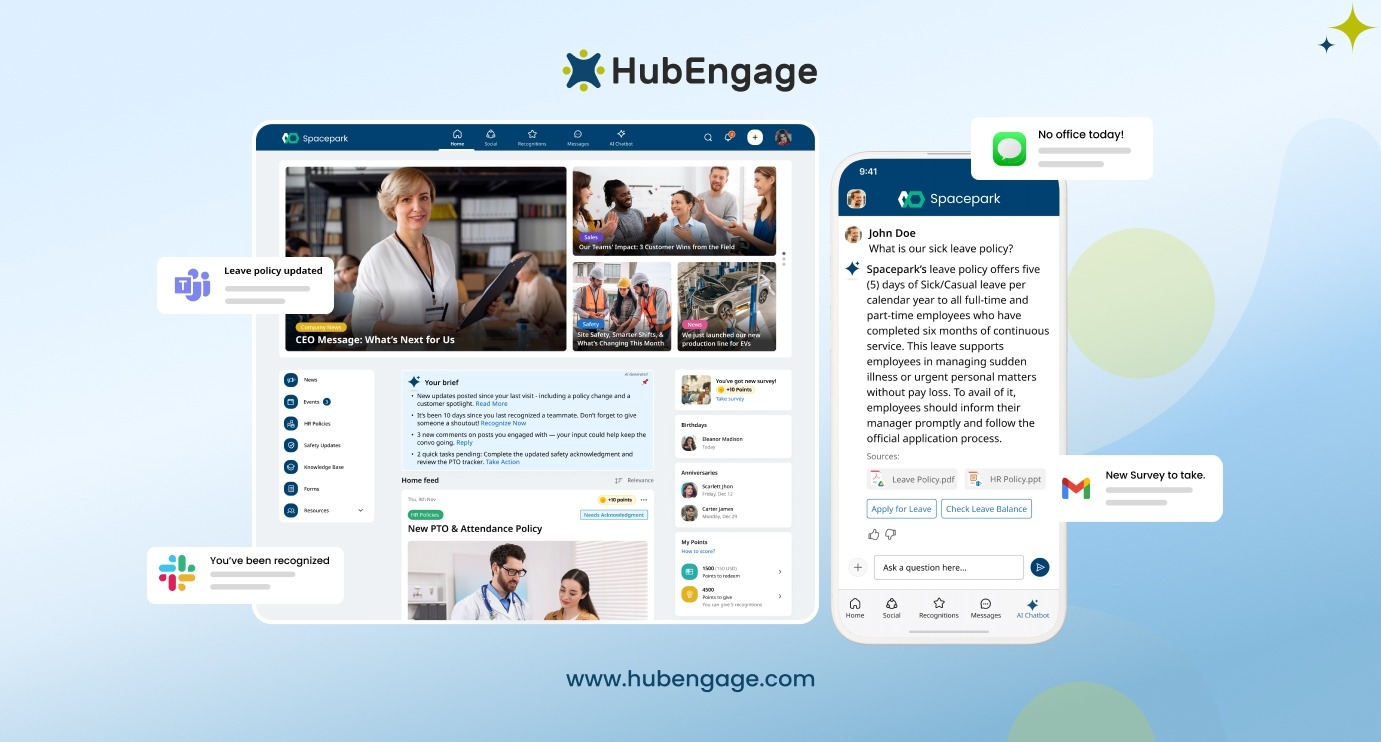
Image source: hubengage.com
Overview
HubEngage is a unified employee communications and engagement platform built to connect workforces across multiple channels. Unlike tools focused solely on chat or video, HubEngage centralizes company-wide communication, engagement initiatives, and employee resources into one secure digital hub. With multi-channel delivery across mobile apps, web, email, SMS, and integrations like MS Teams and Slack, it ensures critical updates reach every employee—whether they’re desk-based or frontline.
Key features
- Multi-channel communication: Send targeted announcements and updates across push notifications, email, SMS, web, and collaboration tools from a single platform.
- Employee engagement tools: Built-in surveys, polls, social feeds, recognition programs, and gamification features help drive participation and strengthen company culture.
- AI-powered assistant & knowledge access: An integrated AI chatbot provides instant HR support, answers policy questions, and helps employees quickly find relevant resources and training content.
- Enterprise-grade security & integrations: Seamlessly integrates with leading HRIS systems and workplace tools while meeting strict enterprise security and compliance standards.
Limitations
HubEngage is designed primarily for structured internal communications and engagement at scale rather than serving as a dedicated project management or developer collaboration tool.
Price
Pricing is customized based on organization size, feature requirements, and integration needs.
Reviews
Users highlight its ability to reach frontline and remote employees effectively, improve engagement metrics, and consolidate multiple internal tools into one centralized experience.
Best for
Mid-sized to enterprise organizations that need a secure, multi-channel internal communications and engagement platform to unify culture, streamline HR support, and ensure every employee stays informed and connected.
5. Slack: The channel-based messaging hub
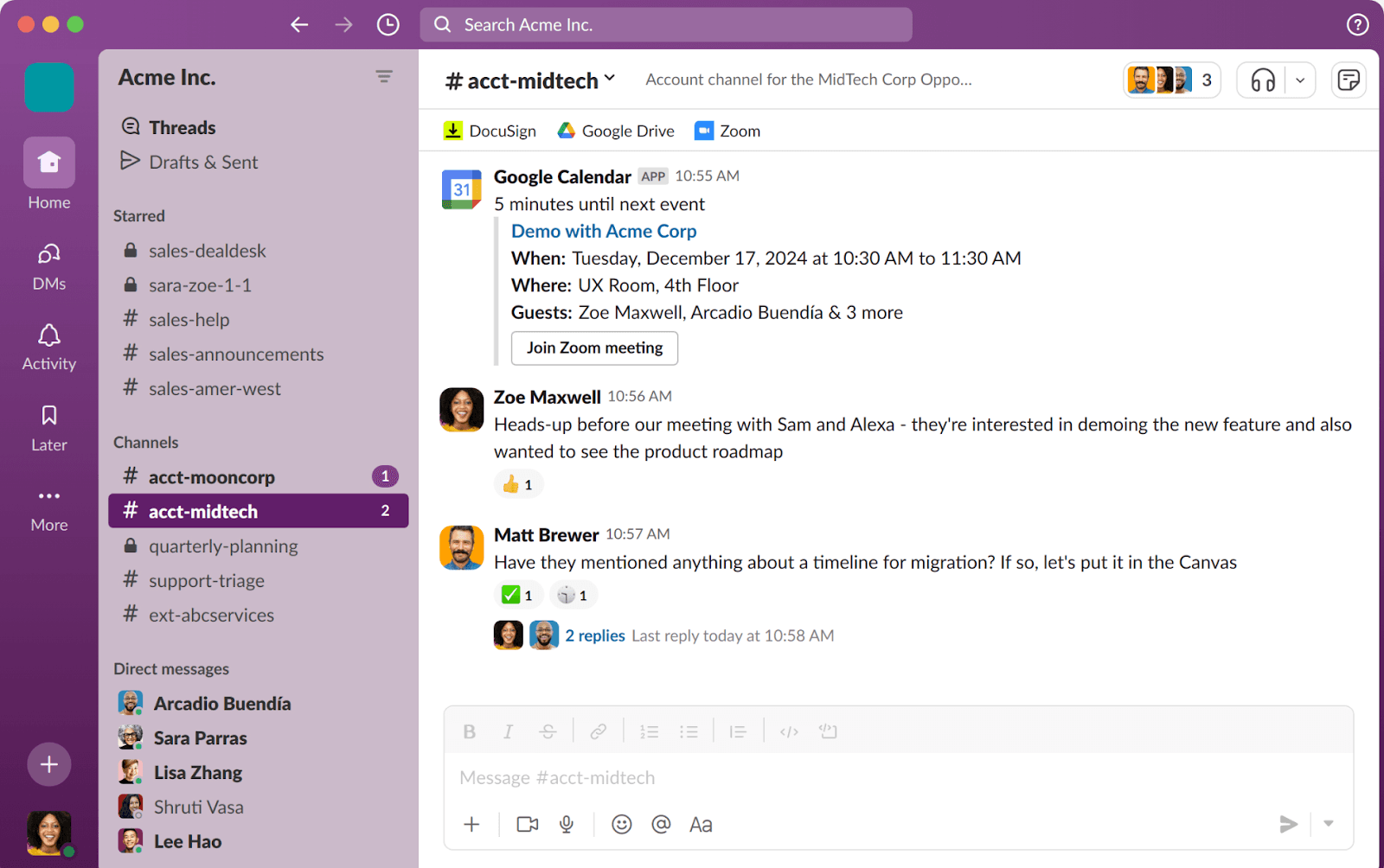 Image source: slack.com
Image source: slack.comOverview
Slack is a pioneer in the corporate communication space, known for popularizing channel-based messaging. It excels at creating a digital space for real-time conversations, allowing teams to organize discussions by project, topic, or department.
Key features
- Workflow builder: A no-code tool that allows teams to automate routine communications and tasks, such as sending welcome messages to new channel members or collecting daily stand-up updates.
- Extensive app integrations: A massive app directory allows Slack to connect with thousands of other tools, pulling notifications and updates into the chat interface.
Limitations
While excellent for messaging, Slack relies on integrations for project management and document collaboration, which can feel less seamless than an all-in-one solution. The cost can also escalate quickly for larger teams.
Price
Starts with a limited free plan, with paid tiers beginning at $8.75 per user/month.
Reviews
Praised for its user-friendly interface and powerful search function. Criticisms often center on its pricing model and the potential for conversations to become noisy without strict channel governance.
Best for
Teams that prioritize a best-in-class, real-time messaging experience and have the budget to integrate it with other specialized tools.
6. Google Chat: The simple choice for Google Workspace users
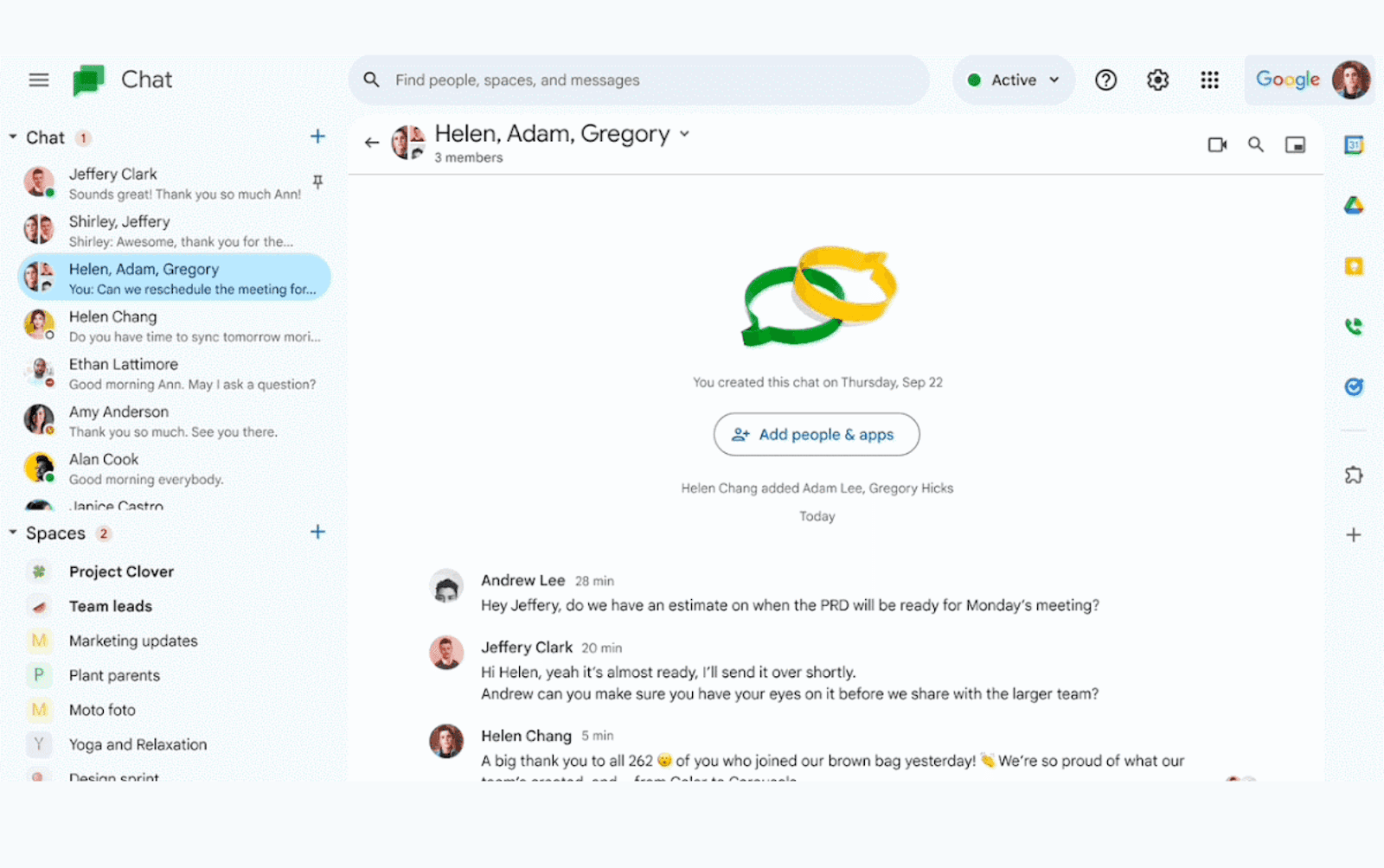 Image source: googleblog.com
Image source: googleblog.comOverview
Google Chat is Google's integrated messaging solution within the Google Workspace ecosystem. It provides direct messaging and group conversations (called "Spaces") and is tightly connected to Gmail, Docs, and Google Meet.
Key features
- Gmail integration: Chat is embedded directly into the Gmail interface, allowing users to manage emails and instant messages from a single browser tab.
- Powerful search: Leverages Google's search technology to help users quickly find past conversations, shared files, and contacts across Chat and Gmail.
Limitations
As a standalone communication tool, its features are relatively basic compared to more specialized platforms. It lacks the advanced workflow and customization options of its competitors.
Price
Included with all Google Workspace business plans, which start at $6 per user/month.
Reviews
Appreciated for its simplicity and convenience by teams committed to the Google ecosystem. Power users often find it lacks the advanced features and organizational tools of other platforms.
Best for
Teams and businesses that run entirely on Google Workspace and prefer a simple, no-frills communication tool that is already part of their subscription.
7. Asana: For communication centered around projects
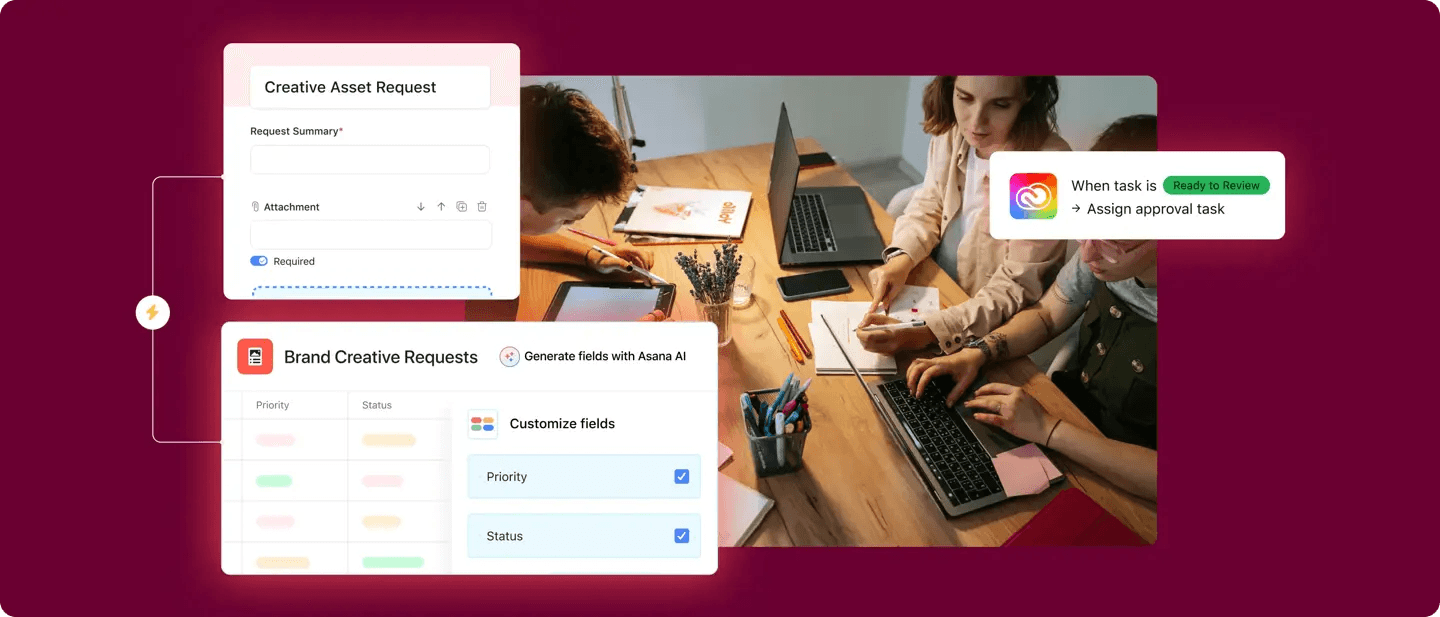 Image source: asana.com
Image source: asana.comOverview
Asana is primarily a work management platform, but it includes strong features that facilitate communication directly related to tasks and projects. The philosophy is to keep conversations where the work is happening.
Key features
- Status Updates & Portfolios: Allows project leads to provide regular progress reports to stakeholders, which can be viewed in a high-level Portfolio view to track the health of multiple initiatives at once.
- Video Messaging: Integrates with partners to allow users to record and embed short video messages in tasks, perfect for providing detailed feedback or instructions asynchronously.
Limitations
Asana is not a real-time chat tool for general or informal conversations. It is built for asynchronous, project-focused communication and needs to be paired with a tool like Slack or Teams for instant messaging.
Price
Offers a robust free plan. Paid plans with more advanced features start at $13.49 per user/month.
Reviews
Highly regarded for its ability to bring clarity and accountability to projects. Users acknowledge that it is not a replacement for a dedicated chat application.
Best for
Project-driven teams that want to keep all communication contextual and tied directly to specific deliverables and deadlines.
8. Trello: Visual and contextual team collaboration
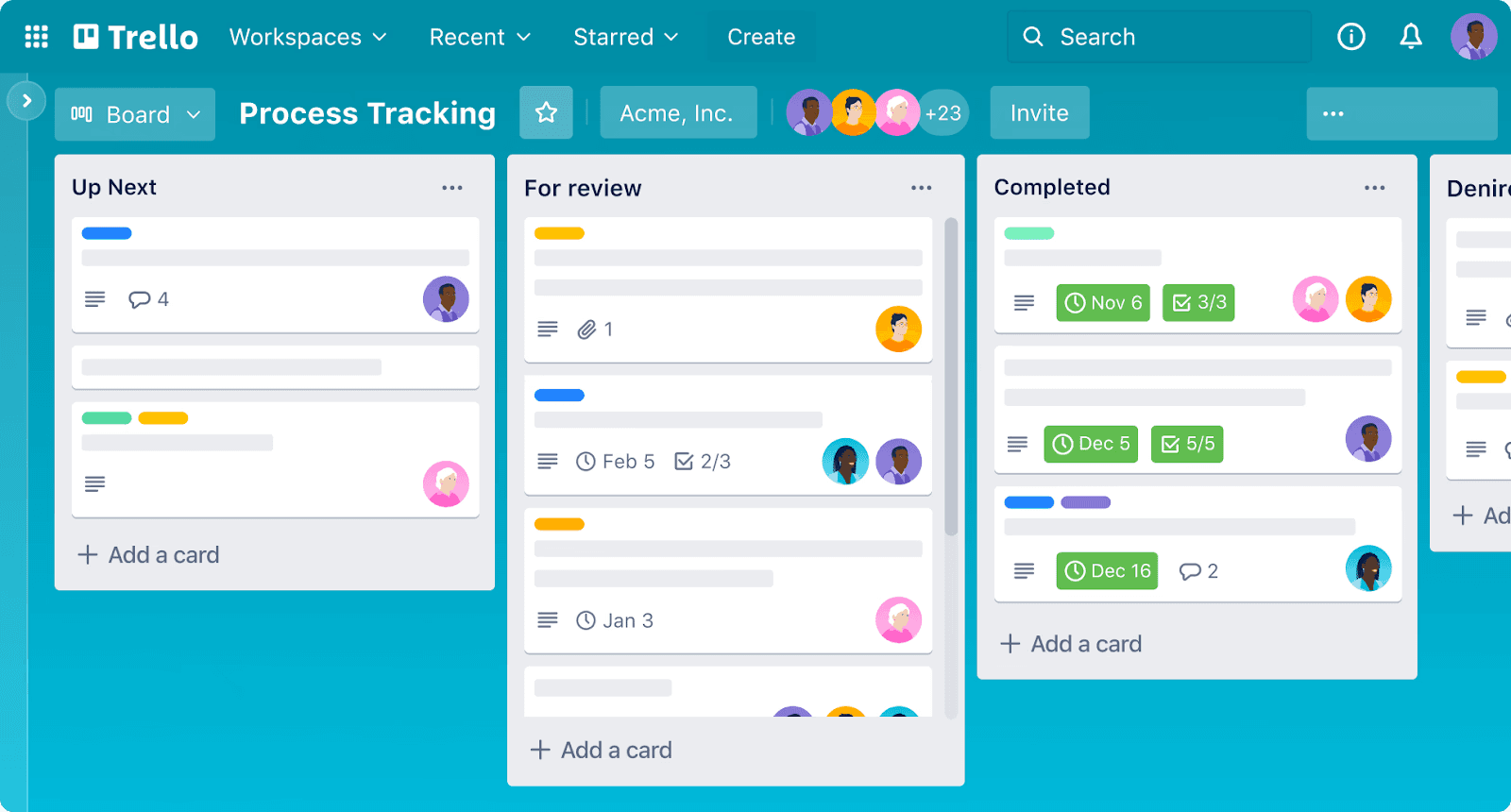 Image source: trello.com
Image source: trello.comOverview
Trello is a Kanban-based project management tool that facilitates communication through its visual card system. Like Asana, it focuses on keeping conversations tied to the work itself.
Key features
- Checklists and due dates: These features facilitate clear, non-verbal communication about task requirements and deadlines, reducing the need for back-and-forth questions.
- Communication power-ups: Integrations (called Power-Ups) can connect Trello cards to Slack channels or Microsoft Teams chats, pushing updates and comments to real-time messaging platforms.
Limitations
It is not designed for real-time or company-wide communication. Its messaging capabilities are limited to the context of individual cards, making it unsuitable as a primary communication tool.
Price
A generous free plan is available. Paid plans, which add more features and integrations ("Power-Ups"), start at $6 per user/month.
Reviews
Loved for its simplicity and visual appeal. It’s recognized as a project organization tool first and a communication facilitator second.
Best for
Highly visual teams that need a simple way to communicate about the status and details of tasks on a shared project board.
9. ProofHub: Fostering communication in client-facing projects
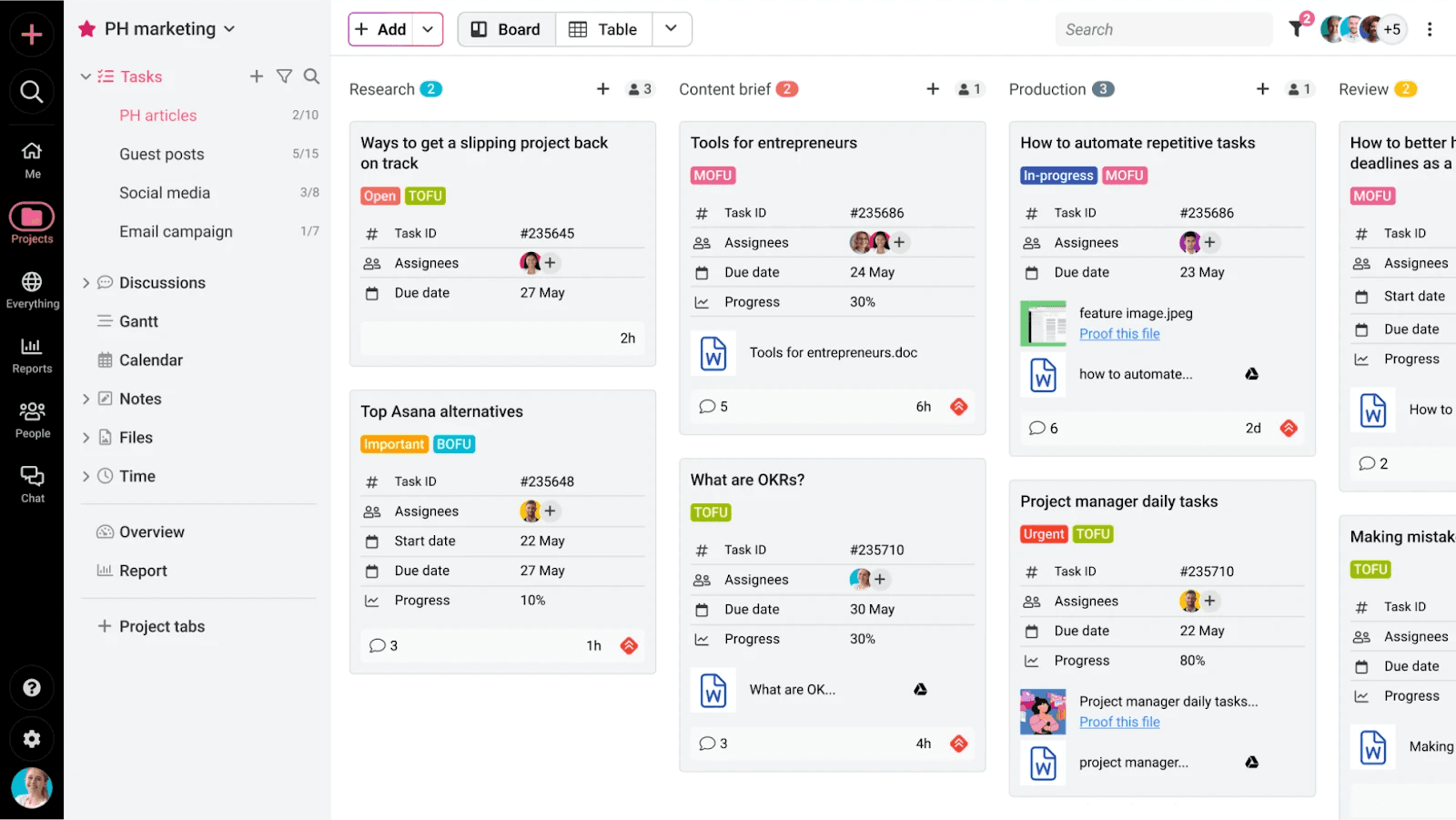 Image source: proofhub.com
Image source: proofhub.comOverview
ProofHub is a project management and collaboration tool that places a strong emphasis on features that support clear communication, especially for teams that need to review and approve work with external clients.
Key features
- Online proofing tool: This is a key feature for creative teams, allowing users to comment, annotate, and mark up design files and documents directly within the platform, streamlining feedback cycles.
- Dedicated discussion boards: Create topic-based discussions within projects to centralize conversations about specific deliverables, separate from general chat.
Limitations
The user interface is considered less modern and intuitive by some users when compared to top-tier competitors. While it has many features, they may not be as deep or polished as standalone tools.
Price
Uses a simple, flat-rate pricing model that is not per-user, starting at $50/month for unlimited users.
Reviews
The flat-rate pricing is a huge draw for large teams. The proofing tools are well-regarded, but the overall user experience receives mixed reviews.
Best for
Marketing agencies and creative teams need a single platform to manage projects and centralize client feedback and approvals.
10. Axios HQ: Internal email marketing platform
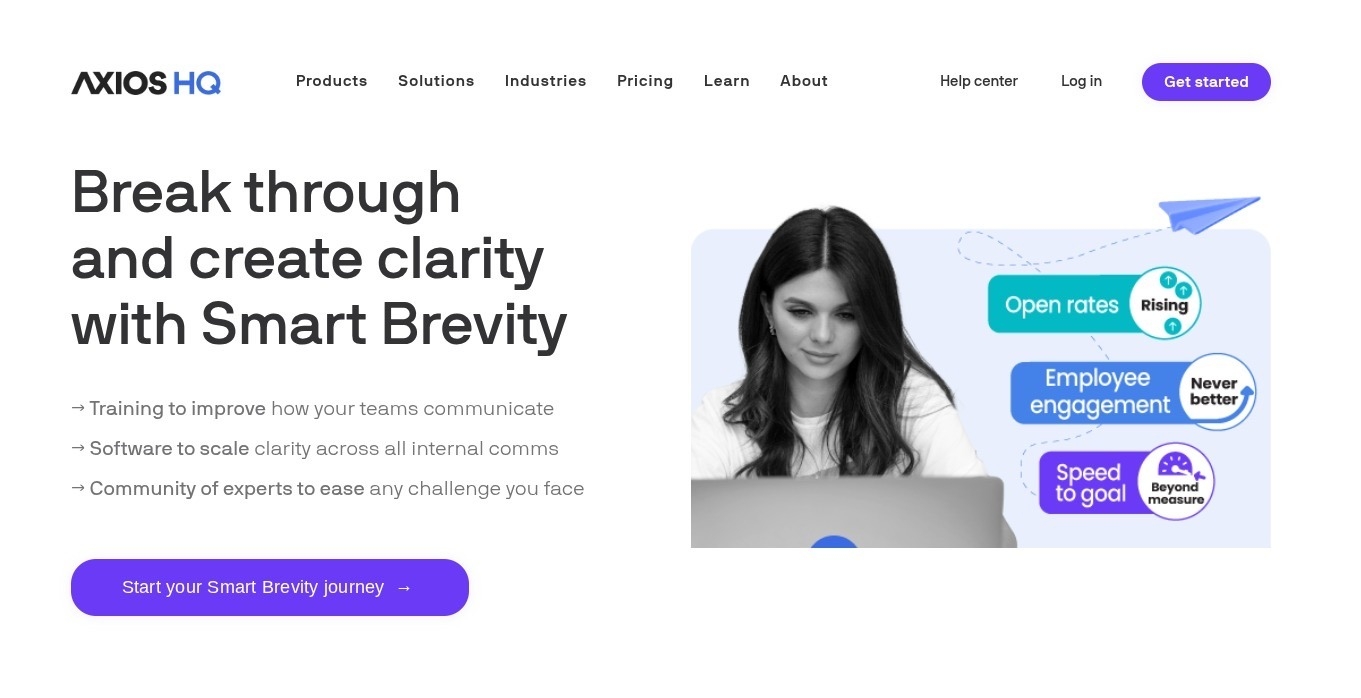
Image source: axioshq.com
Overview
Axios HQ is an internal email marketing platform built for companies with 500+ employees. It helps large teams plan, write, and send clear internal newsletters fast. The software uses Smart Brevity® formatting style to cut noise and highlight what matters, ensuring employees stay strategically aligned.
Key features
- Smart brevity® formatting: Integrates the proven editorial style to ensure newsletters are concise, focused, and instantly readable. This results in updates that are 40% shorter on average.
- Enterprise support: Access comprehensive training, editorial coaching, and hands-on guidance—the kind of support essential for maintaining consistency across a large organization.
- AI assistance & analytics: Includes AI support for content creation and robust analytics to measure reader engagement and alignment.
Limitations
Axios HQ is not a peer-to-peer chat application or a project management hub; its focus is exclusively on formal, strategic internal email newsletters.
Price
Pricing is customized based on the organization's size and needs. The company is structured for enterprise contracts, and you can get dedicated support services.
Reviews
It is highly praised for increasing reader engagement (90% of users report uplift) and achieving consistency across global/large teams. It’s not suited to small companies.
Best for
Communications/HR departments in large companies that need a reliable, high-impact channel to ensure strategic clarity and employee alignment.
How to choose the right corporate communication tool for your business
Step 1: Assess your team's core communication needs
Before looking at any features, look at your own team. Start by asking critical questions about your current communication challenges:
- Where does information get lost most often? Is it in email, chat, or project management tools?
- What are our biggest productivity blockers? Is it switching between too many apps, or is it a lack of clarity on task ownership?
- What kind of communication do we need to improve? Is it real-time brainstorming, asynchronous project updates, or formal company-wide announcements?
- How does our team work? Are we in-office, fully remote, or a hybrid of the two?
Answering these questions will give you a clear "problem statement" that your new tool needs to solve.
Step 2: Consider the key evaluation factors
Once you know what you need, use these factors to evaluate your shortlist of tools:
- Essential features: Based on your needs assessment, create a list of "must-have" vs. "nice-to-have" features. If your primary pain point is juggling apps, an all-in-one suite is a must-have. If your main issue is project clarity, task-based communication is your priority.
- Team size and scalability: Choose a tool that can grow with you. Consider its pricing tiers and ability to support more users, teams, and projects as your company expands.
- Integration capabilities: No tool exists in a vacuum. Ensure your chosen platform integrates smoothly with the other critical software your team relies on, whether it's your CRM, accounting software, or design tools.
- Ease of use and adoption: A powerful tool is useless if no one wants to use it. Look for an intuitive interface and a smooth onboarding process. A platform with a good mobile app is also crucial for modern, flexible teams.
- Budget and pricing model: Analyze the total cost of ownership. Some tools have low per-user fees but require expensive add-ons, while others offer flat-rate pricing. A unified platform can often provide better value by replacing multiple separate subscriptions.
Step 3: Test your top choices with your team
Never make a decision in isolation. Once you've narrowed your options down to two or three top contenders, sign up for their free trials. Create a small pilot group of employees from different departments to use each tool for a week. Gather their direct feedback on usability, features, and how each platform impacted their daily workflow. This real-world testing is the single most effective way to ensure you choose a tool your entire company will embrace.
Conclusion
In the modern workplace, effective corporate communication is not just an operational goal; it is the very foundation of productivity, innovation, and employee engagement. The right digital tools are essential for breaking down silos, creating a single source of truth, and connecting teams no matter where they are. From real-time messaging hubs like Slack to project-centric platforms like Asana, the ideal solution depends on your organization's unique challenges and workflow. As you evaluate your options, consider the powerful advantage of a unified approach. By bringing together chat, meetings, documents, and project management into one seamless environment, an all-in-one platform like Lark can dramatically reduce complexity and empower your team to collaborate with unparalleled clarity and speed.
FAQs
What are the 6 tools used to communicate with examples?
Common business communication tools include instant messaging (Slack), video conferencing (Zoom), all-in-one collaboration suites (Lark), project management platforms (Asana), email (Gmail/Outlook), and internal intranets (SharePoint).
What are the 7 C's of corporate communication?
The 7 C's are a set of principles for effective communication: Clear, Concise, Concrete, Correct, Coherent, Complete, and Courteous. Applying these ensures your message is professional, easily understood, and achieves its intended purpose.
What are four basic communication tools?
Four foundational communication tools for any business are an email platform for formal and external messaging, a real-time chat app for quick internal questions, a video conferencing solution for meetings, and a shared calendar for scheduling.
What is the most popular communication tool?
While email remains universal, platforms like Microsoft Teams and Slack are extremely popular for internal team chat. However, for a truly integrated experience, all-in-one tools like Lark are gaining popularity by combining chat, video, email, and project management into a single app.
Related reading
Table of contents
Start using Lark today

Manage all your work in one place
Boost team efficiency by 10x
Save up to 70% on software costs
Table of contents
Start using Lark today
Manage all your work in one place
Boost team efficiency by 10x
Save up to 70% on software costs
Keep reading



![What Is a 2-2-3 Work Schedule? Explanation and More [2026]](https://framerusercontent.com/images/uKHRfkp4v7y4azRNTYUmuteNQz8.png)



2026 Lark Technologies Pte. Ltd.
Headquartered in Singapore with offices worldwide.






Explore: