Project managers today navigate a landscape of tight deadlines, complex dependencies, and distributed teams. Getting a project done on time and within budget often feels like a high-wire act. This is where critical path analysis (CPA) steps in, providing a structured way to identify the tasks that truly dictate your project's timeline. However, performing CPA manually for anything beyond the simplest projects can quickly become a tangled mess of calculations and guesswork. This guide will help you understand what critical path analysis software offers, why it's essential for modern project teams, and how to choose the right tool, like , whether you're searching for free critical path method software or a comprehensive paid solution that aligns with your specific needs, moving you towards more predictable project outcomes.
What is critical path analysis (CPA)?
Critical Path Analysis (CPA) is a that pinpoints the longest sequence of dependent tasks in a project. This sequence, known as the ',' determines the absolute minimum time required to complete the project. Any delay in a task on the critical path will directly push back the project's overall completion date. To break it down, CPA involves:
- Identifying all tasks: Listing every activity required to complete the project. The first step in the Critical Path Method (CPM) is to identify and list all the activities required to complete the project, often using a work breakdown structure (WBS) to break large projects into manageable tasks.
- Defining dependencies: Understanding which tasks must be finished before others can start (e.g., you can't install the roof until the walls are built). The activity-on-node (AON) method is a modern approach for representing project activities and their dependencies.
- Estimating task durations: Assigning a realistic time frame for each task. It's important to use techniques to estimate activity completion time and assign estimated durations for accurate scheduling.
- Calculating the critical path: Using these inputs to find the longest path, which has zero 'float' or 'slack' – meaning no flexibility for delay.
Critical path scheduling identifies tasks that determine the project's minimum duration, and most projects have only one critical path. CPA helps you spot these crucial tasks and manage them proactively. By understanding the critical path, project managers gain immense clarity, allowing for better resource allocation, more accurate scheduling, and a clearer focus on what truly matters to keep the project on track. CPA is especially valuable for managing large projects by breaking them into manageable tasks and identifying the most crucial tasks from the moment the project begins.
The pitfalls of manual critical path analysis and fragmented tools
While the principles of CPA are straightforward, applying them manually to real-world projects is anything but. Imagine managing a complex software development project with hundreds of tasks, countless dependencies, and multiple teams – all with just a spreadsheet and a whiteboard. To effectively manage such complexity, it is crucial to list and organize all the project's tasks using a work breakdown structure. This project management technique helps identify tasks, group them into manageable sections, and lay the foundation for accurate project planning and scheduling.
Manual critical path calculations are error-prone and time-consuming. Any change in task duration or dependencies means recalculating the entire critical path. This can lead to misidentified critical tasks, wasted resources, and project delays.
Another hurdle is "tool fragmentation." Teams often use separate apps for chat, tasks, documents, and scheduling. While each tool may be good on its own, their isolation creates significant problems for effective Critical Path Analysis (CPA):
- Communication gaps: Critical dependencies found in one tool might not be easily shared with teams discussing design changes elsewhere. This leads to information silos.
- Reduced visibility: Tracking critical task progress becomes difficult across multiple platforms. It's hard to get a real-time, complete view of the project's health or visualize the critical path diagram, which shows how activities and dependent activities connect.
- Increased context switching: Project managers and team members waste time switching between applications, which hurts productivity.
Modern project management methods like Critical Path Method (CPM) and Critical Path Analysis (CPA), along with PERT, use statistical and review techniques. They help project managers identify essential tasks, manage resource constraints, and reduce risks to ensure projects finish on time. These methods help define project scope, visualize the longest duration path, and schedule complex projects by focusing resources on critical activities and improving team communication.
Using integrated project management tools allows for better tracking of the whole project. This ensures timely project completion and provides a clear overview of all tasks and dependencies. So, critical path analysis software is crucial.
Get the best CPA software
Key features of effective critical path analysis software
Beyond the foundational understanding of CPA, the right software provides functionalities that turn complex project plans into actionable roadmaps. When evaluating options, look for these core features that empower efficient project management:
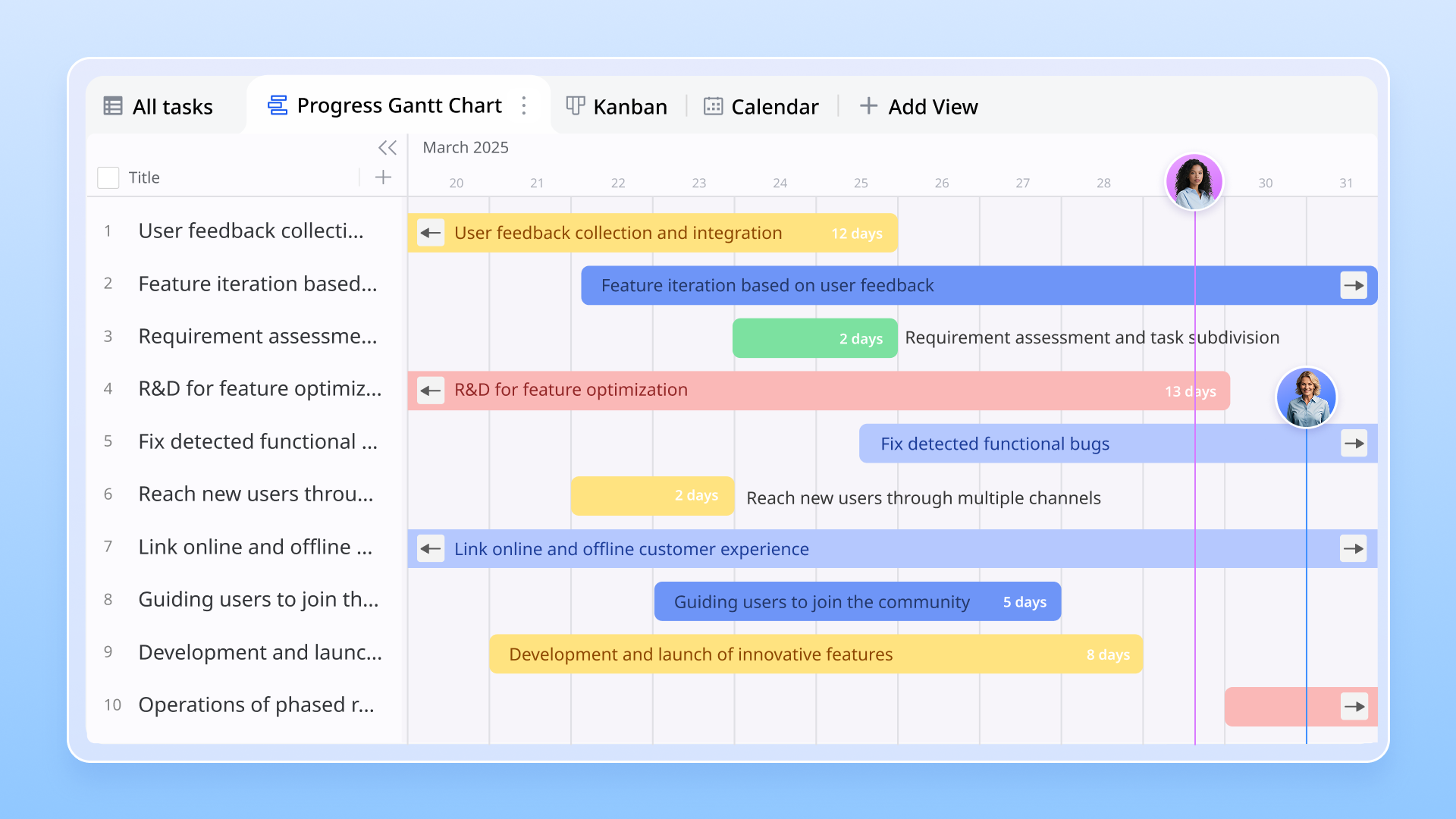
Gantt chart visualization:
A well-designed Gantt chart is the visual backbone of CPA software. It displays all project tasks along a timeline, clearly illustrating their durations, start and end dates, and most importantly, their dependencies. Tools like critical path diagrams and CPM diagram generators, often available within built-in platforms like Lark (via sheets or apps), provide clear visual representations. This visual approach allows project managers to quickly grasp the overall project schedule and identify the critical path at a glance, often highlighted in a distinct color, helping teams understand task sequences and focus on what truly drives project completion.
Dependency management:
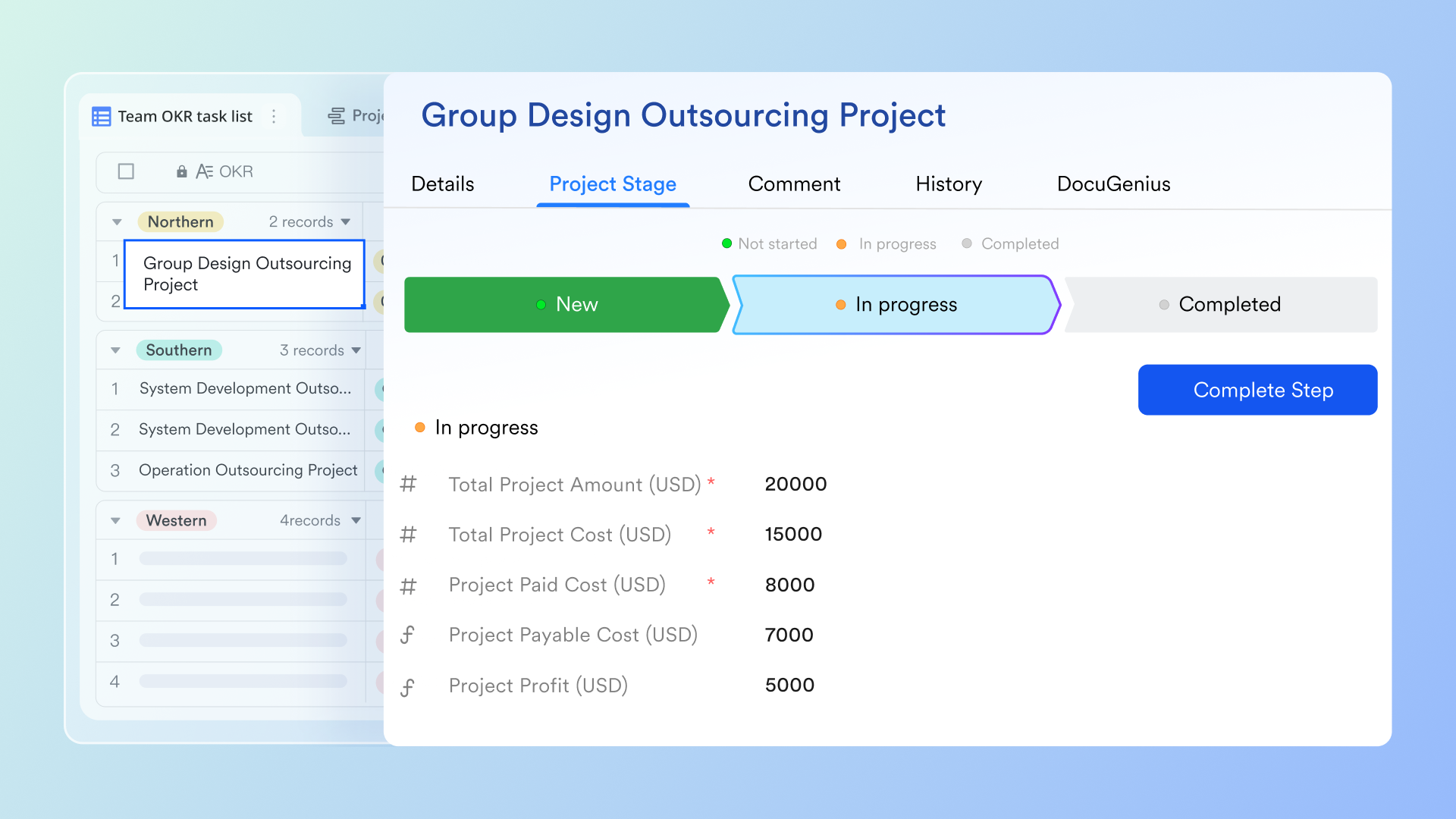
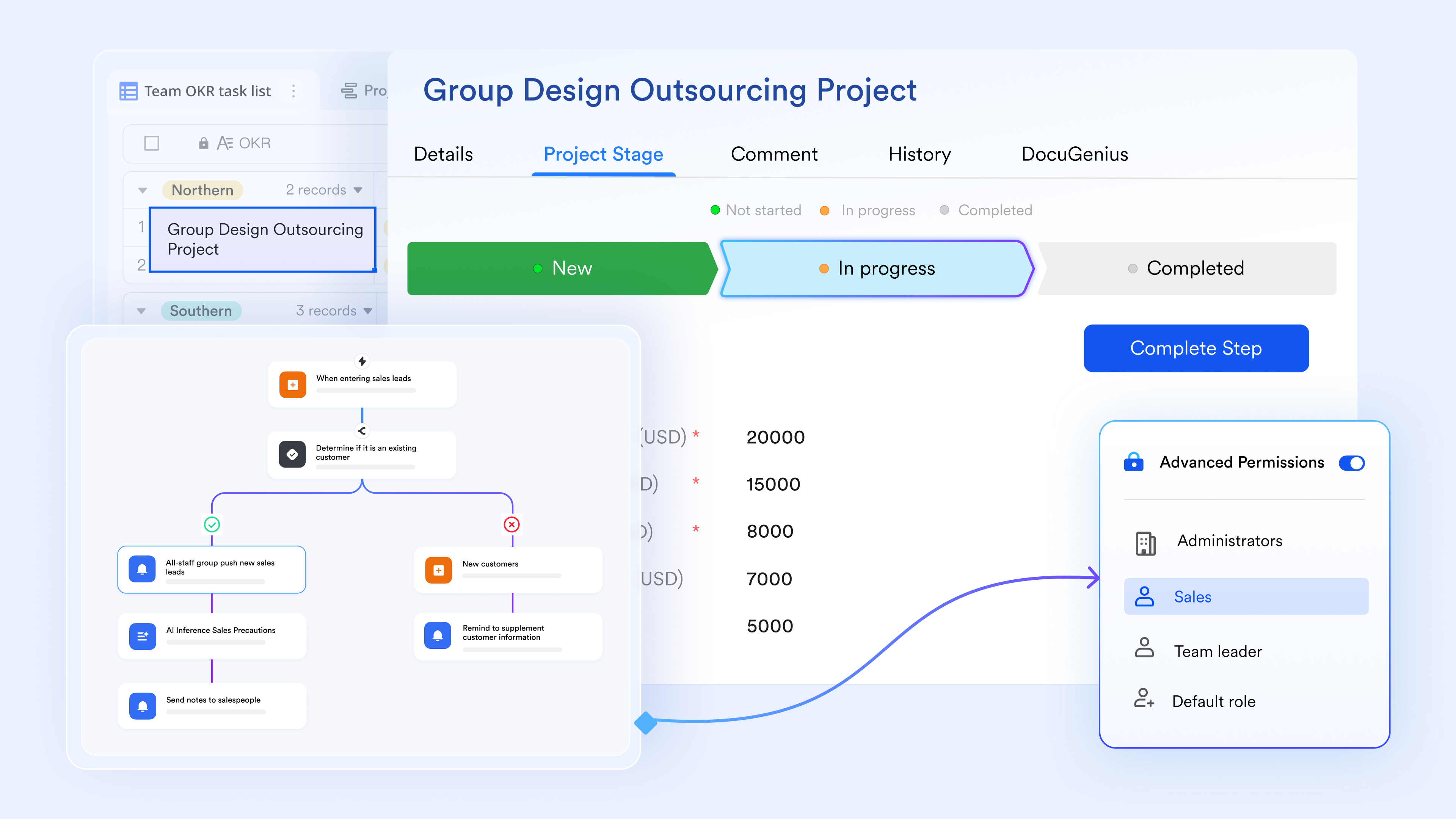
Projects are networks of interdependent tasks. Effective CPA software allows you to define and manage various types of dependencies between tasks (e.g., Finish-to-Start (FS), Start-to-Start (SS), Finish-to-Finish (FF), Start-to-Finish (SF)). built-in solutions, such as Lark's capabilities through its project management templates or custom apps, make it easier to link predecessor and successor tasks, ensuring that the software automatically calculates how changes in one task affect others, and ultimately, the critical path. If task A must finish before task B can start, the software should make this clear and adjust the schedule if task A is delayed.
Resource allocation & management:
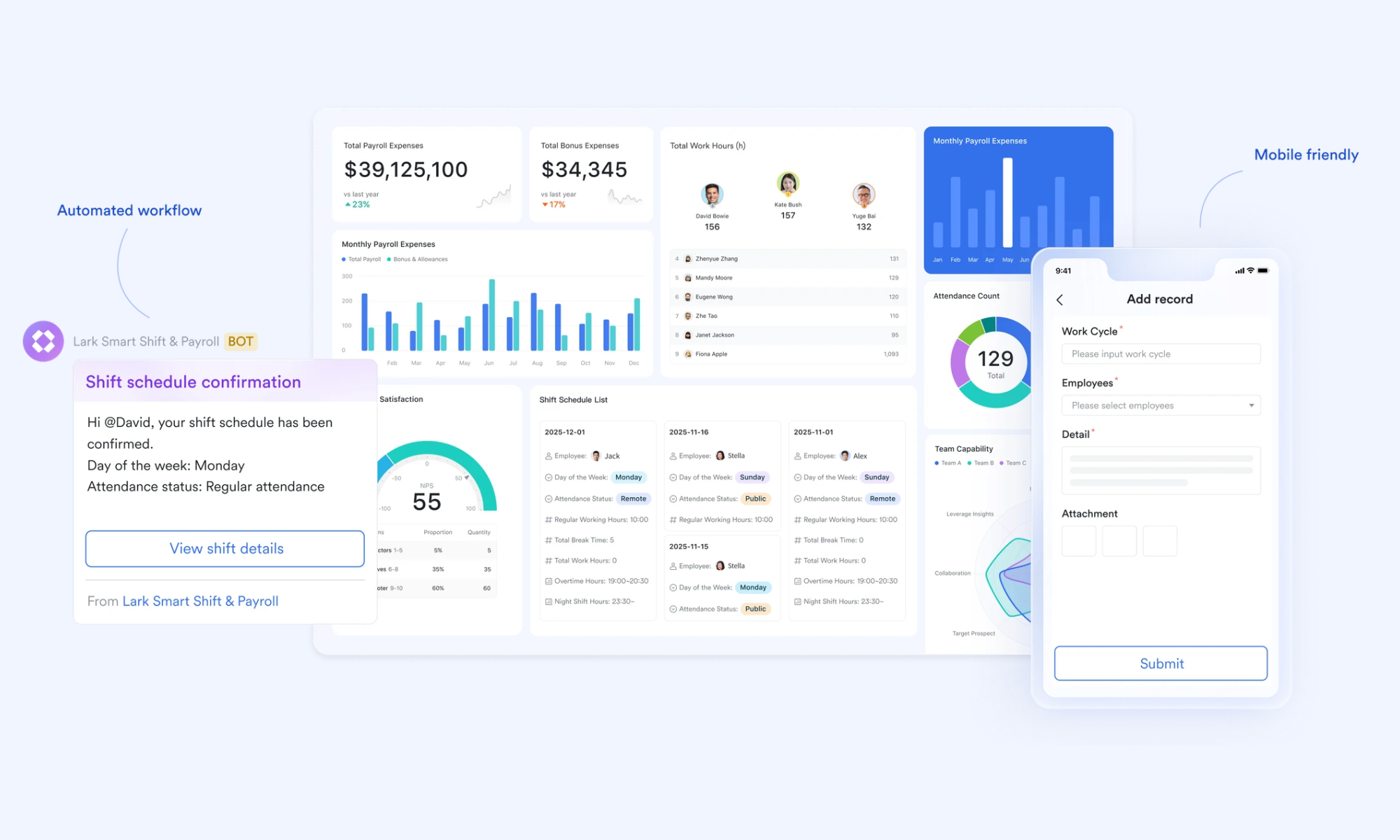
Projects aren't just about tasks; they're about the people and resources needed to complete them. Good CPA software helps you assign resources (e.g., team members, equipment, budget) to specific tasks and visualize their allocation over time. This helps identify potential bottlenecks where a single resource might be over-allocated across multiple critical tasks, allowing you to rebalance workloads and prevent delays before they happen. Platforms like Lark, with their robust scheduling and task assignment features, enable teams to manage workloads effectively and prevent resource over-allocation in complex project settings.
Real-time progress tracking:
Project plans are rarely static. The ability to track actual progress against the planned schedule in real-time is invaluable. Modern CPA software automatically recalculates the critical path when tasks are updated. Features within built-in suites like Lark, often supported by smart sheets and project templates, allow users to identify the critical path and monitor progress with ease. This enables teams to update task completion percentages, actual start/end dates, and remaining work. The software then recalculates the critical path, providing an up-to-the-minute view of project health and forecasting potential delays or early completions. This dynamic feedback loop helps maintain an accurate project forecast.
Collaboration & communication tools:
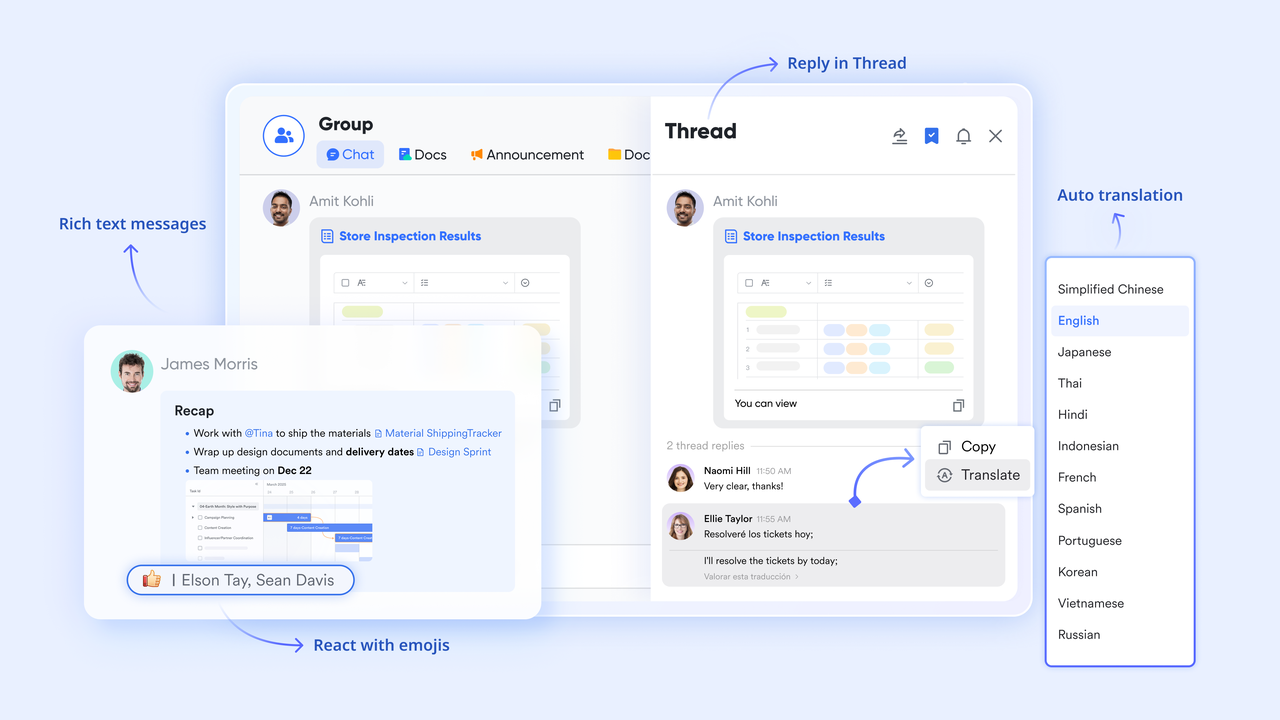
In today's distributed work environments, effective collaboration is paramount. Modern CPA software often integrates communication features directly into the platform, allowing project teams to collaborate on project schedules in real time, assign due dates, and track progress. Within a built-in platform like Lark, team members can comment on tasks, share updates, attach relevant files, and discuss issues without having to switch to separate communication apps. This keeps conversations contextual and ensures that all project stakeholders are on the same page regarding critical path items.
Reporting & Analytics:
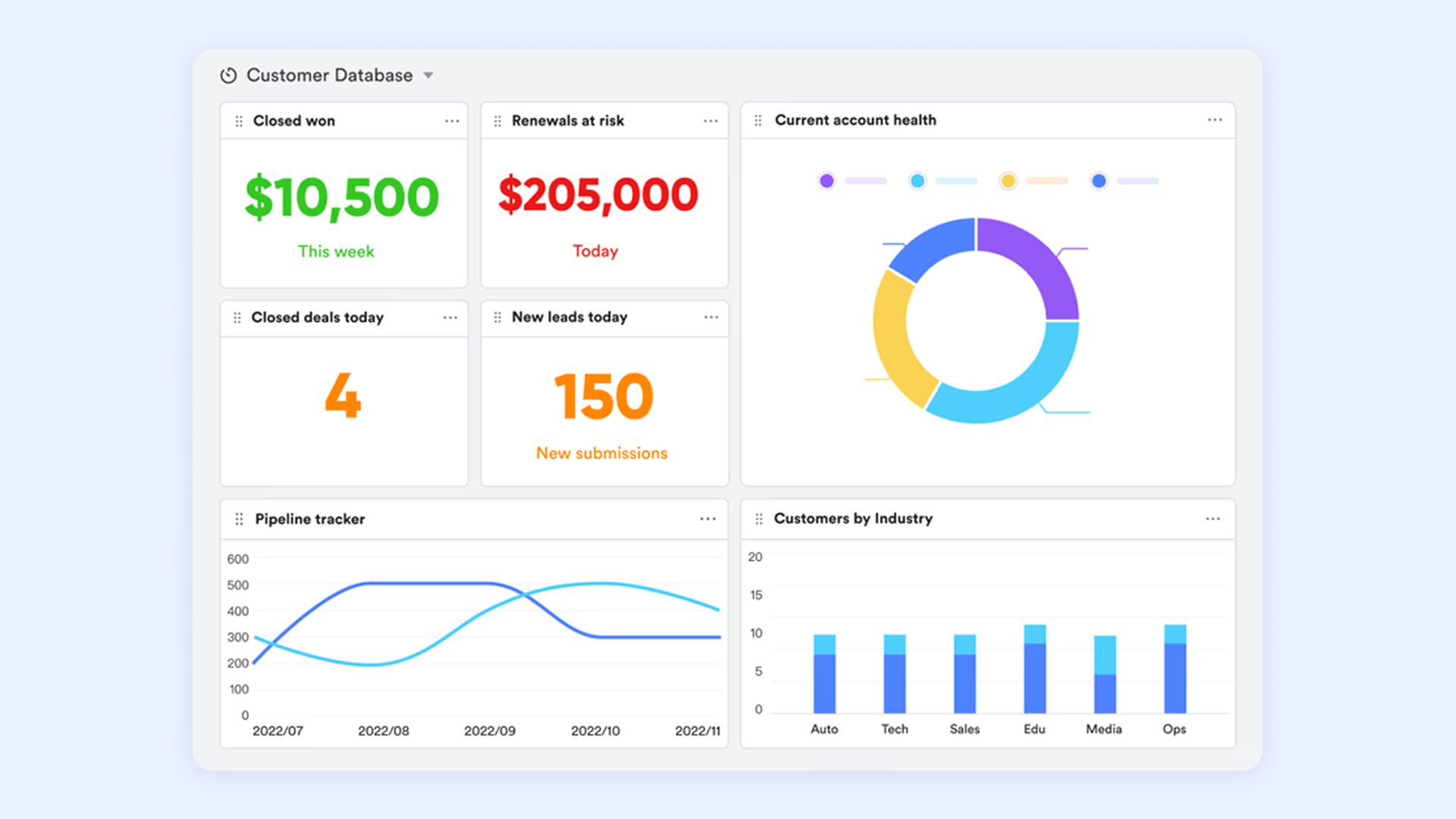
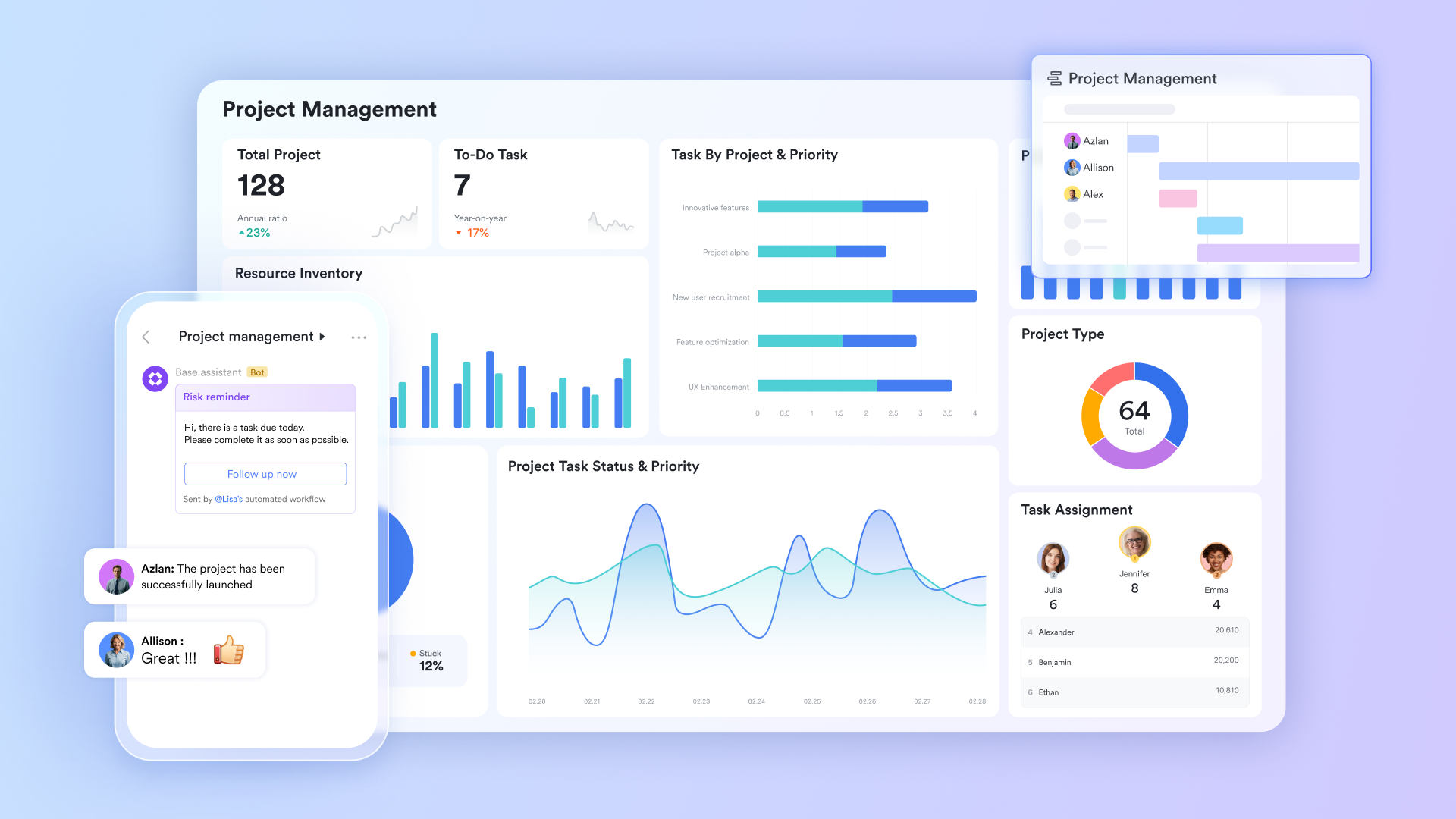
Beyond just displaying data, effective CPA software offers robust reporting and analytics capabilities. This means generating custom reports on project progress, resource utilization, budget adherence, and critical path performance. Such features, often found within comprehensive work management platforms, can integrate with other tools to streamline workflows and provide actionable insights. These insights are essential for project managers to identify trends, make data-driven decisions, communicate effectively with stakeholders, and continuously improve future project planning.
Want to build these powerful CPA features in your projects?
Beyond features: Choosing CPA software for your team's workflow
When exploring critical path analysis software, it's easy to get caught up in a never-ending list of features. While advanced functionalities can be tempting, a more effective approach is to consider how the software integrates into your team's existing workflow and addresses your specific operational challenges. The belief that 'more features are always better' can often lead to over-complicated tools that add unnecessary complexity and cost, especially for small to medium-sized businesses.
Many teams today struggle with tool fragmentation – having to jump between for chat, documents, project tasks, and calendars. This constant context switching erodes productivity and creates information silos. Instead of just looking for a tool with 'CPA,' consider a solution that offers CPA capabilities as part of a more built-in work management suite. Built-in project management software enables your project team to manage multiple projects simultaneously, assign due dates to tasks, and collaboratively create project schedules on a shared online platform. Such platforms like Lark can provide a holistic view of your project, from initial planning to execution and communication, all within a single environment. This built-in approach can be a game-changer for collaboration, reducing overhead and improving decision-making accuracy by centralizing information and fostering real-time communication among all project stakeholders.
Lark's advantage: Unifying your critical path with an all-in-one workspace
In the context of built-in work management, Lark offers a compelling solution for streamlining your project's critical path. Lark is an all-in-one suite designed to combat tool fragmentation by combining essential business tools into a unified workspace. This means that instead of using separate applications for messaging, video calls, document creation, and project tracking, your team can manage everything within Lark, fostering a truly collaborative environment for critical path analysis. With Lark, teams can:
Collaborate on project plans in real-time:
One of the most significant challenges in critical path management is ensuring all stakeholders are working from the same, most current project plan. Lark's cloud-native documents and sheets provide a dynamic environment where project teams can collaboratively build out schedules, identify dependencies, and assign task durations. Imagine a team synchronously refining their project's Work Breakdown Structure (WBS) in a shared , instantly seeing updates from colleagues across different time zones. This real-time co-editing capability ensures that the critical path is a living document, constantly reflecting the latest project status and team inputs, thereby reducing discrepancies and accelerating decision-making, which is paramount in agile software project management environments where requirements can frequently evolve.”
Simplify communication around critical tasks:
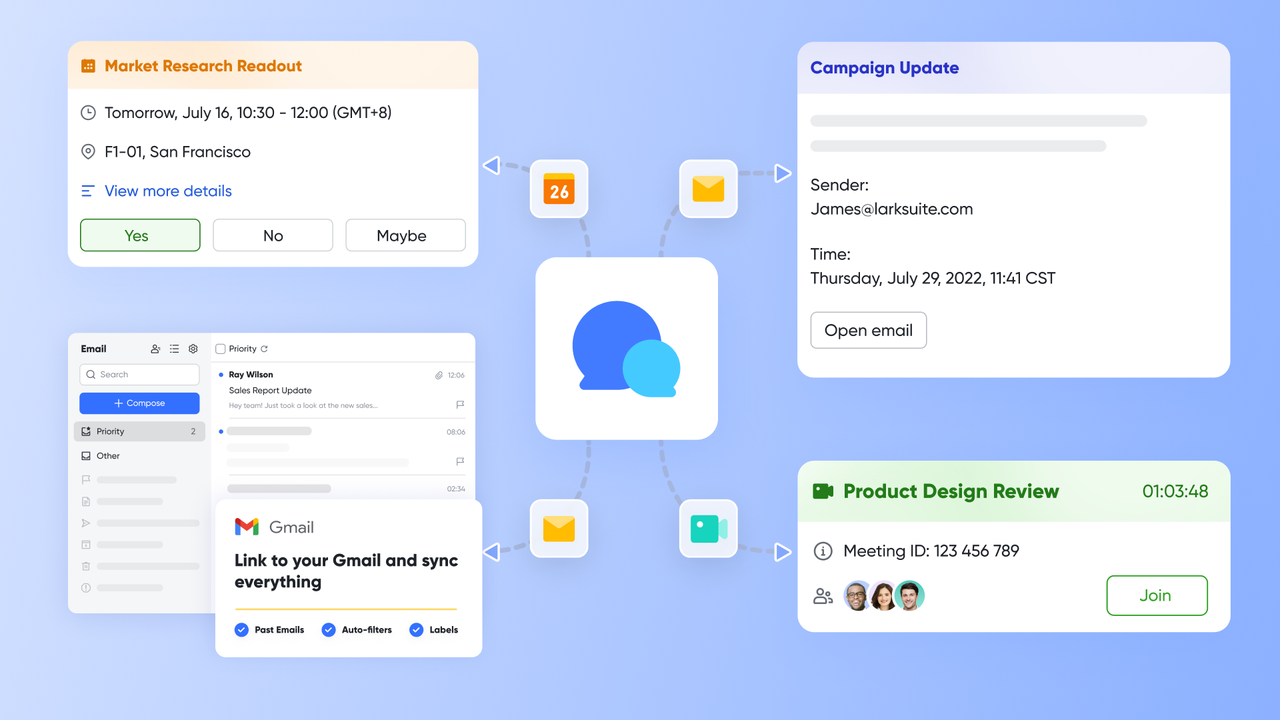
Effective communication is the lifeblood of any project, especially when addressing critical path items. With Lark, communication is embedded directly within the project context, eliminating the need to toggle between disparate messaging apps and project tools. If a critical task is at risk, team members can initiate a group chat in , jump into a quick with relevant stakeholders, and share the specific document or Gantt chart related to the issue—all without ever leaving the platform. This contextual communication ensures that discussions are focused, decisions are made swiftly, and all project participants are informed in real-time, thereby preventing communication breakdowns from delaying the critical path.
Centralize project knowledge and documentation:
Store all critical path diagrams, project schedules, meeting notes, and related documents in or cloud storage. This creates a single, easily accessible source of truth for all project information, reducing information silos and ensuring that everyone has the context they need to contribute effectively to the project's success.
For example, imagine a marketing team planning a new campaign. They can create their project schedule in a Lark Base, identifying all tasks and their dependencies. As they work, the project team can chat about specific tasks in Lark Messenger, jump into a video call to resolve an urgent dependency, and store all their creative assets and content drafts in , all linked together. If the graphic design for a critical asset falls behind schedule, Lark's automation can immediately notify the project manager and the content team, allowing them to adjust other dependent tasks or reallocate resources promptly, all within the built-in Lark environment.
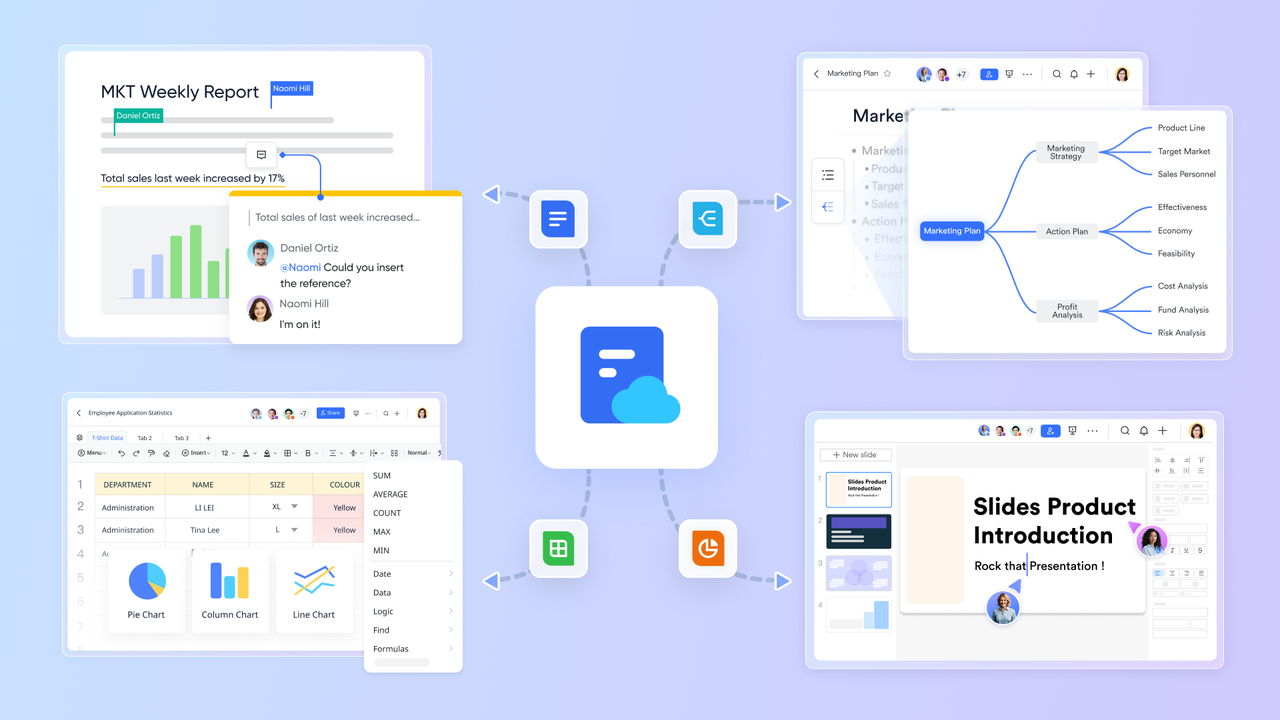
:
- Starter plan: that includes 11 powerful tools for up to 20 users. It also comes with 100GB of storage space, 1000 automation runs, AI translations, and more. No credit card needed.
- Pro plan: (billed annually) for up to 500 users. It includes everything in Basic plus group calling for up to 500 attendees, 15TB of storage space, 50,000 automation runs, and more.
- Enterprise plan: for custom pricing. Supports unlimited users and includes even more automation runs and advanced security, compliance, and management features.
For small teams with simple communication needs

18 months message history
1000 Base automation runs/month
2000 rows per table in Base
Most POPULAR
For companies with comprehensive collaboration and management needs
Unlimited message history
500-participant video meetings
50k Base automation runs/month
20k rows per table in Base
For large companies with advanced security and organizational management needs
Get a personalized demo and pricing
Unlimited message history
500-participant video meetings
15 TB storage + 30 GB storage/user
500k Base automation runs/month
50k Base automation runs/month
Most POPULAR
For companies with comprehensive collaboration and management needs
Unlimited message history
500-participant video meetings
50k Base automation runs/month
20k rows per table in Base
Conclusion
Navigating complex projects in a dynamic environment demands more than just good intentions; it requires strategic tools. Critical path analysis software offers project managers the clarity, automation, and control needed to deliver projects on time and within budget. By accurately identifying critical tasks and managing dependencies, these tools transform abstract plans into concrete actions, significantly reducing the risk of delays and ensuring efficient resource utilization.
We've explored how CPA software goes beyond simple task tracking. Importantly, we discussed that the "best" software isn't about the most features, but the one that seamlessly integrates with your team's workflow, whether that's a standalone solution for highly specialized needs or a built-in suite like that centralizes communication and project management. Embracing a built-in approach can mitigate tool fragmentation, foster real-time collaboration, and provide a holistic view of your project's health. By carefully evaluating options against your specific needs, focusing on workflow integration and long-term scalability, your team can harness the full power of critical path analysis to achieve greater project success.
Achieve greater project success with Lark.
FAQs
What software is used for CPM?
Dedicated CPM tools like ProjectManager, GanttPRO, Lucidchart, Creately, Planera, and Birdview PSA offer specialized CPM features. Comprehensive platforms like Lark integrate CPM capabilities within a unified suite for broader project management and collaboration.
Does Excel have a critical path template?
No, Excel does not have a native critical path template. While you can manually create basic CPM analysis, dedicated CPM software or integrated platforms are more efficient and accurate for complex projects.
Is PERT or CPM better?
Neither is inherently "better"; they serve different project needs. CPM is for projects with predictable task durations, focusing on the critical path. PERT is for projects with uncertain task durations, using probabilistic estimates. They can be used together.
Can Microsoft Project identify critical paths?
Critical Path Method (CPM) and Program Evaluation and Review Technique (PERT) are both project management techniques used for scheduling and planning. CPM is deterministic, meaning it assumes task durations are known with certainty. PERT is probabilistic, used when task durations are uncertain; it uses three time estimates (optimistic, pessimistic, and most likely) to calculate an expected duration and a probability of completion by a certain date.
Related reading































