If you've ever launched a product update and watched three different "final" spreadsheets circulate, you already know the real problem isn't effort—it's fragmentation. A title gets revised in one place, a spec changes in another, and a marketplace listing keeps the old version because no one is sure which file is authoritative. Product information management software is designed for this exact moment: When product content, specs, and approvals start living across too many tools and too many inboxes. In this guide, I'll break down what PIM is, how teams use it day to day, and what benefits you can expect when you replace ad‑hoc coordination with a governed workflow—whether you run a dedicated PIM, or coordinate work in tools your team already uses.
What is product information management software?
Product information management software (PIM) is the system companies use to keep product information consistent, accurate, and ready to publish across every place it appears—your ecommerce site, marketplaces, wholesale partners, distributors, and internal catalogs. A PIM is not just a database of fields; it is the operational layer that turns fragmented inputs into controlled, channel-ready outputs.
- Centralize: PIM replaces and scattered spreadsheets as the "source of truth." Product records live in one place, changes are tracked, and teams can see what is current, what is pending review, and what has been approved. This reduces duplicate versions of the same SKU data and prevents "who has the latest file?" confusion.
- Standardize: PIM lets you define what "complete" means by product type. A laptop, a skincare product, and a replacement part do not share the same required attributes, so the structure and rules need to reflect real catalog differences. Standardization also covers taxonomy and controlled vocabularies, which keeps categories and filters stable, so navigation and search do not quietly degrade over time.
- Enrich: PIM is where product facts become sellable content. It supports structured facts (materials, ingredients, compatibility, certifications, warnings, technical specs) alongside channel-ready content (titles, bullet points, long descriptions). The goal is to tailor content per channel without rewriting from scratch and without corrupting the underlying product truth.
- Govern: PIM adds ownership, approvals, and auditability. When claims, safety language, or regulated details are involved, you want controlled edits, clear reviewers, and a traceable history of who changed what and why. Governance reduces the risk of contradictory messaging and protects approved content from accidental overwrites.
- Publish: PIM helps "good data" become "live data" reliably. Instead of reinventing exports for each launch, you map internal attributes to each channel's schema and produce repeatable outputs via feeds, exports, APIs, or integrations. Because every channel has different constraints, a strong PIM validates readiness before publishing, reducing rejections and rework.
Wondering how a smart PIM tool be like?
Who uses PIM and why it matters
PIM only works when it matches real ownership. Product information is touched by multiple teams, and without clear roles, the catalog drifts, approvals get bypassed, and channels diverge.
: They keep the catalog moving predictably. They define readiness rules, manage exception queues and backlogs, coordinate handoffs, and ensure the process remains repeatable as SKU counts and channel complexity grow.
Merchandising and category teams: They define what content is needed to sell and how products should be organized. They shape attribute priorities, taxonomy structure, and channel-specific requirements (DTC vs marketplaces vs wholesale), ensuring discoverability and accurate filtering.
Marketing and brand: They own the voice, positioning, and presentation details that must stay consistent across channels. They rely on PIM to reuse governed content efficiently, reduce duplicate writing, and ensure imagery and messaging align with brand standards.
Compliance and legal: They review claims, warnings, regulated statements, and sensitive specifications. Their involvement is crucial in categories where a small wording change creates a legal or safety risk. PIM supports their work with controlled edits, approvals, and audit trails.
IT and : They ensure the system stays reliable. This includes integrations with ERP/PLM (operational truth), DAM (asset governance), and downstream ecommerce/marketplace platforms (publishing), plus permissions, monitoring, and error handling, so publishing remains stable.
Why shared ownership matters: It creates a single way to define "done" and reduces rework. In practice, teams align around acceptance criteria such as:
- New product onboarding: complete required fields, correctly modeled variants, linked approved assets, approvals captured, and channel readiness confirmed—not just "record created."
- Attribute/spec changes: updates applied consistently across variants and channels, reviewed by the right owners, and fully traceable.
- Channel readiness: destination requirements and formatting constraints met, with a repeatable publish process rather than manual, one-off exports.
- Localization and regional compliance: reviewed translations, consistent units/terminology, region-specific claims/warnings aligned, and governance equivalent to the source record.
When these roles and definitions are clear, PIM becomes more than a repository—it becomes the operational backbone that scales product launches, protects quality, and keeps every channel aligned.
Key features of product information management software: core capabilities checklist
If you're evaluating product information management (PIM) software, this checklist helps you separate "it can hold product fields" from "it can actually run catalog operations across teams and channels."
Catalog and data model
A strong PIM begins with a that matches how your catalog works in real life. It should support attribute sets so that different product families can have different required fields without messy workarounds. It should also model parent/child variants cleanly, keeping shared values consistent (for example, brand or collection) while allowing variant-specific attributes (for example, size, color, or voltage). Taxonomy tools matter too: Category rules and controlled vocabularies help prevent category drift that breaks navigation, filters, and search relevance over time.
Data quality controls
Data quality is where PIM earns its keep. Look for configurable validation rules that reflect real constraints, such as required attributes by channel, allowed values, formatting standards, and dependency rules (for example, "if material is X, certification Y is required"). The system should provide completeness scoring or readiness indicators that can be viewed by product, category, brand, and channel. Equally important are exception queues that convert validation failures into manageable worklists, so teams fix what matters instead of scanning giant tables.
Workflow automation
Workflow keeps the catalog moving when multiple teams touch the same record. Your PIM should support role-based work routing, so tasks go to the right owners across merchandising, brand, compliance, and regional teams. Approval steps should reflect how your organization actually signs off on changes, especially for sensitive specs, safety language, and claims. Notifications and escalation patterns help prevent stalled records from surfacing only when a launch is already slipping.
Syndication and distribution
Publishing is where "good data" becomes "live data," and gaps here create costly rework. The system should support channel mappings so internal attributes can be transformed into each destination's schema and formatting requirements. It should provide repeatable exports, feeds, or APIs that do not require rebuilding for every campaign. For marketplaces and retailers, readiness validation should cover required fields, allowed values, image rules, and other constraints before publishing, reducing rejections and back-and-forth.
Integrations
Integrations determine whether your PIM becomes the operational hub or another silo. Look for solid APIs and ideally webhooks so changes can reliably trigger downstream updates. The PIM should integrate with for operational truth where appropriate, with DAM for asset governance, and with CMS and e-commerce systems for publishing. Practical integration features like monitoring, error handling, retry logic, and clear failure reporting matter as much as the connector list.
Security and governance
Governance protects the catalog from drift and risky changes. The system should support permissions aligned to responsibilities, including role-based and potentially field-level control. Audit logs should show who changed what and when, especially for sensitive specs and claims. Version history and rollback capabilities help teams recover quickly when something goes wrong.
Analytics
Analytics turns PIM into an operational discipline. The tool should reveal throughput, bottlenecks, and where work stalls, so you can improve the process rather than adding headcount. It should surface readiness by channel and category to support . It should also track recurring validation failures to pinpoint upstream data issues.
Find all these features in a superapp
Best 8 product information management software and supporting tools
Below is a practical tool list that teams commonly use to run product information operations. Some are dedicated product information management software; others are work management platforms that help you coordinate intake, enrichment, approvals, and publishing readiness.
1. Lark: Best for PIM intake and approvals
Overview
, one of the most versatile , is a collaboration and that can support product information operations when your biggest challenge is coordination: Collecting supplier data, managing internal reviews, and keeping decisions tied to the product record. While it is not a dedicated PIM suite out of the box, teams can use Lark to build a structured SKU workspace, standardize intake, and enforce governance steps around specs, pricing, and claims. This approach is often useful when you want faster process control first, then layer in deeper PIM syndication or integrations as your catalog and channel requirements mature.
Key features
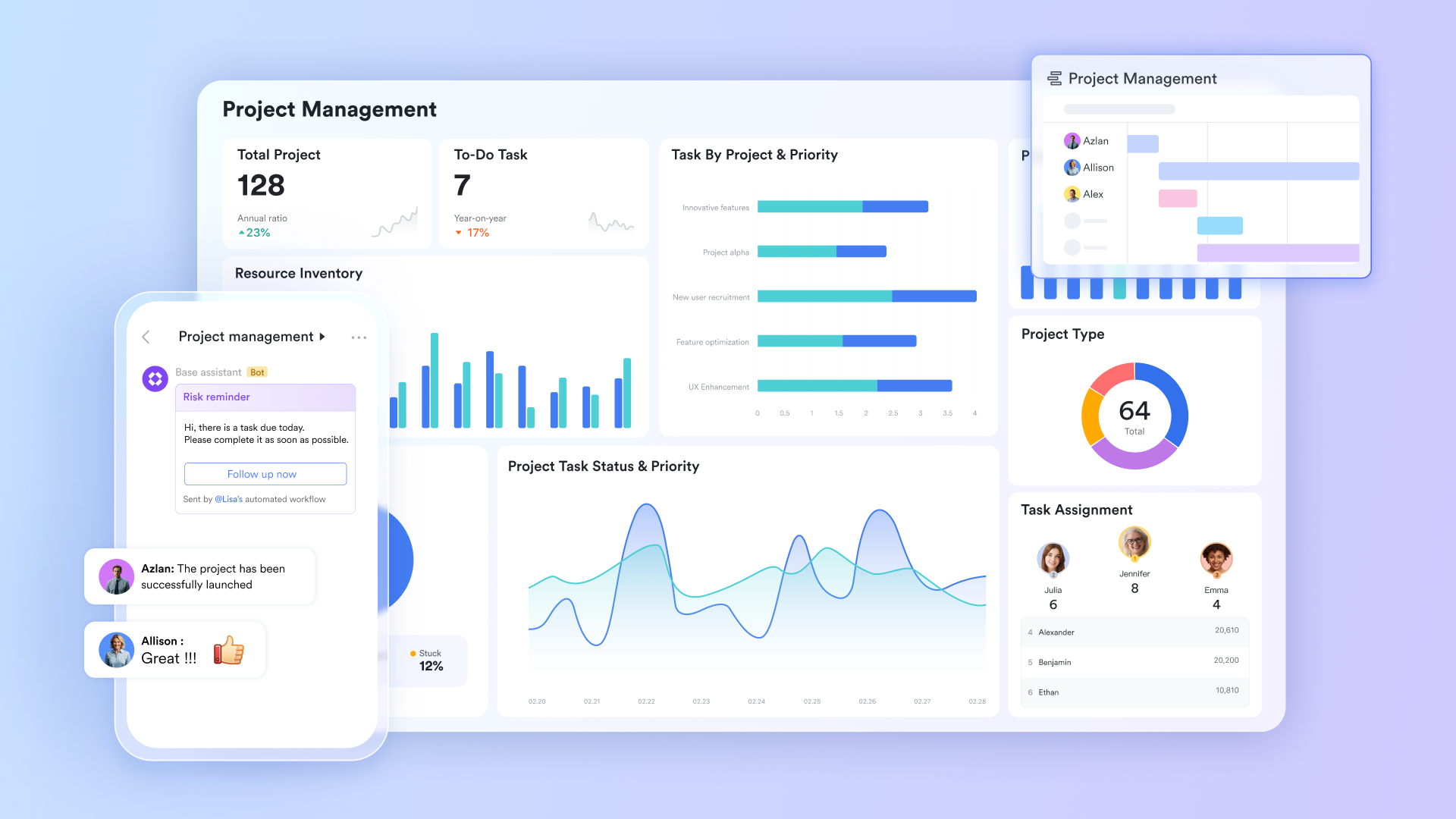
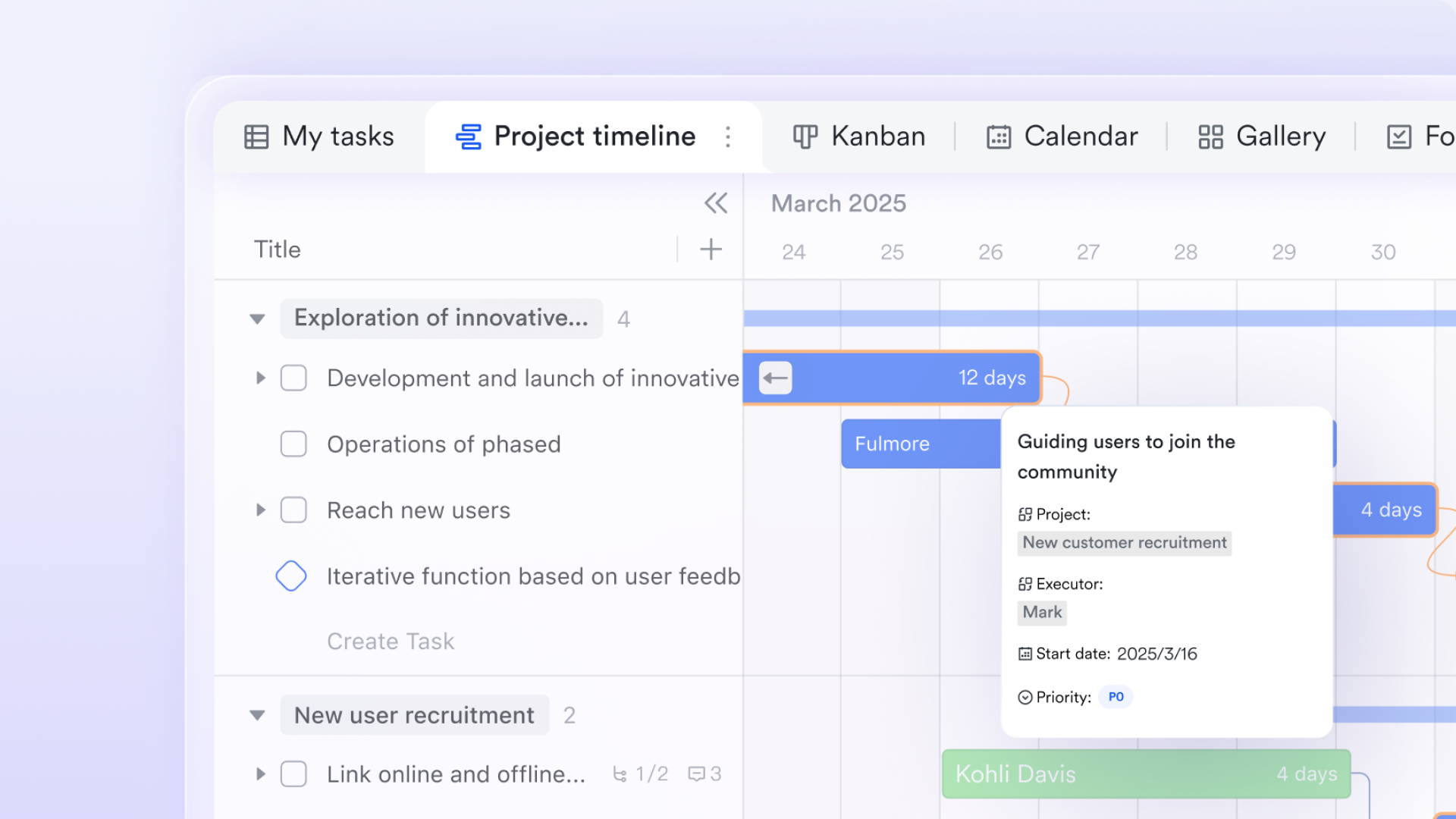
Flexible data modeling with Lark Base multiple views: serves as a powerful, customizable PIM backend where you can structure product attributes, variants, and relationships exactly as your catalog requires. Its standout feature is the ability to present the same dataset through multiple lenses: Use Grid view for bulk editing specs and attributes, Gallery view for merchandising teams to review product imagery visually, Kanban view to across stages, and Gantt view to align product launches with marketing campaigns. This ensures that everyone, from data entry clerks to brand managers, interacts with the single source of truth in the format best suited to their role.
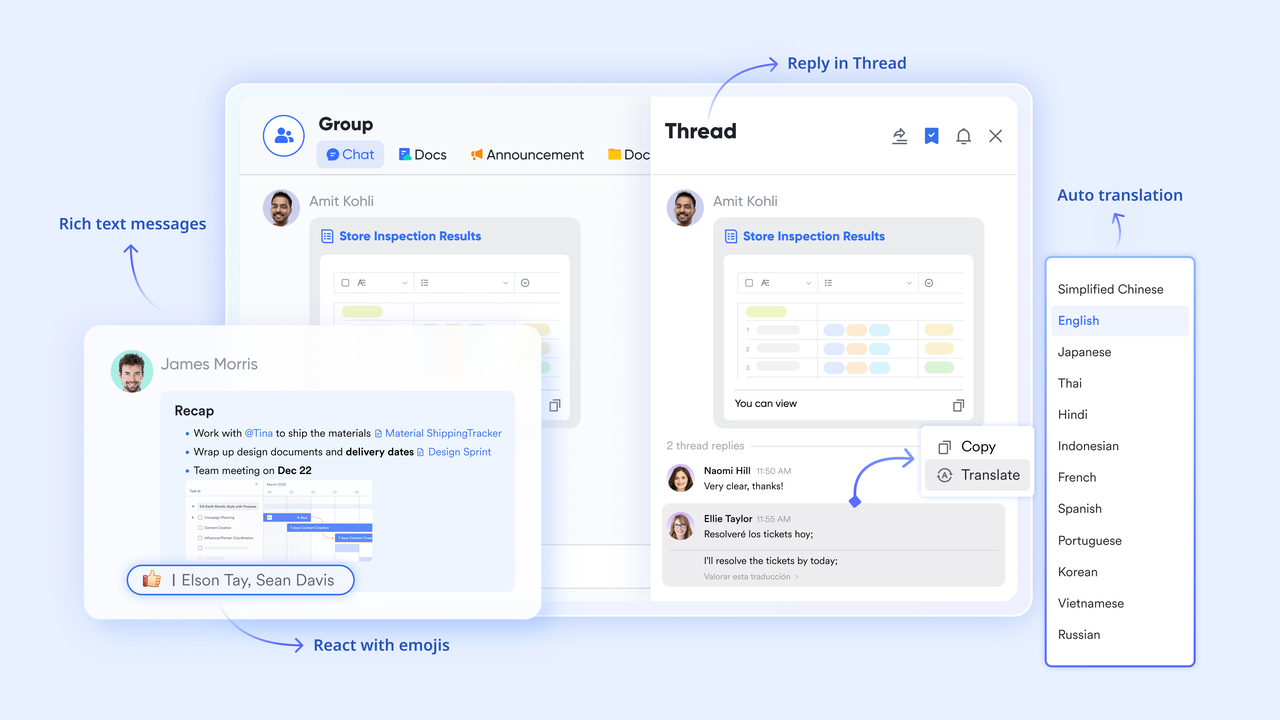
Contextual collaboration using : Data quality issues are often resolved faster through conversation than through tickets. Lark allows you to tag specific records or even individual data cells from Base directly into Lark Messenger chats. If a product description looks wrong or an asset is outdated, team members can discuss and resolve the issue in a focused thread linked to the data, preserving the context and decision history alongside the product record.
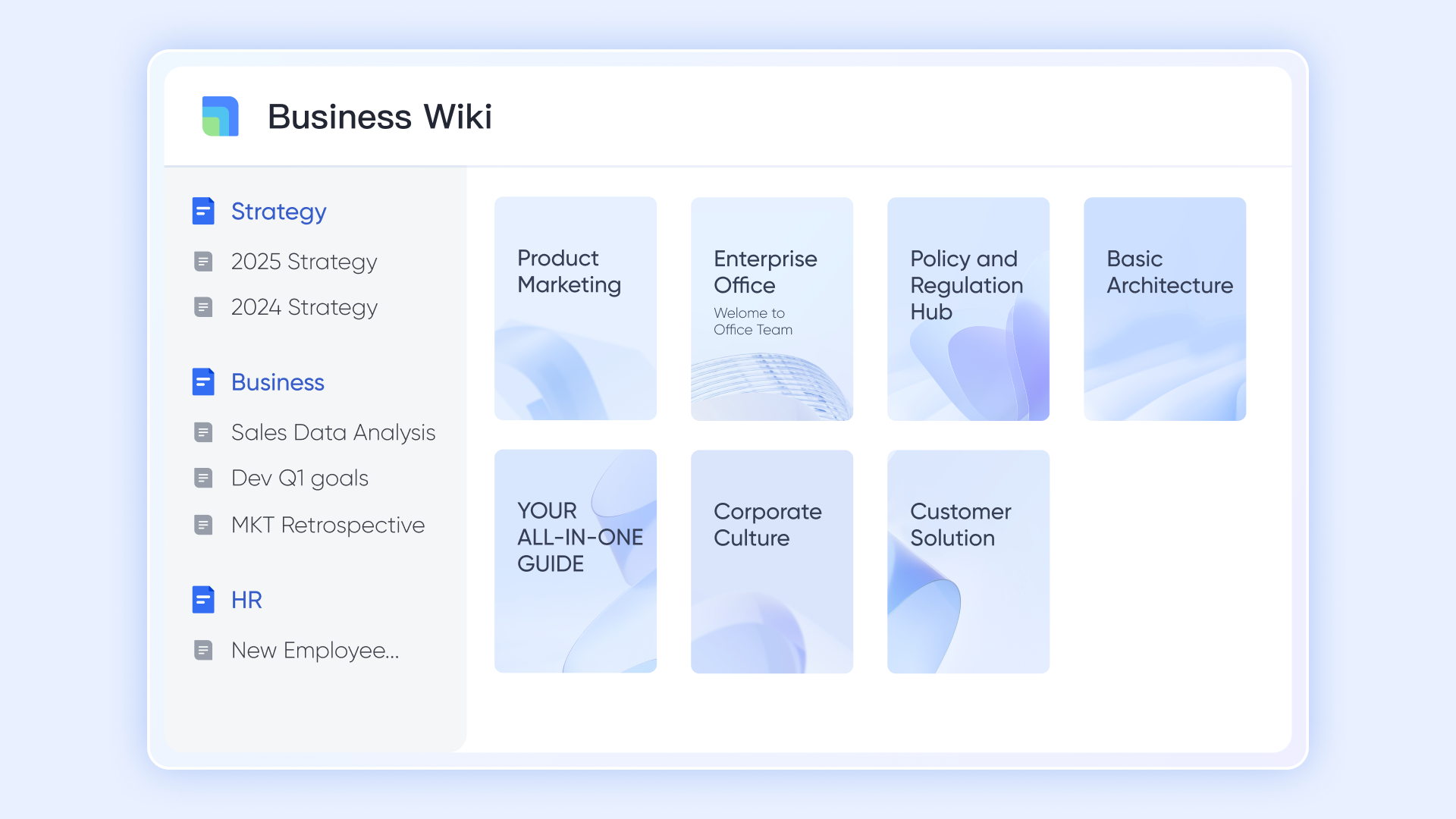
Centralized guidelines and taxonomy in : A strong PIM requires clear rules. Lark Wiki provides a dedicated space to host your taxonomy definitions, attribute dictionaries, and style guides. By linking these knowledge assets directly to your , you ensure that anyone enriching product data has immediate access to the latest standards and SOPs, reducing consistency errors and shortening the onboarding time for new team members.
Pros
- Rapid implementation: It can be configured quickly to standardize intake, approvals, and cross-team handoffs, allowing organizations to establish a governed product workflow without the months-long setup and high cost of enterprise PIM systems.
- Unified context: It combines structured tracking and collaboration in one place, which solves the "spreadsheet + chat" fragmentation problem where data lives in one tool but decisions happen in another.
- No-code automation: Its features reduce manual admin work by triggering notifications, updating status fields, or assigning tasks automatically when a product record changes or a form is submitted.
- Mobile-first approvals: The robust mobile app allows managers and stakeholders to review product assets, approve critical changes, and resolve blockers from anywhere, preventing the "bottleneck" delays common in desktop-only PIMs.
- Global searchability: A single search query retrieves the product record, the approval trail, the relevant chat discussions, and the style guide, making it easier to understand the full context behind a product decision.
Cons
- A little learning curve. Although user-friendly, new users may require time to adapt to its functionalities. But can assist users with potential problems.
:
- Starter plan: Free forever plan with 11 powerful tools for up to 20 users, 100GB storage, 1,000 automation runs, AI translations, and more. No credit card needed.
- Basic plan: $6/user/month (billed annually) for up to 500 users. Includes everything in Starter plus unlimited message history, 5TB storage, 1,000 automation runs, and more. Some users may need to to purchase.
- Pro plan: $12/user/month (billed annually) for up to 500 users. Includes everything in Basic plus group calling for up to 500 attendees, 15TB storage, 50,000 automation runs, and more.
- Enterprise plan: for custom pricing. Supports unlimited users and includes advanced automation, security, compliance, and management features.
For small teams with simple communication needs

18 months message history
1000 Base automation runs/month
2000 rows per table in Base
Most POPULAR
For companies with comprehensive collaboration and management needs
Unlimited message history
500-participant video meetings
50k Base automation runs/month
20k rows per table in Base
For large companies with advanced security and organizational management needs
Get a personalized demo and pricing
Unlimited message history
500-participant video meetings
15 TB storage + 30 GB storage/user
500k Base automation runs/month
50k Base automation runs/month
Most POPULAR
For companies with comprehensive collaboration and management needs
Unlimited message history
500-participant video meetings
50k Base automation runs/month
20k rows per table in Base
2. Monday.com: Best for PIM workflow tracking
Overview
Monday.com is a work management platform frequently used to run catalog operations when teams need visibility, accountability, and repeatable workflows across product, marketing, and ecommerce stakeholders. It excels at turning "who is doing what by when" into a shared system, especially for onboarding, enrichment backlogs, and channel readiness checklists. However, it is not a dedicated PIM, so it works best as the operational layer that orchestrates tasks and approvals while your product attributes, taxonomy, and publishable outputs live in a PIM or another structured system of record.
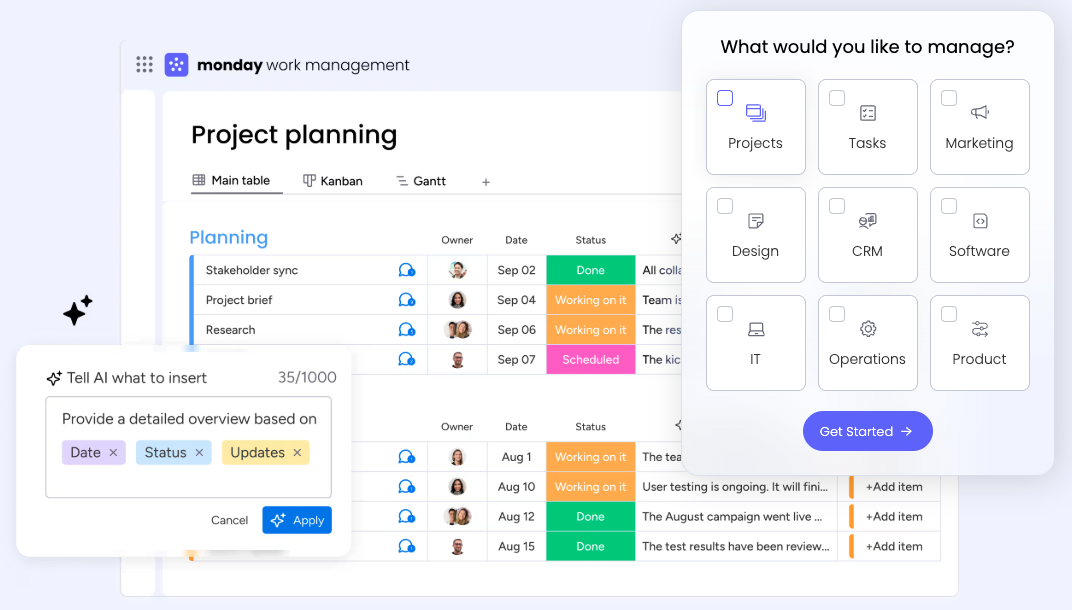
Image source: monday.com
Key features
- Boards with custom fields. Track product tasks and key fields needed for readiness in a structured, filterable way.
- Forms for intake. Capture supplier or internal requests and route them to the right workflow.
- Automations and notifications. Trigger assignments, reminders, and status changes to reduce manual follow-ups.
- Dashboards and reporting. Monitor bottlenecks, workload, and launch progress across teams.
- Integrations. Connect with common tools to keep status and files aligned across systems.
- Permissions and sharing controls. Limit who can edit versus review when multiple stakeholders are involved.
Pros
- It is straightforward for cross-functional teams to adopt for launch coordination and operational tracking.
- It provides strong visibility into status, ownership, and blockers without heavy technical work.
Cons
- It does not provide native PIM capabilities like taxonomy governance, validation rules, or channel syndication.
- It can become "another data copy" if teams try to store full product truth inside boards rather than linking to a source of record.
Pricing
It has a free plan, and the lowest paid plan is billed at $12/month per user.
3. ClickUp: Best for PIM task automation
Overview
ClickUp is a flexible work management tool that many teams use to coordinate product content production, enrichment tasks, and launch readiness across multiple channels. Its strength is configurability: you can model onboarding pipelines, change-control queues, and approval steps using tasks, statuses, and custom fields. For product information programs, ClickUp works best when you treat it as the workflow engine and documentation hub, while a dedicated product information management software system (or structured database) remains the authoritative source for attributes, variants, and publishable product records.
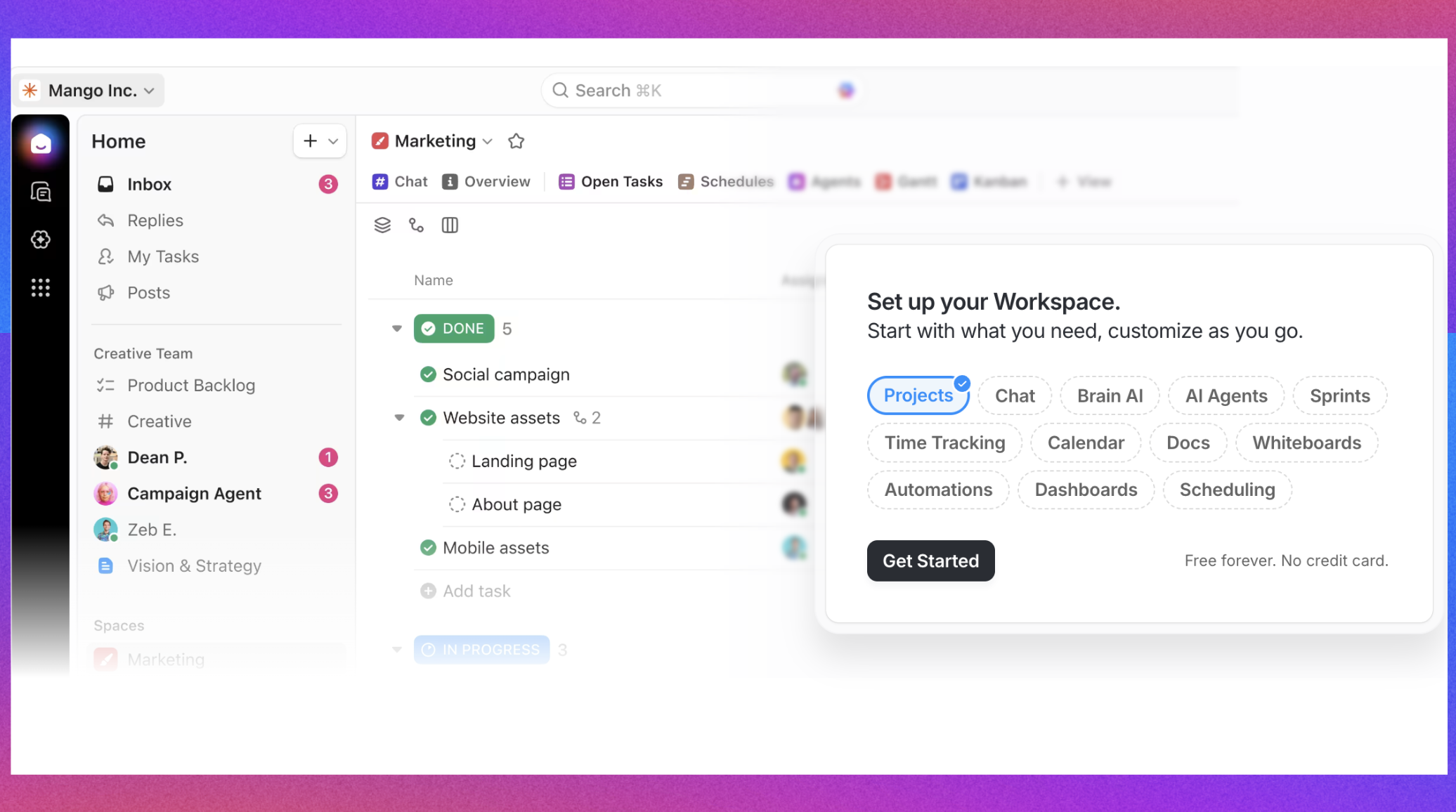
Image source: clickup.com
Key features
- Custom fields and views. Model key readiness fields and review work in list, board, or calendar-style views.
- Task templates and checklists. Standardize onboarding and change workflows so each product follows the same steps.
- Automations. Route work, escalate blockers, and reduce manual coordination during launches.
- Approvals and handoffs. Use statuses and assignments to formalize review cycles across teams.
- Dashboards. Track workload, cycle time, and bottlenecks for continuous improvement.
- Docs/knowledge features (where enabled). Keep taxonomy guidance and writing standards close to execution.
Pros
- It is highly configurable for teams that need different workflows by category, region, or channel.
- It can improve consistency by standardizing tasks, checklists, and review steps.
Cons
- It is not a PIM, so structured data governance and channel publishing typically require other systems or integrations.
- Over-customization can create inconsistent usage unless templates and rules are clearly governed.
Pricing
It has free plan, and the lowest paid plan is billed at $7/month per user.
4. Salsify: Best for PIM content syndication
Overview
Salsify is commonly used by brands that need to manage product content and distribute it across ecommerce destinations, retail partners, and marketplaces. It is often evaluated when teams struggle with channel-specific requirements and want a system that supports enrichment, readiness, and distribution workflows at scale. Salsify is generally positioned closer to dedicated product information management software than project tools, but successful adoption still depends on having clear standards for taxonomy, attribute definitions, and governance—especially when multiple internal and external stakeholders contribute to the same product record.
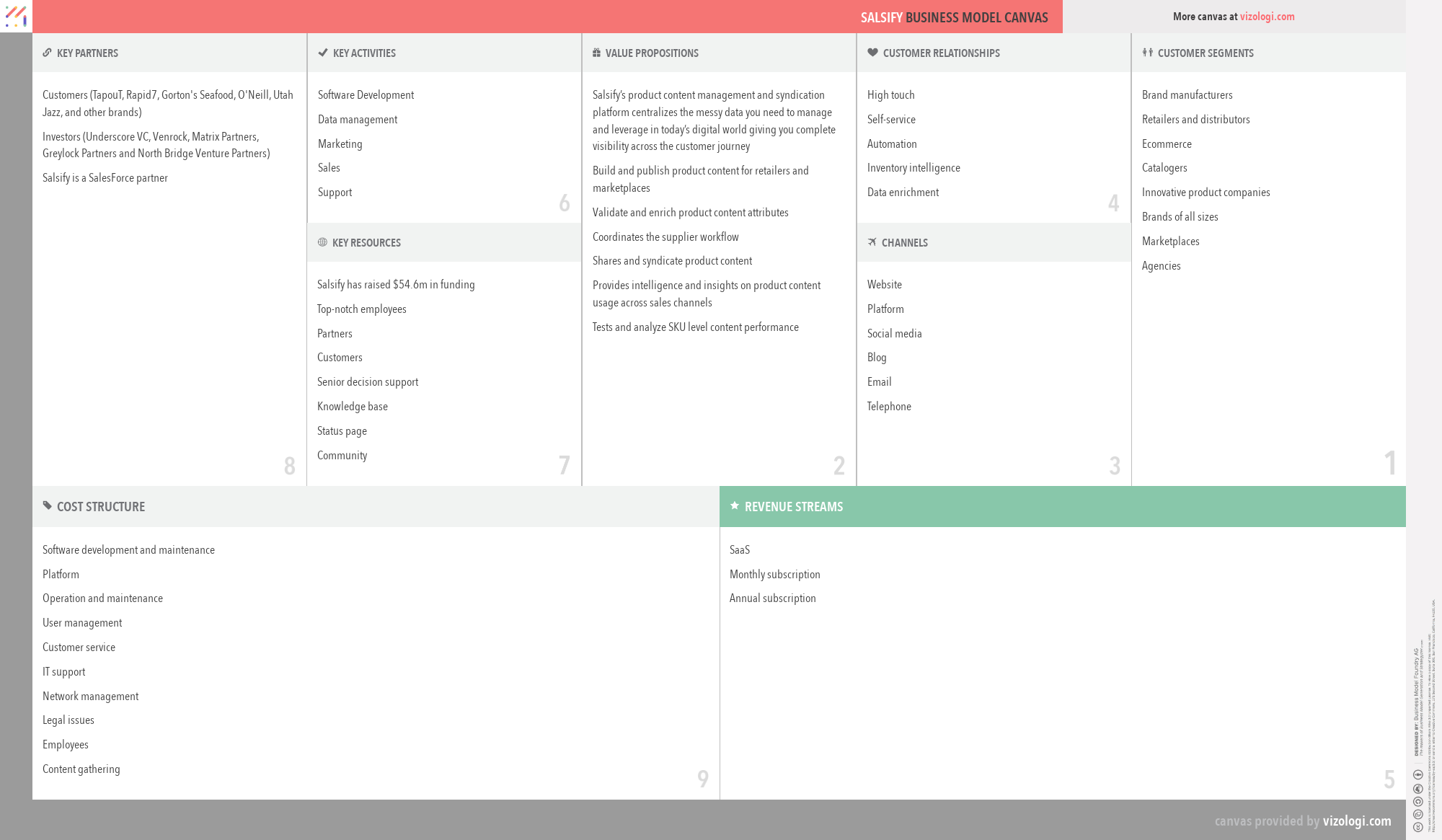
Image source: salsify.com
Key features
- Centralized product content management. Maintain product attributes and marketing content with structured governance.
- Channel readiness workflows. Support review cycles and completeness checks aligned to channel requirements.
- Syndication/distribution capabilities. Manage mappings and outputs for external destinations.
- Collaboration and roles. Coordinate edits and reviews across merchandising, marketing, and compliance stakeholders.
- Integration support. Connect upstream systems (like ERP/DAM) and downstream commerce endpoints depending on architecture.
- Content standardization. Encourage consistent naming, formatting, and field usage across product lines.
Pros
- It is oriented toward commerce distribution challenges and partner/channel requirements.
- It can help scale consistent product content across many destinations.
Cons
- It may be more than smaller teams need if requirements are simple or channel count is limited.
- Implementation scope can be significant, so ownership and operating process must be defined early.
Pricing
Its pricing plans are typically offered via quote-based subscriptions depending on scope and capabilities.
5. Inriver: Best for enterprise PIM governance
Overview
Inriver is an enterprise-grade PIM that is typically considered when organizations need strong product data governance across categories, regions, and business units. It is often relevant for complex catalogs with variant-heavy models, multiple languages, regulated attributes, and many stakeholders contributing to product records. inriver's value is strongest when teams need a governed, scalable approach to enrichment and publishing readiness, supported by clear workflows and ownership. As with most enterprise PIM programs, success depends on disciplined data modeling and integration design rather than tool features alone.
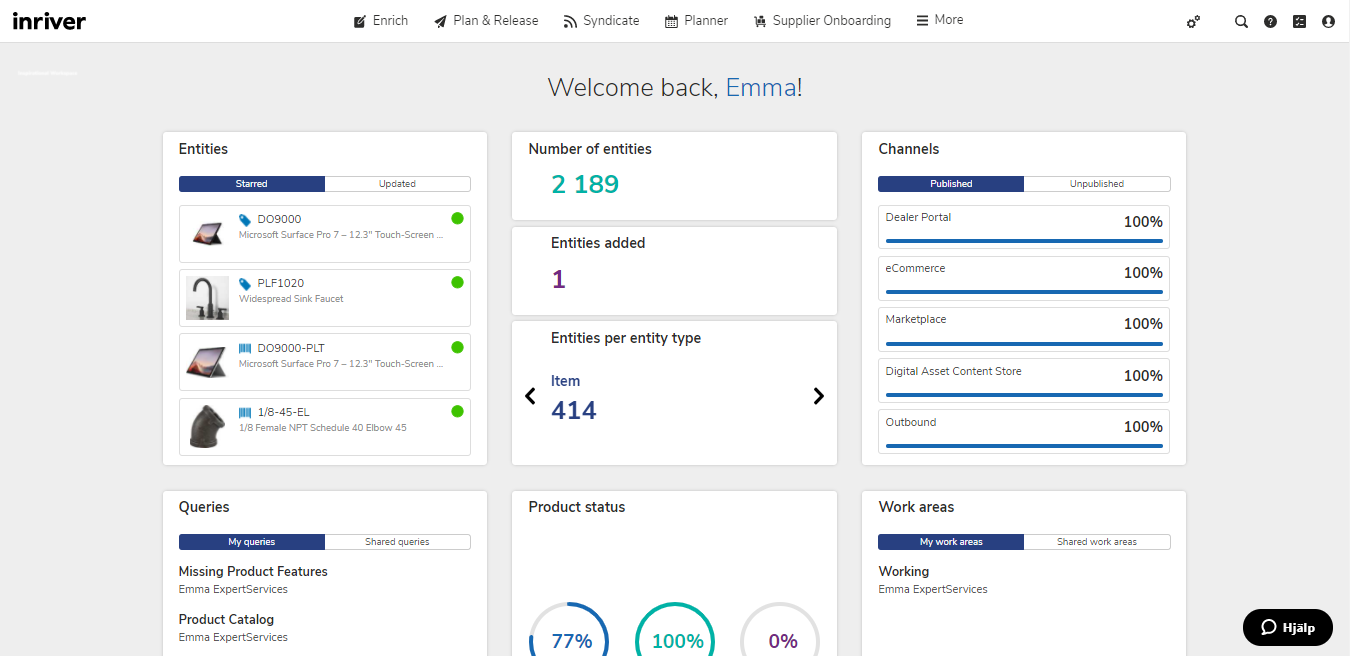
Image source: community.inriver.com
Key features
- Robust data modeling. Support complex product families, variant structures, and attribute governance.
- Workflow and approvals. Formalize enrichment and review processes across functions and regions.
- Governance controls. Enable permissioning and traceability for sensitive changes.
- Omnichannel readiness. Help prepare product records for multiple destinations and partner requirements.
- Integration patterns. Support connectivity to ERP, DAM, and commerce platforms via APIs/connectors depending on setup.
- Operational visibility. Provide ways to monitor readiness, progress, and exceptions.
Pros
- It can support complex, multi-team governance where product information needs strict control.
- It fits organizations that require scalable enrichment and consistency across regions and channels.
Cons
- It can require more implementation planning, change management, and ongoing administration than lighter tools.
- It may be less suitable for teams seeking a quick, lightweight setup without dedicated ownership.
Pricing
InRiver is typically offered via quote-based enterprise subscriptions.
6. Smartsheet: Best for spreadsheet-like PIM coordination
Overview
Smartsheet is often adopted by teams that want more structure than spreadsheets but still need a familiar grid-style way to manage product onboarding, content tasks, and approvals. It can function as an operational backbone for coordinating who owns which product, what's missing, and what is ready for launch—especially for teams transitioning away from email-driven processes. Smartsheet is not a dedicated product information management software system, so it generally works best for workflow, tracking, and approvals, while core product attributes and publishing outputs live in a PIM or another structured data layer.
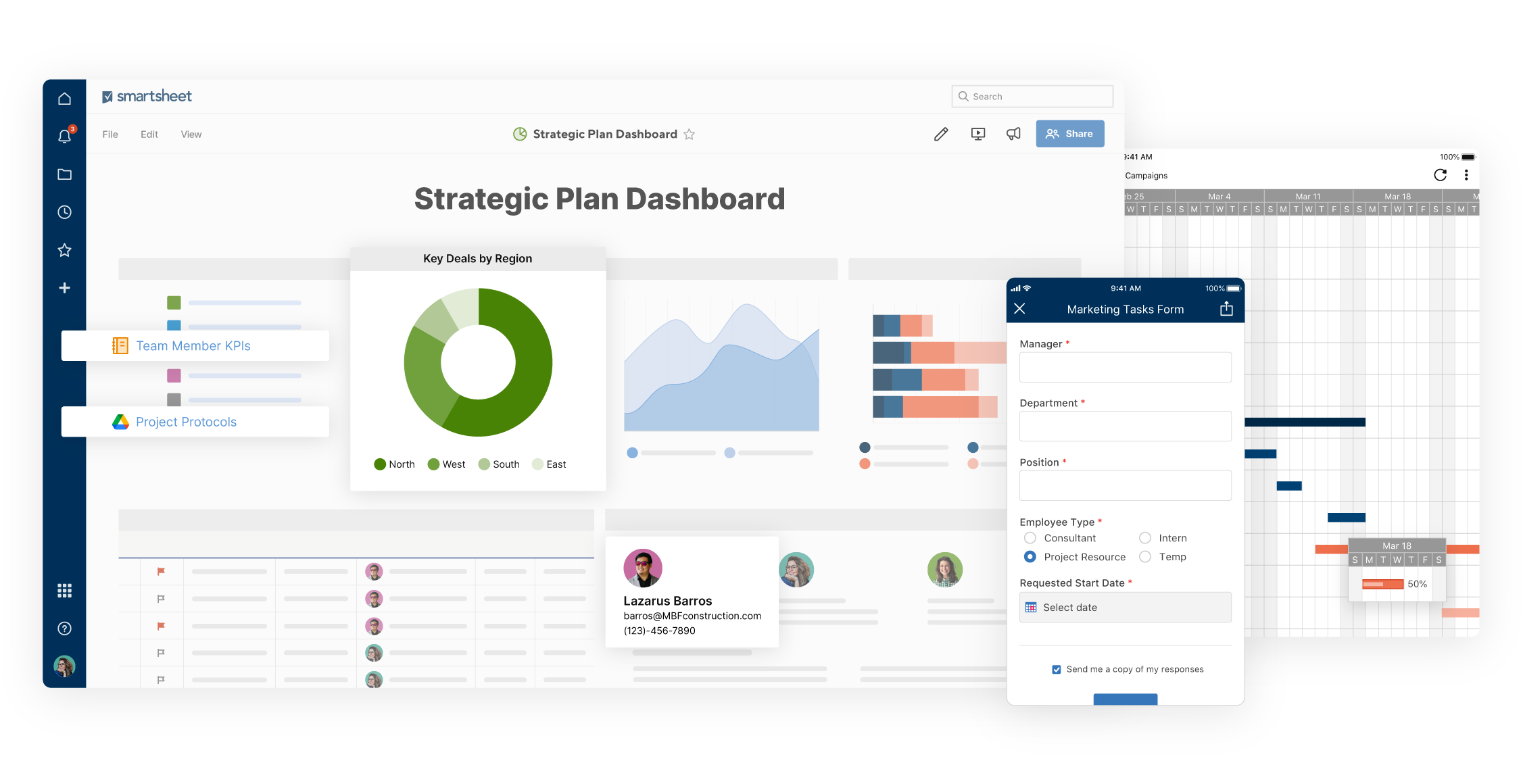
Image source: smartsheet.com
Key features
- Sheets, forms, and approvals. Capture intake, assign ownership, and route reviews with defined steps.
- Dashboards and reports. Provide roll-up visibility across launches, categories, and teams.
- Automation rules. Reduce manual follow-ups with reminders and status-driven routing.
- Collaboration controls. Manage sharing, comments, and approval decisions in context.
- Integrations. Connect to common apps to reduce duplicate entry and keep status aligned.
- Templates. Standardize onboarding and change workflows to reduce inconsistency.
Pros
- It is accessible for spreadsheet-native teams while adding structure, accountability, and approvals.
- It provides strong tracking and reporting for operational coordination.
Cons
- It does not replace a PIM's attribute governance, validation rules, and channel syndication capabilities.
- Without strong templates and ownership, teams can recreate "spreadsheet sprawl" in a different form.
Pricing
It offers multiple paid plans and its lowest plan is billed at $9/user/month.
7. Plytix: Best for SMB PIM catalog centralization
Overview
Plytix is a PIM-focused tool often evaluated by small to mid-sized teams moving from spreadsheets to a more centralized, governed product catalog. It is typically appealing when you need structured attributes, variant handling, and consistent product content without the heavier footprint of an enterprise PIM rollout. Plytix can help teams standardize product information and reduce channel inconsistency, especially when responsibilities are distributed across merchandising and marketing. As with any PIM, you'll still want to define taxonomy rules, readiness standards, and ownership so the system stays clean as the catalog grows.
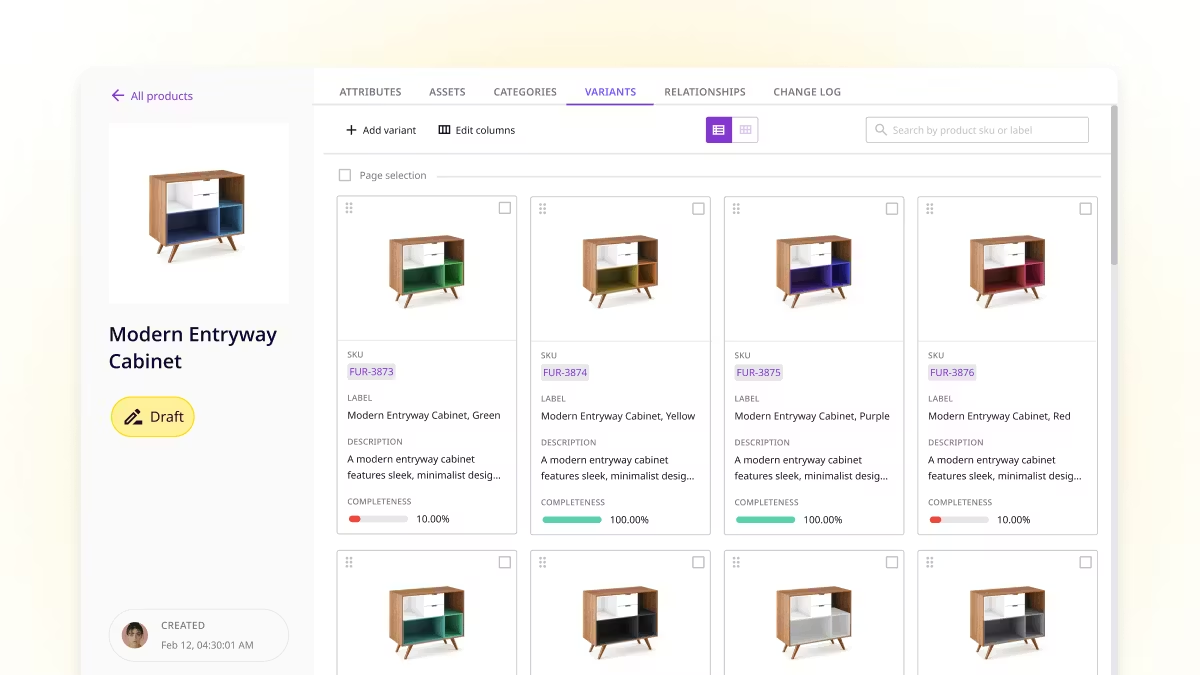
Image source: plytix.com
Key features
- Centralized catalog management. Maintain products, variants, and key attributes in a structured repository.
- Content enrichment support. Manage product copy fields and ensure listings are channel-ready.
- Media linking/management (depending on setup). Associate assets with product records in a controlled way.
- Exports and sharing. Support outputs for partners or channels based on your workflow.
- Collaboration workflows. Coordinate updates and reviews so changes are controlled.
- Standardization tools. Encourage consistent attribute usage and naming conventions.
Pros
- It can be approachable for teams that want dedicated PIM capabilities without an enterprise-scale implementation.
- It can improve consistency by centralizing product content and variant management.
Cons
- Highly complex governance, integrations, or multi-region enterprise requirements may need careful validation.
- Some advanced syndication or partner-specific needs may require additional tools or integration work.
Pricing
Plytix is typically subscription-based, with plan options depending on packaging.
8. Asana: Best for PIM launch project management
Overview
Asana is a project and work management platform that can be effective for coordinating product content initiatives, launch planning, and cross-functional approvals—particularly when product updates behave like projects with milestones and dependencies. It is commonly used alongside product information management software rather than as a replacement: Asana keeps teams aligned on tasks, timelines, and handoffs, while the PIM remains the authoritative source for structured product attributes, variants, and channel-ready data. This pairing can be especially helpful when multiple stakeholders contribute to each launch and you want fewer missed handoffs.

Image source: asana.com
Key features
- Projects, tasks, and dependencies. Model onboarding and launch workflows with clear ownership and sequencing.
- Templates. Standardize recurring processes for product launches, updates, and localization cycles.
- Rules and automation. Reduce manual routing and follow-ups during reviews and handoffs.
- Approvals and collaboration. Centralize feedback, decisions, and accountability in context.
- Reporting visibility. Track progress and identify bottlenecks across teams and initiatives.
- Integrations. Connect to common tools so work status aligns with documentation and communication.
Pros
- It is strong for cross-functional coordination when product work requires structured project execution.
- It helps reduce missed handoffs and improves predictability for launches and updates.
Cons
- It is not product information management software, so it will not provide attribute validation, taxonomy governance, or syndication.
- Teams still need a structured system of record for product truth to avoid duplicating data in tasks.
Pricing
It has a free plan, and the lowest paid plan is billed at $10.99/month per user.
Eager to get more features but spend less?
Benefits of product information management software for e-commerce and B2B teams
The value of product information management software is not just better organization — it's measurable operational clarity. When product records are structured, governed, and publishable, teams spend less time chasing the "latest version" and more time improving the customer experience.
Faster time-to-market through fewer handoffs and clearer ownership
When ownership is defined and the workflow is built into the system, launches stop relying on heroic coordination.
- Teams move faster because tasks and responsibilities are explicit, and product records don't stall in ambiguous "waiting for feedback" states.
- Launches become repeatable because the same readiness rules and approval paths can be applied to the next category or channel without starting from scratch.
Better data quality that reduces returns and support tickets
Even small inconsistencies can have an outsized impact, especially in technical categories and catalogs where buyers depend on precise specs.
- Accuracy improves because validation rules catch conflicts early, and edits are made against a structured record rather than copied across multiple documents.
- Completeness improves because readiness is defined by required attributes and channel constraints, not by individual memory or tribal knowledge.
- Consistency improves because taxonomy and attribute standards reduce duplicate meanings and prevent subtle drift across channels.
Omnichannel consistency at scale, including localization
Omnichannel doesn't just mean "more places to sell." It means more formats, more requirements, and more opportunities for discrepancies.
- Product information management software helps keep core facts aligned while still allowing channel-specific optimization where it's needed.
- Localization becomes manageable because translations and regional variants are attached to the same governed product structure, rather than treated as separate content projects.
Stronger governance: Approvals, audit trails, and controlled changes
As catalogs grow, risk grows too—especially when regulated claims, safety information, or contractual partner requirements are involved.
- because sensitive changes are reviewed by the right stakeholders before publishing.
- Audit trails support accountability because you can see what changed, who approved it, and what version is live where.
- Controlled changes reduce churn because teams stop overwriting one another's work and can coordinate updates intentionally.
Clear KPIs: Making product content operations measurable
A mature PIM approach turns "we're busy" into "we're improving."
- Time-to-publish becomes clearer because you can see where records stall (intake, enrichment, approval, or publishing).
- Completeness by channel becomes trackable because readiness rules can be measured consistently.
- Validation failure rate becomes actionable because failures point directly to missing fields, broken standards, or upstream issues.
Unlock all these benefits in an all-in-one tool
Product information management software vs ERP vs MDM vs CRM: How to avoid overlap and gaps
The quickest way to make product information management software succeed is to define what it owns and what it references. This is also where many "PIM vs product data management software" debates come from: some organizations use the term broadly, but the operating principle is the same—avoid duplicate ownership and unclear truth.
PIM vs ERP: Channel-ready product information vs transactional truth
ERP is typically the system of record for operational facts like order processing and financial/transactional integrity, while product information management software is designed for channel-ready product content.
- should remain the source of truth for data that must reconcile financially and operationally, such as core item identifiers and transactional constraints.
- PIM should own the enrichment layer, such as customer-facing titles, bullets, long descriptions, and channel-specific attribute formatting, because that content changes frequently and needs governance.
- A clean setup prevents teams from "editing in ERP" just to fix a listing problem, which often creates downstream inconsistencies.
PIM vs MDM: Cross-domain mastering vs product experience depth
MDM () is usually about mastering multiple domains (product, customer, supplier, location) and enforcing enterprise-wide governance, while PIM focuses on the depth and usability of product information for selling.
- MDM is a good fit when you need strict enterprise mastering rules and consistent identifiers across many domains.
- PIM is a good fit when you need rich product experience management, channel templates, and content operations that move fast.
- If you already run MDM, you can treat PIM as the place where mastered product facts become shoppable, localized, and publishable.
PIM vs CRM: Customers vs products (why teams confuse them)
is built for customer relationships, not product truth, but the confusion is common because sales teams often maintain "the catalog" in CRM.
- CRM should own customer-specific views, such as account-level pricing notes, deal context, and pipeline activity.
- PIM should own standardized product facts and approved messaging, so sales enablement materials stay consistent and current.
- For B2B, the integration point is typically: PIM provides product truth → CRM surfaces it in a sales-friendly way.
Conclusion
Product information management software works best when you treat it as an operating system for product content, not a one-time data project. Begin by defining a clear product data model (taxonomy, attributes, variants), then lock in governance so every change has an owner, a review path, and an auditable outcome. Next, connect PIM to the systems that supply truth (like ERP and DAM) and the channels that consume it, so publishing becomes repeatable rather than manual. Finally, keep improving with weekly checks on channel completeness, time-to-publish, and validation issues. To keep day-to-day coordination tight, you can use tools like to manage intake, approvals, and cross-team handoffs around your PIM workflows.
Begin your PIM trip from Lark
FAQs
What is product information management software?
A PIM centralizes and governs product data (attributes, variants, taxonomy, media links, copy) so it stays accurate and publish-ready across channels. Unlike spreadsheets or project tools, it adds validation, approvals, audit trails, and repeatable exports/integrations.
What are some examples of PIM software?
Dedicated PIM: Salsify, Inriver, Plytix, Akeneo. They handle data modeling and syndication well but can be heavier to implement. Work-management tools like monday.com, Asana, ClickUp, Smartsheet help coordination but lack strong product data governance; Lark is great for intake/workflows around PIM.
Is PIM the same as ERP?
No. ERP focuses on operational truth (orders, inventory, pricing, finance). PIM focuses on channel-ready product content and structure. ERPs often store product masters, but they're typically weak at rich content, taxonomy governance, and marketplace-specific readiness.
What is the difference between a CRM and a PIM?
CRM manages customer accounts, deals, and interactions. PIM manages product data used for listings, catalogs, and partner feeds. CRMs may store "products" for quoting, but they're usually not built for variants, taxonomy, rich content, or multi-channel publishing.
How can Lark help if I don't have a full PIM yet?
Lark can streamline supplier intake, data cleanup workflows, task routing, and approvals using forms, databases, and automations. It's more flexible than many project tools, though it won't match dedicated PIMs for deep syndication and channel mappings.
Related reading



















