














The 14 Best Event Planning Tools to Run Flawless Events

Owyn Thomas Kerr
Lark Content Manager
Sep 18, 2026
Owyn Thomas Kerr
Sep 18, 2026

10 min read


Looking for an event planning tool? The right tools can help you save time, automate tasks, and hit your goals. Great events don’t happen by chance; they happen with careful planning and smart software.
Drawing on my event planning experience, I’ve compiled the 14 best tools to ensure your next event runs smoothly. Here are the top options by category:
- Lark: The best all-in-one event management solution for every event
- Eventbrite: The best event planning tool for registration and ticketing
- Asana: The best event planning tool that combines project management
- Marketo: The best event tool for marketing and communication
- Poll Everywhere: The best event tool for engagement and interaction

What are event planning tools?
Event planning tools are specialized software applications that streamline the entire event lifecycle, from initial concept to post-event analysis. They are designed to automate manual administrative tasks—like attendee registration, ticket sales, venue management, and communication—so organizers can focus on creating memorable experiences.
Types of event planning tools
When selecting tools for event management, you generally choose between two main approaches: a single comprehensive system or a collection of specialized apps:
- All-in-one event management software: These are powerful, single-system solutions that handle the entire event lifecycle. They seamlessly bundle multiple project management tools like registration, check-in, event apps, email marketing, and analytics into one integrated platform.
- Specialized event tools: These are focused applications designed to do one job extremely well. Event planners will often use several of these tools together, integrating them as needed to build a custom solution.
Because of this, I've listed the best event planning solutions based on the category they fit.
Most event teams end up managing webinars, field events, and conferences in separate tools, which means duplicate work, manually reconciling data, and rebuilding branding from scratch for each event. Zuddl is built as a single system across all event types, so branding set once carries everywhere, attendee and performance data is visible across the whole event program, and teams aren't re-entering the same information across disconnected tools. For teams running multiple event formats, that consistency compounds quickly
The best event planning tools at a glance
Here are my top picks for the best event planning tools based on category type, review score, and whether they offer a free plan.
All-in-one event management software
Event management used to mean juggling separate tools for registration, emails, team communication, and attendee apps. All-in-one event platforms solve this by centralizing every core task into a single, connected solution.
1. Lark: Best all-in-one event management platform for any event
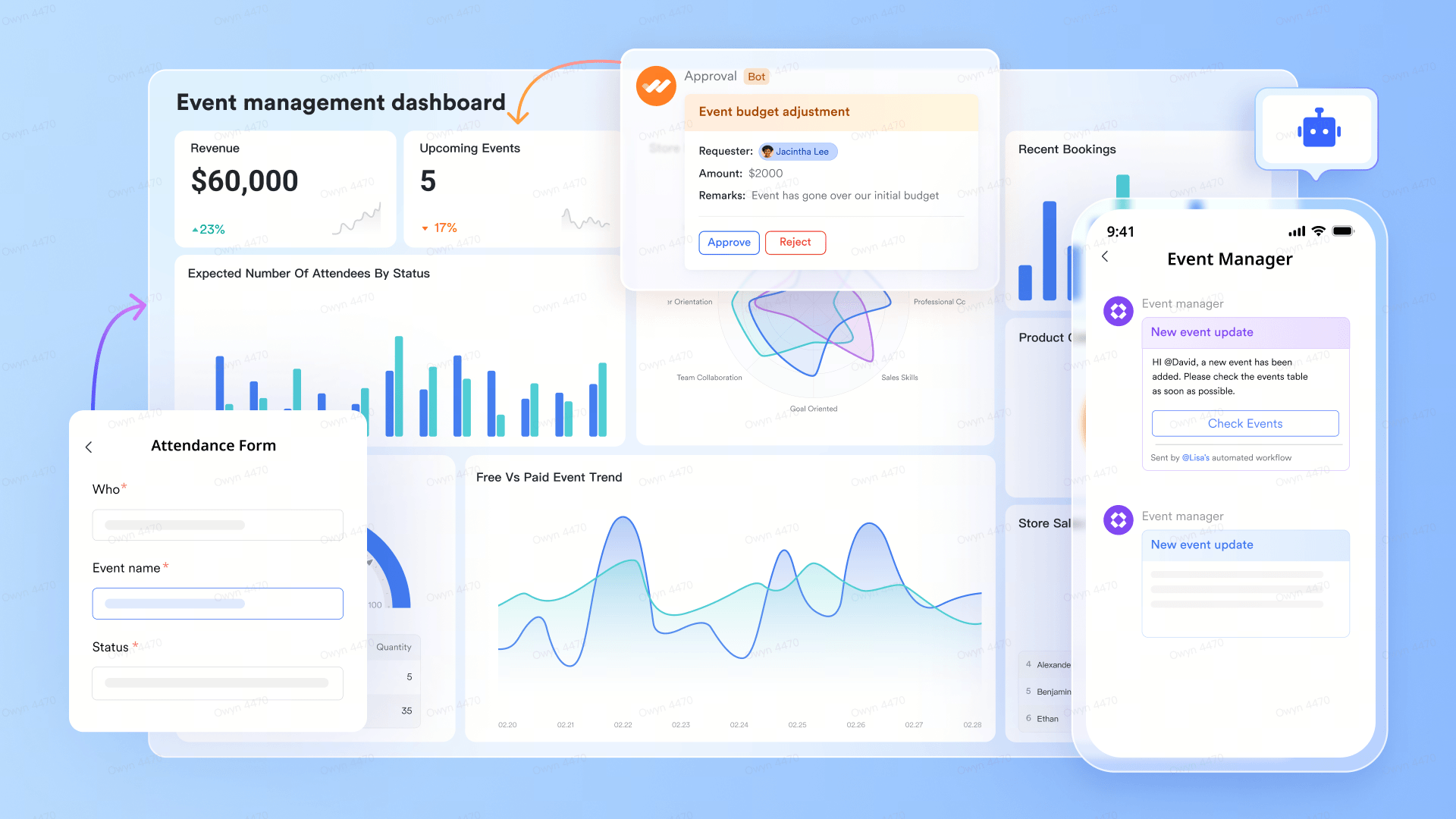
As the ultimate all-in-one event management solution, Lark helps teams plan, coordinate, and execute events seamlessly. Many teams rely on multiple apps for scheduling, communication, task tracking, and document sharing—often leading to miscommunication and delays. With Lark, every aspect of your event, from initial concept to post-event wrap-up, happens in a single connected workspace.
Lark makes it easy to book conference rooms for in-person meetings or host fully virtual events, keeping your team connected wherever they are. Once your event is underway, AI summarizes discussions, automations handle reminders for attendees not present, while real-time syncing across chats, docs, and calendars ensures your team stays aligned.
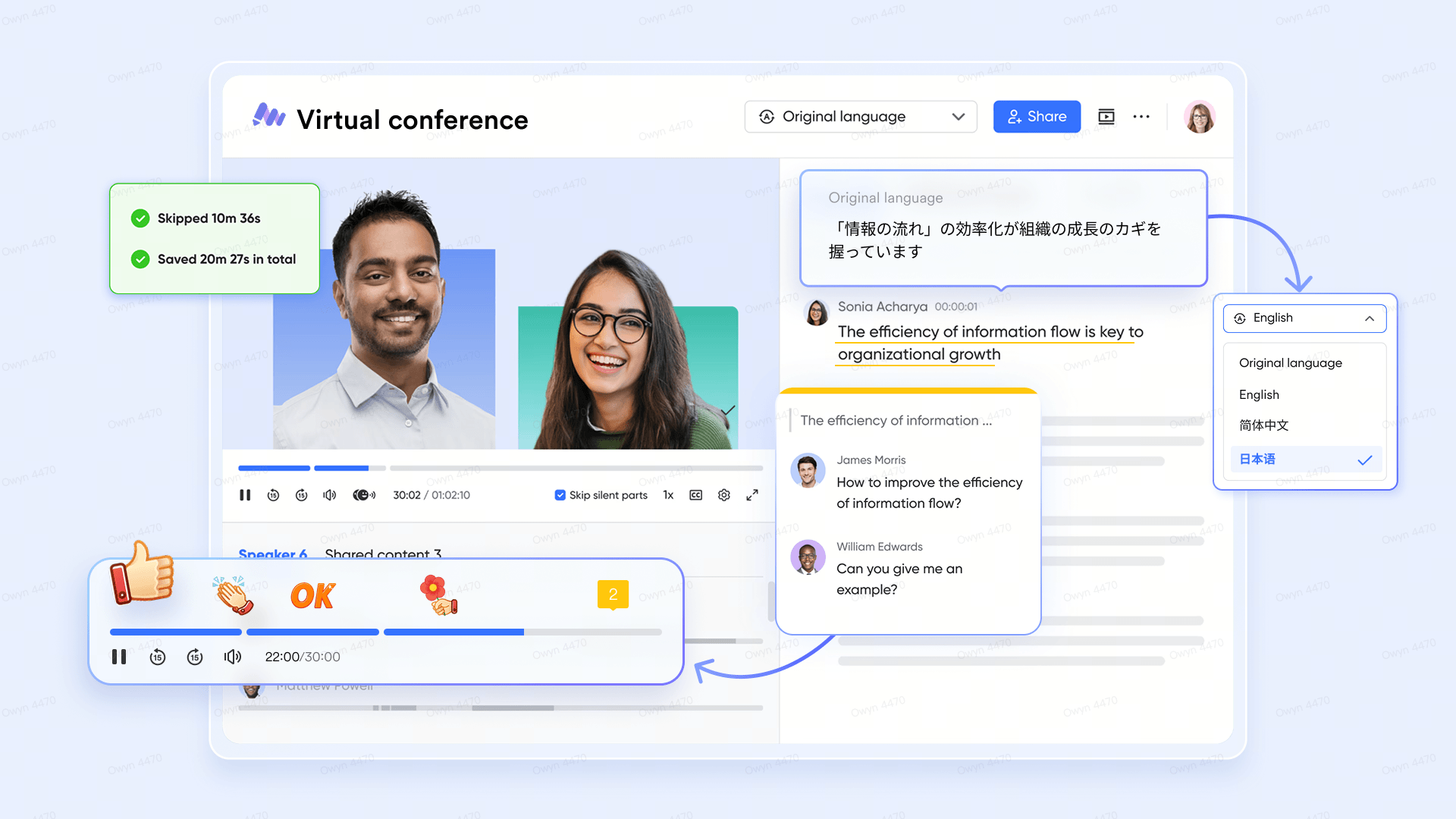
From day-to-day coordination to high-level tracking, Lark is ideal for companies, marketing teams, and event planners looking to simplify workflows while maintaining control over complex events.
Benefits of Lark
- Combines event planning, communication, document sharing, approvals, CRM, and more in one platform.
- Adapts to different event workflows, from marketing campaigns to corporate workshops.
- Reduces manual work with easy-to-set-up automations—no IT support or coding required.
- Includes top AI tools for event planning, execution, and analytics.
- A mobile app that ensures teams stay connected on the go, tracking progress and collaborating in real time.
- Allows planners to book conference rooms or hold virtual events instantly.
- Free event templates help you launch events fast, from campaigns to conferences.
- Consolidates tools, cutting software costs—teams of 100 can save $25,200 or more by switching to Lark.
Lark pricing:
- Starter plan: Free forever plan that includes 11 powerful tools for up to 20 users. It also comes with 100GB of storage, 1000 automation runs, AI translations, and more. This makes Lark one of the best free event planning tools on the market.
- Pro plan: $12/user/month (billed annually) for up to 500 users. It includes everything in Starter plus group calling for up to 500 attendees, 15TB of storage, 50,000 automation runs, and more.
- Enterprise plan: Contact sales for custom pricing. Supports unlimited users and includes even more automation runs and advanced security, compliance, and management features.
2. Cvent: Best for complex events needing an all-in-one solution
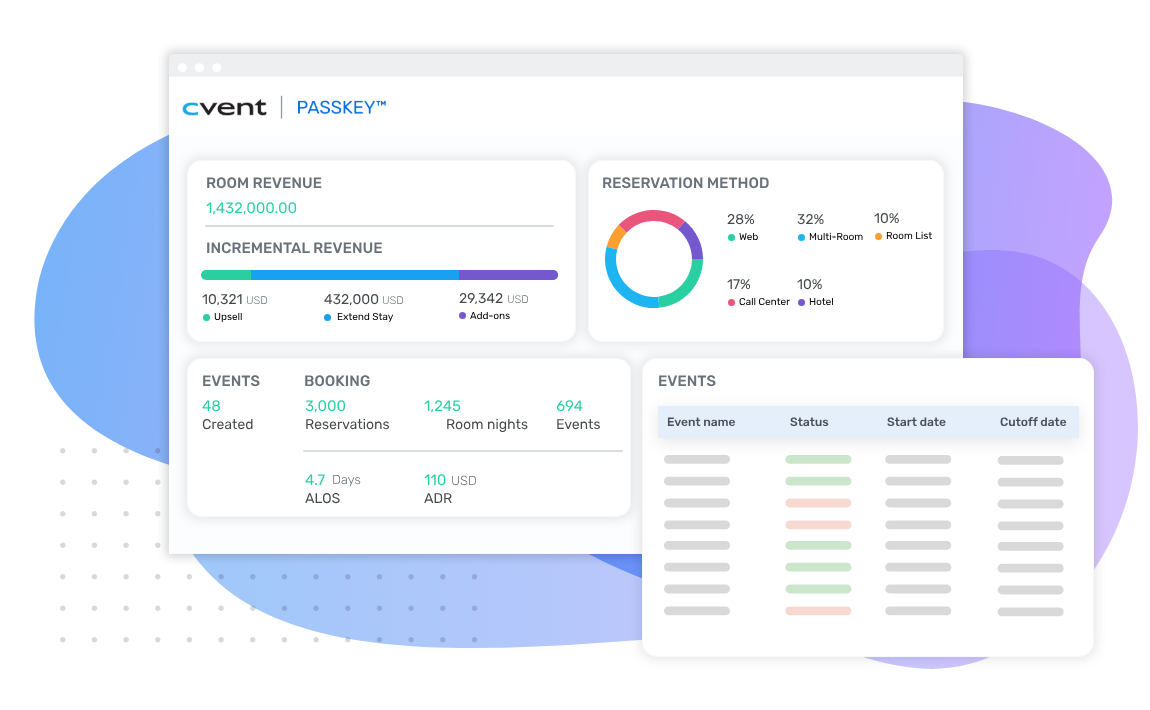
Image source: cvent.com
Cvent is a leading all-in-one event management platform built for large-scale, complex events, corporate meetings, and major conferences. It combines robust planning tools with advanced data management to ensure seamless execution and accurate tracking.
Cvent is ideal for enterprises and professional planners who require precision, flexibility, and scalability for multi-day or high-attendance events.
Benefits of Cvent:
- Handle attendee registration, speaker and exhibitor management, session scheduling, and on-site logistics in one platform.
- Gain deep insights into attendees, exhibitors, and leads with robust data tracking and reporting.
- Use the Cvent mobile app to engage participants with schedules, networking features, and real-time updates.
- The OnArrival system enables fast, accurate check-ins, badging, and attendee tracking.
- Supports complex event workflows, large audiences, and multi-day conferences seamlessly.
Cvent pricing:
- Cvent pricing is customized based on event size and requirements. You can contact Cvent’s sales team for a tailored quote.
Event planning tools for registration and ticketing
Now let's move on to specialized registration and ticketing tools. The right registration and ticketing system is the foundation of any successful event and also crucial for event lead capture, helping organizers collect attendee information efficiently.
1. Eventbrite: Best for small events and first-time organizers
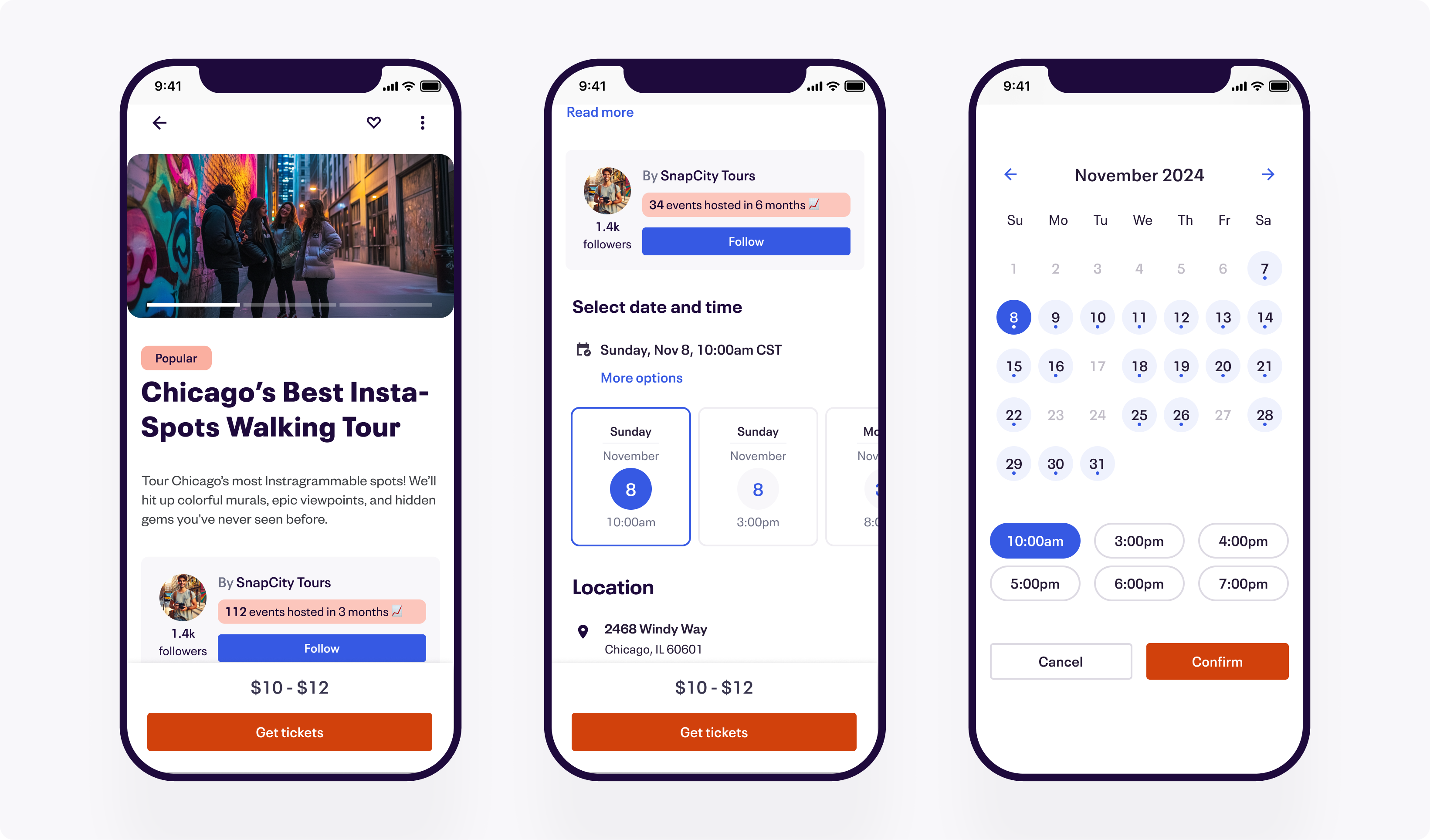
Image source: eventbrite.com
Eventbrite is a widely used, beginner-friendly event management platform that helps organizers quickly set up and promote events. Its intuitive interface, ticketing system, and strong social media integration make it easy to reach audiences and manage attendance.
Eventbrite is ideal for small gatherings, community events, workshops, and test events where simplicity and speed are key.
Benefits of Eventbrite:
- Easy setup for small gatherings and test events
- Built-in tools for sharing events on social media.
- Supports ticketing, RSVPs, and basic attendee management.
- Accessible for first-time organizers with minimal learning curve.
Eventbrite pricing:
- A free plan is available. Custom pricing for advanced features is available upon request.
2. Regpack: Best for large conferences or complex events
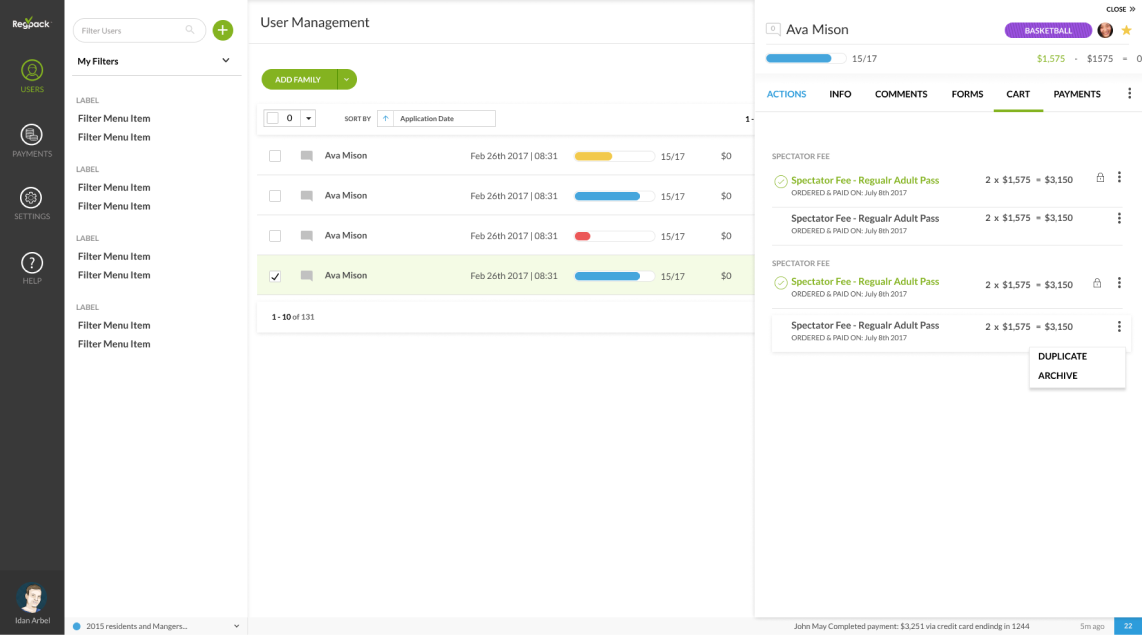
Image source: regpack.com
Regpack is a powerful event management platform tailored for events with complex registration needs. Its advanced conditional logic allows organizers to customize registration flows, handle multi-step processes, and ensure data accuracy.
Regpack is perfect for large conferences, corporate events, or any event requiring detailed attendee tracking and workflow automation.
Benefits of Regpack:
- Advanced conditional logic for tailored registration experiences.
- Efficiently manages large-scale events or multi-step registrations.
- Streamlines attendee data collection and tracking.
- Reduces administrative burden with automated workflows.
Regpack pricing:
- Plans start at $125/month plus a 1.5% payment processing fee.
3. TicketStripe: Best for lower service costs and custom seating charts
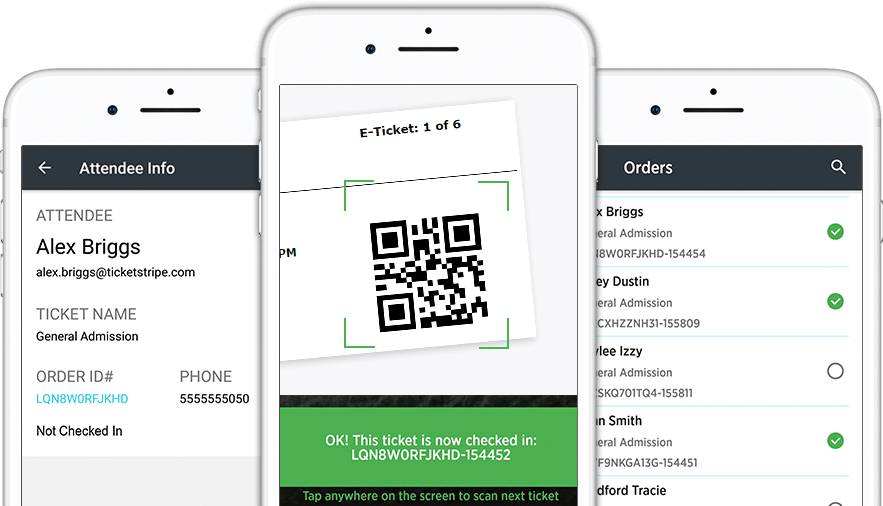
Image source: ticketstripe.com
TicketStripe is a ticketing platform designed for organizers who want predictable fees and customizable seating arrangements. It’s ideal for live events where cost transparency, professional branding, and precise seat management are priorities.
TicketStripe works well for theaters, concerts, workshops, and any event that benefits from white-label ticketing and clear cost structures.
Benefits of TicketStripe:
- Predictable fee structure
- Custom seating charts for in-person events.
- White-label branding for a professional experience.
- Often lower overall costs than percentage-only platforms, especially for high-value tickets.
TicketStripe pricing:
- $0.99 + 2% per ticket, no hidden fees.
4. Give Lively: Best for non-profit organizations focused on fundraising
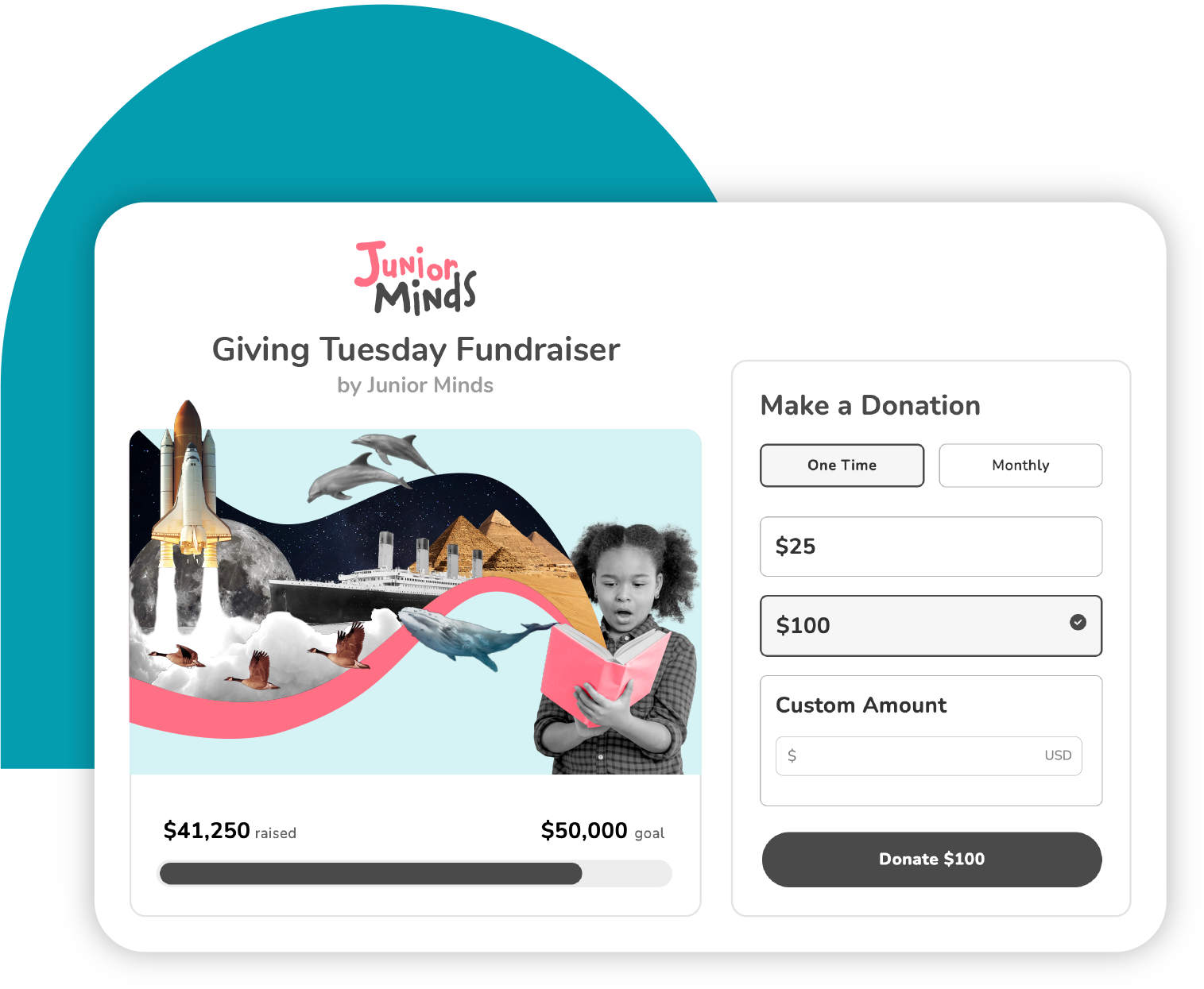
Image source: givelively.com
Give Lively is a nonprofit-focused fundraising and event platform that eliminates platform fees, allowing organizations to maximize revenue from donations and ticket sales.
It’s ideal for benefit galas, charity events, fundraisers, and any scenario where every dollar counts. The platform supports ticketing, donation collection, and promotion, all while keeping costs minimal.
Benefits of Give Lively:
- Free service for nonprofits (only credit card processing fees apply).
- Supports ticketing, donations, and event promotion.
- Ideal for fundraising campaigns, benefit galas, and charity events.
- Maximizes revenue by eliminating platform fees.
Give Lively pricing:
- Free for nonprofit organizations; only standard credit card processing fees apply.
5. EventBookings: Best for low-fee event ticketing and management

Image source: eventbookings.com
EventBookings is a low-fee event ticketing and management platform designed to help organizers create, promote, and manage events with ease. It supports everything from small community gatherings to large conferences, offering flexible tools for ticketing, registrations, and attendee engagement.
EventBookings is ideal for organizers who want full control over branding, transparent pricing, and a scalable solution that grows with their events.
Benefits of EventBookings:
- Flexible ticketing options including free, paid, donation-based, and group tickets.
- Customizable event pages with full branding control.
- Secure online payments with multiple payment gateway integrations.
- Built-in promotional tools such as discount codes and email communications.
- Real-time reporting and attendee management dashboard.
- On-site check-in tools for smooth event entry and attendance tracking.
- Suitable for in-person, virtual, and hybrid events.
EventBookings pricing:
- EventBookings offers competitive and transparent pricing with no hidden fees. Custom pricing for large-scale or enterprise events is available upon request.
Event planning tools that combine project management
The planning and execution phase is where the real work happens. You need tools to track tasks, deadlines, and coordinate your team. These project management systems keep your event prep organized and on track.
1. Asana: Best for teams that need timelines and milestone tracking
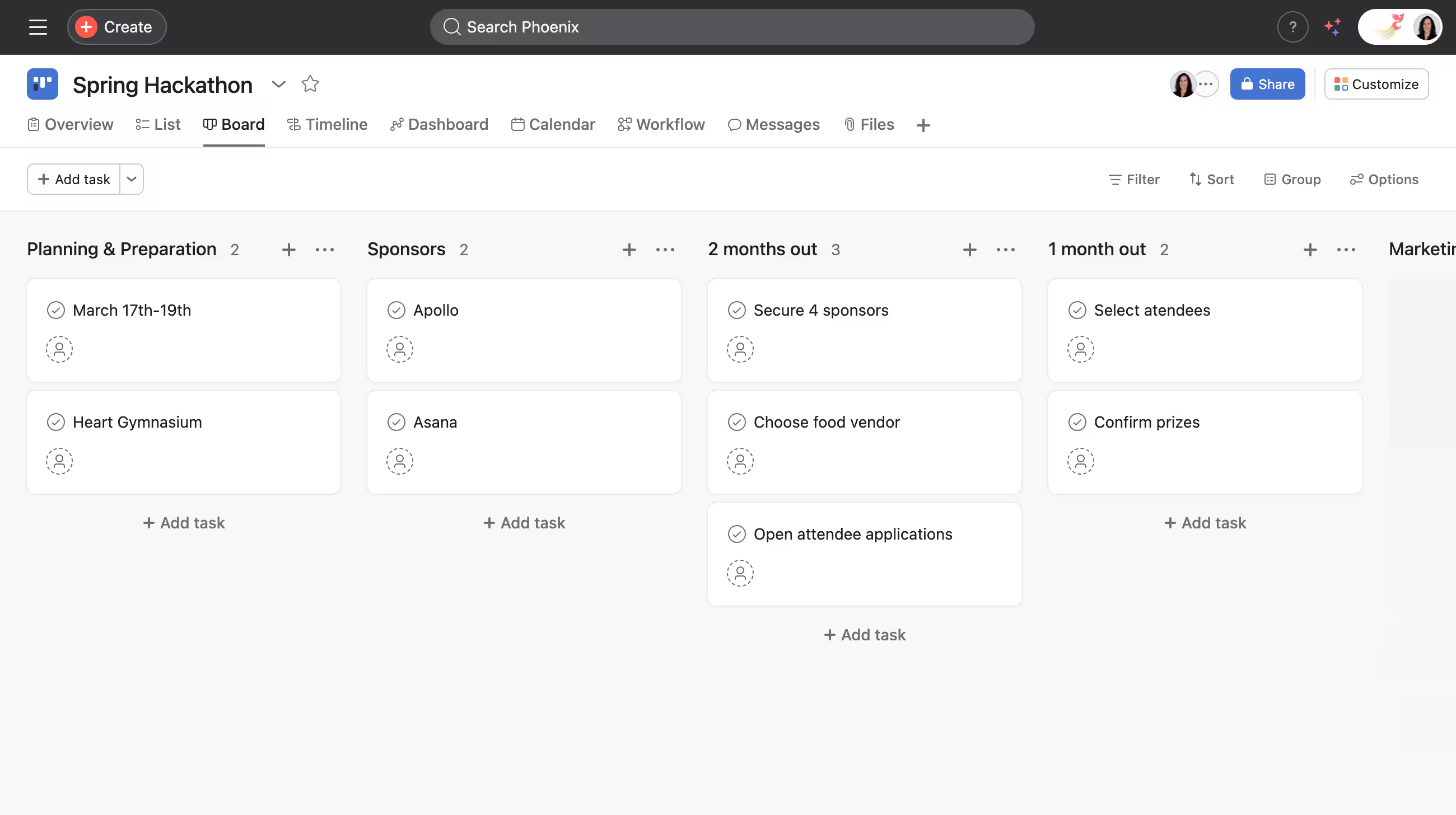
Image source: asana.com
Asana is a flexible project management platform that helps teams plan, organize, and track every stage of an event. With its event-specific templates and timeline views, teams can clearly visualize milestones, deadlines, and dependencies.
Automated reminders and notifications keep everyone accountable, while integrations with tools like Slack and Zoom ensure smooth coordination. It’s ideal for teams that need structured planning and clear visibility into every aspect of an event.
Benefits of Asana:
- Visualize event timelines and track milestones.
- Event-specific templates for faster setup.
- Automated reminders keep teams on schedule.
- Integrates with calendars and other productivity tools.
Asana pricing:
- Free plan: Up to 10 team members.
- Paid plans: Asana pricing starts at $10.99/user/month for custom fields, advanced reporting, and additional features.
2. Trello: Best for visual event planners who need simplicity
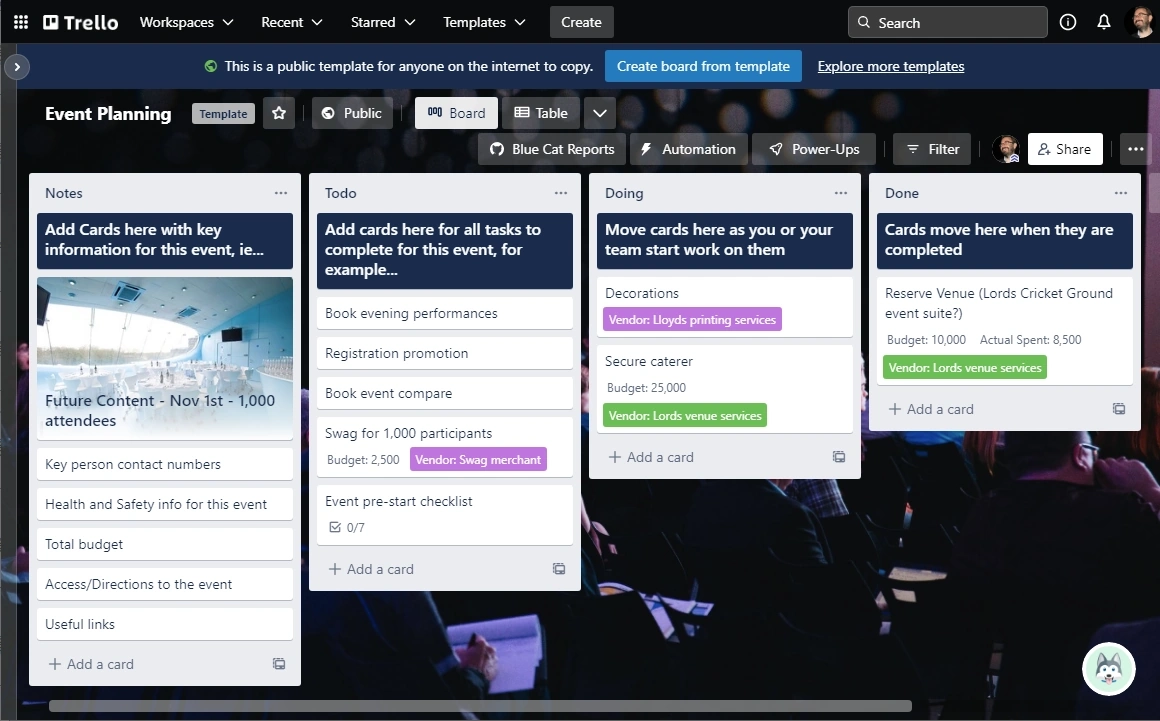
Image source: trello.com
Trello is a highly visual, Kanban-style platform for managing event tasks and workflows. Its drag-and-drop boards make it easy to track progress from “To Do” to “Complete,” providing a clear, at-a-glance view of the event plan.
Trello is ideal for teams that prefer simplicity, quick updates, and collaborative task tracking. It supports integrations with tools like Google Drive and calendar apps, making it easy to attach event assets, share files, and maintain visibility across stakeholders.
Benefits of Trello:
- Intuitive visual boards for task tracking.
- Drag-and-drop simplicity for fast updates.
- Strong free plan with unlimited personal boards.
- Paid plans add automation and advanced features.
Trello pricing:
- Free plan: Unlimited personal boards.
- Paid plans: Trello pricing starts at $5/user/month for automation and advanced features.
3. Planning Pod: Best for professionals who need advanced features
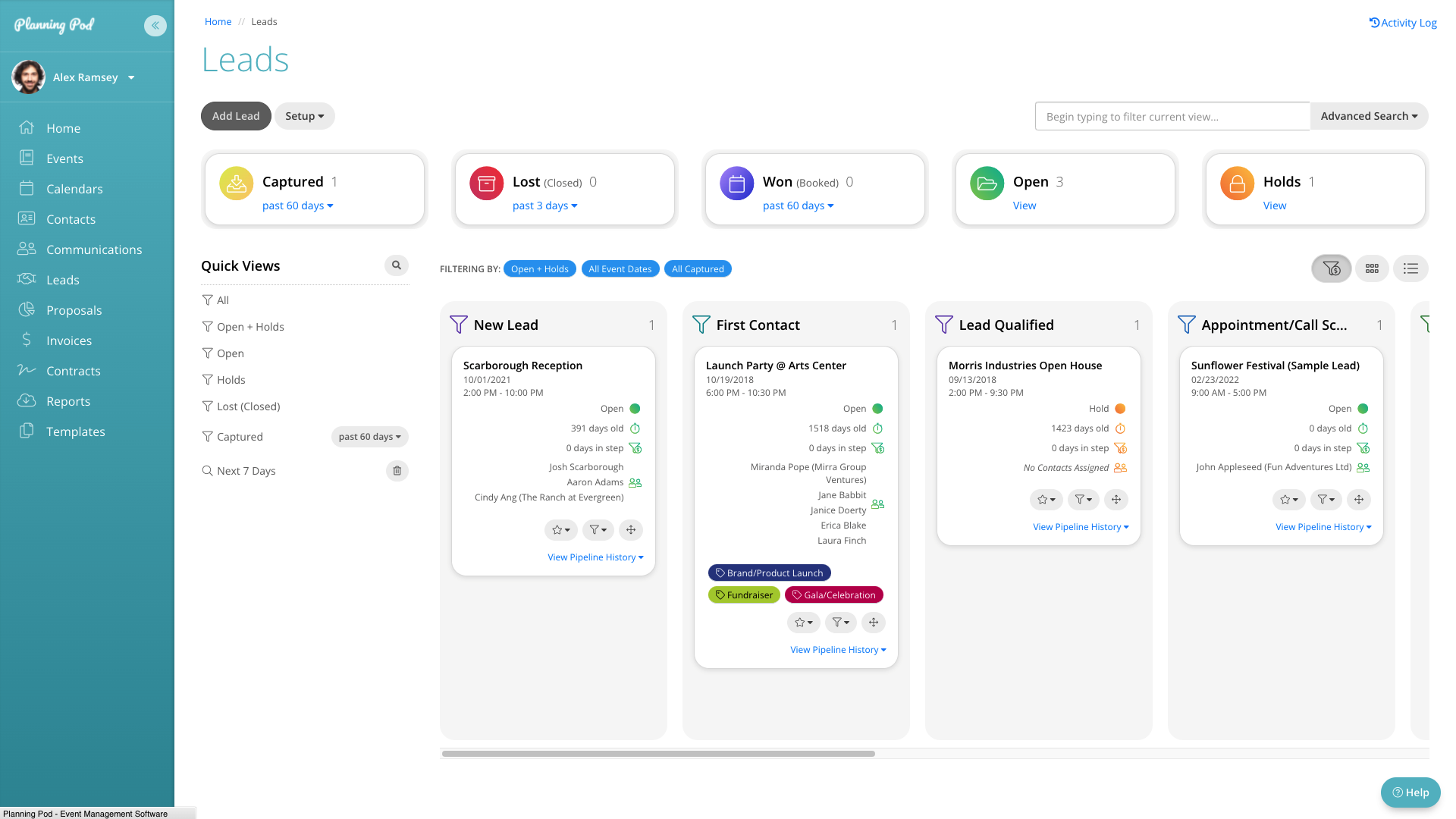
Image source: planningpod.com
Planning Pod is an event management platform tool specifically for professional event organizers. Unlike general project management tools, it combines robust planning features with event-specific tools, including budget tracking, guest list management, vendor databases, and room layouts.
Planning Pod is particularly suited for complex events, multi-day conferences, or any scenario where detailed coordination and customization are required.
Benefits of Planning Pod:
- Integrated budget tracking, guest lists, and vendor databases.
- Centralized hub for planning, scheduling, and tracking all event tasks.
- Designed specifically for event professionals with advanced features.
- Simplifies coordination for complex events.
Planning Pod pricing:
- Plans start at $59/month (billed annually).
Event planning tools for marketing and communication
Effectively promoting and communicating about your event is critical for success. These tools help you reach the right audience, drive registrations, and keep attendees engaged before, during, and after the event.
1. Marketo: Best for events that need lead nurturing and behavior tracking
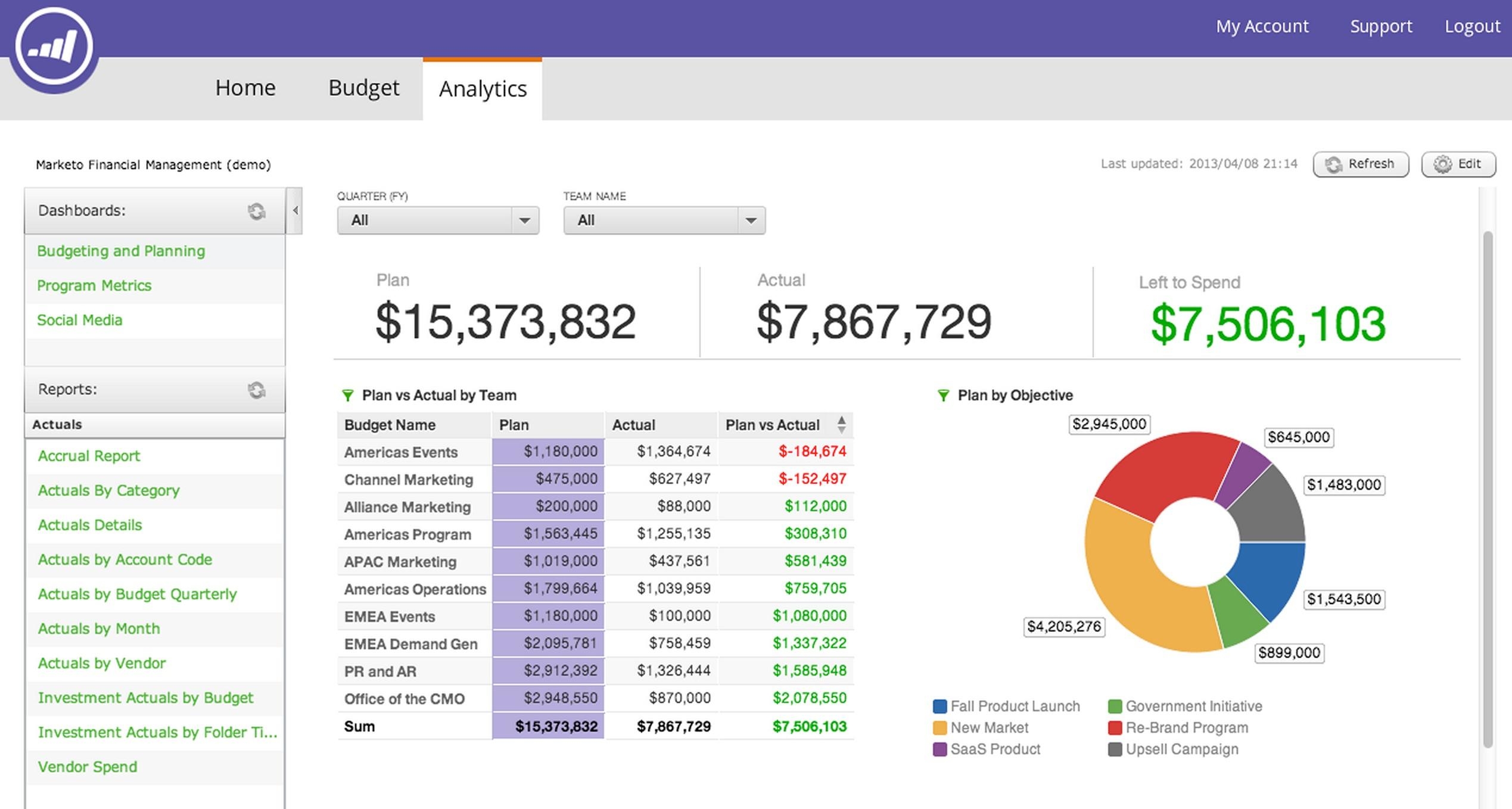
Image source: adobe.com
Marketo is a premium marketing automation platform designed for events where attendee engagement, lead nurturing, and behavior tracking are critical. It monitors interactions with event pages, emails, and content, enabling organizers to create highly personalized campaigns.
Marketo is ideal for conferences, trade shows, and multi-touch events where targeted communication boosts registration, retention, and overall engagement.
Benefits of Marketo:
- Track attendee behavior across emails, event pages, and content.
- Create personalized, targeted campaigns to improve registration and engagement.
- Automate workflows to manage complex event marketing funnels.
- Gain insights into attendee preferences for better post-event follow-up.
Marketo pricing:
- Custom pricing: organizations must contact Marketo’s sales team for a quote.
2. Iterable: Best for product launches and tech conferences
Image source: iterable.com
Iterable is a marketing automation platform designed for personalized attendee engagement. Organizers can build adaptive “communication journeys” that automatically deliver emails, SMS, or push notifications based on attendee behavior, registration information, or individual preferences.
Iterable is particularly effective for product launches, tech conferences, and digital-first events where precise, multi-channel communication is critical.
Benefits of Iterable:
- Build dynamic communication journeys for targeted attendee engagement.
- Send personalized messages via email, SMS, or push notifications.
- Adapt messaging automatically based on behavior or registration details.
- Maintain consistent communication across multiple channels.
Iterable pricing:
- Custom pricing: organizations must contact Iterable’s sales team for a quote.
3. EventsAir: An all-in-one platform for global event management

Image source: eventsair.com
Overview:
EventsAir is a comprehensive event management platform designed to support in-person, virtual, and hybrid events at scale. It offers an end-to-end solution that helps organizations manage everything from registrations and communications to onsite experiences and post-event reporting within a single system.
Key features:
- End-to-end event management: Handles registration, marketing, abstracts, and reporting in one platform.
- Hybrid and virtual tools: Supports virtual and hybrid events with engagement and streaming features.
- On-site solutions: Offers check-in, badge printing, and session tracking for smooth event execution.
Limitations:
Its wide range of features can require time to learn, especially for teams new to comprehensive event management systems.
Price:
EventsAir uses a custom, quote-based pricing model, offering plans like Single, Multi, and Unlimited with unlimited registrations and users included, and you need to request pricing directly from their team.
Reviews:
Highly regarded for its flexibility and ability to manage complex events, particularly by professional event organizers and associations handling large-scale or recurring events.
Best for:
Organizations, associations, and event planners that need a scalable, all-in-one platform to manage complex in-person, virtual, or hybrid events globally.
Event planning tools for engagement and interaction
Modern events thrive by engaging attendees, turning them from passive observers into active participants. This active attendee engagement is what creates lasting value and memorable experiences. These interactive tools are key to enhancing attendee engagement, fostering networking, knowledge sharing, and community building.
1. Poll Everywhere: Best for workshops and educational events
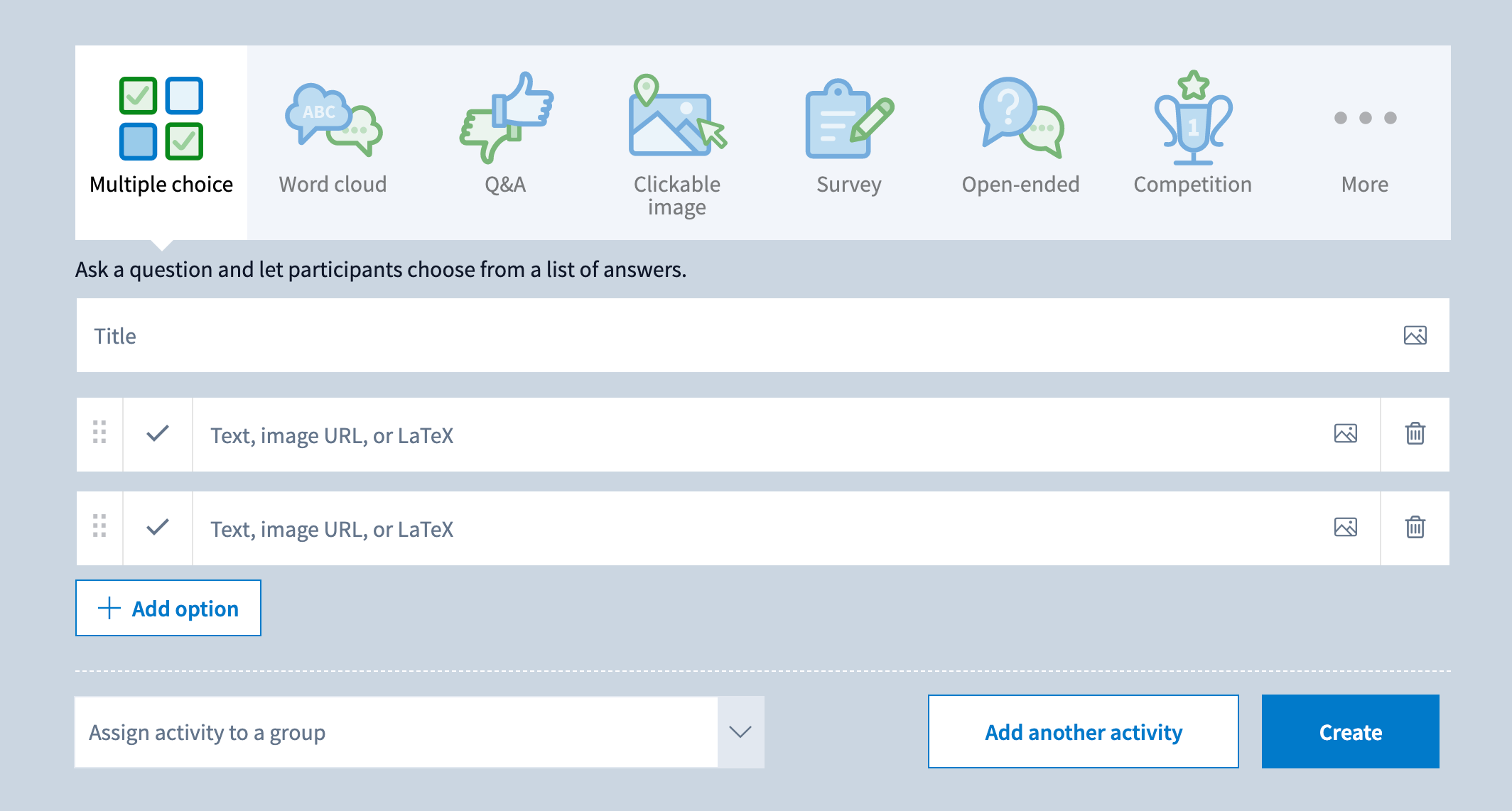
Image source: polleverywhere.com
Poll Everywhere is an interactive platform that enables real-time audience engagement through live polling, Q&A sessions, and collaborative word clouds. It integrates with presentation software to make workshops, training sessions, and classroom events more interactive and engaging.
Organizers can use Poll Everywhere to gather real-time data and feedback instantly and adapt sessions dynamically.
Benefits of Poll Everywhere:
- Real-time polling and audience interaction.
- Supports Q&A sessions, surveys, and collaborative word clouds.
- Seamless integration with presentation software.
- Provides analytics to measure participation and engagement.
Poll Everywhere pricing:
- Free limited plan for basic polling.
- Paid plans start at $5/user/month for advanced question types, custom branding, and analytics.
2. Slido: Best for Q&A and session feedback
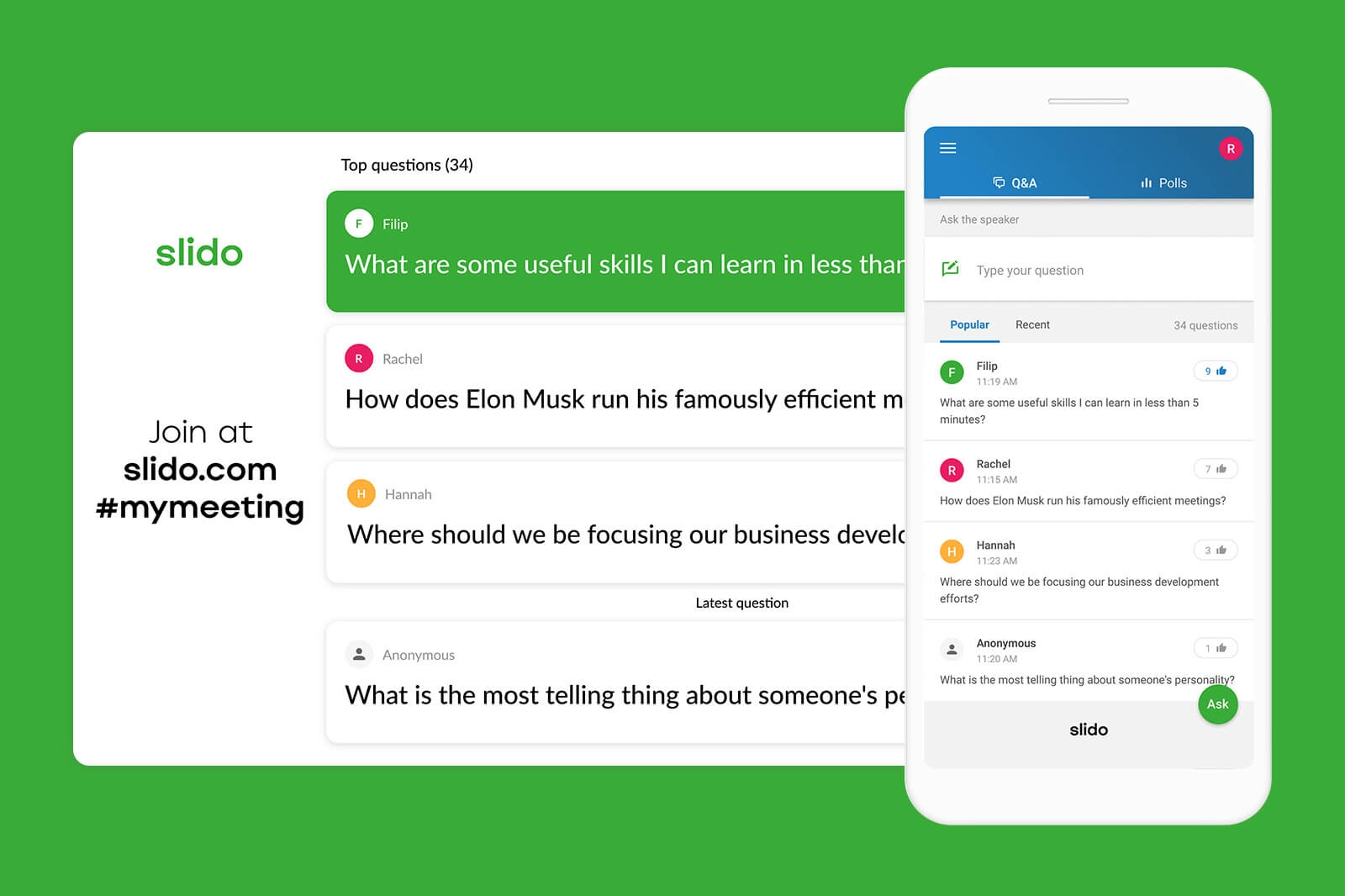
Image source: slido.com
Slido is an audience interaction platform designed for live events, conferences, and presentations. It enables crowdsourced questions, real-time feedback, and interactive polls. Slido’s anonymous question feature encourages participation from attendees who may be hesitant to speak up, while its analytics provide insights into audience engagement and interests.
Benefits of Slido:
- Facilitate crowdsourced Q&A sessions during events.
- Conduct live polls and surveys to gather feedback.
- Anonymous questioning encourages broader participation.
- Analytics provide insights into audience engagement and preferences.
Slido pricing:
- Custom pricing: contact Slido’s sales team for details.
3. Whova: Best for networking
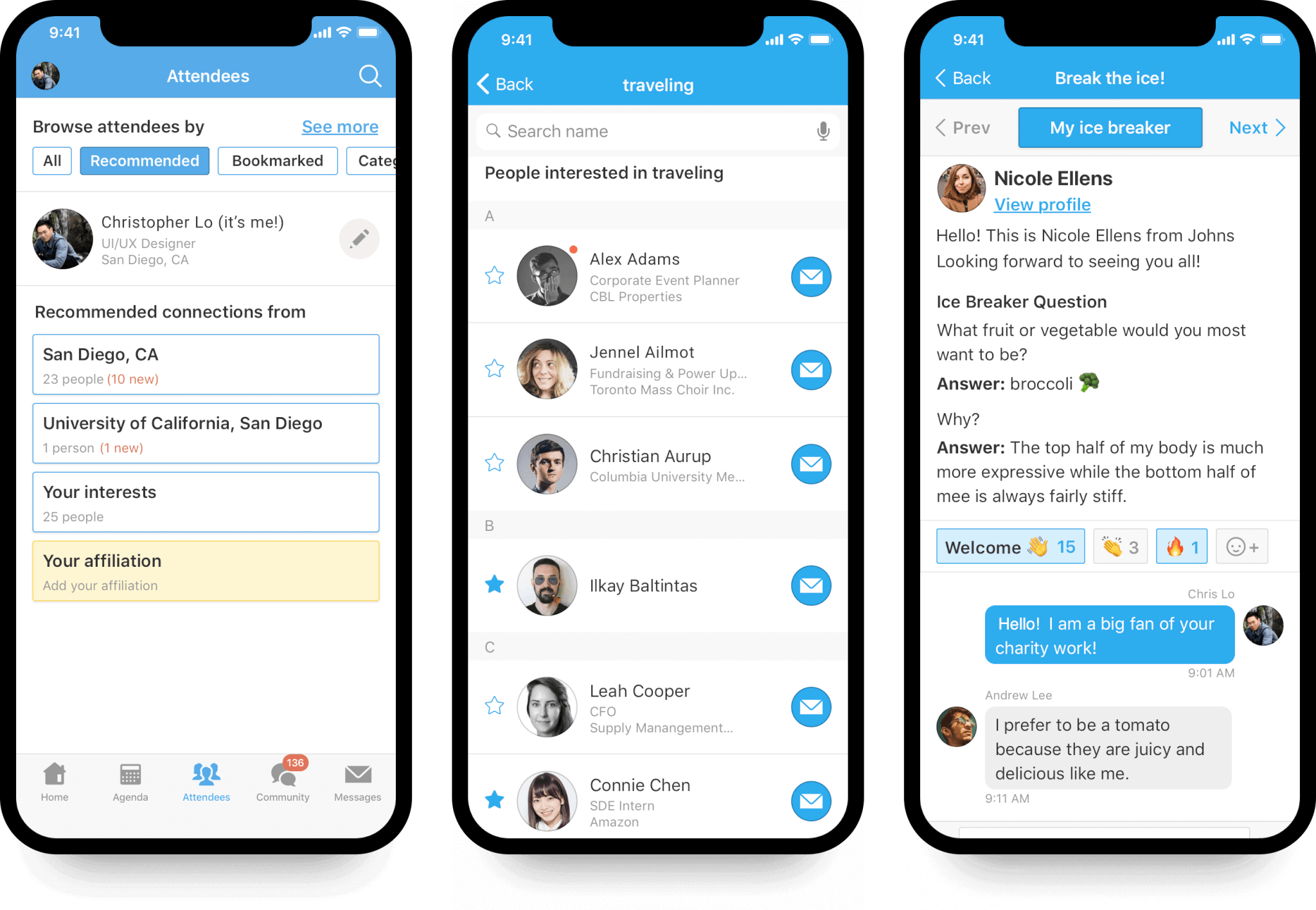
Image source: whova.com
Whova is an award-winning mobile event app focused on attendee networking and engagement. It combines agenda management, messaging, and interactive features in one platform, allowing participants to connect before, during, and after events.
Whova is ideal for conferences, meetups, and trade shows where fostering relationships and community is a top priority.
Benefits of Whova:
- Facilitate attendee-to-attendee messaging and meeting scheduling.
- Agenda management with real-time updates.
- Interest-based networking and attendee matching.
- Discussion boards and interactive features to extend engagement beyond sessions.
Whova pricing:
- Custom pricing: organizations must contact Whova’s sales team for a quote.
How to pick the right event planning tools?
Choosing the right event planning tools doesn't have to be complicated. It's all about matching the software to your specific events, budget, team, and long-term goals. With so many options, a smart, systematic approach is key to avoiding mistakes.
Define your event needs
The type of event you run dictates the tools you need. Start here to narrow your options:
- Virtual events: Require advanced virtual features for live streaming, breakout rooms, and digital networking.
- In-person events: Need reliable systems for mobile check-in, room booking, badge printing, and real-time attendance tracking.
- Hybrid events: Demand a platform that seamlessly integrates both virtual and physical components. These usually have the most complex technical requirements.
Calculate the true cost
While budget is a factor, look beyond the monthly subscription. Consider the Total Cost of Ownership (TCO):
- Initial cost: The subscription fee. Free tools, like Lark, might be enough for simple needs.
- Comprehensive platforms: Tools like Cvent are worth the higher cost if you manage frequent, complex events.
- Hidden costs: Factor in the cost of training your team, integration with other systems, and potential productivity gains from using a better tool.
Assess your team and ease of use
Think about who will be using the tool and how technical they are.
- User-friendly platforms: These have intuitive interfaces, require less training, but might offer fewer customization options.
- Sophisticated tools: These provide greater flexibility but require dedicated technical expertise and support for proper setup and management. Choose a platform your team will actually use effectively.
Check integration capabilities
A tool is only as good as its ability to talk to your existing software. Seamless data flow is crucial.
- Make sure the platform integrates well with your CRM (Customer Relationship Management), email marketing, and accounting software.
- Eliminating manual work and reducing errors by integrating systems often justifies a higher cost for a well-connected solution.
A more cost-friendly option is to choose an all-in-one platform like Lark, which combines CRM, email, accounting, project management, performance tracking, approvals, and more in one place—helping you consolidate your tools and pay less.
Research and test before you buy
Don't rely just on marketing materials; get real-world feedback and experience.
- Request demos: Get live demonstrations from your top three choices. Use this time to test specific workflows relevant to your events and ask detailed questions about scalability and customization.
- Try free plans or trials: Most event software offers a free plan or limited trial period. Use it to explore core features, test integrations with your existing tools, and see how intuitive the interface feels for your team before committing.
Conclusion
The best event planning tool depends on your goals, team size, and budget. While many specialized tools excel in specific areas, managing them all can quickly become complicated and costly. For most event planners and teams, an all-in-one platform like Lark offers a smarter, more affordable solution.
By combining chat, calendars, documents, approvals, CRM, and automation in one connected workspace, Lark simplifies the entire event planning process, so you can focus on creating an exceptional event experience, not juggling multiple tools.
FAQs about event planning tools
What is the best event management software?
The best software depends on your event. Lark works well for any size event, offering a comprehensive feature set that combines planning, communication, and task management in a single work management platform. Cvent is ideal for large, complex conferences, specifically designed for multi-day events with advanced registration and on-site tools. Eventbrite is perfect for small events or first-time organizers looking for easy-to-use event software.
What event management tools are free to use?
Several software tools offer free options. Lark’s Starter Plan is free for up to 20 users, Eventbrite is free for small events, Poll Everywhere allows basic live polling, and Trello or Asana provide organization tools for managing event tasks and timelines.
Does Google offer event planning software?
Google does not offer software specifically designed for event planning. However, Google Workspace apps like Calendar, Docs, Sheets, and Meet can assist in the event planning process and event organization, though they are not a dedicated event management system.
Does Microsoft offer event planning software?
Microsoft does not offer event planning software. However, Microsoft 365 tools such as Outlook, Teams, and Planner help coordinate events and track attendee information, while Dynamics 365 Marketing provides marketing tools, online payment options, and features to enhance the event experience on the event day.
What is CRM in event management?
CRM in event management is a system that helps organizers manage attendee information, track engagement, and send personalized communications to improve the event experience and streamline the planning process.
What are the 5 P's of event planning?
The 5 P’s can help guide every event you plan:
- Purpose – Define the goal of the event.
- Place – Choose the right venue or location.
- People – Know your audience and their needs.
- Program – Plan the schedule and activities.
- Promotion – Market the event to attract attendees.
What are the 5 C's of event planning?
The 5 C’s help you focus on managing an event from start to finish:
- Concept – Decide on the event theme or idea.
- Coordination – Organize teams, vendors, and logistics.
- Control – Monitor budgets, timelines, and quality.
- Culmination – Execute the event smoothly.
- Closeout – Evaluate success and gather feedback after the event.
What are the 7 elements of event planning?
The 7 essential components every planner should cover when handling event planning are:
- Objectives – Define what the event should achieve.
- Budget – Plan and manage costs.
- Timeline – Set key milestones and deadlines.
- Venue – Choose a location that fits the event’s needs.
- Audience – Understand your attendees and what they expect.
- Program & Activities – Plan sessions, speakers, and the event flow.
- Promotion & Marketing – Ensure the event reaches and engages the right audience.
Related reading
Table of contents
Start using Lark today

Manage all your work in one place
Boost team efficiency by 10x
Save up to 70% on software costs
Table of contents
Start using Lark today
Manage all your work in one place
Boost team efficiency by 10x
Save up to 70% on software costs
Keep reading







2026 Lark Technologies Pte. Ltd.
Headquartered in Singapore with offices worldwide.






Explore: