Modern knowledge workers face an overwhelming mix of meetings, notifications, and fragmented tools that pull attention in every direction. Productivity time management offers a structured way to regain control of the workday and focus on what actually matters. With remote and hybrid work now standard, constant context switching has become the norm rather than the exception. This makes deliberate time and productivity management essential for both individuals and teams. In this guide, you will learn practical time management & productivity systems that you can apply today to accomplish more meaningful work in fewer hours, drawing on themes explored in depth.
What is productivity time management?
Before diving into techniques and tools, it helps to establish a clear understanding of what productivity time management actually means. This section defines the concept and clarifies how time management and productivity interact in modern work environments.
Productivity is the deliberate process of planning, prioritizing, and executing tasks so that limited hours produce the most meaningful output. It combines two complementary practices: time management, which focuses on how you allocate your hours, and productivity, which measures the value created during those hours. Managing one without the other leads to incomplete results. You might schedule your day perfectly but spend it on low-impact work, or you might identify high-value tasks but never carve out time to complete them.
The core elements of this discipline include goal clarity, prioritization, focus management, energy management, and thoughtful tool selection. In digital-first workplaces where always-on communication is expected, unified systems that connect calendars, task tools, and communication channels become essential infrastructure for time management for productivity.
Core principles of time and productivity management
Several foundational principles guide effective time and productivity management. Understanding these principles helps you build systems that actually work rather than adopting techniques that look good on paper but fail in practice.
- Plan proactively rather than reactively: This means deciding what you will work on before the day begins, rather than letting your inbox or chat messages dictate your priorities. For example, protecting the hours between 9 and 11 AM for deep work instead of starting the day in email ensures that high-priority tasks receive your best cognitive energy.
- Protect focus ruthlessly: Interruptions carry significant cognitive switching costs, and even brief distractions can derail complex thinking. Successful time management requires creating boundaries around focused work sessions.
- Align daily tasks to larger goals: Without this connection, busy days can feel productive while actually delivering little progress on what matters. Each task should connect to a weekly, monthly, or quarterly objective.
- Batch and automate low-value work: Routine tasks like email triage, approvals, and administrative updates should be grouped into dedicated time blocks rather than scattered throughout the day.
- Conduct weekly reviews: Regular reflection on what worked and what did not prevents small inefficiencies from compounding into major problems.
Common myths about time management & productivity
Several persistent myths undermine effective time management & productivity. Recognizing these misconceptions helps you avoid common traps.
- Multitasking Myth: Multitasking is inefficient because switching tasks creates cognitive overhead that reduces output quality and speed. Single-tasking, focusing on one task at a time, is more effective.
- More Hours Myth: Believing you need more hours leads to burnout; working smarter within realistic time limits yields better results.
- Memory Myth: Relying on memory increases mental load and anxiety; externalizing tasks into trusted systems frees cognitive resources.
- Tools Myth: alone don't solve problems; changing habits is essential, as tools only amplify existing practices.
Supercharge your productivity with time management strategies
Core productivity time management strategies
No single system works perfectly for everyone. Effective productivity time management requires combining techniques to create a personalized time management strategy that fits your role, energy patterns, and team context. This section covers established frameworks and shows how to adapt them to digital, collaborative work.
The goal is not to become busy in a more organized way. Strategies should be judged by whether they reduce stress and increase meaningful output, not by how packed they make your calendar look.
Prioritization with the Eisenhower Matrix
The provides a simple but powerful framework for deciding what deserves your time. It categorizes tasks along two dimensions: urgency and importance. This creates four quadrants that guide different actions.
Urgent and important: Tasks that require immediate attention, such as critical client issues or approaching deadlines with real consequences.
Important but not urgent: Strategic work that drives long-term progress, including planning, skill development, relationship building, and proactive improvements. These tasks often get neglected due to lack of external pressure but determine future success.
Urgent but not important: Tasks that feel pressing but contribute little value, like many emails, routine notifications, and requests from others. These are candidates for delegation or brief batching rather than immediate response.
Neither urgent nor important: Tasks that should be eliminated entirely as they waste time without contributing to meaningful goals.
Daily usage involves reviewing your task list each morning and categorizing items into these quadrants. The key insight is scheduling important but not urgent work before it becomes urgent. A manager might use this framework to negotiate priorities with stakeholders, explaining trade-offs rather than accepting every request that arrives.
Time blocking and timeboxing for structured focus
is the practice of reserving specific blocks of time in your calendar for different types of work, while timeboxing involves setting fixed time limits for tasks or deliverables to create focus and momentum.
Time blocking: Assign dedicated time slots for focused work, meetings, and routine tasks to structure your day effectively.
Timeboxing: Commit to working on a task for a predetermined amount of time, helping to prevent perfectionism and encourage progress.
A well-designed weekly calendar balances various work types with your natural energy levels for optimal productivity.
Morning: Reserve for deep, focused work when your cognitive energy is at its peak.
Midday: Schedule meetings, collaborative sessions, and communication tasks.
Afternoon: Allocate time for administrative duties, email processing, and daily reviews.
Tailor your schedule to fit your personal energy rhythms to maximize results.
Early risers: Extend morning focus periods to capitalize on high energy.
Later starters: Shift deep work blocks to late morning or afternoon when you feel most alert.
Single-tasking and deep work
Concentrating on one cognitively demanding task at a time improves both the quality and efficiency of your work by eliminating the mental costs of multitasking.
Minimize distractions: Close email inboxes, mute social media notifications, and clear your workspace to maintain focus.
Define clear goals: Set specific outcomes for each deep work session to guide your efforts.
Build consistent routines: Establish regular times and environments for focused work to make deep work a habit rather than a challenge.
Batching, theming, and micro-task management
Organizing similar tasks together reduces the cognitive load of switching between different types of work and helps you use small pockets of time productively.
Batch routine tasks: Group activities like email processing, approvals, and administrative updates into dedicated time blocks.
Theme your days: Dedicate entire days or large portions of days to specific categories of work to maintain mental flow.
Use micro-tasks effectively: Identify quick, manageable tasks that can be completed in short breaks or transitional moments instead of defaulting to distractions.
Goal-driven planning with OKRs and weekly reviews
Linking daily tasks to broader objectives ensures meaningful progress, while regular reviews help maintain alignment and adapt plans as needed.
: Define clear, measurable objectives and key results to provide direction and motivation.
Conduct weekly reviews: Reflect on accomplishments, identify obstacles, and adjust your upcoming schedule accordingly.
Schedule review sessions: Reserve consistent times each week to perform planning and reflection, ensuring your system stays on track.
Techniques to improve time management for productivity
Beyond broad strategies, concrete techniques provide structure for individual work sessions. These methods can be mixed and matched based on the type of work, personal preferences, and current challenges. The key is experimentation over several weeks rather than constantly switching methods. Habits need time to form before you can accurately assess whether a technique works for your situation.
Pomodoro technique for focused sprints
The Pomodoro method structures work into focused intervals followed by short breaks. The classic format uses 25 minutes of concentrated work followed by a five minute break. After completing several cycles, you take a longer break of 15 to 30 minutes.
This technique works particularly well for tasks where resistance is high or where the work is clear but motivation is low. Routine reporting, writing documentation, and processing administrative backlogs all benefit from the momentum that timed intervals create.
Implementation involves choosing a single task, setting a timer, silencing apps and notifications, and working with full attention until the timer sounds. Recording completed intervals provides a simple way to track progress and build a sense of accomplishment.
Eat the Frog: Tackling the highest-impact task first
This approach is particularly powerful in , where early progress on critical path tasks can de-risk the entire timeline.
The eat the frog method involves identifying the most important or most challenging task on your list and completing it first, before checking messages or handling easier work.
Planning happened the afternoon before. You select the next day's frog so that when morning arrives, you can begin immediately without deliberation. This removes the temptation to ease into the day with comfortable but less important activities.
The psychological benefit extends beyond the single completed task. Finishing your most difficult work early creates momentum and relief that makes the rest of the day feel more manageable. You operate from a position of accomplishment rather than avoidance.
Kanban and visual workflows
Many teams pair visual boards with a so deadlines, milestones, and task statuses stay in sync. Kanban uses a visual board with columns representing workflow stages. A simple personal board might include To Do, In Progress, and Done columns. More detailed boards add Backlog for future work or Waiting for tasks blocked by external dependencies.
- For individuals: Kanban boards provide immediate visibility into current workload and help limit work in progress. Seeing too many items in the In Progress column signals that focus has fragmented across too many concurrent tasks.
- For teams: Shared Kanban boards clarify ownership and current status. Everyone can see which tasks are active, who is responsible, and where bottlenecks exist without requiring constant status meetings, especially when they are embedded in robust or broader .
Timeboxing for decisive progress on complex work
Choosing supportive can make it easier to protect these timeboxes in your calendar and track what gets done in each block.
Timeboxing applies a fixed time constraint to complex tasks that might otherwise expand indefinitely. Instead of working until a report is finished, you allocate 90 minutes to complete a specific sub-goal, such as finishing the outline or drafting the first section.
This technique reduces perfectionism by accepting that not every session will produce a finished product. The goal is momentum and progress rather than completion in a single sitting. It also makes planning more predictable because you schedule time rather than output.
Implementation involves choosing a realistic timebox duration, defining a concrete deliverable for that block, working with focused attention, and reviewing progress when the timer ends. Even if the full task remains incomplete, you have moved it forward.
Pickle Jar, Pareto, and prioritizing what truly matters
The Pickle Jar metaphor illustrates how to organize tasks by size and importance. Rocks represent major priorities, pebbles represent medium tasks, and sand represents small items. If you fill the jar with sand first, the rocks will not fit. But if you place rocks first, pebbles and sand find space around them.
Scheduling works the same way. Block time for your most important work first, then fit smaller tasks into the remaining gaps. This prevents calendars from filling with trivial work that crowds out challenging tasks.
The Pareto principle, often called the 80/20 rule, observes that a small number of tasks typically drive most results. Before starting each day, identify the few high-leverage activities that will create the most value rather than treating every item equally.
Rapid planning, SMART goals, and execution clarity
The rapid planning method begins with the result you want and the purpose behind it before listing specific actions. This ensures that tasks connect to meaningful outcomes rather than becoming disconnected activity.
SMART goals provide a framework for making planning concrete. Goals should be Specific, Measurable, Achievable, Relevant, and Time-bound. Vague intentions like improve onboarding become actionable when translated into clear objectives with deadlines.
Writing goals directly where tasks live, inside your chosen time management productivity software, keeps planning connected to execution. Separate documents create friction and reduce the likelihood that plans translate into completed work.
How Lark supports productivity time management
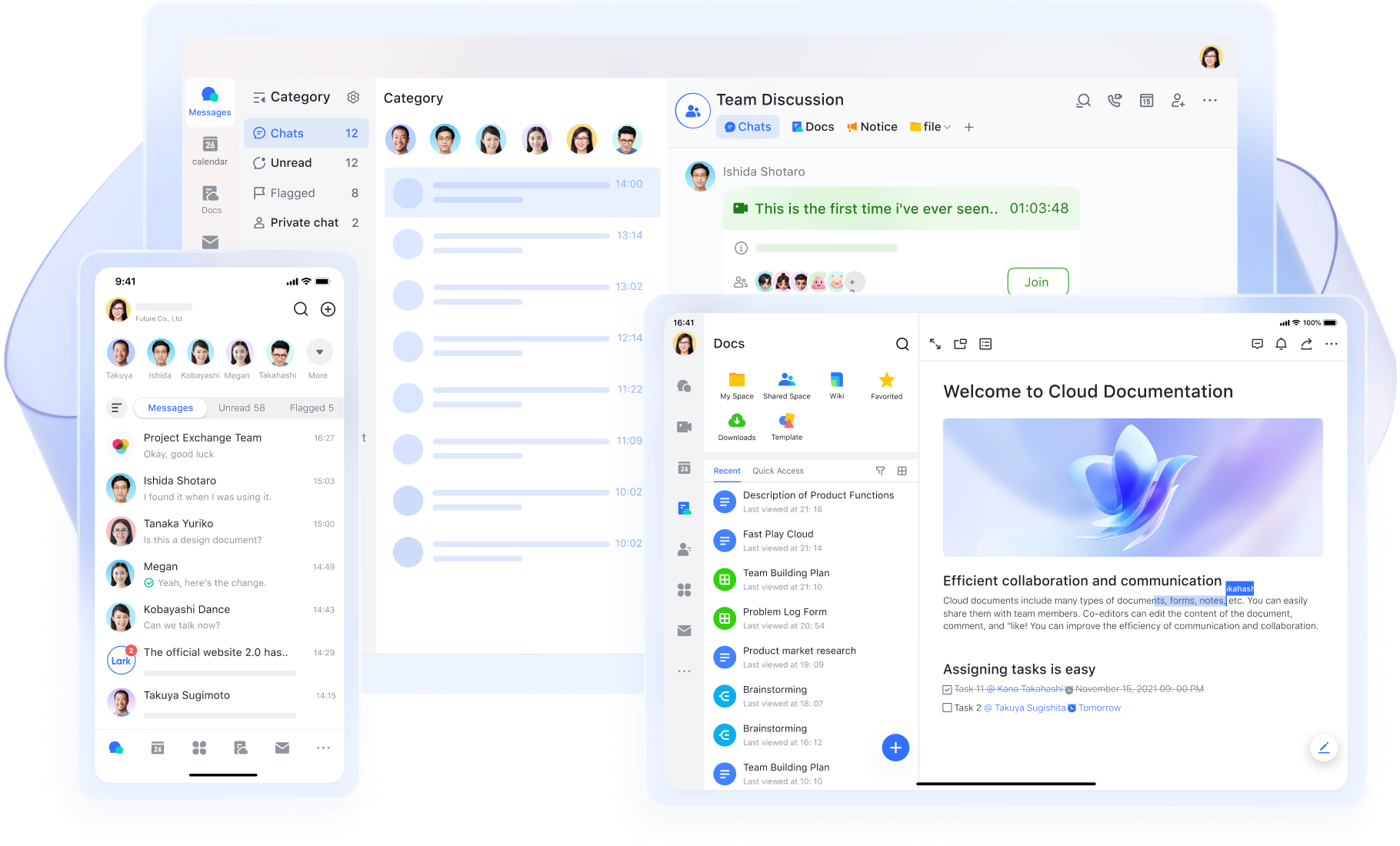
Implementing a new system is much easier when your digital environment naturally supports your focus goals. I have found that a unified platform like brings together scheduling, task tracking, and communication to help teams manage their time and productivity without the constant friction of app-switching.
Smarter scheduling, time blocking, and routine building
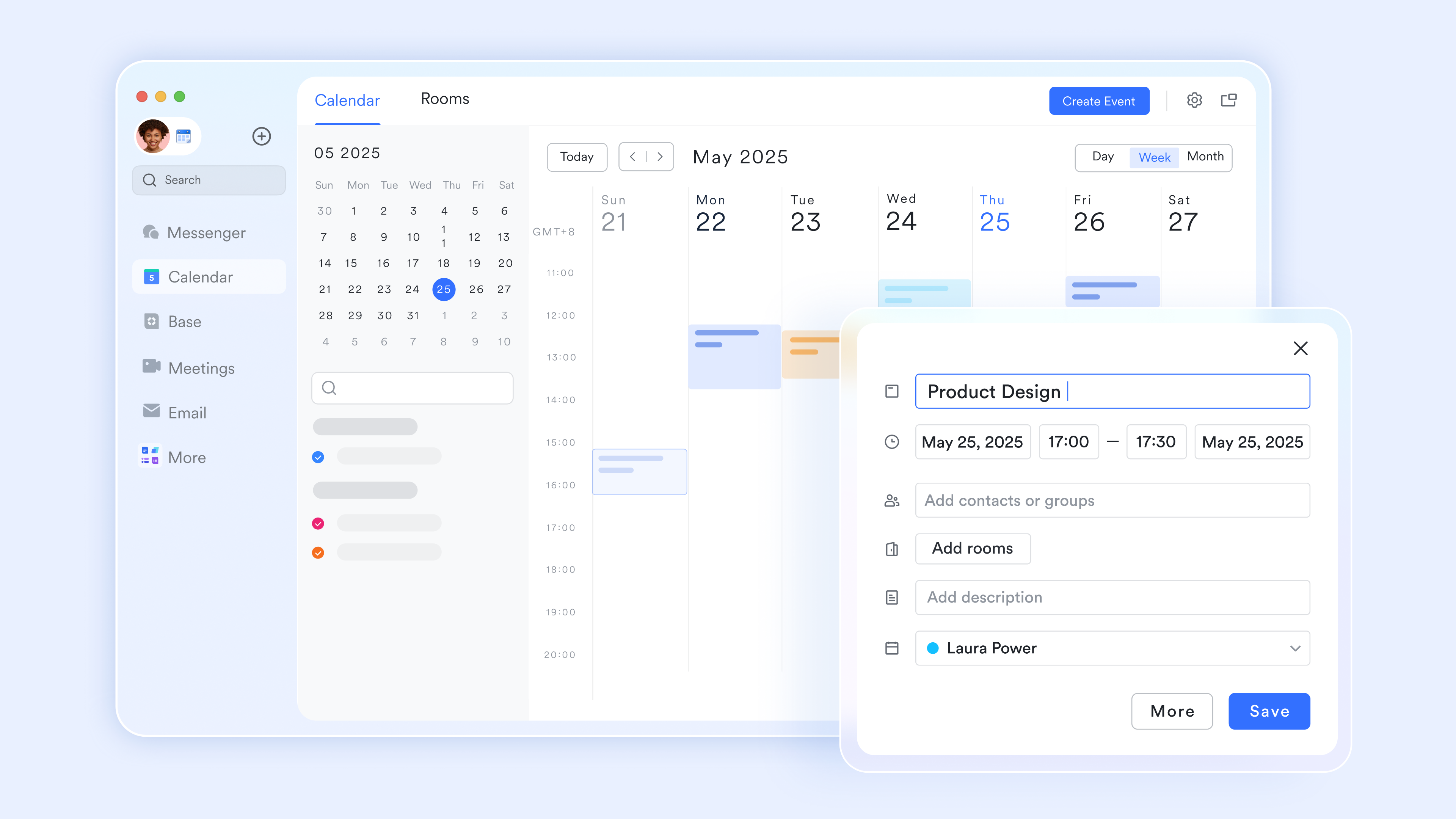
provides a clear view of team availability, making it easier to schedule collaborative sessions without endless email threads. You can directly set up meeting agendas and use shared links to let invitees book one-on-one time effortlessly. For personal focus, the time blocking features allow you to reserve dedicated periods for deep work and adjust your status to reflect your current availability. By keeping all events in one single view, you can effectively maintain the necessary boundaries between focused work and personal time.
Structured daily planning and clear accountability
Organizing your daily workload requires a system that connects directly to your broader objectives. Lark Tasks offers a unified space to assign responsibilities, track progress, and build task lists around specific goals. 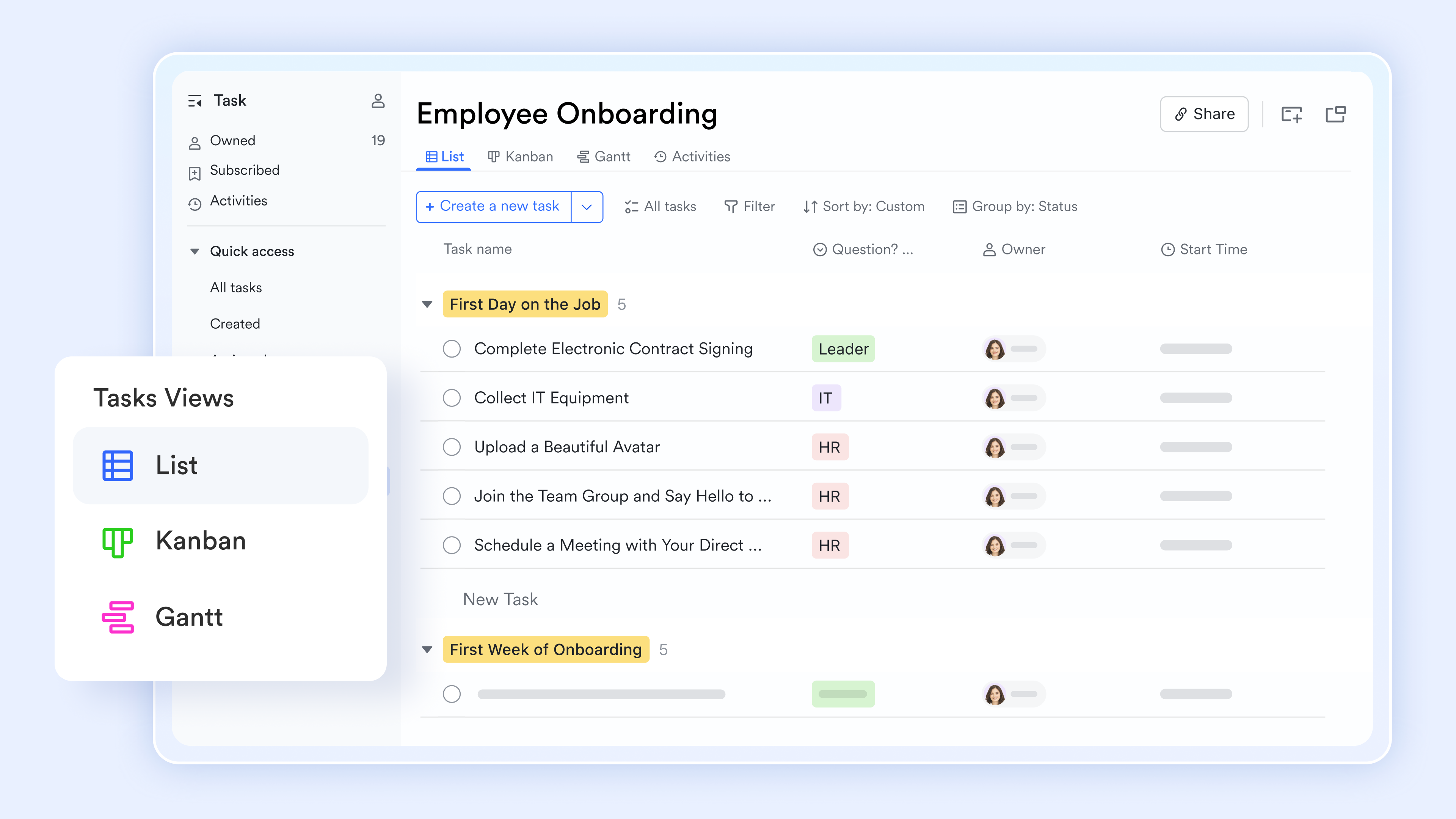
- Task organization: Create detailed lists, set owners, and assign priority levels to keep everyone aligned on what matters most.
- Seamless combination: Tasks sync directly with your calendar, allowing you to time block effectively and adjust plans as priorities shift.
- Quick access: Pin essential tasks right inside group chats so the team always knows what requires immediate attention without digging through menus.
Quick coordination and flagging message to remove planning friction
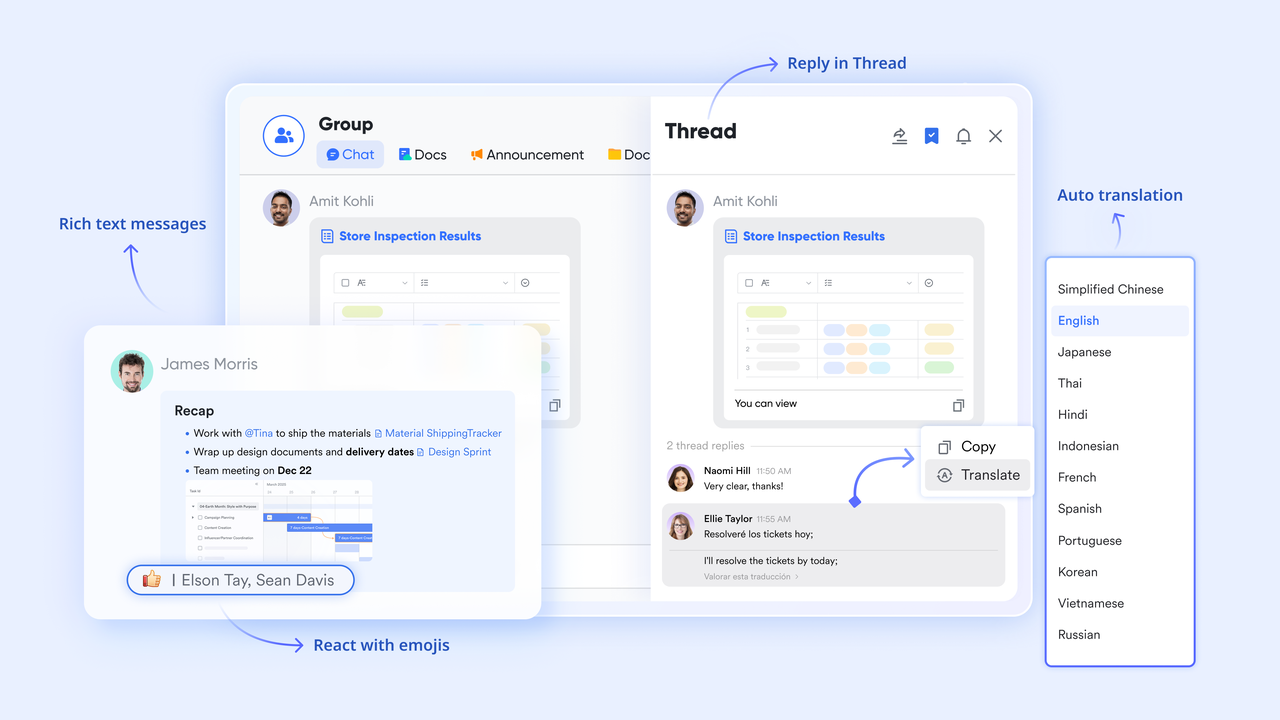
Constant context switching drains cognitive energy, but keeping conversations tied directly to specific projects helps maintain focus. ensures that your team communications remain tightly connected to the work itself. When rapid coordination happens, the flag feature lets you mark important messages as visual reminders. A distinct icon ensures these key items stand out during busy days, and a dedicated filter helps you retrieve flagged content instantly, drastically reducing the time spent searching for critical details.
Automations make a reminder an effective assistant
Managing schedules manually always leaves room for oversight, but automated workflows act like a dedicated assistant for your time management system. Lark Base automations help ensure that critical deadlines and project updates never fall through the cracks. 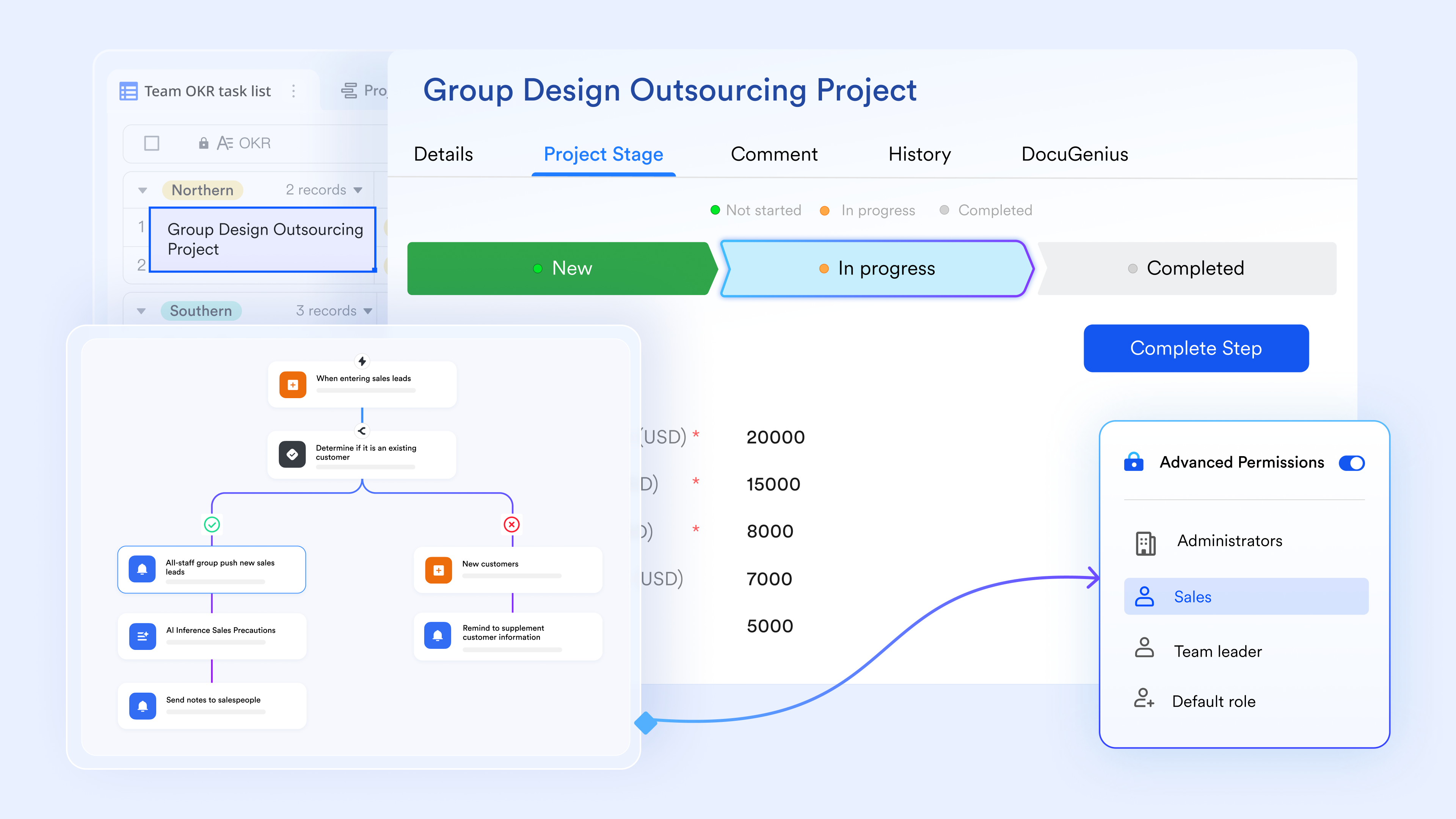
- Custom triggers: Set automated actions based on scheduled times or specific record updates to keep workflows moving.
- Targeted filters: Focus the system on overdue items or high-priority work that needs immediate team attention.
- Actionable notifications: Send automated messages to specific owners or groups, complete with interactive buttons to streamline follow-up tasks.
:
- Starter plan: Free forever plan that includes 11 powerful tools for up to 20 users. It also comes with 100GB of storage, 1000 automation runs, AI translations, and more.
- Basic plan: $6/user/mo (billed annually) for up to 500 users. It includes everything in Starter plus group calling for up to 500 attendees, 5TB of storage, 1000 automation runs, and more. For more details, please .
- Pro plan: $12/user/mo (billed annually) for up to 500 users. It includes everything in Basic plus group calling for up to 500 attendees, 15TB of storage, 50,000 automation runs, and more.
- Enterprise plan: for custom pricing. Supports unlimited users and includes even more automation runs and advanced security, compliance, and management features.
For small teams with simple communication needs

18 months message history
1000 Base automation runs/month
2000 rows per table in Base
Most POPULAR
For companies with comprehensive collaboration and management needs
Unlimited message history
500-participant video meetings
50k Base automation runs/month
20k rows per table in Base
For large companies with advanced security and organizational management needs
Get a personalized demo and pricing
Unlimited message history
500-participant video meetings
15 TB storage + 30 GB storage/user
500k Base automation runs/month
50k Base automation runs/month
Most POPULAR
For companies with comprehensive collaboration and management needs
Unlimited message history
500-participant video meetings
50k Base automation runs/month
20k rows per table in Base
Implementing time management & productivity improvements in your week
Moving from theory to practice requires a concrete implementation approach. This section provides a step-by-step plan for making changes during a single week, emphasizing realistic and incremental improvements rather than dramatic overhauls.
Day 1–2: Audit your time and clarify priorities
- Track your time: For one or two workdays, log activities in 30-minute chunks, noting the type of work and tools used. This audit reveals hidden patterns — for remote teams, can automate this entirely.
- Review your activities: Categorize tasks into deep work, shallow work, meetings, and interruptions. See which consumes most time and if that matches your priorities.
- Identify key projects: List current projects and map them to goals or OKRs where possible. Pick your top three priorities for the week.
- Document insights: Record these findings in a digital planning tool to keep them actionable and visible.
Day 3–4: Design your ideal week and pick techniques
- Create a weekly template: Allocate mornings for deep work, afternoons for meetings and collaboration, and set times for admin and email.
- Choose your focus methods: Select one core technique like time blocking and add a supporting method such as the Pomodoro technique for low-motivation sessions.
- Schedule recurring blocks: Add these blocks to your calendar and mark your frog tasks for the next morning to start promptly.
- Communicate your plan: Inform colleagues about your new focus times to reduce surprises and set expectations.
Day 5: Build support systems and templates
- Develop daily checklists: Morning checklist might include reviewing goals, selecting the frog, and inbox triage; evening checklist could cover reviewing tomorrow's calendar, clearing open loops, and noting wins. Using structured can make these check-ins faster and more consistent.
- Create reusable templates: Make templates for weekly planning, project kick-offs, and meeting notes to avoid starting from scratch, and consider leveraging so these templates stay accessible to your entire team.
- Link your tools: Connect calendars, task lists, and team spaces so tasks flow naturally from meetings and documents, preventing things from falling through cracks. Centralizing this in modern reduces friction and manual coordination.
- Reduce memory load: These systems help you rely less on memory and maintain consistent productivity management.
Day 6–7: Review, refine, and commit for 30 days
- Conduct a weekly review: Assess what worked, what caused stress, which calendar blocks held, and which techniques improved focus.
- Make small adjustments: Shorten meeting times, shift deep work blocks based on energy levels, or adjust notification settings.
- Commit to consistency: Treat the next 30 days as an experiment, sticking to chosen techniques rather than switching daily.
- Track progress: Monitor simple metrics like completed high-priority tasks, stress levels, and protection of focus blocks to measure improvement objectively.
Implement time management effortlessly with Lark
Overcoming common time management challenges
Even with good systems, obstacles arise. Procrastination, interruptions, and shifting priorities challenge productivity. Addressing these helps maintain momentum.
Handling interruptions, notifications, and always-on culture
Interruptions come from internal impulses and external sources like colleagues and notifications. Both disrupt focus.
- Set communication windows: Manage interruptions by batching responses during designated times and using status indicators to show when you are focused or available.
- Limit notifications: Restrict alerts to only high-priority events during focus time, allowing critical alerts through while routine updates wait, reducing constant switching.
- Establish team norms: Agree on response times to ease pressure from always-on expectations.
Dealing with procrastination and low motivation
Procrastination often stems from unclear next steps, fear, or overwhelming tasks. Tackling root causes beats relying on willpower.
- Break work into smaller steps: Reduce resistance by dividing tasks into manageable pieces.
- Use timeboxing or Pomodoro technique: Start work with structured, short sessions to build momentum without committing to long periods.
- Prepare materials in advance: Remove distractions and lower activation energy to facilitate starting tasks.
- Accept resistance as normal: Recognize that small, consistent actions build engagement over time.
Managing shifting priorities and urgent requests
When urgent tasks appear, quickly assess urgency and importance to decide whether to accept, delay, or delegate.
- Update your plan: If accepting urgent work, reschedule tasks, renegotiate deadlines, and communicate changes instead of discarding your plan.
- Explain trade-offs: Maintain trust by clarifying that saying yes to one priority means no to another.
- Centralize new requests: Capture all incoming tasks in a unified system to keep visibility and prevent loss.
Staying healthy and sustaining long-term productivity
Sustainable productivity depends on physical and mental well-being, not just scheduling. Sleep, movement, and breaks support cognitive function.
- Schedule short breaks: Take regular pauses away from screens to prevent fatigue.
- Incorporate movement: Use walking meetings to add physical activity during work.
- Maintain clear routines: Establish end-of-day rituals to separate work from personal time.
- Plan lighter days: After intense deadlines, reduce workload to avoid burnout.
- Cultivate healthy habits: Support productivity routines by prioritizing rest and energy management.
Conclusion
Effective productivity time management combines clear goals, prioritization habits, focus techniques, and the right tools into one coherent system tailored to your work. No single method works for everyone, which is why experimentation and refinement matter as much as initial adoption.
Start small with one change, whether that is a morning focus block, a weekly review ritual, or reconfigured notifications, and build from there. Consistent small improvements compound into significant gains over months.
As you develop your approach, consider how Lark can support these practices. With built-in calendars, tasks, documents, meetings, and automation in one workspace, helps you implement time management habits without juggling disconnected tools. Explore how a unified platform can reduce friction and help you work with more clarity and less stress.
Build your ultimate productivity time management system with Lark
FAQs
What is the 7 8 9 rule of time management?
The 7-8-9 rule is a daily scheduling framework designed to balance professional output and personal well-being. It divides your 24-hour day into three distinct categories: 7 hours for sleep, 8 hours for focused work, and 9 hours dedicated to personal activities, hobbies, and relaxation. By clearly separating your work hours from personal recovery time, this rule helps prevent burnout and aligns perfectly with the sustainable energy management principles necessary for long-term productivity.
What is the 3 3 3 rule for productivity?
The 3-3-3 rule is a daily planning method that structures your workday to prevent overwhelm. It requires dedicating 3 hours to deep, focused work on your most important project; completing 3 shorter, urgent tasks (like specific emails or calls); and executing 3 maintenance activities (such as tidying your workspace, reviewing your calendar, or daily admin). This approach ensures you make meaningful progress on high-value goals while still keeping routine, "shallow work" tasks from piling up.
What are the 5 P's of productivity?
The 5 P's of productivity is a classic maxim that stands for: "Proper Planning Prevents Poor Performance." It emphasizes that the time spent strategizing before execution is critical for success. In modern time management, it means engaging in proactive daily or weekly planning—such as setting SMART goals, outlining tasks the night before, and time blocking your calendar—rather than letting your inbox dictate your day. This preparation reduces cognitive friction and ensures higher-quality output.
What is the 6 12 6 rule for time management?
The 6-12-6 rule often refers to an inbox and communication management technique designed to protect your focus. It suggests batching your communications by only checking your email and messages at 6:00 AM, 12:00 PM, and 6:00 PM. By limiting inbox triage to these three specific milestones, you eliminate the constant context switching and distractions of an "always-on" culture, freeing up the rest of your day for uninterrupted, deep work sessions.
Related reading



















