Time blocking has become one of the most effective ways to take control of your workday and stay focused in a distraction-heavy environment. A time blocking calendar helps you plan your day by assigning specific tasks to dedicated time slots, so you always know what to work on and when. Instead of reacting to meetings, messages, and interruptions, you create a clear, intentional schedule that supports deep work and better time management.
In this guide, we compare the best tools designed for time blocking, from simple calendars to AI-powered planners. You'll learn how a time blocking calendar can improve productivity, reduce context switching, and create healthier work-life boundaries, whether you're an individual professional or part of a growing team.
Key takeaways: Top 5 time tracking and calendar blocking tools
1. Lark: Unified work and personal planning with chat-linked scheduling and task-to-calendar sync
2. Sunsama: Daily planning focused on task prioritization and realistic scheduling
3. Motion: AI-powered scheduling that automatically prioritizes and plans your day
4. Google Calendar: A simple, free tool for basic time blocking and scheduling
5. Clockwise: Smart team calendar that protects focus time and optimizes meetings
Snapshot of best time tracking and calendar blocking tool
Information source: Official vendor sites
Update time: 2026-01-19
Note: Pricing and plan details reflect publicly available data as of the update date and may vary based on region, billing cycle, and number of agents.
Start time blocking with the top tool today
What is a time blocking calendar?
A is a planning method in which you can divide your day into specific time blocks and assign each block to a task, activity, or type of work. Instead of working from an open-ended to-do list, you schedule when tasks will be completed, creating a clear structure for your day. Time blocking helps reduce distractions, limit multitasking, and prevent overbooking by giving every task a defined start and end time. Whether used for deep work, meetings, or personal activities, a time blocking calendar makes your schedule more realistic, focused, and aligned with your priorities.
Free vs paid time blocking apps
Choosing between free and paid time blocking apps depends on how structured and automated you want your planning to be. Free tools are usually enough for basic time blocking, while paid options offer advanced features that support complex schedules and .
- Automation: Paid time-blocking apps often include AI or rule-based automation that schedules tasks. Free apps usually require manual time-blocking and updates.
- Templates: Paid tools provide ready-made templates for time blocking techniques and daily planning. Free versions typically offer limited or no templates.
- Cross-device sync: Most paid apps ensure reliable syncing across web, desktop, and mobile devices. Free tools may have platform or update speed restrictions.
- Reporting: Paid plans often include insights into how time is spent, helping you refine your time block schedule. Free apps rarely offer detailed reporting.
- Team features: such as shared calendars and team calendar blocking are usually available only in paid versions. Free apps are mainly designed for individual use.
Try smarter time blocking now
10 best time blocking calendar tools
Time blocking is a proven that helps professionals plan their days with intention and focus. Time blocking calendar tools protect priorities by assigning tasks, meetings, and deep work to dedicated time slots. These tools support proactive planning, flexibility, and better control over daily schedules.
1. Lark: Unified work and time planning platform
Lark is an all-in-one productivity platform that combines time blocking, task management, and . It allows users to plan their day using calendar blocking while keeping tasks, meetings, and availability fully aligned. With features like task-to-calendar sync and real-time status updates, helps individuals and teams stay focused, avoid scheduling conflicts, and manage both work and personal time more effectively.
Visual time blocking and focus status
Lark allows you to allocate specific slots for deep work by marking them as "Busy." By using the enabled working hours setting in your Calendar, you can set your specific availability. The calendar automatically grays out time slots outside these hours for colleagues. This is natively collaborated with where your status updates to "Busy," silencing notifications and warning others that they are scheduling outside your preferred blocks. 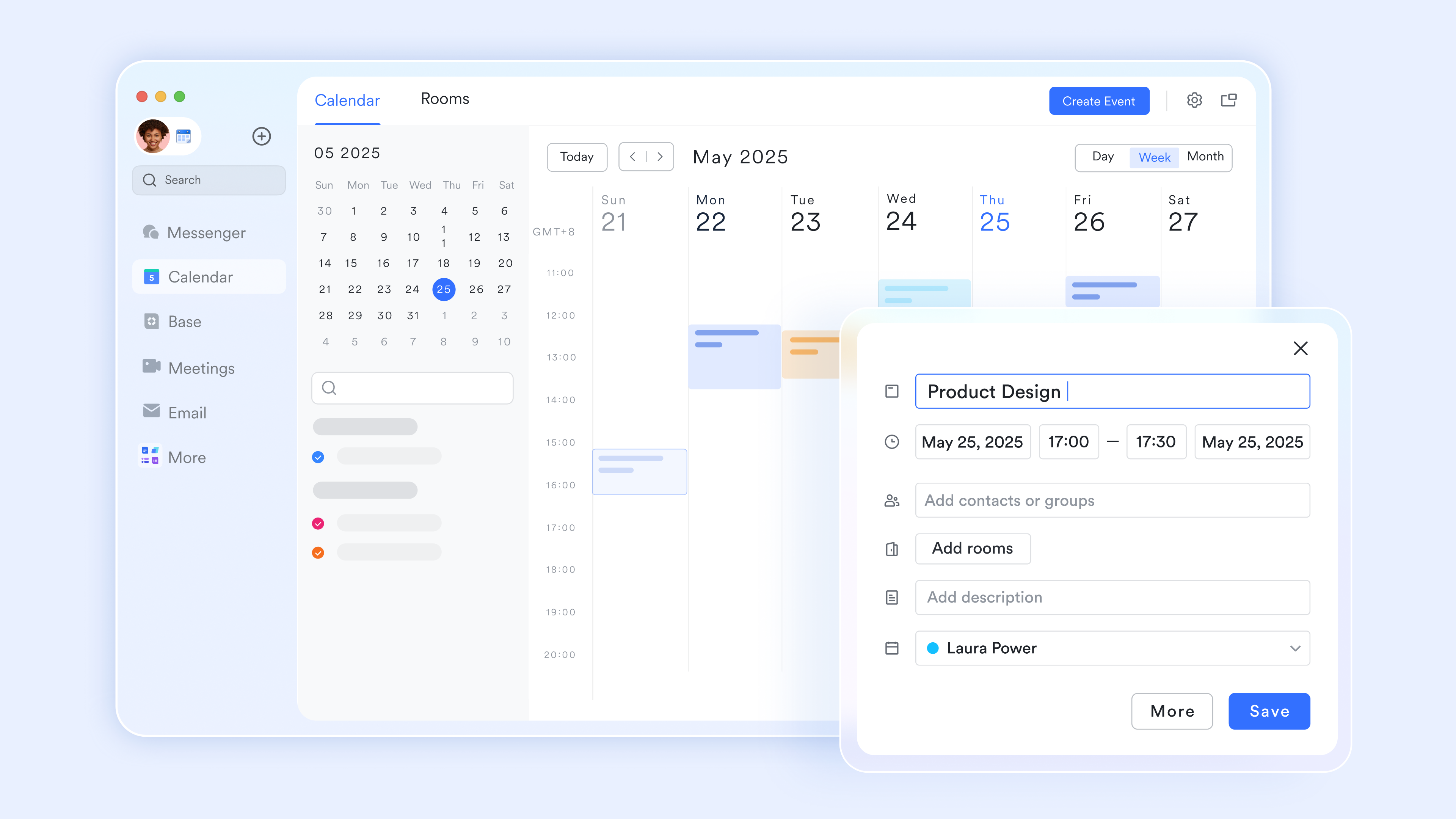
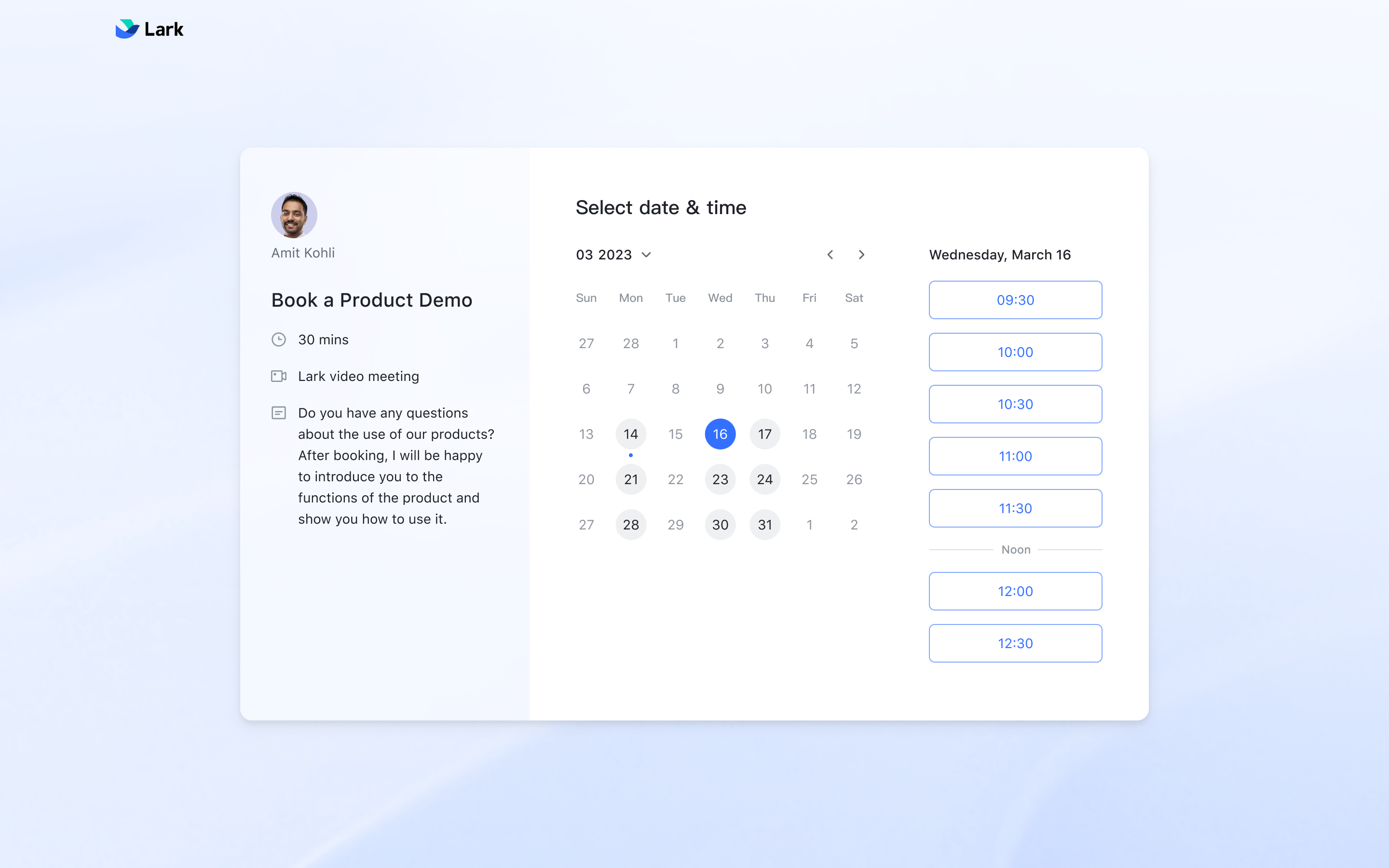
Automated external appointment booking
The "Scheduler" is an automated appointment service within the Calendar that eliminates the back-and-forth of with external partners. You can create a one-on-one or round robin schedule with your available time blocks and share a single booking link. External users can then book a slot that instantly syncs to your, ensuring your internal focus blocks and external meetings never overlap.
Unified task-to-calendar sync
Lark bridges the gap between your to-do list and your schedule with the display and edit tasks in the Calendar feature. Enabling "My Tasks" in the Calendar view displays your tasks with deadlines alongside your events. You can drag and drop a task into a specific time slot to change its deadline or "block" the time needed for execution, ensuring your daily plan is based on actual time capacity rather than a static list. 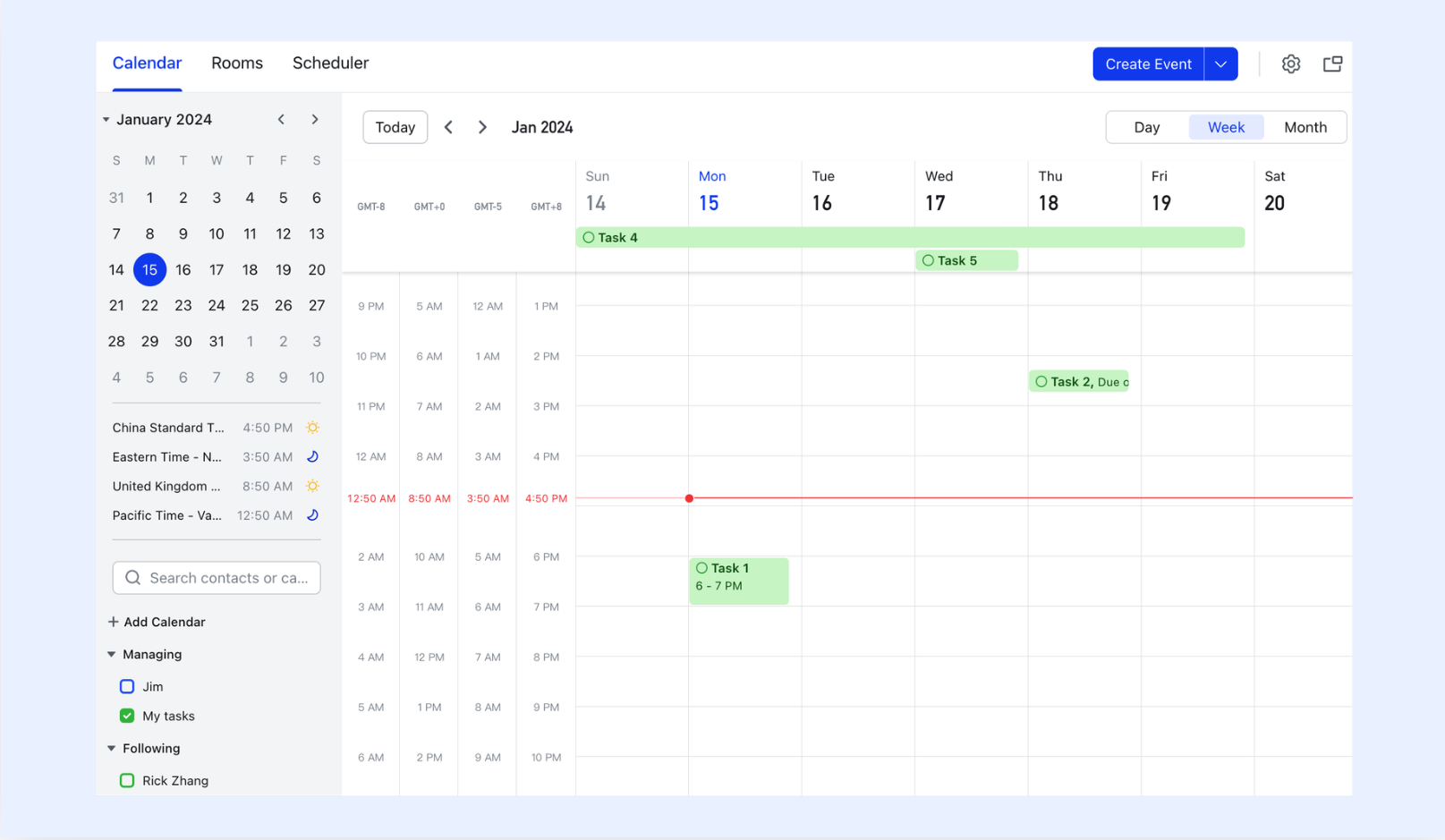
Seamless multi-calendar subscription
Effective time blocking requires visibility into external schedules. With the subscribe to calendars function, you can overlay your team's public calendars, holiday schedules, or another member's availability (with permission) onto your primary view. This allows you to "block" your own productivity sessions around critical milestones or shared events, ensuring your personal schedule is perfectly aligned with the broader team's rhythm. 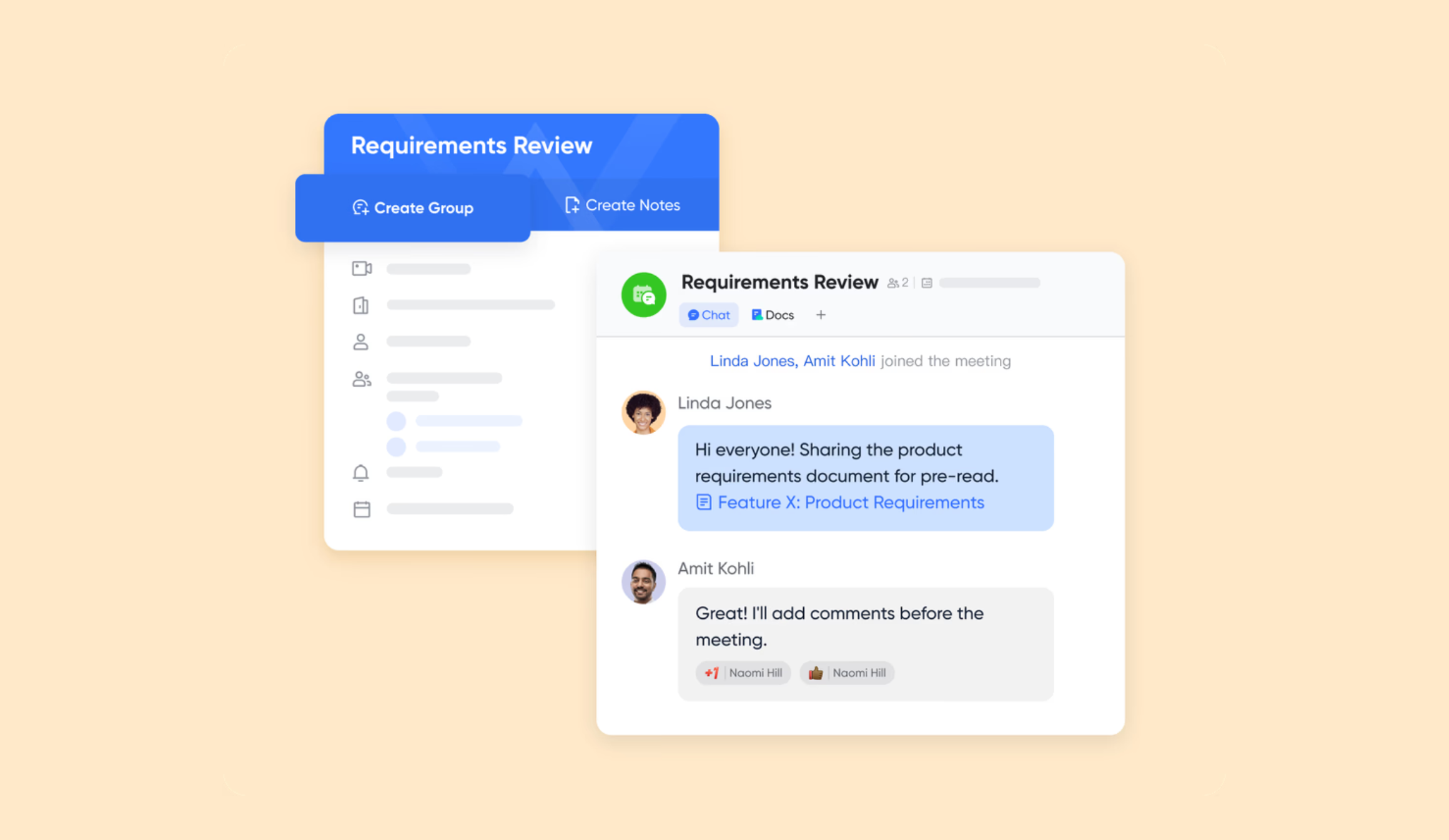
Pros:
- All-in-one time planning: Combines calendar blocking, tasks, meetings, and messaging in one workspace, reducing context switching and scheduling friction.
- Native focus protection: Busy status, working hours, and notification silencing work together to protect deep-work time automatically.
- Task-to-time alignment: Drag-and-drop task scheduling ensures daily plans reflect real-time capacity instead of static to-do lists.
- Flexible scheduling visibility: Multi-calendar subscriptions help users block time intelligently around team events and external commitments.
Cons:
- Workspace adoption required: Teams unfamiliar with a productivity suite may need time to adjust workflows.
:
- Starter plan: Free forever plan that includes 11 powerful tools for up to 20 users. It also comes with 100GB of storage, 1000 automation runs, AI translations, and more.
- Basic plan: $6/user/month (billed annually) for up to 500 users. It includes everything in Starter plus group calling for up to 500 attendees, 5TB of storage, 1000 automation runs, and more. For more details, please .
- Pro plan: $12/user/month (billed annually) for up to 500 users. It includes everything in Basic plus group calling for up to 500 attendees, 15TB of storage, 50,000 automation runs, and more.
- Enterprise plan: for custom pricing. Supports unlimited users and includes even more automation runs and advanced security, compliance, and management features.
For small teams with simple communication needs

18 months message history
1000 Base automation runs/month
2000 rows per table in Base
Most POPULAR
For companies with comprehensive collaboration and management needs
Unlimited message history
500-participant video meetings
50k Base automation runs/month
20k rows per table in Base
For large companies with advanced security and organizational management needs
Get a personalized demo and pricing
Unlimited message history
500-participant video meetings
15 TB storage + 30 GB storage/user
500k Base automation runs/month
50k Base automation runs/month
Most POPULAR
For companies with comprehensive collaboration and management needs
Unlimited message history
500-participant video meetings
50k Base automation runs/month
20k rows per table in Base
2. Motion: AI-powered auto-scheduling calendar
Motion is an AI-driven time blocking app that automatically builds your daily schedule based on tasks, priorities, and deadlines. Instead of manually creating a time block schedule, Motion continuously adjusts your calendar as priorities change. It is designed for professionals who want hands-free planning with minimal manual input. Motion works best for users who prefer automation over manual calendar blocking.
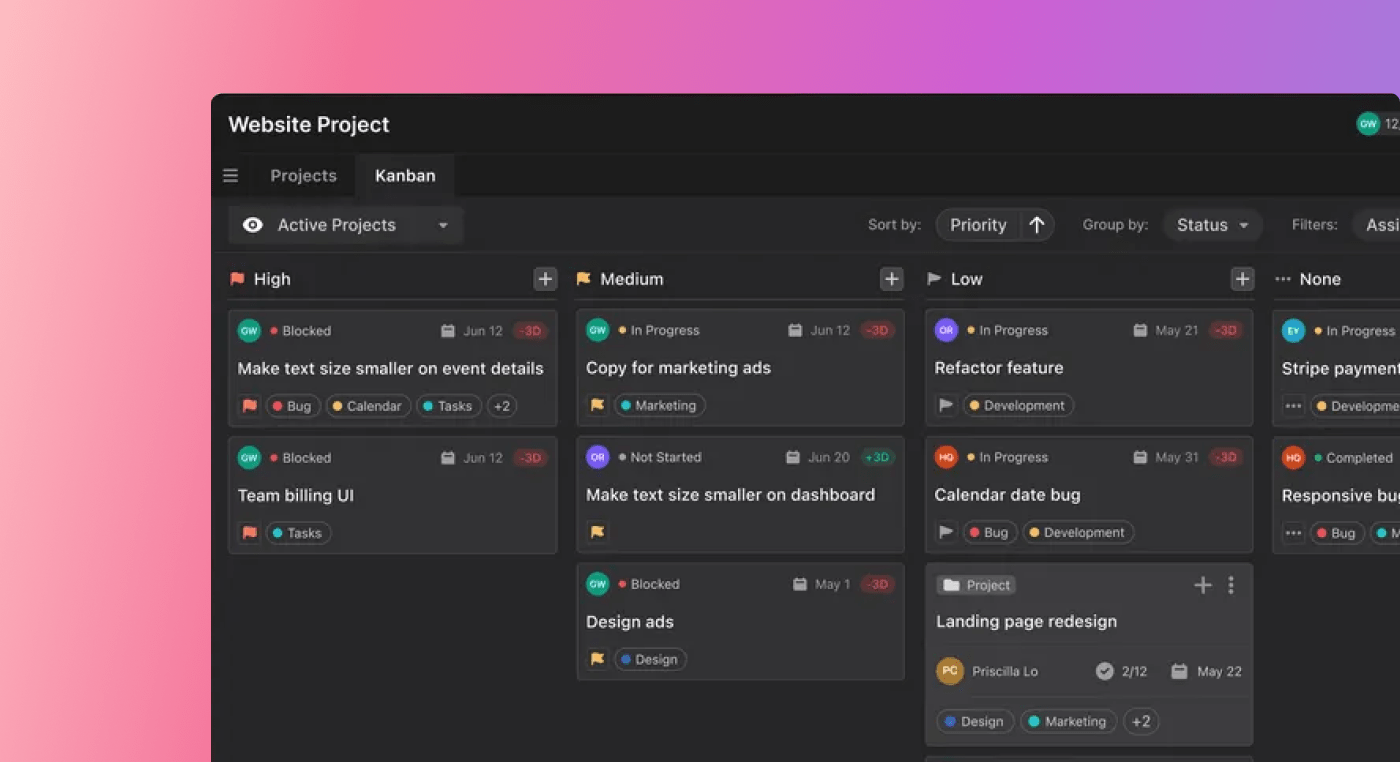
Image source: usemotion.com
Key features:
- Real-time calendar reshuffling
- Built-in task management
Pros:
- Fully automated planning
- Adapts instantly to changes
Cons:
- Rigid for creative workflows
Pricing:
- Individual pro AI: $29/month
- Individual business AI: $39/month
- Teams pro AI: $19/seat/month
- Teams business AI: $29/seat/month
3. Sunsama: Daily planning with task prioritization
Sunsama is a guided daily planning tool designed to help users create realistic and intentional schedules. It focuses on reviewing priorities before committing tasks to a calendar. By combining task management with time blocking, Sunsama encourages mindful productivity. It works well for professionals who want clarity and balance in their daily planning.
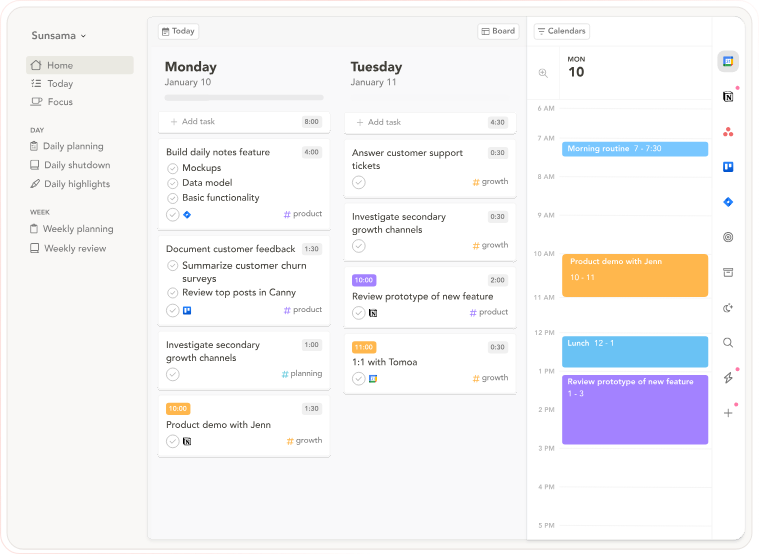
Image source: sunsama.com
Key features:
- Task imports from other tools
- Daily and weekly reviews
Pros:
- Encourages realistic schedules
- Clean, distraction-free design
- Strong prioritization habits
Cons:
Pricing:
- Yearly subscription: $16/month
- Monthly subscription: $20/month
4. Google Calendar: Simple free time blocking
Google Calendar is a widely used scheduling tool that supports basic time blocking for everyday planning. Users can manually create time blocks, manage meetings, and organize tasks visually. Its simple design makes it easy to get started without a learning curve. Google Calendar is ideal for individuals who need straightforward calendar blocking without advanced automation.
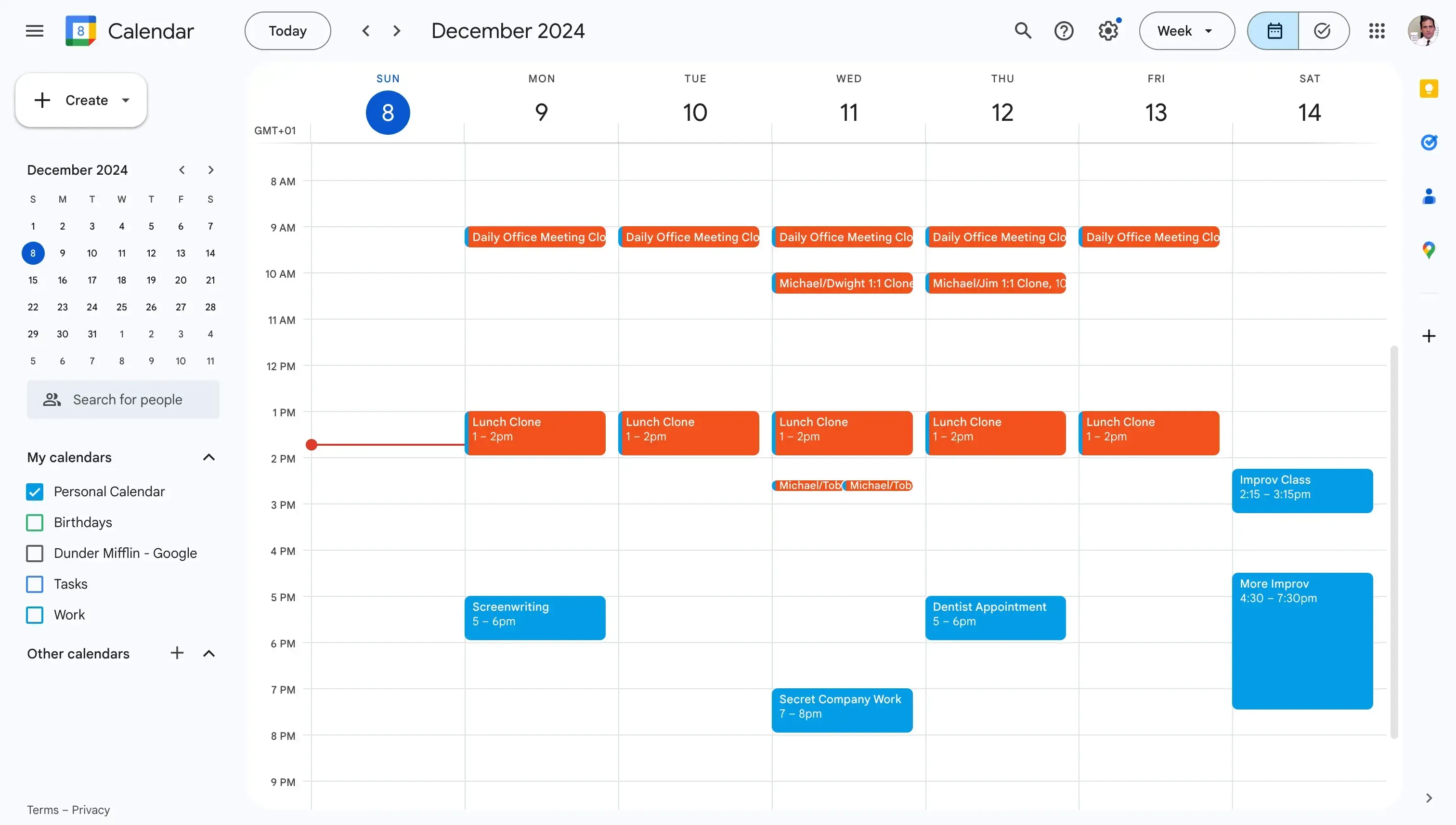
Image source: calendar.google.com
Key features:
Pros:
- Free and widely available
Cons:
Pricing:
- Free version: Free for anyone with a Google account
- Business starter: $7/user/month
- Business standard: $14/user/month
- Business plus: $22/user/month
5. Clockwise: Smart focus time optimizer
Clockwise is a scheduling tool designed to help teams create more uninterrupted focus time. It automatically rearranges meetings to open up blocks for deep work. Analyzing team calendars reduces scheduling conflicts and meeting overload. Clockwise works best for teams looking to improve collective productivity.
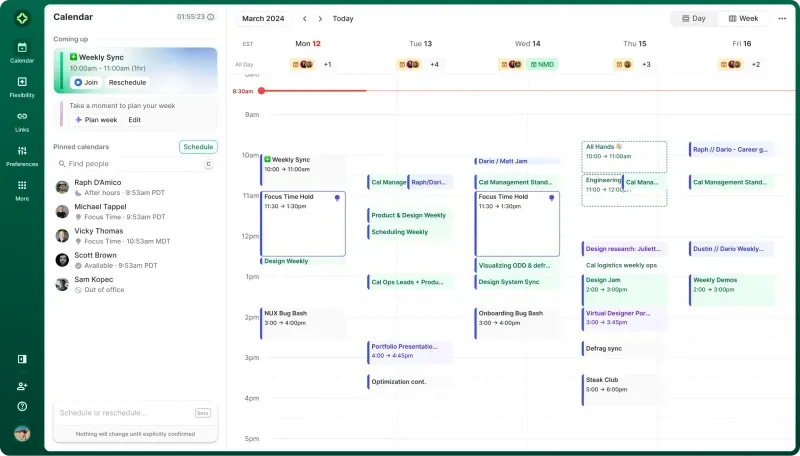
Image source: getclockwise.com
Key features:
- Automatic focus time creation
- Smart meeting rescheduling
- Team calendar optimization
Pros:
- Reduces meeting overload
Cons:
- Limited personal control
- Less useful for individuals
- Requires shared calendars
Pricing:
- Free plan: $0/user/month
- Team plan: $6.75/user/month
- Business plan: $11.50/user/month
- Enterprise plan: Contact sales
6. Akiflow: Task and calendar command center
Akiflow is a productivity-focused planning tool that brings tasks and calendars into one unified workspace. It is designed for users who want full control over their daily schedule and prefer manual time-block planning. With a fast, keyboard-driven workflow, Akiflow helps users plan their day efficiently. It works best for individuals who value speed, structure, and flexibility in time blocking.
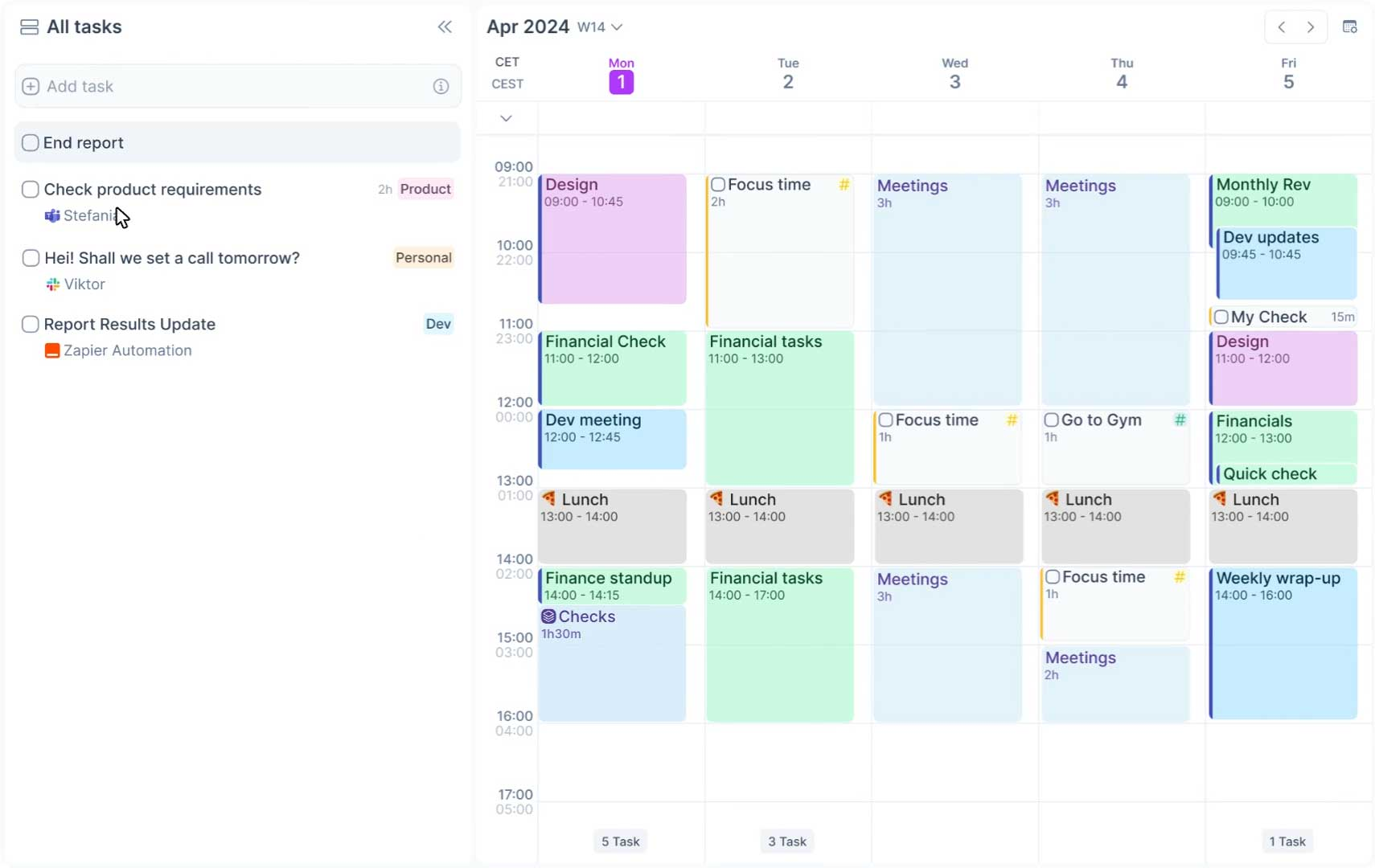
Image source: akiflow.com
Key features:
- Unified task and calendar view
- Drag-and-drop scheduling
- Multi-source task capture
Pros:
Cons:
Pricing:
- Pro yearly: $9.9/month/yearly
7. Todoist: Task-first time blocking planner
Todoist is a popular task management app that supports time blocking through calendar integration. It is designed for users who prefer starting with a to-do list and then building a time block schedule around tasks. With a clean interface and flexible task organization, Todoist helps users stay organized and focused. It works well for individuals managing daily tasks and recurring work.
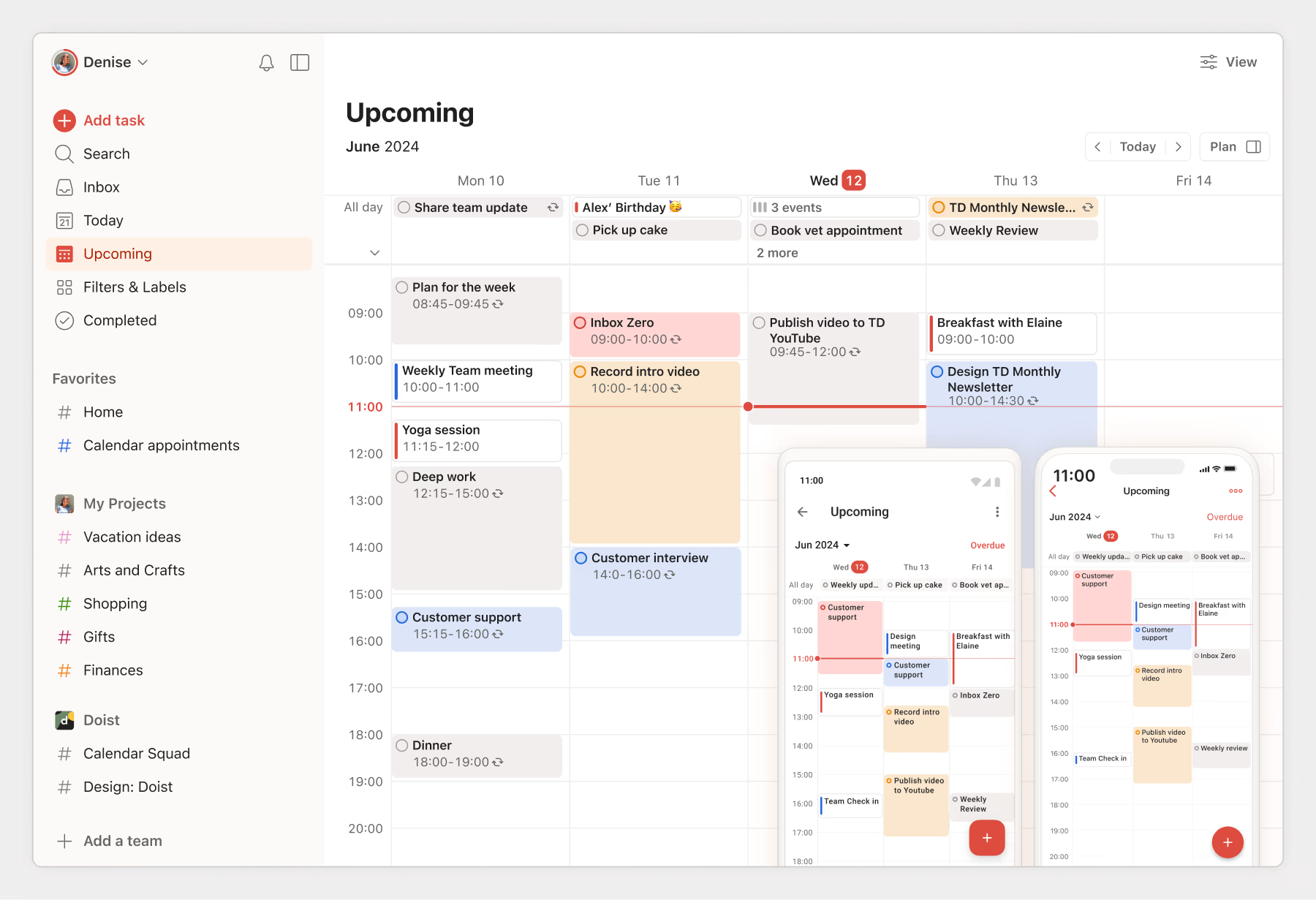
Image source: todoist.com
Key features:
- Priority-based task lists
Pros:
- Strong task organization
Cons:
- Time blocking is not native
Pricing:
- Beginner free plan: $0/user/month
- Business plan: $6/user/month
8. Notion: Custom time blocking workspace
Notion is a flexible workspace that allows users to build custom time-blocking systems using pages, databases, and calendar views. Instead of following a fixed structure, users design their own planners based on personal or team workflows. This flexibility makes Notion powerful but more manual compared to dedicated time-blocking apps. It is best suited for users who want full customization and contextual planning.
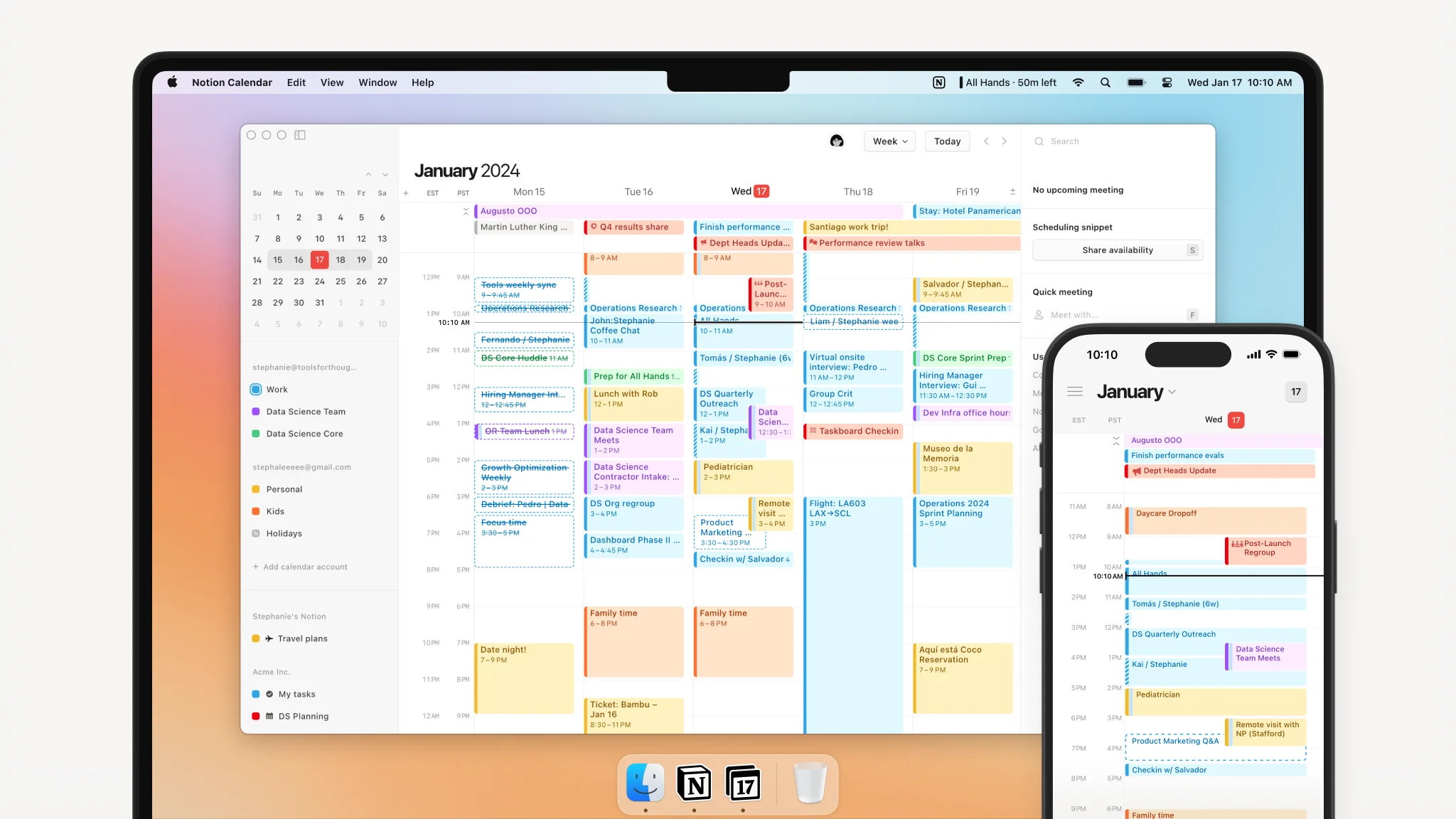
Image source: notion.com
Key features:
- Tasks and docs in one place
Pros:
- Flexible for many workflows
- Works for teams and individuals
Cons:
- Requires planning discipline
Pricing:
- Free plan: $0/member/month
- Plus plan: $10/member/month
- Business plan: $20/member/month
- Enterprise plan: Custom pricing
9. SkedPal: Rule-based smart scheduling
SkedPal is a smart scheduling tool that uses rules and priorities to automatically place tasks into available calendar time. Instead of fixed time blocks, tasks move dynamically when meetings or deadlines change. This flexible approach helps users manage complex schedules with minimal manual adjustments. SkedPal is best suited for users with busy, unpredictable days.
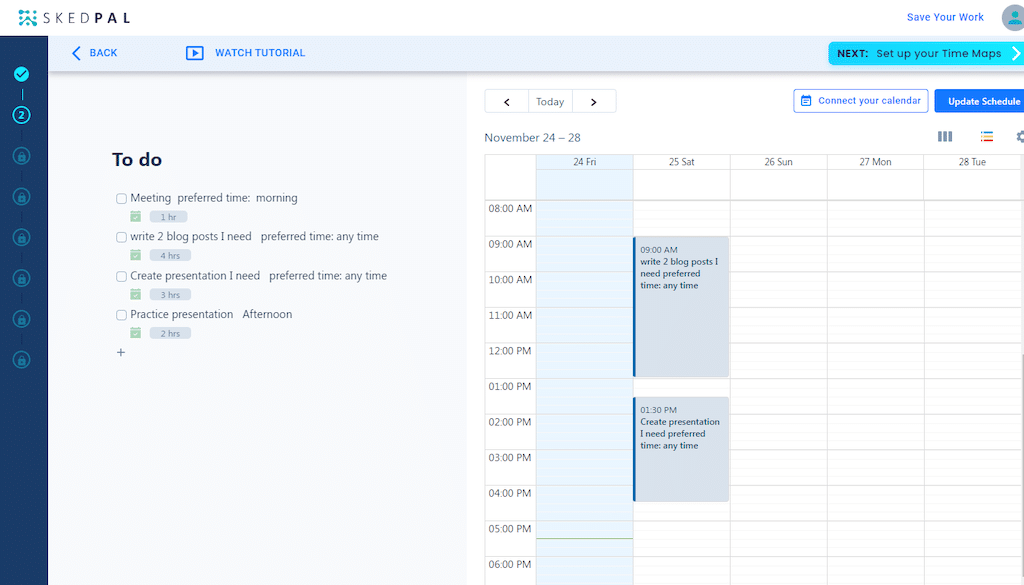
Image source: skedpal.com
Key features:
Pros:
- Handles complex schedules
Cons:
Pricing:
10. TickTick: Task planner with calendar blocks
TickTick is a productivity app that combines task management, time blocking, and habit tracking in one platform. It allows users to plan tasks directly on a calendar while also supporting daily focus routines. Built-in productivity tools help users stay consistent and organized throughout the day. TickTick is well-suited for individuals looking for an all-in-one personal planning solution.
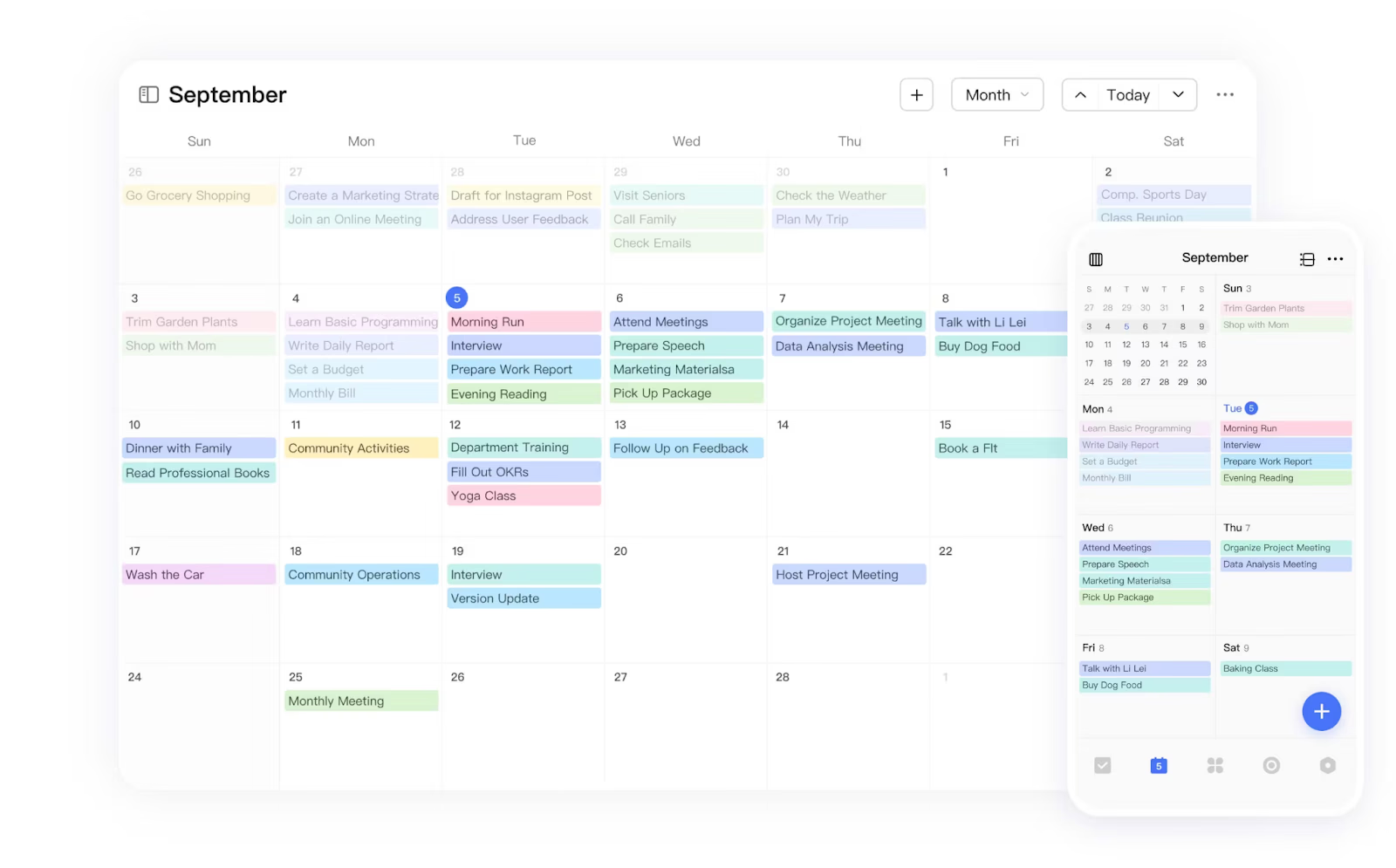
Image source: ticktick.com
Key features:
- Task and checklist tools
- Pomodoro and habit tracking
Pros:
- All-in-one productivity app
Cons:
Pricing:
- Free plan: $0(limited features)
- Premium plan: 35.99/annual
Common time blocking mistakes to avoid
While time blocking is a powerful productivity technique, using it incorrectly can lead to frustration instead of focus. Avoiding these common mistakes will help you create a realistic time block schedule that , flexibility, and long-term consistency.
- Overpacking schedules: Filling every minute of your calendar with tasks leaves no room for delays or unexpected work. This often leads to stress and unfinished tasks. A realistic time blocking calendar should reflect your actual capacity, not an ideal day.
- No buffer zones: Skipping buffer time between blocks makes it hard to handle transitions or interruptions. Without breaks, even small delays can disrupt your entire schedule. Buffer zones keep your time block planning flexible and sustainable.
- Ignoring energy levels: Scheduling demanding work at low-energy times reduces effectiveness. Time blocking works best when tasks are matched to your natural energy patterns. Planning deep work during peak focus hours improves output and motivation.
- Skipping reviews: Without regular reviews, time blocking becomes rigid and ineffective. Daily or weekly reviews help you adjust time blocks based on real results. This improves future planning and accuracy.
- Blocking without priorities: Blocking time without clear priorities leads to busy but unproductive days. Tasks should be prioritized before assigning time blocks. This ensures your schedule focuses on meaningful work, not just activity.
How the time blocking method improves productivity
The helps structure your day by assigning tasks to specific time slots in a time blocking calendar, making work more focused and intentional. By following a clear time-block schedule, you can reduce distractions, manage your energy better, and get more done with less stress.
- Reduces context switching: Time-blocking techniques limit constant task-switching by encouraging you to focus on one activity per block. This improves concentration and reduces mental fatigue caused by multitasking.
- Protects deep work time: Calendar blocking lets you reserve uninterrupted time for important work. These dedicated blocks make it easier to complete complex.
- Prevents overbooking: A visible time-block schedule shows your actual availability, helping you avoid overbooking meetings or tasks into one day.
- Encourages realistic planning: Time-blocking forces you to estimate task durations and plan your day based on your actual capacity, not assumptions.
- Improves work-life boundaries: A time blocking calendar helps you block work hours and personal time separately, supporting healthier routines and better balance.
Conclusion
A time blocking calendar helps you take control of your schedule by turning tasks into clear, actionable time blocks. It reduces distractions, improves focus, and encourages more realistic planning. While support time blocking, platforms like stand out by combining calendar blocking, , and communication in one place. By choosing a tool that fits your workflow and using time blocking consistently, you can protect deep work time, avoid overbooking, and build stronger work-life boundaries over the long term.
Ready to apply time blocking in your daily work?
FAQs
What is an example of a time-blocked calendar?
A time-blocked calendar assigns specific tasks to fixed time slots, such as reserving mornings for deep work and afternoons for meetings. This approach creates a clear structure and reduces decision fatigue during the day. Tools like Lark make it easier to visualize and manage these blocks in one place.
Is time blocking better than task lists?
Time blocking goes beyond by assigning tasks to real, available time on your calendar. This makes planning more realistic and reduces the risk of overcommitting. Many professionals prefer this approach when using calendar-based tools such as Lark.
How long should each time block be?
Most range between 30 and 90 minutes, depending on task complexity and personal focus levels. Shorter blocks work well for admin work, while longer ones suit deep focus. Calendar tools like Lark allow flexible block lengths to match different work styles.
Can time block work for managers?
Yes, managers can use time blocking to balance meetings, strategic work, and reviews while leaving space for unexpected issues. It helps protect focus time even in meeting-heavy roles. Platforms like Lark support this by aligning calendars with tasks and availability.
What's the best free time blocking app?
Free tools such as Google Calendar offer basic time-blocking functionality for individuals. For users who want calendar blocking combined with tasks and collaboration, Lark offers a strong free option to get started.
Related reading





























