


10 Best Project Planning Software for Smarter Team Execution

Ryan Tanner
Product Marketing Specialist
Aug 5, 2026
Ryan Tanner
Aug 5, 2026

26 min read


In any business aiming for success, teams need clarity, coordination, and control to deliver projects efficiently. That's where project planning software plays a crucial role. The best tools centralize task management, timelines, collaboration, and reporting—helping teams move from ideas to execution with structure and precision. Whether you're planning product launches, client deliverables, or large-scale operations, choosing the right software for project planning ensures seamless teamwork and accountability.
In this guide, we explore the top 10 project planning software that helps teams plan smarter, communicate better, and automate workflows:
1. Lark: All-in-one workspace for project planning and collaboration
2. Asana: Clear project timelines and workload visibility
3. ClickUp: Customizable project dashboards and goal tracking
4. Monday.com: Visual project planning with team dashboards
5. Trello: Kanban-based project organization
6. Wrike: Enterprise-level project planning and reporting
7. Smartsheet: Spreadsheet-style project and task management
8. Teamwork: Client-oriented project planning software
9. Zoho Projects: Affordable project tracking and time management
10. Basecamp: Simple planning for lean teams

What is project planning software?
Project planning software is a digital solution that helps teams organize, schedule, and execute projects efficiently. It provides a centralized workspace to plan tasks, assign responsibilities, set deadlines, and monitor progress in real time. Unlike basic to-do lists or spreadsheets, modern project management planning software integrates collaboration tools, automation, and analytics to keep teams aligned and accountable.
The best project planning software allows seamless coordination through features like Gantt charts, Kanban boards, and custom dashboards. It's used across industries—from marketing campaigns and software development projects to construction and resource management. Teams can also leverage free project planning software or open source project planning software for flexible and cost-effective solutions.
Ultimately, the right software for project planning transforms scattered communication into structured workflows, ensuring that every milestone, resource, and deliverable is clearly defined—helping teams plan smarter, work faster, and achieve consistent project success.
Key features to look for in project planning tools
Choosing the right project planning software goes beyond just scheduling tasks—it's about empowering teams to collaborate, stay organized, and deliver efficiently. The best project planning tools combine automation, data visualization, and AI-powered insights to enhance productivity and transparency. Whether you're selecting project management planning software for a small business or enterprise, these key features ensure smoother execution and smarter decision-making.
- Task management: A core feature of any project management planning software, it enables teams to create, assign, and prioritize tasks effortlessly. Clear task ownership improves accountability and visibility. Advanced filters and dependencies help manage complex workflows efficiently.
- Collaboration tools: Integrated chat, file sharing, and document editing features keep communication centralized. Team members can brainstorm, share updates, and make quick decisions without switching apps. This enhances alignment and accelerates project delivery.
- Automation: The best project planning software automates reminders, recurring tasks, and notifications to reduce manual work. It ensures deadlines aren't missed and updates happen in real time. Automation boosts consistency and saves valuable time.
- Resource planning: Efficient resource allocation is vital for productivity. Project planning tools help managers track workloads, availability, and team capacity. Balanced distribution prevents burnout and ensures sustainable project performance.
- Custom dashboards: Real-time dashboards and analytics provide clear visibility into progress, timelines, and KPIs. They enable data-driven decisions and proactive problem-solving. Custom views make reporting easier for both teams and executives.
- Cloud support: Cloud-based project planning software allows access from anywhere, enabling remote and hybrid teams to stay in sync. Data is updated instantly across devices. It ensures flexibility and continuity in distributed teams.
- AI-driven recommendations: Advanced AI tools predict project delays, suggest task prioritizations, and optimize timelines automatically. These smart insights turn project planning from reactive to proactive. AI integration enhances forecasting and long-term success.
Quick glance: Top 10 project planning software compared
10 Top project planning software reviewed
1. Lark: All-in-one workspace for project planning and collaboration
Lark is an all-in-one productivity and project planning software designed to unify communication, collaboration, and task management in a single platform. With multiple productive tools, Lark ensures that every project stays organized and transparent, featuring shared calendars, real-time co-editing, and automated workflows. Its intuitive interface and integrated ecosystem make it one of the best project management tools for teams seeking clarity, efficiency, and collaboration.
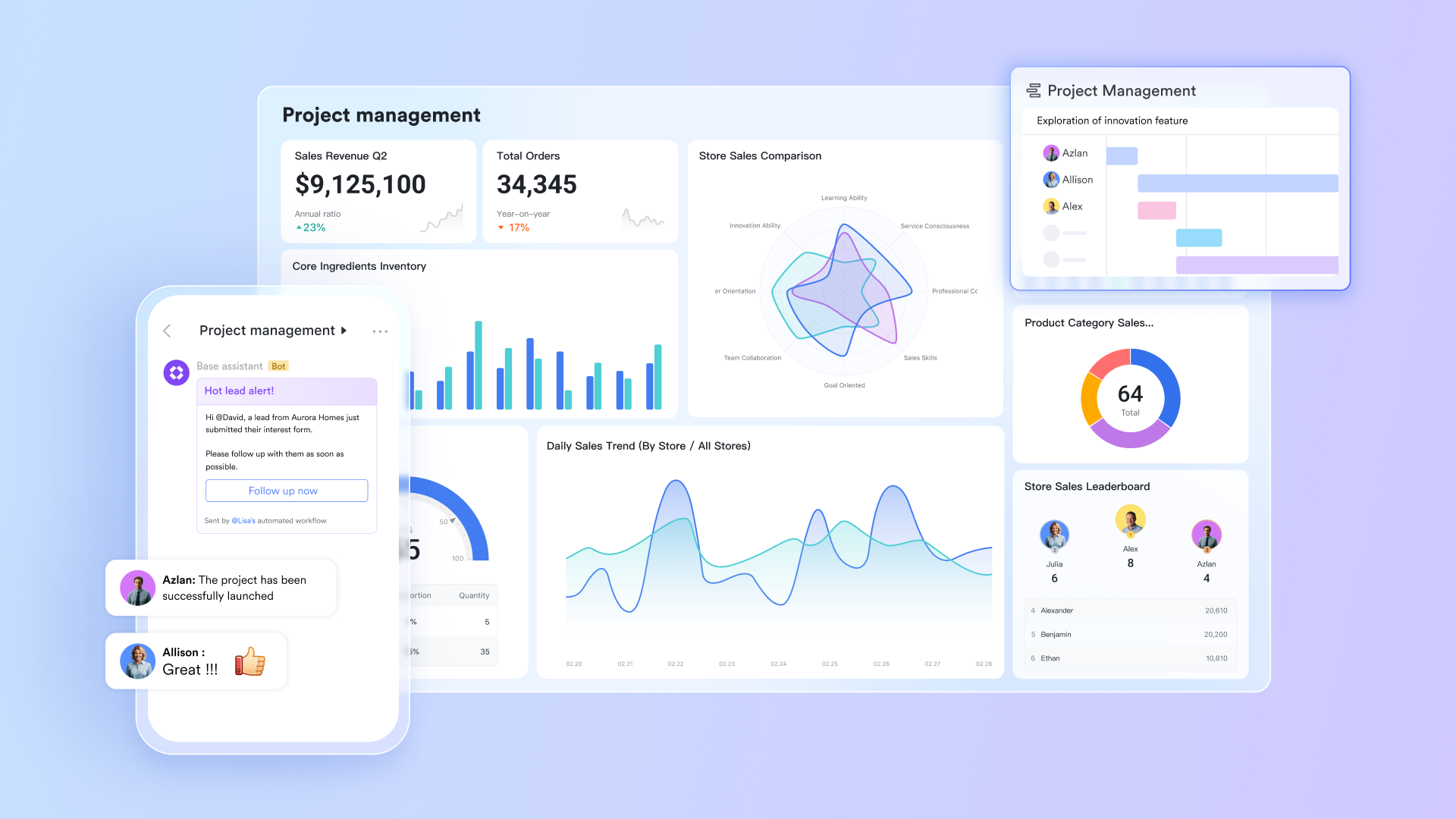
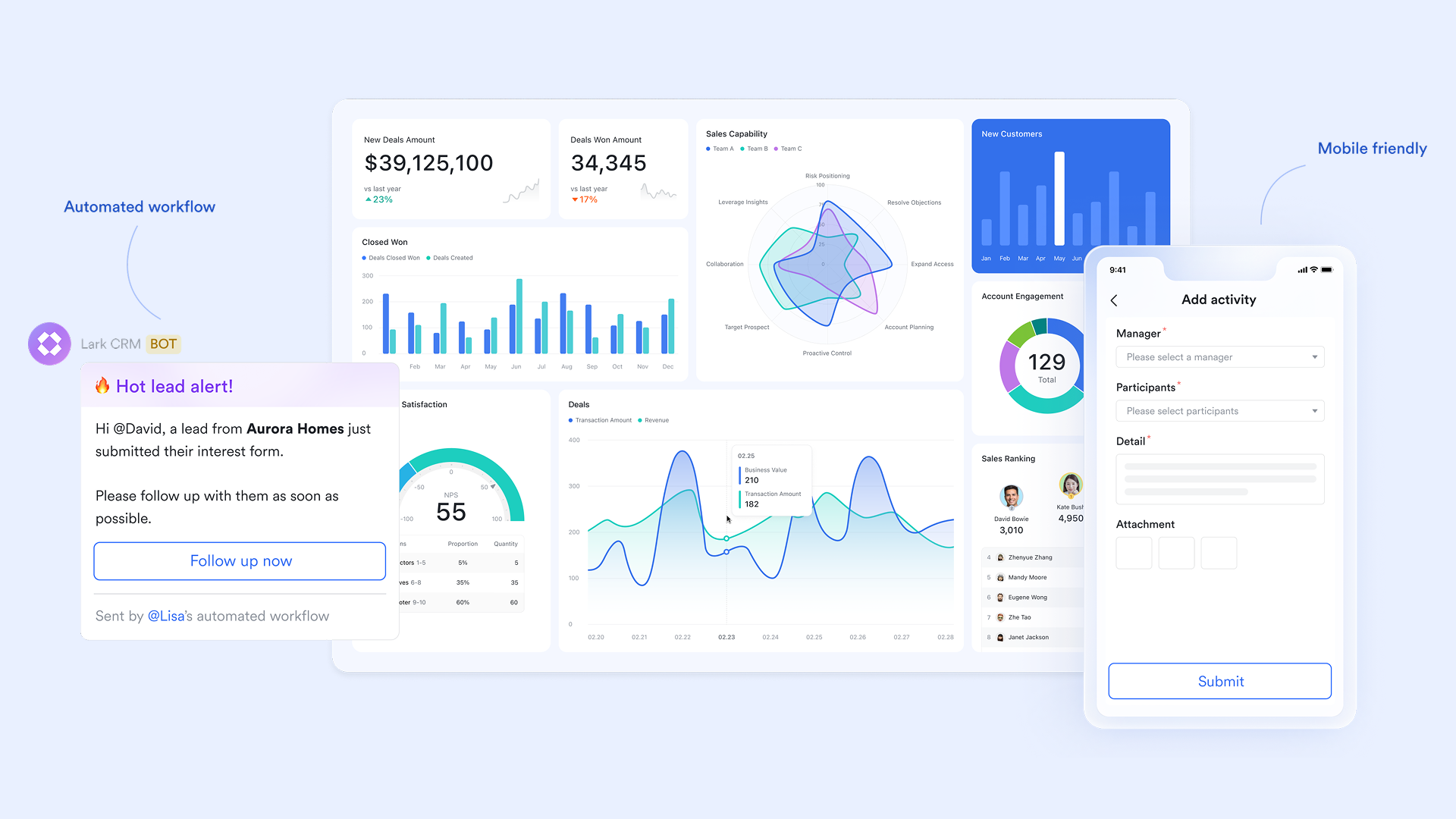
- Lark Base: Manage project pipelines and automate updates
- Lark Base is the workspace where teams plan, track, and control every stage of their projects in one organized view. It combines database-style tables, Kanban boards, and dashboards to visualize progress, allocate resources, and monitor deliverables with clarity. Teams can customize fields to match their workflow—from timelines and owners to budgets and priorities—creating a live, shared pipeline that updates as work moves forward. Its built-in automation ensures momentum never slows: Base can automatically assign review tasks, send alerts when a record's status changes, or update dashboards when milestones are complete.
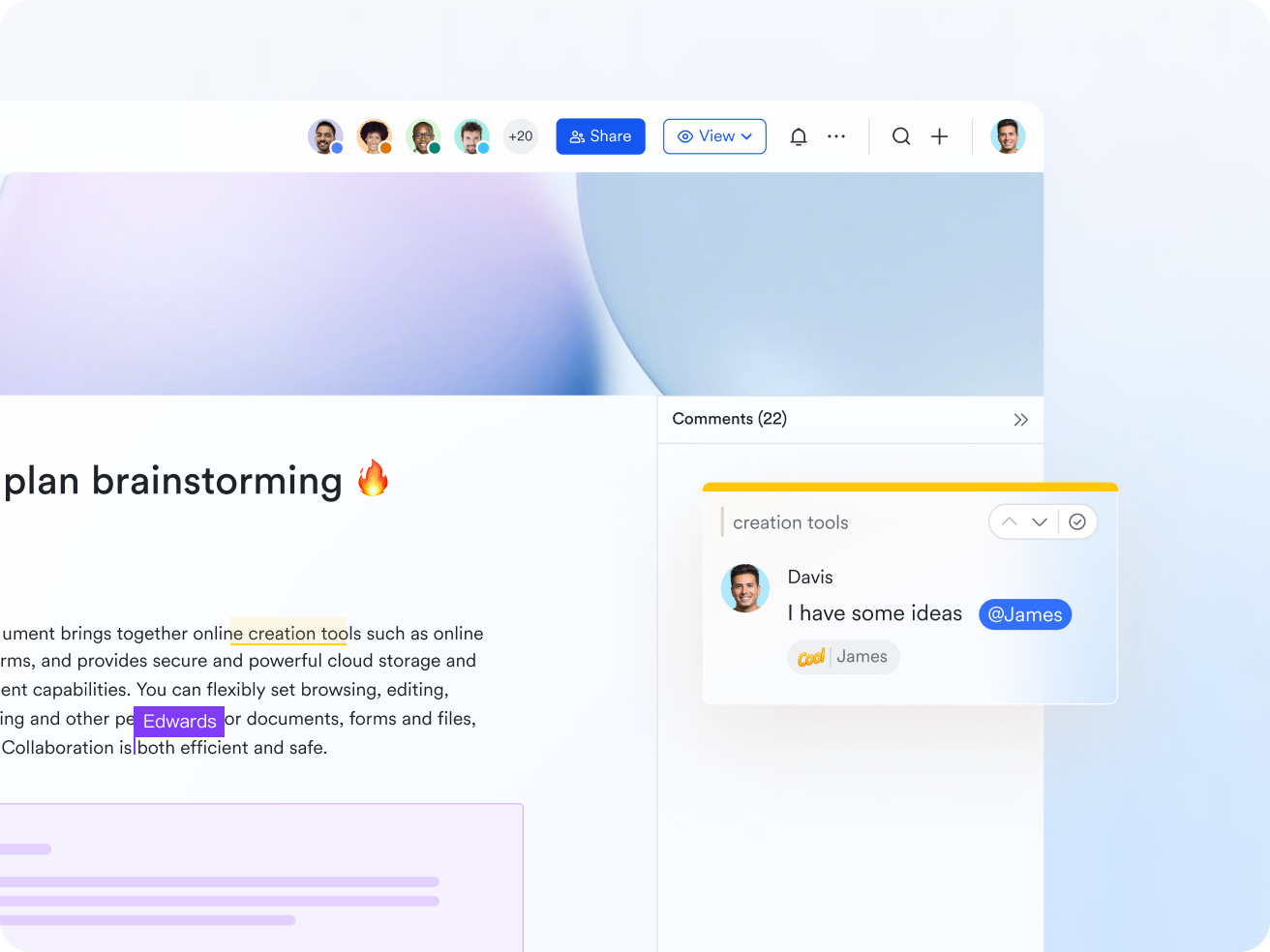
- Lark Docs: Real-time document collaboration for project planning
- Lark Docs turns project planning documents into living, editable blueprints. Teams can co-write timelines, goals, and deliverables together, leaving comments and mentions for fast feedback. Rich formatting and embedded sheets allow progress metrics and budgets to live right inside your plan. Version history ensures you never lose track of revisions or ownership. It keeps everyone aligned on one central, always-current document.
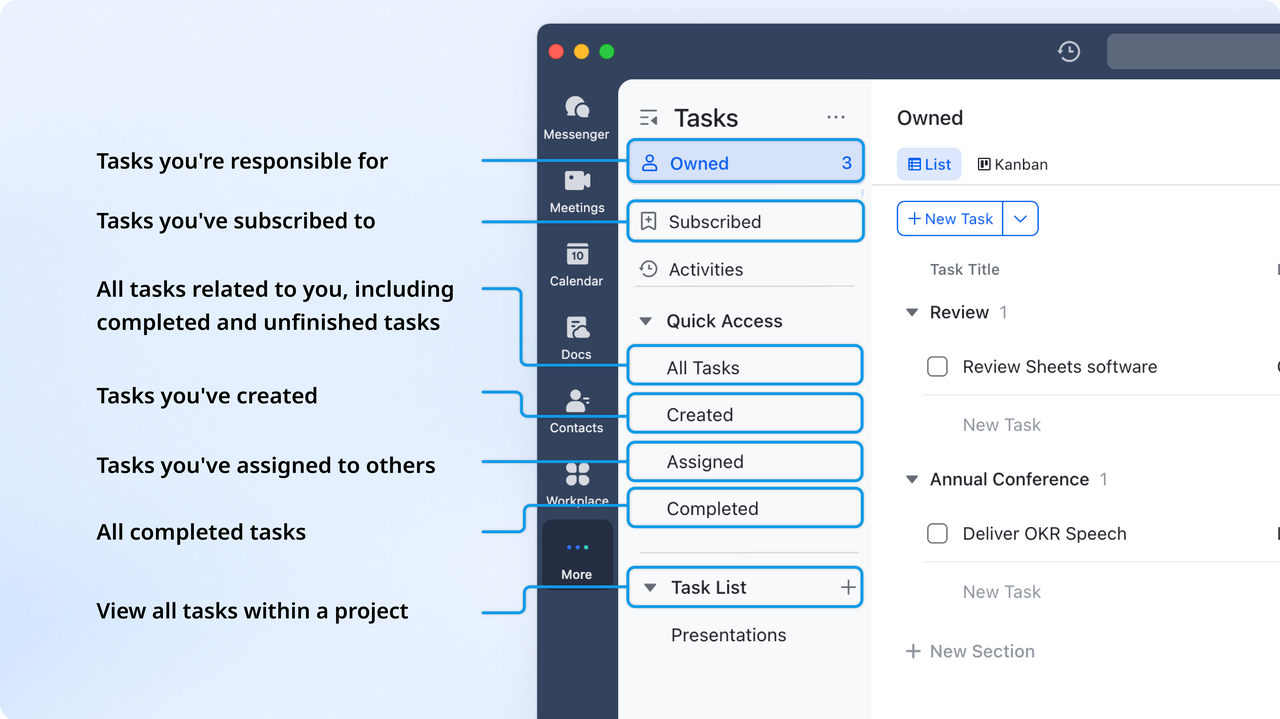
- Lark Tasks: Turn plans into action with accountability
- Lark Tasks converts every project plan into actionable steps with clear ownership. Tasks can be created directly from Docs or Messenger and assigned with priorities and due dates. Teams can view progress in lists, Kanban boards, or Gantt charts for complete visibility. Automated reminders prevent bottlenecks and ensure that no follow-up is missed. It transforms discussions into progress you can measure.
- Lark Calendar: Schedule milestones and meetings with context
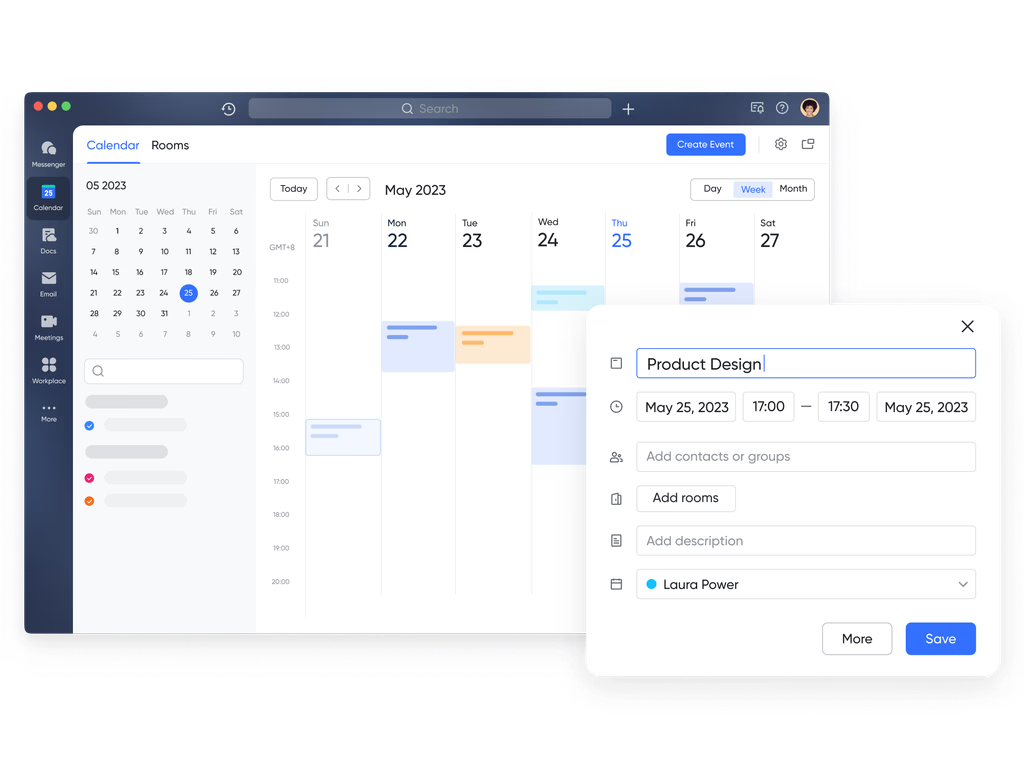
- Lark Calendar connects project events directly with the work behind them. Lark Calendar allows you to schedule, manage, and share events, and create agenda documents before meetings to keep discussions focused. You can follow other people's calendars and set up public calendars for organization-wide visibility. Also, recurring events and reminders are supported to help teams stay on track.
- Lark Messenger: Keep project communication clear and connected
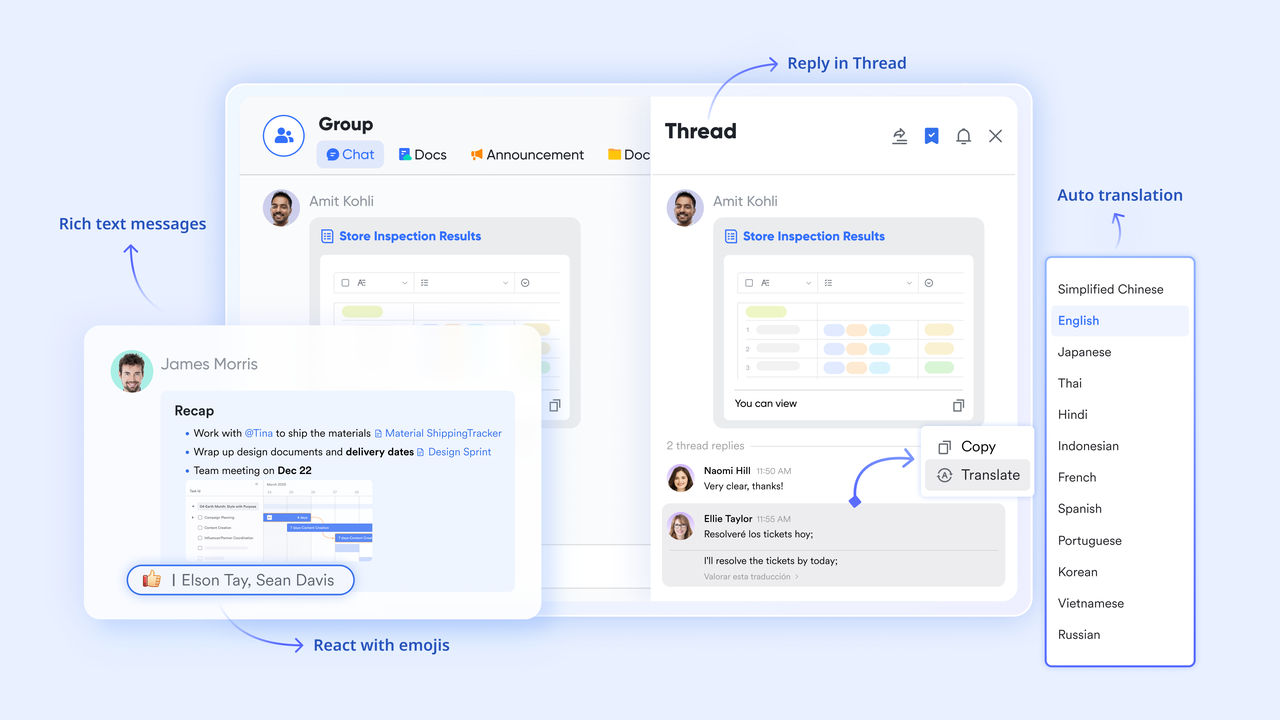
- Lark Messenger brings team communication right alongside the work being done. Messages can include Docs, Tasks, or Base records that open instantly in chat. Threaded replies and mentions make feedback faster and more organized. Teams never lose context—conversations stay tied to the exact files and updates they reference. It bridges planning and execution in one continuous flow.
- Lark Meetings: Productive meetings that lead to action
- Lark Meetings make project syncs more efficient by turning discussions into real progress. Teams can share live Docs, Slides, and Sheets, edit together during the meeting, and capture notes instantly. With Minutes, meeting summaries, and recordings, save directly to Lark Docs for easy follow-up. Action items can be turned into tasks before the call ends, so momentum continues. Meetings stop being just updates—they become execution sessions.

- Lark Wiki: Centralize project knowledge for future use
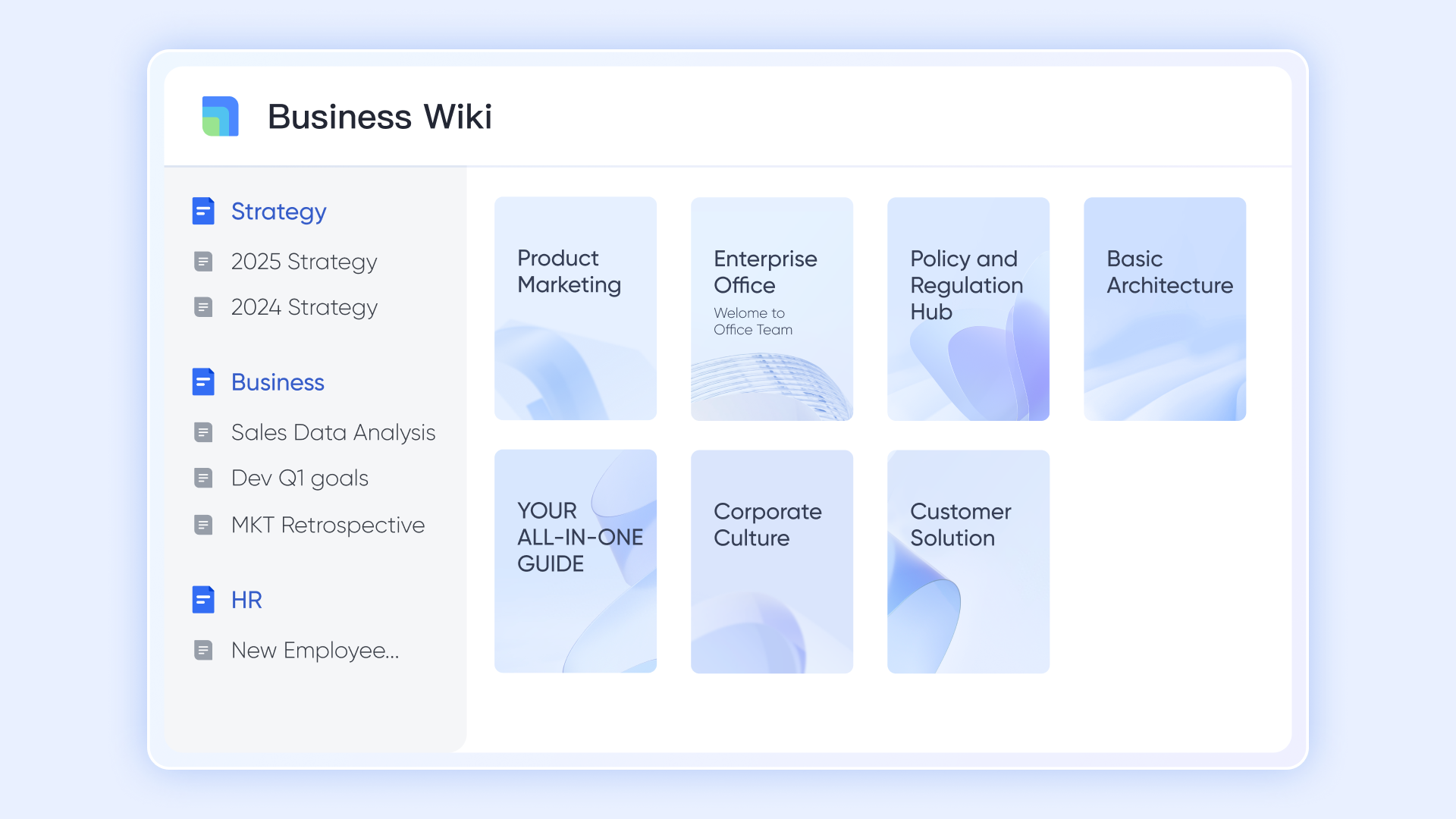
- Lark Wiki keeps all project knowledge—templates, guides, and best practices—organized in one easy-to-navigate hub. Teams can store recurring checklists, SOPs, or project templates linked to live Docs and Sheets. Wiki pages remain searchable and continuously updated, preventing duplication and confusion. It ensures every project builds on what was learned before. Knowledge stays structured, accessible, and alive.
Why Lark stands out for project planning
Unlike traditional project tools that separate communication from execution, Lark brings them together. Docs become plans, Tasks turn into progress, and Base automations keep projects moving. Teams stay aligned because every milestone, message, and metric exists in one place. It's not just project planning—it's project rhythm.
Best for: Teams that want a single connected platform for planning, execution, and communication.
- Starter plan: Free forever plan that includes 11 powerful tools for up to 20 users. It also comes with 100GB of storage, 1000 automation runs, AI translations, and more.
- Pro plan: $12/user/month (billed annually) for up to 500 users. It includes everything in Starter plus group calling for up to 500 attendees, 15TB of storage, 50,000 automation runs, and more.
- Enterprise plan: Contact sales for custom pricing. Supports unlimited users and includes even more automation runs and advanced security, compliance, and management features.
2. Asana: Clear project timelines and workload visibility
Asana is one of the most popular project planning tools known for its structured approach to task and timeline management. It helps teams visualize progress through boards, lists, and Gantt-style timelines while ensuring accountability across departments. With automation, workload tracking, and robust integrations, Asana simplifies coordination for fast-moving teams managing multiple deliverables. Its intuitive interface and cross-functional features make it a go-to choice for growing organizations seeking clarity and control.
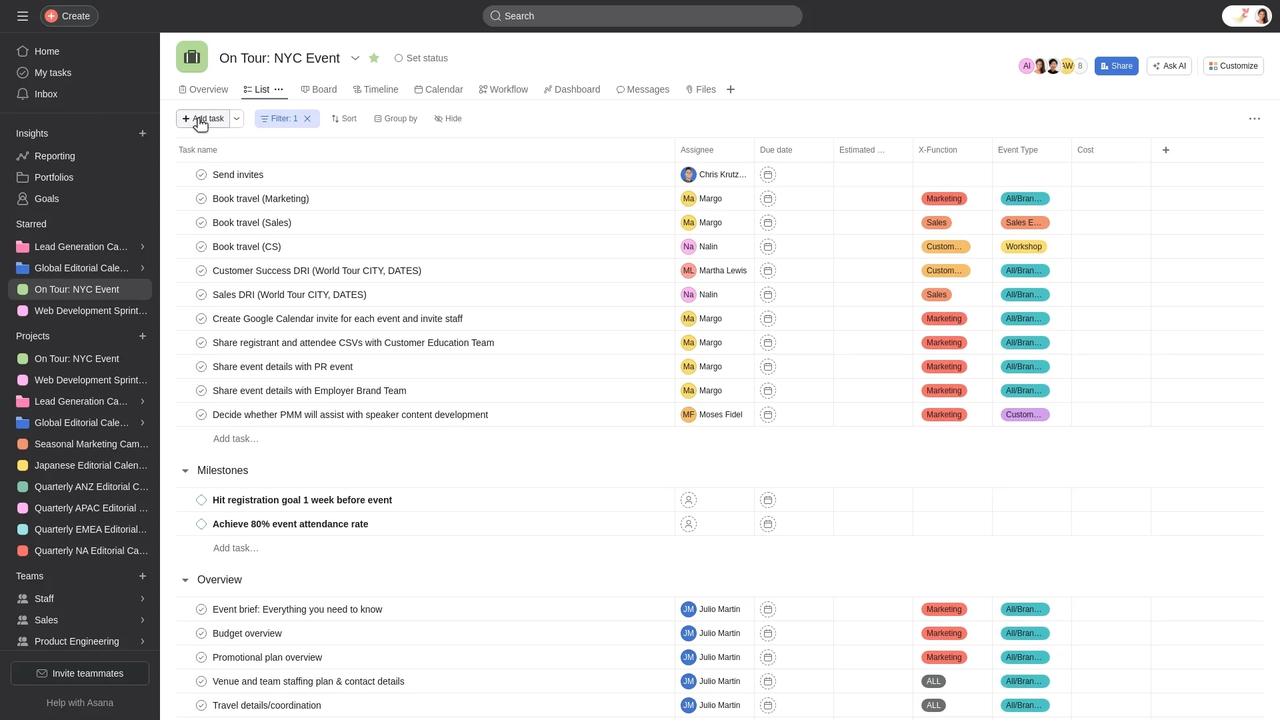
Image source: asana.com
Features:
- Task lists, Kanban boards, and timeline views.
- Automation rules for repetitive tasks.
- Workload and progress tracking dashboards.
- Integrations with Slack, Google Drive, and Outlook.
Pros:
- Easy to use and visually organized.
- Excellent for tracking multi-team workflows.
- Strong automation and reporting features.
Cons:
- Advanced features limited to paid plans.
- Can be overwhelming for small teams initially.
Best for: Marketing, operations, and cross-functional project tracking.
Final verdict: Asana offers exceptional clarity and coordination for managing complex projects, making it one of the best project planning software options for teams that value structure, transparency, and scalability.
3. ClickUp: Customizable project dashboards and goal tracking
ClickUp is a powerful and flexible project planning software built for teams that need advanced customization and visibility. It supports multiple project views, detailed automation, and AI-driven insights to streamline planning and execution. From marketing campaigns to product roadmaps, ClickUp adapts to any workflow, making it a great choice for growing teams that want full control over their planning process.
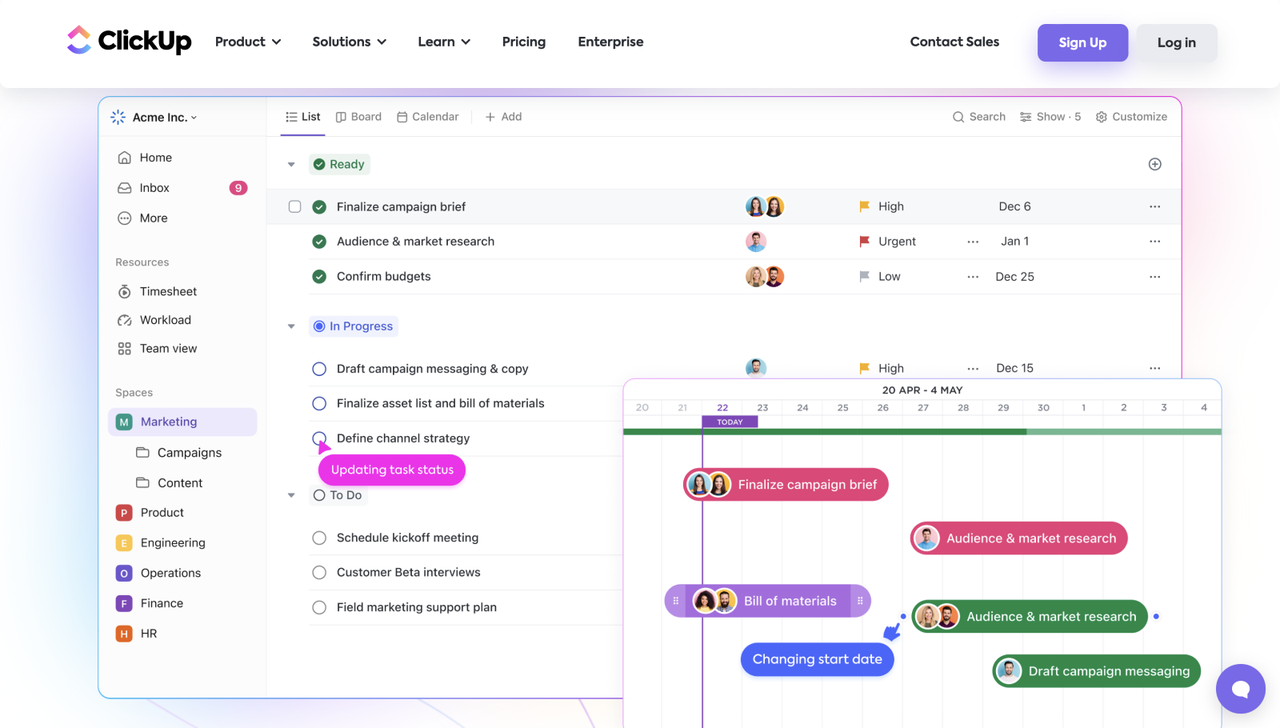
Image source: clickup.com
Features:
- Multiple views including List, Board, Gantt, and Calendar.
- Customizable dashboards and reporting tools.
- Built-in time tracking and goal alignment.
- Powerful automation and AI features.
Pros:
- Highly customizable and scalable for different teams.
- Excellent visualization and tracking options.
- Strong integrations with popular productivity tools.
Cons:
- Steep learning curve for new users.
- Interface can feel cluttered for smaller teams.
Best for: Teams managing diverse projects or complex workflows.
Final verdict: ClickUp is one of the best project planning software options for teams seeking deep customization, data-rich dashboards, and scalable automation—perfect for complex, multi-team environments.
4. Monday.com: Visual project planning with team dashboards
Monday.com is a flexible project planning software designed with visual workflows at its core—offering colorful boards, timeline views, and fully customizable dashboards. It supports teams in marketing, operations, and other areas who value clarity and intuitive interfaces. With numerous templates, drag-and-drop task boards, and strong automation features, monday.com helps convert complex processes into manageable flows. Whether you're organizing a campaign or overseeing multiple projects simultaneously, it offers a visual, user-friendly workspace geared toward coordination and transparency.
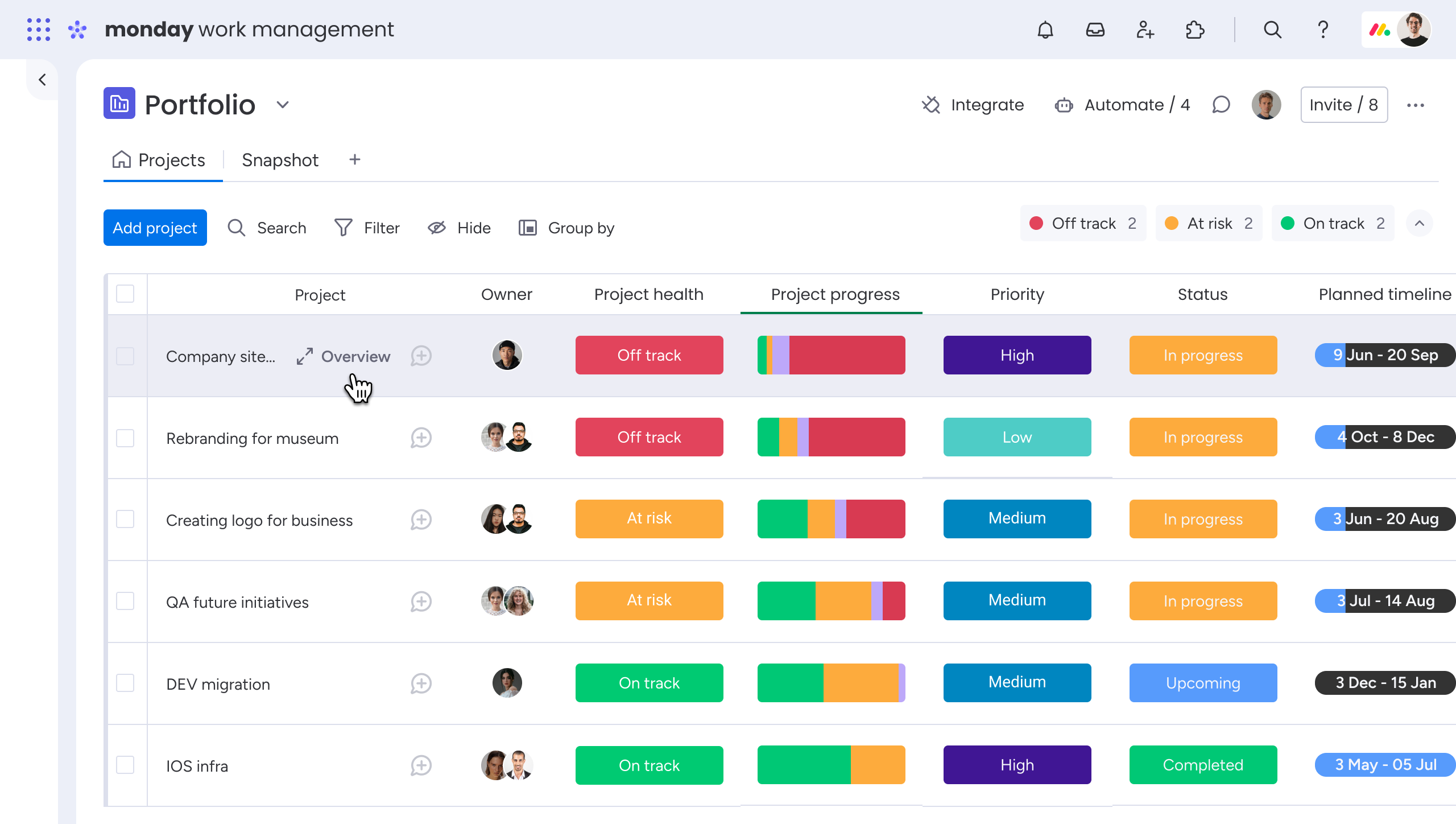
Image source: monday.com
Monday.com is a flexible project planning software designed with visual workflows at its core—offering colorful boards, timeline views, and fully customizable dashboards. It supports teams in marketing, operations, and other areas who value clarity and intuitive interfaces. With numerous templates, drag-and-drop task boards, and strong automation features, monday.com helps convert complex processes into manageable flows. Whether you're organizing a campaign or overseeing multiple projects simultaneously, it offers a visual, user-friendly workspace geared toward coordination and transparency.
Features:
- Customizable boards and views (Kanban, Gantt, Timeline, Calendar).
- Built-in automation rules for tasks, reminders, and approvals.
- Real-time dashboards and reporting widgets showing project status.
- Resource planning tools and time-tracking capabilities.
Pros:
- Visually appealing and intuitive interface that lowers setup time.
- Great for cross-team visibility and presenting work in multiple formats.
- Strong integration ecosystem and numerous templates for fast onboarding.
Cons:
- Some advanced features are locked behind higher-tier pricing plans
- Customization flexibility can lead to complexity for very small or simple teams
Best for: Teams that prefer visual, easy-to-use project management tools.
Final verdict: Monday.com stands out for its visual clarity and adaptability—making it a strong candidate for teams that need a flexible, user-friendly project planning tool with robust dashboards and workflow automation.
5. Trello: Kanban-based project organization
Trello is one of the most user-friendly and free project planning software options, centered on its signature Kanban board system. It helps teams organize tasks visually using boards, lists, and cards, making it easy to plan, prioritize, and track progress at a glance. Ideal for startups and small teams, Trello simplifies project management without overwhelming users with complex features.
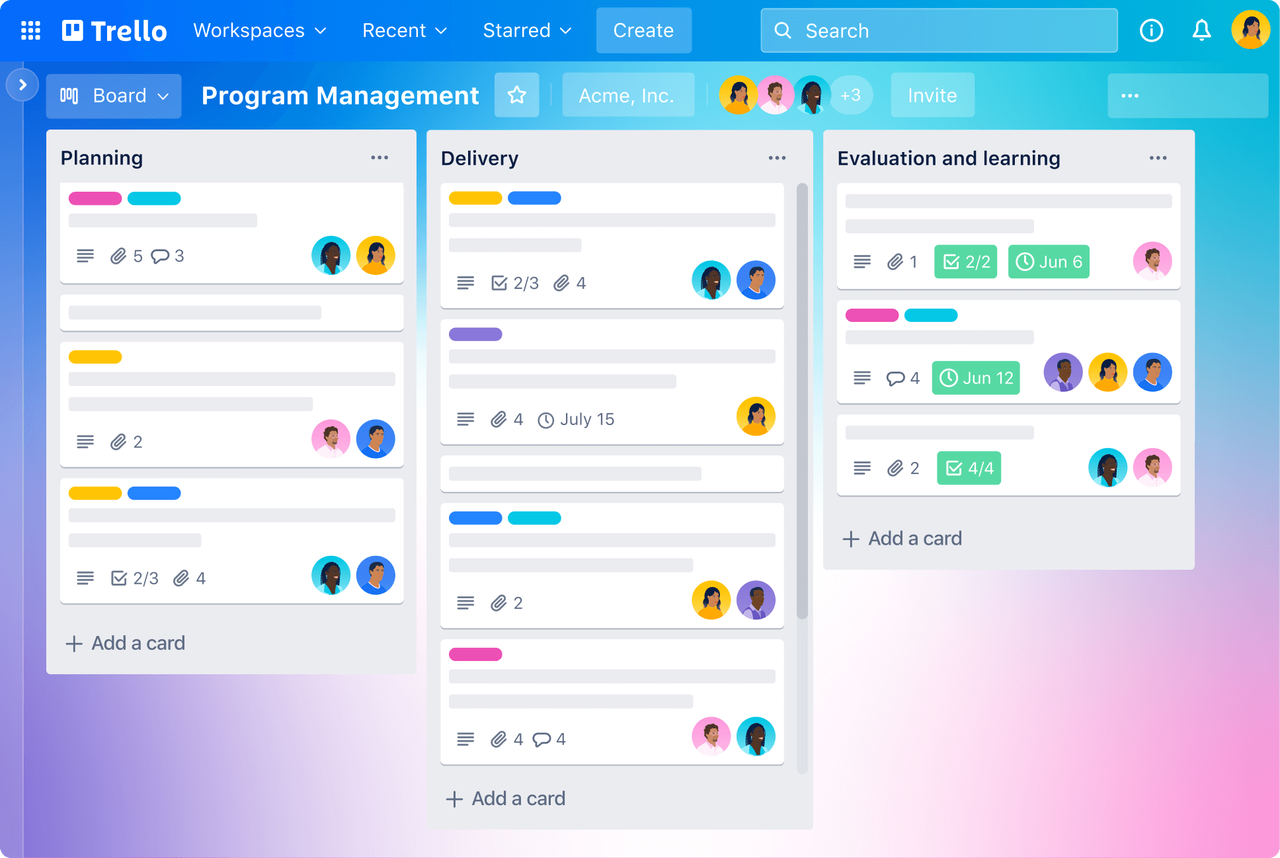
Image source: trello.com
Features:
- Simple Kanban-based task boards with drag-and-drop functionality.
- Power-Ups for timeline, calendar, and third-party integrations.
- Custom fields, checklists, and labels for enhanced task organization.
- Collaboration through comments, file attachments, and mentions.
Pros:
- Extremely easy to set up and use, even for beginners.
- Free plan includes essential project planning tools.
- Visual layout ideal for agile workflows and personal productivity.
Cons:
- Limited automation and reporting in free and lower-tier plans.
- Can become cluttered for large or complex team projects.
Best for: Small teams and individuals managing straightforward workflows.
Final verdict: Trello is perfect for teams that want simplicity, flexibility, and visual clarity in their project planning software—but may not suit enterprises needing deep automation or resource planning.
6. Wrike: Enterprise-level project planning and reporting
Wrike is a powerful project planning software built for teams and organizations that need high visibility, detailed workflows, and advanced analytics. It combines task and project management with enterprise-grade features like resource planning, time tracking, auditing, and portfolio oversight. With customizable dashboards and views—Gantt charts, board views, tables—Wrike enables structured planning and real-time tracking of complex initiatives. If you're managing multi-team projects, cross-department alignment, or large portfolios, this tool offers the depth and structure you'll need.
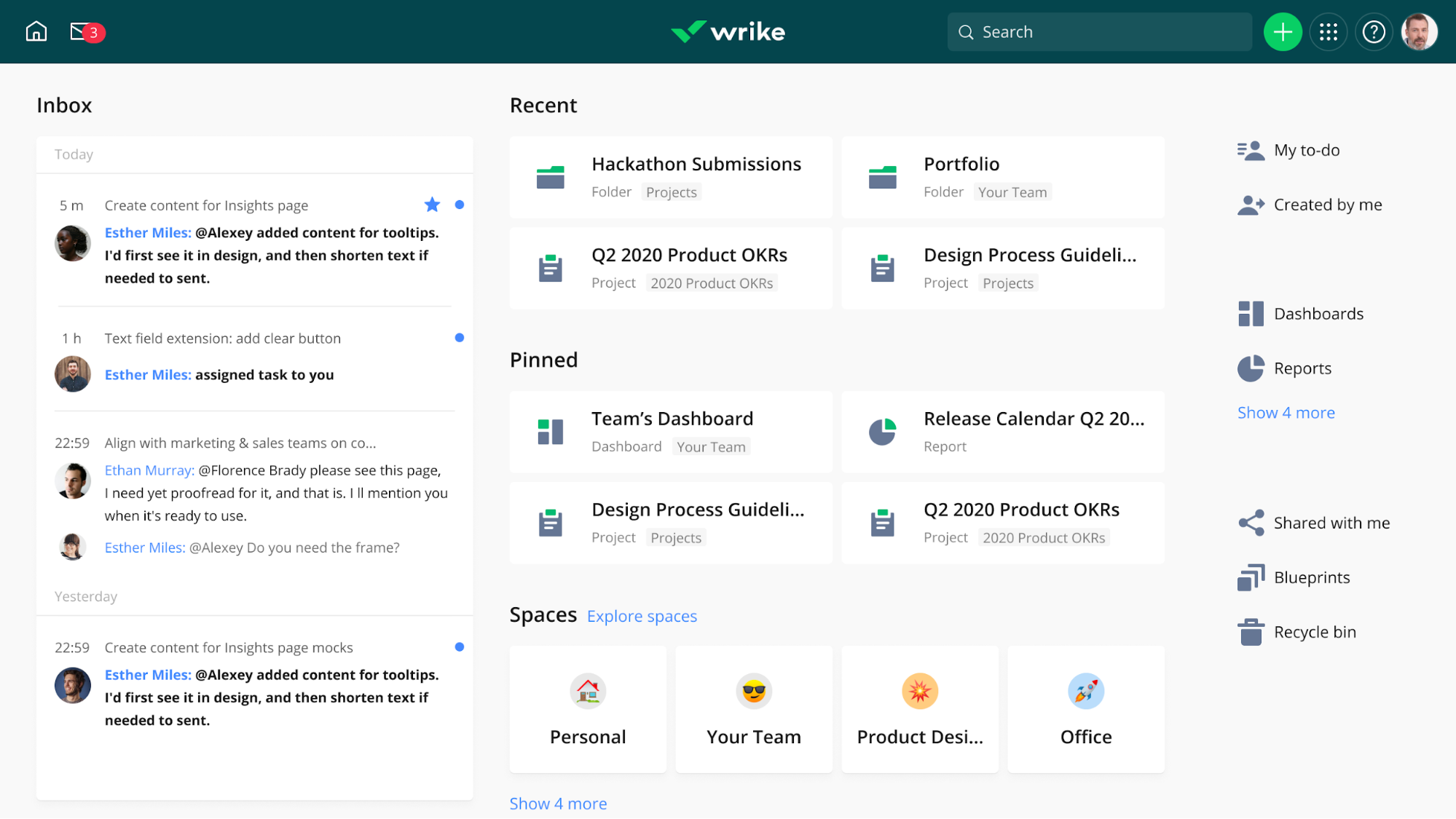
Image source: wrike.com
Features:
- Interactive Gantt charts, board, calendar and table views for project scheduling and tracking.
- Automation rules, custom workflows and templates to standardize processes and save time.
- Resource planning and workload view to balance assignments and monitor capacity.
- Real-time dashboards, reporting and analytics for performance, budget and portfolio visibility.
Pros:
- Excellent for gaining transparency and control across large or multi-department projects.
- Strong automation, customization and reporting capabilities to adapt to complex workflows.
- Scalable platform suited for enterprise-level resource planning and program management.
Cons:
- Steeper learning curve and higher setup effort compared to simpler tools.
- The full feature set comes at a higher cost, making it less budget-friendly for smaller teams.
Best for: Large teams that require detailed oversight and data-driven planning.
Final verdict: Wrike stands out among project planning software options for organizations that demand deep structure, enterprise-grade features, and full visibility into resources and workflow. For teams handling large projects, it's a powerful choice—though smaller or less formal teams might find simpler tools more appropriate.
7. Smartsheet: Spreadsheet-style project and task management
Smartsheet bridges the gap between traditional spreadsheets and modern project planning software. With a familiar grid interface, it offers multiple views—including Gantt charts, Kanban boards, and calendars—to suit different workflows. Its strength lies in data-driven tracking, automation, and robust integrations, making it suitable for teams that need spreadsheet-style views but also want workflow features beyond simple lists. For organizations used to Excel but ready for more collaborative and scalable software for project planning, Smartsheet is a compelling choice.
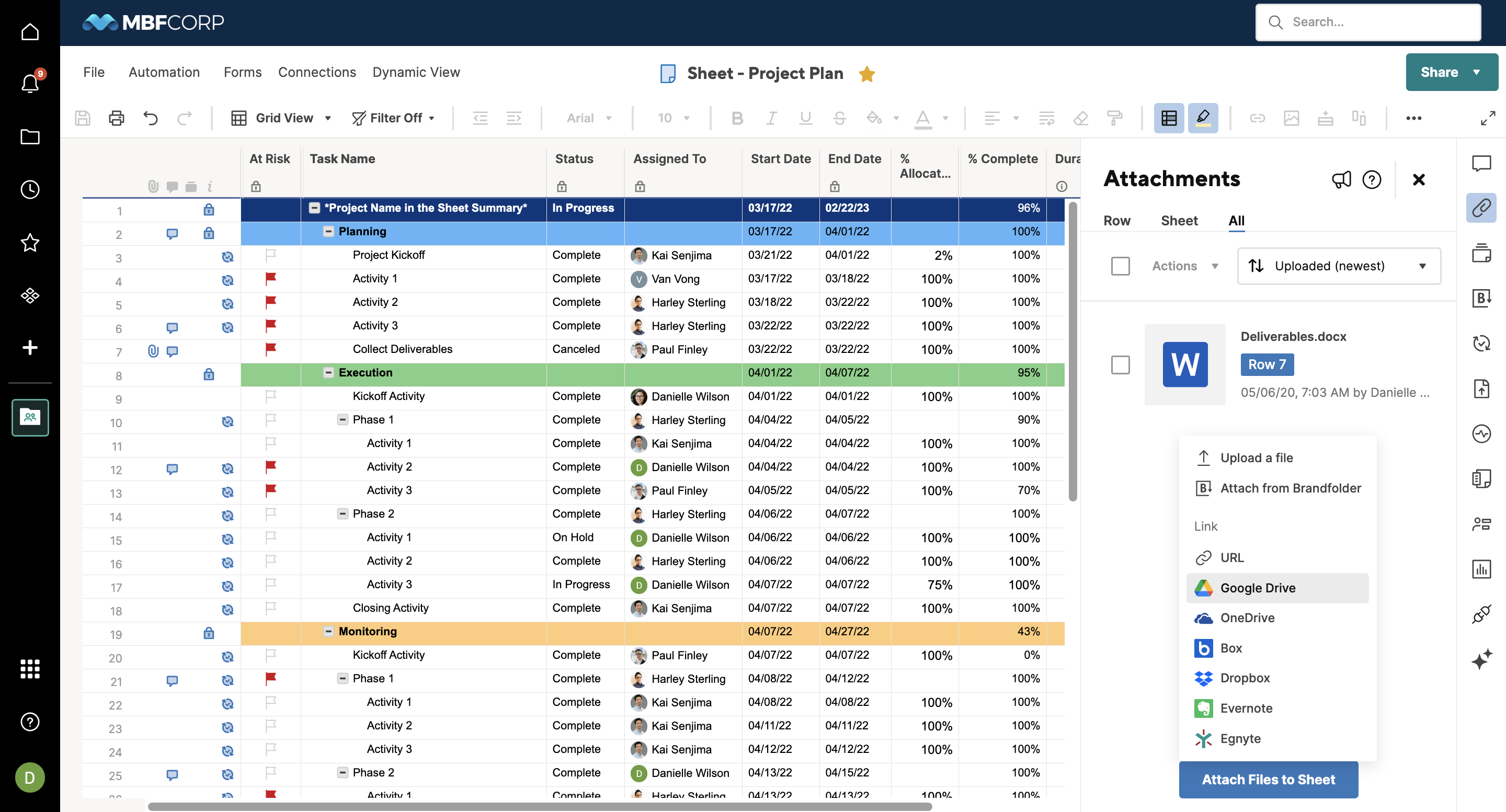
Image source: smartsheet.com
Features:
- Spreadsheet-style grids with alternate views like Gantt, card/Kanban, or calendar.
- Workflow automation (triggers, alerts, update requests) and task alerts.
- Integration with tools like Microsoft Teams, Slack, Google Workspace, Salesforce.
- Dashboards and reporting widgets for KPIs, progress tracking and resource visibility.
Pros:
- Familiar spreadsheet interface makes adoption easier for many teams.
- Excellent for data-driven tracking, detailed reports, and workload visibility.
- Strong automation and integration capabilities for reducing manual tasks.
Cons:
- Advanced features and premium modules lock behind higher pricing tiers.
- Some users note the mobile or dashboard experience can be less intuitive.
Best for: Teams that rely on structured, data-heavy project tracking.
Final verdict: Smartsheet is a powerful project planning and management software choice for teams that need structured, analytics-oriented tracking across tasks and projects. If your team values spreadsheet-style familiarity combined with workflow automation and robust integrations, it's a strong fit—though smaller teams or simpler workflows might find lighter tools more appropriate.
8. Teamwork: Client-oriented project planning software
Teamwork is designed with agencies and professional services teams in mind—offering task tracking, time-logging, client portals, and project templates. It brings together project delivery and collaboration in one place, making it easier for teams who juggle internal work and client communications. With built-in billing, resource tracking, and workload views, it supports both project orchestration and business visibility.
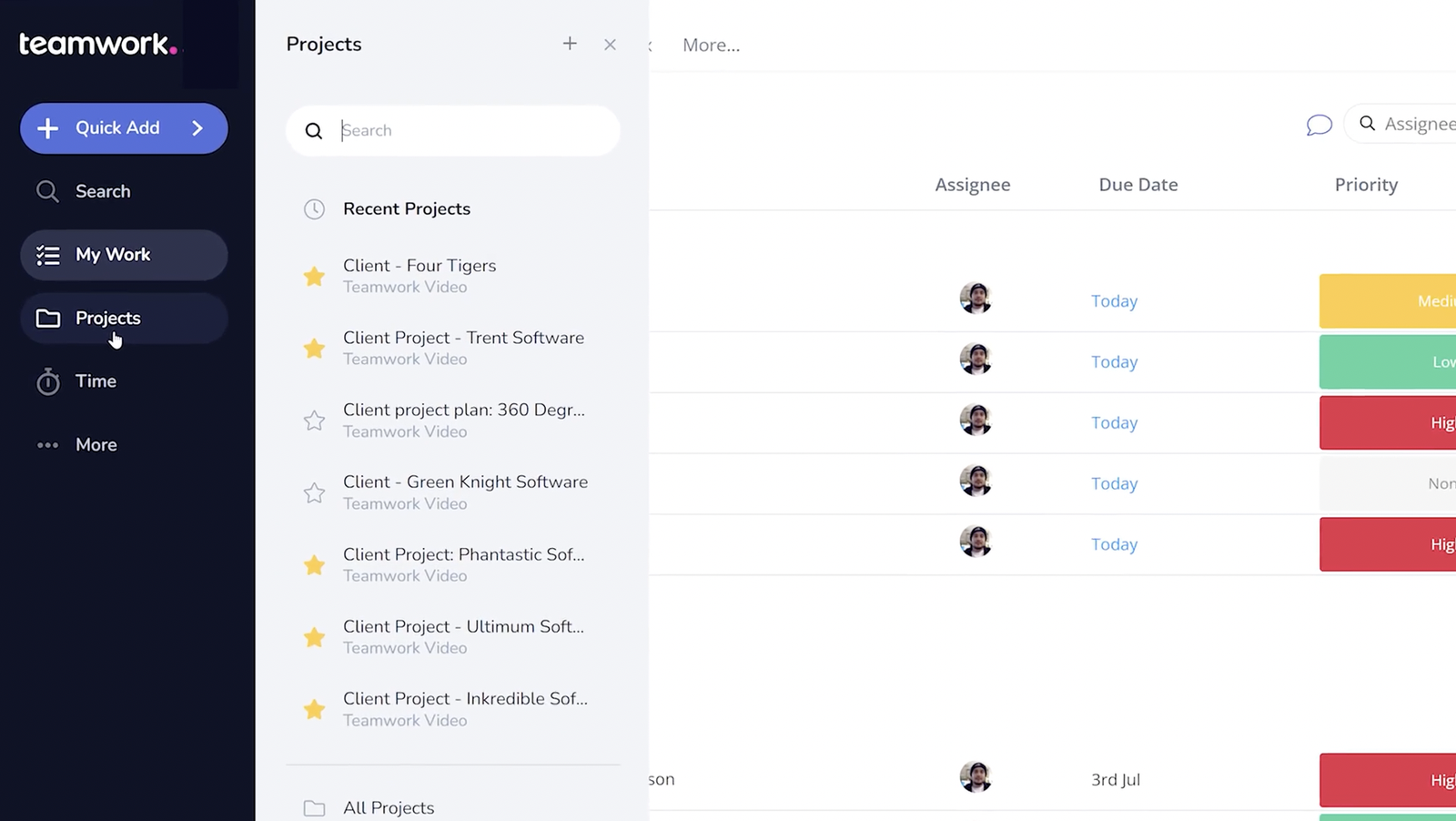
Image source: teamwork.com
Features:
- Task lists with dependencies, time tracking and project templates
- Client access portals, permission controls and invoicing workflows
- Resource planning tools for team workload and capacity visualization
- Dashboards and reports to monitor project health, budgets and timelines
Pros:
- Strong focus on service-based work with client-friendly features
- Good balance of project planning, time tracking and delivery tools
- Customizable workflows and templates tailored for client-facing teams
Cons:
- Setup and learning curve can be steep for users new to comprehensive tools
- Reporting and advanced analytics somewhat limited compared to enterprise tools
Best for: Agencies managing multiple client projects simultaneously.
Final verdict: Teamwork is a solid choice for agencies or small-to-mid sized teams needing client-centric project planning software that supports both internal execution and external delivery.
9. Zoho Projects: Affordable project tracking and time management
Zoho Projects is an end-to-end project planning software that offers task management, Gantt charts, time tracking and automation—all in one accessible platform. It allows teams to create detailed project timelines, monitor workloads via dashboards, log billable hours, and connect with other business tools seamlessly. With a competitive cost and reliable functionality, Zoho Projects is a solid option for teams seeking robust planning and execution features without enterprise-scale pricing.
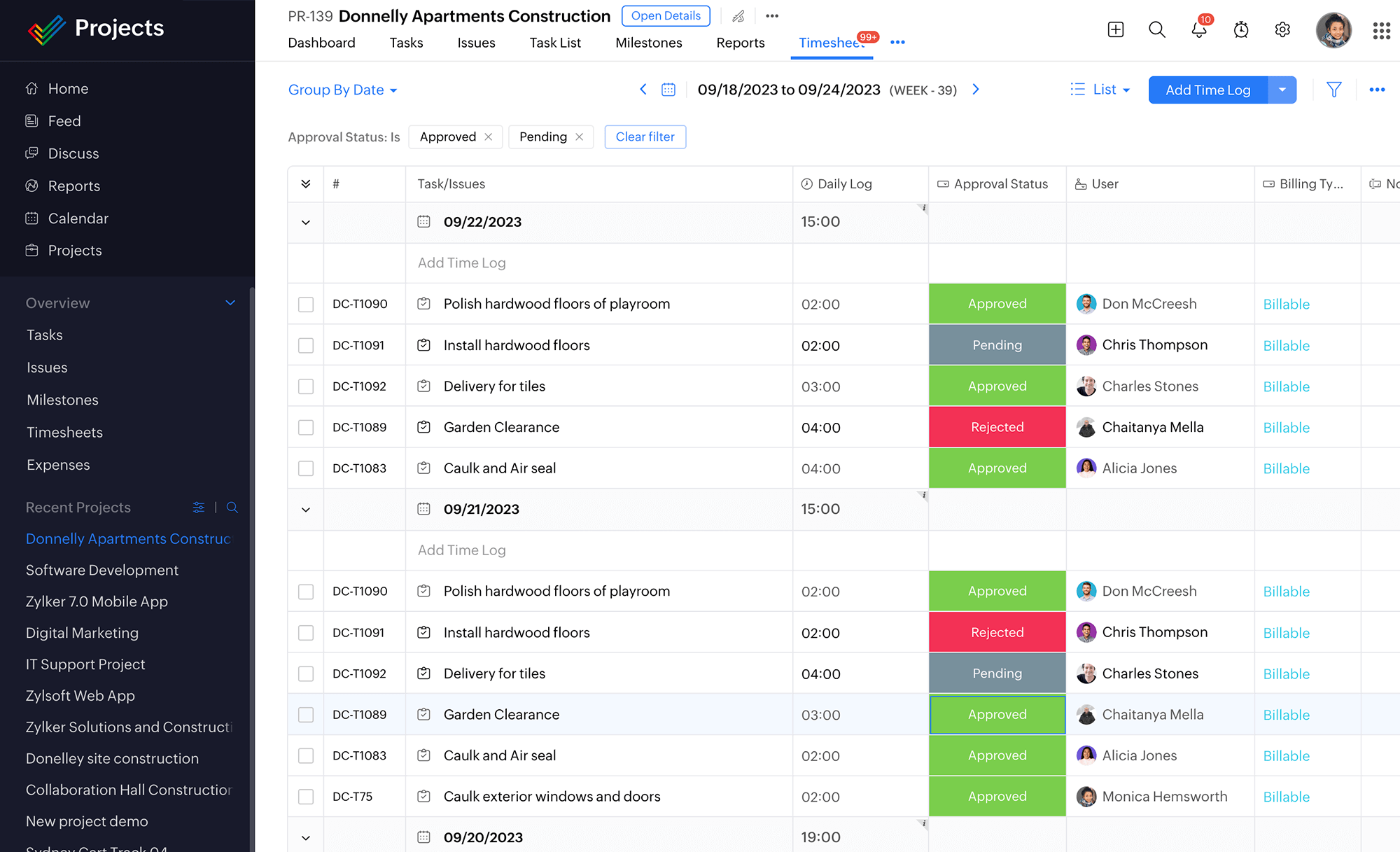
Image source: zoho.com
Features:
- Drag-and-drop Gantt charts, task dependencies and milestones
- Kanban and list views with customization of fields and workflows
- Time tracking, expense logging and integration with invoicing
- Integration with Zoho CRM, Zoho Books, Slack, Google Workspace and 300+ apps
Pros:
- Highly affordable pricing and a free tier for basic use
- Strong feature set including resource planning, automation and reporting
- Good integration ecosystem especially for users of Zoho's broader suite
Cons:
- Best performance when used within the Zoho ecosystem; integrations outside may be less smooth
- Advanced customization and workflows may require a learning curve
Best for: Small to mid-sized teams needing full planning functionality on a budget.
Final verdict: Zoho Projects is a valuable choice in the project planning software space for small to medium teams seeking solid features at a budget-friendly price. While it may lack some of the ultra-advanced enterprise polish of high-end tools, its rich functionality and integration capabilities make it a smart option for teams wanting to plan smarter, track better and automate more without breaking the bank.
10. Basecamp: Simple planning for lean teams
Basecamp is a streamlined project planning software designed to reduce overhead and keep teams aligned without heavy configuration. It brings together tasks, discussions, documents, and schedules into a central, easy-to-navigate space. With its clean interface and minimal learning curve, it's well-suited for teams looking for a cost-effective and straightforward tool rather than a full enterprise system.
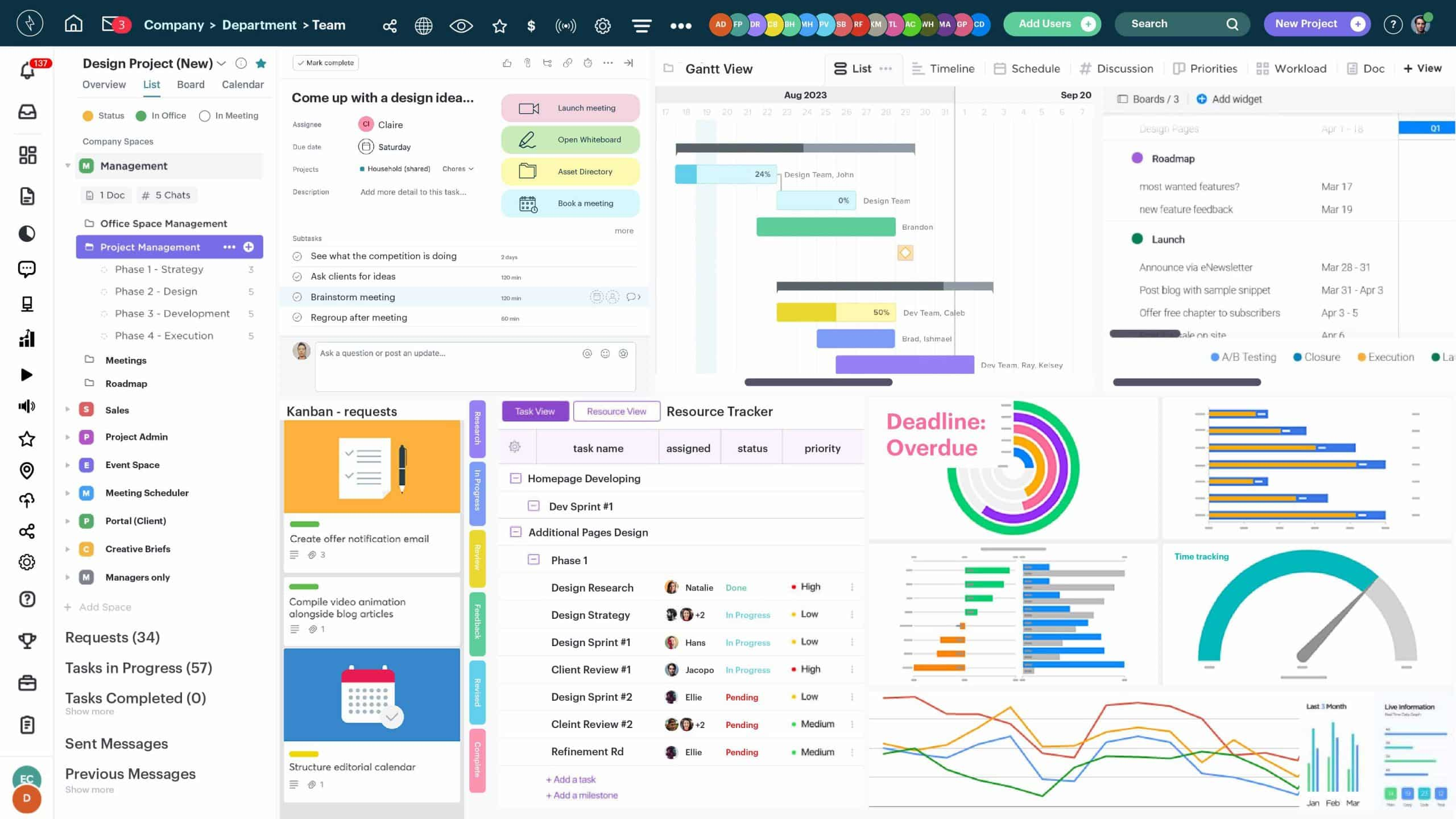
Image source: basecamp.com
Features:
- To-do lists with assignments and due dates within each project.
- Message boards, real-time chat (Campfire), and direct messaging (Pings) for team communication.
- Docs & Files repository with version tracking and shared access.
- Shared schedule/calendar view for milestones, events, and deadlines.
Pros:
- Very simple to adopt and use; minimal setup required.
- Centralised workspace for discussions, tasks, and files keeps things organised.
- Flat pricing and unlimited users/projects in higher-tier plans make it budget-friendly for small teams.
Cons:
- Lacks advanced features like native time tracking, task dependencies, or deep resource planning.
- Customisation options and advanced reporting are limited compared to more robust tools.
Best for: Small, self-managed teams that prefer a minimalistic tool.
Final verdict: Basecamp is a solid choice of project planning software for small teams and start-ups that value clarity, simplicity and collaboration over complexity and heavy configuration. For organisations needing deep analytics, resource allocation or enterprise workflows, a more feature-rich tool may be preferable.
How Lark transforms project planning beyond task tracking
Modern project planning goes far beyond simple task tracking—it's about creating a connected, intelligent, and adaptive workspace. Lark transforms traditional project planning software by merging communication, collaboration, and automation into a single unified platform. Instead of switching between multiple tools, teams can plan, execute, and optimize all their projects in one place. This integrated approach helps teams save time, stay aligned, and scale their productivity with built-in AI and workflow automation.
- Collaborative planning: Lark brings together Docs, Tasks, and Meetings into a shared environment where teams plan and execute seamlessly. Real-time co-editing, synced updates, and visual dashboards enable smarter collaboration. It's ideal for teams seeking a single software for project planning and communication.
- Automated workflows: With Lark Base and its automation triggers, repetitive processes like task creation, reminders, or report generation happen automatically. This reduces manual effort and keeps projects running smoothly. It's a hallmark of modern project management planning software focused on efficiency.
- Centralized feedback: Feedback in Lark stays where the work happens—inside Docs, Tasks, or Chats. Threaded comments and mentions ensure context is never lost and discussions lead directly to action. Teams no longer need multiple apps to align with updates or revisions.
- AI-assisted insights: Lark's AI capabilities analyze workflows, meetings, and progress to provide intelligent summaries and highlight project blockers. These insights help managers act faster and keep schedules on track. It's an advanced feature that sets it apart from basic free project planning software.
- All-in-one execution: Unlike other project management planning software that relies heavily on integrations, Lark offers all essential tools natively. From task tracking to file sharing and reporting, everything operates in one cohesive ecosystem. The result—faster execution, fewer errors, and complete alignment across teams.
How to choose the right project planning software for your team
Choosing the right project planning software is about finding the perfect balance between functionality, scalability, and ease of use. Every team has its own way of working—some prefer structure and precision, while others thrive on flexibility and speed. The best project management planning software should align with your workflow, support collaboration, and grow with your organization's needs. Below are the key factors to consider before investing in a tool that fits your team's rhythm and enhances overall productivity.
- Identify your team's size, workflows, and goals: Start by defining your project complexity, team structure, and desired outcomes. Smaller teams may benefit from free project planning software with basic task tracking, while larger organizations require tools with resource planning and automation. Matching features to workflow ensures better adoption and long-term success.
- Prioritize seamless integration between communication and task tools: The best project planning software brings collaboration, file sharing, and messaging under one roof. This eliminates context switching and ensures that every discussion leads directly to measurable progress. Look for platforms that connect communication with project execution for a unified experience.
- Consider automation and AI capabilities for scaling: As your team grows, automation becomes essential to maintain efficiency. Choose project management software that supports automated workflows, task triggers, and AI-driven insights. These capabilities reduce repetitive work, detect potential delays, and enhance decision-making in real time.
- Choose a tool that aligns with your preferred work style—structured or flexible: A rigid project structure suits industries like construction or software development project planning, while creative teams may prefer customizable dashboards and visual boards. Ensure your chosen tool adapts to your methodology—whether it's Waterfall, Agile, or hybrid—to optimize productivity.
- Opt for Lark if you want unified planning, collaboration, and automation in one workspace: Lark combines communication, project management, and automation into a single integrated platform. It's connected Docs, Tasks, and Base make planning intuitive and execution seamless. For teams seeking the best project planning software that scales effortlessly, Lark offers a connected, future-ready workspace.
Why project planning software is essential for every team
In an increasingly complex work environment, teams juggle multiple priorities, tight deadlines, and cross-functional collaboration. Without a structured system, projects can easily lose direction or momentum. That's why project planning software is essential—it helps teams align goals, streamline workflows, and maintain visibility across every phase of execution. From clarity to scalability, its benefits go far beyond simple task tracking.
- Clarity and structure: Project planning software ensures every team member knows their responsibilities, deadlines, and task priorities. It brings order to complex workflows, reducing confusion and miscommunication. Clear timelines and goals keep everyone focused on collective outcomes.
- Accountability: Assigning clear ownership to each task creates a sense of responsibility and follow-through. Managers can easily track who's handling what, ensuring nothing falls through the cracks. This builds trust and boosts overall performance.
- Transparency: With centralized dashboards and progress tracking, teams gain real-time visibility into project status. Dependencies, bottlenecks, and potential risks become easy to spot and resolve. Transparent workflows enhance collaboration and decision-making.
- Efficiency: Automation features minimize manual check-ins, reminders, and repetitive administrative work. Teams can focus more on strategic tasks instead of micromanaging processes. This saves time and accelerates project delivery.
- Scalability: Whether it's a small startup or a global enterprise, project planning software adapts to evolving team needs. It grows with your organization, supporting more users, complex projects, and integrations without losing efficiency.
Conclusion
Effective project planning software is the foundation of organized, efficient, and results-driven teamwork. From assigning tasks to tracking progress and optimizing workflows, the right tool brings clarity, accountability, and speed to every stage of execution. Whether it's creative teams managing campaigns or enterprises handling cross-functional projects, modern solutions now blend collaboration, automation, and AI to help teams stay ahead.
Lark takes this a step further by combining project management, communication, and document collaboration into one unified platform. With real-time co-editing, automated workflows, and built-in AI insights, it eliminates the friction of switching between multiple tools. For teams seeking structure without losing flexibility, Lark is more than project planning software—it's a complete productivity ecosystem that scales with your goals. Experience smarter project planning and seamless teamwork by exploring how Lark transforms everyday collaboration into streamlined success.
FAQs
What are the main benefits of project planning software?
Lark shows how powerful project planning software can transform team productivity and alignment. Such tools centralize task management, scheduling, and reporting to keep everyone on track. They reduce confusion by providing structure and visibility across all workflows. In turn, teams collaborate more efficiently, meet deadlines, and achieve goals with greater consistency.
Can Lark replace tools like Asana or ClickUp?
Lark can effectively replace multiple standalone tools like Asana or ClickUp by combining communication, document collaboration, and project tracking in one place. It supports task boards, automations, and shared workspaces for seamless execution. Unlike other tools, it eliminates integration gaps through a unified, native environment.
Does Lark support Gantt charts or Kanban boards?
Yes, Lark offers visual project planning features like Kanban boards and timeline views to manage workflows effectively. Teams can customize task stages, assign ownership, and track dependencies visually. These tools make planning intuitive and adaptable to different project styles.
Is Lark suitable for remote or hybrid teams?
Lark is designed for remote and hybrid teams, integrating chat, meetings, and task tracking in real time. Its cloud-based platform ensures everyone stays connected and aligned from anywhere. With version control, instant feedback, and automation, distributed teams collaborate effortlessly.
How does AI enhance project planning in Lark?
Lark's AI capabilities streamline project management by summarizing meetings, detecting bottlenecks, and offering data-driven insights. It helps managers predict delays and optimize resources proactively. By automating routine updates and generating intelligent reports, AI in Lark boosts both productivity and decision-making efficiency.
Related reading
Table of contents
Start using Lark today

Manage all your work in one place
Boost team efficiency by 10x
Save up to 70% on software costs
Table of contents
Start using Lark today
Manage all your work in one place
Boost team efficiency by 10x
Save up to 70% on software costs
Keep reading







2026 Lark Technologies Pte. Ltd.
Headquartered in Singapore with offices worldwide.






Explore: