Every project that runs over budget or over schedule was under-planned at the start. Not because the team lacked experience, but because the scope was never fully decomposed into work the team could actually estimate, assign, and track. A WBS work breakdown structure template fixes that at the planning stage. It forces the project team to break the full scope of work into a hierarchy of deliverables and work packages before execution begins, so every task has a clear parent, every owner knows exactly what they are responsible for, and nothing slips through because it was never defined. This guide covers how to build a WBS that drives execution, not just planning.
What is a WBS template?
A WBS (Work Breakdown Structure) template is a structured tool for breaking a project into smaller, manageable components. It organizes the project into deliverables, tasks, and subtasks, making it easier to plan, assign responsibilities, and . By dividing work into clear sections, a helps teams understand the full scope of a project, estimate time and resources accurately, and reduce the risk of missing important tasks. It is widely used in project management to improve clarity, control, and overall project execution.
Core components of a standard work breakdown structure template
A well-structured breaks a project into clear levels, making it easier to plan, assign, and track work. Each level adds more detail, helping teams understand the full scope and execution flow.
- Level 1: Project objective: This is the top-level goal of the project. It defines what the project aims to achieve and sets the overall direction. A clear objective ensures all tasks and deliverables align with the final outcome.
- Level 2: Major deliverables: These are the main outputs required to complete the project. They break the objective into key sections or phases, giving a high-level view of what needs to be delivered.
- Level 3: Sub-deliverables: Each major deliverable is further divided into smaller components. This level adds more detail, helping teams understand specific parts of the work involved.
- Level 4: Work packages: This is the most detailed level, where tasks are broken down into actionable items. Work packages can be assigned to team members, scheduled, and , making execution more manageable.
Stay ahead of deadlines with real-time updates in Lark
Popular WBS work breakdown structure templates
WBS templates can be adapted to fit different industries and project types, making them highly flexible and practical. The structure may vary depending on the , complexity, and team setup. By choosing the right format, teams can improve clarity, assign responsibilities more effectively, and track progress with ease:
Work Breakdown Structure template
A Work Breakdown Structure (WBS) template is a practical tool used to divide a project into smaller, well-organized components. It helps teams clearly define deliverables, tasks, and responsibilities at each level of the project. By structuring work hierarchically, a WBS template improves planning, simplifies task assignment, and streamlines progress tracking.
Project charter template
A Project Charter template is a foundational document that defines the purpose, scope, and key details of a project before execution begins. It outlines objectives, stakeholders, roles, timelines, and high-level deliverables to ensure everyone is aligned from the start. Clearly documenting expectations and authority helps prevent confusion and scope creep.
Scope of work template
A Scope of Work (SOW) template is a structured document that defines what work will be performed, how it will be delivered, and the expected outcomes of a project. It typically includes project objectives, deliverables, timelines, responsibilities, and acceptance criteria. Clearly outlining what is included and excluded, it helps prevent misunderstandings and scope creep.
Requirements document template
A Requirements Document template is a structured format used to capture and define what a project or system needs to deliver. It includes functional and non-functional requirements, user needs, constraints, and acceptance criteria. This document helps ensure all stakeholders have a clear understanding of expectations before development begins.
Project plan template
A Project Plan template is a structured document that outlines how a project will be executed, monitored, and completed. It includes key elements such as goals, timelines, tasks, resources, responsibilities, and risk management plans. This template helps teams stay organized, align on priorities, and track progress throughout the project lifecycle.
Project planning & implementation template
A Project Planning & Implementation template is a structured tool that guides teams from initial planning through execution. It outlines key elements such as objectives, scope, timelines, resources, and responsibilities, along with clear steps for implementation. This template helps ensure that plans are not only defined but also executed effectively.
Workback plan template
A Workback Plan template is a planning tool that starts with the final deadline and works backward to map out all required tasks and milestones. It helps teams identify what needs to be done, when it should happen, and who is responsible at each stage. By focusing on the end goal first, it improves timeline accuracy and ensures critical steps are not missed.
Project roadmap Gantt chart template
A Project Roadmap Gantt Chart template is a visual planning tool that helps teams map out project timelines, tasks, and dependencies in a clear, time-based format. It allows you to see how different activities are scheduled and how they connect, making it easier to track progress and manage deadlines. With features like task timelines, ownership, and status tracking, this template improves visibility and coordination.
Delegation of Authority matrix template
A Delegation of Authority (DOA) Matrix template is a structured tool that defines who has the authority to make decisions, approve actions, and manage responsibilities within a project or organization. It clearly outlines roles, approval levels, and decision limits across different functions. This helps avoid confusion, reduces delays, and ensures accountability at every level.
Work Breakdown template
A Work Breakdown template is a structured tool used to divide a project into smaller, manageable parts. It organizes work into levels such as deliverables, tasks, and subtasks, making it easier to plan, assign responsibilities, and track progress. This template helps teams understand the full scope of a project, reduce complexity, and ensure that no critical work is overlooked.
Software development project WBS
A WBS helps break down the entire development process into clear, manageable components. It typically includes stages such as requirement gathering, design, development, testing, deployment, and maintenance. Each stage is further divided into smaller tasks, making it easier to assign responsibilities and track progress.
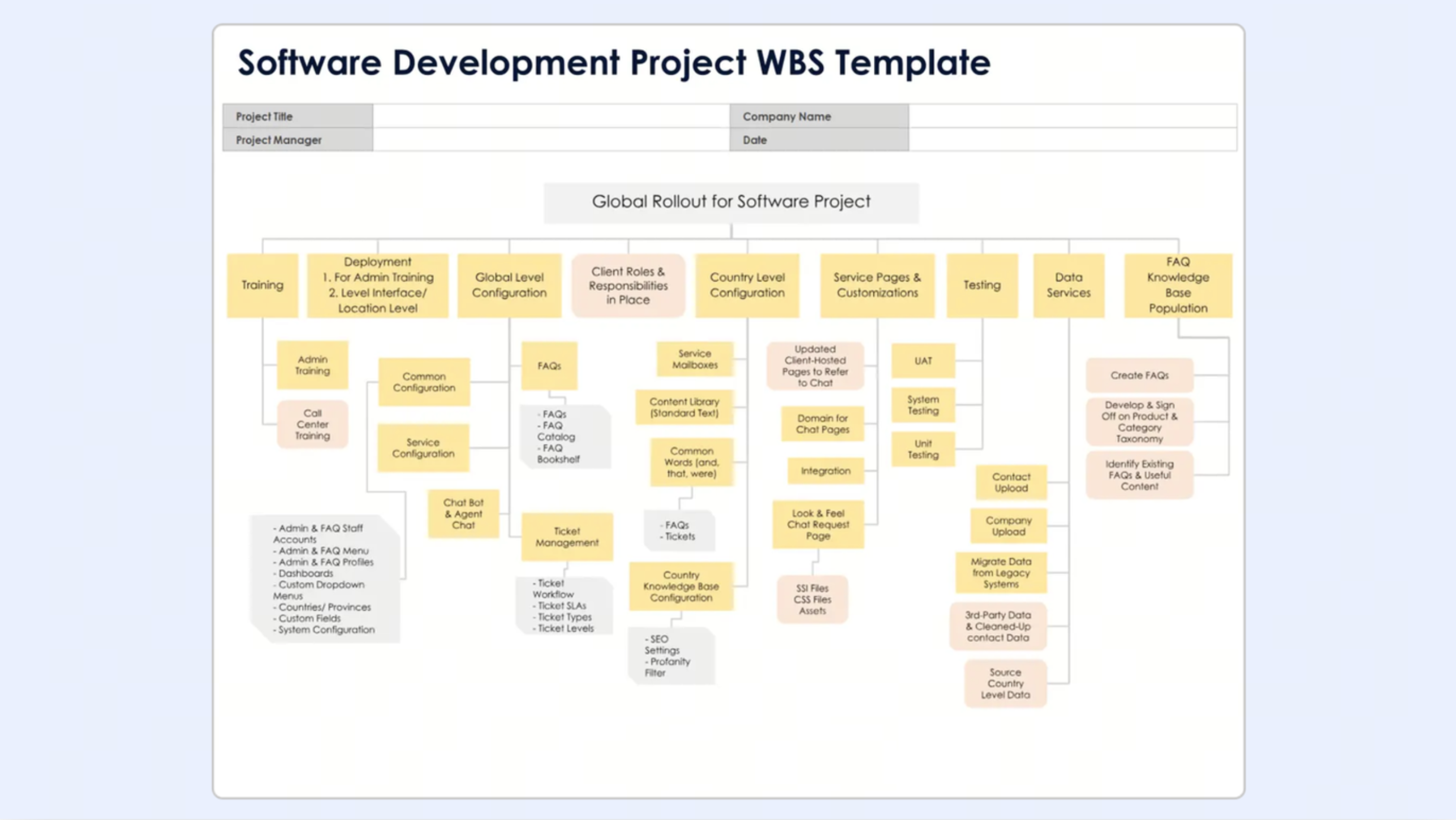
Image source: smartsheet.com
Marketing campaign WBS
A marketing campaign WBS breaks down the entire campaign into structured, manageable tasks to ensure smooth execution. It typically includes stages such as campaign planning, audience research, content creation, channel selection, campaign launch, and . Each stage is further divided into specific activities like ad design, copywriting, social media scheduling, and analytics reporting.
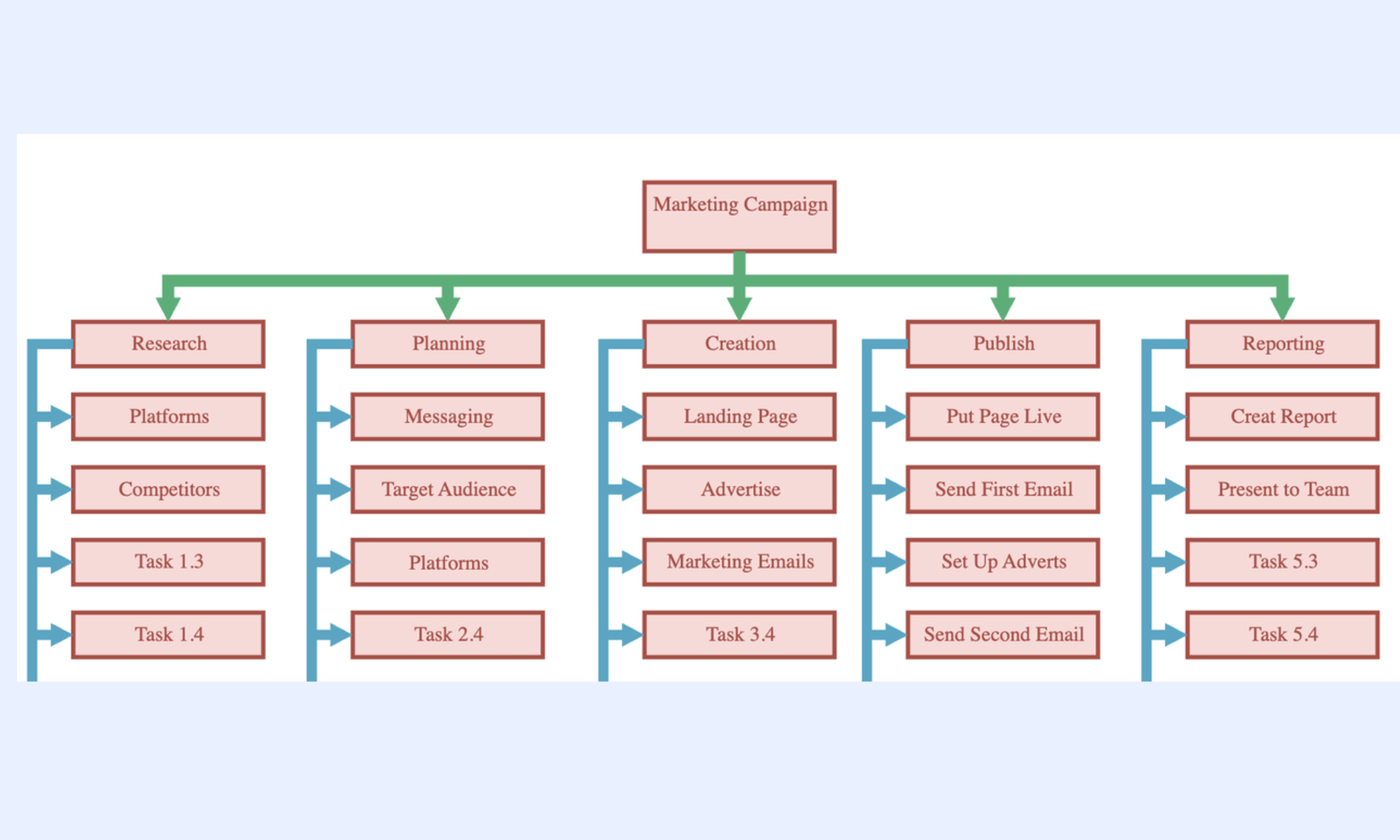
Image source: edrawmax.com
Construction project WBS
A construction project WBS breaks the project into structured phases to ensure smooth planning and . It typically includes stages such as site preparation, design and approvals, procurement, foundation work, structural construction, finishing, and inspection. Each phase is further divided into detailed tasks like material sourcing, labor allocation, and safety checks.
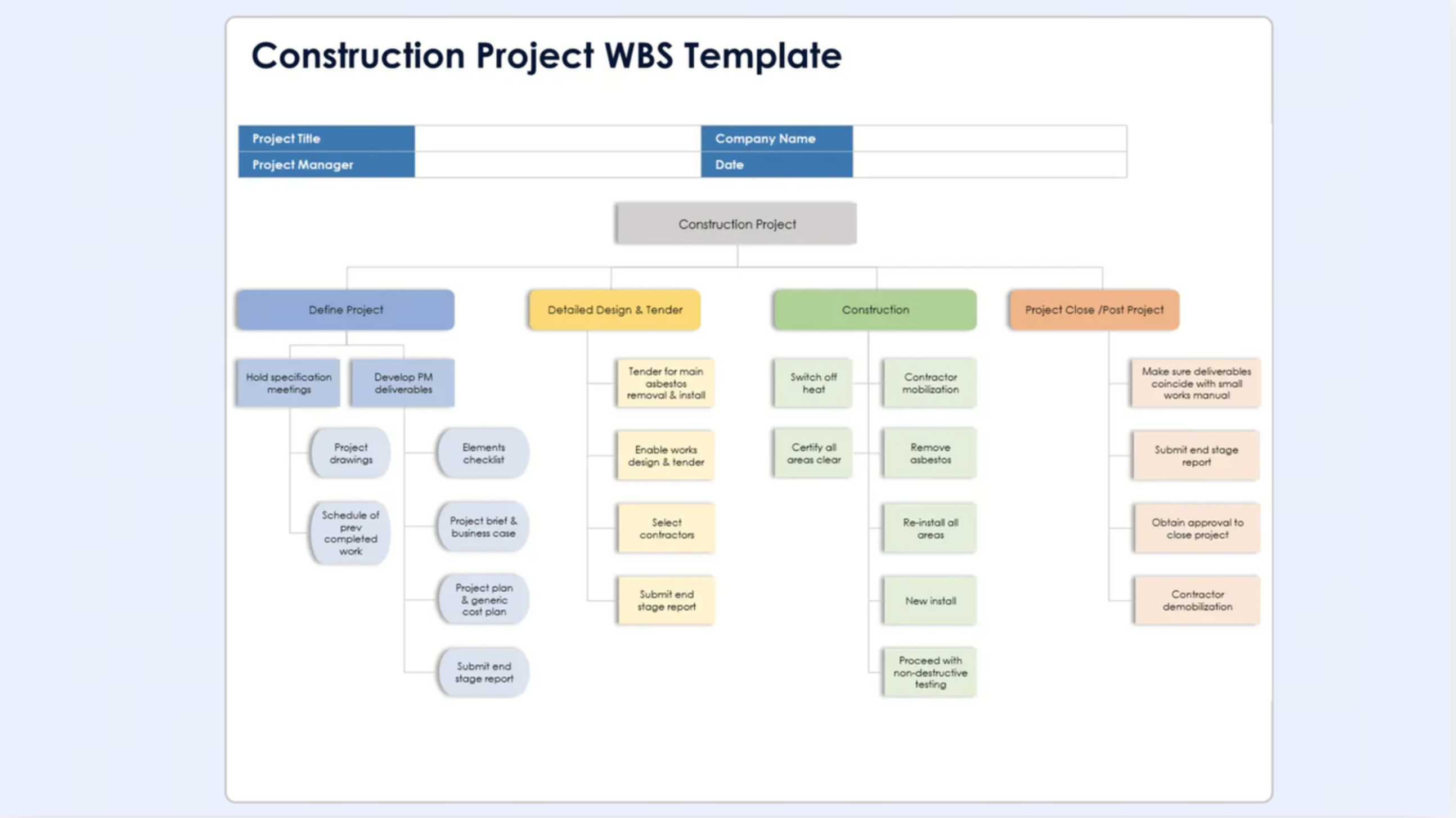
Image source: smartsheet.com
Event planning WBS
An event planning WBS breaks the entire event into clear, manageable tasks to ensure everything runs smoothly. It typically includes stages such as event concept and planning, venue selection, , vendor coordination, marketing and promotion, and event execution. Each stage is further divided into tasks like booking vendors, managing guest lists, designing materials, and handling logistics.
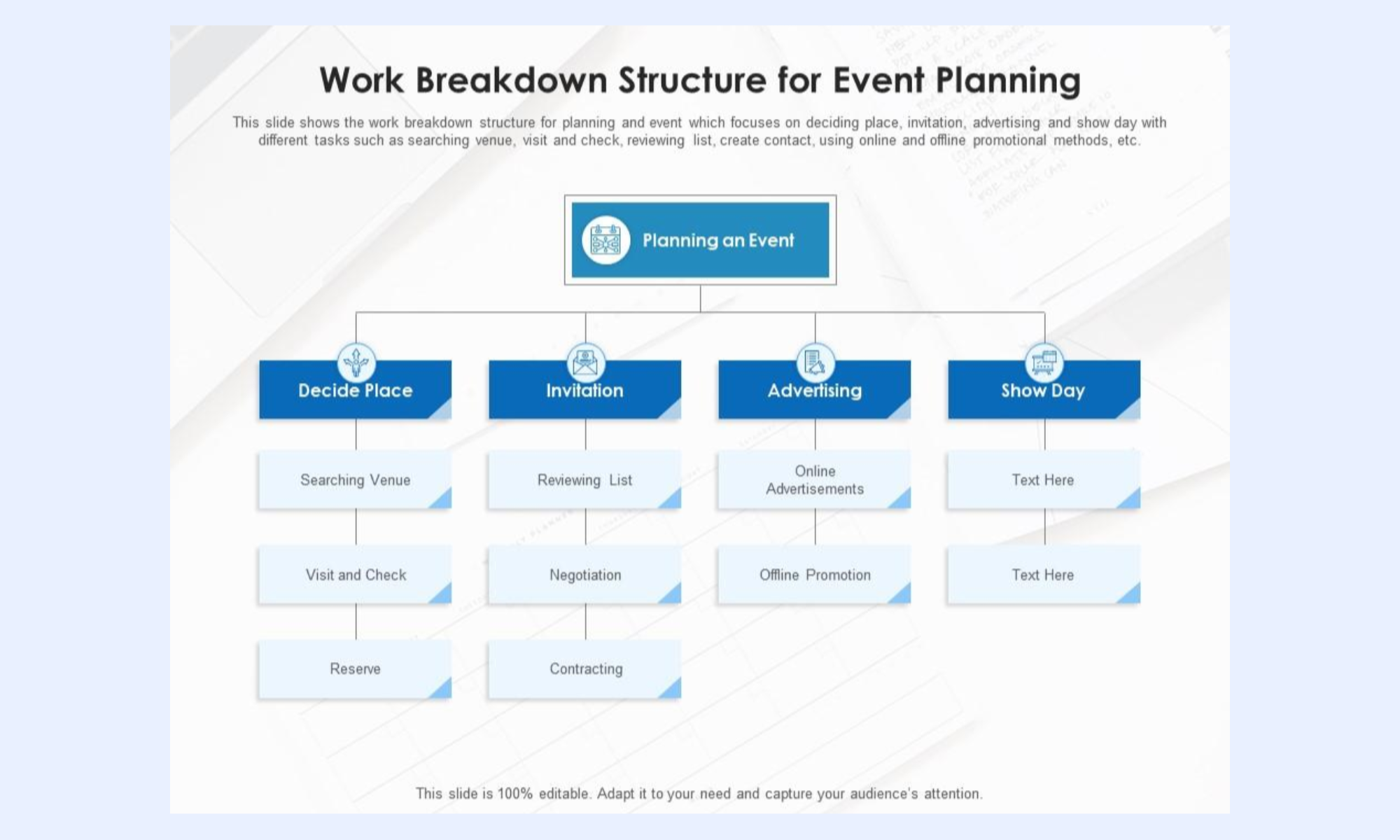
Image source: slideteam.net
Product launch WBS
A product launch WBS breaks down the entire launch process into clear, manageable stages to ensure a smooth rollout. It typically includes phases such as market research, product development, branding, marketing strategy, pre-launch activities, launch execution, and post-launch analysis. Each phase is further divided into tasks like competitor analysis, packaging design, campaign creation, and .
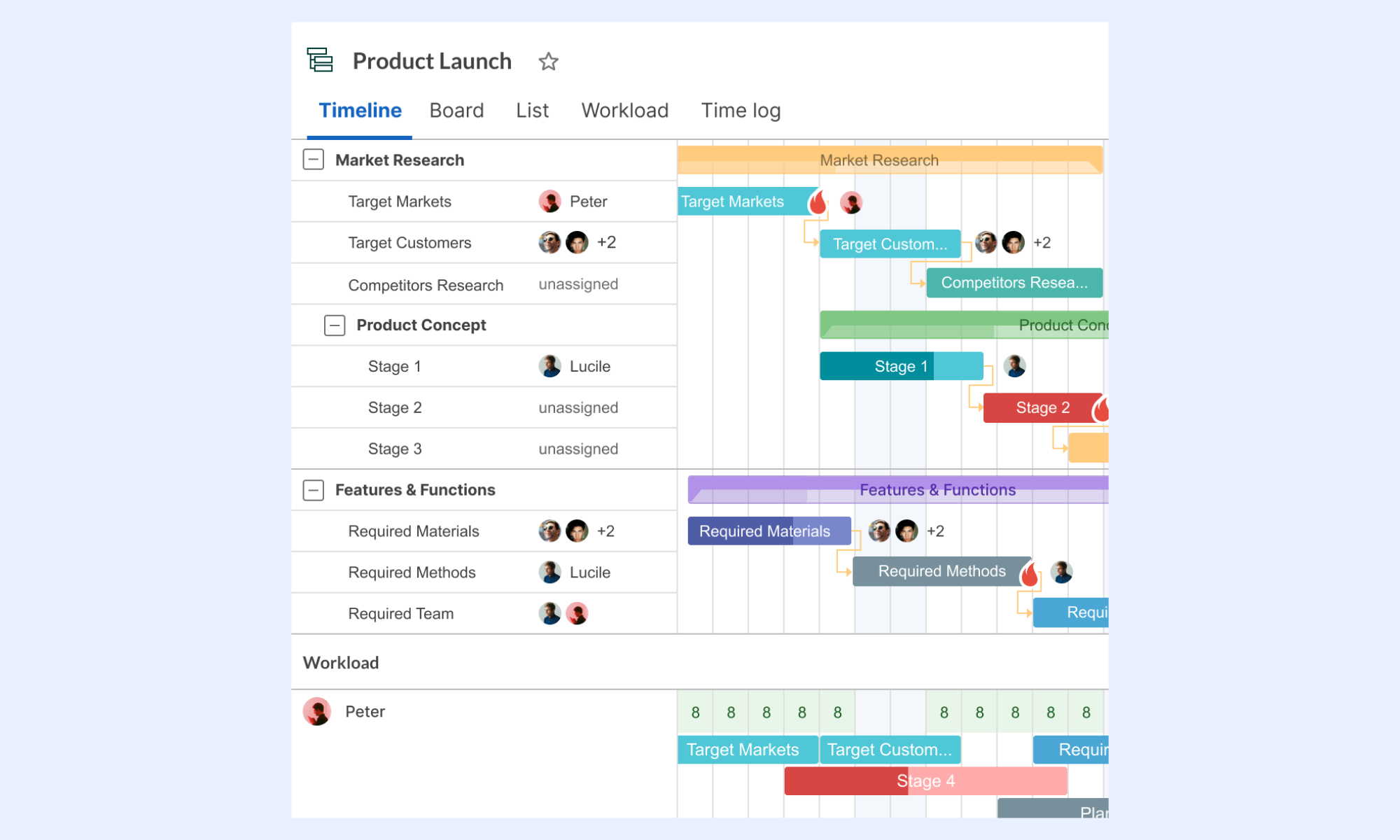
Image source: ganttpro.com
Modern choice: How Lark improves WBS execution beyond templates
A WBS template is useful for structuring work, but execution requires real-time coordination and visibility. goes beyond static templates by turning your WBS into a live system that connects tasks, updates, and communication. Teams can assign work, track progress, and collaborate in one place without relying on manual updates. With shared dashboards, automation, and instant notifications, it becomes easier to manage and avoid delays.
WBS structure built as a live, linked database
stores WBS as a structured database with custom field types: single-select fields for WBS level (Level 1 / Level 2 / Level 3 / Work Package), text fields for WBS code and description, member fields for work package owner, number fields for estimated cost and estimated hours, link fields connecting each work package to its parent deliverable record, and date fields for planned start and end. 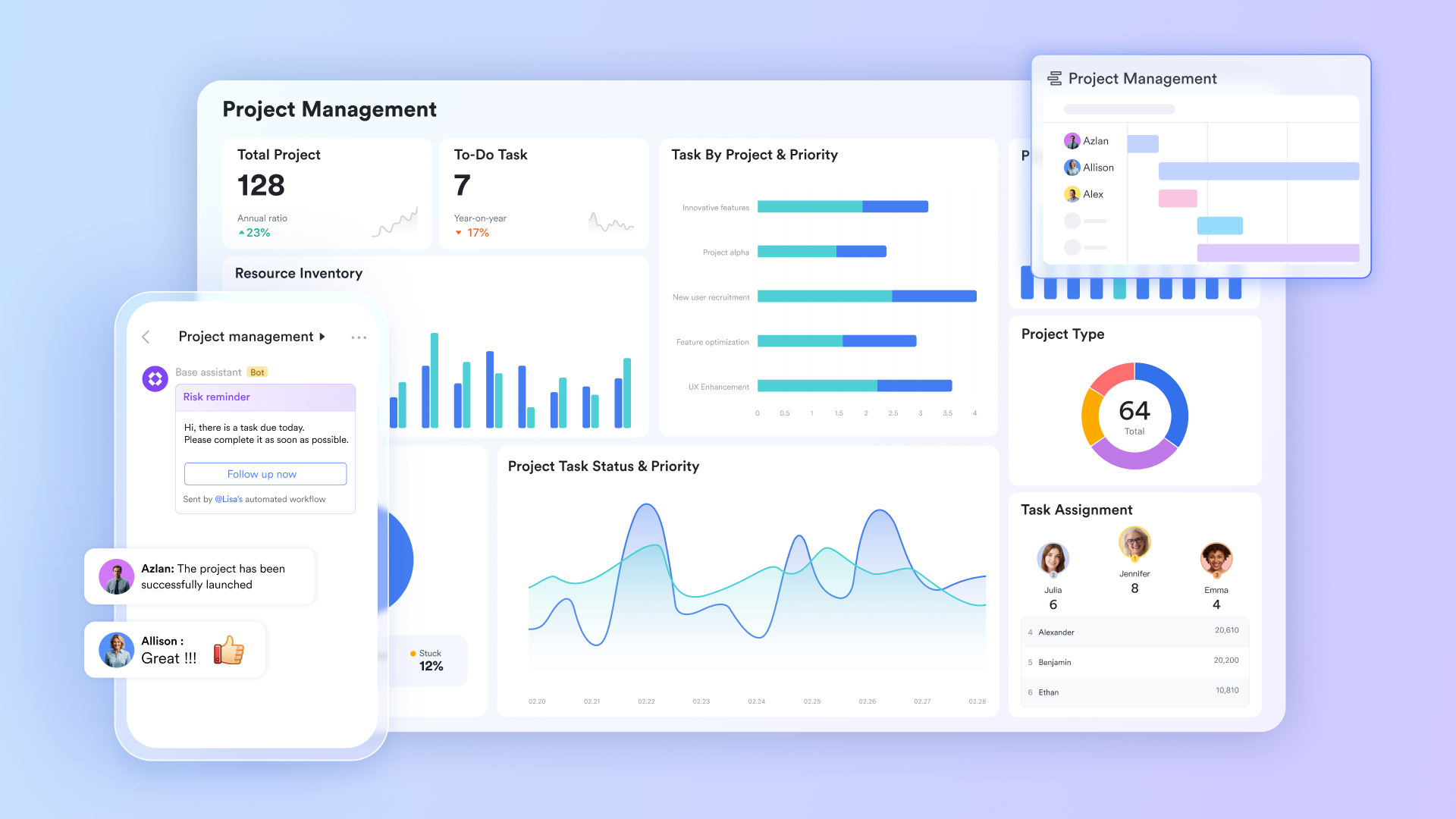
Hierarchy, Gantt, and dashboard from one dataset
The same Lark Base WBS table renders in multiple formats without duplicating data. The Grid view gives the PM a filterable, sortable table of all WBS elements; the Gantt view renders work packages as a visual ; and native dashboards can help generate live charts: work package completion rate by deliverable, estimated versus actual cost by Level 2 category, and owner workload distribution. 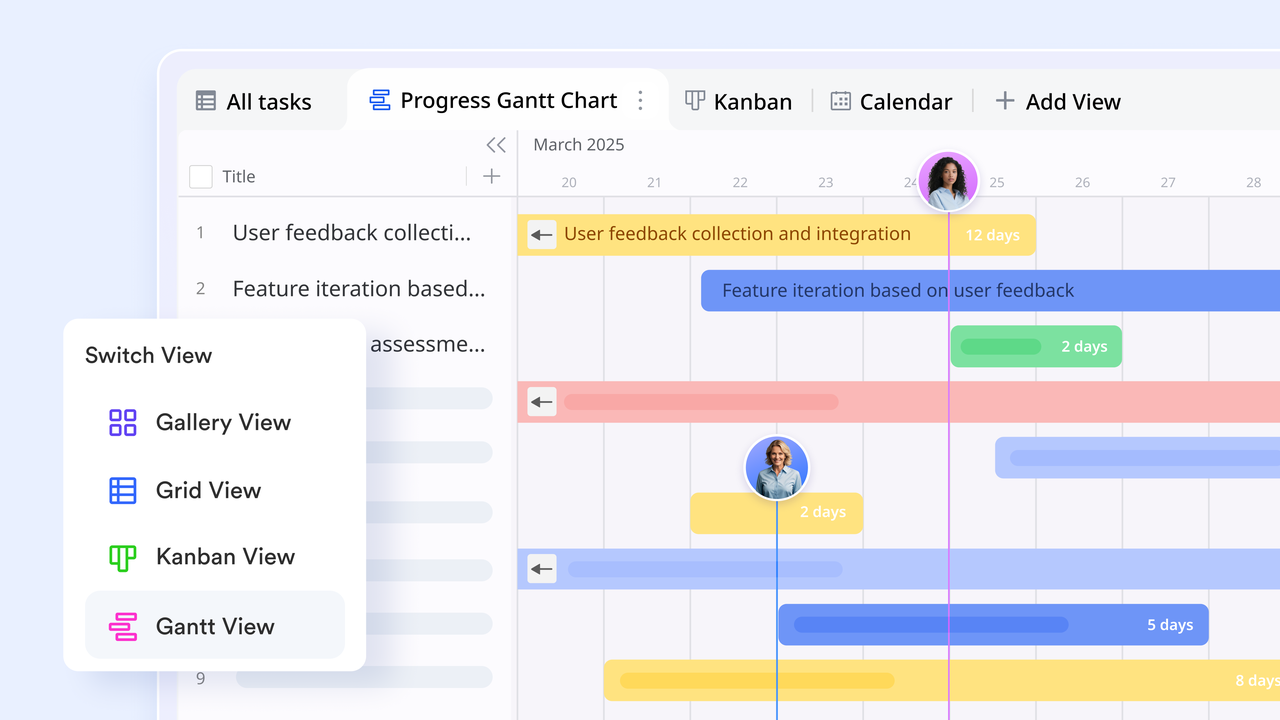
WBS to task conversion by automated workflows
Lark Base Automation lets project managers configure trigger-action rules that bridge the WBS and execution. When a work package record is marked as Ready to Schedule, the automation creates a linked task record in the project execution base, pre-populated with the work package name, owner, estimated hours, and dependency links from the WBS record. When all work packages within a Level 3 sub-deliverable are marked Complete, the automation updates the parent sub-deliverable status to Complete and notifies the PM. 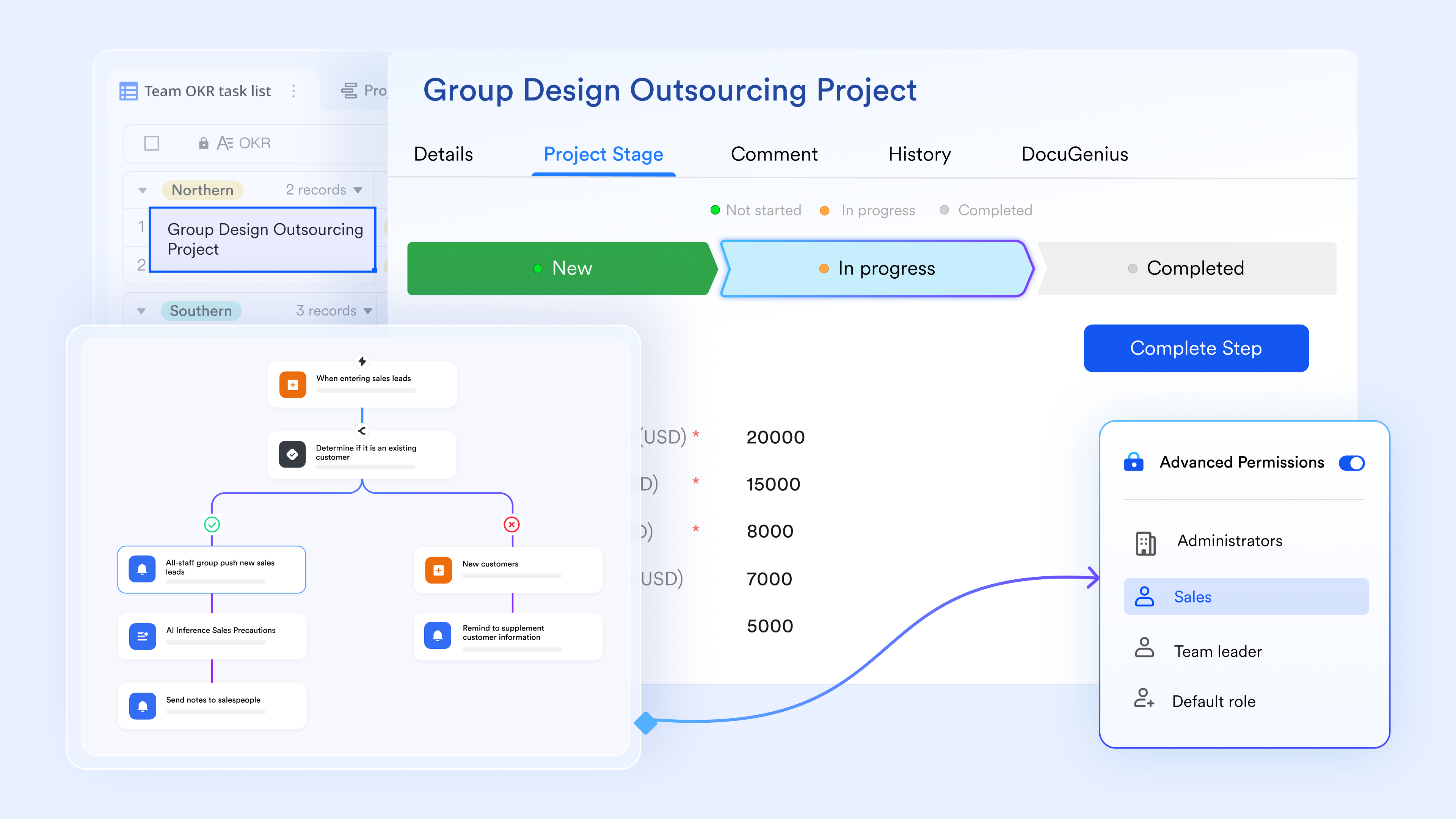
WBS dictionary and project brief
supports real-time collaborative editing with inline comments, version history, and structured content blocks. Project managers write the WBS dictionary, acceptance criteria, and scope statement in Lark Docs, then link each dictionary entry directly to the corresponding work package record in Lark Base. When a team member opens a work package record and needs to understand the definition, acceptance criteria, or context behind it, the linked Lark Docs is accessible from the same view. 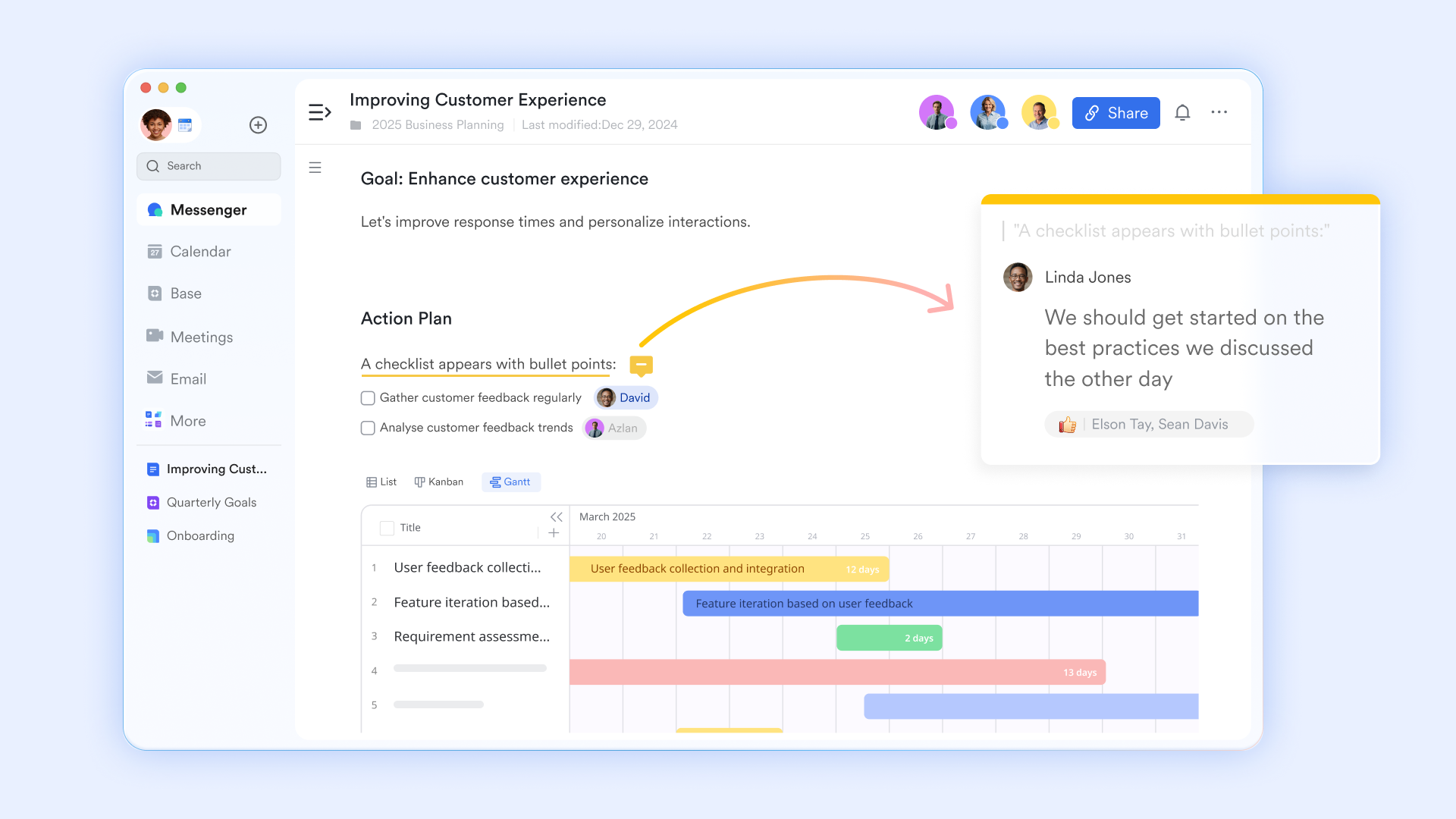
Lark Approval: Deliverable acceptance with a timestamped sign-off record
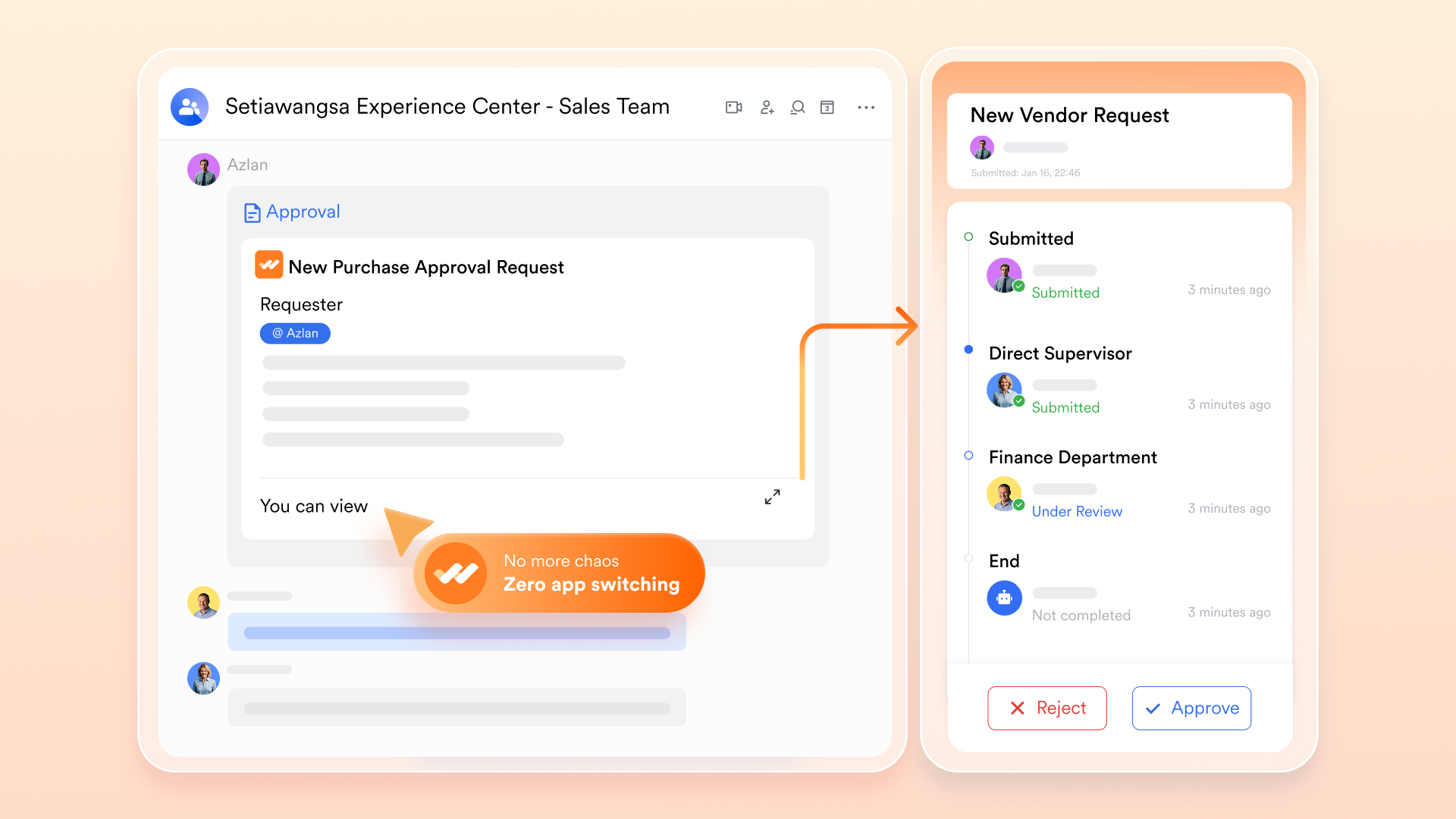
lets project managers configure structured sign-off flows at the deliverable level. When a work package is marked "Complete" by the owner, an approval request is automatically routed to the designated acceptance reviewer—the QA lead, client, or project sponsor, depending on the deliverable type. The reviewer receives a notification containing the work package record. The acceptance decision is recorded with a timestamp directly against the Lark Base record.
:
- Starter plan: Free forever plan that includes 11 powerful tools for up to 20 users. It also comes with 100GB of storage, 1000 automation runs, AI translations, and more.
- Pro plan: $12/user/month (billed annually) for up to 500 users. It includes everything in Starter plus group calling for up to 500 attendees, 15TB of storage, 50,000 automation runs, and more.
- Enterprise plan: for custom pricing. Supports unlimited users and includes even more automation runs and advanced security, compliance, and management features.
For small teams with simple communication needs

18 months message history
1000 Base automation runs/month
2000 rows per table in Base
Most POPULAR
For companies with comprehensive collaboration and management needs
Unlimited message history
500-participant video meetings
50k Base automation runs/month
20k rows per table in Base
For large companies with advanced security and organizational management needs
Get a personalized demo and pricing
Unlimited message history
500-participant video meetings
15 TB storage + 30 GB storage/user
500k Base automation runs/month
50k Base automation runs/month
Most POPULAR
For companies with comprehensive collaboration and management needs
Unlimited message history
500-participant video meetings
50k Base automation runs/month
20k rows per table in Base
Conclusion
A well-structured WBS template is essential for breaking down complex projects into manageable tasks and ensuring smooth execution. It brings clarity to deliverables, improves task ownership, and helps teams stay on track with timelines and goals. However, for modern teams, combining a strong WBS with the right tools makes an even bigger difference. Platforms like enhance visibility, collaboration, and real-time tracking, turning static plans into . By using the right structure along with Lark, teams can plan better, execute faster, and deliver successful projects with confidence.
Master your next project with Lark today
FAQs
How detailed should a WBS be?
A WBS should be detailed enough to break work into manageable tasks but not so detailed that it becomes difficult to maintain. The goal is clarity and control without unnecessary complexity.
What is the difference between a WBS and a task list?
A WBS is a hierarchical structure that organizes work into deliverables and sub-deliverables, while a task list is a simple list of activities without a structured breakdown.
Can a WBS be used for agile projects?
Yes, a WBS can be adapted for agile projects by focusing on deliverables and breaking them into smaller iterations or sprints instead of fixed phases.
What tools are best for creating a WBS?
Common tools include Excel, project management software, and visual planning tools. Many teams also refer to a WBS work breakdown structure example to choose the right format and structure for their specific project needs.
Related reading

















