WhatsApp is one of the most widely used messaging applications in the world, serving over two billion users across personal, professional, and business contexts. This WhatsApp review looks at why its simplicity, familiarity, and free core features have made it a default communication layer for families, friends, freelancers, and even internal work teams. Easy onboarding, low learning curves, and broad device support have helped WhatsApp become nearly universal in daily communication.
However, as usage expands beyond casual chats into business coordination and operational workflows, new questions emerge around structure, security visibility, scalability, and long-term usability. This WhatsApp review offers a balanced, in-depth look at its features, privacy model, strengths, and real-world limitations, while briefly noting why some growing teams explore more structured tools such as Lark.
WhatsApp at a glance
WhatsApp has grown into one of the most widely adopted , with users spanning more than 180 countries and regions. Its reach cuts across age groups, industries, and geographies, making it a common communication denominator in both developed and emerging markets. The app's ability to function reliably on low-bandwidth networks has significantly contributed to its adoption in regions with inconsistent or expensive internet connectivity.
WhatsApp's phone-number-based identity model removes traditional signup barriers, allowing users to connect instantly without usernames or complex account setups. This ease of access has helped it become , from personal conversations to informal work coordination. As a result, WhatsApp is often used not only for social interaction but also for client communication, minor business updates, and internal team discussions. Its sheer scale and familiarity give it unmatched network effects, but widespread usage does not always translate into suitability for structured or long-term collaboration needs.
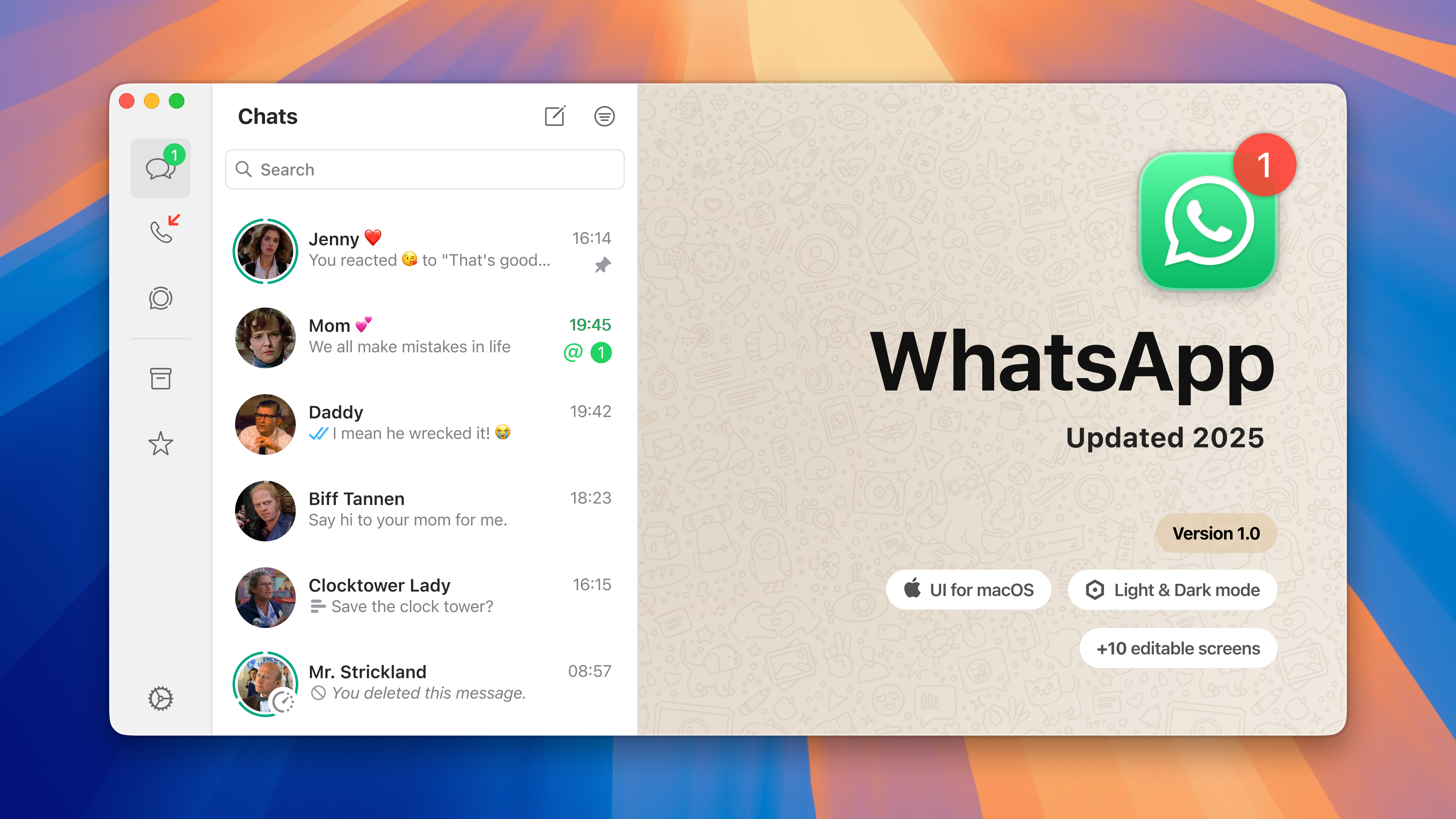
Image source: whatsapp.com
Core messaging features of WhatsApp that users love
WhatsApp is widely appreciated for keeping communication simple, fast, and accessible across devices and network conditions. Its core messaging features focus on everyday usability rather than complexity, which is a key reason for its global adoption.
- Instant text chat with rich media: WhatsApp enables along with images, videos, documents, voice notes, and location sharing. This flexibility makes everyday conversations more expressive while remaining easy to use for non-technical users.
- Voice and video calling built into the app: Voice and video calls are natively integrated, allowing users to switch from chat to call instantly. Call quality is generally stable, even on slower connections, supporting both one-on-one and group conversations.
- Group chat functionality and community features: Group chats allow large numbers of participants to communicate in shared spaces. Community features help organize related groups, making it easier to manage discussions across neighborhoods, teams, or interest-based groups.
- Cross-device usage and sync simplicity: WhatsApp supports usage across mobile and desktop devices with . Users can continue conversations seamlessly across screens, though advanced device independence remains limited for heavy workflows.
Privacy and encryption in WhatsApp: How safe is it?
WhatsApp positions privacy as a core feature, frequently highlighting its use of strong encryption to protect user conversations. While this approach offers meaningful safeguards, it also comes with limitations that everyday users often misunderstand.
- End-to-end encryption on chats and calls by default: WhatsApp uses for all personal messages and calls, ensuring only the sender and recipient can read or hear them. Even WhatsApp itself cannot access the content of encrypted conversations.
- What E2EE protects and what it doesn't: Encryption protects message content, but it doesn't entirely hide metadata, such as who you message and when. may also be accessible unless users manually enable encrypted backups.
- Real security criticisms and concerns from researchers: Security researchers have raised concerns about metadata collection, backup handling, and parent company data practices. These issues do not break encryption but affect overall transparency and user trust.
Usability and design: Is it easy to use?
WhatsApp is often praised for its clean interface and ease of use, making it accessible to users of all technical skill levels. Its design prioritizes speed and familiarity over advanced controls or .
- Easy onboarding and low learning curve: The app requires minimal setup and mirrors common messaging patterns, allowing new users to get started almost instantly. Most features are self-explanatory, reducing the need for guidance or training.
- UI consistency across platforms: WhatsApp maintains a largely consistent interface across mobile and desktop versions. This familiarity helps users switch devices easily, though desktop functionality remains more limited than mobile.
- Where simplicity helps and where it hinders customization: A simple design keeps distractions low and usability high. However, limited customization options restrict how users organize chats, notifications, and workflows as usage grows.
Current performance issues and challenges
WhatsApp generally delivers reliable day-to-day performance, but recent updates have introduced new concerns for some users. These challenges become more noticeable as usage shifts toward desktop work and as message volumes increase.
- Recent complaints about resource use and app performance: Some users have reported higher memory and CPU usage, particularly on desktop versions, following framework changes. These issues can affect responsiveness during long sessions or on lower-spec devices.
- Cross-platform quirks and dependency on phone connectivity: While multi-device support has improved, specific actions still rely on the primary phone connection. Sync delays, notification inconsistencies, and session drops can disrupt continuity across devices.
WhatsApp pros and cons review
WhatsApp remains popular because it solves basic communication needs exceptionally well on a global scale. However, when evaluated beyond casual use, its strengths and weaknesses become more clearly defined. This balanced review highlights what WhatsApp does best and where it shows apparent limitations.
Pros:
- Ubiquity and global reach: WhatsApp's near-universal adoption makes it easy to reach almost anyone instantly. This eliminates onboarding friction and reduces dependency on .
- End-to-end encryption by default: All personal chats and calls are protected with end-to-end encryption, offering strong content privacy. Users benefit from security without needing to adjust complex settings.
- Free core features: Messaging, calling, and group chats are available at no cost. This makes WhatsApp accessible for individuals, small teams, and businesses with minimal budgets.
Cons:
- Limited collaboration tools: WhatsApp lacks , structured threads, and workflow features. Conversations remain linear, making coordination difficult as message volume increases.
- Metadata and privacy concerns: While message content is encrypted, metadata such as communication patterns may still be collected. This raises concerns about transparency for privacy-conscious users.
- Performance and scaling issues: Desktop performance complaints and sync limitations become more pronounced as usage grows. WhatsApp is less optimized for sustained, high-volume .
WhatsApp app review from a collaboration lens
WhatsApp works well for fast exchanges, but collaboration requires more than message delivery. When teams rely solely on chat, important work context and accountability can be challenging to maintain. This distinction often becomes clear during a deeper review of WhatsApp usage, where speed exists but coordination gaps remain.
- Why chats alone don't equal collaboration: Chats are designed for conversation, not coordination. Without tasks, ownership, or timelines, teams must manually made inside messages, which often leads to follow-ups being missed and confusion during a WhatsApp review request or internal evaluation.
- Missing structure for projects, sales, or support: WhatsApp lacks built-in frameworks for or customer workflows. Teams are forced to rely on memory or external tools to stay aligned, sometimes experimenting with monitoring solutions such as Monimaster for WhatsApp review to regain visibility.
- Information loss as conversations scroll away: As messages accumulate, key updates quickly get buried. This makes it hard to retrieve decisions or maintain continuity, especially in long-running group chats.
As these limitations become more visible, many teams begin rethinking whether chat-first tools alone can support long-term collaboration. When work involves multiple stakeholders, ongoing projects, or cross-functional coordination, conversations need structure, context, and continuity. This is where platforms designed specifically for team workflows start to differ from general messaging apps. Tools like Lark focus on organizing work-related communication, rather than letting work get lost in conversations.
Learn how to manage conversations and information
Business choice: Fuse communication into your daily workflows with Lark
Unlike general chat apps that focus on one-to-one and group conversations, Lark emphasizes , context preservation, and continuity of work. For distributed or cross-functional groups, this means reducing noise, improving discovery, and making past conversations easier to act on. The following section highlights key areas where Lark offers collaboration-oriented capabilities beyond simple messaging.
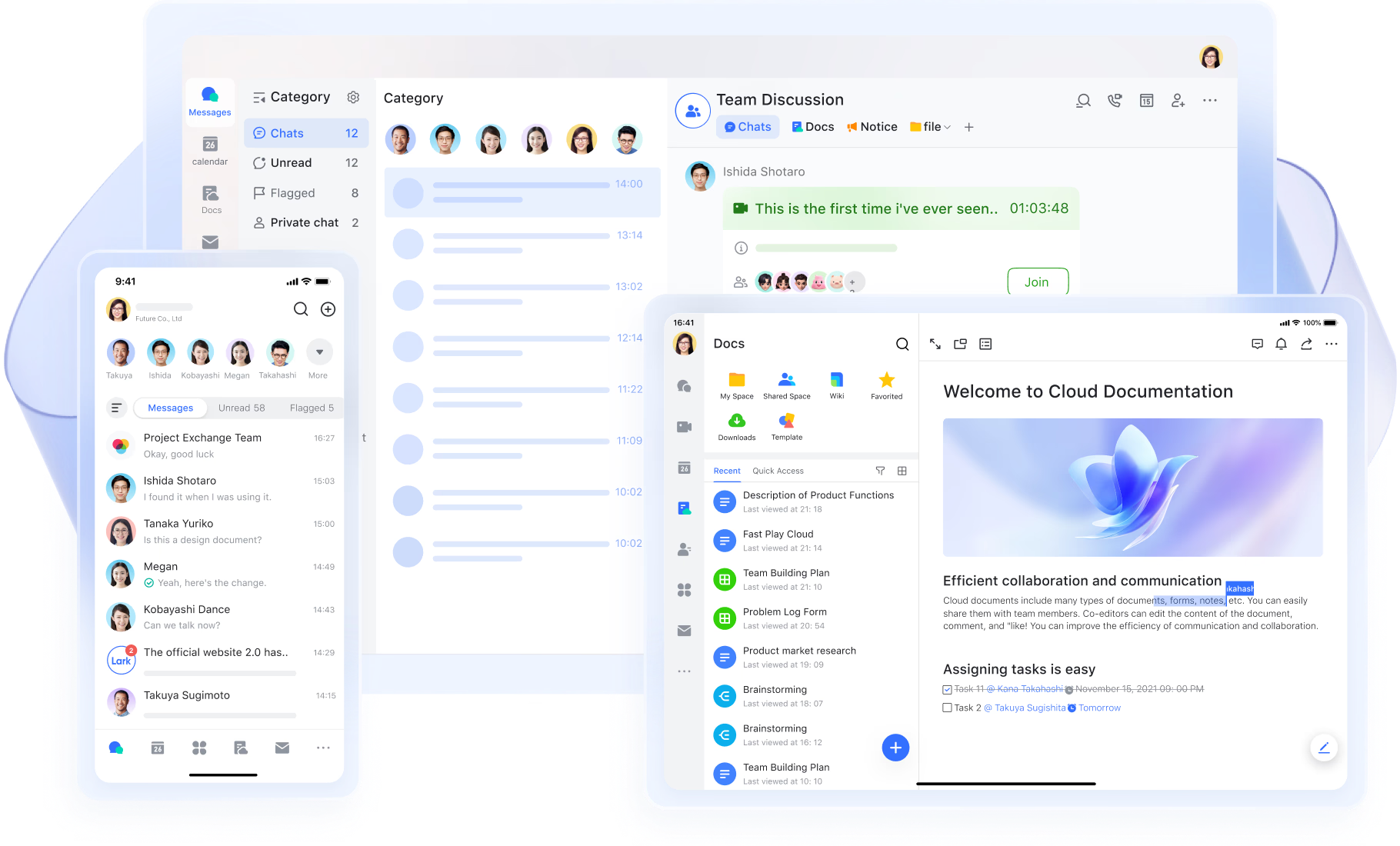
Advanced team messaging with structured group chats
supports private and group chats designed for team collaboration, not just casual messaging. Groups can be organized by project, department, or workflow, keeping conversations purposeful and easy to navigate. Compared to WhatsApp's free-flowing chats, Lark reduces noise by giving teams and long-term visibility. Powerful message organization with filters and prioritization
offers built-in filters for unread messages, mentions, and other conditions, allowing users to quickly focus on what needs attention. Important messages can be pinned or flagged so they remain visible even as conversations grow. WhatsApp offers limited organization, while Lark helps teams manage high-volume messaging without losing critical updates. 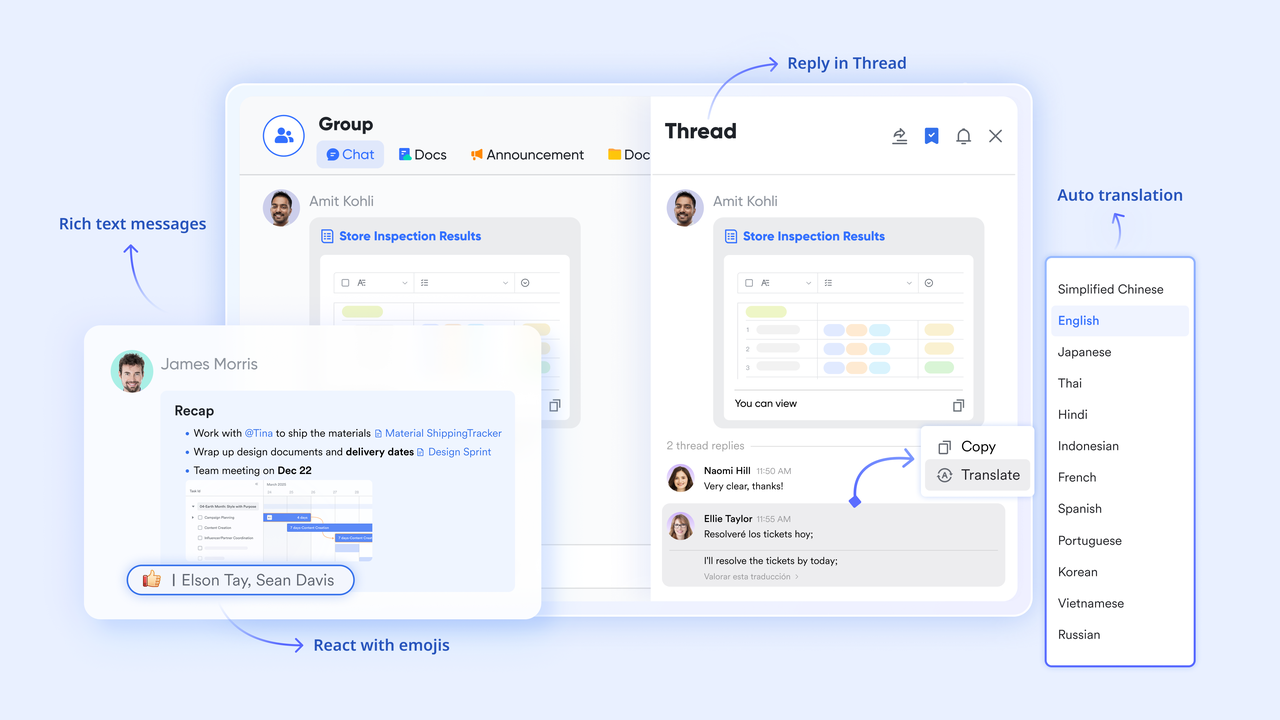
Context-preserving replies and threaded conversations
Lark supports replies to specific messages and , keeping discussions organized around individual topics. This prevents context loss in busy group chats where multiple conversations happen at once. WhatsApp's linear chat flow makes it harder to track parallel discussions, especially in large teams.
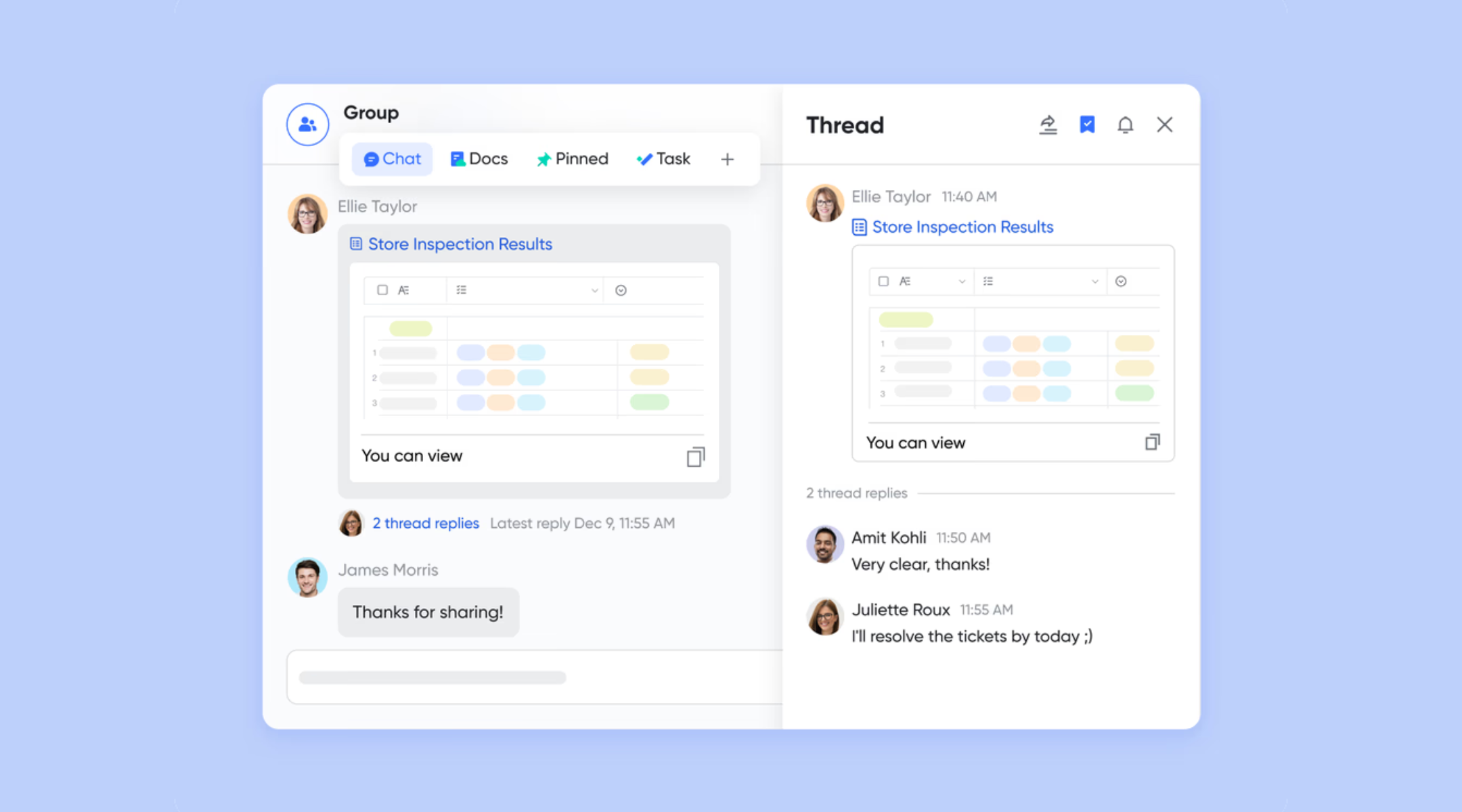
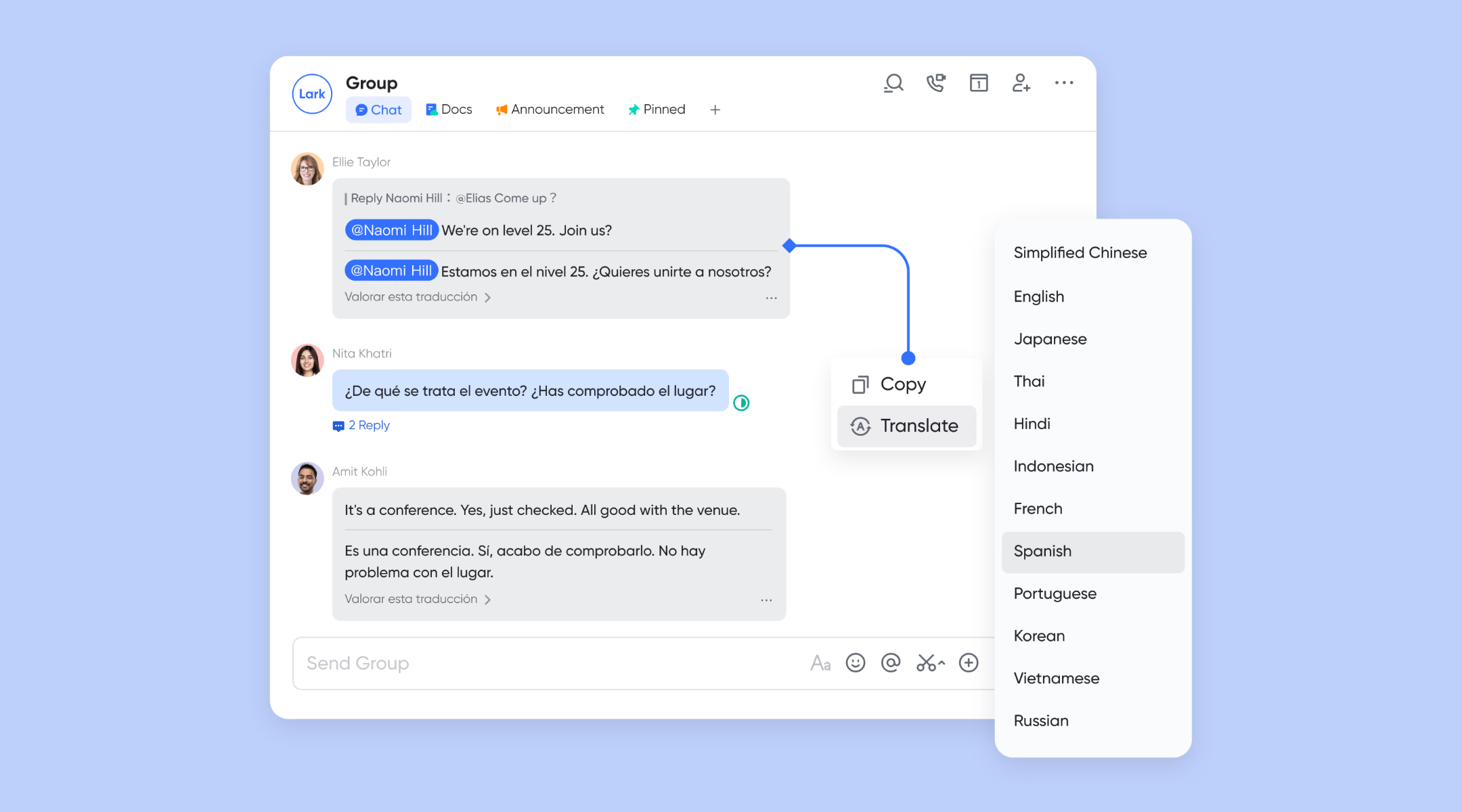
Multi-language communication with built-in translation
includes , enabling teams to communicate seamlessly across different languages without switching tools. This is especially valuable for distributed or global teams. WhatsApp requires external translation support, adding friction to everyday communication.
Smart online conferencing and collaboration
allows you to securely and easily communicate with anyone, from a quick one-on-one audio call to video events. Unlike WhatsApp's isolated calls, Lark allows participants to co-edit documents in real time via Magic Share and follow along with live translated subtitles for global collaboration. It further eliminates manual follow-ups by using to generate automated, searchable transcriptions. Designed for scale, it supports up to 500 participants with enterprise-grade security and administrative controls. 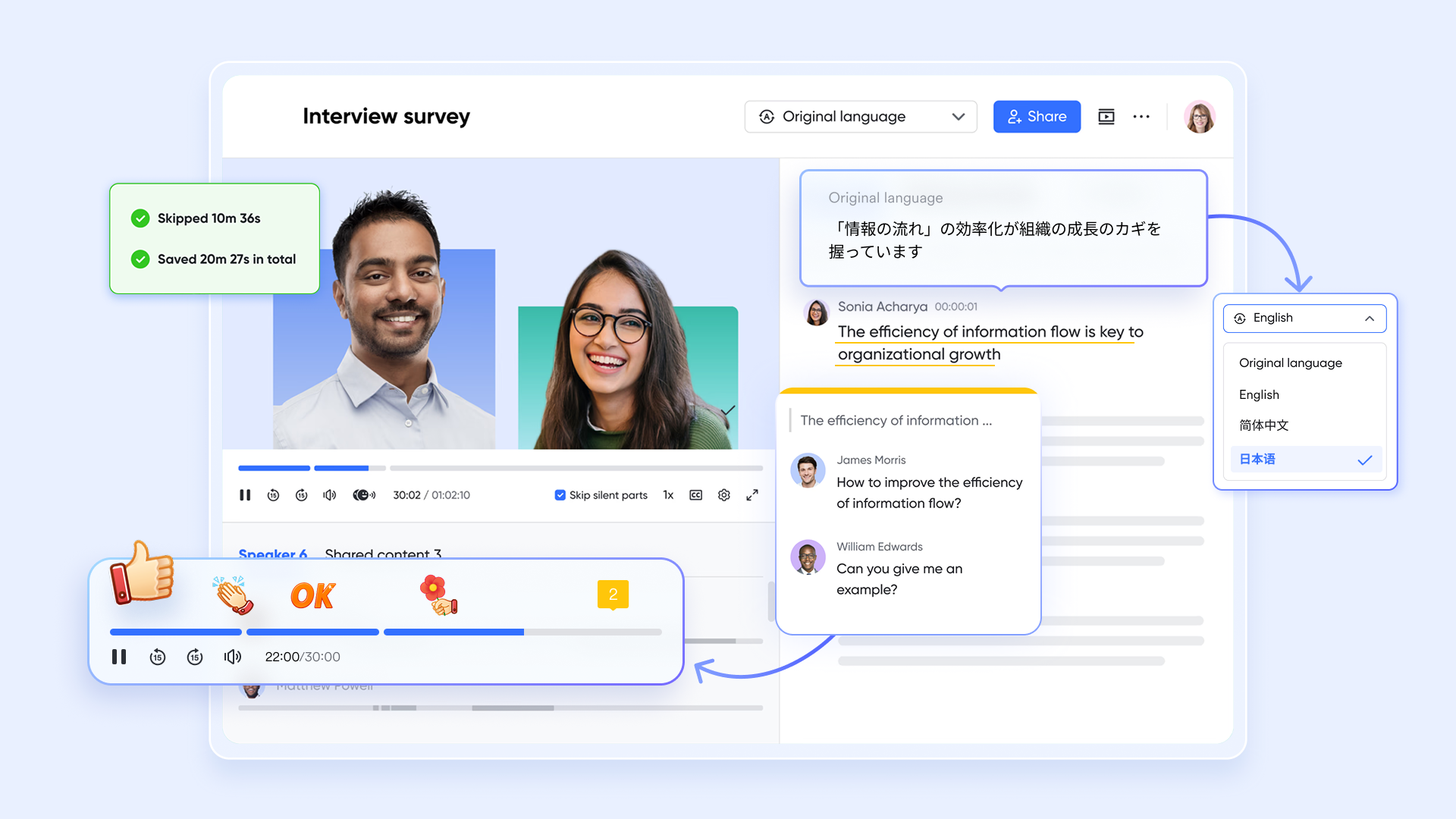
Reliable message delivery with read status and synced history
Lark provides clear read and unread status for messages, helping teams confirm delivery and follow up confidently. and syncs across devices, ensuring continuity when switching between desktop and mobile. While WhatsApp also syncs messages, Lark's device-agnostic access is better suited for professional, multi-device work environments. :
- Starter plan: Free forever plan that includes 11 powerful tools for up to 20 users. It also comes with 100GB of storage, 1000 automation runs, AI translations, and more.
- Pro plan: $12/user/month (billed annually) for up to 500 users. It includes everything in Starter plus group calling for up to 500 attendees, 15TB of storage, 50,000 automation runs, and more.
- Enterprise plan: for custom pricing. Supports unlimited users and includes even more automation runs and advanced security, compliance, and management features.
For small teams with simple communication needs

18 months message history
1000 Base automation runs/month
2000 rows per table in Base
Most POPULAR
For companies with comprehensive collaboration and management needs
Unlimited message history
500-participant video meetings
50k Base automation runs/month
20k rows per table in Base
For large companies with advanced security and organizational management needs
Get a personalized demo and pricing
Unlimited message history
500-participant video meetings
15 TB storage + 30 GB storage/user
500k Base automation runs/month
50k Base automation runs/month
Most POPULAR
For companies with comprehensive collaboration and management needs
Unlimited message history
500-participant video meetings
50k Base automation runs/month
20k rows per table in Base
Who should use WhatsApp and who shouldn't
WhatsApp serves a wide range of communication needs, but it is not equally suited for every use case. Understanding where it fits—and where it doesn't—helps teams choose tools more intentionally.
- Best fit: WhatsApp works best for everyday conversations, informal groups, and quick updates. Its simplicity and ubiquity make it ideal for low-structure communication.
- Cases where other platforms (like Lark) make more sense: For , sales pipelines, or support workflows, structured platforms such as Lark are often more effective. These environments reduce information loss and improve accountability.
In a nutshell, WhatsApp is the premier tool for informal, low-structure communication due to its simplicity and universal reach. However, it is unsuited for complex workflows like project management or sales, where structured platforms like Lark are necessary to ensure accountability and prevent information loss.
Conclusion
WhatsApp continues to be a powerful and accessible tool for everyday communication, offering simplicity, global reach, and strong encryption by default. For personal use, casual groups, and fundamental business interactions, it performs its role effectively. However, as teams grow and , WhatsApp's chat-first design begins to show its limitations. Lack of structure, limited visibility, and difficulty preserving context can slow decision-making and increase information loss over time.
This review highlights an important distinction between messaging and collaboration. While WhatsApp excels at fast conversations, many teams eventually need tools that connect communication with work itself. Platforms like are built with this mind shift in mind, offering more structured environments for teams managing projects, documentation, and workflows at scale. For teams reassessing how they communicate and collaborate, exploring alternatives designed for long-term productivity can be a practical next step.
See what works best for growing teams and workflows
FAQs
Can WhatsApp message history be audited for compliance or reviews?
WhatsApp does not offer built-in tools for formal audits or compliance reviews. When a WhatsApp account is under review, access to chat history may also become temporarily restricted. Teams that need traceability often document decisions separately or move records into structured systems like Lark.
How reliable is WhatsApp for long-term business record keeping?
WhatsApp is not designed as a long-term records system, especially when users ask why my whatsapp is under review after sudden access issues. Chat exports and backups are manual and fragmented. For durable documentation, teams usually pair WhatsApp with platforms such as Lark for centralized storage.
What happens to workflows if a WhatsApp account is suddenly restricted?
If an account is limited or banned, active workflows can stall immediately. While tools like iCarefone WhatsApp transfer review highlight data recovery options, continuity is not guaranteed. Teams reduce risk by keeping operational workflows documented in Lark alongside chat communication.
Can WhatsApp support multi-department collaboration at scale?
WhatsApp struggles with complex coordination across departments and roles. Even with migration tools discussed in the mobiletrans WhatsApp transfer review, the structure remains limited. Platforms like Lark are better suited for cross-team visibility and sustained collaboration.
How do teams transition from WhatsApp to a structured workspace like Lark?
Most teams gradually shift by keeping WhatsApp for external messaging while moving internal work elsewhere. A clear review of WhatsApp usage policy helps define boundaries during transition. Lark is often introduced for projects, documentation, and team coordination to reduce disruption.
Related reading


















