














10 Best AI Scheduling Tools to Simplify Meetings and Boost Efficiency

Ryan Tanner
Product Marketing Specialist
Sep 18, 2026
Ryan Tanner
Sep 18, 2026

21 min read


Scheduling meetings can quickly become a challenge, especially when managing multiple calendars, time zones, and shifting priorities. An AI scheduling assistant streamlines this process by automating routine tasks such as finding suitable meeting times, sending invitations, and adjusting for changes. These tools use data from connected calendars to coordinate seamlessly, saving time and reducing scheduling errors.
They also help teams maintain focus by minimizing back-and-forth communication and ensuring meetings fit within preferred working hours. From lightweight appointment tools to all-in-one platforms, AI scheduling assistants are reshaping how individuals and organizations plan their days—making scheduling simpler, smarter, and more consistent. Here is the tool list we will explore today:
1. Lark: All-in-one AI scheduling and collaboration workspace
2. Motion: AI-powered time blocking and meeting optimization
3. Reclaim.ai: Flexible AI scheduling for balanced productivity
4. Clockwise: Team calendar optimization through AI
5. Calendly: The go-to tool for appointment and client booking
6. Clara: Email-based virtual assistant for scheduling
7. ScheduleOnce: Enterprise scheduling and booking management
8. Sidekick AI: Conversational scheduling via chat and voice
9. Ravi AI: Lightweight AI scheduler for startups and freelancers
10. Trevor AI: Task-based calendar automation

What is an AI scheduling assistant?
An AI scheduling assistant is a digital tool that uses artificial intelligence to automate and optimize team calendar management. It helps individuals and teams save time by finding the best meeting times, sending invites, managing cancellations, and adjusting for time zones. Unlike traditional scheduling apps, an AI calendar assistant learns user preferences—such as meeting lengths, ideal hours, and priority tasks—to create a more balanced schedule.
Many of the best AI scheduling assistants integrate with tools like Google Calendar, Outlook, and Slack, ensuring smooth coordination across platforms. Whether you need an AI scheduling tool for appointments or a free AI scheduling assistant for everyday use, these solutions reduce administrative work and help maintain focus on high-value tasks.
How AI scheduling assistants work
An AI scheduling assistant relies on automation, data integration, and intelligent learning to manage time efficiently. Instead of manually coordinating meetings, these tools interpret calendar data, understand user preferences, and adapt to changing priorities. They not only schedule events but also anticipate conflicts and recommend solutions, making time management more proactive and less reactive. Here's how they work in practice:
- Data sync: AI scheduling assistants connect with calendars like Google, Outlook, or iCal to access real-time availability. This ensures the assistant always works with up-to-date information, preventing double bookings or overlaps. It also helps synchronize across personal and professional accounts seamlessly.
- Preference learning: Over time, the AI learns user habits—such as preferred meeting times, durations, and working hours. This learning enables it to tailor suggestions that align with your schedule and priorities. The assistant adjusts dynamically as your routines evolve.
- Automation: Automation is at the core of every AI assistant scheduling tool. It automatically suggests meeting times, sends invitations, and reschedules when conflicts arise. By reducing repetitive administrative work, it frees users to focus on higher-value tasks.
- Natural language processing: Using natural language processing (NLP), many AI scheduling assistant apps let users schedule through chat or voice commands. You can simply type or say, "Book a meeting with Sarah tomorrow," and the assistant handles the rest. This feature makes scheduling faster and more intuitive.
- Workflow integration: Modern assistants go beyond calendars by integrating with CRMs, project management, and task-tracking systems. This ensures meetings are linked to relevant workflows, making follow-ups and context-based scheduling easier. It creates a unified and intelligent scheduling ecosystem.
10 best AI scheduling assistants for smarter calendar management
1. Lark: All-in-one AI scheduling tool and collaboration workspace
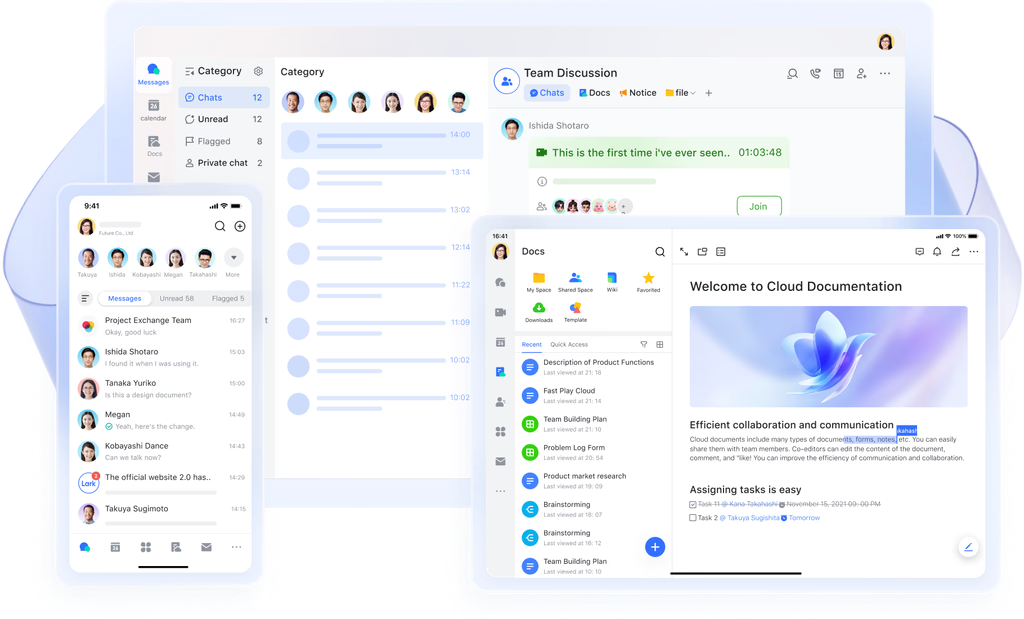
Lark serves as an all-in-one AI scheduling and collaboration workspace that simplifies how teams plan, organize, and manage meetings. As for time scheduling, Lark Calendar intelligently syncs with users' availability, automates meeting coordination, and minimizes scheduling conflicts across time zones. Beyond basic scheduling, it supports collaborative features like shared meeting notes, task assignments, and automated reminders, ensuring every discussion leads to actionable outcomes.
Lark Calendar: Smart time coordination tool
Lark Calendar automatically identifies the best meeting time for all participants by syncing the real-time calendar availability of group members. You can view contacts' availability and book a meeting with one click, minimizing manual schedule checking and back-and-forth communication.
This feature is especially useful for cross-functional or global teams. This feature is especially helpful for cross-functional teams or global teams working across different time zones, significantly reducing back-and-forth communication.
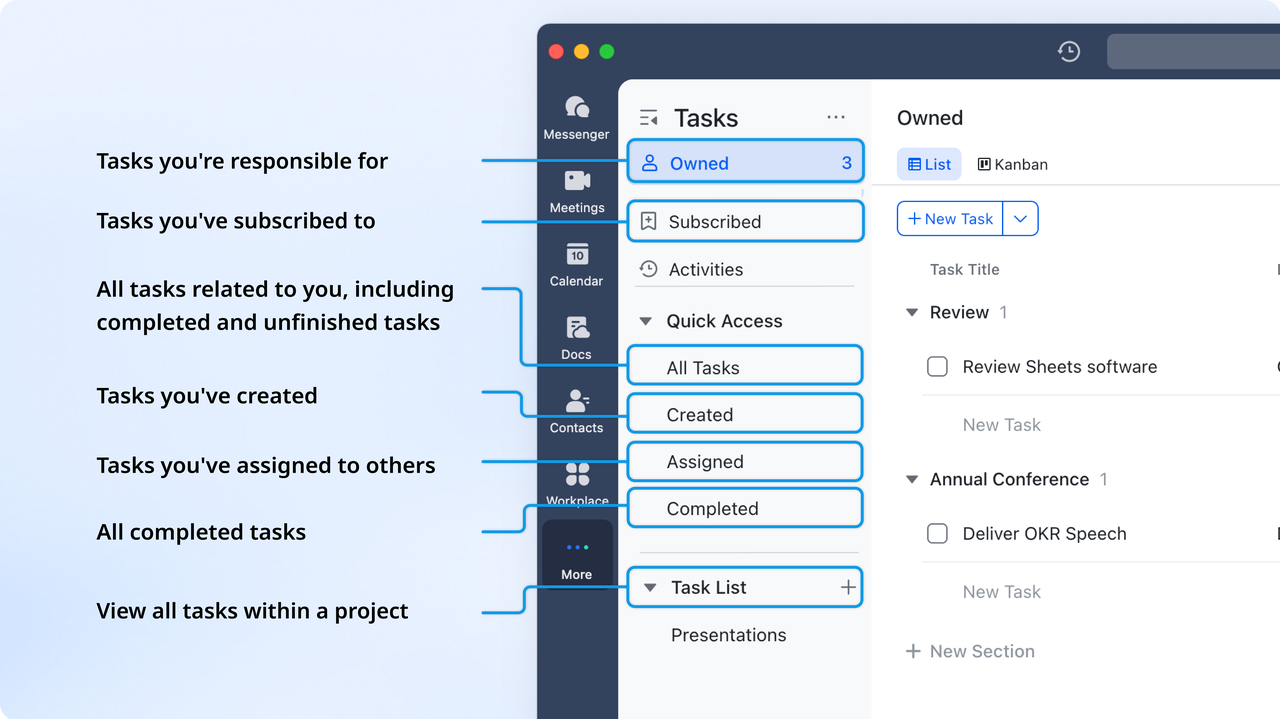
Lark Tasks: AI assignment arrangement tool
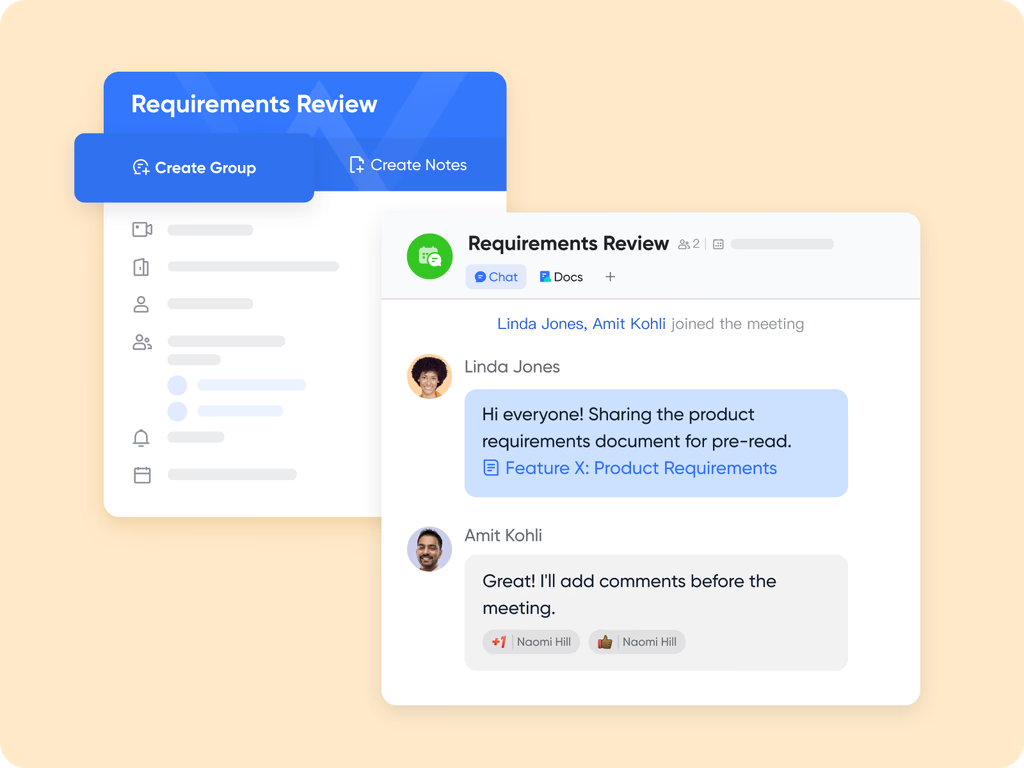
Lark Tasks acts as a smart scheduling assistant by letting you create tasks with due dates, reminders, and owners, turning to-dos into time-bound items. You can organise tasks into lists and subtasks, view progress, and visualise them alongside your calendar.
Tasks can be created directly from chats or documents, streamlining scheduling from discussions. Recurring tasks and templates automate routine planning, while integration with Lark’s calendar helps you block time and manage your schedule efficiently.
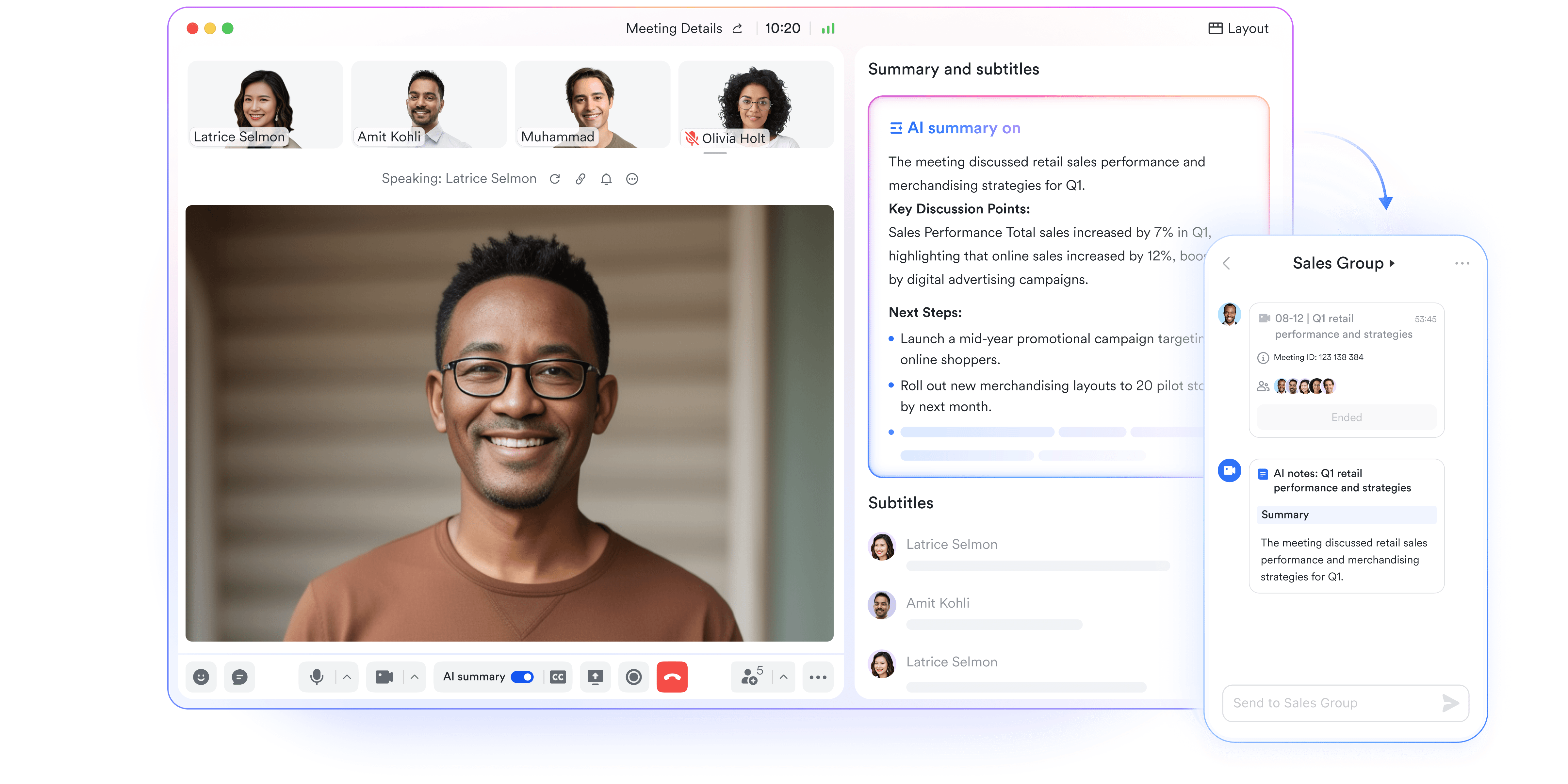
AI Meeting Notes: AI-enhanced meeting summaries and action items
After a meeting, Lark's AI Meeting Notes feature automatically generates a detailed summary of key points, decisions, and to-do lists. Once the AI summary is enabled, the notes are shared instantly with all participants, ensuring that everyone has the same understanding of outcomes and next steps. This automation reduces the need for manual note-taking and speeds up post-meeting alignment.
Automation in Lark Base: Automated work-hour protection
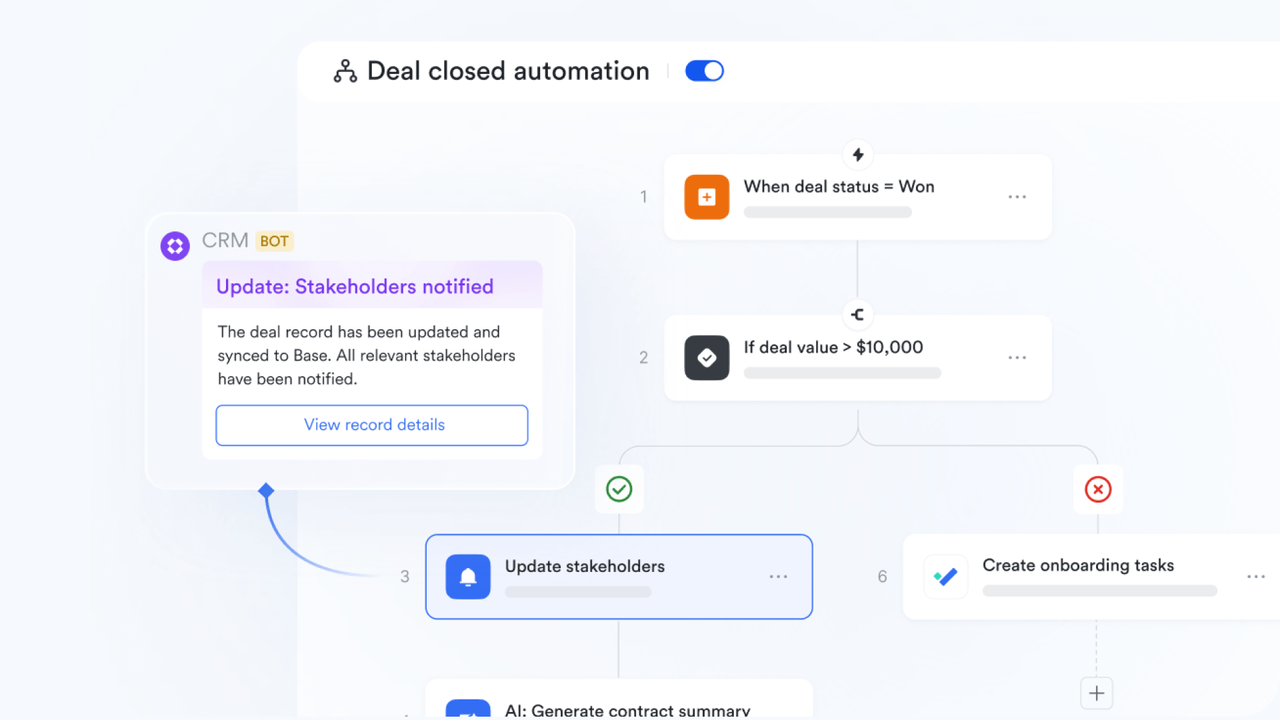
Lark helps maintain work-life balance by detecting invitations sent outside your working hours and automatically notifying the sender. Using Lark Base automations, Lark can trigger workflows based on calendar events.
For example, once a meeting is scheduled, an automated message can notify participants, log the event in a project Base, or assign follow-up tasks. These automations eliminate repetitive scheduling steps and keep related data organized in real time.
- Starter plan: Free forever plan that includes 11 powerful tools for up to 20 users. It also comes with 100GB of storage, 1000 automation runs, AI translations, and more.
- Basic plan: $6/user/month (billed annually) for up to 500 users. It includes everything in Starter plus group calling for up to 500 attendees, 5TB of storage, 1000 automation runs, and more.
- Pro plan: $12/user/month (billed annually) for up to 500 users. It includes everything in Starter plus group calling for up to 500 attendees, 15TB of storage, 50,000 automation runs, and more.
- Enterprise plan: Contact sales for custom pricing. Supports unlimited users and includes even more automation runs and advanced security, compliance, and management features.
2. Motion: AI-powered time blocking and meeting optimization
Motion is an AI scheduling assistant designed to help users plan their days with precision through intelligent time blocking and task management. It automatically creates optimized schedules by analyzing meetings, deadlines, and priorities, ensuring maximum productivity without manual effort. Ideal for professionals and teams, Motion blends calendar management with task automation, reducing time spent organizing daily activities. Its AI continuously adapts to shifting priorities, making it one of the most dynamic scheduling tools available.
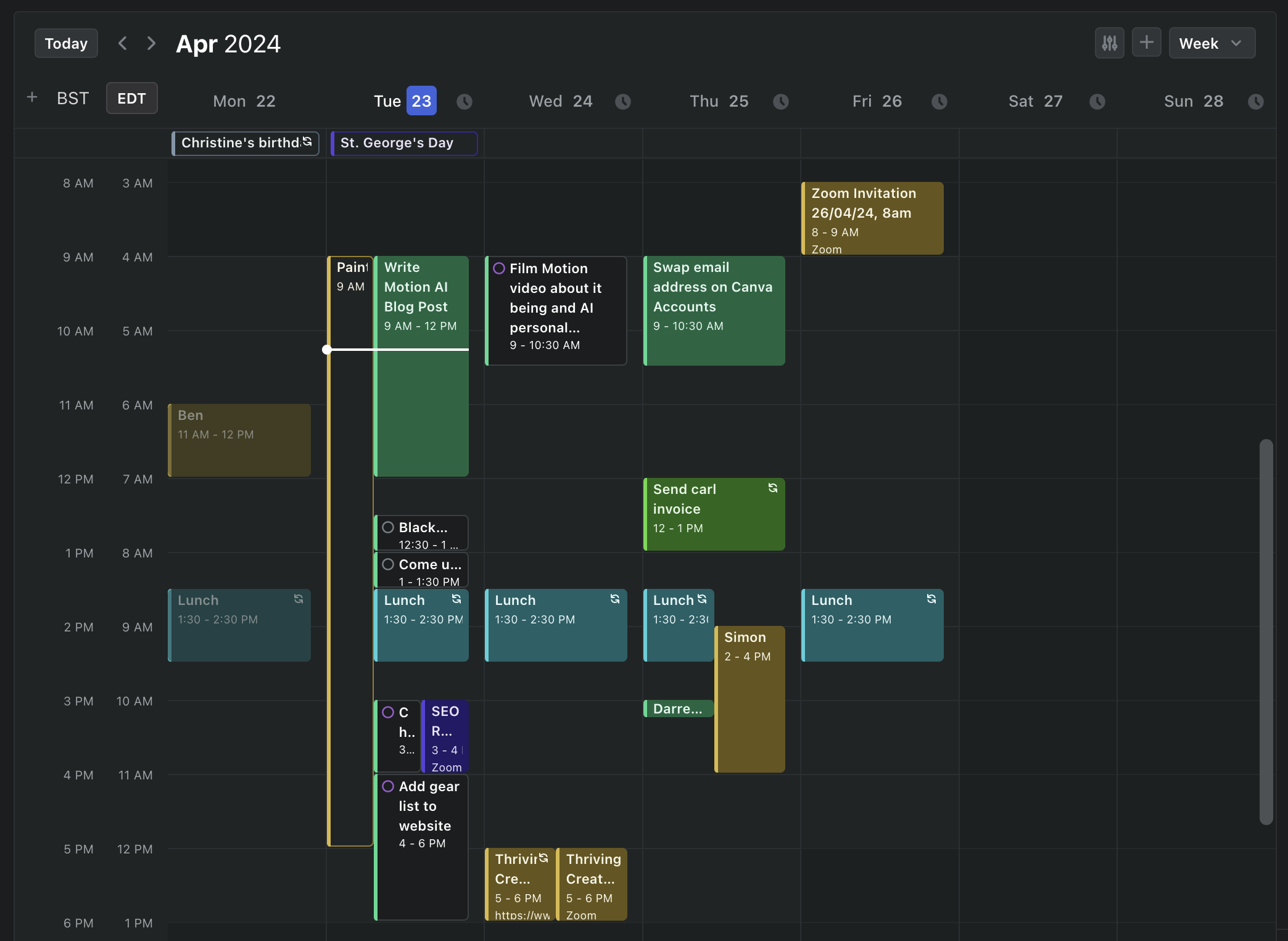
Image source: motion.com
Key features:
- AI-driven time blocking for daily task optimization.
- Automatic rescheduling based on changing priorities.
- Smart meeting booking and conflict detection.
- Integrated task and project management dashboard.
Pros:
- Excellent for users with busy, changing schedules.
- Strong task and meeting automation capabilities.
- Clean interface with intuitive time visualization.
Cons:
- Steeper learning curve for new users.
- Limited customization for advanced workflows.
Pricing:
- Individual Plan: $19 per month (billed annually).
- Team Plan: $12 per user per month (billed annually).
3. Reclaim.ai: Flexible AI scheduling for balanced productivity
Reclaim.ai is designed to help individuals and teams reclaim their calendars by automating the scheduling of focus work, routines, tasks, and meetings. Its AI monitors availability across calendars, defends time for what matters, and adapts when priorities shift. Whether you're juggling client slots, deep work blocks or recurring habits, the platform attempts to shift the burden of calendar management from you to the machine. Here's a breakdown of key features, pros, cons and pricing.
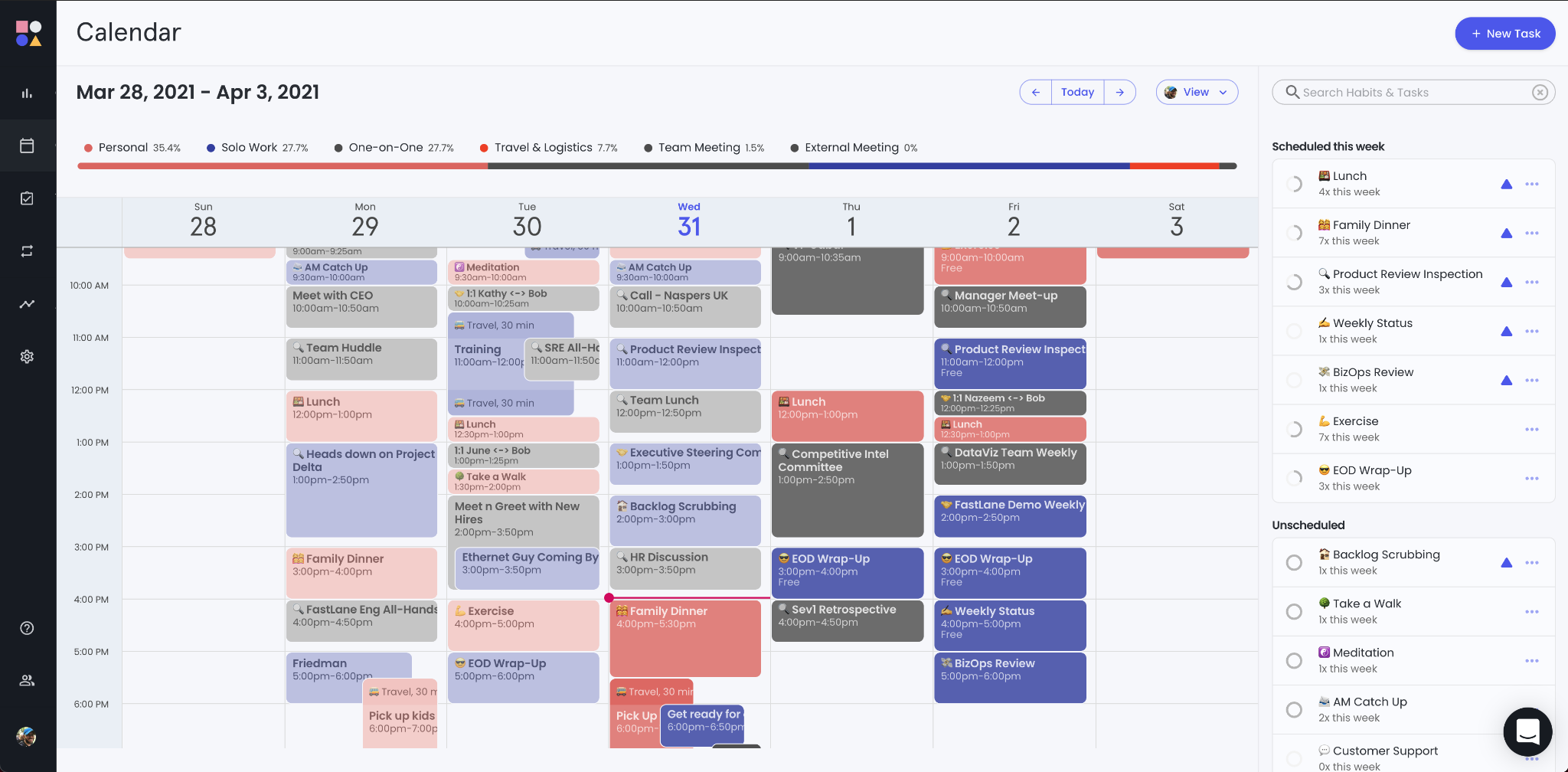
Image source: reclaimai.com
Key features:
- Integrates tasks from tools like Asana, Jira, and Todoist.
- Offers smart meeting links and conflict-free booking.
- Adds buffer times and syncs multiple calendars for accuracy.
- Provides analytics to track focus, meetings, and team productivity.
Pros:
- Excellent for maintaining balance between meetings and deep work.
- Strong integrations with task and productivity tools.
- Insightful time analytics for personal and team optimization.
Cons:
- Interface may feel complex for beginners.
- Free plan offers limited functionality.
Pricing:
- Starter: $8 per user/month (billed annually).
- Business: $12 per user/month (billed annually).
- Enterprise: Custom pricing.
4. Clockwise: Team calendar optimization through AI
Clockwise focuses on helping individuals and teams reclaim time by intelligently scheduling meetings, protecting focus blocks, and realigning calendars to maximize productivity. It uses AI to analyse preferences, meeting patterns and team availability to optimise schedule flows and reduce disruptions. Ideal for busy professionals or departments juggling multiple calendars and cross-team sessions, Clockwise aims to make scheduling simpler without adding extra admin overhead.
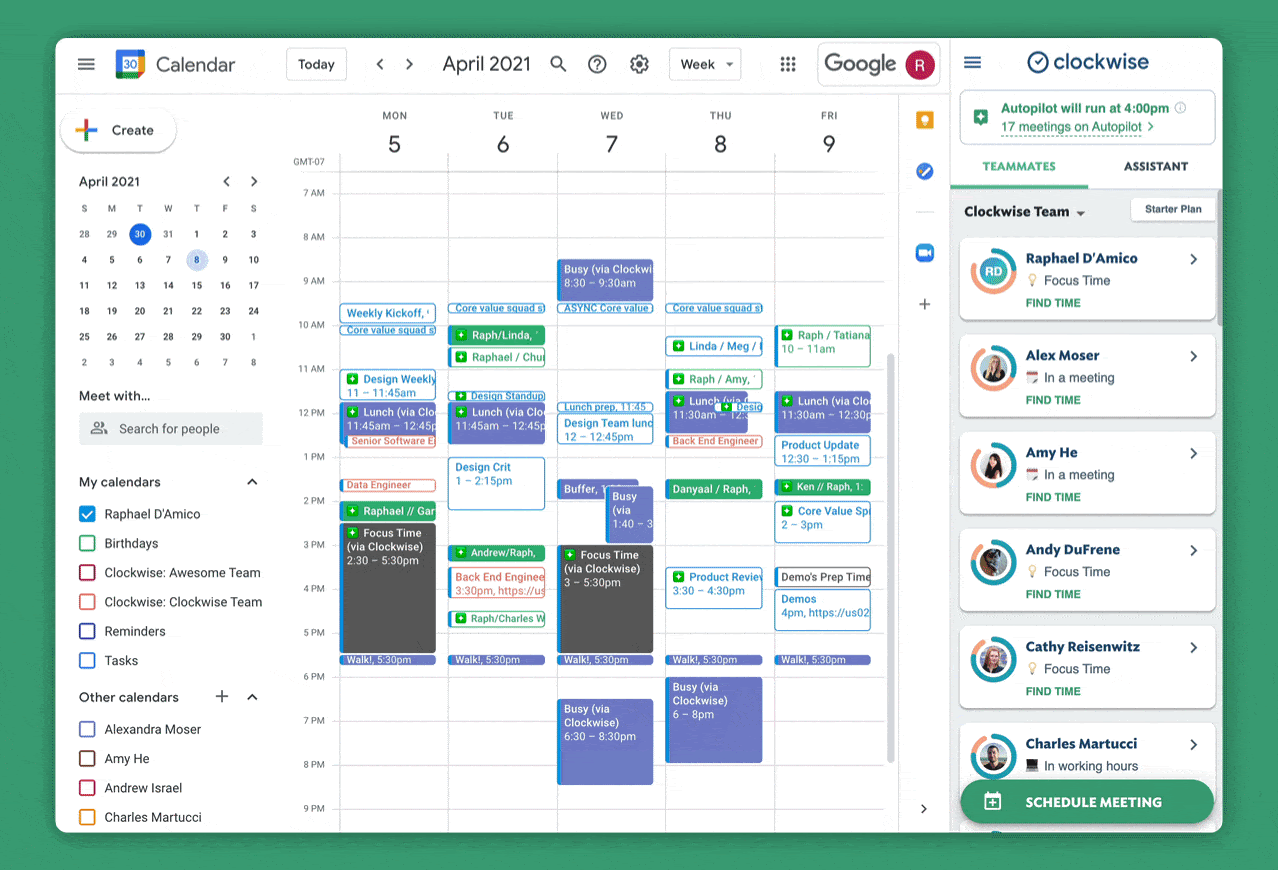
Image source: clockwise.com
Key features:
- AI-powered schedule optimisation and real-time meeting adjustment.
- Automated Focus Time blocks to protect deep work periods.
- Unlimited scheduling links for external and internal bookings.
- Team analytics and meeting-load reports for organisational insight.
Pros:
- Streamlines coordination across individuals and teams with complex calendars.
- Strong focus-time support helps reduce context switching and scheduling fatigue.
- Free plan available for basic functionality.
Cons:
- Advanced features require paid plans and annual billing.
- Primarily supports Google Calendar—other platforms may have limited support.
Pricing:
- Teams Plan: $6.75 per user per month (billed annually).
- Business Plan: $11.50 per user per month (billed annually).
- Enterprise Plan: Custom pricing.
5. Calendly: The go-to tool for appointment and client booking
Calendly is a widely used scheduling tool geared toward individual professionals, teams, and businesses looking to streamline client or external appointment bookings. It enables users to share availability links so invitees can self-book without the usual back-and-forth. The platform supports calendar integrations, configurable event types, and workflows to reduce manual scheduling effort.
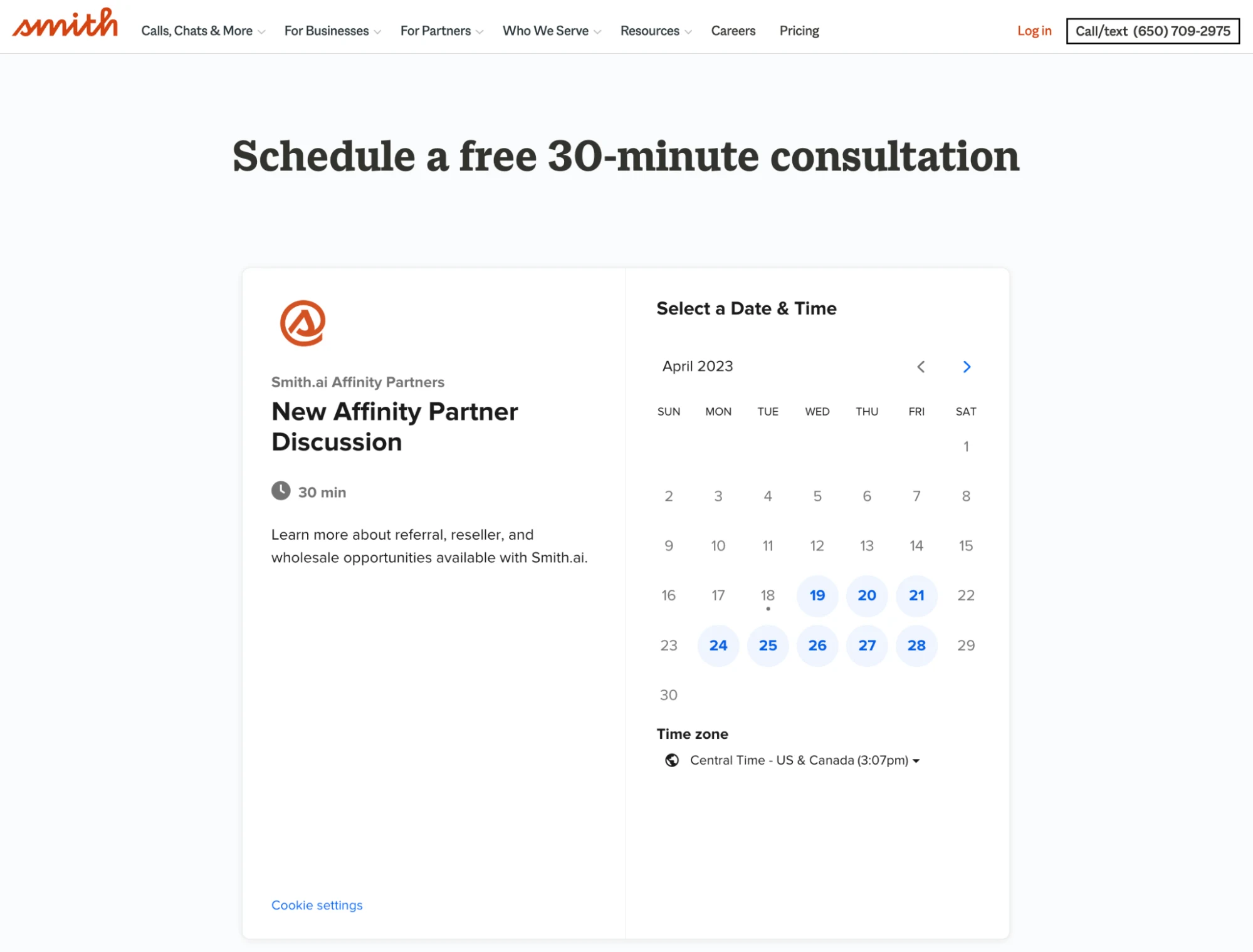
Image source: calendly.com
Key features:
- Shareable booking page with customizable availability.
- Unlimited one-on-one meetings (even on free tier).
- Multiple calendar connections (in paid plans).
- Integrations with tools like Zoom, Stripe, Zapier, and CRMs.
Pros:
- Very easy to set up and share for external bookings
- Offers a free forever tier suitable for solo users
- Strong ecosystem of integrations for payments, marketing, video
Cons:
- Free plan supports only 1 event type and 1 calendar connection
- Advanced team/round-robin features reserved for pricier tiers
Pricing:
- Standard Plan: $10 per seat/month (billed annually).
- Teams Plan: $16 per seat/month (billed annually).
- Enterprise Plan: Custom pricing.
6. Clara: Email-based virtual assistant for scheduling
Clara serves as a virtual assistant for scheduling, using natural-language email interactions and calendar integrations to automate meeting coordination. You simply CC your Clara alias in an email thread, and the assistant handles finding times, sending invitations, and follow-up communications — ideal for professionals who prefer keeping scheduling within their inbox. The tool is particularly suited for high-volume meeting environments or executives who want to delegate scheduling without hiring a human assistant.
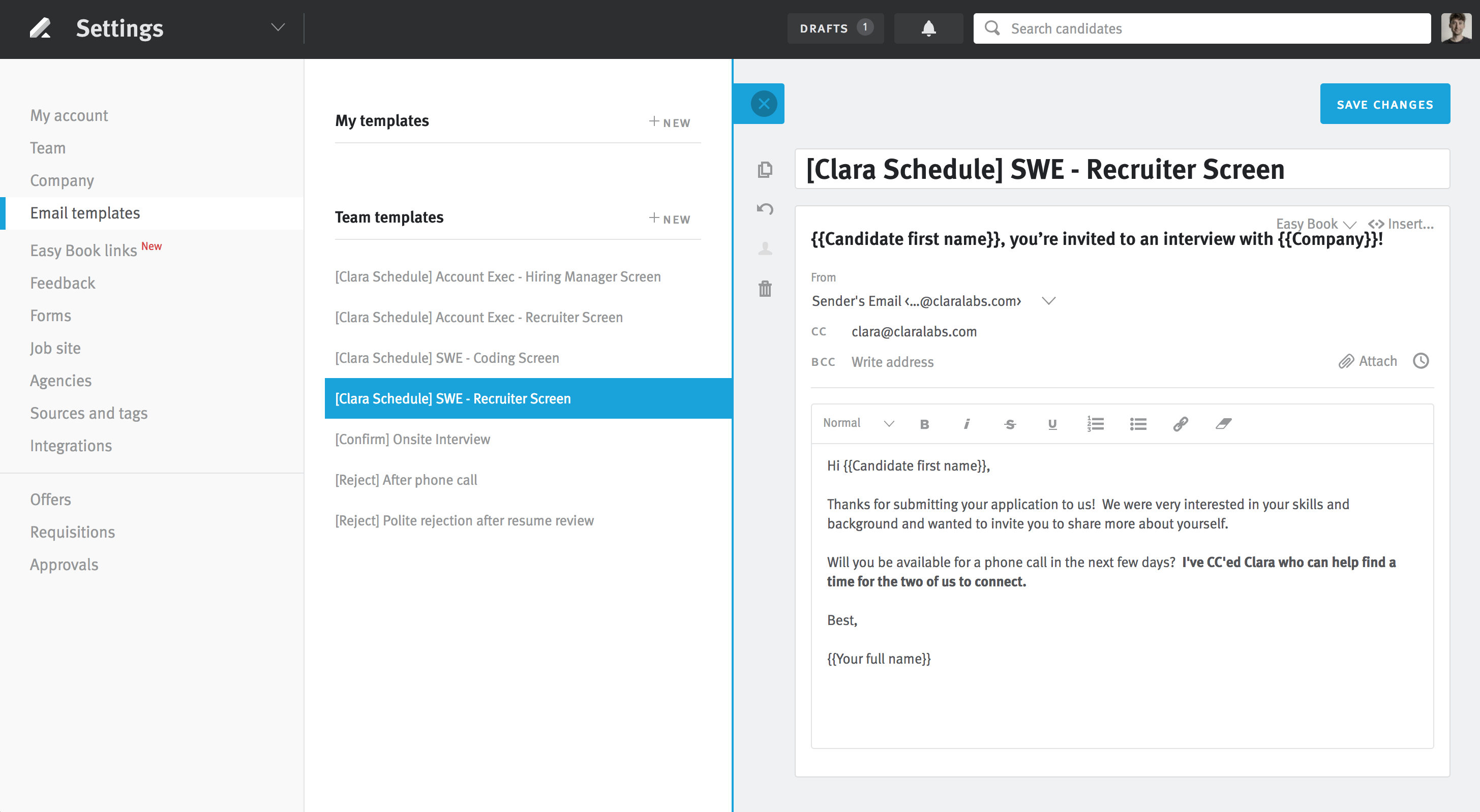
Image source: clara.com
Key features:
- Natural language email parsing to propose and confirm meeting times.
- Multi-participant coordination with time-zone awareness and automatic calendar invites.
- 24/7 availability and follow-up reminders until confirmation.
- Deep email + calendar integration (Google Calendar, Office 365).
Pros:
- Minimal manual input required once set up; scheduling largely becomes hands-off.
- Professional, human-like email interaction improves guest experience and reduces friction.
- Supports complex scheduling workflows (multi-person, multiple time zone) without extra tools.
Cons:
- Pricing is comparatively high for individual users or small teams.
- Less suited if you need self-service booking links, round-robin team scheduling or booking pages.
Pricing:
- Personal Plan: $99 per user/month (billed annually).
- Professional Plan: $199 per user/month (billed annually).
- Executive Plan: $399 per user/month (billed annually).
- Enterprise/Team pricing: Custom pricing.
7. ScheduleOnce: Enterprise scheduling and booking management
ScheduleOnce is built for organisations that need a robust booking and scheduling platform—whether it's for individual appointments, resource or room scheduling, or complex multi-host workflows. It supports embedding booking pages on websites, synchronising with major calendar tools, and managing rounds of approval, routing and team assignments. Because of this depth, it's especially well suited for businesses with sales, service or training operations rather than only internal team meetings.
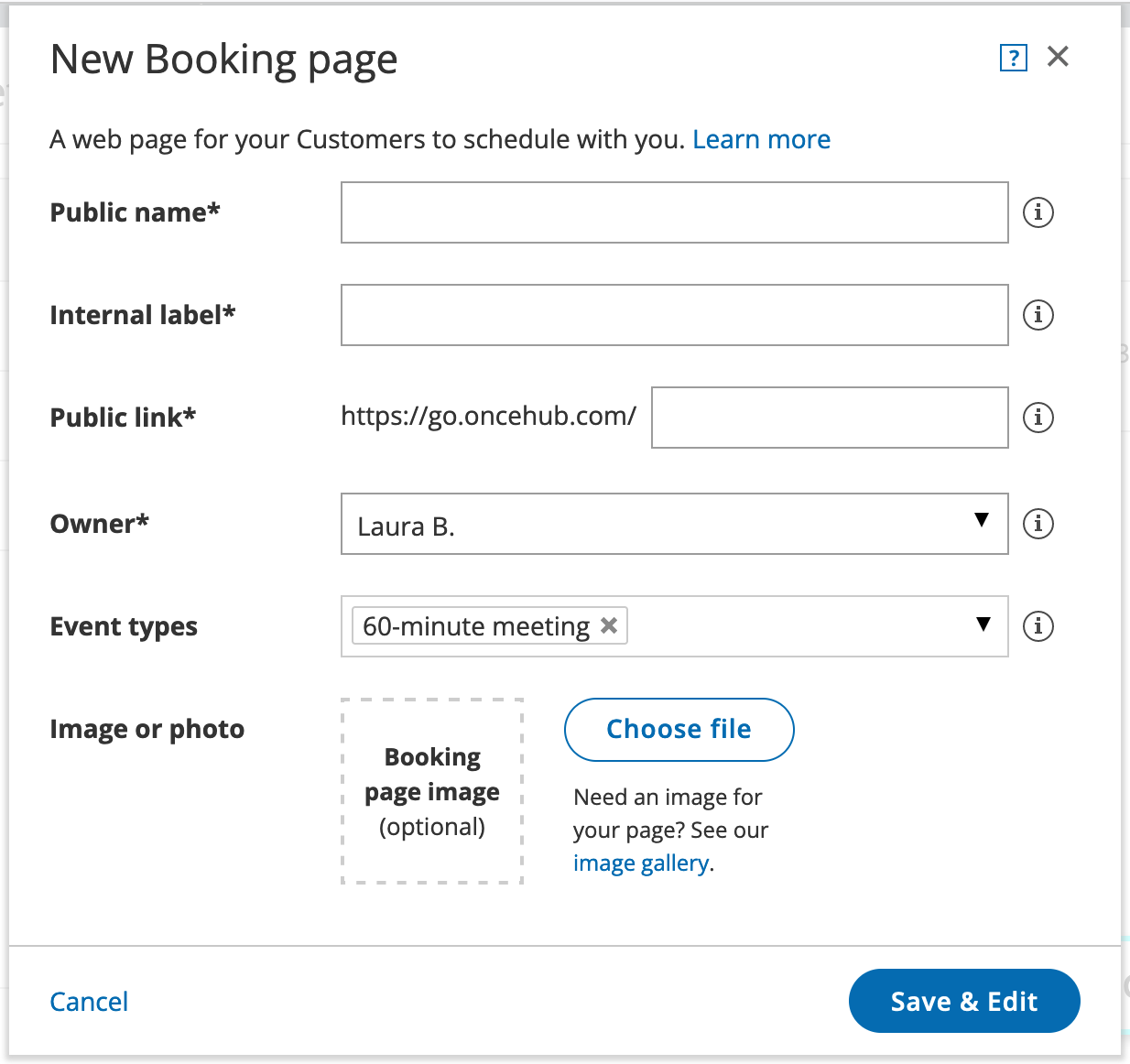
Image source: scheduleonce.com
Key features:
- Create booking pages that embed on websites or share as links, with multi-calendar sync.
- Manage group or team scheduling via round-robin, pooled availability, resource/room booking.
- Route bookings based on form responses, CRM data or custom rules.
- Support payment processing, booking approvals, email/SMS notifications, and branded interfaces.
Pros:
- Highly configurable for complex workflows across teams and external clients.
- Supports many use-cases beyond simple one-on-one—resources, classes, multi-hosts.
- Strong integrations and branding/customisation options for organisations.
Cons:
- More complex to set up compared to simpler booking tools; may require configuration.
- Pricing escalates with advanced features and user seats—can be costly for smaller teams.
Pricing:
- Schedule Plan: $10 per seat/month (billed annually).
- Route Plan: $19 per seat/month (billed annually).
- Professional / Enterprise Tier: Custom pricing.
8. Sidekick AI: Conversational scheduling via chat and voice
Sidekick AI is a scheduling assistant designed to handle meeting coordination with minimal effort. Whether you schedule via email forwarding, share a booking link, or let a team share availability, Sidekick automates many of the manual steps. It integrates with major calendar systems (like Google Calendar and Outlook) and supports team pages for group scheduling. The tool aims to reduce back-and-forth, automate invitations and reminders, and give users more time to focus on what really matters.Re
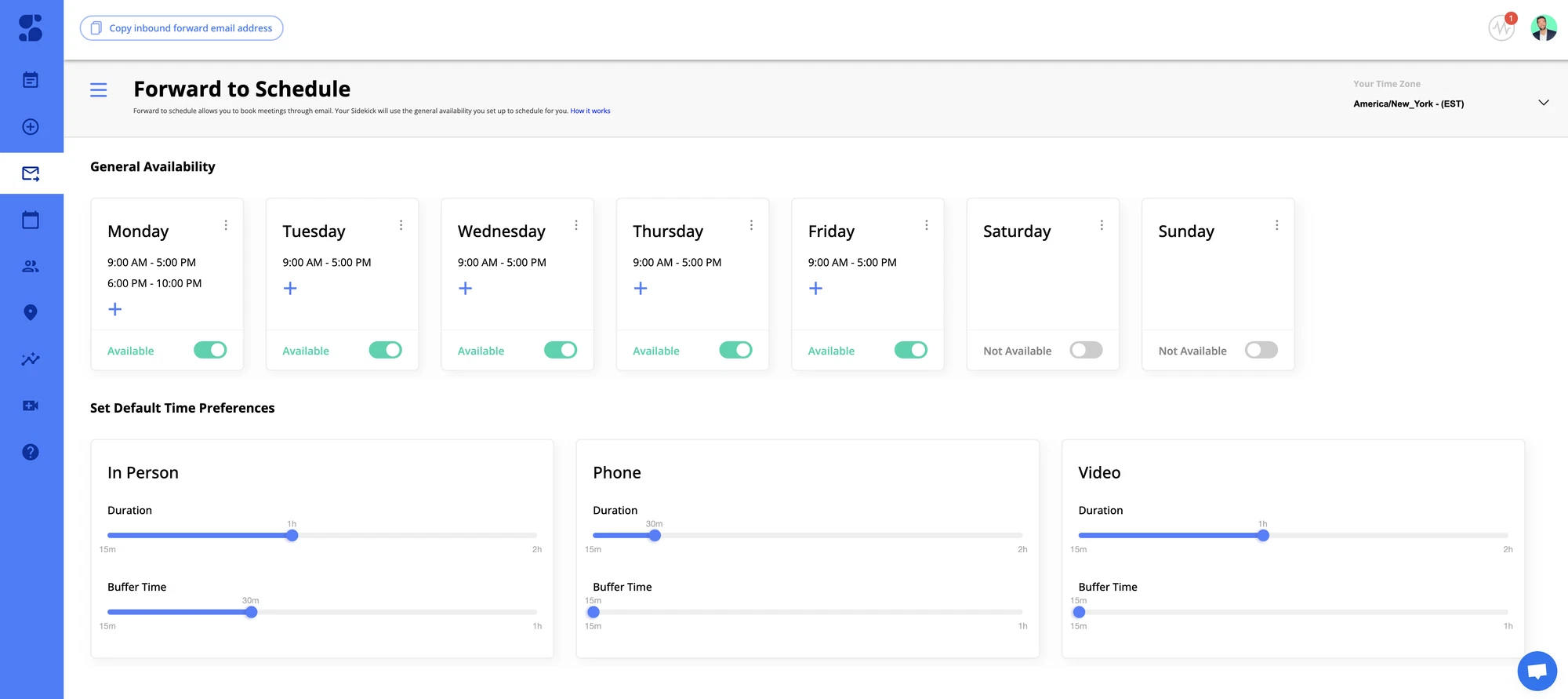
Image source: sidekickai.com
Key features:
- Forward-to-Schedule: forward any meeting request, and Sidekick handles the rest.
- Personalized scheduling pages for individuals or teams.
- Real-time calendar integration with automatic time zone detection.
- Shared team scheduling pages for group meetings.
Pros:
- Automates common scheduling actions, saving time and effort.
- Supports both personal and collaborative scheduling.
- Free plan available for users to explore core features.
Cons:
- Advanced branding and customization require paid plans.
- Limited automation for non-scheduling workflows.
Pricing:
- Pro Plan: $15 per month (billed annually).
- Team Plan: Custom pricing.
9. Ravi AI: Lightweight AI scheduler for startups and freelancers
Ravi AI is an AI-driven scheduling assistant tailored for startups and small teams that want to automate appointment setting, rescheduling, and analytics without heavy overhead. It integrates with your calendar, identifies optimal meeting times, adjusts for conflicts, and helps you understand how your meetings and resources are being used. The system is designed to reduce manual coordination so your team can focus more on work and less on managing schedules.
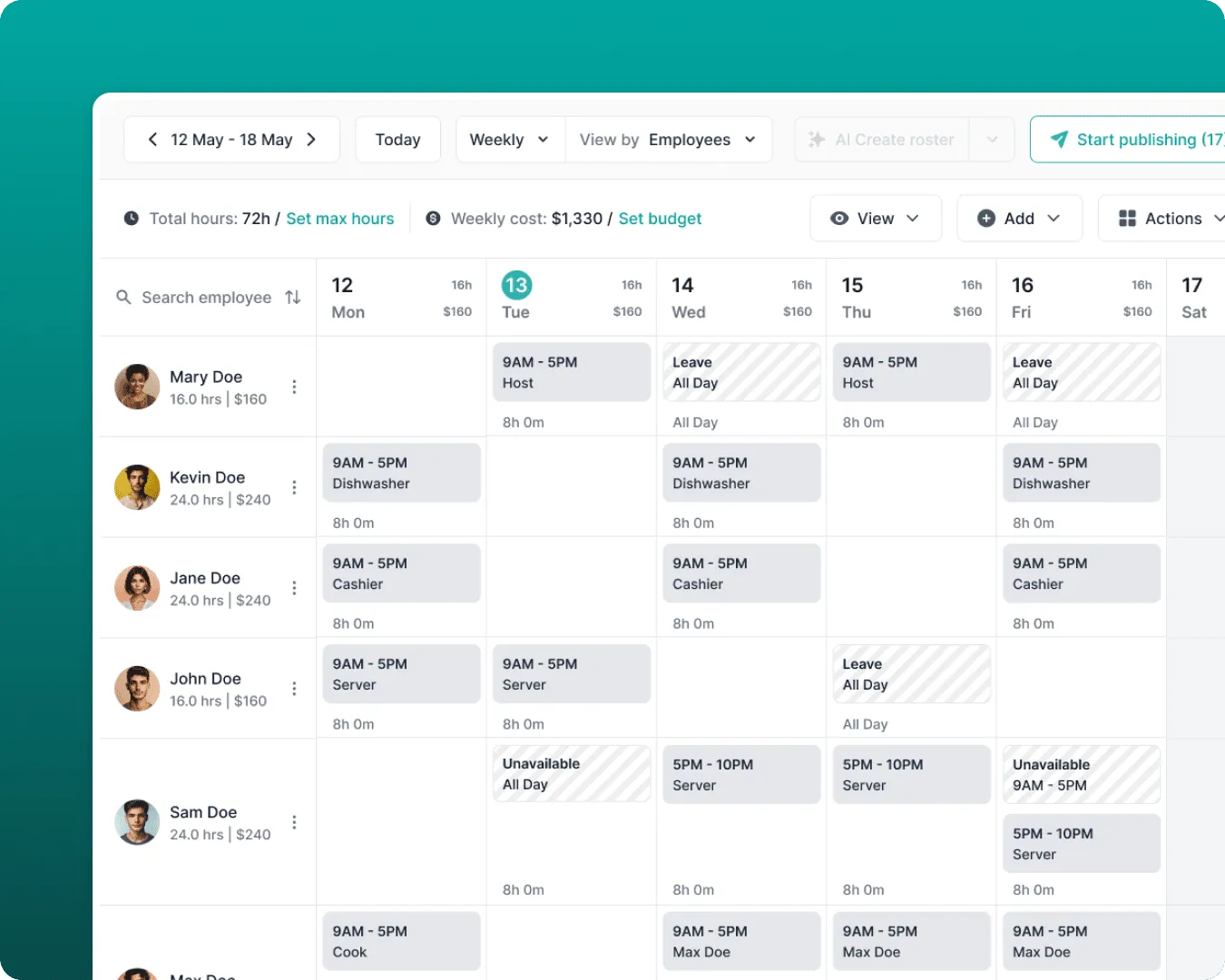
Image source: raviai.com
Key features:
- Automated rescheduling of meetings when conflicts or cancellations occur.
- Analytics that track meeting frequency, attendance, and resource usage.
- Shared scheduling links for external participants and internal team coordination.
- Integration with common calendar tools (Google Calendar, Outlook, etc.).
Pros:
- Can save time by handling routine scheduling tasks automatically.
- Provides insights into meeting patterns and resource efficiency.
- Good fit for lean teams looking to avoid complex set-ups.
Cons:
- Limited publicly available details on entry-level pricing and tier-features.
- Might not have as many advanced team-workflow integrations or branding/customization options compared to enterprise-focused tools.
Pricing:
- Starter plan: $500/month (billed annually).
- Growth plan: $1,000/month (billed annually).
- Scale plan: $1,500/month (billed annually).
10. Trevor AI: Task-based calendar automation
Trevor AI is a scheduling assistant that blends task lists with calendar events to prioritise your day and boost productivity. It converts to-dos into time-blocks, predicts how long tasks will take, and suggests ideal slots in your calendar. Because it integrates with platforms like Google Calendar and Microsoft Outlook, it ensures your schedule stays aligned across devices. The tool is especially helpful for individuals or small teams who want their task list and calendar to work in harmony, without juggling separate systems.
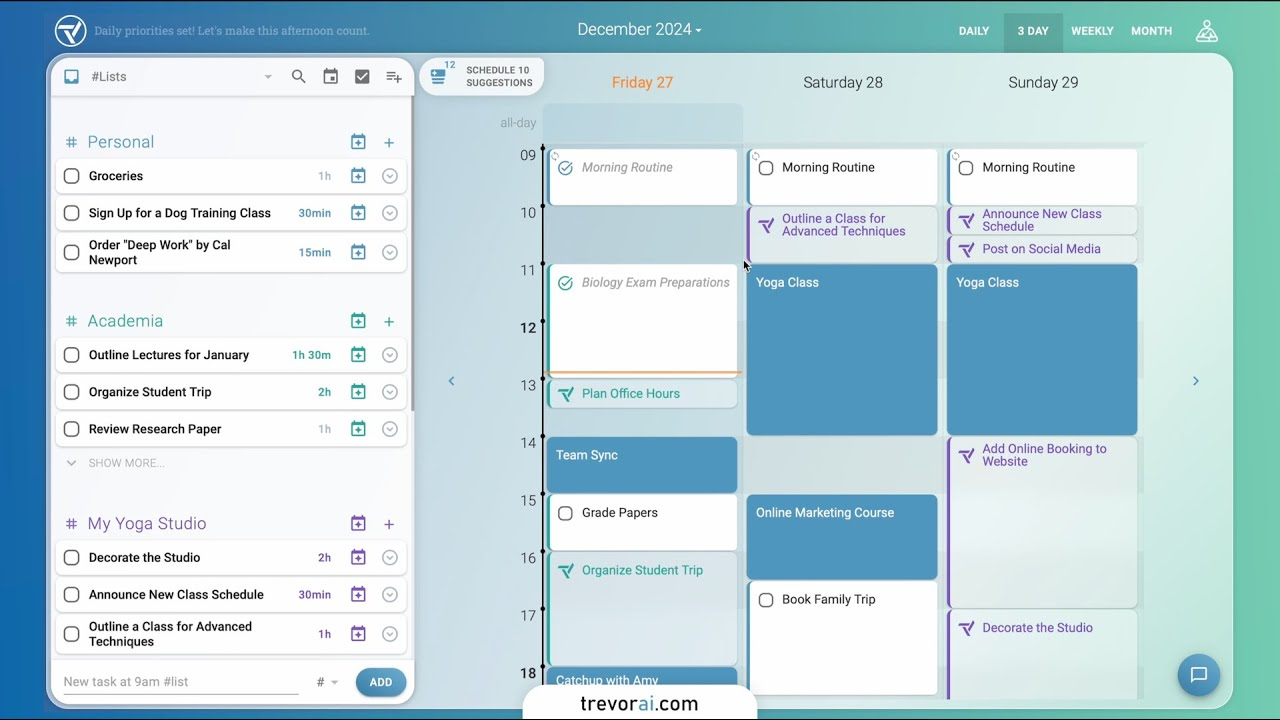
Image source: trevorai.com
Key features:
- Turn tasks into scheduled calendar time automatically.
- Smart duration predictions and AI scheduling suggestions.
- Integrates with multiple calendar and task apps (e.g., Google, Outlook, Todoist).
- Focus mode, task breakdowns, and daily AI coaching insights.
Pros:
- Simple, intuitive interface for turning tasks into calendar events.
- Affordable-priced pro plan compared to many full-workspace tools.
- Strong for solo users or freelancers who want both tasks and scheduling in one place.
Cons:
- Team-collaboration features are more basic compared with enterprise-oriented tools.
- Some advanced features (multi-calendar support, recurring tasks) are locked behind the pro tier.
Pricing:
- Pro Plan: $5/month (billed annually).
Why Lark is a better alternative to standalone AI scheduling tools
Key benefits of using an AI scheduling assistant
An AI scheduling assistant helps individuals and teams work more efficiently by automating one of the most repetitive administrative tasks—scheduling. Beyond just booking meetings, it intelligently manages time, aligns team availability, and keeps calendars error-free. Whether for personal productivity or team coordination, these assistants offer a smarter, more organized way to manage daily workflows.
Here are some of the key benefits:
- Saves time on coordination: AI scheduling assistants eliminate endless back-and-forth messages to confirm meeting times. They automatically detect overlapping availabilities and propose optimal slots instantly. This efficiency allows users to focus on meaningful work rather than logistical details.
- Reduces human error: By syncing with all connected calendars, these tools minimize mistakes such as double-booking or incorrect time zones. The automation ensures meetings are accurately placed, regardless of region or device. As a result, schedules stay consistent and reliable.
- Boosts productivity: An AI assistant scheduling tool automates repetitive processes like reminders, confirmations, and reschedules. This reduces manual intervention and cognitive load, giving professionals more uninterrupted focus time. Over time, it creates smoother and more predictable workdays.
- Improves collaboration: AI scheduling assistants make team coordination seamless by providing shared visibility into availability. Team members can easily align their schedules for group meetings or projects. This transparency enhances trust and reduces miscommunication across departments.
- Optimizes resource use: Beyond personal calendars, these assistants can manage shared resources like meeting rooms or equipment. By automatically booking and releasing resources based on usage, they ensure efficient utilization. This helps teams avoid scheduling conflicts and improve overall operational efficiency.
Best practices for using AI scheduling assistants
AI scheduling assistants can dramatically simplify how professionals organize their time, but getting the best results requires thoughtful use. While automation handles logistics, humans still define purpose, priorities, and balance. Establishing boundaries and keeping systems clean ensures that the assistant works with you, not against you. The goal is to make time management intentional, not just efficient.
- Define meeting goals clearly before scheduling: Having a clear purpose ensures that every meeting contributes to outcomes rather than routine check-ins. AI tools can optimize timing, but the value still depends on human clarity and direction.
- Limit meeting frequency by encouraging async collaboration: Use shared docs, chat tools, or video updates to cut unnecessary syncs. This helps AI tools schedule fewer, more meaningful meetings while keeping teams aligned.
- Customize availability windows to maintain work-life balance: Adjust your assistant's preferences to avoid late-night or weekend scheduling. Smart time blocking helps preserve personal downtime and prevents burnout.
- Review and clean your calendar regularly: Periodically removing outdated recurring events and canceled meetings keeps automation effective. This reduces clutter, improves scheduling accuracy, and helps your AI system learn better habits.
- Use automation to link meetings to next-step actions or follow-ups: Integrate your scheduling assistant with project management tools or CRMs. This ensures every meeting leads to tracked outcomes, not just conversations.
Conclusion
AI scheduling assistants have transformed how individuals and teams manage time, automate coordination, and focus on meaningful work. From syncing calendars and learning preferences to optimizing time blocks and reducing scheduling conflicts, these tools streamline every step of planning. They don't just save time — they improve focus, collaboration, and overall productivity by handling the background details that often slow teams down. However, their true value depends on how thoughtfully they're used, with clear goals, balanced availability, and periodic review.
If your team is looking for a smarter way to manage scheduling alongside communication and project workflows, explore how Lark combines AI-powered scheduling with collaboration tools in one platform — helping you stay organized, connected, and productive every day.
FAQs
Can AI assistants schedule across different time zones?
Lark's AI scheduling assistant can seamlessly manage meetings across multiple time zones by automatically adjusting availability for every participant. It reads calendar data in real time and detects local times to suggest optimal meeting slots. This helps global teams avoid confusion and missed appointments. The system ensures that everyone, regardless of location, receives accurate and conflict-free invitations.
What's the best free AI scheduling assistant for teams?
The best free AI scheduling assistant for teams depends on your needs, but top contenders include tools that offer shared calendars, automation, and integration with work apps. Many free versions allow for limited scheduling and basic collaboration features. Teams often benefit most from assistants that combine scheduling with chat and document sharing. Always evaluate ease of use and integration flexibility before choosing.
How does Lark compare to Calendly or Motion?
Lark stands out from tools like Calendly or Motion by combining scheduling, communication, and project management in one platform. While Calendly focuses on booking efficiency and Motion on time blocking, Lark brings these capabilities into a unified workspace. This minimizes app switching and streamlines workflow management for growing teams.
Can I automate meeting follow-ups using Lark?
Yes, you can automate meeting follow-ups using Lark. Once a meeting concludes, you can automatically trigger reminders, share notes, or assign next-step tasks within the same workspace. This reduces manual coordination and ensures that action points are tracked and completed. It's a practical way to connect scheduling with execution.
Related reading
Table of contents
Start using Lark today

Manage all your work in one place
Boost team efficiency by 10x
Save up to 70% on software costs
Table of contents
Start using Lark today
Manage all your work in one place
Boost team efficiency by 10x
Save up to 70% on software costs
Keep reading






2026 Lark Technologies Pte. Ltd.
Headquartered in Singapore with offices worldwide.






Explore: