Managing enterprise files shouldn't feel like an archeological dig. I often see teams lose hours daily just routing documents for approval because their unstructured data is trapped in isolated digital cabinets. When your contracts and policies sit in one app while your team communicates in another, operational friction is inevitable. If you want to stop the manual chaos, you need an automated document management system that does more than just store files. Let's look at the tools that actually turn passive storage into active workflows and help you consolidate your disjointed tech stack.
Why traditional document storage fails modern teams
Enterprise managers often realize too late that simply moving physical paper to a cloud drive doesn't solve process bottlenecks. Traditional folder structures rely on humans to remember exactly where a file lives and who needs to see it next.
Consider a common mini-scenario: Your sales team drafts a new client contract. They save it in a generic cloud drive folder. To get legal approval, they email a link to the legal director, then ping them on a separate team chat app to confirm receipt. The legal director downloads it, makes edits in a local word processor, re-uploads it as "Contract_v2_FINAL", and emails it back. This fragmented process invites version control disasters and severe delays.
The core issues usually fall into these categories:
- The unstructured data problem: Industry analysis indicates that 70% to 90% of enterprise data is unstructured. Without intelligent document processing solutions, finding a specific clause in a past agreement requires manual opening and reading of dozens of files.
- Manual bottlenecks: When routing documents for signatures or compliance checks requires a human to manually move a file from one stage to the next, workflows stall the moment someone goes on vacation.
- Disjointed tool stacks: Buying a highly secure digital filing cabinet doesn't help if your team still has to leave that software to discuss the document or.
Streamline workflows via Lark
7 best automated document management systems: Detailed reviews
1. Lark: Unified workspace integrating documents, chat, and workflow automation.
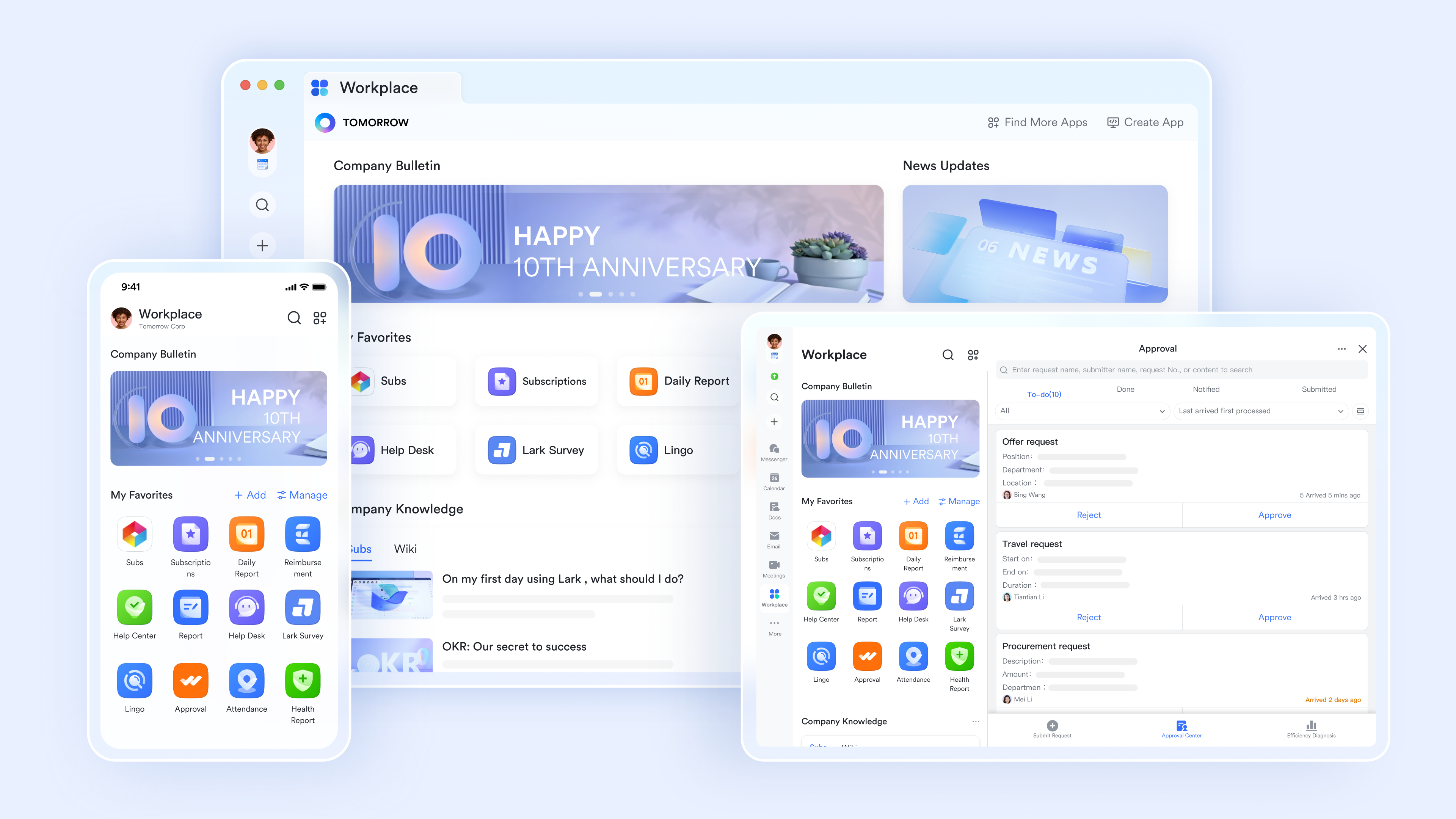
is best for growing mid-market to enterprise teams that want to eliminate the friction of switching between chat apps and document storage. It acts as an all-in-one suite, directly embedding automated approval workflows into the team's primary communication and collaboration interface.
Lark rejects the isolated filing cabinet model by offering a unified workspace where cloud-native documents, team messaging, and automated workflows coexist. Instead of exporting a contract or emailing a link, a team member can insert an approval block directly into a Lark Doc, which automatically pings the required reviewers in their native chat window. This tight unification keeps the conversation and document in one place, allowing managers to set up custom automation without writing code.
Pros:
Simultaneous document co-authoring backed by intelligent search
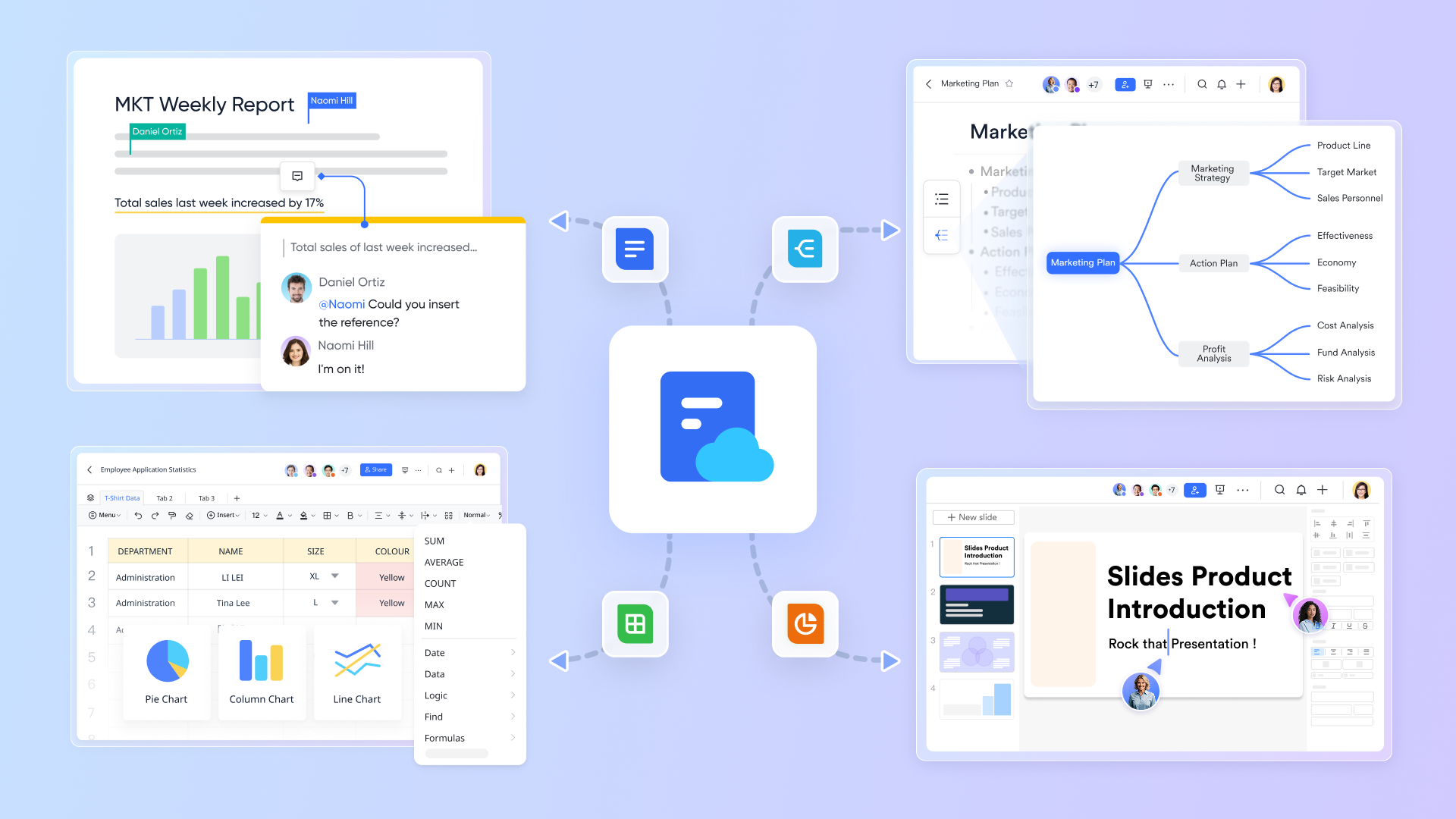
Instead of waiting for colleagues to return edited attachments via email, your entire department can work on the same file concurrently using . Teams can leave inline feedback, tag specific stakeholders whose notifications bridge directly into , and rely on secure cloud auto-saving to prevent data loss. When you need to locate historical context, the native AI search goes beyond scanning file titles—it pulls exact paragraphs and specific clauses from your entire accessible database. This fluid experience translates perfectly whether you are at your desk or reviewing changes on a mobile device, all protected by strict access controls.
A unified knowledge architecture for enterprise assets
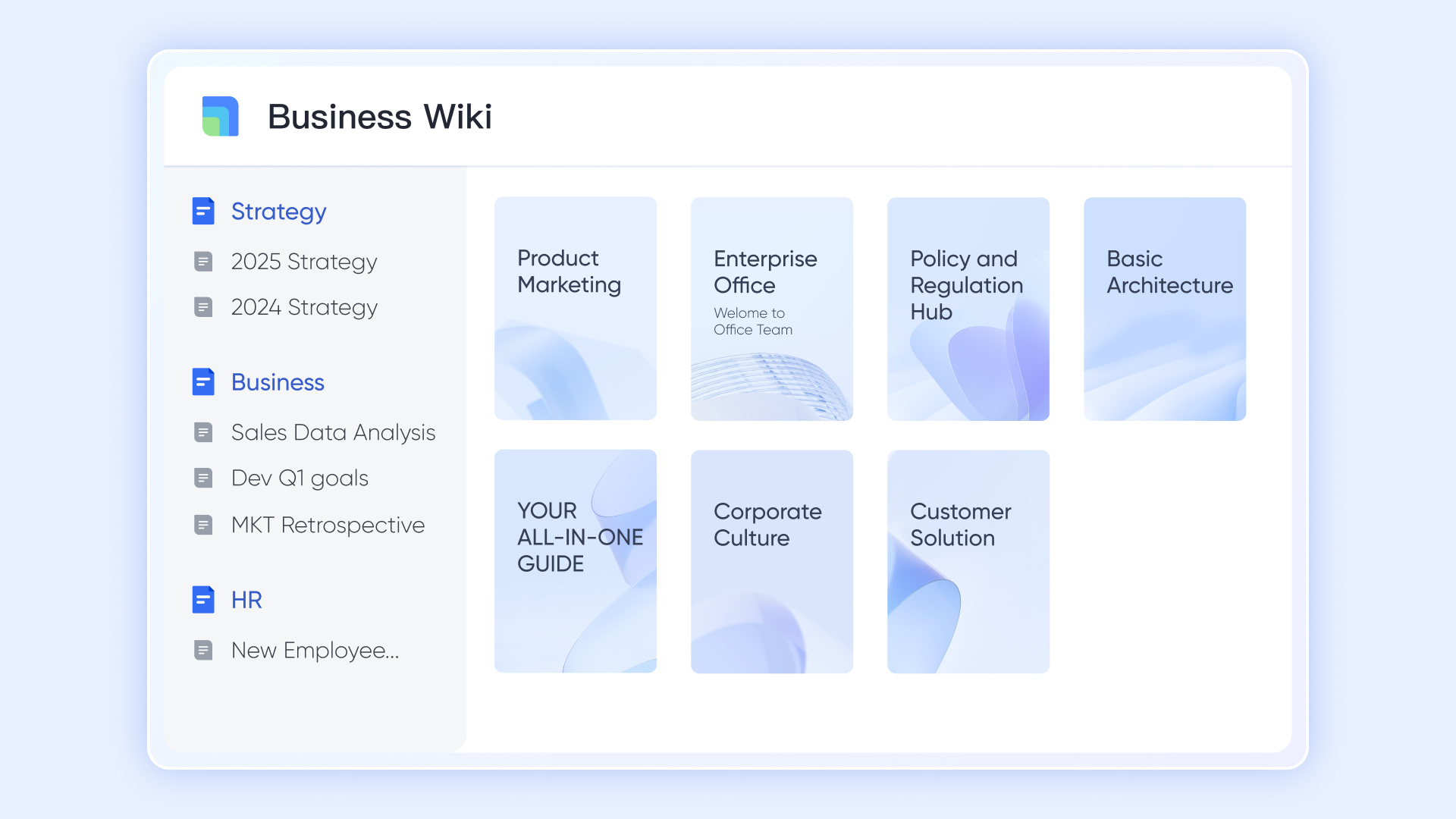
When standard operating procedures and project plans are scattered across different applications, institutional memory fades. consolidates everything—spreadsheets, text documents, complex databases, and mind maps—into a single, structured hierarchy. It natively captures the outputs of automated processes, ensuring final reports and executed agreements land exactly where they belong. Transitioning your team is straightforward, as built-in migration tools allow you to seamlessly pull in years of historical data from legacy platforms like Word, Excel, Confluence, and XMind.
Turning static text into dynamic, governed automation
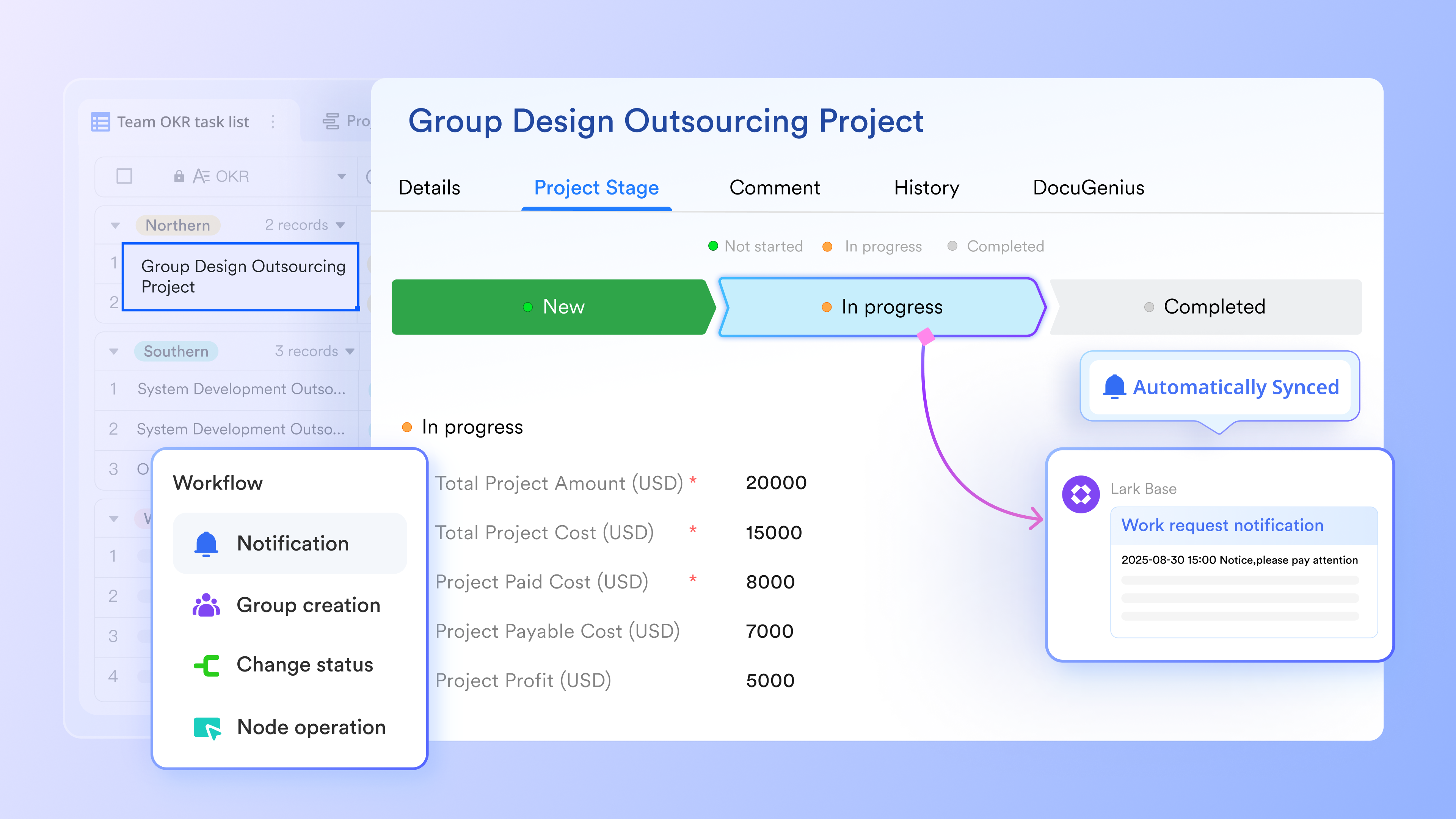
Storing a contract in a digital folder is a basic step; turning it into a trackable, queryable database of renewal dates, assigned owners, and active clauses changes how a business operates. connects standard documents to relational databases, allowing teams to filter information, build real-time reports, and set up automatic notifications that alert stakeholders right in their chat interface. The visual, drag-and-drop workflow builder empowers non-technical managers to design complex, multi-step approval sequences and time-sensitive triggers without waiting on IT support. Work simply flows from the initial draft to the final signature entirely within one built-in ecosystem.
Cons:
Initial configuration of complex database automations takes a short learning period.
:
- Starter plan: that includes 11 powerful tools for up to 20 users. It also comes with 100GB of storage space, 1000 automation runs, AI translations, and more. No credit card needed.
- Basic plan: (billed annually) for up to 500 users. It includes everything in Starter and unlimited message history, 5TB of storage space, 1,000 automation runs, and more. Some users may need to to purchase this plan.
- Pro plan: (billed annually) for up to 500 users. It includes everything in Basic plus group calling for up to 500 attendees, 15TB of storage space, 50,000 automation runs, and more.
- Enterprise plan: for custom pricing. Supports unlimited users and includes even more automation runs and advanced security, compliance, and management features.
For small teams with simple communication needs

18 months message history
1000 Base automation runs/month
2000 rows per table in Base
Most POPULAR
For companies with comprehensive collaboration and management needs
Unlimited message history
500-participant video meetings
50k Base automation runs/month
20k rows per table in Base
For large companies with advanced security and organizational management needs
Get a personalized demo and pricing
Unlimited message history
500-participant video meetings
15 TB storage + 30 GB storage/user
500k Base automation runs/month
50k Base automation runs/month
Most POPULAR
For companies with comprehensive collaboration and management needs
Unlimited message history
500-participant video meetings
50k Base automation runs/month
20k rows per table in Base
2. M-Files: Metadata-driven platform organizing files by content, not location
M-Files is best for compliance-heavy enterprises ready to abandon traditional folder hierarchies. It excels by organizing files based on what they are (metadata) rather than where they are saved, making intelligent retrieval across vast databases much faster.
M-Files forces a paradigm shift by replacing department-specific folders with metadata tags (e.g., client name, project phase, or expiration date). This ensures that a single contract can be instantly retrieved across departments without duplicating the file. The metadata also drives , allowing the system to automatically enforce governance policies and route "High-Risk Agreements" directly to compliance teams.
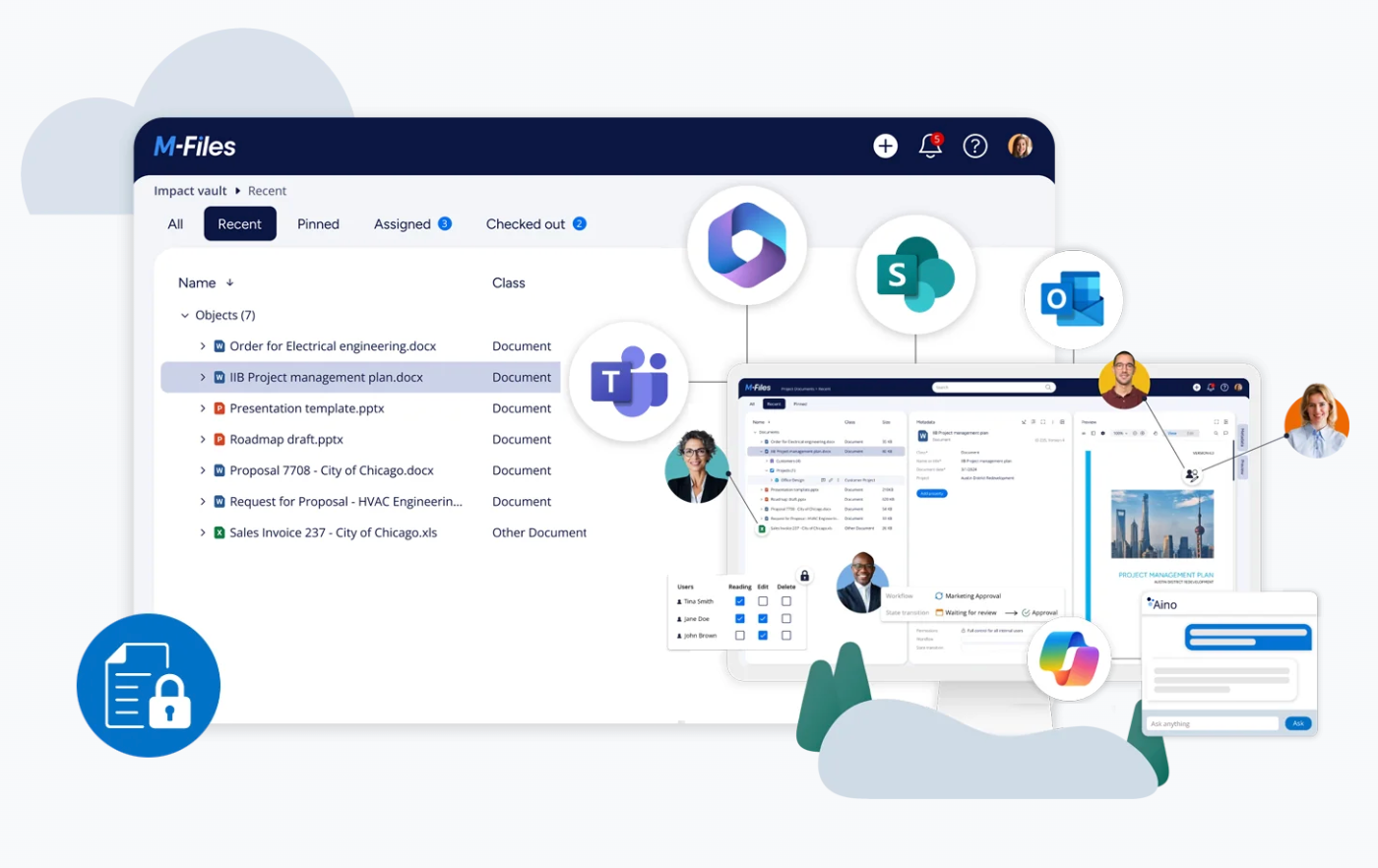
Image source: m-files.com
Pros:
- Metadata-driven architecture drastically speeds up document retrieval across large datasets.
- Enforces strict governance and compliance policies automatically based on tags.
- unifies deeply within Microsoft 365 environments as a powerful backend layer.
Cons:
- A steep learning curve for employees accustomed to traditional folder structures.
- Implementation is complex and often requires dedicated IT administration and training.
Pricing:
- Essentials Plan: €65/seat/month
- Enterprise Plan: Custom (contact sales)
3. Folderit: User-friendly cloud document management tailored for SMB workflows.
Folderit is best for small to medium-sized businesses that need affordable, secure document control without heavy IT overhead. It stands out for its visual, user-friendly approach to building document routing workflows.
Folderit provides a highly accessible, intuitive interface that non-technical users can navigate immediately. It focuses heavily on secure document control, offering encryption and role-based access that complies with GDPR and HIPAA right out of the box. Its most valuable feature is the visual workflow builder, which allows operations managers to drag and drop approval sequences—like routing a vendor invoice for an e-signature—without needing technical support.
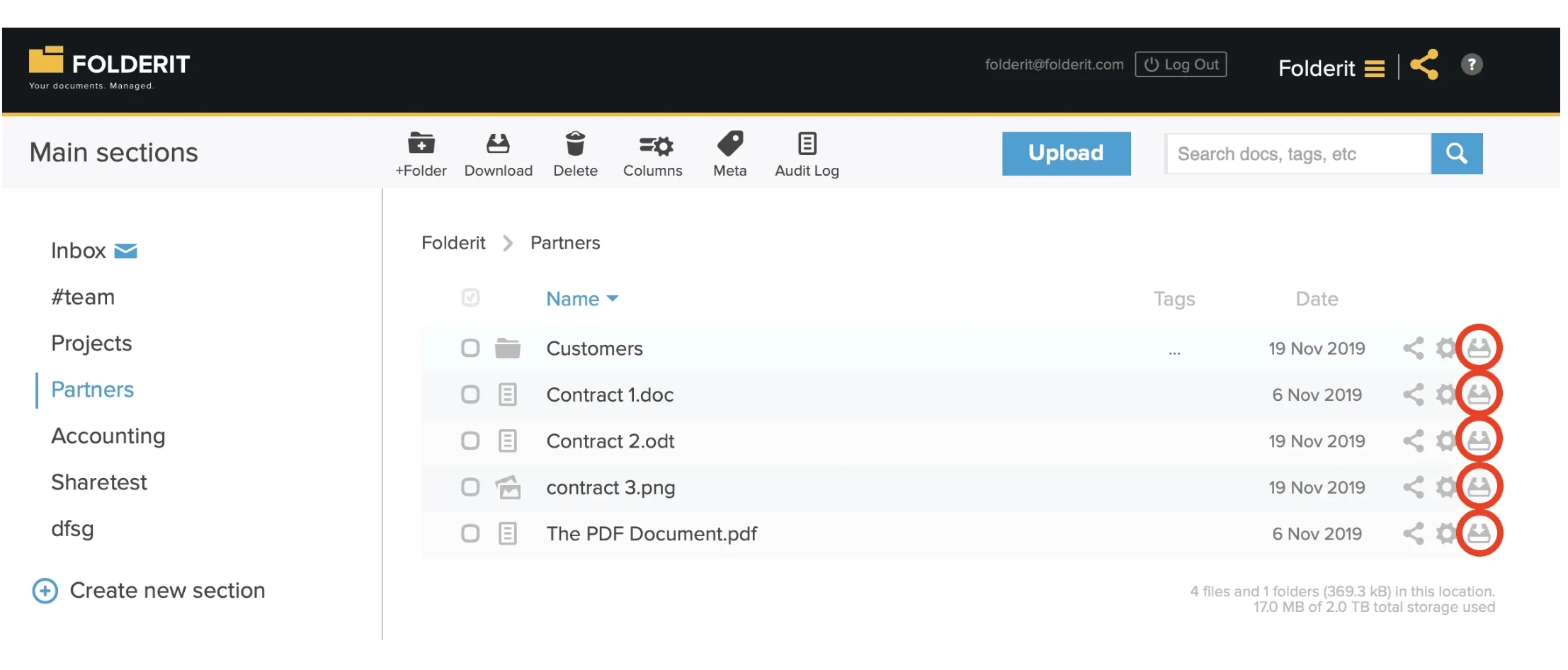
Image source: folderit.com
Pros:
- Highly intuitive interface requiring minimal user training.
- Built-in visual workflow builder makes setting up automated routing easy.
- Strong out-of-the-box compliance for GDPR and HIPAA.
Cons:
- Lacks the complex metadata architecture needed for massive enterprise scaling.
- Workflow complexity is somewhat limited compared to heavier enterprise tools.
Pricing:
- Mini Plan: €67/month (5 users, 150 GB)
- Medium Plan: €126/month (10 users, 500 GB)
4. Google Drive: Cloud storage enabling real-time collaboration across Google Workspace.
Google Drive is best for general users and collaborative teams that need immediate, real-time document editing without complex routing rules. It remains the most accessible entry point for basic file sharing and co-authoring.
Google Drive eliminates the friction of basic file sharing, offering industry-leading real-time collaborative editing where multiple users can co-author without version control conflicts. It unifies seamlessly into the broader Google Workspace ecosystem. However, it is primarily a storage and creation tool rather than a process engine, meaning teams must still rely heavily on manual emails to push approval processes forward.
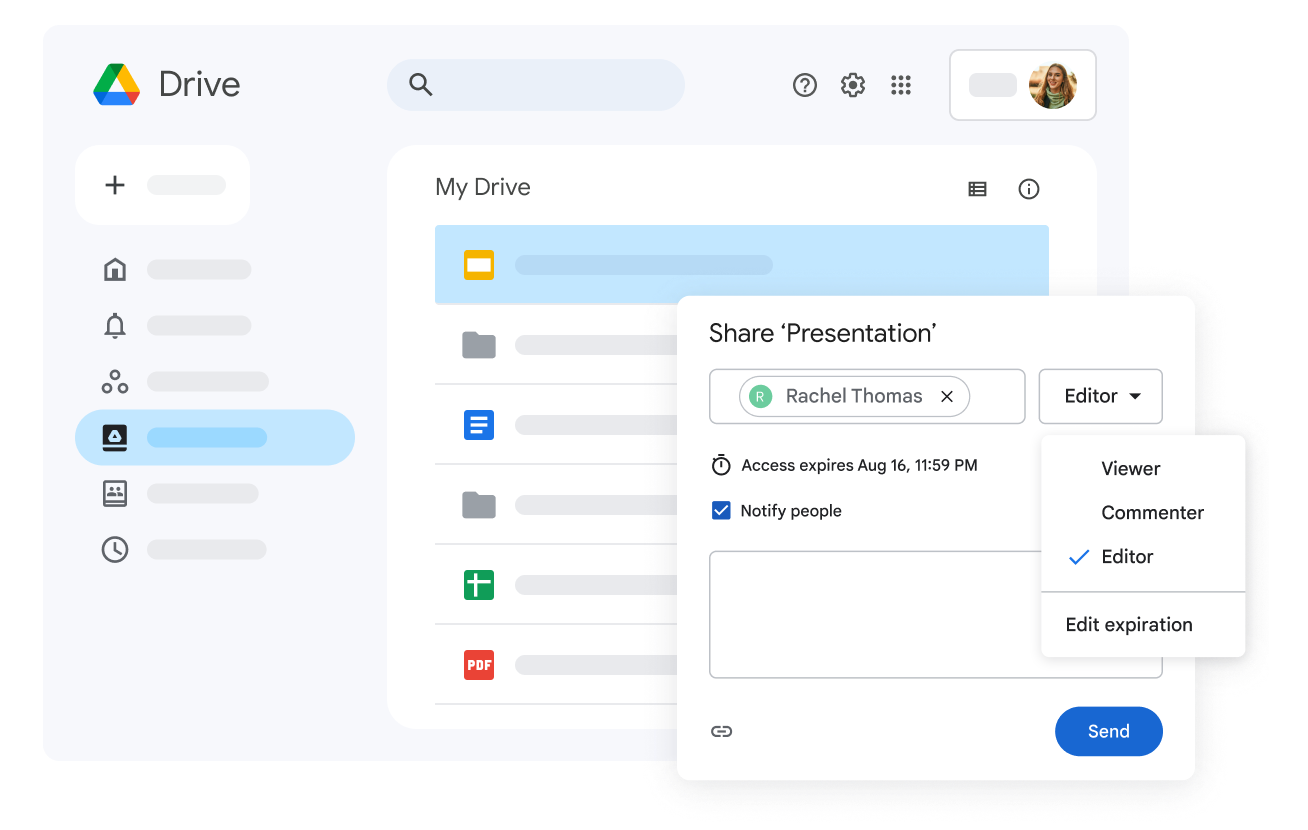
Image source: workspace.google.com
Pros:
- Incredibly easy to use with near-zero onboarding time.
- Industry-leading real-time collaborative editing capabilities.
- Deep native unification with the broader Google Workspace ecosystem.
Cons:
- Lacks native visual workflow builders for complex automated routing.
- Relying purely on shared folders often leads to disorganized information silos.
Pricing:
- Business Starter: $8.96/user/month (30 GB)
- Business Standard: $17.92/user/month (2 TB)
- Business Plus: $28.16/user/month (5 TB)
5. SharePoint: Microsoft platform for enterprise content and document management.
SharePoint is best for large enterprises already fully entrenched in the Microsoft 365 ecosystem. It provides a highly customizable backend for document storage and intranet portals, provided you have the IT resources to manage it.
Acting as the structural backbone for files shared across Teams, Outlook, and OneDrive, SharePoint allows organizations to build secure internal sites, manage complex version control, and set granular access permissions. Because it is usually bundled with existing enterprise licenses, procurement teams often favor it. However, automating document workflows requires navigating Power Automate, which often demands technical expertise.
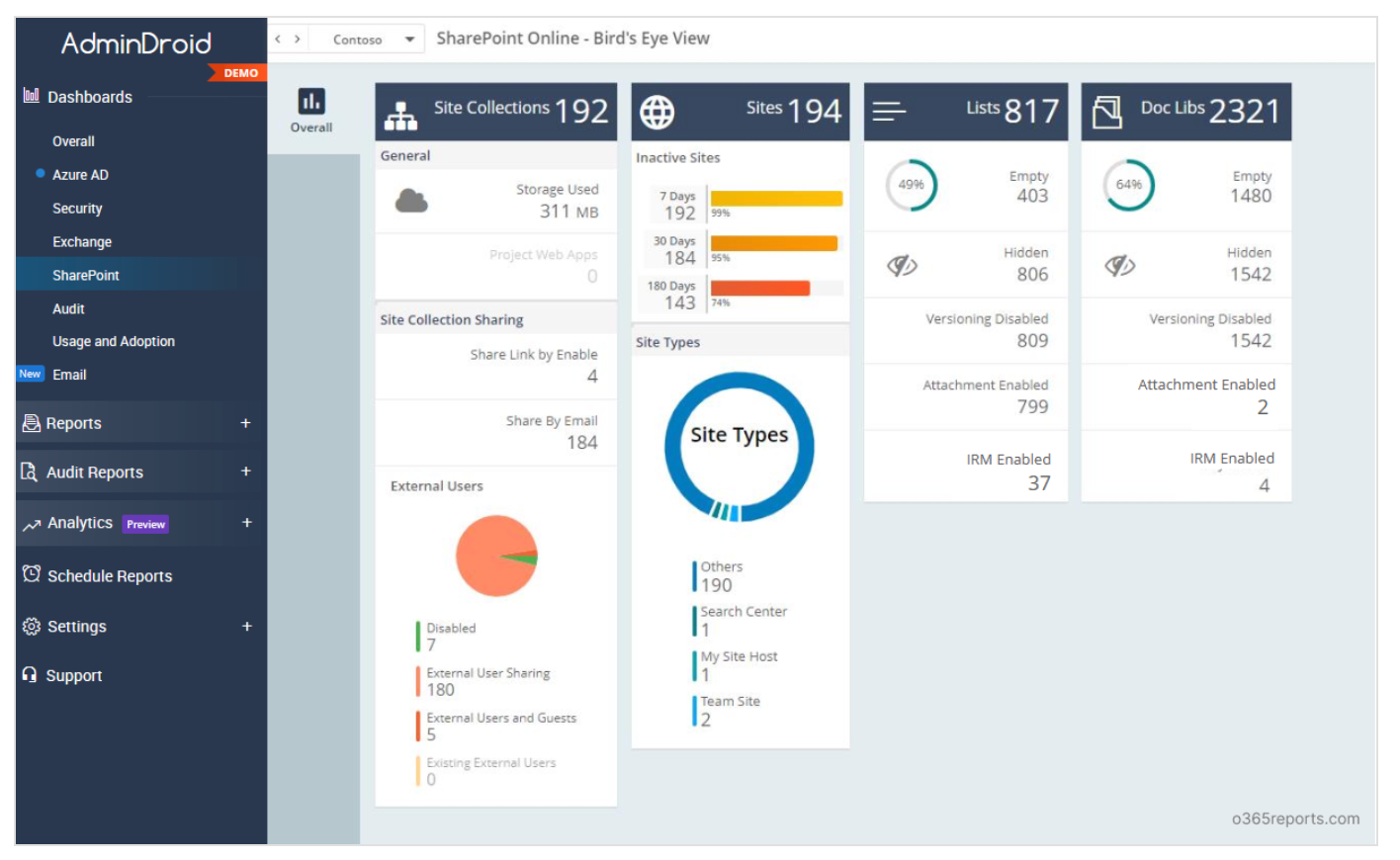
Image source: o365reports.com
Pros:
- Included in most enterprise Microsoft 365 subscriptions, making procurement easy.
- Highly customizable for building company intranets and complex permission structures.
- unifies natively with Word, Excel, and Microsoft Teams.
Cons:
- Automating workflows via Power Automate requires technical expertise.
- The interface can feel outdated, clunky, and difficult to navigate for everyday users.
Pricing:
- SharePoint (Plan 1): $5/user/month
- Microsoft 365 Business Standard: $12.50/user/month
6. DocuPhase: Automates complex business processes and enterprise document routing.
DocuPhase is best for accounting and finance departments that need to automate high-volume invoice and receipt processing. It is a specialized tool built to handle the heavy lifting of financial data extraction.
DocuPhase targets the specific pain points of financial operations by emphasizing automation for document scanning, optical character recognition (OCR), and indexing. When a company processes thousands of vendor invoices, DocuPhase automatically extracts the data and pushes it directly into the ERP system. While incredibly efficient for accounts payable workflows, its deep specialization makes it too rigid to serve as a general-purpose team collaboration hub.
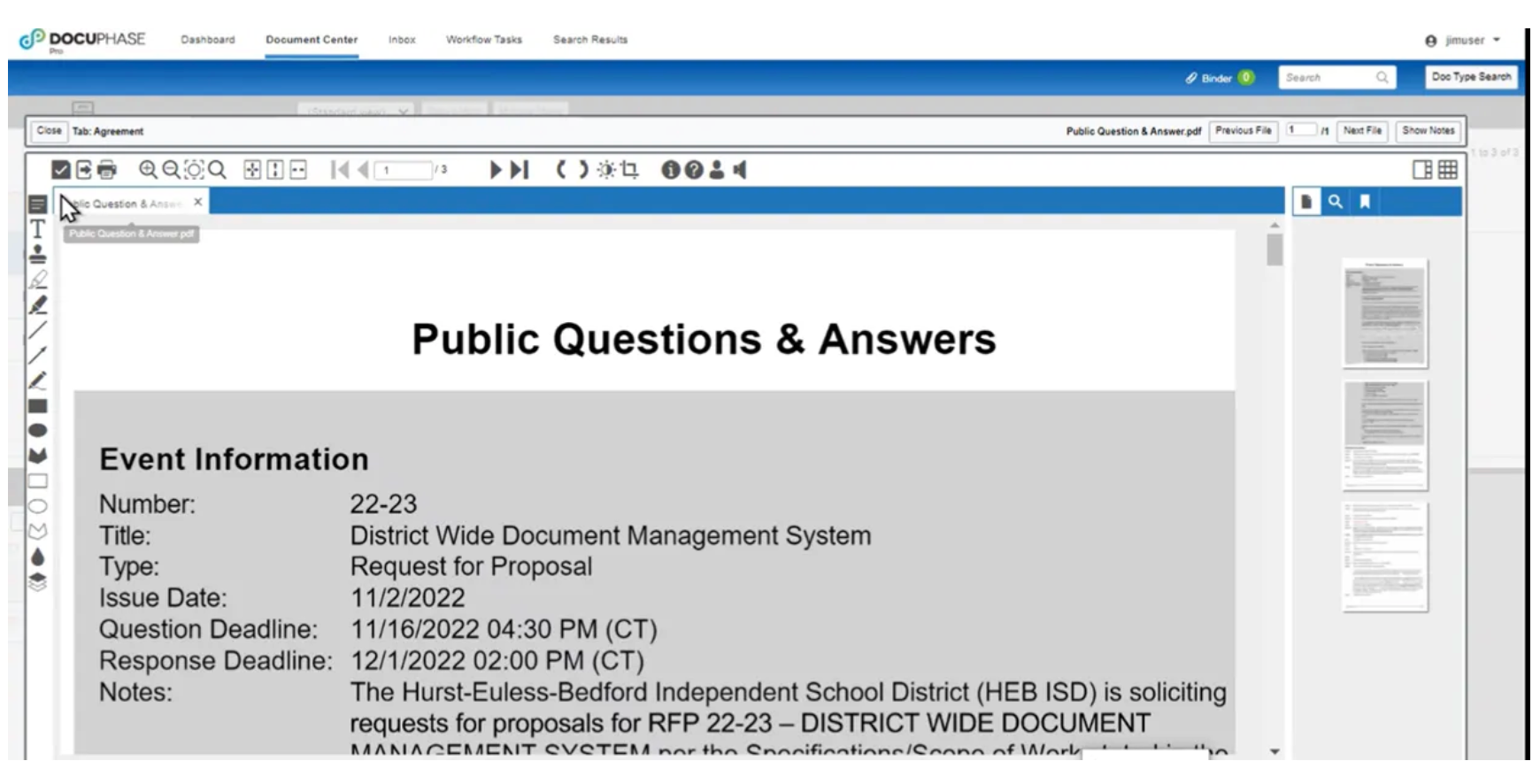
Image source: business.com
Pros:
- Exceptional automation for document scanning and data indexing.
- Tailored specifically for high-volume finance and accounting workflows.
- unifies effectively with major ERP systems.
Cons:
- Too niche and rigid to serve as a general-purpose team collaboration tool.
- Implementation is resource-intensive and requires dedicated project management.
Pricing:
- Starter Plan: $250/month
7. Documentation.AI: AI-native help center with MCP server
Documentation.AI is a solid pick for SaaS teams and support organizations that want an AI-native knowledge base and help center without stitching together multiple tools. It stands out by combining documentation authoring, AI search, and customer-facing help center publishing in a single product.
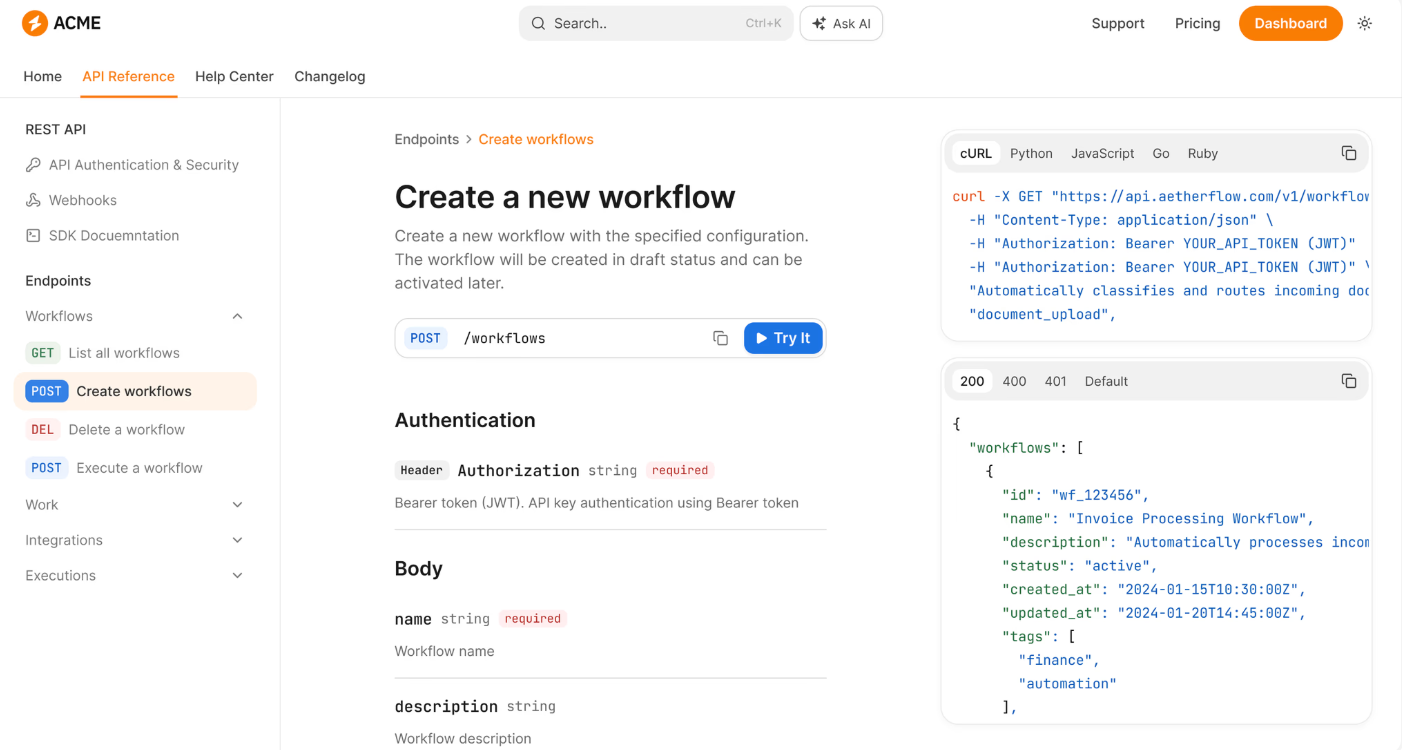
Image source: documentation.ai
Documentation.AI centers on a clean editor plus an AI assistant that helps draft, rewrite, and answer questions grounded in the team's own content. Teams can organize articles into collections, publish a branded help center, and surface an AI chatbot that responds to user questions using the indexed —directly attacking the pain of stale support docs that customers can't navigate.
Workflow-wise, the tool emphasizes fast publishing: write once, and the same content powers internal wikis, external help centers, and AI-driven Q&A. Analytics on article performance and unanswered questions give content owners a feedback loop to improve coverage over time, which is typically missing from generic doc editors.
Pros:
- Unified authoring, AI search, and public help center in one platform.
- AI chatbot grounded in the team's own documentation reduces hallucination risk versus generic LLM chat.
- Content analytics highlight gaps and underperforming articles.
Cons:
- Less suited to heavy engineering docs (API references, code-heavy documentation) compared to specialist tools like Mintlify.
- As a relatively newer entrant, the integration catalog is narrower than established players.
Pricing:
- Starter: $0 (1 seat, 50 AI credits/mo)
- Enterprise: Custom pricing
The contrarian view: Why you need an active workspace, not just a filing cabinet
For years, the software industry has treated document management as a storage problem. Vendors sell increasingly complex "digital filing cabinets" featuring AI categorization and advanced encryption. But if you observe how actual work gets done, the bottleneck isn't usually storage—it is communication.
Having the most secure, metadata-driven document management system does not improve efficiency if your team still has to copy a link, paste it into an external chat app, and manually type, "Can you review this?"
We need to shift from a "" mindset to an "active workspace" approach. A document should not be a dead file sitting in a repository waiting to be found; it should be a live trigger for business processes. When you draft a policy or a contract, the act of completing that draft should natively notify the next reviewer, track their approval, and update the team's project calendar—all without anyone switching tabs.
Investing heavily in isolated document management software often reinforces information silos. Instead, modern enterprise managers are seeing better ROI by adopting unified platforms where the document, the team conversation, and the exist in the exact same interface.
Break silos with unified workspace Lark
Key features to look for in process workflow tools
When evaluating an automated document management system, you need to look past basic cloud storage and focus on features that actively reduce operational friction. Here is a framework for your evaluation:
- unified workflow automation vs. basic storage: A digital filing cabinet just holds files. A proper process workflow tool allows you to build custom routing rules. Check if the platform allows documents to trigger actions automatically, such as sending notifications, updating a shared calendar, or .
- Native communication channels: Evaluate how the tool handles the conversation around the document. If your team has to copy a document link and paste it into a separate chat application like Slack or Microsoft Teams just to ask a question, the tool is creating an information silo. Look for platforms that unify real-time co-editing with messaging.
- Transparent pricing and scalability: Many traditional DMS providers hide their pricing behind "Contact Sales" buttons or charge separately for . Look for transparent, scalable tiers. For example, evaluate the Total Cost of Ownership (TCO) by checking if a platform offers a robust entry point—like Lark's free forever plan, which includes 100GB of storage and 1,000 automation runs for up to 20 users—before you commit to a massive enterprise contract.
Conclusion
The transition from a passive digital filing cabinet to an automated document management system is critical for modern operations. By clinging to fragmented tool stacks and isolated folder structures, enterprise managers lose valuable time to manual routing and disjointed communication. To truly solve the unstructured data problem, organizations must adopt platforms where documents actively trigger workflows within a unified workspace. Consolidating your tools not only reduces your software overhead but also significantly accelerates how your team processes information. If you are ready to stop switching between disjointed apps and start building an active workspace, try for free today and bring your documents, communication, and workflows together in one place.
Automate docs workflows with Lark
FAQs
What is an automated document management system?
It is software that not only captures and stores unstructured data (like contracts, PDFs, and policies) but also applies automated rules to route those documents through specific business processes, such as approvals, compliance checks, and archiving, without manual human intervention.
How does automating document workflows improve compliance?
Automation removes human error from the routing process. It ensures that sensitive documents always go to the correct legal or financial reviewers in the right order, and it automatically creates a verifiable audit trail of who approved what and when.
Can a unified workspace replace a traditional DMS?
Yes, for many organizations. While highly regulated industries might still require specialized legacy systems, most mid-to-large enterprises find that offer more than enough structured storage, version control, and access management, while providing far superior real-time collaboration.
What are the risks of unstructured data?
When enterprise data is unstructured and scattered across personal drives and isolated folders, organizations face severe retrieval delays, duplicated work, version control errors, and increased vulnerability to data breaches or compliance violations.
Related reading





























