














Top 10 Attendance Management Systems in 2026

Ryan Tanner
Product Marketing Specialist
Sep 18, 2026
Ryan Tanner
Sep 18, 2026


11 min read


As an HR or finance manager at a small or midsize business, you know how frustrating it can be to rely on manual, disconnected attendance systems. The inefficiencies and errors waste both time and resources.
Modern attendance management software can solve these problems. With real-time tracking, accurate data, and easy integration with other business tools, these systems help streamline your processes.
In this article, we'll explain what attendance management systems are and how they can improve your tracking. Plus, we'll review the top 10 attendance management tools for you to consider in 2025.

What is an attendance management system?
An attendance management system tracks and manages employee attendance in an organization. It records when employees arrive, leave, and their presence during work hours, helping with tasks like payroll and time-off tracking.
There are two types of attendance management systems: manual systems (paper-based) and software-based systems (automated and more efficient).
Manual systems
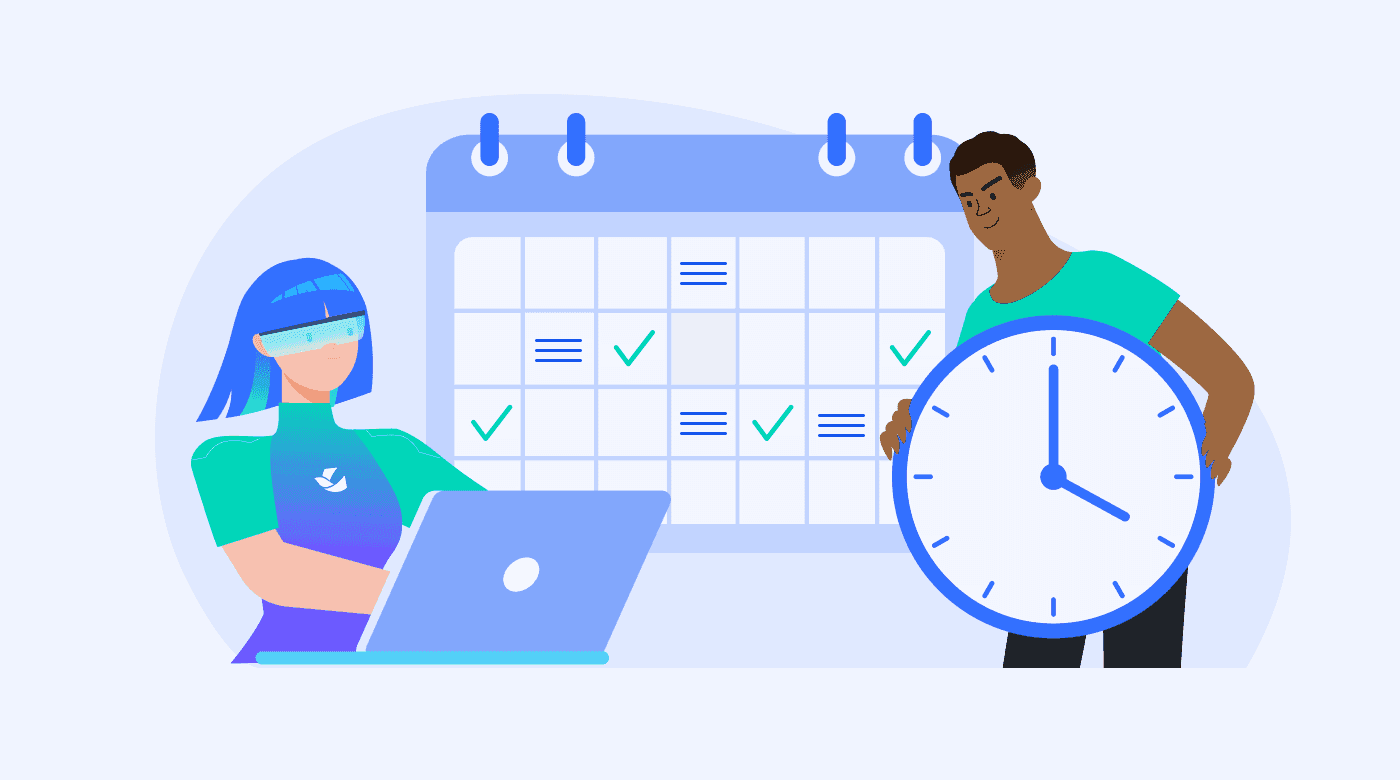
The manual system is a traditional approach where attendance is recorded by physical means. It typically involves sign-in and sign-out sheets, time cards, or attendance registers.
This method is simple, but it can be time-consuming and prone to errors and manipulation.
Software-based systems
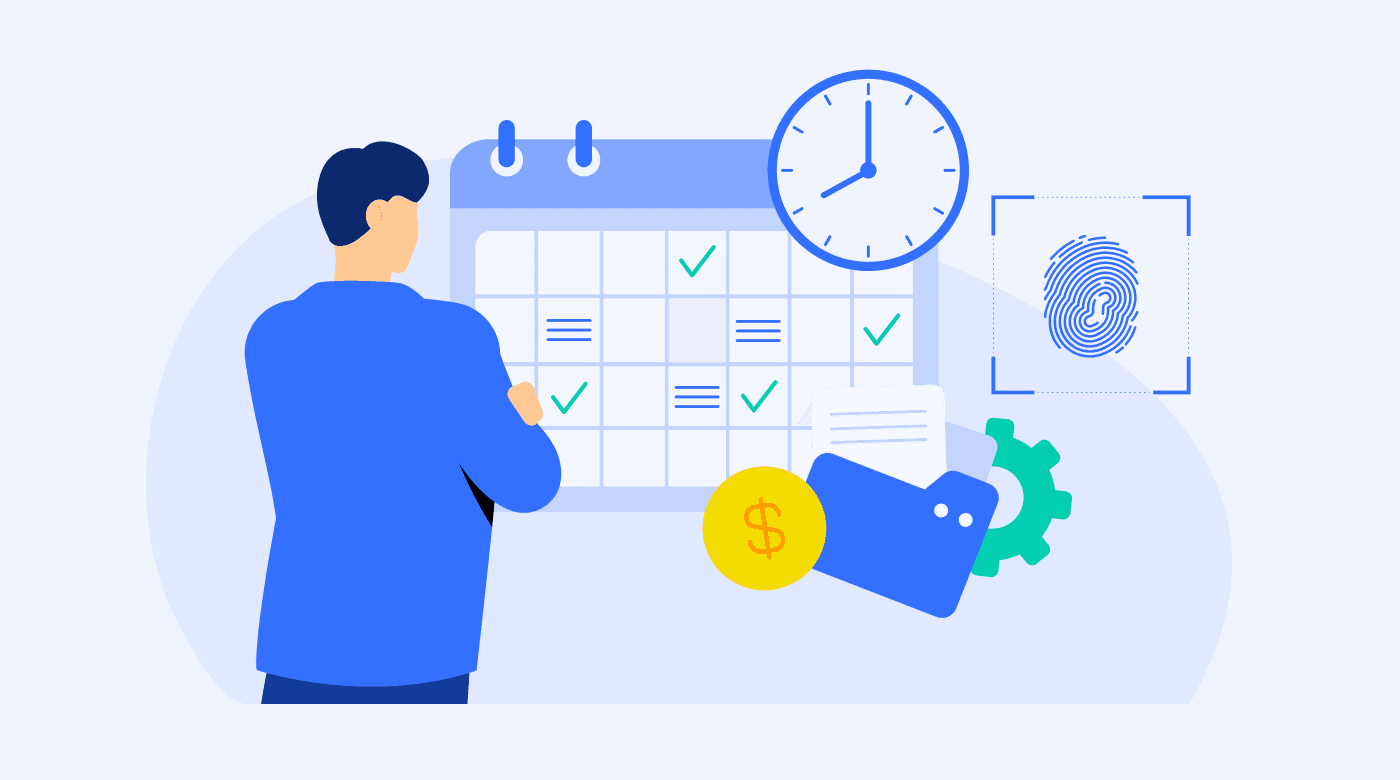
Modern online attendance management systems use technology to automate tracking. They can include digital time clocks, biometric systems (like fingerprints or facial recognition), RFID tags, or mobile apps.
These attendance tracking systems often integrate with payroll software, making them useful for both HR and finance departments. Key features include real-time attendance tracking, automatic calculation of hours worked, time-off requests, leave management, and detailed reports.
Benefits of using a modern attendance management system
If you’re still using a manual attendance system or a basic digital tool, switching to a software-based attendance management system offers several advantages:
- Increased accuracy: Automated systems reduce human error, ensuring more reliable tracking.
- Easy access to data: Digital records make it simple to reference attendance data for audits, employee reviews, or resolving discrepancies.
- Improved efficiency: With features like real-time tracking and automatic calculations, software systems save time and reduce administrative work.
- Advanced insights: Built-in analytics help you identify attendance patterns and make data-driven decisions.
What to look for when choosing an attendance management system
If you are considering investing in an attendance management system in your workplace, make sure to evaluate the software you’re looking at for the following key features:
Helpful functionality
Look for:
- Clock-in and clock-out options
- Leave management
- Paid time off (PTO) and vacation tracking
- Overtime calculation
- User-friendliness
- Mobile app support
- Remote employee attendance monitoring
- Alignment with your organizational structure and attendance policies
Integrations
The system should integrate well with your existing HR and payroll software for smooth data transfer and minimal manual steps.
Analytics and reporting
Choose a system that offers comprehensive analytics and customizable attendance reports that help you visualize patterns and support informed decision-making by company management. In this respect, also think about insights into attendance trends, absenteeism rates, staff, and productivity data.
Automation
Look for automation features that will streamline processes like reminders, leave approvals, and shift scheduling, as well as generate alerts for anomalies in staff behavior, like regular late arrivals or early departures.
Security and compliance
Make sure the system complies with local labor laws and data protection regulations.
Security features like data encryption and audit trails are important, as well, for protecting sensitive employee information.
Pricing and free trial options
Many providers offer tiered pricing plans based on the number of users or features, so make sure the software you’re leaning toward works well for your current user figures — and that it will scale well without breaking the bank as your company grows.
Also, opt for a solution that offers a free trial period so you can test its functionality and compatibility with your organization’s requirements before making a financial commitment.
10 best attendance management systems in 2026
The many attendance management software systems on the market today share common capabilities. But some of them stand out for unique features that may just be what you’re looking for.
Here are the top 10 attendance management systems, from stand-alone time-tracking products to integrated HR systems, along with their strengths, weaknesses, ratings, and pricing systems.
1. Lark - Best overall attendance management system
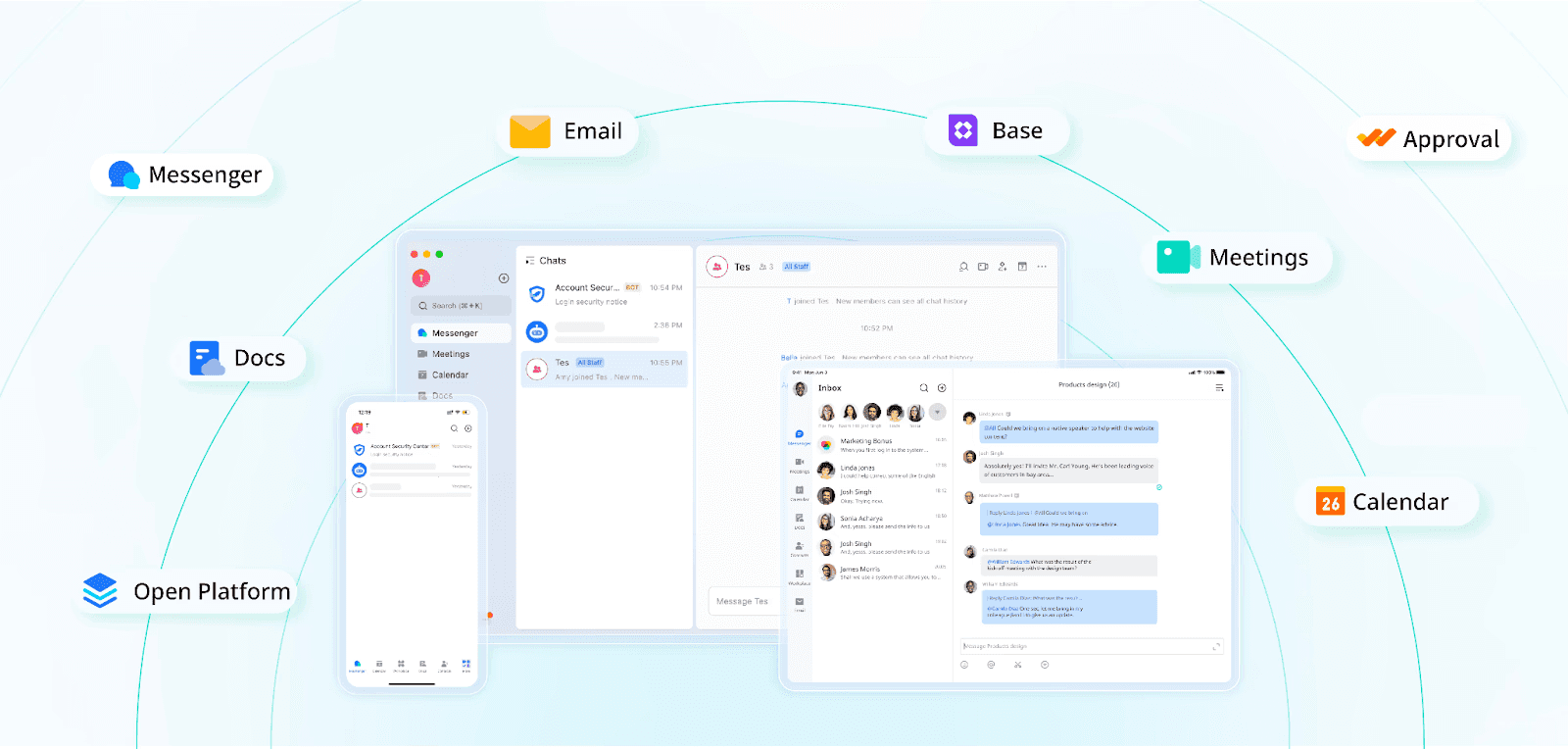 Lark is a comprehensive collaboration and productivity suite that integrates office management tools into one platform. Designed for businesses of all sizes, it combines messaging, video conferencing, document sharing, calendar, email, and an advanced employee attendance management system.
Lark is a comprehensive collaboration and productivity suite that integrates office management tools into one platform. Designed for businesses of all sizes, it combines messaging, video conferencing, document sharing, calendar, email, and an advanced employee attendance management system.With Lark Attendance, employees can easily clock in and out, request leave, and track their work hours. Managers can view attendance in real time and quickly approve requests. Plus, if you need to create a database to track work hours, shifts, and more, you can use Lark Base.
For industries like retail and hospitality, Lark simplifies time tracking, shift management, employee communication, and task coordination. If an employee is assigned to a different location, their attendance exception can be easily recorded, processed, and approved.
With flexible mobile access and seamless integration, Lark keeps managers and employees connected, making attendance tracking more efficient and hassle-free.
Key features
- Integrates messaging, video calls, and emails in a single platform that facilitates seamless communication across teams
- HR and managers can use Lark Base to build an attendance management system that suits their needs
- Employees can use Lark Attendance to clock in and out of work, request leave or overtime, and see their attendance statistics
- Real-time document creation, editing, and sharing, along with cloud storage for easy access and collaboration
- Integrated calendar and scheduling features that sync with Lark’s communication tools for efficient meeting scheduling and time management
- Advanced features for tracking time, managing shifts and leave requests, and offering comprehensive insights into team attendance patterns
- Built-in project management tools for assigning tasks, setting deadlines, and tracking progress for optimal project coordination
- Automates business processes and workflows, reducing the need for manual intervention and streamlining projects
Pros
- Reduces the need for multiple apps by providing a wide range of office management tools in one place
- Offers excellent integrations designed to enhance productivity and collaboration
- Has strong security and compliance features
Cons
- Advanced features may require time for users to fully utilize
- Smaller teams might find the extensive suite more than they need
Integrations
- While Lark is an integrated suite by itself, it also offers API support for custom integrations so that businesses can connect their existing tools and systems
Pricing
- Starter: Lark’s free plan includes more than 11 products
- Pro: $12/user/month billed annually, or $14.40 billed monthly
- Enterprise: Custom pricing
Free trial?
- No free trial. However, the free plan gives you a host of features and tools to try.
G2 rating
- 4.6 out of 5
2. Time Doctor - Best attendance software for remote teams
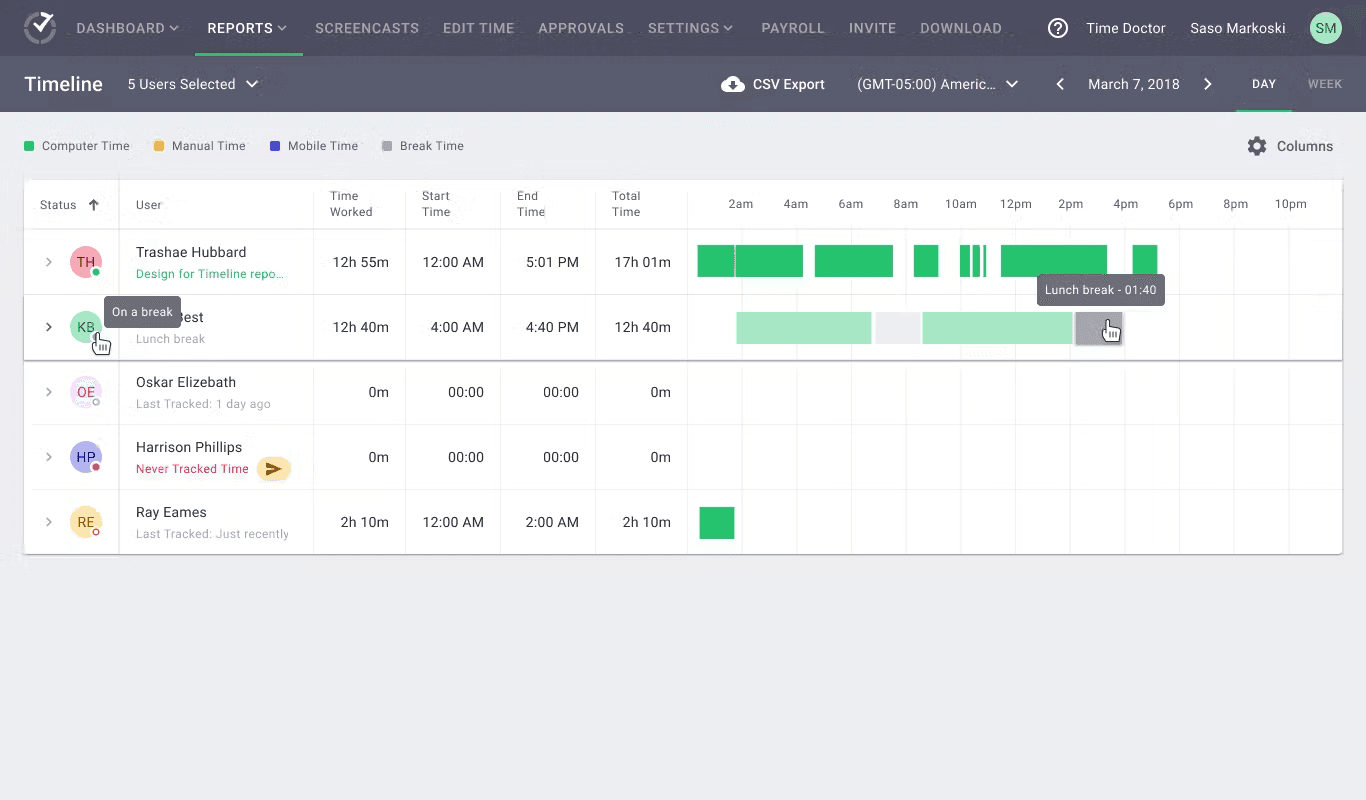
Time Doctor’s automated time-tracking software focuses on workday analytics and data-driven decision-making for greater employee productivity. It’s an excellent choice for businesses that need a robust time and attendance management system.
Key features
- Data-driven tools
- Time tracking
- Website and application monitoring
- Payroll management integration
- Screenshots
Pros
- Comprehensive employee monitoring tools for enhanced productivity
- Integrates with a wide range of project management and communication tools
- Strong features for managing remote or distributed teams
Cons
- Monitoring features can be perceived as intrusive
- Setup and onboarding might require more time for larger teams
Integrations
- Over 60, including Trello, Asana, Slack, Hubspot, GitLab, Monday, ADP, ClickUp, PayPal, and FreshBooks
Pricing
- Basic: $5.90/user/month billed annually, or $7 monthly
- Standard: $8.40/user/month billed annually, or $10 monthly
- Premium: $16.70/user/month billed annually, or $20 monthly
Free trial?
- 14-day free trials at each pricing level; each trial allows access to all features
G2 rating
- 4.4 out of 5
3. DeskTime - Best for improving productivity and efficiency
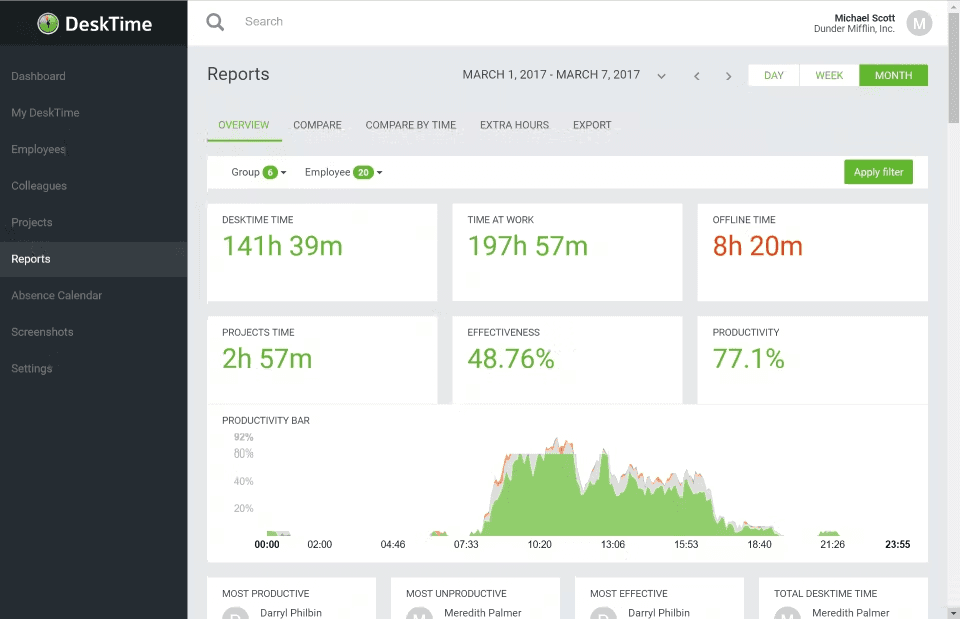
DeskTime is a time-tracking app for companies and freelancers, offering both desktop and mobile applications. It’s designed to measure productivity and manage workflows. DeskTime’s attendance management tools help track attendance for small teams and larger organizations.
Key features
- Automatic time tracking features
- URL and app tracking
- Project time tracking
- Absence calendar to track employee leaves and attendance
Pros
- Real-time productivity tracking
- Easy to use with automatic tracking features
- Offers detailed reports and analytics
Cons
- Limited customization options for reports
- Might not suit businesses looking for minimal monitoring
Integrations
- Asana, JIRA, GitLab, Trello, Basecamp, Zapier, Google Calendar, Outlook Calendar
Pricing
- Subscription-based:
- Pro: $7/user/month
- Premium: $10/user/month
- Enterprise: $20/user/month
Free trial?
- Free trials available at each pricing level
G2 rating
- 4.6 out of 5
4. Clockify - Best cheap time-tracking software for small businesses and startups
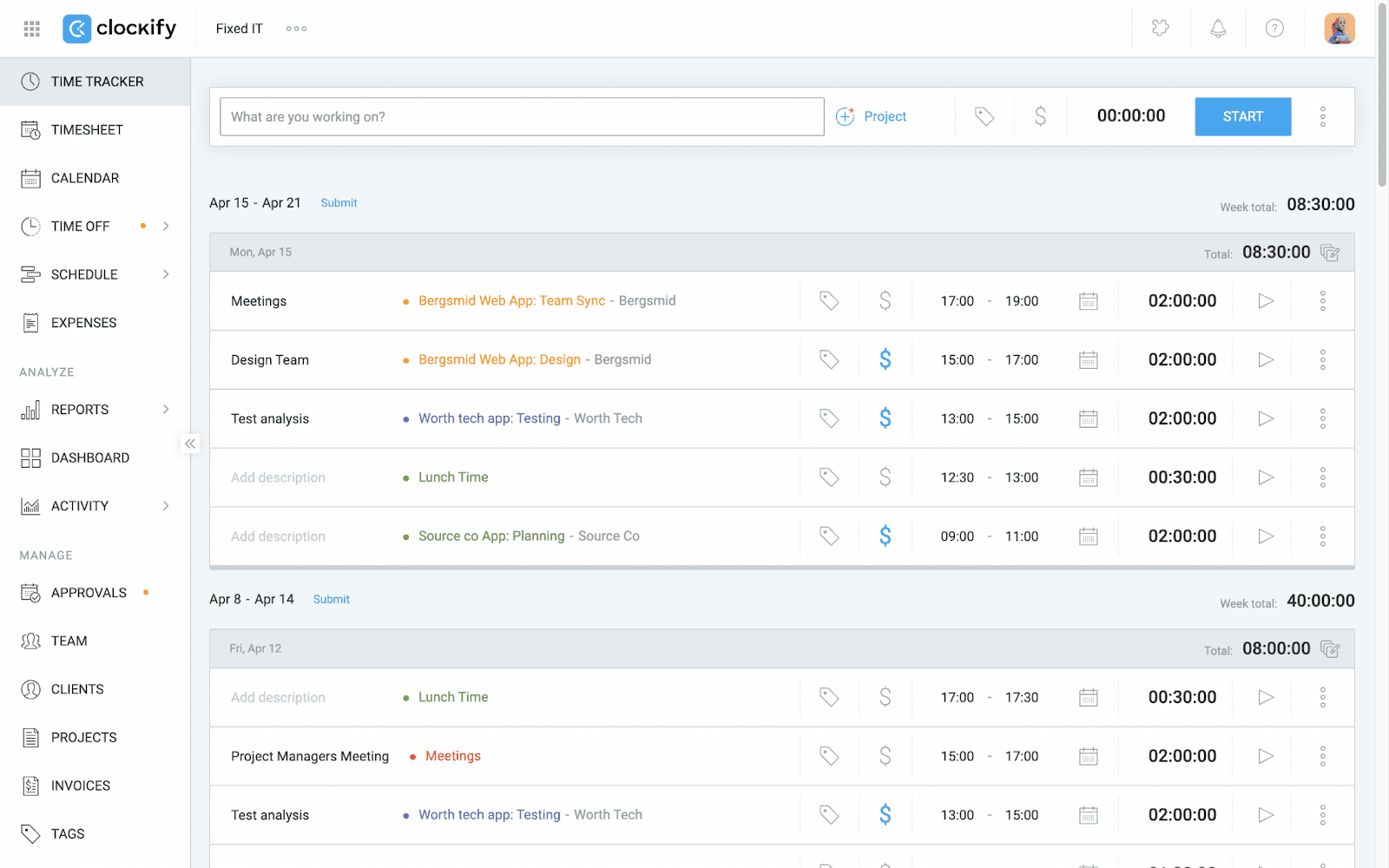
Clockify is a basic attendance tracking system and timesheet app that lets users track their work time across a variety of projects. It offers a forever free version as well as budget-friendly upgrades for more advanced features.
For those in the education sector, Clockify is also an excellent choice as a student attendance management system, helping you efficiently track and manage student attendance.
Key features
- Time tracking
- Reporting
- Project management
- Team dashboard
Pros
- Easy separation of employee hours by projects and tasks
- User-friendly interface
- Supports an unlimited number of projects
Cons
- Advanced features require paid plans
- Lacks in-depth analytics features
Integrations
- Trello, Asana, Jira, Plaky, Todoist, Basecamp, GitLab, GitHub, Azure DevOps, YouTrack, ClickUp, Wrike, Monday, TeamWork
Pricing
- Subscription-based:
- Basic: $3.99/user/month billed annually, or $6.99 monthly
- Standard: $5.49/user/month billed annually, or $6.99 monthly
- Pro: $7.99/user/month billed annually, or $9.99 monthly
- Enterprise: $11.99/user/month billed annually, or $14.99 monthly
- Bundle: $12.99/user/month billed annually, or $15.99 monthly
Free trial?
- Free version for unlimited users available
G2 rating
- 4.5 out of 5
5. Deel - Best for global payroll and compliance
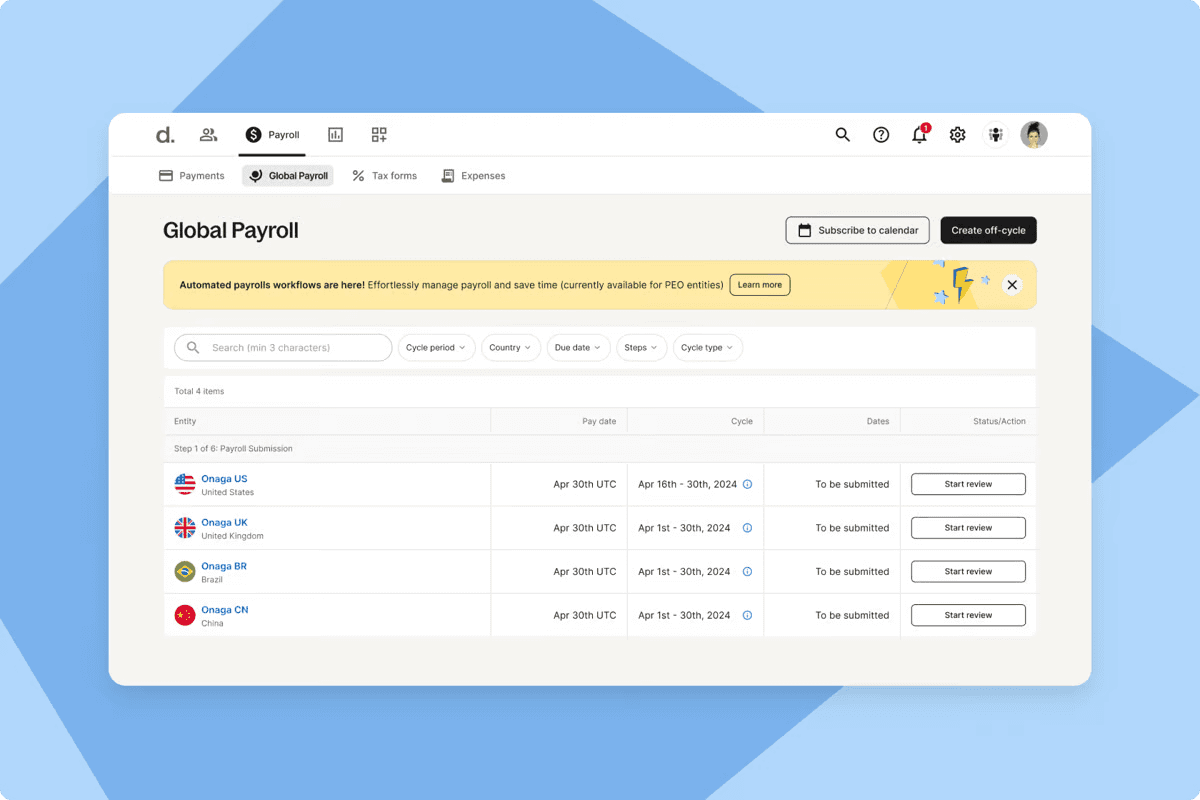
Deel is an all-around HR platform developed for global companies, from small businesses to large enterprises. Time tracking is a subset of its extensive HR services.
Key features
- End-to-end HR management
- Global payroll, including contractor and employee payments
- Compliance
- Tax form collection
Pros
- Streamlines international payments and compliance
- Offers a comprehensive dashboard for managing contracts
- Supports multiple currencies
Cons
- Focuses more on payroll and less on time tracking. Difficult to use as a time tracking software.
- Can be expensive for small businesses
Integrations
- Integrates with Time Doctor, Microsoft 365, Dropbox, Scribe, Global HRIS, Okta API Service, and more
Pricing
- Based on the number of contractors and salaried and hourly workers (contact the company for specifics)
Free trial?
- No
G2 rating
- 4.8 out of 5
6. Time Champ - Best for automated, hands-off time tracking
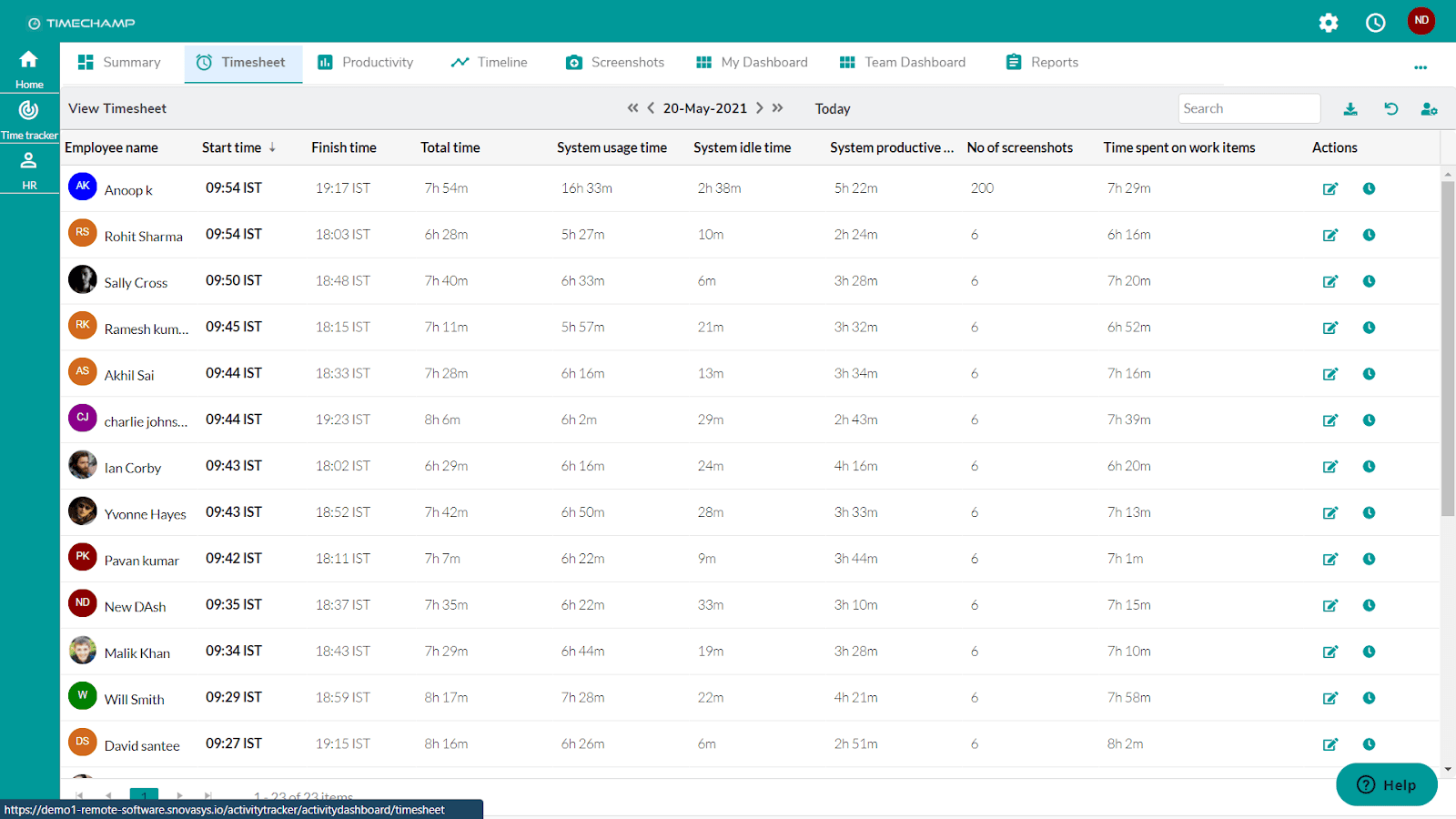
Time Champ characterizes itself as an employee productivity software that includes robust time tracking and task management capabilities.
Key features
- Automatic time tracking
- Detailed analytics
- Project tracking
Pros
- Offers seamless, automatic time tracking
- Integrates well with other business tools
- Provides actionable insights through analytics
Cons
- Lacks some advanced features
- User interface and experience could be improved
Integrations
- Common project management and collaboration tools
Pricing
- Subscription-based, plus selective add-ons with yearly deals:
- Starter: $3.90/user/month
- Professional: $6.90/user/month
- Enterprise: $13.90/user/month
Free trial?
- 7-day free trial
G2 rating
- 4.8 out of 5
7. TimeClock Plus - Best for customization and compliance needs
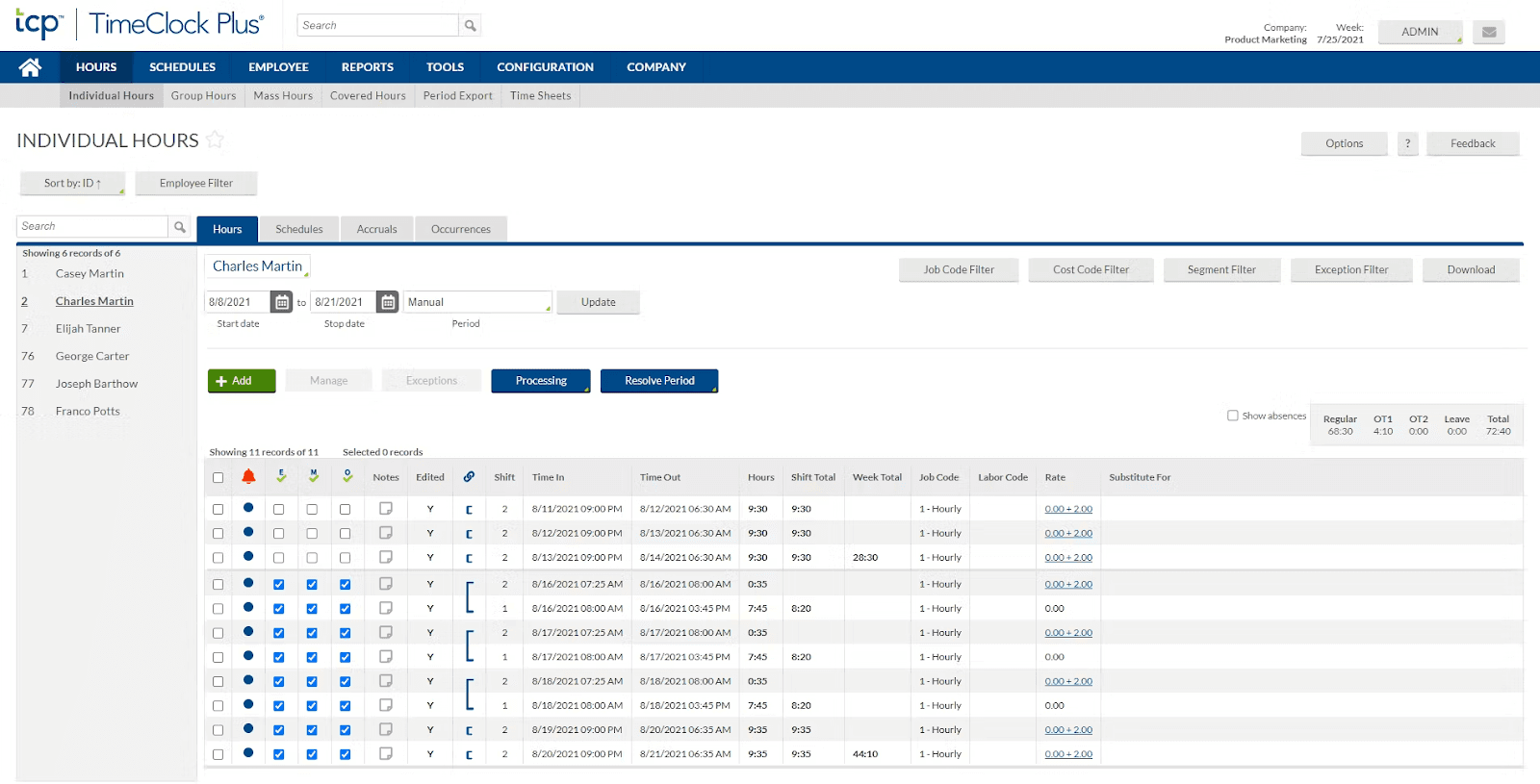
TimeClock Plus offers workforce management solutions for a variety of industries, including education, healthcare, and construction. Its app includes solutions such as tracking and scheduling employees, managing labor costs, and reducing compliance problems and risks.
Key features
- Time and attendance software
- Leave management
- Labor law compliance
Pros
- Highly customizable for different industries
- Robust reporting and compliance features
- Offers both cloud-based and on-premise solutions
Cons
- Interface may not be as intuitive as that of competitors
- Setup and customization can be complex
Integrations
- Integrates with major payroll systems, like ADP, Paychex, and QuickBooks
Pricing
- Custom pricing based on business needs
Free trial?
- No
G2 rating
- 4.3 out of 5
8. Insightful - Best for in-depth productivity insights
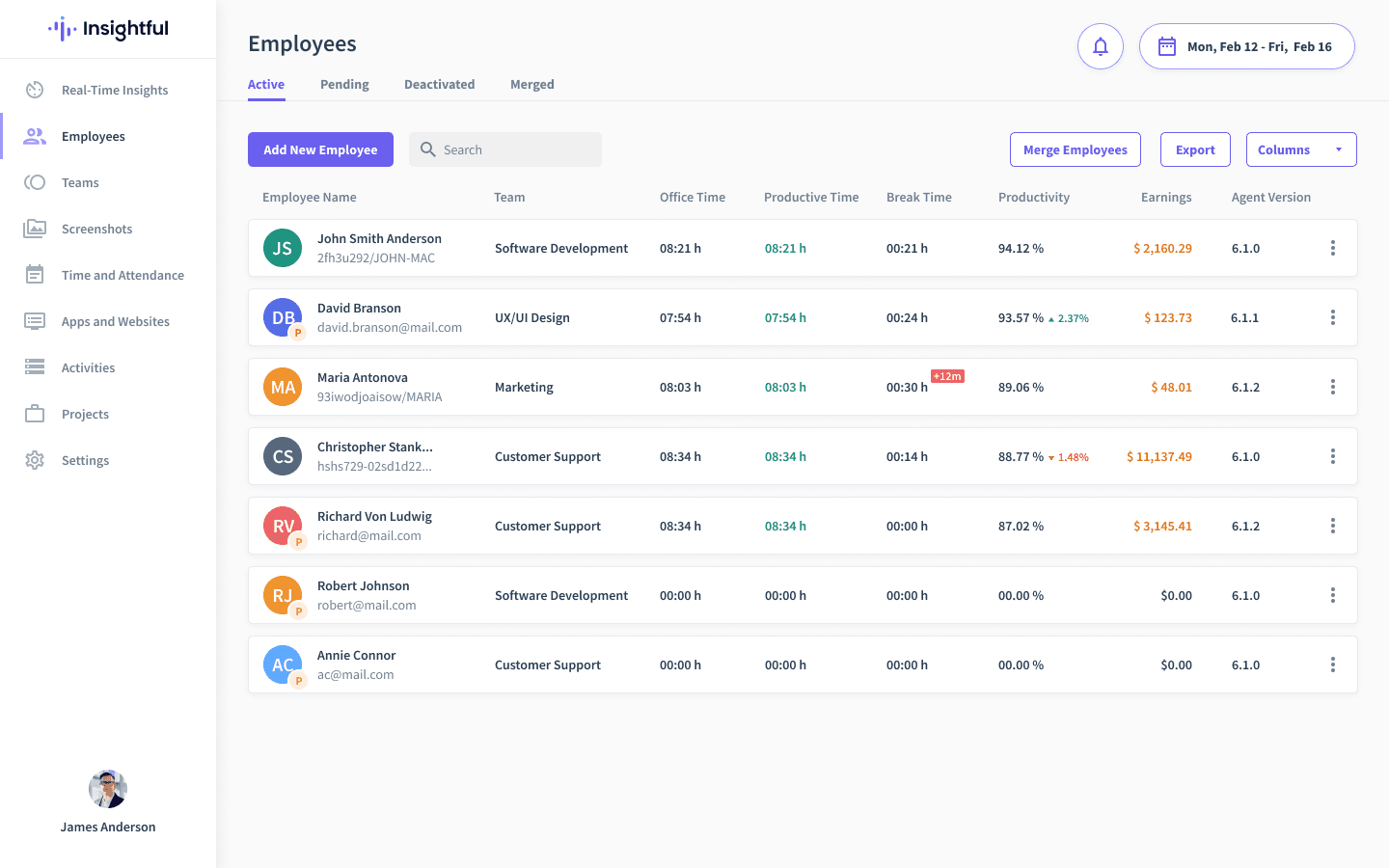
Insightful is a workforce analytics and productivity tracking app designed to help companies create more efficient workflows and balance their workloads. It’s ideal for those who need insights into employee attendance and productivity data.
Key features
- Employee monitoring
- Time tracking
- Productivity analysis
- Project management
Pros
- Comprehensive monitoring and productivity analysis tools
- Detailed reporting capabilities
- Optimizes team performance
- Available in the cloud or on-premise
Cons
- Monitoring features may raise some privacy concerns
- Can be perceived by some employees as too intrusive
Integrations
- 50+ integrations, including ADP, 7Shifts, Adobe Workfront, Aha!, CSV Import, GitHub, and ClickUp
Pricing
- Subscription-based plans for different features and number of users:
- Productivity Management: $6.40/user/month billed annually, or $8 monthly
- Time Tracking: $8/user/month billed annually, or $10 monthly
- Process Improvement (over 50 users): $12/user/month billed annually, or $15 monthly
- Enterprise Solution (over 100 users): Custom pricing
Free trial?
- 7-day free trial
G2 rating
- 4.7 out of 5
9. Zoho People - Best for HR management integration
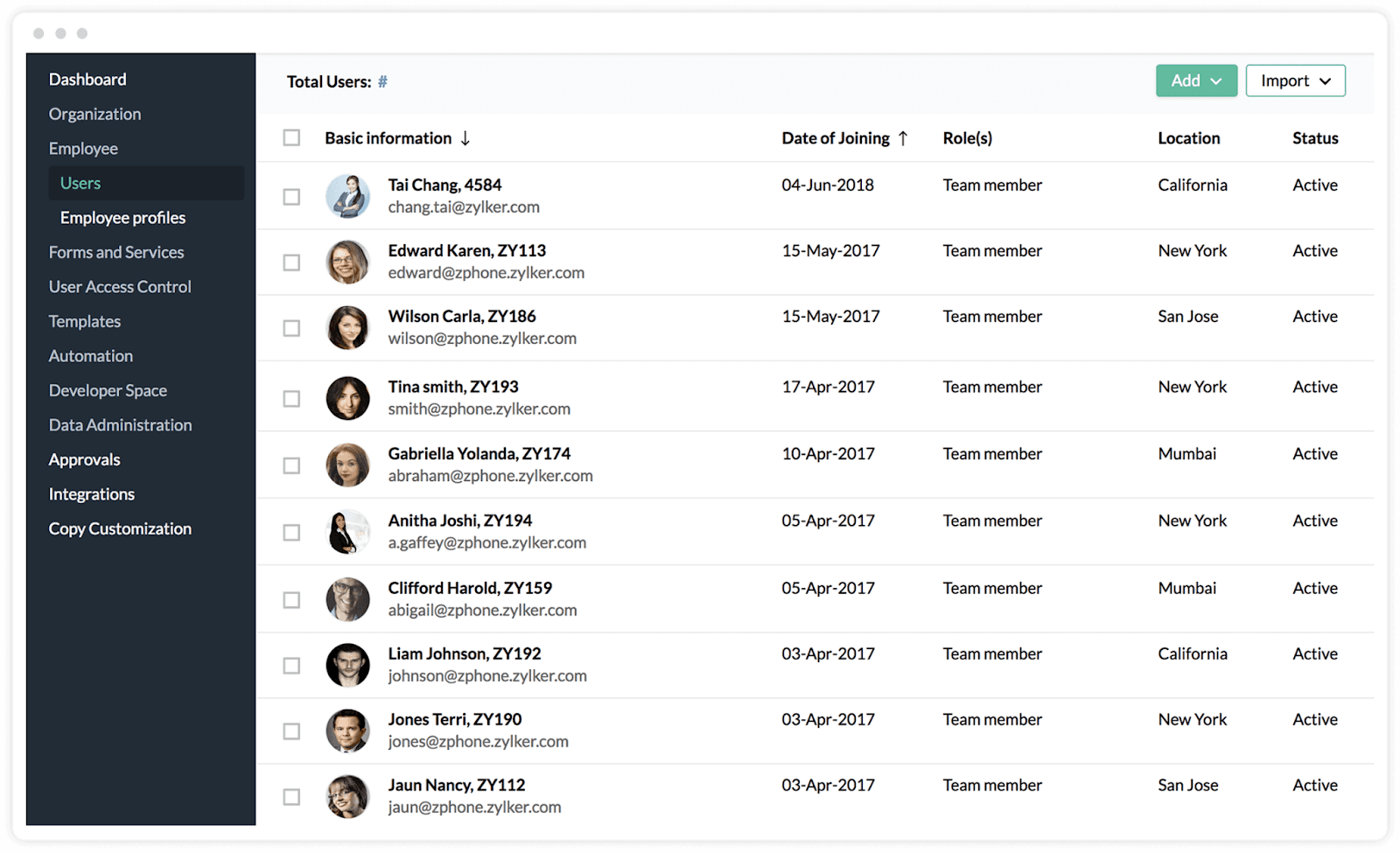
Zoho People, part of the extensive ZOHO products suite, is a comprehensive HR solution for businesses of any size.
Key features
- Leave management
- Attendance tracking
- Timesheets
- Performance management
Pros
- Integrated HR solution offering more than just time tracking
- Flexible and customizable to fit various business needs
- User-friendly interface and mobile app
Cons
- Advanced features can become overwhelming
- Some features require navigation through different modules
Integrations
- Integrates with the entire Zoho suite as well as various payroll and productivity tools, such as Paybooks, QuickBooks, greytHR, DocuSign, Microsoft Teams, Google Suite, and Zapier
Pricing
- Tiered pricing based on the number of employees and modules required:
- Essential HR: $1.25/user/month billed annually, or $1.50 monthly
- Professional: $2/user/month billed annually, or $2.50 monthly
- Premium: $3/user/month billed annually, or $3.50 monthly
- Enterprise: $4.50/user/month billed annually, or $5 monthly
- People Plus: $9/user/month billed annually, or $10 monthly
Free trial?
- 30-day free trial
G2 rating
- 4.4 out of 5
10. Deputy - Best for shift-based workplaces
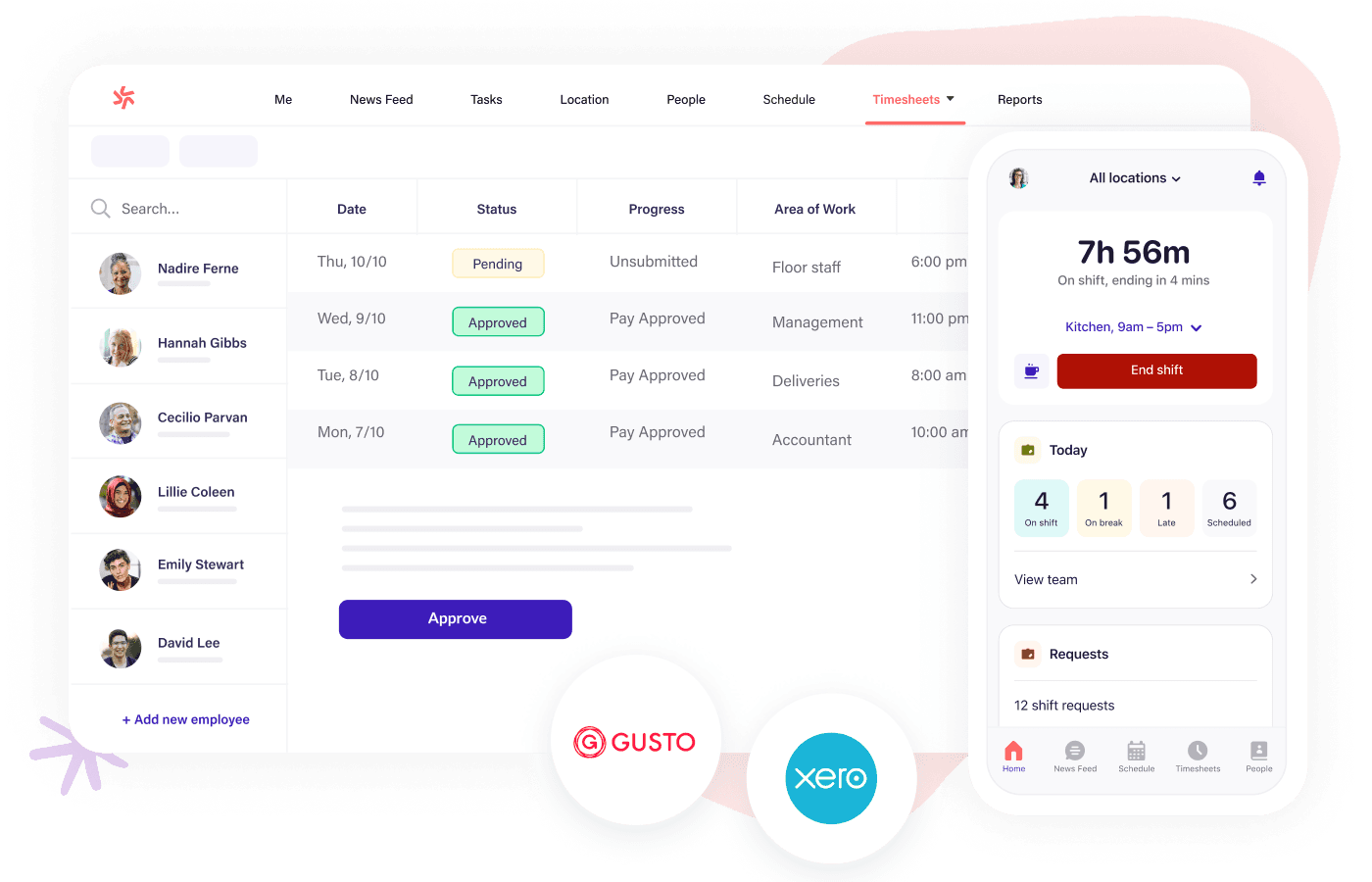
Deputy is a scheduling platform with a strong focus on shift scheduling, combined with an all-around workforce management system that also includes tasking, timesheets, employee communication, and administrative tasks such as one-click payroll integration.
Key features
- Schedule creation
- Time tracking
- Leave management
- Communication tools
Pros
- Excellent for managing shift work and hourly employees
- User-friendly scheduling and time tracking
- Robust communication tools for team coordination
Cons
- Better suited for shift-based businesses than project-based ones
- Pricing can add up for larger teams
Integrations
- Integrates with payroll providers and HR systems such as Gusto, QuickBooks, ADP, BambooHR, Astute Payroll, and Crystal Payroll
Pricing
- Subscription-based:
- Starter: Free (up to 100 shifts per month)
- Premium: $5/user/month billed annually, or $6 monthly
- Enterprise (250+ employees): Custom pricing
Free trial?
- 31-day free trial, including all features
G2 rating
- 4.6 out of 5
Attendance management systems FAQs
What attendance management software is free to download?
Many attendance management software providers offer free versions or trials, allowing small businesses or startups to get started with no upfront costs. Popular free tools like Lark and Clockify help businesses create a custom attendance management system to meet their needs.
For the best attendance software for small businesses, we highly recommend Lark. Its free plan offers a vast range of attendance features all within an all-in-one platform.
How can I track employee attendance with software?
Tracking employee attendance with attendance software is straightforward. With systems like Lark, employees can clock in and out through the app. In addition, they provide the following features:
- Time and attendance management system that tracks employee hours automatically
- Payroll integration for seamless payroll processing
- Leave and absence management tools to handle PTO and sick leave requests
- Attendance tracking systems that provide detailed reports on tardiness, overtime, and attendance trends
By choosing a robust employee attendance management system, businesses can reduce errors, improve productivity, and streamline payroll processes.
Get started with the best attendance management system today
When it comes to attendance management, one size does not fit all—especially for dynamic environments like retail and hospitality. That’s where Lark shines. With its all-in-one platform, Lark streamlines everything from shift scheduling and real-time attendance tracking to employee communication and task coordination. It’s not just about clocking in and out—it’s about making your entire workforce more connected and productive, with tools that go beyond attendance to optimize team collaboration and workflow.
From mobile access to seamless integrations, Lark’s advanced attendance management system ensures that you can track work hours, manage leave requests, and stay on top of team attendance with ease. Whether you're running a small team or managing a large operation, Lark’s customizable features meet your needs with precision and efficiency.
Why settle for multiple systems when you can have it all in one? Sign up today for a free trial and experience how Lark’s powerful features can take your attendance management to the next level.
Table of contents
Start using Lark today

Manage all your work in one place
Boost team efficiency by 10x
Save up to 70% on software costs
Table of contents
Start using Lark today
Manage all your work in one place
Boost team efficiency by 10x
Save up to 70% on software costs
Keep reading









2026 Lark Technologies Pte. Ltd.
Headquartered in Singapore with offices worldwide.






Explore: