














10 Best Online Collaboration Tools in 2026

Lance Carter
Technical Product Marketing Specialist
Sep 18, 2026
Lance Carter
Sep 18, 2026


15 min read


In recent years, the need for online collaboration tools has risen sharply as businesses transition to remote and hybrid work models. According to Market.us, the global collaboration software market revenue reached $5.8 billion in 2022 and may grow to $19.86 billion by 2032.
This growth spans a wide range of industries, including gaming, retail, healthcare, and technology. Within these sectors, businesses of all sizes—from SMBs seeking to streamline workflows to large enterprises aiming to boost productivity—are adopting online collaboration tools to enhance team efficiency. Decision-makers like CEOs and CTOs aim to connect teams more efficiently, while HR managers focus on employee satisfaction and IT managers prioritize secure and stable solutions.
Yet, many companies struggle with fragmented information scattered across multiple platforms. They face high costs from juggling separate tools, deal with concerns over data protection, and often lack clear visibility into task progress. These challenges slow decision-making, create confusion, and drain resources.
This guide will help you identify the best online collaboration tools and online tools for hybrid teams that can meet your unique needs. Spoiler: Lark is the top choice for its advanced features, including integrated messaging, robust data security, and real-time document collaboration, making it the go-to solution for modern teams.
Top essential features you must look for in modern collaboration tools
Most online collaboration tools, whether free or paid, already offer unified workflows, cost-efficiency, and basic file sharing. However, consider more advanced features to truly improve team output.
Easy to use
Ease of use goes beyond reducing training time. When a platform is intuitive, people at all levels—executives, HR professionals, IT managers, and frontline team members—can adopt it without frustration. Clear labels, logical menus, and straightforward onboarding help ensure that new hires and veteran staff stay on the same page. A well-designed interface also encourages more frequent use, leading to richer data for analytics and smoother handovers between departments.
Automation for routine tasks
Automation is about standardizing processes so teams can maintain momentum even during busy periods. Automated reminders, approvals, and file organization mean fewer manual steps and reduced human error. This reliability and consistency become even more important as teams scale up or work across multiple time zones.
Contextual search
Advanced search should not only retrieve files by name, but also surface related discussions, comments, attachments, and historical notes to present information in a meaningful way. This feature saves time and prevents confusion by connecting content and conversations. This level of detail makes it easier for new team members to get up to speed, helps managers make better-informed choices, and reduces duplication, cutting down on back-and-forth requests.
Interactive whiteboards
Moving beyond static documents, interactive whiteboards let teams brainstorm visually, sketch ideas in real time, and group tasks visually. These dynamic spaces help spark creativity, speed up feedback loops, and eliminate the need to rely on separate design tools. Interactive whiteboards make brainstorming sessions more productive, inclusive, and satisfying.
Mobile optimization
As remote and hybrid models grow, a tool that works well on smartphones and tablets keeps everyone in the loop. A fully mobile-ready platform ensures that critical updates, files, and action items are accessible wherever team members are. With seamless mobile experiences, people can respond to queries, review documents, and keep projects moving without missing a beat.
Built-in analytics and reporting
Insightful analytics can help identify stalled tasks, how team members communicate, or when to allocate more resources. Reports on message volume, file activity, or time spent in meetings guide better decisions. By choosing a tool that provides built-in metrics, leaders can adjust strategies quickly and maintain long-term productivity gains. Over time, these insights can help pinpoint emerging trends, guide training initiatives, and encourage smarter decision-making.
Top 10 online collaboration tools for businesses
As businesses look to the future of collaboration software in 2025, they need tools that can adapt, integrate, and grow with changing work styles. Here’s a curated list of solutions with unique features to meet the diverse needs of remote, hybrid, and globally distributed teams.
1. Lark
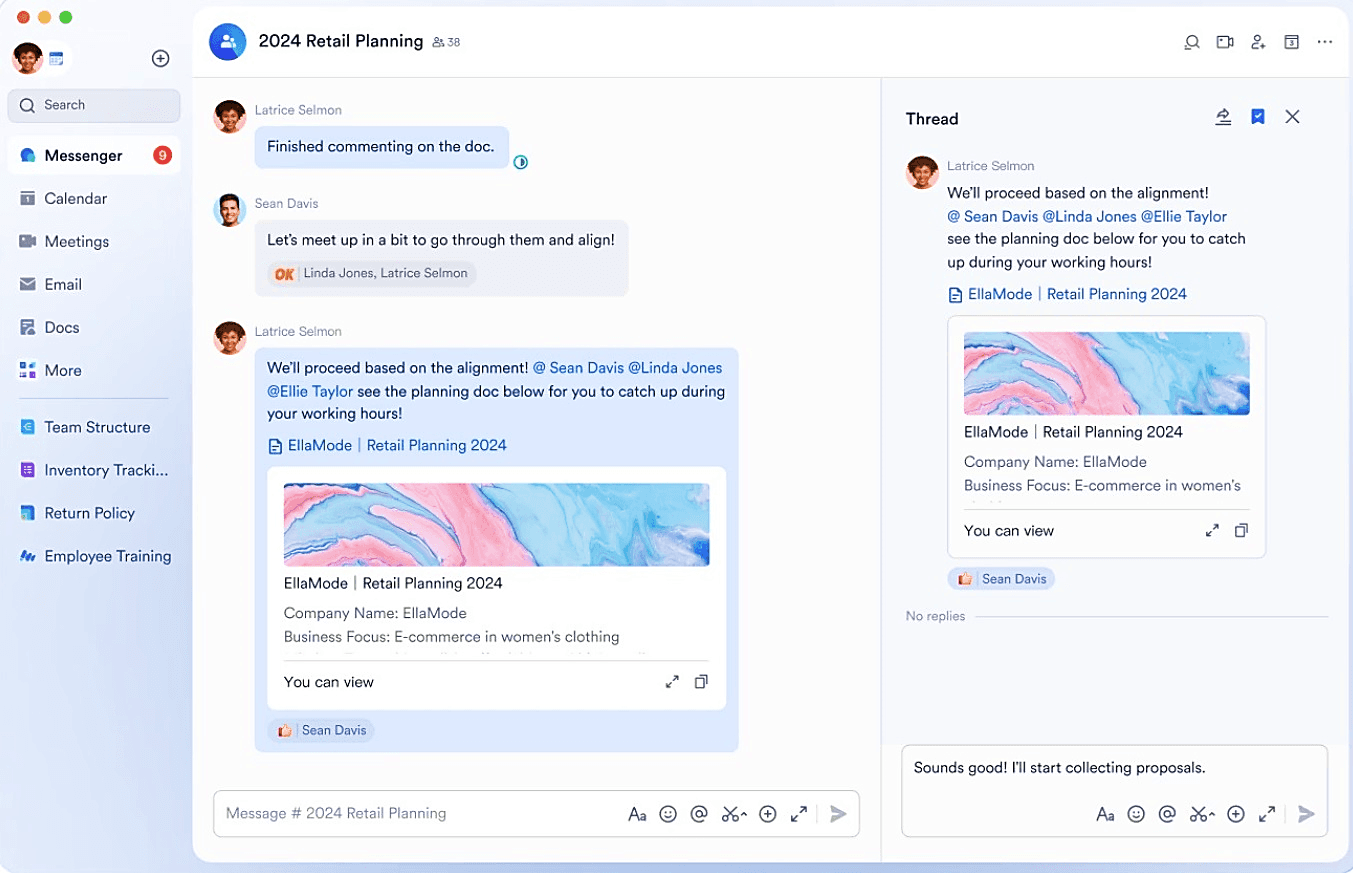 Lark is designed to break down barriers that slow teams down. It centralizes essential collaboration tools like chat, video calls, file sharing, calendars, and project management. Designed to improve workflows and reduce the need for multiple separate tools, Lark helps organizations maintain secure, efficient operations. Its intuitive interface and real-time collaboration features make it easy to share information, streamline approvals, and support teams working from anywhere.
Lark is designed to break down barriers that slow teams down. It centralizes essential collaboration tools like chat, video calls, file sharing, calendars, and project management. Designed to improve workflows and reduce the need for multiple separate tools, Lark helps organizations maintain secure, efficient operations. Its intuitive interface and real-time collaboration features make it easy to share information, streamline approvals, and support teams working from anywhere.Key features:
- Centralized communication and collaboration
- Seamless file sharing and document co-editing in real time
- Flexible integration with other business tools
- Advanced search capabilities for faster information retrieval
- Robust security features (encryption, compliance support)
Best for: Executives, HR and project managers, IT leaders, and frontline staff who need a unified, secure online workspace that enhances productivity and clarity—no matter the size or location of the team.
Pros:
- Unified messaging, video calls, documents, and calendars in one place
- Instant notifications keep teams aligned and informed
- Straightforward onboarding with a clear interface
- Tailored task lists, checklists, and workflows
- Strong support for global collaboration and distributed teams
Cons:
- Users may need time to fully leverage all features
Pricing:
- Starter: Free, includes video meetings (up to 50 participants), 100GB cloud storage, and unlimited messages
- Pro: Starts at $12/user/month, with advanced admin controls, larger meeting capacities, and 1TB storage per user
- Enterprise: Custom pricing with top-tier security, compliance, dedicated support, and higher resource limits for large-scale organizations
2. Slack
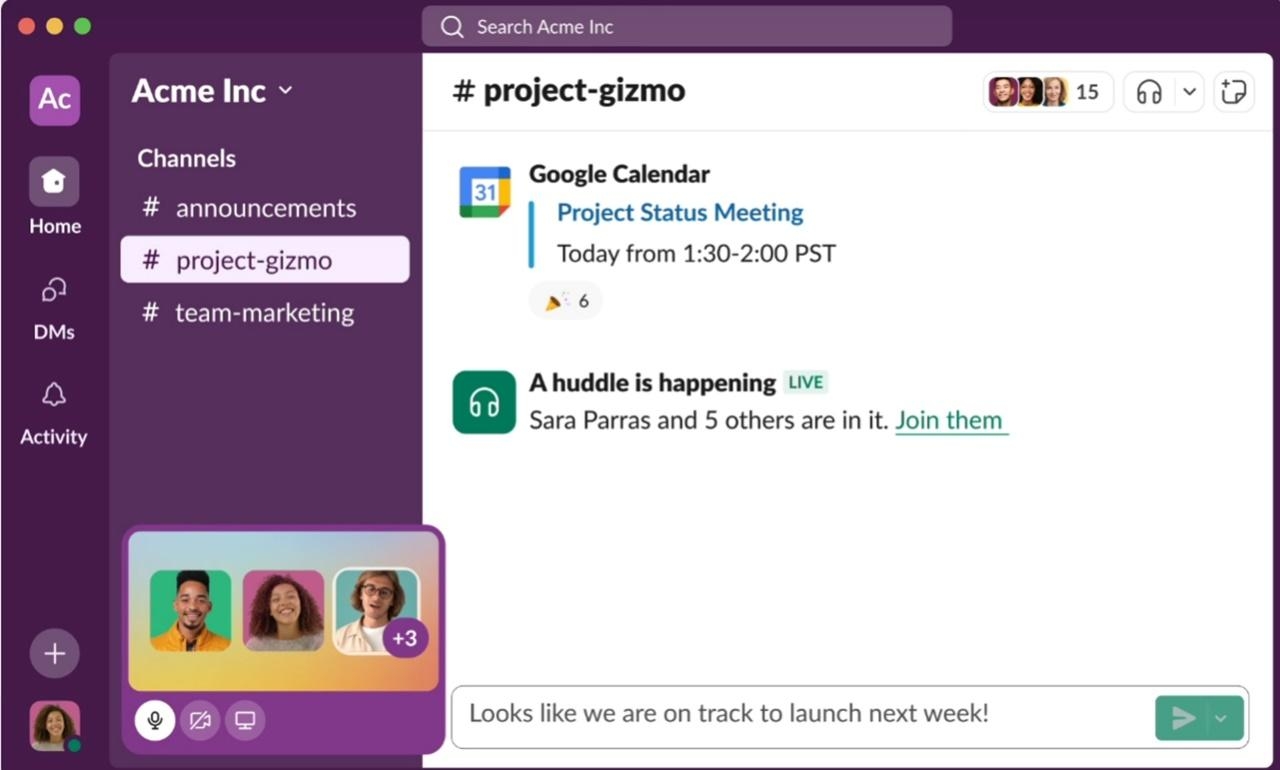 Image source: slack.com
Slack is a channel-based collaboration platform that connects teams and external partners in one shared workspace. Slack Connect streamlines communication across companies, while Huddles and Clips support quick voice or video touchpoints.
Key features:
- Slack Connect for secure external channels
- Workflow Builder to automate repetitive tasks
- Huddles for spontaneous audio collaboration
Best for: Teams needing dynamic messaging and easy partner collaboration
Pros:
- Intuitive interface
- Vast app integrations
- Secure data management
Cons:
- Can generate message clutter
- Higher tiers add cost
Pricing:
- Free
- Pro: $7.25/user/month
- Business+: $12.50/user/month
- Enterprise Grid: Custom pricing
3. Microsoft Teams
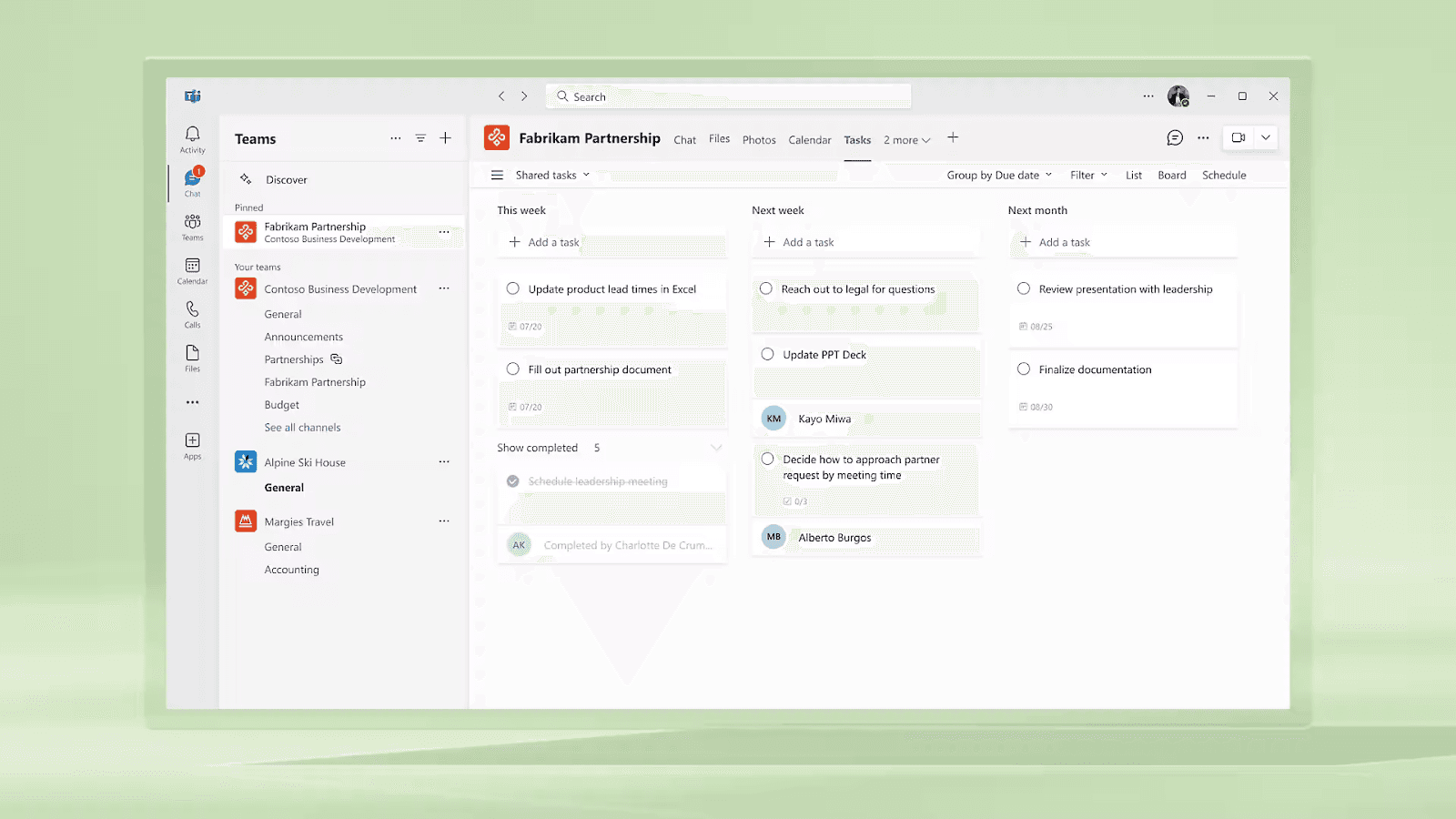 Image source: microsoft.com
Image source: microsoft.comMicrosoft Teams integrates chat, video, files, and Office apps, offering a familiar environment for those using Microsoft 365. It's for both Windows and Mac users and is designed for businesses, government clouds, VDI customers, and educational users. The Teams apps extend functionality into specialized workflows.
Key features:
- Deep Office integration for co-authoring
- Persistent chat with threaded conversations
- Industry and role scenario playbooks
Best for: Organizations using Microsoft tools and services
Pros:
- Seamless integration with Microsoft products and tools
- Webinar and live event support
- Fine-grained admin control
Cons:
- Best features tied to Microsoft subscriptions
- Overwhelming variety of MS integrations and channels
Pricing:
- Teams Essentials: $4/user/month; also included in many Microsoft 365 plans
4. Asana
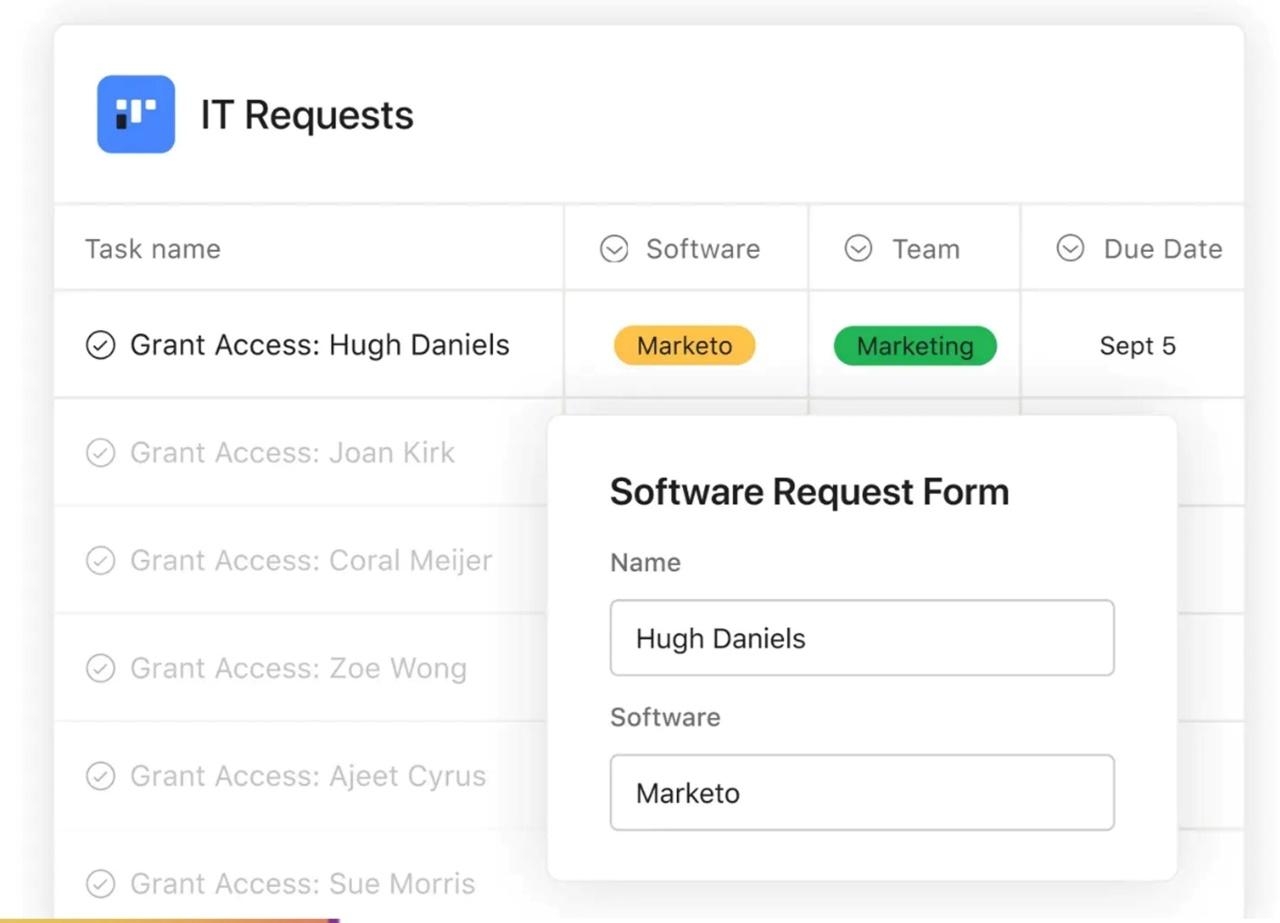 Image source: asana.com
Asana structures work into tasks, projects, and timelines, aligning teams on shared goals. Its Work Graph model illuminates who’s doing what and when, while automation reduces manual effort. It helps your team work together smartly and scale effectively.
Key features:
- Timeline view for project mapping
- Workflow Builder to automate steps
- Asana AI for project management
- Integrations with Slack, Google Drive, Salesforce, and 300+ more channels
Best for: Teams focused on project clarity and accountability
Pros:
- Multiple views (list, board, calendar)
- Clear progress visibility and reporting
Cons:
- Advanced features may overwhelm newbies
- Complex workflows require subscribing to higher tiers
Pricing:
- Personal: Free
- Starter: $10.99/user/month (annual)
- Advanced: $24.99/user/month (annual)
- Enterprise: Custom pricing
- Enterprise+: Custom pricing
5. ClickUp
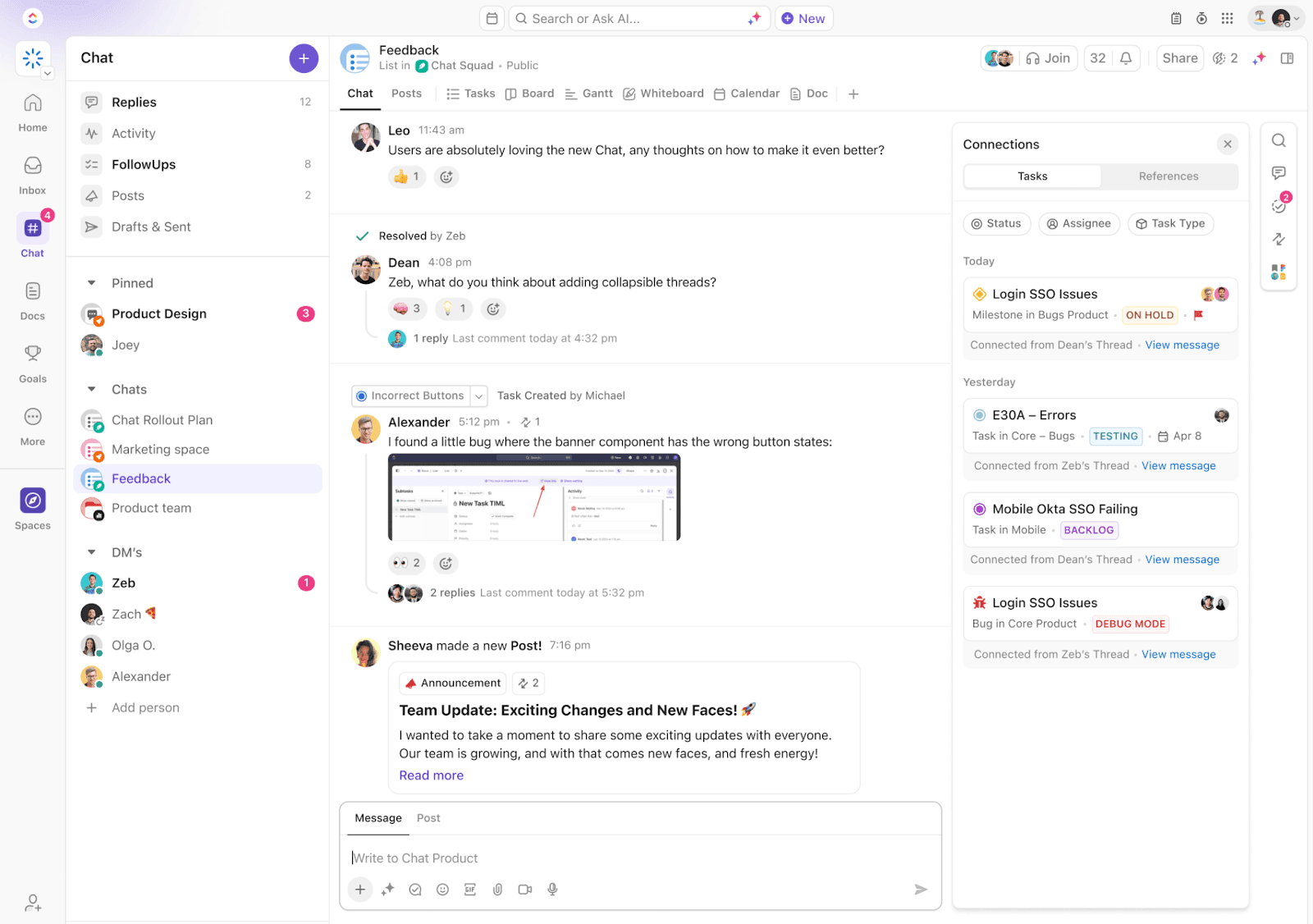 Image source: clickup.com
Image source: clickup.comClickUp unifies tasks, documents, whiteboards, and chat for end-to-end productivity. It centralizes project-related communications in one hub and drafts plans with collaborative Docs. Its flexible setup includes custom fields, multiple views, and a Mind Map feature for visual planning.
Key features:
- Connected Search to find a needle in your tech stack
- Built-in Whiteboard 3.0 for visual planning and co-working
- Knowledge management with AI
- ClickUp Chat for messages, posts, and threads
Best for: Teams looking for extensive customization
Pros:
- Highly adaptable layouts
- Integration with up to 1,000+ channels and tools
Cons:
- Steep learning curve for premium features
- Limited views for the mobile app
Pricing:
- Free Forever
- Unlimited: $7/user/month (annual)
- Business: $12/user/month (annual)
- Enterprise: Custom pricing
6. Google Workspace
 Image source: workspace.google.com
Google Workspace integrates the majority of Google products for seamless cloud productivity. These include Gmail, Docs, Sheets, Slides, and Meet. Workspace offers real-time collaboration, enhanced Smart Canvas features, and AI suggestions that simplify workflows and promote swift feedback. All plans feature a 14-day free trial.
Key features:
- Instant collaboration in Docs and Sheets
- Secure Drive storage with version history
- Integration with Google Gemini
Best for: Teams prioritizing Google Suite, cloud-first operations
Pros:
- Familiar, user-friendly interface
- Easy external file sharing
Cons:
- Advanced admin controls cost more
- Limited offline functionality
Pricing:
- Business Starter: $6/user/month
- Business Standard: $12/user/month
- Business Plus: $18/user/month
- Enterprise: Custom pricing
7. Trello
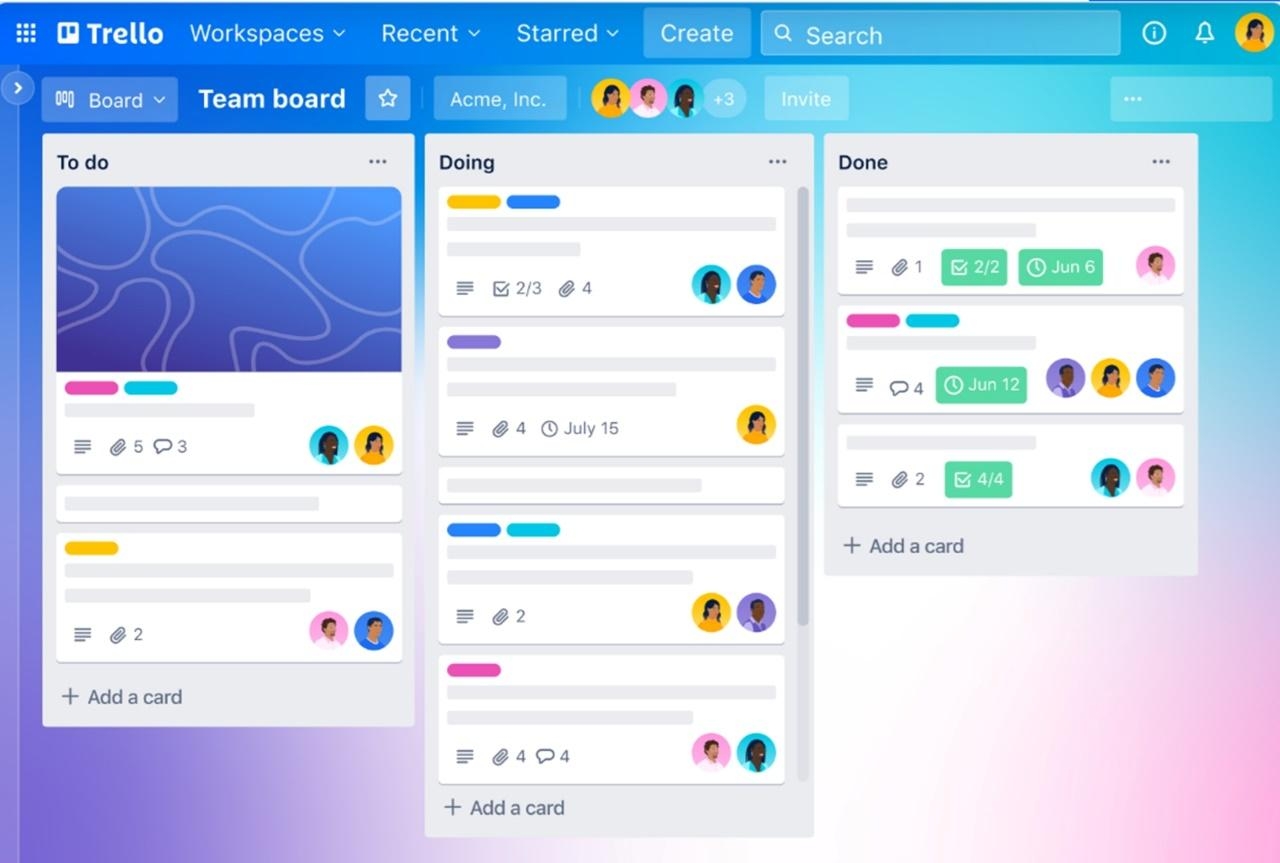 Image source: trello.com
Trello organizes work using boards, lists, and cards for a simple, visual approach to project management. Power-Ups add features like calendars, custom fields, and integrations, while Views (Timeline, Dashboard) give new angles on progress.
Key features:
- Boards with drag-and-drop cards
- Templates for various categories
- Atlassian Intelligence features at higher tiers
Best for: Teams needing a flexible, visual system
Pros:
- Easy onboarding
- Highly visual interface
- Great for task management
Cons:
- Lacks real-time communication features
- Does not support complex project management needs compared to Google Workspace, Microsoft Teams, and Lark
Pricing:
- Free
- Standard: $5/user/month (annual)
- Premium: $10/user/month (annual)
- Enterprise: from $17.50/user/month (annual)
8. Zoom
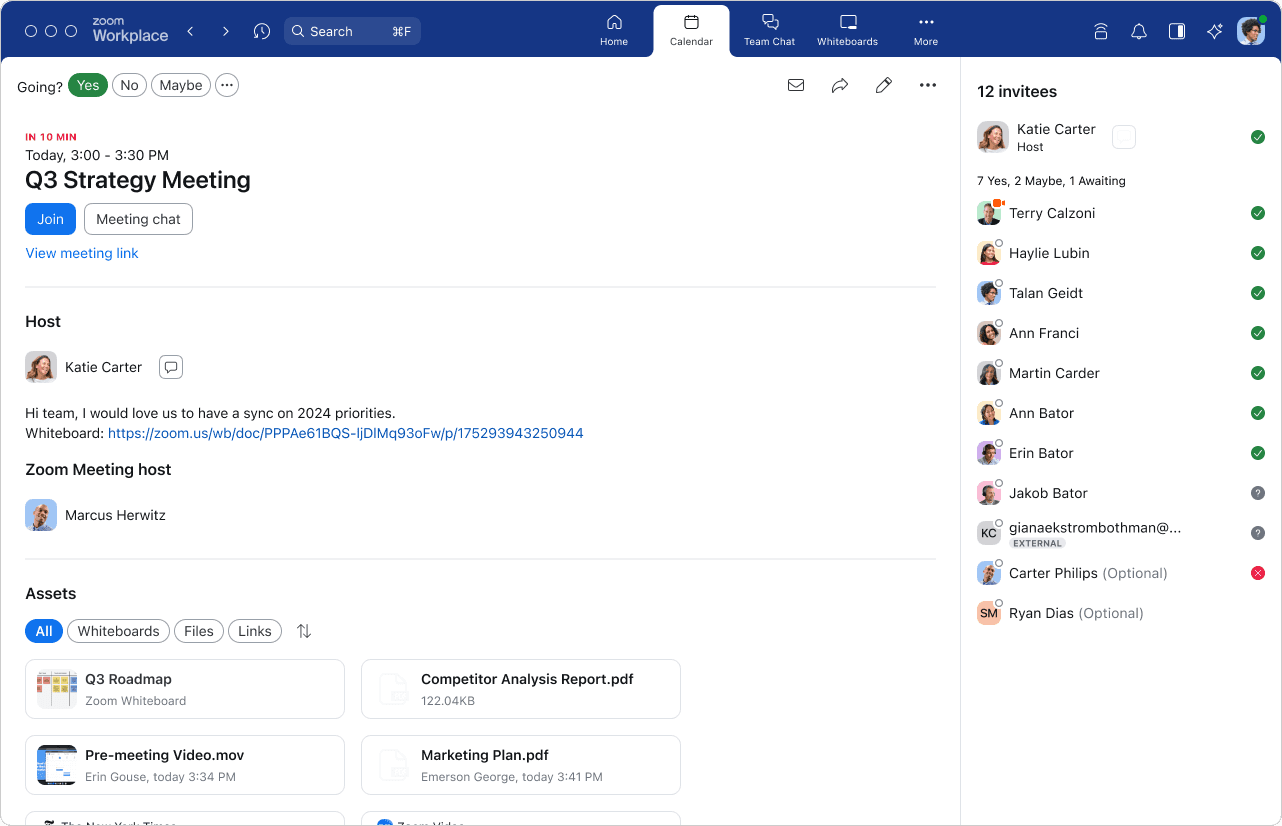 Image source: zoom.com
Image source: zoom.comZoom, beyond high-quality video conferencing, offers Zoom Workplace for more interactive collaboration. Teams can benefit from Zoom Workspace’s clutter-free segments: communications, productivity, spaces, and employee engagement. Members can sync with calendars and productivity tools, aiding meetings from quick stand-ups to large webinars.
Key features:
- Zoom Workplace as an all-in-one collaboration platform
- Integrated chat and file sharing alongside video conferencing
- Seamless integration with calendars and productivity apps
Best for: Teams prioritizing reliable video and integrated communication
Pros:
- High-definition video functionalities and screen-sharing
- Scalable meeting capacity
- Cross-platform support
Cons:
- Some advanced features require paid plans
- Zoombombing incidents can happen, disrupting conference calls, and introducing inappropriate behavior from uninvited individuals
Pricing:
- Basic: Free
- Pro: $13.33/user/month (annual)
- Business: $18.32/user/month (annual)
9. Monday.com
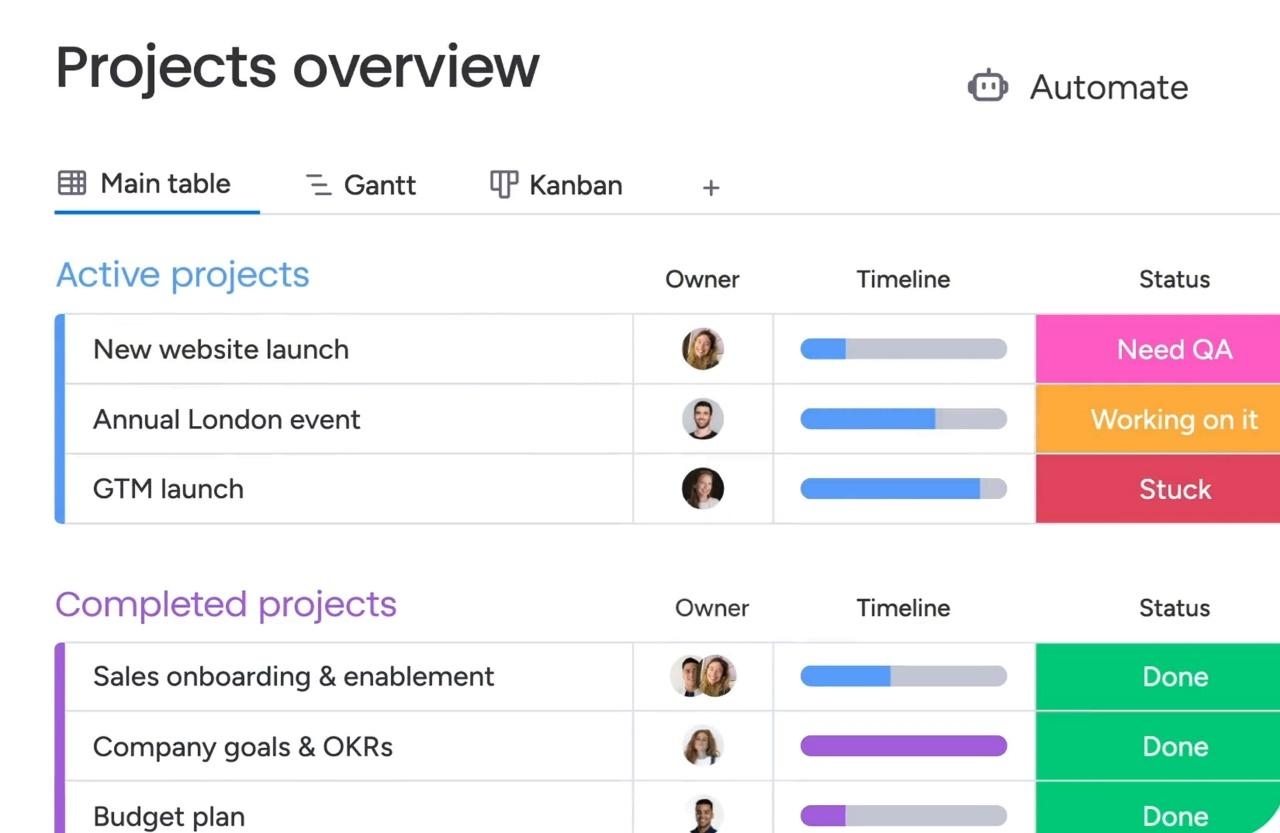 Image source: monday.com
Monday.com is a Work OS that visualizes projects with boards, timelines, and automation recipes. It supports docs, forms, and templates for diverse workflows—from product launches to hiring.
Key features:
- Automation recipes for repetitive tasks
- Customize code-free automations
- Monday AI for marketing and creative teams
Best for: Teams wanting versatile visualization and workflow customization
Pros:
- Highly customizable boards
- A single hub for all workflows
Cons:
- Limited AI capabilities for some tiers
- Extensive and confusing customization options
Pricing:
- Free (up to 2 seats)
- Basic: $9/seat/month (annual)
- Standard: $12/seat/month (annual)
- Pro: $19/seat/month (annual)
- Enterprise: Custom pricing
10. Basecamp
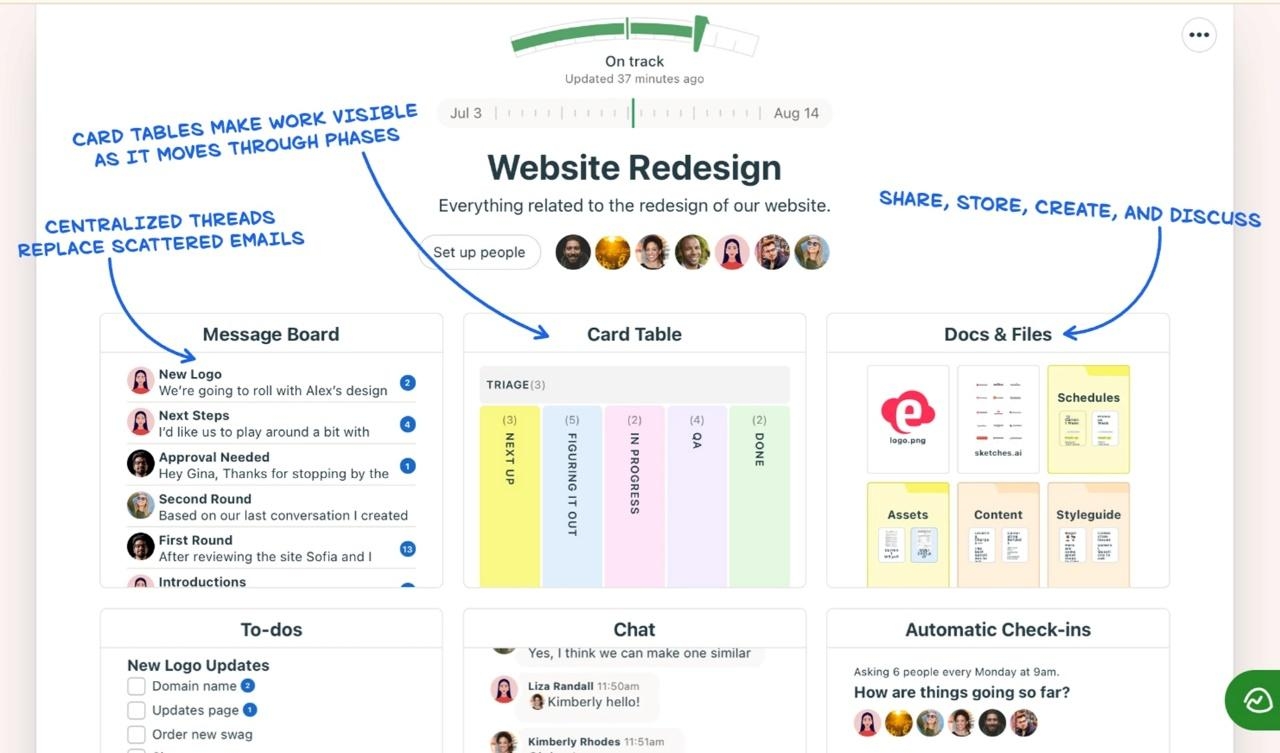 Image source: basecamp.com
Basecamp consolidates tasks, message boards, schedules, file storage, and chats in one clean interface. It reduces dependency on multiple tools, promoting clarity and asynchronous communication while avoiding unnecessary complexity.
Key features:
- Message boards for organized discussions
- Campfire chat for quick questions
- Track work with to-dos
Best for: Teams wanting a straightforward workspace
Pros:
- Two pricing tiers, both with a 30-day free trial
- Simple onboarding
Cons:
- Fewer deep integrations
- Less customization than competitors
Pricing:
- Basecamp: $15/user/month
- Basecamp Pro Unlimited: $299/month flat
Factors in choosing the right collaboration tool for your team
The best online collaboration tools for your team depend on your unique business and operation needs. To help you make a smart choice, consider the factors below.
Tailored recommendations by role
Different roles have different priorities. Executives need strategic visibility, HR managers seek engagement, IT teams value security, and frontline workers need immediate access.
Industry-specific needs
No industry is the same; each requires unique specificities, including how they can benefit from an online collaboration tool. For example, retail teams might benefit from using task checklists while gaming studios usually depend on voice channels for seamless global collaboration.
Scalability
As companies expand, they need to choose tools that can grow with them in terms of capacity, storage, and support. A flexible solution helps ensure seamless growth, avoiding expensive migrations or interruptions along the way.
Balancing employee experience and business needs
A welcoming design makes it easier for people to embrace new tools, while strong features help businesses expand. Finding the perfect balance minimizes obstacles, enhances efficiency, and keeps employees happy.
Integration with existing systems
Verify how well it works with your existing software. Seamless integrations can save you time, cut down on data silos, and keep workflows steady. This way, you won't have to keep switching between platforms, boosting your overall efficiency.
Security and compliance
Tools must protect sensitive data and meet regulations like GDPR. Features like strong encryption, access controls, and compliance certifications reassure IT teams and senior executives.
Why is Lark the best all-in-one solution for businesses?
Businesses are dealing with scattered workflows, rising costs, and increasing worries about data security. They need a platform to address these issues directly. Lark is a user-friendly solution that simplifies operations and grows alongside companies.
Seamless collaboration through unified workflows
Many organizations struggle with fragmented information and complex tool stacks. Lark centralizes messaging, file sharing, meetings, and other essential features into one platform. This approach eliminates the need to switch between separate apps, reducing communication gaps and enabling teams to stay aligned.
Cost consolidation
Maintaining multiple tools increases operational expenses. Lark combines key features like chat, cloud storage, and task management, removing the need for extra subscriptions. This simplification trims recurring costs, helping SMBs and enterprises alike invest resources where they matter most.
Data protection
As data privacy regulations tighten, businesses must prioritize security. Lark’s enterprise-grade safeguards include encryption, flexible access controls, and compliance support for laws like GDPR. IT teams gain peace of mind knowing that sensitive information is well-protected at every stage.
Cross-platform support
With hybrid or remote work, executives and employees can now do their work in non-traditional office spaces. As such, employees rely on dependable access to their tools. Lark is available on Windows, Mac, iOS, and Android. This makes it easy for everyone to collaborate, regardless of their preferred device or location.
Task management
Lack of clarity in assigning responsibilities often slows progress. Lark’s integrated task lists, reminders, and status updates keep projects on track. With transparent progress tracking, teams can meet deadlines, prevent duplicated work, and maintain consistent output.
Global collaboration
Enterprises expanding into international markets need solutions that support multiple languages and time zones. Lark’s built-in features for worldwide teamwork help connect colleagues across borders and break down language barriers, ensuring that growth doesn’t compromise team efficiency or cohesion.
Case studies: Lark’s real-world success
Case study 1: Xiaomi
Global technology leader Xiaomi needed a way to connect its teams spread across continents. By adopting Lark, Xiaomi unified chats, video meetings, and project documents in one place.
This reduced time spent switching between tools and ensured that everyone—from engineers and designers to marketing and support staff—could work together efficiently. Real-time updates and secure data management allowed Xiaomi’s global workforce to innovate quickly and maintain a consistent brand experience for customers worldwide.
Case study 2: Narayana Group
Facing the shift to full-time remote learning during the COVID-19 lockdown, Indian-based Narayana Group, one of Asia’s largest educational institutions with 400,000 students and 40,000 staff, turned to Lark. Previously using fragmented tools like WhatsApp and Zoom, they needed a unified platform to streamline operations. Lark Messenger, in particular, as well as audio and video meeting features and the Service Desk app reduced maintenance hours and simplified onboarding. Lark enabled Narayana Group to manage remote education and ensure data protection at scale efficiently.
Case study 3: ZUS Coffee
In its quest to become Malaysia’s #1 tech-driven coffee chain, ZUS Coffee expanded to over 400 stores in three years. To address the company’s rapid outlet growth, communication fragmentation, and the need to foster a cohesive culture, ZUS Coffee turned to Lark for its collaboration tools. Lark Base centralized outlet management, streamlining project tracking and coordination. Lark Messenger unified communication channels to reduce complexity. Additionally, Lark Moments nurtured organizational culture by promoting employee recognition and collaboration. By adopting a unified platform, ZUS Coffee was able to scale efficiently while maintaining operational excellence and a strong team culture.
Conclusion
In today’s changing workplace, choosing the right online collaboration tool can boost efficiency and security. By embracing secure online collaboration tools like Lark, you ensure seamless communication, reduced costs, and a more connected global team. Ready to streamline work and protect your data? Explore Lark’s all-in-one solution today and start collaborating.
Table of contents
Start using Lark today

Manage all your work in one place
Boost team efficiency by 10x
Save up to 70% on software costs
Table of contents
Start using Lark today
Manage all your work in one place
Boost team efficiency by 10x
Save up to 70% on software costs
Keep reading



![What Is a 2-2-3 Work Schedule? Explanation and More [2026]](https://framerusercontent.com/images/uKHRfkp4v7y4azRNTYUmuteNQz8.png)



2026 Lark Technologies Pte. Ltd.
Headquartered in Singapore with offices worldwide.






Explore: